20XX
• Mastering Looping Concepts
Loops in Python
Introduction to
Loops in Python
01
20XX
What are Loops?
Loops are structures that repeat a set of instructions
until a specific condition is met. In Python, we mainly
use `for` loops and `while` loops to achieve this.
They help in iterating over data collections or running
a code block continuously, making them a
fundamental concept for developers.
Importance of Loops in
Programming
Loops save time and effort in coding by reducing
redundancy. They're crucial for tasks like
processing data, automating repetitive actions,
and improving efficiency in algorithms.
Understanding loops can significantly enhance
your programming capabilities and allow you to
write cleaner, more efficient code.
Types of Loops in Python
In Python, we use mainly two types of loops: `for`
loops and `while` loops. `For` loops are used when
you know the number of iterations in advance,
often for iterating over a collection like lists or
strings. On the other hand, `while` loops continue
until a specified condition is no longer true, making
them great for scenarios where the number of
iterations isn't predetermined.
Using Loops
Effectively
02
20XX
Common Loop Structures
When it comes to looping in Python, you’ll
often encounter various structures like loop
control statements: `break` (to exit a loop)
and `continue` (to skip to the next iteration).
Nesting loops is also common, which lets
you loop within a loop, giving you added
power for complex problems.
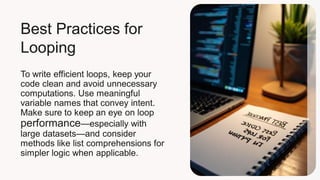
Best Practices for
Looping
To write efficient loops, keep your
code clean and avoid unnecessary
computations. Use meaningful
variable names that convey intent.
Make sure to keep an eye on loop
performance—especially with
large datasets—and consider
methods like list comprehensions for
simpler logic when applicable.
Debugging Loop Issues
Looping can sometimes lead to tricky bugs,
like infinite loops. Make sure your loop
conditions are set correctly. Use print
statements or debugging tools to track variable
changes. If you're stuck, take a step back,
review your logic and simplify the problem to
find the root cause.
CCo
Loops are a core part of Python programming,
facilitating efficient coding practices. By
understanding different types of loops, employing
effective structures, and following best practices,
you can become a more proficient coder. Don't shy
away from debugging; it's part of the learning
journey! Embrace loops, and watch your
programming grow!

From Beginner to Developer: Understanding Loops in Python

  • 1.
    20XX • Mastering LoopingConcepts Loops in Python
  • 2.
  • 3.
    What are Loops? Loopsare structures that repeat a set of instructions until a specific condition is met. In Python, we mainly use `for` loops and `while` loops to achieve this. They help in iterating over data collections or running a code block continuously, making them a fundamental concept for developers.
  • 4.
    Importance of Loopsin Programming Loops save time and effort in coding by reducing redundancy. They're crucial for tasks like processing data, automating repetitive actions, and improving efficiency in algorithms. Understanding loops can significantly enhance your programming capabilities and allow you to write cleaner, more efficient code.
  • 5.
    Types of Loopsin Python In Python, we use mainly two types of loops: `for` loops and `while` loops. `For` loops are used when you know the number of iterations in advance, often for iterating over a collection like lists or strings. On the other hand, `while` loops continue until a specified condition is no longer true, making them great for scenarios where the number of iterations isn't predetermined.
  • 6.
  • 7.
    Common Loop Structures Whenit comes to looping in Python, you’ll often encounter various structures like loop control statements: `break` (to exit a loop) and `continue` (to skip to the next iteration). Nesting loops is also common, which lets you loop within a loop, giving you added power for complex problems.
  • 8.
    Best Practices for Looping Towrite efficient loops, keep your code clean and avoid unnecessary computations. Use meaningful variable names that convey intent. Make sure to keep an eye on loop performance—especially with large datasets—and consider methods like list comprehensions for simpler logic when applicable.
  • 9.
    Debugging Loop Issues Loopingcan sometimes lead to tricky bugs, like infinite loops. Make sure your loop conditions are set correctly. Use print statements or debugging tools to track variable changes. If you're stuck, take a step back, review your logic and simplify the problem to find the root cause.
  • 10.
    CCo Loops are acore part of Python programming, facilitating efficient coding practices. By understanding different types of loops, employing effective structures, and following best practices, you can become a more proficient coder. Don't shy away from debugging; it's part of the learning journey! Embrace loops, and watch your programming grow!