LOG file Writing
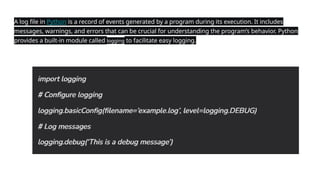
A log file in Python is a record of events generated by a program during its execution. It includes
messages, warnings, and errors that can be crucial for understanding the program’s behavior. Python
provides a built-in module called logging to facilitate easy logging.
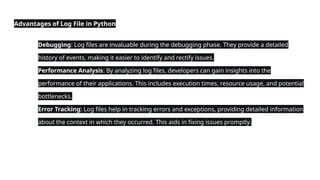
Advantages of Log File in Python
● Debugging: Log files are invaluable during the debugging phase. They provide a detailed
history of events, making it easier to identify and rectify issues.
● Performance Analysis: By analyzing log files, developers can gain insights into the
performance of their applications. This includes execution times, resource usage, and potential
bottlenecks.
● Error Tracking: Log files help in tracking errors and exceptions, providing detailed information
about the context in which they occurred. This aids in fixing issues promptly.
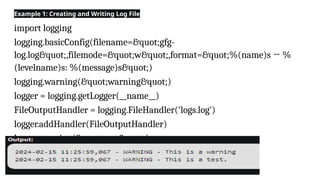
Example 1: Creating and Writing Log File
import logging
logging.basicConfig(filename="gfg-
log.log",filemode="w",format="%(name)s → %
(levelname)s: %(message)s")
logging.warning("warning")
logger = logging.getLogger(__name__)
FileOutputHandler = logging.FileHandler('logs.log')
logger.addHandler(FileOutputHandler)
logger.warning("test.")
Log file writing in python and aall.pptx

Log file writing in python and aall.pptx

  • 1.
  • 4.
    A log filein Python is a record of events generated by a program during its execution. It includes messages, warnings, and errors that can be crucial for understanding the program’s behavior. Python provides a built-in module called logging to facilitate easy logging.
  • 5.
    Advantages of LogFile in Python ● Debugging: Log files are invaluable during the debugging phase. They provide a detailed history of events, making it easier to identify and rectify issues. ● Performance Analysis: By analyzing log files, developers can gain insights into the performance of their applications. This includes execution times, resource usage, and potential bottlenecks. ● Error Tracking: Log files help in tracking errors and exceptions, providing detailed information about the context in which they occurred. This aids in fixing issues promptly.
  • 6.
    Example 1: Creatingand Writing Log File import logging logging.basicConfig(filename="gfg- log.log",filemode="w",format="%(name)s → % (levelname)s: %(message)s") logging.warning("warning") logger = logging.getLogger(__name__) FileOutputHandler = logging.FileHandler('logs.log') logger.addHandler(FileOutputHandler) logger.warning("test.")