Loan Management
System
Comprehensive Solution for Managing Loan Lifecycles
Project Overview
Comprehensive Solution
The Loan Management System (LMS) is a
web-based application designed to manage
loans from applications to repayments.
Streamlined Processes
It streamlines processes for administrators,
employees, and users, providing a
comprehensive tool for loan management.
Key Features
User Roles
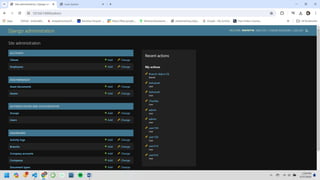
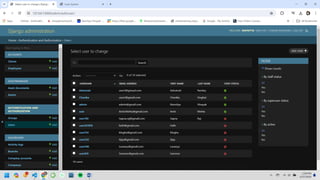
Admin: Manages users, loans, assets, roles,
products, wallets, and messages.
Employee: Manages loan applications,
borrower information, and repayments.
User: Applies for loans, views loan status,
and manages personal information.
Functionalities
• User Registration and Authentication
• Dashboard
• Loan Management
• Borrower Management
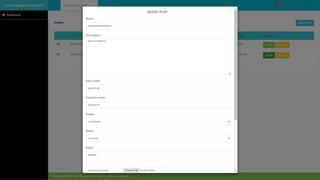
• Assets Management
• Role Management
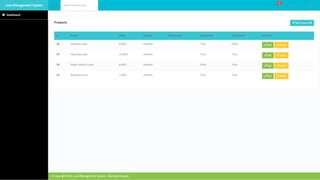
• Product Management
• Wallet and Repayments
• Messaging System
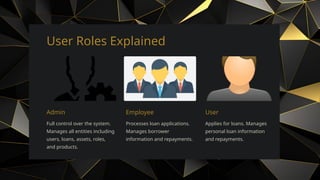
User Roles Explained
Admin
Full control over the system.
Manages all entities including
users, loans, assets, roles,
and products.
Employee
Processes loan applications.
Manages borrower
information and repayments.
User
Applies for loans. Manages
personal loan information
and repayments.
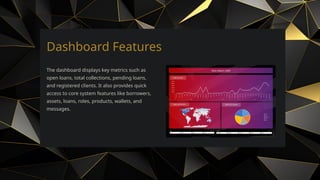
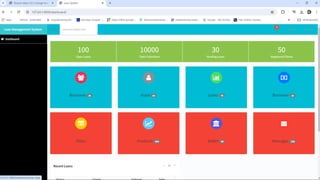
Dashboard Features
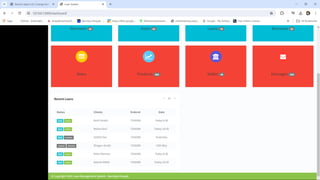
The dashboard displays key metrics such as
open loans, total collections, pending loans,
and registered clients. It also provides quick
access to core system features like borrowers,
assets, loans, roles, products, wallets, and
messages.
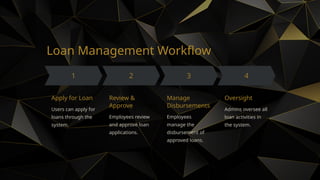
Loan Management Workflow
Apply for Loan
Users can apply for
loans through the
system.
Review &
Approve
Employees review
and approve loan
applications.
Manage
Disbursements
Employees
manage the
disbursement of
approved loans.
Oversight
Admins oversee all
loan activities in
the system.
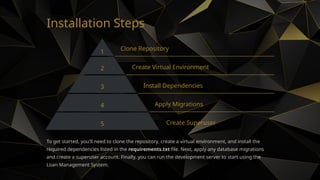
Installation Steps
1 Clone Repository
2 Create Virtual Environment
3 Install Dependencies
4 Apply Migrations
5 Create Superuser
To get started, you'll need to clone the repository, create a virtual environment, and install the
required dependencies listed in the requirements.txt file. Next, apply any database migrations
and create a superuser account. Finally, you can run the development server to start using the
Loan Management System.
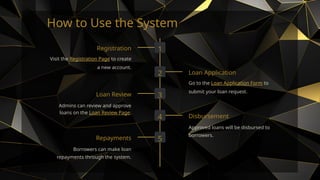
How to Use the System
1
Registration
Visit the Registration Page to create
a new account.
2 Loan Application
Go to the Loan Application Form to
submit your loan request.
3
Loan Review
Admins can review and approve
loans on the Loan Review Page.
4 Disbursement
Approved loans will be disbursed to
borrowers.
5
Repayments
Borrowers can make loan
repayments through the system.
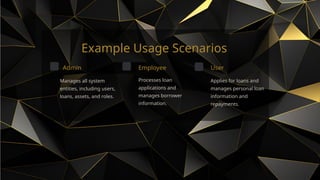
Example Usage Scenarios
Admin
Manages all system
entities, including users,
loans, assets, and roles.
Employee
Processes loan
applications and
manages borrower
information.
User
Applies for loans and
manages personal loan
information and
repayments.
Q&A
Open floor for questions and discussions.

Loan Management System,Comprehensive Solution for Managing Loan Lifecycles

  • 1.
  • 2.
    Project Overview Comprehensive Solution TheLoan Management System (LMS) is a web-based application designed to manage loans from applications to repayments. Streamlined Processes It streamlines processes for administrators, employees, and users, providing a comprehensive tool for loan management.
  • 3.
    Key Features User Roles Admin:Manages users, loans, assets, roles, products, wallets, and messages. Employee: Manages loan applications, borrower information, and repayments. User: Applies for loans, views loan status, and manages personal information. Functionalities • User Registration and Authentication • Dashboard • Loan Management • Borrower Management • Assets Management • Role Management • Product Management • Wallet and Repayments • Messaging System
  • 4.
    User Roles Explained Admin Fullcontrol over the system. Manages all entities including users, loans, assets, roles, and products. Employee Processes loan applications. Manages borrower information and repayments. User Applies for loans. Manages personal loan information and repayments.
  • 5.
    Dashboard Features The dashboarddisplays key metrics such as open loans, total collections, pending loans, and registered clients. It also provides quick access to core system features like borrowers, assets, loans, roles, products, wallets, and messages.
  • 6.
    Loan Management Workflow Applyfor Loan Users can apply for loans through the system. Review & Approve Employees review and approve loan applications. Manage Disbursements Employees manage the disbursement of approved loans. Oversight Admins oversee all loan activities in the system.
  • 7.
    Installation Steps 1 CloneRepository 2 Create Virtual Environment 3 Install Dependencies 4 Apply Migrations 5 Create Superuser To get started, you'll need to clone the repository, create a virtual environment, and install the required dependencies listed in the requirements.txt file. Next, apply any database migrations and create a superuser account. Finally, you can run the development server to start using the Loan Management System.
  • 8.
    How to Usethe System 1 Registration Visit the Registration Page to create a new account. 2 Loan Application Go to the Loan Application Form to submit your loan request. 3 Loan Review Admins can review and approve loans on the Loan Review Page. 4 Disbursement Approved loans will be disbursed to borrowers. 5 Repayments Borrowers can make loan repayments through the system.
  • 9.
    Example Usage Scenarios Admin Managesall system entities, including users, loans, assets, and roles. Employee Processes loan applications and manages borrower information. User Applies for loans and manages personal loan information and repayments.
  • 18.
    Q&A Open floor forquestions and discussions.