Innovate your Training with Learning
Management Software - LMS Monks
Upgrade your employee training program with a modern and efficient learningmanagement system. Improve
employee productivity, lower training costs, and gain complete control over the training process.
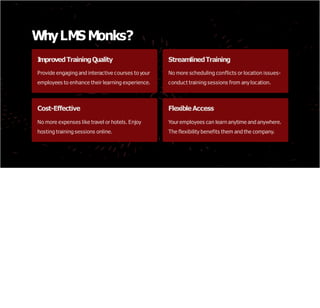
WhyLMS Monks?
I
mprovedTrainingQuality
Provide engaging and interactive courses to your
employees to enhance their learning experience.
StreamlinedTraining
No more scheduling conflicts or location issues-
conduct training sessions from anylocation.
Cost-Effective
No more expenses like travel or hotels. Enjoy
hosting training sessions online.
FlexibleAccess
Your employees can learn anytime and anywhere.
The flexibility benefits them and the company.
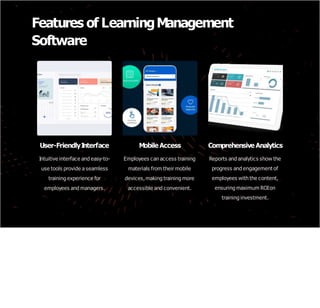
Features of LearningManagement
Software
User-FriendlyI
nterface
Intuitive interface and easy-to-
use tools provide a seamless
training experience for
employees and managers.
Mobile Access
Employees can access training
materials from their mobile
devices,making training more
accessible and convenient.
Comprehensive Analytics
Reports and analytics show the
progress and engagement of
employees with the content,
ensuring maximum ROIon
training investment.
HowtoChoosetheRight Learning
Management Software
1
.I
dentifyyour Needs
Determine your training requirements, such as the number of employees, frequency of training, and the type of
content that needs to be covered.
2. ResearchOptions
Research and shortlist several LMS solutions that meet your needs and budget.
3. DemoandTrialPeriod
Request demos and free trial periods from vendors to get hands-on experience with the product before
committing.
4. PricingandContract
Review pricing, contract features, and support services before making a purchasing decision.
I
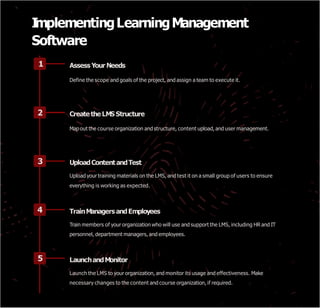
mplementingLearningManagement
Software
1 Assess Your Needs
Define the scope and goals of the project, and assign a team to execute it.
2 Createthe LMS Structure
Map out the course organization and structure, content upload, and user management.
3 UploadContentandTest
Upload your training materials on the LMS, and test it on a small group of users to ensure
everything is working as expected.
4 TrainManagers andEmployees
Train members of your organization who will use and support the LMS, including HR and IT
personnel, department managers, and employees.
5 LaunchandMonitor
Launch the LMS to your organization, and monitor its usage and effectiveness. Make
necessary changes to the content and course organization, if required.
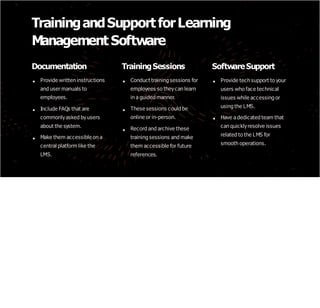
TrainingandSupportforLearning
Management Software
Documentation
Provide written instructions
and user manuals to
employees.
Include FAQs that are
commonlyasked byusers
about the system.
Make them accessible on a
central platform like the
LMS.
TrainingSessions
Conduct training sessions for
employees so theycan learn
in a guided manner.
These sessions could be
online or in-person.
Record and archive these
training sessions and make
them accessible for future
references.
SoftwareSupport
Provide tech support to your
users who face technical
issues while accessing or
using the LMS.
Have a dedicated team that
can quicklyresolve issues
related to the LMS for
smooth operations.
MeasuringtheSuccess of Learning
Management Software
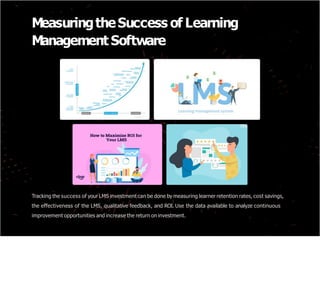
Tracking the success of your LMS investment can be done by measuring learner retention rates, cost savings,
the effectiveness of the LMS, qualitative feedback, and ROI. Use the data available to analyze continuous
improvement opportunities and increase the return on investment.
CaseStudies of SuccessfulLearning
Management SoftwareI
mplementation
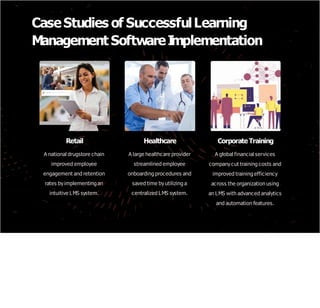
Retail
A national drugstore chain
improved employee
engagement and retention
rates byimplementing an
intuitive LMS system.
Healthcare
A large healthcare provider
streamlined employee
onboarding procedures and
saved time byutilizing a
centralized LMS system.
Corporate Training
A global financial services
companycut training costs and
improved training efficiency
across the organization using
an LMS with advanced analytics
and automation features.

LMS Monks Training Management System.pptx

  • 1.
    Innovate your Trainingwith Learning Management Software - LMS Monks Upgrade your employee training program with a modern and efficient learningmanagement system. Improve employee productivity, lower training costs, and gain complete control over the training process.
  • 2.
    WhyLMS Monks? I mprovedTrainingQuality Provide engagingand interactive courses to your employees to enhance their learning experience. StreamlinedTraining No more scheduling conflicts or location issues- conduct training sessions from anylocation. Cost-Effective No more expenses like travel or hotels. Enjoy hosting training sessions online. FlexibleAccess Your employees can learn anytime and anywhere. The flexibility benefits them and the company.
  • 3.
    Features of LearningManagement Software User-FriendlyI nterface Intuitiveinterface and easy-to- use tools provide a seamless training experience for employees and managers. Mobile Access Employees can access training materials from their mobile devices,making training more accessible and convenient. Comprehensive Analytics Reports and analytics show the progress and engagement of employees with the content, ensuring maximum ROIon training investment.
  • 4.
    HowtoChoosetheRight Learning Management Software 1 .I dentifyyourNeeds Determine your training requirements, such as the number of employees, frequency of training, and the type of content that needs to be covered. 2. ResearchOptions Research and shortlist several LMS solutions that meet your needs and budget. 3. DemoandTrialPeriod Request demos and free trial periods from vendors to get hands-on experience with the product before committing. 4. PricingandContract Review pricing, contract features, and support services before making a purchasing decision.
  • 5.
    I mplementingLearningManagement Software 1 Assess YourNeeds Define the scope and goals of the project, and assign a team to execute it. 2 Createthe LMS Structure Map out the course organization and structure, content upload, and user management. 3 UploadContentandTest Upload your training materials on the LMS, and test it on a small group of users to ensure everything is working as expected. 4 TrainManagers andEmployees Train members of your organization who will use and support the LMS, including HR and IT personnel, department managers, and employees. 5 LaunchandMonitor Launch the LMS to your organization, and monitor its usage and effectiveness. Make necessary changes to the content and course organization, if required.
  • 6.
    TrainingandSupportforLearning Management Software Documentation Provide writteninstructions and user manuals to employees. Include FAQs that are commonlyasked byusers about the system. Make them accessible on a central platform like the LMS. TrainingSessions Conduct training sessions for employees so theycan learn in a guided manner. These sessions could be online or in-person. Record and archive these training sessions and make them accessible for future references. SoftwareSupport Provide tech support to your users who face technical issues while accessing or using the LMS. Have a dedicated team that can quicklyresolve issues related to the LMS for smooth operations.
  • 7.
    MeasuringtheSuccess of Learning ManagementSoftware Tracking the success of your LMS investment can be done by measuring learner retention rates, cost savings, the effectiveness of the LMS, qualitative feedback, and ROI. Use the data available to analyze continuous improvement opportunities and increase the return on investment.
  • 8.
    CaseStudies of SuccessfulLearning ManagementSoftwareI mplementation Retail A national drugstore chain improved employee engagement and retention rates byimplementing an intuitive LMS system. Healthcare A large healthcare provider streamlined employee onboarding procedures and saved time byutilizing a centralized LMS system. Corporate Training A global financial services companycut training costs and improved training efficiency across the organization using an LMS with advanced analytics and automation features.