How to create a liquid layout
By Stephanie Redmond & Samantha
Totera
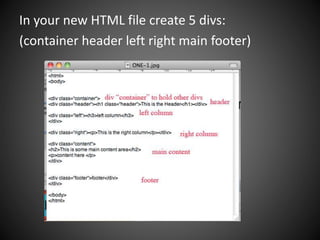
In your new HTML file create 5 divs:
(container header left right main footer)
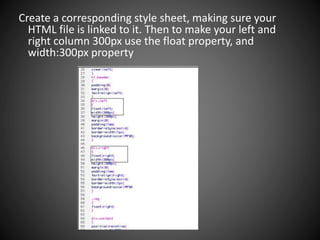
Create a corresponding style sheet, making sure your
HTML file is linked to it. Then to make your left and
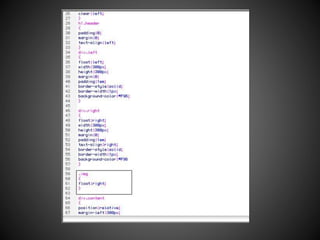
right column 300px use the float property, and
width:300px property
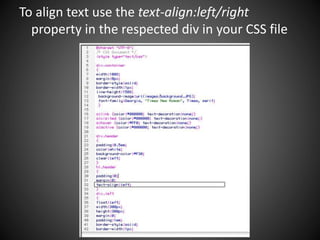
To align text use the text-align:left/right
property in the respected div in your CSS file
To make links to other pages just use the links
code <a href="url">Link text</a> and place it
in the column div you want it to appear in.
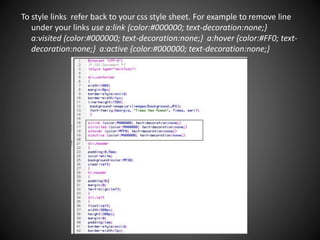
To style links refer back to your css style sheet. For example to remove line
under your links use a:link {color:#000000; text-decoration:none;}
a:visited {color:#000000; text-decoration:none;} a:hover {color:#FF0; text-
decoration:none;} a:active {color:#000000; text-decoration:none;}
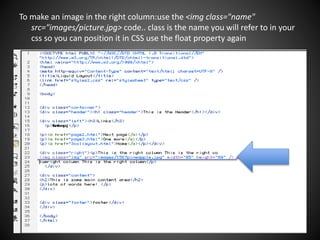
To make an image in the right column:use the <img class="name"
src="images/picture.jpg> code.. class is the name you will refer to in your
css so you can position it in CSS use the float property again
We used web based tutorials on
http://www.w3schools.com/

Liquidlayout

  • 1.
    How to createa liquid layout By Stephanie Redmond & Samantha Totera
  • 2.
    In your newHTML file create 5 divs: (container header left right main footer)
  • 3.
    Create a correspondingstyle sheet, making sure your HTML file is linked to it. Then to make your left and right column 300px use the float property, and width:300px property
  • 4.
    To align textuse the text-align:left/right property in the respected div in your CSS file
  • 5.
    To make linksto other pages just use the links code <a href="url">Link text</a> and place it in the column div you want it to appear in.
  • 6.
    To style linksrefer back to your css style sheet. For example to remove line under your links use a:link {color:#000000; text-decoration:none;} a:visited {color:#000000; text-decoration:none;} a:hover {color:#FF0; text- decoration:none;} a:active {color:#000000; text-decoration:none;}
  • 7.
    To make animage in the right column:use the <img class="name" src="images/picture.jpg> code.. class is the name you will refer to in your css so you can position it in CSS use the float property again
  • 9.
    We used webbased tutorials on http://www.w3schools.com/