Connecting people with information through libraries
iOS Accessibility
New Jersey State Library Talking
Book & Braille Center
NJLA 2016 Conference
May 17, 2016
http://www.njstatelib.org/tbbc
Connecting people with information through libraries
1
Presented By
• Mary Kearns-Kaplan:
mkaplan@njstatelib.org
• Meaghan Moody:
mmoody@njstatelib.org
Connecting people with information through libraries
2
3 Assistive Features
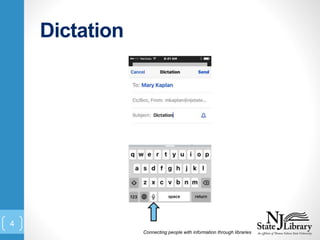
• Dictation
• Safari Reader (not available on all
web pages)
• Siri
Connecting people with information through libraries
3
Dictation
Connecting people with information through libraries
4
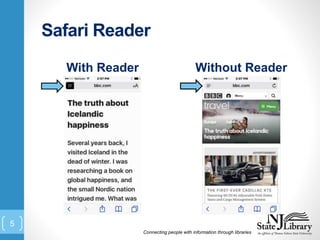
Safari Reader
With Reader Without Reader
Connecting people with information through libraries
5
Siri
• Press & hold home button
• Voice command
• In beta testing
• Not terribly bright, but getting
smarter
• “Hey Siri”
Connecting people with information through libraries
6
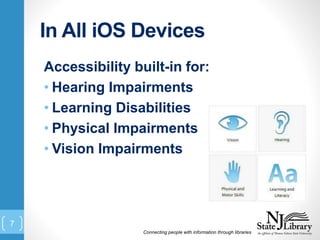
In All iOS Devices
Accessibility built-in for:
• Hearing Impairments
• Learning Disabilities
• Physical Impairments
• Vision Impairments
Connecting people with information through libraries
7
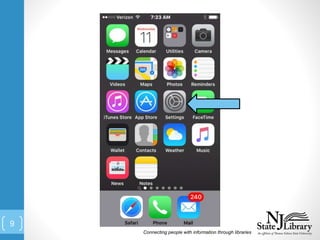
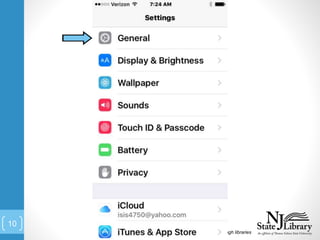
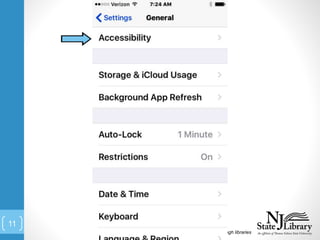
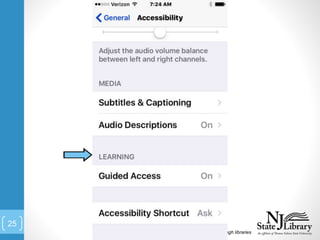
Where Do I Find Them?
• Settings  General  Accessibility
Connecting people with information through libraries
8
Connecting people with information through libraries
9
Connecting people with information through libraries
10
Connecting people with information through libraries
11
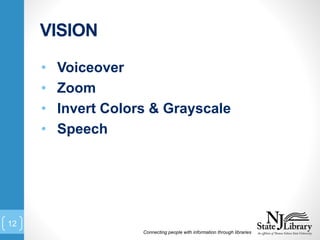
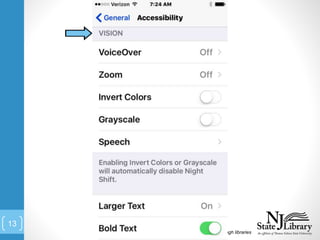
VISION
Connecting people with information through libraries
12
• Voiceover
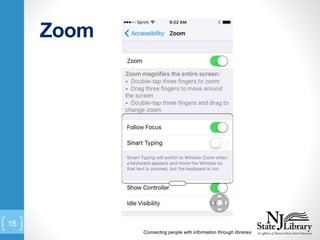
• Zoom
• Invert Colors & Grayscale
• Speech
Connecting people with information through libraries
13
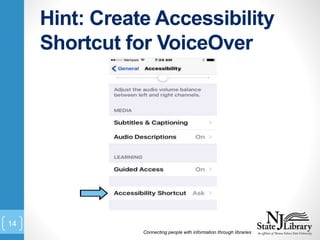
Hint: Create Accessibility
Shortcut for VoiceOver
Connecting people with information through libraries
14
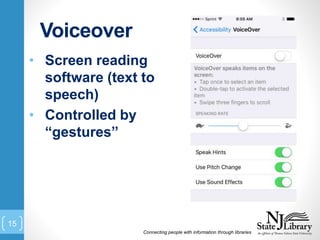
Voiceover
Connecting people with information through libraries
15
• Screen reading
software (text to
speech)
• Controlled by
“gestures”
Zoom
Connecting people with information through libraries
16
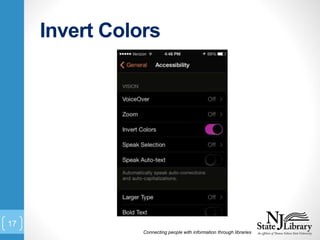
Invert Colors
Connecting people with information through libraries
17
PHYSICAL
Connecting people with information through libraries
18
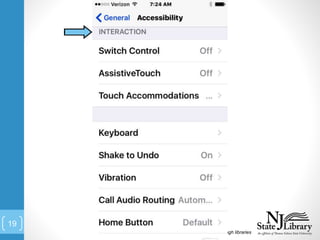
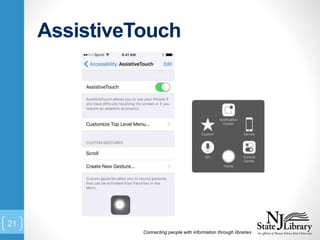
• Switch control
• Assistive Touch
Connecting people with information through libraries
19
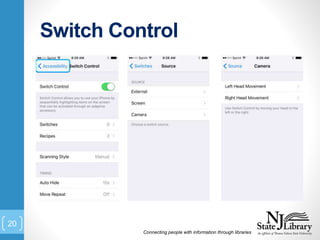
Switch Control
Connecting people with information through libraries
20
AssistiveTouch
Connecting people with information through libraries
21
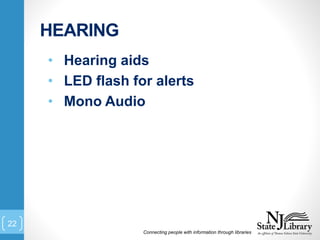
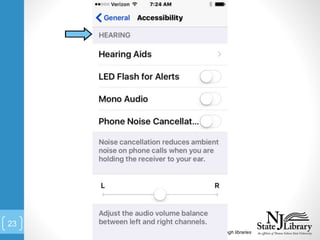
HEARING
Connecting people with information through libraries
22
• Hearing aids
• LED flash for alerts
• Mono Audio
Connecting people with information through libraries
23
LEARNING DISABILITIES
Connecting people with information through libraries
24
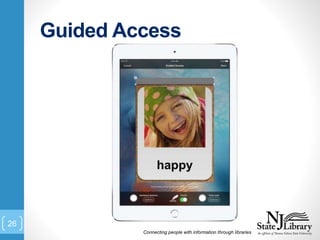
• Guided Access
Connecting people with information through libraries
25
Guided Access
Connecting people with information through libraries
26
Questions?
• Mary Kearns-Kaplan:
• 800-792-8322 x834
• mkaplan@njstatelib.org
• Meaghan Moody:
• 800-792-8322 x807
• mmoody@njstatelib.org
Connecting people with information through libraries
27

Lightning Talk

Editor's Notes

  • #3 We just want to add that we don’t consider ourselves experts on these features. It is the people who use them every day who have the expertise. The assistive technology built into iOS are extraordinary and are revolutionizing people’s lives. With their iOS device, many can navigate independently and use the cool and mainstream devices. We are just going to show you selective features because of the time constraint of the lightning talk.
  • #4 NOTE: Using iOS 9.3.1
  • #6 Basically, Safari Reader strips out the “noise” of a web page making it easier for people with vision impairments to read the page.
  • #7 Siri, is voice command software. I am sure you all know Siri. But if you do not, you press and hold the home button until Siri speaks to you. With Siri, I can dictate emails, text messages, create shopping lists, launch apps, etc. Makes it easy to use your device as long as Siri gets it correct.
  • #8 Now, onto the powerhouse accessibility features in the devices. Please follow along if you have an iOS device.
  • #12 I am now going to turn it over to Meaghan to demo some of these features for you