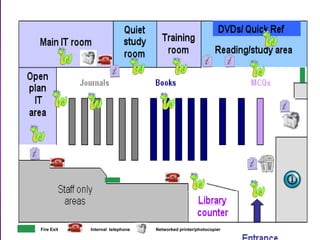
Fire Exit   Internal telephone   Networked printer/photocopier
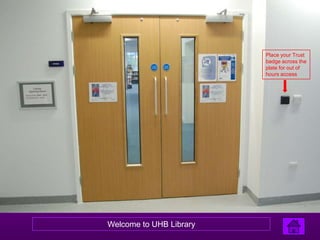
Place your Trust
                         badge across the
                         plate for out of
                         hours access


Welcome to UHB Library
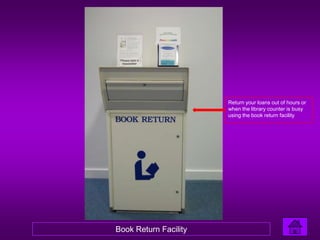
Return your loans out of hours or
                       when the library counter is busy
                       using the book return facility


Book Return Facility
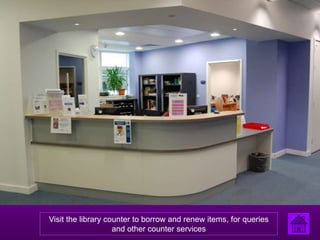
Visit the library counter to borrow and renew items, for queries
                    and other counter services
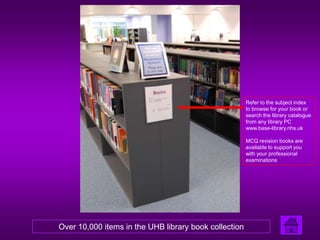
Refer to the subject index
                                                       to browse for your book or
                                                       search the library catalogue
                                                       from any library PC
                                                       www.base-library.nhs.uk

                                                       MCQ revision books are
                                                       available to support you
                                                       with your professional
                                                       examinations


Over 10,000 items in the UHB library book collection
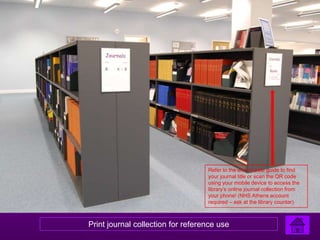
Refer to the end of aisle guide to find
                                   your journal title or scan the QR code
                                   using your mobile device to access the
                                   library’s online journal collection from
                                   your phone! (NHS Athens account
                                   required – ask at the library counter)


Print journal collection for reference use
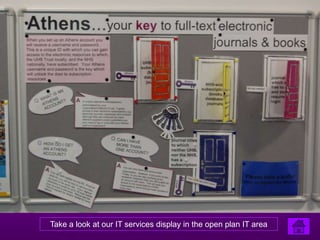
Take a look at our IT services display in the open plan IT area
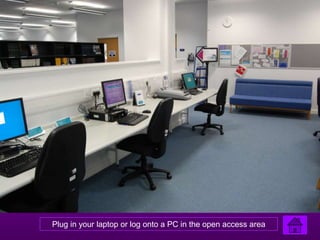
Plug in your laptop or log onto a PC in the open access area
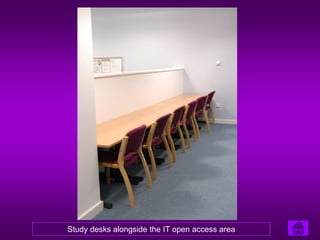
Study desks alongside the IT open access area
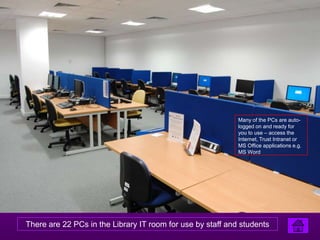
Many of the PCs are auto-
                                                            logged on and ready for
                                                            you to use – access the
                                                            Internet, Trust Intranet or
                                                            MS Office applications e.g.
                                                            MS Word


There are 22 PCs in the Library IT room for use by staff and students
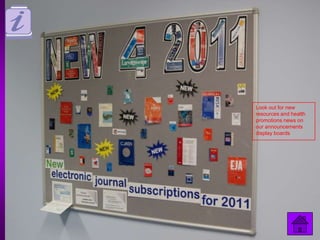
Look out for new
resources and health
promotions news on
our announcements
display boards
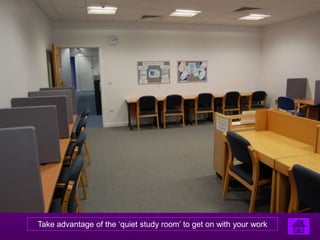
Take advantage of the ‘quiet study room’ to get on with your work
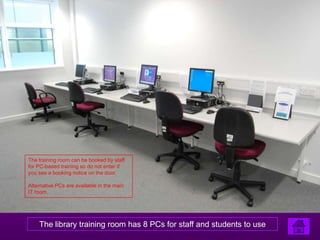
The training room can be booked by staff
for PC-based training so do not enter if
you see a booking notice on the door.

Alternative PCs are available in the main
IT room.


    The library training room has 8 PCs for staff and students to use
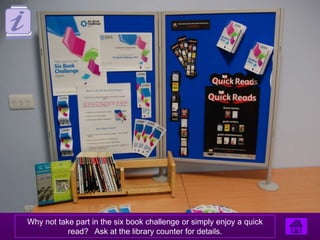
Why not take part in the six book challenge or simply enjoy a quick
           read? Ask at the library counter for details.
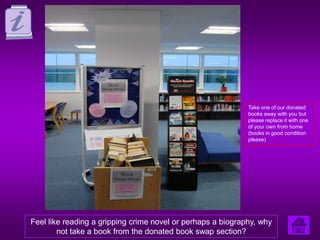
Take one of our donated
                                                             books away with you but
                                                             please replace it with one
                                                             of your own from home
                                                             (books in good condition
                                                             please)


Feel like reading a gripping crime novel or perhaps a biography, why
        not take a book from the donated book swap section?
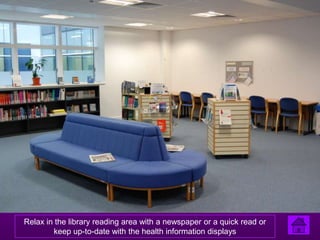
Relax in the library reading area with a newspaper or a quick read or
        keep up-to-date with the health information displays
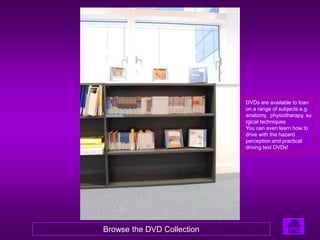
DVDs are available to loan
                            on a range of subjects e.g.
                            anatomy, physiotherapy, su
                            rgical techniques
                            You can even learn how to
                            drive with the hazard
                            perception and practical
                            driving test DVDs!


Browse the DVD Collection
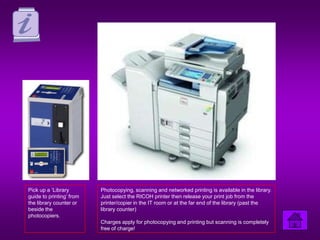
Pick up a ‘Library        Photocopying, scanning and networked printing is available in the library.
guide to printing’ from   Just select the RICOH printer then release your print job from the
the library counter or    printer/copier in the IT room or at the far end of the library (past the
beside the                library counter)
photocopiers.
                          Charges apply for photocopying and printing but scanning is completely
                          free of charge!
For further information please contact the Library

       qelibrary@uhb.nhs.uk
         Tel (internal)12485
   (outside Trust 0121 371 2485)

Library tour

  • 1.
    Fire Exit Internal telephone Networked printer/photocopier
  • 2.
    Place your Trust badge across the plate for out of hours access Welcome to UHB Library
  • 3.
    Return your loansout of hours or when the library counter is busy using the book return facility Book Return Facility
  • 4.
    Visit the librarycounter to borrow and renew items, for queries and other counter services
  • 5.
    Refer to thesubject index to browse for your book or search the library catalogue from any library PC www.base-library.nhs.uk MCQ revision books are available to support you with your professional examinations Over 10,000 items in the UHB library book collection
  • 6.
    Refer to theend of aisle guide to find your journal title or scan the QR code using your mobile device to access the library’s online journal collection from your phone! (NHS Athens account required – ask at the library counter) Print journal collection for reference use
  • 7.
    Take a lookat our IT services display in the open plan IT area
  • 8.
    Plug in yourlaptop or log onto a PC in the open access area
  • 9.
    Study desks alongsidethe IT open access area
  • 10.
    Many of thePCs are auto- logged on and ready for you to use – access the Internet, Trust Intranet or MS Office applications e.g. MS Word There are 22 PCs in the Library IT room for use by staff and students
  • 11.
    Look out fornew resources and health promotions news on our announcements display boards
  • 12.
    Take advantage ofthe ‘quiet study room’ to get on with your work
  • 13.
    The training roomcan be booked by staff for PC-based training so do not enter if you see a booking notice on the door. Alternative PCs are available in the main IT room. The library training room has 8 PCs for staff and students to use
  • 14.
    Why not takepart in the six book challenge or simply enjoy a quick read? Ask at the library counter for details.
  • 15.
    Take one ofour donated books away with you but please replace it with one of your own from home (books in good condition please) Feel like reading a gripping crime novel or perhaps a biography, why not take a book from the donated book swap section?
  • 16.
    Relax in thelibrary reading area with a newspaper or a quick read or keep up-to-date with the health information displays
  • 17.
    DVDs are availableto loan on a range of subjects e.g. anatomy, physiotherapy, su rgical techniques You can even learn how to drive with the hazard perception and practical driving test DVDs! Browse the DVD Collection
  • 18.
    Pick up a‘Library Photocopying, scanning and networked printing is available in the library. guide to printing’ from Just select the RICOH printer then release your print job from the the library counter or printer/copier in the IT room or at the far end of the library (past the beside the library counter) photocopiers. Charges apply for photocopying and printing but scanning is completely free of charge!
  • 19.
    For further informationplease contact the Library qelibrary@uhb.nhs.uk Tel (internal)12485 (outside Trust 0121 371 2485)