Moving Containerized
Apps to Azure Container
Service
Christoph Schittko
Cloud Solution Architect, Microsoft
Agenda
▪ Business Problem
▪ Customer On-Prem Architecture
▪ Challenges and Solutions
▪ Lessons Learned
▪ Demo
▪ Resources
Assumptions
▪ Familiar with Docker
▪ Familiar with Container Deployment and Orchestration
▪ Familiar with Azure Container Service
Business Problem
▪ Operating on-prem hardware at PB scale is expensive
▪ New business models require new operating models
– Elastic Scale
– Cost Efficient Deployment through Highest Density
▪ Rapid Global Expansion requires Partnering with Public Cloud
Providers
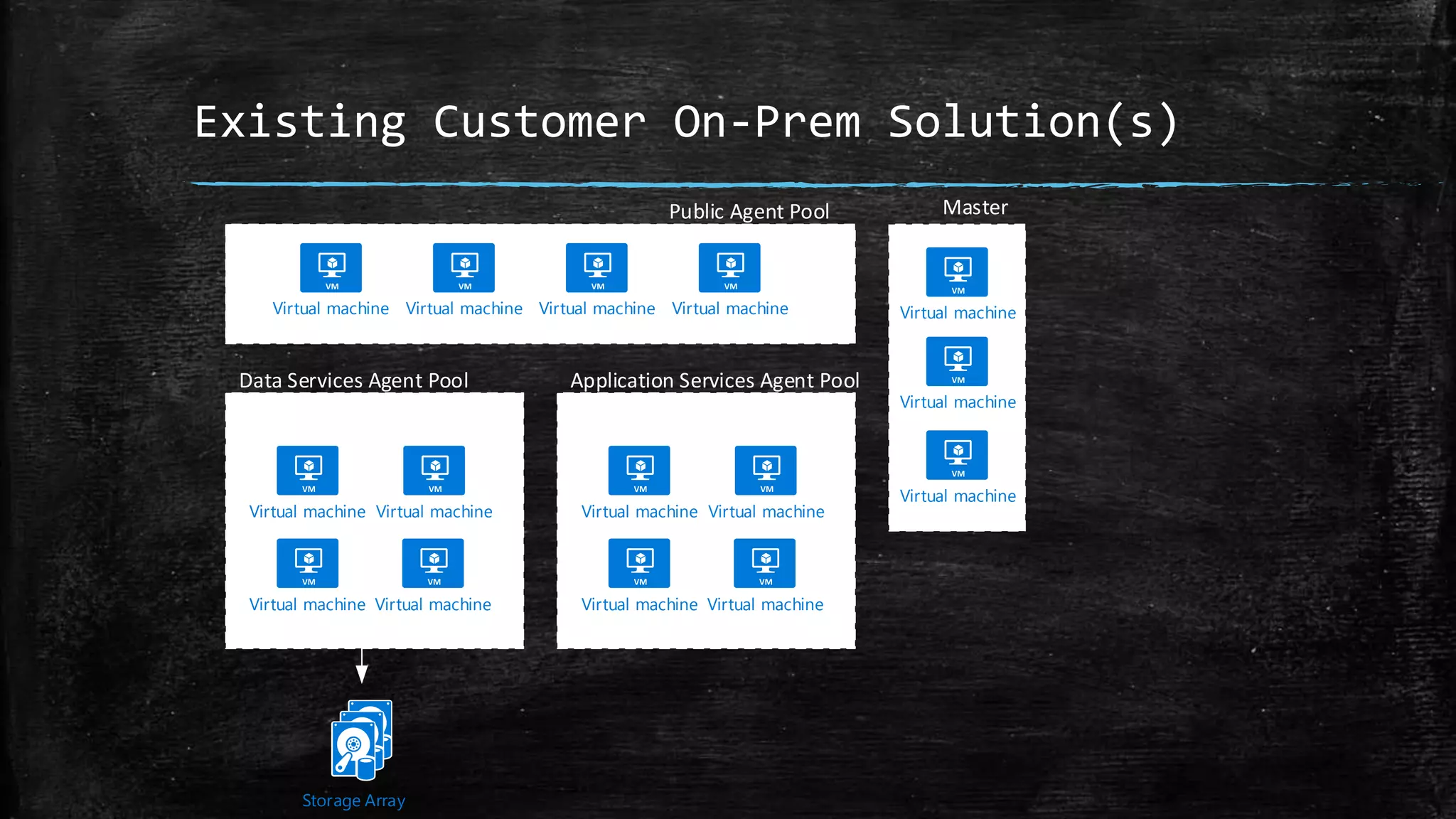
Existing Customer On-Prem Solution(s)
Application Services Agent Pool
Public Agent Pool
Data Services Agent Pool
Master
Virtual machineVirtual machine Virtual machineVirtual machineVirtual machine
Virtual machine Virtual machine
Virtual machine
Virtual machine
Storage Array
Challenges
▪ Cost Efficient Cluster Configurations
▪ Persistent Data with high IOPS requirements
▪ Internet Access to Services
▪ Advanced Node Configuration (Cassandra HA)
▪ Network “Isolation” ofApplications
Introducing ACS-Engine
▪ ACS works with 2Tiers ofTemplates
– ACS Deployment Model -> ARMTemplates
▪ Highly Customizable ClusterTopology
▪ Built with learning from POCs
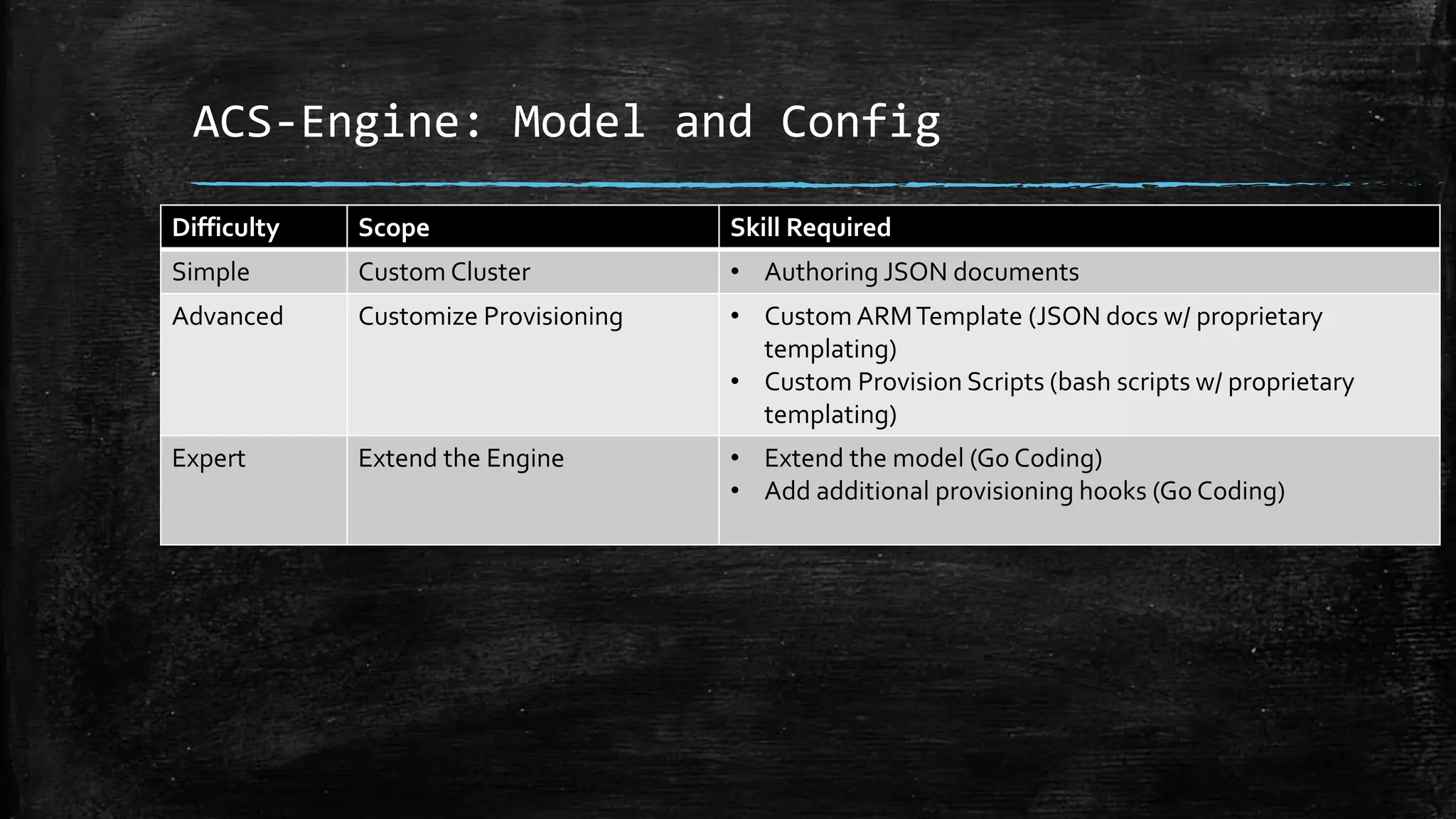
ACS-Engine: Model and Config
Difficulty Scope Skill Required
Simple Custom Cluster • Authoring JSON documents
Advanced Customize Provisioning • Custom ARMTemplate (JSON docs w/ proprietary
templating)
• Custom Provision Scripts (bash scripts w/ proprietary
templating)
Expert Extend the Engine • Extend the model (Go Coding)
• Add additional provisioning hooks (Go Coding)
Cost Efficient Clusters
▪ SmallestVM possible
▪ Scale Elastically
▪ AgentType PerWorkload
– VM type
– Storage config
– Application specific config
ACS-Engine Model (snippet)
"agentPoolProfiles": [
{
"name": "agentapps",
"count": 4,
"vmSize": "Standard_D2_v2"
},
{
"name": "agentcassandra",
"count": 1,
"vmSize": "Standard_D3_v2",
"availabilityProfile": "AvailabilitySet",
"storageProfile": "StorageAccount",
"diskSizesGB": [128, 128, 128, 128]
}
],
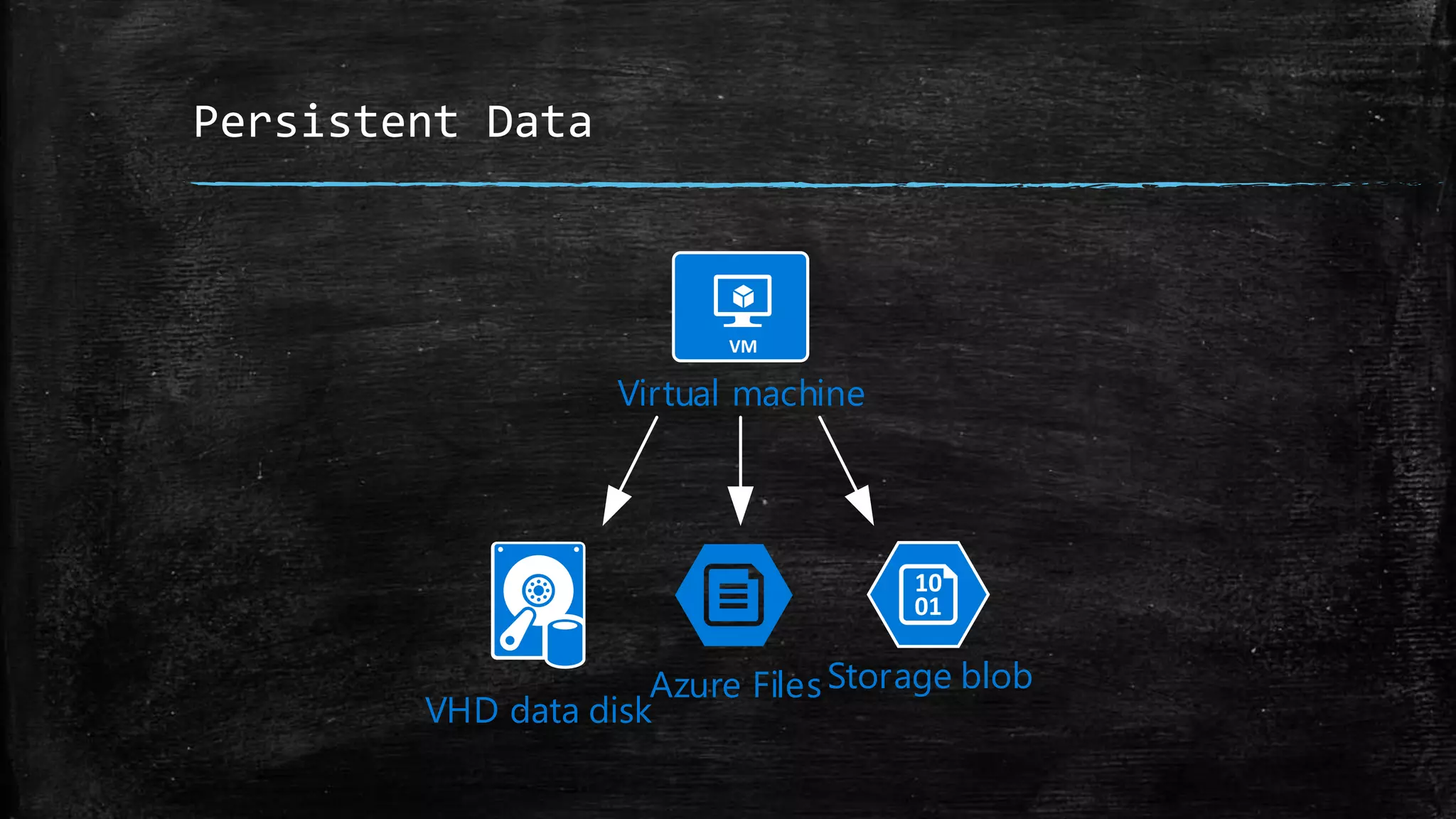
Persistent Data
Storage blob
VHD data disk
Azure Files
Virtual machine
Node Configuration
▪ Custom Script Extension requiresARM modifications
▪ Custom Agent Script Hook in ACS-Engine (not published yet)
▪ Cloud Init / Cloud Config
Custom Script Extension vs. Custom Data
{
"type": "CustomScript",
"fileUris": [ ... ]
}
#!/bin/bash
...
ARM Template
Customization
Script on Web
ARM
Engine
Virtual machine
Deploy
VM
Custom Script
Custom Data
{
"customData": "#cloud-
config
}
ARM Template
ARM
Engine
Virtual machine
Passes
Script
Deploy
VM
Advanced Node Config
▪ Install Docker Drivers or Add-Ons
▪ Container Registry Credentials
▪ Specify DCOS Attributes for Placement Constraints
▪ Configuring Nodes forCassandra HA
– E.g. Cassandra requires rack topology to configure itself for HA
– Racks map to Azure Fault Domains
– FD discovery via Metadata Service at Node Provisioning time
– Publish to DCOS via attributes
– Perform Customization in Container Startup Script
Cloud Init via ARM’s customData
• Cross Platform solution to customize cloudVMs (http://cloud-init.io)
• Passed Directly to theVM’s Azure Agent at provisioning time. No Staging Needed
{
"type": "Microsoft.Compute/virtualMachines“,
"osProfile": {
"adminUsername": "[variables('adminUsername')]",
"computername": "[concat(variables('agent128VMNamePrefix'), copyIndex())]",
"customData": "[base64(concat('#cloud-confignn', '{"bootcmd":["bash -c ...]"
}
"linuxConfiguration": {
Cloud Config
#cloud-config
bootcmd: […]
disk_setup: […]
fs_setup: […]
mounts: […]
runcmd: […]
write_files: […]
Externally Accessible Services
Load balancer
Svc
instance 1
10.0.0.4:80
Svc
instance 2
10.0.0.5:80
Host Mode Networking Bridge Mode Networking
Load balancer
Svc instance1
10.0.0.4:10091
Svc instance2
10.0.0.4:19828
Marathon-lb
10.0.0.4:80
Externally Accessible Services
▪ ACS Public Agent Pool
– Works great with Containers in Host Mode
▪ Azure L4 ELB / Azure L7 App Gateway
– Hard to add agents (CLI 1.x /VMSS) and containers
▪ DCOS Built-In L4 LB (minuteman)
– Integrated in DCOS scaling operations
▪ L7 LB (Marathon-lb / HA Proxy )
– Integrated in DCOS scaling operations
▪ Nginx Proxy in Host Mode on Public Agent
– Combine with minuteman to allow for DCOS scaling
– Expose through ELB
DCOS Service Discovery
Network Type IP Addressing DNS Naming Scheme
Host Network Host IP : Host Port <servicename>.marathon.mesos
Bridge Network VIP : Container Port <servicename>.marathon.l4lb.thisdcos.directory
User Network Private IP : Container Port <servicename>.
marathon.containerip.dcos.thisdcos.directory
Application Networks
▪ Based on DockerVirtual Networks
▪ Isolate Applications to their own address space
▪ Scope Name Resolution
▪ Simplification NOT a security boundary
▪ Very hard to provision in current DCOS configuration
– Mesosphere recommends placement in pre-configured overlay network
Resulting Architecture
Application Services Agent Pool
Public Agent Pool
Master
Virtual machine
Virtual machine
Virtual machine
Cloud Object Store
Azure load
balancer
Azure load
balancer
Azure Premium
Storage Data
Disks
MySql Agent
Pool
Virtual machine Virtual machineVirtual machine
Availability set
Virtual machine
Virtual machine Virtual machineVirtual machine
Availability set
Virtual machine
Cassandra /
Gluster
Agent Pool
Availability set
Storage blob
marathon-lb / nginx
AzureContainer
Registry
ACS-Engine: Demo
▪ Clone ACS-Engine Repo
▪ Build engine
▪ Custom Model
▪ Provision Cluster
▪ Show DCOS UI  Cooking Show Style
▪ Deploy Service?
Outcome
▪ Mission Accomplished: No Code Changes
– MinorConfig Changes
▪ DNS Naming
▪ Network Mode
▪ Setup Scripts
– Modifications to S3Proxy to account for S3 not following HTTP standard
▪ ~2300 cores of compute
▪ >100TB storage
▪ Passing Load / StressTests
Other Lessons Learned
▪ Azure Explore Existing Container Solutions before building your own (S3
Proxy, Cassandra)
▪ ACS install requires outbound network connectivity
▪ Azure Container Registry + ACS works seamless
▪ DCOS install does not detect orphaned nodes
▪ ACS DCOS makes private networks really hard
▪ DCOS is moving fast. DCOS docs, not so much
▪ Slack (K8s, Mesos)
▪ DCOS Jira for bug fixes
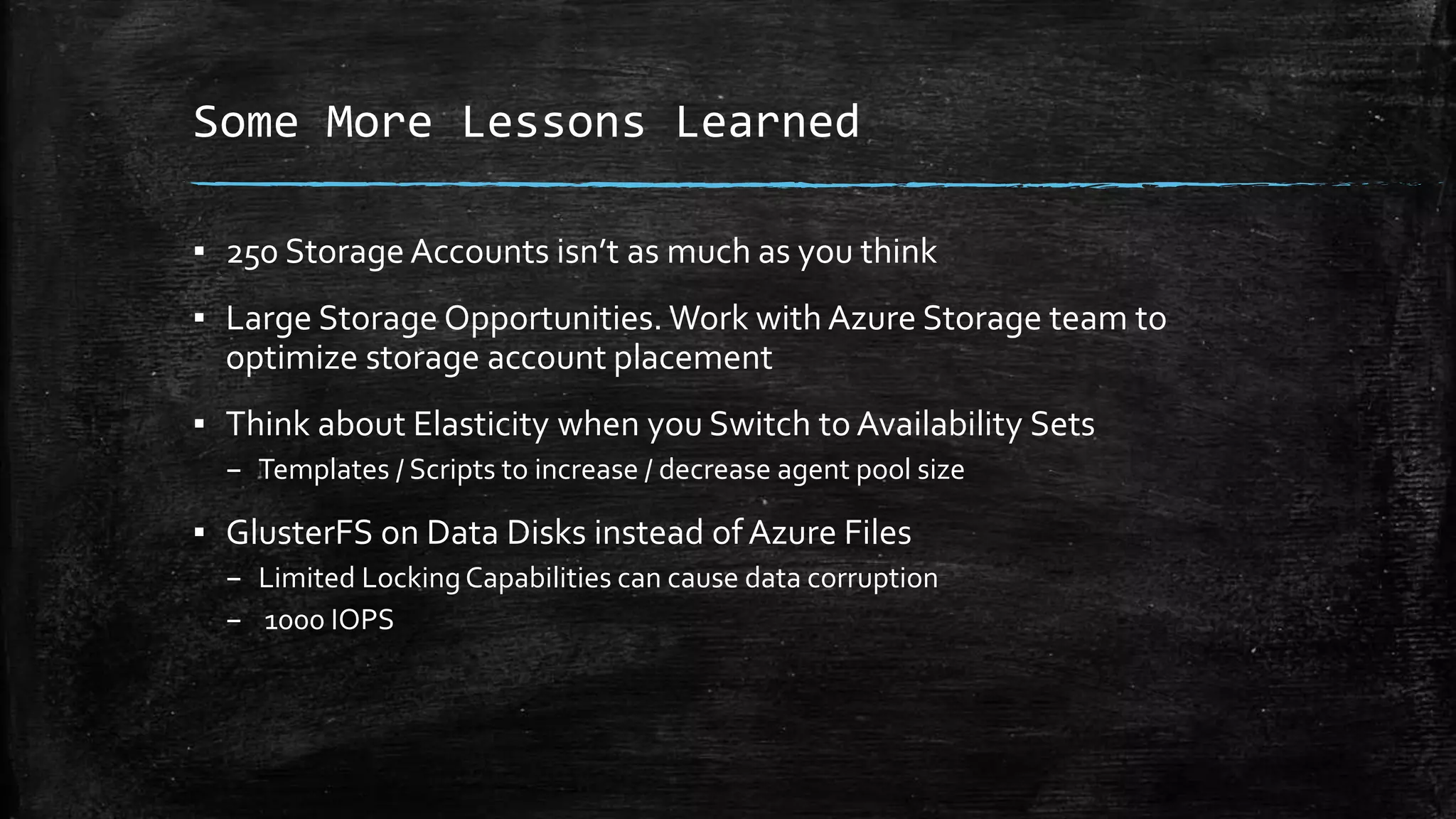
Some More Lessons Learned
▪ 250 Storage Accounts isn’t as much as you think
▪ Large Storage Opportunities. Work with Azure Storage team to
optimize storage account placement
▪ Think about Elasticity when you Switch to Availability Sets
– Templates / Scripts to increase / decrease agent pool size
▪ GlusterFS on Data Disks instead ofAzure Files
– Limited LockingCapabilities can cause data corruption
– 1000 IOPS
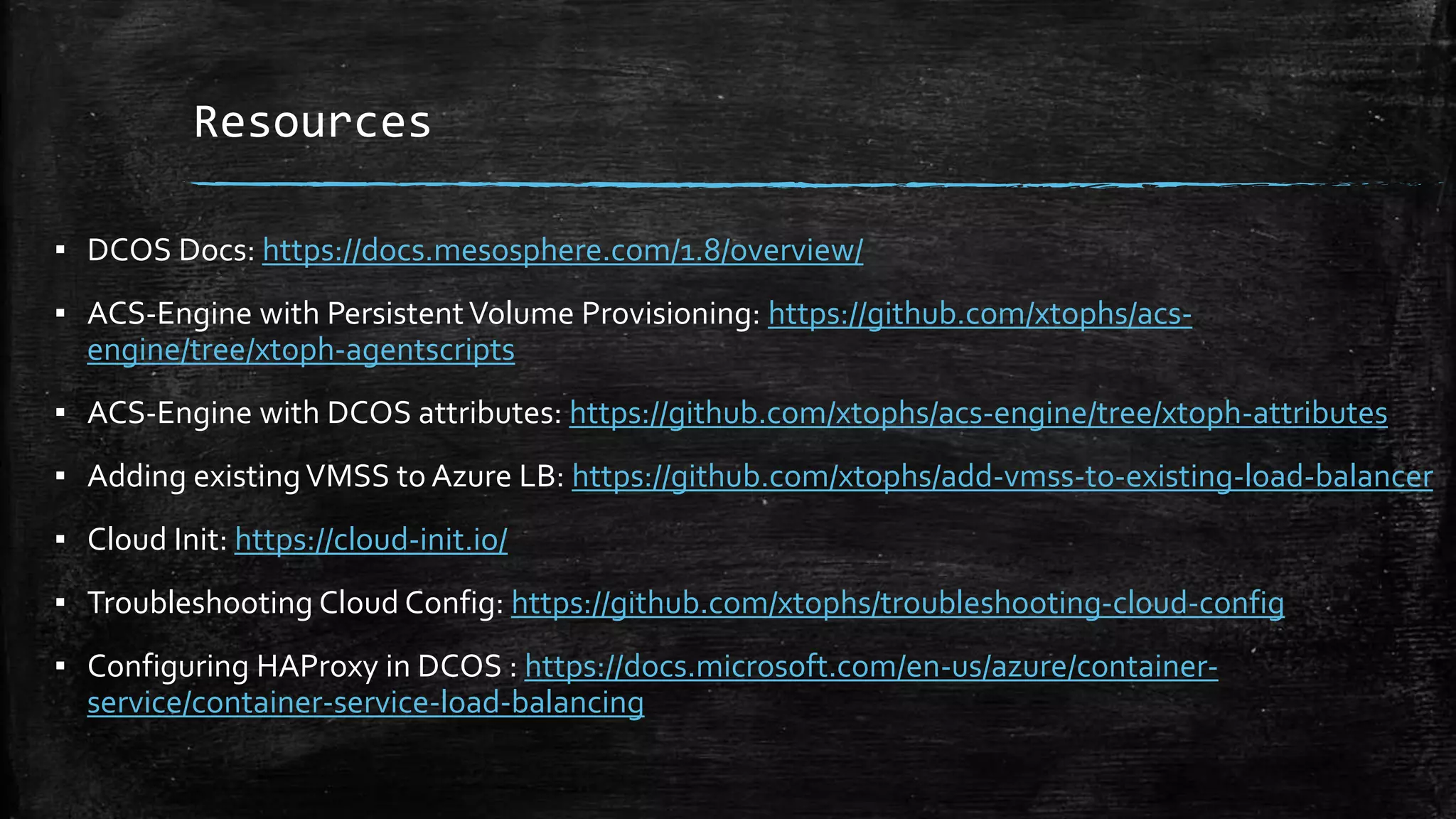
Resources
▪ DCOS Docs: https://docs.mesosphere.com/1.8/overview/
▪ ACS-Engine with PersistentVolume Provisioning: https://github.com/xtophs/acs-
engine/tree/xtoph-agentscripts
▪ ACS-Engine with DCOS attributes: https://github.com/xtophs/acs-engine/tree/xtoph-attributes
▪ Adding existingVMSS to Azure LB: https://github.com/xtophs/add-vmss-to-existing-load-balancer
▪ Cloud Init: https://cloud-init.io/
▪ Troubleshooting Cloud Config: https://github.com/xtophs/troubleshooting-cloud-config
▪ Configuring HAProxy in DCOS : https://docs.microsoft.com/en-us/azure/container-
service/container-service-load-balancing

Lessons from migrating container applications to azure

  • 1.
    Moving Containerized Apps toAzure Container Service Christoph Schittko Cloud Solution Architect, Microsoft
  • 2.
    Agenda ▪ Business Problem ▪Customer On-Prem Architecture ▪ Challenges and Solutions ▪ Lessons Learned ▪ Demo ▪ Resources
  • 3.
    Assumptions ▪ Familiar withDocker ▪ Familiar with Container Deployment and Orchestration ▪ Familiar with Azure Container Service
  • 4.
    Business Problem ▪ Operatingon-prem hardware at PB scale is expensive ▪ New business models require new operating models – Elastic Scale – Cost Efficient Deployment through Highest Density ▪ Rapid Global Expansion requires Partnering with Public Cloud Providers
  • 5.
    Existing Customer On-PremSolution(s) Application Services Agent Pool Public Agent Pool Data Services Agent Pool Master Virtual machineVirtual machine Virtual machineVirtual machineVirtual machine Virtual machine Virtual machine Virtual machine Virtual machine Virtual machine Virtual machine Virtual machine Virtual machine Virtual machine Virtual machine Storage Array
  • 6.
    Challenges ▪ Cost EfficientCluster Configurations ▪ Persistent Data with high IOPS requirements ▪ Internet Access to Services ▪ Advanced Node Configuration (Cassandra HA) ▪ Network “Isolation” ofApplications
  • 7.
    Introducing ACS-Engine ▪ ACSworks with 2Tiers ofTemplates – ACS Deployment Model -> ARMTemplates ▪ Highly Customizable ClusterTopology ▪ Built with learning from POCs
  • 8.
    ACS-Engine: Model andConfig Difficulty Scope Skill Required Simple Custom Cluster • Authoring JSON documents Advanced Customize Provisioning • Custom ARMTemplate (JSON docs w/ proprietary templating) • Custom Provision Scripts (bash scripts w/ proprietary templating) Expert Extend the Engine • Extend the model (Go Coding) • Add additional provisioning hooks (Go Coding)
  • 9.
    Cost Efficient Clusters ▪SmallestVM possible ▪ Scale Elastically ▪ AgentType PerWorkload – VM type – Storage config – Application specific config
  • 10.
    ACS-Engine Model (snippet) "agentPoolProfiles":[ { "name": "agentapps", "count": 4, "vmSize": "Standard_D2_v2" }, { "name": "agentcassandra", "count": 1, "vmSize": "Standard_D3_v2", "availabilityProfile": "AvailabilitySet", "storageProfile": "StorageAccount", "diskSizesGB": [128, 128, 128, 128] } ],
  • 11.
    Persistent Data Storage blob VHDdata disk Azure Files Virtual machine
  • 12.
    Node Configuration ▪ CustomScript Extension requiresARM modifications ▪ Custom Agent Script Hook in ACS-Engine (not published yet) ▪ Cloud Init / Cloud Config
  • 13.
    Custom Script Extensionvs. Custom Data { "type": "CustomScript", "fileUris": [ ... ] } #!/bin/bash ... ARM Template Customization Script on Web ARM Engine Virtual machine Deploy VM Custom Script Custom Data { "customData": "#cloud- config } ARM Template ARM Engine Virtual machine Passes Script Deploy VM
  • 14.
    Advanced Node Config ▪Install Docker Drivers or Add-Ons ▪ Container Registry Credentials ▪ Specify DCOS Attributes for Placement Constraints ▪ Configuring Nodes forCassandra HA – E.g. Cassandra requires rack topology to configure itself for HA – Racks map to Azure Fault Domains – FD discovery via Metadata Service at Node Provisioning time – Publish to DCOS via attributes – Perform Customization in Container Startup Script
  • 15.
    Cloud Init viaARM’s customData • Cross Platform solution to customize cloudVMs (http://cloud-init.io) • Passed Directly to theVM’s Azure Agent at provisioning time. No Staging Needed { "type": "Microsoft.Compute/virtualMachines“, "osProfile": { "adminUsername": "[variables('adminUsername')]", "computername": "[concat(variables('agent128VMNamePrefix'), copyIndex())]", "customData": "[base64(concat('#cloud-confignn', '{"bootcmd":["bash -c ...]" } "linuxConfiguration": {
  • 16.
    Cloud Config #cloud-config bootcmd: […] disk_setup:[…] fs_setup: […] mounts: […] runcmd: […] write_files: […]
  • 17.
    Externally Accessible Services Loadbalancer Svc instance 1 10.0.0.4:80 Svc instance 2 10.0.0.5:80 Host Mode Networking Bridge Mode Networking Load balancer Svc instance1 10.0.0.4:10091 Svc instance2 10.0.0.4:19828 Marathon-lb 10.0.0.4:80
  • 18.
    Externally Accessible Services ▪ACS Public Agent Pool – Works great with Containers in Host Mode ▪ Azure L4 ELB / Azure L7 App Gateway – Hard to add agents (CLI 1.x /VMSS) and containers ▪ DCOS Built-In L4 LB (minuteman) – Integrated in DCOS scaling operations ▪ L7 LB (Marathon-lb / HA Proxy ) – Integrated in DCOS scaling operations ▪ Nginx Proxy in Host Mode on Public Agent – Combine with minuteman to allow for DCOS scaling – Expose through ELB
  • 19.
    DCOS Service Discovery NetworkType IP Addressing DNS Naming Scheme Host Network Host IP : Host Port <servicename>.marathon.mesos Bridge Network VIP : Container Port <servicename>.marathon.l4lb.thisdcos.directory User Network Private IP : Container Port <servicename>. marathon.containerip.dcos.thisdcos.directory
  • 20.
    Application Networks ▪ Basedon DockerVirtual Networks ▪ Isolate Applications to their own address space ▪ Scope Name Resolution ▪ Simplification NOT a security boundary ▪ Very hard to provision in current DCOS configuration – Mesosphere recommends placement in pre-configured overlay network
  • 21.
    Resulting Architecture Application ServicesAgent Pool Public Agent Pool Master Virtual machine Virtual machine Virtual machine Cloud Object Store Azure load balancer Azure load balancer Azure Premium Storage Data Disks MySql Agent Pool Virtual machine Virtual machineVirtual machine Availability set Virtual machine Virtual machine Virtual machineVirtual machine Availability set Virtual machine Cassandra / Gluster Agent Pool Availability set Storage blob marathon-lb / nginx AzureContainer Registry
  • 22.
    ACS-Engine: Demo ▪ CloneACS-Engine Repo ▪ Build engine ▪ Custom Model ▪ Provision Cluster ▪ Show DCOS UI  Cooking Show Style ▪ Deploy Service?
  • 23.
    Outcome ▪ Mission Accomplished:No Code Changes – MinorConfig Changes ▪ DNS Naming ▪ Network Mode ▪ Setup Scripts – Modifications to S3Proxy to account for S3 not following HTTP standard ▪ ~2300 cores of compute ▪ >100TB storage ▪ Passing Load / StressTests
  • 24.
    Other Lessons Learned ▪Azure Explore Existing Container Solutions before building your own (S3 Proxy, Cassandra) ▪ ACS install requires outbound network connectivity ▪ Azure Container Registry + ACS works seamless ▪ DCOS install does not detect orphaned nodes ▪ ACS DCOS makes private networks really hard ▪ DCOS is moving fast. DCOS docs, not so much ▪ Slack (K8s, Mesos) ▪ DCOS Jira for bug fixes
  • 25.
    Some More LessonsLearned ▪ 250 Storage Accounts isn’t as much as you think ▪ Large Storage Opportunities. Work with Azure Storage team to optimize storage account placement ▪ Think about Elasticity when you Switch to Availability Sets – Templates / Scripts to increase / decrease agent pool size ▪ GlusterFS on Data Disks instead ofAzure Files – Limited LockingCapabilities can cause data corruption – 1000 IOPS
  • 26.
    Resources ▪ DCOS Docs:https://docs.mesosphere.com/1.8/overview/ ▪ ACS-Engine with PersistentVolume Provisioning: https://github.com/xtophs/acs- engine/tree/xtoph-agentscripts ▪ ACS-Engine with DCOS attributes: https://github.com/xtophs/acs-engine/tree/xtoph-attributes ▪ Adding existingVMSS to Azure LB: https://github.com/xtophs/add-vmss-to-existing-load-balancer ▪ Cloud Init: https://cloud-init.io/ ▪ Troubleshooting Cloud Config: https://github.com/xtophs/troubleshooting-cloud-config ▪ Configuring HAProxy in DCOS : https://docs.microsoft.com/en-us/azure/container- service/container-service-load-balancing