Number Systems
Learning Objectives
In this chapter you will learn about:
• Non-positional number system
• Positional number system
• Decimal number system
• Binary number system
• Octal number system
• Hexadecimal number system
(Continued on next slide)
Learning Objectives
(Continued from previous slide..)
Convert a number’s base
• Another base to decimal base
• Decimal base to another base
• Some base to another base
Shortcut methods for converting
• Binary to octal number
• Octal to binary number
• Binary to hexadecimal number
• Hexadecimal to binary number
Fractional numbers in binary number
•
•
system
•
Number Systems
Two types of number systems are:
Non-positional number systems
•
Positional number systems
•
Non-positional Number Systems
Characteristics
• Use symbols such as I for 1, II for 2, III for 3, IIII
for 4, IIIII for 5, etc
• Each symbol represents the same value regardless
of its position in the number
• The symbols are simply added to find out the value
of a particular number
•
Difficulty
•
It is difficult to perform
number system
arithmetic with such a
•
Positional Number Systems
Characteristics
•
Use only a few symbols called digits
•
These symbols represent different values depending
•
on the position they occupy in the number
(Continued on next slide)
Positional Number Systems
(Continued from previous slide..)
The value of each digit is determined by:
•
1.
2.
3.
The digit itself
The position of the digit in the number
The base of the number system
(base =
system)
total number of digits in the number
The maximum value of a single digit is
always equal to one less than the value of
the base
•
Decimal Number System
Characteristics
A positional number system
Has 10 symbols or digits (0, 1, 2, 3, 4, 5, 6, 7,
•
•
8, 9). Hence, its base = 10
The maximum value of a single digit is 9 (one
less than the value of the base)
•
Each position of a digit represents a specific
•
power of the
We use this
life
base (10)
number system in our day-to-day
•
(Continued on next slide)
Decimal Number System
(Continued from previous slide..)
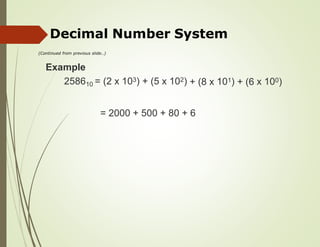
Example
258610 = (2 x 10³) + (5 x 10²) 101) x 100)
+ (8 x + (6
= 2000 + 500 + 80 + 6
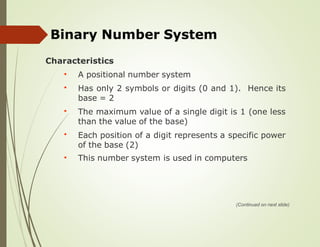
Binary Number System
Characteristics
A positional number system
Has only 2 symbols or digits (0 and 1). Hence its
base = 2
The maximum value of a single digit is 1 (one less
than the value of the base)
Each position of a digit represents a specific power
of the base (2)
•
•
•
•
This number system is used in computers
•
(Continued on next slide)
Binary Number System
(Continued from previous slide..)
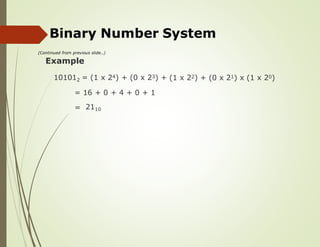
Example
101012 = (1 x 24) + (0 x 23) + (1 x 22) + (0 x 21) x (1 x 20)
= 16 + 0 + 4 + 0 + 1
= 2110
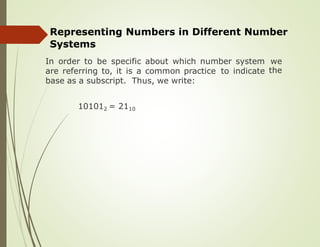
Representing Numbers in Different Number
Systems
In order to be specific about which number system we
the
are referring to, it is a common practice to indicate
base as a subscript. Thus, we write:
101012 = 2110
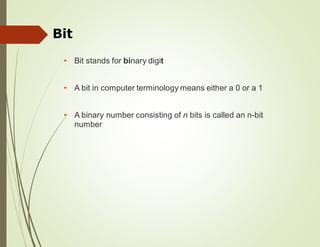
Bit
• Bit stands for binary digit
• A bit in computer terminology means either a 0 or a 1
• A binary
number
number consisting of n bits is called an n-bit
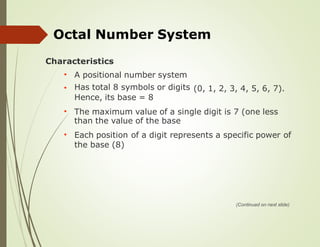
Octal Number System
Characteristics
A positional number system
Has total 8 symbols or digits
Hence, its base = 8
•
• (0, 1, 2, 3, 4, 5, 6, 7).
The maximum value of a single digit is 7 (one less
than the value of the base
•
Each position of a digit represents a specific power of
•
the base (8)
(Continued on next slide)
Octal Number System
(Continued from previous slide..)
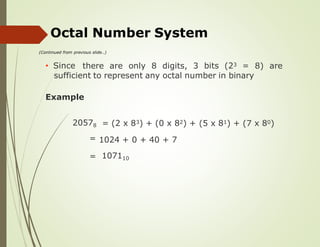
• Since there are only 8 digits, 3 bits (23 = 8) are
sufficient to represent any octal number in binary
Example
20578
=
= (2 x 83) + (0 x 82) + (5 x 81) + (7 x 80)
1024 + 0 + 40 + 7
= 107110
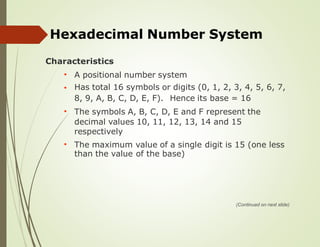
Hexadecimal Number System
Characteristics
A positional number system
Has total 16 symbols or digits (0, 1, 2, 3, 4, 5, 6, 7,
•
•
8, 9, A, B, C, D, E, F). Hence its base = 16
The symbols A, B, C, D, E and F represent the
decimal values 10, 11, 12, 13, 14 and 15
respectively
•
The maximum
than the value
value of a single
of the base)
digit is 15 (one less
•
(Continued on next slide)
Hexadecimal Number System
(Continued from previous slide..)
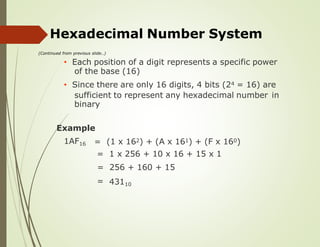
• Each position of a digit represents a specific power
of the base (16)
• Since there are only 16 digits, 4 bits (24 = 16) are
sufficient to represent any hexadecimal number
binary
in
Example
1AF16 =
=
=
=
(1 x 162) + (A x 161) + (F x 160)
1 x 256 + 10 x 16 + 15 x 1
256 + 160 + 15
43110
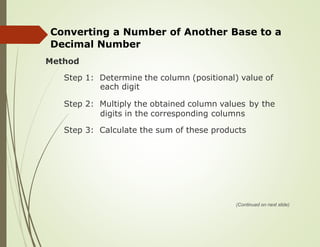
Converting a Number of Another Base to a
Decimal Number
Method
Step 1: Determine the column (positional) value of
each digit
Step 2: Multiply the obtained column values by the
digits in the corresponding columns
Step 3: Calculate the sum of these products
(Continued on next slide)
Converting a Number
Decimal Number
(Continued from previous slide..)
of Another Base to a
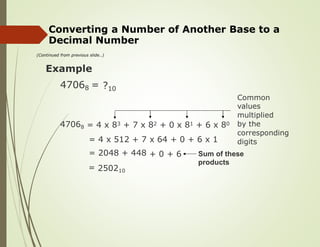
Example
47068 = ?10
Common
values
multiplied
by the
corresponding
digits
47068 = 4 x 83 + 7 x 82 + 0 x 81 + 6 x 80
=
=
=
4 x 512 + 7
2048 + 448
250210
x 64 + 0 + 6 x 1
+ 0 + 6 Sum of these
products
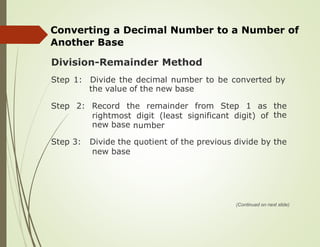
Converting a Decimal Number to a Number of
Another Base
Division-Remainder Method
Step 1: Divide the decimal number to be converted by
the value of the new base
Step 2: Record the remainder from Step 1 as the
the
rightmost
new base
digit (least significant digit) of
number
Step 3: Divide the quotient of the previous divide by the
new base
(Continued on next slide)
Converting a Decimal Number to a Number of
Another Base
(Continued from previous slide..)
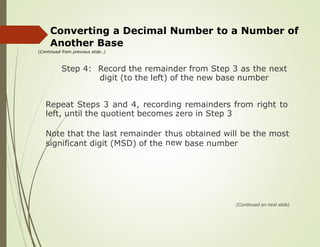
Step 4: Record the remainder from Step 3 as the next
digit (to the left) of the new base number
Repeat Steps 3 and 4, recording remainders from right to
left, until the quotient becomes zero in Step 3
Note that the last remainder thus
new
obtained will be the most
significant digit (MSD) of the base number
(Continued on next slide)
Converting a Decimal
Another Base
(Continued from previous slide..)
Number to a Number of
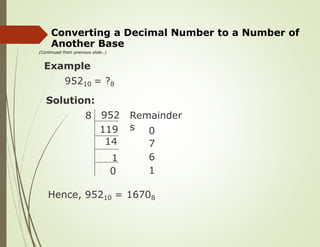
Example
95210 = ?8
Solution:
952
8 Remainder
s 0
7
6
1
Hence, 95210 = 16708
119
14
1
0
Converting a Number of Some Base to a Number
of Another Base
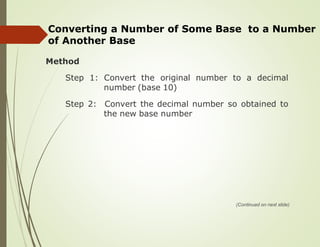
Method
Step 1: Convert the original number to a decimal
number (base 10)
Step 2: Convert the decimal number so obtained to
the new base number
(Continued on next slide)
Converting a Number
of Another Base
(Continued from previous slide..)
of Some Base to a Number
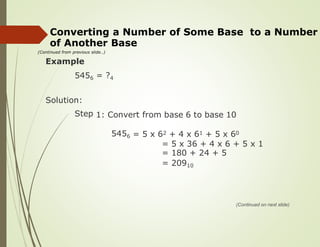
Example
5456 = ?4
Solution:
Step 1: Convert from base 6 to base 10
5456 = 5 x 62 + 4 x 61 + 5 x 60
= 5 x 36 + 4 x 6 + 5 x 1
= 180 + 24 + 5
= 20910
(Continued on next slide)
Converting a Number of Some
of Another Base
(Continued from previous slide..)
Base to a Number
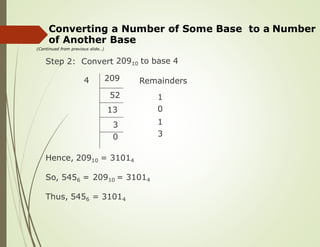
Step 2: Convert 20910 to base 4
4 Remainders
1
0
1
3
Hence, 20910 = 31014
So, 5456 = 20910 = 31014
Thus, 5456 = 31014
209
52
13
3
0
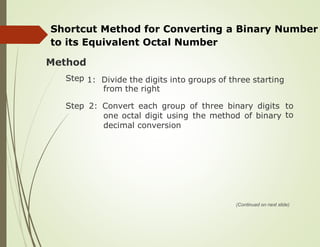
Shortcut Method for Converting a Binary Number
to its Equivalent Octal Number
Method
Step 1: Divide the digits into groups of three starting
from the right
Step 2: Convert each group of three binary digits to
to
one octal digit using the method of binary
decimal conversion
(Continued on next slide)
Shortcut Method for Converting a Binary
to its Equivalent Octal Number
(Continued from previous slide..)
Number
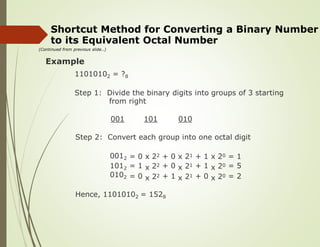
Example
11010102 = ?8
Step 1: Divide the binary digits into
from right
groups of 3 starting
001 101 010
Step 2: Convert each group into one octal digit
0012
1012
0102
=
=
=
0
1
0
x
x
x
22
22
22
+
+
+
0
0
1
x
x
x
21
21
21
+
+
+
1
1
0
x
x
x
20
20
20
=
=
=
1
5
2
Hence, 11010102 = 1528
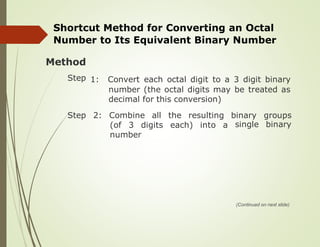
Shortcut Method for Converting an Octal
Number to Its Equivalent Binary Number
Method
Step 1: Convert
number
decimal
each octal digit to a 3 digit binary
(the octal digits may be treated as
for this conversion)
Step 2: Combine all the resulting binary
single
groups
binary
(of 3 digits each) into a
number
(Continued on next slide)
Shortcut Method for Converting an Octal
Number to Its Equivalent Binary Number
(Continued from previous slide..)
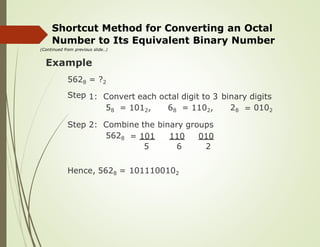
Example
5628
Step
= ?2
1: Convert each octal digit to 3 binary digits
58 = 1012, 68 = 1102, 28 = 0102
Step 2: Combine the binary groups
5628 = 101
5
110
6
010
2
Hence, 5628 = 1011100102
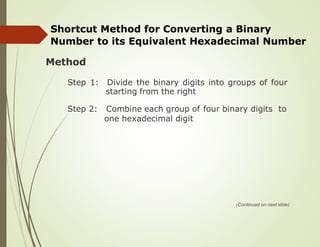
Shortcut Method for Converting a Binary
Number to its Equivalent Hexadecimal Number
Method
Step 1: Divide the binary digits into groups of four
starting from the right
Step 2: Combine each group of four binary digits to
one hexadecimal digit
(Continued on next slide)
Shortcut Method for Converting a Binary
Number to its Equivalent Hexadecimal Number
(Continued from previous slide..)
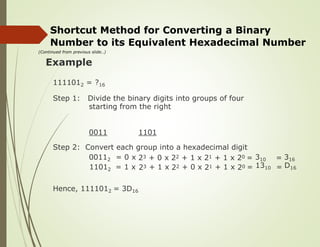
Example
1111012 = ?16
Step 1: Divide the binary digits into groups of four
starting from the right
0011 1101
Step 2: Convert each group into a hexadecimal digit
00112 = 0 x
11012 = 1 x
23
23
+ 0 x
+ 1 x
22
22
+ 1 x
+ 0 x
21
21
+
+
1
1
x
x
20
20
=
=
310
1310
=
=
316
D16
Hence, 1111012 = 3D16
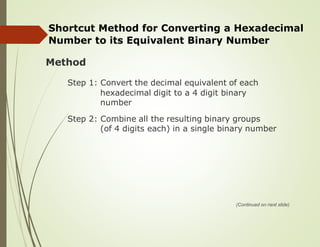
Shortcut Method for Converting a Hexadecimal
Number to its Equivalent Binary Number
Method
Step 1: Convert the decimal equivalent of each
hexadecimal digit to a 4 digit binary
number
Step 2: Combine all the resulting binary groups
(of 4 digits each) in a single binary number
(Continued on next slide)
Shortcut Method for Converting a Hexadecimal
Number to its Equivalent Binary Number
(Continued from previous slide..)
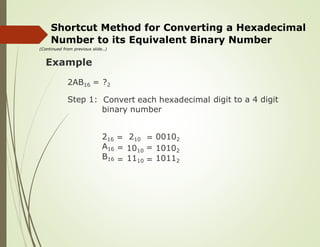
Example
2AB16 = ?2
Convert each hexadecimal
binary number
Step 1: digit to a 4 digit
216
A16
B16
=
=
=
210
1010
1110
=
=
=
00102
10102
10112
Shortcut Method for Converting a Hexadecimal
Number to
(Continued from previous slide..)
its Equivalent Binary Number
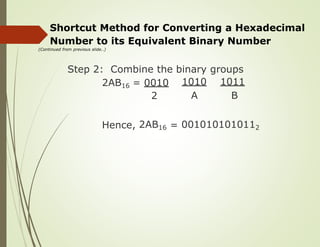
Step 2: Combine the binary
1010
A
groups
1011
B
2AB16 = 0010
2
Hence, 2AB16 = 0010101010112
Key Words/Phrases
Base
Binary
Binary
Bit
•
•
•
•
•
•
•
•
Least Significant Digit (LSD)
Memory dump
Most Significant Digit (MSD)
Non-positional number
system
Number system
Octal number system
•
•
•
•
number
point
system
Decimal number system
Division-Remainder
Fractional numbers
technique •
•
•
Hexadecimal number system Positional number system

lecture02-numbersystem-191002152647.pdf

  • 1.
  • 2.
    Learning Objectives In thischapter you will learn about: • Non-positional number system • Positional number system • Decimal number system • Binary number system • Octal number system • Hexadecimal number system (Continued on next slide)
  • 3.
    Learning Objectives (Continued fromprevious slide..) Convert a number’s base • Another base to decimal base • Decimal base to another base • Some base to another base Shortcut methods for converting • Binary to octal number • Octal to binary number • Binary to hexadecimal number • Hexadecimal to binary number Fractional numbers in binary number • • system •
  • 4.
    Number Systems Two typesof number systems are: Non-positional number systems • Positional number systems •
  • 5.
    Non-positional Number Systems Characteristics •Use symbols such as I for 1, II for 2, III for 3, IIII for 4, IIIII for 5, etc • Each symbol represents the same value regardless of its position in the number • The symbols are simply added to find out the value of a particular number • Difficulty • It is difficult to perform number system arithmetic with such a •
  • 6.
    Positional Number Systems Characteristics • Useonly a few symbols called digits • These symbols represent different values depending • on the position they occupy in the number (Continued on next slide)
  • 7.
    Positional Number Systems (Continuedfrom previous slide..) The value of each digit is determined by: • 1. 2. 3. The digit itself The position of the digit in the number The base of the number system (base = system) total number of digits in the number The maximum value of a single digit is always equal to one less than the value of the base •
  • 8.
    Decimal Number System Characteristics Apositional number system Has 10 symbols or digits (0, 1, 2, 3, 4, 5, 6, 7, • • 8, 9). Hence, its base = 10 The maximum value of a single digit is 9 (one less than the value of the base) • Each position of a digit represents a specific • power of the We use this life base (10) number system in our day-to-day • (Continued on next slide)
  • 9.
    Decimal Number System (Continuedfrom previous slide..) Example 258610 = (2 x 10³) + (5 x 10²) 101) x 100) + (8 x + (6 = 2000 + 500 + 80 + 6
  • 10.
    Binary Number System Characteristics Apositional number system Has only 2 symbols or digits (0 and 1). Hence its base = 2 The maximum value of a single digit is 1 (one less than the value of the base) Each position of a digit represents a specific power of the base (2) • • • • This number system is used in computers • (Continued on next slide)
  • 11.
    Binary Number System (Continuedfrom previous slide..) Example 101012 = (1 x 24) + (0 x 23) + (1 x 22) + (0 x 21) x (1 x 20) = 16 + 0 + 4 + 0 + 1 = 2110
  • 12.
    Representing Numbers inDifferent Number Systems In order to be specific about which number system we the are referring to, it is a common practice to indicate base as a subscript. Thus, we write: 101012 = 2110
  • 13.
    Bit • Bit standsfor binary digit • A bit in computer terminology means either a 0 or a 1 • A binary number number consisting of n bits is called an n-bit
  • 14.
    Octal Number System Characteristics Apositional number system Has total 8 symbols or digits Hence, its base = 8 • • (0, 1, 2, 3, 4, 5, 6, 7). The maximum value of a single digit is 7 (one less than the value of the base • Each position of a digit represents a specific power of • the base (8) (Continued on next slide)
  • 15.
    Octal Number System (Continuedfrom previous slide..) • Since there are only 8 digits, 3 bits (23 = 8) are sufficient to represent any octal number in binary Example 20578 = = (2 x 83) + (0 x 82) + (5 x 81) + (7 x 80) 1024 + 0 + 40 + 7 = 107110
  • 16.
    Hexadecimal Number System Characteristics Apositional number system Has total 16 symbols or digits (0, 1, 2, 3, 4, 5, 6, 7, • • 8, 9, A, B, C, D, E, F). Hence its base = 16 The symbols A, B, C, D, E and F represent the decimal values 10, 11, 12, 13, 14 and 15 respectively • The maximum than the value value of a single of the base) digit is 15 (one less • (Continued on next slide)
  • 17.
    Hexadecimal Number System (Continuedfrom previous slide..) • Each position of a digit represents a specific power of the base (16) • Since there are only 16 digits, 4 bits (24 = 16) are sufficient to represent any hexadecimal number binary in Example 1AF16 = = = = (1 x 162) + (A x 161) + (F x 160) 1 x 256 + 10 x 16 + 15 x 1 256 + 160 + 15 43110
  • 18.
    Converting a Numberof Another Base to a Decimal Number Method Step 1: Determine the column (positional) value of each digit Step 2: Multiply the obtained column values by the digits in the corresponding columns Step 3: Calculate the sum of these products (Continued on next slide)
  • 19.
    Converting a Number DecimalNumber (Continued from previous slide..) of Another Base to a Example 47068 = ?10 Common values multiplied by the corresponding digits 47068 = 4 x 83 + 7 x 82 + 0 x 81 + 6 x 80 = = = 4 x 512 + 7 2048 + 448 250210 x 64 + 0 + 6 x 1 + 0 + 6 Sum of these products
  • 20.
    Converting a DecimalNumber to a Number of Another Base Division-Remainder Method Step 1: Divide the decimal number to be converted by the value of the new base Step 2: Record the remainder from Step 1 as the the rightmost new base digit (least significant digit) of number Step 3: Divide the quotient of the previous divide by the new base (Continued on next slide)
  • 21.
    Converting a DecimalNumber to a Number of Another Base (Continued from previous slide..) Step 4: Record the remainder from Step 3 as the next digit (to the left) of the new base number Repeat Steps 3 and 4, recording remainders from right to left, until the quotient becomes zero in Step 3 Note that the last remainder thus new obtained will be the most significant digit (MSD) of the base number (Continued on next slide)
  • 22.
    Converting a Decimal AnotherBase (Continued from previous slide..) Number to a Number of Example 95210 = ?8 Solution: 952 8 Remainder s 0 7 6 1 Hence, 95210 = 16708 119 14 1 0
  • 23.
    Converting a Numberof Some Base to a Number of Another Base Method Step 1: Convert the original number to a decimal number (base 10) Step 2: Convert the decimal number so obtained to the new base number (Continued on next slide)
  • 24.
    Converting a Number ofAnother Base (Continued from previous slide..) of Some Base to a Number Example 5456 = ?4 Solution: Step 1: Convert from base 6 to base 10 5456 = 5 x 62 + 4 x 61 + 5 x 60 = 5 x 36 + 4 x 6 + 5 x 1 = 180 + 24 + 5 = 20910 (Continued on next slide)
  • 25.
    Converting a Numberof Some of Another Base (Continued from previous slide..) Base to a Number Step 2: Convert 20910 to base 4 4 Remainders 1 0 1 3 Hence, 20910 = 31014 So, 5456 = 20910 = 31014 Thus, 5456 = 31014 209 52 13 3 0
  • 26.
    Shortcut Method forConverting a Binary Number to its Equivalent Octal Number Method Step 1: Divide the digits into groups of three starting from the right Step 2: Convert each group of three binary digits to to one octal digit using the method of binary decimal conversion (Continued on next slide)
  • 27.
    Shortcut Method forConverting a Binary to its Equivalent Octal Number (Continued from previous slide..) Number Example 11010102 = ?8 Step 1: Divide the binary digits into from right groups of 3 starting 001 101 010 Step 2: Convert each group into one octal digit 0012 1012 0102 = = = 0 1 0 x x x 22 22 22 + + + 0 0 1 x x x 21 21 21 + + + 1 1 0 x x x 20 20 20 = = = 1 5 2 Hence, 11010102 = 1528
  • 28.
    Shortcut Method forConverting an Octal Number to Its Equivalent Binary Number Method Step 1: Convert number decimal each octal digit to a 3 digit binary (the octal digits may be treated as for this conversion) Step 2: Combine all the resulting binary single groups binary (of 3 digits each) into a number (Continued on next slide)
  • 29.
    Shortcut Method forConverting an Octal Number to Its Equivalent Binary Number (Continued from previous slide..) Example 5628 Step = ?2 1: Convert each octal digit to 3 binary digits 58 = 1012, 68 = 1102, 28 = 0102 Step 2: Combine the binary groups 5628 = 101 5 110 6 010 2 Hence, 5628 = 1011100102
  • 30.
    Shortcut Method forConverting a Binary Number to its Equivalent Hexadecimal Number Method Step 1: Divide the binary digits into groups of four starting from the right Step 2: Combine each group of four binary digits to one hexadecimal digit (Continued on next slide)
  • 31.
    Shortcut Method forConverting a Binary Number to its Equivalent Hexadecimal Number (Continued from previous slide..) Example 1111012 = ?16 Step 1: Divide the binary digits into groups of four starting from the right 0011 1101 Step 2: Convert each group into a hexadecimal digit 00112 = 0 x 11012 = 1 x 23 23 + 0 x + 1 x 22 22 + 1 x + 0 x 21 21 + + 1 1 x x 20 20 = = 310 1310 = = 316 D16 Hence, 1111012 = 3D16
  • 32.
    Shortcut Method forConverting a Hexadecimal Number to its Equivalent Binary Number Method Step 1: Convert the decimal equivalent of each hexadecimal digit to a 4 digit binary number Step 2: Combine all the resulting binary groups (of 4 digits each) in a single binary number (Continued on next slide)
  • 33.
    Shortcut Method forConverting a Hexadecimal Number to its Equivalent Binary Number (Continued from previous slide..) Example 2AB16 = ?2 Convert each hexadecimal binary number Step 1: digit to a 4 digit 216 A16 B16 = = = 210 1010 1110 = = = 00102 10102 10112
  • 34.
    Shortcut Method forConverting a Hexadecimal Number to (Continued from previous slide..) its Equivalent Binary Number Step 2: Combine the binary 1010 A groups 1011 B 2AB16 = 0010 2 Hence, 2AB16 = 0010101010112
  • 35.
    Key Words/Phrases Base Binary Binary Bit • • • • • • • • Least SignificantDigit (LSD) Memory dump Most Significant Digit (MSD) Non-positional number system Number system Octal number system • • • • number point system Decimal number system Division-Remainder Fractional numbers technique • • • Hexadecimal number system Positional number system