CSC103-Programming Fundamentals
Introduction to Java
Lecture-3
Lecture Outline
• Programming Language
• A Simple Java Program
• Creating, Compiling, and Running Programs
• Anatomy of a Java Program
• Programming Style and Documentation
• Programming Errors
Programming Language
• Computer Program
– Sequence of statements intended to accomplish a task
• Programming
– A process of planning and creating a program
• Programming language
– A set of rules, symbols, and special words used to
construct programs
• Syntax rules
– Which statements (instructions) are legal, or accepted by
the programming language, and which are not
• Semantic rules
– Determine the meaning of the instructions
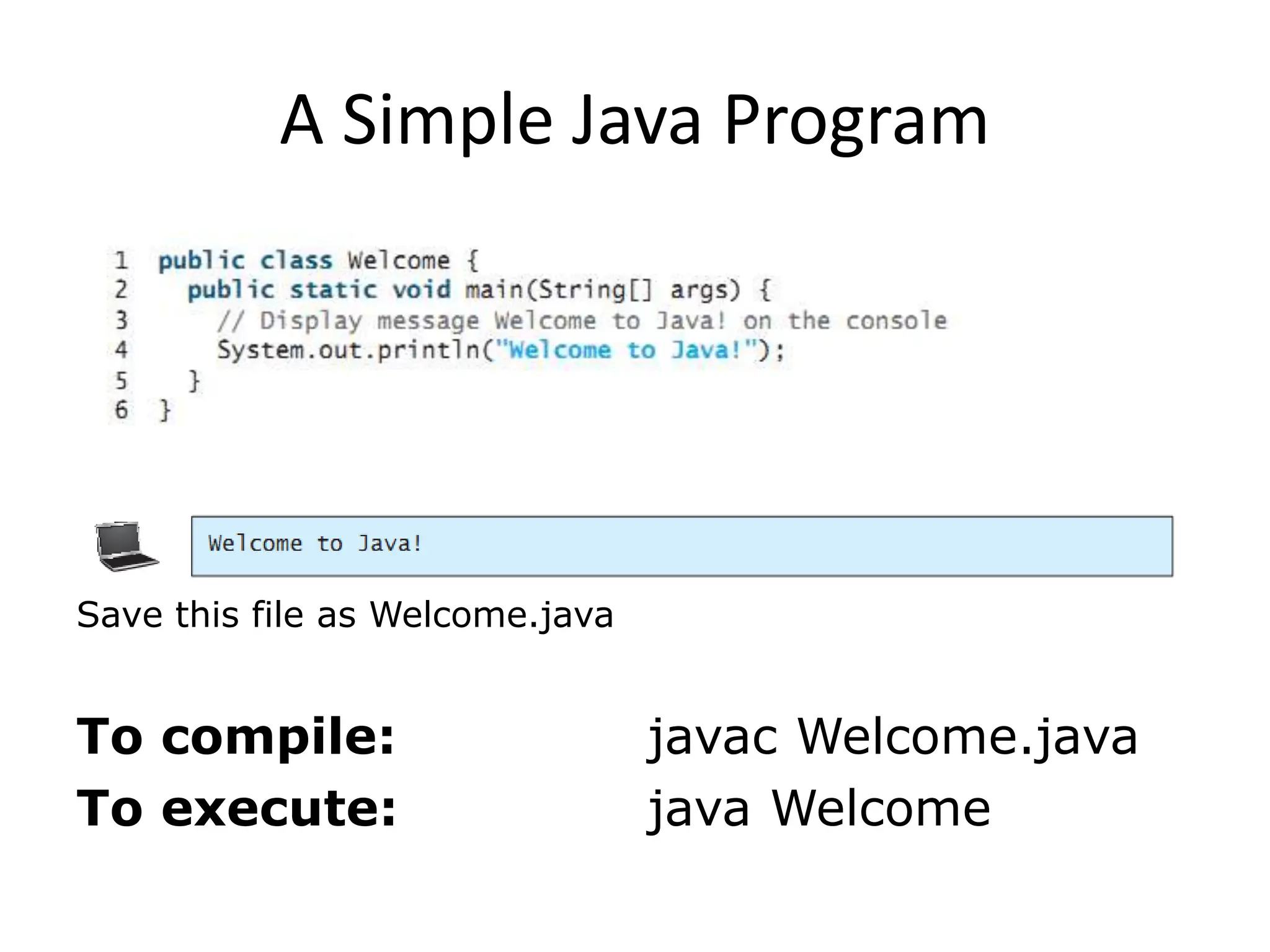
A Simple Java Program
To compile: javac Welcome.java
To execute: java Welcome
Save this file as Welcome.java
Anatomy of a Java Program
• Class name
• Main method
• Statements
• Statement terminator
• Reserved words
• Comments
• Blocks
// This program prints Welcome to Java!
public class Welcome {
public static void main(String[] args) {
System.out.println("Welcome to Java!");
}
}
Class Name
• Java program must a at least one class
• Class name and file name must be same(Welcome.java)
• In Java all code must reside inside the class
• Java is case-sensitive
• In this example, the class name is Welcome
// This program prints Welcome to Java!
public class Welcome {
public static void main(String[] args) {
System.out.println("Welcome to Java!");
}
}
Main Method
• Java program begins execution by calling main()
• Main is different from main. (case sensitive)
// This program prints Welcome to Java!
public class Welcome {
public static void main(String[] args) {
System.out.println("Welcome to Java!");
}
}
Statement
• A statement represents an action or a sequence of
actions.
• The statement displaying Welcome to Java! on console
System.out.println("Welcome to Java!")
// This program prints Welcome to Java!
public class Welcome {
public static void main(String[] args) {
System.out.println("Welcome to Java!");
}
}
Statement Terminator
Every statement in Java ends with a semicolon (;).
Blocks
A pair of braces in a program forms a block that groups
components of a program.
p
u
b
l
i
cc
l
a
s
sT
e
s
t{
p
u
b
l
i
cs
t
a
t
i
cv
o
i
dm
a
i
n
(
S
t
r
i
n
g
[
]a
r
g
s
){
S
y
s
t
e
m
.
o
u
t
.
p
r
i
n
t
l
n
(
"
W
e
l
c
o
m
et
oJ
a
v
a
!
"
)
;
}
}
C
l
a
s
s
b
l
o
c
k
M
e
t
h
o
d
b
l
o
c
k
Java Tokens
• Token
– The smallest individual unit of a program in any
programming language
• Java tokens are divided into
– Special Symbols
– Word Symbols (Reserve/keywords)
– Identifiers
Special Symbols
Character Name Description
{}
()
[]
//
" "
;
Opening and closing
braces
Opening and closing
parentheses
Opening and closing
brackets
Double slashes
Opening and closing
quotation marks
Semicolon
Denotes a block to enclose statements.
Used with methods.
Denotes an array.
Precedes a comment line.
Enclosing a string (i.e., sequence of characters).
Marks the end of a statement.
// This program prints Welcome to Java!
public class Welcome {
public static void main(String[] args) {
System.out.println("Welcome to Java!");
}
}
Word Symbols
• Reserved words or keywords
– Specific meaning to the compiler and
– Cannot be used for other purposes in the program.
Identifiers
• An identifier is a sequence of characters that consist of
letters, digits, underscores (_), and dollar signs ($).
• An identifier must start with a letter, an underscore (_),
or a dollar sign ($). It cannot start with a digit.
• An identifier cannot be a reserved word. (53 keywords
are reserved for use by the Java language)
• An identifier cannot be true, false, or null.
• An identifier can be of any length.
Identifiers are the names that identify the elements such
as classes, methods, and variables in a program.
Identifiers
• Legal Identifers
– $2, ComputeArea, area, radius, and print
• Illegal Identifers:
– 2A, d+4
Java is case sensitive, area, Area, and AREA are
all different identifiers.
Programming Style and
Documentation
• Appropriate Comments
• Naming Conventions
• Proper Indentation and Spacing Lines
• Block Styles
Appropriate Comments
Include a summary at the beginning of the
program to explain what the program does, its key
features, its supporting data structures, and any
unique techniques it uses.
Include your name, class section, instructor, date,
and a brief description of program at the
beginning of the program.
Naming Conventions
• Choose meaningful and descriptive names.
• Variables and method names:
– Use lowercase
• If the name consists of several words, concatenate all in
one, use lowercase for the first word, and capitalize the
first letter of each subsequent word in the name
• For example, the variables radius and area, and the
method computeArea.
Naming Conventions
• Class names:
– Capitalize the first letter of each word in the name.
– For example, the class name ComputeArea.
• Constants:
– Capitalize all letters in constants and use underscores to
connect words.
– For example, the constant PI and MAX_VALUE
Proper Indentation and Spacing
• Indentation
– Indent at least two spaces.
• Spacing
– Use blank line to separate segments of the
code.
System.out.println(3+4*4); Bad style
System.out.println(3 + 4 * 4); Good style
public static void main(String args[]){
System.out.println("Welcome to JAVA");
}
Block Styles
p
u
b
l
i
cc
l
a
s
sT
e
s
t
{
p
u
b
l
i
cs
t
a
t
i
cv
o
i
dm
a
i
n
(
S
t
r
i
n
g
[
]a
r
g
s
)
{
S
y
s
t
e
m
.
o
u
t
.
p
r
i
n
t
l
n
(
"
B
l
o
c
kS
t
y
l
e
s
"
)
;
}
}
p
u
b
l
i
cc
l
a
s
sT
e
s
t{
p
u
b
l
i
cs
t
a
t
i
cv
o
i
dm
a
i
n
(
S
t
r
i
n
g
[
]a
r
g
s
){
S
y
s
t
e
m
.
o
u
t
.
p
r
i
n
t
l
n
(
"
B
l
o
c
kS
t
y
l
e
s
"
)
;
}
}
E
n
d
-
o
f
-
l
i
n
e
s
t
y
l
e
N
e
x
t
-
l
i
n
e
s
t
y
l
e
A block is a group of statements surrounded by braces. There are two popular
styles, next-line style and end-of-line style
Programming Errors
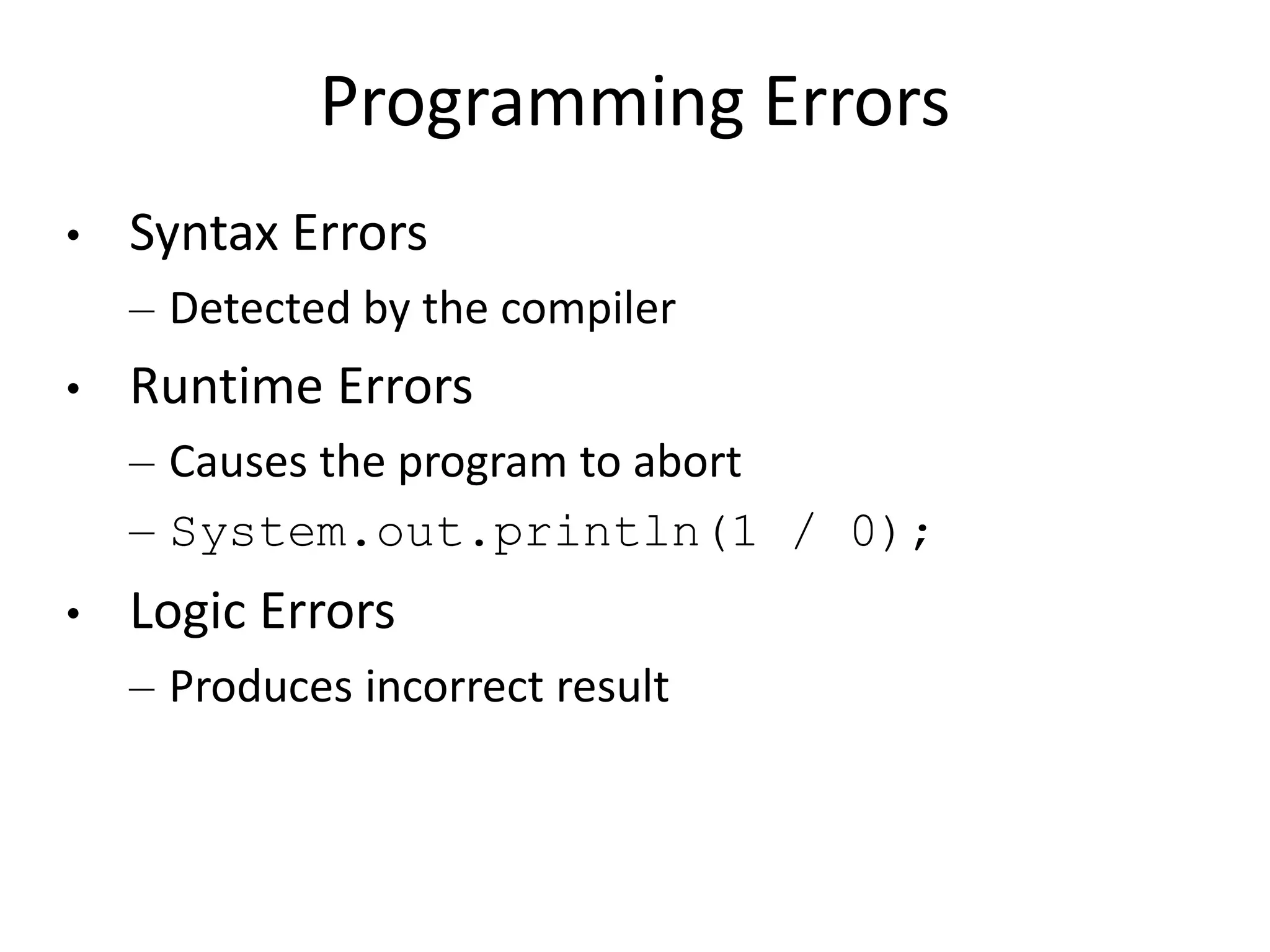
• Syntax Errors
– Detected by the compiler
• Runtime Errors
– Causes the program to abort
– System.out.println(1 / 0);
• Logic Errors
– Produces incorrect result
Common errors
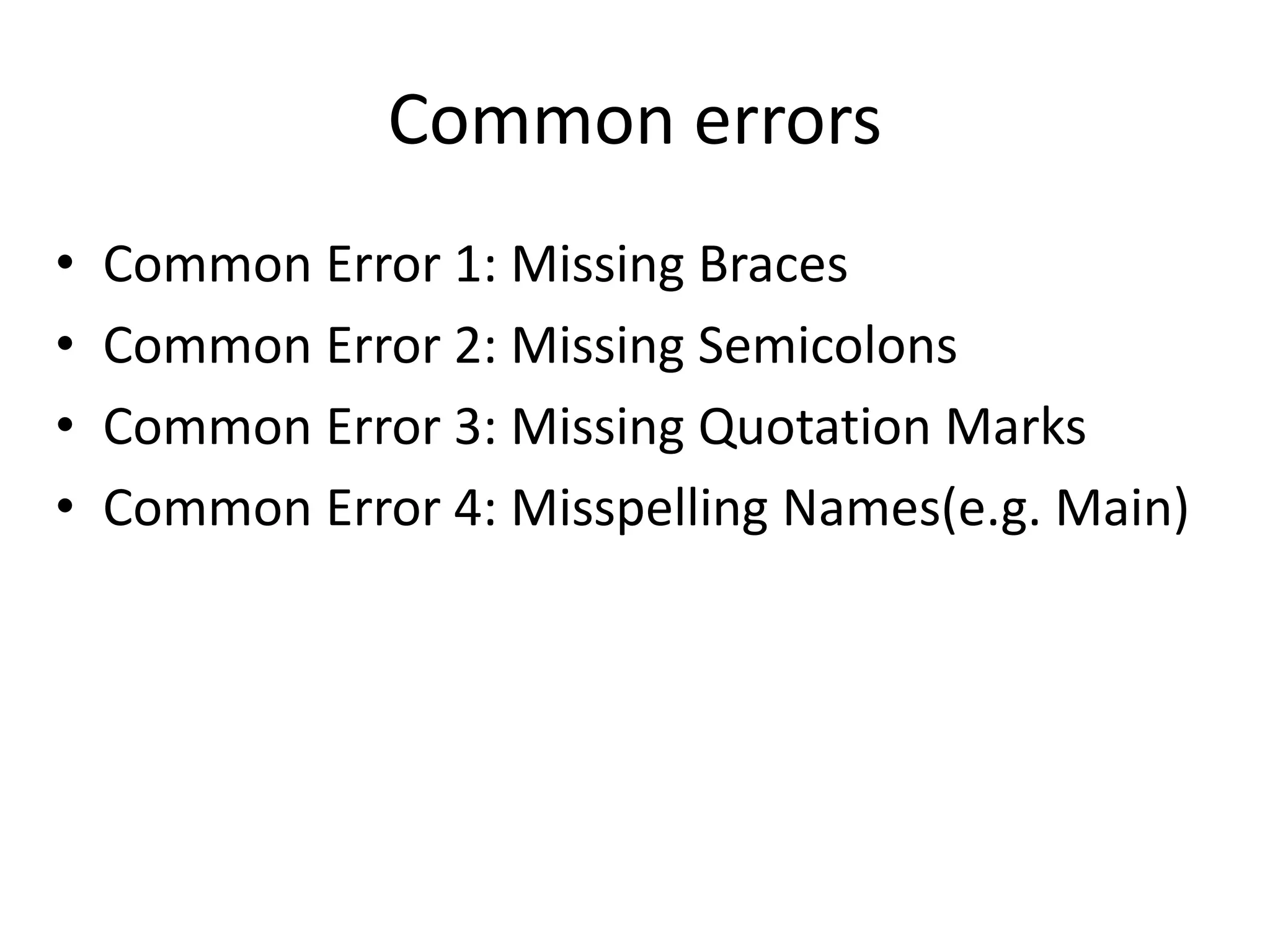
• Common Error 1: Missing Braces
• Common Error 2: Missing Semicolons
• Common Error 3: Missing Quotation Marks
• Common Error 4: Misspelling Names(e.g. Main)
Activity
• Identify and fix the errors in the following
code:
public class Welcome {
public void Main(String[] args) {
System.out.println('Welcome to
Java!);
}
Activity
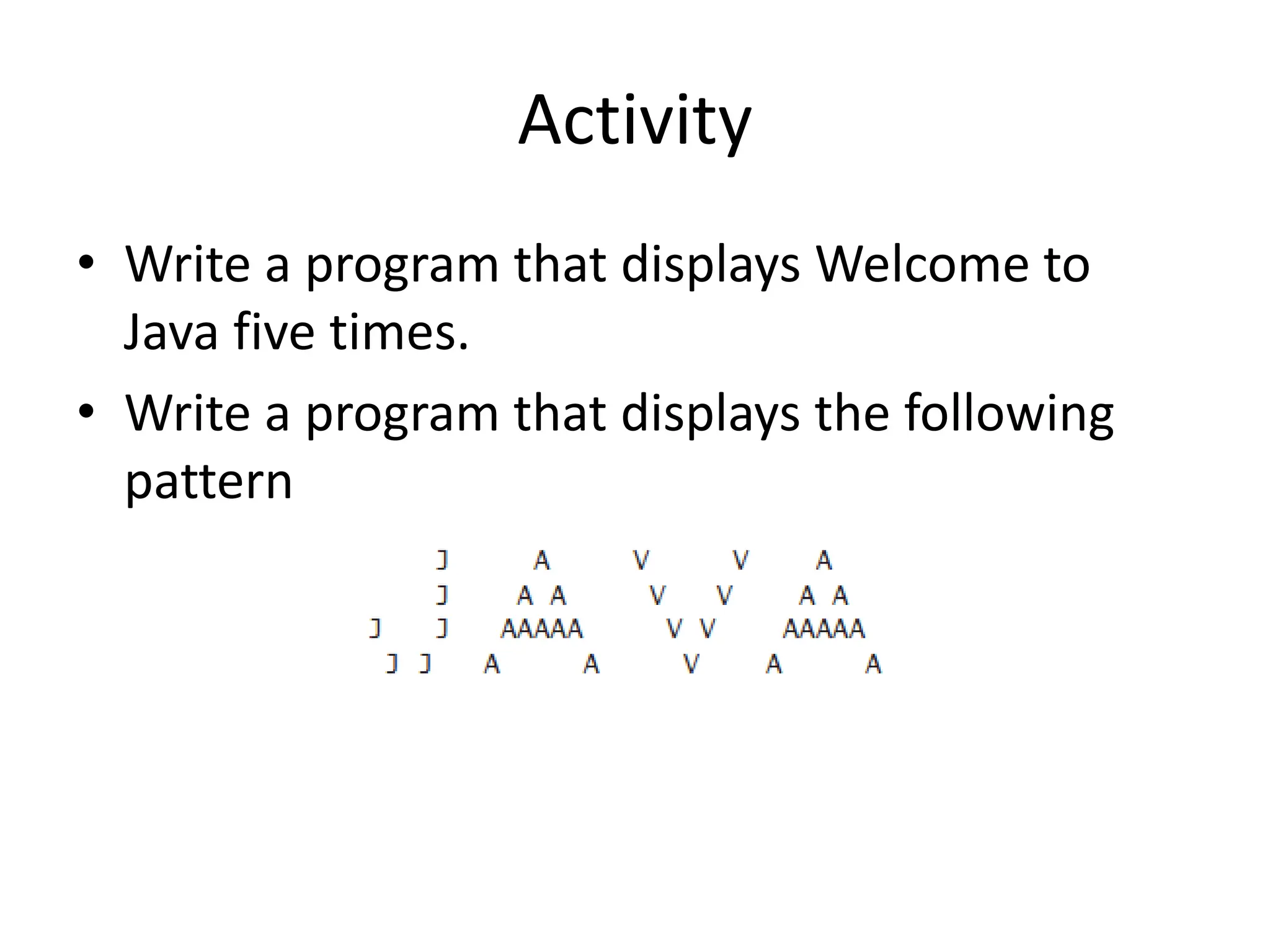
• Write a program that displays Welcome to
Java five times.
• Write a program that displays the following
pattern
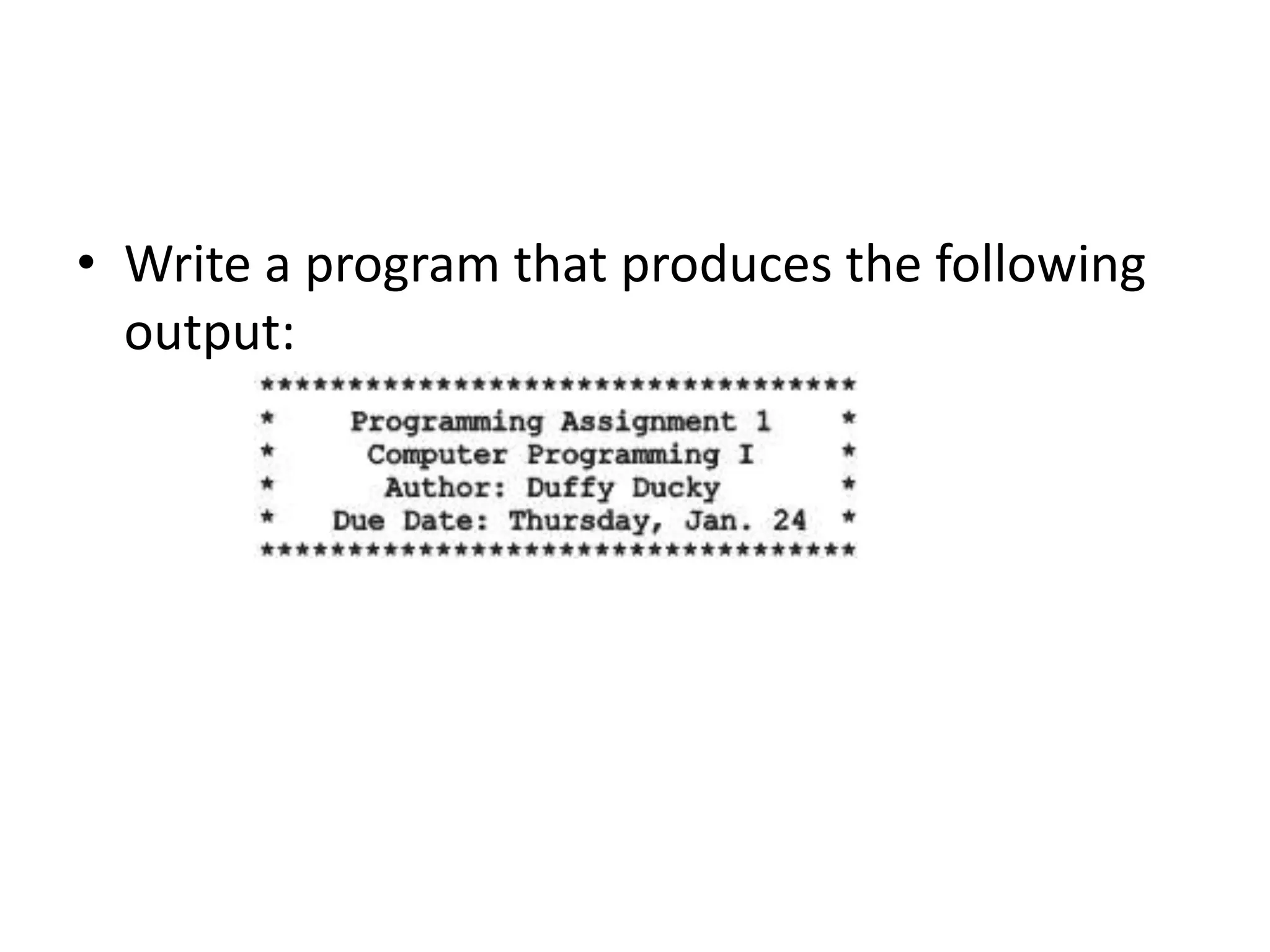
• Write a program that produces the following
output:
Summary
• Features of Java
• Parts of a simple Java Program
• How to write, compile and run a Java Program
• Program Documentation
• Program Errors

Lecture-3.pptx and faculty. His research interests include RF sensing,

  • 1.
  • 2.
    Lecture Outline • ProgrammingLanguage • A Simple Java Program • Creating, Compiling, and Running Programs • Anatomy of a Java Program • Programming Style and Documentation • Programming Errors
  • 3.
    Programming Language • ComputerProgram – Sequence of statements intended to accomplish a task • Programming – A process of planning and creating a program • Programming language – A set of rules, symbols, and special words used to construct programs • Syntax rules – Which statements (instructions) are legal, or accepted by the programming language, and which are not • Semantic rules – Determine the meaning of the instructions
  • 4.
    A Simple JavaProgram To compile: javac Welcome.java To execute: java Welcome Save this file as Welcome.java
  • 5.
    Anatomy of aJava Program • Class name • Main method • Statements • Statement terminator • Reserved words • Comments • Blocks
  • 6.
    // This programprints Welcome to Java! public class Welcome { public static void main(String[] args) { System.out.println("Welcome to Java!"); } } Class Name • Java program must a at least one class • Class name and file name must be same(Welcome.java) • In Java all code must reside inside the class • Java is case-sensitive • In this example, the class name is Welcome
  • 7.
    // This programprints Welcome to Java! public class Welcome { public static void main(String[] args) { System.out.println("Welcome to Java!"); } } Main Method • Java program begins execution by calling main() • Main is different from main. (case sensitive)
  • 8.
    // This programprints Welcome to Java! public class Welcome { public static void main(String[] args) { System.out.println("Welcome to Java!"); } } Statement • A statement represents an action or a sequence of actions. • The statement displaying Welcome to Java! on console System.out.println("Welcome to Java!")
  • 9.
    // This programprints Welcome to Java! public class Welcome { public static void main(String[] args) { System.out.println("Welcome to Java!"); } } Statement Terminator Every statement in Java ends with a semicolon (;).
  • 10.
    Blocks A pair ofbraces in a program forms a block that groups components of a program. p u b l i cc l a s sT e s t{ p u b l i cs t a t i cv o i dm a i n ( S t r i n g [ ]a r g s ){ S y s t e m . o u t . p r i n t l n ( " W e l c o m et oJ a v a ! " ) ; } } C l a s s b l o c k M e t h o d b l o c k
  • 11.
    Java Tokens • Token –The smallest individual unit of a program in any programming language • Java tokens are divided into – Special Symbols – Word Symbols (Reserve/keywords) – Identifiers
  • 12.
    Special Symbols Character NameDescription {} () [] // " " ; Opening and closing braces Opening and closing parentheses Opening and closing brackets Double slashes Opening and closing quotation marks Semicolon Denotes a block to enclose statements. Used with methods. Denotes an array. Precedes a comment line. Enclosing a string (i.e., sequence of characters). Marks the end of a statement.
  • 13.
    // This programprints Welcome to Java! public class Welcome { public static void main(String[] args) { System.out.println("Welcome to Java!"); } } Word Symbols • Reserved words or keywords – Specific meaning to the compiler and – Cannot be used for other purposes in the program.
  • 14.
    Identifiers • An identifieris a sequence of characters that consist of letters, digits, underscores (_), and dollar signs ($). • An identifier must start with a letter, an underscore (_), or a dollar sign ($). It cannot start with a digit. • An identifier cannot be a reserved word. (53 keywords are reserved for use by the Java language) • An identifier cannot be true, false, or null. • An identifier can be of any length. Identifiers are the names that identify the elements such as classes, methods, and variables in a program.
  • 15.
    Identifiers • Legal Identifers –$2, ComputeArea, area, radius, and print • Illegal Identifers: – 2A, d+4 Java is case sensitive, area, Area, and AREA are all different identifiers.
  • 16.
    Programming Style and Documentation •Appropriate Comments • Naming Conventions • Proper Indentation and Spacing Lines • Block Styles
  • 17.
    Appropriate Comments Include asummary at the beginning of the program to explain what the program does, its key features, its supporting data structures, and any unique techniques it uses. Include your name, class section, instructor, date, and a brief description of program at the beginning of the program.
  • 18.
    Naming Conventions • Choosemeaningful and descriptive names. • Variables and method names: – Use lowercase • If the name consists of several words, concatenate all in one, use lowercase for the first word, and capitalize the first letter of each subsequent word in the name • For example, the variables radius and area, and the method computeArea.
  • 19.
    Naming Conventions • Classnames: – Capitalize the first letter of each word in the name. – For example, the class name ComputeArea. • Constants: – Capitalize all letters in constants and use underscores to connect words. – For example, the constant PI and MAX_VALUE
  • 20.
    Proper Indentation andSpacing • Indentation – Indent at least two spaces. • Spacing – Use blank line to separate segments of the code. System.out.println(3+4*4); Bad style System.out.println(3 + 4 * 4); Good style public static void main(String args[]){ System.out.println("Welcome to JAVA"); }
  • 21.
  • 22.
    Programming Errors • SyntaxErrors – Detected by the compiler • Runtime Errors – Causes the program to abort – System.out.println(1 / 0); • Logic Errors – Produces incorrect result
  • 23.
    Common errors • CommonError 1: Missing Braces • Common Error 2: Missing Semicolons • Common Error 3: Missing Quotation Marks • Common Error 4: Misspelling Names(e.g. Main)
  • 24.
    Activity • Identify andfix the errors in the following code: public class Welcome { public void Main(String[] args) { System.out.println('Welcome to Java!); }
  • 25.
    Activity • Write aprogram that displays Welcome to Java five times. • Write a program that displays the following pattern
  • 26.
    • Write aprogram that produces the following output:
  • 27.
    Summary • Features ofJava • Parts of a simple Java Program • How to write, compile and run a Java Program • Program Documentation • Program Errors