Keeping pace with Product Evolution
UI Automation Framework Guidelines
V. Narayan Raman
CEO, Sahi Pro
@narayanraman
@sahipro
Initial Thoughts?
• Automation keeps breaking
• Waits and synchronization problems
• Object identifiers keep changing
• Frameworks need to created and maintained
• Reports don’t always make sense
• Playback is slow
• Version controlling not easy
Problem
• Rapid development is the need of the day
• Automated testing should ideally help. BUT
– Automation scripts break easily when applications
evolve
– Fixing automation scripts steals time from quality
testing
– Automation effort stagnates and quickly becomes
obsolete
Can Automation Help?
• When migrating a jquery application to Angular JS?
• When migrating from Angular 1 to Angular 2?
• When migrating from Salesforce Classic to Salesforce
Lightning?
• When migrating an applet or flex application to web?
• When extending a web application to mobile?
What should QA Automation solve?
• Software enables a business
• Better quality software means low risk to
business
• In dynamic businesses, where software and
business change, Software quality systems
should ensure continuity of business
Good Automation Effort
• Needs Maximum Utilization of
– People
• Dev, QA, BA etc.
– Processes
• Version Control
• Continuous Integration
– Automation Tools and Frameworks
• Great if
– Automation tool and framework is easy to use and
allows all people to contribute
Types of Changes
• Business case has changed
– Eg. ST and VAT replaced by GST
• Application flow has changed
– Eg. “Add Beneficiary” moved from “Transfers” screen
to “Requests” screen and has validation step
• Application UI has changed
– Elements have changed
• Eg. Textbox name has changed from “login” to “signin”
– Text for assertions have changed
• Eg. Message “Invalid Login” has changed to “Invalid Sign in”
Types of Changes - Responsibility
• Business case has changed
– BA*, QA
• Application flow has changed
– BA, QA*
• Application UI has changed
– Dev, QA
What’s a Framework?
• Inversion of control
– Hollywood Principle: "Don't call us, we'll call you"
– In a framework, unlike in libraries or in standard user
applications, the overall program's flow of control is not dictated
by the caller, but by the framework
• Extensibility
– A user can extend the framework - usually by selective
overriding; or programmers can add specialized user code to
provide specific functionality.
• Non-modifiable framework code:
– The framework code, in general, is not supposed to be modified,
while accepting user-implemented extensions. In other words,
users can extend the framework, but should not modify its code
Source: Wikipedia
Framework Expectations
• Execution: Should be able to execute automation
code!
– For speed: parallel, distributed execution
• Maintenance:
– Allow separation of concerns for easy maintenance
• Business Layer
• Implementation Layer
• Object Repository Layer
– Audit and Reporting:
• Error reporting with screenshots etc. for testers to validate
• Rich reports for various stake holders with traceability
Frameworks, Libraries and Tools
• Frameworks take care of execution, reporting,
and give hooks to call user libraries
• Libraries bunch together application specific
functionality like User creation, login etc.
• Tools allow interaction with systems eg UI
interface, webservices interface etc.
Frameworks, Libraries and Tools
Framework
Customer Module
Library
Web Automation
Tool
Loan Module
Library
Banking Module
Library
Desktop
Automation Tool
Executor
Reporting
ScenariosData
Wrong Implementation
http://www.seleniumeasy.com/selenium-
tutorials/keyword-driven-framework-example
Wrong Implementation
• https://www.sitepoint.com/smelly-cucumbers/
Layers of Automation
Business Layer
• Expresses business intent
• Agnostic of
– web application itself
– Testing tool
– interaction code
• Eg.
– Create user, Approve user, Login user
• Will change if business logic itself changes
• Survives across UI implementations (web or mobile or
desktop), survives architectural changes.
Framework Examples
Implementation Layer
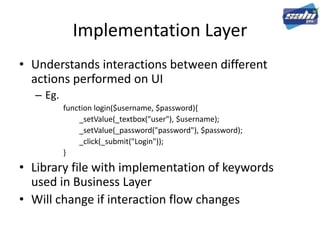
• Understands interactions between different
actions performed on UI
– Eg.
function login($username, $password){
_setValue(_textbox("user"), $username);
_setValue(_password("password"), $password);
_click(_submit("Login"));
}
• Library file with implementation of keywords
used in Business Layer
• Will change if interaction flow changes
Element Repository Layer
• Central repository of all elements in the
automation code
• Changes when a particular element changes
due to HTML/Javascript changes in the
application UI
Framework Examples
• ROBOT Framework
• Cucumber
• Any Excel keyword framework you may have
built
• Sahi Pro Excel Framework
What Should Change?
• When migrating a jquery application to Angular JS?
• When migrating from Angular 1 to Angular 2?
• When migrating from Salesforce Classic to Salesforce
Lightning?
• When migrating an applet or flex application to web?
• When extending a web application to mobile?
Gyan
• Automation code is most useful when there is a lot of
change planned in your application
– Acts as a safety net and guideline
• Automation code should not be thrown away when
application technology changes
• Building the right layers and strictly following them helps in
minimal maintenance efforts and long lived useful
automation scripts
• QUESTIONS?
Sahi Pro
Sahi Pro – The ROI focused Automation Tool
Automatic Waits
Stable element identification
Inbuilt frameworks
Extensive reporting
Distributed fast playback
Minimum Code – Maximum Automation
www.sahipro.com
@sahipro

Keeping Pace with Product Evolution - UI Automation Framework Guidelines

  • 1.
    Keeping pace withProduct Evolution UI Automation Framework Guidelines V. Narayan Raman CEO, Sahi Pro @narayanraman @sahipro
  • 2.
    Initial Thoughts? • Automationkeeps breaking • Waits and synchronization problems • Object identifiers keep changing • Frameworks need to created and maintained • Reports don’t always make sense • Playback is slow • Version controlling not easy
  • 3.
    Problem • Rapid developmentis the need of the day • Automated testing should ideally help. BUT – Automation scripts break easily when applications evolve – Fixing automation scripts steals time from quality testing – Automation effort stagnates and quickly becomes obsolete
  • 4.
    Can Automation Help? •When migrating a jquery application to Angular JS? • When migrating from Angular 1 to Angular 2? • When migrating from Salesforce Classic to Salesforce Lightning? • When migrating an applet or flex application to web? • When extending a web application to mobile?
  • 5.
    What should QAAutomation solve? • Software enables a business • Better quality software means low risk to business • In dynamic businesses, where software and business change, Software quality systems should ensure continuity of business
  • 6.
    Good Automation Effort •Needs Maximum Utilization of – People • Dev, QA, BA etc. – Processes • Version Control • Continuous Integration – Automation Tools and Frameworks • Great if – Automation tool and framework is easy to use and allows all people to contribute
  • 7.
    Types of Changes •Business case has changed – Eg. ST and VAT replaced by GST • Application flow has changed – Eg. “Add Beneficiary” moved from “Transfers” screen to “Requests” screen and has validation step • Application UI has changed – Elements have changed • Eg. Textbox name has changed from “login” to “signin” – Text for assertions have changed • Eg. Message “Invalid Login” has changed to “Invalid Sign in”
  • 8.
    Types of Changes- Responsibility • Business case has changed – BA*, QA • Application flow has changed – BA, QA* • Application UI has changed – Dev, QA
  • 9.
    What’s a Framework? •Inversion of control – Hollywood Principle: "Don't call us, we'll call you" – In a framework, unlike in libraries or in standard user applications, the overall program's flow of control is not dictated by the caller, but by the framework • Extensibility – A user can extend the framework - usually by selective overriding; or programmers can add specialized user code to provide specific functionality. • Non-modifiable framework code: – The framework code, in general, is not supposed to be modified, while accepting user-implemented extensions. In other words, users can extend the framework, but should not modify its code Source: Wikipedia
  • 10.
    Framework Expectations • Execution:Should be able to execute automation code! – For speed: parallel, distributed execution • Maintenance: – Allow separation of concerns for easy maintenance • Business Layer • Implementation Layer • Object Repository Layer – Audit and Reporting: • Error reporting with screenshots etc. for testers to validate • Rich reports for various stake holders with traceability
  • 11.
    Frameworks, Libraries andTools • Frameworks take care of execution, reporting, and give hooks to call user libraries • Libraries bunch together application specific functionality like User creation, login etc. • Tools allow interaction with systems eg UI interface, webservices interface etc.
  • 12.
    Frameworks, Libraries andTools Framework Customer Module Library Web Automation Tool Loan Module Library Banking Module Library Desktop Automation Tool Executor Reporting ScenariosData
  • 13.
  • 14.
  • 15.
  • 16.
    Business Layer • Expressesbusiness intent • Agnostic of – web application itself – Testing tool – interaction code • Eg. – Create user, Approve user, Login user • Will change if business logic itself changes • Survives across UI implementations (web or mobile or desktop), survives architectural changes.
  • 17.
  • 18.
    Implementation Layer • Understandsinteractions between different actions performed on UI – Eg. function login($username, $password){ _setValue(_textbox("user"), $username); _setValue(_password("password"), $password); _click(_submit("Login")); } • Library file with implementation of keywords used in Business Layer • Will change if interaction flow changes
  • 20.
    Element Repository Layer •Central repository of all elements in the automation code • Changes when a particular element changes due to HTML/Javascript changes in the application UI
  • 21.
    Framework Examples • ROBOTFramework • Cucumber • Any Excel keyword framework you may have built • Sahi Pro Excel Framework
  • 22.
    What Should Change? •When migrating a jquery application to Angular JS? • When migrating from Angular 1 to Angular 2? • When migrating from Salesforce Classic to Salesforce Lightning? • When migrating an applet or flex application to web? • When extending a web application to mobile?
  • 23.
    Gyan • Automation codeis most useful when there is a lot of change planned in your application – Acts as a safety net and guideline • Automation code should not be thrown away when application technology changes • Building the right layers and strictly following them helps in minimal maintenance efforts and long lived useful automation scripts • QUESTIONS?
  • 24.
    Sahi Pro Sahi Pro– The ROI focused Automation Tool Automatic Waits Stable element identification Inbuilt frameworks Extensive reporting Distributed fast playback Minimum Code – Maximum Automation www.sahipro.com @sahipro