Using NumPy
efficiently
David Cournapeau

@cournape github.com/cournape
Hello
• I am David Cournapeau (ダビ
ド): @cournape (twitter/github)

• NumPy/SciPy user since 2005

• Former core contributor to
NumPy, SciPy

• Started the learn project, which
would later become scikit learn

• Currently leading ML
Engineering team at Cogent
Labs
PyData stack today
Why would you care about
NumPy ?
• Used a fundamental piece in many higher level Machine Learning
libraries (scikit learn/image, pandas, Tensorflow/Chainer/PyTorch)

• Required to understand the source code of those libraries

• Historically: key enabler of python for ML and Data Science

• NumPy is a library for array computing

• Long history in computing (APL, J, K, Matlab, etc…): see e.g.
http://jsoftware.com/

• Both about efficiency and expressivity
A bit of history
• Early work for array computing in Python (matrix-sig mailing
list):

• 1995: Jim Fulton, Jim Hugunin. Became Numeric

• 1995-2000ies: Paul Dubois, Konrad Hinsen, David Ascher,
Travis Oliphant and other contributed later

• 2001: Numarray: Perry Greenfield, Rick White and Todd
Miller

• 2005: “grand unification” into NumPy, led by Travis
Oliphant
Array Computing for speed
• You want to compute some math operations:
• In NumPy:
Why the difference ?
• Why (c)python is slow for computation: boxing
From Python Data Science Handbook by Jake Vanderplas
Why the difference ?
• Why (c)python is slow for
computation: genericity

• E.g. lists can contains arbitrary
python values

• You need to jump pointers to
access values

• Note: accessing an arbitrary
value in RAM costs ~ 100
cycles (as much as computing
the exponential of a double in
C !)
From Python Data Science Handbook by Jake Vanderplas
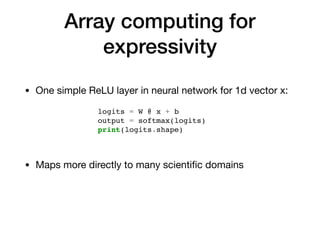
Array computing for
expressivity
• One simple ReLU layer in neural network for 1d vector x:
logits = W @ x + b
output = softmax(logits)
print(logits.shape)
• Maps more directly to many scientific domains
Structure of NumPy arrays
• A NumPy array is essentially:

• A single bloc of memory

• A dtype to describe how to interpret single values in the
memory bloc

• Metadata such as shape, strides, etc.

• NumPy arrays memory cost same as C + constant
Structure of NumPy arrays
• Data is like a C array

• Dtype is a python object with
information about values in
the array (size, endianness,
etc.)

• dimensions, strides and dtype
are used for multidimensional
indexing
Example
• Notebook example for array creation, metadata and
simple slices
Broadcasting 1/4
• Linear Algebra defines most basic NumPy operations

• We do not always want to be as strict as mathematics:

• We want to add scalar to arrays without having to
create arrays with the duplicated scalar

• We sometimes do not care about row vs column vector

• We sometimes want to save memory and avoid
temporaries
Broadcasting 2/4
• Broadcasting: rules to work with arrays (and scalars) with
non conforming shapes 

• NumPy provides powerful broadcasting capabilities
import numpy as np
# np.newaxis creates a new dimension, but array has the same size
x = np.arange(5)[:, np.newaxis]
y = np.arange(5)
print(x + y)
Broadcasting 3/4
• Broadcasting rules:

• If arrays have different number
of dimensions, insert new axes
on the left until arrays have
same number of dimensions

• For each axis i, if arrays
dimension[i] do not match,
“stretch” the arrays where
dimension[i] = 1 to match
other array(s) 

• (if no match and dimension[i] !
= 1 -> error) From Python Data Science Handbook by Jake Vanderplas
Broadcasting 4/4
• A few notes:

• Broadcasting is done “logically”, and the temporary arrays
are not created in memory

• Integrated in the ufunc and multi-dimensional indexing
infrastructure in NumPy code (see later)

• Indices are broadcasted as well in fancy indexing (see
later)

• You can use np.broadcast_arrays to explicitly build arrays
as if they were broadcasted
Indexing: views
• One can use slices any time
one needs to extract “regular”
subarrays

• If arrays are solely indexed
through slices, the returned
array is a view (no data
copied)
import numpy as np
x = np.arange(6).reshape(2, 3)
print(x)
print(x[:, ::2])
print(x[::2, ::2])
Examples
Indexing: fancy indexing
• As soon as you index an array with an array, you are using
fancy indexing

• Fancy indexing always returns a copy (why ?)

• 2 main cases of fancy indexing:

• Use an array of boolean (aka mask)

• Use an array of integers

• Fancy indexing can get too fancy…
Fancy indexing with masks
• Indexing with array of booleans

• Appears naturally with comparison
Fancy indexing with integer
arrays
• Indexing with array of integers

• Appears naturally to select specific values from their
indices
Does not sound that
fancy ?
See Jaime Fernández - The Future of NumPy Indexing presentation
Sebastian Berge: new fancy indexing NEP
How to go further
• From Python to NumPy by Nicolas Rougier: http://
www.labri.fr/perso/nrougier/from-python-to-numpy

• 100 NumPy exercises by Nicolas Rougier: https://
github.com/rougier/numpy-100/blob/master/
100%20Numpy%20exercises.md

• Guide to NumPy: http://web.mit.edu/dvp/Public/
numpybook.pdf

• “New” ND index by Mark Wiebe, with notes about speeding
up indexing, etc.: https://github.com/numpy/numpy/blob/
master/doc/neps/nep-0010-new-iterator-ufunc.rst
Thank you

Kaggle tokyo 2018

  • 1.
  • 2.
    Hello • I amDavid Cournapeau (ダビ ド): @cournape (twitter/github) • NumPy/SciPy user since 2005 • Former core contributor to NumPy, SciPy • Started the learn project, which would later become scikit learn • Currently leading ML Engineering team at Cogent Labs
  • 3.
  • 4.
    Why would youcare about NumPy ? • Used a fundamental piece in many higher level Machine Learning libraries (scikit learn/image, pandas, Tensorflow/Chainer/PyTorch) • Required to understand the source code of those libraries • Historically: key enabler of python for ML and Data Science • NumPy is a library for array computing • Long history in computing (APL, J, K, Matlab, etc…): see e.g. http://jsoftware.com/ • Both about efficiency and expressivity
  • 5.
    A bit ofhistory • Early work for array computing in Python (matrix-sig mailing list): • 1995: Jim Fulton, Jim Hugunin. Became Numeric • 1995-2000ies: Paul Dubois, Konrad Hinsen, David Ascher, Travis Oliphant and other contributed later • 2001: Numarray: Perry Greenfield, Rick White and Todd Miller • 2005: “grand unification” into NumPy, led by Travis Oliphant
  • 6.
    Array Computing forspeed • You want to compute some math operations: • In NumPy:
  • 7.
    Why the difference? • Why (c)python is slow for computation: boxing From Python Data Science Handbook by Jake Vanderplas
  • 8.
    Why the difference? • Why (c)python is slow for computation: genericity • E.g. lists can contains arbitrary python values • You need to jump pointers to access values • Note: accessing an arbitrary value in RAM costs ~ 100 cycles (as much as computing the exponential of a double in C !) From Python Data Science Handbook by Jake Vanderplas
  • 9.
    Array computing for expressivity •One simple ReLU layer in neural network for 1d vector x: logits = W @ x + b output = softmax(logits) print(logits.shape) • Maps more directly to many scientific domains
  • 10.
    Structure of NumPyarrays • A NumPy array is essentially: • A single bloc of memory • A dtype to describe how to interpret single values in the memory bloc • Metadata such as shape, strides, etc. • NumPy arrays memory cost same as C + constant
  • 11.
    Structure of NumPyarrays • Data is like a C array • Dtype is a python object with information about values in the array (size, endianness, etc.) • dimensions, strides and dtype are used for multidimensional indexing
  • 12.
    Example • Notebook examplefor array creation, metadata and simple slices
  • 13.
    Broadcasting 1/4 • LinearAlgebra defines most basic NumPy operations • We do not always want to be as strict as mathematics: • We want to add scalar to arrays without having to create arrays with the duplicated scalar • We sometimes do not care about row vs column vector • We sometimes want to save memory and avoid temporaries
  • 14.
    Broadcasting 2/4 • Broadcasting:rules to work with arrays (and scalars) with non conforming shapes • NumPy provides powerful broadcasting capabilities import numpy as np # np.newaxis creates a new dimension, but array has the same size x = np.arange(5)[:, np.newaxis] y = np.arange(5) print(x + y)
  • 15.
    Broadcasting 3/4 • Broadcastingrules: • If arrays have different number of dimensions, insert new axes on the left until arrays have same number of dimensions • For each axis i, if arrays dimension[i] do not match, “stretch” the arrays where dimension[i] = 1 to match other array(s) • (if no match and dimension[i] ! = 1 -> error) From Python Data Science Handbook by Jake Vanderplas
  • 16.
    Broadcasting 4/4 • Afew notes: • Broadcasting is done “logically”, and the temporary arrays are not created in memory • Integrated in the ufunc and multi-dimensional indexing infrastructure in NumPy code (see later) • Indices are broadcasted as well in fancy indexing (see later) • You can use np.broadcast_arrays to explicitly build arrays as if they were broadcasted
  • 17.
    Indexing: views • Onecan use slices any time one needs to extract “regular” subarrays • If arrays are solely indexed through slices, the returned array is a view (no data copied) import numpy as np x = np.arange(6).reshape(2, 3) print(x) print(x[:, ::2]) print(x[::2, ::2])
  • 18.
  • 19.
    Indexing: fancy indexing •As soon as you index an array with an array, you are using fancy indexing • Fancy indexing always returns a copy (why ?) • 2 main cases of fancy indexing: • Use an array of boolean (aka mask) • Use an array of integers • Fancy indexing can get too fancy…
  • 20.
    Fancy indexing withmasks • Indexing with array of booleans • Appears naturally with comparison
  • 21.
    Fancy indexing withinteger arrays • Indexing with array of integers • Appears naturally to select specific values from their indices
  • 22.
    Does not soundthat fancy ?
  • 23.
    See Jaime Fernández- The Future of NumPy Indexing presentation Sebastian Berge: new fancy indexing NEP
  • 24.
    How to gofurther • From Python to NumPy by Nicolas Rougier: http:// www.labri.fr/perso/nrougier/from-python-to-numpy • 100 NumPy exercises by Nicolas Rougier: https:// github.com/rougier/numpy-100/blob/master/ 100%20Numpy%20exercises.md • Guide to NumPy: http://web.mit.edu/dvp/Public/ numpybook.pdf • “New” ND index by Mark Wiebe, with notes about speeding up indexing, etc.: https://github.com/numpy/numpy/blob/ master/doc/neps/nep-0010-new-iterator-ufunc.rst
  • 25.