Javascript Formatter
Lov Kimsrung, 29-July-2022
Prettier
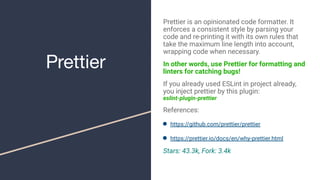
Prettier is an opinionated code formatter. It
enforces a consistent style by parsing your
code and re-printing it with its own rules that
take the maximum line length into account,
wrapping code when necessary.
In other words, use Prettier for formatting and
linters for catching bugs!
If you already used ESLint in project already,
you inject prettier by this plugin:
eslint-plugin-prettier
References:
● https://github.com/prettier/prettier
● https://prettier.io/docs/en/why-prettier.html
Stars: 43.3k, Fork: 3.4k
JavaScript
Standard Style
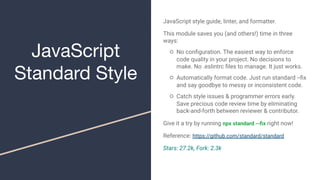
JavaScript style guide, linter, and formatter.
This module saves you (and others!) time in three
ways:
○ No configuration. The easiest way to enforce
code quality in your project. No decisions to
make. No .eslintrc files to manage. It just works.
○ Automatically format code. Just run standard --fix
and say goodbye to messy or inconsistent code.
○ Catch style issues & programmer errors early.
Save precious code review time by eliminating
back-and-forth between reviewer & contributor.
Give it a try by running npx standard --fix right now!
Reference: https://github.com/standard/standard
Stars: 27.2k, Fork: 2.3k
ESLint
ESLint is a tool for identifying and reporting on
patterns found in ECMAScript/JavaScript code.
Tool and Usage:
○ need to install add configuration file to
project: npm init @eslint/config
○ rules will be stored in file: .eslintrc
Reference: https://github.com/eslint/eslint
Stars: 20.9k, Fork: 3.8k
Does Prettier replace ESLint? No, ESLint does both
traditional linting (looking for problematic patterns) and
style checking (enforcement of conventions). You can use
ESLint for everything, or you can combine both using
Prettier to format your code and ESLint to catch possible
errors.
EditorConfig
EditorConfig helps maintain consistent coding
styles for multiple developers working on the same
project across various editors and
IDEs.EditorConfig files are easily readable and they
work nicely with version control systems.
Create a file called .editorconfig and store with
simple format as below:
Reference: https://editorconfig.org/
Stars: 2.7k, Fork: 113
# http://editorconfig.org
root = true
[*]
indent_style = space
indent_size = 2
end_of_line = lf
charset = utf-8
trim_trailing_whitespace = true
insert_final_newline = true
[*.md]
trim_trailing_whitespace = false
Thanks!!!

JS-formatter

  • 1.
  • 2.
    Prettier Prettier is anopinionated code formatter. It enforces a consistent style by parsing your code and re-printing it with its own rules that take the maximum line length into account, wrapping code when necessary. In other words, use Prettier for formatting and linters for catching bugs! If you already used ESLint in project already, you inject prettier by this plugin: eslint-plugin-prettier References: ● https://github.com/prettier/prettier ● https://prettier.io/docs/en/why-prettier.html Stars: 43.3k, Fork: 3.4k
  • 3.
    JavaScript Standard Style JavaScript styleguide, linter, and formatter. This module saves you (and others!) time in three ways: ○ No configuration. The easiest way to enforce code quality in your project. No decisions to make. No .eslintrc files to manage. It just works. ○ Automatically format code. Just run standard --fix and say goodbye to messy or inconsistent code. ○ Catch style issues & programmer errors early. Save precious code review time by eliminating back-and-forth between reviewer & contributor. Give it a try by running npx standard --fix right now! Reference: https://github.com/standard/standard Stars: 27.2k, Fork: 2.3k
  • 4.
    ESLint ESLint is atool for identifying and reporting on patterns found in ECMAScript/JavaScript code. Tool and Usage: ○ need to install add configuration file to project: npm init @eslint/config ○ rules will be stored in file: .eslintrc Reference: https://github.com/eslint/eslint Stars: 20.9k, Fork: 3.8k Does Prettier replace ESLint? No, ESLint does both traditional linting (looking for problematic patterns) and style checking (enforcement of conventions). You can use ESLint for everything, or you can combine both using Prettier to format your code and ESLint to catch possible errors.
  • 5.
    EditorConfig EditorConfig helps maintainconsistent coding styles for multiple developers working on the same project across various editors and IDEs.EditorConfig files are easily readable and they work nicely with version control systems. Create a file called .editorconfig and store with simple format as below: Reference: https://editorconfig.org/ Stars: 2.7k, Fork: 113 # http://editorconfig.org root = true [*] indent_style = space indent_size = 2 end_of_line = lf charset = utf-8 trim_trailing_whitespace = true insert_final_newline = true [*.md] trim_trailing_whitespace = false
  • 6.