Bot Server Testing
Connection
Lov Kimsrung, 8-June-2022
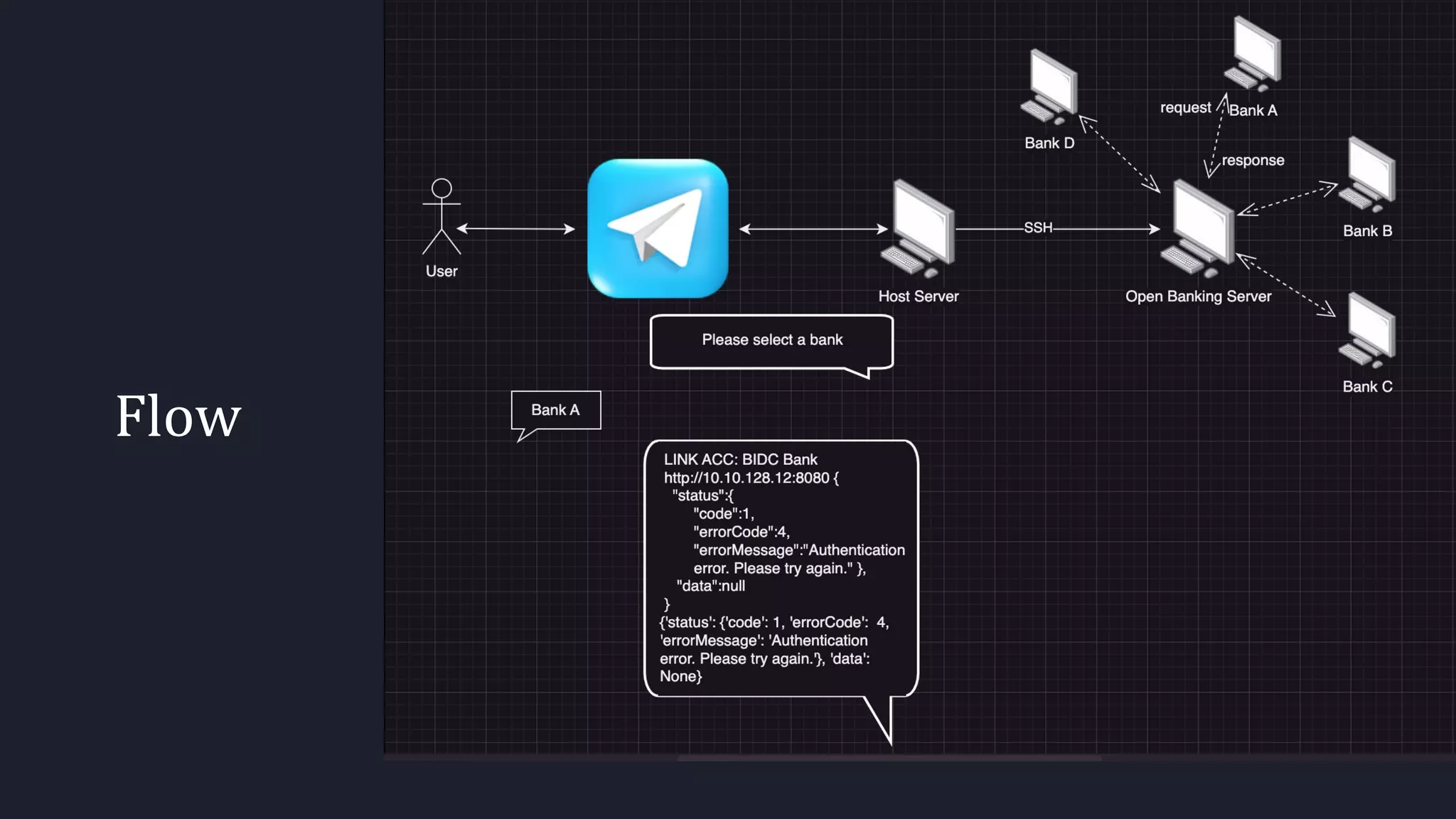
Flow
What you need!
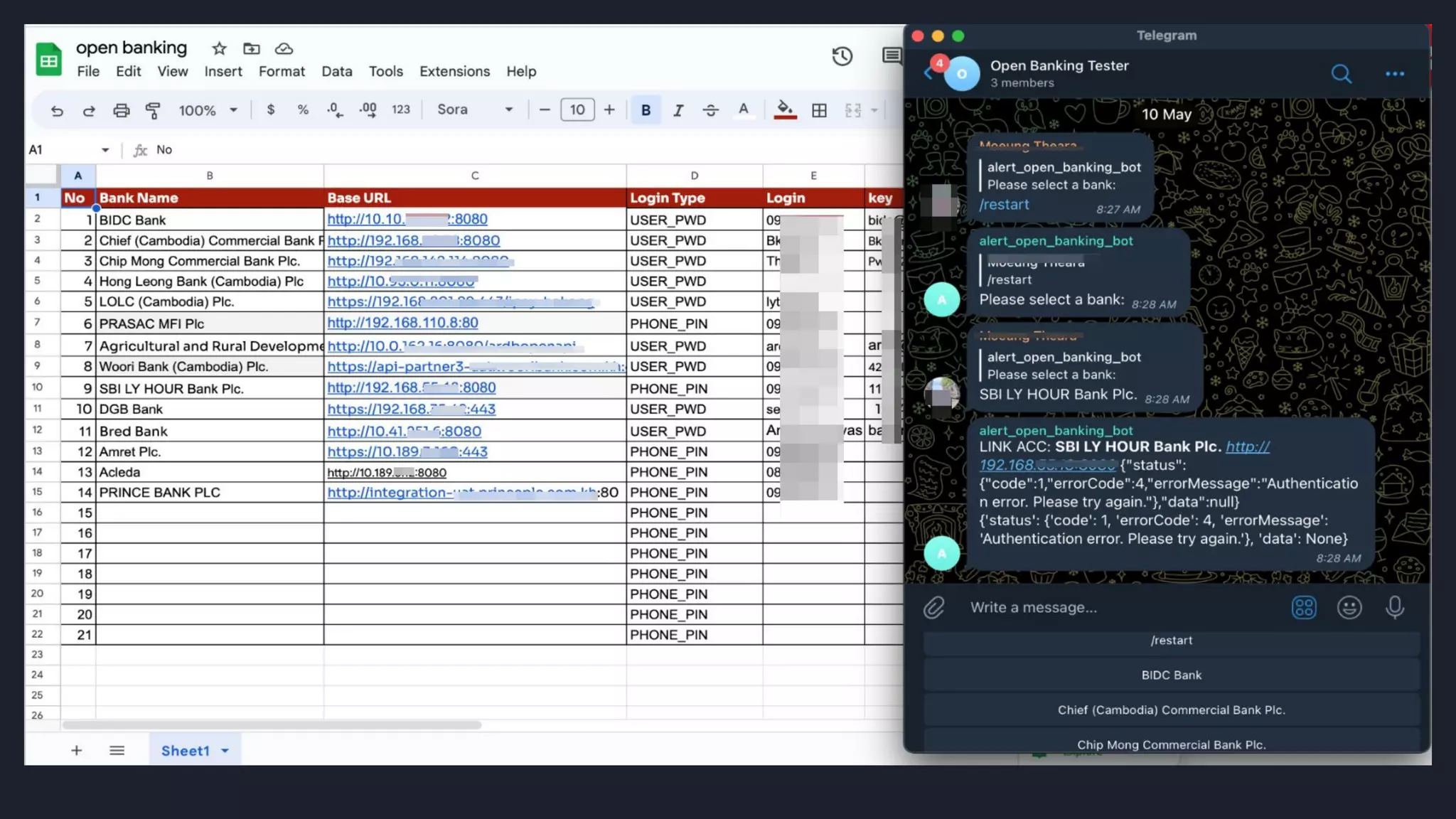
Googlespreetsheet: This is a list of any bank
servers or any urls which you would like to test a
connection or ping to.
TelegramBot: This would be done by botfather
in telegram. It would act as a human to perform
sending/receiving message and push to telegram
group.
TelegramGroup: We need to create one group
and add all members including the bot to
perform any actions.
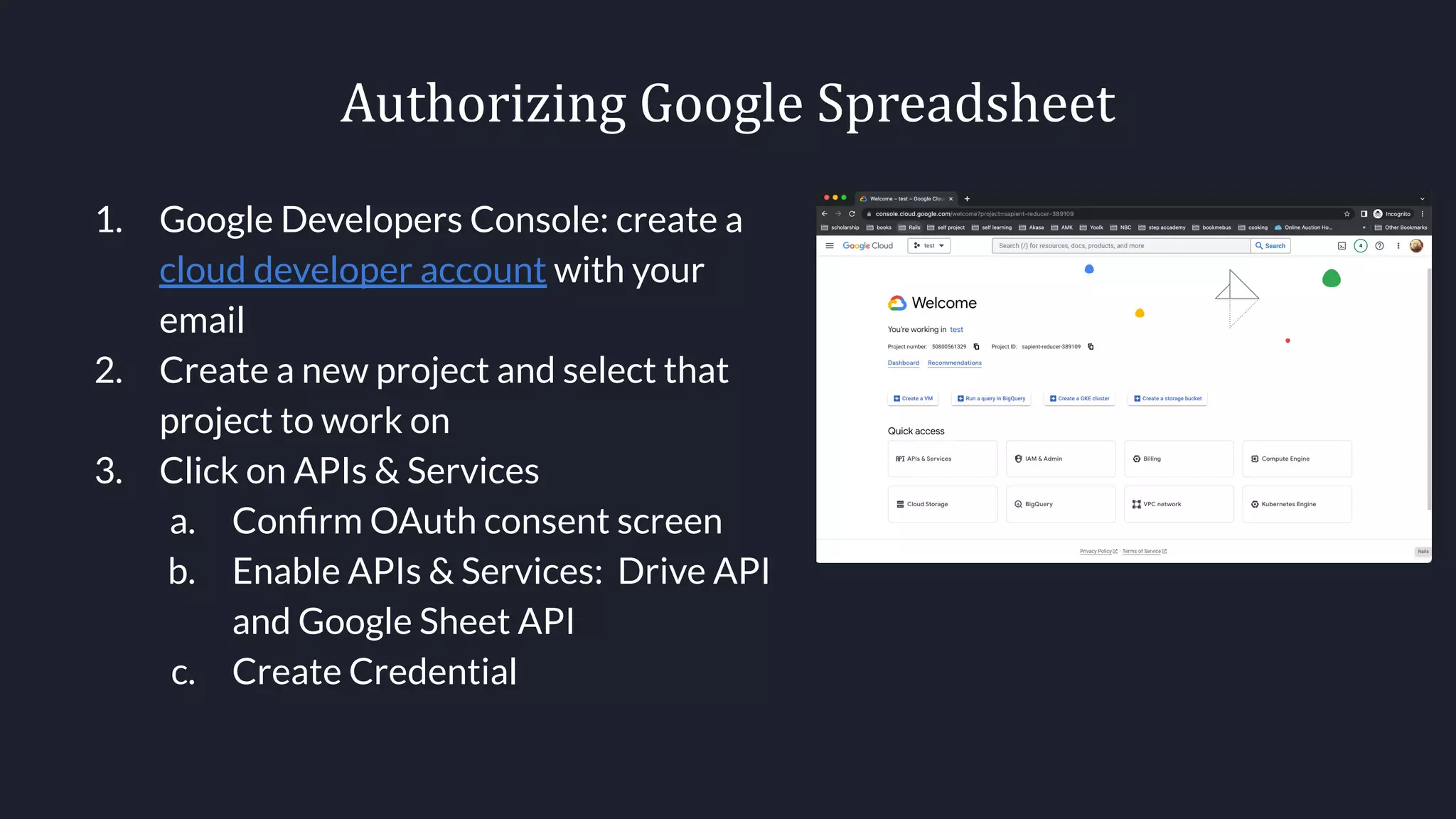
Authorizing Google Spreadsheet
1. Google Developers Console: create a
cloud developer account with your
email
2. Create a new project and select that
project to work on
3. Click on APIs & Services
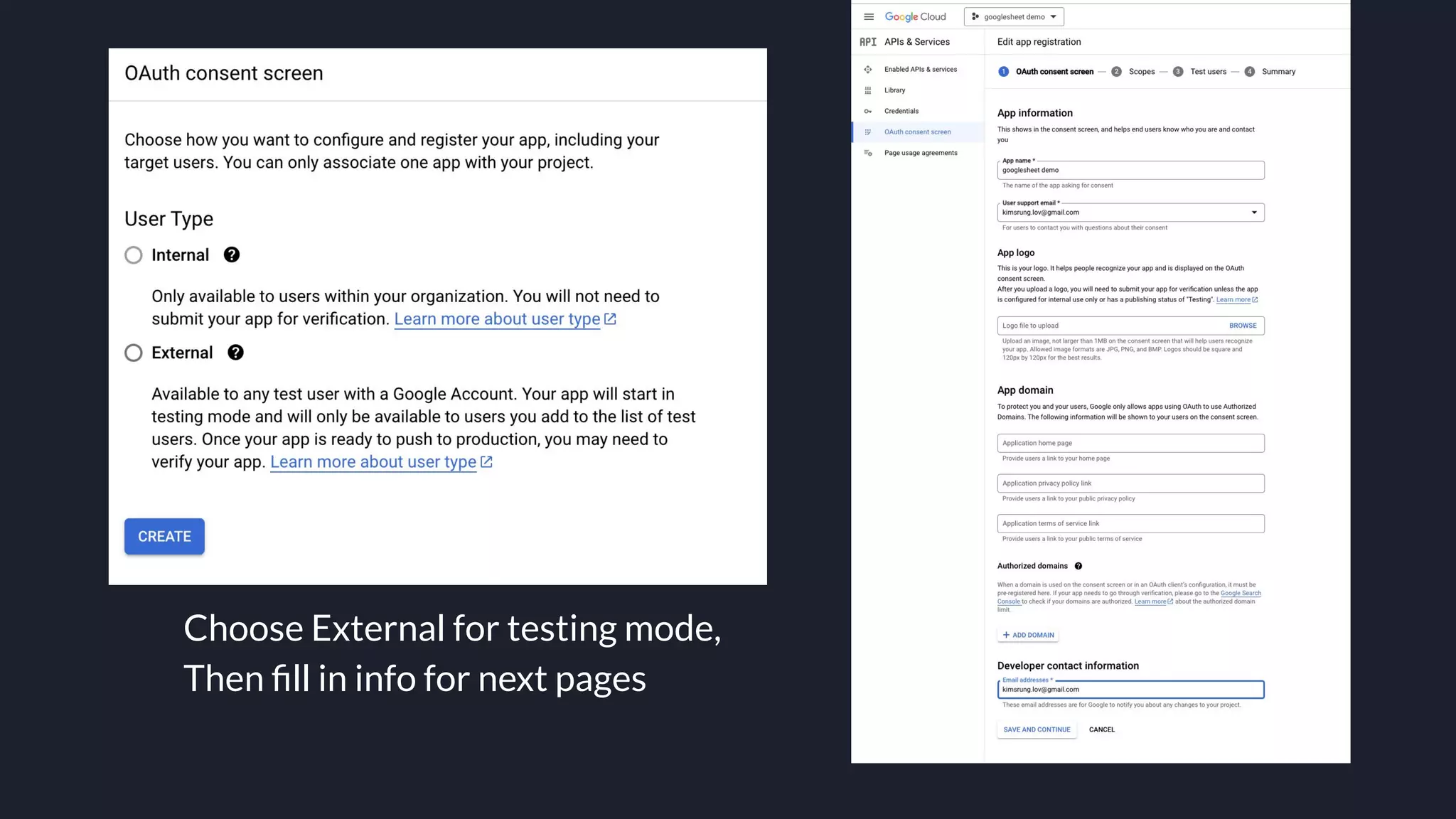
a. Confirm OAuth consent screen
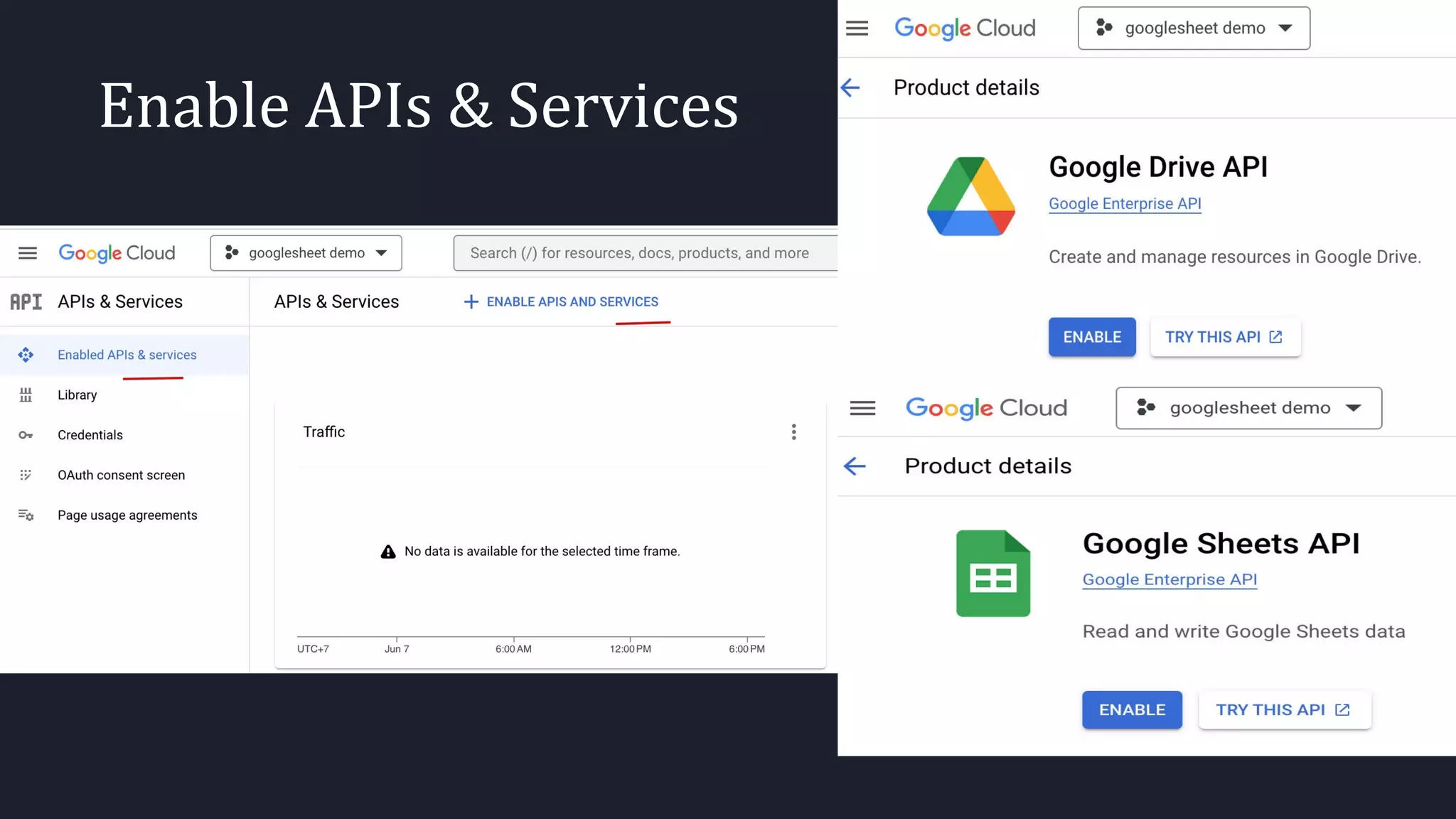
b. Enable APIs & Services: Drive API
and Google Sheet API
c. Create Credential
Choose External for testing mode,
Then fill in info for next pages
Enable APIs & Services
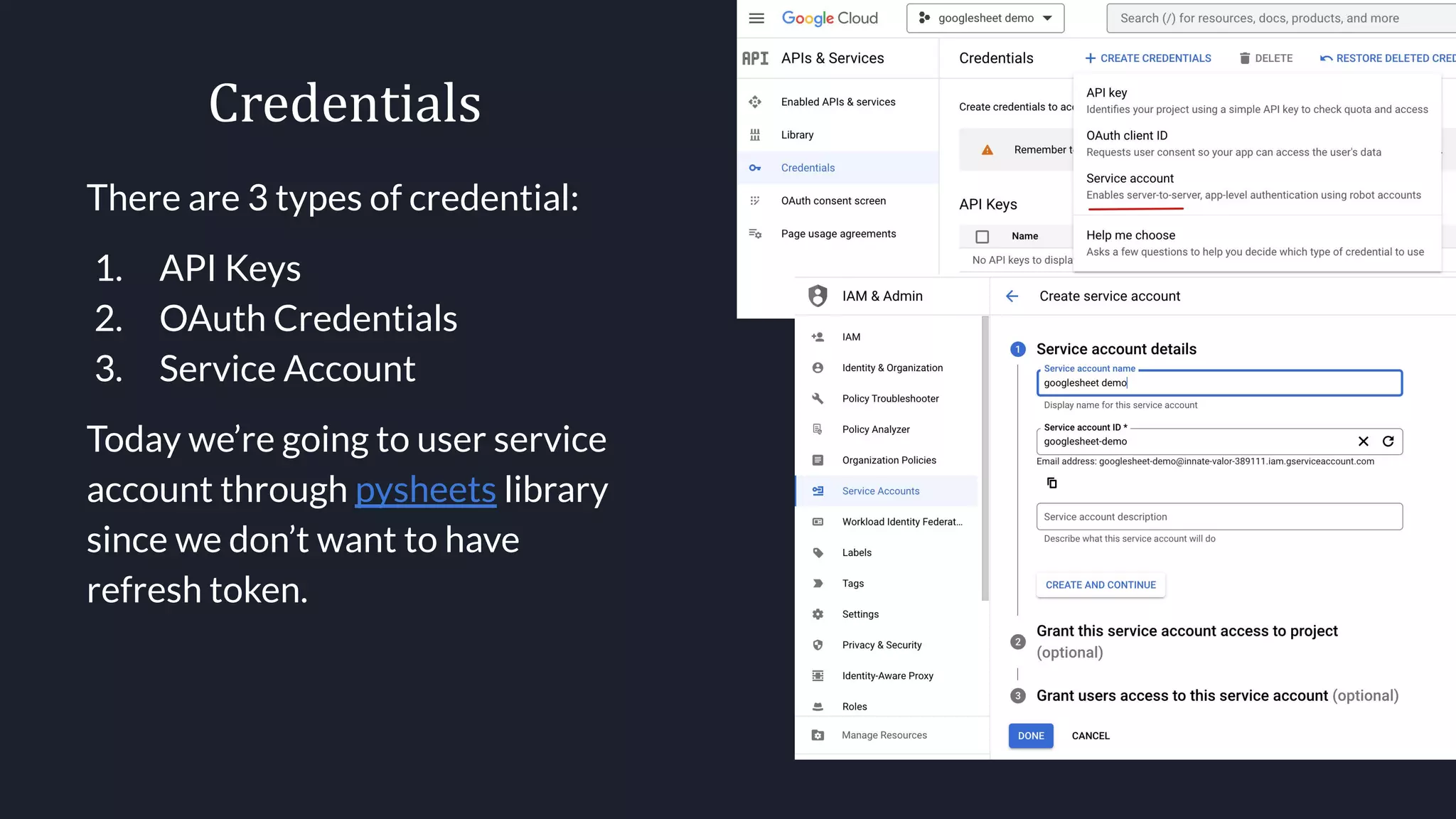
Credentials
There are 3 types of credential:
1. API Keys
2. OAuth Credentials
3. Service Account
Today we’re going to user service
account through pysheets library
since we don’t want to have
refresh token.
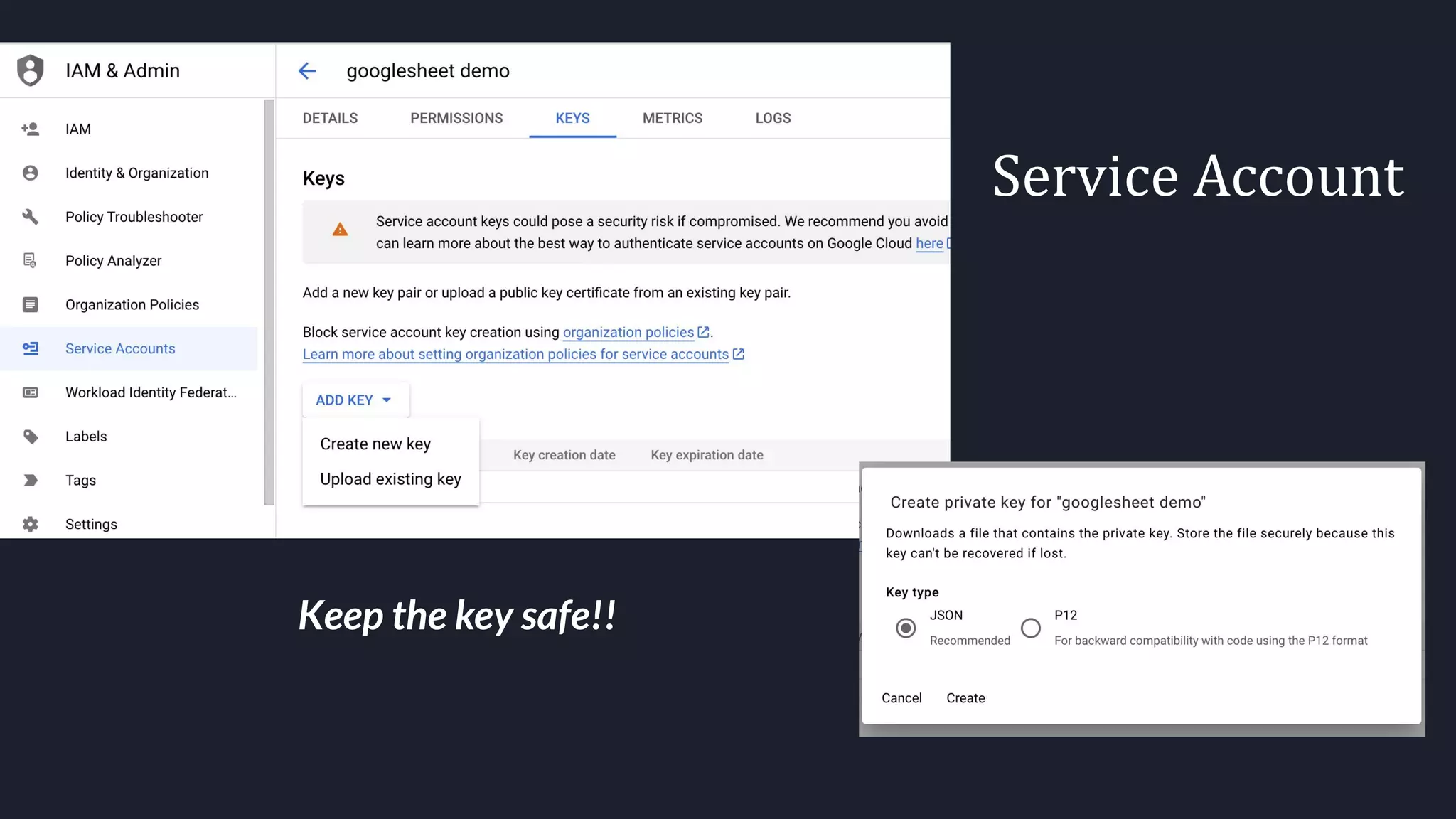
Service Account
Keep the key safe!!
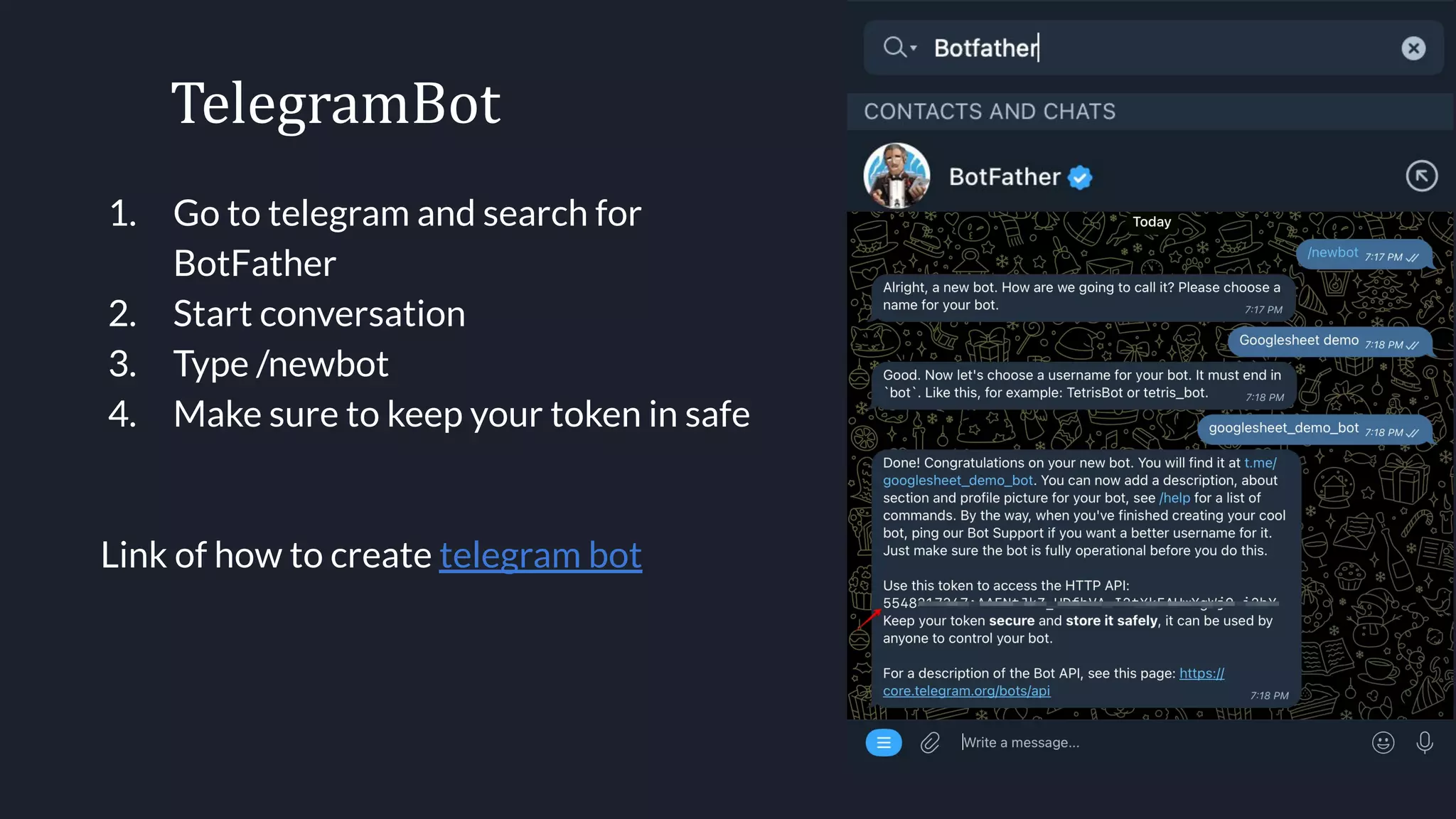
TelegramBot
1. Go to telegram and search for
BotFather
2. Start conversation
3. Type /newbot
4. Make sure to keep your token in safe
Link of how to create telegram bot
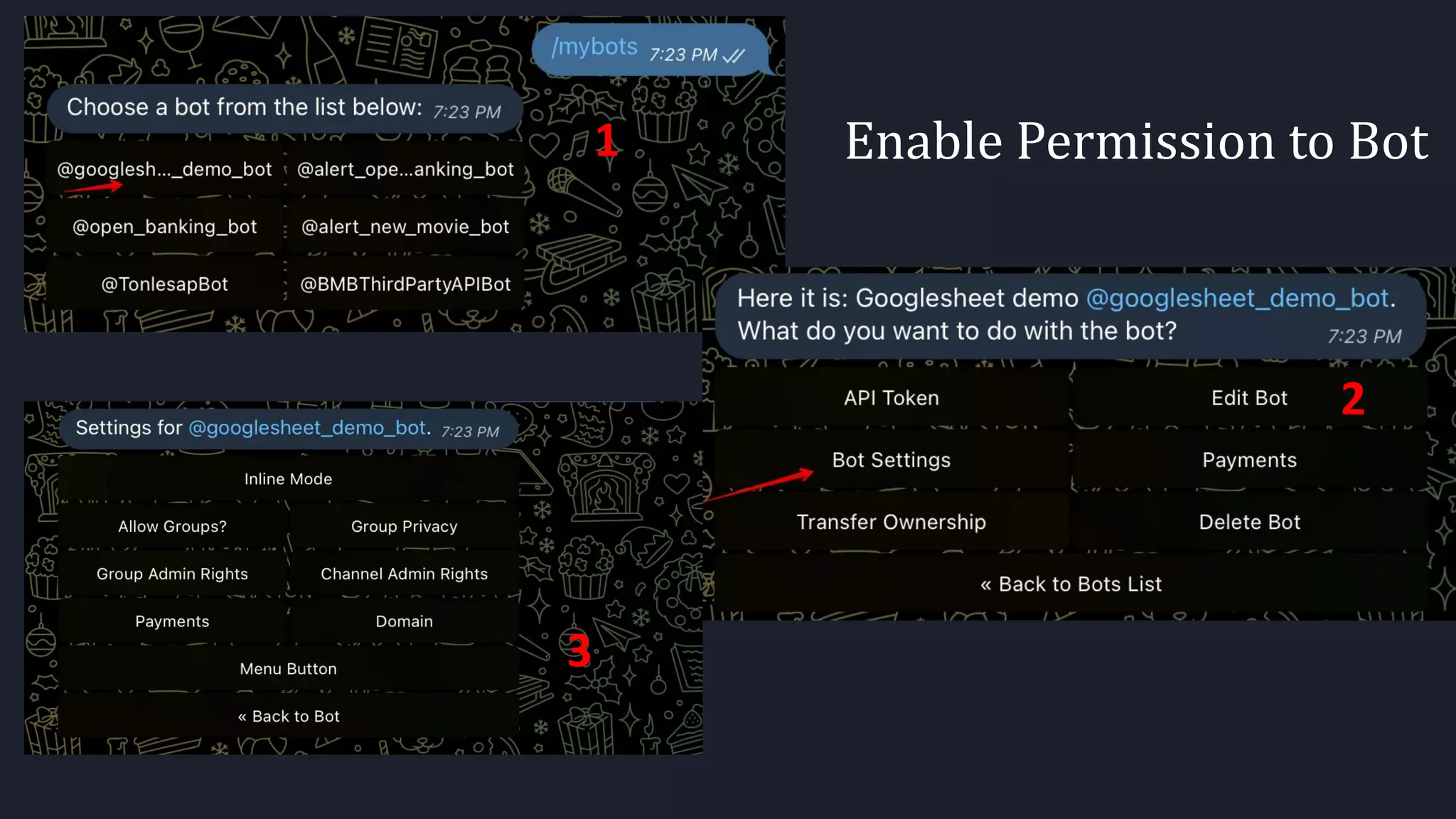
Enable Permission to Bot
1
3
2
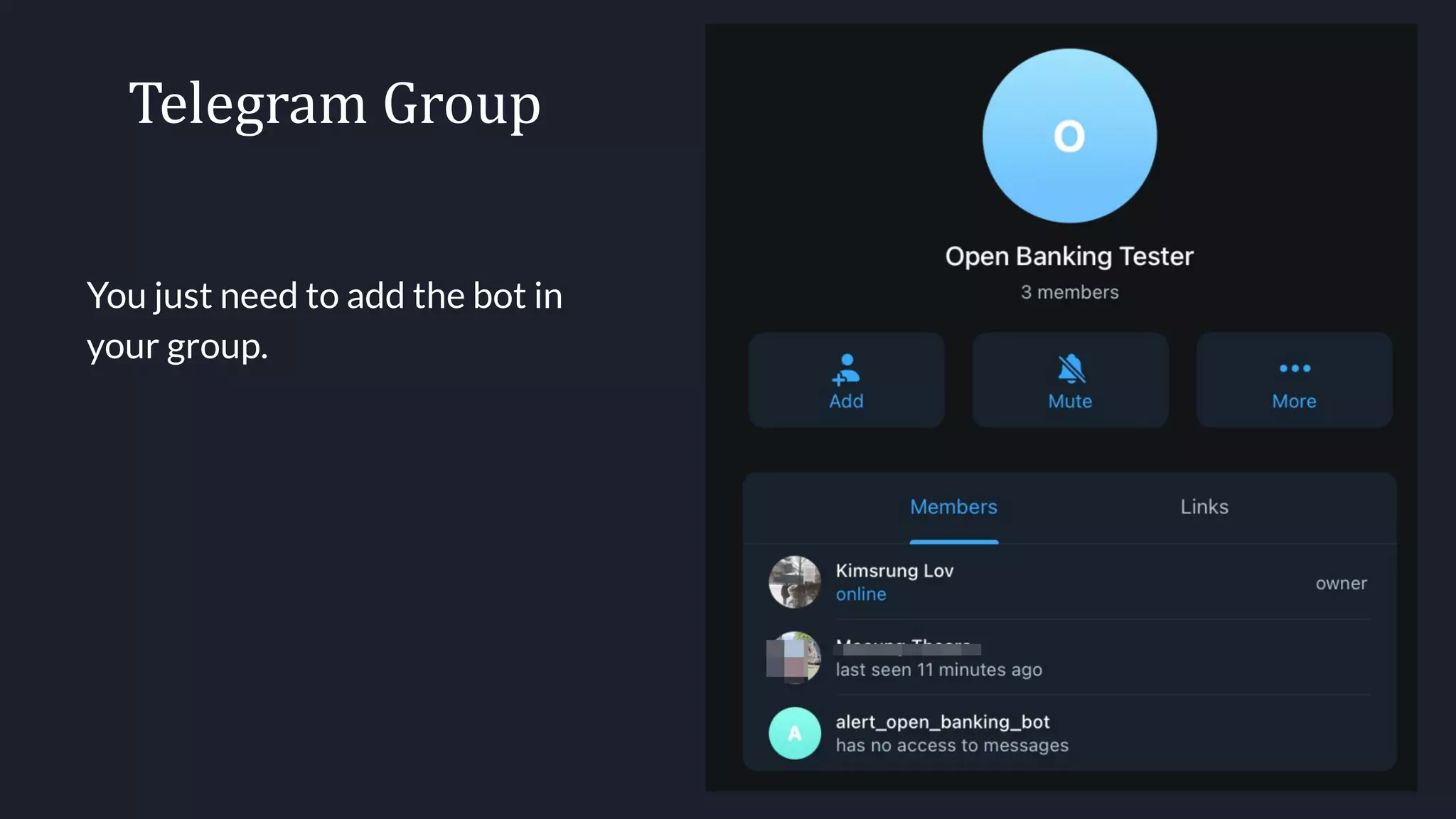
Telegram Group
You just need to add the bot in
your group.
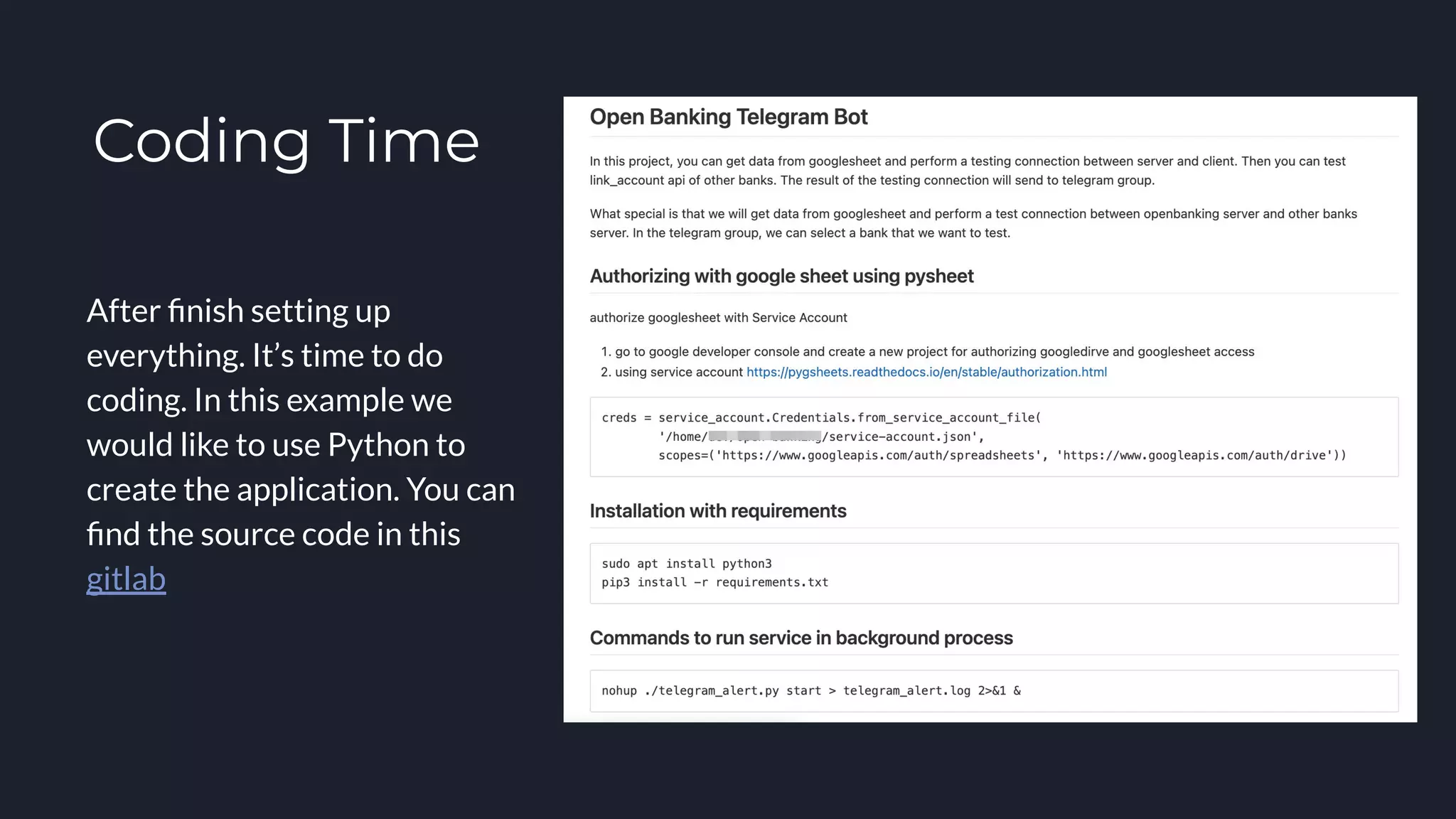
Coding Time
After finish setting up
everything. It’s time to do
coding. In this example we
would like to use Python to
create the application. You can
find the source code in this
gitlab
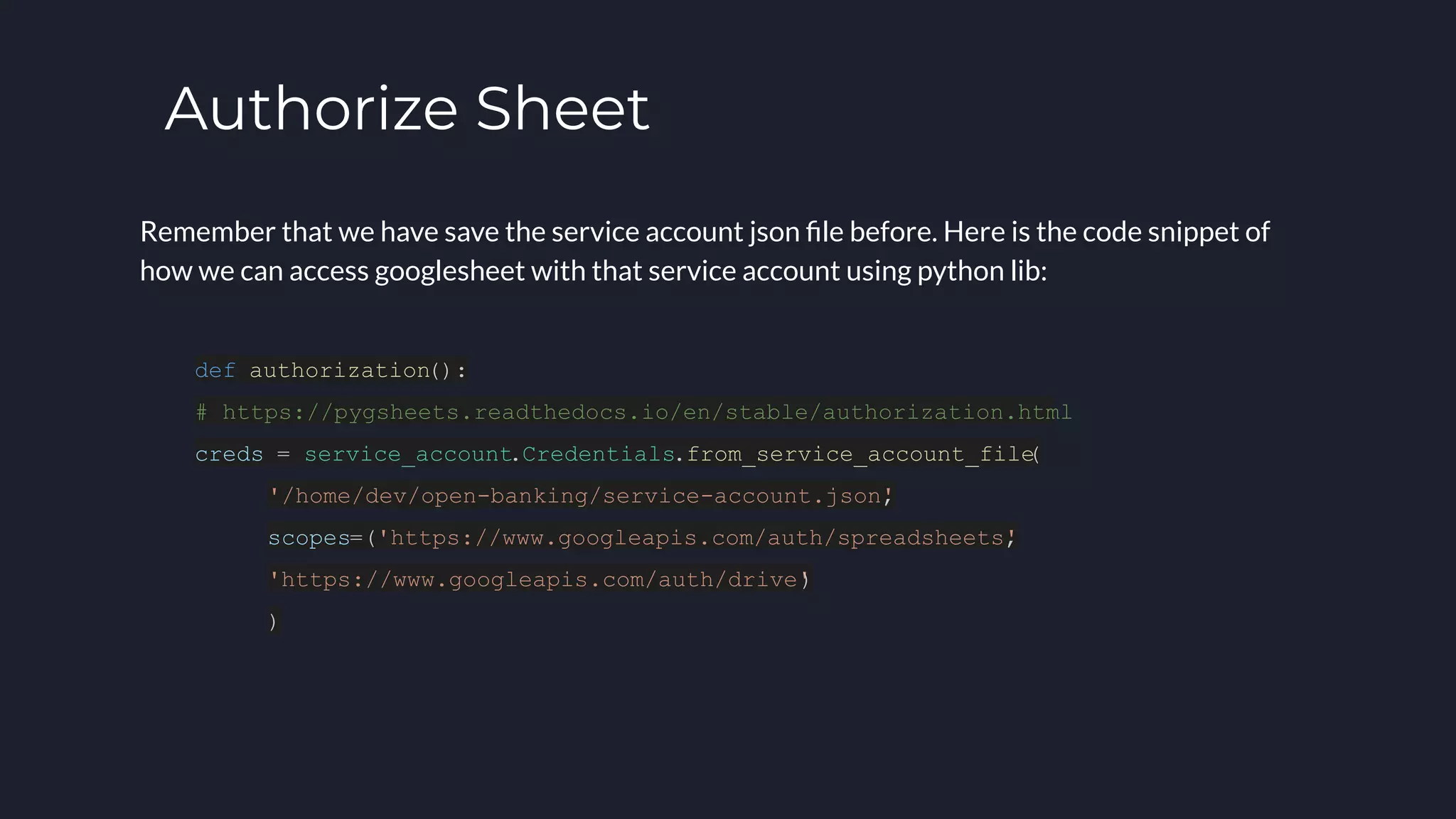
Authorize Sheet
Remember that we have save the service account json file before. Here is the code snippet of
how we can access googlesheet with that service account using python lib:
def authorization():
# https://pygsheets.readthedocs.io/en/stable/authorization.html
creds = service_account.Credentials.from_service_account_file
(
'/home/dev/open-banking/service-account.json'
,
scopes=('https://www.googleapis.com/auth/spreadsheets'
,
'https://www.googleapis.com/auth/drive'
)
)
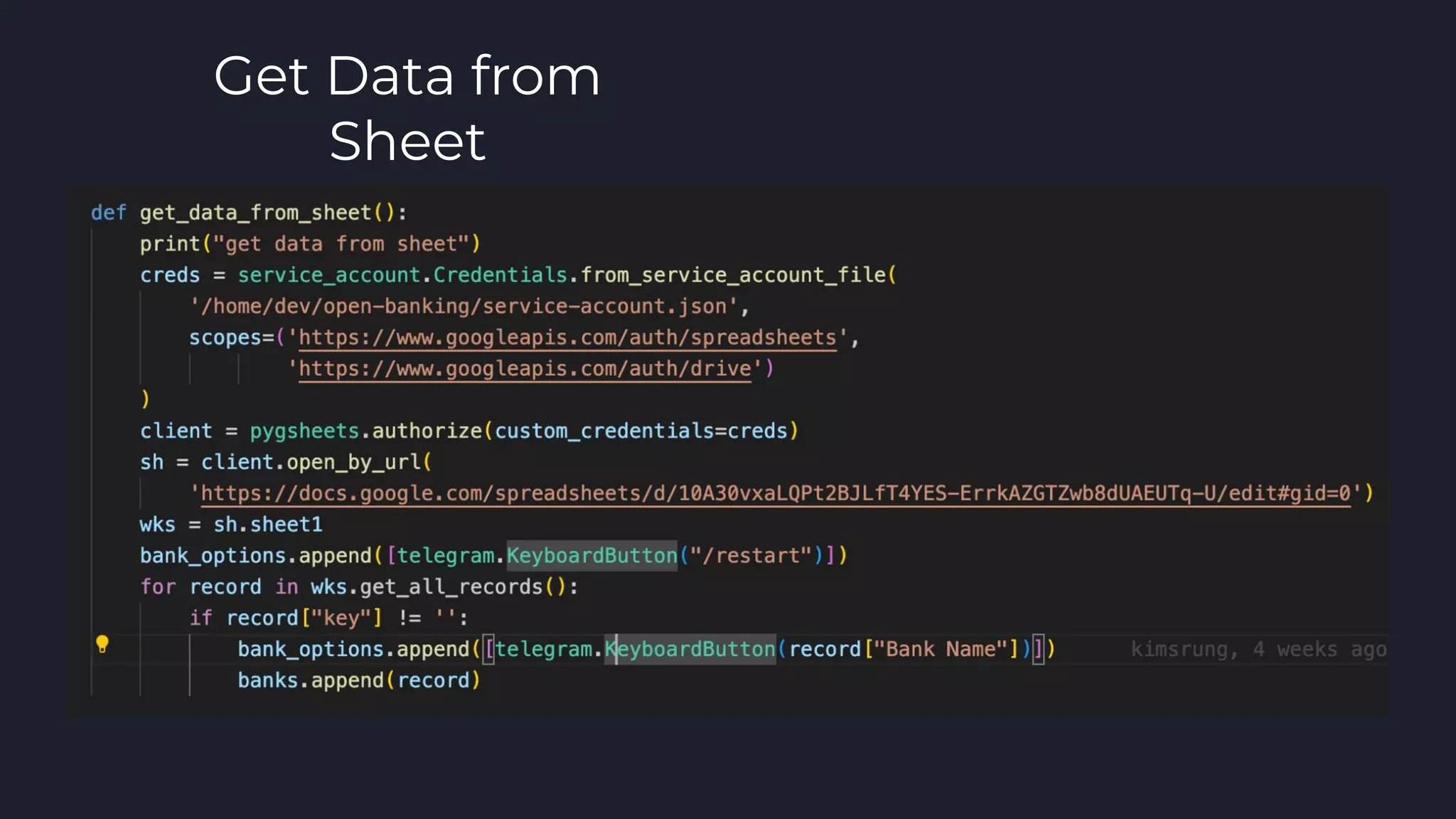
Get Data from
Sheet
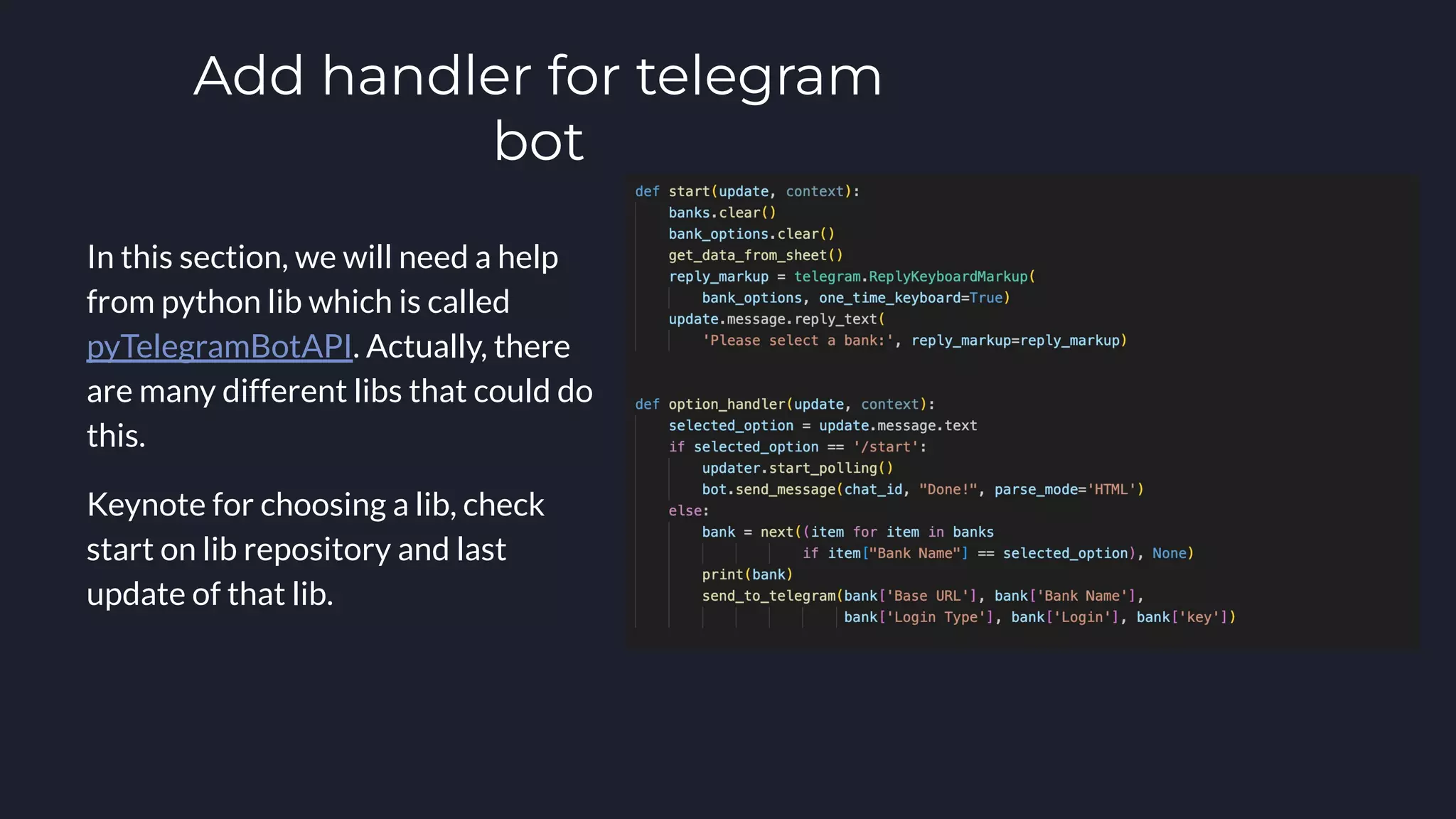
Add handler for telegram
bot
In this section, we will need a help
from python lib which is called
pyTelegramBotAPI. Actually, there
are many different libs that could do
this.
Keynote for choosing a lib, check
start on lib repository and last
update of that lib.
Server Configuration
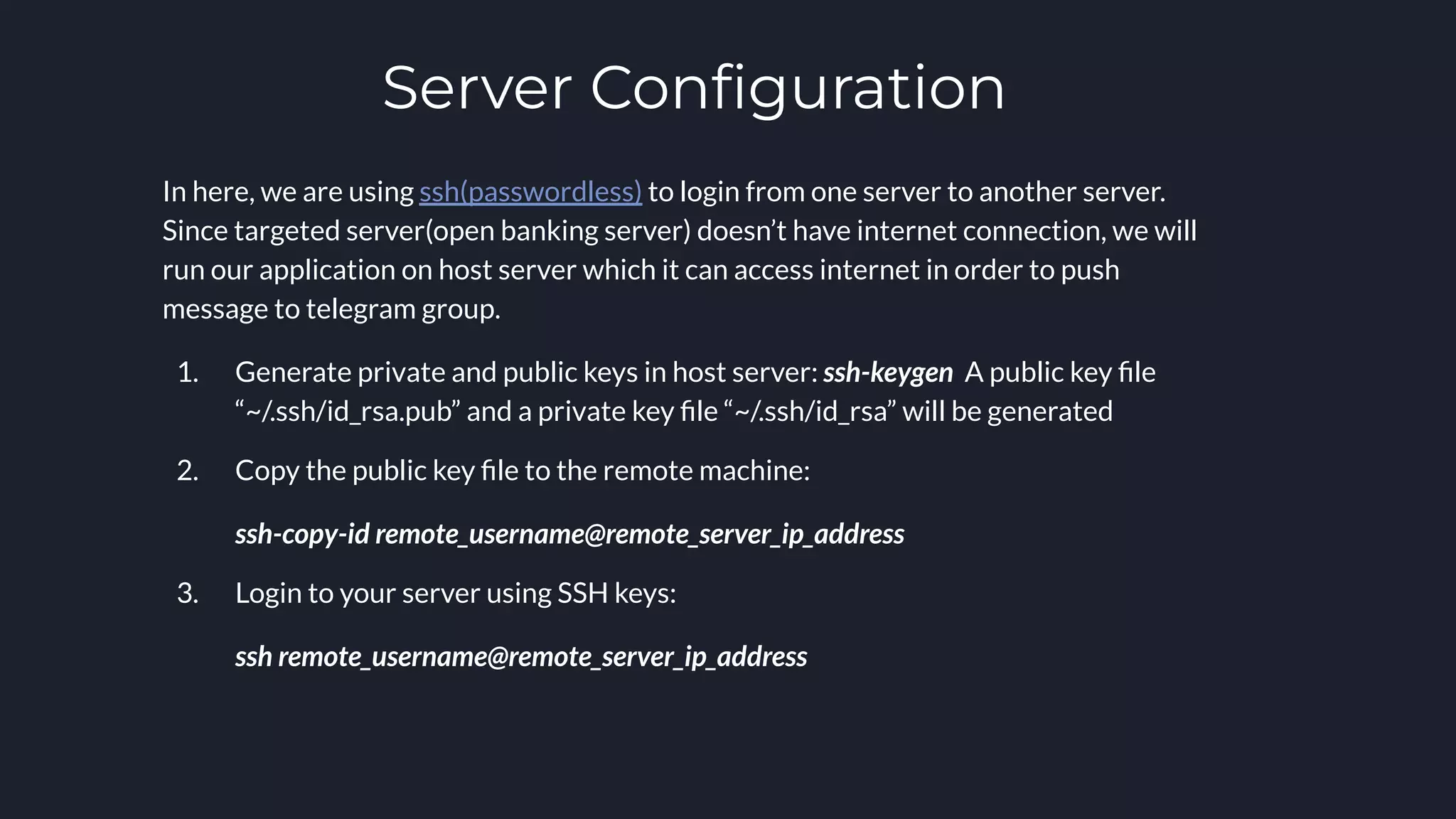
In here, we are using ssh(passwordless) to login from one server to another server.
Since targeted server(open banking server) doesn’t have internet connection, we will
run our application on host server which it can access internet in order to push
message to telegram group.
1. Generate private and public keys in host server: ssh-keygen A public key file
“~/.ssh/id_rsa.pub” and a private key file “~/.ssh/id_rsa” will be generated
2. Copy the public key file to the remote machine:
ssh-copy-id remote_username@remote_server_ip_address
3. Login to your server using SSH keys:
ssh remote_username@remote_server_ip_address
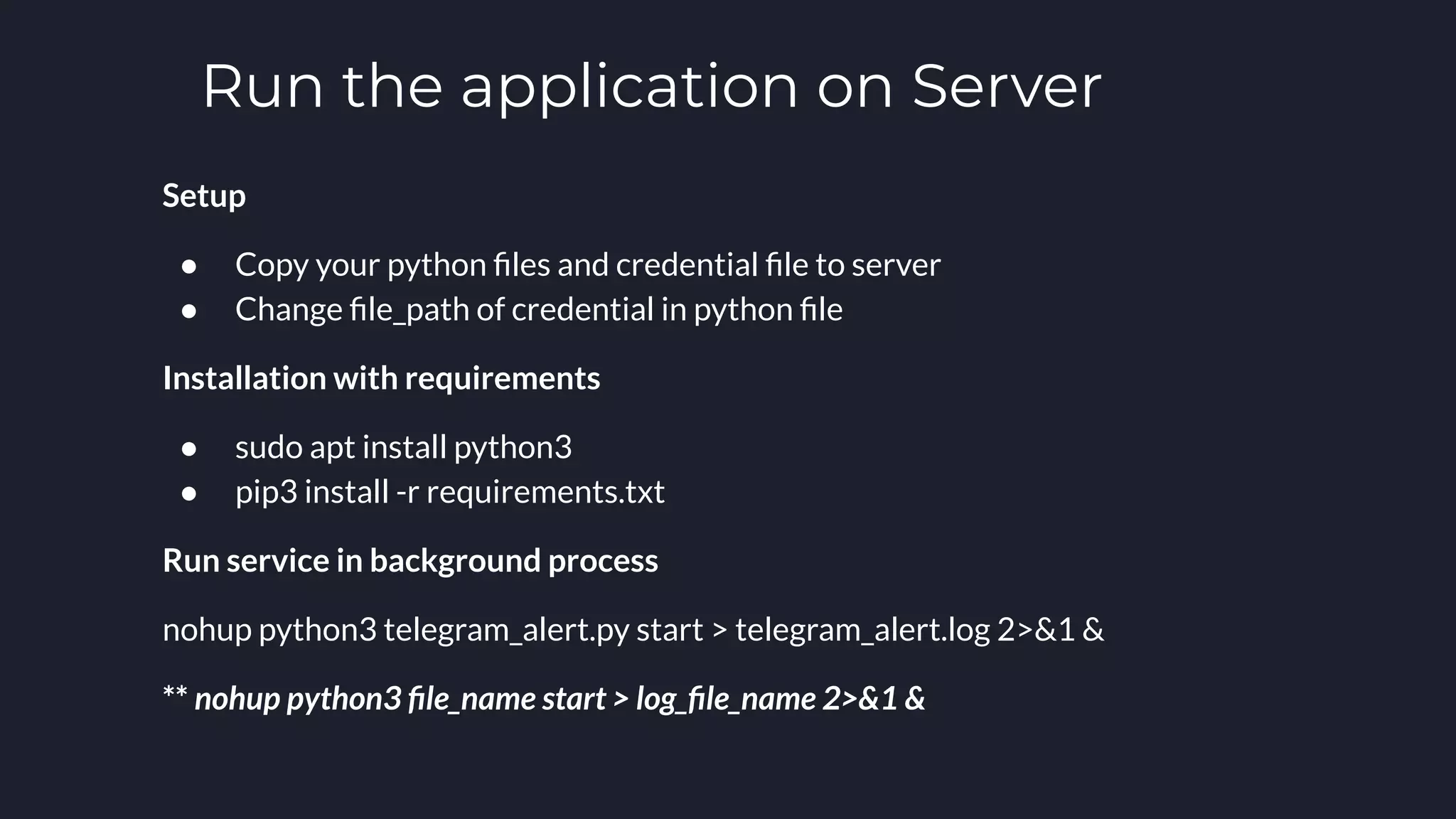
Run the application on Server
Setup
● Copy your python files and credential file to server
● Change file_path of credential in python file
Installation with requirements
● sudo apt install python3
● pip3 install -r requirements.txt
Run service in background process
nohup python3 telegram_alert.py start > telegram_alert.log 2>&1 &
** nohup python3 file_name start > log_file_name 2>&1 &
Thanks You

Testing Connection Between Server to Server with TelegramBot & Googlesheet

  • 1.
    Bot Server Testing Connection LovKimsrung, 8-June-2022
  • 2.
  • 4.
    What you need! Googlespreetsheet:This is a list of any bank servers or any urls which you would like to test a connection or ping to. TelegramBot: This would be done by botfather in telegram. It would act as a human to perform sending/receiving message and push to telegram group. TelegramGroup: We need to create one group and add all members including the bot to perform any actions.
  • 5.
    Authorizing Google Spreadsheet 1.Google Developers Console: create a cloud developer account with your email 2. Create a new project and select that project to work on 3. Click on APIs & Services a. Confirm OAuth consent screen b. Enable APIs & Services: Drive API and Google Sheet API c. Create Credential
  • 6.
    Choose External fortesting mode, Then fill in info for next pages
  • 7.
    Enable APIs &Services
  • 8.
    Credentials There are 3types of credential: 1. API Keys 2. OAuth Credentials 3. Service Account Today we’re going to user service account through pysheets library since we don’t want to have refresh token.
  • 9.
  • 10.
    TelegramBot 1. Go totelegram and search for BotFather 2. Start conversation 3. Type /newbot 4. Make sure to keep your token in safe Link of how to create telegram bot
  • 11.
  • 12.
    Telegram Group You justneed to add the bot in your group.
  • 13.
    Coding Time After finishsetting up everything. It’s time to do coding. In this example we would like to use Python to create the application. You can find the source code in this gitlab
  • 14.
    Authorize Sheet Remember thatwe have save the service account json file before. Here is the code snippet of how we can access googlesheet with that service account using python lib: def authorization(): # https://pygsheets.readthedocs.io/en/stable/authorization.html creds = service_account.Credentials.from_service_account_file ( '/home/dev/open-banking/service-account.json' , scopes=('https://www.googleapis.com/auth/spreadsheets' , 'https://www.googleapis.com/auth/drive' ) )
  • 15.
  • 16.
    Add handler fortelegram bot In this section, we will need a help from python lib which is called pyTelegramBotAPI. Actually, there are many different libs that could do this. Keynote for choosing a lib, check start on lib repository and last update of that lib.
  • 17.
    Server Configuration In here,we are using ssh(passwordless) to login from one server to another server. Since targeted server(open banking server) doesn’t have internet connection, we will run our application on host server which it can access internet in order to push message to telegram group. 1. Generate private and public keys in host server: ssh-keygen A public key file “~/.ssh/id_rsa.pub” and a private key file “~/.ssh/id_rsa” will be generated 2. Copy the public key file to the remote machine: ssh-copy-id remote_username@remote_server_ip_address 3. Login to your server using SSH keys: ssh remote_username@remote_server_ip_address
  • 18.
    Run the applicationon Server Setup ● Copy your python files and credential file to server ● Change file_path of credential in python file Installation with requirements ● sudo apt install python3 ● pip3 install -r requirements.txt Run service in background process nohup python3 telegram_alert.py start > telegram_alert.log 2>&1 & ** nohup python3 file_name start > log_file_name 2>&1 &
  • 19.