Introduction
 Job work means processing or working on raw materials or semi-
finished goods supplied by the principal manufacturer to the job
worker. This is to complete a part or whole of the process which
results in the manufacture or finishing of an article or any other
essential operation.
 Job Work Means a Work Delegated by a Principal Manufacturer
to Job Worker.
People Involved in Job Work
JOB WORK
Principal
Manufacturer(Sundry
Debtors)
Job Worker( Sundry
Creditors)
Enabling Job Work in Tally Erp 9
 Creating Company is in Normal Form (Way) of Creating in Tally
 Enabling Job Work in Tally
1) After Creating the Company, Enable Job Work
2) Click /Press F11 (Features), then Click/Press
F2(Inventory Features)
3) Enable Job–order Processing, Purchase-Order Processing,
Sales-Order Processing
4) Enable Material In and Material Out
CONTD
 Enable Multiple Godown
 Enable Track Stock & Item Cost
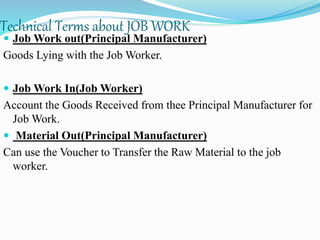
Technical Terms about JOB WORK
 Job Work out(Principal Manufacturer)
Goods Lying with the Job Worker.
 Job Work In(Job Worker)
Account the Goods Received from thee Principal Manufacturer for
Job Work.
 Material Out(Principal Manufacturer)
Can use the Voucher to Transfer the Raw Material to the job
worker.
CONTD
 Material Out(Job Worker)
Can Use the Voucher to Transfer the Finished Goods to the
Principal Manufacturer.
 Material In(Principal Manufacturer)
Can Use this Voucher to Record the Receipt of Finished Goods
From Job Worker.
 Material In(Job worker)
Can Use the Voucher as Receipt of Raw Material From
Principal Manufacturer.
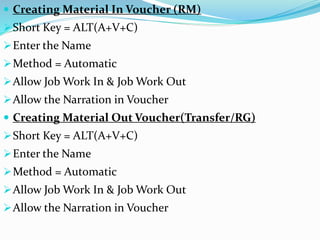
 Creating Material In Voucher (RM)
Short Key = ALT(A+V+C)
Enter the Name
Method = Automatic
Allow Job Work In & Job Work Out
Allow the Narration in Voucher
 Creating Material Out Voucher(Transfer/RG)
Short Key = ALT(A+V+C)
Enter the Name
Method = Automatic
Allow Job Work In & Job Work Out
Allow the Narration in Voucher
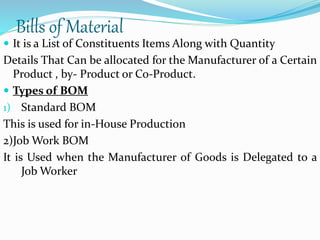
Bills of Material
 It is a List of Constituents Items Along with Quantity
Details That Can be allocated for the Manufacturer of a Certain
Product , by- Product or Co-Product.
 Types of BOM
1) Standard BOM
This is used for in-House Production
2)Job Work BOM
It is Used when the Manufacturer of Goods is Delegated to a
Job Worker
Ledger Creation
 Ledgers is Created for Job Workers, Principal Manufacturer,
Godown Location.
 Creating Godown Location(Table Shown Below)
GODOWNS UNDER OUR STOCK
WITH THIRD
PARTY
THIRD PARTY
STOCK WITH US
RAW MATERIAL
LOCATION
PRIMARY NO NO
FINISHED
GOODS
LOCATION
PRIMARY NO NO
SCRAP
LOCATION
PRIMARY NO NO
JOB WORK OUT
LOCATION
PRIMARY YES NO
JOB WOR IN PRIMARY NO YES
STOCK ITEMS CREATION
GATEWAY OF
TALLY
STOCK ITEMS INVENTORY INFO
STOCK ITEMSCREATE
CONTD
In”Name”Field Enter the Stock Name
Group the Stock Item under the stock Group RM
In Units Field, Select the Applicable Unit of Measurement
Retain No For Enable Cost Tracking
Enter Save
(Short Note = If any of the ledger is not Given or Prepared,
then Click ALT+C)
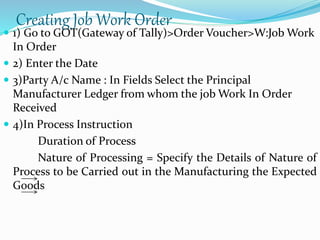
Creating Job Work Order
 1) Go to GOT(Gateway of Tally)>Order Voucher>W:Job Work
In Order
 2) Enter the Date
 3)Party A/c Name : In Fields Select the Principal
Manufacturer Ledger from whom the job Work In Order
Received
 4)In Process Instruction
Duration of Process
Nature of Processing = Specify the Details of Nature of
Process to be Carried out in the Manufacturing the Expected
Goods
CONTD
 5) Order No = JOB1N00
 6)In Stock Item Allocation = Item Allocation : By Default, the
Stock Item Specified will be Displayed , Indicating that the
allocation is for the Selected Item
 For Order Number = By Default the Job Order Specified in
the Job Work out order will be Displayed indicating that the
Time Also.
CONTD
 Enter Due Date
 Godown = In This Field , Select the Godown , where the
Finished Goods will be Stored after Manufacture of Goods,
Eg: Job Work - in – Godown
 Enter the Rate of the Product and Amount
 Enter the tax Amount with Narration
 Short note:-
 To View the Job-Work-in-order
GOT-Display-Job Work in Reports-Job Work Register-Job
Work in orders

Job work Part 1

  • 2.
    Introduction  Job workmeans processing or working on raw materials or semi- finished goods supplied by the principal manufacturer to the job worker. This is to complete a part or whole of the process which results in the manufacture or finishing of an article or any other essential operation.  Job Work Means a Work Delegated by a Principal Manufacturer to Job Worker.
  • 3.
    People Involved inJob Work JOB WORK Principal Manufacturer(Sundry Debtors) Job Worker( Sundry Creditors)
  • 4.
    Enabling Job Workin Tally Erp 9  Creating Company is in Normal Form (Way) of Creating in Tally  Enabling Job Work in Tally 1) After Creating the Company, Enable Job Work 2) Click /Press F11 (Features), then Click/Press F2(Inventory Features) 3) Enable Job–order Processing, Purchase-Order Processing, Sales-Order Processing 4) Enable Material In and Material Out
  • 5.
    CONTD  Enable MultipleGodown  Enable Track Stock & Item Cost
  • 6.
    Technical Terms aboutJOB WORK  Job Work out(Principal Manufacturer) Goods Lying with the Job Worker.  Job Work In(Job Worker) Account the Goods Received from thee Principal Manufacturer for Job Work.  Material Out(Principal Manufacturer) Can use the Voucher to Transfer the Raw Material to the job worker.
  • 7.
    CONTD  Material Out(JobWorker) Can Use the Voucher to Transfer the Finished Goods to the Principal Manufacturer.  Material In(Principal Manufacturer) Can Use this Voucher to Record the Receipt of Finished Goods From Job Worker.  Material In(Job worker) Can Use the Voucher as Receipt of Raw Material From Principal Manufacturer.
  • 8.
     Creating MaterialIn Voucher (RM) Short Key = ALT(A+V+C) Enter the Name Method = Automatic Allow Job Work In & Job Work Out Allow the Narration in Voucher  Creating Material Out Voucher(Transfer/RG) Short Key = ALT(A+V+C) Enter the Name Method = Automatic Allow Job Work In & Job Work Out Allow the Narration in Voucher
  • 9.
    Bills of Material It is a List of Constituents Items Along with Quantity Details That Can be allocated for the Manufacturer of a Certain Product , by- Product or Co-Product.  Types of BOM 1) Standard BOM This is used for in-House Production 2)Job Work BOM It is Used when the Manufacturer of Goods is Delegated to a Job Worker
  • 10.
    Ledger Creation  Ledgersis Created for Job Workers, Principal Manufacturer, Godown Location.  Creating Godown Location(Table Shown Below) GODOWNS UNDER OUR STOCK WITH THIRD PARTY THIRD PARTY STOCK WITH US RAW MATERIAL LOCATION PRIMARY NO NO FINISHED GOODS LOCATION PRIMARY NO NO SCRAP LOCATION PRIMARY NO NO JOB WORK OUT LOCATION PRIMARY YES NO JOB WOR IN PRIMARY NO YES
  • 11.
    STOCK ITEMS CREATION GATEWAYOF TALLY STOCK ITEMS INVENTORY INFO STOCK ITEMSCREATE
  • 12.
    CONTD In”Name”Field Enter theStock Name Group the Stock Item under the stock Group RM In Units Field, Select the Applicable Unit of Measurement Retain No For Enable Cost Tracking Enter Save (Short Note = If any of the ledger is not Given or Prepared, then Click ALT+C)
  • 13.
    Creating Job WorkOrder  1) Go to GOT(Gateway of Tally)>Order Voucher>W:Job Work In Order  2) Enter the Date  3)Party A/c Name : In Fields Select the Principal Manufacturer Ledger from whom the job Work In Order Received  4)In Process Instruction Duration of Process Nature of Processing = Specify the Details of Nature of Process to be Carried out in the Manufacturing the Expected Goods
  • 14.
    CONTD  5) OrderNo = JOB1N00  6)In Stock Item Allocation = Item Allocation : By Default, the Stock Item Specified will be Displayed , Indicating that the allocation is for the Selected Item  For Order Number = By Default the Job Order Specified in the Job Work out order will be Displayed indicating that the Time Also.
  • 15.
    CONTD  Enter DueDate  Godown = In This Field , Select the Godown , where the Finished Goods will be Stored after Manufacture of Goods, Eg: Job Work - in – Godown  Enter the Rate of the Product and Amount  Enter the tax Amount with Narration  Short note:-  To View the Job-Work-in-order GOT-Display-Job Work in Reports-Job Work Register-Job Work in orders