Generics

Sang Shin
www.javapassion.com
sang.shin@sun.com
Topics
•   What is and why use Generics?
•   Usage of Generics
•   Generics and sub-typing
•   Wildcard
•   Type erasure
•   Interoperability
•   Creating your own generic class


                                      2
Generics:
What is it?
How do define it?
How to use it?
Why use it?
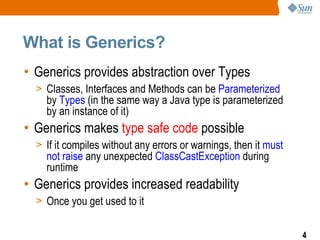
What is Generics?
• Generics provides abstraction over Types
  > Classes, Interfaces and Methods can be Parameterized
    by Types (in the same way a Java type is parameterized
    by an instance of it)
• Generics makes type safe code possible
  > If it compiles without any errors or warnings, then it must
    not raise any unexpected ClassCastException during
    runtime
• Generics provides increased readability
  > Once you get used to it


                                                                  4
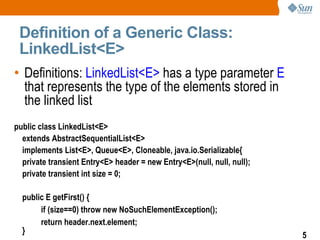
Definition of a Generic Class:
 LinkedList<E>
• Definitions: LinkedList<E> has a type parameter E
  that represents the type of the elements stored in
  the linked list
public class LinkedList<E>
  extends AbstractSequentialList<E>
  implements List<E>, Queue<E>, Cloneable, java.io.Serializable{
  private transient Entry<E> header = new Entry<E>(null, null, null);
  private transient int size = 0;

  public E getFirst() {
       if (size==0) throw new NoSuchElementException();
       return header.next.element;
  }
                                                                        5
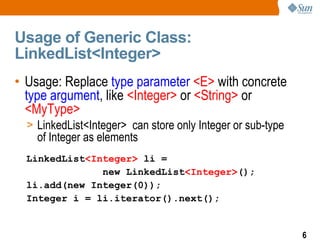
Usage of Generic Class:
LinkedList<Integer>
• Usage: Replace type parameter <E> with concrete
  type argument, like <Integer> or <String> or
  <MyType>
  > LinkedList<Integer> can store only Integer or sub-type
    of Integer as elements
  LinkedList<Integer> li =
               new LinkedList<Integer>();
  li.add(new Integer(0));
  Integer i = li.iterator().next();


                                                             6
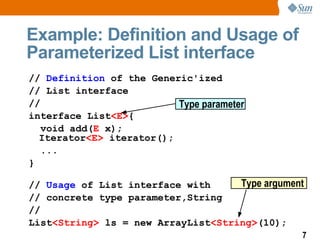
Example: Definition and Usage of
Parameterized List interface
// Definition of the Generic'ized
// List interface
//                        Type parameter
interface List<E>{
   void add(E x);
  Iterator<E> iterator();
   ...
}

// Usage of List interface with     Type argument
// concrete type parameter,String
//
List<String> ls = new ArrayList<String>(10);
                                                7
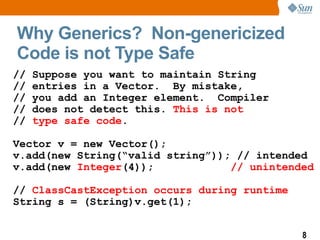
Why Generics? Non-genericized
Code is not Type Safe
//   Suppose you want to maintain String
//   entries in a Vector. By mistake,
//   you add an Integer element. Compiler
//   does not detect this. This is not
//   type safe code.

Vector v = new Vector();
v.add(new String(“valid string”)); // intended
v.add(new Integer(4));            // unintended

// ClassCastException occurs during runtime
String s = (String)v.get(1);


                                              8
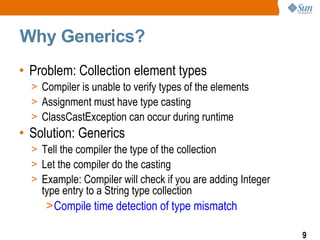
Why Generics?
• Problem: Collection element types
  > Compiler is unable to verify types of the elements
  > Assignment must have type casting
  > ClassCastException can occur during runtime
• Solution: Generics
  > Tell the compiler the type of the collection
  > Let the compiler do the casting
  > Example: Compiler will check if you are adding Integer
    type entry to a String type collection
     >Compile time detection of type mismatch

                                                             9
Generics:
Usage of Generics
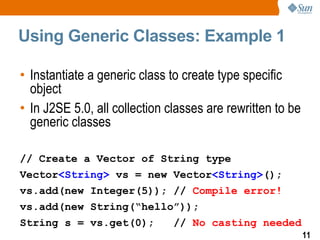
Using Generic Classes: Example 1

• Instantiate a generic class to create type specific
  object
• In J2SE 5.0, all collection classes are rewritten to be
  generic classes

// Create a Vector of String type
Vector<String> vs = new Vector<String>();
vs.add(new Integer(5)); // Compile error!
vs.add(new String(“hello”));
String s = vs.get(0);          // No casting needed
                                                            11
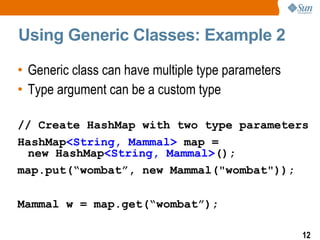
Using Generic Classes: Example 2

• Generic class can have multiple type parameters
• Type argument can be a custom type

// Create HashMap with two type parameters
HashMap<String, Mammal> map =
 new HashMap<String, Mammal>();
map.put(“wombat”, new Mammal("wombat"));

Mammal w = map.get(“wombat”);

                                                    12
Generics:
Sub-typing
Generics and Sub-typing
• You can do this (using pre-J2SE 5.0 Java)
  > Object o = new Integer(5);
• You can even do this (using pre-J2SE 5.0 Java)
  > Object[] or = new Integer[5];
• So you would expect to be able to do this (Well,
  you can't do this!!!)
  > ArrayList<Object> ao = new ArrayList<Integer>();
  > This is counter-intuitive at the first glance


                                                       14
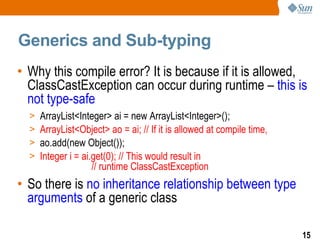
Generics and Sub-typing
• Why this compile error? It is because if it is allowed,
  ClassCastException can occur during runtime – this is
  not type-safe
  >   ArrayList<Integer> ai = new ArrayList<Integer>();
  >   ArrayList<Object> ao = ai; // If it is allowed at compile time,
  >   ao.add(new Object());
  >   Integer i = ai.get(0); // This would result in
                     // runtime ClassCastException
• So there is no inheritance relationship between type
  arguments of a generic class

                                                                        15
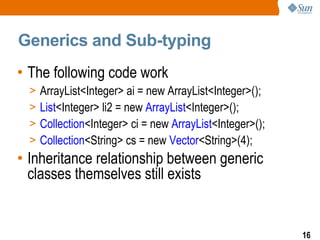
Generics and Sub-typing
• The following code work
  >   ArrayList<Integer> ai = new ArrayList<Integer>();
  >   List<Integer> li2 = new ArrayList<Integer>();
  >   Collection<Integer> ci = new ArrayList<Integer>();
  >   Collection<String> cs = new Vector<String>(4);
• Inheritance relationship between generic
  classes themselves still exists


                                                           16
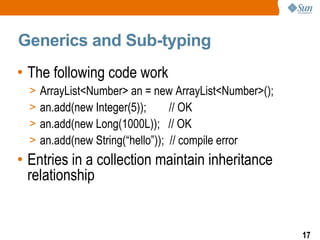
Generics and Sub-typing
• The following code work
  >   ArrayList<Number> an = new ArrayList<Number>();
  >   an.add(new Integer(5));      // OK
  >   an.add(new Long(1000L)); // OK
  >   an.add(new String(“hello”)); // compile error
• Entries in a collection maintain inheritance
  relationship


                                                        17
Generics:
Wild card
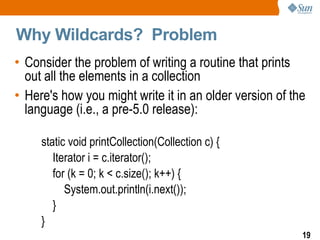
Why Wildcards? Problem
• Consider the problem of writing a routine that prints
  out all the elements in a collection
• Here's how you might write it in an older version of the
  language (i.e., a pre-5.0 release):

     static void printCollection(Collection c) {
        Iterator i = c.iterator();
        for (k = 0; k < c.size(); k++) {
           System.out.println(i.next());
        }
     }
                                                         19
Why Wildcards? Problem
• And here is a naive attempt at writing it using generics
  (and the new for loop syntax): Well.. You can't do this!
 static void printCollection(Collection<Object> c) {
   for (Object o : c)
     System.out.println(o);
 }

 public static void main(String[] args) {
   Collection<String> cs = new Vector<String>();
   printCollection(cs); // Compile error
   List<Integer> li = new ArrayList<Integer>(10);
   printCollection(li); // Compile error
 }
                                                         20
Why Wildcards? Solution
• Use Wildcard type argument <?>
• Collection<?> means Collection of unknown type
• Accessing entries of Collection of unknown type with
  Object type is safe
static void printCollection(Collection<?> c) {
  for (Object o : c)
    System.out.println(o);
}

public static void main(String[] args) {
  Collection<String> cs = new Vector<String>();
  printCollection(cs); // No Compile error
  List<Integer> li = new ArrayList<Integer>(10);
  printCollection(li); // No Compile error
}
                                                         21
More on Wildcards
• You cannot access entries of Collection of unknown
  type other than Object type
 static void printCollection(Collection<?> c) {
   for (String o : c) // Compile error
     System.out.println(o);
 }

 public static void main(String[] args) {
   Collection<String> cs = new Vector<String>();
   printCollection(cs); // No Compile error
   List<Integer> li = new ArrayList<Integer>(10);
   printCollection(li); // No Compile error
 }

                                                       22
More on Wildcards
• It isn't safe to add arbitrary objects to it however, since
  we don't know what the element type of c stands for,
  we cannot add objects to it.
 static void printCollection(Collection<?> c) {
   c.add(new Object()); // Compile time error
   c.add(new String()); // Compile time error
 }

 public static void main(String[] args) {
   Collection<String> cs = new Vector<String>();
   printCollection(cs); // No Compile error
   List<Integer> li = new ArrayList<Integer>(10);
   printCollection(li); // No Compile error
 }
                                                            23
Bounded Wildcard
• If you want to bound the unknown type to be a
  subtype of another type, use Bounded Wildcard

 static void printCollection(
            Collection<? extends Number> c) {
   for (Object o : c)
     System.out.println(o);
 }

 public static void main(String[] args) {
   Collection<String> cs = new Vector<String>();
   printCollection(cs); // Compile error
   List<Integer> li = new ArrayList<Integer>(10);
   printCollection(li); // No Compile error
 }                                                24
Generics:
Raw Type &
Type Erasure
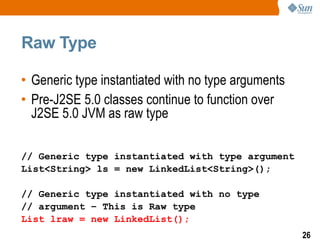
Raw Type

• Generic type instantiated with no type arguments
• Pre-J2SE 5.0 classes continue to function over
  J2SE 5.0 JVM as raw type

// Generic type instantiated with type argument
List<String> ls = new LinkedList<String>();

// Generic type instantiated with no type
// argument – This is Raw type
List lraw = new LinkedList();
                                                     26
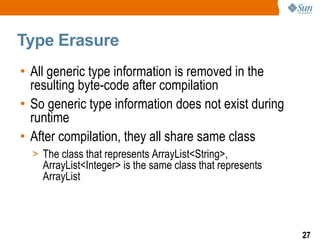
Type Erasure
• All generic type information is removed in the
  resulting byte-code after compilation
• So generic type information does not exist during
  runtime
• After compilation, they all share same class
  > The class that represents ArrayList<String>,
    ArrayList<Integer> is the same class that represents
    ArrayList


                                                           27
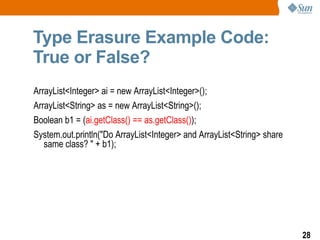
Type Erasure Example Code:
True or False?
ArrayList<Integer> ai = new ArrayList<Integer>();
ArrayList<String> as = new ArrayList<String>();
Boolean b1 = (ai.getClass() == as.getClass());
System.out.println("Do ArrayList<Integer> and ArrayList<String> share
   same class? " + b1);


                                                                        28
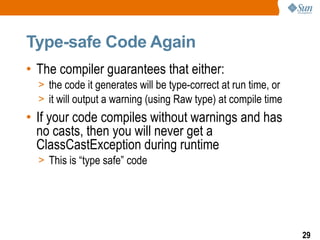
Type-safe Code Again
• The compiler guarantees that either:
  > the code it generates will be type-correct at run time, or
  > it will output a warning (using Raw type) at compile time
• If your code compiles without warnings and has
  no casts, then you will never get a
  ClassCastException during runtime
  > This is “type safe” code


                                                                 29
Generics:
Interoperability
What Happens to the following
Code?
import java.util.LinkedList;
import java.util.List;

public class GenericsInteroperability {

    public static void main(String[] args) {

        List<String> ls = new LinkedList<String>();
        List lraw = ls;
        lraw.add(new Integer(4));
        String s = ls.iterator().next();
    }

}
                                                      31
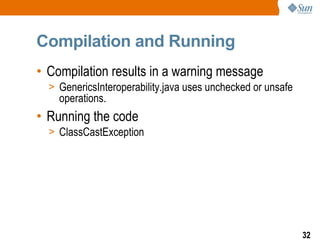
Compilation and Running
• Compilation results in a warning message
  > GenericsInteroperability.java uses unchecked or unsafe
    operations.
• Running the code
  > ClassCastException


                                                             32
Generics:
Creating Your Own
Generic Class
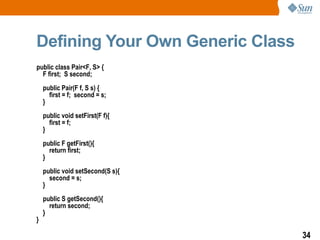
Defining Your Own Generic Class
public class Pair<F, S> {
  F first; S second;
    public Pair(F f, S s) {
      first = f; second = s;
    }
    public void setFirst(F f){
      first = f;
    }
    public F getFirst(){
      return first;
    }
    public void setSecond(S s){
      second = s;
    }
    public S getSecond(){
      return second;
    }
}

                                  34
Using Your Own Generic Class
public class MyOwnGenericClass {
    public static void main(String[] args) {
        // Create an instance of Pair <F, S> class. Let's call it p1.
        Number n1 = new Integer(5);
        String s1 = new String("Sun");
        Pair<Number,String> p1 = new Pair<Number,String>(n1, s1);
        System.out.println("first of p1 (right after creation) = " + p1.getFirst());
        System.out.println("second of p2 (right after creation) = " + p1.getSecond());
        // Set internal variables of p1.
        p1.setFirst(new Long(6L));
        p1.setSecond(new String("rises"));
        System.out.println("first of p1(after setting values) = " + p1.getFirst());
        System.out.println("second of p1 (after setting values) = " + p1.getSecond());
    }
}


                                                                                         35
Generics

Sang Shin
www.javapassion.com
sang.shin@sun.com

Javase5generics

  • 1.
  • 2.
    Topics • What is and why use Generics? • Usage of Generics • Generics and sub-typing • Wildcard • Type erasure • Interoperability • Creating your own generic class 2
  • 3.
    Generics: What is it? Howdo define it? How to use it? Why use it?
  • 4.
    What is Generics? •Generics provides abstraction over Types > Classes, Interfaces and Methods can be Parameterized by Types (in the same way a Java type is parameterized by an instance of it) • Generics makes type safe code possible > If it compiles without any errors or warnings, then it must not raise any unexpected ClassCastException during runtime • Generics provides increased readability > Once you get used to it 4
  • 5.
    Definition of aGeneric Class: LinkedList<E> • Definitions: LinkedList<E> has a type parameter E that represents the type of the elements stored in the linked list public class LinkedList<E> extends AbstractSequentialList<E> implements List<E>, Queue<E>, Cloneable, java.io.Serializable{ private transient Entry<E> header = new Entry<E>(null, null, null); private transient int size = 0; public E getFirst() { if (size==0) throw new NoSuchElementException(); return header.next.element; } 5
  • 6.
    Usage of GenericClass: LinkedList<Integer> • Usage: Replace type parameter <E> with concrete type argument, like <Integer> or <String> or <MyType> > LinkedList<Integer> can store only Integer or sub-type of Integer as elements LinkedList<Integer> li = new LinkedList<Integer>(); li.add(new Integer(0)); Integer i = li.iterator().next(); 6
  • 7.
    Example: Definition andUsage of Parameterized List interface // Definition of the Generic'ized // List interface // Type parameter interface List<E>{ void add(E x); Iterator<E> iterator(); ... } // Usage of List interface with Type argument // concrete type parameter,String // List<String> ls = new ArrayList<String>(10); 7
  • 8.
    Why Generics? Non-genericized Codeis not Type Safe // Suppose you want to maintain String // entries in a Vector. By mistake, // you add an Integer element. Compiler // does not detect this. This is not // type safe code. Vector v = new Vector(); v.add(new String(“valid string”)); // intended v.add(new Integer(4)); // unintended // ClassCastException occurs during runtime String s = (String)v.get(1); 8
  • 9.
    Why Generics? • Problem:Collection element types > Compiler is unable to verify types of the elements > Assignment must have type casting > ClassCastException can occur during runtime • Solution: Generics > Tell the compiler the type of the collection > Let the compiler do the casting > Example: Compiler will check if you are adding Integer type entry to a String type collection >Compile time detection of type mismatch 9
  • 10.
  • 11.
    Using Generic Classes:Example 1 • Instantiate a generic class to create type specific object • In J2SE 5.0, all collection classes are rewritten to be generic classes // Create a Vector of String type Vector<String> vs = new Vector<String>(); vs.add(new Integer(5)); // Compile error! vs.add(new String(“hello”)); String s = vs.get(0); // No casting needed 11
  • 12.
    Using Generic Classes:Example 2 • Generic class can have multiple type parameters • Type argument can be a custom type // Create HashMap with two type parameters HashMap<String, Mammal> map = new HashMap<String, Mammal>(); map.put(“wombat”, new Mammal("wombat")); Mammal w = map.get(“wombat”); 12
  • 13.
  • 14.
    Generics and Sub-typing •You can do this (using pre-J2SE 5.0 Java) > Object o = new Integer(5); • You can even do this (using pre-J2SE 5.0 Java) > Object[] or = new Integer[5]; • So you would expect to be able to do this (Well, you can't do this!!!) > ArrayList<Object> ao = new ArrayList<Integer>(); > This is counter-intuitive at the first glance 14
  • 15.
    Generics and Sub-typing •Why this compile error? It is because if it is allowed, ClassCastException can occur during runtime – this is not type-safe > ArrayList<Integer> ai = new ArrayList<Integer>(); > ArrayList<Object> ao = ai; // If it is allowed at compile time, > ao.add(new Object()); > Integer i = ai.get(0); // This would result in // runtime ClassCastException • So there is no inheritance relationship between type arguments of a generic class 15
  • 16.
    Generics and Sub-typing •The following code work > ArrayList<Integer> ai = new ArrayList<Integer>(); > List<Integer> li2 = new ArrayList<Integer>(); > Collection<Integer> ci = new ArrayList<Integer>(); > Collection<String> cs = new Vector<String>(4); • Inheritance relationship between generic classes themselves still exists 16
  • 17.
    Generics and Sub-typing •The following code work > ArrayList<Number> an = new ArrayList<Number>(); > an.add(new Integer(5)); // OK > an.add(new Long(1000L)); // OK > an.add(new String(“hello”)); // compile error • Entries in a collection maintain inheritance relationship 17
  • 18.
  • 19.
    Why Wildcards? Problem •Consider the problem of writing a routine that prints out all the elements in a collection • Here's how you might write it in an older version of the language (i.e., a pre-5.0 release): static void printCollection(Collection c) { Iterator i = c.iterator(); for (k = 0; k < c.size(); k++) { System.out.println(i.next()); } } 19
  • 20.
    Why Wildcards? Problem •And here is a naive attempt at writing it using generics (and the new for loop syntax): Well.. You can't do this! static void printCollection(Collection<Object> c) { for (Object o : c) System.out.println(o); } public static void main(String[] args) { Collection<String> cs = new Vector<String>(); printCollection(cs); // Compile error List<Integer> li = new ArrayList<Integer>(10); printCollection(li); // Compile error } 20
  • 21.
    Why Wildcards? Solution •Use Wildcard type argument <?> • Collection<?> means Collection of unknown type • Accessing entries of Collection of unknown type with Object type is safe static void printCollection(Collection<?> c) { for (Object o : c) System.out.println(o); } public static void main(String[] args) { Collection<String> cs = new Vector<String>(); printCollection(cs); // No Compile error List<Integer> li = new ArrayList<Integer>(10); printCollection(li); // No Compile error } 21
  • 22.
    More on Wildcards •You cannot access entries of Collection of unknown type other than Object type static void printCollection(Collection<?> c) { for (String o : c) // Compile error System.out.println(o); } public static void main(String[] args) { Collection<String> cs = new Vector<String>(); printCollection(cs); // No Compile error List<Integer> li = new ArrayList<Integer>(10); printCollection(li); // No Compile error } 22
  • 23.
    More on Wildcards •It isn't safe to add arbitrary objects to it however, since we don't know what the element type of c stands for, we cannot add objects to it. static void printCollection(Collection<?> c) { c.add(new Object()); // Compile time error c.add(new String()); // Compile time error } public static void main(String[] args) { Collection<String> cs = new Vector<String>(); printCollection(cs); // No Compile error List<Integer> li = new ArrayList<Integer>(10); printCollection(li); // No Compile error } 23
  • 24.
    Bounded Wildcard • Ifyou want to bound the unknown type to be a subtype of another type, use Bounded Wildcard static void printCollection( Collection<? extends Number> c) { for (Object o : c) System.out.println(o); } public static void main(String[] args) { Collection<String> cs = new Vector<String>(); printCollection(cs); // Compile error List<Integer> li = new ArrayList<Integer>(10); printCollection(li); // No Compile error } 24
  • 25.
  • 26.
    Raw Type • Generictype instantiated with no type arguments • Pre-J2SE 5.0 classes continue to function over J2SE 5.0 JVM as raw type // Generic type instantiated with type argument List<String> ls = new LinkedList<String>(); // Generic type instantiated with no type // argument – This is Raw type List lraw = new LinkedList(); 26
  • 27.
    Type Erasure • Allgeneric type information is removed in the resulting byte-code after compilation • So generic type information does not exist during runtime • After compilation, they all share same class > The class that represents ArrayList<String>, ArrayList<Integer> is the same class that represents ArrayList 27
  • 28.
    Type Erasure ExampleCode: True or False? ArrayList<Integer> ai = new ArrayList<Integer>(); ArrayList<String> as = new ArrayList<String>(); Boolean b1 = (ai.getClass() == as.getClass()); System.out.println("Do ArrayList<Integer> and ArrayList<String> share same class? " + b1); 28
  • 29.
    Type-safe Code Again •The compiler guarantees that either: > the code it generates will be type-correct at run time, or > it will output a warning (using Raw type) at compile time • If your code compiles without warnings and has no casts, then you will never get a ClassCastException during runtime > This is “type safe” code 29
  • 30.
  • 31.
    What Happens tothe following Code? import java.util.LinkedList; import java.util.List; public class GenericsInteroperability { public static void main(String[] args) { List<String> ls = new LinkedList<String>(); List lraw = ls; lraw.add(new Integer(4)); String s = ls.iterator().next(); } } 31
  • 32.
    Compilation and Running •Compilation results in a warning message > GenericsInteroperability.java uses unchecked or unsafe operations. • Running the code > ClassCastException 32
  • 33.
  • 34.
    Defining Your OwnGeneric Class public class Pair<F, S> { F first; S second; public Pair(F f, S s) { first = f; second = s; } public void setFirst(F f){ first = f; } public F getFirst(){ return first; } public void setSecond(S s){ second = s; } public S getSecond(){ return second; } } 34
  • 35.
    Using Your OwnGeneric Class public class MyOwnGenericClass { public static void main(String[] args) { // Create an instance of Pair <F, S> class. Let's call it p1. Number n1 = new Integer(5); String s1 = new String("Sun"); Pair<Number,String> p1 = new Pair<Number,String>(n1, s1); System.out.println("first of p1 (right after creation) = " + p1.getFirst()); System.out.println("second of p2 (right after creation) = " + p1.getSecond()); // Set internal variables of p1. p1.setFirst(new Long(6L)); p1.setSecond(new String("rises")); System.out.println("first of p1(after setting values) = " + p1.getFirst()); System.out.println("second of p1 (after setting values) = " + p1.getSecond()); } } 35
  • 36.