JAVASCRIPT
Observer Pattern
The observer pattern, frequently
employed in software engineering,
especially in event-driven
architectures, comprises two core
elements: the Subject and the
Observer. The Subject oversees its
observers, informing them of any
status changes. Conversely, the
Observer actively awaits
notifications from the Subject and
responds as needed.
INTRODUCTION
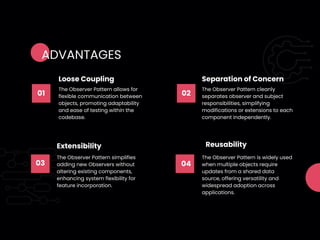
01
The Observer Pattern allows for
flexible communication between
objects, promoting adaptability
and ease of testing within the
codebase.
Loose Coupling
02
The Observer Pattern cleanly
separates observer and subject
responsibilities, simplifying
modifications or extensions to each
component independently.
Separation of Concern
03
The Observer Pattern simplifies
adding new Observers without
altering existing components,
enhancing system flexibility for
feature incorporation.
Extensibility
04
The Observer Pattern is widely used
when multiple objects require
updates from a shared data
source, offering versatility and
widespread adoption across
applications.
Reusability
ADVANTAGES
CODE EXAMPLE
// Define the Subject
class Subject {
constructor() {
this.observers = []; // Initialize empty list of observers
}
subscribe(observer) {
this.observers.push(observer); // Add an observer to the list
}
unsubscribe(observer) {
this.observers = this.observers.filter(obs => obs !== observer); // Remove the observer from the list
}
notify(data) {
this.observers.forEach(observer => observer.update(data)); // Notify all observers of the change
}
}
// Define the Observer
class Observer {
update(data) {
console.log('Data changed:', data); // Take action in response to change
}
}
// Usage
const subject = new Subject();
const observer1 = new Observer();
const observer2 = new Observer();
subject.subscribe(observer1);
subject.subscribe(observer2);
subject.notify('hello world'); // Output: "Data changed: hello world"
subject.unsubscribe(observer1);
subject.notify('goodbye'); // Output: "Data changed: goodbye"
72%
SALFORD & CO.
wwww.studysection.com
support@studysection.com
CONTACT US

JavaScript Observer Pattern Presentation (1).pdf

  • 1.
  • 2.
    The observer pattern,frequently employed in software engineering, especially in event-driven architectures, comprises two core elements: the Subject and the Observer. The Subject oversees its observers, informing them of any status changes. Conversely, the Observer actively awaits notifications from the Subject and responds as needed. INTRODUCTION
  • 3.
    01 The Observer Patternallows for flexible communication between objects, promoting adaptability and ease of testing within the codebase. Loose Coupling 02 The Observer Pattern cleanly separates observer and subject responsibilities, simplifying modifications or extensions to each component independently. Separation of Concern 03 The Observer Pattern simplifies adding new Observers without altering existing components, enhancing system flexibility for feature incorporation. Extensibility 04 The Observer Pattern is widely used when multiple objects require updates from a shared data source, offering versatility and widespread adoption across applications. Reusability ADVANTAGES
  • 4.
    CODE EXAMPLE // Definethe Subject class Subject { constructor() { this.observers = []; // Initialize empty list of observers } subscribe(observer) { this.observers.push(observer); // Add an observer to the list } unsubscribe(observer) { this.observers = this.observers.filter(obs => obs !== observer); // Remove the observer from the list } notify(data) { this.observers.forEach(observer => observer.update(data)); // Notify all observers of the change } } // Define the Observer class Observer { update(data) { console.log('Data changed:', data); // Take action in response to change } } // Usage const subject = new Subject(); const observer1 = new Observer(); const observer2 = new Observer(); subject.subscribe(observer1); subject.subscribe(observer2); subject.notify('hello world'); // Output: "Data changed: hello world" subject.unsubscribe(observer1); subject.notify('goodbye'); // Output: "Data changed: goodbye"
  • 5.