

JavaScript Best Practices
Jayanga V. Liyanage
Senior Software Engineer
email: jayangavliyanage@gmail.com
Producing Good Software
Superior coding techniques and good programming practices are hallmarks of a
professional programmer
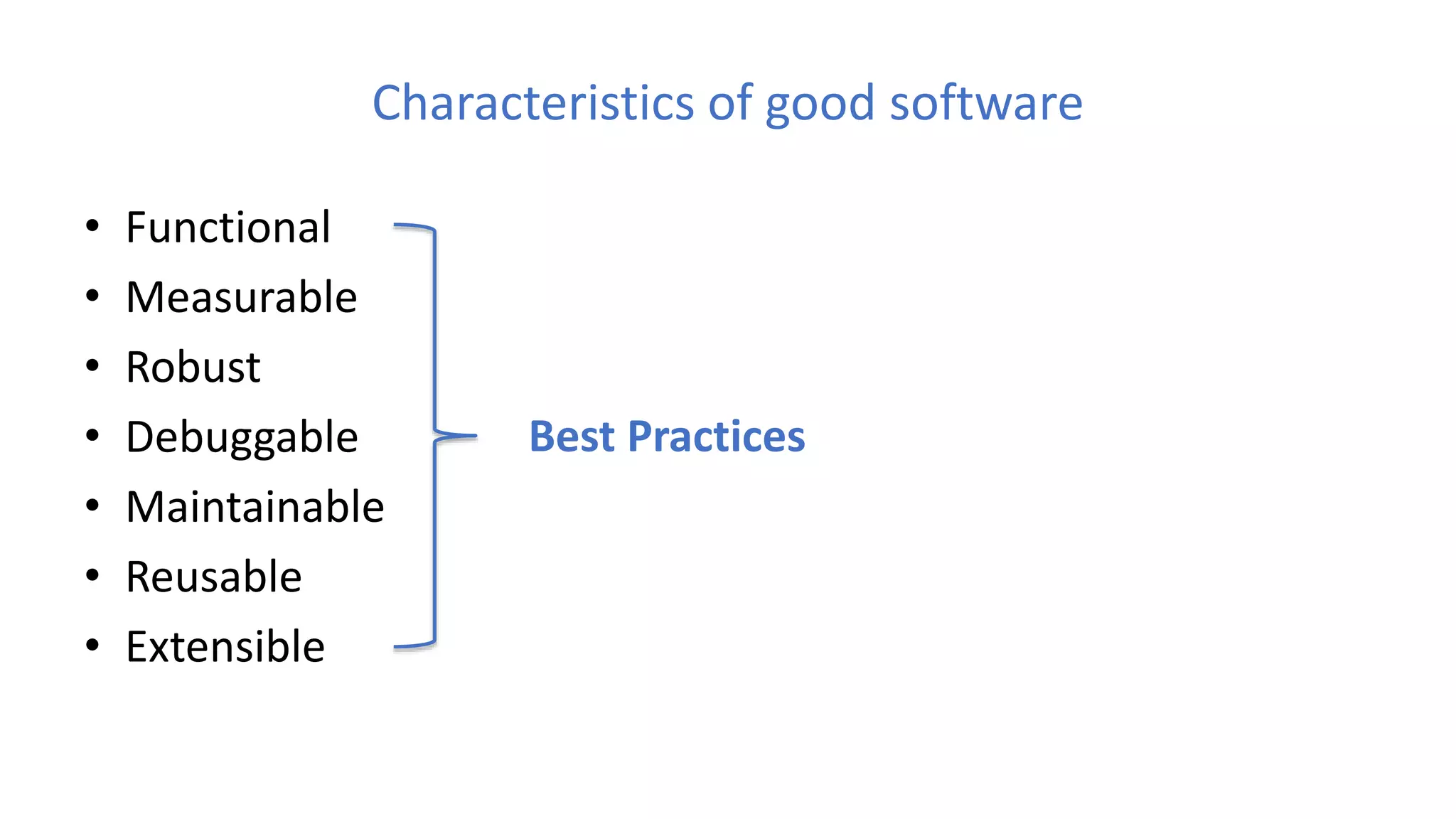
Characteristics of good software
• Functional
• Measurable
• Robust
• Debuggable
• Maintainable
• Reusable
• Extensible
Best Practices
What are the best practices
• Best coding practices are a set of informal rules that the software development
community has learned over time which can help improve the quality of
software
List of best practices
1. Place scripts at the bottom of the Page
2. Readable and meaningful variable and function names
3. Comment as much as needed but not more
4. Avoid global variables
5. Namespace your JavaScript
6. Beware of “var”
7. Use === Instead of ==
List of best practices cont…
8. Avoid use of Eval
9. Don't pass a String to “SetInterval” or “SetTimeOut”
10. Don't use short-hand
11. Keep DOM access to a minimum
12. Optimize loops
13. Avoid mixing with other technologies
14. Use shortcut notation when it makes sense
List of best practices cont…
15. Avoid heavy nesting
16. Optimizing content for different browsers properly
17. Do not trust any data
18. Be cautious when creating too much content with JavaScript
19. Use self executing functions
20. Allow for configuration and translation
21. One function per task
22. Raw JavaScript can always be quicker than using a library
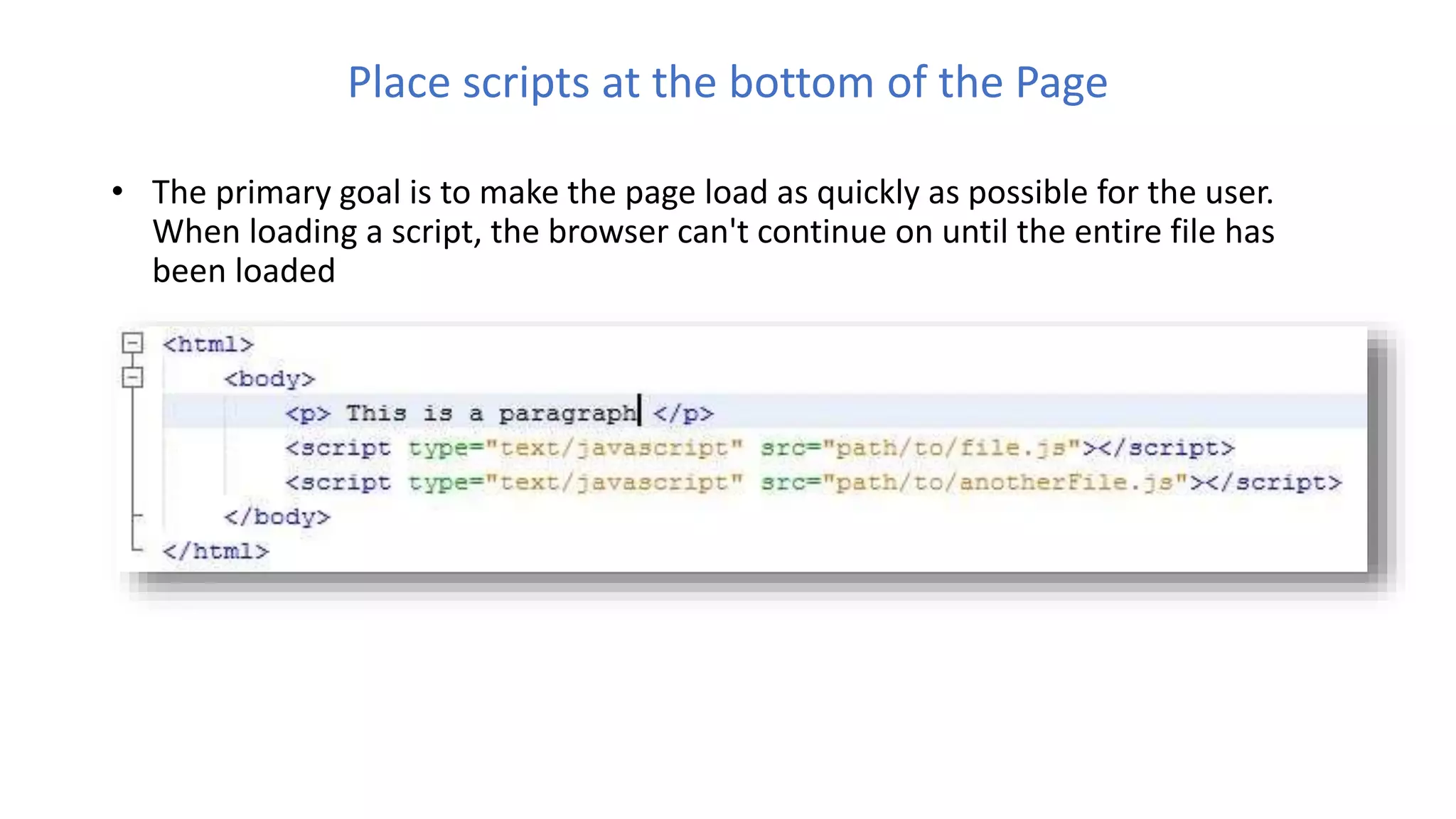
Place scripts at the bottom of the Page
• The primary goal is to make the page load as quickly as possible for the user.
When loading a script, the browser can't continue on until the entire file has
been loaded
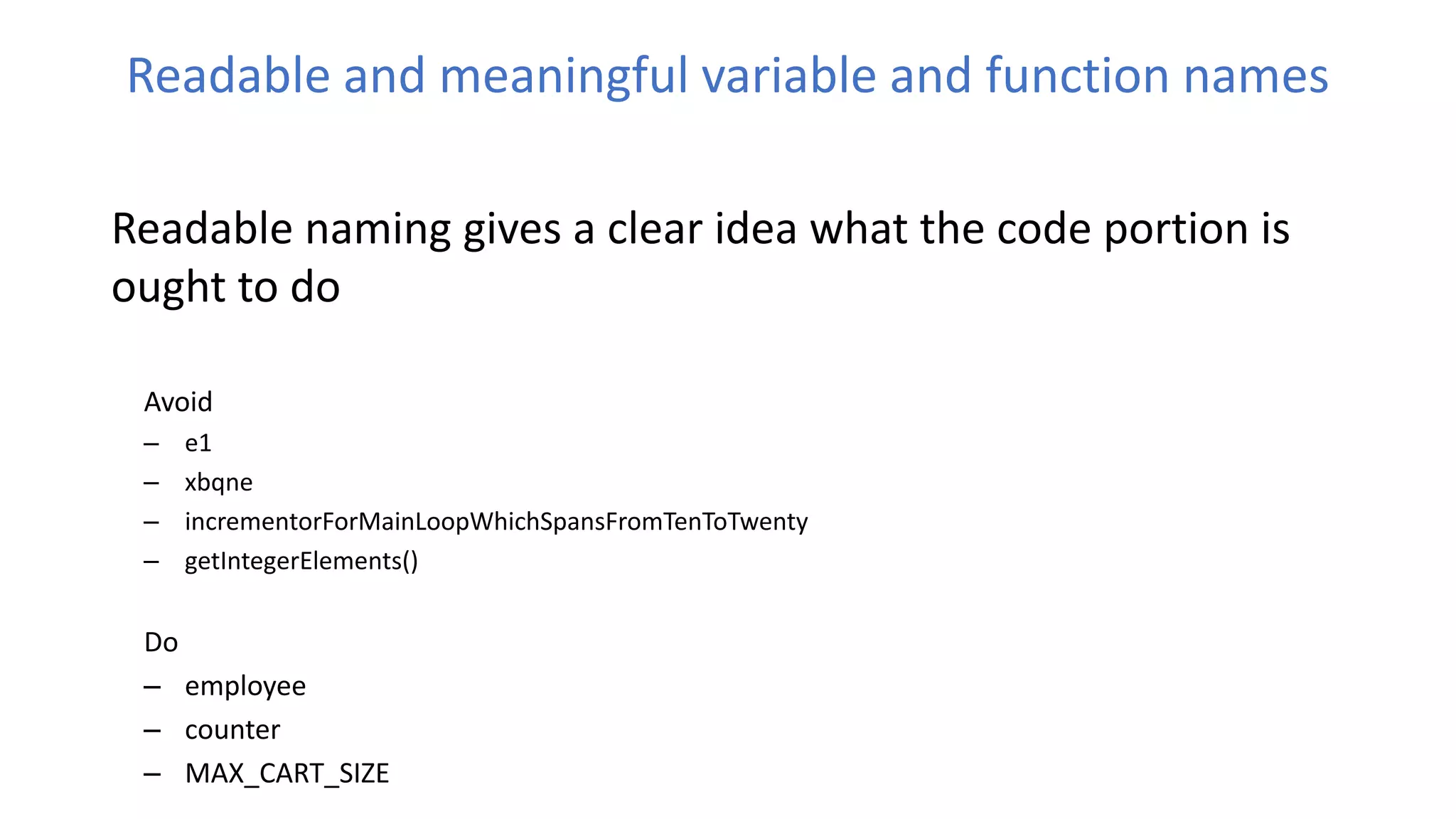
Readable and meaningful variable and function names
Readable naming gives a clear idea what the code portion is
ought to do
Avoid
– e1
– xbqne
– incrementorForMainLoopWhichSpansFromTenToTwenty
– getIntegerElements()
Do
– employee
– counter
– MAX_CART_SIZE
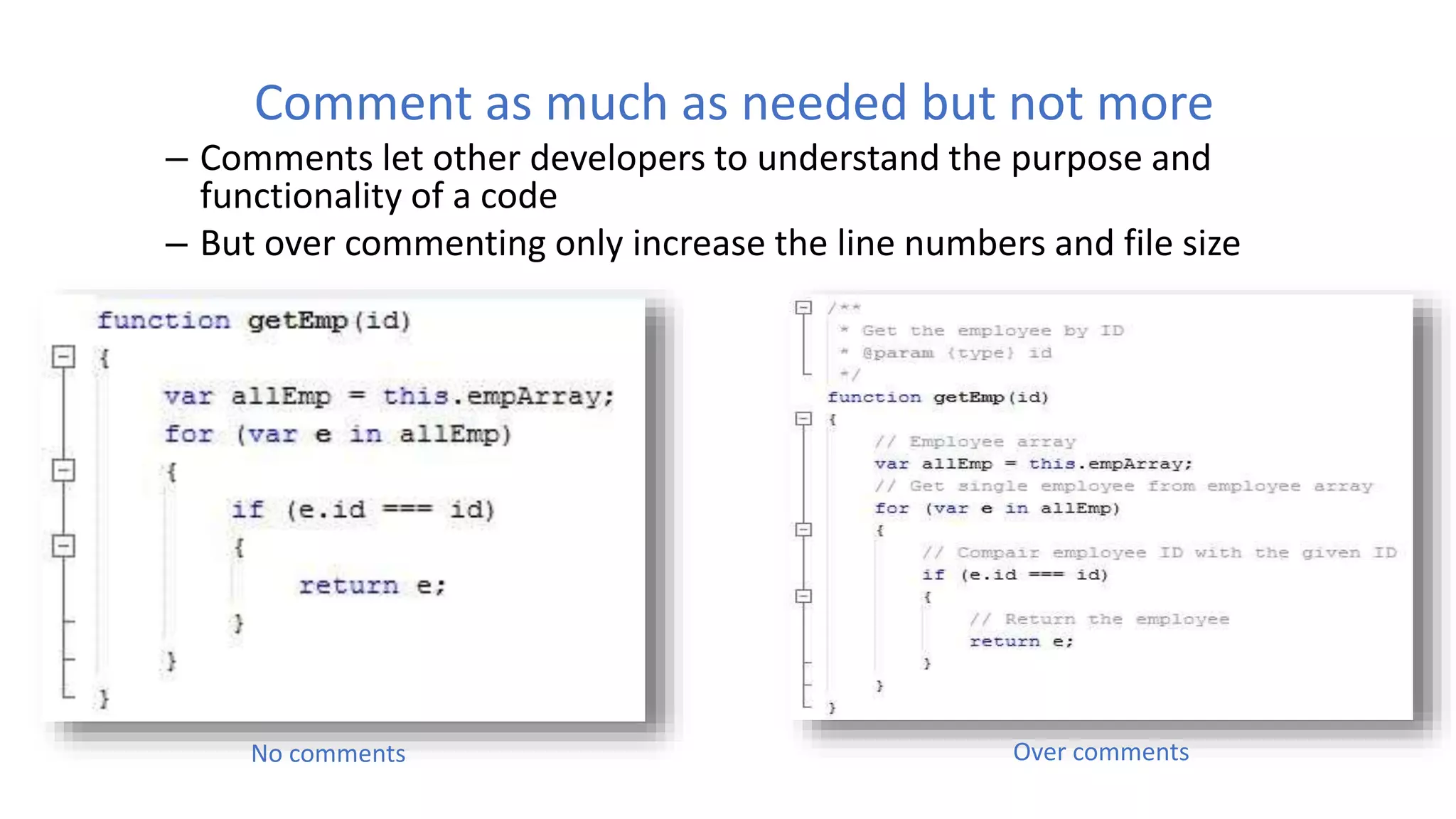
Comment as much as needed but not more
– Comments let other developers to understand the purpose and
functionality of a code
– But over commenting only increase the line numbers and file size
No comments Over comments
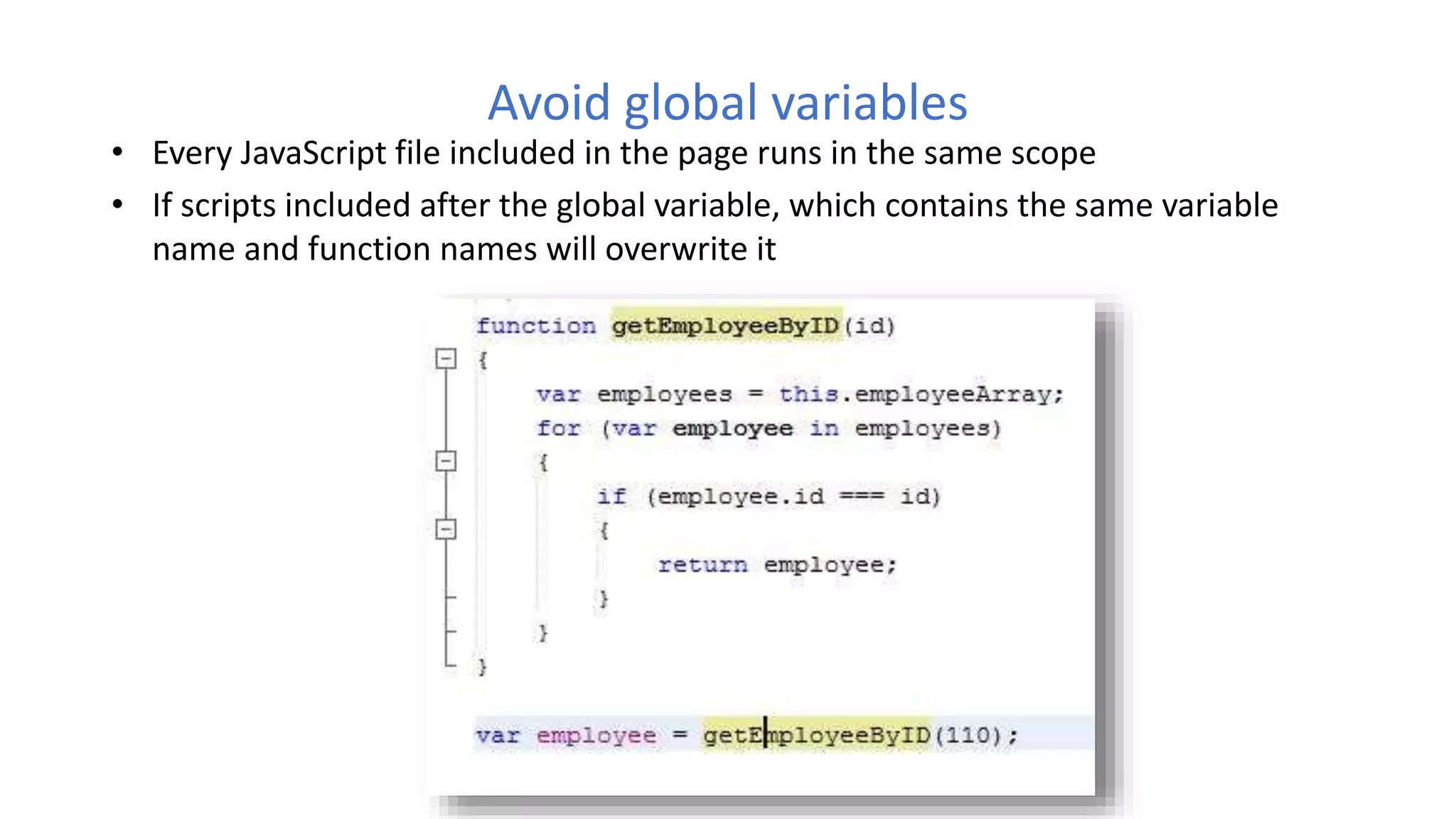
Avoid global variables
• Every JavaScript file included in the page runs in the same scope
• If scripts included after the global variable, which contains the same variable
name and function names will overwrite it
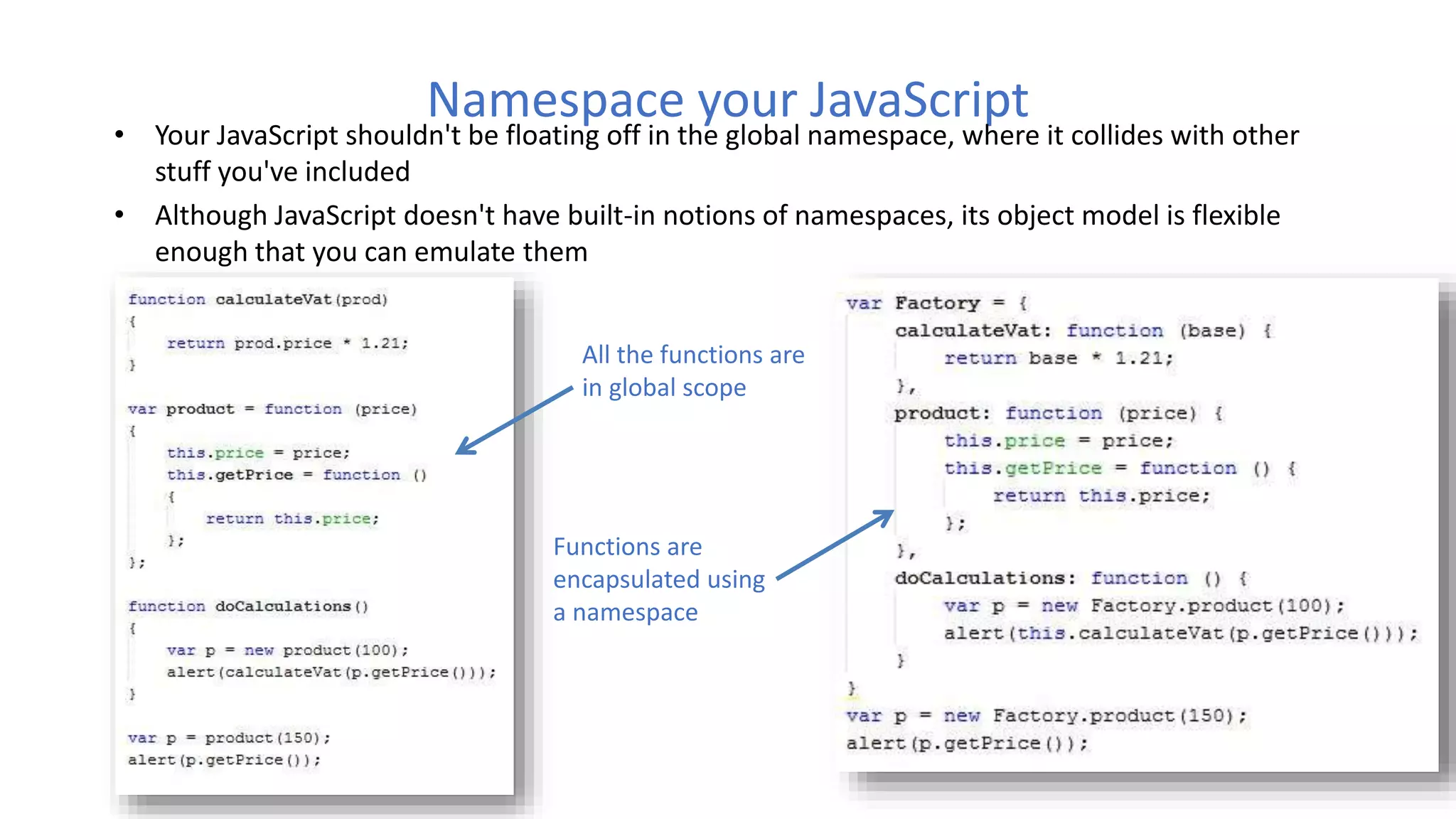
Namespace your JavaScript
• Your JavaScript shouldn't be floating off in the global namespace, where it collides with other
stuff you've included
• Although JavaScript doesn't have built-in notions of namespaces, its object model is flexible
enough that you can emulate them
All the functions are
in global scope
Functions are
encapsulated using
a namespace
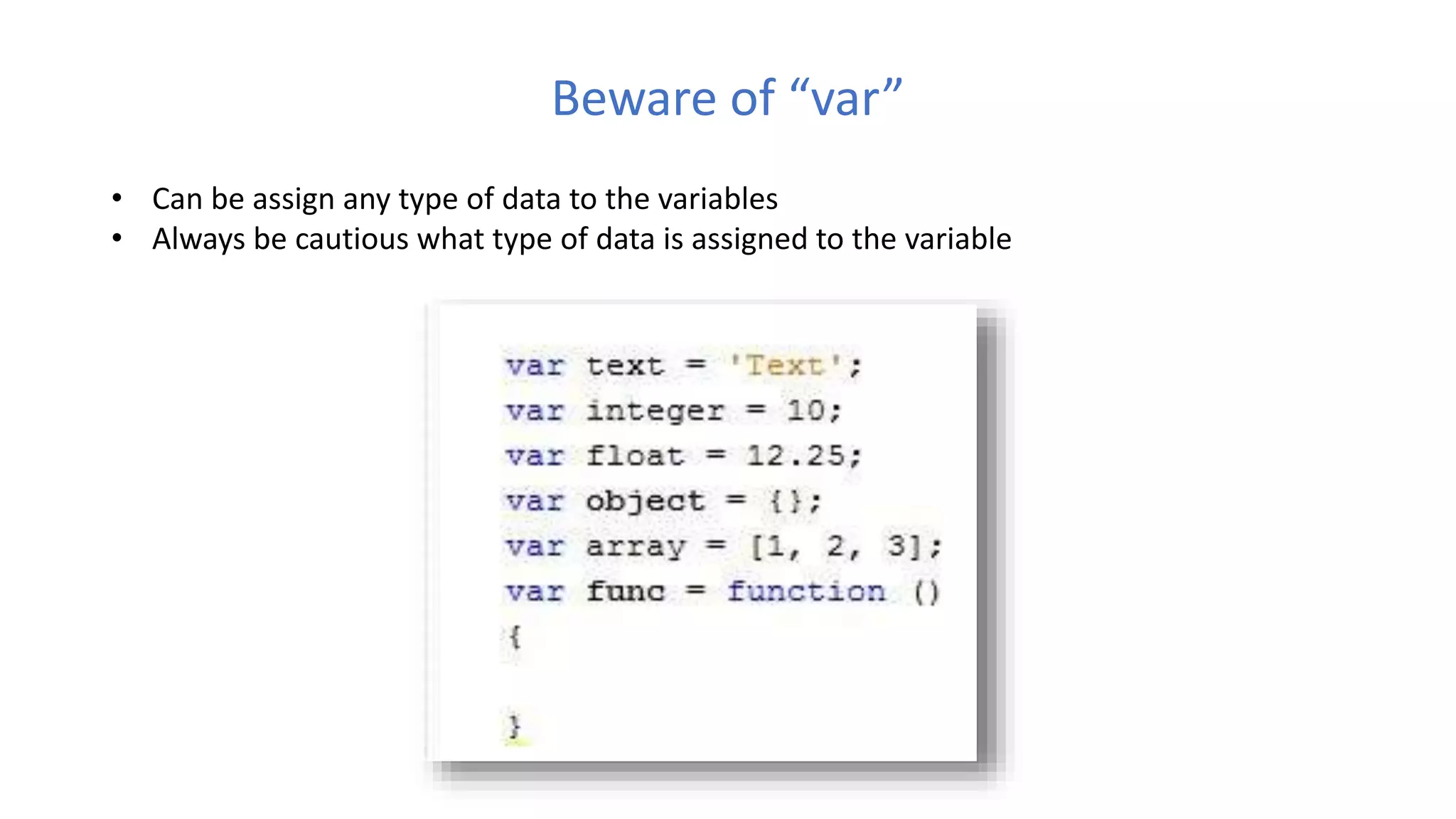
Beware of “var”
• Can be assign any type of data to the variables
• Always be cautious what type of data is assigned to the variable
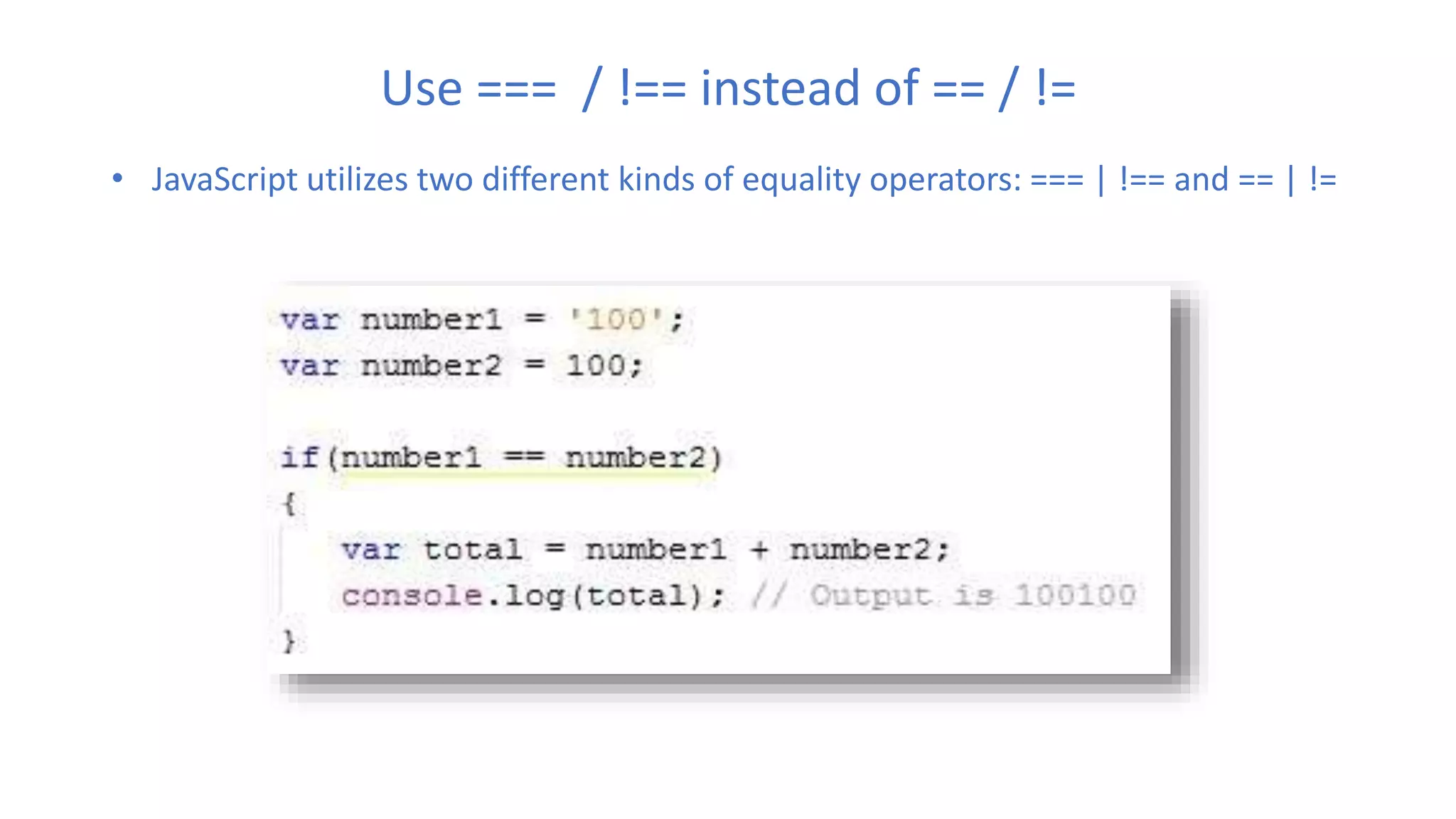
Use === / !== instead of == / !=
• JavaScript utilizes two different kinds of equality operators: === | !== and == | !=
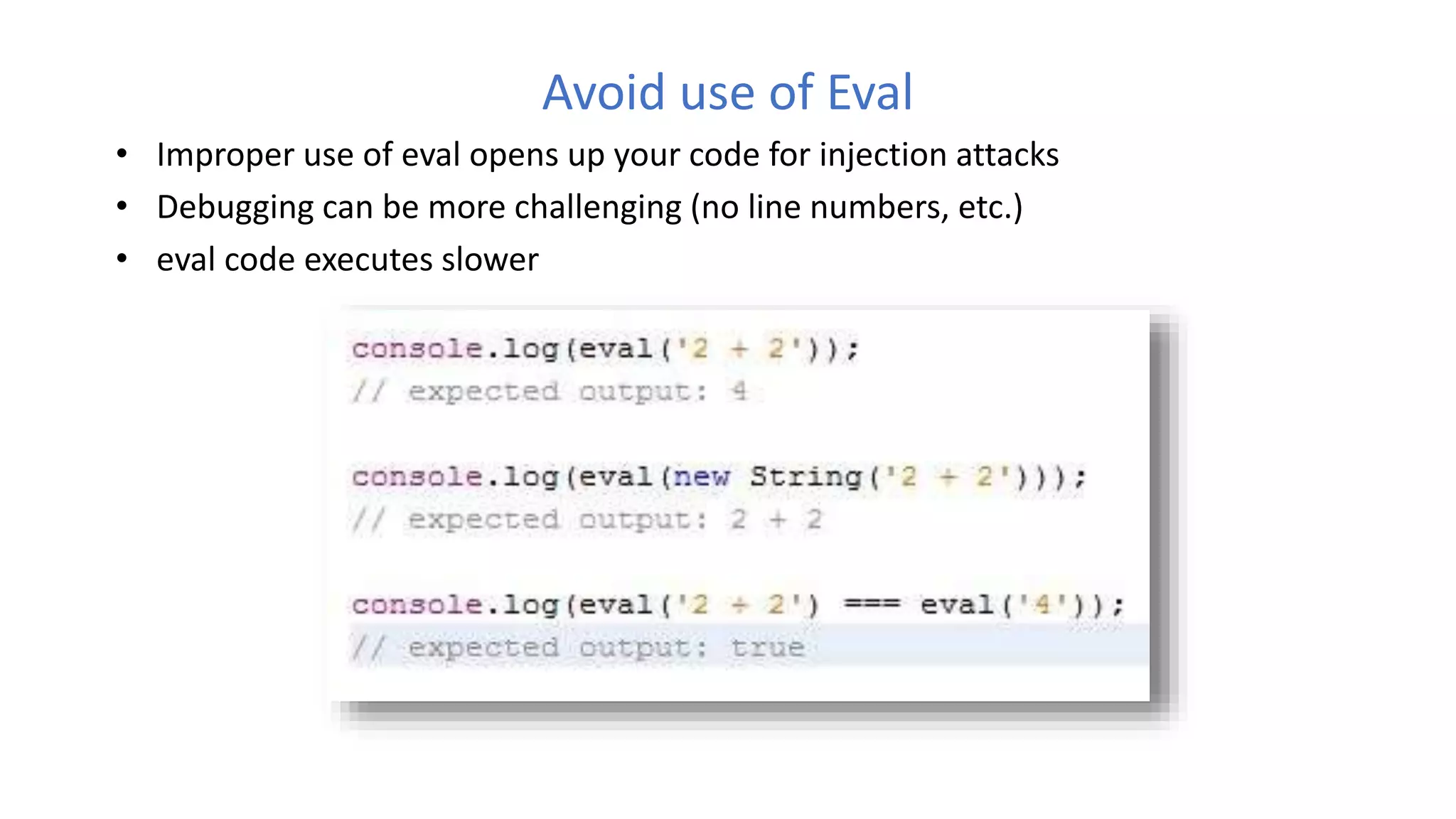
Avoid use of Eval
• Improper use of eval opens up your code for injection attacks
• Debugging can be more challenging (no line numbers, etc.)
• eval code executes slower
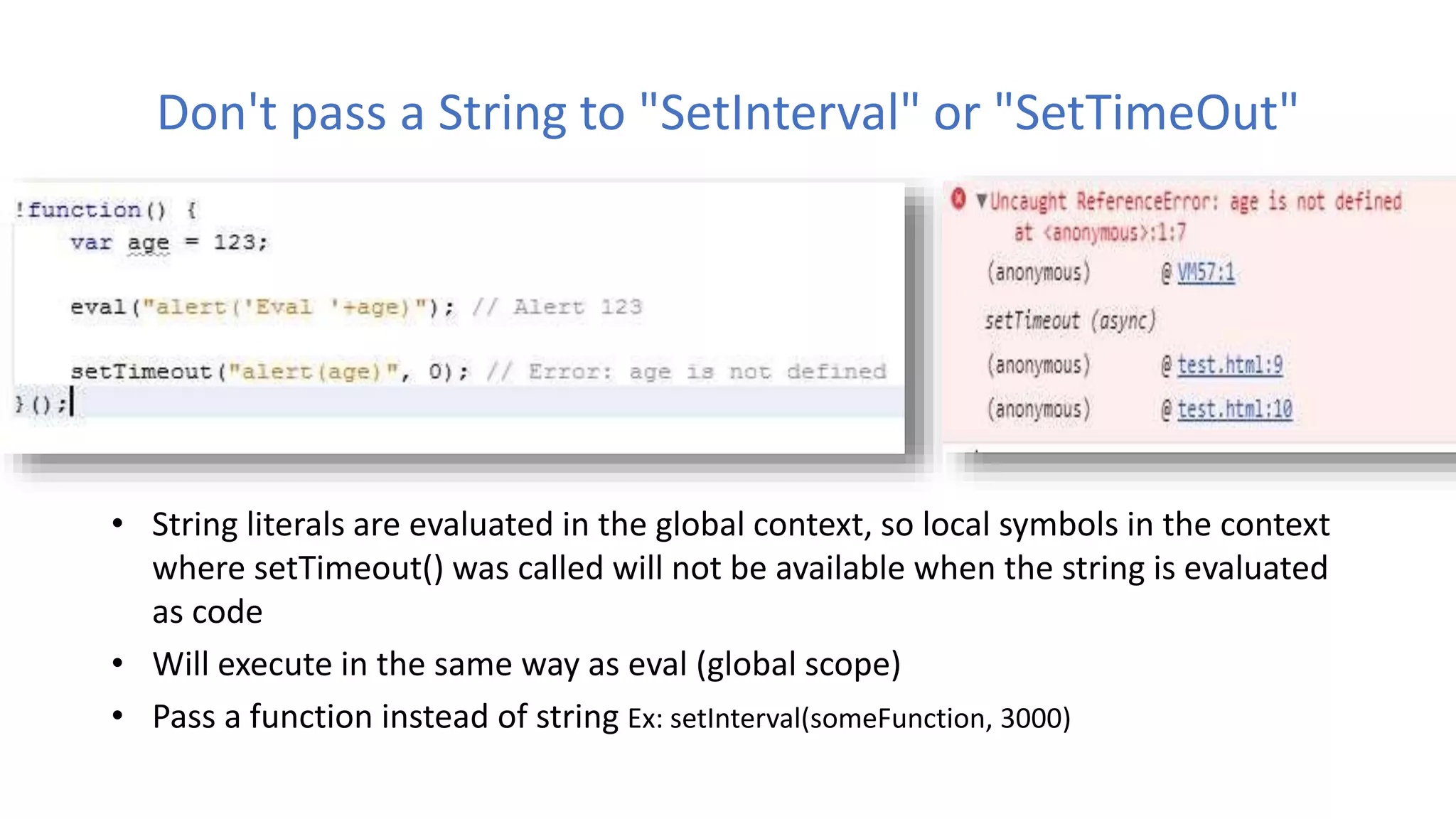
Don't pass a String to "SetInterval" or "SetTimeOut"
• String literals are evaluated in the global context, so local symbols in the context
where setTimeout() was called will not be available when the string is evaluated
as code
• Will execute in the same way as eval (global scope)
• Pass a function instead of string Ex: setInterval(someFunction, 3000)
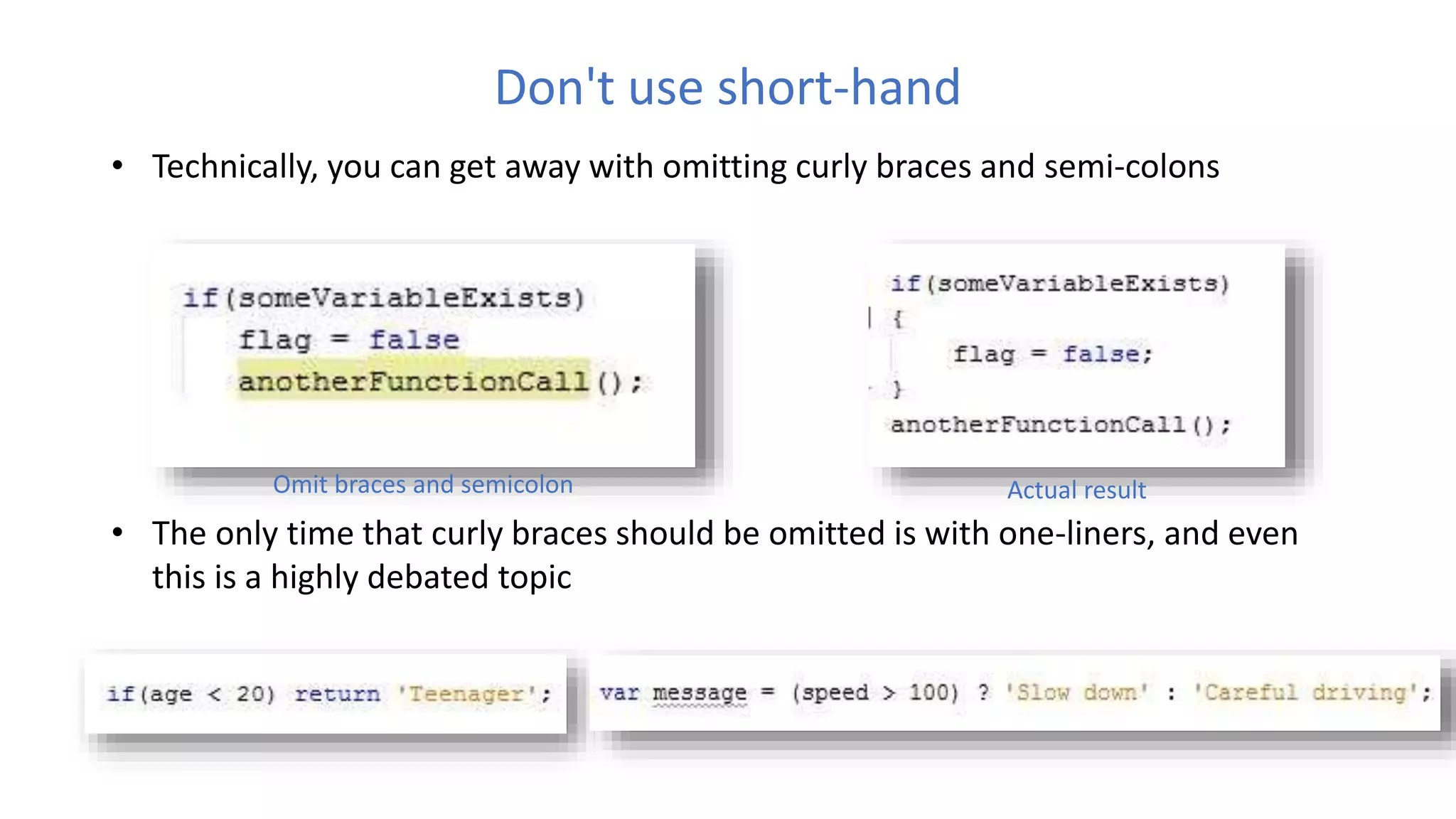
Don't use short-hand
• Technically, you can get away with omitting curly braces and semi-colons
• The only time that curly braces should be omitted is with one-liners, and even
this is a highly debated topic
Omit braces and semicolon Actual result
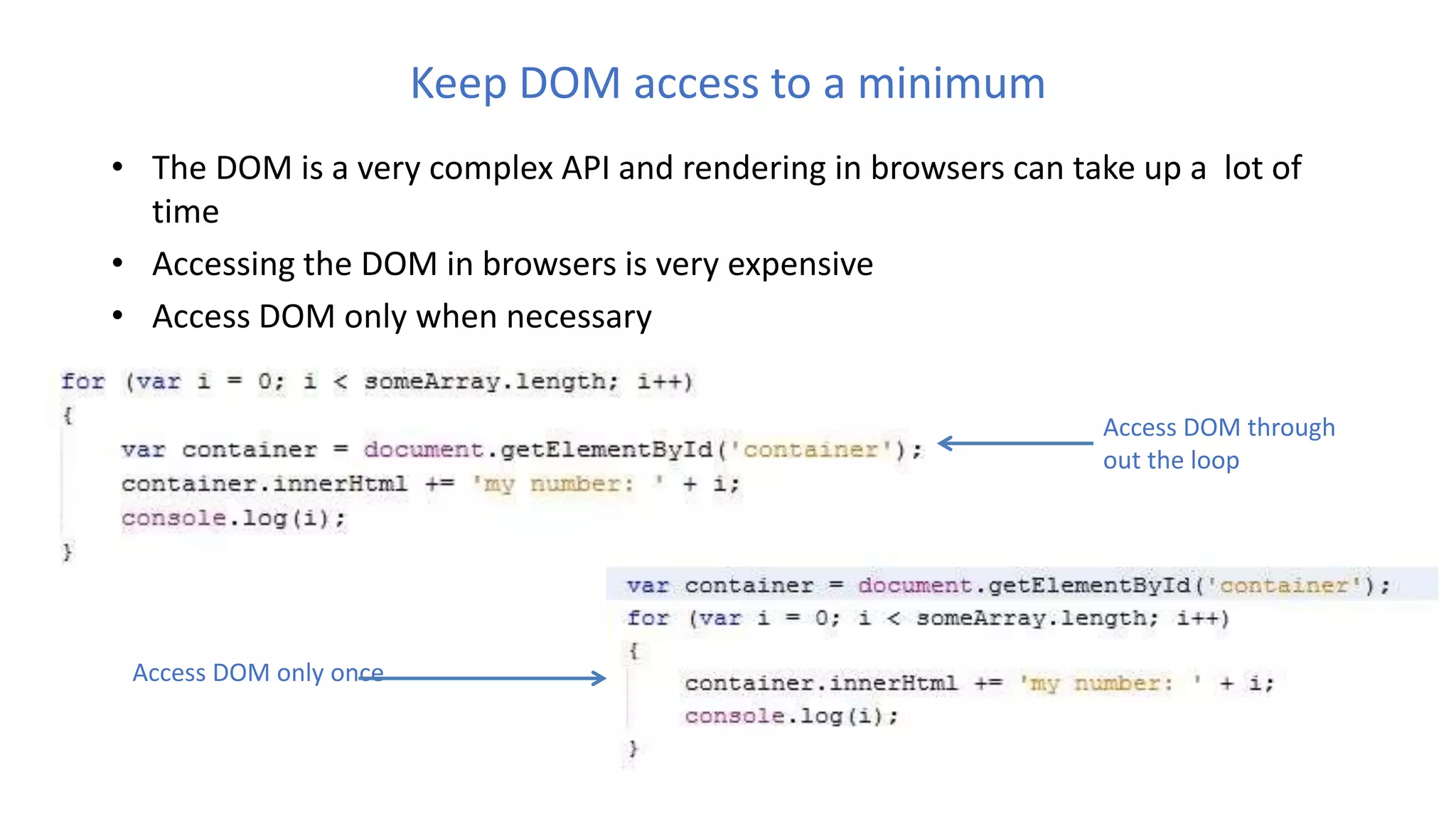
Keep DOM access to a minimum
• The DOM is a very complex API and rendering in browsers can take up a lot of
time
• Accessing the DOM in browsers is very expensive
• Access DOM only when necessary
Access DOM through
out the loop
Access DOM only once
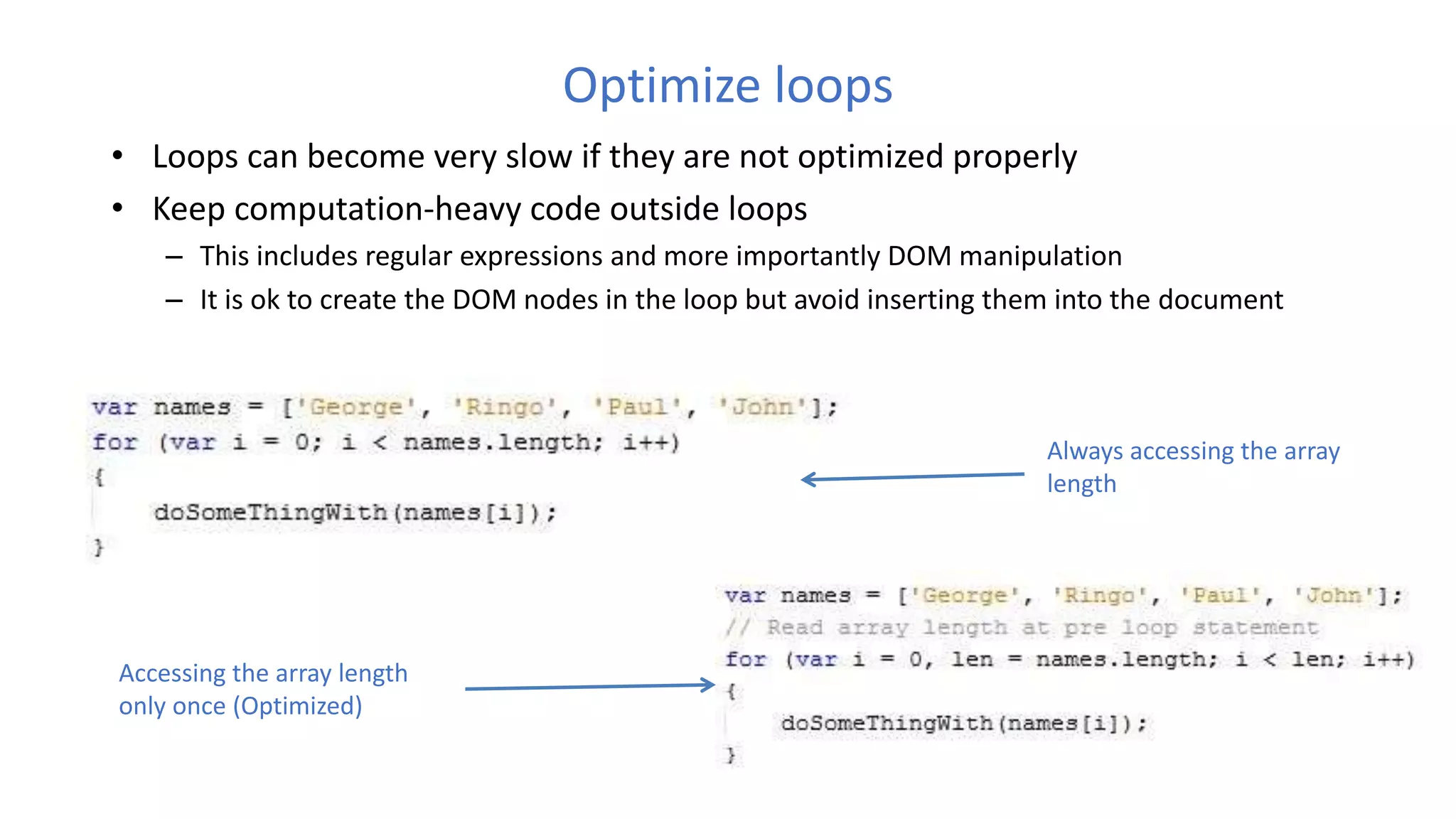
Optimize loops
• Loops can become very slow if they are not optimized properly
• Keep computation-heavy code outside loops
– This includes regular expressions and more importantly DOM manipulation
– It is ok to create the DOM nodes in the loop but avoid inserting them into the document
Always accessing the array
length
Accessing the array length
only once (Optimized)
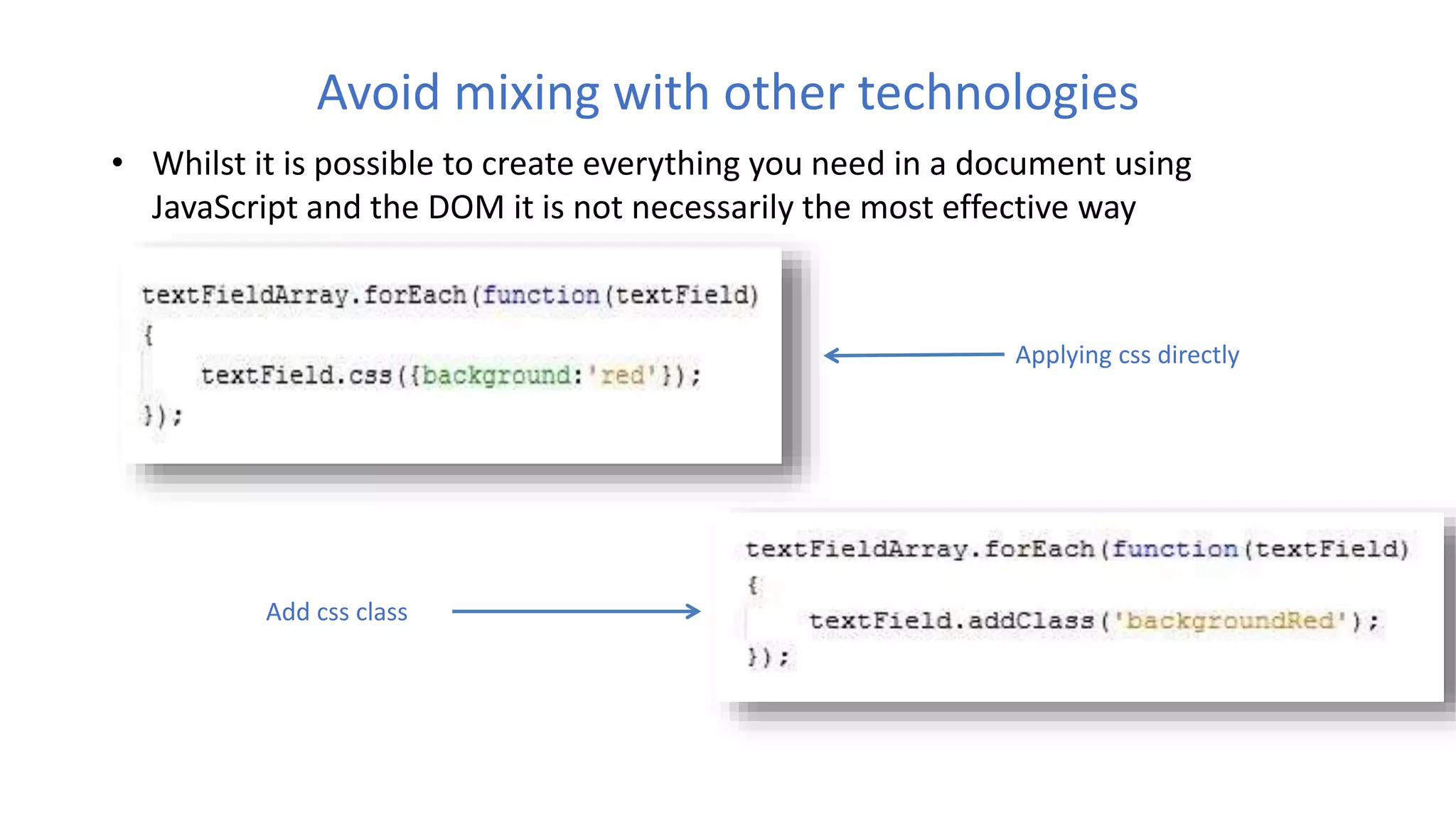
Avoid mixing with other technologies
• Whilst it is possible to create everything you need in a document using
JavaScript and the DOM it is not necessarily the most effective way
Applying css directly
Add css class
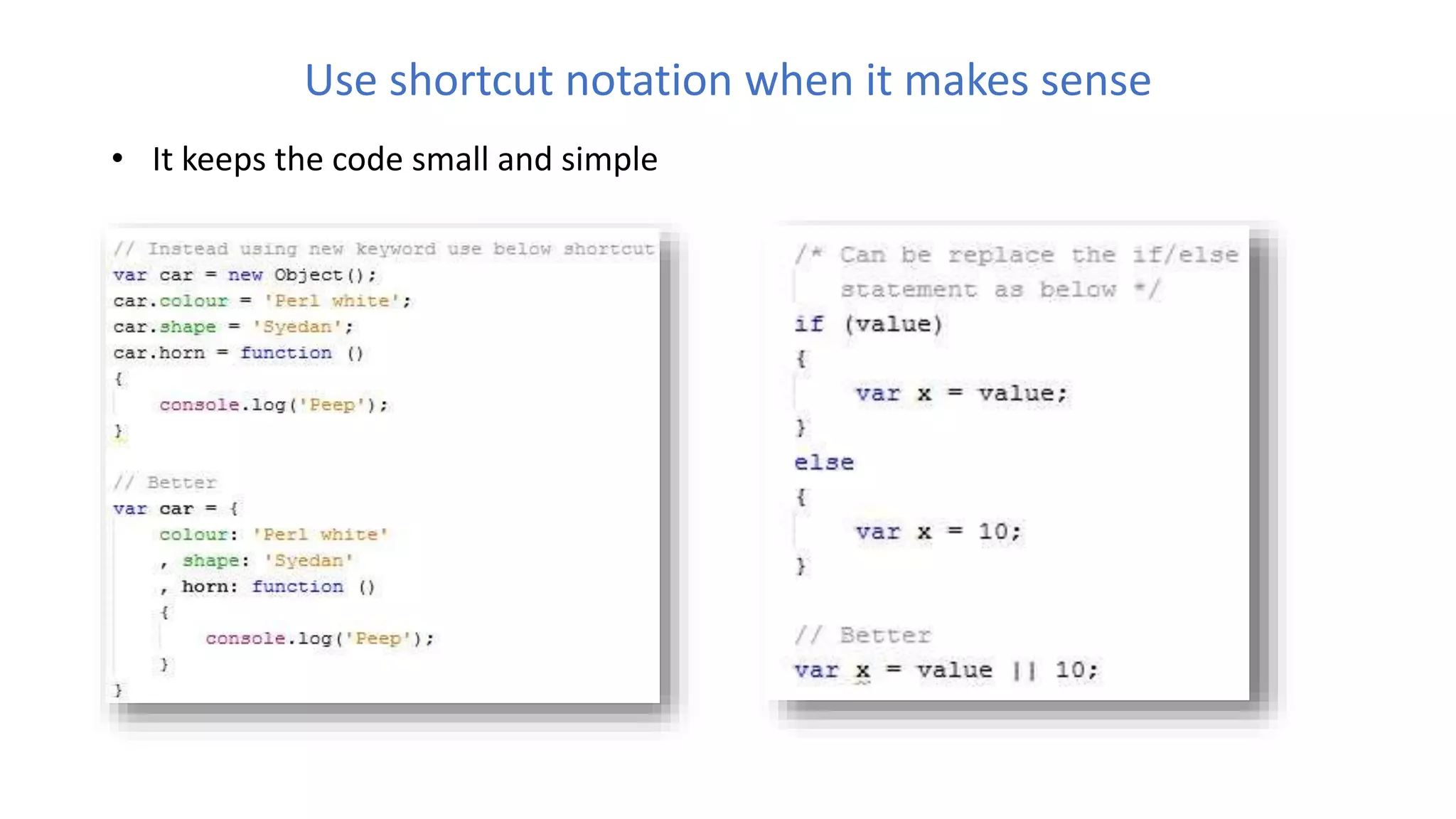
Use shortcut notation when it makes sense
• It keeps the code small and simple
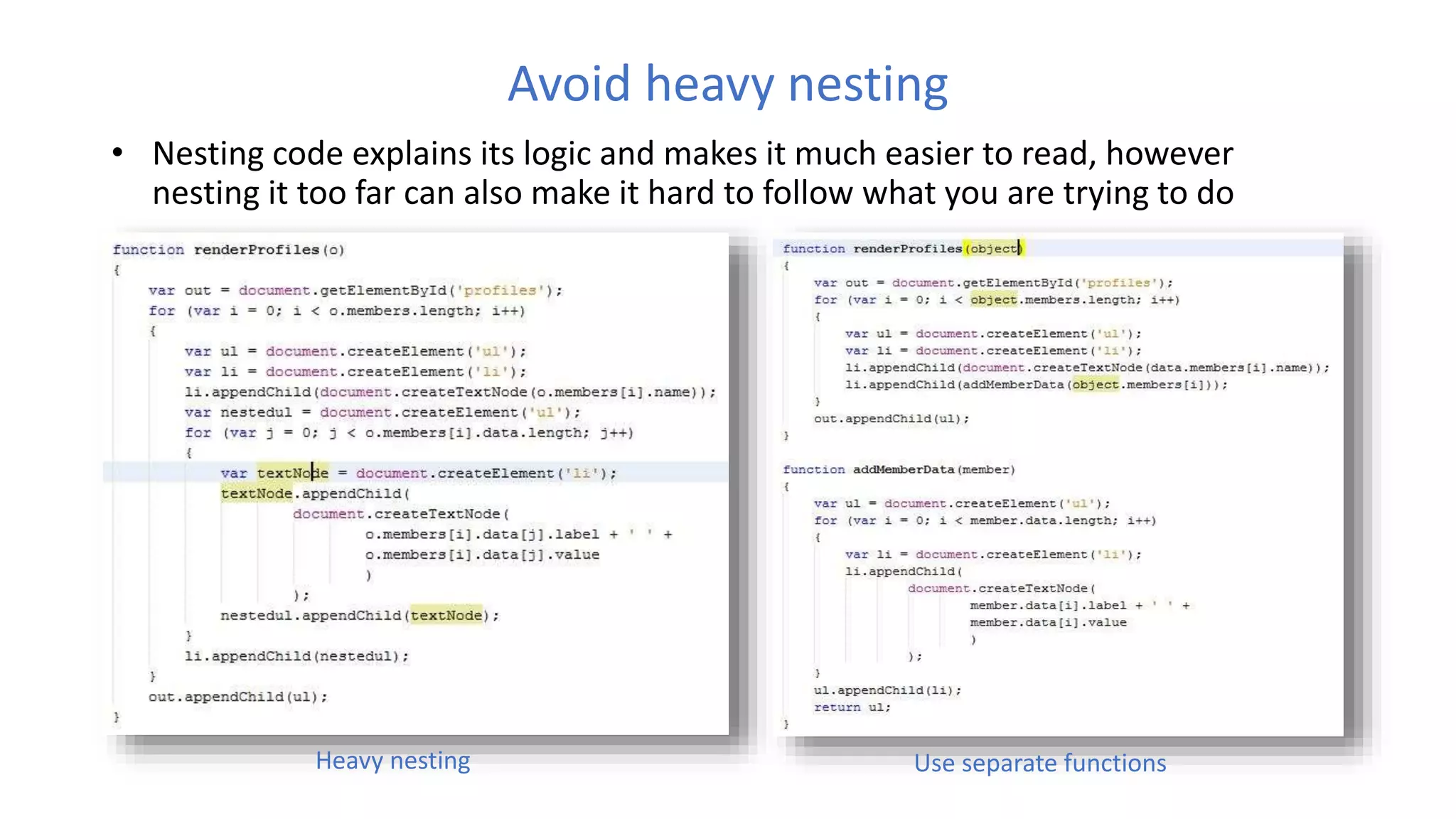
Avoid heavy nesting
• Nesting code explains its logic and makes it much easier to read, however
nesting it too far can also make it hard to follow what you are trying to do
Heavy nesting Use separate functions
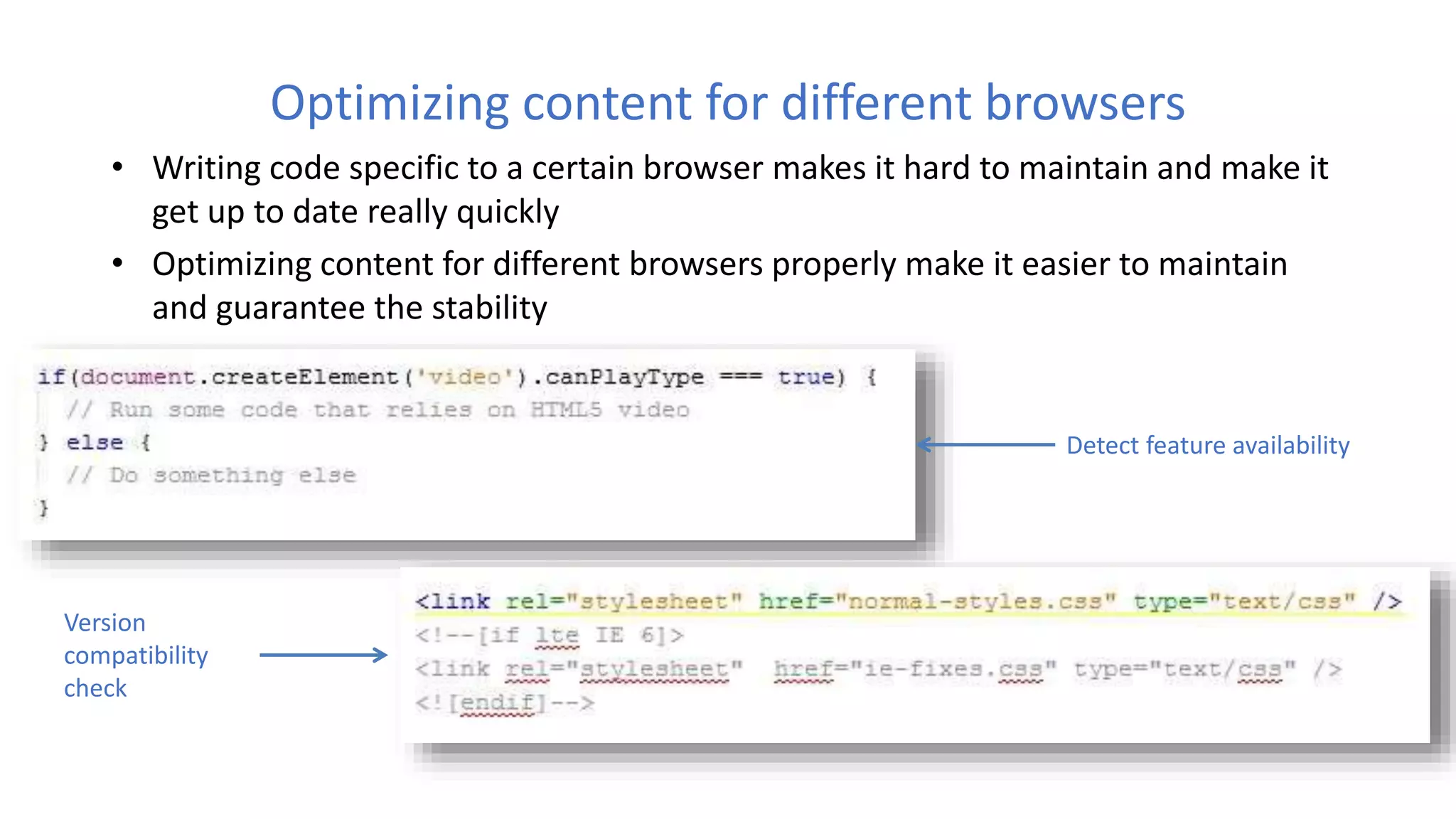
Optimizing content for different browsers
• Writing code specific to a certain browser makes it hard to maintain and make it
get up to date really quickly
• Optimizing content for different browsers properly make it easier to maintain
and guarantee the stability
Detect feature availability
Version
compatibility
check
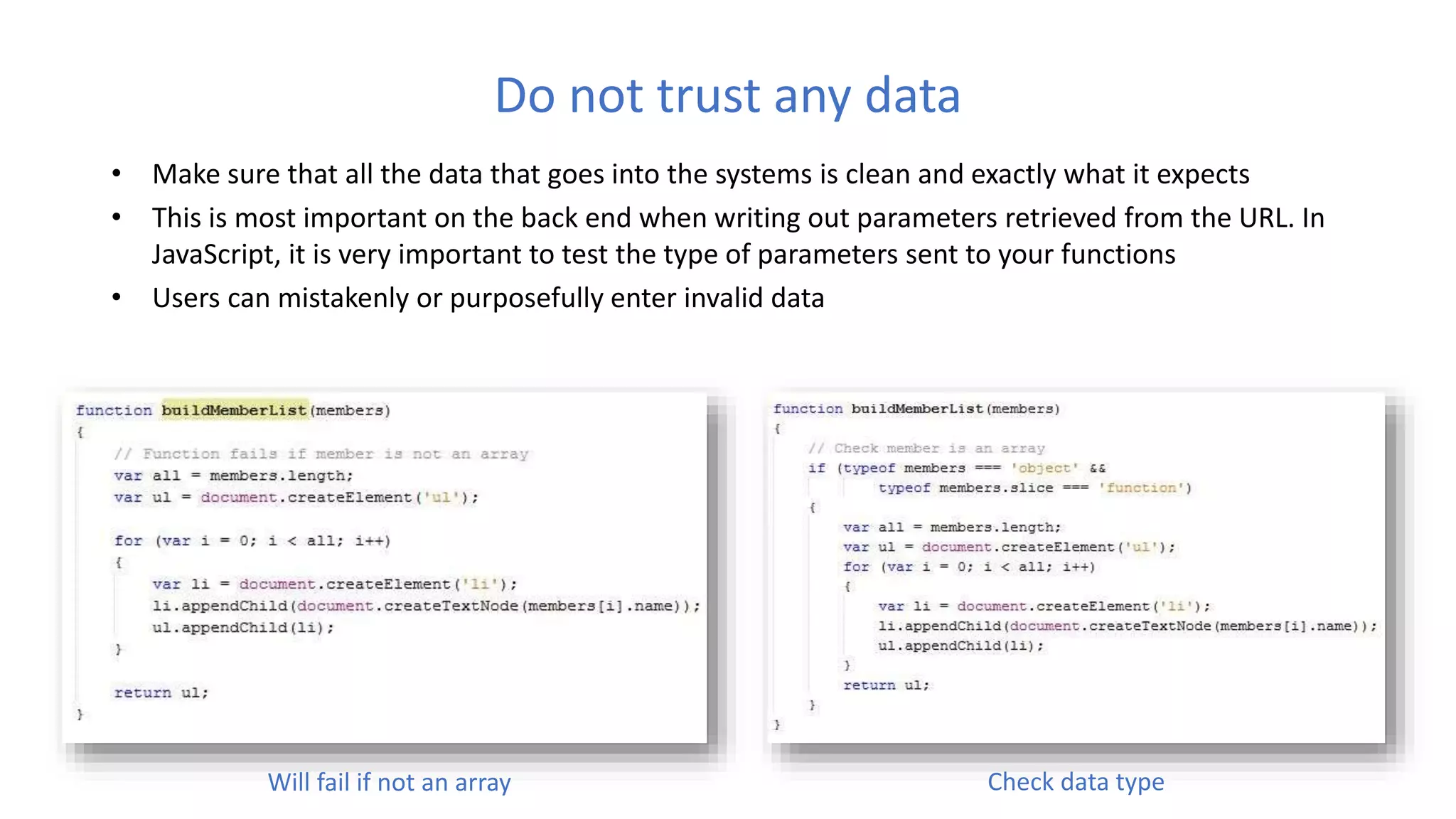
Do not trust any data
• Make sure that all the data that goes into the systems is clean and exactly what it expects
• This is most important on the back end when writing out parameters retrieved from the URL. In
JavaScript, it is very important to test the type of parameters sent to your functions
• Users can mistakenly or purposefully enter invalid data
Will fail if not an array Check data type
Be cautious when creating too much content with JavaScript
• Building a lot of HTML in JavaScript can be pretty daunting and flaky
• Internet Explorer can run into all kinds of trouble by altering the document while
it is still loading and manipulating the content with innerHTML
• Not every maintainer will have the same level of skill as you have and could
potentially really mess with your code
• Content creation depends on the nature of the project you are working on
– Static content
– Dynamic content loading (Ajax or PHP requests)
– Projects which use separate templates (Use ajax for template loading)
– Libraries and projects with dynamic content
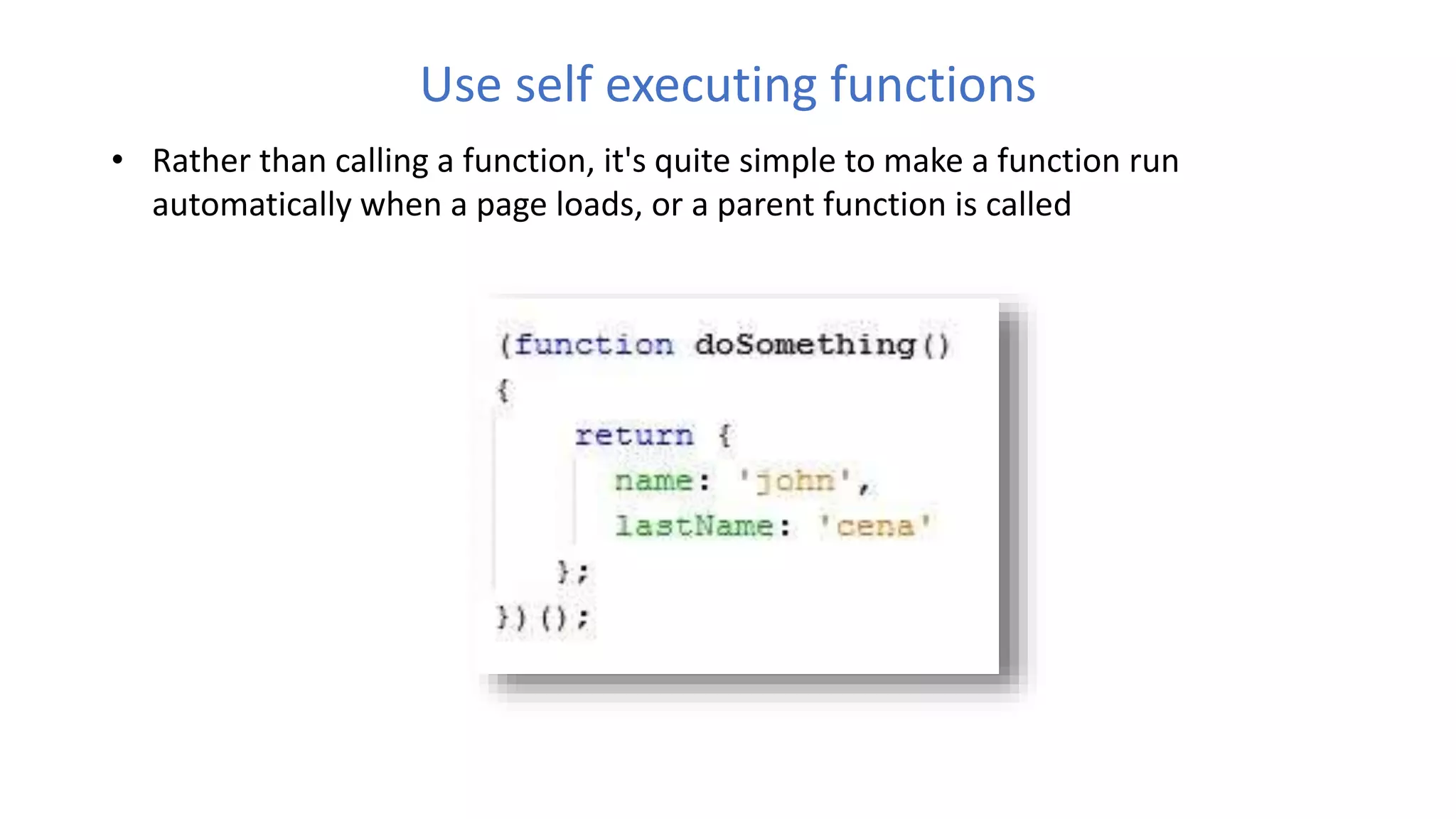
Use self executing functions
• Rather than calling a function, it's quite simple to make a function run
automatically when a page loads, or a parent function is called
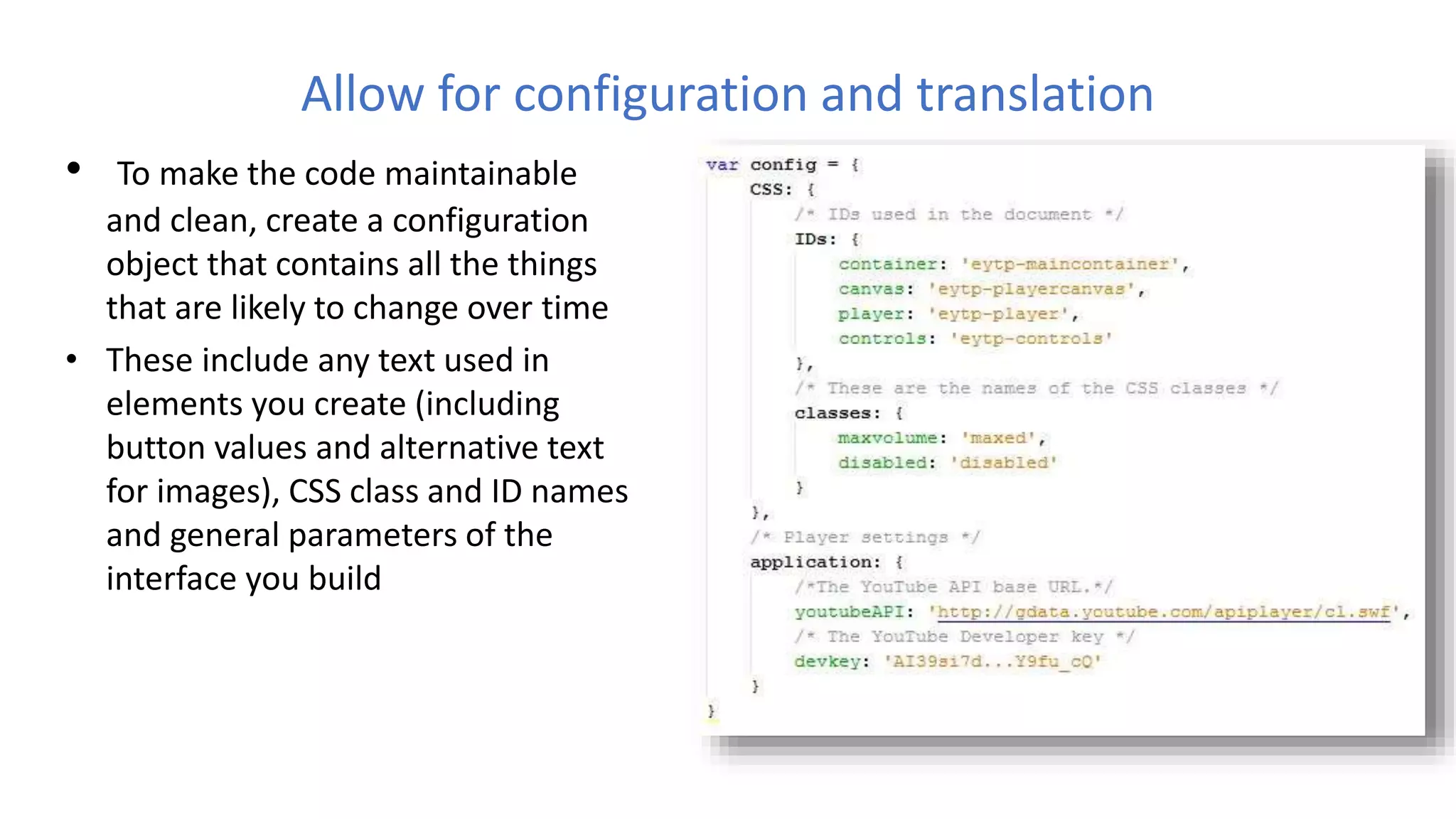
Allow for configuration and translation
• To make the code maintainable
and clean, create a configuration
object that contains all the things
that are likely to change over time
• These include any text used in
elements you create (including
button values and alternative text
for images), CSS class and ID names
and general parameters of the
interface you build
One function per task
• Make sure that you create functions that fulfill one job at a time.
• This will make it easy for other developers to debug and change your code
without having to scan through all the code to work out what code block
performs what function
• If you find yourself doing the same thing in several different functions then it is
a good idea to create a more generic helper function instead, and reuse that
functionality where it is needed
Raw JavaScript can always be quicker than using a library
• JavaScript libraries, such as jQuery and Mootools, can save an enormous amount
of time when coding -- especially with AJAX operations. Having said that, always
keep in mind that a library can never be as fast as raw JavaScript (assuming you
code correctly)
• jQuery's "each" method is great for looping, but using a native "for" statement
will always be an ounce quicker
ECMAScript
• ECMAScript (or ES) is a trademarked scripting-language specification
standardized by Ecma International in ECMA-262 and ISO/IEC 16262. It was
created to standardize JavaScript
• It specifies how a scripting language should look like.
• Releasing a new edition of ECMAScript does not mean that all JavaScript engines
in existence suddenly have those new features
• ECMAScript compatibility table
• Few of ES6 features
• default + rest + spread
• let + const
• iterators + for..of
• generators
• unicode
• arrows
• classes
• enhanced object literals
• template strings
• destructuring
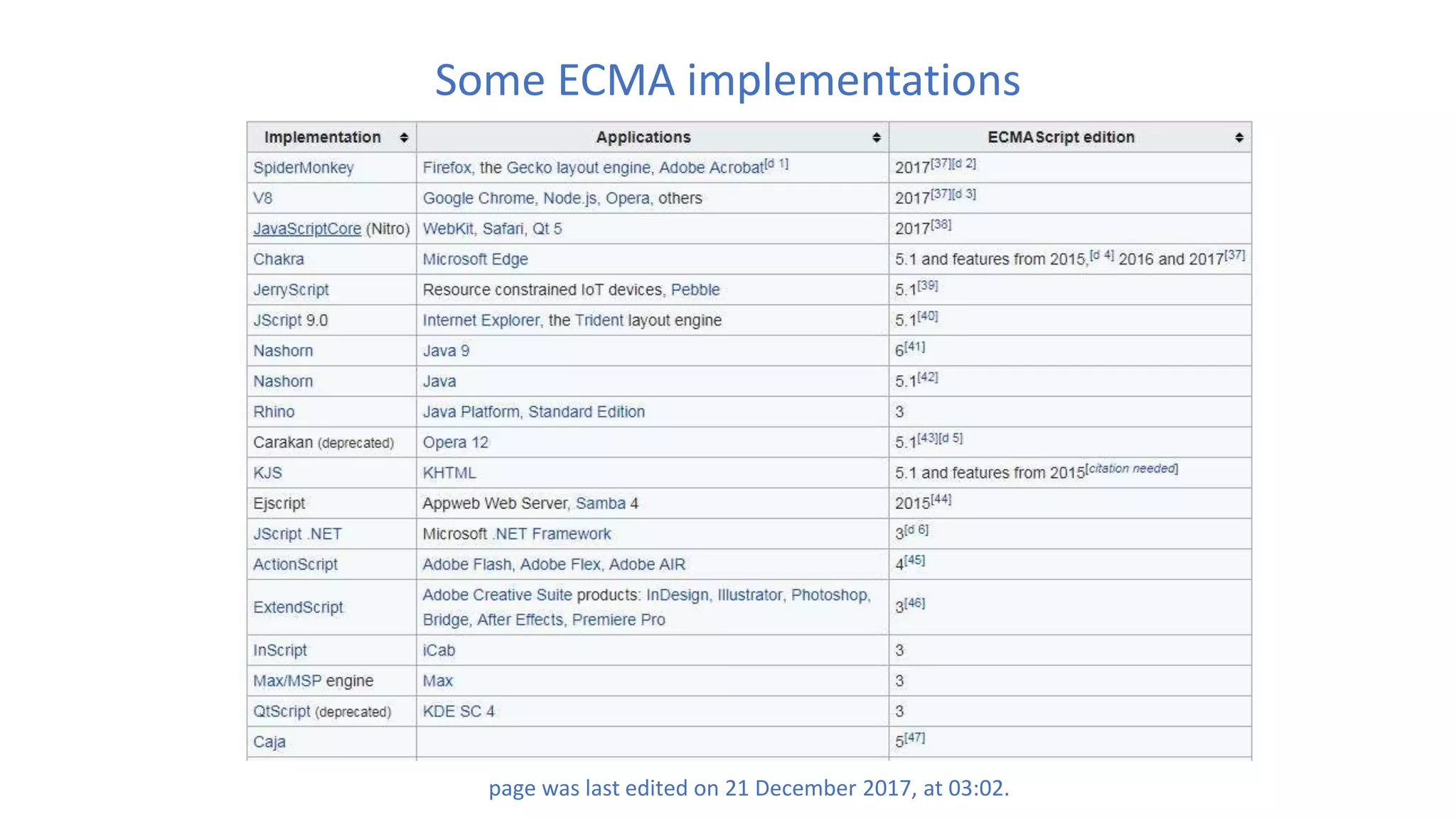
Some ECMA implementations
page was last edited on 21 December 2017, at 03:02.
TypeScript
• An open-source programming language developed and maintained by Microsoft
• Superset of JavaScript that compiles to plain JavaScript.
• It offers classes, modules, and interfaces to help you build robust components
• Advantages
– Early Error Detection
– Large App Capabilities
– The ECMAScript Factor
– ‘Safer’ Refactoring
Library
• An entire toolkit which highly abstracts different layers, like browsers / DOM
models / etc
• It offers a lot of tools and neat stuff to work with, which in general, simplify your
coding experience
• A library offers functions to be called by its parent code
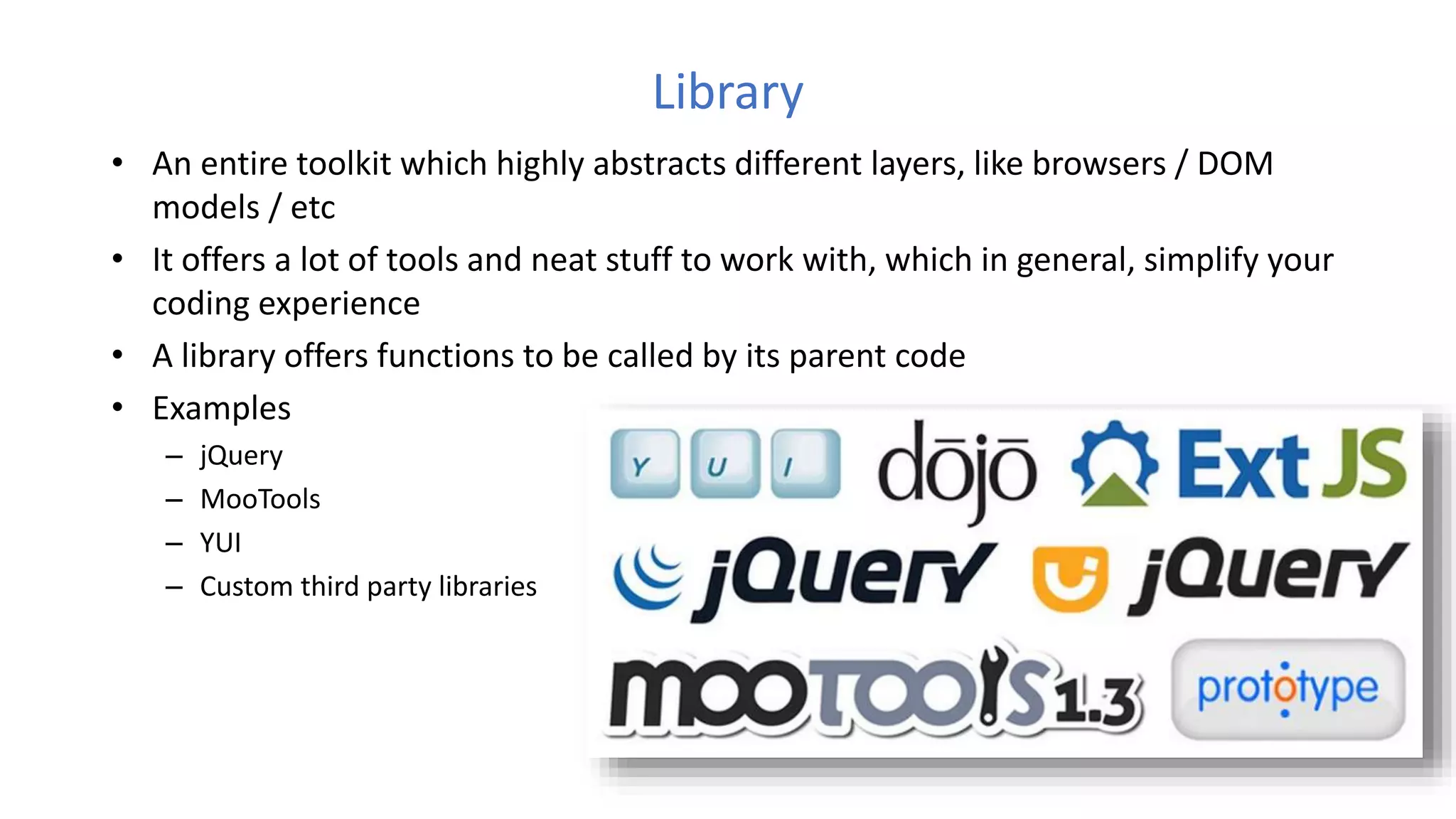
• Examples
– jQuery
– MooTools
– YUI
– Custom third party libraries
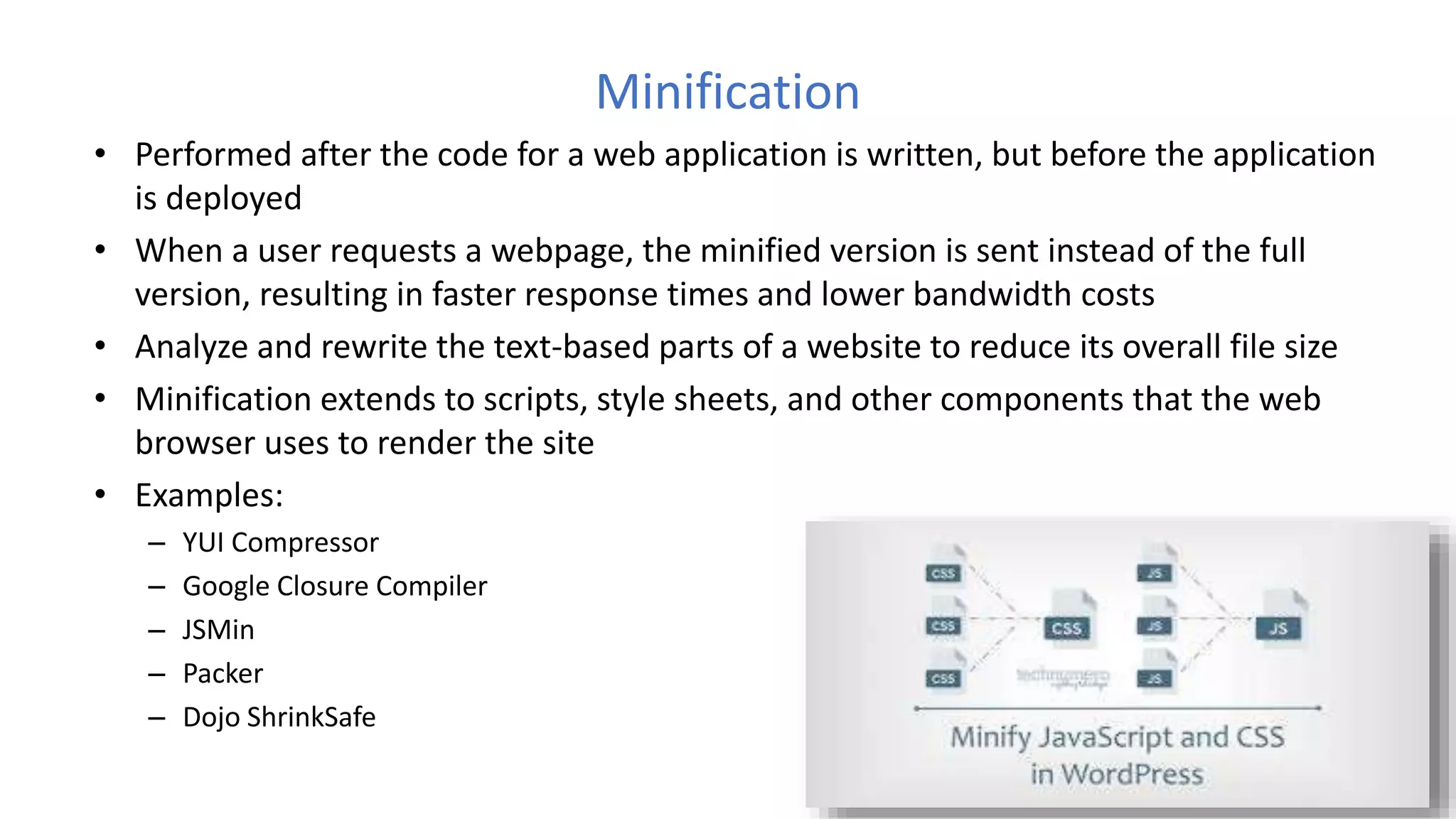
Minification
• Performed after the code for a web application is written, but before the application
is deployed
• When a user requests a webpage, the minified version is sent instead of the full
version, resulting in faster response times and lower bandwidth costs
• Analyze and rewrite the text-based parts of a website to reduce its overall file size
• Minification extends to scripts, style sheets, and other components that the web
browser uses to render the site
• Examples:
– YUI Compressor
– Google Closure Compiler
– JSMin
– Packer
– Dojo ShrinkSafe
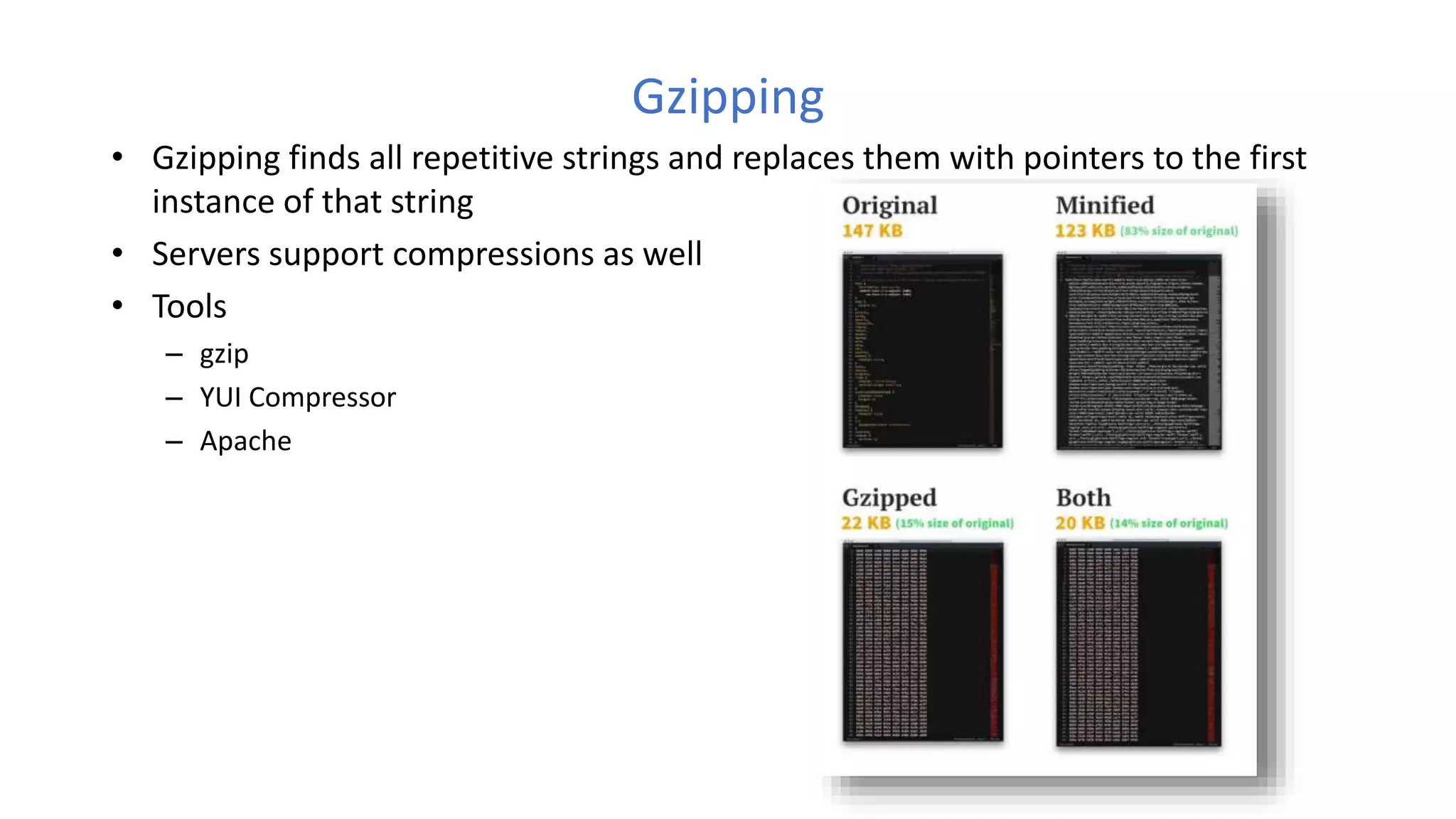
Gzipping
• Gzipping finds all repetitive strings and replaces them with pointers to the first
instance of that string
• Servers support compressions as well
• Tools
– gzip
– YUI Compressor
– Apache
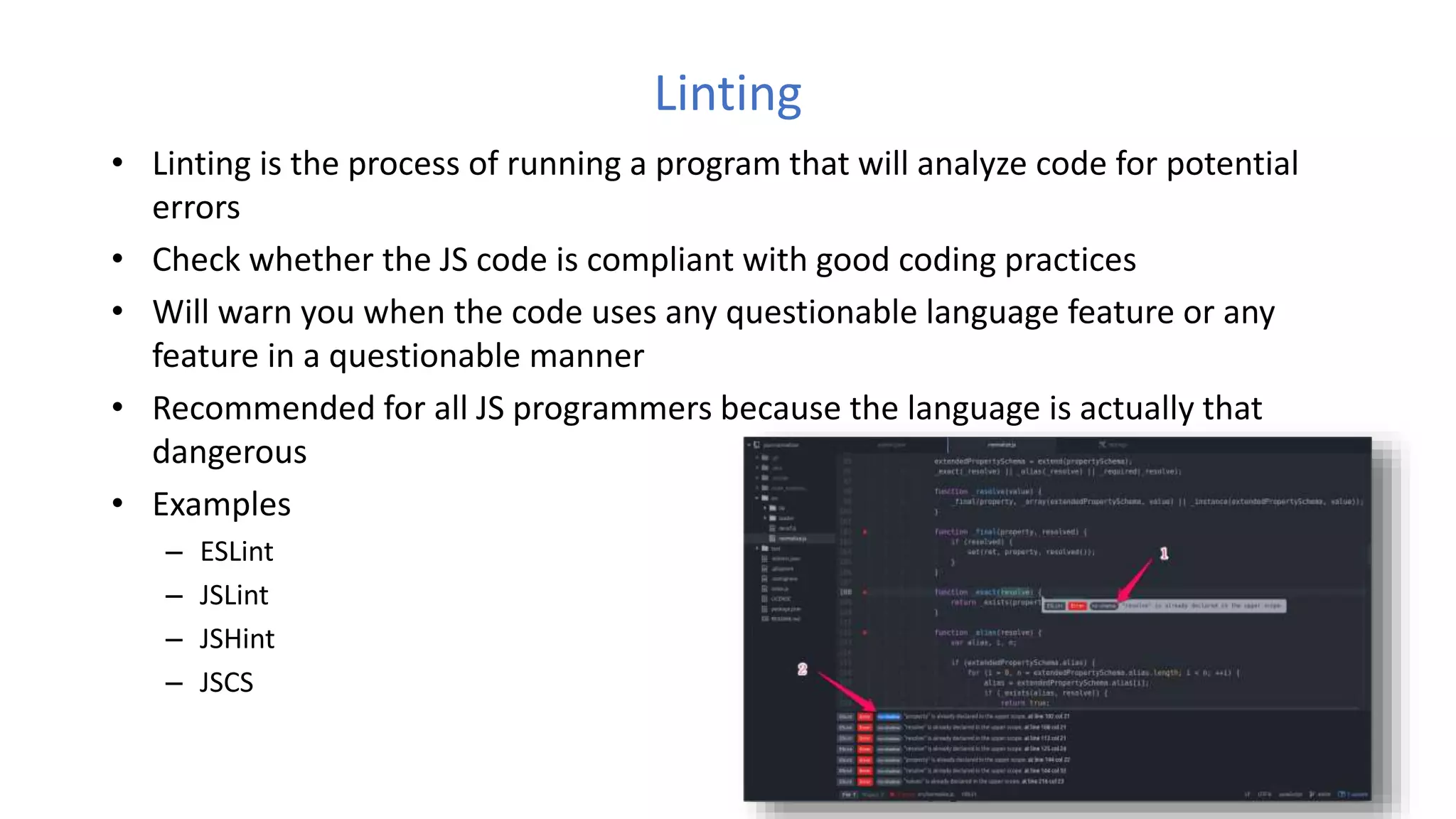
Linting
• Linting is the process of running a program that will analyze code for potential
errors
• Check whether the JS code is compliant with good coding practices
• Will warn you when the code uses any questionable language feature or any
feature in a questionable manner
• Recommended for all JS programmers because the language is actually that
dangerous
• Examples
– ESLint
– JSLint
– JSHint
– JSCS
Frameworks
• A framework defines the entire application design
• Describes a given structure of "how" you should present your code
• A developer does not call a framework, instead it is the framework that will call
and use the code in some particular way
• Examples
– Angular - Complex front end application that need just one modular framework for everything
– React
– Ember
– Babylon
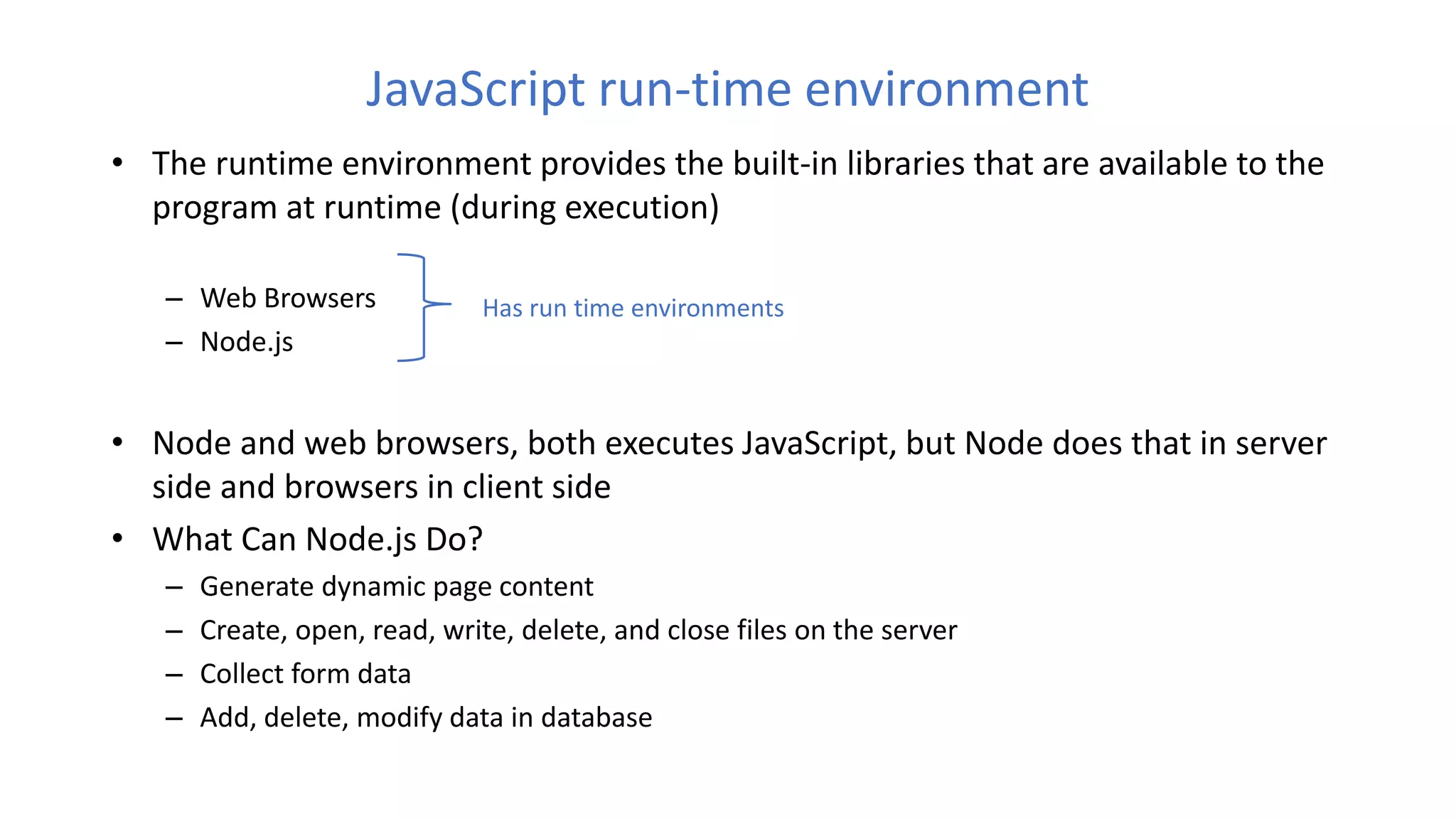
JavaScript run-time environment
• The runtime environment provides the built-in libraries that are available to the
program at runtime (during execution)
– Web Browsers
– Node.js
• Node and web browsers, both executes JavaScript, but Node does that in server
side and browsers in client side
• What Can Node.js Do?
– Generate dynamic page content
– Create, open, read, write, delete, and close files on the server
– Collect form data
– Add, delete, modify data in database
Has run time environments
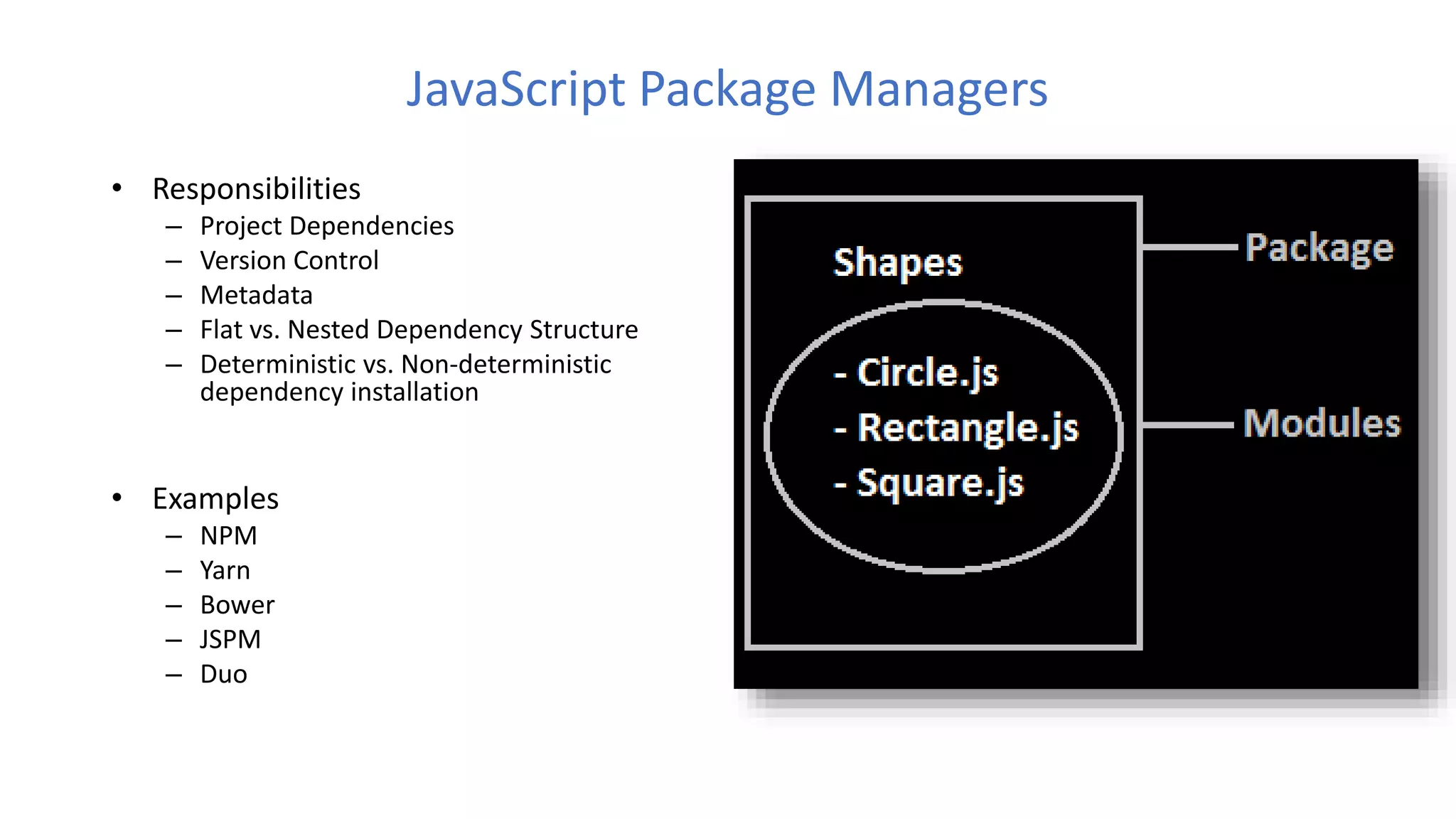
JavaScript Package Managers
• Responsibilities
– Project Dependencies
– Version Control
– Metadata
– Flat vs. Nested Dependency Structure
– Deterministic vs. Non-deterministic
dependency installation
• Examples
– NPM
– Yarn
– Bower
– JSPM
– Duo
Development IDEs / Editors
• Most used IDEs
– Visual Studio Code
– Atom
– Sublime
– WebStorm
• Sublime or Atom you might need to setup Babel and ESLint separately
• WebStorm comes with those out of the box. It also comes with a pretty powerful
code inspection and intelligent code completion system. But not free
VSCode
Pros
• JavaScript IntelliSense support
• Extendable through plugins
• TypeScript integration
• Embedded Git control
• Integrated debugging 
• Ready to use out of the box
• Extensions (aka plugins) are written in JavaScript
• Integrated terminal
• Great performance
• Updated frequently
• ESLint integration
• Active development
• Libre/open source
• Huge community behind it
• Fast and powerful
• Inline definition picking and usages finding
• JS typechecking
Cons
• The autocomplete and code check is not as
powerful as the one on WebStorm
• Project search limits results
• Embedded Git isn't powerful enough
• Very bad auto import
• No support for tiled/grid editor layouts
• Slow launch time
• Is not an IDE, is a text editor
• File search is extremely slow
References
• https://en.wikipedia.org/wiki/Best_coding_practices#Code_building
• https://www.codementor.io/learn-development/what-makes-good-software-
architecture-101
• https://www.w3.org/wiki/JavaScript_best_practices
• https://code.tutsplus.com/tutorials/24-javascript-best-practices-for-beginners--net-
5399
• https://github.com/ryanmcdermott/clean-code-javascript
• https://en.wikipedia.org/wiki/ECMAScript
• https://www.w3schools.com/
• https://en.wikipedia.org/wiki/JSLint
Thank you…

Javascript best practices

  • 1.
    JavaScript Best Practices JayangaV. Liyanage Senior Software Engineer email: jayangavliyanage@gmail.com
  • 2.
    Producing Good Software Superiorcoding techniques and good programming practices are hallmarks of a professional programmer
  • 3.
    Characteristics of goodsoftware • Functional • Measurable • Robust • Debuggable • Maintainable • Reusable • Extensible Best Practices
  • 4.
    What are thebest practices • Best coding practices are a set of informal rules that the software development community has learned over time which can help improve the quality of software
  • 5.
    List of bestpractices 1. Place scripts at the bottom of the Page 2. Readable and meaningful variable and function names 3. Comment as much as needed but not more 4. Avoid global variables 5. Namespace your JavaScript 6. Beware of “var” 7. Use === Instead of ==
  • 6.
    List of bestpractices cont… 8. Avoid use of Eval 9. Don't pass a String to “SetInterval” or “SetTimeOut” 10. Don't use short-hand 11. Keep DOM access to a minimum 12. Optimize loops 13. Avoid mixing with other technologies 14. Use shortcut notation when it makes sense
  • 7.
    List of bestpractices cont… 15. Avoid heavy nesting 16. Optimizing content for different browsers properly 17. Do not trust any data 18. Be cautious when creating too much content with JavaScript 19. Use self executing functions 20. Allow for configuration and translation 21. One function per task 22. Raw JavaScript can always be quicker than using a library
  • 8.
    Place scripts atthe bottom of the Page • The primary goal is to make the page load as quickly as possible for the user. When loading a script, the browser can't continue on until the entire file has been loaded
  • 9.
    Readable and meaningfulvariable and function names Readable naming gives a clear idea what the code portion is ought to do Avoid – e1 – xbqne – incrementorForMainLoopWhichSpansFromTenToTwenty – getIntegerElements() Do – employee – counter – MAX_CART_SIZE
  • 10.
    Comment as muchas needed but not more – Comments let other developers to understand the purpose and functionality of a code – But over commenting only increase the line numbers and file size No comments Over comments
  • 11.
    Avoid global variables •Every JavaScript file included in the page runs in the same scope • If scripts included after the global variable, which contains the same variable name and function names will overwrite it
  • 12.
    Namespace your JavaScript •Your JavaScript shouldn't be floating off in the global namespace, where it collides with other stuff you've included • Although JavaScript doesn't have built-in notions of namespaces, its object model is flexible enough that you can emulate them All the functions are in global scope Functions are encapsulated using a namespace
  • 13.
    Beware of “var” •Can be assign any type of data to the variables • Always be cautious what type of data is assigned to the variable
  • 14.
    Use === /!== instead of == / != • JavaScript utilizes two different kinds of equality operators: === | !== and == | !=
  • 15.
    Avoid use ofEval • Improper use of eval opens up your code for injection attacks • Debugging can be more challenging (no line numbers, etc.) • eval code executes slower
  • 16.
    Don't pass aString to "SetInterval" or "SetTimeOut" • String literals are evaluated in the global context, so local symbols in the context where setTimeout() was called will not be available when the string is evaluated as code • Will execute in the same way as eval (global scope) • Pass a function instead of string Ex: setInterval(someFunction, 3000)
  • 17.
    Don't use short-hand •Technically, you can get away with omitting curly braces and semi-colons • The only time that curly braces should be omitted is with one-liners, and even this is a highly debated topic Omit braces and semicolon Actual result
  • 18.
    Keep DOM accessto a minimum • The DOM is a very complex API and rendering in browsers can take up a lot of time • Accessing the DOM in browsers is very expensive • Access DOM only when necessary Access DOM through out the loop Access DOM only once
  • 19.
    Optimize loops • Loopscan become very slow if they are not optimized properly • Keep computation-heavy code outside loops – This includes regular expressions and more importantly DOM manipulation – It is ok to create the DOM nodes in the loop but avoid inserting them into the document Always accessing the array length Accessing the array length only once (Optimized)
  • 20.
    Avoid mixing withother technologies • Whilst it is possible to create everything you need in a document using JavaScript and the DOM it is not necessarily the most effective way Applying css directly Add css class
  • 21.
    Use shortcut notationwhen it makes sense • It keeps the code small and simple
  • 22.
    Avoid heavy nesting •Nesting code explains its logic and makes it much easier to read, however nesting it too far can also make it hard to follow what you are trying to do Heavy nesting Use separate functions
  • 23.
    Optimizing content fordifferent browsers • Writing code specific to a certain browser makes it hard to maintain and make it get up to date really quickly • Optimizing content for different browsers properly make it easier to maintain and guarantee the stability Detect feature availability Version compatibility check
  • 24.
    Do not trustany data • Make sure that all the data that goes into the systems is clean and exactly what it expects • This is most important on the back end when writing out parameters retrieved from the URL. In JavaScript, it is very important to test the type of parameters sent to your functions • Users can mistakenly or purposefully enter invalid data Will fail if not an array Check data type
  • 25.
    Be cautious whencreating too much content with JavaScript • Building a lot of HTML in JavaScript can be pretty daunting and flaky • Internet Explorer can run into all kinds of trouble by altering the document while it is still loading and manipulating the content with innerHTML • Not every maintainer will have the same level of skill as you have and could potentially really mess with your code • Content creation depends on the nature of the project you are working on – Static content – Dynamic content loading (Ajax or PHP requests) – Projects which use separate templates (Use ajax for template loading) – Libraries and projects with dynamic content
  • 26.
    Use self executingfunctions • Rather than calling a function, it's quite simple to make a function run automatically when a page loads, or a parent function is called
  • 27.
    Allow for configurationand translation • To make the code maintainable and clean, create a configuration object that contains all the things that are likely to change over time • These include any text used in elements you create (including button values and alternative text for images), CSS class and ID names and general parameters of the interface you build
  • 28.
    One function pertask • Make sure that you create functions that fulfill one job at a time. • This will make it easy for other developers to debug and change your code without having to scan through all the code to work out what code block performs what function • If you find yourself doing the same thing in several different functions then it is a good idea to create a more generic helper function instead, and reuse that functionality where it is needed
  • 29.
    Raw JavaScript canalways be quicker than using a library • JavaScript libraries, such as jQuery and Mootools, can save an enormous amount of time when coding -- especially with AJAX operations. Having said that, always keep in mind that a library can never be as fast as raw JavaScript (assuming you code correctly) • jQuery's "each" method is great for looping, but using a native "for" statement will always be an ounce quicker
  • 30.
    ECMAScript • ECMAScript (orES) is a trademarked scripting-language specification standardized by Ecma International in ECMA-262 and ISO/IEC 16262. It was created to standardize JavaScript • It specifies how a scripting language should look like. • Releasing a new edition of ECMAScript does not mean that all JavaScript engines in existence suddenly have those new features • ECMAScript compatibility table • Few of ES6 features • default + rest + spread • let + const • iterators + for..of • generators • unicode • arrows • classes • enhanced object literals • template strings • destructuring
  • 31.
    Some ECMA implementations pagewas last edited on 21 December 2017, at 03:02.
  • 32.
    TypeScript • An open-sourceprogramming language developed and maintained by Microsoft • Superset of JavaScript that compiles to plain JavaScript. • It offers classes, modules, and interfaces to help you build robust components • Advantages – Early Error Detection – Large App Capabilities – The ECMAScript Factor – ‘Safer’ Refactoring
  • 33.
    Library • An entiretoolkit which highly abstracts different layers, like browsers / DOM models / etc • It offers a lot of tools and neat stuff to work with, which in general, simplify your coding experience • A library offers functions to be called by its parent code • Examples – jQuery – MooTools – YUI – Custom third party libraries
  • 34.
    Minification • Performed afterthe code for a web application is written, but before the application is deployed • When a user requests a webpage, the minified version is sent instead of the full version, resulting in faster response times and lower bandwidth costs • Analyze and rewrite the text-based parts of a website to reduce its overall file size • Minification extends to scripts, style sheets, and other components that the web browser uses to render the site • Examples: – YUI Compressor – Google Closure Compiler – JSMin – Packer – Dojo ShrinkSafe
  • 35.
    Gzipping • Gzipping findsall repetitive strings and replaces them with pointers to the first instance of that string • Servers support compressions as well • Tools – gzip – YUI Compressor – Apache
  • 36.
    Linting • Linting isthe process of running a program that will analyze code for potential errors • Check whether the JS code is compliant with good coding practices • Will warn you when the code uses any questionable language feature or any feature in a questionable manner • Recommended for all JS programmers because the language is actually that dangerous • Examples – ESLint – JSLint – JSHint – JSCS
  • 37.
    Frameworks • A frameworkdefines the entire application design • Describes a given structure of "how" you should present your code • A developer does not call a framework, instead it is the framework that will call and use the code in some particular way • Examples – Angular - Complex front end application that need just one modular framework for everything – React – Ember – Babylon
  • 38.
    JavaScript run-time environment •The runtime environment provides the built-in libraries that are available to the program at runtime (during execution) – Web Browsers – Node.js • Node and web browsers, both executes JavaScript, but Node does that in server side and browsers in client side • What Can Node.js Do? – Generate dynamic page content – Create, open, read, write, delete, and close files on the server – Collect form data – Add, delete, modify data in database Has run time environments
  • 39.
    JavaScript Package Managers •Responsibilities – Project Dependencies – Version Control – Metadata – Flat vs. Nested Dependency Structure – Deterministic vs. Non-deterministic dependency installation • Examples – NPM – Yarn – Bower – JSPM – Duo
  • 40.
    Development IDEs /Editors • Most used IDEs – Visual Studio Code – Atom – Sublime – WebStorm • Sublime or Atom you might need to setup Babel and ESLint separately • WebStorm comes with those out of the box. It also comes with a pretty powerful code inspection and intelligent code completion system. But not free
  • 41.
    VSCode Pros • JavaScript IntelliSensesupport • Extendable through plugins • TypeScript integration • Embedded Git control • Integrated debugging  • Ready to use out of the box • Extensions (aka plugins) are written in JavaScript • Integrated terminal • Great performance • Updated frequently • ESLint integration • Active development • Libre/open source • Huge community behind it • Fast and powerful • Inline definition picking and usages finding • JS typechecking Cons • The autocomplete and code check is not as powerful as the one on WebStorm • Project search limits results • Embedded Git isn't powerful enough • Very bad auto import • No support for tiled/grid editor layouts • Slow launch time • Is not an IDE, is a text editor • File search is extremely slow
  • 42.
    References • https://en.wikipedia.org/wiki/Best_coding_practices#Code_building • https://www.codementor.io/learn-development/what-makes-good-software- architecture-101 •https://www.w3.org/wiki/JavaScript_best_practices • https://code.tutsplus.com/tutorials/24-javascript-best-practices-for-beginners--net- 5399 • https://github.com/ryanmcdermott/clean-code-javascript • https://en.wikipedia.org/wiki/ECMAScript • https://www.w3schools.com/ • https://en.wikipedia.org/wiki/JSLint
  • 43.