
Enhancing functional components
Fullstack as a service
React Hooks
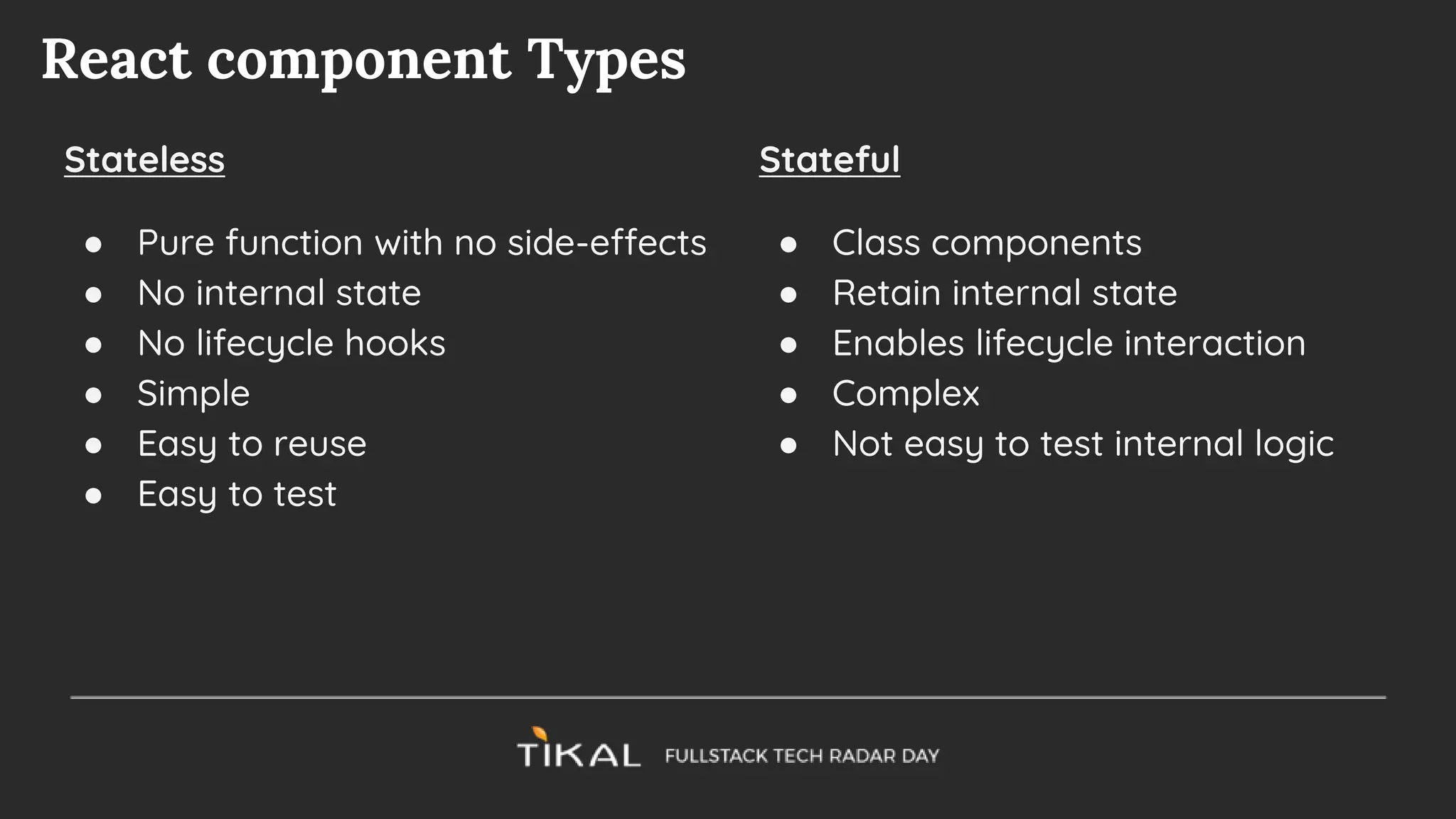
React component Types
Stateless
● Pure function with no side-effects
● No internal state
● No lifecycle hooks
● Simple
● Easy to reuse
● Easy to test
Stateful
● Class components
● Retain internal state
● Enables lifecycle interaction
● Complex
● Not easy to test internal logic
What are hooks
Functions that enhance Functional Components with state maintaining and
side-effects capabilities
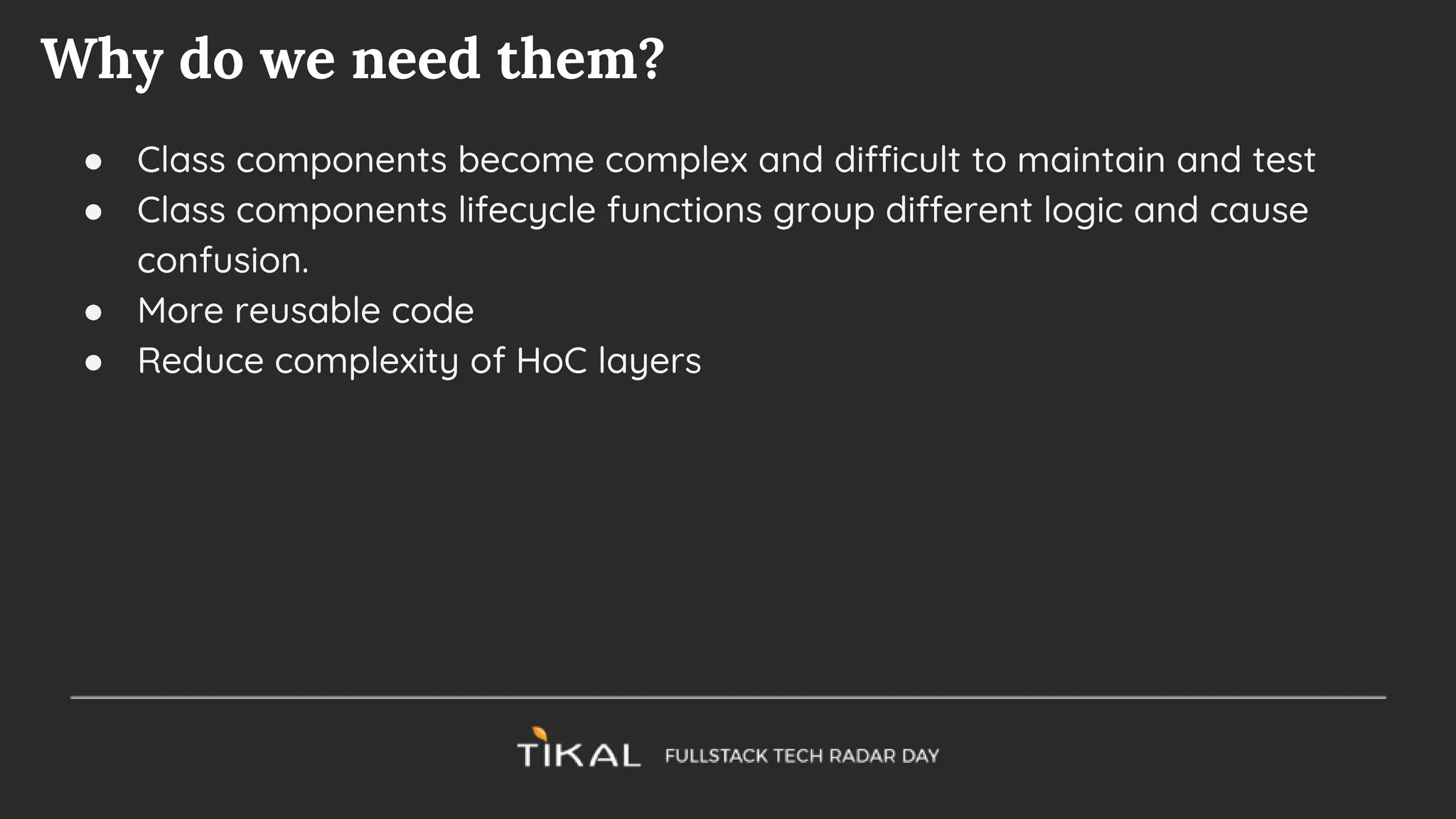
Why do we need them?
● Class components become complex and difficult to maintain and test
● Class components lifecycle functions group different logic and cause
confusion.
● More reusable code
● Reduce complexity of HoC layers
The setState hook
const [stateVal, updateValFn] = React.useState(initialVal)
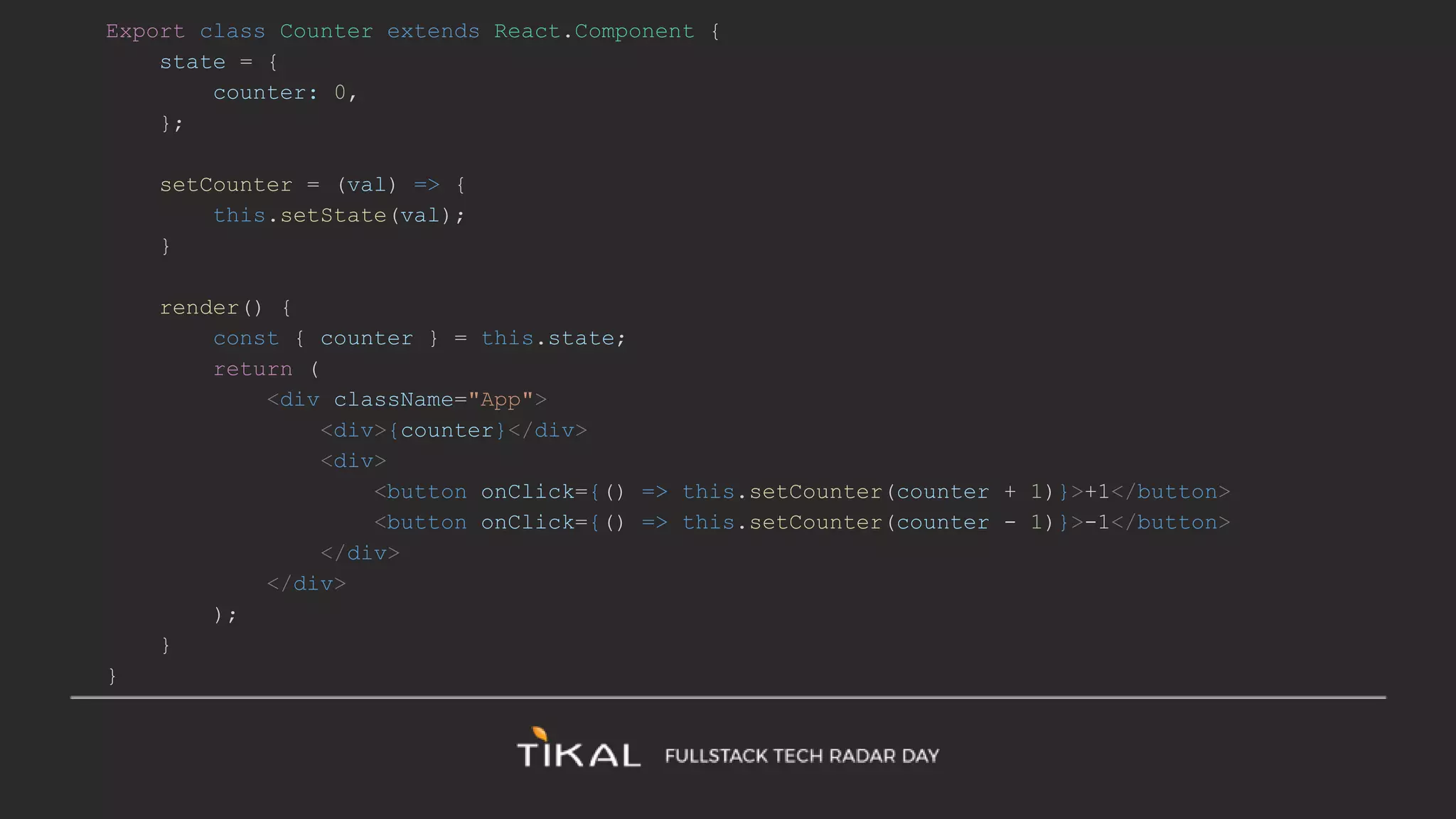
Export class Counter extends React.Component {
state = {
counter: 0,
};
setCounter = (val) => {
this.setState(val);
}
render() {
const { counter } = this.state;
return (
<div className="App">
<div>{counter}</div>
<div>
<button onClick={() => this.setCounter(counter + 1)}>+1</button>
<button onClick={() => this.setCounter(counter - 1)}>-1</button>
</div>
</div>
);
}
}
import React from 'react';
export function Counter() {
const [counter, setCounter] = React.useState(0);
return (
<div className="App">
<div>{counter}</div>
<div>
<button onClick={() => setCounter(counter + 1)}>+1</button>
<button onClick={() => setCounter(counter - 1)}>-1</button>
</div>
</div>
);
}
Practice Time
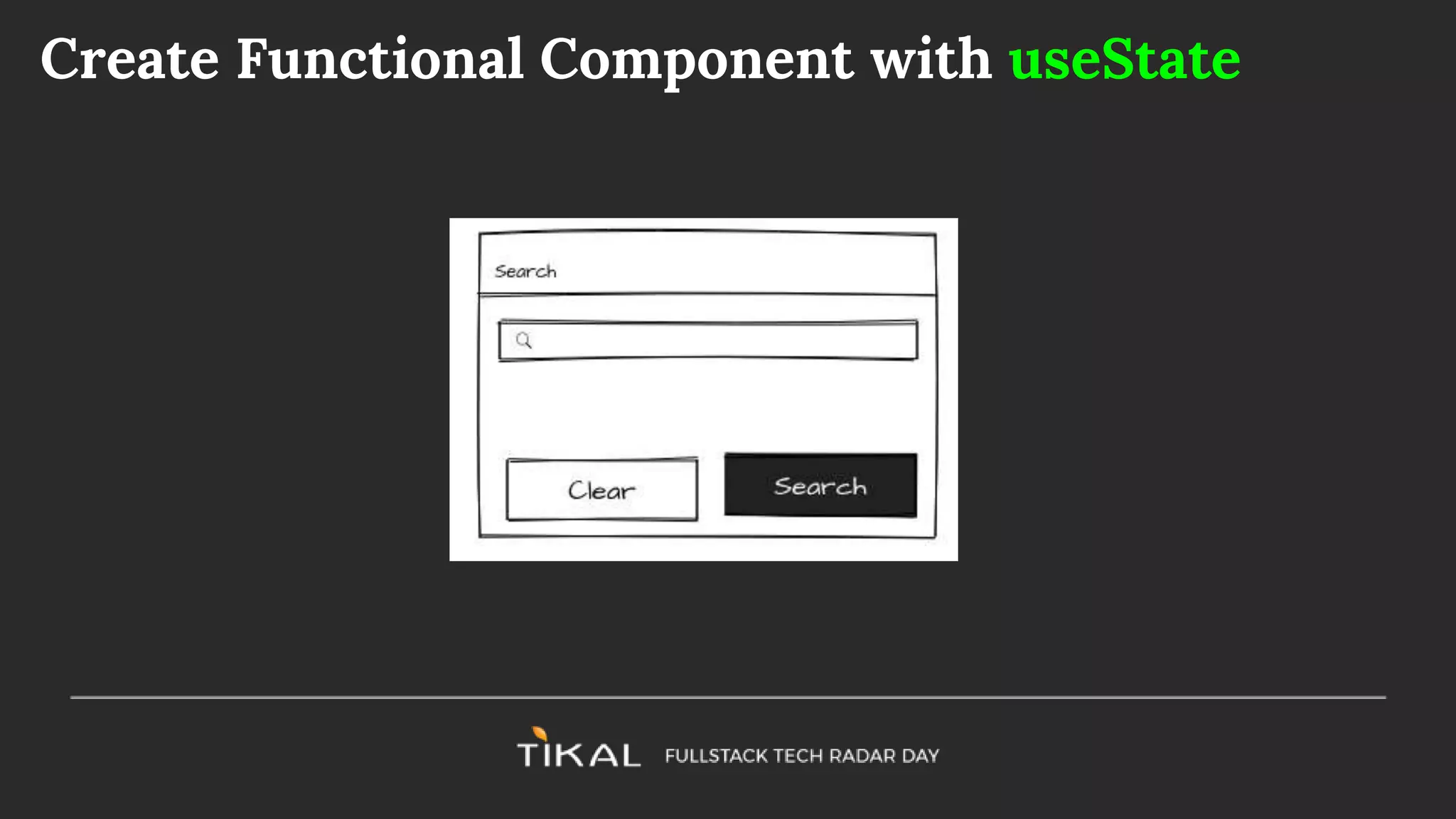
Create Functional Component with useState
The useEffect hook
Used to add side effect capabilities to the functional component. This is a
combination of componentDidMount, componentDidUpdate, and
componentWillUnmount
React.useEffect(sideEffecFn, [dependencies]): cleanupFn
● sideEfectFn: A function that can perform a side effect, e.g. async call to
fetch data
● dependencies (Array): A list of values that if changed will trigger the
sideEffectFn and cause a re-render
● cleanupFn: the (optional) returned value of the side effect - triggered
before each re-render - used for cleaning up, e.g. unregistering from
events
React.useEffect(sideEffecFn, [dependencies]): cleanupFn
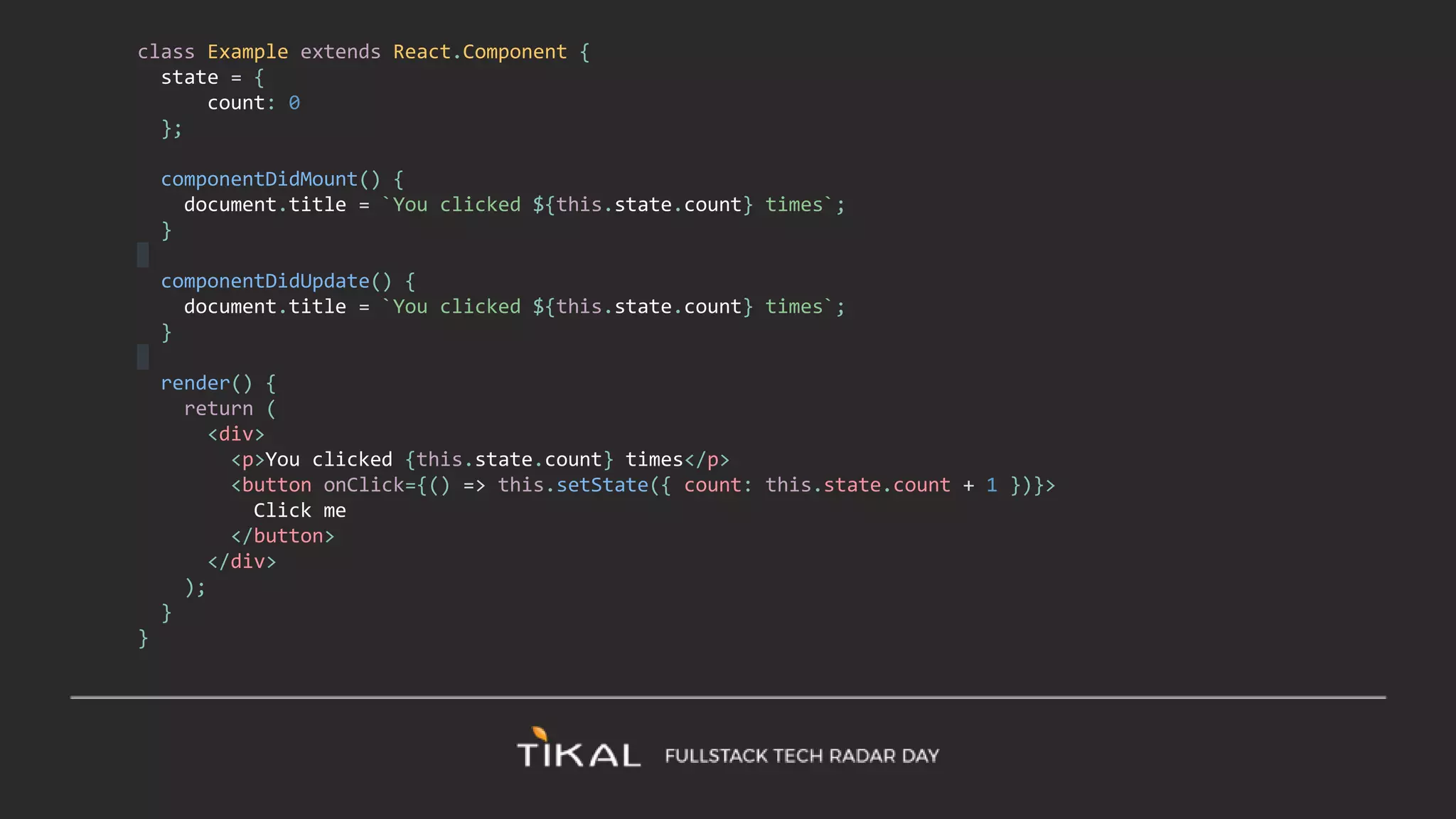
class Example extends React.Component {
state = {
count: 0
};
componentDidMount() {
document.title = `You clicked ${this.state.count} times`;
}
componentDidUpdate() {
document.title = `You clicked ${this.state.count} times`;
}
render() {
return (
<div>
<p>You clicked {this.state.count} times</p>
<button onClick={() => this.setState({ count: this.state.count + 1 })}>
Click me
</button>
</div>
);
}
}
import React, { useState, useEffect } from 'react';
function Example() {
const [count, setCount] = useState(0);
useEffect(() => {
document.title = `You clicked ${count} times`;
});
return (
<div>
<p>You clicked {count} times</p>
<button onClick={() => setCount(count + 1)}>
Click me
</button>
</div>
);
}
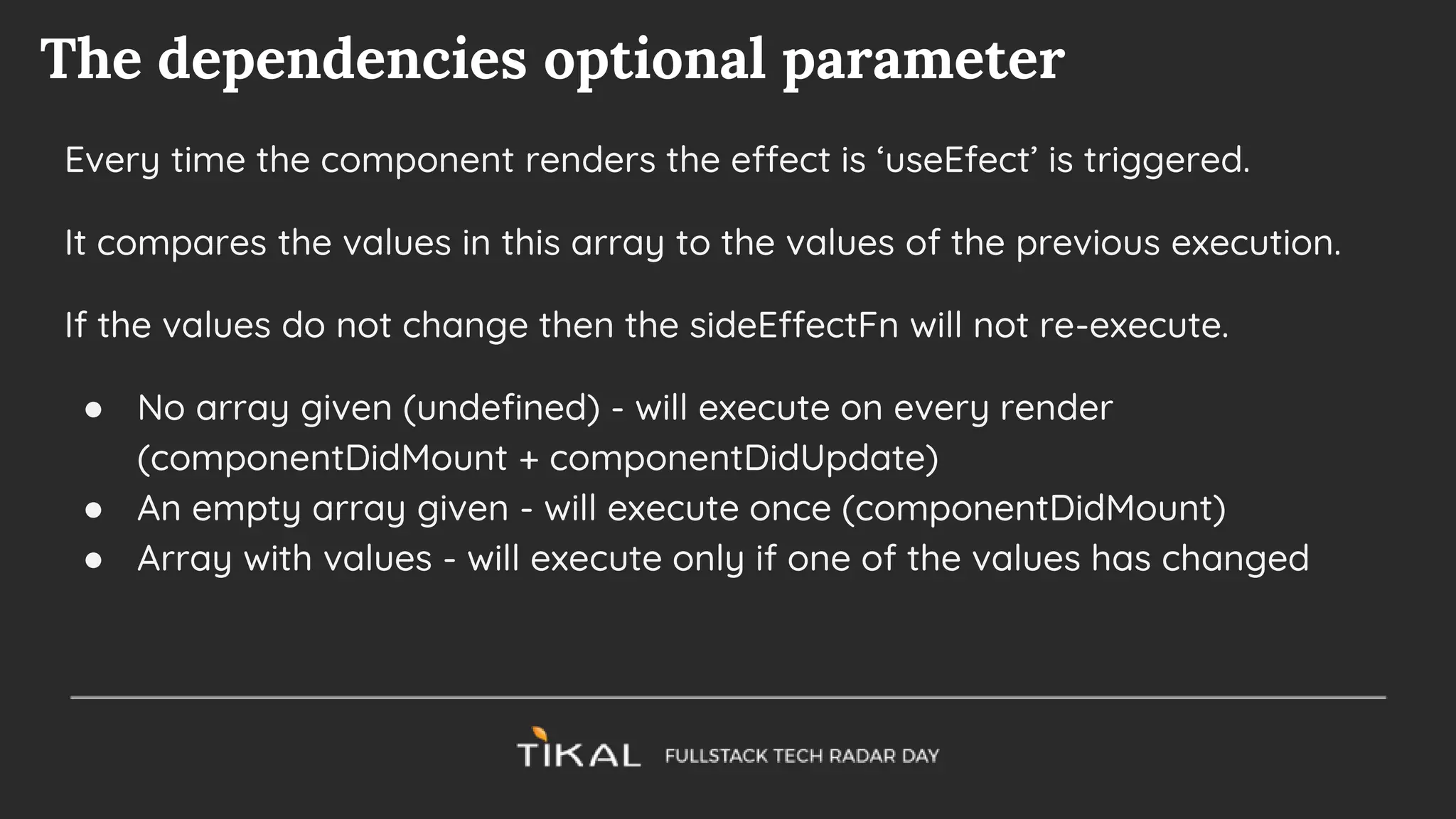
The dependencies optional parameter
Every time the component renders the effect is ‘useEfect’ is triggered.
It compares the values in this array to the values of the previous execution.
If the values do not change then the sideEffectFn will not re-execute.
● No array given (undefined) - will execute on every render
(componentDidMount + componentDidUpdate)
● An empty array given - will execute once (componentDidMount)
● Array with values - will execute only if one of the values has changed
Practice Time
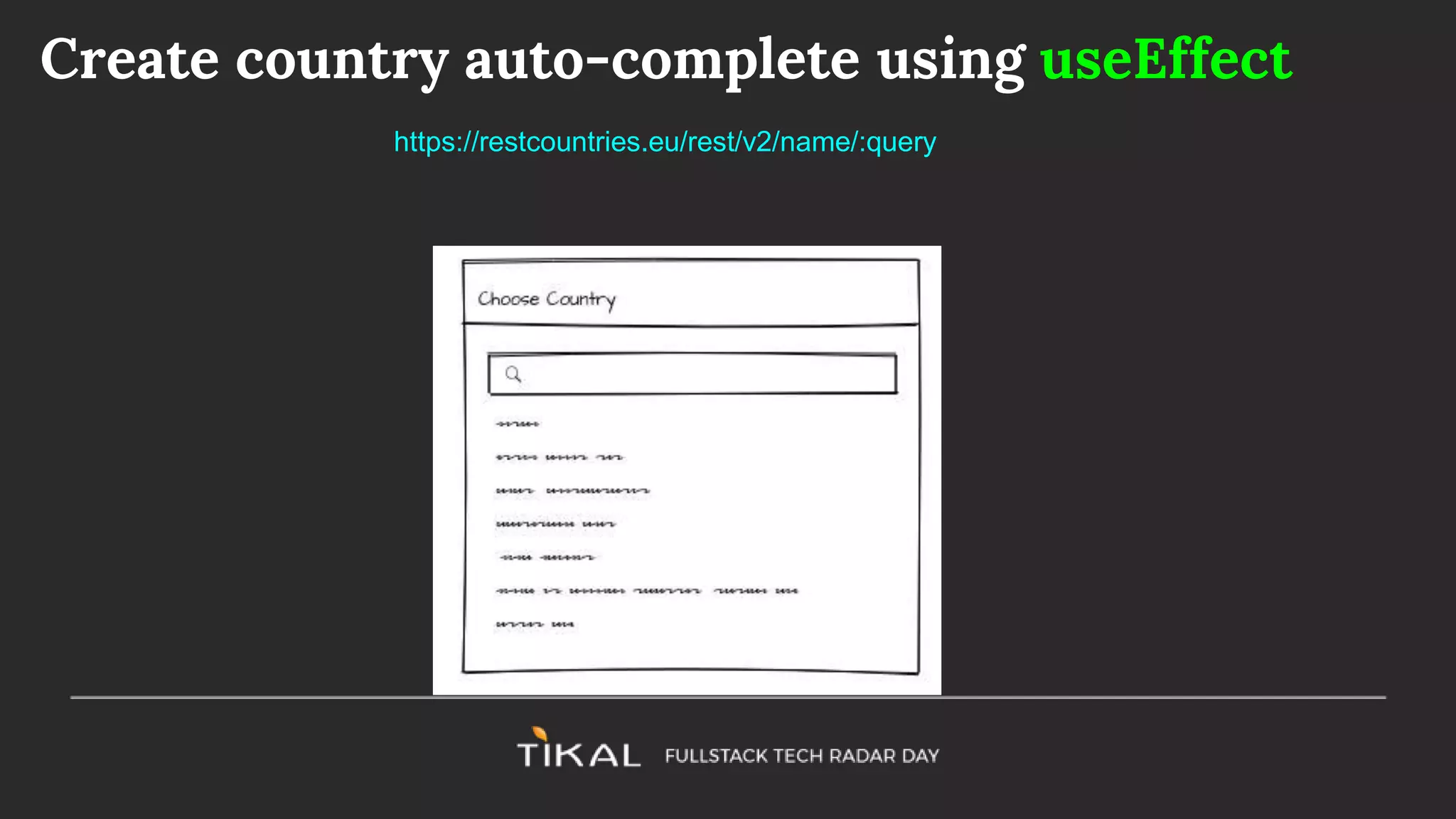
Create country auto-complete using useEffect
https://restcountries.eu/rest/v2/name/:query
Build your own hooks
Custom hooks are reusable functions that encapsulate useState and
useEffect methods
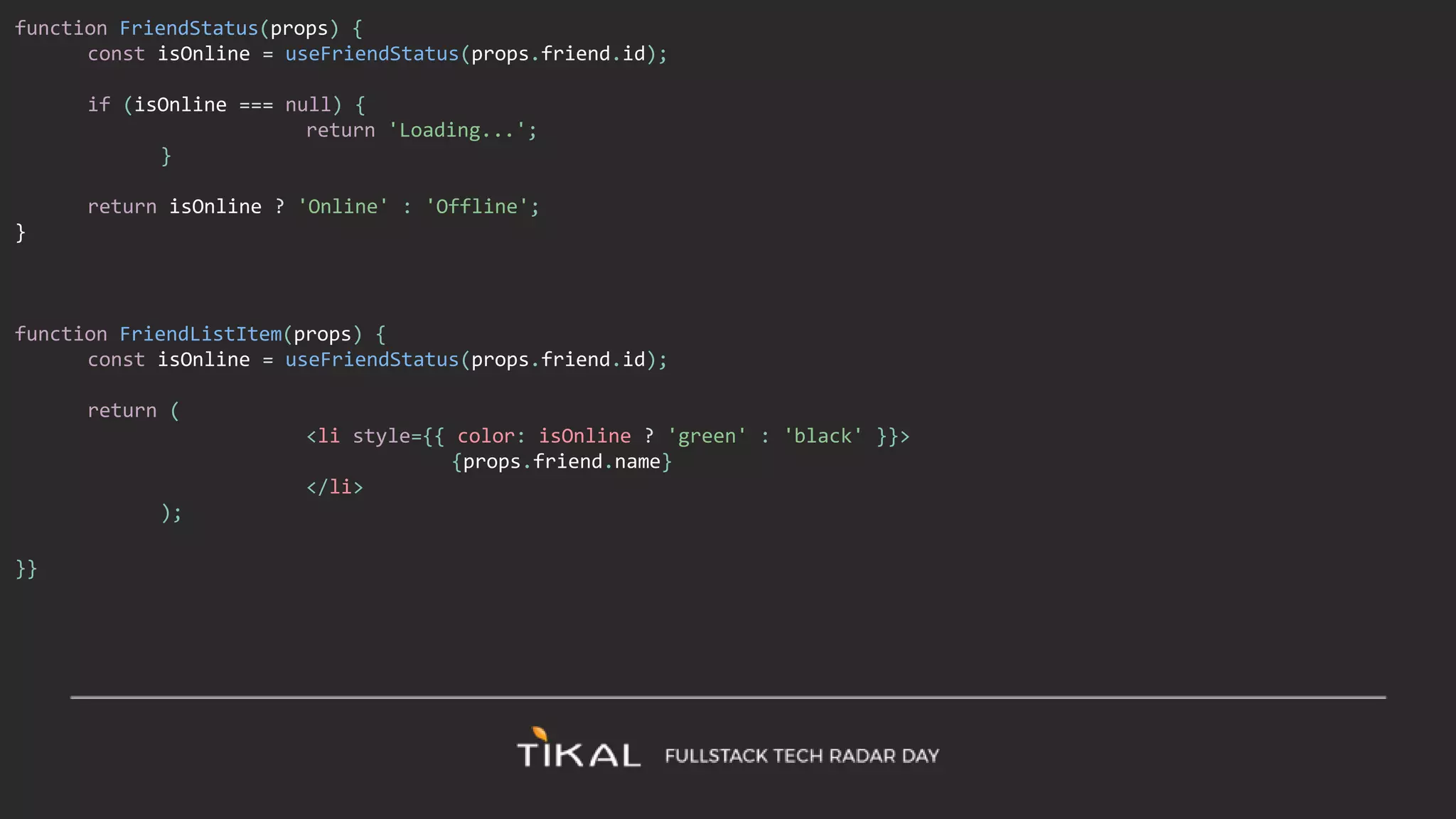
import React, { useState, useEffect } from 'react';
function useFriendStatus(friendID) {
const [isOnline, setIsOnline] = useState(null);
useEffect(() => {
function handleStatusChange(status) {
setIsOnline(status.isOnline);
}
ChatAPI.subscribeToFriendStatus(friendID, handleStatusChange);
return () => {
ChatAPI.unsubscribeFromFriendStatus(friendID, handleStatusChange);
};
});
return isOnline;
}
function FriendStatus(props) {
const isOnline = useFriendStatus(props.friend.id);
if (isOnline === null) {
return 'Loading...';
}
return isOnline ? 'Online' : 'Offline';
}
function FriendListItem(props) {
const isOnline = useFriendStatus(props.friend.id);
return (
<li style={{ color: isOnline ? 'green' : 'black' }}>
{props.friend.name}
</li>
);
}}
Practice:
Create a ‘useCountryName’ hook.
It will accept a country ISO code (e.g. ISR) and return the country name.
http://restcountries.eu/rest/v2/alpha/ISR
More Hooks
● useContext
● useReducer
● useCallback
● useMemo
● useRef
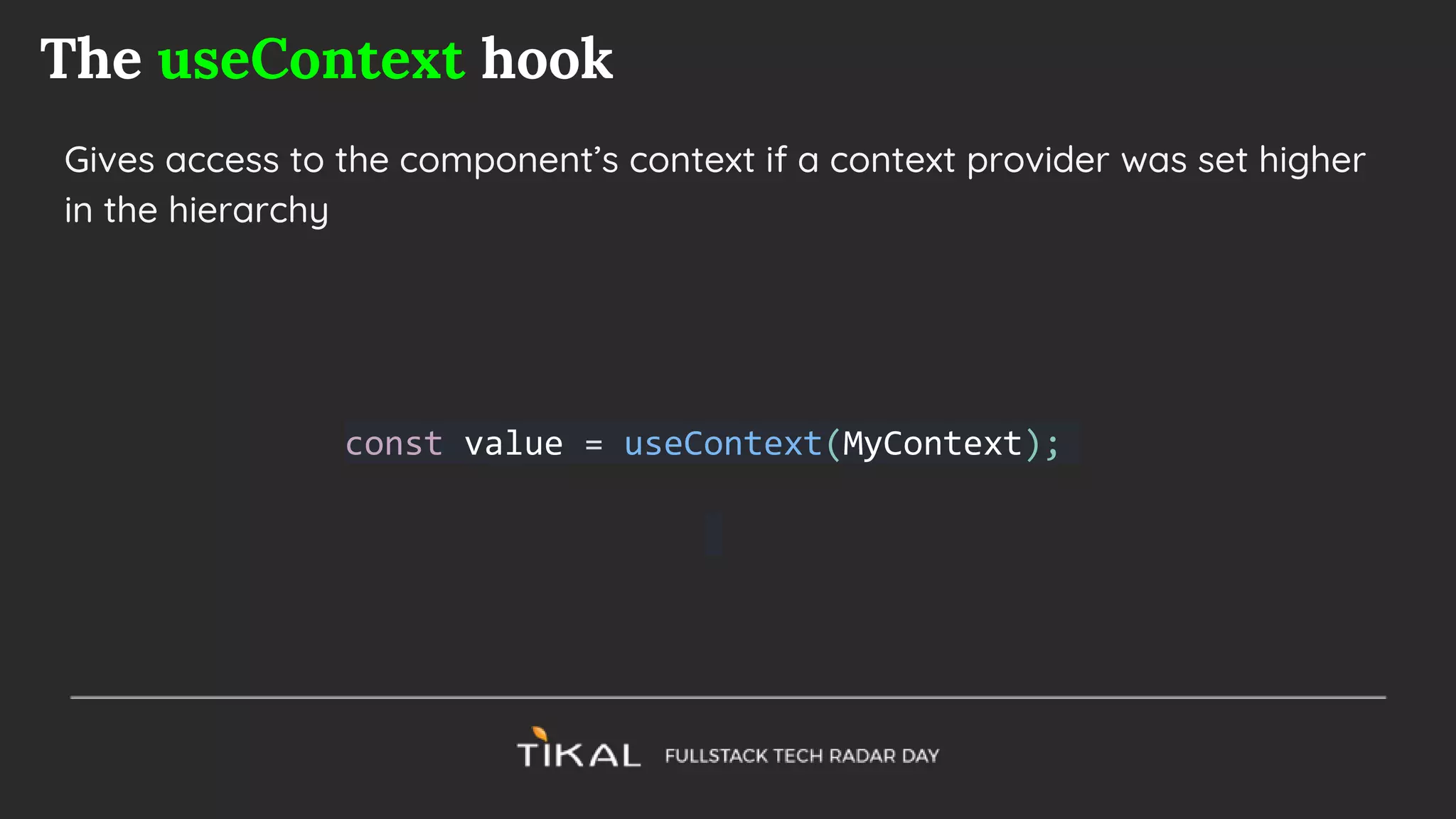
The useContext hook
Gives access to the component’s context if a context provider was set higher
in the hierarchy
const value = useContext(MyContext);
Practice
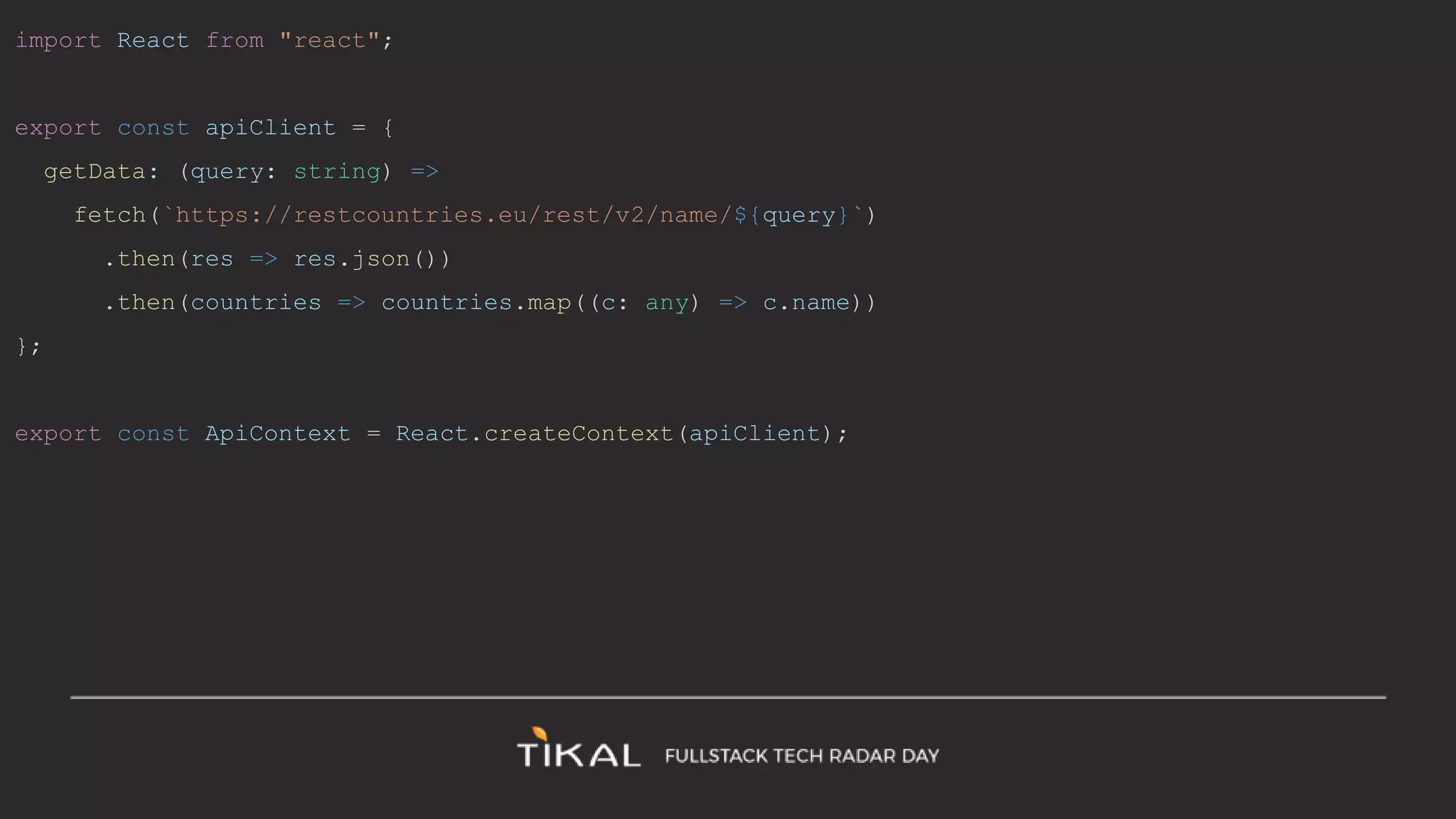
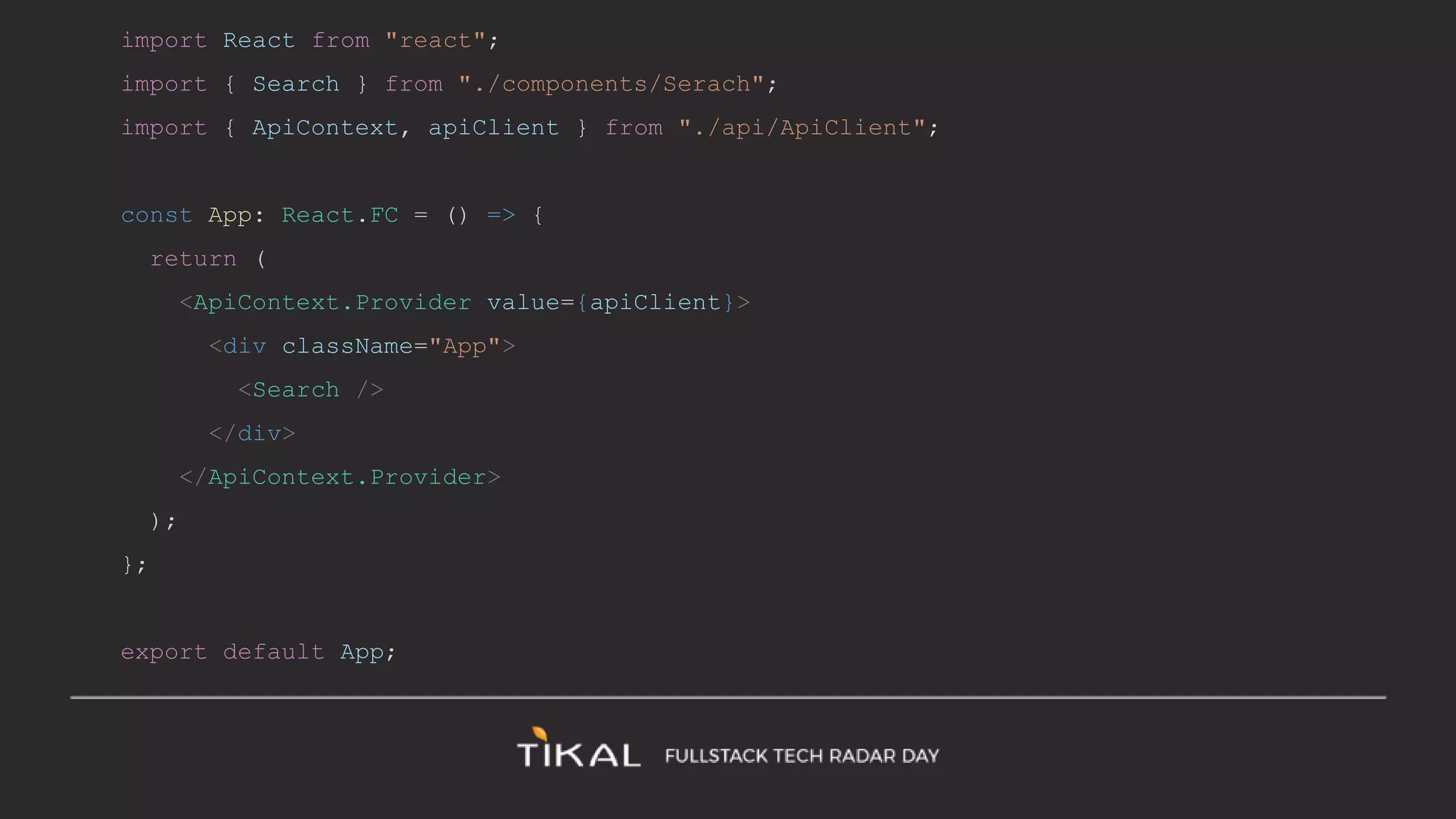
Extract the api client (has a “fetch” function) and pass it in as Context
import React from "react";
export const apiClient = {
getData: (query: string) =>
fetch(`https://restcountries.eu/rest/v2/name/${query}`)
.then(res => res.json())
.then(countries => countries.map((c: any) => c.name))
};
export const ApiContext = React.createContext(apiClient);
import React from "react";
import { Search } from "./components/Serach";
import { ApiContext, apiClient } from "./api/ApiClient";
const App: React.FC = () => {
return (
<ApiContext.Provider value={apiClient}>
<div className="App">
<Search />
</div>
</ApiContext.Provider>
);
};
export default App;
const apiClient = useContext(ApiContext);
useEffect(() => {
if (query) {
apiClient.getData(query).then(names => setCountries(names));
}
}, [query]);
The useReducer hook
Similar to useState
const [state, dispatch] = useReducer(reducer, initialArg, init);
When do we use it?
Instead of passing down callbacks to update the state in a large component
tree - you can pass the dispatch function in the context
const TodosDispatch = React.createContext(null);
function TodosApp() {
// Note: `dispatch` won't change between re-renders
const [todos, dispatch] = useReducer(todosReducer);
return (
<TodosDispatch.Provider value={dispatch}>
<DeepTree todos={todos} />
</TodosDispatch.Provider>
);
}
function DeepChild(props) {
// If we want to perform an action, we can get dispatch
from context.
const dispatch = useContext(TodosDispatch);
function handleClick() {
dispatch({ type: 'add', text: 'hello' });
}
return (
<button onClick={handleClick}>Add todo</button>
);
}
The useCallback hook
const memoizedCallback = useCallback(
() => {
doSomething(a, b);
},
[a, b],
);
When to use it?
When passing a function to children - avoid re-rendering due to new function
creation.
Render checks use ‘===’ comparison of params
The useMemo hook
const memoizedValue = useMemo(() => computeExpensiveValue(a, b), [a, b]);
Practice:
1. Extract the search button to a seperate component - “SearchButton”
2. Prevent the SearchButton component from re-rendering on every text
change.
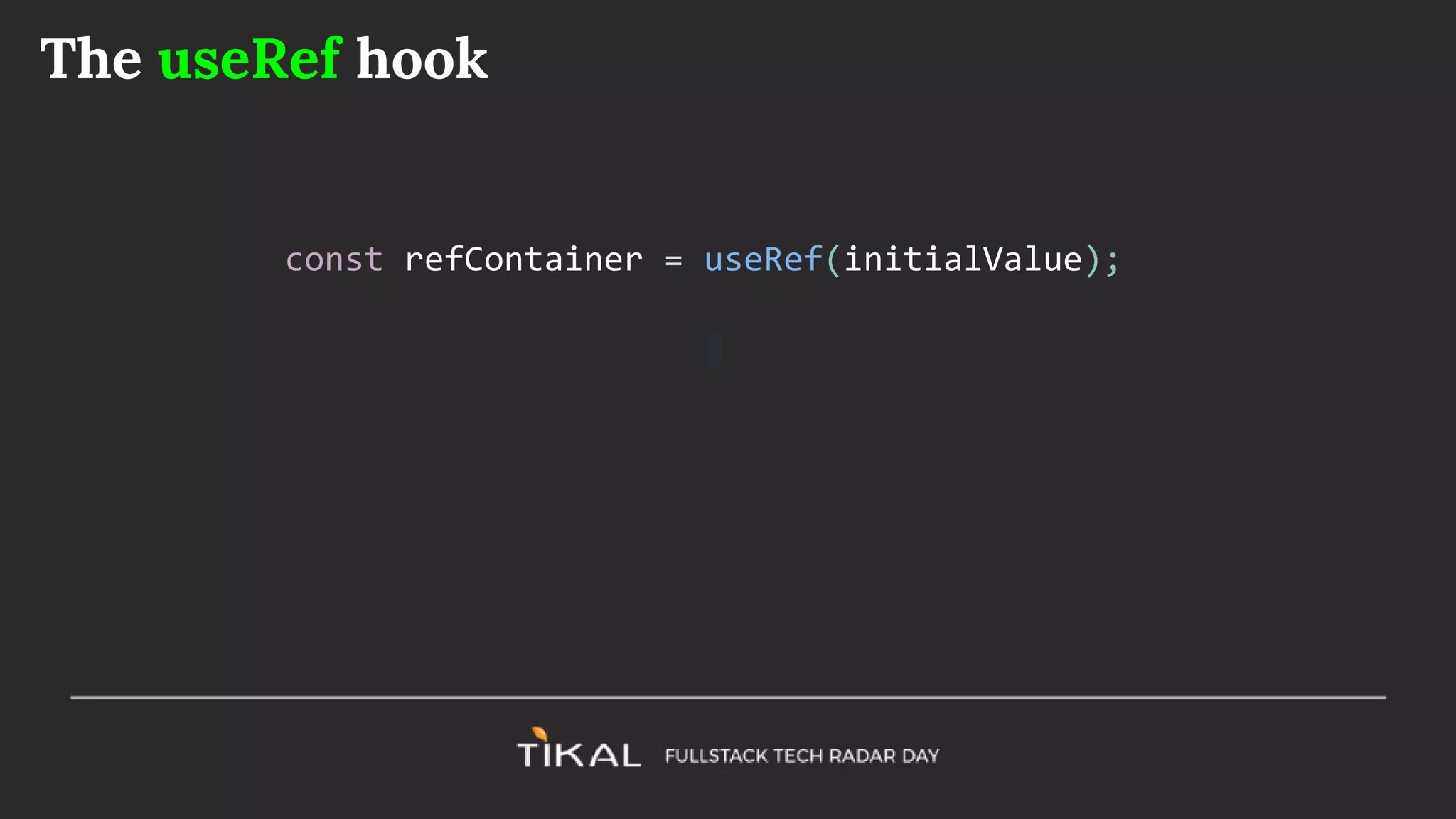
The useRef hook
const refContainer = useRef(initialValue);
function TextInputWithFocusButton() {
const inputEl = useRef(null);
const onButtonClick = () => {
// `current` points to the mounted text input element
inputEl.current.focus();
};
return (
<>
<input ref={inputEl} type="text" />
<button onClick={onButtonClick}>Focus the input</button>
</>
);
}

React hooks

  • 1.
  • 2.
    React component Types Stateless ●Pure function with no side-effects ● No internal state ● No lifecycle hooks ● Simple ● Easy to reuse ● Easy to test Stateful ● Class components ● Retain internal state ● Enables lifecycle interaction ● Complex ● Not easy to test internal logic
  • 3.
    What are hooks Functionsthat enhance Functional Components with state maintaining and side-effects capabilities
  • 4.
    Why do weneed them? ● Class components become complex and difficult to maintain and test ● Class components lifecycle functions group different logic and cause confusion. ● More reusable code ● Reduce complexity of HoC layers
  • 5.
    The setState hook const[stateVal, updateValFn] = React.useState(initialVal)
  • 6.
    Export class Counterextends React.Component { state = { counter: 0, }; setCounter = (val) => { this.setState(val); } render() { const { counter } = this.state; return ( <div className="App"> <div>{counter}</div> <div> <button onClick={() => this.setCounter(counter + 1)}>+1</button> <button onClick={() => this.setCounter(counter - 1)}>-1</button> </div> </div> ); } }
  • 7.
    import React from'react'; export function Counter() { const [counter, setCounter] = React.useState(0); return ( <div className="App"> <div>{counter}</div> <div> <button onClick={() => setCounter(counter + 1)}>+1</button> <button onClick={() => setCounter(counter - 1)}>-1</button> </div> </div> ); }
  • 8.
  • 9.
  • 10.
    The useEffect hook Usedto add side effect capabilities to the functional component. This is a combination of componentDidMount, componentDidUpdate, and componentWillUnmount React.useEffect(sideEffecFn, [dependencies]): cleanupFn
  • 11.
    ● sideEfectFn: Afunction that can perform a side effect, e.g. async call to fetch data ● dependencies (Array): A list of values that if changed will trigger the sideEffectFn and cause a re-render ● cleanupFn: the (optional) returned value of the side effect - triggered before each re-render - used for cleaning up, e.g. unregistering from events React.useEffect(sideEffecFn, [dependencies]): cleanupFn
  • 12.
    class Example extendsReact.Component { state = { count: 0 }; componentDidMount() { document.title = `You clicked ${this.state.count} times`; } componentDidUpdate() { document.title = `You clicked ${this.state.count} times`; } render() { return ( <div> <p>You clicked {this.state.count} times</p> <button onClick={() => this.setState({ count: this.state.count + 1 })}> Click me </button> </div> ); } }
  • 13.
    import React, {useState, useEffect } from 'react'; function Example() { const [count, setCount] = useState(0); useEffect(() => { document.title = `You clicked ${count} times`; }); return ( <div> <p>You clicked {count} times</p> <button onClick={() => setCount(count + 1)}> Click me </button> </div> ); }
  • 14.
    The dependencies optionalparameter Every time the component renders the effect is ‘useEfect’ is triggered. It compares the values in this array to the values of the previous execution. If the values do not change then the sideEffectFn will not re-execute. ● No array given (undefined) - will execute on every render (componentDidMount + componentDidUpdate) ● An empty array given - will execute once (componentDidMount) ● Array with values - will execute only if one of the values has changed
  • 15.
  • 16.
    Create country auto-completeusing useEffect https://restcountries.eu/rest/v2/name/:query
  • 17.
    Build your ownhooks Custom hooks are reusable functions that encapsulate useState and useEffect methods
  • 18.
    import React, {useState, useEffect } from 'react'; function useFriendStatus(friendID) { const [isOnline, setIsOnline] = useState(null); useEffect(() => { function handleStatusChange(status) { setIsOnline(status.isOnline); } ChatAPI.subscribeToFriendStatus(friendID, handleStatusChange); return () => { ChatAPI.unsubscribeFromFriendStatus(friendID, handleStatusChange); }; }); return isOnline; }
  • 19.
    function FriendStatus(props) { constisOnline = useFriendStatus(props.friend.id); if (isOnline === null) { return 'Loading...'; } return isOnline ? 'Online' : 'Offline'; } function FriendListItem(props) { const isOnline = useFriendStatus(props.friend.id); return ( <li style={{ color: isOnline ? 'green' : 'black' }}> {props.friend.name} </li> ); }}
  • 20.
    Practice: Create a ‘useCountryName’hook. It will accept a country ISO code (e.g. ISR) and return the country name. http://restcountries.eu/rest/v2/alpha/ISR
  • 21.
    More Hooks ● useContext ●useReducer ● useCallback ● useMemo ● useRef
  • 22.
    The useContext hook Givesaccess to the component’s context if a context provider was set higher in the hierarchy const value = useContext(MyContext);
  • 23.
    Practice Extract the apiclient (has a “fetch” function) and pass it in as Context
  • 24.
    import React from"react"; export const apiClient = { getData: (query: string) => fetch(`https://restcountries.eu/rest/v2/name/${query}`) .then(res => res.json()) .then(countries => countries.map((c: any) => c.name)) }; export const ApiContext = React.createContext(apiClient);
  • 25.
    import React from"react"; import { Search } from "./components/Serach"; import { ApiContext, apiClient } from "./api/ApiClient"; const App: React.FC = () => { return ( <ApiContext.Provider value={apiClient}> <div className="App"> <Search /> </div> </ApiContext.Provider> ); }; export default App;
  • 26.
    const apiClient =useContext(ApiContext); useEffect(() => { if (query) { apiClient.getData(query).then(names => setCountries(names)); } }, [query]);
  • 27.
    The useReducer hook Similarto useState const [state, dispatch] = useReducer(reducer, initialArg, init);
  • 28.
    When do weuse it? Instead of passing down callbacks to update the state in a large component tree - you can pass the dispatch function in the context
  • 29.
    const TodosDispatch =React.createContext(null); function TodosApp() { // Note: `dispatch` won't change between re-renders const [todos, dispatch] = useReducer(todosReducer); return ( <TodosDispatch.Provider value={dispatch}> <DeepTree todos={todos} /> </TodosDispatch.Provider> ); } function DeepChild(props) { // If we want to perform an action, we can get dispatch from context. const dispatch = useContext(TodosDispatch); function handleClick() { dispatch({ type: 'add', text: 'hello' }); } return ( <button onClick={handleClick}>Add todo</button> ); }
  • 30.
    The useCallback hook constmemoizedCallback = useCallback( () => { doSomething(a, b); }, [a, b], );
  • 31.
    When to useit? When passing a function to children - avoid re-rendering due to new function creation. Render checks use ‘===’ comparison of params
  • 32.
    The useMemo hook constmemoizedValue = useMemo(() => computeExpensiveValue(a, b), [a, b]);
  • 33.
    Practice: 1. Extract thesearch button to a seperate component - “SearchButton” 2. Prevent the SearchButton component from re-rendering on every text change.
  • 34.
    The useRef hook constrefContainer = useRef(initialValue);
  • 35.
    function TextInputWithFocusButton() { constinputEl = useRef(null); const onButtonClick = () => { // `current` points to the mounted text input element inputEl.current.focus(); }; return ( <> <input ref={inputEl} type="text" /> <button onClick={onButtonClick}>Focus the input</button> </> ); }

Editor's Notes

  • #4 https://github.com/getify/TNG-Hooks/blob/master/src/tng-hooks.src.js