INTRODUCTION
TO
JAVA PROGRAM
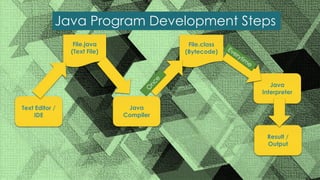
Java Program Development Steps
Text Editor /
IDE
File.java
(Text File)
Java
Compiler
Java
Interpreter
Result /
Output
File.class
(Bytecode)
O
n
c
e
Everytim
e
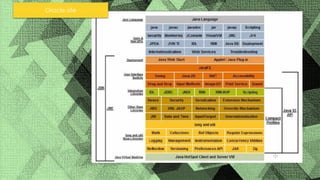
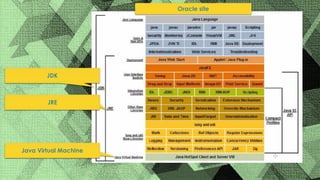
Oracle site
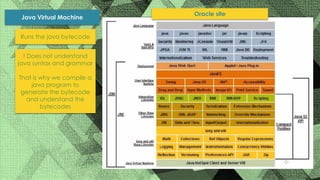
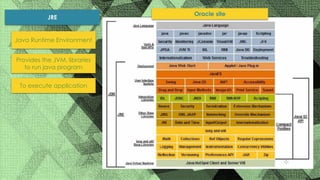
Oracle site
Java Virtual Machine
JRE
JDK
Oracle site
Java Virtual Machine
Runs the java bytecode
! Does not understand
java syntax and grammar
That is why we compile a
java program to
generate the bytecode
and understand the
bytecodes
Oracle site
JRE
Provides the JVM, libraries
to run java program
To execute application
Java Runtime Environment
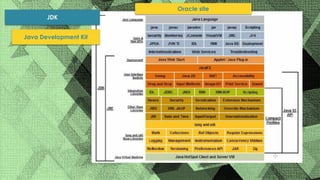
Oracle site
JDK
Java Development Kit
WRITE YOUR
FIRST JAVA
PROGRAM IN
NOTEPAD++
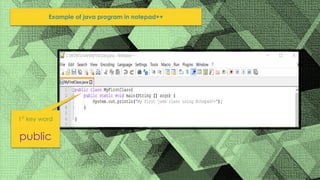
Example of java program in notepad++
1st
key word
public
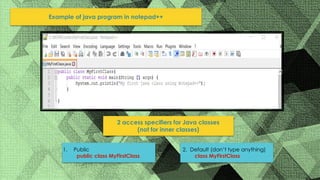
Example of java program in notepad++
2 access specifiers for Java classes
(not for inner classes)
1. Public
public class MyFirstClass
2. Default (don’t type anything)
class MyFirstClass
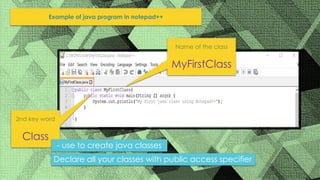
Example of java program in notepad++
2nd key word
Class
Name of the class
MyFirstClass
- use to create java classes
Declare all your classes with public access specifier
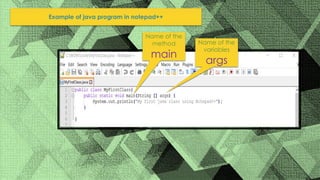
Example of java program in notepad++
Name of the
method
main
Name of the
variables
args
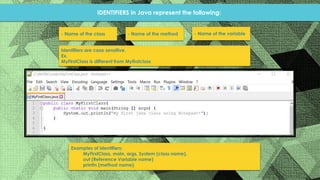
IDENTIFIERS in Java represent the following:
- Name of the class - Name of the method - Name of the variable
Identifiers are case sensitive.
Ex.
MyFirstClass is different from Myfirstclass
Examples of identifiers:
MyFirstClass, main, args, System (class name),
out (Reference Variable name)
println (method name)
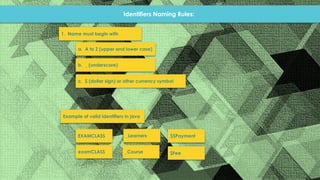
Identifiers Naming Rules:
1. Name must begin with
a. A to Z (upper and lower case)
b. _ (underscore)
c. $ (dollar sign) or other currency symbol
Example of valid identifiers in java
EXAMCLASS
examCLASS
_Learners
_Course
$$Payment
$Fee
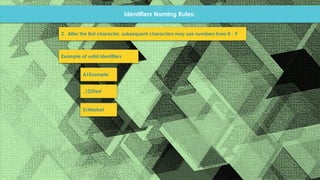
Identifiers Naming Rules:
2. After the first character, subsequent characters may use numbers from 0 - 9
Example of valid identifiers
A1Example
_123Test
$1Market
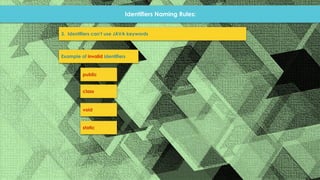
Identifiers Naming Rules:
3. Identifiers can’t use JAVA keywords
Example of invalid identifiers
public
class
void
static
Identifiers Naming Rules:
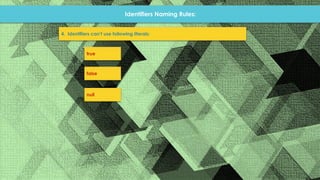
4. Identifiers can’t use following literals:
true
false
null
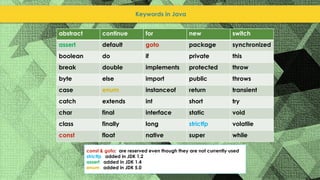
Keywords in Java
abstract continue for new switch
assert default goto package synchronized
boolean do if private this
break double implements protected throw
byte else import public throws
case enum instanceof return transient
catch extends int short try
char final interface static void
class finally long strictfp volatile
const float native super while
const & goto: are reserved even though they are not currently used
strictfp: added in JDK 1.2
assert: added in JDK 1.4
enum: added in JDK 5.0
WRITE YOUR
FIRST JAVA
PROGRAM IN
ECLIPSE
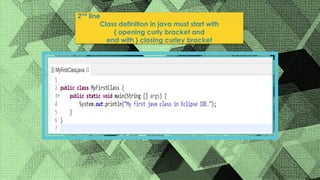
2nd
line
Class definition in java must start with
{ opening curly bracket and
end with } closing curley bracket
Main method signatures are also valid:
static public void main(String[] args)[ ] { }
public static void main(String. . . args)[]{ }
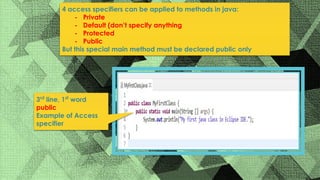
4 access specifiers can be applied to methods in java:
- Private
- Default (don’t specify anything
- Protected
- Public
But this special main method must be declared public only
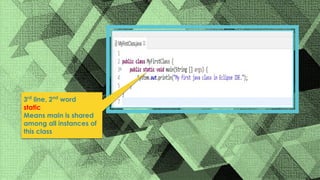
3rd
line, 1st
word
public
Example of Access
specifier
3rd
line, 2nd
word
static
Means main is shared
among all instances of
this class
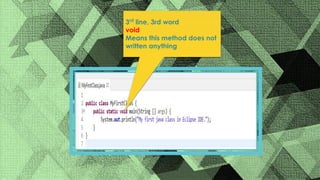
3rd
line, 3rd word
void
Means this method does not
written anything
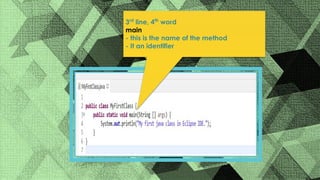
3rd
line, 4th
word
main
- this is the name of the method
- It an identifier
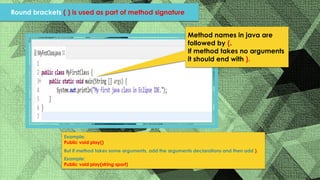
Method names in java are
followed by (.
If method takes no arguments
it should end with ).
Example:
Public void play()
But if method takes some arguments, add the arguments declarations and then add ).
Example:
Public void play(string sport)
Round brackets ( ) is used as part of method signature
args the name of the string
array parameter
String arrays [ ] accespts string arrays as a parameter
What are the arguments that we can pass inside the method?
{ opening bracket for the
main method
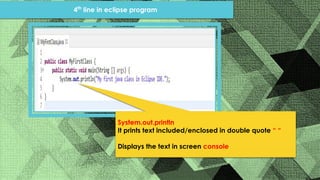
System.out.println
It prints text included/enclosed in double quote “ “
Displays the text in screen console
4th
line in eclipse program
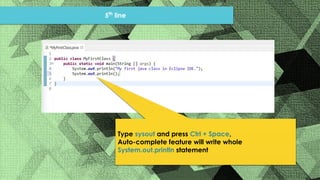
5th
line
Type sysout and press Ctrl + Space,
Auto-complete feature will write whole
System.out.println statement
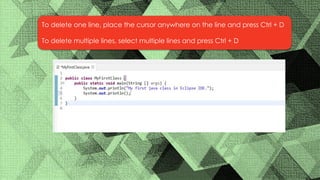
To delete one line, place the cursor anywhere on the line and press Ctrl + D
To delete multiple lines, select multiple lines and press Ctrl + D
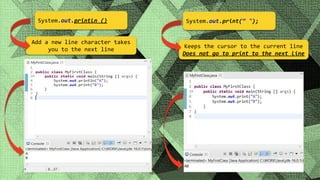
System.out.println () System.out.print(“ ");
Add a new line character takes
you to the next line
Keeps the cursor to the current line
Does not go to print to the next line
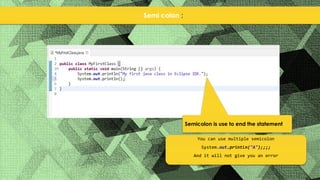
Semi colon ;
Semicolon is use to end the statement
You can use multiple semicolon
System.out.println("A");;;;
And it will not give you an error
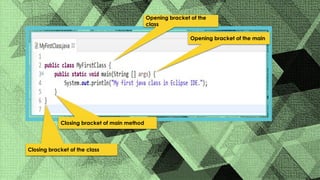
Closing bracket of main method
Closing bracket of the class
Opening bracket of the
class
Opening bracket of the main

java intro.pptx.pdf

  • 1.
  • 2.
    Java Program DevelopmentSteps Text Editor / IDE File.java (Text File) Java Compiler Java Interpreter Result / Output File.class (Bytecode) O n c e Everytim e
  • 3.
  • 4.
    Oracle site Java VirtualMachine JRE JDK
  • 5.
    Oracle site Java VirtualMachine Runs the java bytecode ! Does not understand java syntax and grammar That is why we compile a java program to generate the bytecode and understand the bytecodes
  • 6.
    Oracle site JRE Provides theJVM, libraries to run java program To execute application Java Runtime Environment
  • 7.
  • 8.
  • 9.
    Example of javaprogram in notepad++ 1st key word public
  • 10.
    Example of javaprogram in notepad++ 2 access specifiers for Java classes (not for inner classes) 1. Public public class MyFirstClass 2. Default (don’t type anything) class MyFirstClass
  • 11.
    Example of javaprogram in notepad++ 2nd key word Class Name of the class MyFirstClass - use to create java classes Declare all your classes with public access specifier
  • 12.
    Example of javaprogram in notepad++ Name of the method main Name of the variables args
  • 13.
    IDENTIFIERS in Javarepresent the following: - Name of the class - Name of the method - Name of the variable Identifiers are case sensitive. Ex. MyFirstClass is different from Myfirstclass Examples of identifiers: MyFirstClass, main, args, System (class name), out (Reference Variable name) println (method name)
  • 14.
    Identifiers Naming Rules: 1.Name must begin with a. A to Z (upper and lower case) b. _ (underscore) c. $ (dollar sign) or other currency symbol Example of valid identifiers in java EXAMCLASS examCLASS _Learners _Course $$Payment $Fee
  • 15.
    Identifiers Naming Rules: 2.After the first character, subsequent characters may use numbers from 0 - 9 Example of valid identifiers A1Example _123Test $1Market
  • 16.
    Identifiers Naming Rules: 3.Identifiers can’t use JAVA keywords Example of invalid identifiers public class void static
  • 17.
    Identifiers Naming Rules: 4.Identifiers can’t use following literals: true false null
  • 18.
    Keywords in Java abstractcontinue for new switch assert default goto package synchronized boolean do if private this break double implements protected throw byte else import public throws case enum instanceof return transient catch extends int short try char final interface static void class finally long strictfp volatile const float native super while const & goto: are reserved even though they are not currently used strictfp: added in JDK 1.2 assert: added in JDK 1.4 enum: added in JDK 5.0
  • 19.
  • 20.
    2nd line Class definition injava must start with { opening curly bracket and end with } closing curley bracket
  • 21.
    Main method signaturesare also valid: static public void main(String[] args)[ ] { } public static void main(String. . . args)[]{ }
  • 22.
    4 access specifierscan be applied to methods in java: - Private - Default (don’t specify anything - Protected - Public But this special main method must be declared public only 3rd line, 1st word public Example of Access specifier
  • 23.
    3rd line, 2nd word static Means mainis shared among all instances of this class
  • 24.
    3rd line, 3rd word void Meansthis method does not written anything
  • 25.
    3rd line, 4th word main - thisis the name of the method - It an identifier
  • 26.
    Method names injava are followed by (. If method takes no arguments it should end with ). Example: Public void play() But if method takes some arguments, add the arguments declarations and then add ). Example: Public void play(string sport) Round brackets ( ) is used as part of method signature
  • 27.
    args the nameof the string array parameter String arrays [ ] accespts string arrays as a parameter What are the arguments that we can pass inside the method? { opening bracket for the main method
  • 28.
    System.out.println It prints textincluded/enclosed in double quote “ “ Displays the text in screen console 4th line in eclipse program
  • 29.
    5th line Type sysout andpress Ctrl + Space, Auto-complete feature will write whole System.out.println statement
  • 30.
    To delete oneline, place the cursor anywhere on the line and press Ctrl + D To delete multiple lines, select multiple lines and press Ctrl + D
  • 31.
    System.out.println () System.out.print(“"); Add a new line character takes you to the next line Keeps the cursor to the current line Does not go to print to the next line
  • 32.
    Semi colon ; Semicolonis use to end the statement You can use multiple semicolon System.out.println("A");;;; And it will not give you an error
  • 33.
    Closing bracket ofmain method Closing bracket of the class Opening bracket of the class Opening bracket of the main