Modern Programming
Languages
HAZRAT KHAN LECTURE 1
Introduction
Java is a High Level programming Language.
The first name of Java was Oak, developed in 1991 by Sun Microsystems.
In 1995, it was renamed as Java.
A key goal of Java is to be able to write programs that:
will run on a great variety of computer systems and
computer-control devices.
This is sometimes called “write once, run anywhere.”
Java Platform
The Java platform differs from most other platforms in that it's a software-
only platform that runs on top of other hardware-based platforms.
The Java platform has two components:
The Java Virtual Machine (JVM)
The Java Application Programming Interface (API) [Built-in Java class
libraries]
The Java Virtual Machine; it's the base for the Java platform and is ported
onto various hardware-based platforms.
Why Choose Java(Features)?
Simple:
◦ Programming notation of Java is not different from the
programming language like C and C++ which makes it easier to
learn Java.
Object-oriented:
◦ Java is pure object oriented programming language
Why Choose Java(Features)?
Secure:
◦ Java program run under the control of JVM, do not instructs the
commands directly to the machine like C/C++
◦ This way any program tries to get illegal access to the system will not be
allowed by the JVM. Allowing Java programs to be executed by the JVM
makes Java program fully secured under the control of the JVM.
Portable:
◦ Java programs are portable because of its ability to run the program on
any platform and no dependency on the underlying hardware /
operating system.
Why Choose Java(Features)?
Multithreaded:
◦ Java allows you to develop program that can do multiple task
simultaneously
Architecture-Neutral:
◦ Java code does not depend on the underlying architecture and
only depends on it JVM thus accomplish the architecture neutral
programming language.
Why Choose Java(Features)?
Interpreted:
◦ The compiled code of Java is not machine instructions but rather
its a intermediate code called ByteCode. This code can be executed
on any machine that implements the Java virtual Machine. JVM
interprets the ByteCode into Machine instructions during runtime.
Performance:
◦ JVM interpret only the piece of the code that is required to
execute and untouch the rest of the code. The performance of java
is never questioned compared with another programming
language.
Java is Architecture Neutral!
The most important advantage of java over other programming
Languages is that, Java is Architecture Neutral.
This means that a Program written in java can be run by “Any
Machine” having “Any operating System”.
Java is platform-independent language
Java’s Magic(JVM & ByteCode)
Java program is first compiled and then it is interpreted.
When a java program is compiled, it is then converted into
bytecode.
Byte code is intermediate code.
Byte code is a set of instructions designed to be executed by the
JVM
Java’s Magic(JVM & ByteCode)
JVM stands for the Java Virtual Machine. The JVM is interpreter for
java byte code.
Job of JVM is to read this ByteCode and convert into machine
dependent instructions. So, JVM’s needs to be platform specific but
not the developers code.
Java’s Magic(JVM & ByteCode)
JVM vs ByteCode
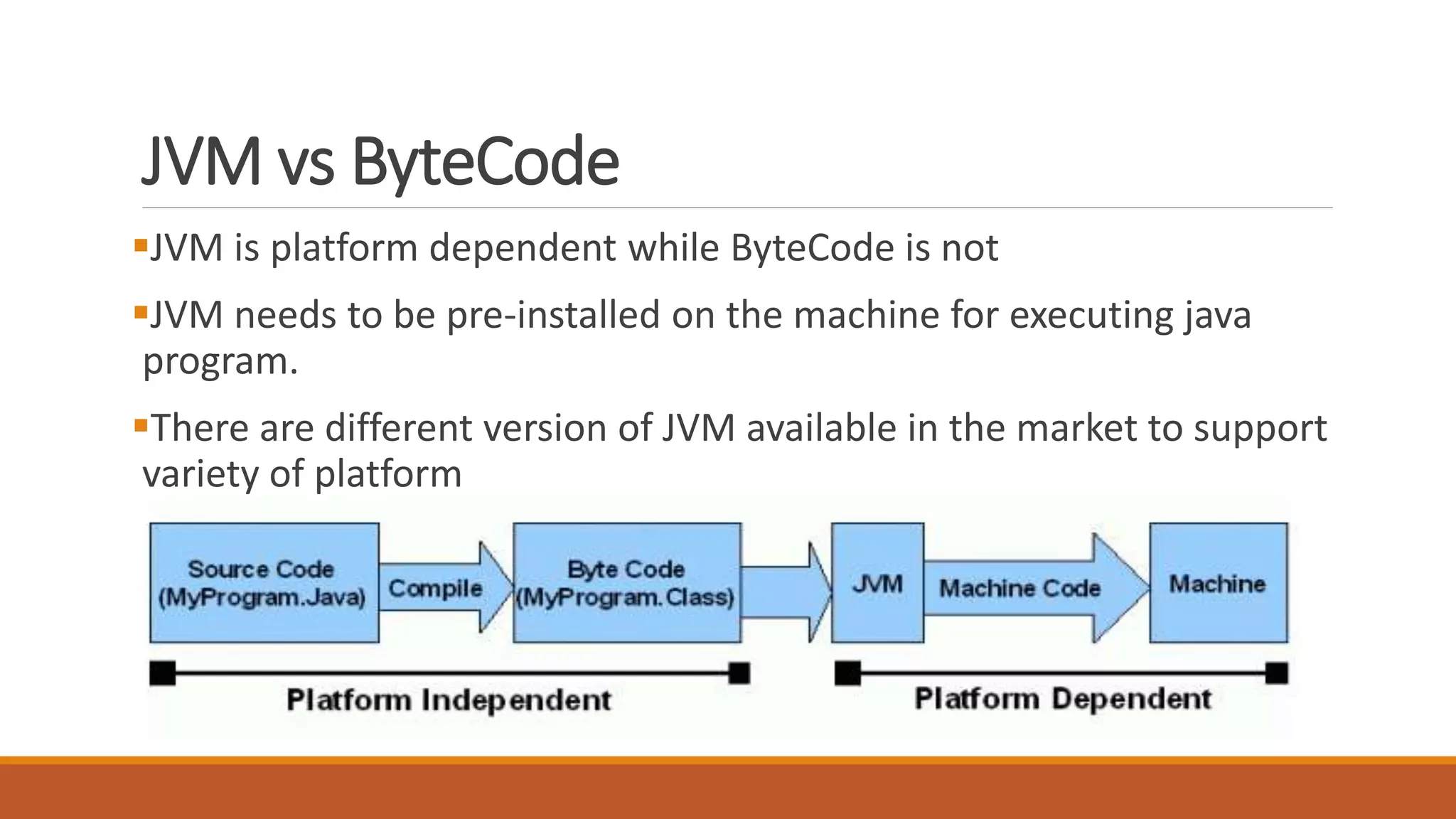
JVM is platform dependent while ByteCode is not
JVM needs to be pre-installed on the machine for executing java
program.
There are different version of JVM available in the market to support
variety of platform
Downloading & Installing JDK / Netbeans
Java Development Toolkit (JDK)
Java SE 7
Java SE 8
www.oracle.com/technetwork/java/javase/downloads
Netbeans
Bundled with JDK
Can also get at netbeans.org/downloads
Phases of Java Program
Java programs normally go through five phases:
Edit
Compile
Load
Verify
Execute
Phase 1&2: Edit & Compile
Phase 3: Loading a Program into Memory
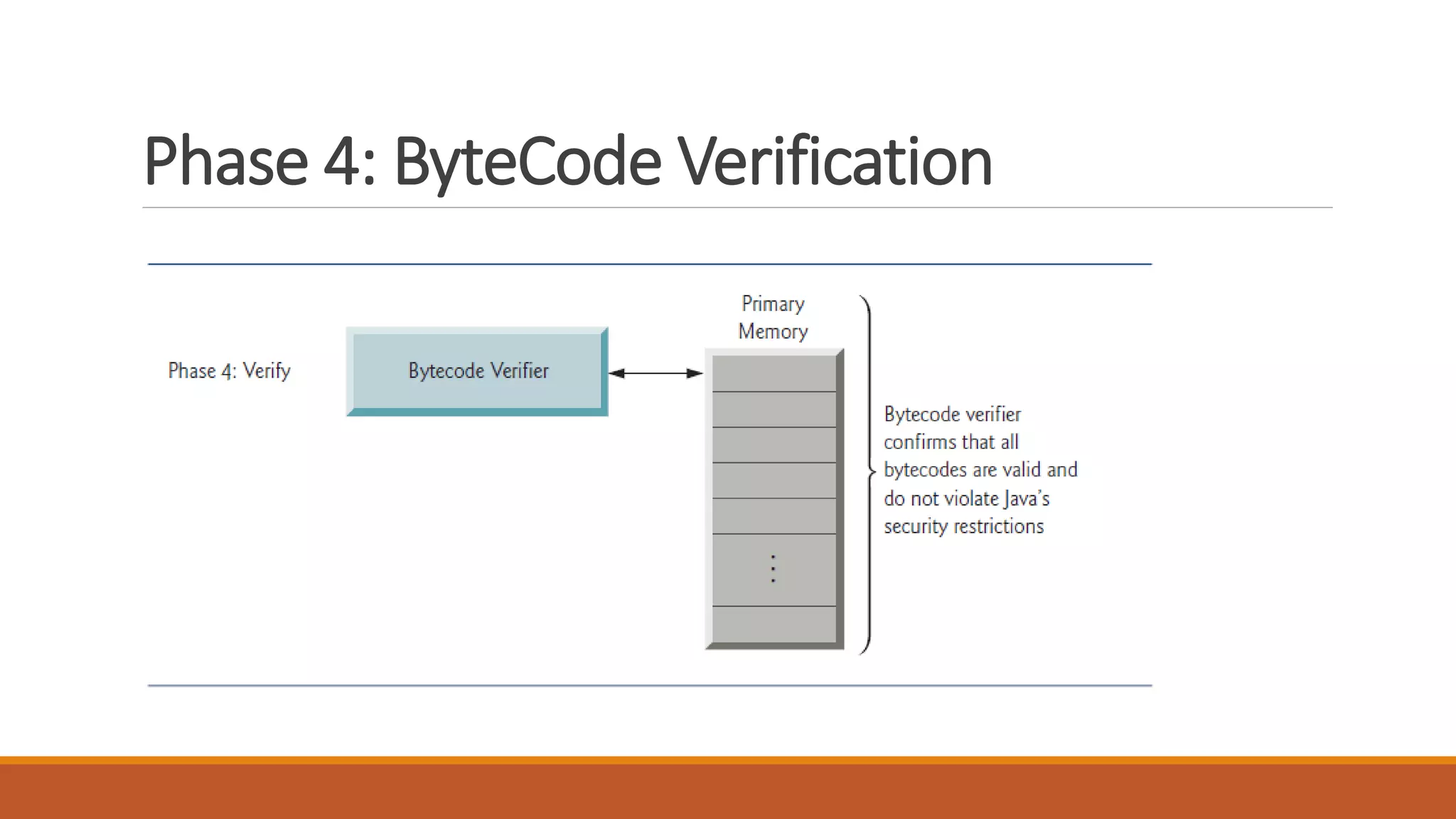
Phase 4: ByteCode Verification
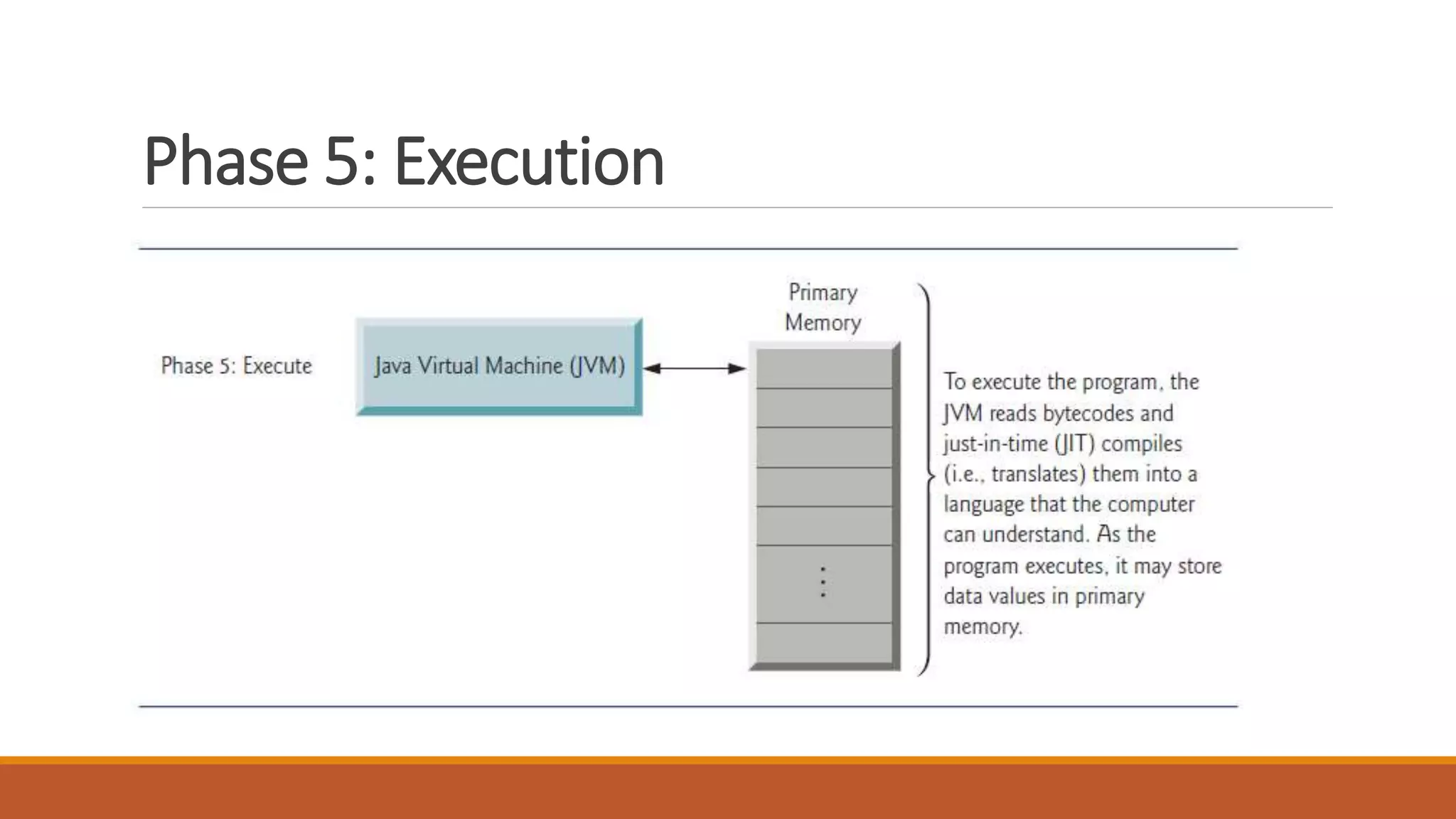
Phase 5: Execution
Your First Java Program
class MyProgram
{
public static void main(String args[])
{
System.out.println("This is a simple Java program.");
}
}
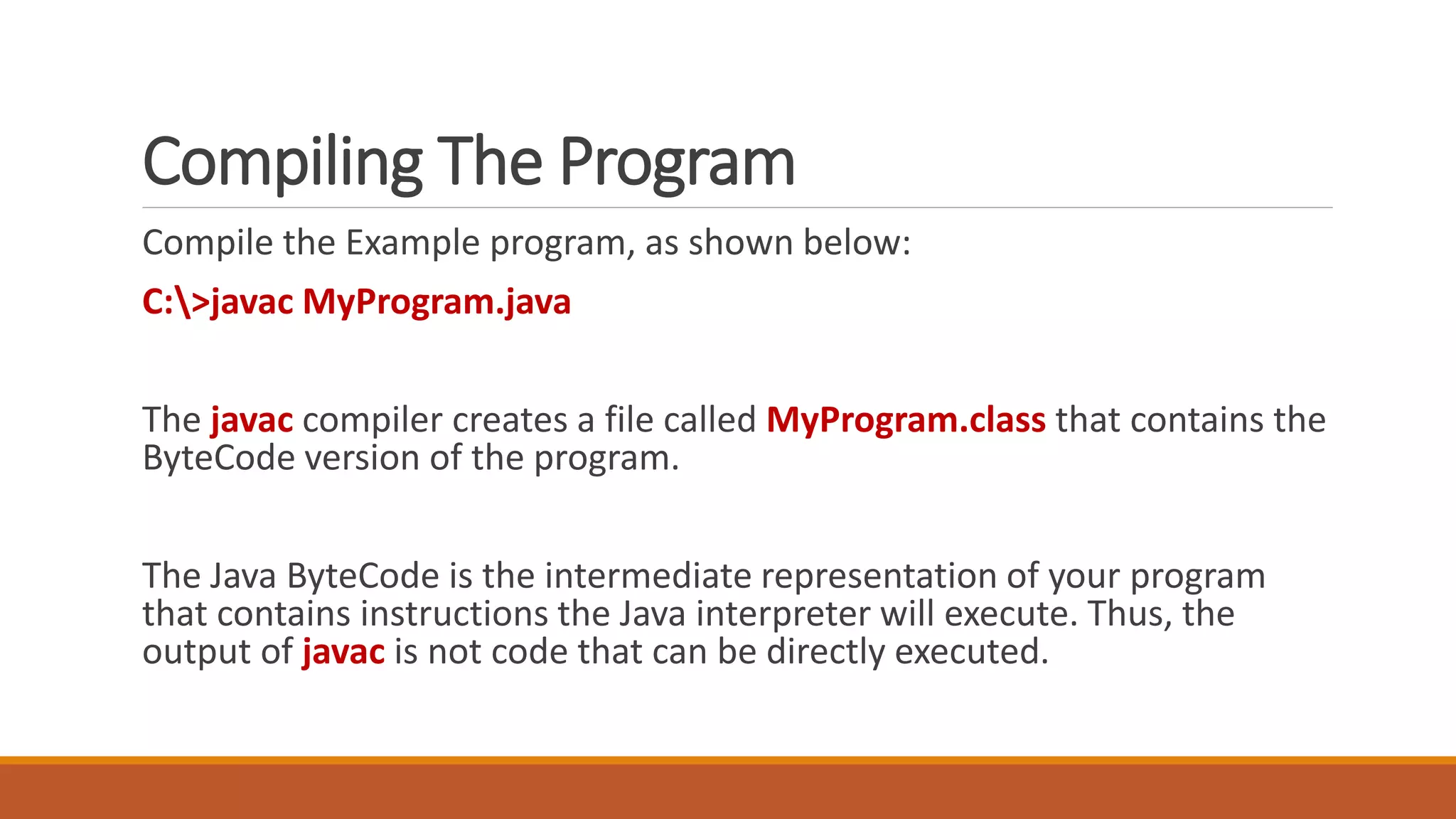
Compiling The Program
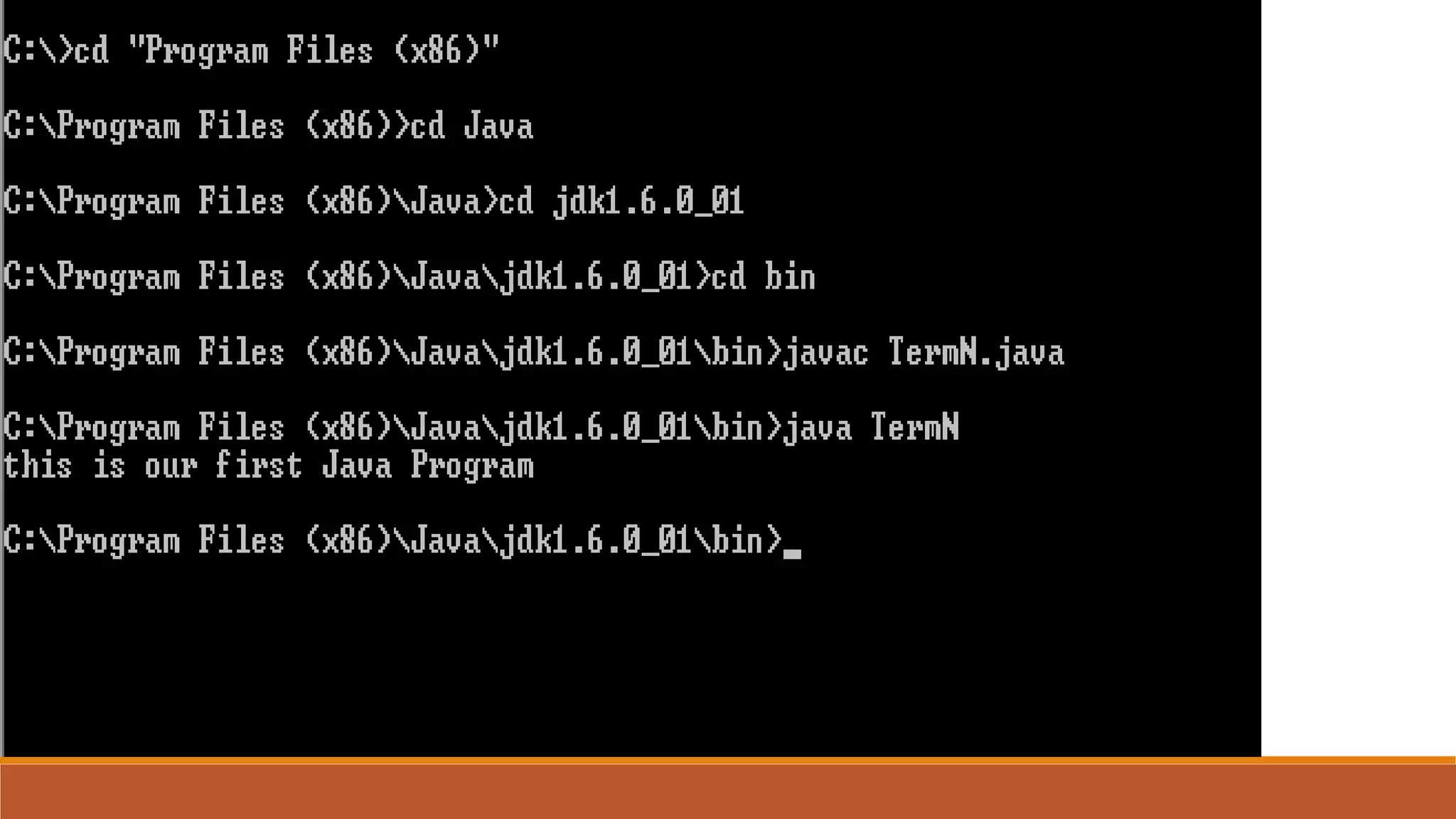
Compile the Example program, as shown below:
C:>javac MyProgram.java
The javac compiler creates a file called MyProgram.class that contains the
ByteCode version of the program.
The Java ByteCode is the intermediate representation of your program
that contains instructions the Java interpreter will execute. Thus, the
output of javac is not code that can be directly executed.
Executing The Program
To actually run the program, you must use the Java interpreter, called
java.
To do so, pass the class name Example as a command-line
argument, as shown here:
C:>java MyProgram
When the program runs, the following console output is displayed:
This is a simple Java program.
Executing The Program
Because the Java VM is available on many
different operating systems, the same
.class files are capable of running on:
Microsoft Windows,
Solaris TM Operating System (Solaris OS),
Linux,
Mac OS.
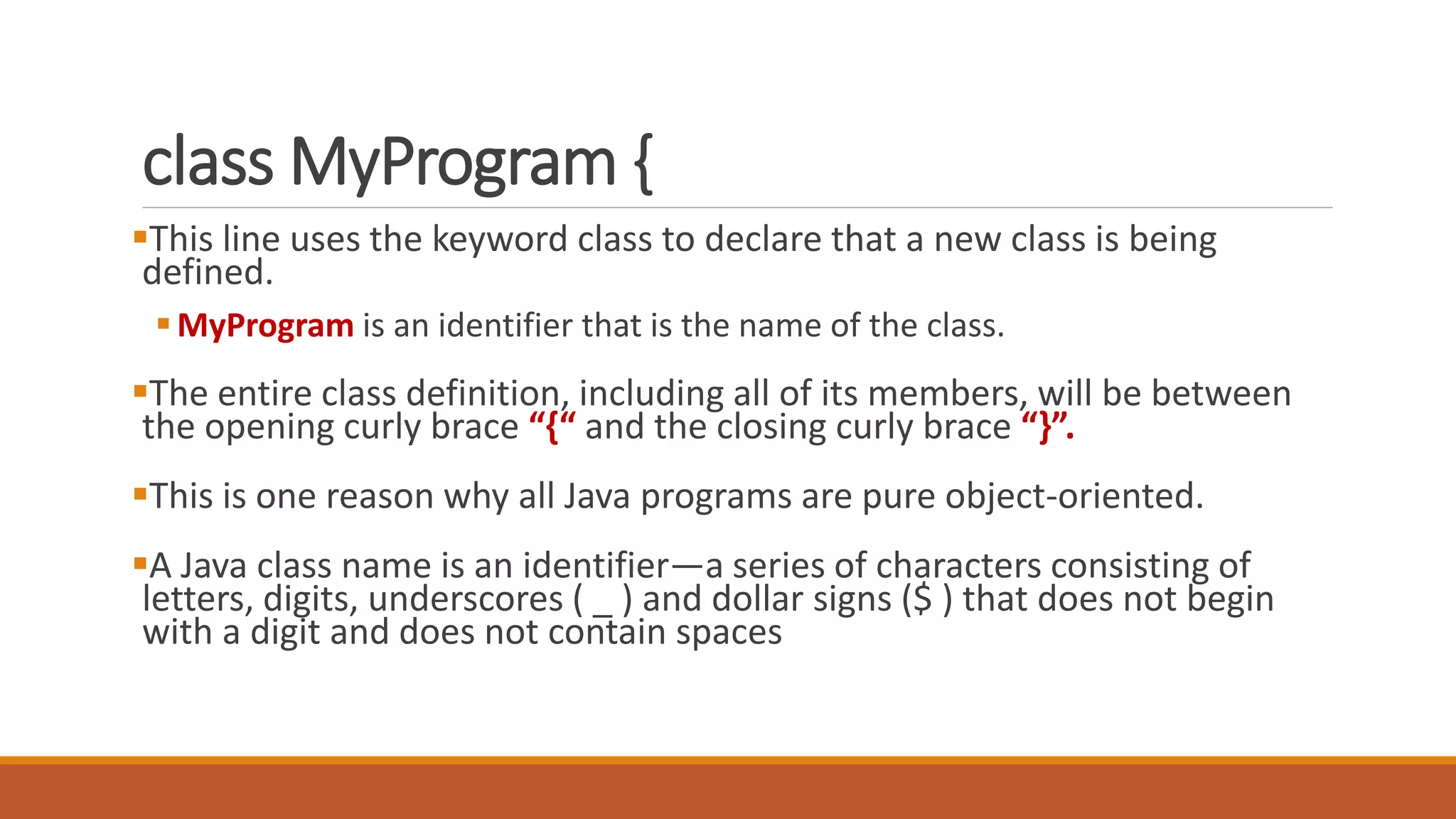
class MyProgram {
This line uses the keyword class to declare that a new class is being
defined.
MyProgram is an identifier that is the name of the class.
The entire class definition, including all of its members, will be between
the opening curly brace “{“ and the closing curly brace “}”.
This is one reason why all Java programs are pure object-oriented.
A Java class name is an identifier—a series of characters consisting of
letters, digits, underscores ( _ ) and dollar signs ($ ) that does not begin
with a digit and does not contain spaces
public static void main(String args[]) {
This line begins the main( ) method.
As the comment preceding it suggests, this is the line at which the
program will begin executing.
All Java applications begin execution by calling main( ). (This is just
like C/C++.)
public
The public keyword is an access specifier, which allows the
programmer to control the visibility of class members.
When a class member is preceded by public, then that member may
be accessed by code outside the class in which it is declared.
In this case, main( ) must be declared as public, since it must be
called by code outside of its class when the program is started.
void & static
The keyword static allows main( ) to be called without having to
instantiate a particular instance of the class.
This is necessary since main( ) is called by the Java interpreter
before any objects are made.
The keyword void simply tells the compiler that main( ) does not
return a value.
main()
main( ) is the method called when a Java application begins.
Keep in mind that Java is case-sensitive. Thus, Main is different from
main. It is important to understand that the Java compiler will
compile classes that do not contain a main( ) method.
But the Java interpreter has no way to run these classes.
So, if you had typed Main instead of main, the compiler would still
compile your program. However, the Java interpreter would report
an error because it would be unable to find the main( ) method.
Parameter
Any information that you need to pass to a method is received by
variables specified within the set of parentheses that follow the
name of the method.
These variables are called parameters.
If there are no parameters required for a given method, you still
need to include the empty parentheses.
Parameter…
In main( ), there is only one parameter. String args[ ] declares a
parameter named args, which is an array of instances of the class
String.
Objects of type String store character strings. In this case, args
receives any command-line arguments present when the program is
executed.
main() revisited…
One other point:
main( ) is simply a starting place for your program.
So a complex program will have dozens of classes, only one of which
will need to have a main( ) method to get things started.
System.out.println("This is a simple Java program.");
This line outputs the string “This is a simple Java program.”
followed by a new line on the screen.
Output is actually accomplished by the built-in println( ) method.
In this case, println( ) displays the string which is passed to it.
System is a predefined class that provides access to the system, and
out is the output stream.
Example 2
class Example2{
public static void main(String args[]) {
System.out.print(“Welcome to ”);
System.out.println("Java programing course.");
System.out.printf( "%sn%sn", "Welcome to", "Java Programming!" );}
}
Differentiate between print, println & printf built-in methods?
Format Specifier with printf()
Format Specifiers are used with printf method, and begin with a percent
sign (%) followed by a character that represents the data type.
For example, the format specifier %s is a placeholder for a string
Each format specifier is a placeholder for a value and specifies the type of
data to output
%d = Integer
%c = Character
%s = String
%f = Float

Mpl 1

  • 1.
  • 2.
    Introduction Java is aHigh Level programming Language. The first name of Java was Oak, developed in 1991 by Sun Microsystems. In 1995, it was renamed as Java. A key goal of Java is to be able to write programs that: will run on a great variety of computer systems and computer-control devices. This is sometimes called “write once, run anywhere.”
  • 3.
    Java Platform The Javaplatform differs from most other platforms in that it's a software- only platform that runs on top of other hardware-based platforms. The Java platform has two components: The Java Virtual Machine (JVM) The Java Application Programming Interface (API) [Built-in Java class libraries] The Java Virtual Machine; it's the base for the Java platform and is ported onto various hardware-based platforms.
  • 4.
    Why Choose Java(Features)? Simple: ◦Programming notation of Java is not different from the programming language like C and C++ which makes it easier to learn Java. Object-oriented: ◦ Java is pure object oriented programming language
  • 5.
    Why Choose Java(Features)? Secure: ◦Java program run under the control of JVM, do not instructs the commands directly to the machine like C/C++ ◦ This way any program tries to get illegal access to the system will not be allowed by the JVM. Allowing Java programs to be executed by the JVM makes Java program fully secured under the control of the JVM. Portable: ◦ Java programs are portable because of its ability to run the program on any platform and no dependency on the underlying hardware / operating system.
  • 6.
    Why Choose Java(Features)? Multithreaded: ◦Java allows you to develop program that can do multiple task simultaneously Architecture-Neutral: ◦ Java code does not depend on the underlying architecture and only depends on it JVM thus accomplish the architecture neutral programming language.
  • 7.
    Why Choose Java(Features)? Interpreted: ◦The compiled code of Java is not machine instructions but rather its a intermediate code called ByteCode. This code can be executed on any machine that implements the Java virtual Machine. JVM interprets the ByteCode into Machine instructions during runtime. Performance: ◦ JVM interpret only the piece of the code that is required to execute and untouch the rest of the code. The performance of java is never questioned compared with another programming language.
  • 8.
    Java is ArchitectureNeutral! The most important advantage of java over other programming Languages is that, Java is Architecture Neutral. This means that a Program written in java can be run by “Any Machine” having “Any operating System”. Java is platform-independent language
  • 9.
    Java’s Magic(JVM &ByteCode) Java program is first compiled and then it is interpreted. When a java program is compiled, it is then converted into bytecode. Byte code is intermediate code. Byte code is a set of instructions designed to be executed by the JVM
  • 10.
    Java’s Magic(JVM &ByteCode) JVM stands for the Java Virtual Machine. The JVM is interpreter for java byte code. Job of JVM is to read this ByteCode and convert into machine dependent instructions. So, JVM’s needs to be platform specific but not the developers code.
  • 11.
  • 12.
    JVM vs ByteCode JVMis platform dependent while ByteCode is not JVM needs to be pre-installed on the machine for executing java program. There are different version of JVM available in the market to support variety of platform
  • 13.
    Downloading & InstallingJDK / Netbeans Java Development Toolkit (JDK) Java SE 7 Java SE 8 www.oracle.com/technetwork/java/javase/downloads Netbeans Bundled with JDK Can also get at netbeans.org/downloads
  • 14.
    Phases of JavaProgram Java programs normally go through five phases: Edit Compile Load Verify Execute
  • 15.
    Phase 1&2: Edit& Compile
  • 16.
    Phase 3: Loadinga Program into Memory
  • 17.
    Phase 4: ByteCodeVerification
  • 18.
  • 19.
    Your First JavaProgram class MyProgram { public static void main(String args[]) { System.out.println("This is a simple Java program."); } }
  • 20.
    Compiling The Program Compilethe Example program, as shown below: C:>javac MyProgram.java The javac compiler creates a file called MyProgram.class that contains the ByteCode version of the program. The Java ByteCode is the intermediate representation of your program that contains instructions the Java interpreter will execute. Thus, the output of javac is not code that can be directly executed.
  • 21.
    Executing The Program Toactually run the program, you must use the Java interpreter, called java. To do so, pass the class name Example as a command-line argument, as shown here: C:>java MyProgram When the program runs, the following console output is displayed: This is a simple Java program.
  • 22.
    Executing The Program Becausethe Java VM is available on many different operating systems, the same .class files are capable of running on: Microsoft Windows, Solaris TM Operating System (Solaris OS), Linux, Mac OS.
  • 24.
    class MyProgram { Thisline uses the keyword class to declare that a new class is being defined. MyProgram is an identifier that is the name of the class. The entire class definition, including all of its members, will be between the opening curly brace “{“ and the closing curly brace “}”. This is one reason why all Java programs are pure object-oriented. A Java class name is an identifier—a series of characters consisting of letters, digits, underscores ( _ ) and dollar signs ($ ) that does not begin with a digit and does not contain spaces
  • 25.
    public static voidmain(String args[]) { This line begins the main( ) method. As the comment preceding it suggests, this is the line at which the program will begin executing. All Java applications begin execution by calling main( ). (This is just like C/C++.)
  • 26.
    public The public keywordis an access specifier, which allows the programmer to control the visibility of class members. When a class member is preceded by public, then that member may be accessed by code outside the class in which it is declared. In this case, main( ) must be declared as public, since it must be called by code outside of its class when the program is started.
  • 27.
    void & static Thekeyword static allows main( ) to be called without having to instantiate a particular instance of the class. This is necessary since main( ) is called by the Java interpreter before any objects are made. The keyword void simply tells the compiler that main( ) does not return a value.
  • 28.
    main() main( ) isthe method called when a Java application begins. Keep in mind that Java is case-sensitive. Thus, Main is different from main. It is important to understand that the Java compiler will compile classes that do not contain a main( ) method. But the Java interpreter has no way to run these classes. So, if you had typed Main instead of main, the compiler would still compile your program. However, the Java interpreter would report an error because it would be unable to find the main( ) method.
  • 29.
    Parameter Any information thatyou need to pass to a method is received by variables specified within the set of parentheses that follow the name of the method. These variables are called parameters. If there are no parameters required for a given method, you still need to include the empty parentheses.
  • 30.
    Parameter… In main( ),there is only one parameter. String args[ ] declares a parameter named args, which is an array of instances of the class String. Objects of type String store character strings. In this case, args receives any command-line arguments present when the program is executed.
  • 31.
    main() revisited… One otherpoint: main( ) is simply a starting place for your program. So a complex program will have dozens of classes, only one of which will need to have a main( ) method to get things started.
  • 32.
    System.out.println("This is asimple Java program."); This line outputs the string “This is a simple Java program.” followed by a new line on the screen. Output is actually accomplished by the built-in println( ) method. In this case, println( ) displays the string which is passed to it. System is a predefined class that provides access to the system, and out is the output stream.
  • 33.
    Example 2 class Example2{ publicstatic void main(String args[]) { System.out.print(“Welcome to ”); System.out.println("Java programing course."); System.out.printf( "%sn%sn", "Welcome to", "Java Programming!" );} } Differentiate between print, println & printf built-in methods?
  • 34.
    Format Specifier withprintf() Format Specifiers are used with printf method, and begin with a percent sign (%) followed by a character that represents the data type. For example, the format specifier %s is a placeholder for a string Each format specifier is a placeholder for a value and specifies the type of data to output %d = Integer %c = Character %s = String %f = Float