Class Design Examples
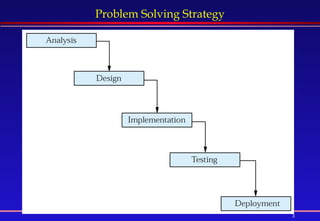
Problem Solving Solving a problem means that we know the way or the method to follow manually from the start till the end. Having the method known, the same method is used by the computer to solve the problem but faster with higher precision. If we do not know how to solve a problem ourselves, the computer will not be of any help in this regard. The strategy for solving a problem goes through the following stages: Analysis: in this stage, we should find  what  the problem should do. Design : the way or method of  how  your problem is solved is produced Implementation: the method found in design is then coded here in a given programming language. Testing: here we verify that the program written is working correctly Deployment : finally the program is ready to use
Problem Solving Strategy
The Class Design Steps Before starting any coding, good programmers should always design the classes. A class design consists of deciding following What data they will contain  How they will behave After class design and coding, its objects are used. We’ll learn all the above steps by designing a class  Car  and a class  CheckingAccount .
Example 1: Designing a Car Class A class  “Car”  that calculates miles per gallon.   What data it will contain ?  Variables int startMiles;      // Starting odometer reading  int endMiles;       // Ending odometer reading  double gallons;    // Gallons of gas used between the readings  How it will behave ? Constructors   Car ( int startOdo, int endingOdo, double gallons )  Creates a new instance of a Car object with the starting and ending odometer readings and the number of gallons of gas consumed.  Methods double calculateMPG()   calculates and returns the miles per gallon for the car.
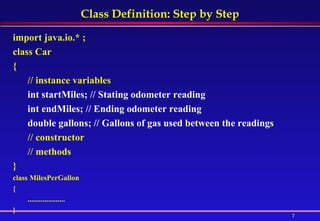
Class Definition: Step by Step   import java.io.* ; class Car  {  // instance variables  // constructor  // methods  }   class MilesPerGallon  {  .............. }
Class Definition: Step by Step import java.io.* ; class Car  {  // instance variables int startMiles; // Stating odometer reading  int endMiles; // Ending odometer reading  double gallons; // Gallons of gas used between the readings  // constructor  // methods  }  class MilesPerGallon  {  .................... }
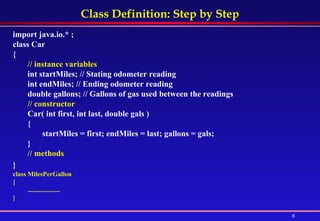
Class Definition: Step by Step import java.io.* ; class Car  {  // instance variables int startMiles; // Stating odometer reading  int endMiles; // Ending odometer reading  double gallons; // Gallons of gas used between the readings  // constructor  Car( int first, int last, double gals )  {  startMiles = first; endMiles = last; gallons = gals;  }  // methods  }   class MilesPerGallon  {  .................... }
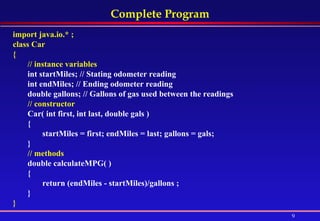
Complete Program import java.io.* ; class Car  {  // instance variables int startMiles; // Stating odometer reading  int endMiles; // Ending odometer reading  double gallons; // Gallons of gas used between the readings  // constructor  Car( int first, int last, double gals )  {  startMiles = first; endMiles = last; gallons = gals;  }  // methods double calculateMPG( )  {  return (endMiles - startMiles)/gallons ;  }   }
Complete Program (cont .....) class MilesPerGallon  {  public static void main( String[] args )  {  Car car = new Car( 32456, 32810, 10.6 );  System.out.println( "Miles per gallon is " + car.calculateMPG() );  } }
Two Car Objects Can several objects of type Car be constructed ?   Yes import java.io.* ; class Car  { ....................... } class MilesPerGallon  {  public static void main( String[] args )  {  Car car1 = new Car( 32456, 32810, 10.6 );  System.out.println( "Miles per gallon of car1 is " + car1.calculateMPG() );  Car car2 = new Car( 100000, 100300, 10.6 );  System.out.println( "Miles per gallon of car 2 is " + car2.calculateMPG() );   } }
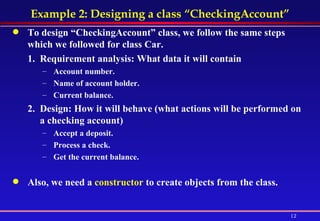
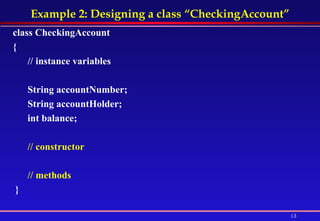
Example 2: Designing a class “CheckingAccount” To design “CheckingAccount” class, we follow the same steps which we followed for class Car.  Requirement analysis: What data it will contain Account number.  Name of account holder.  Current balance.  Design: How it will behave (what actions will be performed on a checking account) Accept a deposit.  Process a check.  Get the current balance. Also, we need a  constructor  to create objects from the class.
Example 2: Designing a class “CheckingAccount” class CheckingAccount  {  // instance variables String accountNumber;  String accountHolder;  int balance;  // constructor   // methods }
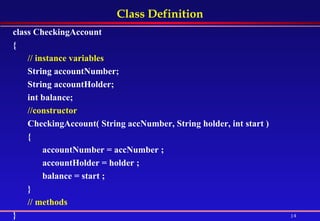
Class Definition class CheckingAccount {  // instance variables   String accountNumber;  String accountHolder;  int balance;  //constructor   CheckingAccount( String accNumber, String holder, int start )  {  accountNumber = accNumber ;  accountHolder = holder ;  balance = start ;  }  // methods   }
CheckingAccount: More Requirements Analysis The requirements also describe what each method does.  For example,  The method  Accept a deposit  adds an amount to the current balance. The method  Process a check  subtracts a given amount  from the current balance. The method  Get the current balance  returns the current balance in checking account Following the above requirements, now we can write method definitions.
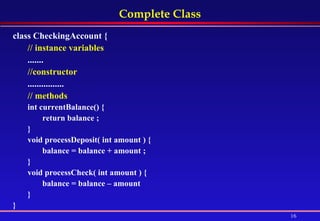
Complete Class class CheckingAccount {  // instance variables   .......  //constructor   ................ // methods   int currentBalance() {  return balance ;  }  void processDeposit( int amount ) {  balance = balance + amount ;  }  void processCheck( int amount ) {  balance = balance – amount } }
Using a CheckingAccount Object class CheckingAccount {  . . . . ......... }  class CheckingAccountTester {  public static void main( String[] args ) {  CheckingAccount account1 = new CheckingAccount( "123",  "Bob", 100 );  System.out.println( account1.currentBalance() );  account1.processDeposit( 2000 );  account1.processCheck( 1500 );  System.out.println( account1.currentBalance() ); } }
Encapsulation and Visibility Modifiers
What is “Encapsulation” So far, the objects we have designed, have all of their members (variables and methods) visible to any part of the program. Thus, code outside of an object can access (see and change) the object's members. A better OOP design enforces  encapsulation: Some (or all) of an object's member variables and methods should be visible  only  to the object's own methods. Thus, code outside of the object should not be allowed to access these members directly.
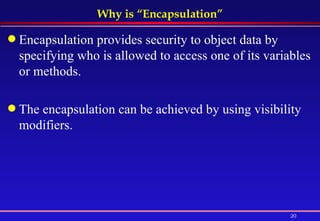
Why is “Encapsulation” Encapsulation provides security to object data by specifying who is allowed to access one of its variables or methods. The encapsulation can be achieved by using visibility modifiers.
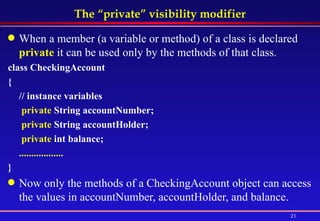
The “private” visibility modifier When a member (a variable or method) of a class is declared  private  it can be used only by the methods of that class.  class CheckingAccount  {  // instance variables   private  String accountNumber;    private  String accountHolder;    private  int balance;  .................. }   Now only the methods of a CheckingAccount object can access the values in accountNumber, accountHolder, and balance.
main can’t access private members class CheckingAccountTester { public static void main( String[] args ) {  CheckingAccount bobsAccount = new CheckingAccount( "999",  "Bob", 100 );  System.out.println(bobsAccount.balance); bobsAccount.balance = bobsAccount.balance + 200; System.out.println( bobsAccount.balance );  } } What happens when we try to compile the above program ? We get a  Compilation Errors  because  balance  is  private,  and therefore main( ) is not allowed to access its value. How can main( ) access the balance of a CheckingAccount object ?     By using  Access Method
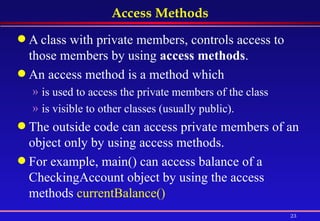
Access Methods A class with private members, controls access to those members by using  access methods .  An access method is a method which is used to access the private members of the class is visible to other classes (usually public). The outside code can access private members of an object only by using access methods. For example, main() can access balance of a CheckingAccount object by using the access methods  currentBalance()
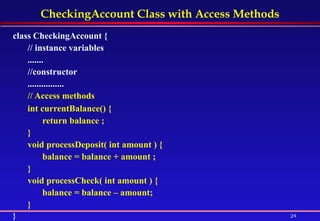
CheckingAccount Class with Access Methods class CheckingAccount {  // instance variables  .......  //constructor  ................ // Access methods   int currentBalance() {  return balance ;  }  void processDeposit( int amount ) {  balance = balance + amount ;  }  void processCheck( int amount ) {  balance = balance – amount; } }
main uses access methods to access private members class CheckingAccountTester {  public static void main( String[] args ) {  CheckingAccount account1 = new  CheckingAccount( "123", "Bob", 100 );  System.out.println( account1.currentBalance());  account1.processDeposit( 2000 );  account1.processCheck( 1500 );  System.out.println(account1.currentBalance()); } }  class CheckingAccountTester { public static void main( String[] args ) {  CheckingAccount bobsAccount =  new CheckingAccount("999","Bob", 100);   System.out.println(bobsAccount.balance); bobsAccount.balance =  bobsAccount.balance + 2000; bobsAccount.balance =  bobsAccount.balance -1500; System.out.println( bobsAccount.balance );  } }
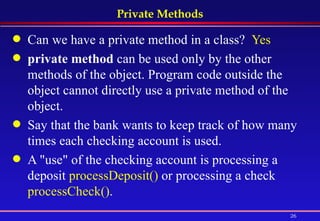
Private Methods Can we have a private method in a class?  Yes private method  can be used only by the other methods of the object. Program code outside the object cannot directly use a private method of the object.  Say that the bank wants to keep track of how many times each checking account is used.  A "use" of the checking account is processing a deposit  processDeposit()  or processing a check  processCheck() .
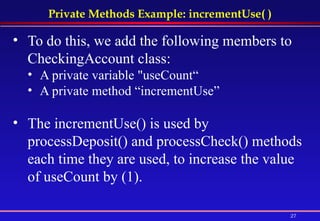
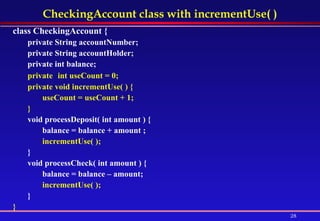
Private Methods Example: incrementUse( ) To do this, we add the following members to CheckingAccount class:   A private variable "useCount“ A private method “incrementUse” The incrementUse() is used by processDeposit() and processCheck() methods each time they are used, to increase the value of useCount by (1).
CheckingAccount class with incrementUse( ) class CheckingAccount {  private String accountNumber;  private String accountHolder;  private int balance;  private   int useCount = 0; private void incrementUse( ) {  useCount = useCount + 1;  } void processDeposit( int amount ) {  balance = balance + amount ; incrementUse( );  }  void processCheck( int amount ) {  balance = balance – amount; incrementUse( );  } }
main can’t use private method The main() cannot use the private variable useCount nor can it use the private method incrementUse().  The main()  can  use bobsAccount.processCheck() which is not private. It in turn uses the private method incrementUse(). class CheckingAccountTester {  public static void main( String[ ] args ) {  CheckingAccount bobsAccount = new  CheckingAccount( "999", "Bob", 100 ); bobsAccount.processCheck( 50 );  } }
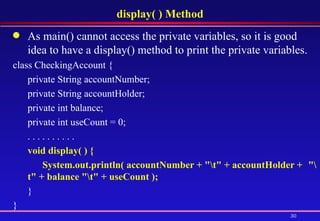
display( ) Method As main() cannot access the private variables, so it is good idea to have a display() method to print the private variables.  class CheckingAccount {  private String accountNumber; private String accountHolder; private int balance;  private int useCount = 0; . . . . . . . . . .  void display( ) {  System.out.println( accountNumber + "\t" + accountHolder +  "\t" + balance "\t" + useCount );   }  }
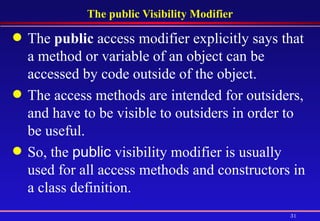
The public Visibility Modifier The  public  access modifier explicitly says that a method or variable of an object can be accessed by code outside of the object.  The access methods are intended for outsiders, and have to be visible to outsiders in order to be useful.  So, the  public  visibility modifier is usually used for all access methods and constructors in a class definition.
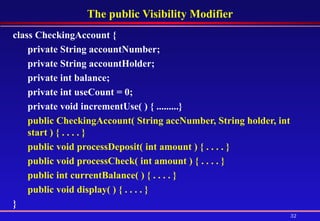
The public Visibility Modifier class CheckingAccount {  private String accountNumber;  private String accountHolder;  private int balance;  private   int useCount = 0; private void incrementUse( ) { .........} public CheckingAccount( String accNumber, String holder, int start ) { . . . . } public void processDeposit( int amount ) { . . . . } public void processCheck( int amount ) { . . . . } public int currentBalance( ) { . . . . } public void display( ) { . . . . }  }
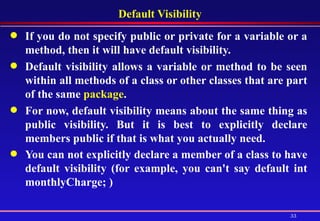
Default Visibility If you do not specify public or private for a variable or a method, then it will have default visibility.  Default visibility allows a variable or method to be seen within all methods of a class or other classes that are part of the same  package .  For now, default visibility means about the same thing as public visibility. But it is best to explicitly declare members public if that is what you actually need.  You can not explicitly declare a member of a class to have default visibility (for example, you can't say default int monthlyCharge; )
Parameters, Local Variables, Overloading
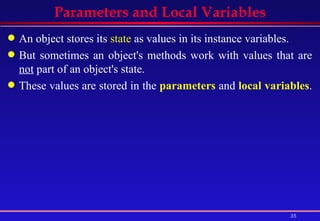
Parameters and Local Variables An object stores its  state  as values in its instance variables. But sometimes an object's methods work with values that are  not  part of an object's state. These values are stored in the  parameters  and  local variables .
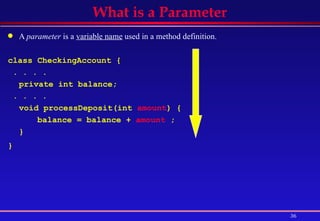
A  parameter  is a  variable name  used in a method definition. class CheckingAccount { . . . .  private int balance; . . . .  void processDeposit(int  amount ) { balance = balance +  amount  ;  } }   What is a Parameter
What is the use of a Parameter It is used to store the values passed to the method by its callers. In this example, the value  200  passed by main() is stored in the parameter “ amount” class CheckingAccountTester { public static void main(String[] args) {  CheckingAccount bobsAccount=  new CheckingAccount("999", "Bob", 100 );  bobsAccount.processDeposit(  200  ); } }
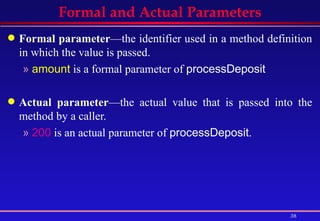
Formal and Actual Parameters Formal parameter —the identifier used in a method definition in which the value is passed. amount  is a formal parameter of  processDeposit Actual parameter —the actual value that is passed into the method by a caller.  200  is an actual parameter of  processDeposit .
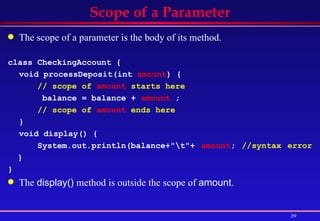
Scope of a Parameter The scope of a parameter is the body of its method.   class CheckingAccount { void processDeposit(int  amount ) {  // scope of  amount  starts here   balance = balance +  amount  ;  // scope of  amount  ends here   }  void display() { System.out.println(balance+"\t"+  amount ;  //syntax error  }  }   The  display()  method is outside the scope of  amount .
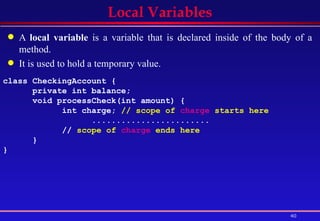
Local Variables A  local variable  is a variable that is declared inside of the body of a method.  It is used to hold a temporary value. class CheckingAccount {  private int balance;  void processCheck(int amount) { int charge;  // scope of  charge  starts here  ........................   //  scope of  charge  ends here   } }
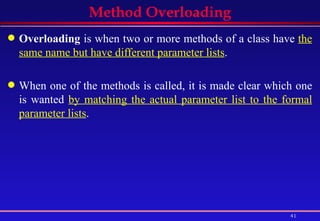
Method Overloading Overloading  is when two or more methods of a class have  the same name but have different parameter lists .  When one of the methods is called, it is made clear which one is wanted  by matching the actual parameter list to the formal parameter lists .
Method Overloading class CheckingAccount { private int balance;   . . . .  void processDeposit( int amount )  { balance = balance + amount ;   }  void processDeposit( int amount, int serviceCharge )  {  balance = balance + amount - serviceCharge;   } }  class CheckingAccountTester { public static void main( String[] args ) {  CheckingAccount bobsAccount =  new CheckingAccount( "999", "Bob", 100 );  bobsAccount.processDeposit( 200 );  // call to first bobsAccount.processDeposit( 200, 25 );  // call to second  } }
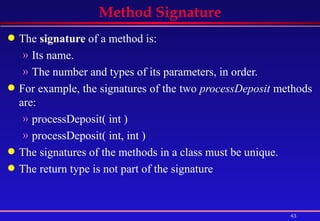
Method Signature The  signature  of a method is:  Its name.  The number and types of its parameters, in order.  For example, the signatures of the two  processDeposit  methods are:  processDeposit( int )  processDeposit( int, int )  The signatures of the methods in a class must be unique.  The return type is not part of the signature
Call by Value & Primitive Parameters Java uses  call by value  for parameters. Changes to the primitive parameter do not affect the Caller class SimpleClass {  public void work( int x ) {  x = 100;  // local change to the formal parameter  } }  class SimpleTester {  public static void main ( String[] args ) {  int var = 7;  SimpleClass simple = new SimpleClass();  System.out.println("First value of the local var: " + var );  simple.work( var );   System.out.println("Second value of the local var: " + var );  } }  Output First value of the local var: 7 Second value of the local var: 7
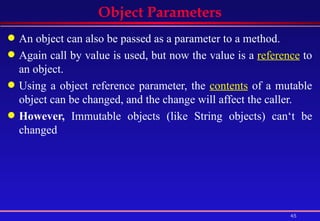
Object Parameters An object can also be passed as a parameter to a method. Again call by value is used, but now the value is a  reference  to an object. Using a object reference parameter, the  contents  of a mutable object can be changed, and the change will affect the caller.  However,  Immutable objects (like String objects) can‘t be changed
class MyPoint {  public int x=3, y=5 ;  public void print() {  System.out.println("x = " + x + "; y = " + y );  } }  class PointDoubler { public void twice( MyPoint parm ) { parm.x = parm.x * 2 ; parm.y = parm.y * 2 ; } }  class PointTester {  public static void main ( String[ ] args ) {  MyPoint pt = new MyPoint( );  PointDoubler dbl = new PointDoubler( ); pt.print( ); dbl.twice( pt ); pt.print(); } }   Mutable Object Parameters: MyPoint x = 3; y = 5 x = 6; y = 10
class ObjectPrinter {  public void print( String st ) {  st = "Hah! A second Object!" ;  }}  class OPTester2 {  public static void main ( String[] args ) {  String message = “Welcome" ;  ObjectPrinter op = new ObjectPrinter( );  System.out.println("First value of message: " + message );   op.print( message );  System.out.println("Second value of message: " + message ); } }  Immutable Object Parameters: String First value of message: Welcome Second value of message: Welcome

Java: Class Design Examples

  • 1.
  • 2.
    Problem Solving Solvinga problem means that we know the way or the method to follow manually from the start till the end. Having the method known, the same method is used by the computer to solve the problem but faster with higher precision. If we do not know how to solve a problem ourselves, the computer will not be of any help in this regard. The strategy for solving a problem goes through the following stages: Analysis: in this stage, we should find what the problem should do. Design : the way or method of how your problem is solved is produced Implementation: the method found in design is then coded here in a given programming language. Testing: here we verify that the program written is working correctly Deployment : finally the program is ready to use
  • 3.
  • 4.
    The Class DesignSteps Before starting any coding, good programmers should always design the classes. A class design consists of deciding following What data they will contain How they will behave After class design and coding, its objects are used. We’ll learn all the above steps by designing a class Car and a class CheckingAccount .
  • 5.
    Example 1: Designinga Car Class A class “Car” that calculates miles per gallon. What data it will contain ? Variables int startMiles;      // Starting odometer reading int endMiles;       // Ending odometer reading double gallons;    // Gallons of gas used between the readings How it will behave ? Constructors Car ( int startOdo, int endingOdo, double gallons ) Creates a new instance of a Car object with the starting and ending odometer readings and the number of gallons of gas consumed. Methods double calculateMPG() calculates and returns the miles per gallon for the car.
  • 6.
    Class Definition: Stepby Step import java.io.* ; class Car { // instance variables // constructor // methods } class MilesPerGallon { .............. }
  • 7.
    Class Definition: Stepby Step import java.io.* ; class Car { // instance variables int startMiles; // Stating odometer reading int endMiles; // Ending odometer reading double gallons; // Gallons of gas used between the readings // constructor // methods } class MilesPerGallon { .................... }
  • 8.
    Class Definition: Stepby Step import java.io.* ; class Car { // instance variables int startMiles; // Stating odometer reading int endMiles; // Ending odometer reading double gallons; // Gallons of gas used between the readings // constructor Car( int first, int last, double gals ) { startMiles = first; endMiles = last; gallons = gals; } // methods } class MilesPerGallon { .................... }
  • 9.
    Complete Program importjava.io.* ; class Car { // instance variables int startMiles; // Stating odometer reading int endMiles; // Ending odometer reading double gallons; // Gallons of gas used between the readings // constructor Car( int first, int last, double gals ) { startMiles = first; endMiles = last; gallons = gals; } // methods double calculateMPG( ) { return (endMiles - startMiles)/gallons ; } }
  • 10.
    Complete Program (cont.....) class MilesPerGallon { public static void main( String[] args ) { Car car = new Car( 32456, 32810, 10.6 ); System.out.println( "Miles per gallon is " + car.calculateMPG() ); } }
  • 11.
    Two Car ObjectsCan several objects of type Car be constructed ? Yes import java.io.* ; class Car { ....................... } class MilesPerGallon { public static void main( String[] args ) { Car car1 = new Car( 32456, 32810, 10.6 ); System.out.println( "Miles per gallon of car1 is " + car1.calculateMPG() ); Car car2 = new Car( 100000, 100300, 10.6 ); System.out.println( "Miles per gallon of car 2 is " + car2.calculateMPG() ); } }
  • 12.
    Example 2: Designinga class “CheckingAccount” To design “CheckingAccount” class, we follow the same steps which we followed for class Car. Requirement analysis: What data it will contain Account number. Name of account holder. Current balance. Design: How it will behave (what actions will be performed on a checking account) Accept a deposit. Process a check. Get the current balance. Also, we need a constructor to create objects from the class.
  • 13.
    Example 2: Designinga class “CheckingAccount” class CheckingAccount { // instance variables String accountNumber; String accountHolder; int balance; // constructor // methods }
  • 14.
    Class Definition classCheckingAccount { // instance variables String accountNumber; String accountHolder; int balance; //constructor CheckingAccount( String accNumber, String holder, int start ) { accountNumber = accNumber ; accountHolder = holder ; balance = start ; } // methods }
  • 15.
    CheckingAccount: More RequirementsAnalysis The requirements also describe what each method does. For example, The method Accept a deposit adds an amount to the current balance. The method Process a check subtracts a given amount from the current balance. The method Get the current balance returns the current balance in checking account Following the above requirements, now we can write method definitions.
  • 16.
    Complete Class classCheckingAccount { // instance variables ....... //constructor ................ // methods int currentBalance() { return balance ; } void processDeposit( int amount ) { balance = balance + amount ; } void processCheck( int amount ) { balance = balance – amount } }
  • 17.
    Using a CheckingAccountObject class CheckingAccount { . . . . ......... } class CheckingAccountTester { public static void main( String[] args ) { CheckingAccount account1 = new CheckingAccount( "123", "Bob", 100 ); System.out.println( account1.currentBalance() ); account1.processDeposit( 2000 ); account1.processCheck( 1500 ); System.out.println( account1.currentBalance() ); } }
  • 18.
  • 19.
    What is “Encapsulation”So far, the objects we have designed, have all of their members (variables and methods) visible to any part of the program. Thus, code outside of an object can access (see and change) the object's members. A better OOP design enforces encapsulation: Some (or all) of an object's member variables and methods should be visible only to the object's own methods. Thus, code outside of the object should not be allowed to access these members directly.
  • 20.
    Why is “Encapsulation”Encapsulation provides security to object data by specifying who is allowed to access one of its variables or methods. The encapsulation can be achieved by using visibility modifiers.
  • 21.
    The “private” visibilitymodifier When a member (a variable or method) of a class is declared private it can be used only by the methods of that class. class CheckingAccount { // instance variables private String accountNumber; private String accountHolder; private int balance; .................. } Now only the methods of a CheckingAccount object can access the values in accountNumber, accountHolder, and balance.
  • 22.
    main can’t accessprivate members class CheckingAccountTester { public static void main( String[] args ) { CheckingAccount bobsAccount = new CheckingAccount( "999", "Bob", 100 ); System.out.println(bobsAccount.balance); bobsAccount.balance = bobsAccount.balance + 200; System.out.println( bobsAccount.balance ); } } What happens when we try to compile the above program ? We get a Compilation Errors because balance is private, and therefore main( ) is not allowed to access its value. How can main( ) access the balance of a CheckingAccount object ?  By using Access Method
  • 23.
    Access Methods Aclass with private members, controls access to those members by using access methods . An access method is a method which is used to access the private members of the class is visible to other classes (usually public). The outside code can access private members of an object only by using access methods. For example, main() can access balance of a CheckingAccount object by using the access methods currentBalance()
  • 24.
    CheckingAccount Class withAccess Methods class CheckingAccount { // instance variables ....... //constructor ................ // Access methods int currentBalance() { return balance ; } void processDeposit( int amount ) { balance = balance + amount ; } void processCheck( int amount ) { balance = balance – amount; } }
  • 25.
    main uses accessmethods to access private members class CheckingAccountTester { public static void main( String[] args ) { CheckingAccount account1 = new CheckingAccount( "123", "Bob", 100 ); System.out.println( account1.currentBalance()); account1.processDeposit( 2000 ); account1.processCheck( 1500 ); System.out.println(account1.currentBalance()); } } class CheckingAccountTester { public static void main( String[] args ) { CheckingAccount bobsAccount = new CheckingAccount("999","Bob", 100); System.out.println(bobsAccount.balance); bobsAccount.balance = bobsAccount.balance + 2000; bobsAccount.balance = bobsAccount.balance -1500; System.out.println( bobsAccount.balance ); } }
  • 26.
    Private Methods Canwe have a private method in a class? Yes private method can be used only by the other methods of the object. Program code outside the object cannot directly use a private method of the object. Say that the bank wants to keep track of how many times each checking account is used. A "use" of the checking account is processing a deposit processDeposit() or processing a check processCheck() .
  • 27.
    Private Methods Example:incrementUse( ) To do this, we add the following members to CheckingAccount class: A private variable "useCount“ A private method “incrementUse” The incrementUse() is used by processDeposit() and processCheck() methods each time they are used, to increase the value of useCount by (1).
  • 28.
    CheckingAccount class withincrementUse( ) class CheckingAccount { private String accountNumber; private String accountHolder; private int balance; private int useCount = 0; private void incrementUse( ) { useCount = useCount + 1; } void processDeposit( int amount ) { balance = balance + amount ; incrementUse( ); } void processCheck( int amount ) { balance = balance – amount; incrementUse( ); } }
  • 29.
    main can’t useprivate method The main() cannot use the private variable useCount nor can it use the private method incrementUse(). The main() can use bobsAccount.processCheck() which is not private. It in turn uses the private method incrementUse(). class CheckingAccountTester { public static void main( String[ ] args ) { CheckingAccount bobsAccount = new CheckingAccount( "999", "Bob", 100 ); bobsAccount.processCheck( 50 ); } }
  • 30.
    display( ) MethodAs main() cannot access the private variables, so it is good idea to have a display() method to print the private variables. class CheckingAccount { private String accountNumber; private String accountHolder; private int balance; private int useCount = 0; . . . . . . . . . . void display( ) { System.out.println( accountNumber + "\t" + accountHolder + "\t" + balance "\t" + useCount ); } }
  • 31.
    The public VisibilityModifier The public access modifier explicitly says that a method or variable of an object can be accessed by code outside of the object. The access methods are intended for outsiders, and have to be visible to outsiders in order to be useful. So, the public visibility modifier is usually used for all access methods and constructors in a class definition.
  • 32.
    The public VisibilityModifier class CheckingAccount { private String accountNumber; private String accountHolder; private int balance; private int useCount = 0; private void incrementUse( ) { .........} public CheckingAccount( String accNumber, String holder, int start ) { . . . . } public void processDeposit( int amount ) { . . . . } public void processCheck( int amount ) { . . . . } public int currentBalance( ) { . . . . } public void display( ) { . . . . } }
  • 33.
    Default Visibility Ifyou do not specify public or private for a variable or a method, then it will have default visibility. Default visibility allows a variable or method to be seen within all methods of a class or other classes that are part of the same package . For now, default visibility means about the same thing as public visibility. But it is best to explicitly declare members public if that is what you actually need. You can not explicitly declare a member of a class to have default visibility (for example, you can't say default int monthlyCharge; )
  • 34.
  • 35.
    Parameters and LocalVariables An object stores its state as values in its instance variables. But sometimes an object's methods work with values that are not part of an object's state. These values are stored in the parameters and local variables .
  • 36.
    A parameter is a variable name used in a method definition. class CheckingAccount { . . . . private int balance; . . . . void processDeposit(int amount ) { balance = balance + amount ; } } What is a Parameter
  • 37.
    What is theuse of a Parameter It is used to store the values passed to the method by its callers. In this example, the value 200 passed by main() is stored in the parameter “ amount” class CheckingAccountTester { public static void main(String[] args) { CheckingAccount bobsAccount= new CheckingAccount("999", "Bob", 100 ); bobsAccount.processDeposit( 200 ); } }
  • 38.
    Formal and ActualParameters Formal parameter —the identifier used in a method definition in which the value is passed. amount is a formal parameter of processDeposit Actual parameter —the actual value that is passed into the method by a caller. 200 is an actual parameter of processDeposit .
  • 39.
    Scope of aParameter The scope of a parameter is the body of its method. class CheckingAccount { void processDeposit(int amount ) { // scope of amount starts here balance = balance + amount ; // scope of amount ends here } void display() { System.out.println(balance+"\t"+ amount ; //syntax error } } The display() method is outside the scope of amount .
  • 40.
    Local Variables A local variable is a variable that is declared inside of the body of a method. It is used to hold a temporary value. class CheckingAccount { private int balance; void processCheck(int amount) { int charge; // scope of charge starts here ........................ // scope of charge ends here } }
  • 41.
    Method Overloading Overloading is when two or more methods of a class have the same name but have different parameter lists . When one of the methods is called, it is made clear which one is wanted by matching the actual parameter list to the formal parameter lists .
  • 42.
    Method Overloading classCheckingAccount { private int balance; . . . . void processDeposit( int amount ) { balance = balance + amount ; } void processDeposit( int amount, int serviceCharge ) { balance = balance + amount - serviceCharge; } } class CheckingAccountTester { public static void main( String[] args ) { CheckingAccount bobsAccount = new CheckingAccount( "999", "Bob", 100 ); bobsAccount.processDeposit( 200 ); // call to first bobsAccount.processDeposit( 200, 25 ); // call to second } }
  • 43.
    Method Signature The signature of a method is: Its name. The number and types of its parameters, in order. For example, the signatures of the two processDeposit methods are: processDeposit( int ) processDeposit( int, int ) The signatures of the methods in a class must be unique. The return type is not part of the signature
  • 44.
    Call by Value& Primitive Parameters Java uses call by value for parameters. Changes to the primitive parameter do not affect the Caller class SimpleClass { public void work( int x ) { x = 100; // local change to the formal parameter } } class SimpleTester { public static void main ( String[] args ) { int var = 7; SimpleClass simple = new SimpleClass(); System.out.println("First value of the local var: " + var ); simple.work( var ); System.out.println("Second value of the local var: " + var ); } } Output First value of the local var: 7 Second value of the local var: 7
  • 45.
    Object Parameters Anobject can also be passed as a parameter to a method. Again call by value is used, but now the value is a reference to an object. Using a object reference parameter, the contents of a mutable object can be changed, and the change will affect the caller. However, Immutable objects (like String objects) can‘t be changed
  • 46.
    class MyPoint { public int x=3, y=5 ; public void print() { System.out.println("x = " + x + "; y = " + y ); } } class PointDoubler { public void twice( MyPoint parm ) { parm.x = parm.x * 2 ; parm.y = parm.y * 2 ; } } class PointTester { public static void main ( String[ ] args ) { MyPoint pt = new MyPoint( ); PointDoubler dbl = new PointDoubler( ); pt.print( ); dbl.twice( pt ); pt.print(); } } Mutable Object Parameters: MyPoint x = 3; y = 5 x = 6; y = 10
  • 47.
    class ObjectPrinter { public void print( String st ) { st = "Hah! A second Object!" ; }} class OPTester2 { public static void main ( String[] args ) { String message = “Welcome" ; ObjectPrinter op = new ObjectPrinter( ); System.out.println("First value of message: " + message ); op.print( message ); System.out.println("Second value of message: " + message ); } } Immutable Object Parameters: String First value of message: Welcome Second value of message: Welcome