ITPE Information
    Briefing
IT Passport Examination (ITPE)

   IT Passport Examination เป การจัดสอบ   ็น           โดยความร่วมมือ
    ขององค์กรใน ูม าค โดยมป ศ ไท ญ ่ น พ ่า มาเลเซ
                   ภ ิภ         ี ระเท ย ่ป ม  ี               ีย
    มองโกเลีย ฟ ิป ิ น และเวียดน ซงก่อตั้งเปน Information
                 ิ ล ป ส์            าม ึ่       ็
    Technology Professionals Examination Council
    (ITPEC) ใน       การผลักดัน ้มการจัดสอบ
                                ให ี          มาตรฐาน ชาชีพ ่ีไม ิง
                                                        วิ    ท ่อ
    ผลิตภ ฑ ห ป ท อมรับ ระดับ ูมภ โดยให น ยงาน แต่ละ
          ัณ ์ใ ้เ ็ น ่ย
                        ี    ใน ภ ิ าค             ้ห ่ ว    ใน
    ป ศน รับ ิดชอบ ดสอบ ายใน ระเท โดยจะสอบ วัน
      ระเท ้ัน ผ          การจั       ภ ป ศ                   ใน
    เดียวกัน ้ังห และเปน อสอบ ดเดียวกัน ้ังห ้ัง 7 ป ศ
            ท มด           ็ ข้      ช่       ท มดท          ระเท
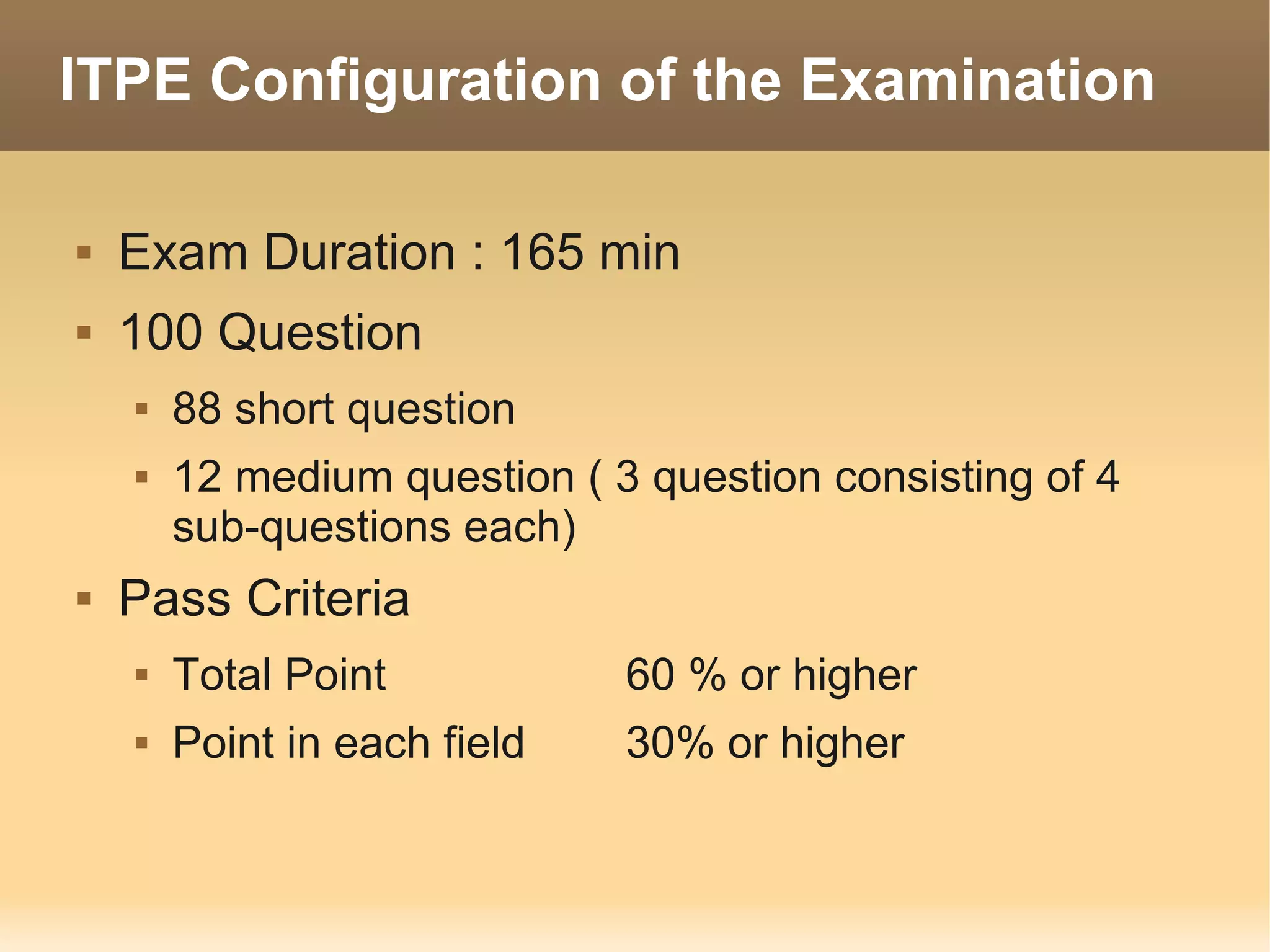
ITPE Configuration of the Examination

   Exam Duration : 165 min
   100 Question
       88 short question
       12 medium question ( 3 question consisting of 4
        sub-questions each)
   Pass Criteria
       Total Point           60 % or higher
       Point in each field   30% or higher
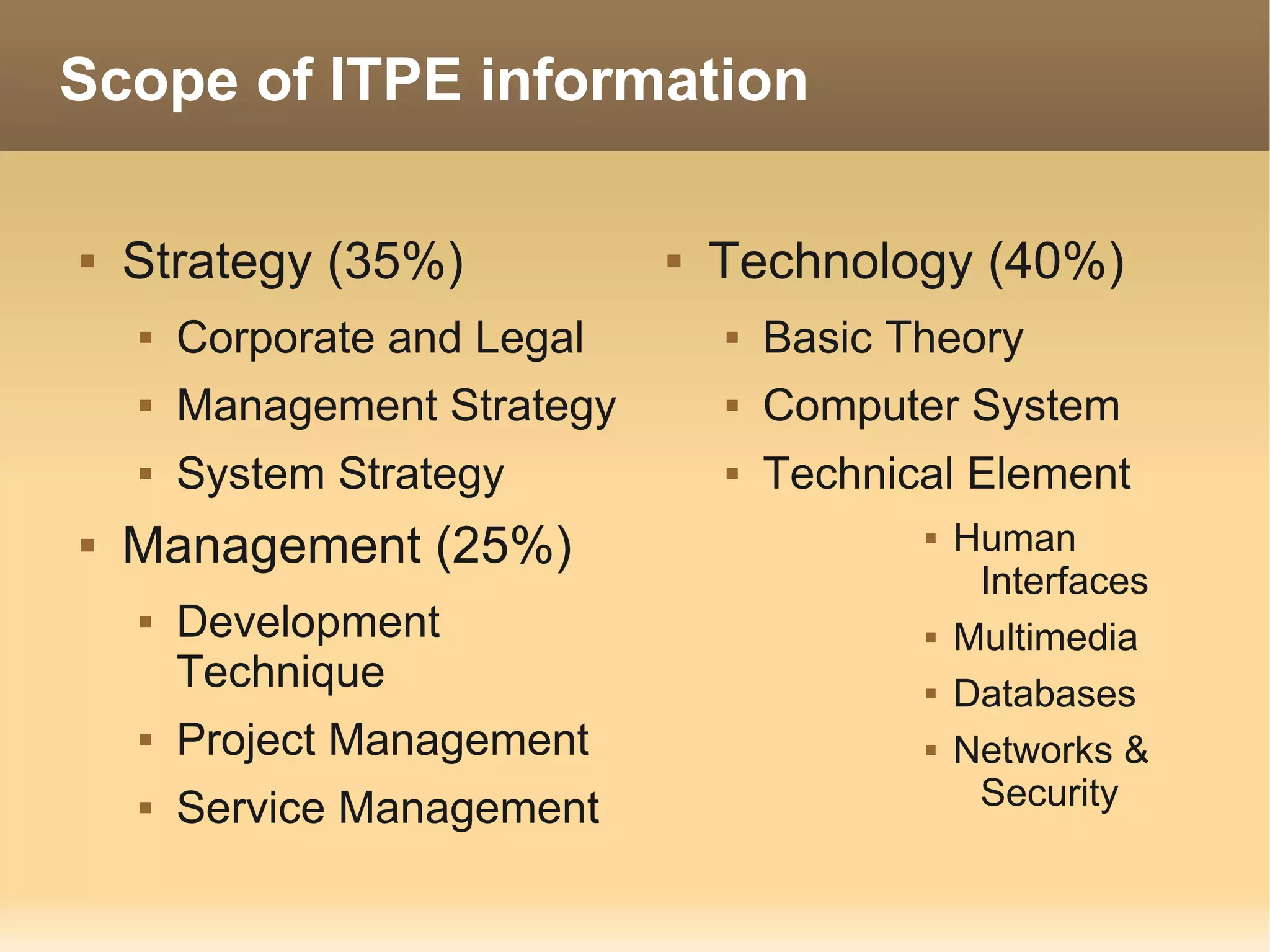
Scope of ITPE information

   Strategy (35%)               Technology (40%)
       Corporate and Legal          Basic Theory
       Management Strategy          Computer System
       System Strategy              Technical Element
   Management (25%)                            Human
                                                  Interfaces
       Development                             Multimedia
        Technique                               Databases
       Project Management                      Networks &
       Service Management                        Security
STRATEGY
Corporate Activities

   Corporate Philosophy
   Corporate Objective
       medium or long-term goal
   Corporate Social Responsibility (CSR)
Management Resource

   Management resources within the context of
    business management refer to
       People - Human Resource
       Materials - assets
       Money - Finances
       Information – Information Management
Business Management

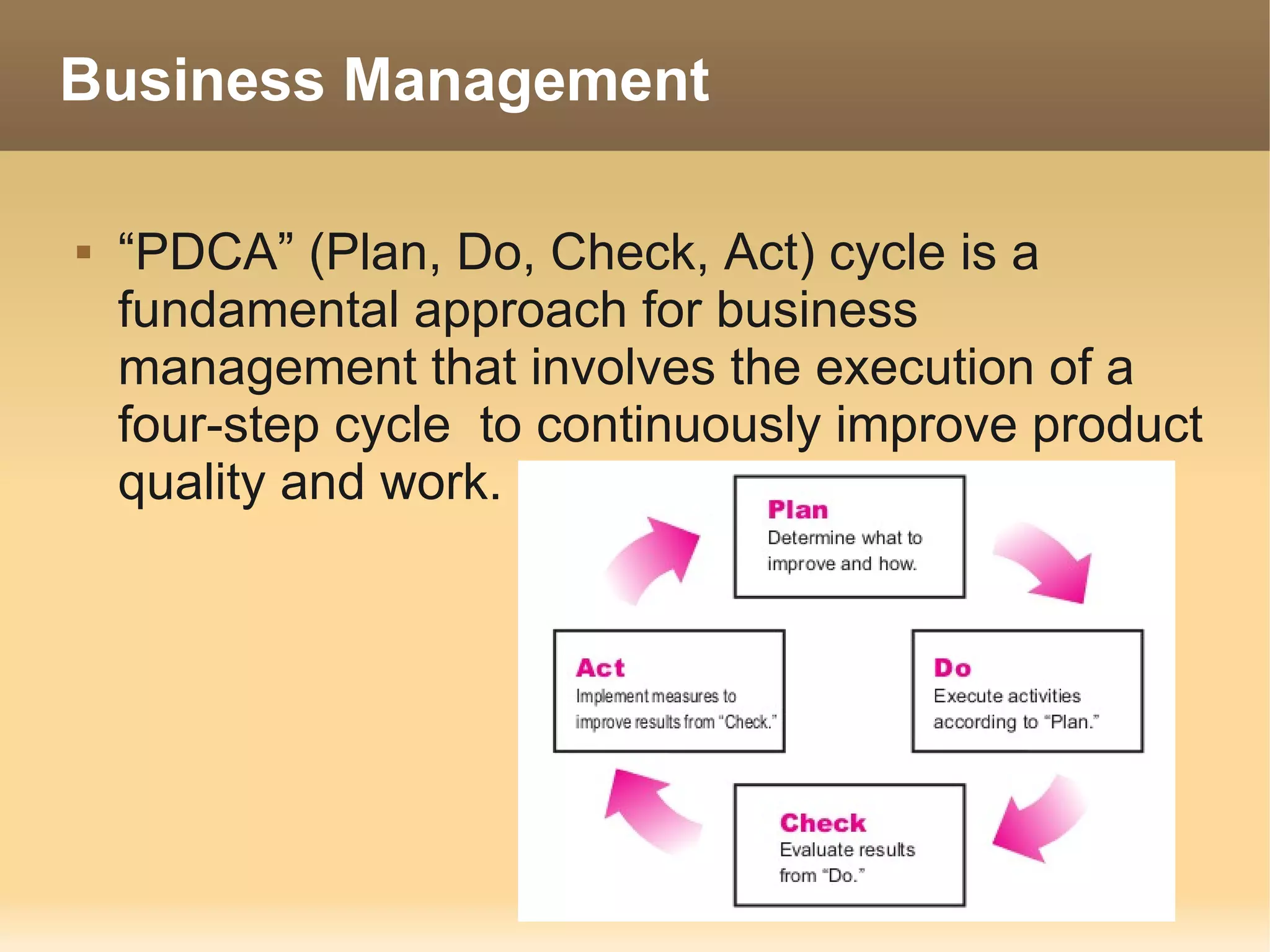
   “PDCA” (Plan, Do, Check, Act) cycle is a
    fundamental approach for business
    management that involves the execution of a
    four-step cycle to continuously improve product
    quality and work.
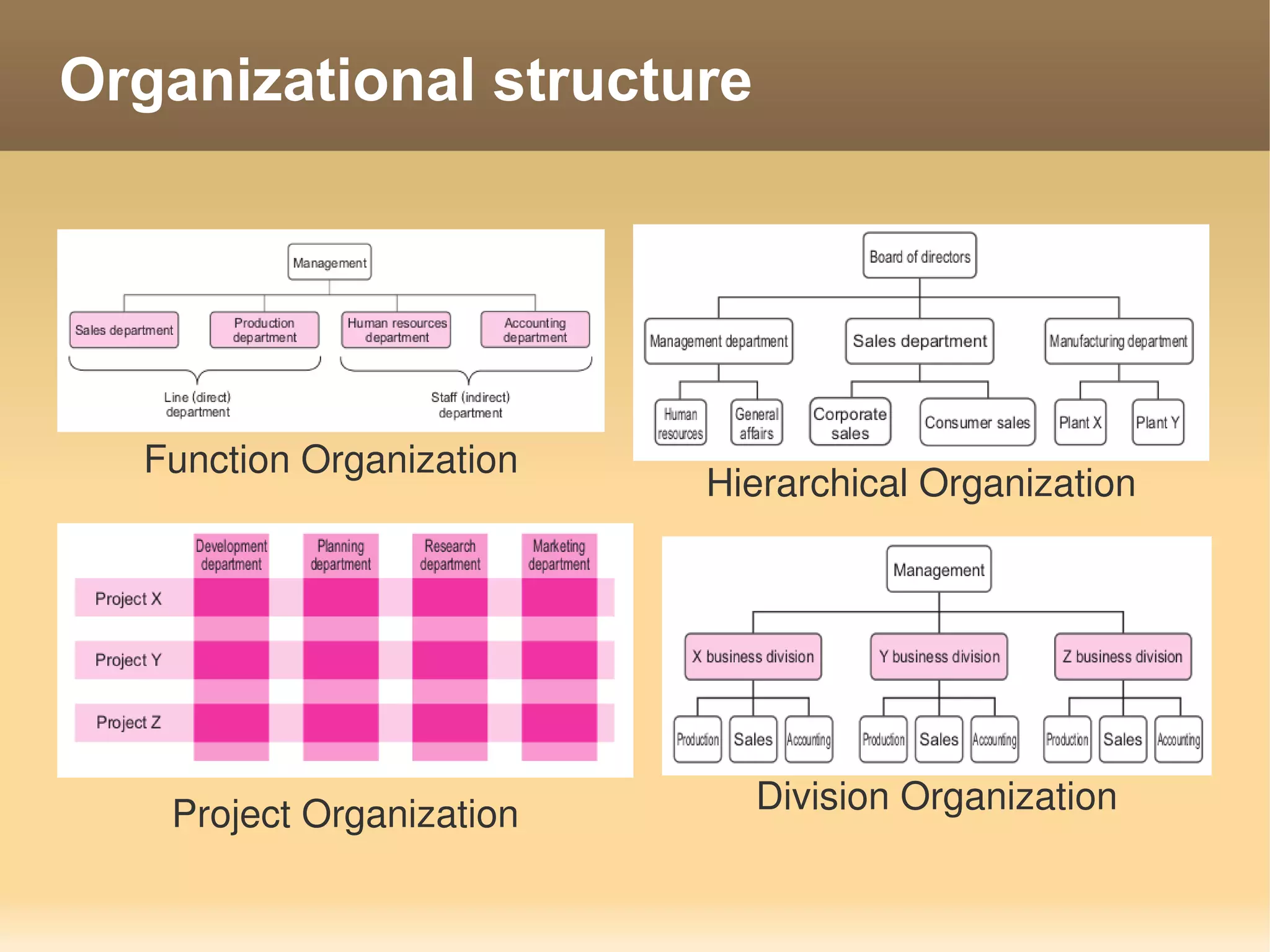
Organizational structure


  Function Organization
                          Hierarchical Organization


   Project Organization     Division Organization
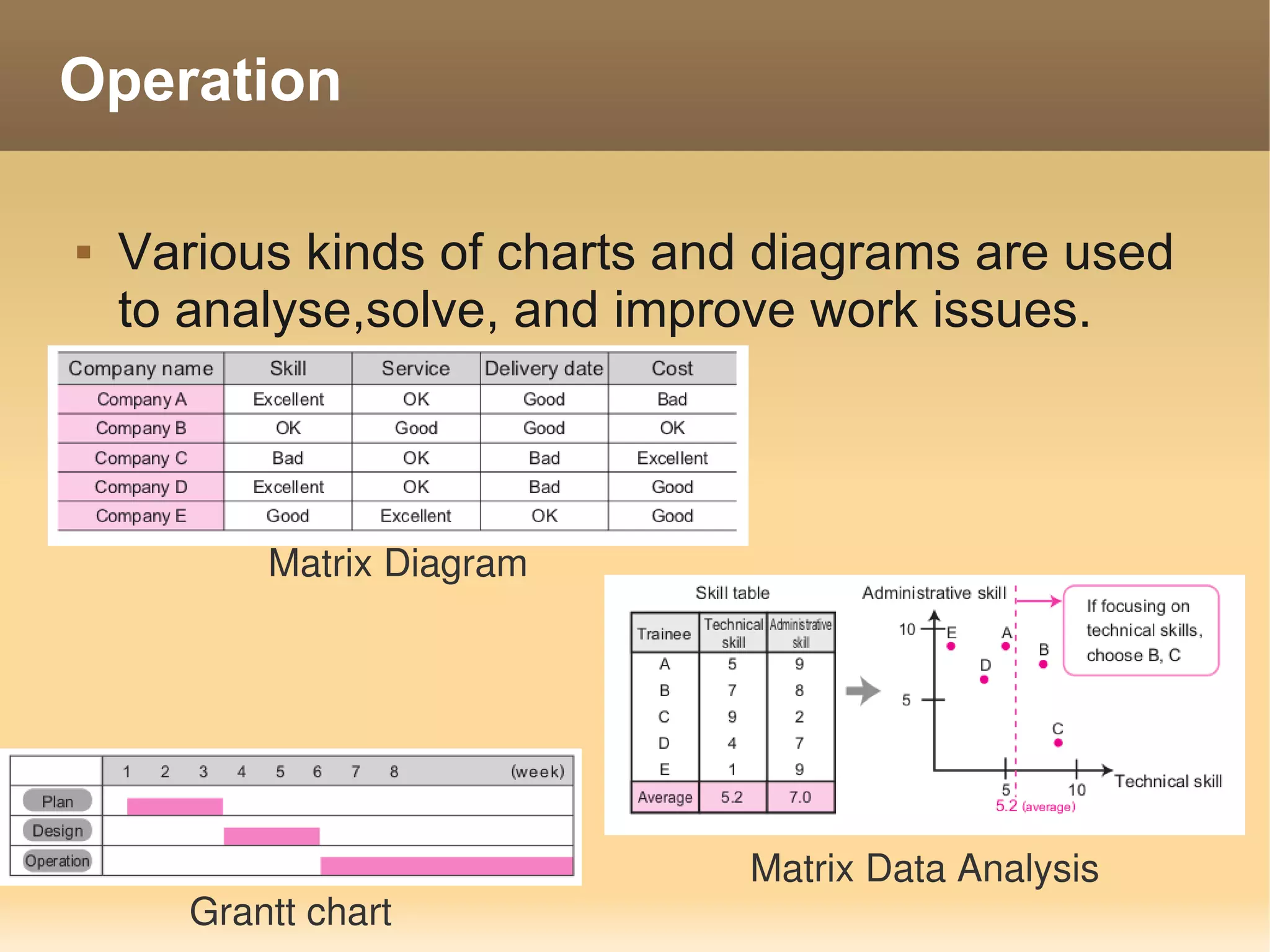
Operation

   Various kinds of charts and diagrams are used
    to analyse,solve, and improve work issues.


           Matrix Diagram


                              Matrix Data Analysis
       Grantt chart
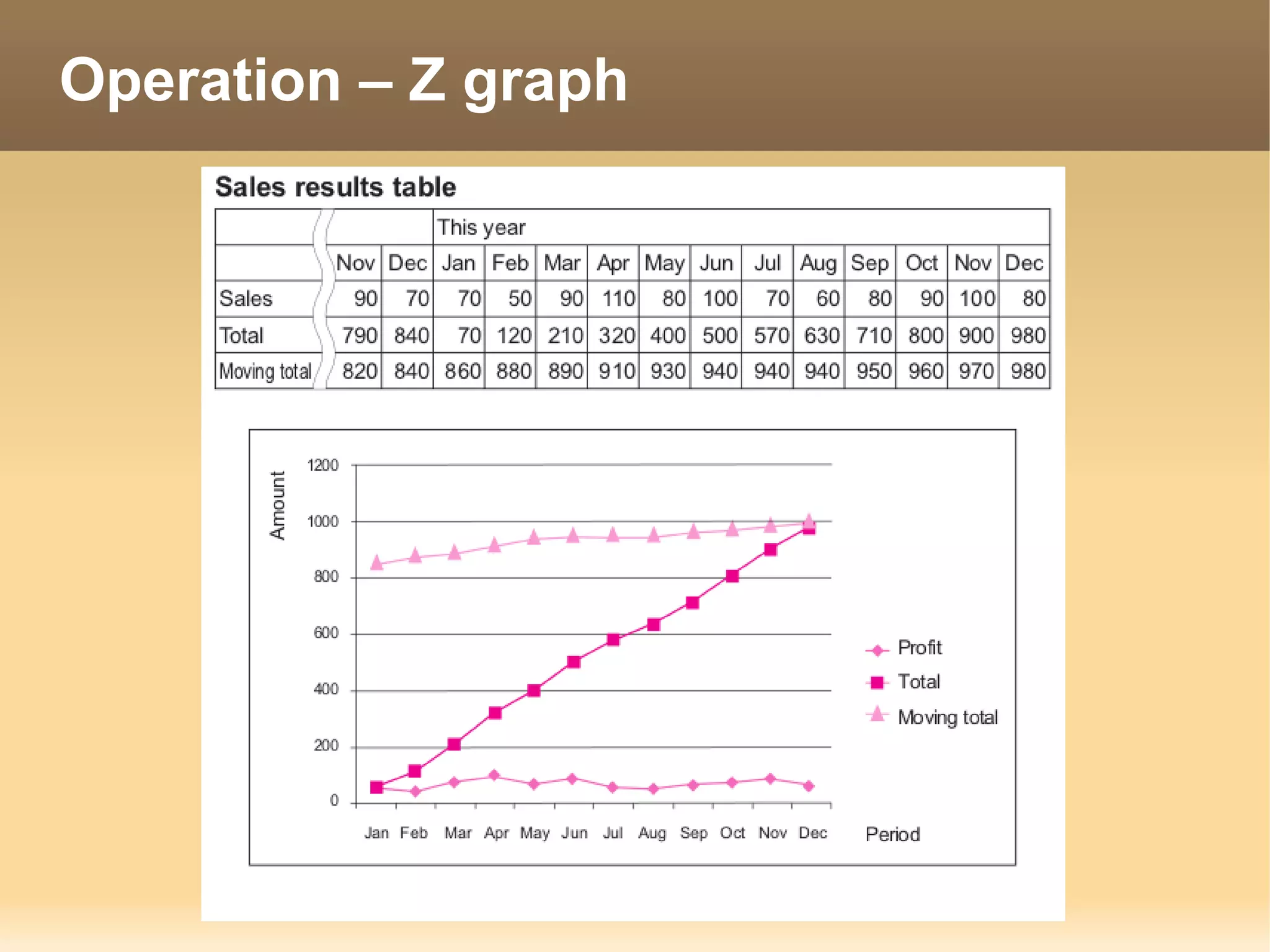
Operation – Z graph
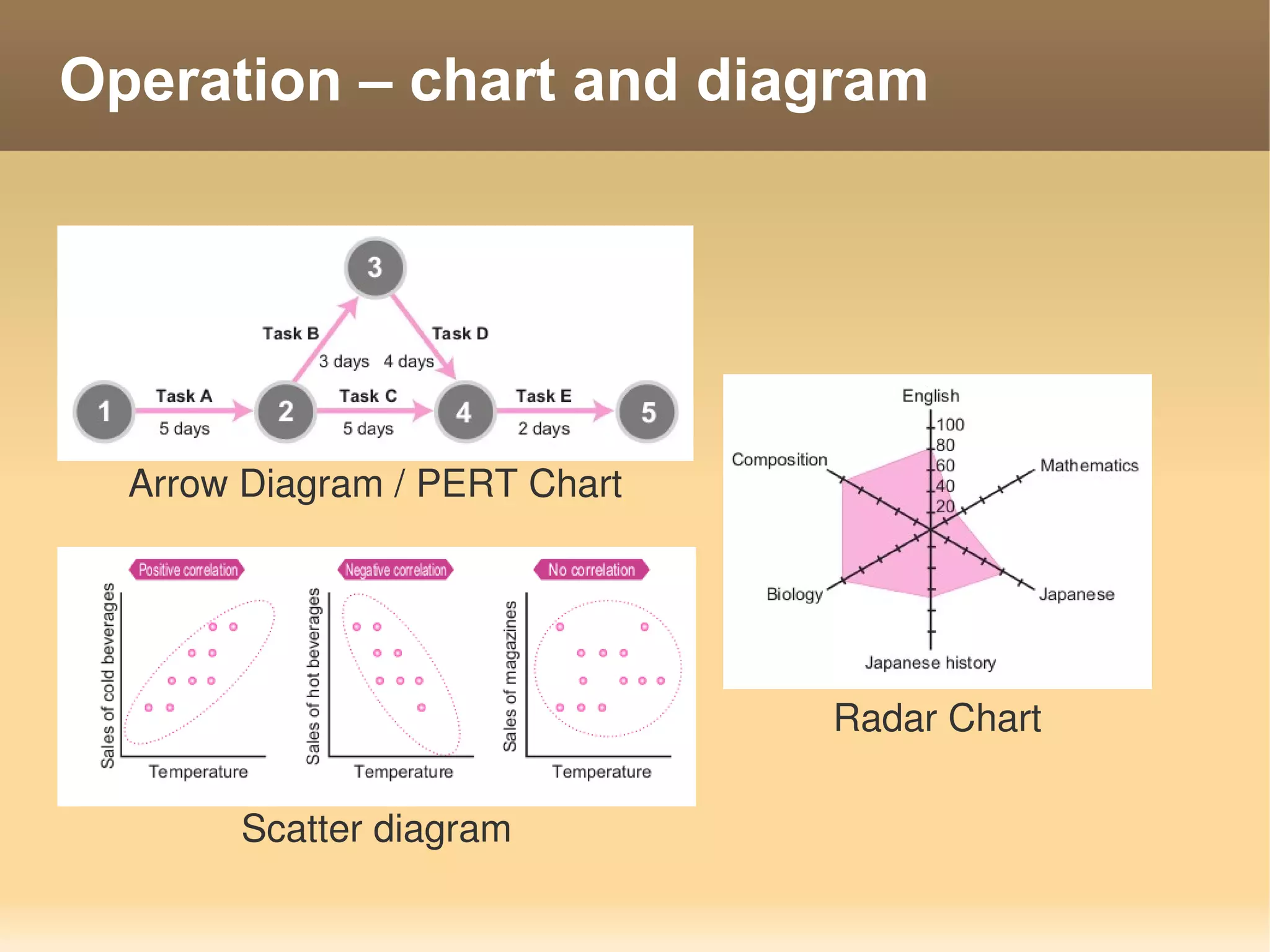
Operation – chart and diagram


  Arrow Diagram / PERT Chart


                               Radar Chart

       Scatter diagram
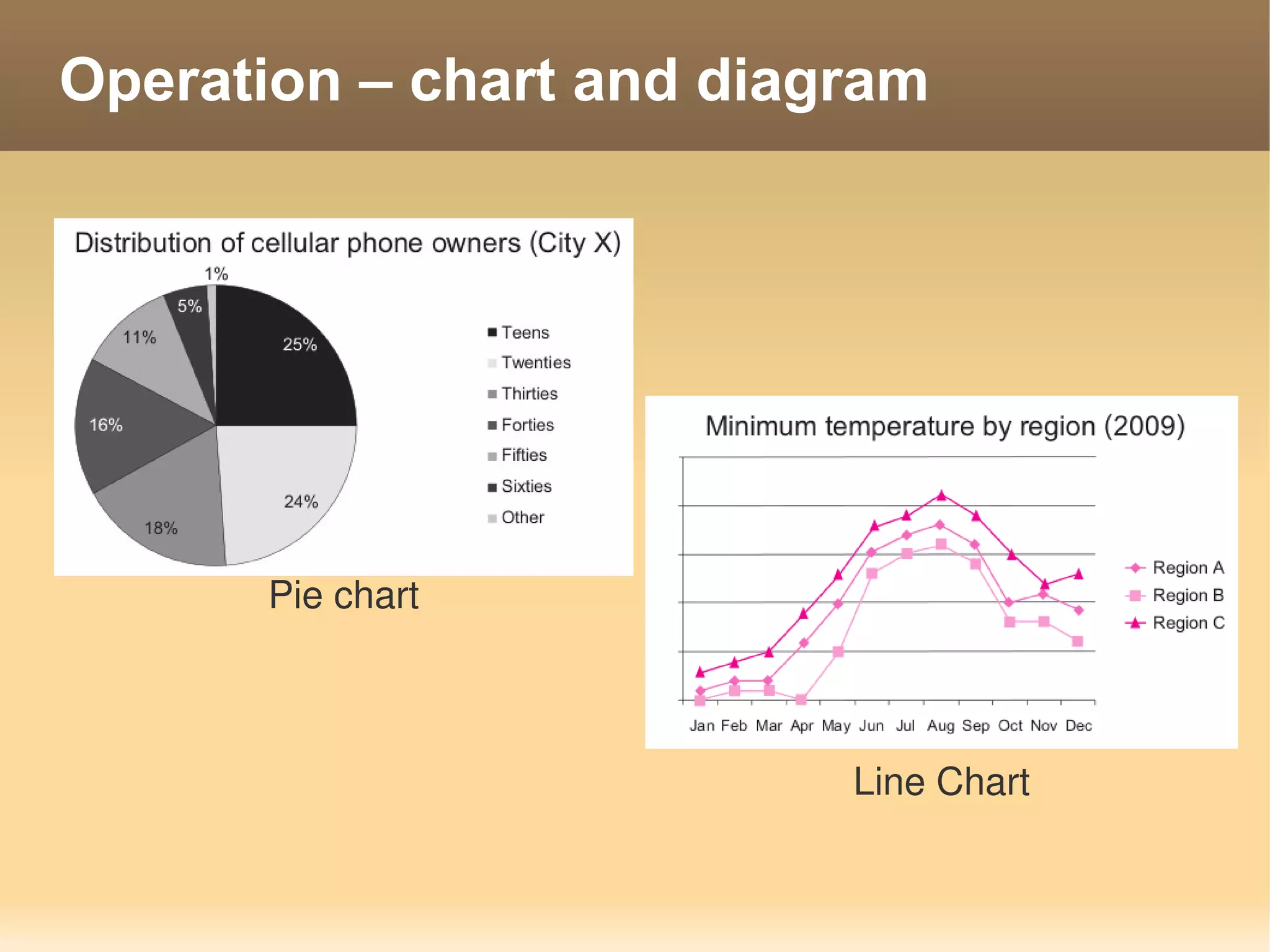
Operation – chart and diagram


      Pie chart


                          Line Chart
Legal Affairs

   Rights - Rights to protect the use & ownership
       Copyright – rule for protection author's work from
        publication
       Trademark – protect company logo & product name
       Patent - Methodology to creation something
Software License

   Software License - The right to use software,
    and is granted by the software maker to the
    purchaser
   Software is protected under the Copyright Act.
       License Agreement – Agreement to using software
   Type of Software License
       Propitiatory Software
       Freeware / Shareware
       OpenSource Software
Type of Software

   Propitiatory Software
       Purchase Software
   Freeware / Shareware
       Free to use
       Feature limit or time limit (Shareware)
   OpenSource Software
       Free to use
                   Free of charge / Freedom to use
       Open source code
Standard Organization

   ISO (international Organization for
    Standardization)
       ISO9000
       ISO14000
   IEEE (Institute of Electrical and Electronics
    Engineers)
       Lan standard 802.xx
                  802.3    Ethernet Lan
                  802.11   Wireless Lan
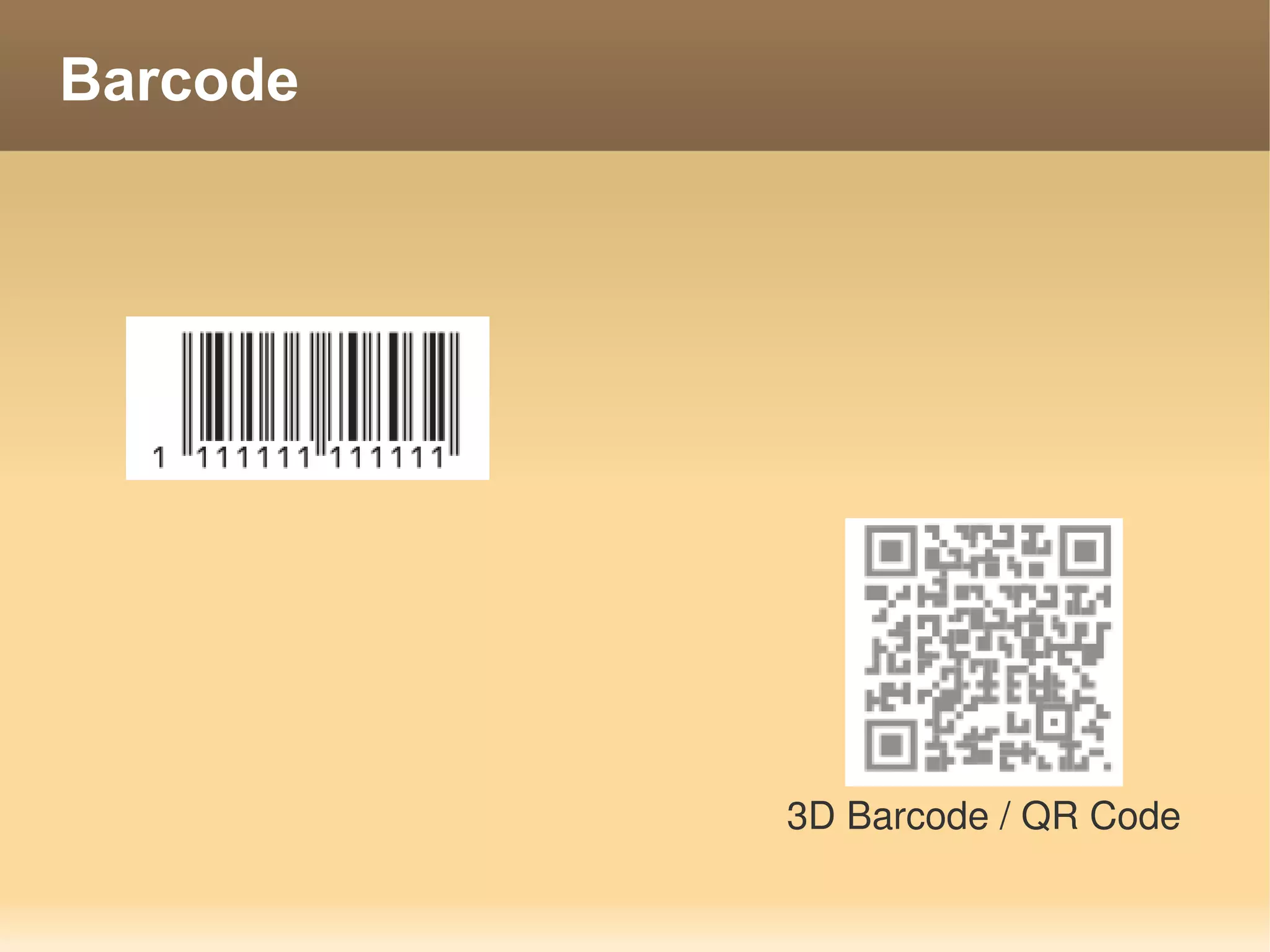
Barcode


          3D Barcode / QR Code
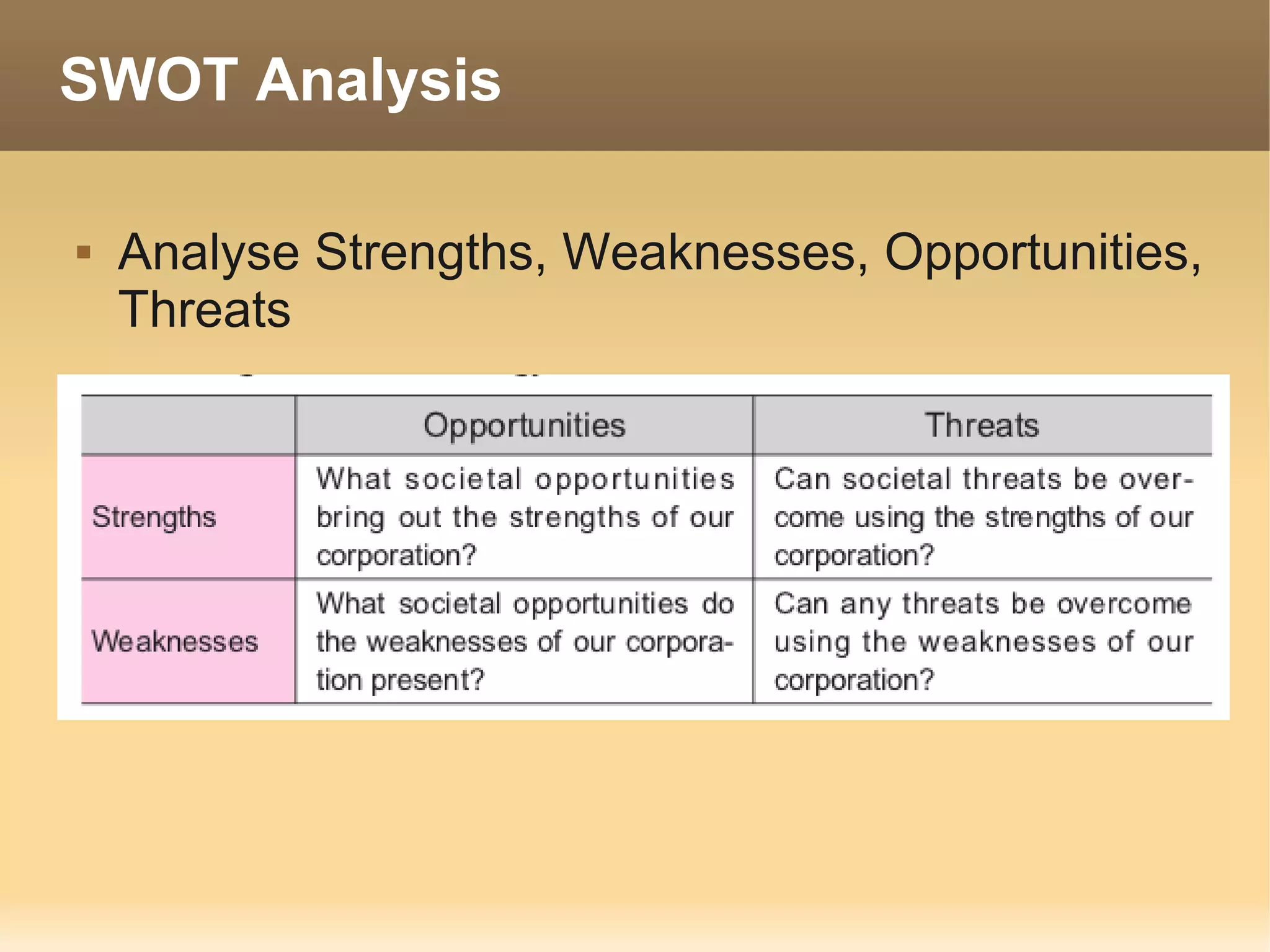
SWOT Analysis

   Analyse Strengths, Weaknesses, Opportunities,
    Threats
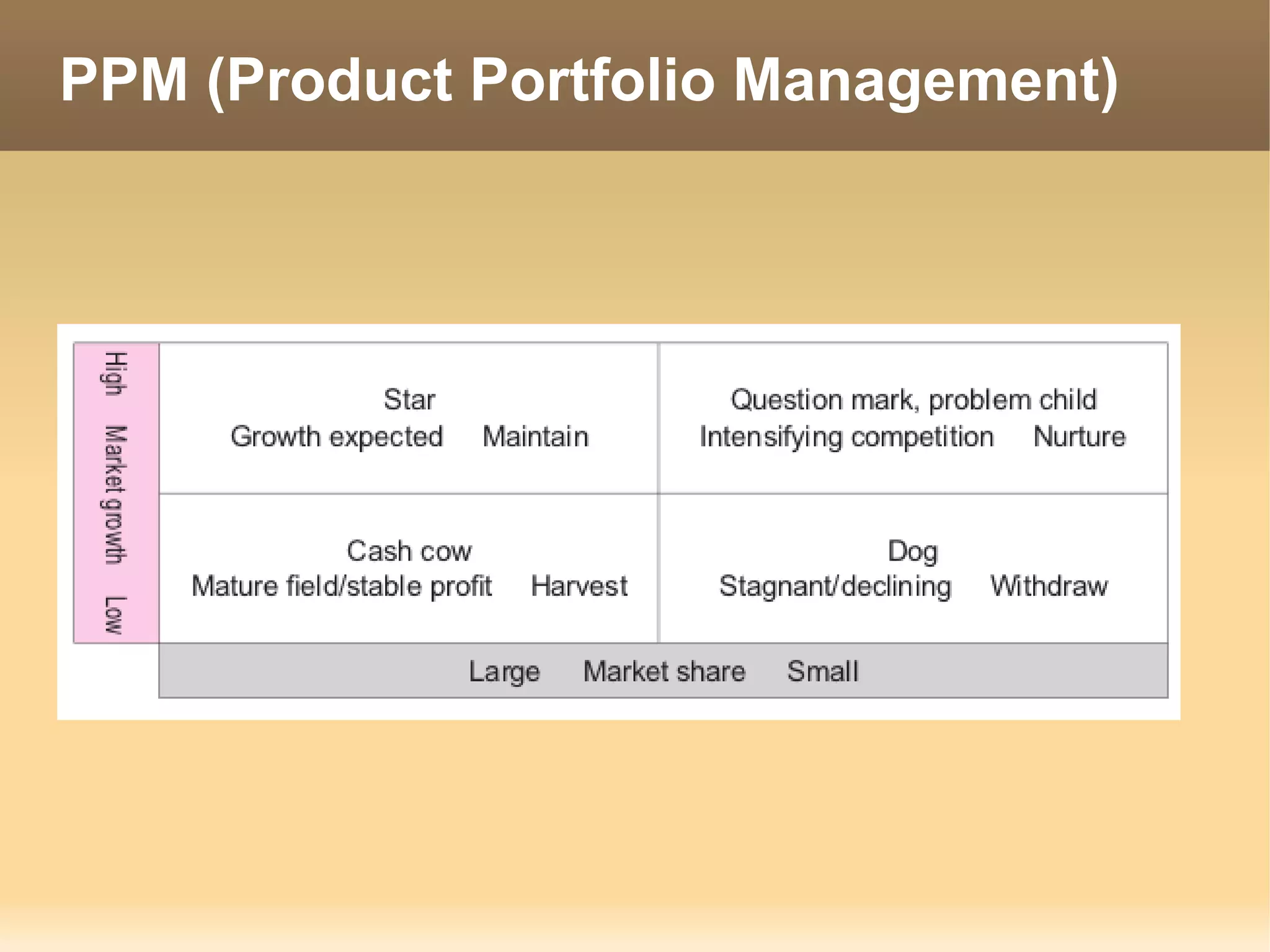
PPM (Product Portfolio Management)
Business execution organization

   CEO (Chief Executive Officer)
       The “CEO” is responsible for management as the
        company’s representative.
   COO (Chief Operating Officer)
       Under the CEO, the “COO” is responsible for business
        operation.
   CIO (Chief Information Officer)
       The “CIO” has the highest responsibility concerning
        information.
   CFO (Chief Financial Officer)
       The “CFO” is responsible for financial affairs such as
        procurement of funds and financial administration.
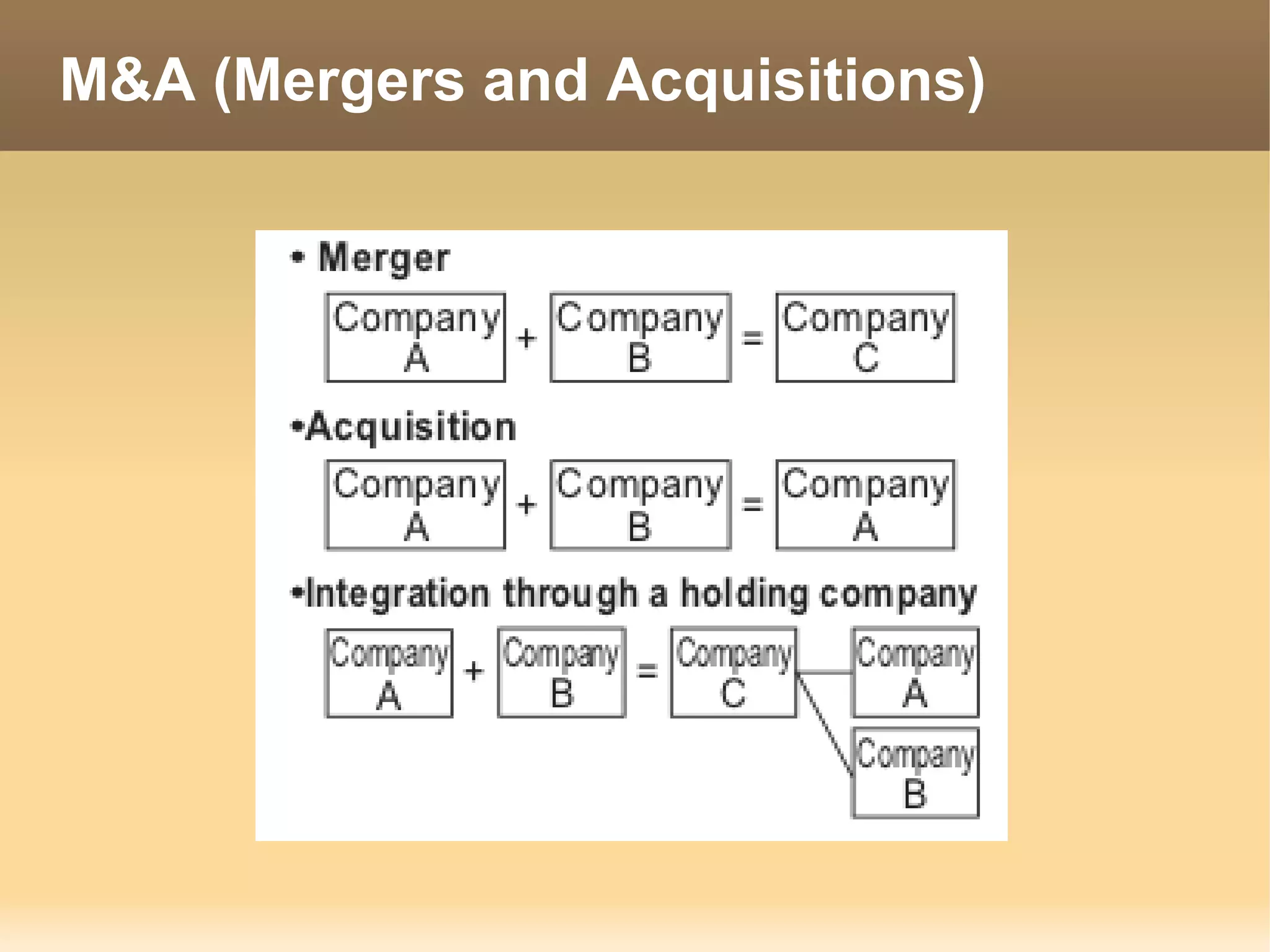
M&A (Mergers and Acquisitions)
Tech use in Business

   POS – 7Eleven
   IC chip – Credit Card
   RFID – MRT
   Electronic money – Smart Purse
   GPS – Tracking System
E-Business

   Electronic commerce (EC)
       commercial activities using networks with only a
        small amount of investment by cutting the costs
        associated.
   Type of EC
       CtoC – Customer to Customer
       BtoC - Business to Customer
       BtoB – Business to Business
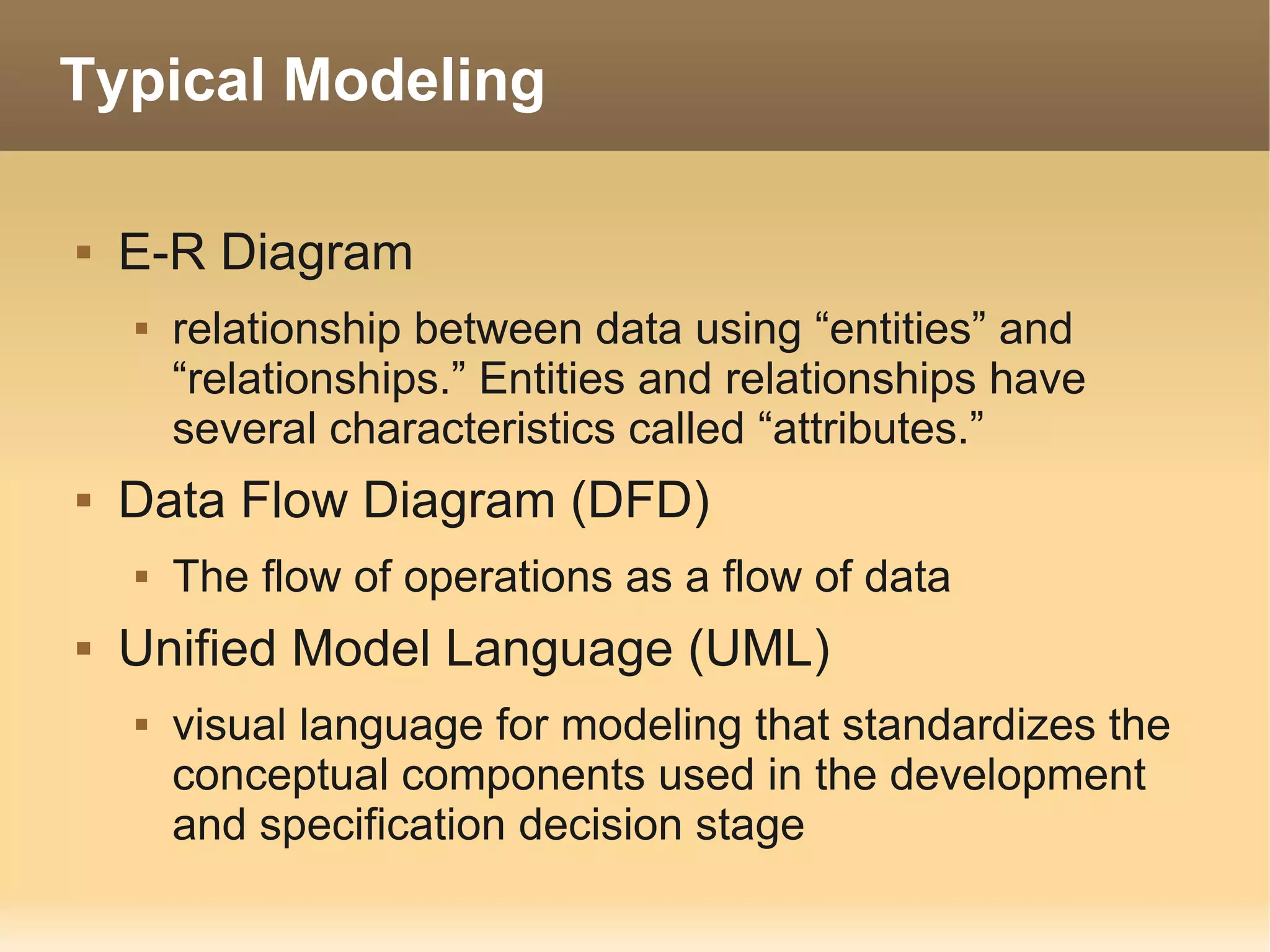
Typical Modeling

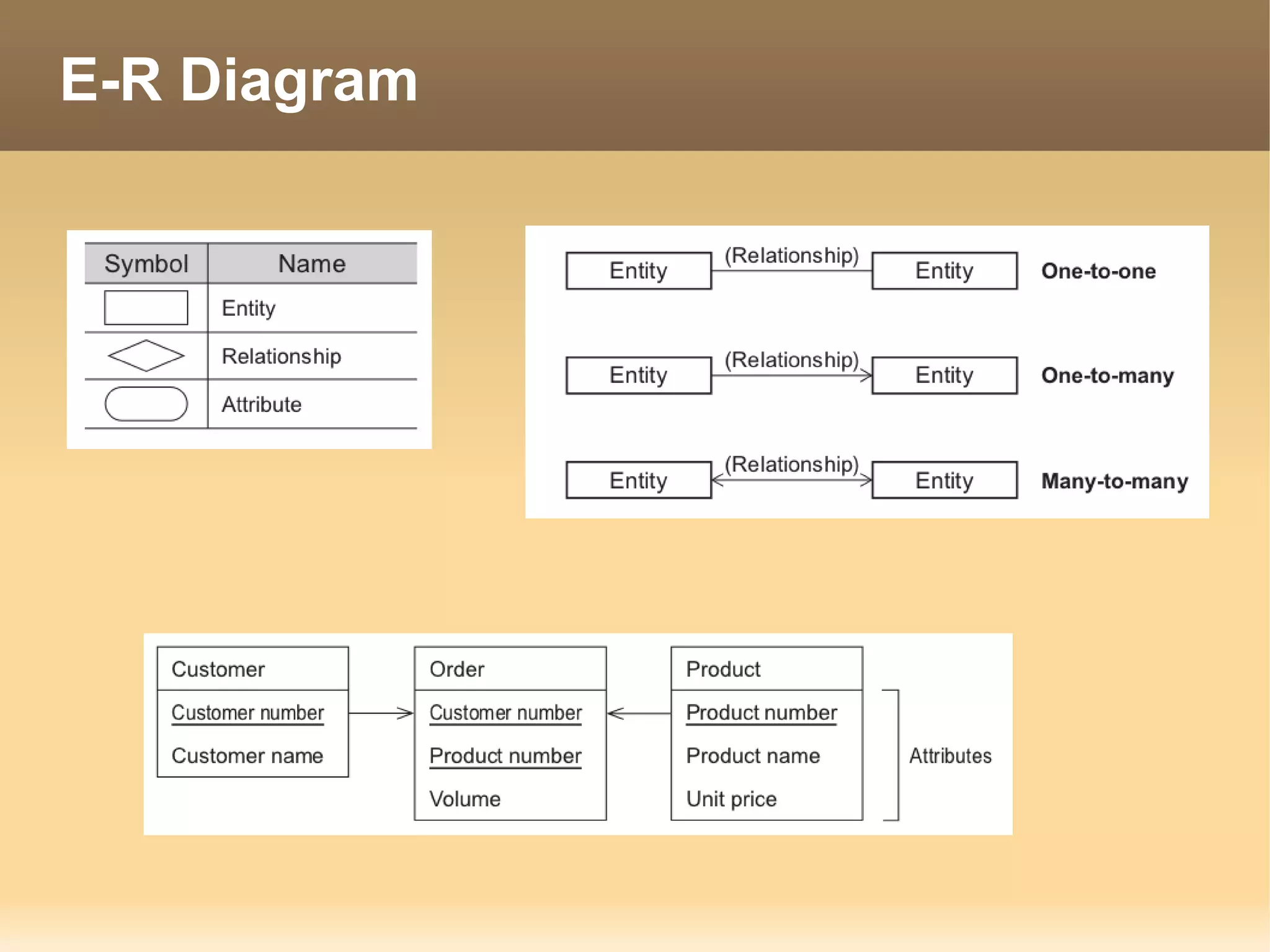
   E-R Diagram
       relationship between data using “entities” and
        “relationships.” Entities and relationships have
        several characteristics called “attributes.”
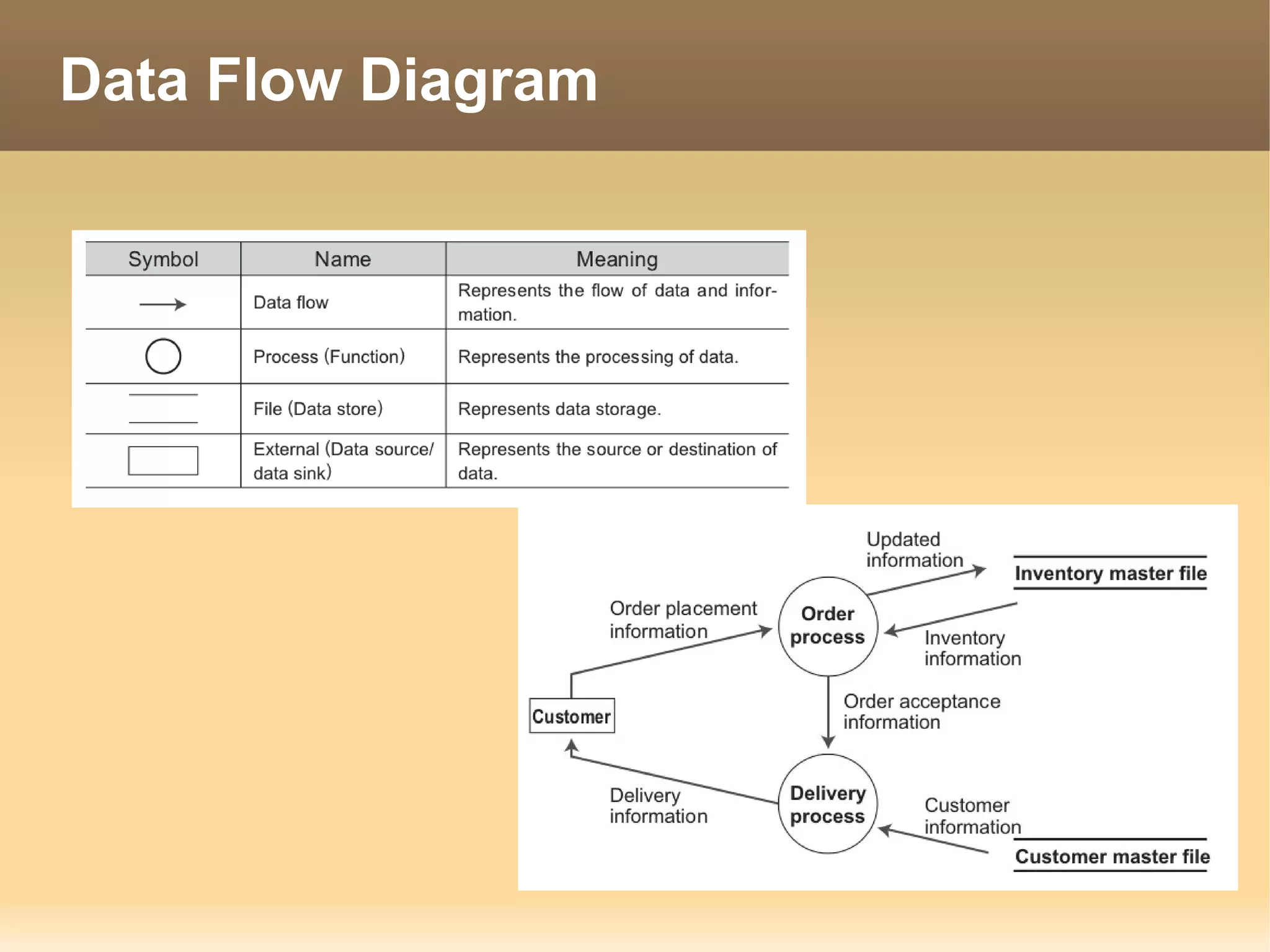
   Data Flow Diagram (DFD)
       The flow of operations as a flow of data
   Unified Model Language (UML)
       visual language for modeling that standardizes the
        conceptual components used in the development
        and specification decision stage
E-R Diagram
Data Flow Diagram
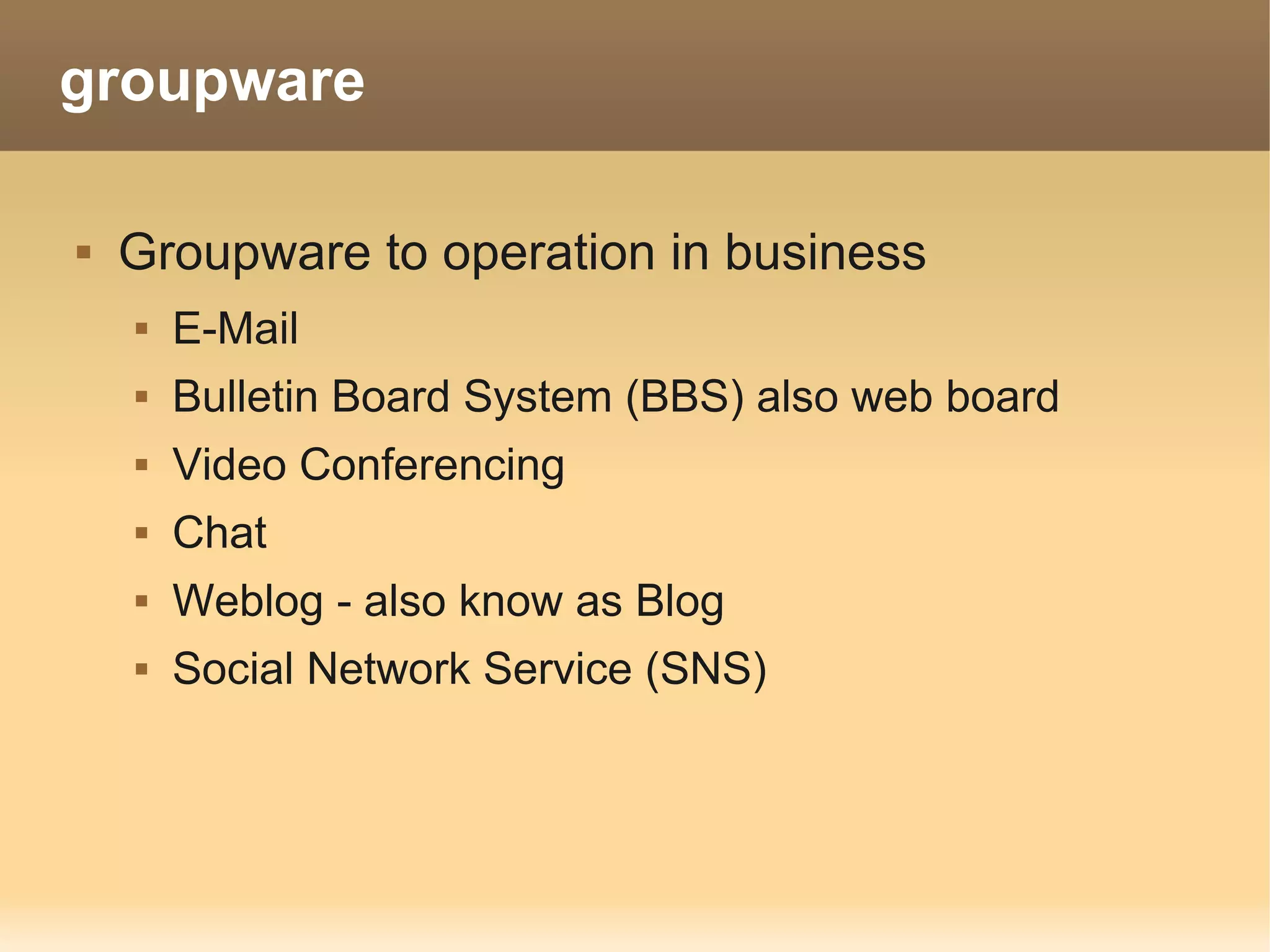
groupware

   Groupware to operation in business
       E-Mail
       Bulletin Board System (BBS) also web board
       Video Conferencing
       Chat
       Weblog - also know as Blog
       Social Network Service (SNS)
Management
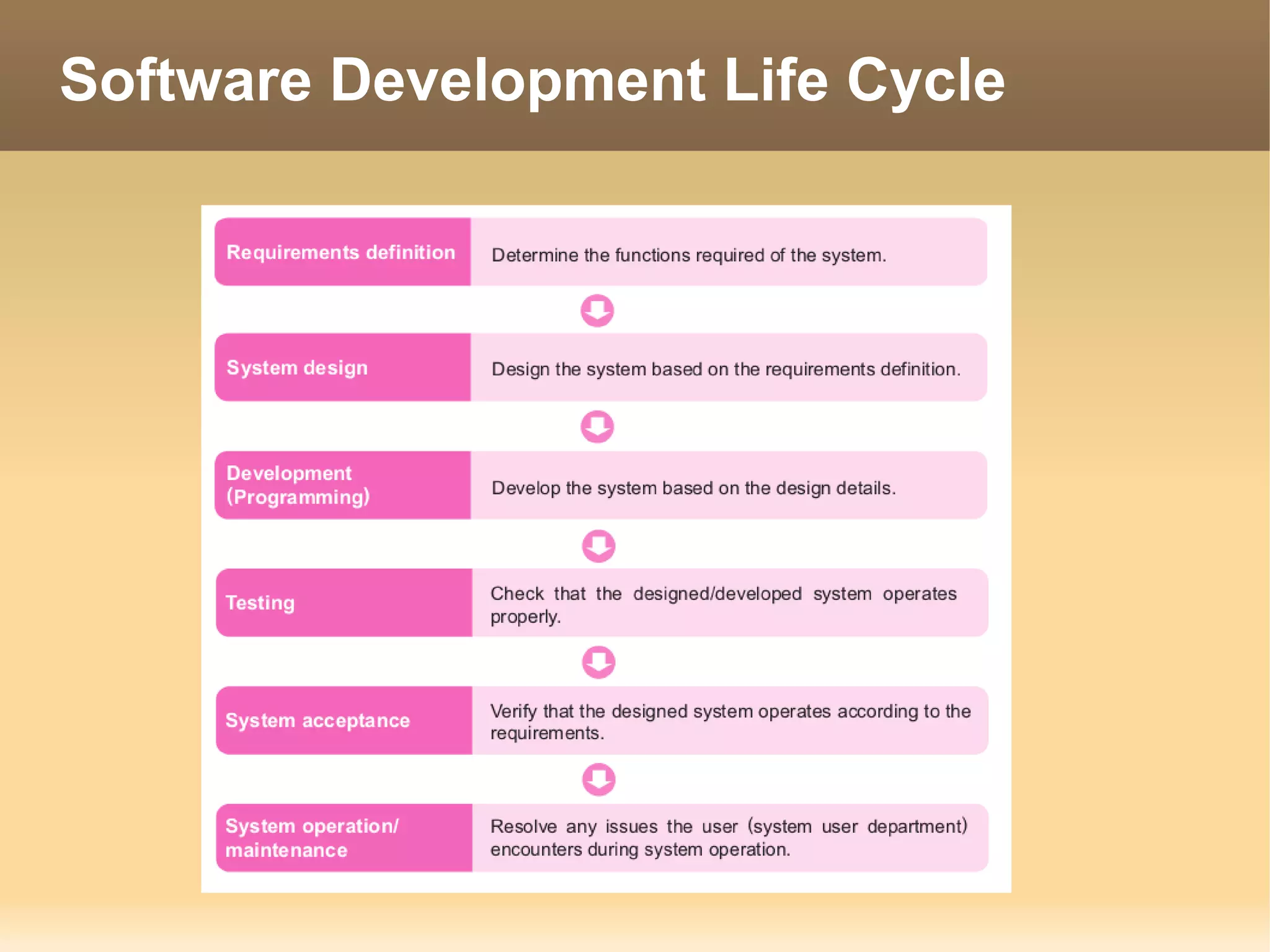
Software Development Life Cycle
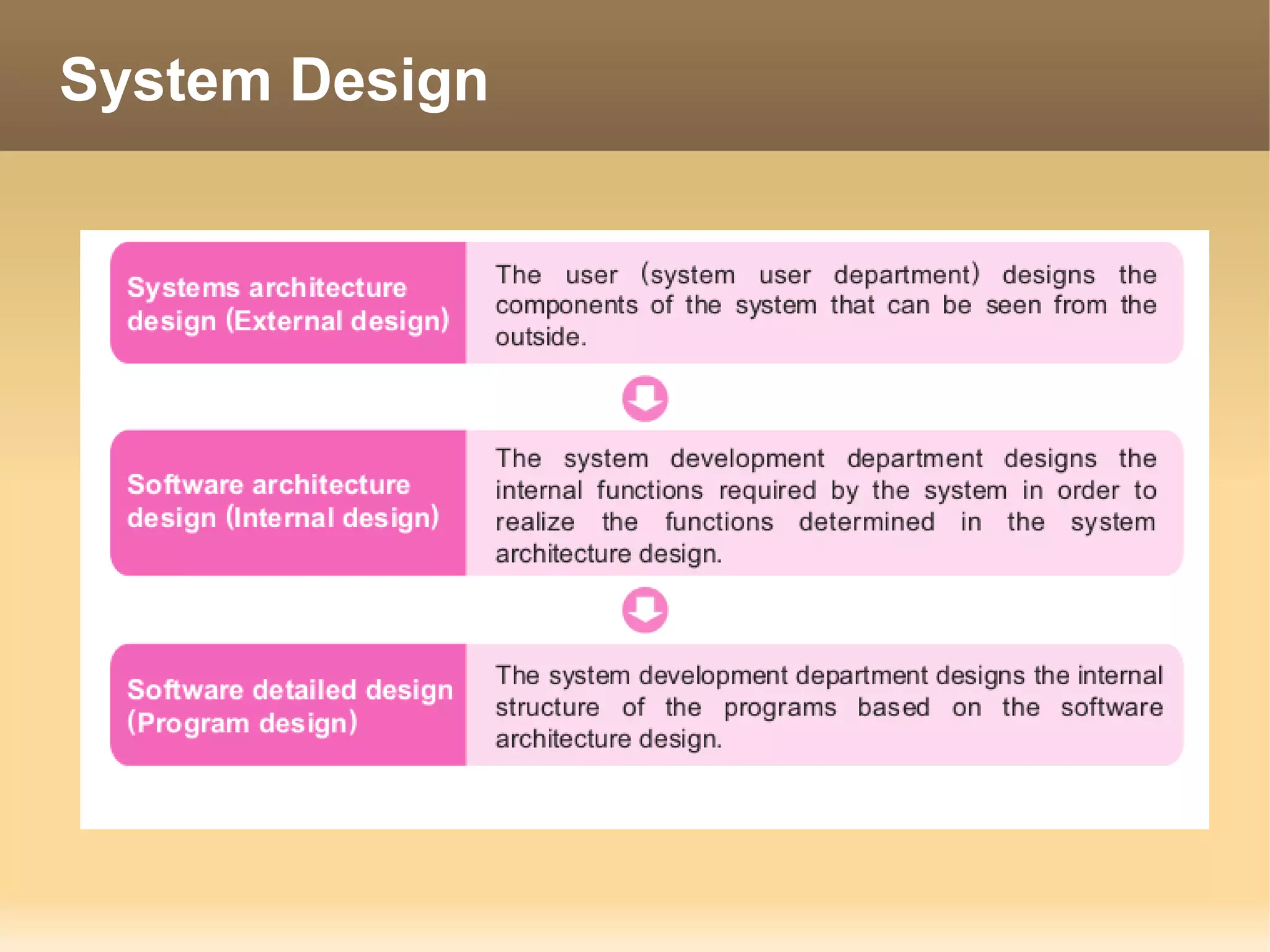
System Design
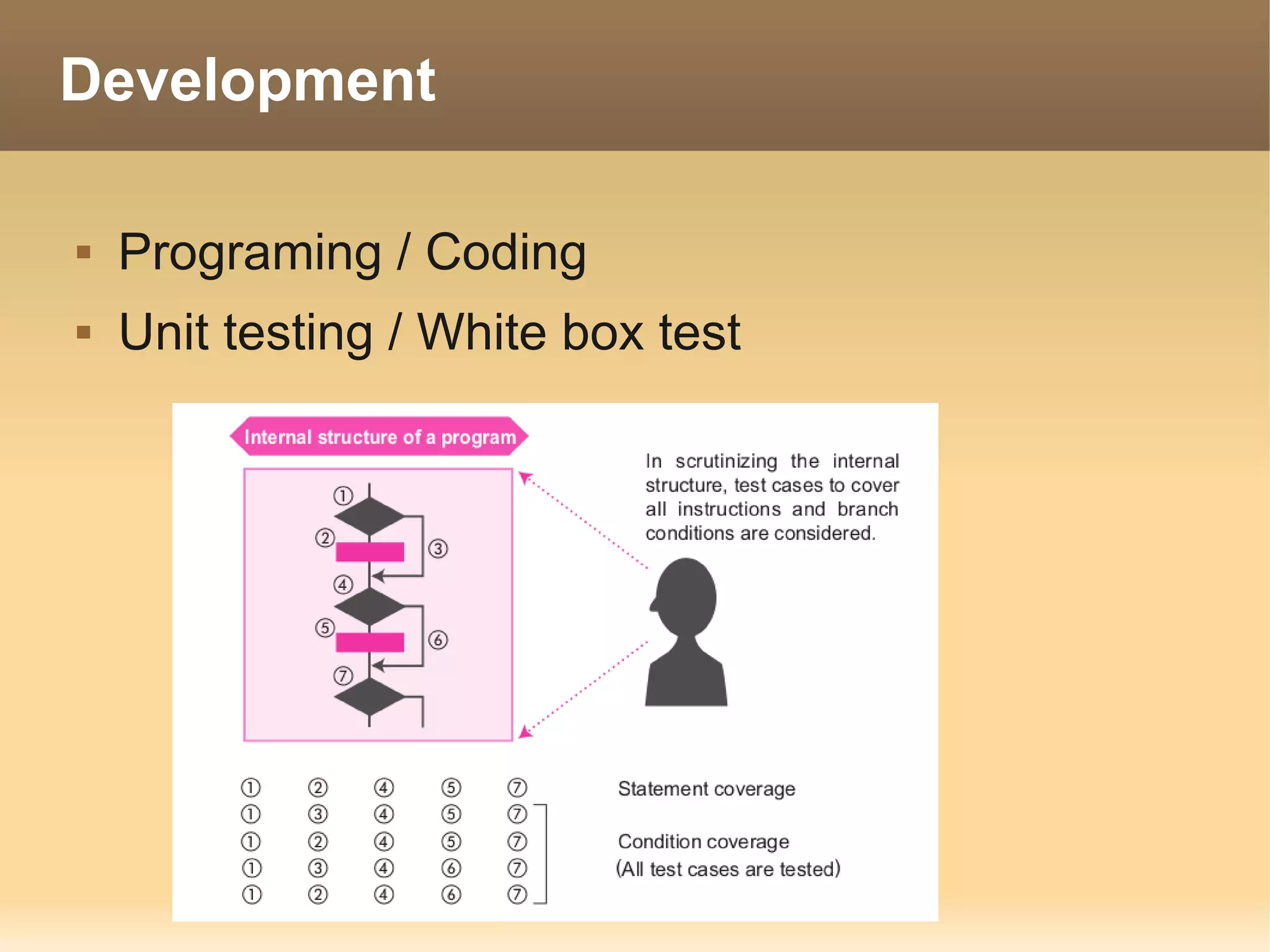
Development

   Programing / Coding
   Unit testing / White box test
Testing

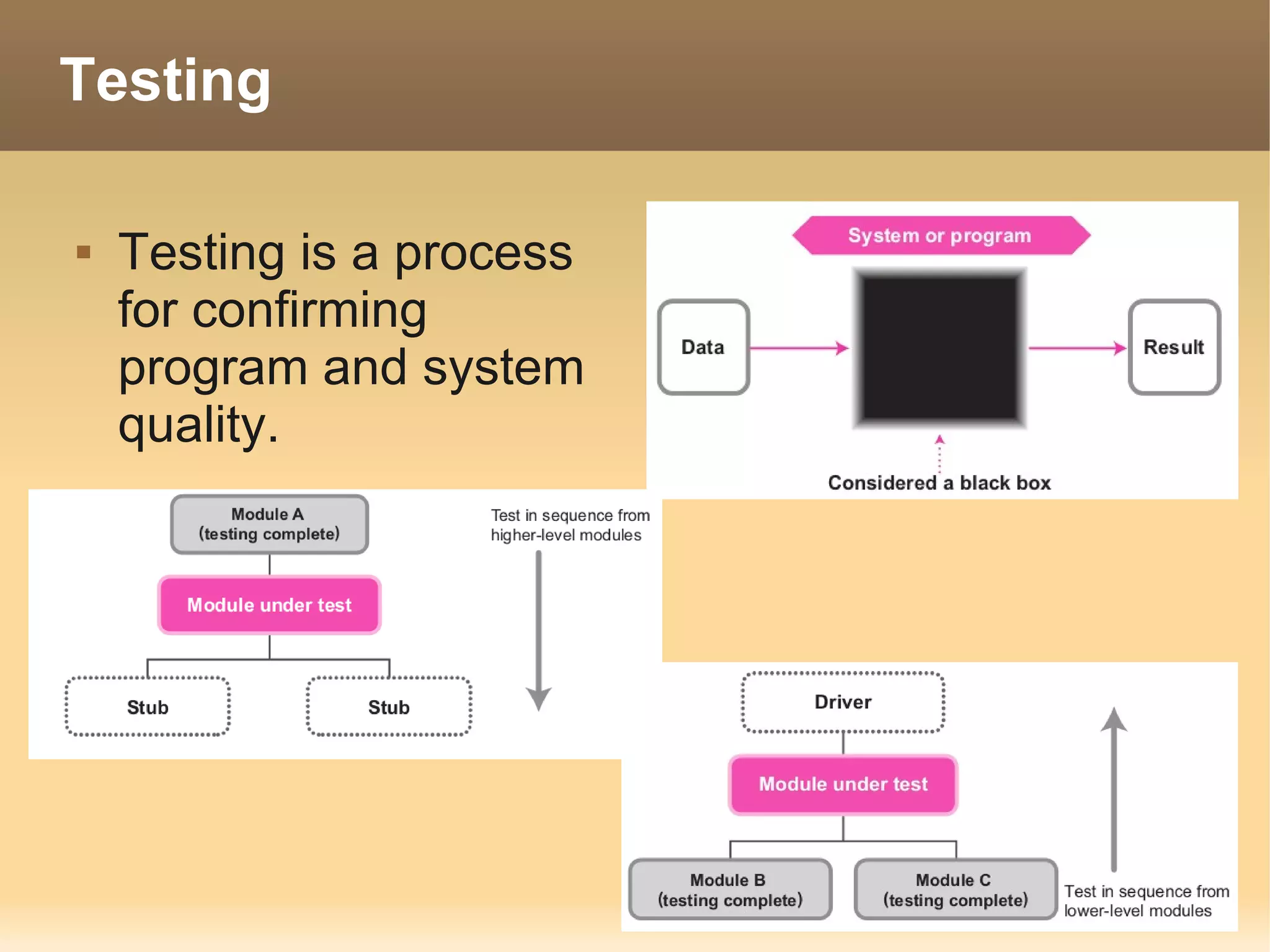
   Testing is a process
    for confirming
    program and system
    quality.

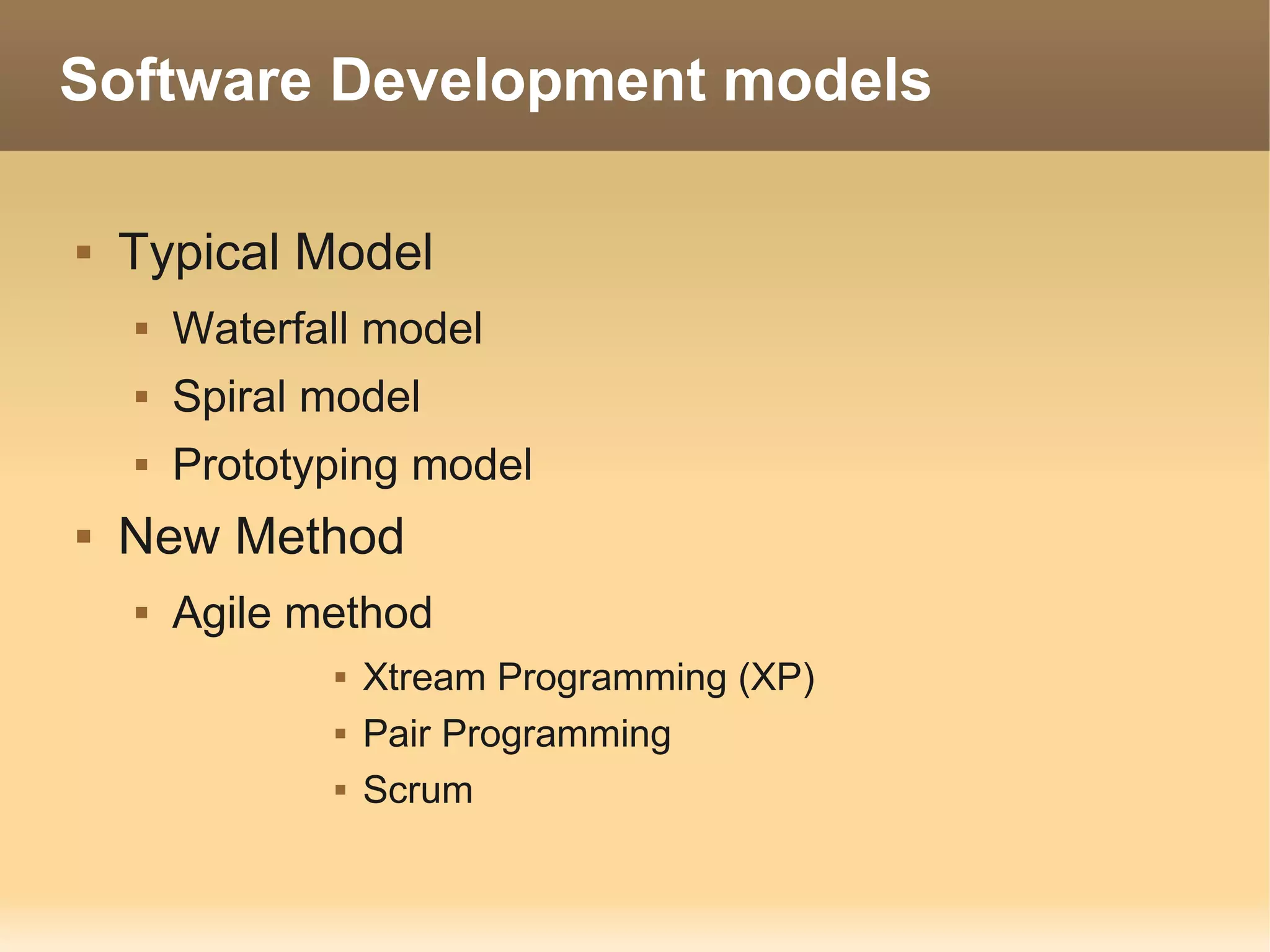
Software Development models

   Typical Model
       Waterfall model
       Spiral model
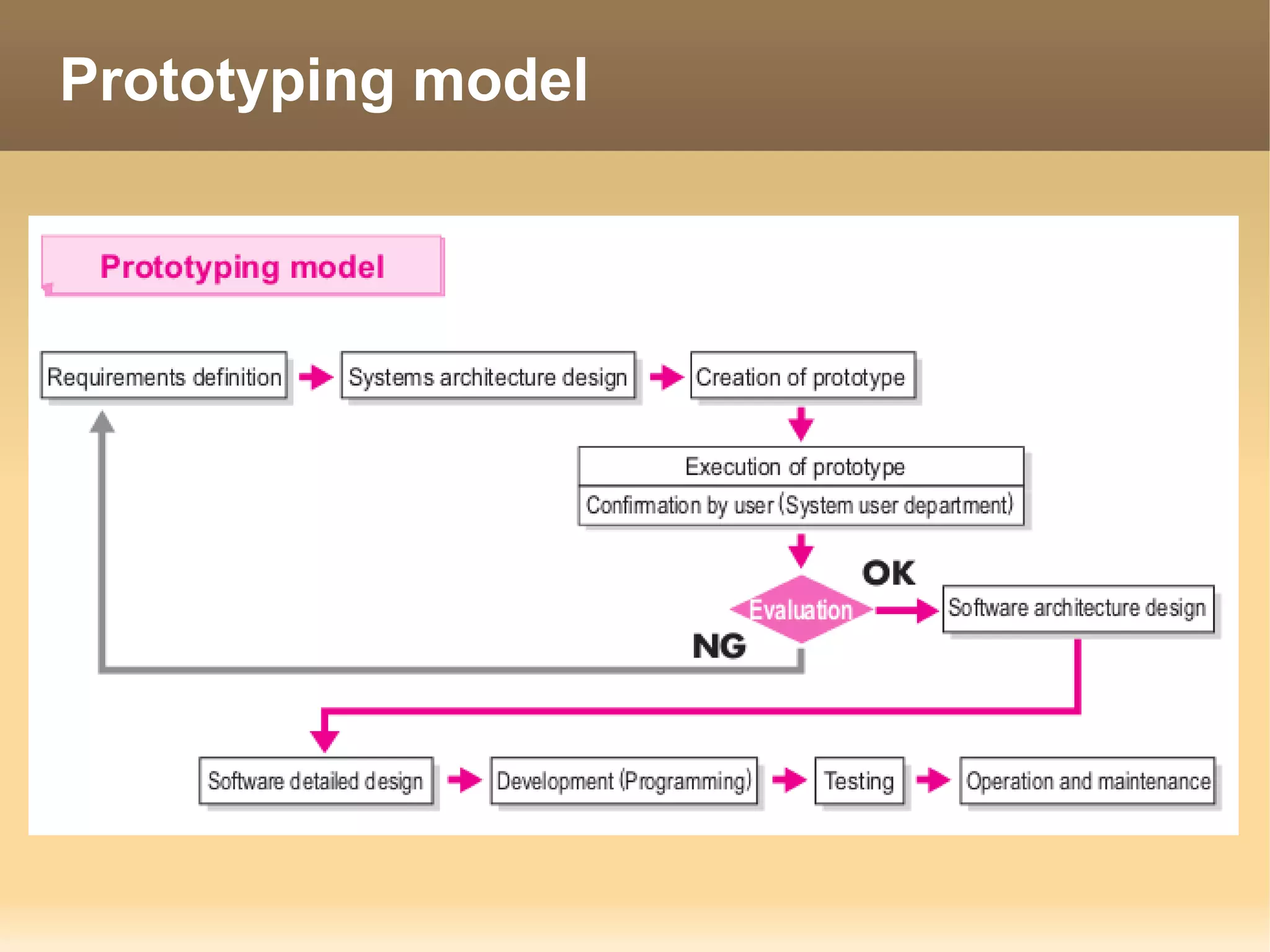
       Prototyping model
   New Method
       Agile method
                  Xtream Programming (XP)
                  Pair Programming
                  Scrum
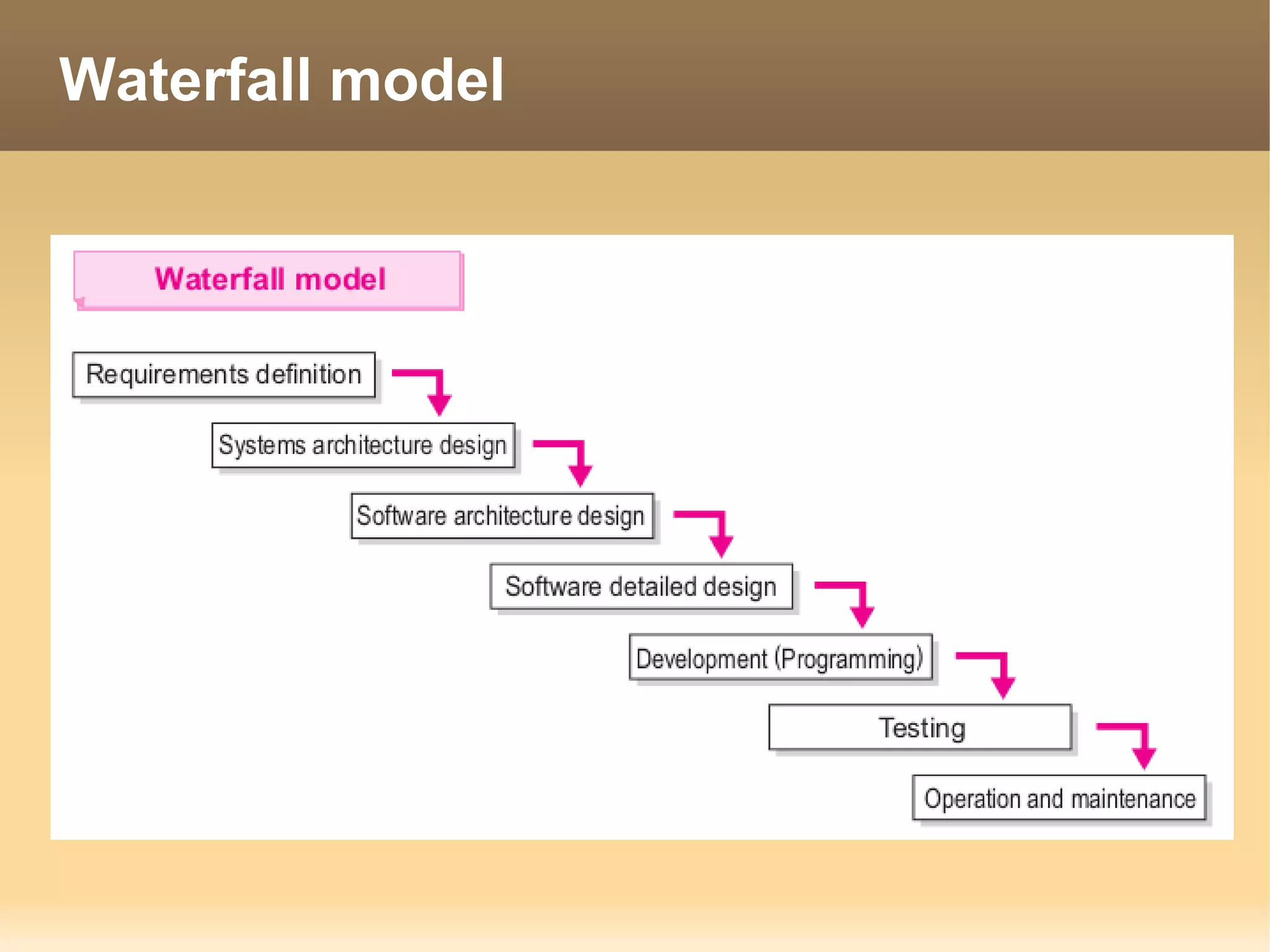
Waterfall model
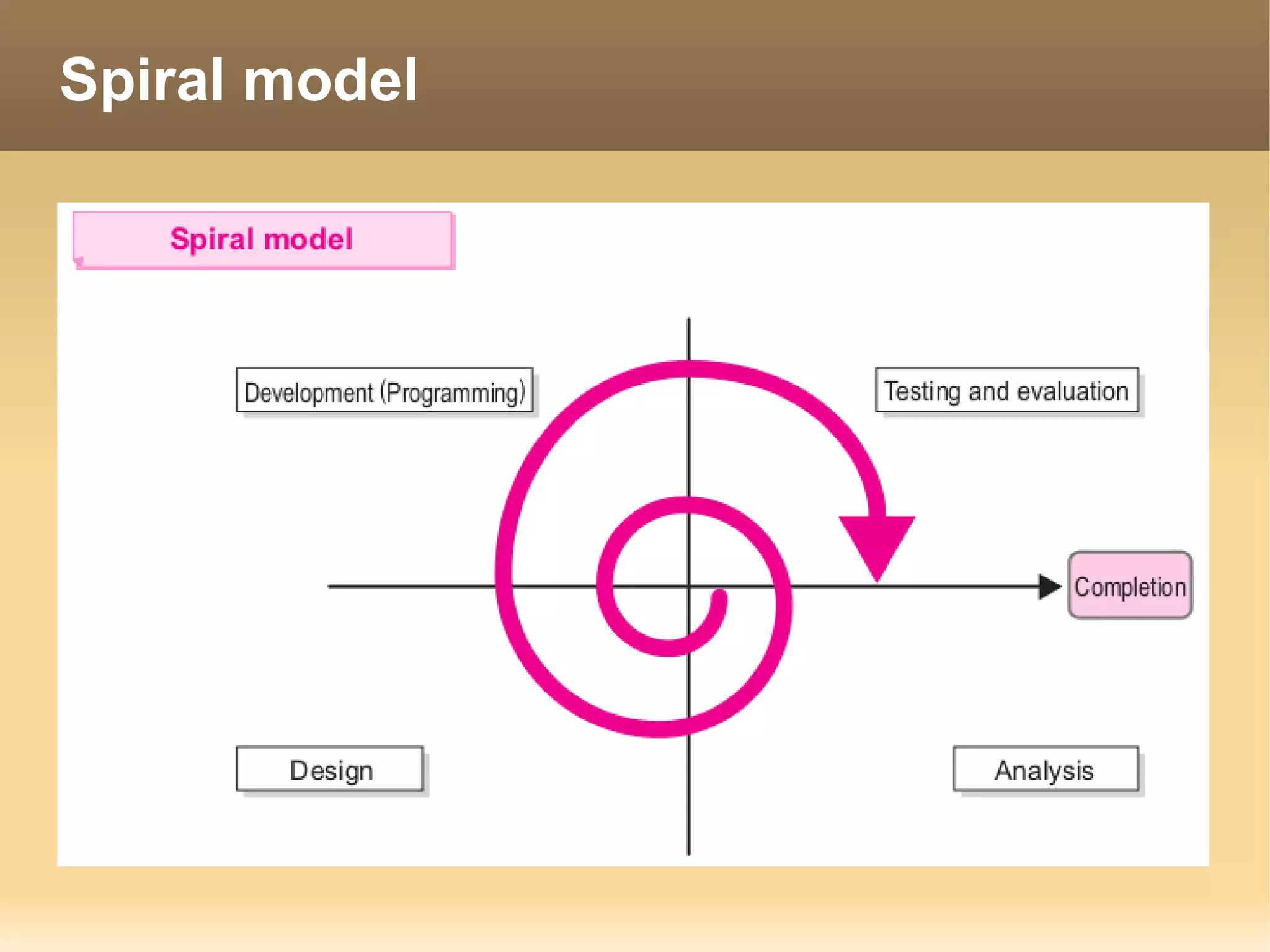
Spiral model
Prototyping model
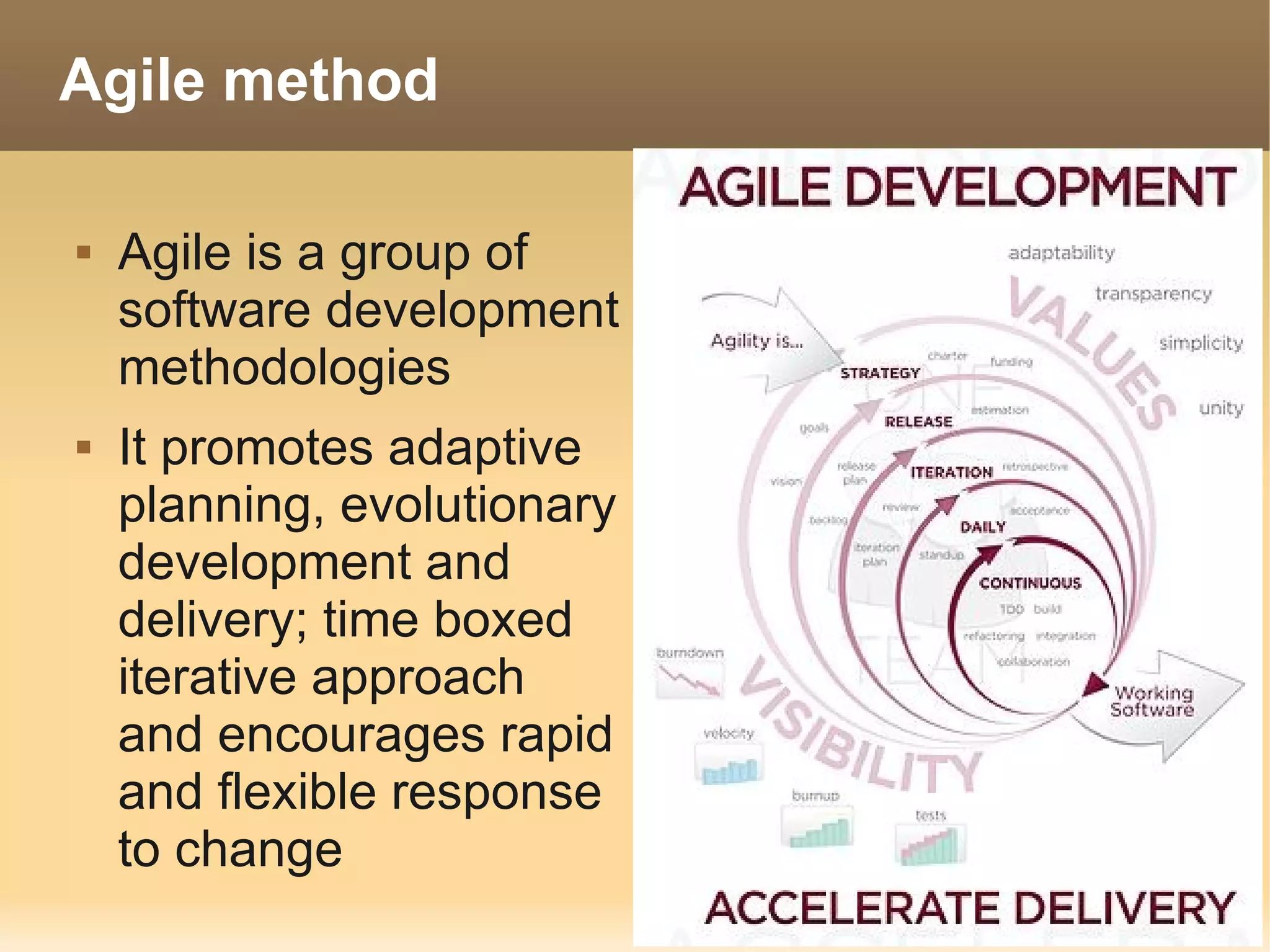
Agile method

   Agile is a group of
    software development
    methodologies
   It promotes adaptive
    planning, evolutionary
    development and
    delivery; time boxed
    iterative approach
    and encourages rapid
    and flexible response
    to change
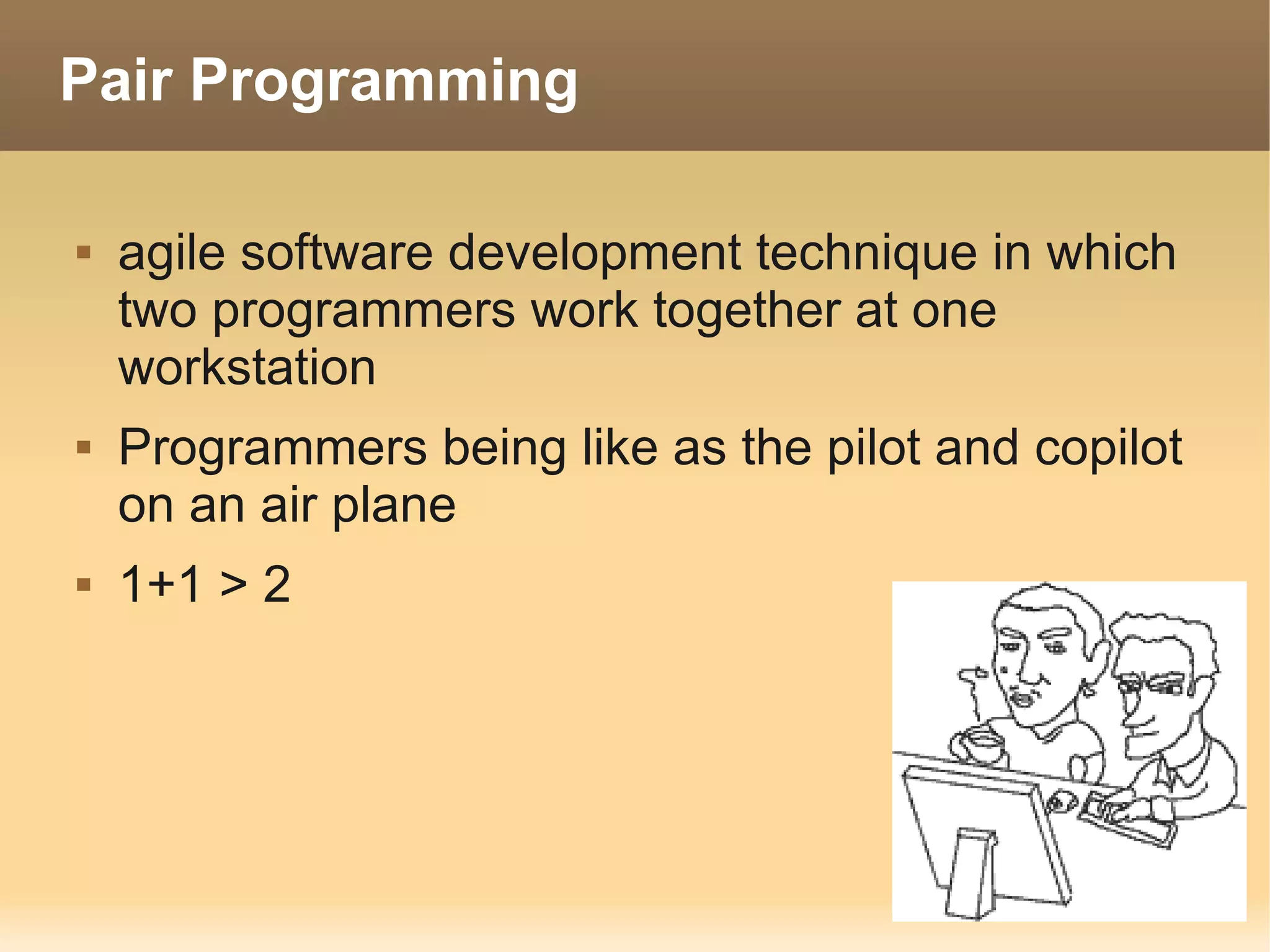
Pair Programming

   agile software development technique in which
    two programmers work together at one
    workstation
   Programmers being like as the pilot and copilot
    on an air plane
   1+1 > 2
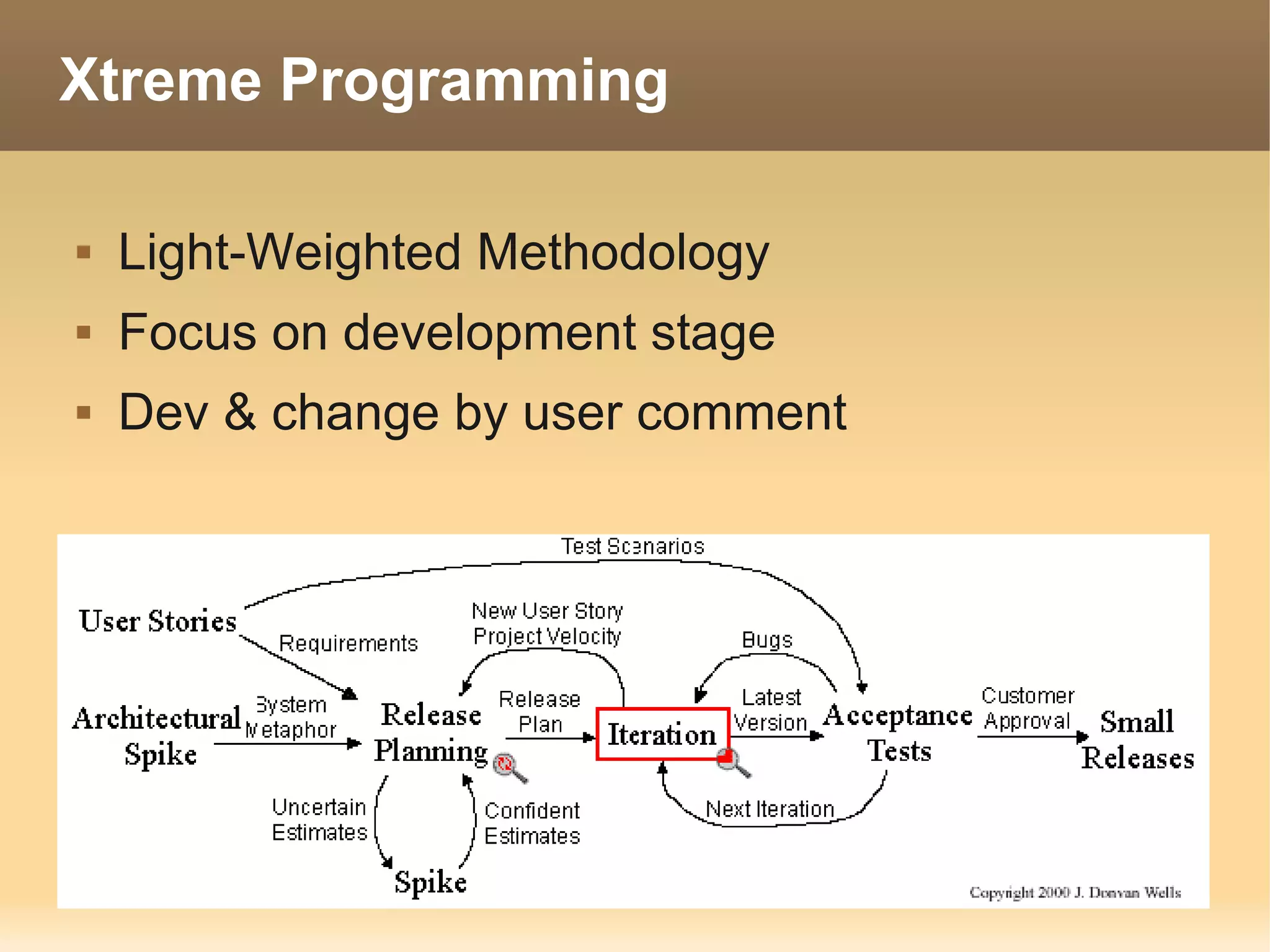
Xtreme Programming

   Light-Weighted Methodology
   Focus on development stage
   Dev & change by user comment
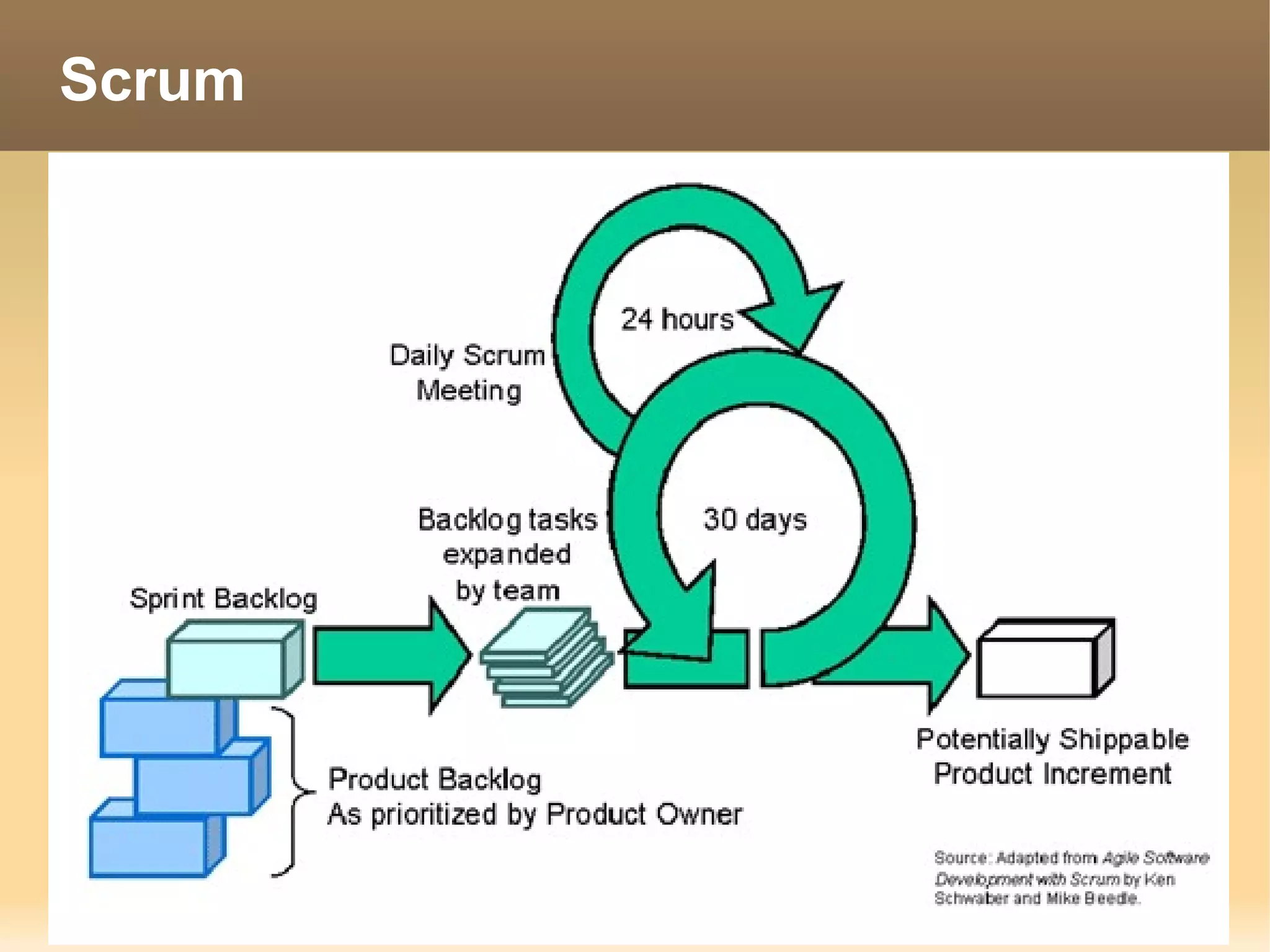
Scrum
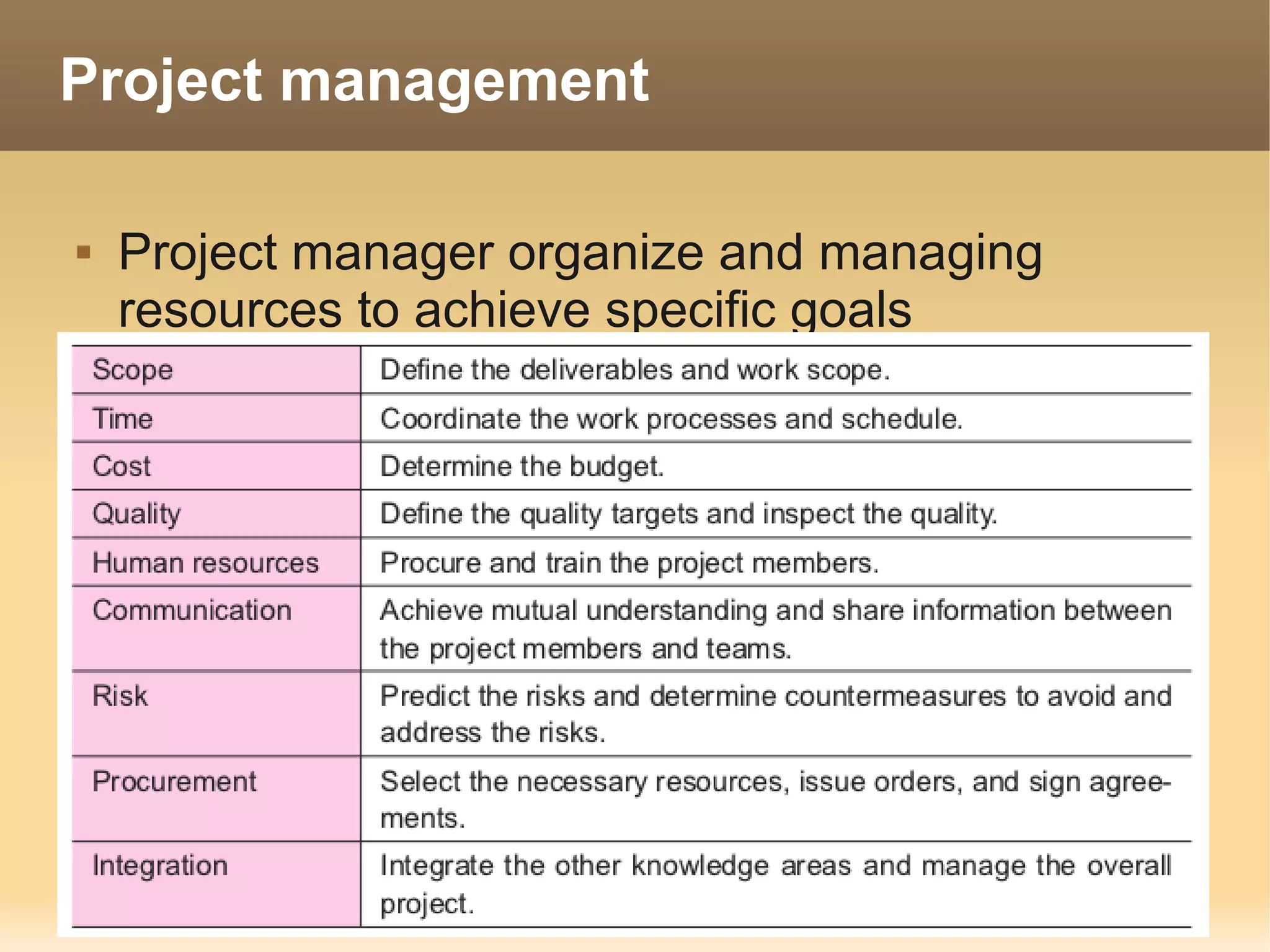
Project management

   Project manager organize and managing
    resources to achieve specific goals
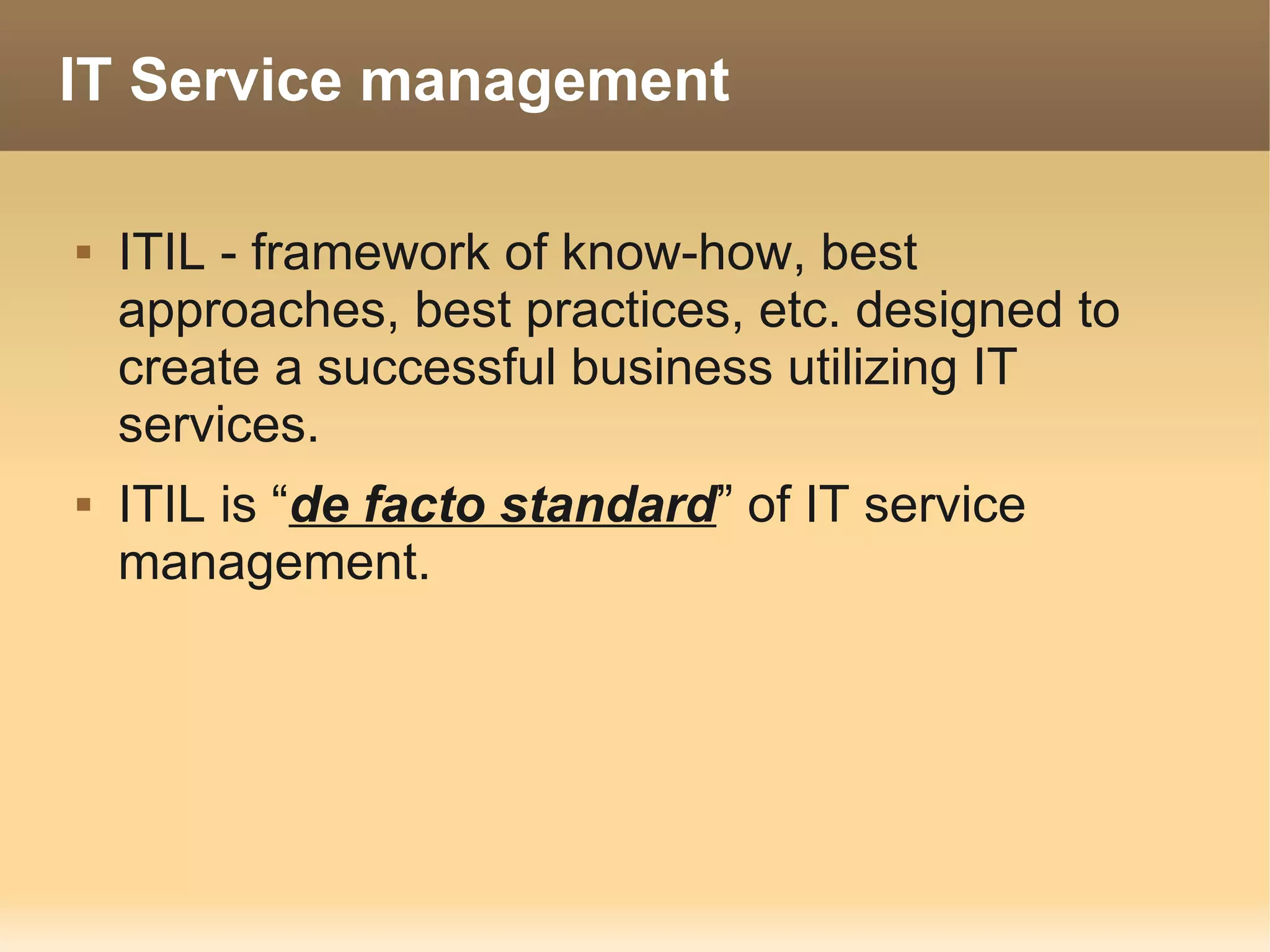
IT Service management

   ITIL - framework of know-how, best
    approaches, best practices, etc. designed to
    create a successful business utilizing IT
    services.
   ITIL is “de facto standard” of IT service
    management.
Technology
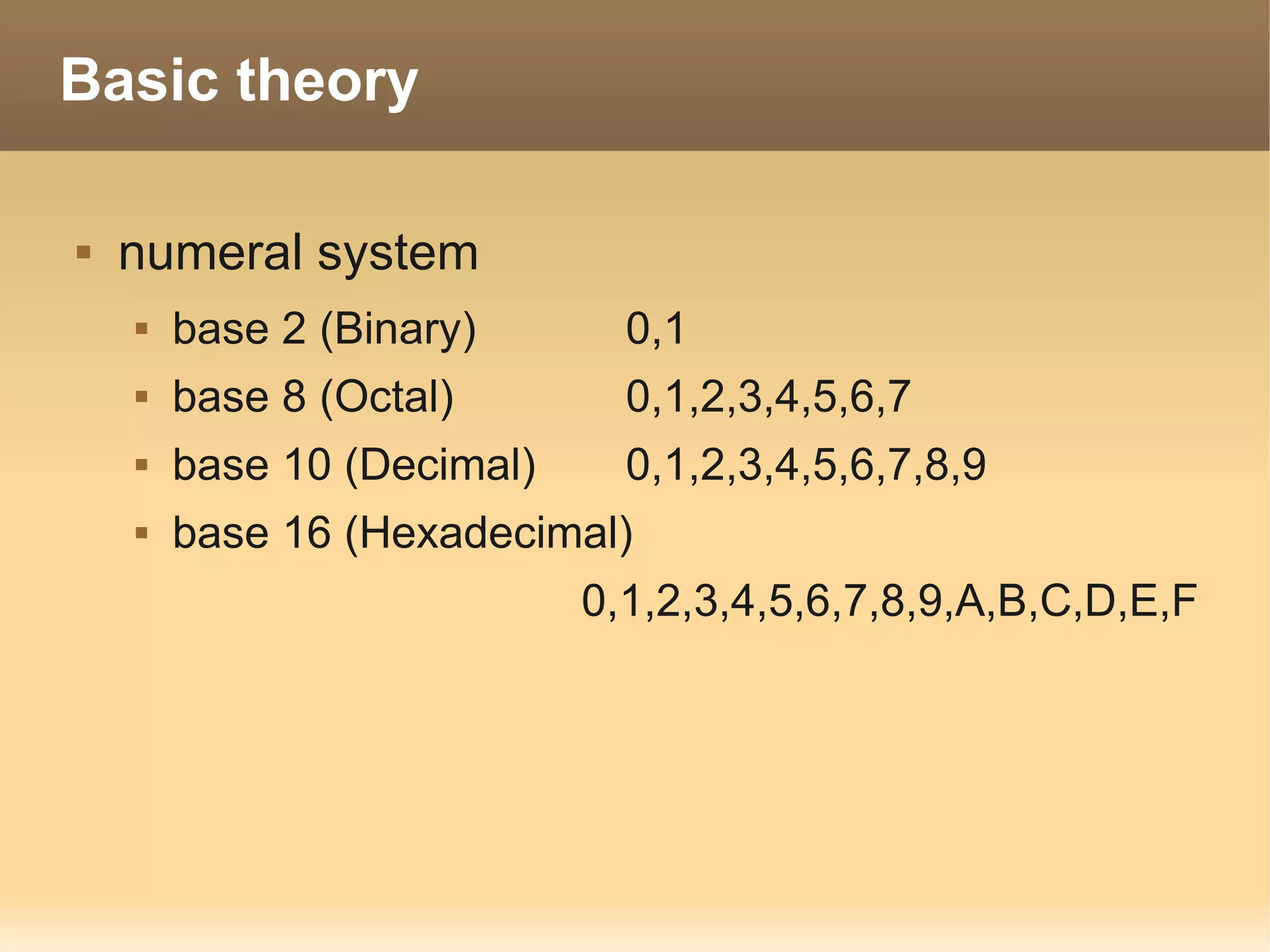
Basic theory

   numeral system
       base 2 (Binary)       0,1
       base 8 (Octal)        0,1,2,3,4,5,6,7
       base 10 (Decimal)     0,1,2,3,4,5,6,7,8,9
       base 16 (Hexadecimal)
                            0,1,2,3,4,5,6,7,8,9,A,B,C,D,E,F
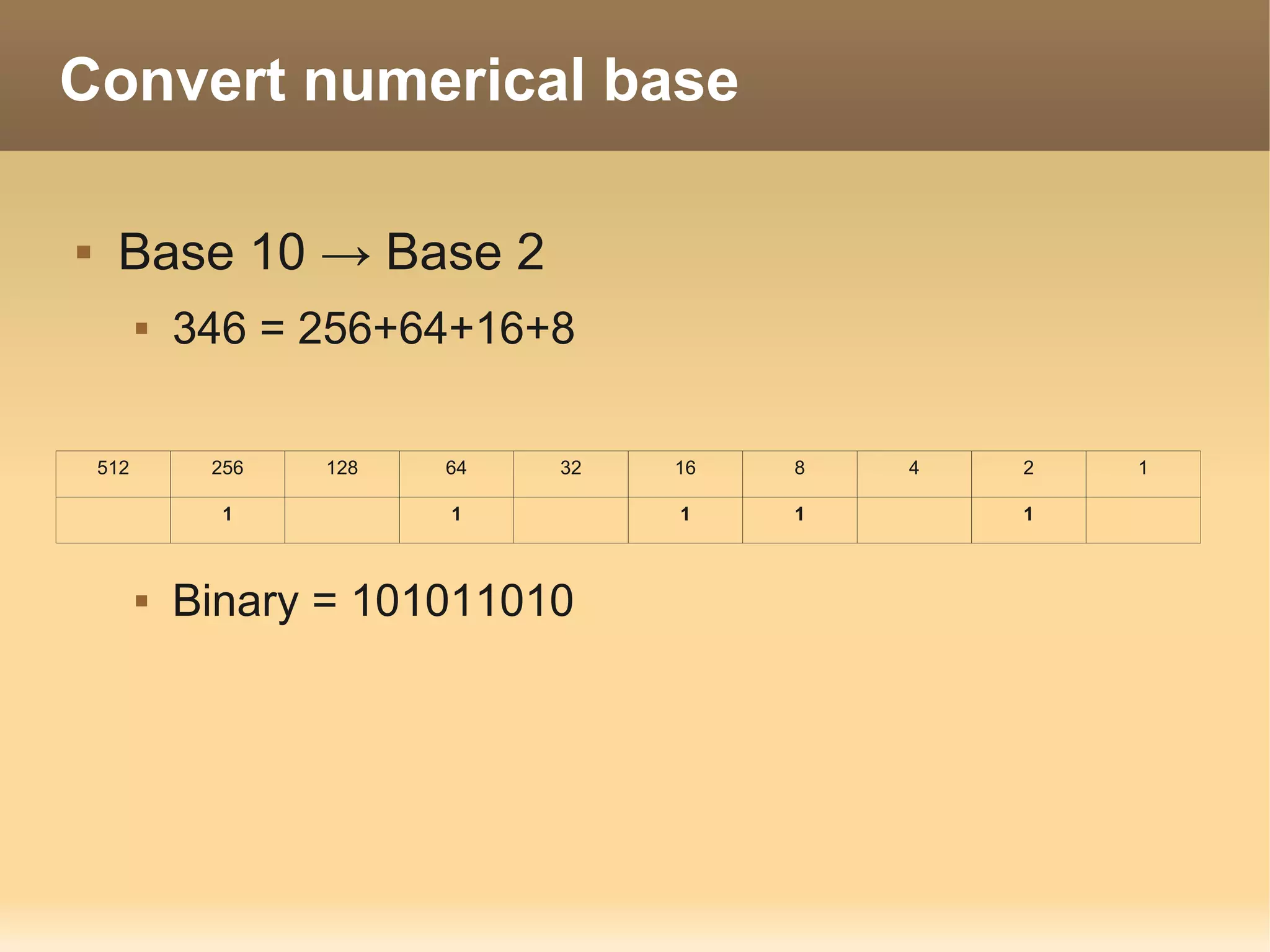
Convert numerical base

    Base 10 → Base 2
             346 = 256+64+16+8

    512        256   128   64   32   16   8   4   2   1

                1          1         1    1       1


             Binary = 101011010
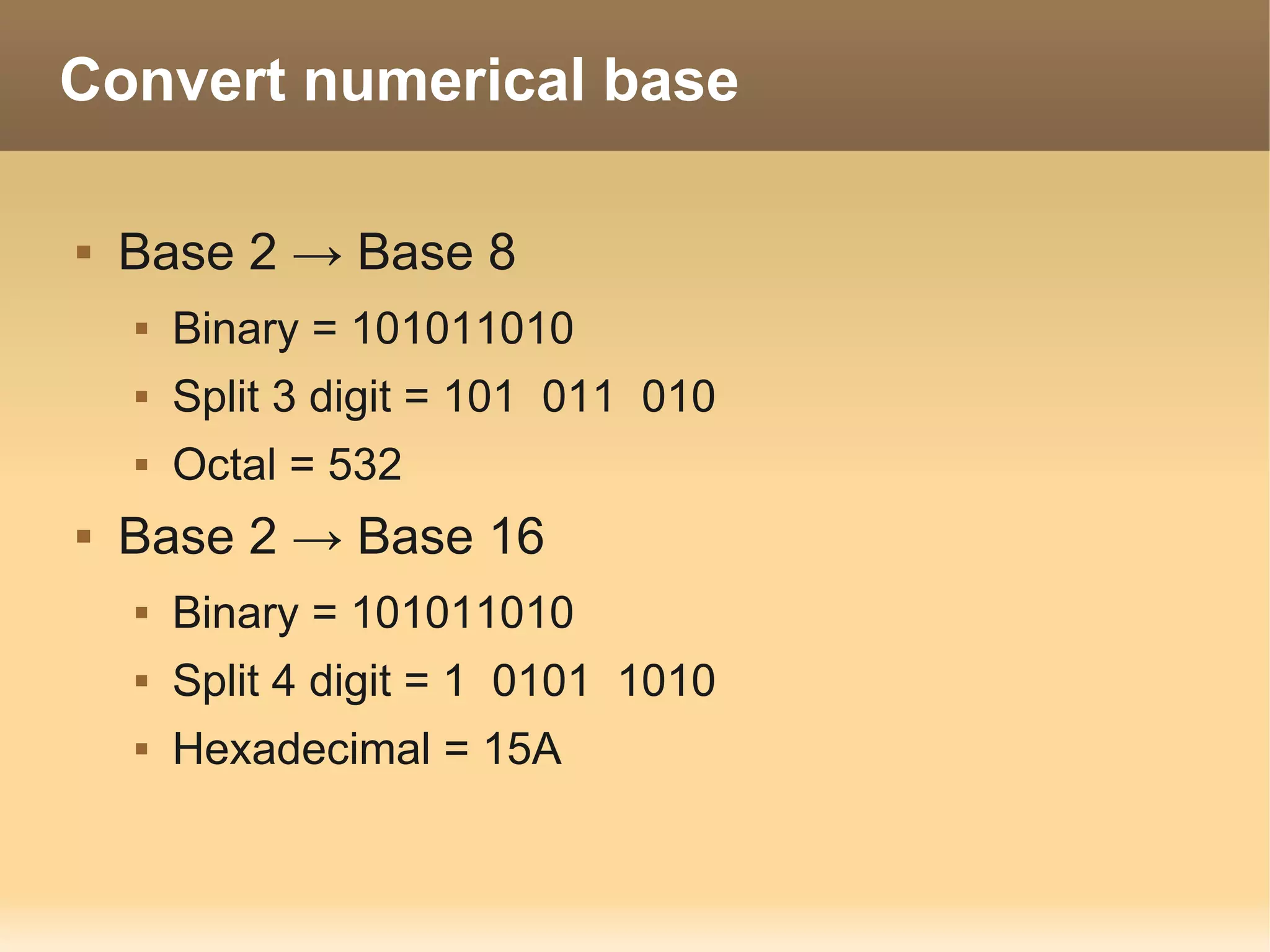
Convert numerical base

   Base 2 → Base 8
       Binary = 101011010
       Split 3 digit = 101 011 010
       Octal = 532
   Base 2 → Base 16
       Binary = 101011010
       Split 4 digit = 1 0101 1010
       Hexadecimal = 15A
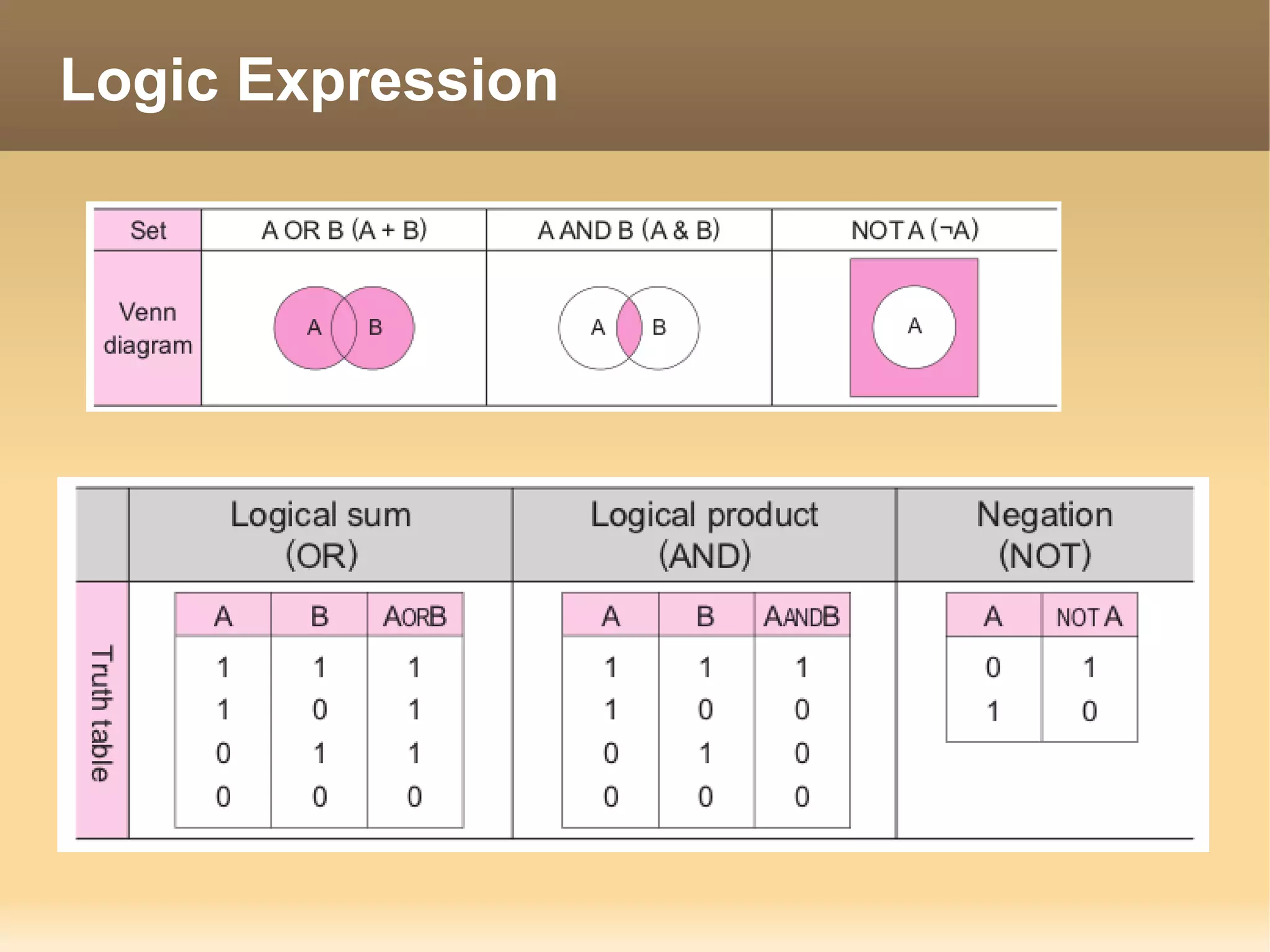
Logic Expression
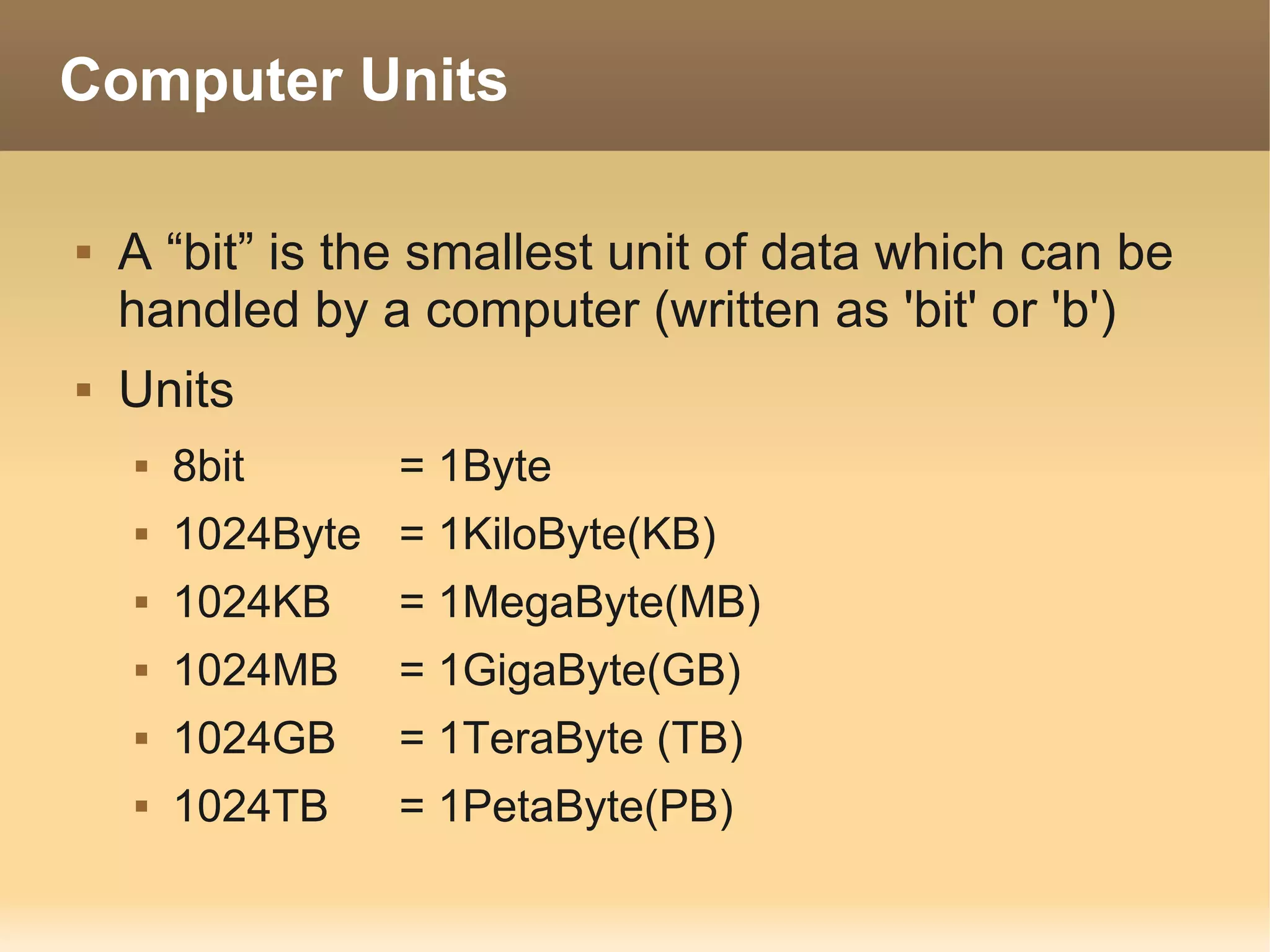
Computer Units

   A “bit” is the smallest unit of data which can be
    handled by a computer (written as 'bit' or 'b')
   Units
       8bit      = 1Byte
       1024Byte = 1KiloByte(KB)
       1024KB    = 1MegaByte(MB)
       1024MB    = 1GigaByte(GB)
       1024GB    = 1TeraByte (TB)
       1024TB    = 1PetaByte(PB)
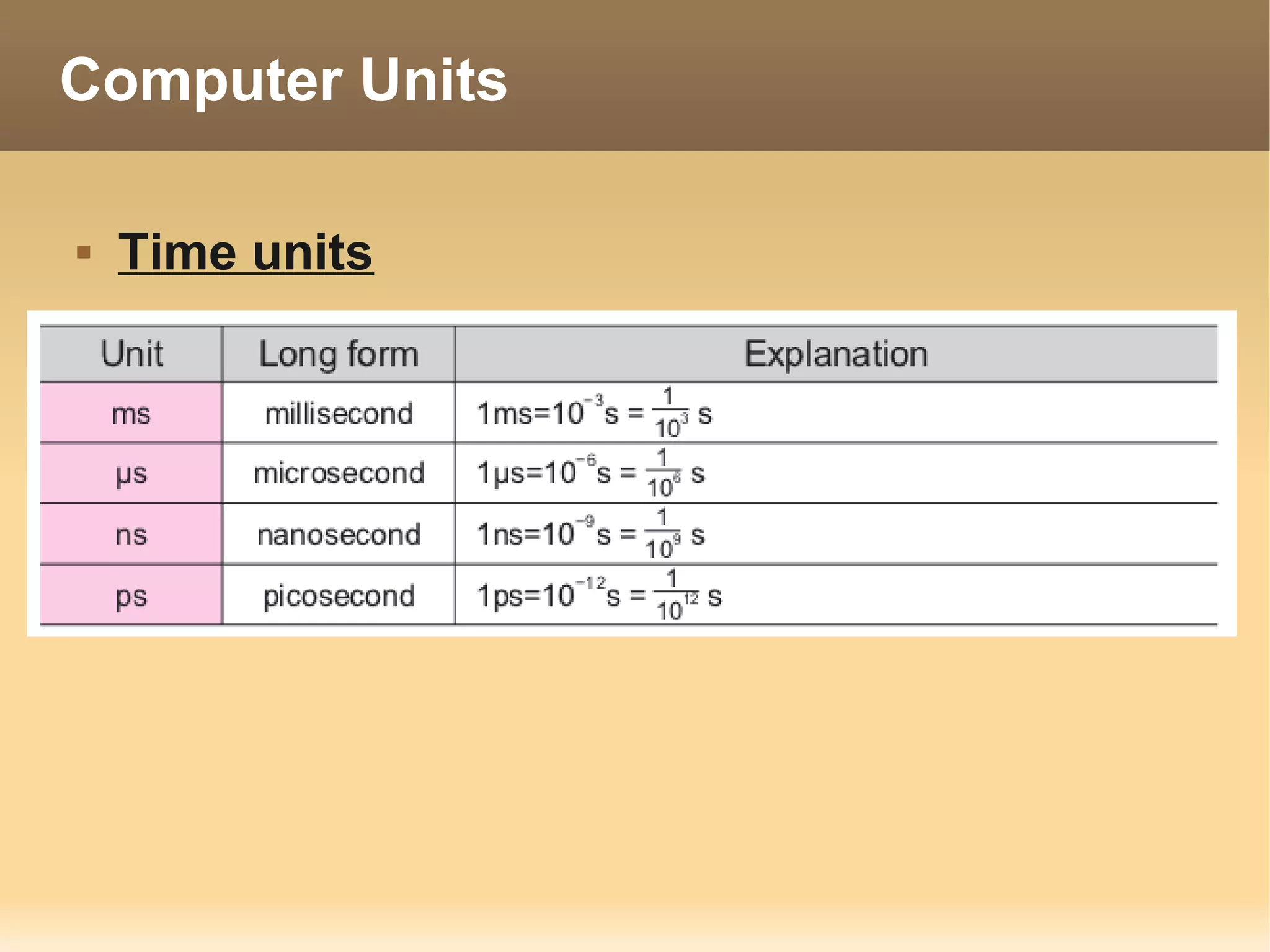
Computer Units

   Time units
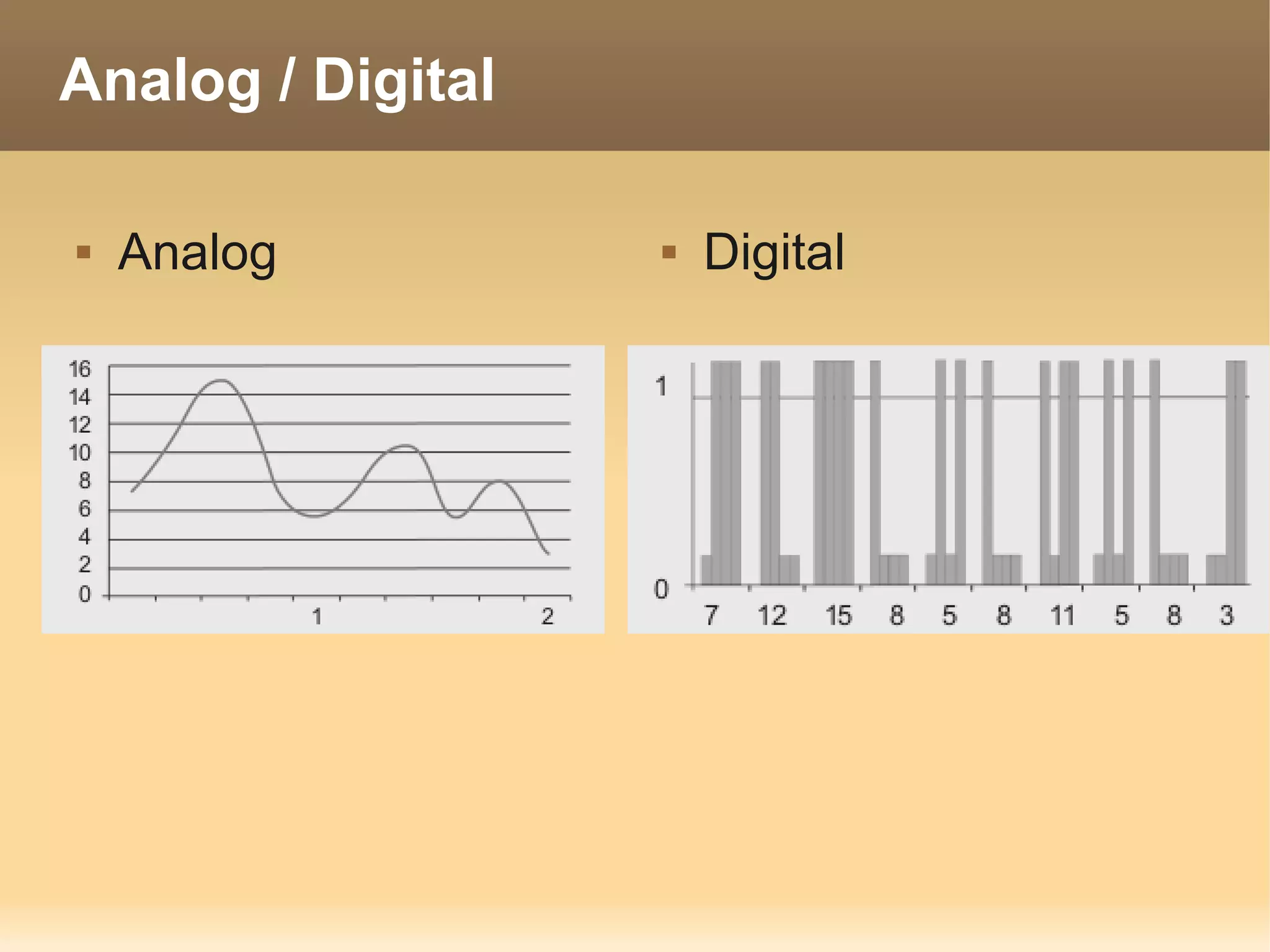
Analog / Digital

   Analog            Digital
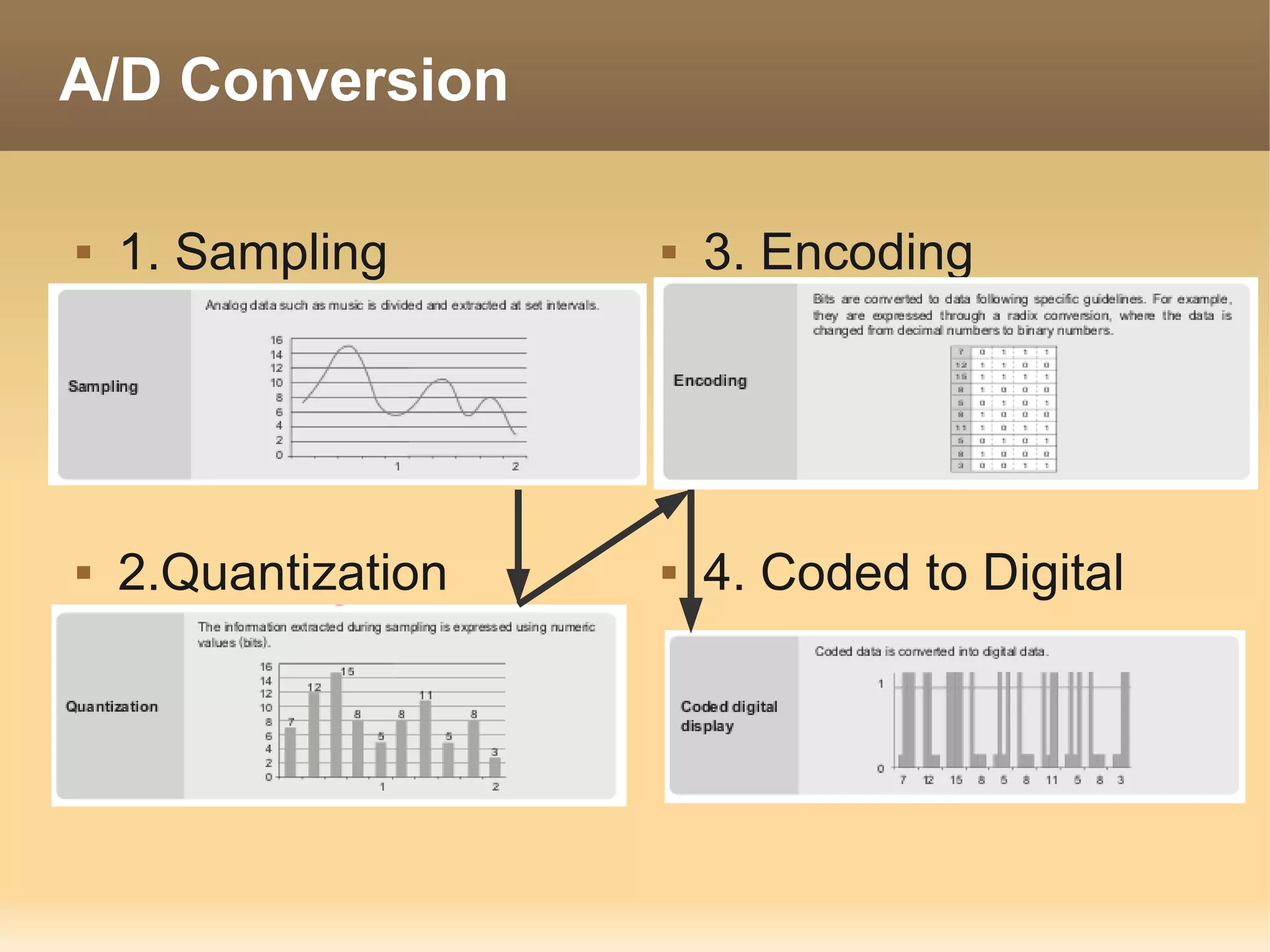
A/D Conversion

   1. Sampling         3. Encoding


   2.Quantization      4. Coded to Digital
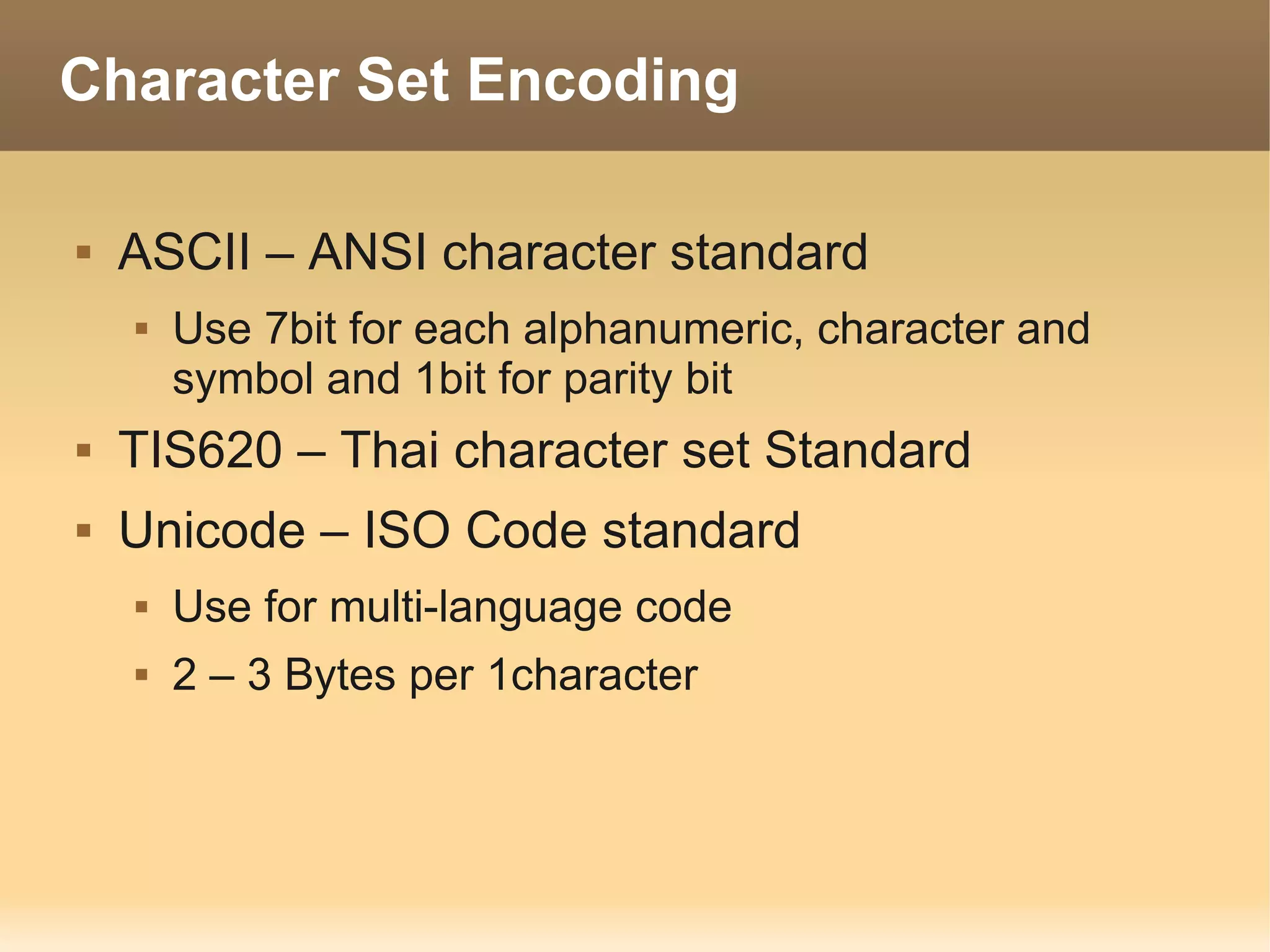
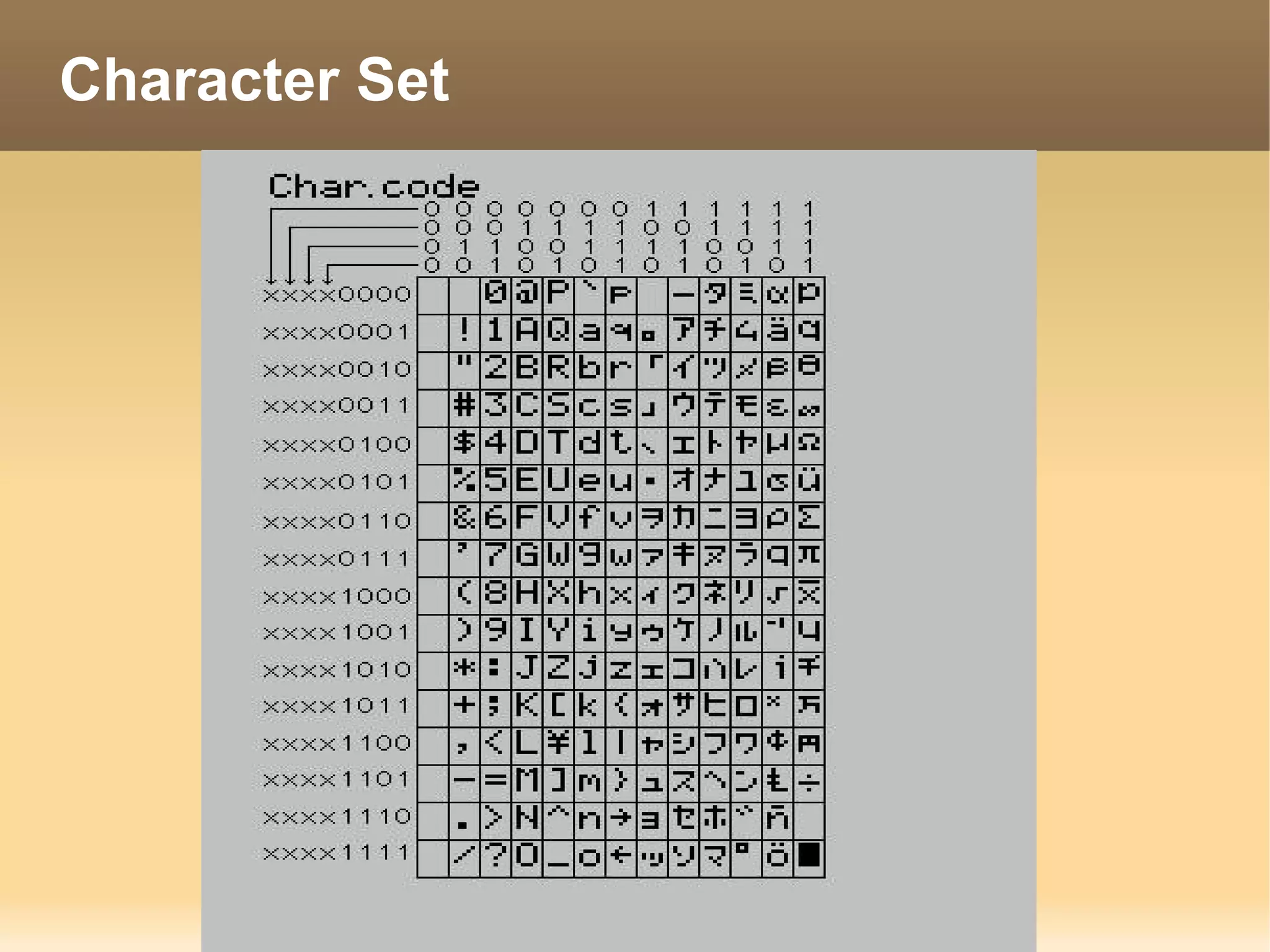
Character Set Encoding

   ASCII – ANSI character standard
       Use 7bit for each alphanumeric, character and
        symbol and 1bit for parity bit
   TIS620 – Thai character set Standard
   Unicode – ISO Code standard
       Use for multi-language code
       2 – 3 Bytes per 1character
Character Set
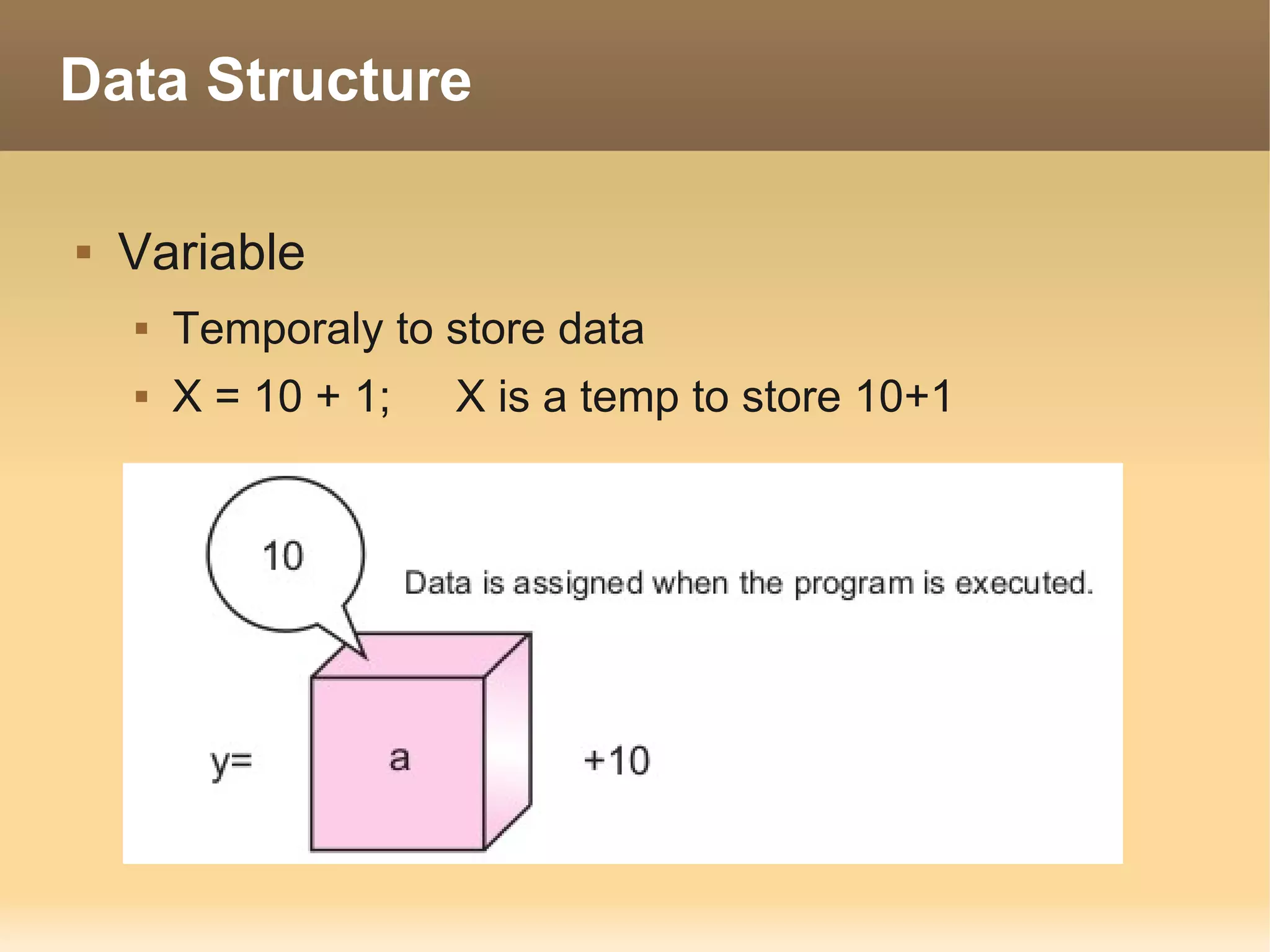
Data Structure

   Variable
       Temporaly to store data
       X = 10 + 1;   X is a temp to store 10+1
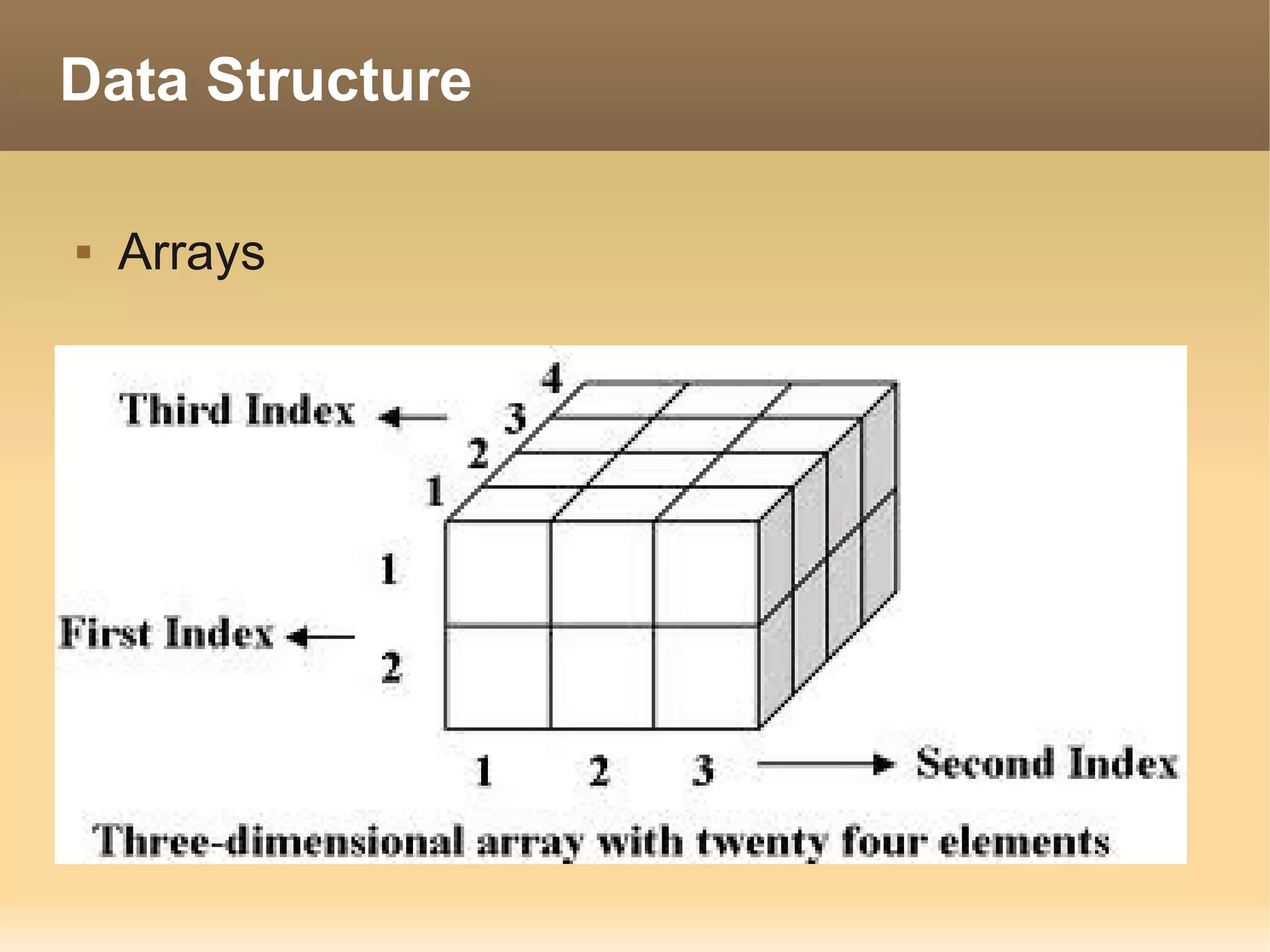
Data Structure

   Arrays
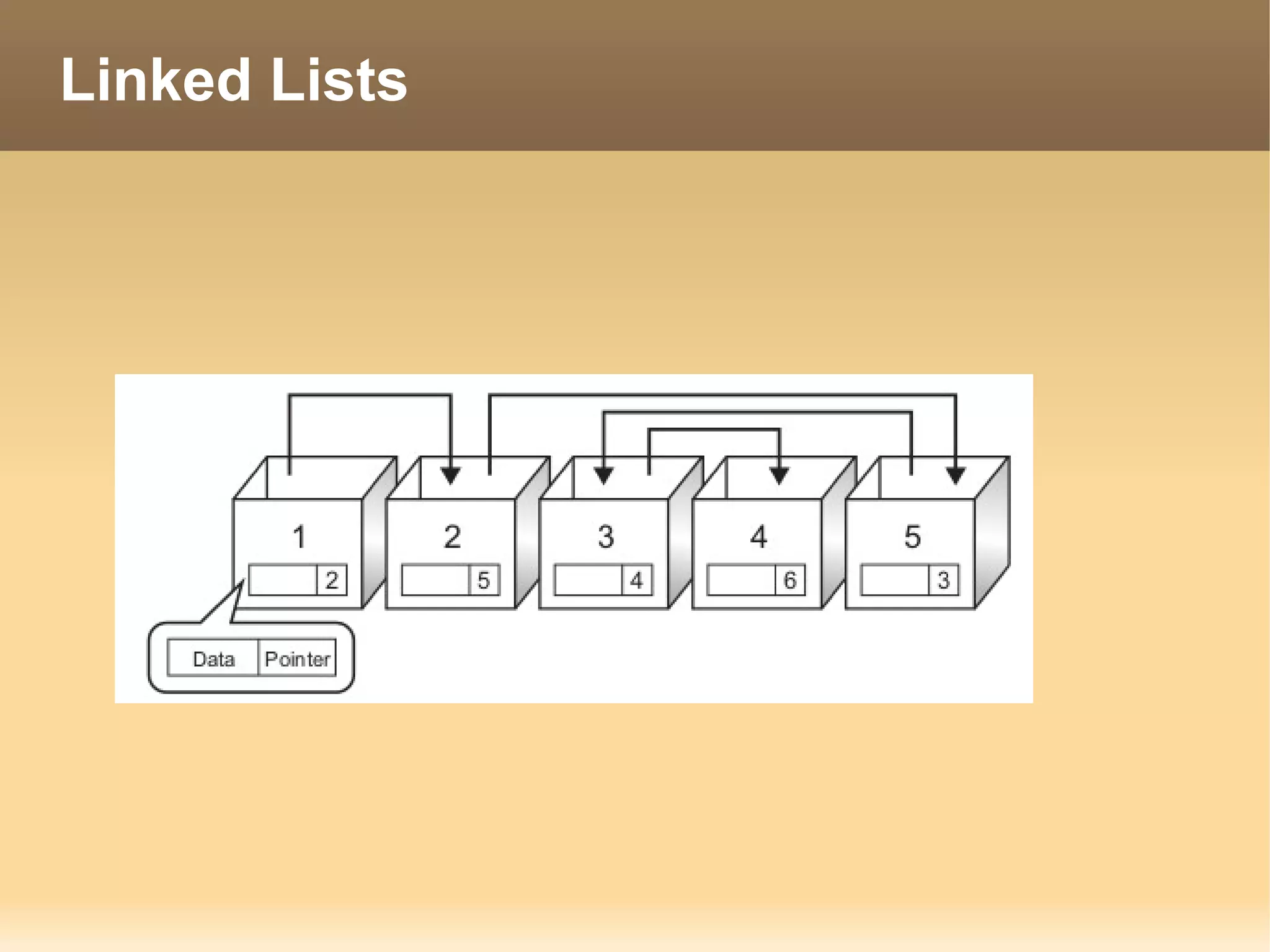
Linked Lists
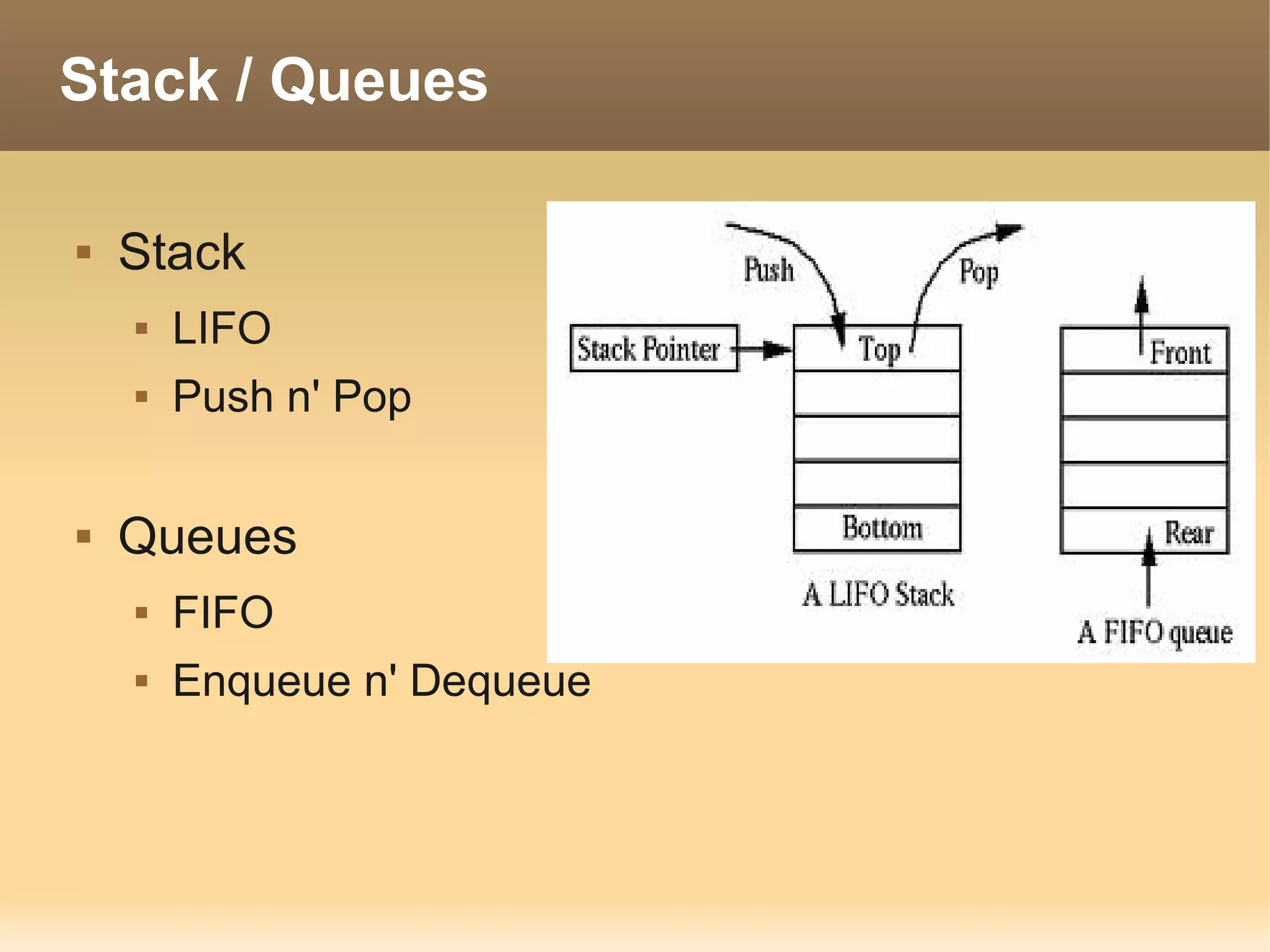
Stack / Queues

   Stack
       LIFO
       Push n' Pop

   Queues
       FIFO
       Enqueue n' Dequeue
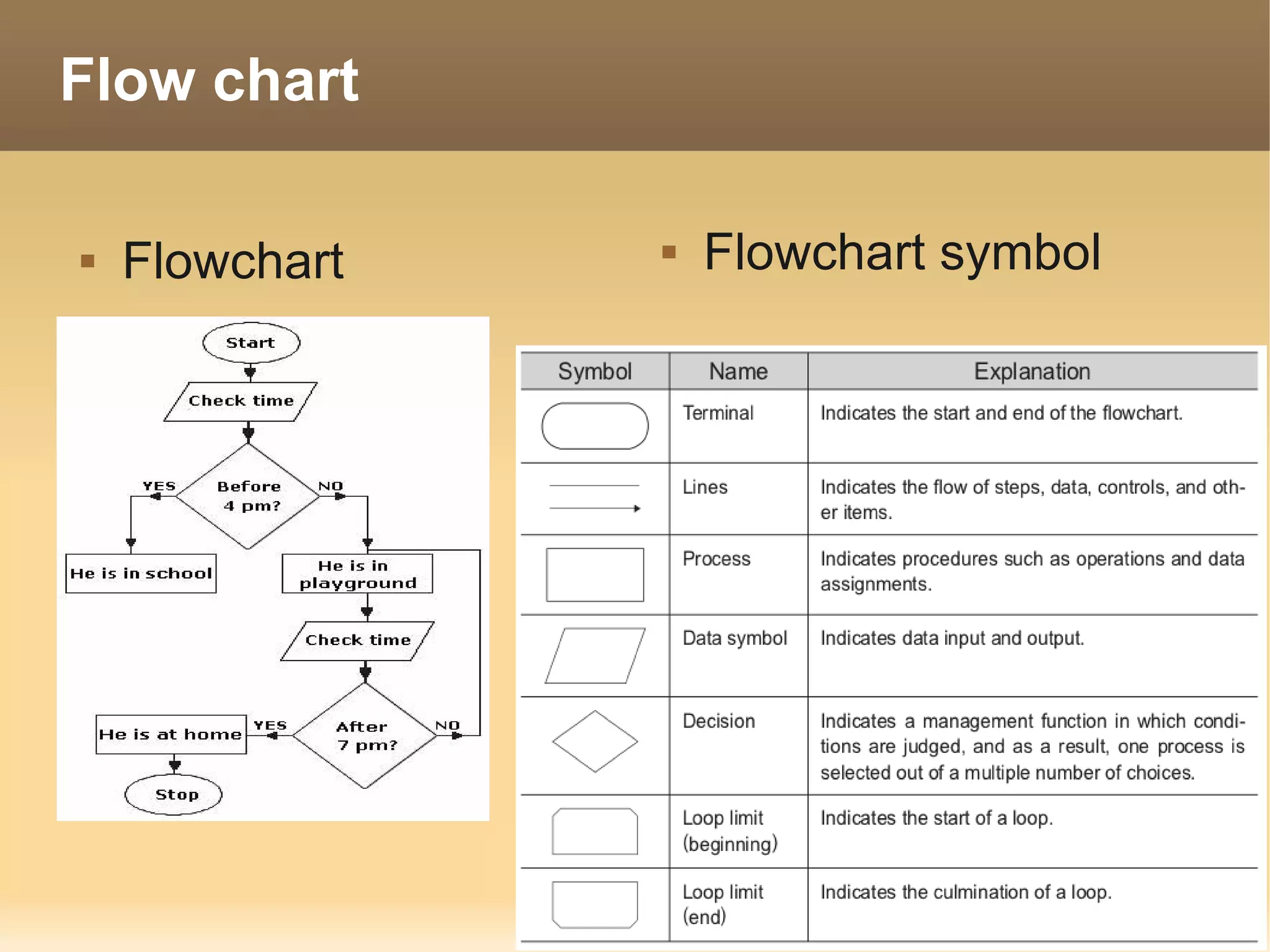
Flow chart

   Flowchart      Flowchart symbol
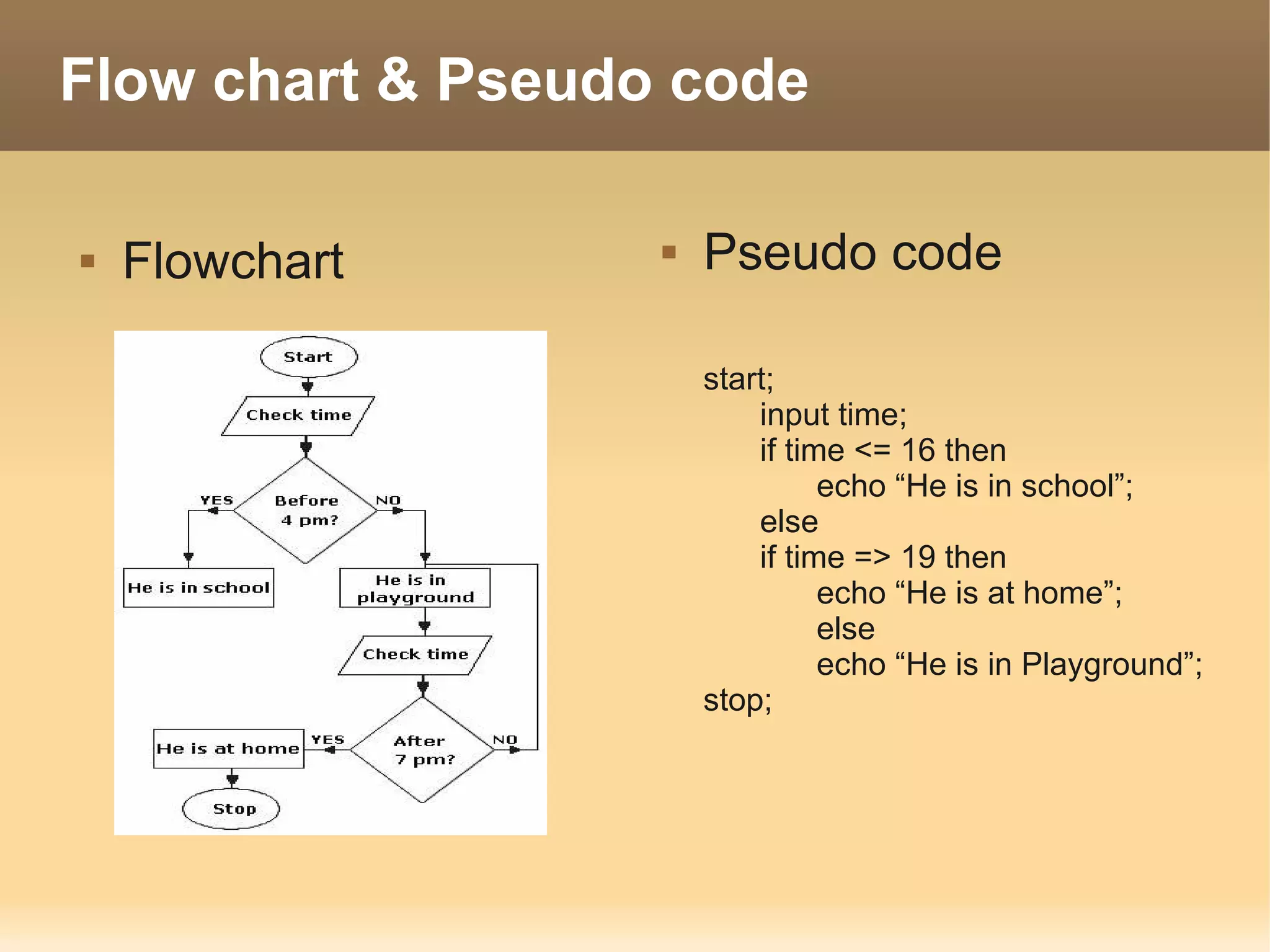
Flow chart & Pseudo code

   Flowchart         Pseudo code

                       start;
                           input time;
                           if time <= 16 then
                                 echo “He is in school”;
                           else
                           if time => 19 then
                                 echo “He is at home”;
                                 else
                                 echo “He is in Playground”;
                       stop;
Programming

   Programming                     Type of Compiler
       Machine code                    Compiler
       Assembly                             C , C++
       C, C++, Delphi, Basic,
                                        Interpreter
        Cobol, Fortan                          PHP, ASP,
                                         Python , ruby
       JAVA, .net,
        python,PHP
                                        just-in-time compiler
                                                   JAVA , .net
       SQL
       HTML , XML
Language processor

   Compiler
       Compile from Source code to binary program
       Compile all source and warning errors
   Interpretor
       Compile Source to binary line by line
       Stop compile when it's errors
Language processor

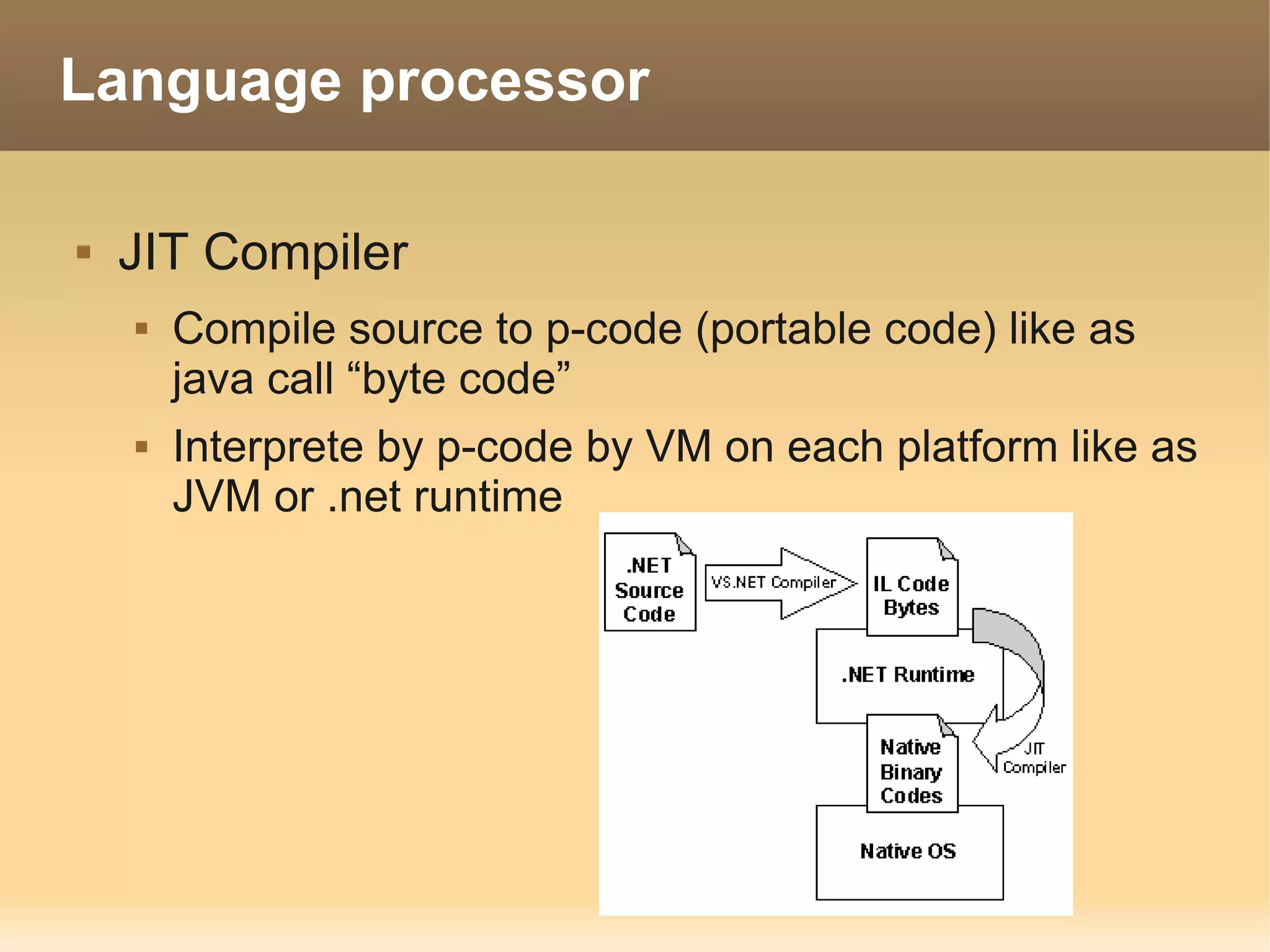
   JIT Compiler
       Compile source to p-code (portable code) like as
        java call “byte code”
       Interprete by p-code by VM on each platform like as
        JVM or .net runtime
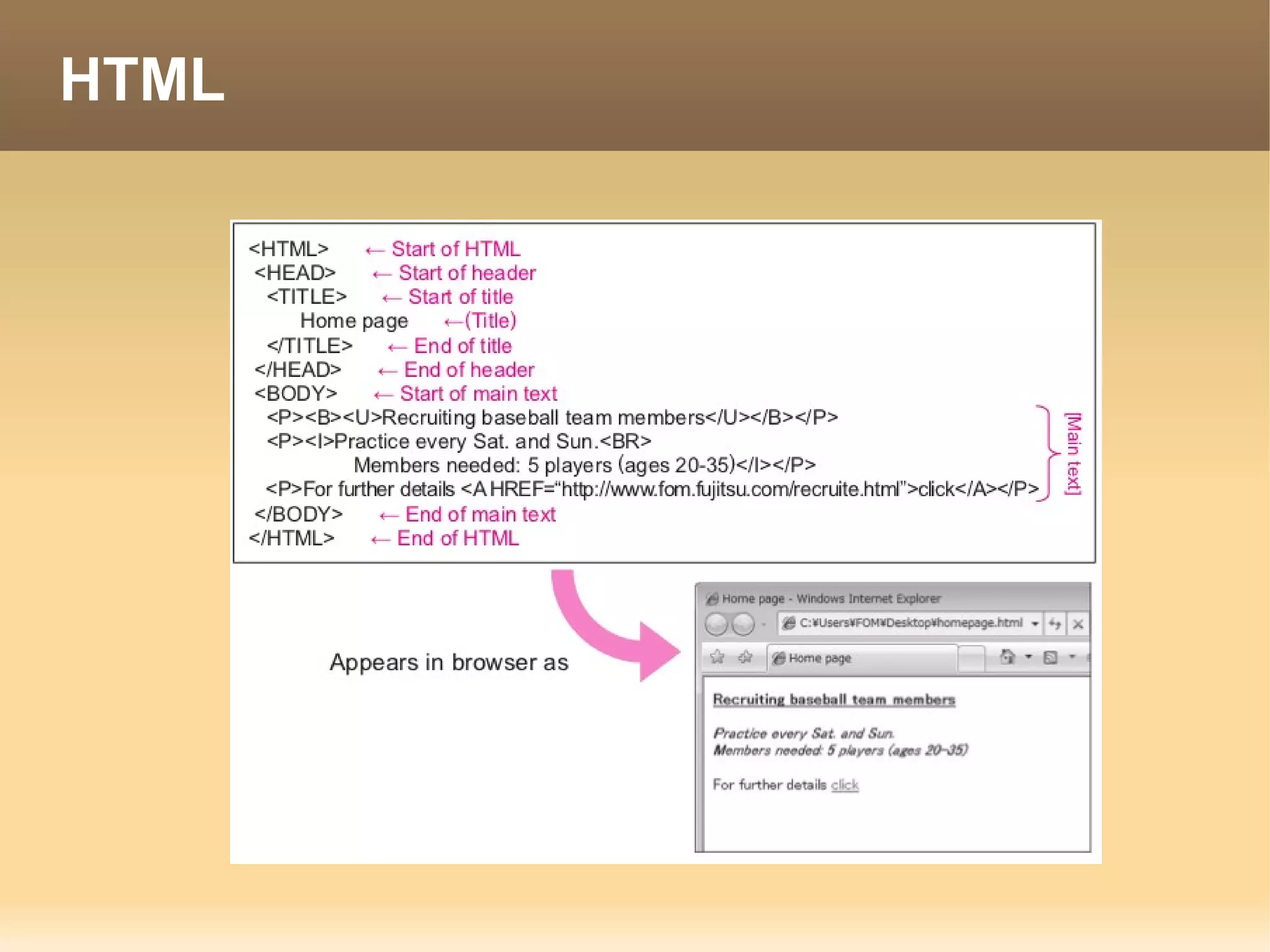
Markup Language

   Markup Language used to write logical
    structures in text by means of tags. A “logical
    structure” affects textual and graphical layout,
    character appearance (written format), and
    other elements. Through the use of tags, they
    embed control characters into text to express
    information related to details such as layout,
    character embellishment, and hyperlinks. Two
    typical examples of markup languages are
    “HTML” and “XML.”
HTML
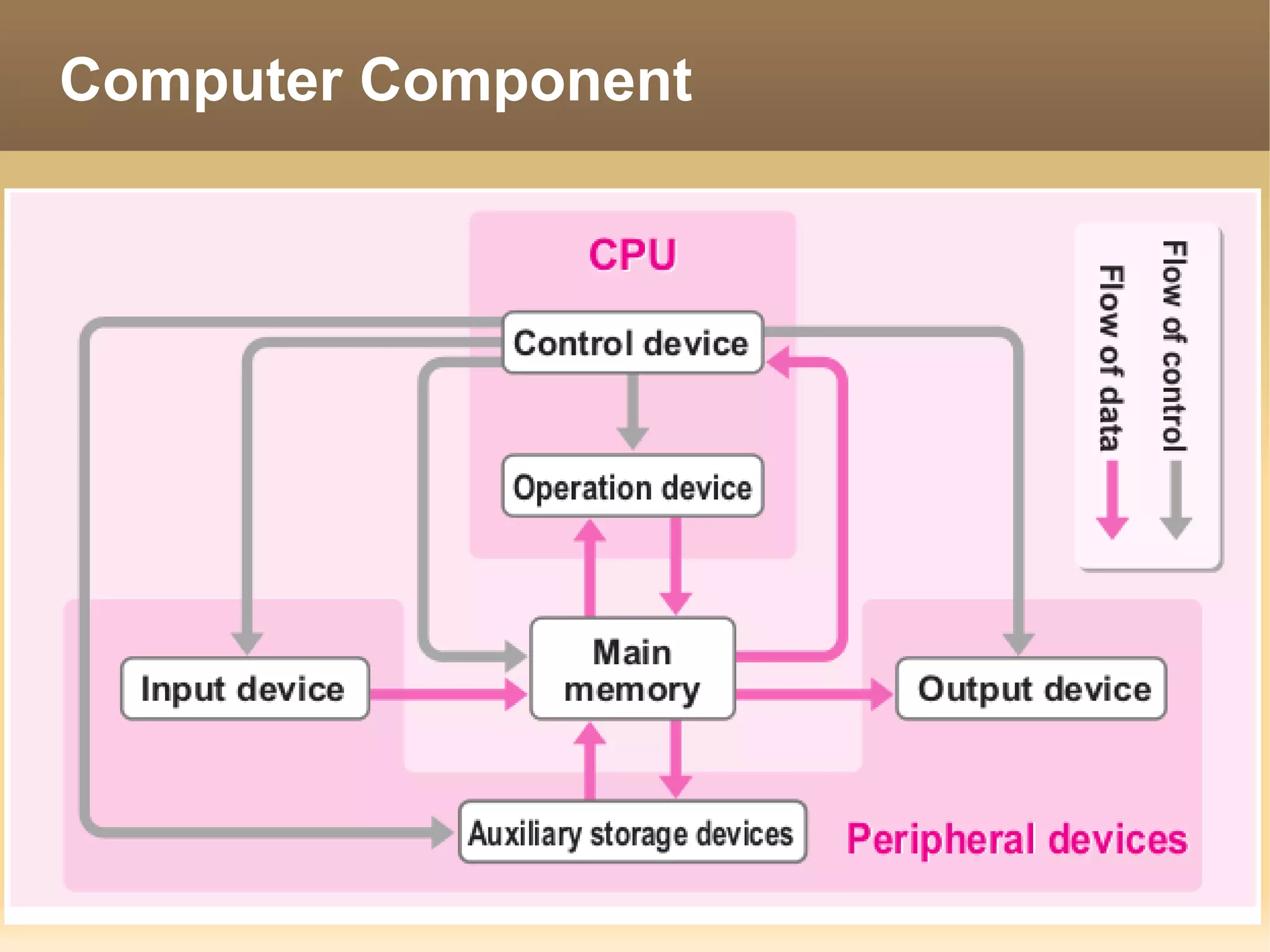
Computer Component
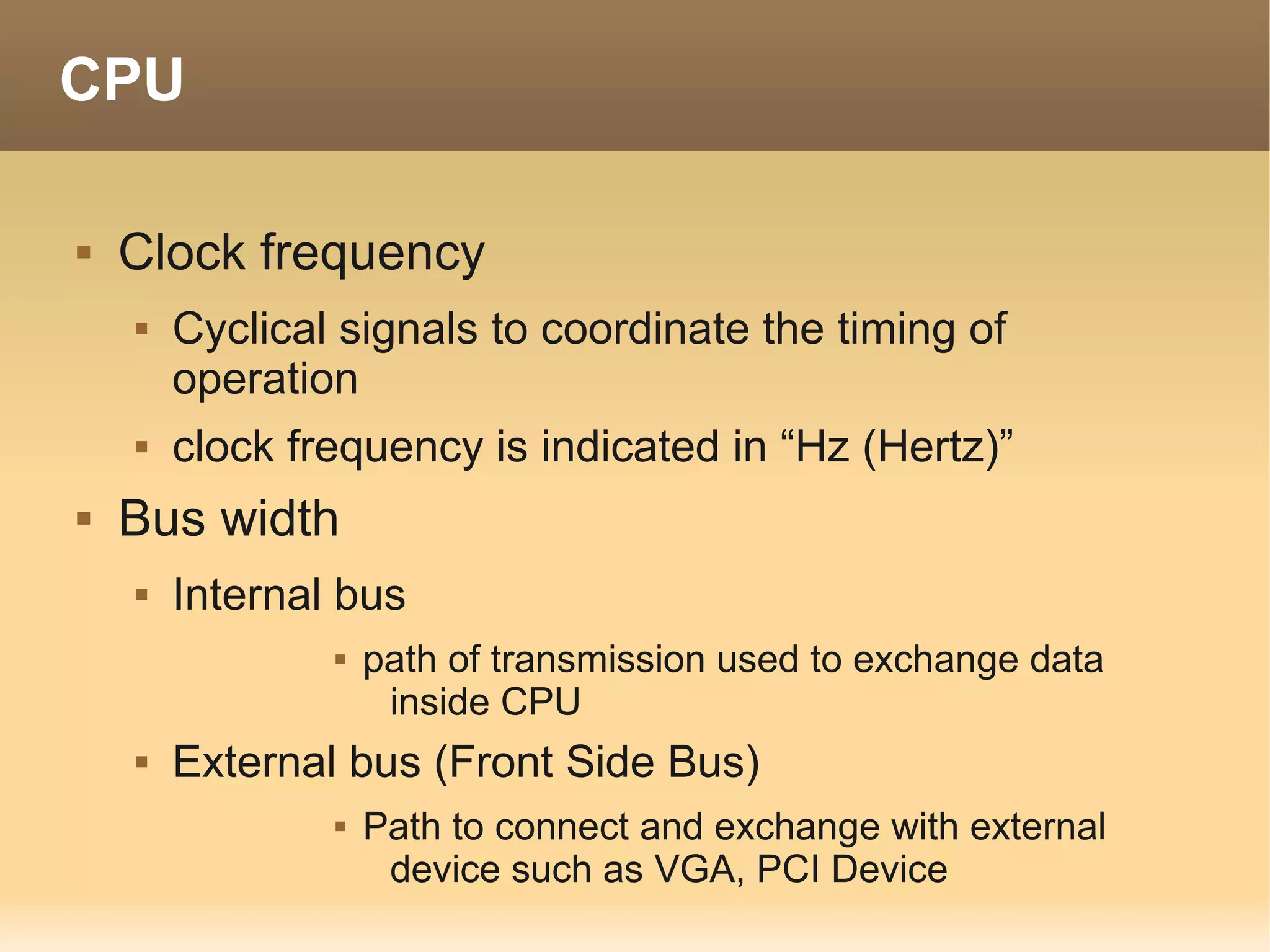
CPU

   Clock frequency
       Cyclical signals to coordinate the timing of
        operation
       clock frequency is indicated in “Hz (Hertz)”
   Bus width
       Internal bus
                   path of transmission used to exchange data
                     inside CPU
       External bus (Front Side Bus)
                   Path to connect and exchange with external
                     device such as VGA, PCI Device
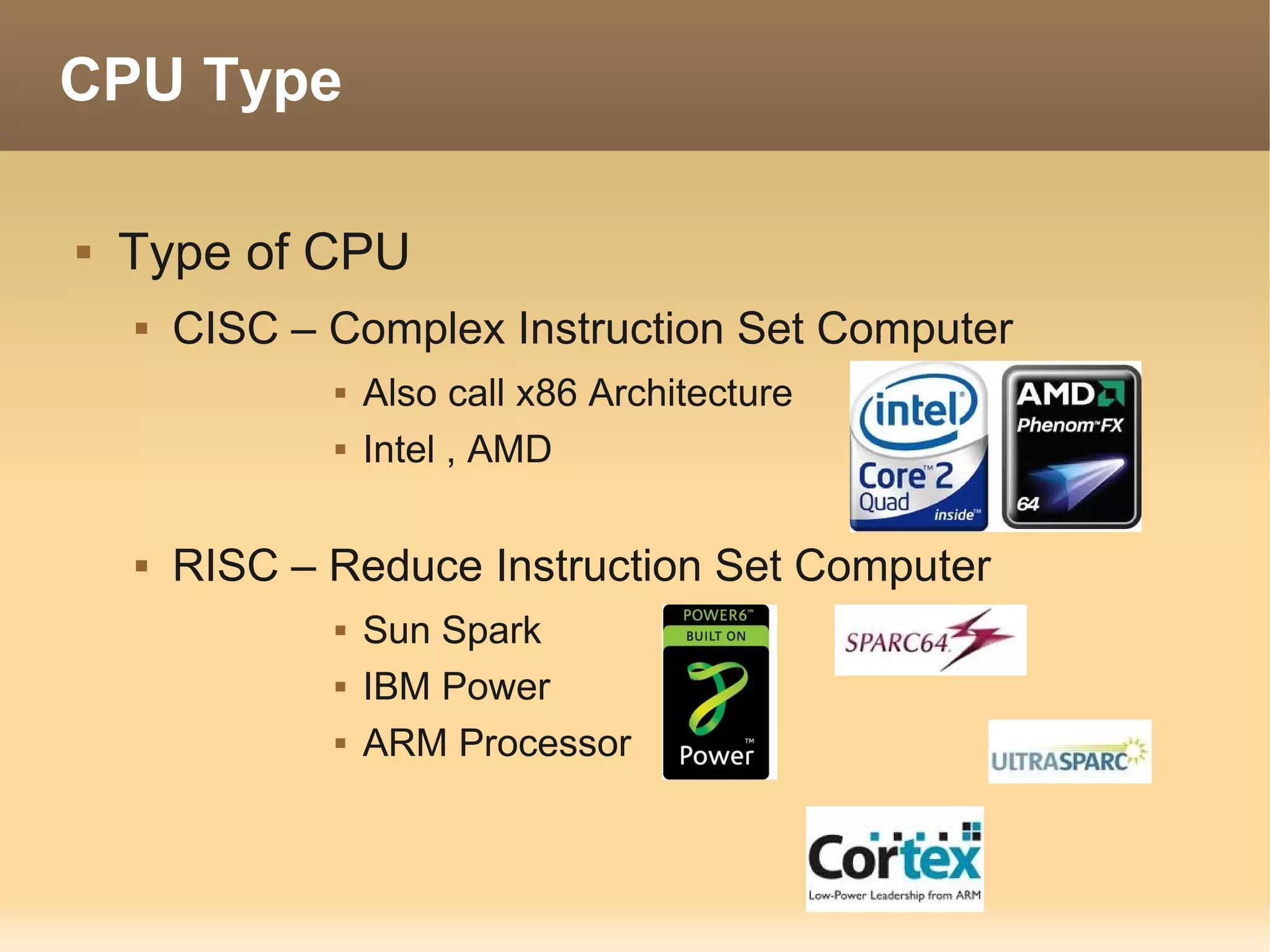
CPU Type

   Type of CPU
       CISC – Complex Instruction Set Computer
                  Also call x86 Architecture
                  Intel , AMD

       RISC – Reduce Instruction Set Computer
                  Sun Spark
                  IBM Power
                  ARM Processor
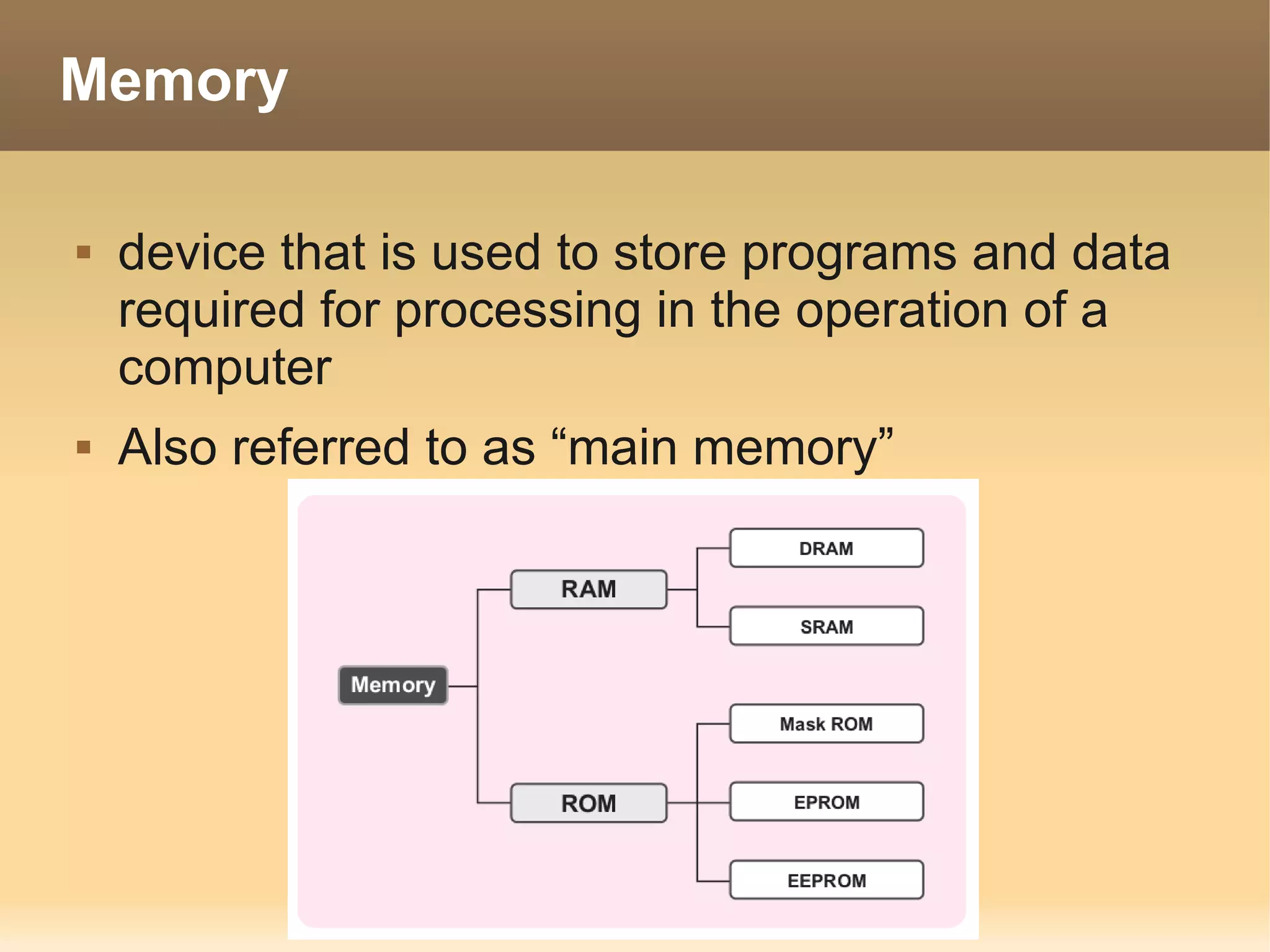
Memory

   device that is used to store programs and data
    required for processing in the operation of a
    computer
   Also referred to as “main memory”
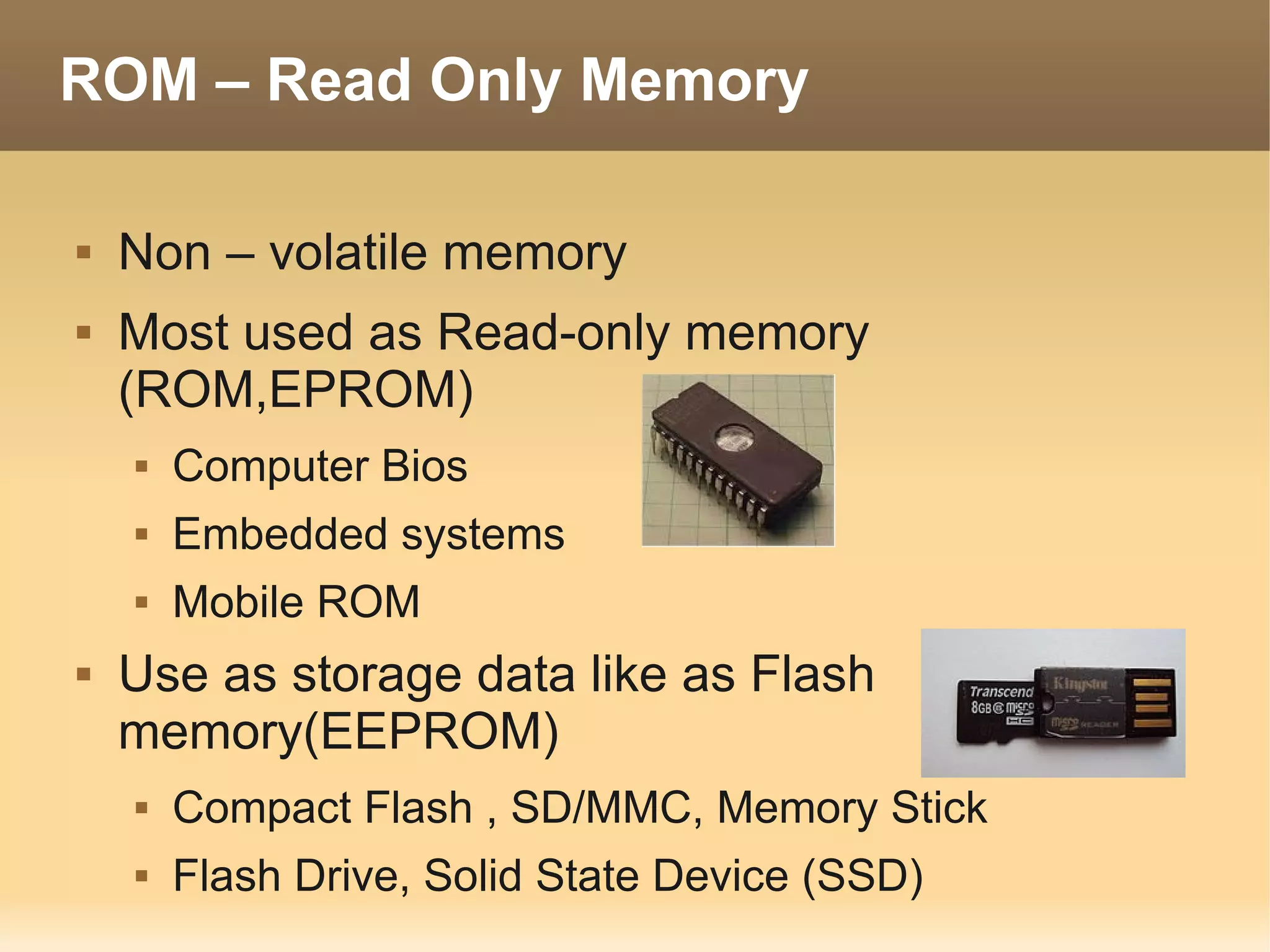
ROM – Read Only Memory

   Non – volatile memory
   Most used as Read-only memory
    (ROM,EPROM)
       Computer Bios
       Embedded systems
       Mobile ROM
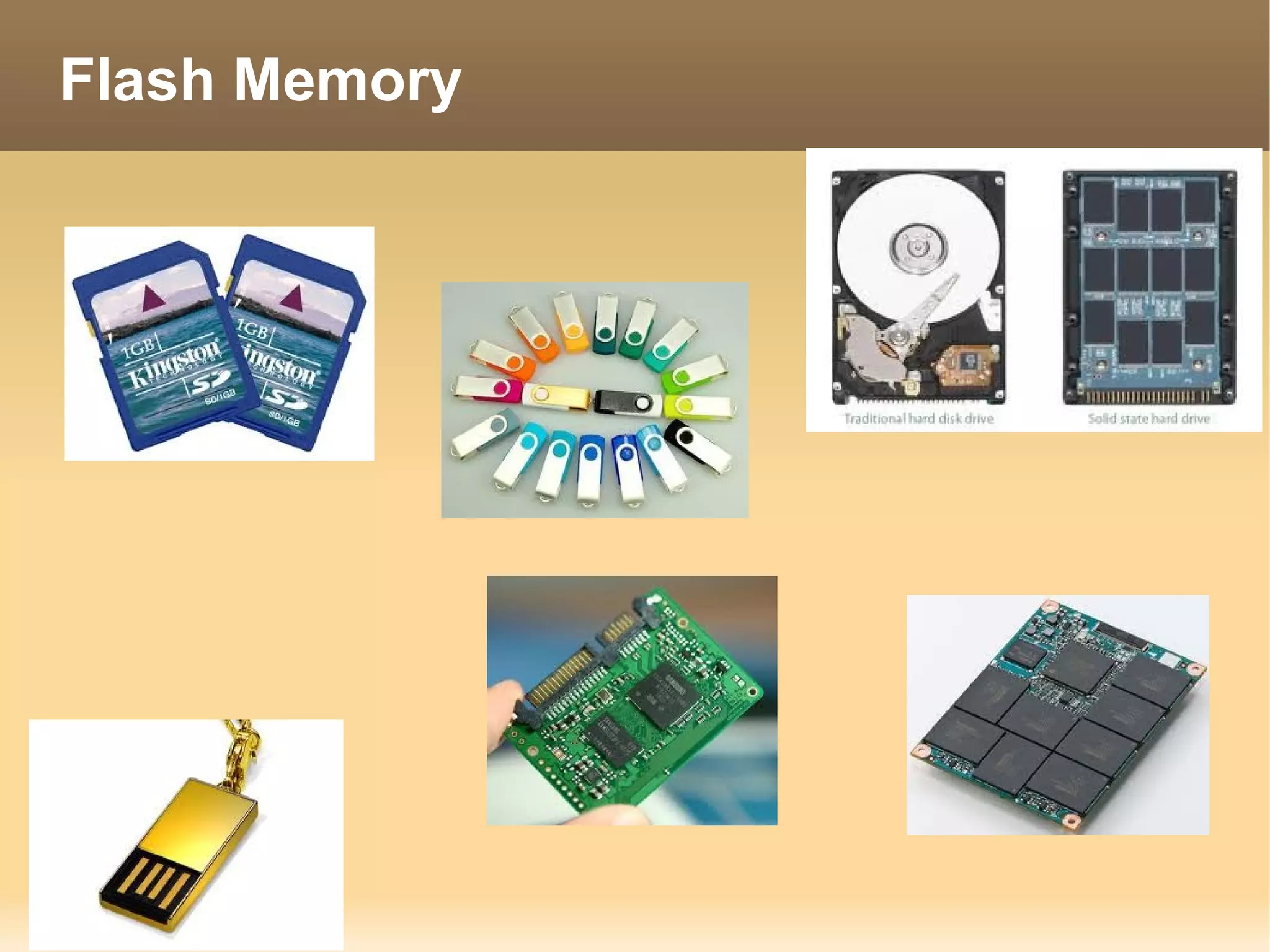
   Use as storage data like as Flash
    memory(EEPROM)
       Compact Flash , SD/MMC, Memory Stick
       Flash Drive, Solid State Device (SSD)
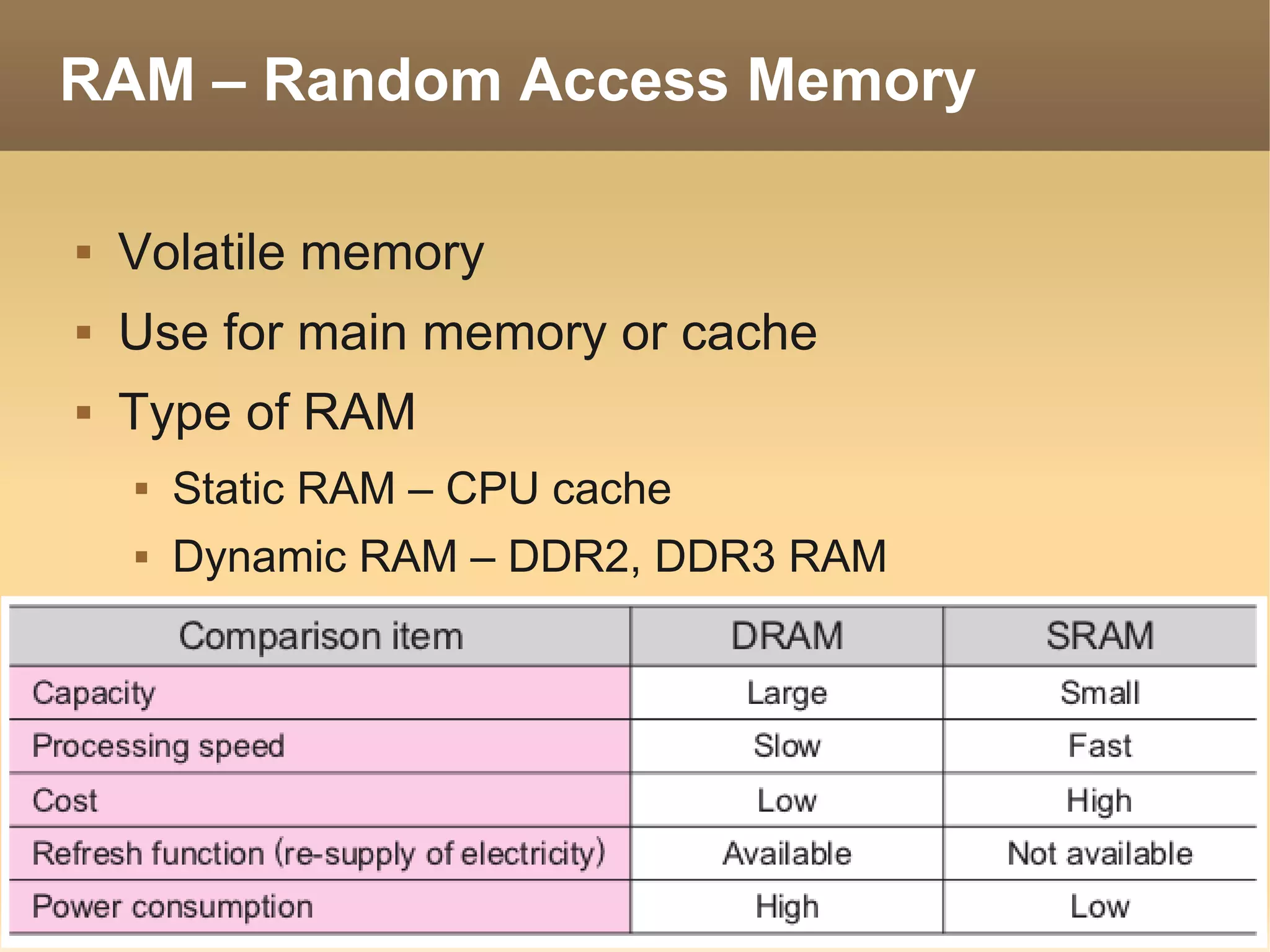
RAM – Random Access Memory

   Volatile memory
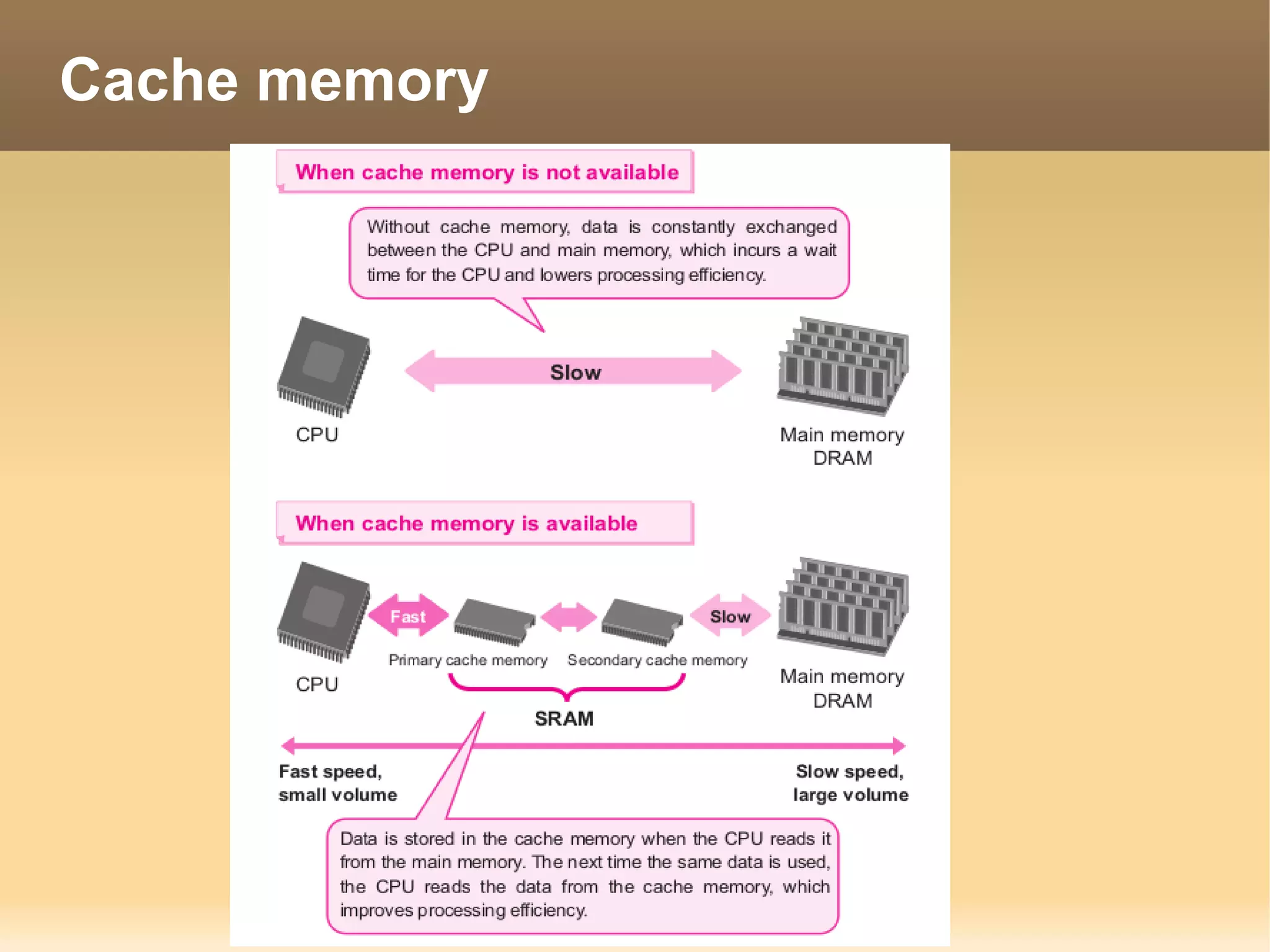
   Use for main memory or cache
   Type of RAM
       Static RAM – CPU cache
       Dynamic RAM – DDR2, DDR3 RAM
Cache memory
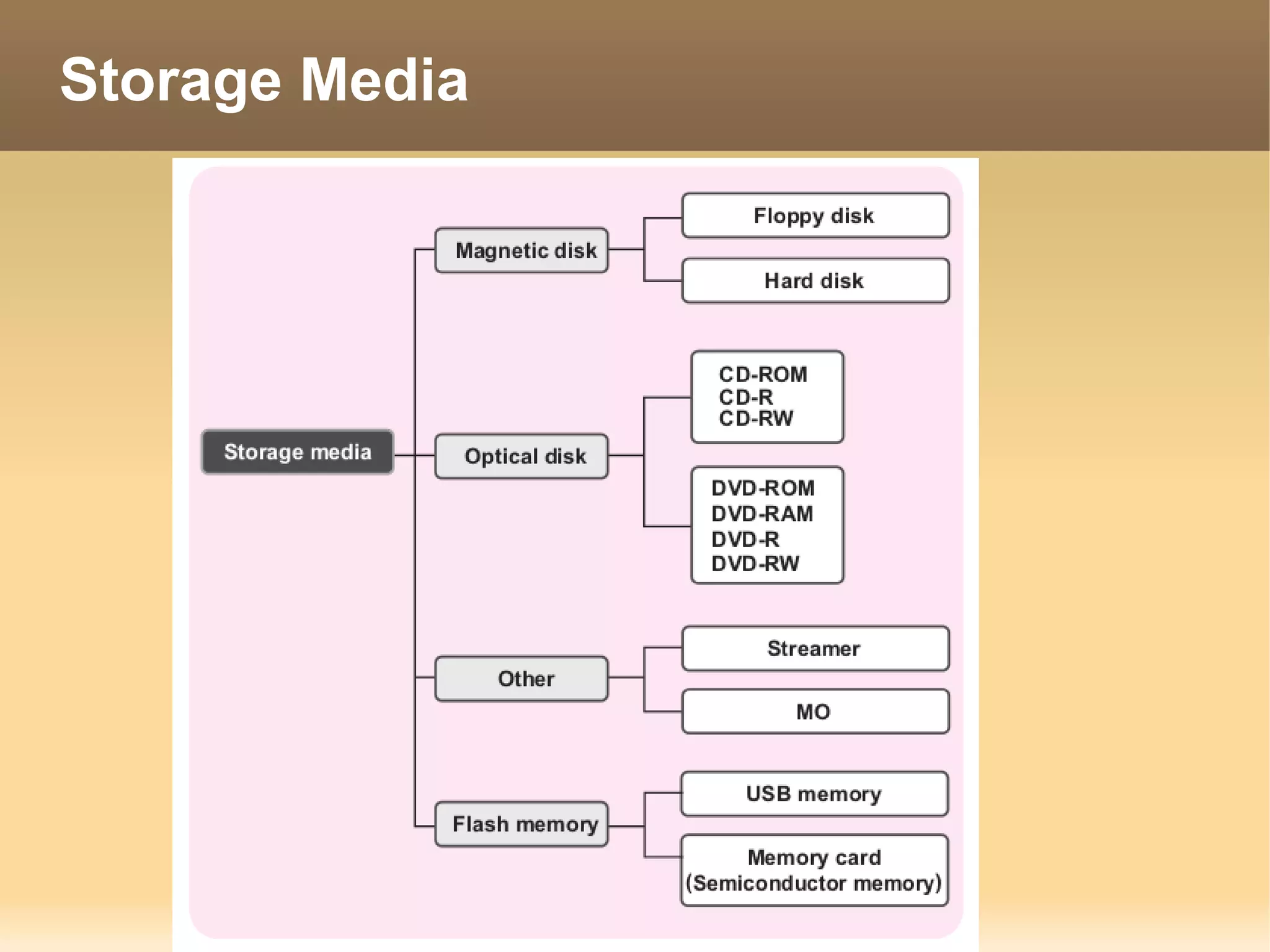
Storage Media
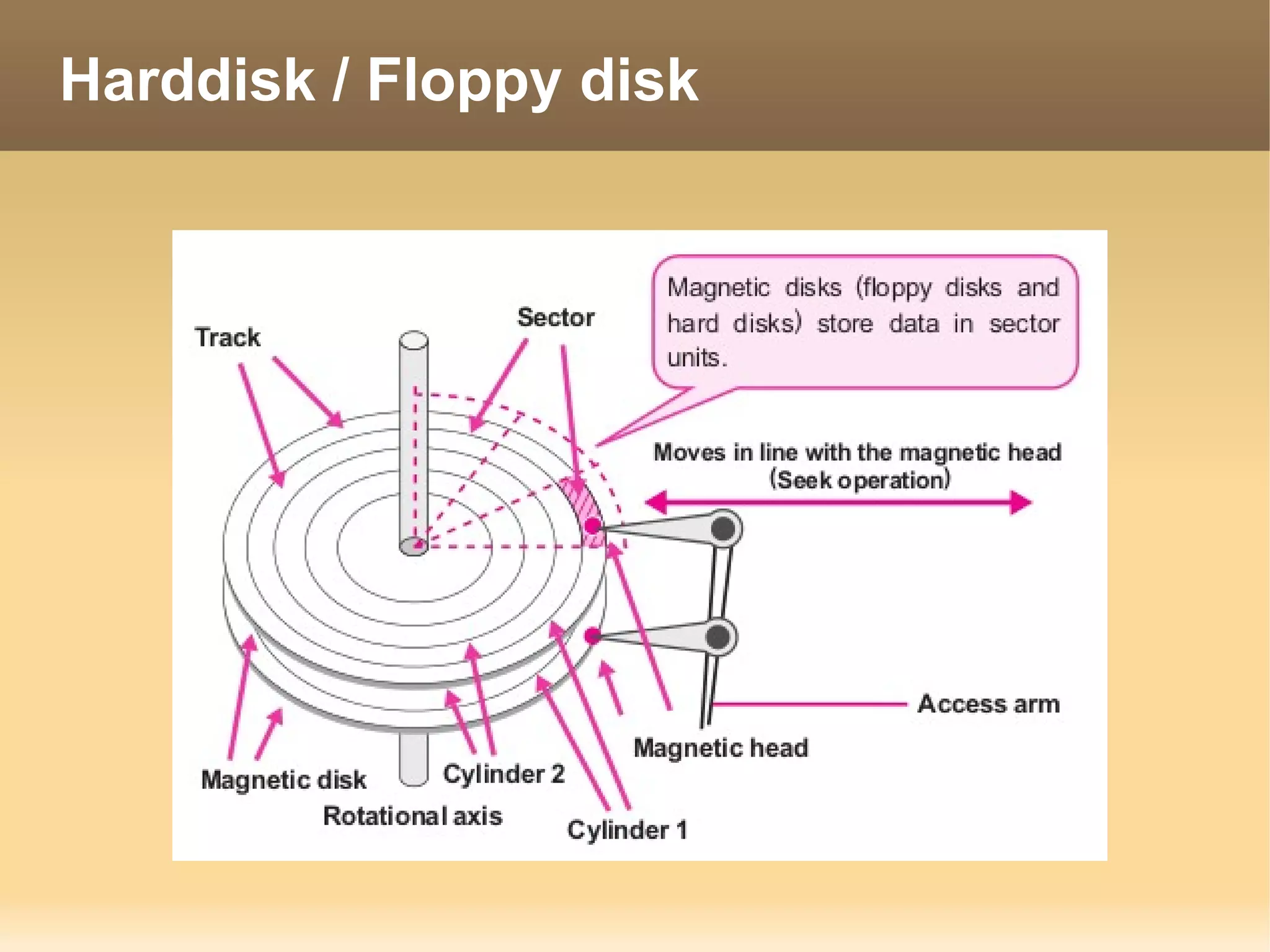
Harddisk / Floppy disk
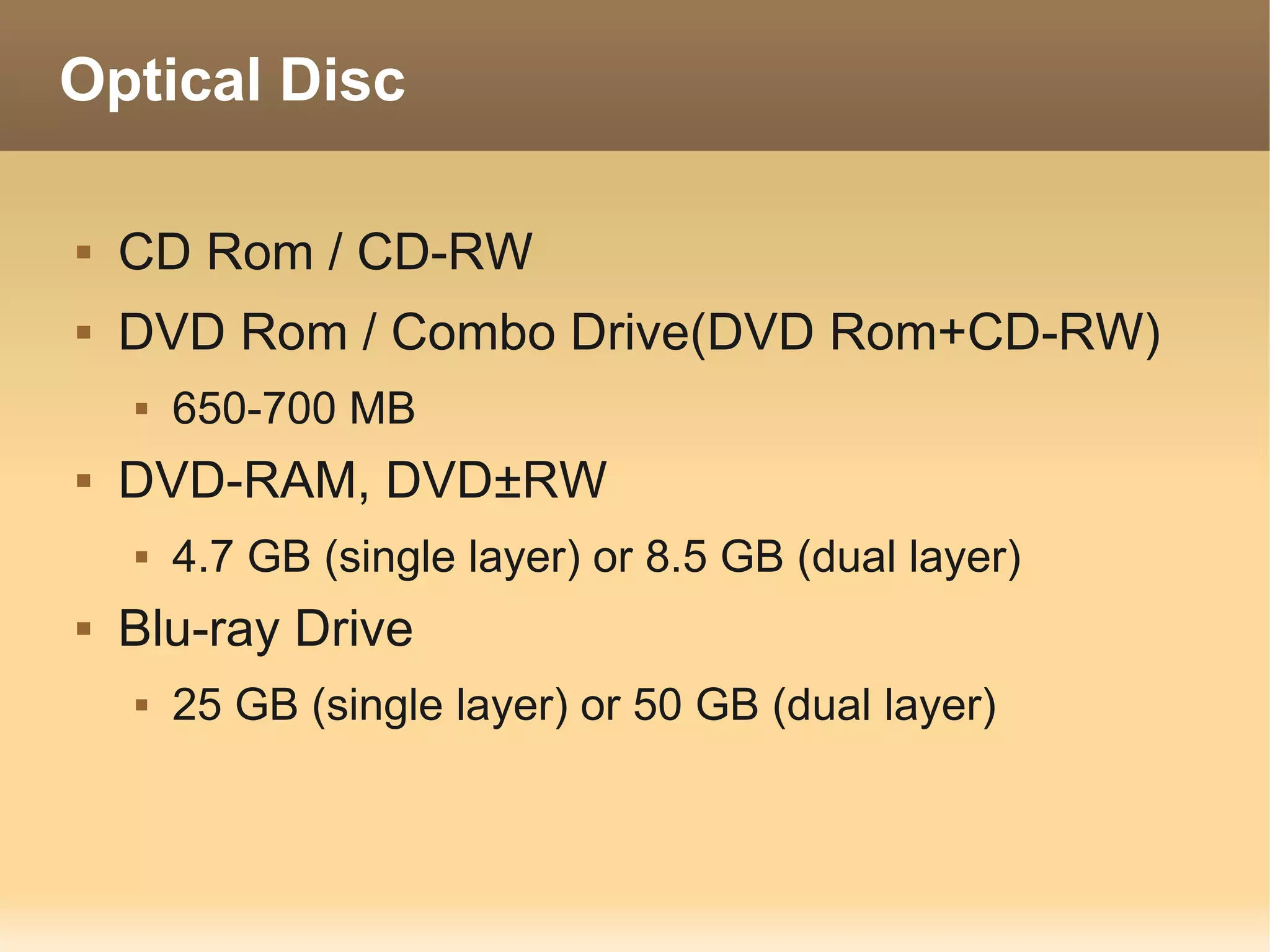
Optical Disc

   CD Rom / CD-RW
   DVD Rom / Combo Drive(DVD Rom+CD-RW)
       650-700 MB
   DVD-RAM, DVD±RW
       4.7 GB (single layer) or 8.5 GB (dual layer)
   Blu-ray Drive
       25 GB (single layer) or 50 GB (dual layer)
Flash Memory
Computer Interface

   Connected
       RS-323C – Serial port 25/9 pin
       USB port
       IEEE1394 / Firewire / i.link
       SCSI
       SAS
       ATA
       SATA
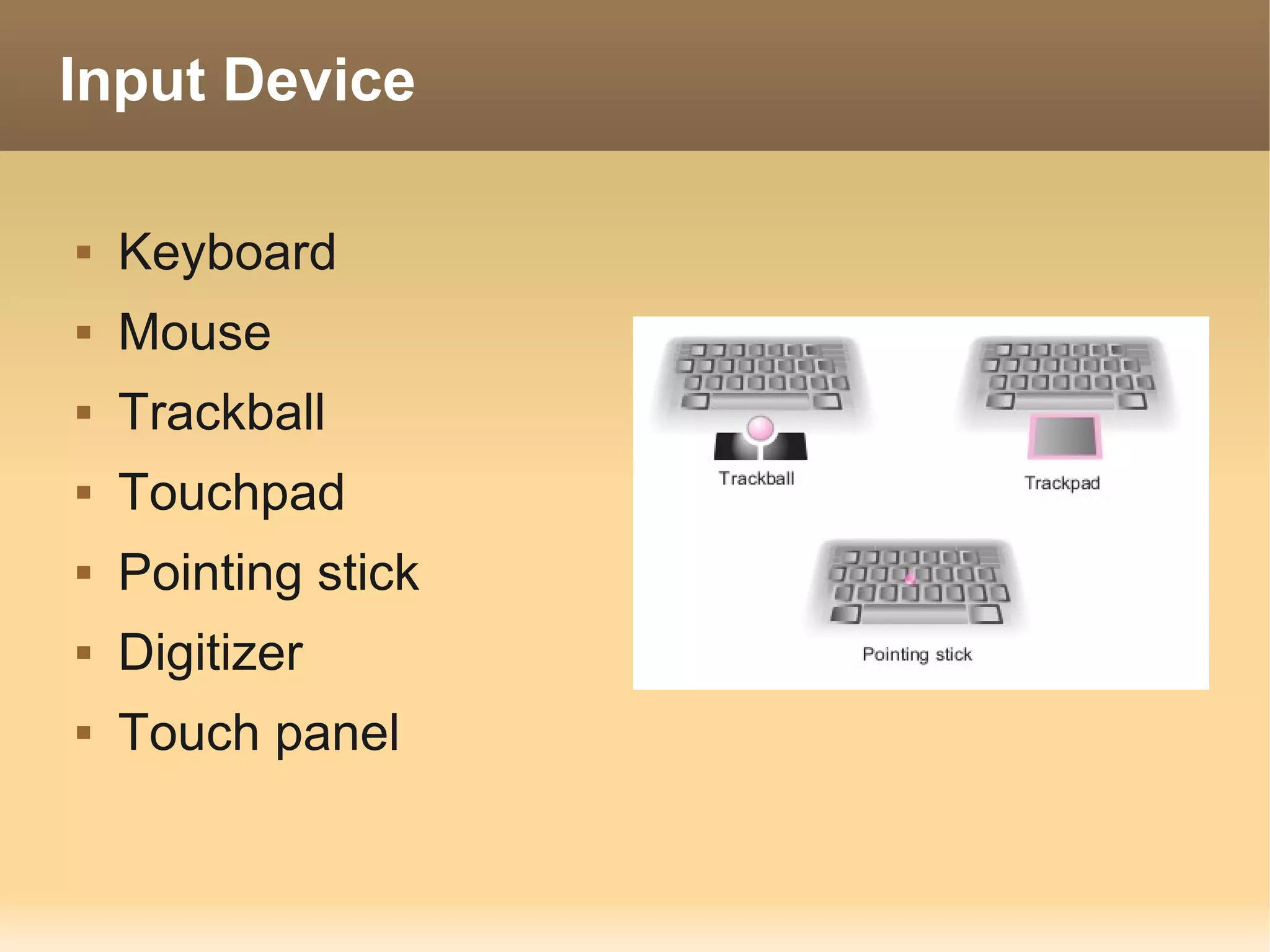
Input Device

   Keyboard
   Mouse
   Trackball
   Touchpad
   Pointing stick
   Digitizer
   Touch panel
Image input device

   Scanner
       Image
       OCR (Optical Character Reader)
       OMR (Optical Mark Reader)
   Barcode Reader
   Digital Camera
       Image
       QR Code
Other input device

   Sound input device
       Microphone
   Handwriting character input device
       Pen mouse
   Magnetic card reader
   IC Chip card reader
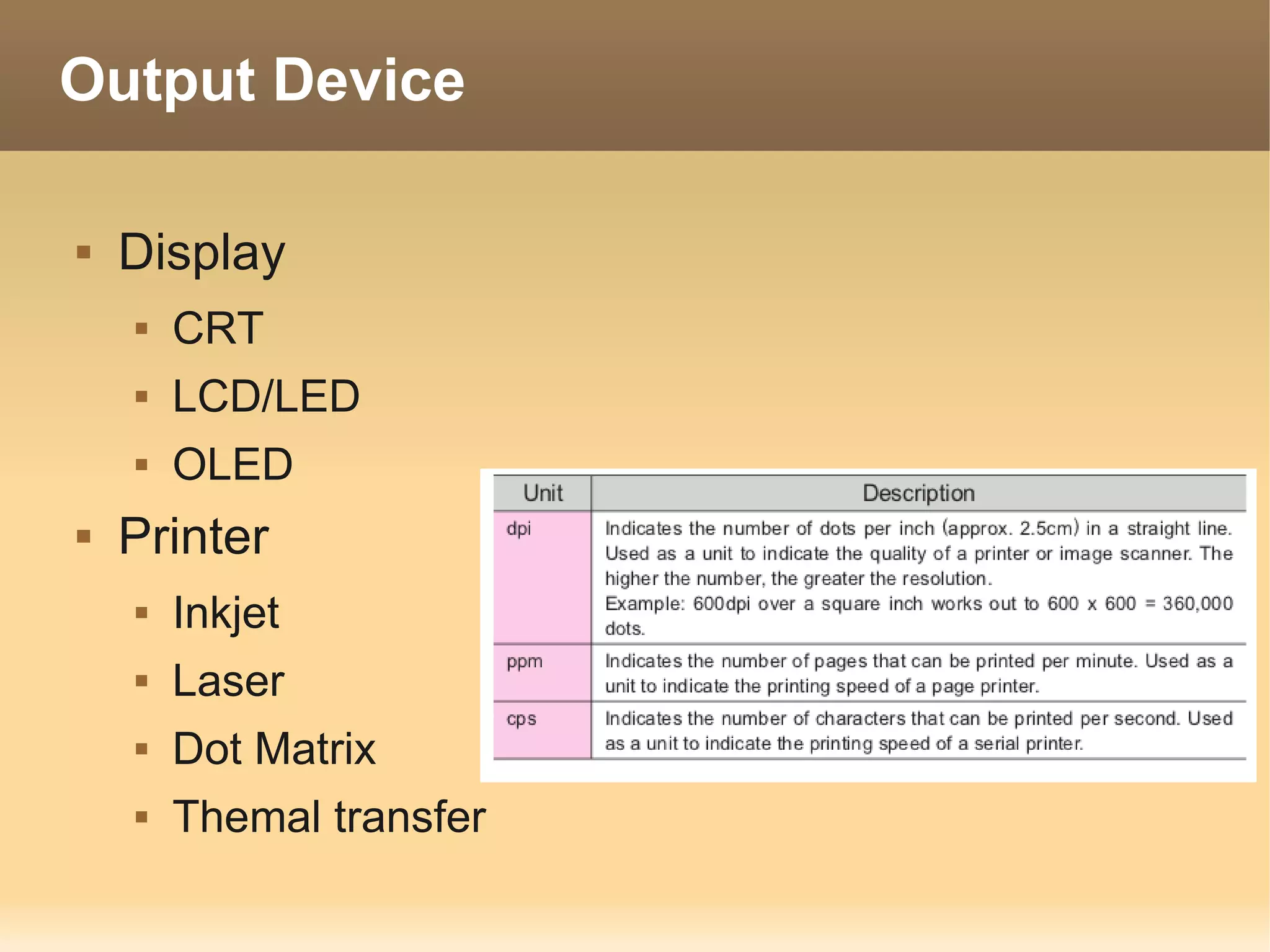
Output Device

   Display
       CRT
       LCD/LED
       OLED
   Printer
       Inkjet
       Laser
       Dot Matrix
       Themal transfer
Wireless Interface

   IrDA – infrared communication
   Bluetooth
   Wifi / Wireless Lan
   HSPA / 3G
Type of PC

 Desktop
     Tower
     All in one
 Mobility
     Laptop / Notebook
     Netbook
     Tablet
     Phone Device
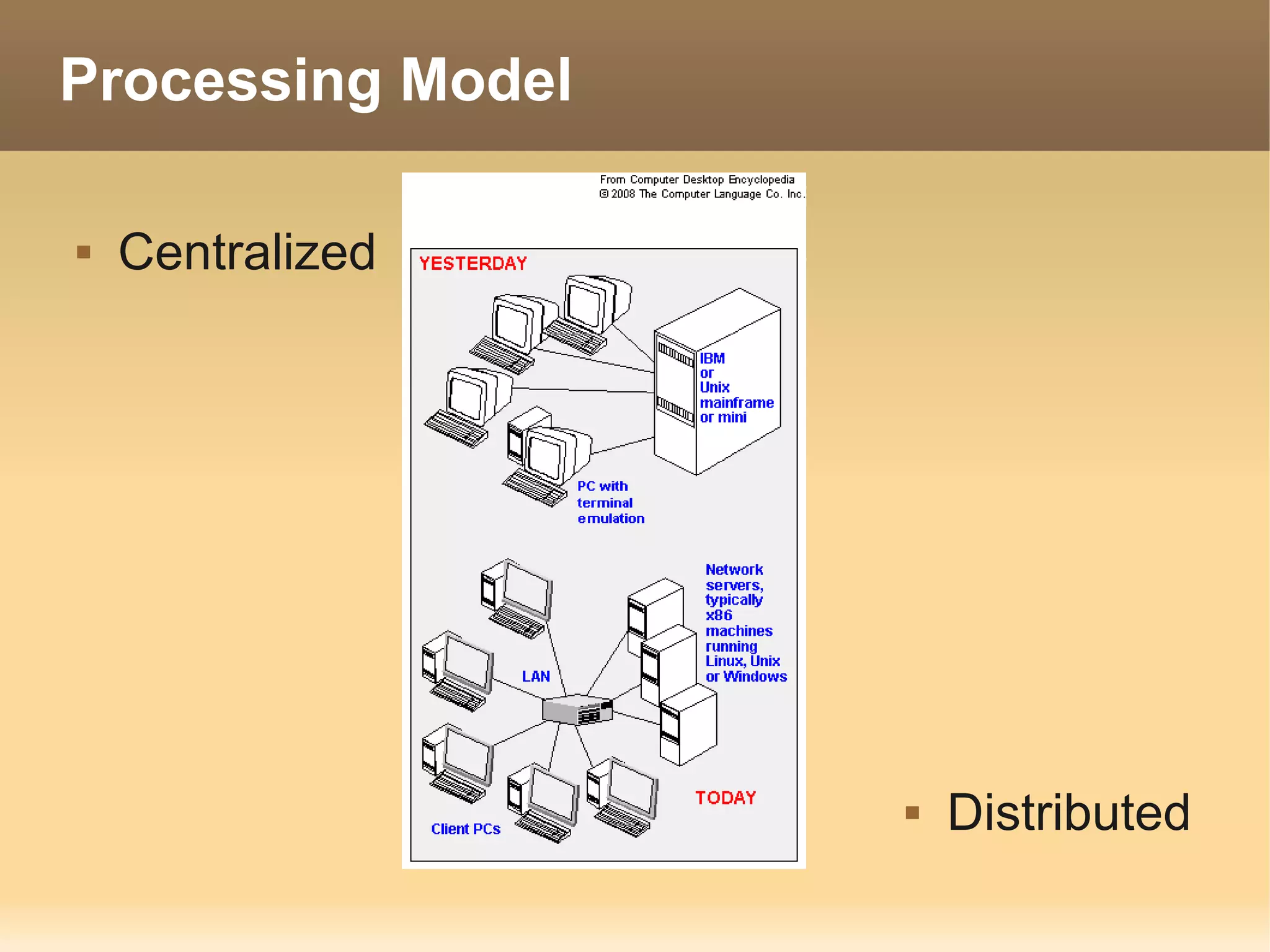
Processing Model

   Centralized


                      Distributed
Processing method

   Interactive                      Real-time
       Game                             ATM
       Word Processor                   Reserve ticket


   Batch
       Report profit to Center
Operating System

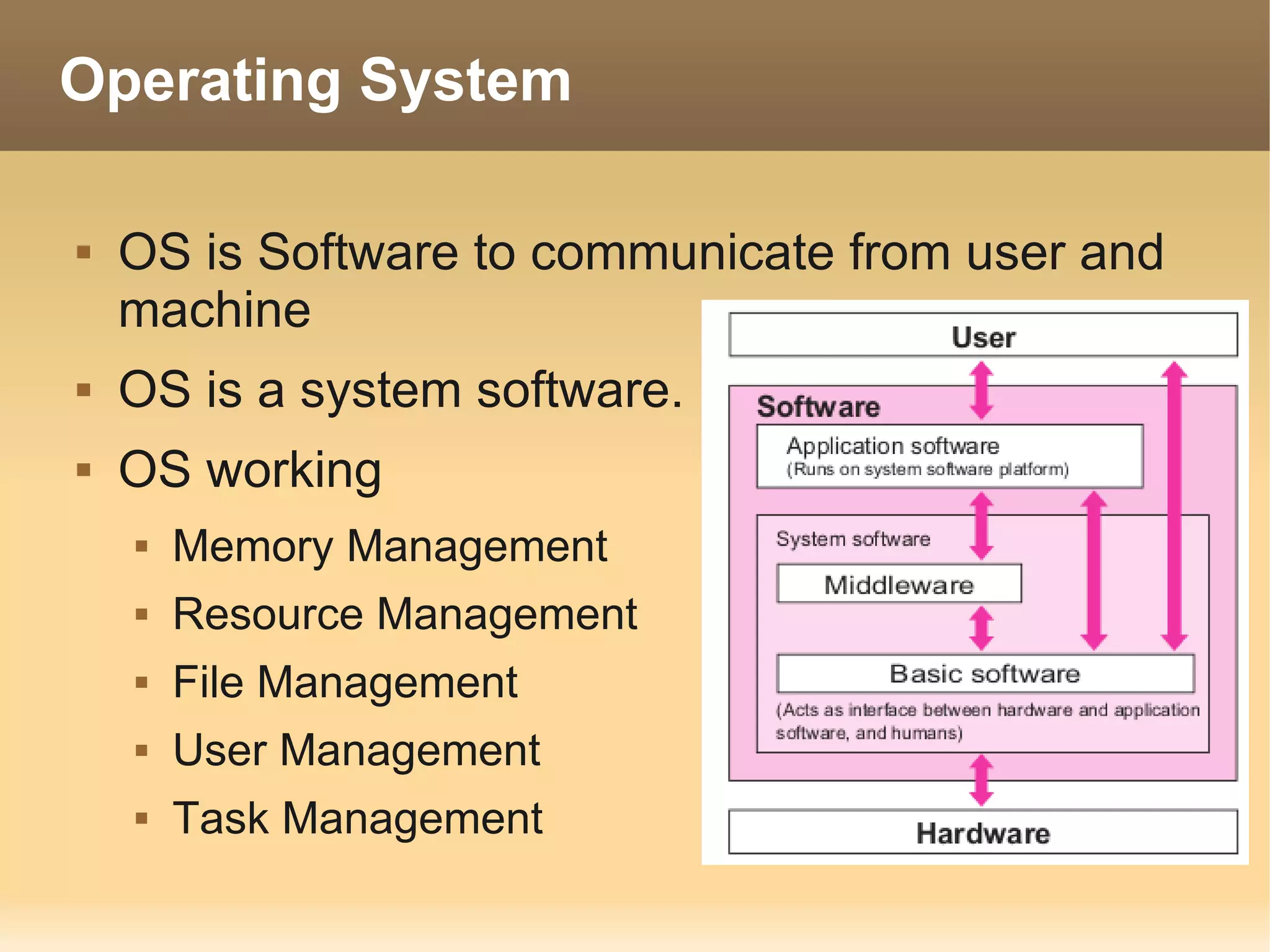
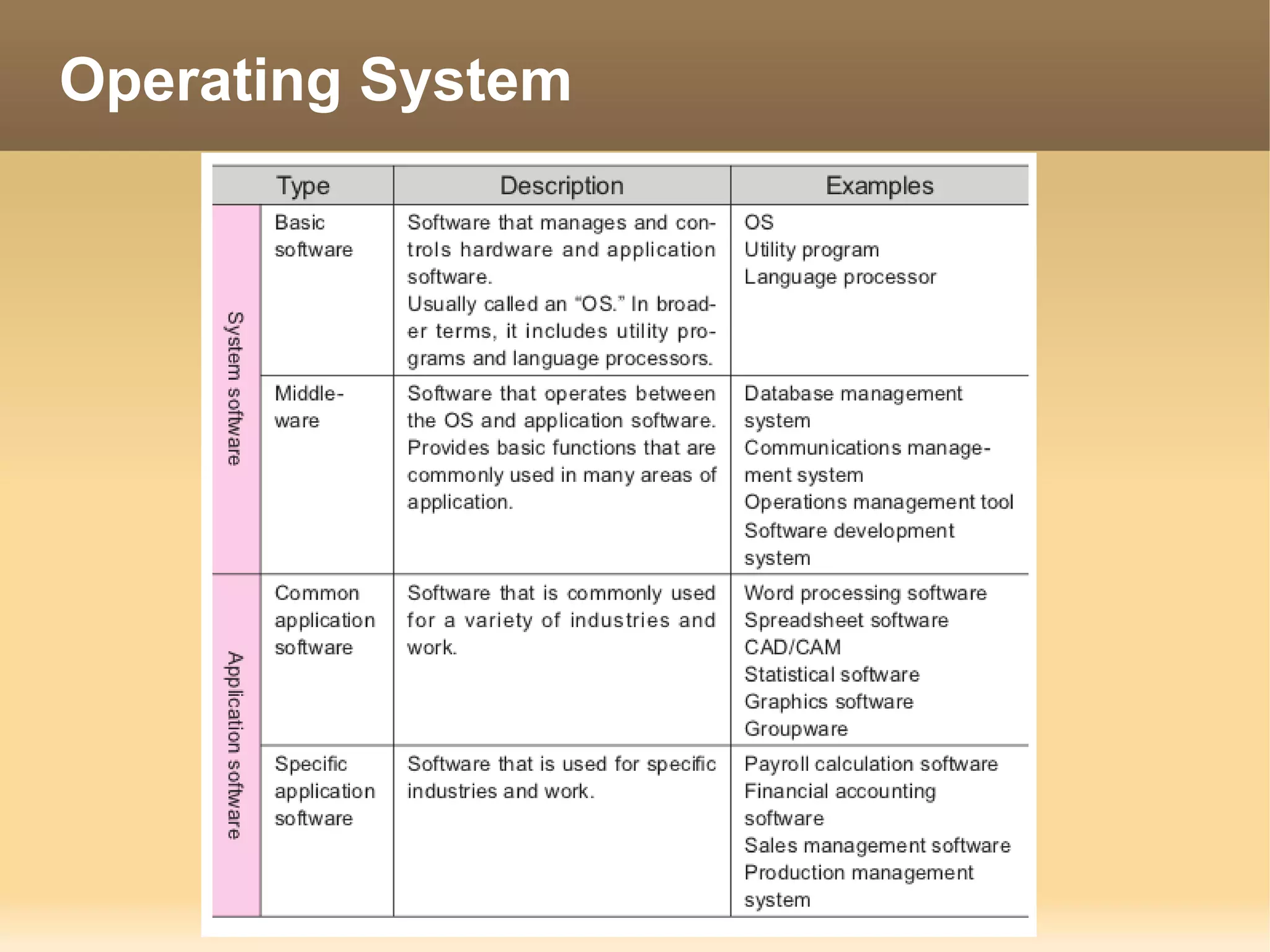
   OS is Software to communicate from user and
    machine
   OS is a system software.
   OS working
       Memory Management
       Resource Management
       File Management
       User Management
       Task Management
Operating System
Operating System

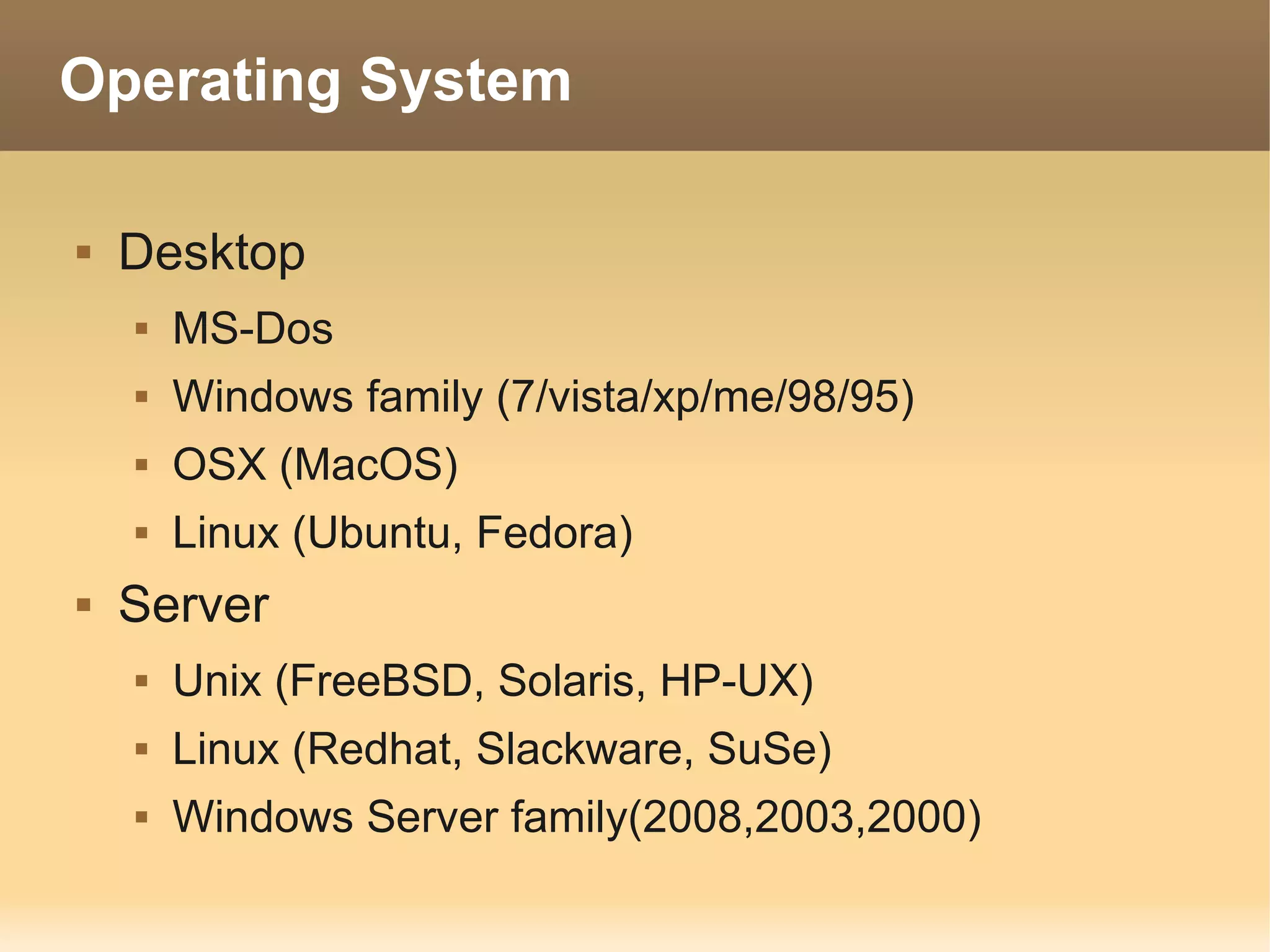
   Desktop
       MS-Dos
       Windows family (7/vista/xp/me/98/95)
       OSX (MacOS)
       Linux (Ubuntu, Fedora)
   Server
       Unix (FreeBSD, Solaris, HP-UX)
       Linux (Redhat, Slackware, SuSe)
       Windows Server family(2008,2003,2000)
Open Source Software

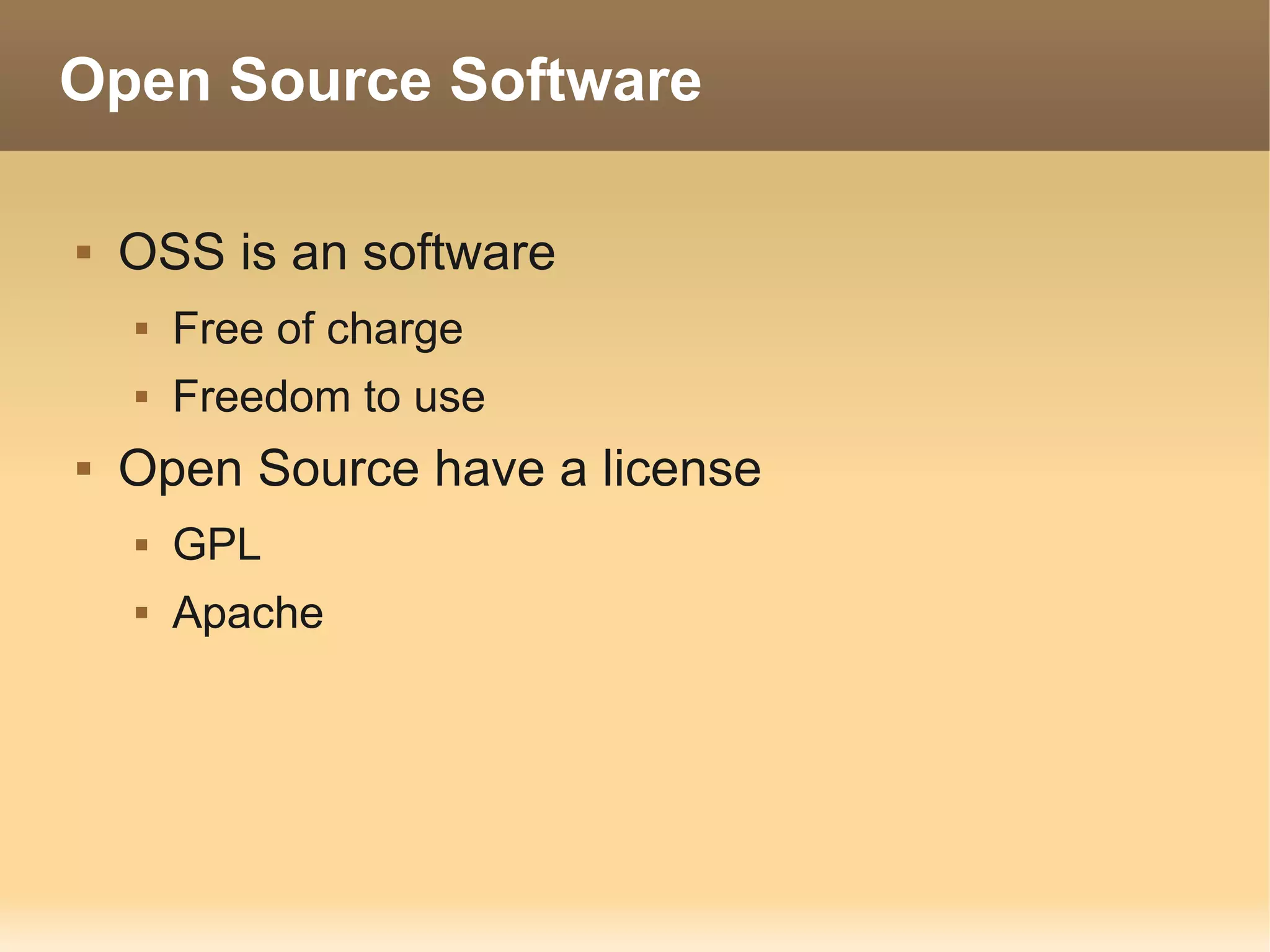
   OSS is an software
       Free of charge
       Freedom to use
   Open Source have a license
       GPL
       Apache
Free of OSS

   Fredom to use OSS
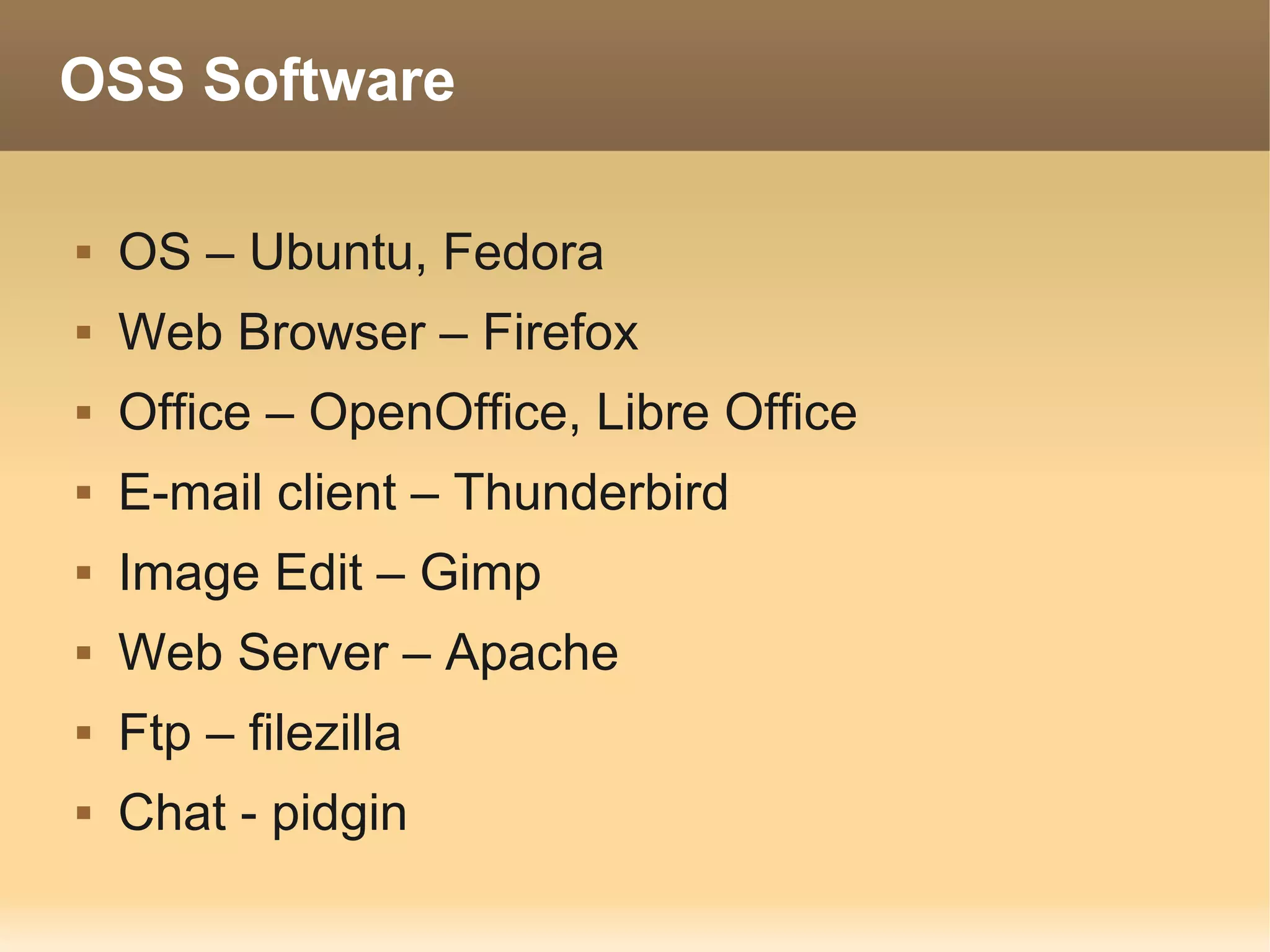
OSS Software

   OS – Ubuntu, Fedora
   Web Browser – Firefox
   Office – OpenOffice, Libre Office
   E-mail client – Thunderbird
   Image Edit – Gimp
   Web Server – Apache
   Ftp – filezilla
   Chat - pidgin
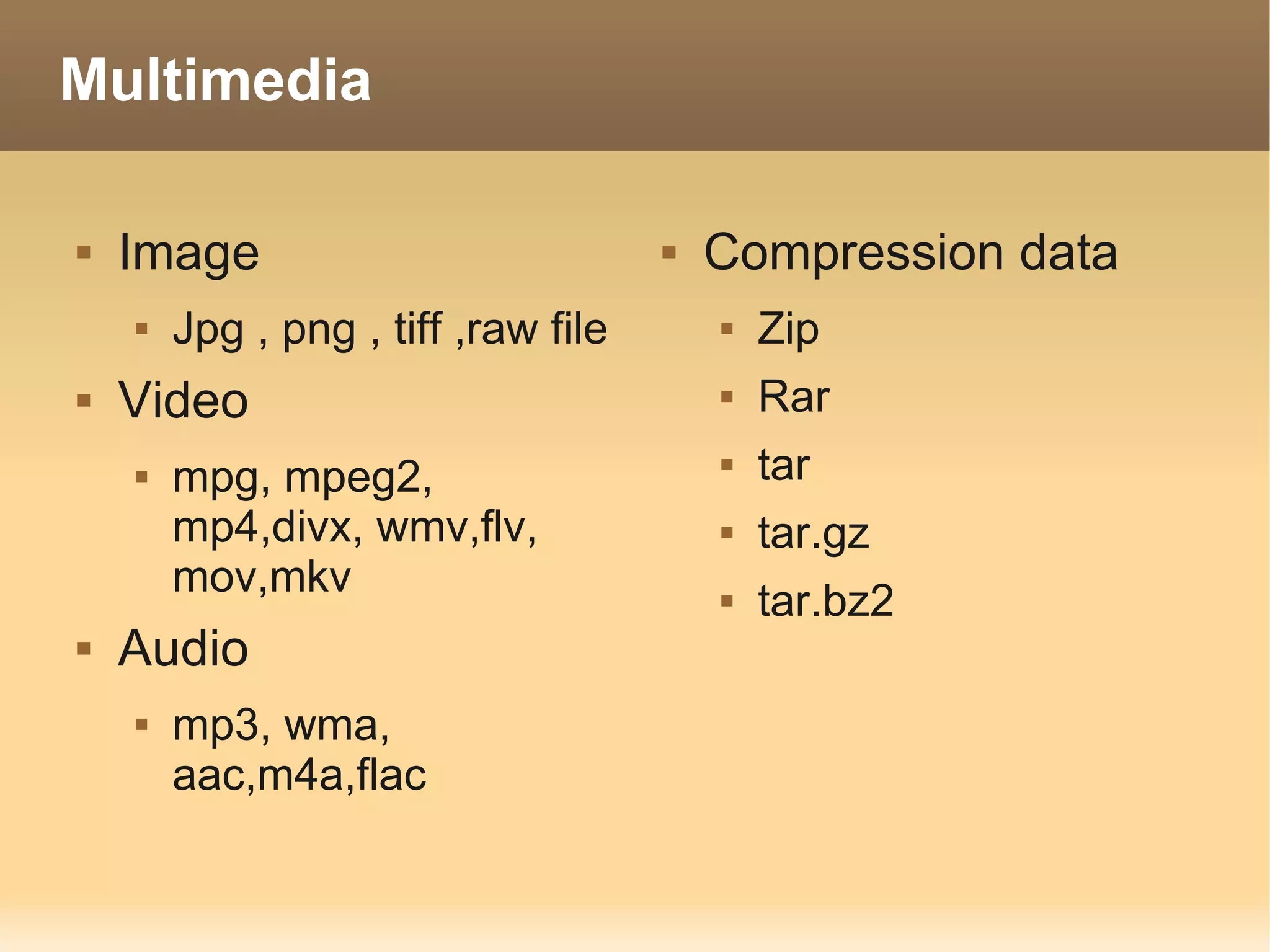
Multimedia

   Image                               Compression data
       Jpg , png , tiff ,raw file          Zip
   Video                                   Rar
       mpg, mpeg2,                         tar
        mp4,divx, wmv,flv,                  tar.gz
        mov,mkv                             tar.bz2
   Audio
       mp3, wma,
        aac,m4a,flac
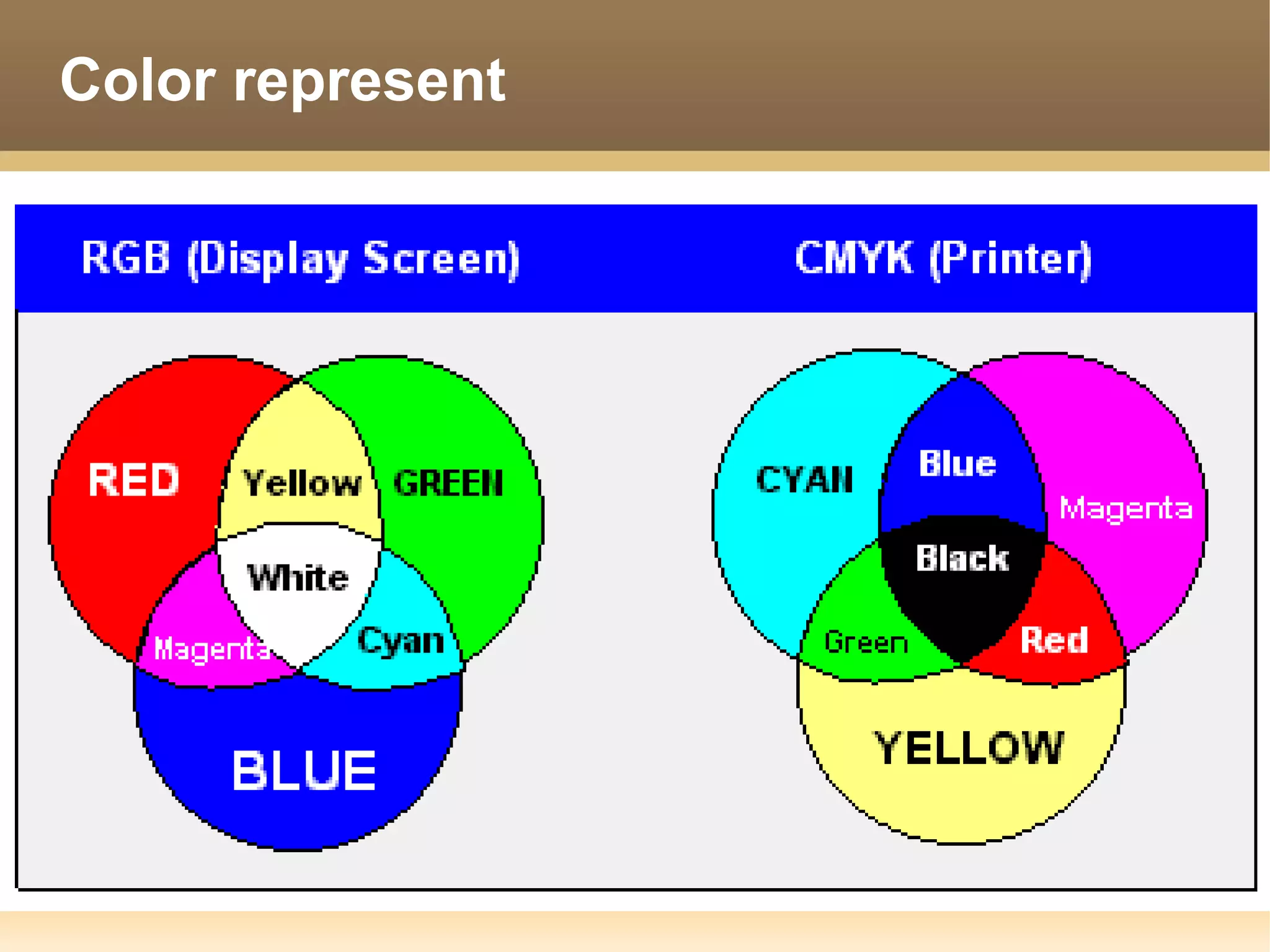
Color represent
Network

   Network is a form of using multiple computers
    by connecting
   Network used for
       Sharing resource
                  Data
                  Storage Device
                  Printer
       Exchange information
                  Data , Video, chat, email
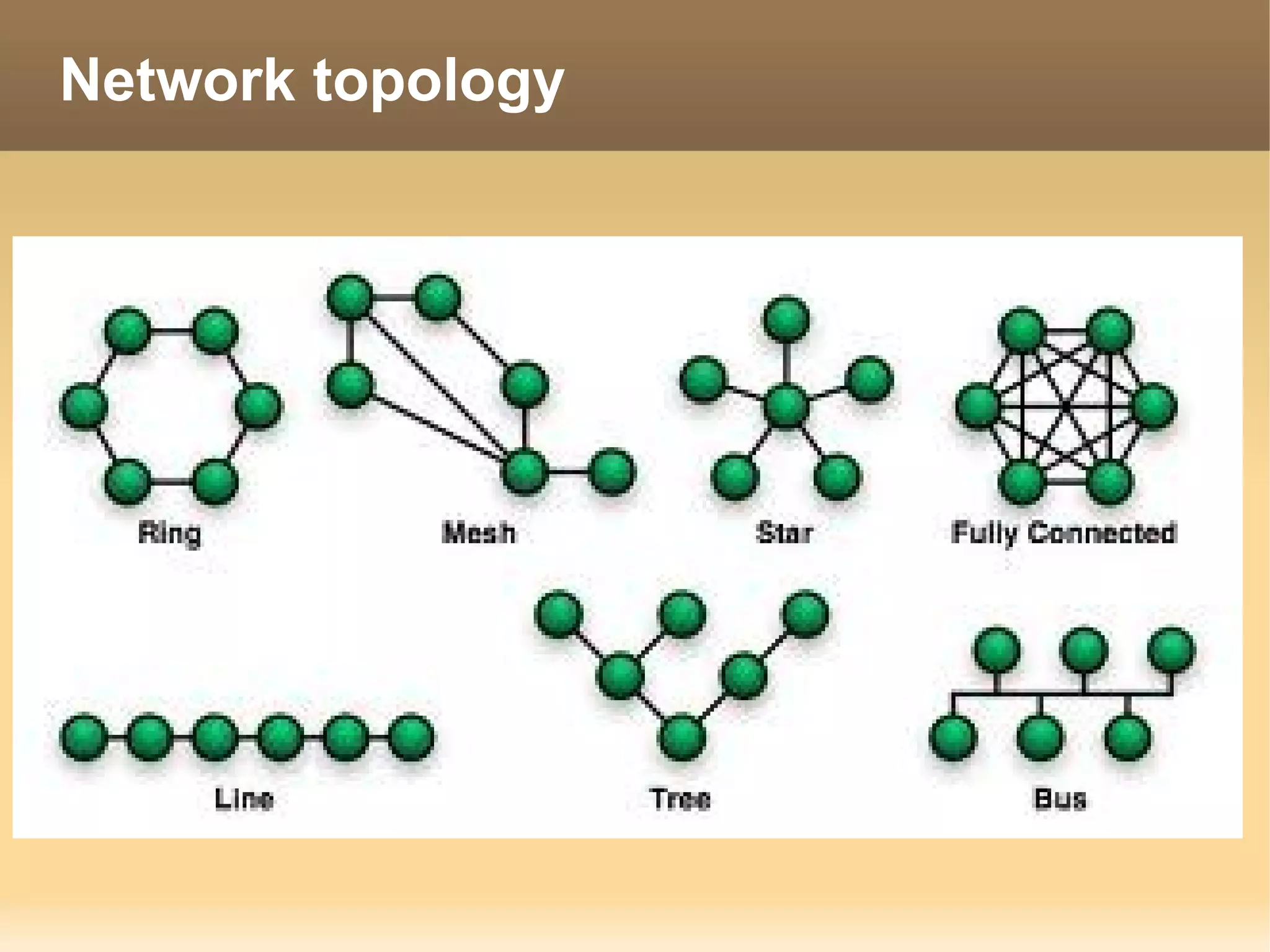
Network topology
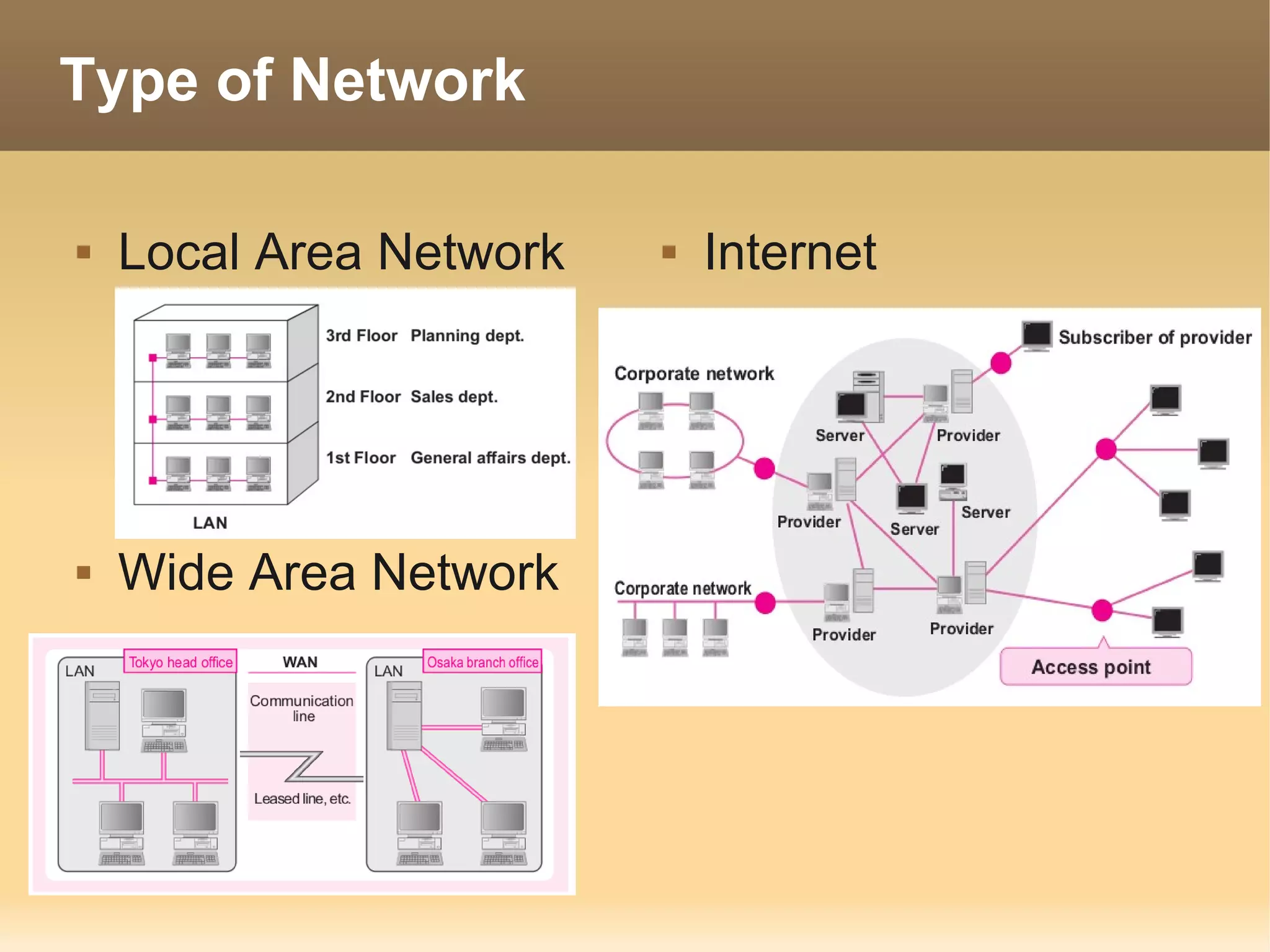
Type of Network

   Local Area Network      Internet


   Wide Area Network
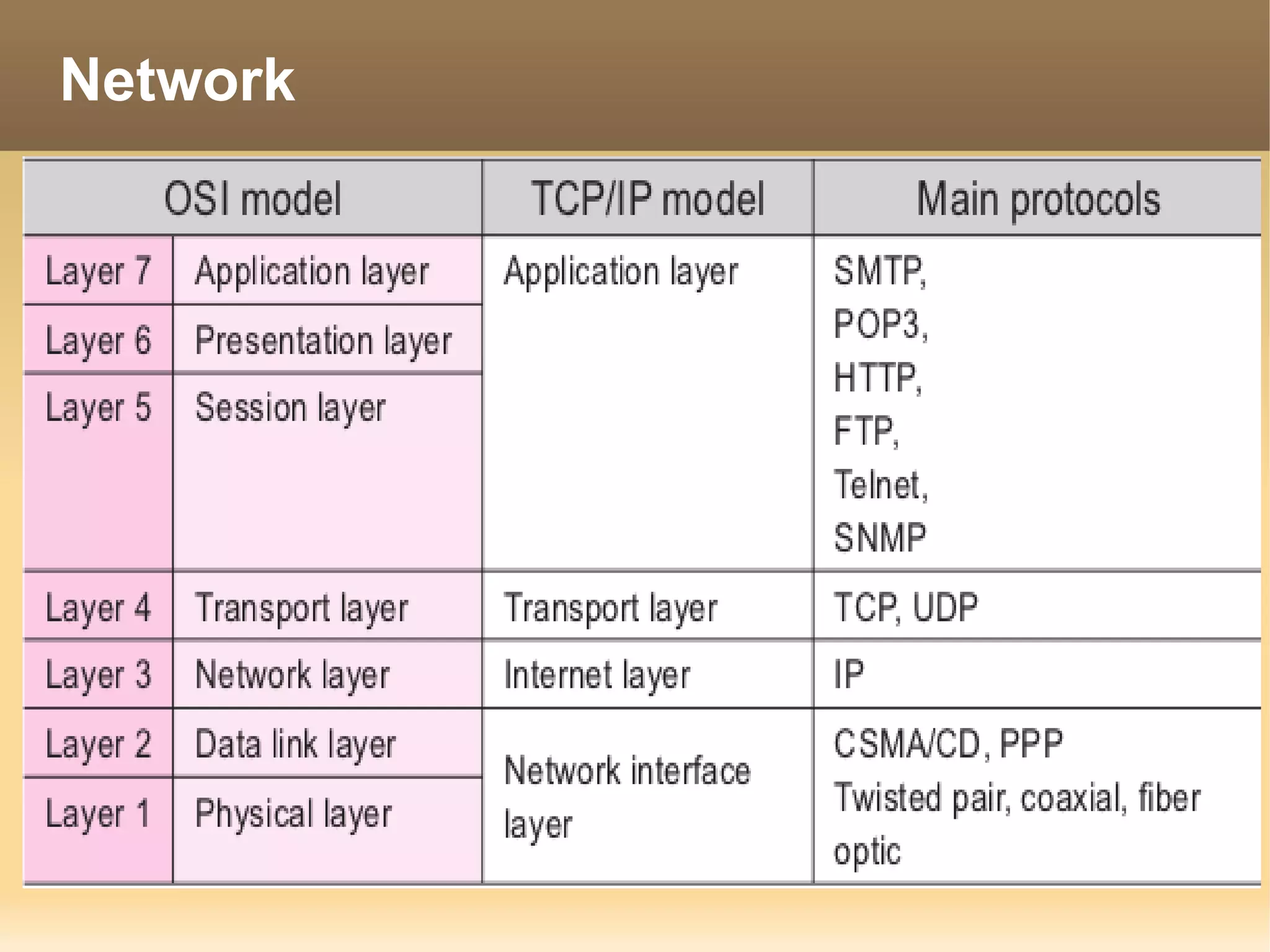
Network

OSI       TCP/IP
Model     Model
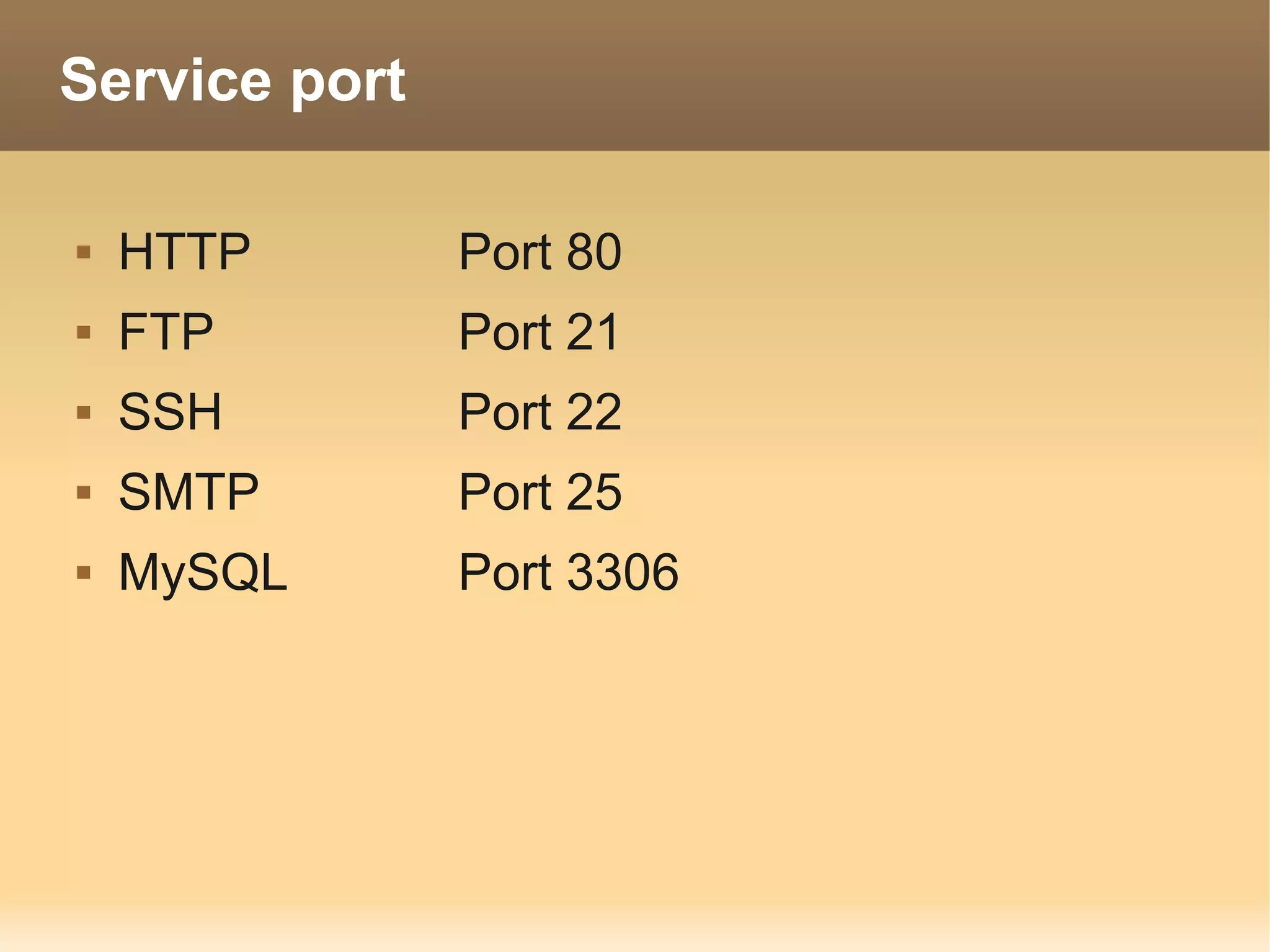
Service port

   HTTP       Port 80
   FTP        Port 21
   SSH        Port 22
   SMTP       Port 25
   MySQL      Port 3306
Network Device

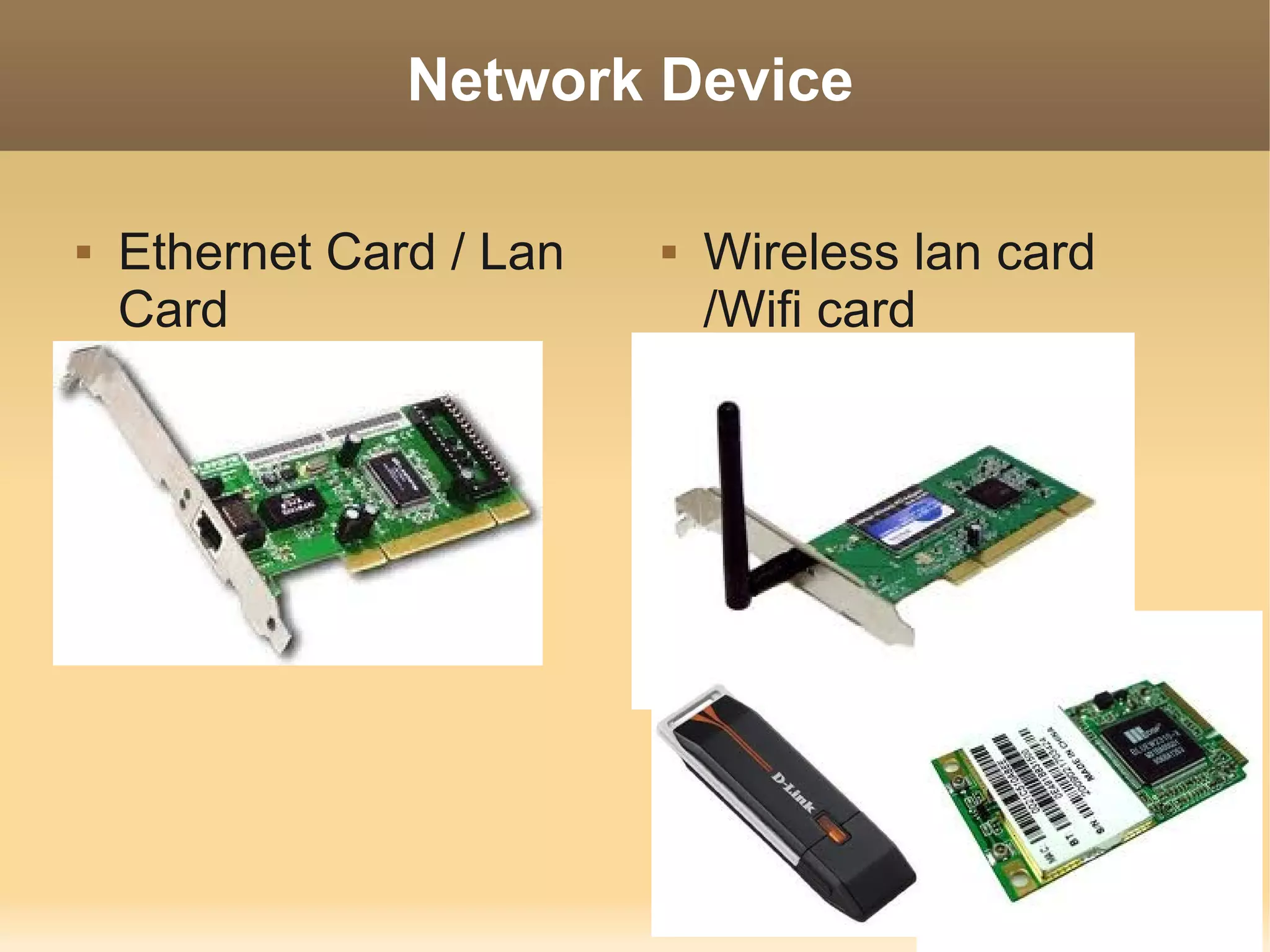
   Ethernet Card / Lan      Wireless lan card
    Card                      /Wifi card
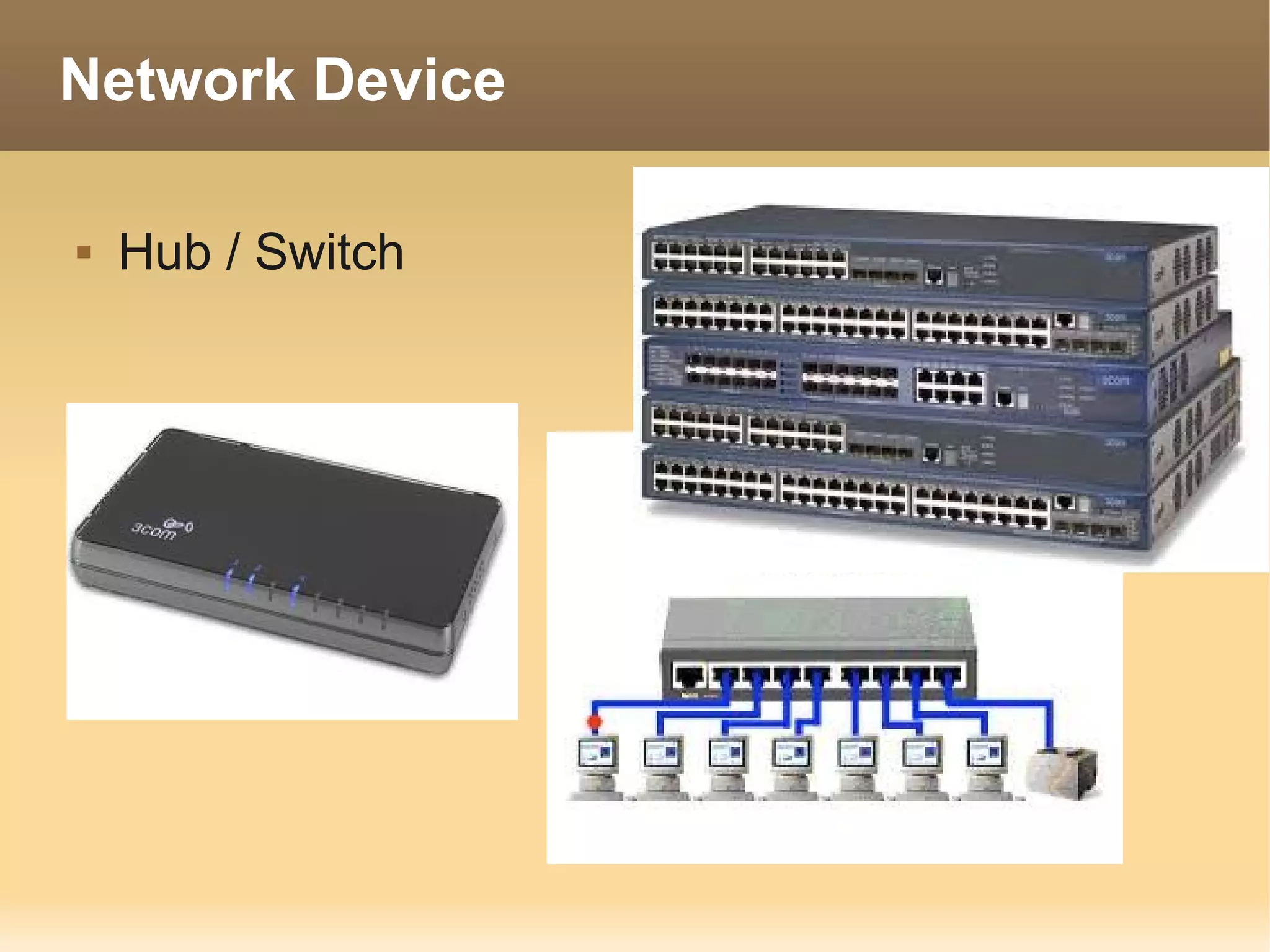
Network Device

   Hub / Switch
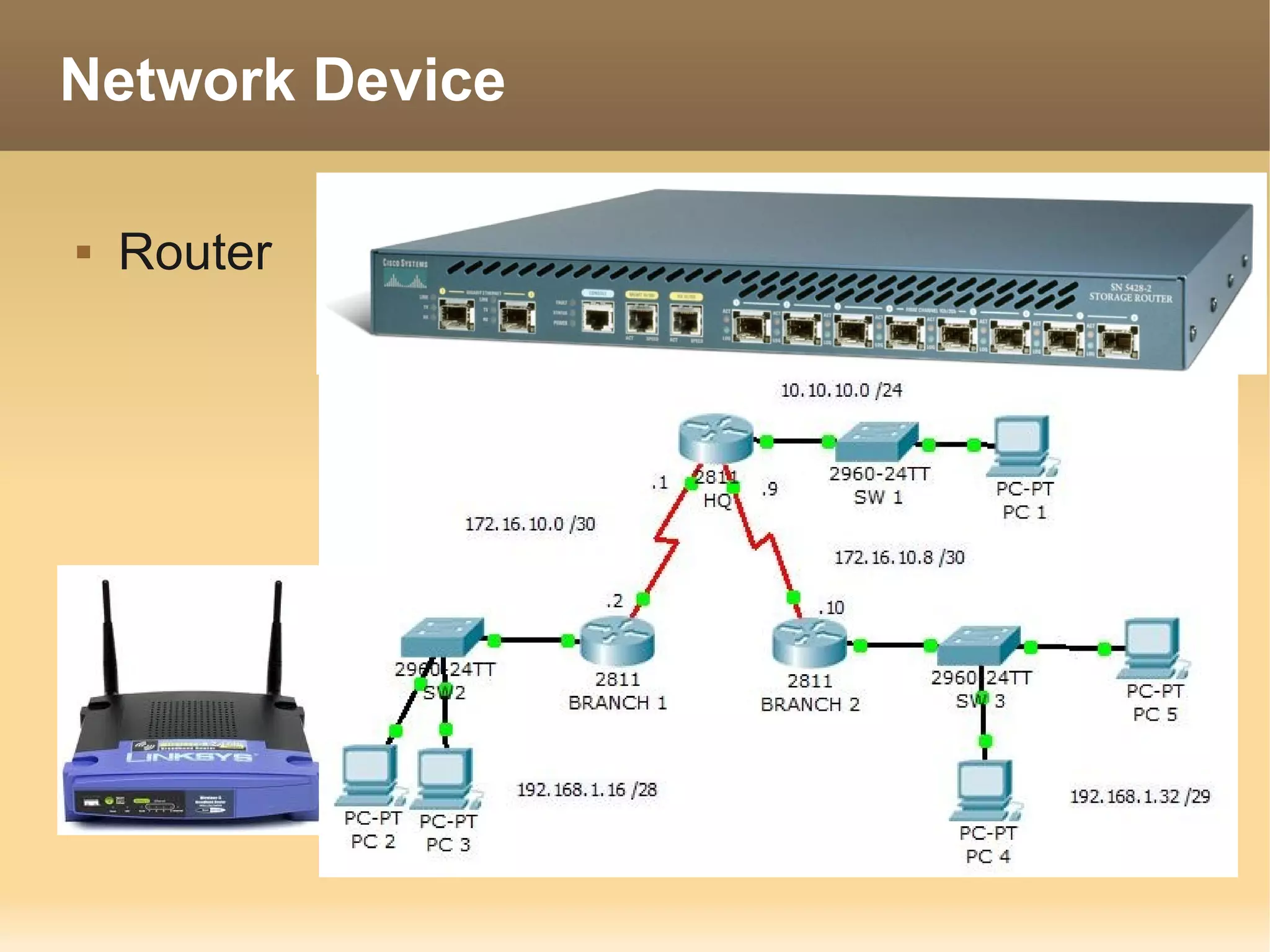
Network Device

   Router
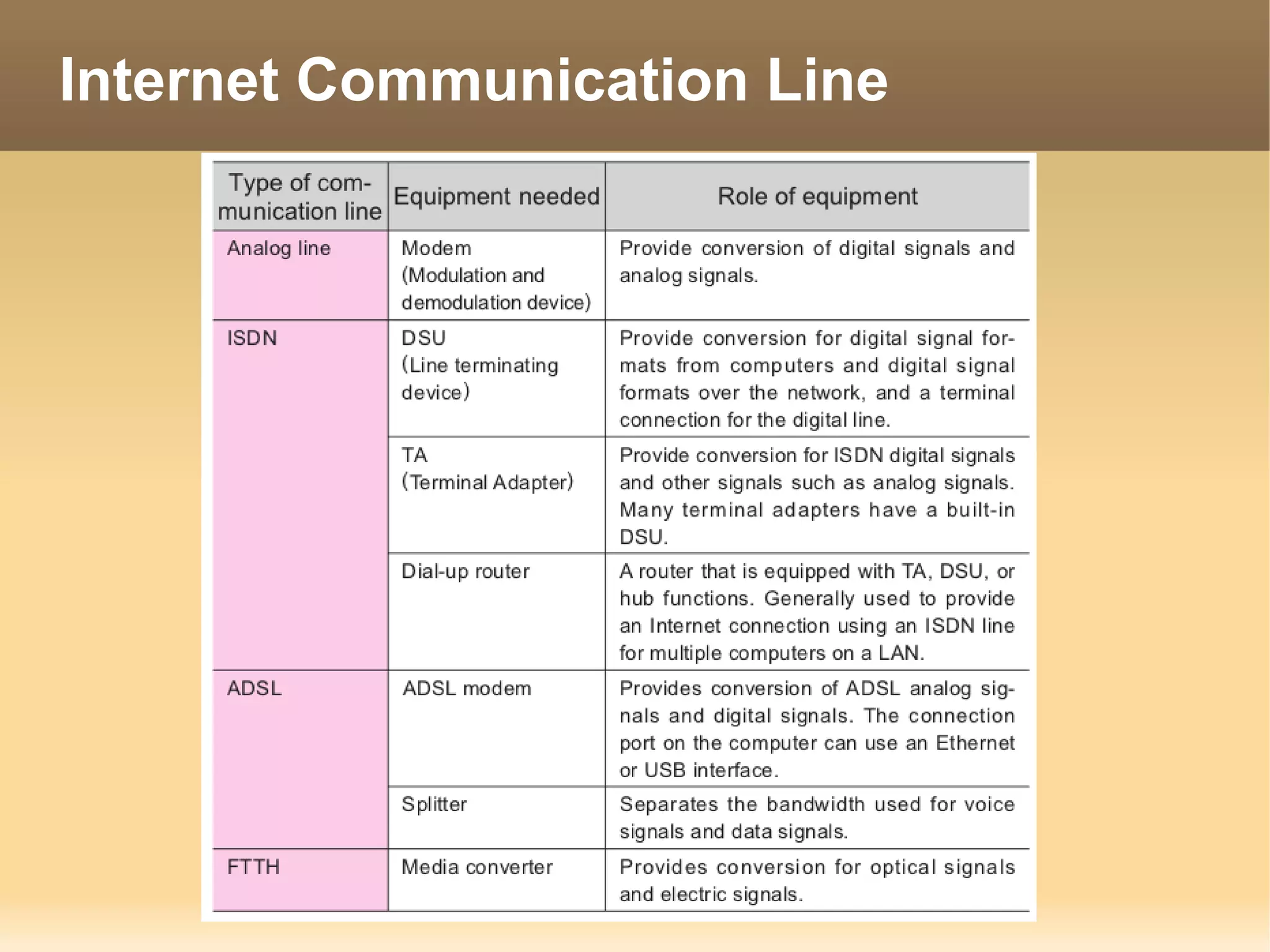
Internet Communication Line
Internet Protocol (IP)

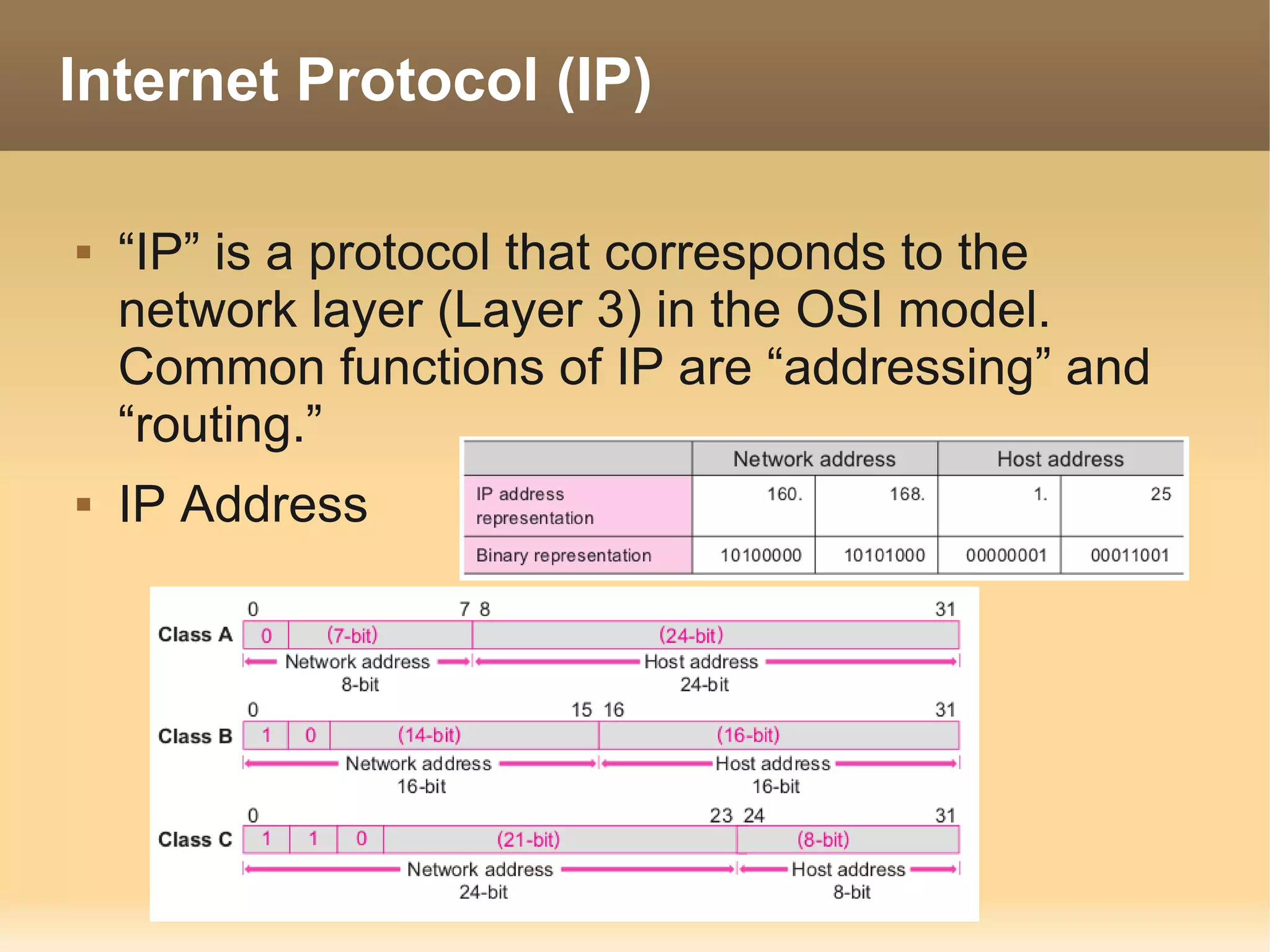
   “IP” is a protocol that corresponds to the
    network layer (Layer 3) in the OSI model.
    Common functions of IP are “addressing” and
    “routing.”
   IP Address
IP Address

   Public IP is IP assign by internic (THNIC in
    thailand) use to connect to internet
   Private IP is IP reserve for use for local. Such
    as LAN in company.
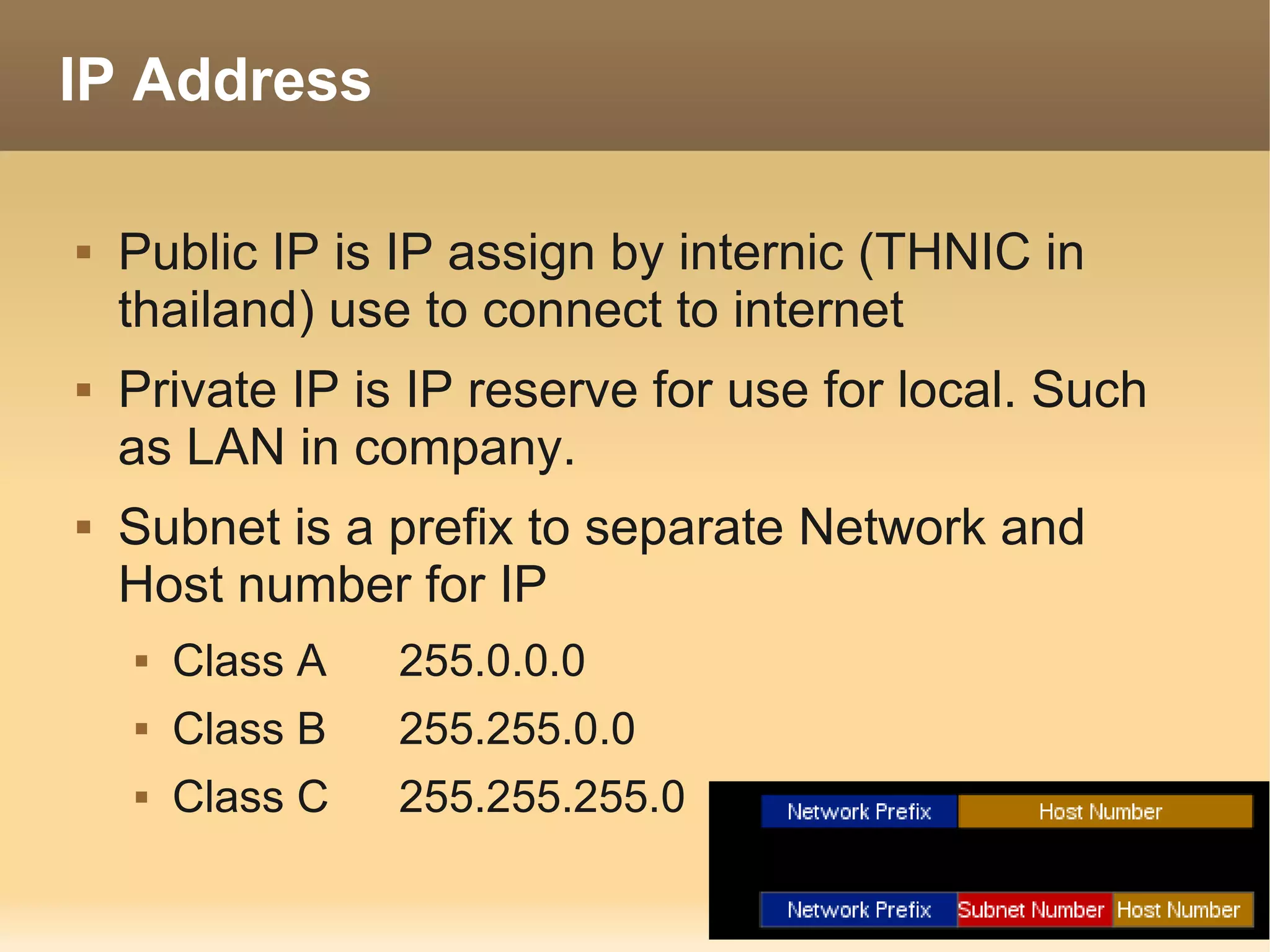
   Subnet is a prefix to separate Network and
    Host number for IP
       Class A   255.0.0.0
       Class B   255.255.0.0
       Class C   255.255.255.0
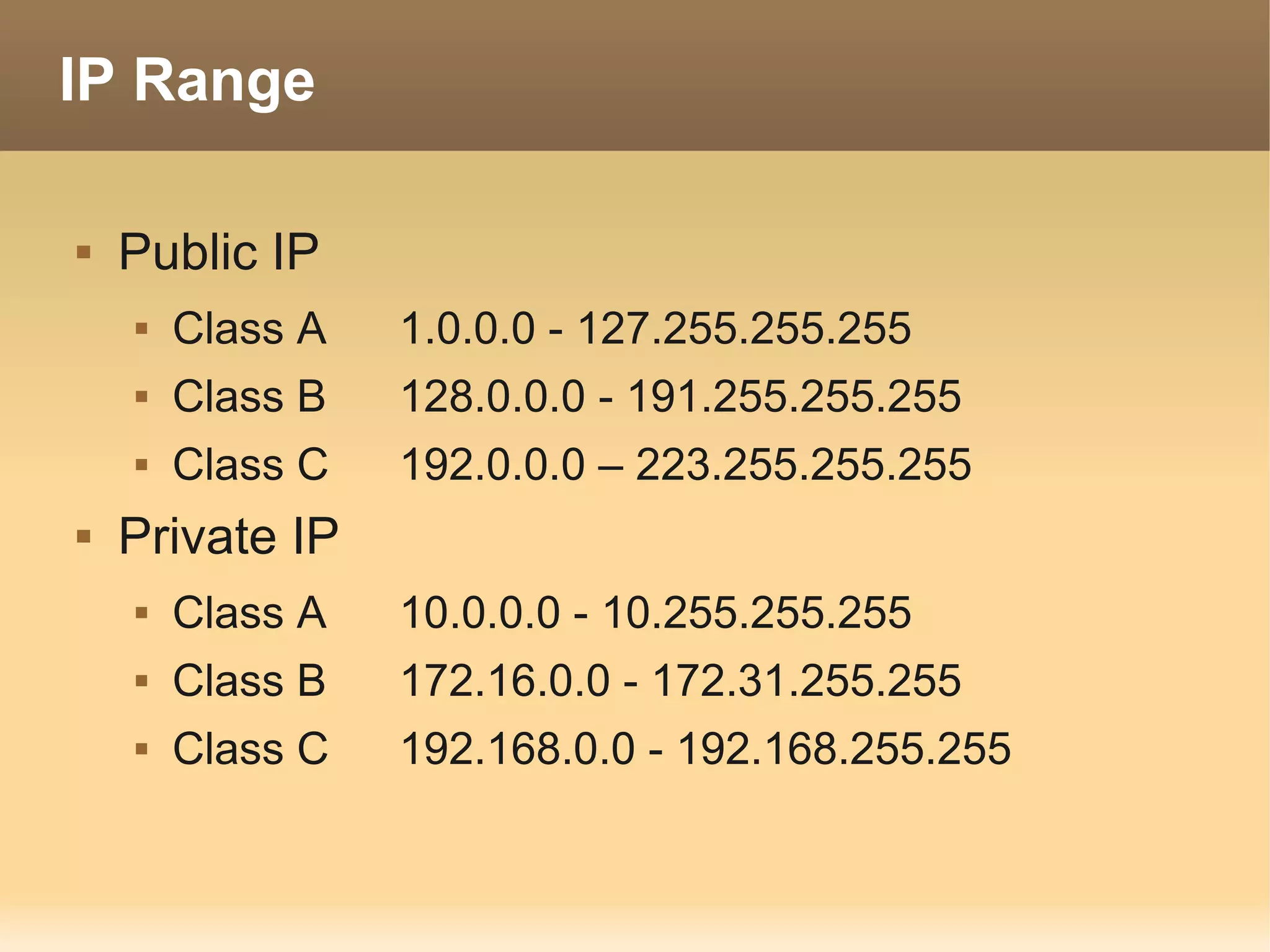
IP Range

   Public IP
       Class A   1.0.0.0 - 127.255.255.255
       Class B   128.0.0.0 - 191.255.255.255
       Class C   192.0.0.0 – 223.255.255.255
   Private IP
       Class A   10.0.0.0 - 10.255.255.255
       Class B   172.16.0.0 - 172.31.255.255
       Class C   192.168.0.0 - 192.168.255.255
Domain Name System

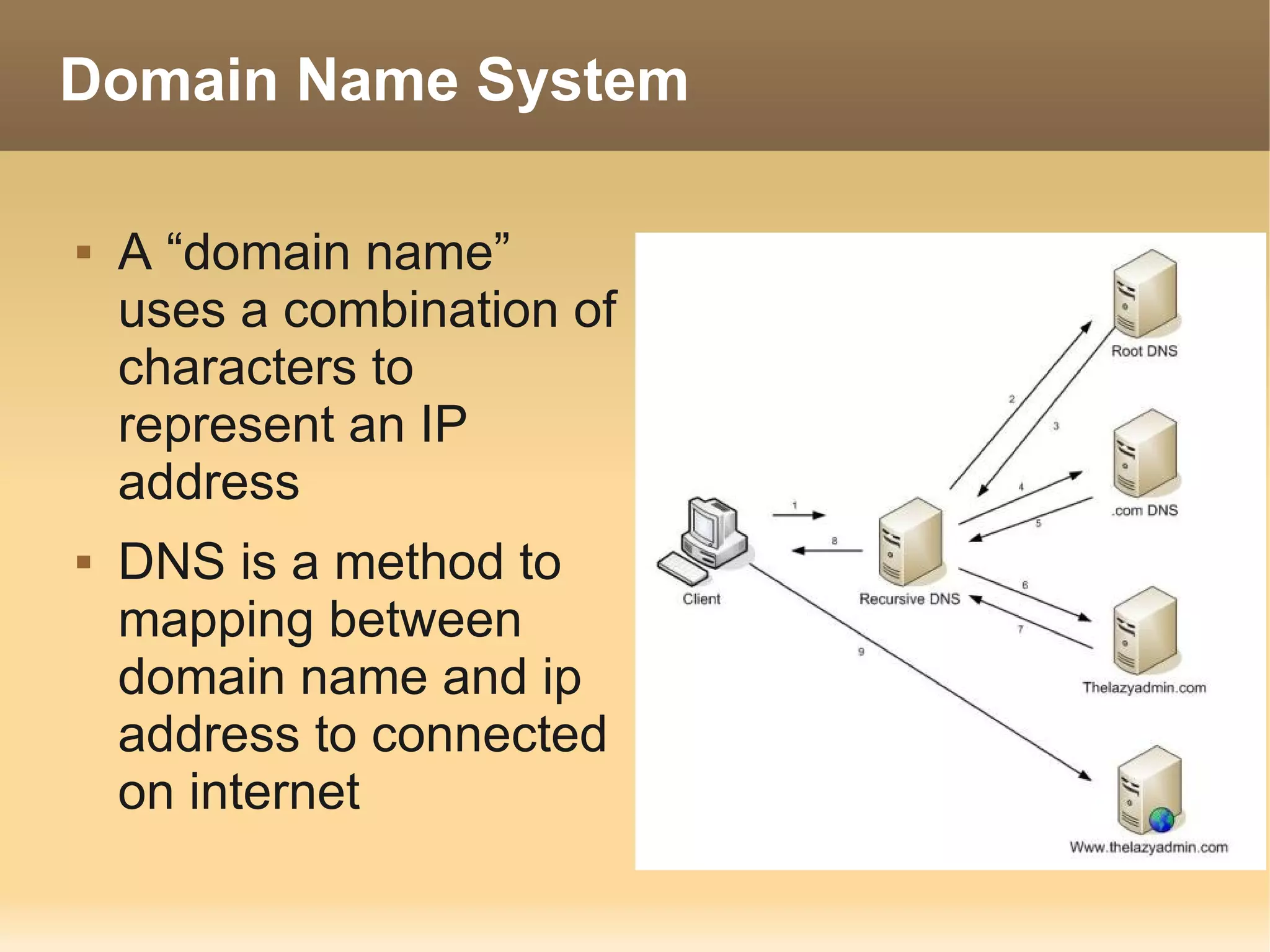
   A “domain name”
    uses a combination of
    characters to
    represent an IP
    address
   DNS is a method to
    mapping between
    domain name and ip
    address to connected
    on internet
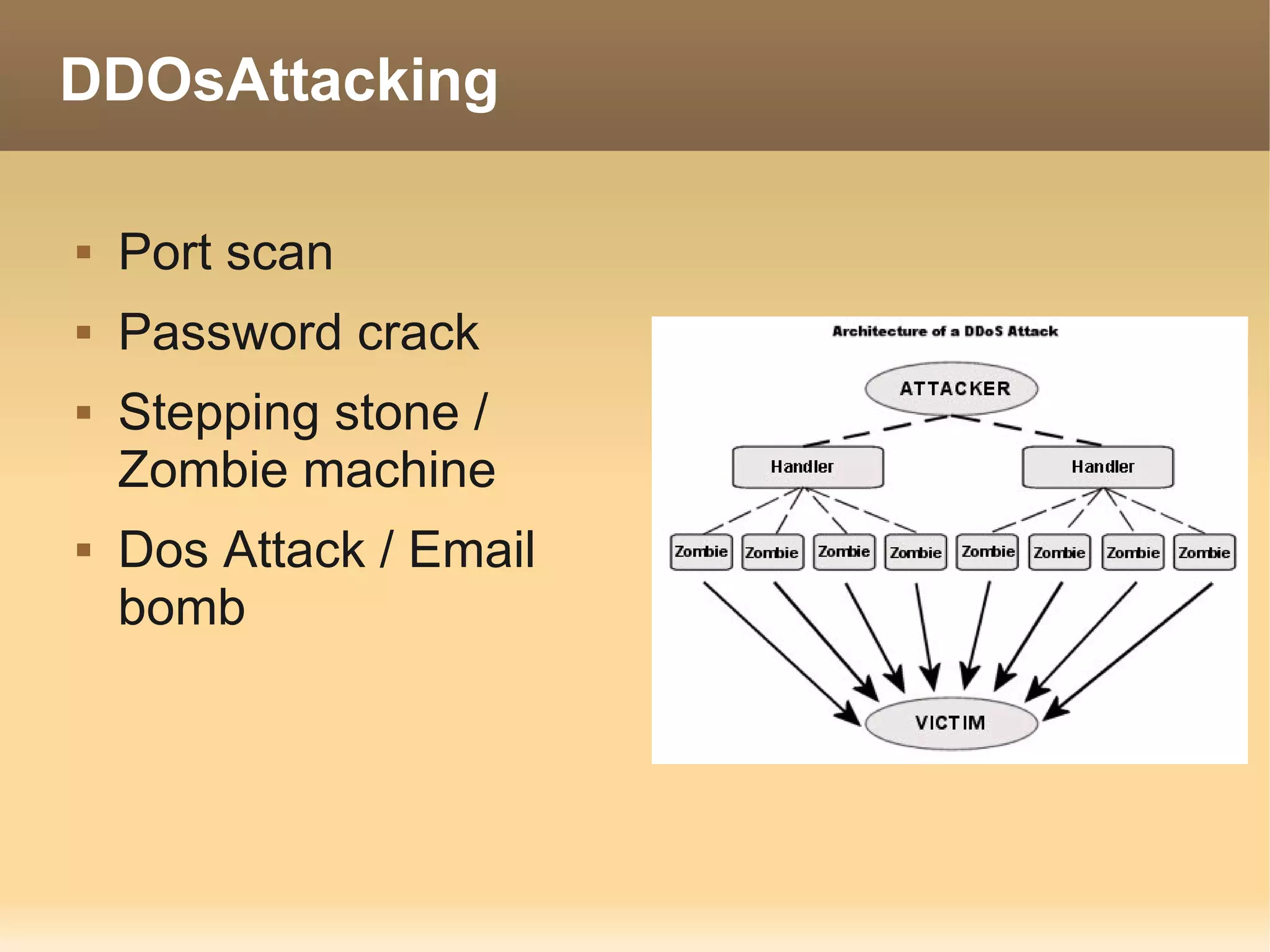
DDOsAttacking

   Port scan
   Password crack
   Stepping stone /
    Zombie machine
   Dos Attack / Email
    bomb
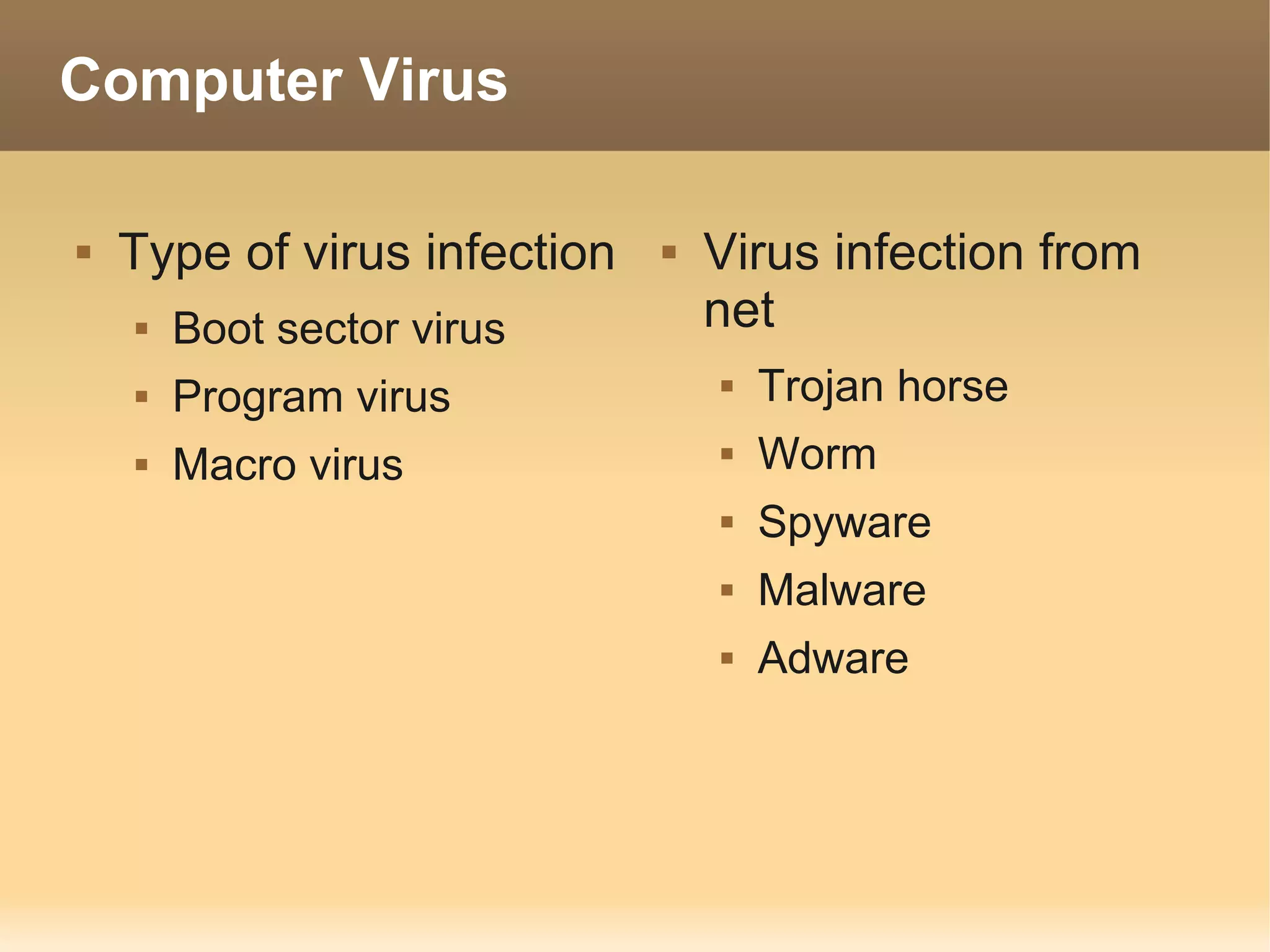
Computer Virus

   Type of virus infection      Virus infection from
       Boot sector virus         net
       Program virus                Trojan horse
       Macro virus                  Worm
                                     Spyware
                                     Malware
                                     Adware
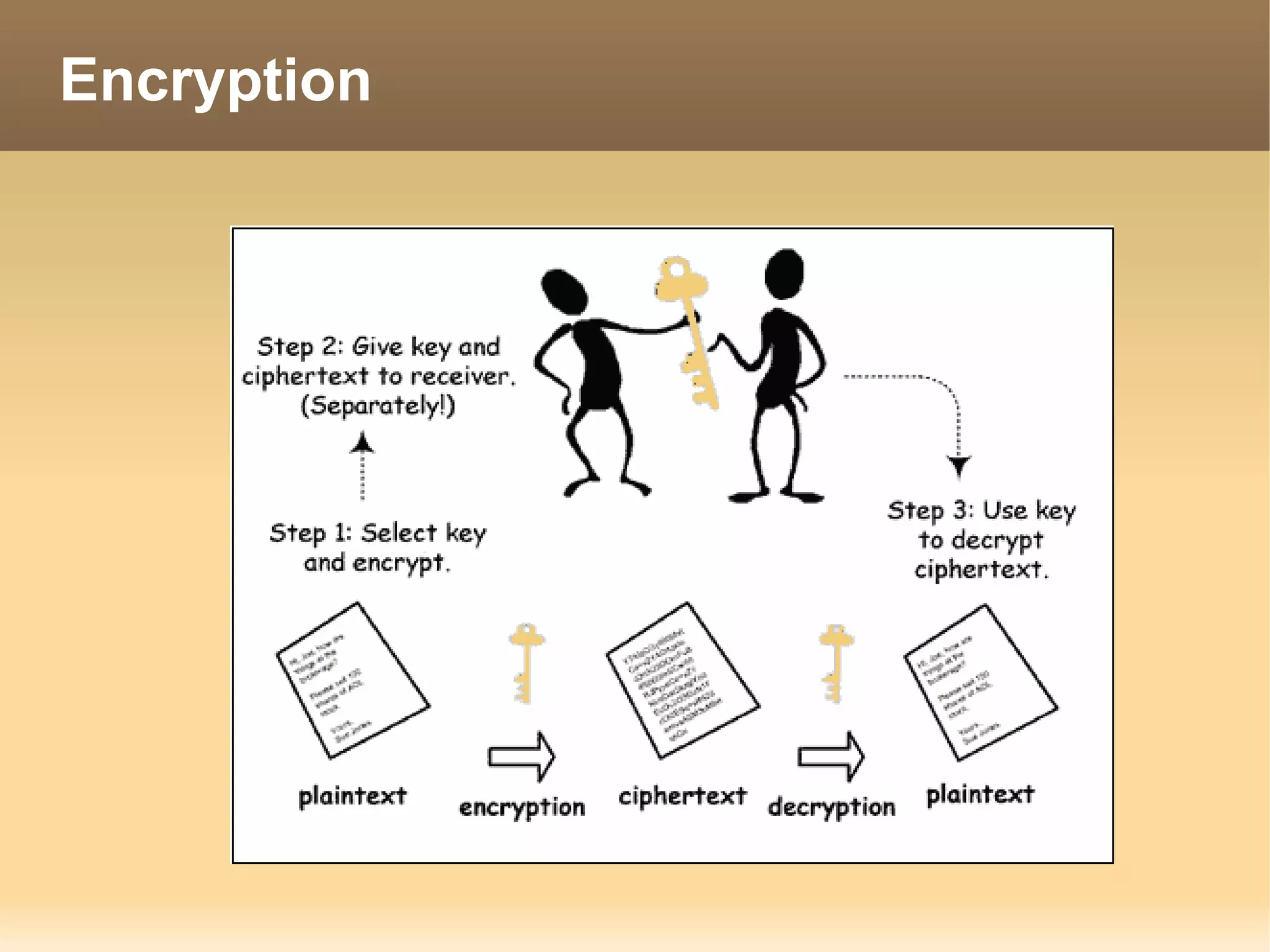
Encryption
Encryption

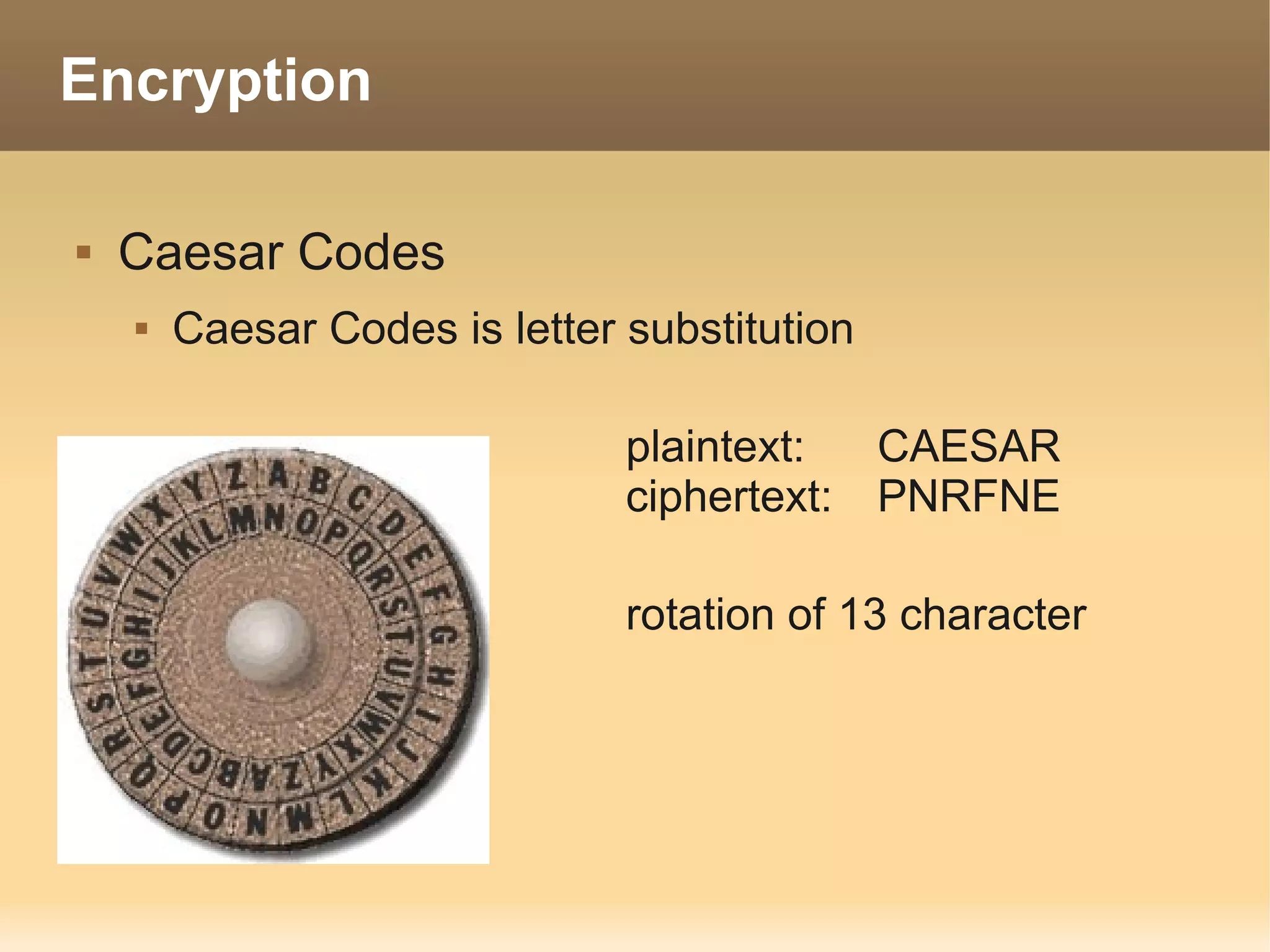
   Caesar Codes
       Caesar Codes is letter substitution

                               plaintext:  CAESAR
                               ciphertext: PNRFNE

                               rotation of 13 character
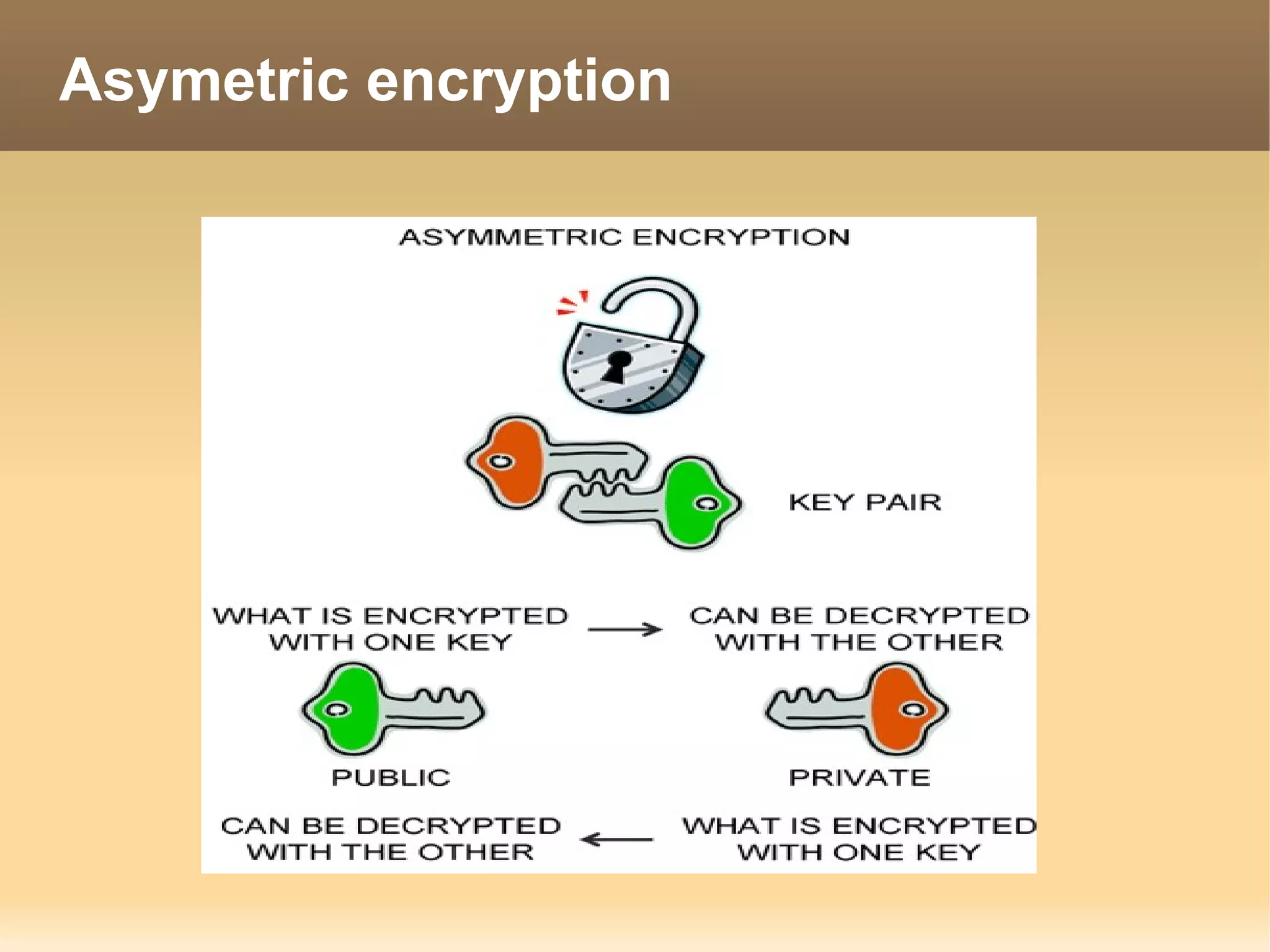
Asymetric encryption
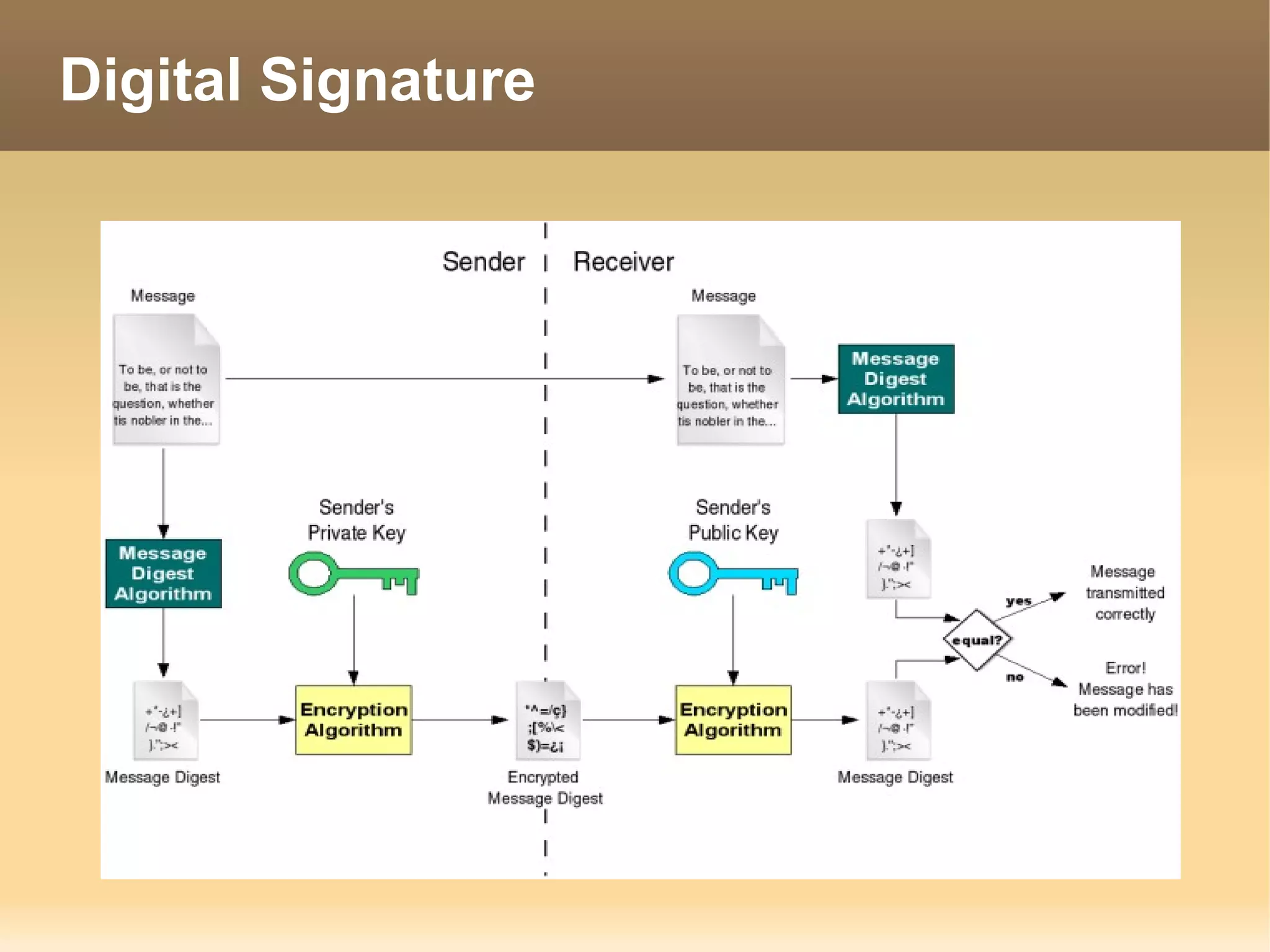
Digital Signature
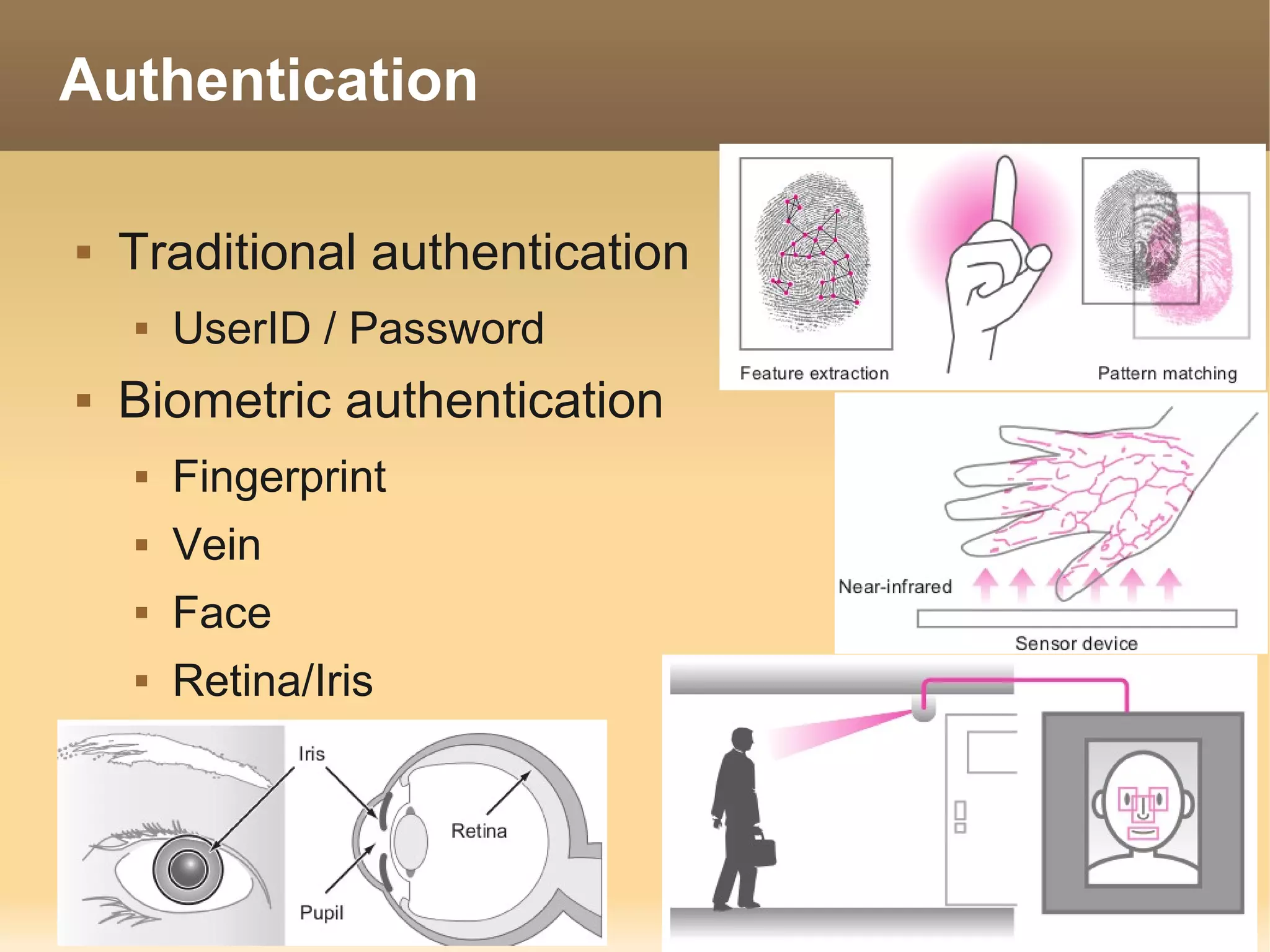
Authentication

   Traditional authentication
       UserID / Password
   Biometric authentication
       Fingerprint
       Vein
       Face
       Retina/Iris

Itpe brief

  • 1.
  • 2.
    IT Passport Examination(ITPE)  IT Passport Examination เป การจัดสอบ ็น โดยความร่วมมือ ขององค์กรใน ูม าค โดยมป ศ ไท ญ ่ น พ ่า มาเลเซ ภ ิภ ี ระเท ย ่ป ม ี ีย มองโกเลีย ฟ ิป ิ น และเวียดน ซงก่อตั้งเปน Information ิ ล ป ส์ าม ึ่ ็ Technology Professionals Examination Council (ITPEC) ใน การผลักดัน ้มการจัดสอบ ให ี มาตรฐาน ชาชีพ ่ีไม ิง วิ ท ่อ ผลิตภ ฑ ห ป ท อมรับ ระดับ ูมภ โดยให น ยงาน แต่ละ ัณ ์ใ ้เ ็ น ่ย ี ใน ภ ิ าค ้ห ่ ว ใน ป ศน รับ ิดชอบ ดสอบ ายใน ระเท โดยจะสอบ วัน ระเท ้ัน ผ การจั ภ ป ศ ใน เดียวกัน ้ังห และเปน อสอบ ดเดียวกัน ้ังห ้ัง 7 ป ศ ท มด ็ ข้ ช่ ท มดท ระเท
  • 3.
    ITPE Configuration ofthe Examination  Exam Duration : 165 min  100 Question  88 short question  12 medium question ( 3 question consisting of 4 sub-questions each)  Pass Criteria  Total Point 60 % or higher  Point in each field 30% or higher
  • 4.
    Scope of ITPEinformation  Strategy (35%)  Technology (40%)  Corporate and Legal  Basic Theory  Management Strategy  Computer System  System Strategy  Technical Element  Management (25%)  Human Interfaces  Development  Multimedia Technique  Databases  Project Management  Networks &  Service Management Security
  • 5.
  • 6.
    Corporate Activities  Corporate Philosophy  Corporate Objective  medium or long-term goal  Corporate Social Responsibility (CSR)
  • 7.
    Management Resource  Management resources within the context of business management refer to  People - Human Resource  Materials - assets  Money - Finances  Information – Information Management
  • 8.
    Business Management  “PDCA” (Plan, Do, Check, Act) cycle is a fundamental approach for business management that involves the execution of a four-step cycle to continuously improve product quality and work.
  • 9.
    Organizational structure Function Organization Hierarchical Organization Project Organization Division Organization
  • 10.
    Operation  Various kinds of charts and diagrams are used to analyse,solve, and improve work issues. Matrix Diagram Matrix Data Analysis Grantt chart
  • 11.
  • 12.
    Operation – chartand diagram Arrow Diagram / PERT Chart Radar Chart Scatter diagram
  • 13.
    Operation – chartand diagram Pie chart Line Chart
  • 14.
    Legal Affairs  Rights - Rights to protect the use & ownership  Copyright – rule for protection author's work from publication  Trademark – protect company logo & product name  Patent - Methodology to creation something
  • 15.
    Software License  Software License - The right to use software, and is granted by the software maker to the purchaser  Software is protected under the Copyright Act.  License Agreement – Agreement to using software  Type of Software License  Propitiatory Software  Freeware / Shareware  OpenSource Software
  • 16.
    Type of Software  Propitiatory Software  Purchase Software  Freeware / Shareware  Free to use  Feature limit or time limit (Shareware)  OpenSource Software  Free to use  Free of charge / Freedom to use  Open source code
  • 17.
    Standard Organization  ISO (international Organization for Standardization)  ISO9000  ISO14000  IEEE (Institute of Electrical and Electronics Engineers)  Lan standard 802.xx  802.3 Ethernet Lan  802.11 Wireless Lan
  • 18.
    Barcode 3D Barcode / QR Code
  • 19.
    SWOT Analysis  Analyse Strengths, Weaknesses, Opportunities, Threats
  • 20.
  • 21.
    Business execution organization  CEO (Chief Executive Officer)  The “CEO” is responsible for management as the company’s representative.  COO (Chief Operating Officer)  Under the CEO, the “COO” is responsible for business operation.  CIO (Chief Information Officer)  The “CIO” has the highest responsibility concerning information.  CFO (Chief Financial Officer)  The “CFO” is responsible for financial affairs such as procurement of funds and financial administration.
  • 22.
    M&A (Mergers andAcquisitions)
  • 23.
    Tech use inBusiness  POS – 7Eleven  IC chip – Credit Card  RFID – MRT  Electronic money – Smart Purse  GPS – Tracking System
  • 24.
    E-Business  Electronic commerce (EC)  commercial activities using networks with only a small amount of investment by cutting the costs associated.  Type of EC  CtoC – Customer to Customer  BtoC - Business to Customer  BtoB – Business to Business
  • 25.
    Typical Modeling  E-R Diagram  relationship between data using “entities” and “relationships.” Entities and relationships have several characteristics called “attributes.”  Data Flow Diagram (DFD)  The flow of operations as a flow of data  Unified Model Language (UML)  visual language for modeling that standardizes the conceptual components used in the development and specification decision stage
  • 26.
  • 27.
  • 28.
    groupware  Groupware to operation in business  E-Mail  Bulletin Board System (BBS) also web board  Video Conferencing  Chat  Weblog - also know as Blog  Social Network Service (SNS)
  • 29.
  • 30.
  • 31.
  • 32.
    Development  Programing / Coding  Unit testing / White box test
  • 33.
    Testing  Testing is a process for confirming program and system quality. 
  • 34.
    Software Development models  Typical Model  Waterfall model  Spiral model  Prototyping model  New Method  Agile method  Xtream Programming (XP)  Pair Programming  Scrum
  • 35.
  • 36.
  • 37.
  • 38.
    Agile method  Agile is a group of software development methodologies  It promotes adaptive planning, evolutionary development and delivery; time boxed iterative approach and encourages rapid and flexible response to change
  • 39.
    Pair Programming  agile software development technique in which two programmers work together at one workstation  Programmers being like as the pilot and copilot on an air plane  1+1 > 2
  • 40.
    Xtreme Programming  Light-Weighted Methodology  Focus on development stage  Dev & change by user comment
  • 41.
  • 42.
    Project management  Project manager organize and managing resources to achieve specific goals
  • 43.
    IT Service management  ITIL - framework of know-how, best approaches, best practices, etc. designed to create a successful business utilizing IT services.  ITIL is “de facto standard” of IT service management.
  • 44.
  • 45.
    Basic theory  numeral system  base 2 (Binary) 0,1  base 8 (Octal) 0,1,2,3,4,5,6,7  base 10 (Decimal) 0,1,2,3,4,5,6,7,8,9  base 16 (Hexadecimal) 0,1,2,3,4,5,6,7,8,9,A,B,C,D,E,F
  • 46.
    Convert numerical base  Base 10 → Base 2  346 = 256+64+16+8 512 256 128 64 32 16 8 4 2 1 1 1 1 1 1  Binary = 101011010
  • 47.
    Convert numerical base  Base 2 → Base 8  Binary = 101011010  Split 3 digit = 101 011 010  Octal = 532  Base 2 → Base 16  Binary = 101011010  Split 4 digit = 1 0101 1010  Hexadecimal = 15A
  • 48.
  • 49.
    Computer Units  A “bit” is the smallest unit of data which can be handled by a computer (written as 'bit' or 'b')  Units  8bit = 1Byte  1024Byte = 1KiloByte(KB)  1024KB = 1MegaByte(MB)  1024MB = 1GigaByte(GB)  1024GB = 1TeraByte (TB)  1024TB = 1PetaByte(PB)
  • 50.
  • 51.
    Analog / Digital  Analog  Digital
  • 52.
    A/D Conversion  1. Sampling  3. Encoding  2.Quantization  4. Coded to Digital
  • 53.
    Character Set Encoding  ASCII – ANSI character standard  Use 7bit for each alphanumeric, character and symbol and 1bit for parity bit  TIS620 – Thai character set Standard  Unicode – ISO Code standard  Use for multi-language code  2 – 3 Bytes per 1character
  • 54.
  • 55.
    Data Structure  Variable  Temporaly to store data  X = 10 + 1; X is a temp to store 10+1
  • 56.
  • 57.
  • 58.
    Stack / Queues  Stack  LIFO  Push n' Pop  Queues  FIFO  Enqueue n' Dequeue
  • 59.
    Flow chart  Flowchart  Flowchart symbol
  • 60.
    Flow chart &Pseudo code  Flowchart  Pseudo code start; input time; if time <= 16 then echo “He is in school”; else if time => 19 then echo “He is at home”; else echo “He is in Playground”; stop;
  • 61.
    Programming  Programming  Type of Compiler  Machine code  Compiler  Assembly C , C++  C, C++, Delphi, Basic,  Interpreter Cobol, Fortan PHP, ASP, Python , ruby  JAVA, .net, python,PHP  just-in-time compiler JAVA , .net  SQL  HTML , XML
  • 62.
    Language processor  Compiler  Compile from Source code to binary program  Compile all source and warning errors  Interpretor  Compile Source to binary line by line  Stop compile when it's errors
  • 63.
    Language processor  JIT Compiler  Compile source to p-code (portable code) like as java call “byte code”  Interprete by p-code by VM on each platform like as JVM or .net runtime
  • 64.
    Markup Language  Markup Language used to write logical structures in text by means of tags. A “logical structure” affects textual and graphical layout, character appearance (written format), and other elements. Through the use of tags, they embed control characters into text to express information related to details such as layout, character embellishment, and hyperlinks. Two typical examples of markup languages are “HTML” and “XML.”
  • 65.
  • 66.
  • 67.
    CPU  Clock frequency  Cyclical signals to coordinate the timing of operation  clock frequency is indicated in “Hz (Hertz)”  Bus width  Internal bus  path of transmission used to exchange data inside CPU  External bus (Front Side Bus)  Path to connect and exchange with external device such as VGA, PCI Device
  • 68.
    CPU Type  Type of CPU  CISC – Complex Instruction Set Computer  Also call x86 Architecture  Intel , AMD  RISC – Reduce Instruction Set Computer  Sun Spark  IBM Power  ARM Processor
  • 69.
    Memory  device that is used to store programs and data required for processing in the operation of a computer  Also referred to as “main memory”
  • 70.
    ROM – ReadOnly Memory  Non – volatile memory  Most used as Read-only memory (ROM,EPROM)  Computer Bios  Embedded systems  Mobile ROM  Use as storage data like as Flash memory(EEPROM)  Compact Flash , SD/MMC, Memory Stick  Flash Drive, Solid State Device (SSD)
  • 71.
    RAM – RandomAccess Memory  Volatile memory  Use for main memory or cache  Type of RAM  Static RAM – CPU cache  Dynamic RAM – DDR2, DDR3 RAM
  • 72.
  • 73.
  • 74.
  • 75.
    Optical Disc  CD Rom / CD-RW  DVD Rom / Combo Drive(DVD Rom+CD-RW)  650-700 MB  DVD-RAM, DVD±RW  4.7 GB (single layer) or 8.5 GB (dual layer)  Blu-ray Drive  25 GB (single layer) or 50 GB (dual layer)
  • 76.
  • 77.
    Computer Interface  Connected  RS-323C – Serial port 25/9 pin  USB port  IEEE1394 / Firewire / i.link  SCSI  SAS  ATA  SATA
  • 78.
    Input Device  Keyboard  Mouse  Trackball  Touchpad  Pointing stick  Digitizer  Touch panel
  • 79.
    Image input device  Scanner  Image  OCR (Optical Character Reader)  OMR (Optical Mark Reader)  Barcode Reader  Digital Camera  Image  QR Code
  • 80.
    Other input device  Sound input device  Microphone  Handwriting character input device  Pen mouse  Magnetic card reader  IC Chip card reader
  • 81.
    Output Device  Display  CRT  LCD/LED  OLED  Printer  Inkjet  Laser  Dot Matrix  Themal transfer
  • 82.
    Wireless Interface  IrDA – infrared communication  Bluetooth  Wifi / Wireless Lan  HSPA / 3G
  • 83.
    Type of PC Desktop  Tower  All in one Mobility  Laptop / Notebook  Netbook  Tablet  Phone Device
  • 84.
    Processing Model  Centralized  Distributed
  • 85.
    Processing method  Interactive  Real-time  Game  ATM  Word Processor  Reserve ticket  Batch  Report profit to Center
  • 86.
    Operating System  OS is Software to communicate from user and machine  OS is a system software.  OS working  Memory Management  Resource Management  File Management  User Management  Task Management
  • 87.
  • 88.
    Operating System  Desktop  MS-Dos  Windows family (7/vista/xp/me/98/95)  OSX (MacOS)  Linux (Ubuntu, Fedora)  Server  Unix (FreeBSD, Solaris, HP-UX)  Linux (Redhat, Slackware, SuSe)  Windows Server family(2008,2003,2000)
  • 89.
    Open Source Software  OSS is an software  Free of charge  Freedom to use  Open Source have a license  GPL  Apache
  • 90.
    Free of OSS  Fredom to use OSS
  • 91.
    OSS Software  OS – Ubuntu, Fedora  Web Browser – Firefox  Office – OpenOffice, Libre Office  E-mail client – Thunderbird  Image Edit – Gimp  Web Server – Apache  Ftp – filezilla  Chat - pidgin
  • 92.
    Multimedia  Image  Compression data  Jpg , png , tiff ,raw file  Zip  Video  Rar  mpg, mpeg2,  tar mp4,divx, wmv,flv,  tar.gz mov,mkv  tar.bz2  Audio  mp3, wma, aac,m4a,flac
  • 93.
  • 94.
    Network  Network is a form of using multiple computers by connecting  Network used for  Sharing resource  Data  Storage Device  Printer  Exchange information  Data , Video, chat, email
  • 95.
  • 96.
    Type of Network  Local Area Network  Internet  Wide Area Network
  • 97.
    Network OSI TCP/IP Model Model
  • 98.
    Service port  HTTP Port 80  FTP Port 21  SSH Port 22  SMTP Port 25  MySQL Port 3306
  • 99.
    Network Device  Ethernet Card / Lan  Wireless lan card Card /Wifi card
  • 100.
    Network Device  Hub / Switch
  • 101.
  • 102.
  • 103.
    Internet Protocol (IP)  “IP” is a protocol that corresponds to the network layer (Layer 3) in the OSI model. Common functions of IP are “addressing” and “routing.”  IP Address
  • 104.
    IP Address  Public IP is IP assign by internic (THNIC in thailand) use to connect to internet  Private IP is IP reserve for use for local. Such as LAN in company.  Subnet is a prefix to separate Network and Host number for IP  Class A 255.0.0.0  Class B 255.255.0.0  Class C 255.255.255.0
  • 105.
    IP Range  Public IP  Class A 1.0.0.0 - 127.255.255.255  Class B 128.0.0.0 - 191.255.255.255  Class C 192.0.0.0 – 223.255.255.255  Private IP  Class A 10.0.0.0 - 10.255.255.255  Class B 172.16.0.0 - 172.31.255.255  Class C 192.168.0.0 - 192.168.255.255
  • 106.
    Domain Name System  A “domain name” uses a combination of characters to represent an IP address  DNS is a method to mapping between domain name and ip address to connected on internet
  • 107.
    DDOsAttacking  Port scan  Password crack  Stepping stone / Zombie machine  Dos Attack / Email bomb
  • 108.
    Computer Virus  Type of virus infection  Virus infection from  Boot sector virus net  Program virus  Trojan horse  Macro virus  Worm  Spyware  Malware  Adware
  • 109.
  • 110.
    Encryption  Caesar Codes  Caesar Codes is letter substitution plaintext: CAESAR ciphertext: PNRFNE rotation of 13 character
  • 111.
  • 112.
  • 113.
    Authentication  Traditional authentication  UserID / Password  Biometric authentication  Fingerprint  Vein  Face  Retina/Iris