Web (and Mobile) Development
                              with WebSharper in F#


                                                     Adam Granicz – F# MVP
                                                          CEO, IntelliFactory
               http://fpish.net/blog/adam.granicz/all/0
                                               #granicz
@   itcampro   # itcamp12   Premium conference on Microsoft technologies
Mobile &
ITCamp 2012 sponsors                                                       Development


@   itcampro   # itcamp12   Premium conference on Microsoft technologies
Mobile &
Adam                                                                           Development


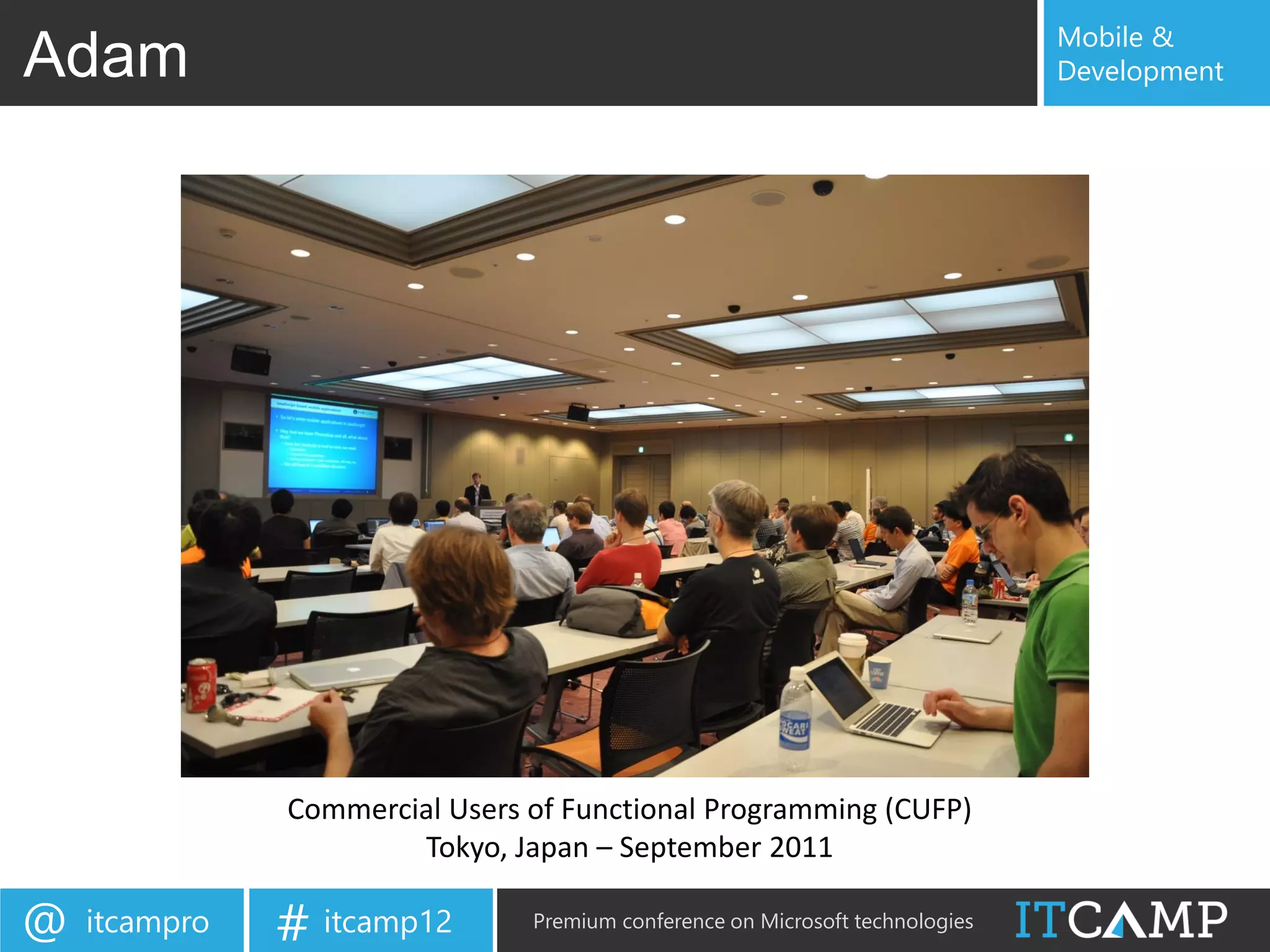
               Commercial Users of Functional Programming (CUFP)
                       Tokyo, Japan – September 2011

@   itcampro   # itcamp12       Premium conference on Microsoft technologies
Mobile &
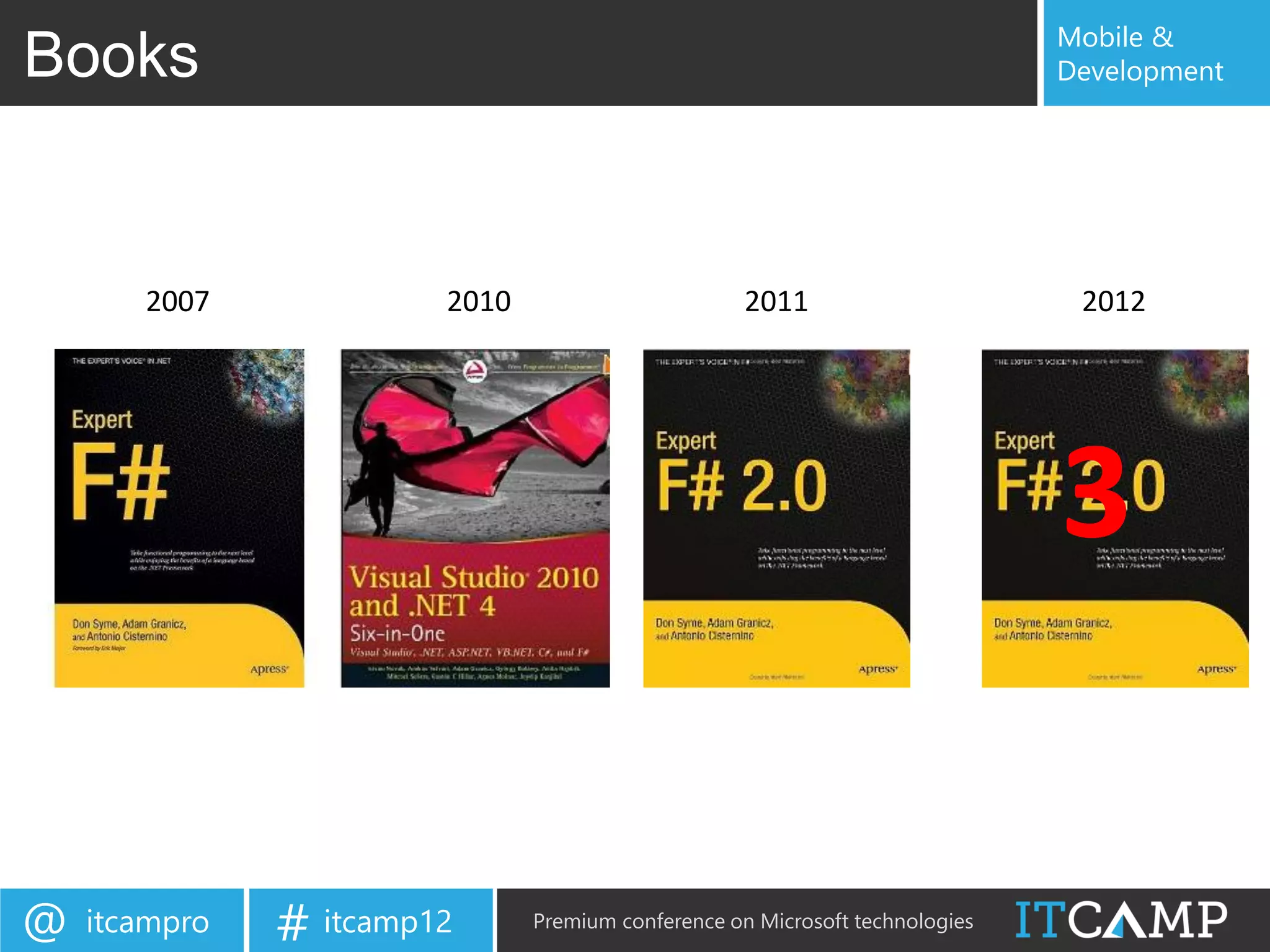
Books                                                                         Development


       2007             2010                        2011                       2012


                                                                              3

@   itcampro   # itcamp12      Premium conference on Microsoft technologies
Mobile &
IntelliFactory                                                                        Development


At IntelliFactory, we specialize in:

    o Building tools for functional, reactive web application development

    o Building robust .NET applications in F# (web, mobile, cloud)

    o Migrating to and extending legacy .NET applications in F#

    o Customer-friendly, agile management of software development projects

    o F# trainings, from basic to advanced, from individual to enterprise-wide

    o Designing and implementing domain-specific languages


@   itcampro     # itcamp12            Premium conference on Microsoft technologies
Mobile &
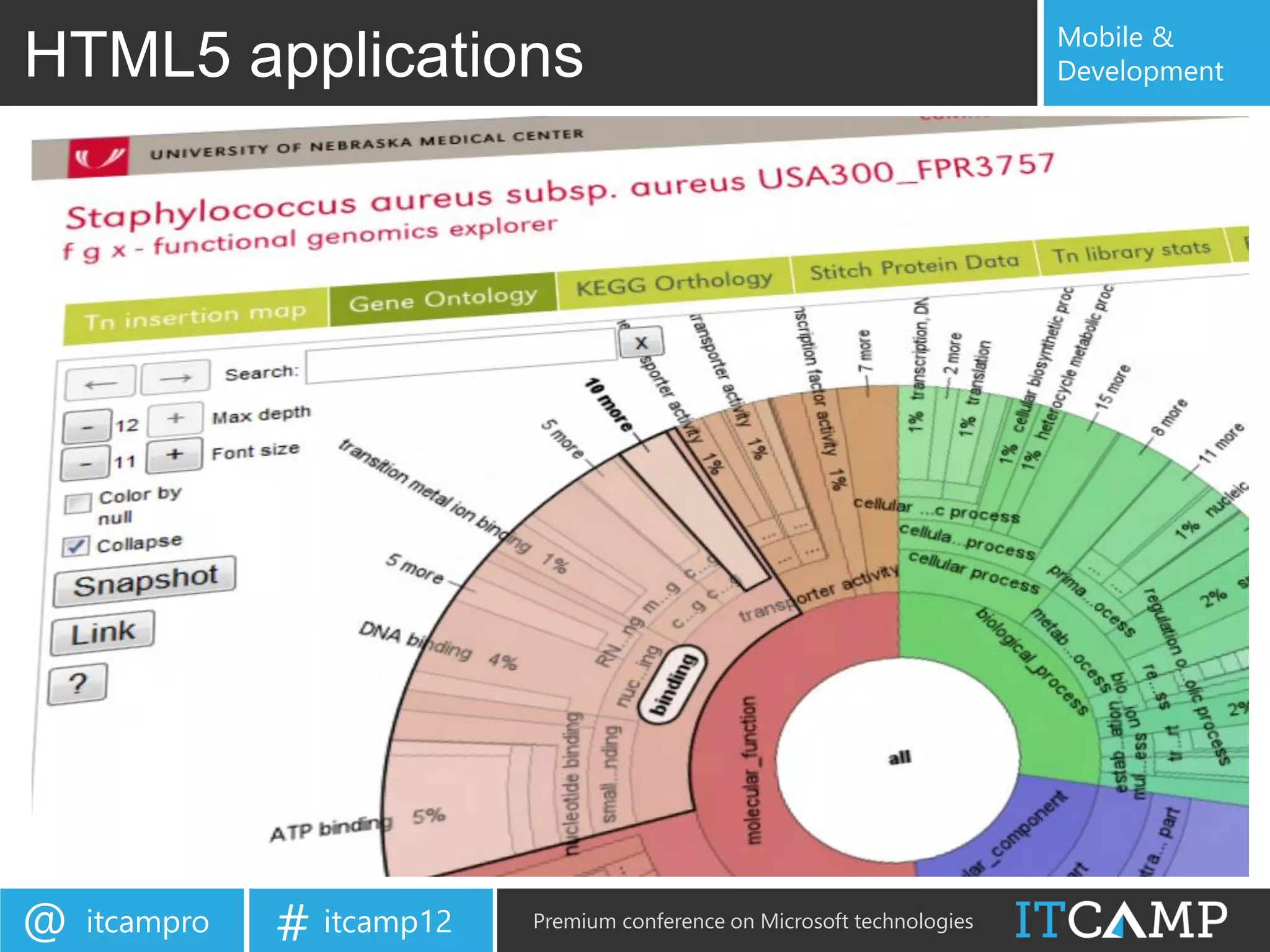
HTML5 applications                                                         Development


@   itcampro   # itcamp12   Premium conference on Microsoft technologies
Mobile &
IntelliFactory                                                                      Development


IntelliFactory in a few words:

    o Expertise: constantly seeking to push the limits and apply FP

    o Diversity: we bring talents from all around the world

    o Solid academic and FP professional background

    o Bridging academia and industry -

        o Interns – EPFL, Caltech, EPITA, Eafit, ELTE, etc.

        o Sponsorship – Central European Summer School in FP

        o Industry partners – Microsoft, local and multi-national firms

    o A challenging place to work at – but with lots of creativity


@   itcampro     # itcamp12          Premium conference on Microsoft technologies
Mobile &
Agenda                                                                             Development


• Trends towards client-based applications                                 why?
• WebSharper                                                               what?
   – F# for the web and mobiles
• Concepts                                                                 how?
   – Pagelets
   – Formlets
   – Flowlets
   – Sitelets
   – Extensions
• Examples
     – Simple web
     – Mobile app (jQuery Mobile)
     – Mobile app (Google Maps)
• WebSharper 3.0                                                           what’s coming?


@   itcampro     # itcamp12         Premium conference on Microsoft technologies
Mobile &
Motivations                                                                        Development

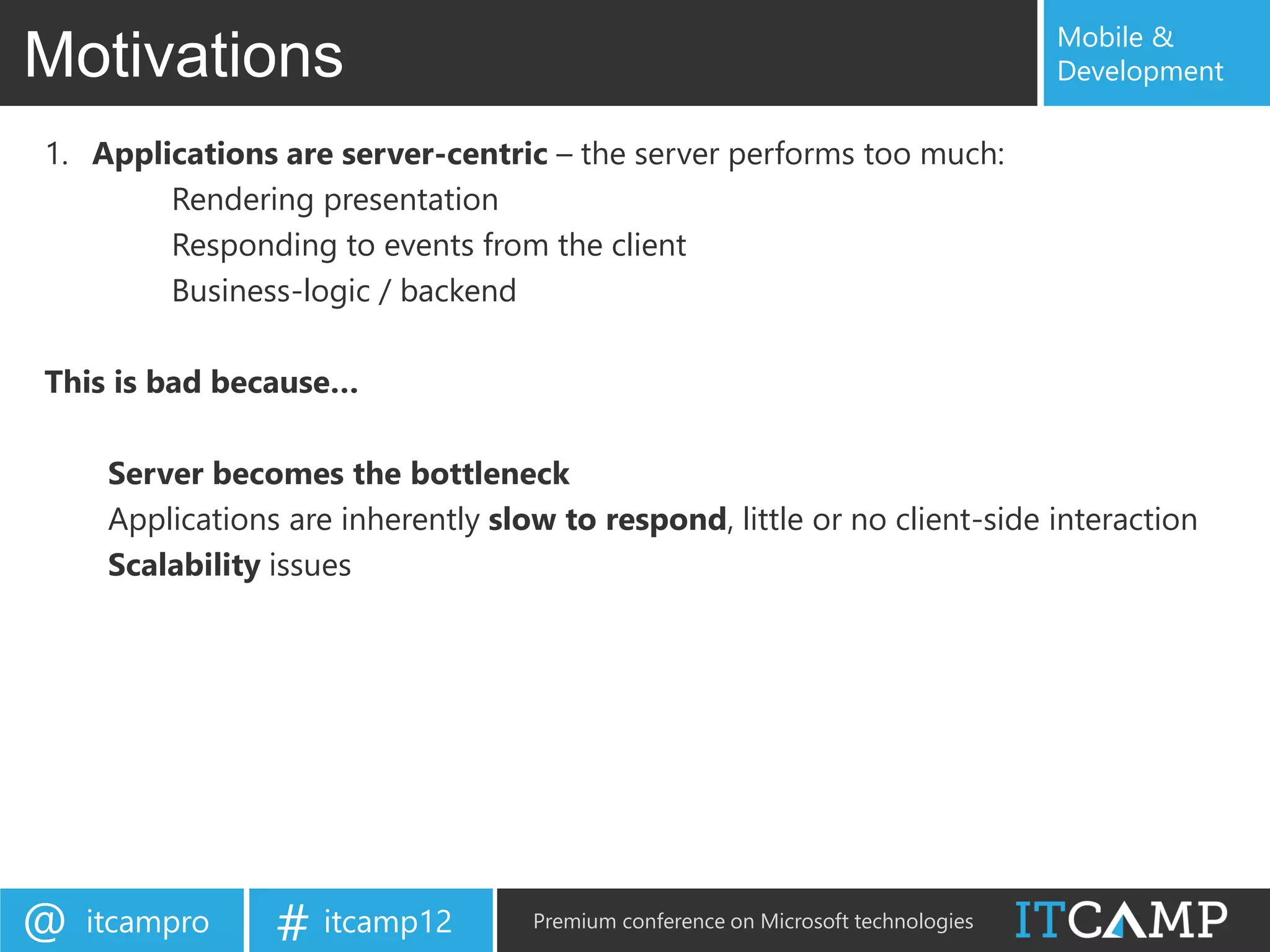
1. Applications are server-centric – the server performs too much:
        Rendering presentation
        Responding to events from the client
        Business-logic / backend

This is bad because…

     Server becomes the bottleneck
     Applications are inherently slow to respond, little or no client-side interaction
     Scalability issues


@   itcampro     # itcamp12         Premium conference on Microsoft technologies
Mobile &
Moving to client-based                                                                             Development

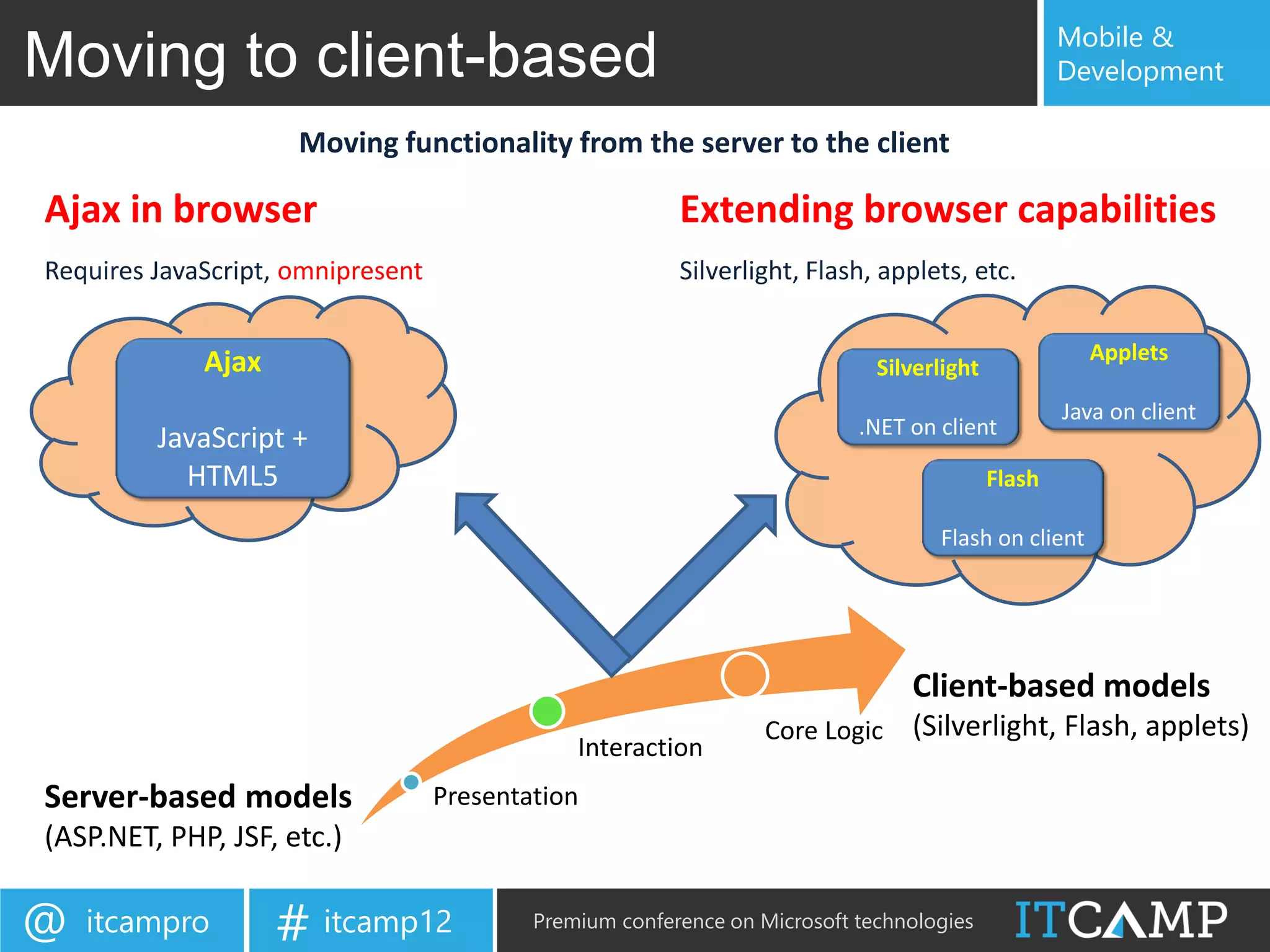
                     Moving functionality from the server to the client

Ajax in browser                                          Extending browser capabilities
Requires JavaScript, omnipresent                         Silverlight, Flash, applets, etc.


             Ajax                                                                                    Applets
                                                                             Silverlight
                                                                                                   Java on client
                                                                           .NET on client
         JavaScript +
           HTML5                                                                           Flash

                                                                                   Flash on client


                                                                                Client-based models
                                                                  Core Logic    (Silverlight, Flash, applets)
                                               Interaction
Server-based models                Presentation
(ASP.NET, PHP, JSF, etc.)

@   itcampro        # itcamp12             Premium conference on Microsoft technologies
Mobile &
Motivations                                                                      Development

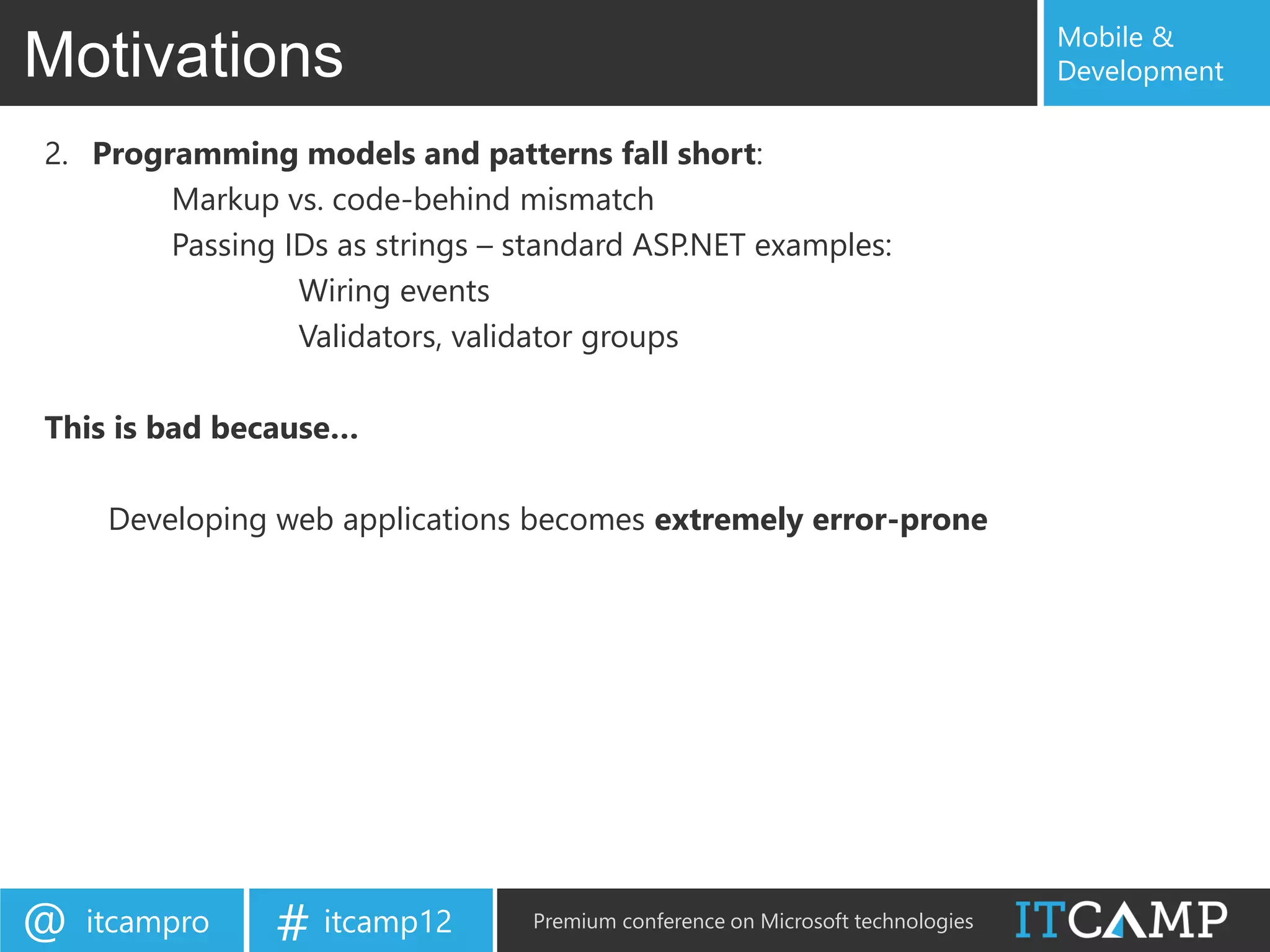
2. Programming models and patterns fall short:
        Markup vs. code-behind mismatch
        Passing IDs as strings – standard ASP.NET examples:
                 Wiring events
                 Validators, validator groups

This is bad because…

     Developing web applications becomes extremely error-prone


@   itcampro    # itcamp12        Premium conference on Microsoft technologies
Mobile &
Motivations                                                                        Development


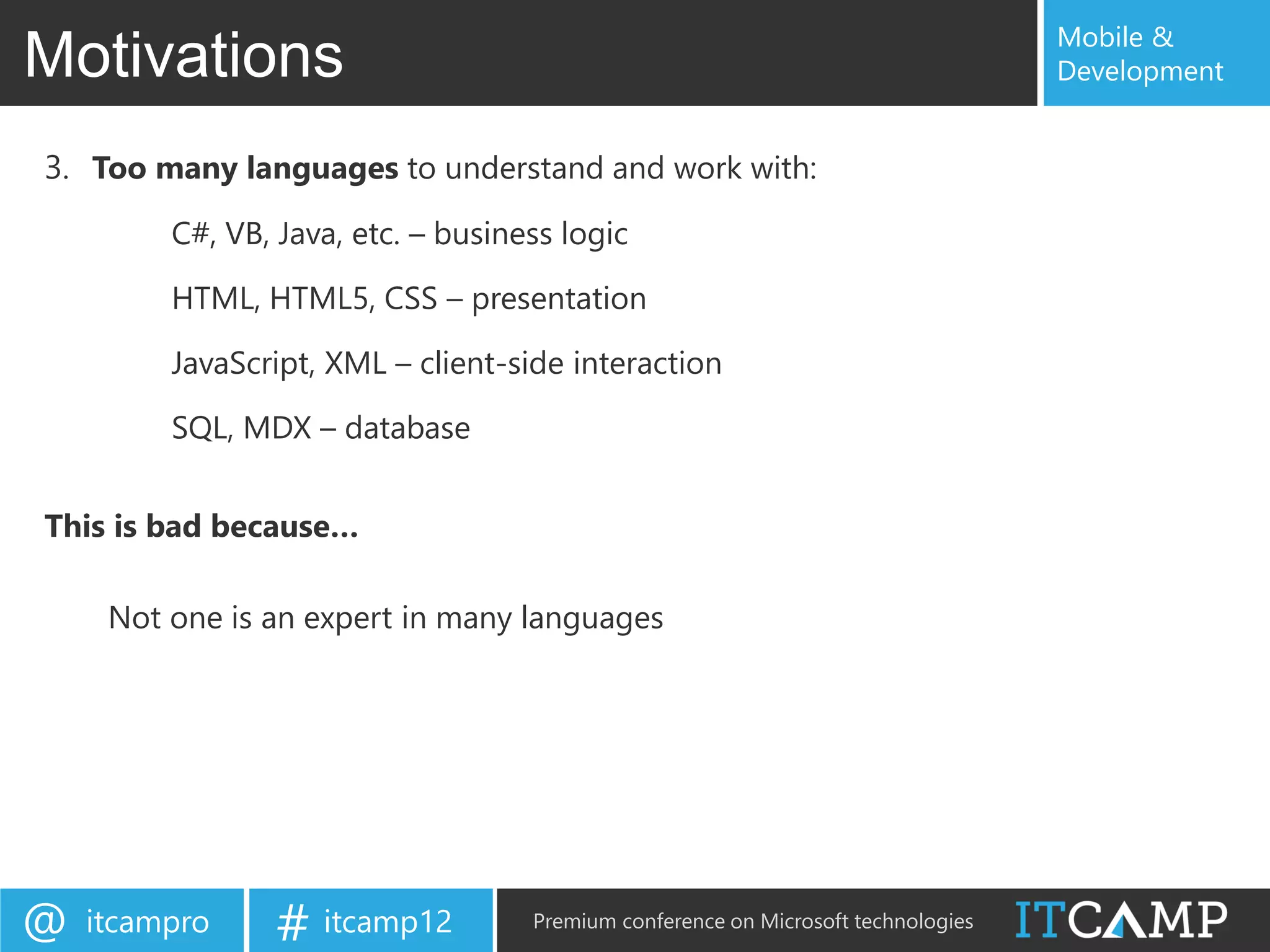
3. Too many languages to understand and work with:
         C#, VB, Java, etc. – business logic

         HTML, HTML5, CSS – presentation

         JavaScript, XML – client-side interaction

         SQL, MDX – database


This is bad because…

     Not one is an expert in many languages


@   itcampro     # itcamp12         Premium conference on Microsoft technologies
Mobile &
Motivations                                                                      Development

4. Inability to check client-side code before execution
        JavaScript is untyped


This is bad because…

     This makes development extremely error-prone
     Requires a lot of time and effort to develop and maintain


@   itcampro    # itcamp12        Premium conference on Microsoft technologies
Mobile &
Development Trends                                                         Development


Benefiting more from proven ideas from functional programming

Enabling developing client-based web applications that execute
  mostly on the client with occasional server communication

Removing unsafe development patterns

Using fewer languages, and translation techniques to make
  development simpler


Functional + Client-based + Robust + Simpler


@   itcampro   # itcamp12   Premium conference on Microsoft technologies
Mobile &
WebSharper in a nutshell                                                   Development


•   Mature, enterprise-ready framework
•   Write all your server+client code in F#
•   Compiles to a complete web application
•   Interface with any client-side JS library via F#
•   Powerful abstractions
•   Automatic resource management
•   Safe URLs, type-safe URLs
•   and much-much more…

Less code (50-90% less!)
Quicker to develop
Easier to maintain

@   itcampro   # itcamp12   Premium conference on Microsoft technologies
Mobile &
WebSharper                                                                    Development


 A web development platform that enables you to:

     Program entire web applications in F#
         Like “GWT for F#” – write F# get JavaScript

     Develop client-based web and web-based mobile applications


                 Develop Client-based
                 web applications in F#


@   itcampro   # itcamp12      Premium conference on Microsoft technologies
Mobile &
WebSharper                                                                      Development


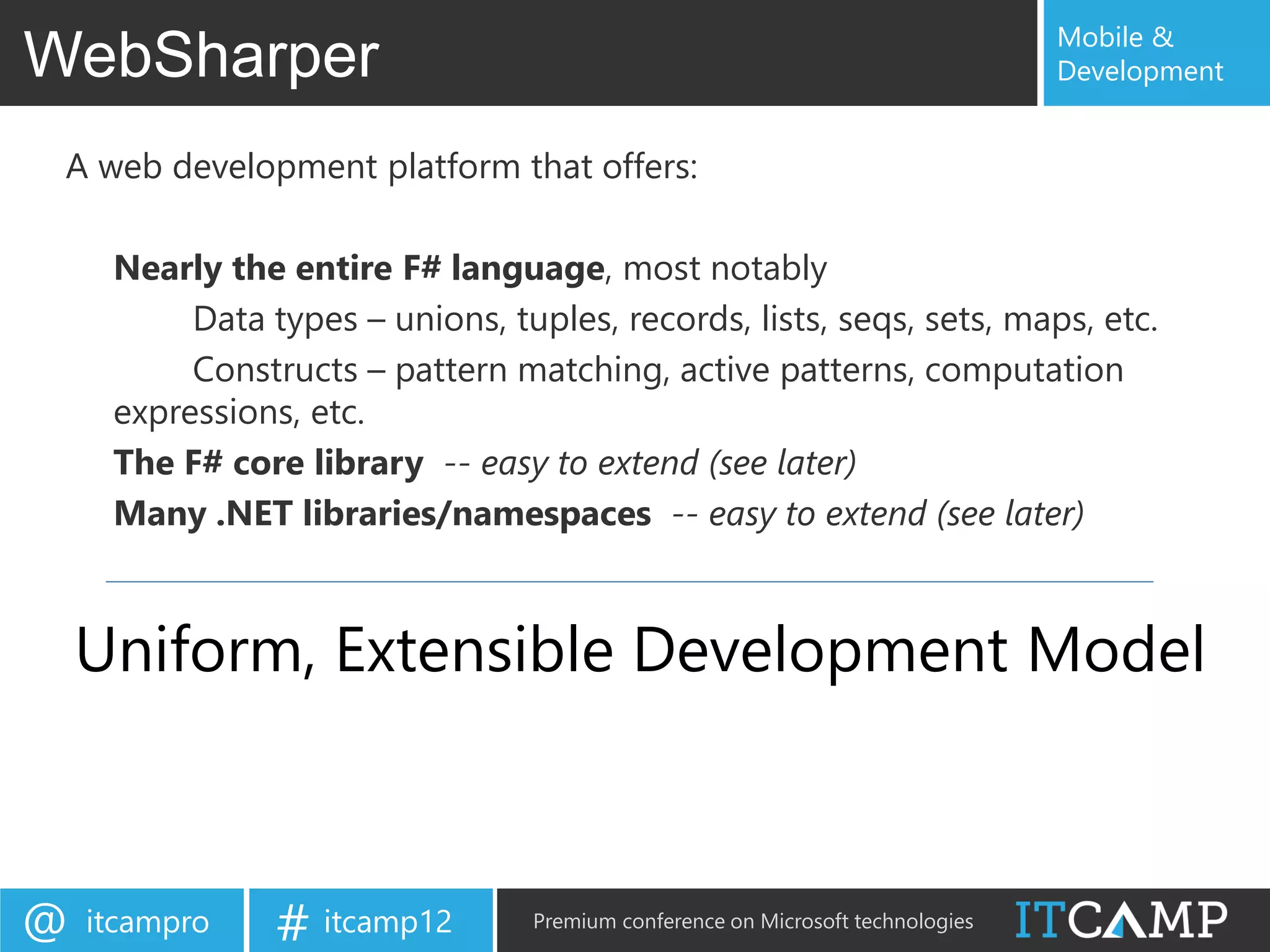
 A web development platform that offers:

     Nearly the entire F# language, most notably
          Data types – unions, tuples, records, lists, seqs, sets, maps, etc.
          Constructs – pattern matching, active patterns, computation
     expressions, etc.
     The F# core library -- easy to extend (see later)
     Many .NET libraries/namespaces -- easy to extend (see later)


    Uniform, Extensible Development Model


@   itcampro    # itcamp12       Premium conference on Microsoft technologies
Mobile &
WebSharper                                                                  Development


 A web development platform that offers:

     Pagelets, formlets, flowlets, sitelets
     Automatic resource management (CSS, JS, etc.)


          Web programming abstractions


@   itcampro   # itcamp12    Premium conference on Microsoft technologies
Mobile &
WebSharper                                                                           Development


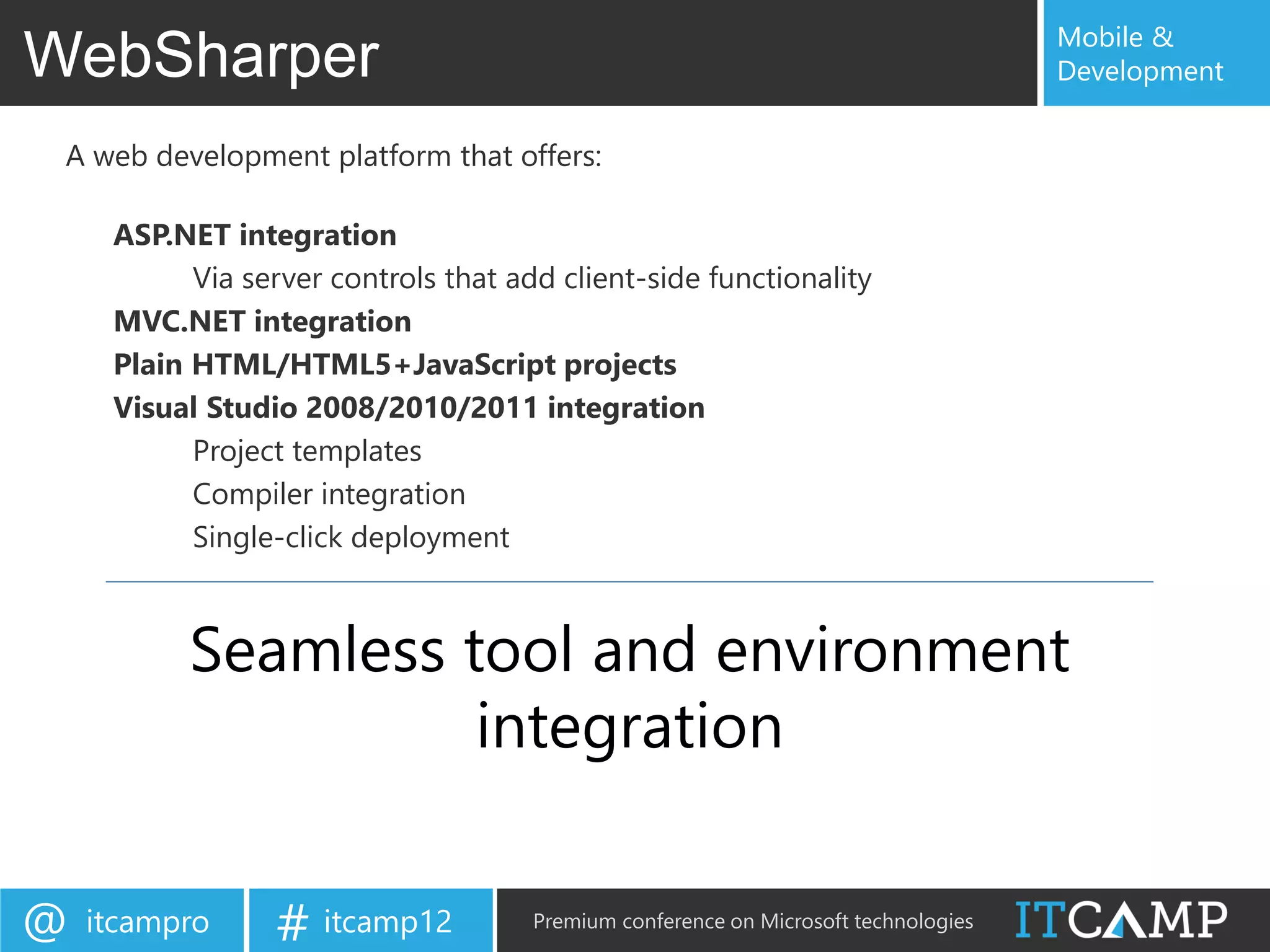
 A web development platform that offers:

     ASP.NET integration
           Via server controls that add client-side functionality
     MVC.NET integration
     Plain HTML/HTML5+JavaScript projects
     Visual Studio 2008/2010/2011 integration
           Project templates
           Compiler integration
           Single-click deployment


           Seamless tool and environment
                     integration


@   itcampro     # itcamp12           Premium conference on Microsoft technologies
Mobile &
Getting Started with WebSharper                                            Development


(demo)


@   itcampro   # itcamp12   Premium conference on Microsoft technologies
Mobile &
Pagelets – Client-side functionality                                               Development


 Defining client-side functionality
      module HelloWorld =
          open IntelliFactory.WebSharper
          open IntelliFactory.WebSharper.Html

          [<JavaScript>]
          let Main () =

               let welcome = P [Text "Welcome"]
               Div [
                   welcome
                   Input [Type “button"; Value "Click me!"]

                   |> OnClick

                       (fun e args ->
                           welcome.Text <- "Hello, world!")
               ]


@   itcampro       # itcamp12       Premium conference on Microsoft technologies
Mobile &
Pagelets                                                                          Development


 Integration with ASP.NET
      Integrating with ASP.NET
                                                              F# type for server control

      [<JavaScriptType>]
      type HelloWorld() =
          inherit IntelliFactory.WebSharper.Web.Control()

          [<JavaScript>]
          override this.Body = HelloWorld.Main ()


                                                            ASP.NET markup
      <ws:HelloWorld runat=“server” />


@   itcampro    # itcamp12         Premium conference on Microsoft technologies
Mobile &
Client-server communication                                                  Development


 Client-server communication
      module YourWebApplication =
          open IntelliFactory.WebSharper
          ...

           [<Rpc>]
           let YourServerFunction (...) = ...

           [<JavaScript>]
           let YourClientFunction () =                        Seamless communication

               let data = YourServerFunction (...)
               ...

           [<JavaScript>]
           let Main () =
               ...

@   itcampro   # itcamp12     Premium conference on Microsoft technologies
Mobile &
Formlets                                                                   Development


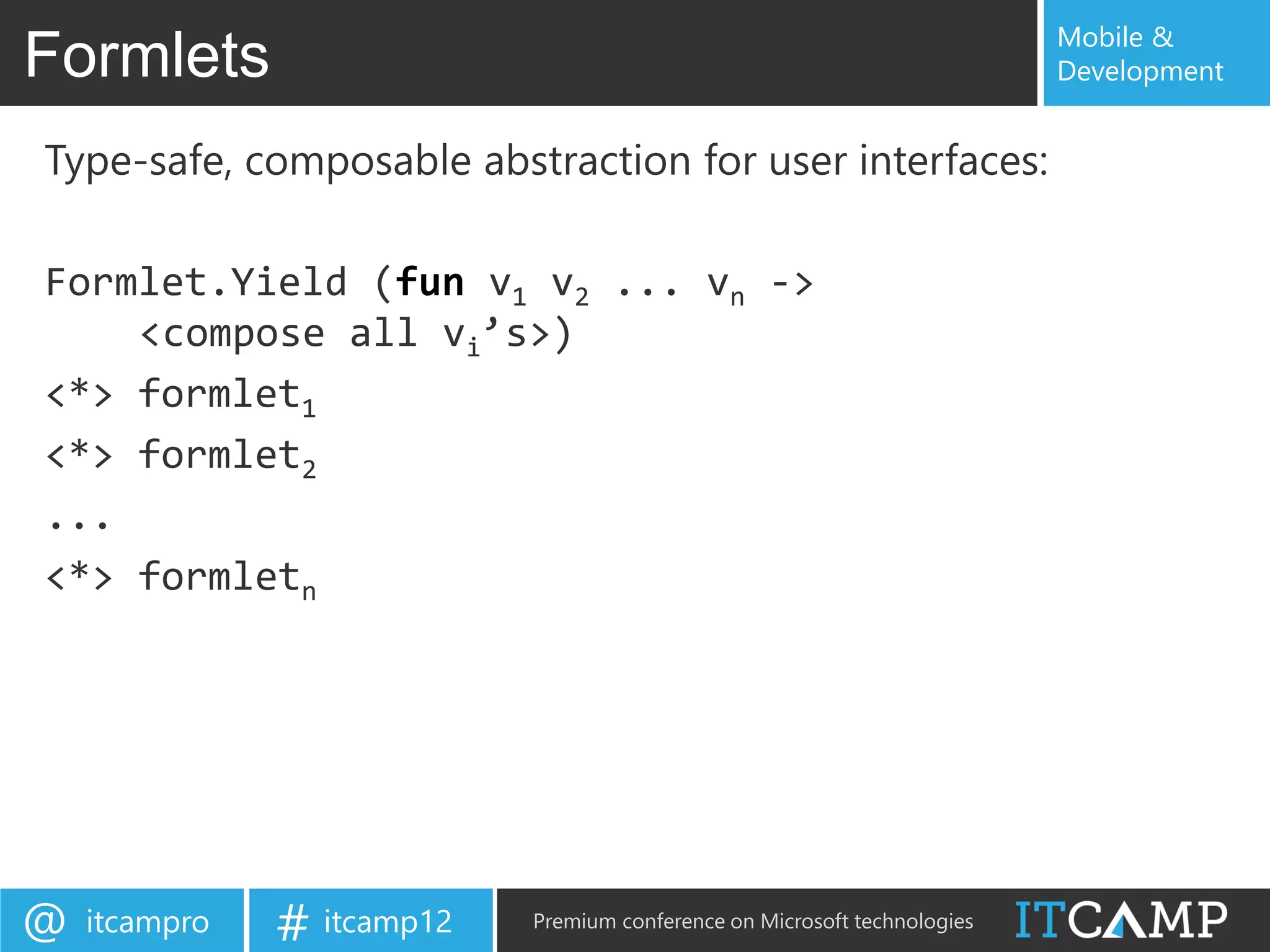
Type-safe, composable abstraction for user interfaces:

Formlet.Yield (fun v1 v2 ... vn ->
    <compose all vi’s>)
<*> formlet1
<*> formlet2
...
<*> formletn


@   itcampro   # itcamp12   Premium conference on Microsoft technologies
Mobile &
Formlets                                                                   Development


 Progressive enhancement and declarative
   specification:

 [<JavaScript>]
 let TB label msg =
     Controls.Input "“

       |> Validator.IsNotEmpty msg
       |> Enhance.WithValidationIcon
       |> Enhance.WithTextLabel label


@   itcampro   # itcamp12   Premium conference on Microsoft technologies
Mobile &
Formlets                                                                   Development


 Sample formlet

 [<JavaScript>]
 let BasicInfoForm () : Formlet<BasicInfo> =
                                                                  Result composition
       Formlet.Yield (fun name age ->
           { Name = name; Age = age })

       <*> input    "Name" "Please enter your name"
       <*> inputInt "Age" "Please enter a valid age"

                                                               Formlet composition


@   itcampro   # itcamp12   Premium conference on Microsoft technologies
Mobile &
Formlets                                                                    Development


Another sample formlet
type Person = { Name: string; Email: string }

[<JavaScript>]
let PersonFormlet () : Formlet<Person> =
    let nameF = TB "Name" "Empy name not allowed"
    let emailF = TB "Email" "Please enter a valid email address"

     Formlet.Yield (fun name email -> { Name = name; Email = email })
     <*> nameF
     <*> emailF
     |> Enhance.WithSubmitAndResetButtons
     |> Enhance.WithLegend "Add a New Person"
     |> Enhance.WithFormContainer


@   itcampro   # itcamp12    Premium conference on Microsoft technologies
Mobile &
Formlets                                                                    Development


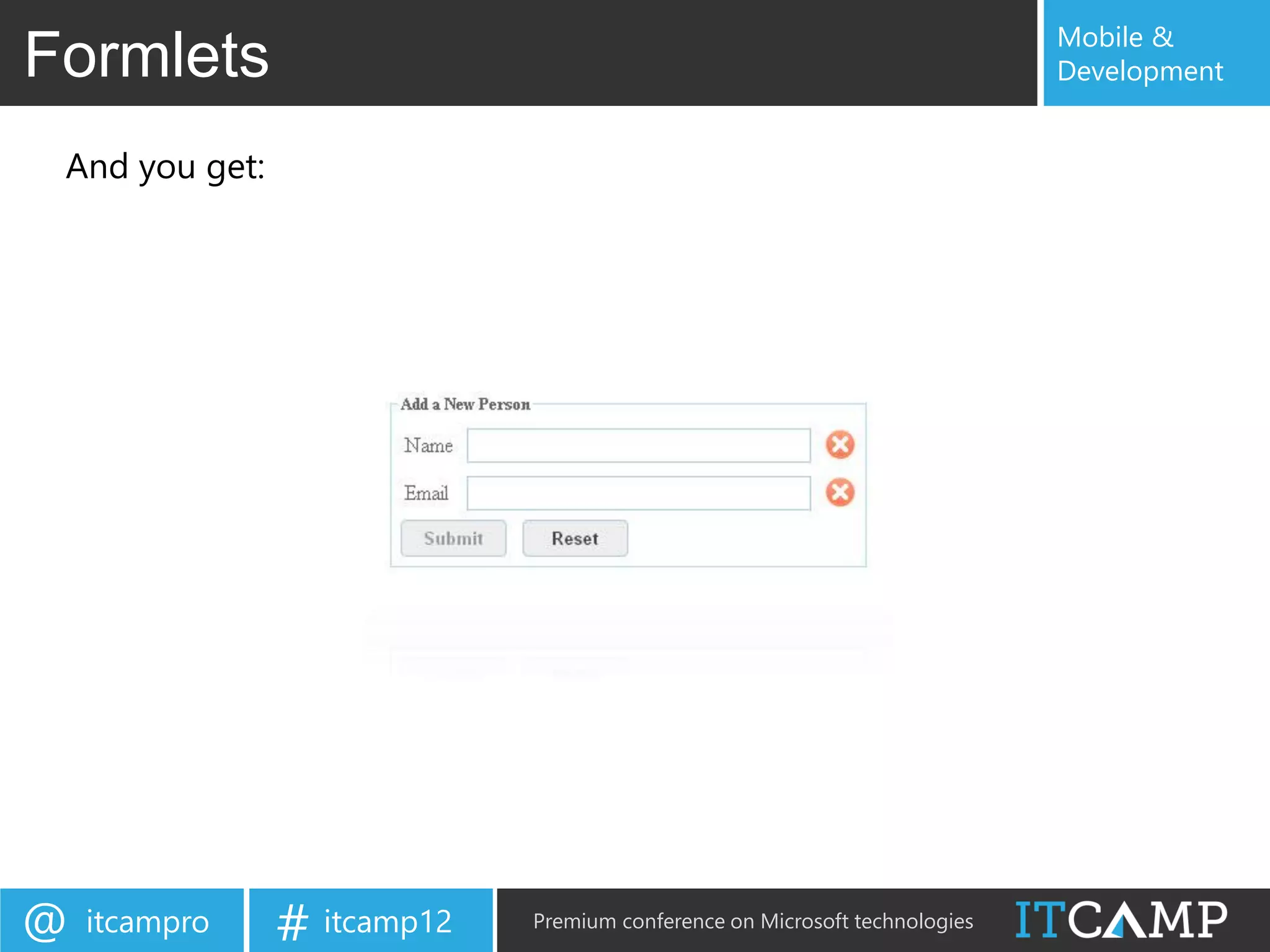
 And you get:


@   itcampro    # itcamp12   Premium conference on Microsoft technologies
Mobile &
Flowlets                                                                        Development


 Flowlets
 Flowlets enable you to compose a sequence of formlets, in a type-safe,
    composable, and robust way into an F# value.

 Essentially, your flowlets model a set of page transitions.

 let Workflow =
     Formlet.Do {
         let! res1 = formlet1 ...
         let! res2 = formlet2 ...
         do! Formlet.OfElement (compute res1 res2)
     } |> Formlet.Flowlet

 Div [H1 [Text "Enter your information"]] -< [Workflow]


@   itcampro   # itcamp12        Premium conference on Microsoft technologies
Mobile &
Sitelets                                                                    Development


Sitelets enable you to represent entire web sites in
a type-safe, composable, and robust way.
let home = Sitelet.Content "/" Action.Home Pages.HomePage

let inferred =
    Sitelet.Infer <| fun action ->
        match action with
        | Action.Contact -> Pages.ContactPage
        ...

let authenticated = Sitelet.Protect ...

let EntireSite =
    Sitelet.Sum [
        home
        authenticated
        inferred
   ]


@   itcampro   # itcamp12    Premium conference on Microsoft technologies
Mobile &
Extensions                                                                 Development


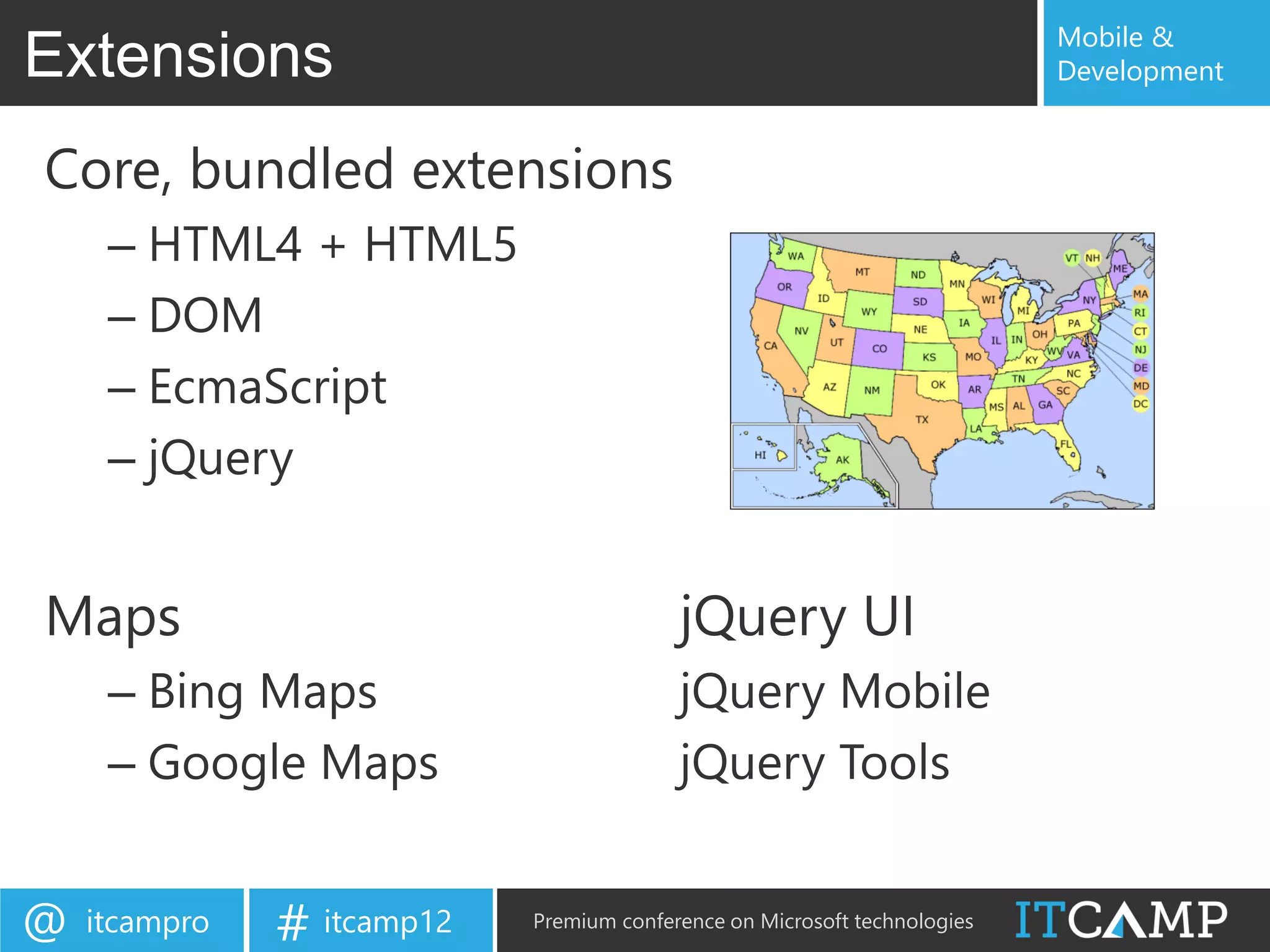
Core, bundled extensions
     – HTML4 + HTML5
     – DOM
     – EcmaScript
     – jQuery


Maps                                      jQuery UI
     – Bing Maps                          jQuery Mobile
     – Google Maps                        jQuery Tools


@   itcampro   # itcamp12   Premium conference on Microsoft technologies
Mobile &
Extensions                                                                     Development


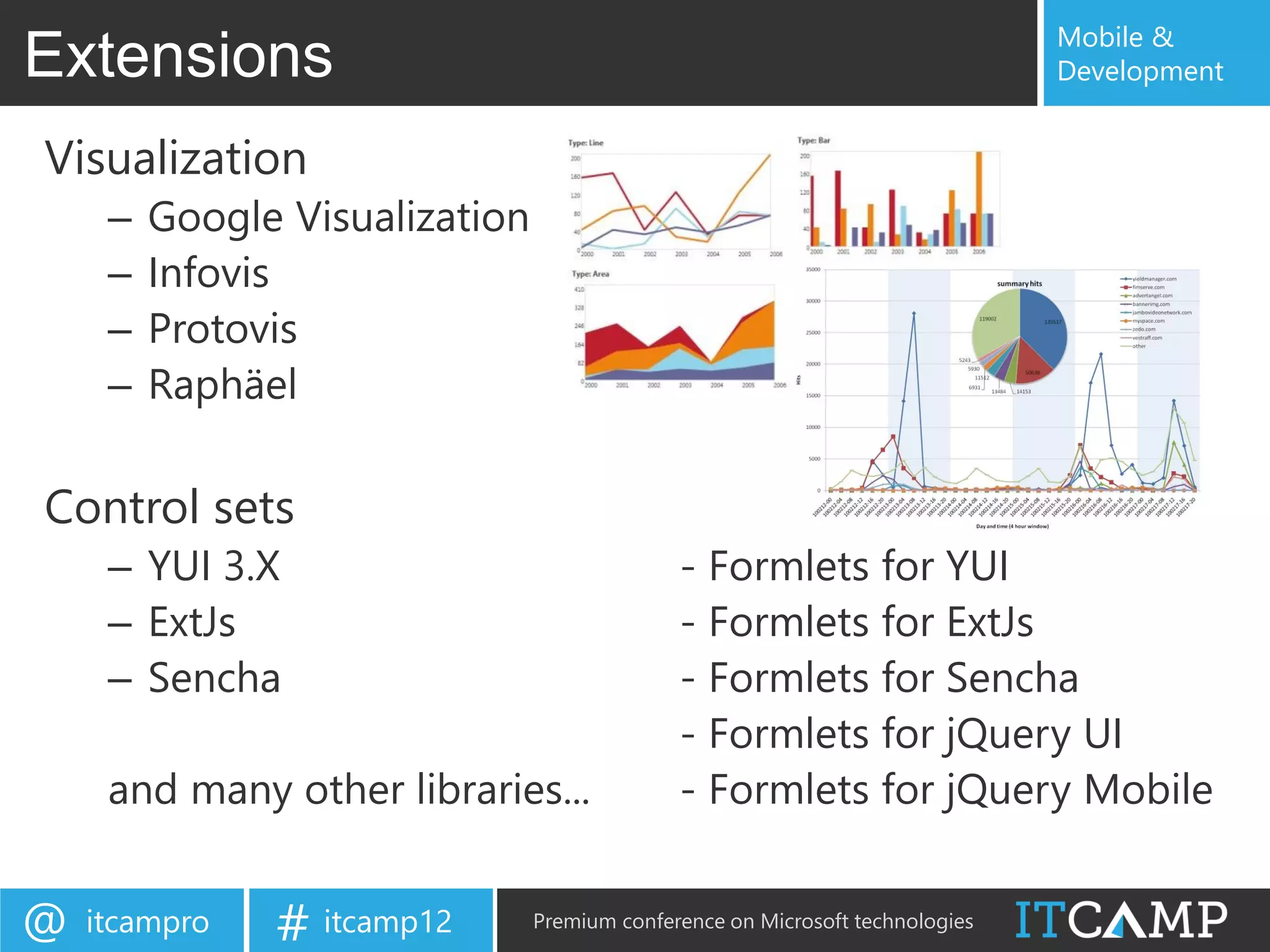
Visualization
     –   Google Visualization
     –   Infovis
     –   Protovis
     –   Raphäel

Control sets
     – YUI 3.X                                - Formlets for YUI
     – ExtJs                                  - Formlets for ExtJs
     – Sencha                                 - Formlets for Sencha
                                              - Formlets for jQuery UI
     and many other libraries...              - Formlets for jQuery Mobile


@   itcampro   # itcamp12       Premium conference on Microsoft technologies
Mobile &
WebSharper Mobile                                                          Development


• Exposes mobile capabilities to JavaScript
     – GPS, Accelerometer, etc.
• Provides the necessary packaging
• Enables quick and seamless multi-targeting
• Scales into the cloud


@   itcampro   # itcamp12   Premium conference on Microsoft technologies
Mobile &
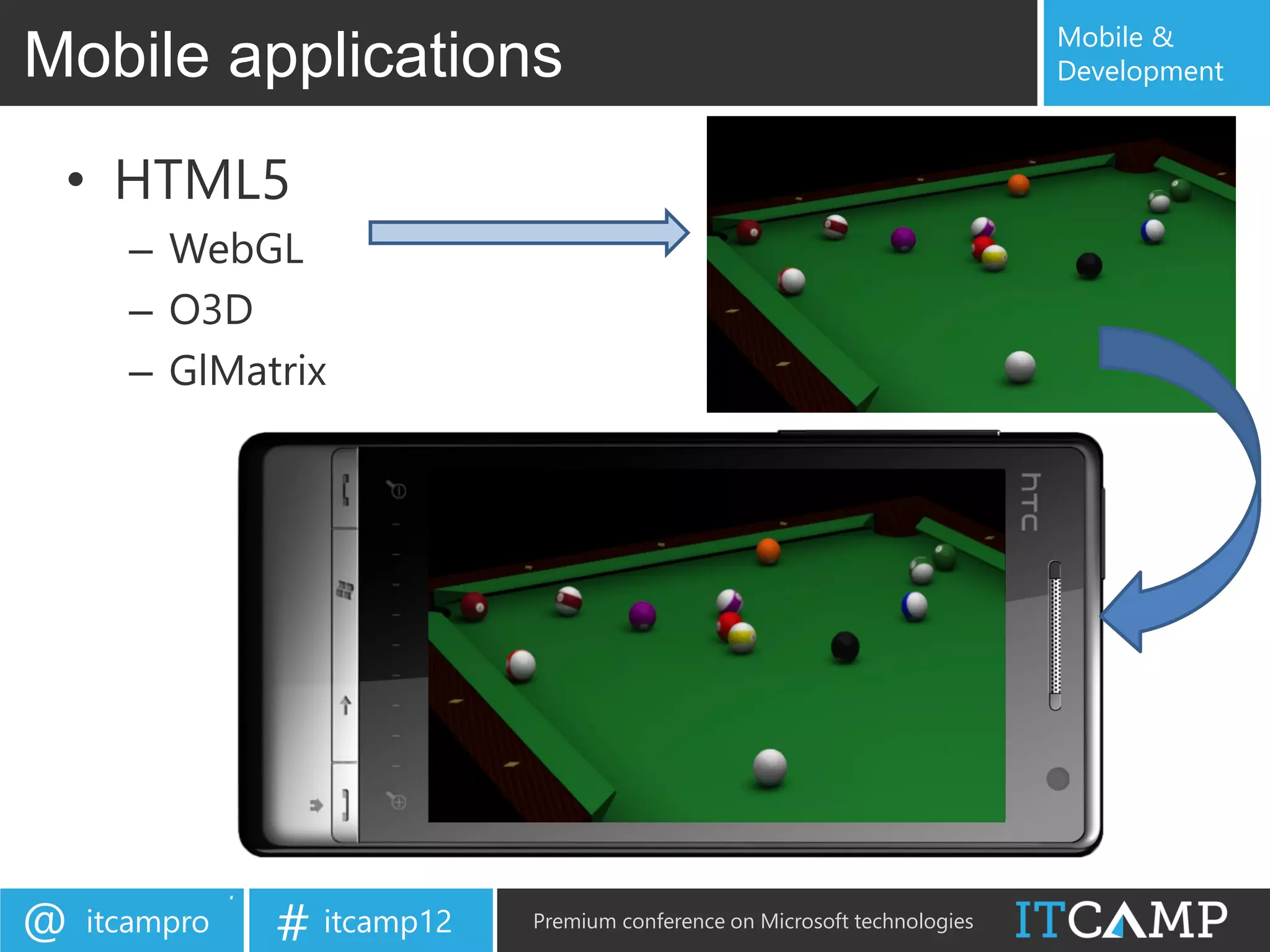
Mobile applications                                                        Development


 • HTML5
      – WebGL
      – O3D
      – GlMatrix


@   itcampro   # itcamp12   Premium conference on Microsoft technologies
Mobile &
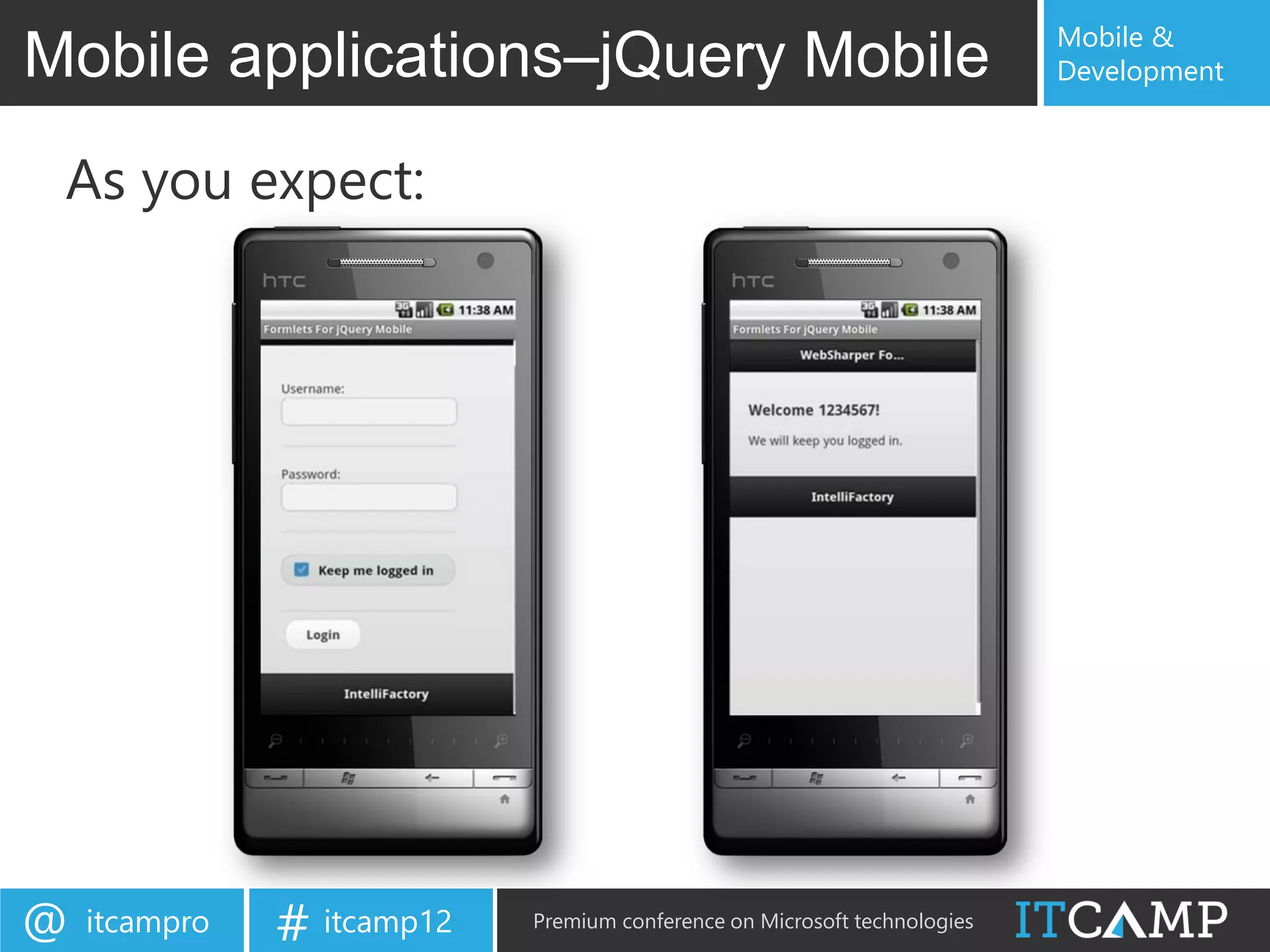
Mobile applications–jQuery Mobile                                             Development

let loginSequenceF =
  Formlet.Do {
    let! username, password, remember =
      Formlet.Yield (fun user pass remember -> user, pass, remember)
      <*> (Controls.TextField "" Theme.C "Username: "
           |> Validator.IsNotEmpty "Username cannot be empty!")
      <*> (Controls.Password "" Theme.C "Password: "
           |> Validator.IsRegexMatch "^[1-4]{4,}[0-9]$" “Password is wrong")
      <*> Controls.Checkbox true Theme.C "Keep me logged in "
           |> Enhance.WithSubmitButton "Log in" Theme.C
    let rememberText = if remember then "" else "not "
    do! Formlet.OfElement (fun _ ->
      Div [
        H3 [Text ("Welcome " + username + "!")]
        P [Text ("We will " + rememberText + "keep you logged in.")]
      ])
  }
  |> Formlet.Flowlet


@   itcampro   # itcamp12      Premium conference on Microsoft technologies
Mobile &
Mobile applications–jQuery Mobile                                              Development

Div [HTML5.Attr.Data "role" "page"] -< [
    Div [HTML5.Attr.Data "role" "header"] -< [
        H1 [Text "WebSharper Formlets for jQuery Mobile"]>
    ]

     Div [HTML5.Attr.Data "role" "content"] -< [

               loginSequenceF

     ]

     Div [HTML5.Attr.Data "role" "footer"] -< [
         P [Attr.Style "text-align:center;"] -< [Text "IntelliFactory"]
     ]
]


@   itcampro     # itcamp12     Premium conference on Microsoft technologies
Mobile &
Mobile applications–jQuery Mobile                                          Development


 As you expect:


@   itcampro   # itcamp12   Premium conference on Microsoft technologies
Mobile &
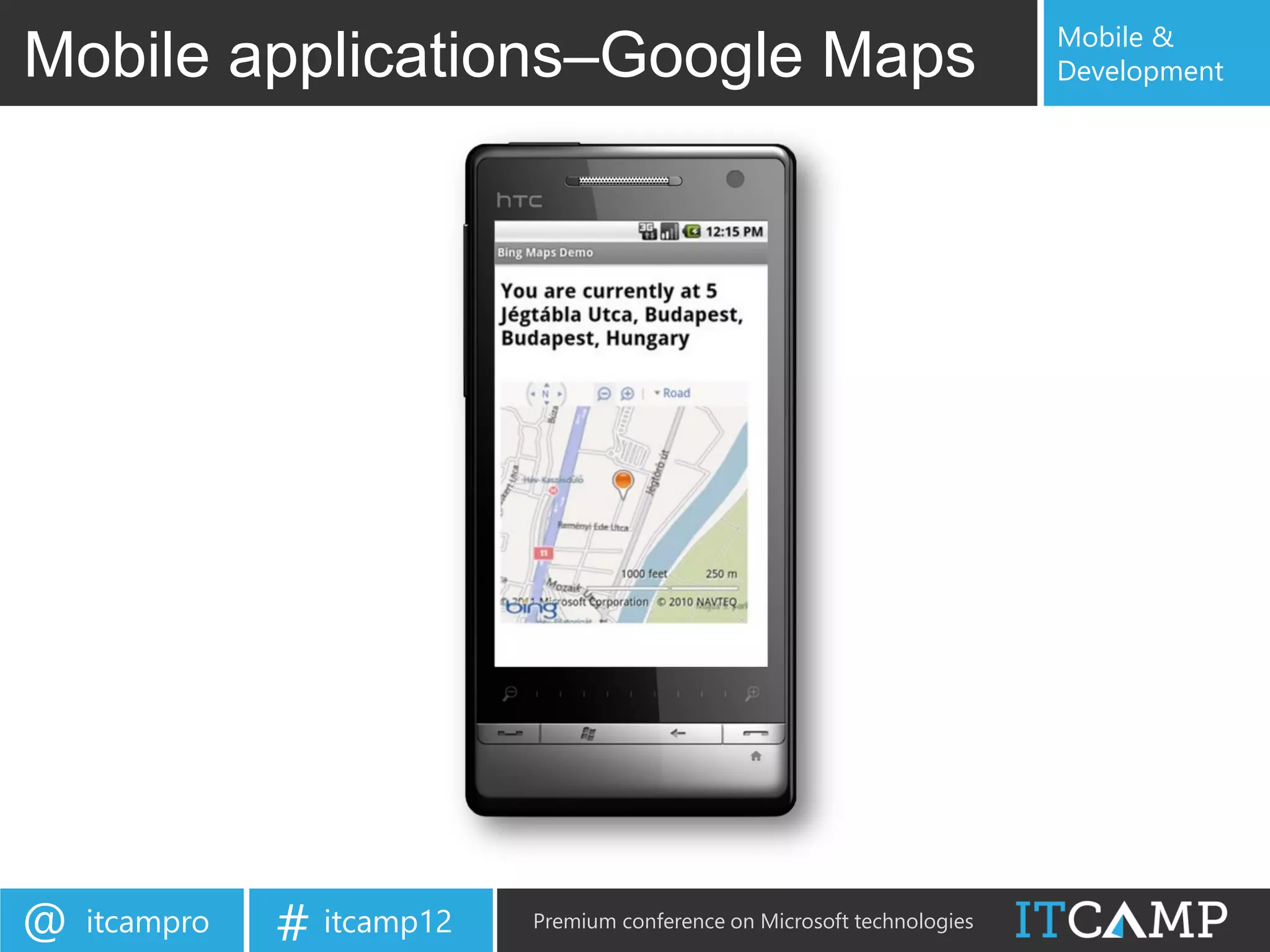
Mobile applications–Google Maps                                                                    Development

type CurrentLocationControl() =    let setMap (map : Bing.Map) =                let map =
  inherit Web.Control()              let updateLocation() =                       Div []
                                       // Gets the current location               |>! OnAfterRender (fun this ->
                                       let loc = Mobile.GetLocation()
                                                                                    // Renders a map control
 [<JavaScript>]                                                                     let map =
 override this.Body =                  // Sets the label to the current location
                                                                                      Bing.Map(this.Body, MapOptions)
   let screenWidth =                   Rest.RequestLocationByPoint(<<your-key>>,
      JQuery.Of("body").Width()          loc.Lat, loc.Long, ["Address"],            map.SetMapType Bing.MapTypeId.Road
                                         fun result ->                              setMap map)
                                             let locInfo =
   let MapOptions =
                                                                                  // Returns markup for this control
       Bing.MapViewOptions(             result.ResourceSets.[0].Resources.[0]     Div [
         Credentials = bingMapsKey,          label.Text <-                            label
         Width = screenWidth - 10,               "You are currently at " +            Br []
         Height = screenWidth - 10,              JavaScript.Get "name" locInfo)       map
         Zoom = 16)                                                               ] :> _
                                      // Adds a pushpin at the current location
                                      let loc = Bing.Location(loc.Lat, loc.Long)
   let label = H2 []
                                      let pin = Bing.Pushpin loc
                                      map.Entities.Clear()
                                      map.Entities.Push pin
                                      map.SetView(Bing.ViewOptions(Center = loc))

                                    // Keep updating your location regularly
                                    JavaScript.SetInterval updateLocation 1000
                                    |> ignore


@    itcampro          # itcamp12               Premium conference on Microsoft technologies
Mobile &
Mobile applications–Google Maps                                            Development


@   itcampro   # itcamp12   Premium conference on Microsoft technologies
Mobile &
WebSharper 3.0                                                             Development


• JavaScript translation from C# and VB
• Access to more native mobile capabilities
     – Bluetooth
     – Networking
     – Camera
     – etc.
• Stunning templates for iOS, Android, WP7


@   itcampro   # itcamp12   Premium conference on Microsoft technologies
Find out more at:
                            http://intellifactory.com
                              http://websharper.com
                      http://infoq.com/articles/WebSharper


     Web and Mobile Development with WebSharper in F#

     Q&A


@   itcampro   # itcamp12      Premium conference on Microsoft technologies
Mobile &
Extra                                                                      Development


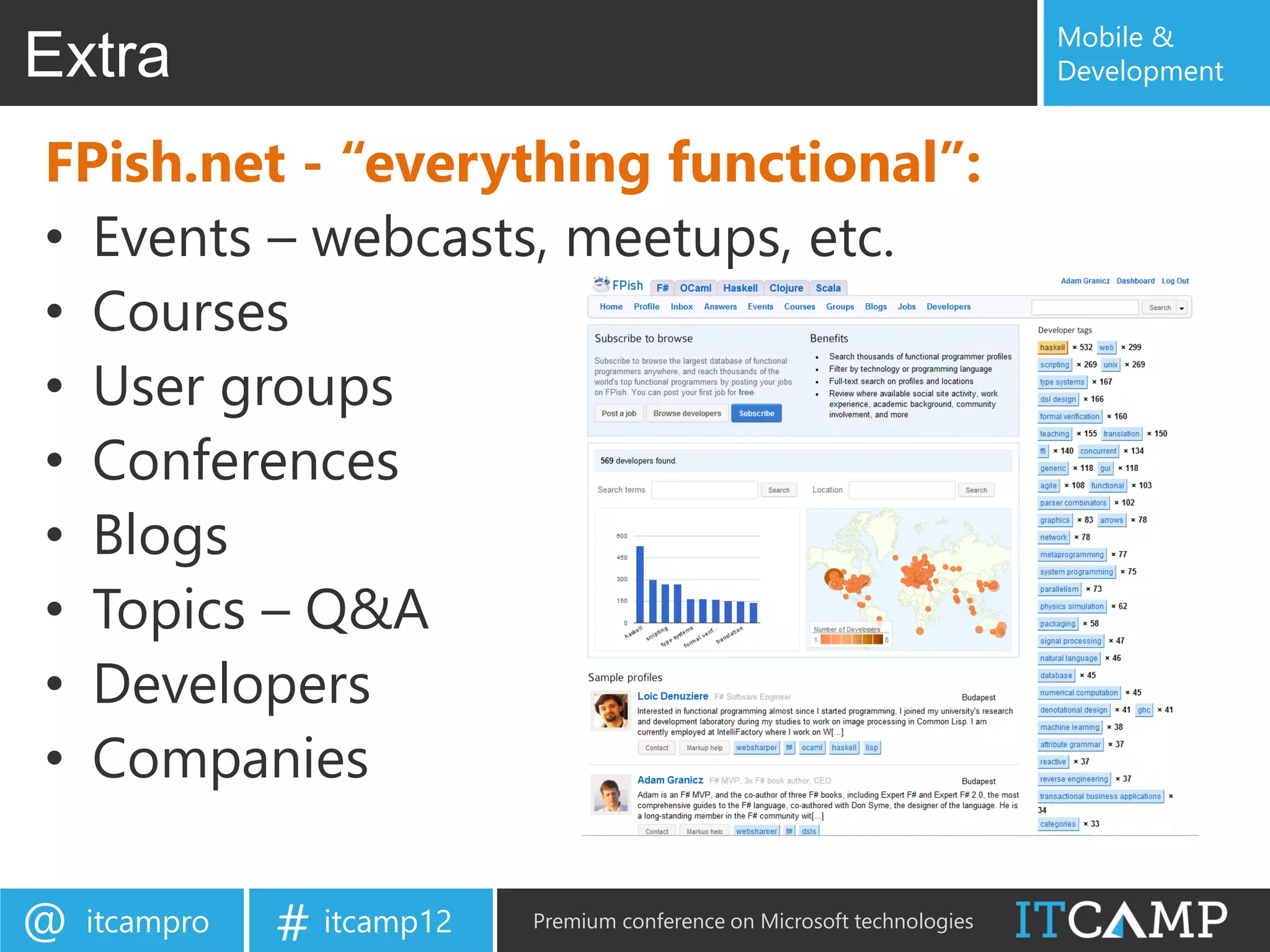
FPish.net - “everything functional”:
• Events – webcasts, meetups, etc.
• Courses
• User groups
• Conferences
• Blogs
• Topics – Q&A
• Developers
• Companies

@   itcampro   # itcamp12   Premium conference on Microsoft technologies

ITCamp 2012 - Adam Granicz - Web development with WebSharper in F#

  • 1.
    Web (and Mobile)Development with WebSharper in F# Adam Granicz – F# MVP CEO, IntelliFactory http://fpish.net/blog/adam.granicz/all/0 #granicz @ itcampro # itcamp12 Premium conference on Microsoft technologies
  • 2.
    Mobile & ITCamp 2012sponsors Development @ itcampro # itcamp12 Premium conference on Microsoft technologies
  • 3.
    Mobile & Adam Development Commercial Users of Functional Programming (CUFP) Tokyo, Japan – September 2011 @ itcampro # itcamp12 Premium conference on Microsoft technologies
  • 4.
    Mobile & Books Development 2007 2010 2011 2012 3 @ itcampro # itcamp12 Premium conference on Microsoft technologies
  • 5.
    Mobile & IntelliFactory Development At IntelliFactory, we specialize in: o Building tools for functional, reactive web application development o Building robust .NET applications in F# (web, mobile, cloud) o Migrating to and extending legacy .NET applications in F# o Customer-friendly, agile management of software development projects o F# trainings, from basic to advanced, from individual to enterprise-wide o Designing and implementing domain-specific languages @ itcampro # itcamp12 Premium conference on Microsoft technologies
  • 6.
    Mobile & HTML5 applications Development @ itcampro # itcamp12 Premium conference on Microsoft technologies
  • 7.
    Mobile & IntelliFactory Development IntelliFactory in a few words: o Expertise: constantly seeking to push the limits and apply FP o Diversity: we bring talents from all around the world o Solid academic and FP professional background o Bridging academia and industry - o Interns – EPFL, Caltech, EPITA, Eafit, ELTE, etc. o Sponsorship – Central European Summer School in FP o Industry partners – Microsoft, local and multi-national firms o A challenging place to work at – but with lots of creativity @ itcampro # itcamp12 Premium conference on Microsoft technologies
  • 8.
    Mobile & Agenda Development • Trends towards client-based applications why? • WebSharper what? – F# for the web and mobiles • Concepts how? – Pagelets – Formlets – Flowlets – Sitelets – Extensions • Examples – Simple web – Mobile app (jQuery Mobile) – Mobile app (Google Maps) • WebSharper 3.0 what’s coming? @ itcampro # itcamp12 Premium conference on Microsoft technologies
  • 9.
    Mobile & Motivations Development 1. Applications are server-centric – the server performs too much: Rendering presentation Responding to events from the client Business-logic / backend This is bad because… Server becomes the bottleneck Applications are inherently slow to respond, little or no client-side interaction Scalability issues @ itcampro # itcamp12 Premium conference on Microsoft technologies
  • 10.
    Mobile & Moving toclient-based Development Moving functionality from the server to the client Ajax in browser Extending browser capabilities Requires JavaScript, omnipresent Silverlight, Flash, applets, etc. Ajax Applets Silverlight Java on client .NET on client JavaScript + HTML5 Flash Flash on client Client-based models Core Logic (Silverlight, Flash, applets) Interaction Server-based models Presentation (ASP.NET, PHP, JSF, etc.) @ itcampro # itcamp12 Premium conference on Microsoft technologies
  • 11.
    Mobile & Motivations Development 2. Programming models and patterns fall short: Markup vs. code-behind mismatch Passing IDs as strings – standard ASP.NET examples: Wiring events Validators, validator groups This is bad because… Developing web applications becomes extremely error-prone @ itcampro # itcamp12 Premium conference on Microsoft technologies
  • 12.
    Mobile & Motivations Development 3. Too many languages to understand and work with: C#, VB, Java, etc. – business logic HTML, HTML5, CSS – presentation JavaScript, XML – client-side interaction SQL, MDX – database This is bad because… Not one is an expert in many languages @ itcampro # itcamp12 Premium conference on Microsoft technologies
  • 13.
    Mobile & Motivations Development 4. Inability to check client-side code before execution JavaScript is untyped This is bad because… This makes development extremely error-prone Requires a lot of time and effort to develop and maintain @ itcampro # itcamp12 Premium conference on Microsoft technologies
  • 14.
    Mobile & Development Trends Development Benefiting more from proven ideas from functional programming Enabling developing client-based web applications that execute mostly on the client with occasional server communication Removing unsafe development patterns Using fewer languages, and translation techniques to make development simpler Functional + Client-based + Robust + Simpler @ itcampro # itcamp12 Premium conference on Microsoft technologies
  • 15.
    Mobile & WebSharper ina nutshell Development • Mature, enterprise-ready framework • Write all your server+client code in F# • Compiles to a complete web application • Interface with any client-side JS library via F# • Powerful abstractions • Automatic resource management • Safe URLs, type-safe URLs • and much-much more… Less code (50-90% less!) Quicker to develop Easier to maintain @ itcampro # itcamp12 Premium conference on Microsoft technologies
  • 16.
    Mobile & WebSharper Development A web development platform that enables you to: Program entire web applications in F# Like “GWT for F#” – write F# get JavaScript Develop client-based web and web-based mobile applications Develop Client-based web applications in F# @ itcampro # itcamp12 Premium conference on Microsoft technologies
  • 17.
    Mobile & WebSharper Development A web development platform that offers: Nearly the entire F# language, most notably Data types – unions, tuples, records, lists, seqs, sets, maps, etc. Constructs – pattern matching, active patterns, computation expressions, etc. The F# core library -- easy to extend (see later) Many .NET libraries/namespaces -- easy to extend (see later) Uniform, Extensible Development Model @ itcampro # itcamp12 Premium conference on Microsoft technologies
  • 18.
    Mobile & WebSharper Development A web development platform that offers: Pagelets, formlets, flowlets, sitelets Automatic resource management (CSS, JS, etc.) Web programming abstractions @ itcampro # itcamp12 Premium conference on Microsoft technologies
  • 19.
    Mobile & WebSharper Development A web development platform that offers: ASP.NET integration Via server controls that add client-side functionality MVC.NET integration Plain HTML/HTML5+JavaScript projects Visual Studio 2008/2010/2011 integration Project templates Compiler integration Single-click deployment Seamless tool and environment integration @ itcampro # itcamp12 Premium conference on Microsoft technologies
  • 20.
    Mobile & Getting Startedwith WebSharper Development (demo) @ itcampro # itcamp12 Premium conference on Microsoft technologies
  • 21.
    Mobile & Pagelets –Client-side functionality Development Defining client-side functionality module HelloWorld = open IntelliFactory.WebSharper open IntelliFactory.WebSharper.Html [<JavaScript>] let Main () = let welcome = P [Text "Welcome"] Div [ welcome Input [Type “button"; Value "Click me!"] |> OnClick (fun e args -> welcome.Text <- "Hello, world!") ] @ itcampro # itcamp12 Premium conference on Microsoft technologies
  • 22.
    Mobile & Pagelets Development Integration with ASP.NET Integrating with ASP.NET F# type for server control [<JavaScriptType>] type HelloWorld() = inherit IntelliFactory.WebSharper.Web.Control() [<JavaScript>] override this.Body = HelloWorld.Main () ASP.NET markup <ws:HelloWorld runat=“server” /> @ itcampro # itcamp12 Premium conference on Microsoft technologies
  • 23.
    Mobile & Client-server communication Development Client-server communication module YourWebApplication = open IntelliFactory.WebSharper ... [<Rpc>] let YourServerFunction (...) = ... [<JavaScript>] let YourClientFunction () = Seamless communication let data = YourServerFunction (...) ... [<JavaScript>] let Main () = ... @ itcampro # itcamp12 Premium conference on Microsoft technologies
  • 24.
    Mobile & Formlets Development Type-safe, composable abstraction for user interfaces: Formlet.Yield (fun v1 v2 ... vn -> <compose all vi’s>) <*> formlet1 <*> formlet2 ... <*> formletn @ itcampro # itcamp12 Premium conference on Microsoft technologies
  • 25.
    Mobile & Formlets Development Progressive enhancement and declarative specification: [<JavaScript>] let TB label msg = Controls.Input "“ |> Validator.IsNotEmpty msg |> Enhance.WithValidationIcon |> Enhance.WithTextLabel label @ itcampro # itcamp12 Premium conference on Microsoft technologies
  • 26.
    Mobile & Formlets Development Sample formlet [<JavaScript>] let BasicInfoForm () : Formlet<BasicInfo> = Result composition Formlet.Yield (fun name age -> { Name = name; Age = age }) <*> input "Name" "Please enter your name" <*> inputInt "Age" "Please enter a valid age" Formlet composition @ itcampro # itcamp12 Premium conference on Microsoft technologies
  • 27.
    Mobile & Formlets Development Another sample formlet type Person = { Name: string; Email: string } [<JavaScript>] let PersonFormlet () : Formlet<Person> = let nameF = TB "Name" "Empy name not allowed" let emailF = TB "Email" "Please enter a valid email address" Formlet.Yield (fun name email -> { Name = name; Email = email }) <*> nameF <*> emailF |> Enhance.WithSubmitAndResetButtons |> Enhance.WithLegend "Add a New Person" |> Enhance.WithFormContainer @ itcampro # itcamp12 Premium conference on Microsoft technologies
  • 28.
    Mobile & Formlets Development And you get: @ itcampro # itcamp12 Premium conference on Microsoft technologies
  • 29.
    Mobile & Flowlets Development Flowlets Flowlets enable you to compose a sequence of formlets, in a type-safe, composable, and robust way into an F# value. Essentially, your flowlets model a set of page transitions. let Workflow = Formlet.Do { let! res1 = formlet1 ... let! res2 = formlet2 ... do! Formlet.OfElement (compute res1 res2) } |> Formlet.Flowlet Div [H1 [Text "Enter your information"]] -< [Workflow] @ itcampro # itcamp12 Premium conference on Microsoft technologies
  • 30.
    Mobile & Sitelets Development Sitelets enable you to represent entire web sites in a type-safe, composable, and robust way. let home = Sitelet.Content "/" Action.Home Pages.HomePage let inferred = Sitelet.Infer <| fun action -> match action with | Action.Contact -> Pages.ContactPage ... let authenticated = Sitelet.Protect ... let EntireSite = Sitelet.Sum [ home authenticated inferred ] @ itcampro # itcamp12 Premium conference on Microsoft technologies
  • 31.
    Mobile & Extensions Development Core, bundled extensions – HTML4 + HTML5 – DOM – EcmaScript – jQuery Maps jQuery UI – Bing Maps jQuery Mobile – Google Maps jQuery Tools @ itcampro # itcamp12 Premium conference on Microsoft technologies
  • 32.
    Mobile & Extensions Development Visualization – Google Visualization – Infovis – Protovis – Raphäel Control sets – YUI 3.X - Formlets for YUI – ExtJs - Formlets for ExtJs – Sencha - Formlets for Sencha - Formlets for jQuery UI and many other libraries... - Formlets for jQuery Mobile @ itcampro # itcamp12 Premium conference on Microsoft technologies
  • 33.
    Mobile & WebSharper Mobile Development • Exposes mobile capabilities to JavaScript – GPS, Accelerometer, etc. • Provides the necessary packaging • Enables quick and seamless multi-targeting • Scales into the cloud @ itcampro # itcamp12 Premium conference on Microsoft technologies
  • 34.
    Mobile & Mobile applications Development • HTML5 – WebGL – O3D – GlMatrix @ itcampro # itcamp12 Premium conference on Microsoft technologies
  • 35.
    Mobile & Mobile applications–jQueryMobile Development let loginSequenceF = Formlet.Do { let! username, password, remember = Formlet.Yield (fun user pass remember -> user, pass, remember) <*> (Controls.TextField "" Theme.C "Username: " |> Validator.IsNotEmpty "Username cannot be empty!") <*> (Controls.Password "" Theme.C "Password: " |> Validator.IsRegexMatch "^[1-4]{4,}[0-9]$" “Password is wrong") <*> Controls.Checkbox true Theme.C "Keep me logged in " |> Enhance.WithSubmitButton "Log in" Theme.C let rememberText = if remember then "" else "not " do! Formlet.OfElement (fun _ -> Div [ H3 [Text ("Welcome " + username + "!")] P [Text ("We will " + rememberText + "keep you logged in.")] ]) } |> Formlet.Flowlet @ itcampro # itcamp12 Premium conference on Microsoft technologies
  • 36.
    Mobile & Mobile applications–jQueryMobile Development Div [HTML5.Attr.Data "role" "page"] -< [ Div [HTML5.Attr.Data "role" "header"] -< [ H1 [Text "WebSharper Formlets for jQuery Mobile"]> ] Div [HTML5.Attr.Data "role" "content"] -< [ loginSequenceF ] Div [HTML5.Attr.Data "role" "footer"] -< [ P [Attr.Style "text-align:center;"] -< [Text "IntelliFactory"] ] ] @ itcampro # itcamp12 Premium conference on Microsoft technologies
  • 37.
    Mobile & Mobile applications–jQueryMobile Development As you expect: @ itcampro # itcamp12 Premium conference on Microsoft technologies
  • 38.
    Mobile & Mobile applications–GoogleMaps Development type CurrentLocationControl() = let setMap (map : Bing.Map) = let map = inherit Web.Control() let updateLocation() = Div [] // Gets the current location |>! OnAfterRender (fun this -> let loc = Mobile.GetLocation() // Renders a map control [<JavaScript>] let map = override this.Body = // Sets the label to the current location Bing.Map(this.Body, MapOptions) let screenWidth = Rest.RequestLocationByPoint(<<your-key>>, JQuery.Of("body").Width() loc.Lat, loc.Long, ["Address"], map.SetMapType Bing.MapTypeId.Road fun result -> setMap map) let locInfo = let MapOptions = // Returns markup for this control Bing.MapViewOptions( result.ResourceSets.[0].Resources.[0] Div [ Credentials = bingMapsKey, label.Text <- label Width = screenWidth - 10, "You are currently at " + Br [] Height = screenWidth - 10, JavaScript.Get "name" locInfo) map Zoom = 16) ] :> _ // Adds a pushpin at the current location let loc = Bing.Location(loc.Lat, loc.Long) let label = H2 [] let pin = Bing.Pushpin loc map.Entities.Clear() map.Entities.Push pin map.SetView(Bing.ViewOptions(Center = loc)) // Keep updating your location regularly JavaScript.SetInterval updateLocation 1000 |> ignore @ itcampro # itcamp12 Premium conference on Microsoft technologies
  • 39.
    Mobile & Mobile applications–GoogleMaps Development @ itcampro # itcamp12 Premium conference on Microsoft technologies
  • 40.
    Mobile & WebSharper 3.0 Development • JavaScript translation from C# and VB • Access to more native mobile capabilities – Bluetooth – Networking – Camera – etc. • Stunning templates for iOS, Android, WP7 @ itcampro # itcamp12 Premium conference on Microsoft technologies
  • 41.
    Find out moreat: http://intellifactory.com http://websharper.com http://infoq.com/articles/WebSharper Web and Mobile Development with WebSharper in F# Q&A @ itcampro # itcamp12 Premium conference on Microsoft technologies
  • 42.
    Mobile & Extra Development FPish.net - “everything functional”: • Events – webcasts, meetups, etc. • Courses • User groups • Conferences • Blogs • Topics – Q&A • Developers • Companies @ itcampro # itcamp12 Premium conference on Microsoft technologies