Downloaded 48 times

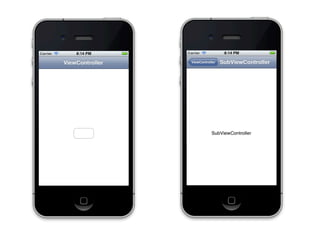
![ViewController *c = [[ViewController alloc]
initWithNibName:@"ViewController"
bundle:nil];
UINavigationController *nc =
[[UINavigationController alloc]
initWithRootViewController:c];](https://image.slidesharecdn.com/intuit3-120516112200-phpapp01/85/iOS-3-5-320.jpg)
![- (IBAction)buttonTapped
{
UIViewController *c =
[[SubViewController alloc]
initWithNibName:@"SubViewController"
bundle:nil];
[self.navigationController pushViewController:c
animated:YES];
}](https://image.slidesharecdn.com/intuit3-120516112200-phpapp01/85/iOS-3-6-320.jpg)
![- (id)initWithNibName:(NSString *)nibNameOrNil bundle:
(NSBundle *)nibBundleOrNil
{
self = [super initWithNibName:nibNameOrNil
bundle:nibBundleOrNil];
if (self)
{
self.title = @"ViewController";
}
return self;
}](https://image.slidesharecdn.com/intuit3-120516112200-phpapp01/85/iOS-3-7-320.jpg)

![ViewController *c = [[ViewController alloc]
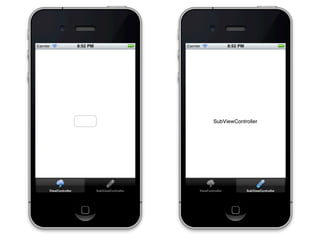
initWithNibName:@"ViewController"
bundle:nil];
SubViewController *s = [[SubViewController alloc]
initWithNibName:@"SubViewController"
bundle:nil];
UITabBarController *tc = [[UITabBarController alloc] init];
tc.viewControllers = [NSArray arrayWithObjects:c, s, nil];](https://image.slidesharecdn.com/intuit3-120516112200-phpapp01/85/iOS-3-11-320.jpg)
![- (id)initWithNibName:(NSString *)nibNameOrNil bundle:
(NSBundle *)nibBundleOrNil
{
self = [super initWithNibName:nibNameOrNil
bundle:nibBundleOrNil];
if (self)
{
self.title = @"ViewController";
self.tabBarItem.image = [UIImage
imageNamed:@"1.png"];
}
return self;
}](https://image.slidesharecdn.com/intuit3-120516112200-phpapp01/85/iOS-3-12-320.jpg)
![Модальный контроллер
ViewController *v = [[ViewController alloc] init];
[self presentModalViewController:v animated:YES];
[self dismissModalViewControllerAnimated:YES];](https://image.slidesharecdn.com/intuit3-120516112200-phpapp01/85/iOS-3-15-320.jpg)
![UIAlertView
UIAlertView *a = [[UIAlertView alloc] initWithTitle:@"test"
message:@"message"
delegate:nil
cancelButtonTitle:@"OK"
otherButtonTitles:nil];
[a show];](https://image.slidesharecdn.com/intuit3-120516112200-phpapp01/85/iOS-3-18-320.jpg)
![UIAlertView
- (void)viewDidLoad
{
UIAlertView *a = [[UIAlertView alloc]
initWithTitle:@"test"
message:@"message"
delegate:self
cancelButtonTitle:@"OK"
otherButtonTitles:@"1", @"2", nil];
[a show];
}
- (void)alertView:(UIAlertView *)alertView
clickedButtonAtIndex:(NSInteger)buttonIndex
{
NSLog(@"%d", buttonIndex);
}](https://image.slidesharecdn.com/intuit3-120516112200-phpapp01/85/iOS-3-19-320.jpg)
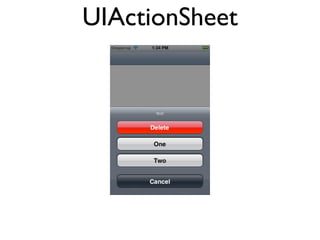
![UIActionSheet
- (void)viewDidLoad
{
UIActionSheet *s = [[UIActionSheet alloc] initWithTitle:@"test"
delegate:self
cancelButtonTitle:@"Cancel"
destructiveButtonTitle:@"Delete"
otherButtonTitles:@"One", @"Two", nil];
[s showInView:self.view];
}
- (void)actionSheet:(UIActionSheet *)actionSheet
clickedButtonAtIndex:(NSInteger)buttonIndex
{
NSLog(@"button %d", buttonIndex);
}](https://image.slidesharecdn.com/intuit3-120516112200-phpapp01/85/iOS-3-21-320.jpg)

![UITapGestureRecognizer
UITapGestureRecognizer *t = [[UITapGestureRecognizer alloc]
initWithTarget:self
action:@selector(tapped)];
t.numberOfTapsRequired = 1;
t.numberOfTouchesRequired = 1;
[self.view addGestureRecognizer:t];](https://image.slidesharecdn.com/intuit3-120516112200-phpapp01/85/iOS-3-31-320.jpg)
![UIPanGestureRecognizer
UIPanGestureRecognizer *p = [[UIPanGestureRecognizer alloc]
initWithTarget:self
action:@selector(pan:)];
[self.view addGestureRecognizer:p];
- (void)pan:(UIPanGestureRecognizer *)sender
{
CGPoint t = [sender translationInView:self.view];
CGPoint v = [sender velocityInView:self.view];
NSLog(@"%@", NSStringFromCGPoint(t));
NSLog(@"%@", NSStringFromCGPoint(v));
}](https://image.slidesharecdn.com/intuit3-120516112200-phpapp01/85/iOS-3-32-320.jpg)
![UIPinchGestureRecognizer
UIPinchGestureRecognizer *pinch = [[UIPinchGestureRecognizer alloc]
initWithTarget:self
action:@selector(pinch:)];
[self.view addGestureRecognizer:pinch];
- (void)pinch:(UIPinchGestureRecognizer *)sender
{
CGFloat scale = sender.scale;
NSLog(@"%g", scale);
}](https://image.slidesharecdn.com/intuit3-120516112200-phpapp01/85/iOS-3-33-320.jpg)
![UIRotationGestureRecognizer
UIRotationGestureRecognizer *r = [[UIRotationGestureRecognizer alloc]
initWithTarget:self
action:@selector(rotate:)];
[self.view addGestureRecognizer:r];
- (void)rotate:(UIRotationGestureRecognizer *)sender
{
CGFloat r = sender.rotation;
NSLog(@"%g", r);
}](https://image.slidesharecdn.com/intuit3-120516112200-phpapp01/85/iOS-3-34-320.jpg)
![UISwipeGestureRecognizer *s = [[UISwipeGestureRecognizer alloc]
initWithTarget:self
action:@selector(pan:)];
s.direction = UISwipeGestureRecognizerDirectionLeft;
[self.view addGestureRecognizer:s];
• UISwipeGestureRecognizer
• UILongPressGestureRecognizer
UILongPressGestureRecognizer *p = [[UISwipeGestureRecognizer alloc]
initWithTarget:self
action:@selector(pan:)];
p.minimumPressDuration = 0.5;
[self.view addGestureRecognizer:p];](https://image.slidesharecdn.com/intuit3-120516112200-phpapp01/85/iOS-3-35-320.jpg)
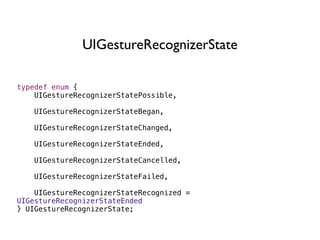
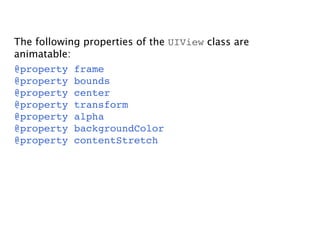
![[UIView beginAnimations:nil context:nil];
[UIView setAnimationDuration:0.5];
self.view.frame = CGRectMake(100, 100, 50, 50);
[UIView commitAnimations];
[UIView beginAnimations:nil context:nil];
self.view.alpha = 0;
[UIView commitAnimations];](https://image.slidesharecdn.com/intuit3-120516112200-phpapp01/85/iOS-3-39-320.jpg)
![[UIView beginAnimations:nil context:nil];
[UIView setAnimationDelegate:self];
[UIView setAnimationDidStopSelector:@selector(animationFinished)];
self.view.alpha = 0;
[UIView commitAnimations];
- (void)animationFinished
{
//...
}](https://image.slidesharecdn.com/intuit3-120516112200-phpapp01/85/iOS-3-40-320.jpg)
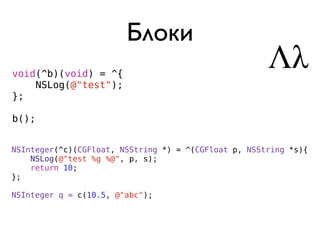
![Циклы ссылок
typedef void(^BasicBlock)(void);
…
@property(copy, nonatomic) BasicBlock block;
…
self.block = ^{
[self updateWithQuestion];
};
__weak ViewController *s = self;
self.block = ^{
[s updateWithQuestion];
};](https://image.slidesharecdn.com/intuit3-120516112200-phpapp01/85/iOS-3-43-320.jpg)
![Анимация с блоками
[UIView animateWithDuration:0.3 animations:^{
self.view.alpha = 0;
}];
[UIView animateWithDuration:0.3
animations:^{
self.view.alpha = 1;
}
completion:^(BOOL finished) {
NSLog(@"animation finished");
}];](https://image.slidesharecdn.com/intuit3-120516112200-phpapp01/85/iOS-3-45-320.jpg)
![Удобства с блоками
[BlockAlertView showTitle:@"Ошибка"
text:@"Для изменения личных данных необходимо подключение к интернету."
cancelButton:@"ОК"
action:^{
[s.navigationController dismissModalViewControllerAnimated:YES];
}];
DDXMLElement *style = [[img.attributes where:^BOOL(id element) {
DDXMLNode *attr = element;
return [attr.name isEqualToString:@"style"];
}] firstObject];
BlockTapGestureRecognizer *tap = [[BlockTapGestureRecognizer alloc] initWithAction:^{
[self dismissModalViewControllerAnimated:YES];
}];
[self.view addGestureRecognizer:tap];](https://image.slidesharecdn.com/intuit3-120516112200-phpapp01/85/iOS-3-46-320.jpg)

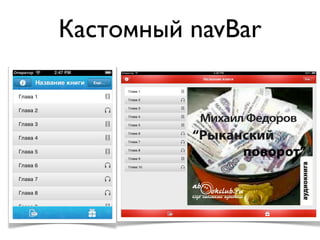
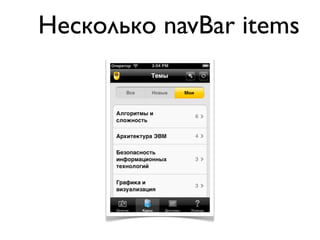
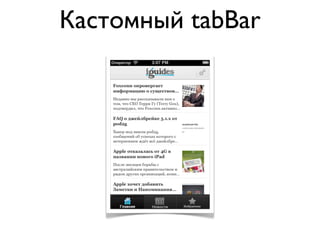
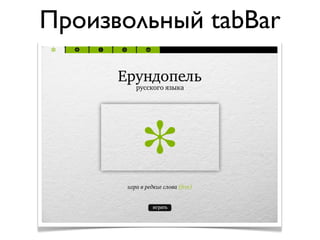
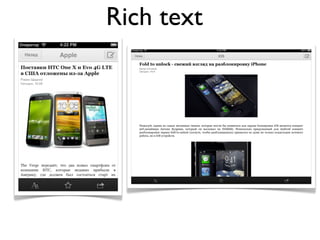
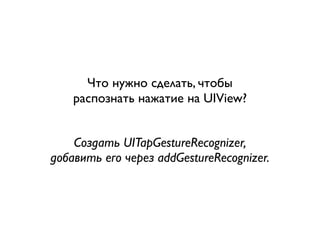
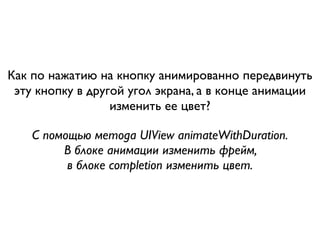
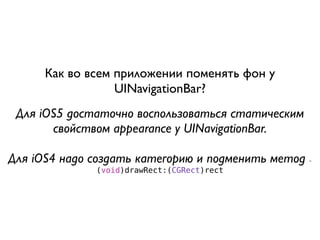
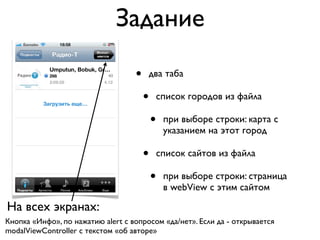

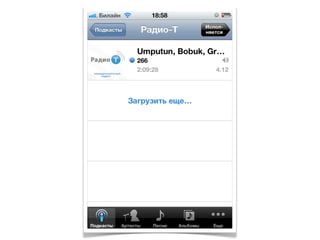
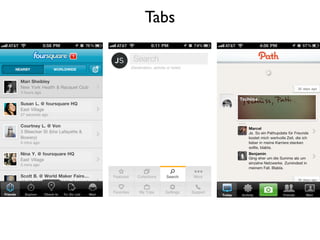
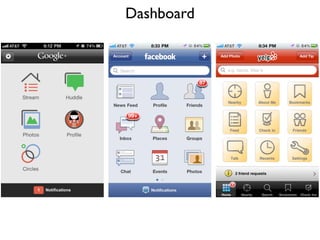
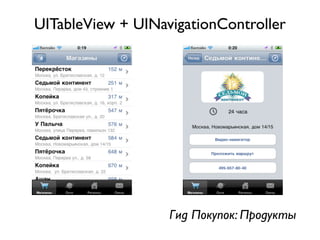
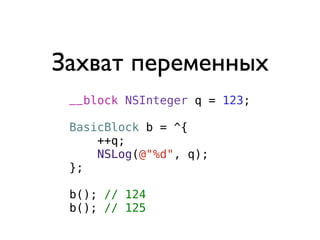
Документ представляет собой лекцию по разработке приложений для iOS, в которой обсуждаются различные интерфейсы, такие как UINavigationController и UITabBarController, с примерами кода. Также рассматриваются жесты, анимация и использование блоков для обработки событий и выполнения задач. В конце предоставлены задания для практического применения изученного материала.


![[C++ CoreHard Autumn 2018] Actors vs CSP vs Task...](https://cdn.slidesharecdn.com/ss_thumbnails/actorsvscspvstasks-181104072639-thumbnail.jpg?width=640&height=640&fit=bounds)


