System Flowchart
Inventory Management System
Lucky Bhardwaj
Tony Medina
Jason Jung
Ben Chang
Asther Letada
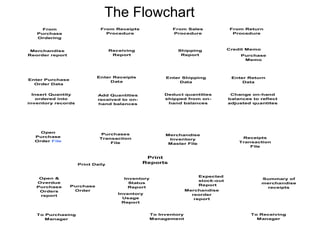
The Flowchart
From
Purchase
Ordering
Merchandise
Reorder report
Enter Purchase
Order Data
From Receipts
Procedure
From Sales
Procedure
From Return
Procedure
Receiving
Report
Shipping
Report
Credit Memo
Purchase
Memo
Enter Receipts
Data
Enter Shipping
Data
Enter Return
Data
Open
Purchase
Order File
Purchases
Transaction
File
Merchandise
Inventory
Master File
Receipts
Transaction
File
Print
ReportsPrint Daily
To Purchasing
Manager
To Inventory
Management
To Receiving
Manager
Insert Quantity
ordered into
inventory records
Add Quantities
received to on-
hand balances
Deduct quantities
shipped from on-
hand balances
Change on-hand
balances to reflect
adjusted quantites
Open &
Overdue
Purchase
Orders
report
Purchase
Order
Inventory
Status
Report
Inventory
Usage
Report
Expected
stock-out
Report
Merchandise
reorder
report
Summary of
merchandise
receipts
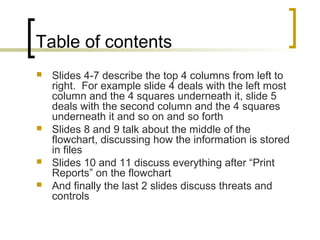
Table of contents
 Slides 4-7 describe the top 4 columns from left to
right. For example slide 4 deals with the left most
column and the 4 squares underneath it, slide 5
deals with the second column and the 4 squares
underneath it and so on and so forth
 Slides 8 and 9 talk about the middle of the
flowchart, discussing how the information is stored
in files
 Slides 10 and 11 discuss everything after “Print
Reports” on the flowchart
 And finally the last 2 slides discuss threats and
controls
Flowchart Description
 First, a retail company receives the
merchandise reorder reports.
 They take the data from those reports and
key it into the computer to create a record
(which is the basic process of taking data
and converting it into information).
 They then take each record and store it into
different files.
Flowchart Description (cont..)
 Retail company receives receiving report.
 They then input the data from the report into
the computer.
 That data is then converted into information
in the form of records.
 The records are then stored into different
files (one of which adds to inventory on-
hand balances).
Flowchart Description (cont..)
 Retail company receives shipping report
from the sales department.
 They then take the data from the report and
input it into the computer to create
information in the form of records.
 They then take the individual records and
store them into separate files (which in turn
deducts from the inventory on-hand
balances).
Flowchart Description (cont..)
 Retail company received credit and
purchase/debit memo.
 Return data is keyed into the computer.
 That data is then converted into information
in the form of records.
 These records are then stored into different
files that will update / change on-hand
balances to reflect the adjusted quantities.
Flowchart Description (cont..)
 The Open Purchase Order File, Purchase
Transaction File and Merchandise Inventory
Master File (a permanent file) are updated
when the quantity ordered are inserted into
inventory records.
 The Open Purchase Order File,
Merchandise Inventory Master File and
Receipts Transaction File are updated after
the quantities received have been added to
on-hand balances.
Flowchart Description (cont..)
 Only the Merchandise Inventory
Master file is updated after the shipped
quantities have been deducted from
oh-hand balances.
 Lastly, only the Merchandise Inventory
Master File is updated after the
changes on the on-hand balances are
made to reflect the adjusted quantities.
Flowchart Description (cont..)
 Once all the information is stored and the files are
updated, reports are printed (daily).
 The Open & Overdue Purchase Orders Reports and
the Purchase Order document are sent to the
Purchasing Manager.
- These reports help the manager understand which
orders are open and which ones are overdue.
(Basically showing which orders the company still
needs to receive and which orders are overdue)
 The Receiving Manager receives the Summary of
merchandise receipts
- A report of all the merchandise that was received on
that day.
Flowchart Description (cont..)
 Inventory Management receives 4 different reports:
 Inventory Status Report – A report that shows where
you stand on your inventory. (how much inventory
you have on hand)
 Inventory Usage Report - How much inventory is
being used at the current output level.
 Expected Stock-out Report – How much and what
inventory you expect to be sold out
 Merchandise Reorder Report – A report that shows
what inventory needs to be reordered
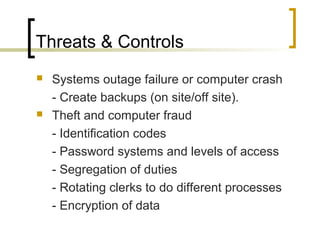
Threats & Controls
 Systems outage failure or computer crash
- Create backups (on site/off site).
 Theft and computer fraud
- Identification codes
- Password systems and levels of access
- Segregation of duties
- Rotating clerks to do different processes
- Encryption of data
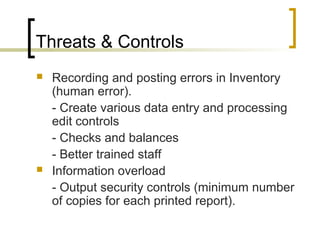
Threats & Controls
 Recording and posting errors in Inventory
(human error).
- Create various data entry and processing
edit controls
- Checks and balances
- Better trained staff
 Information overload
- Output security controls (minimum number
of copies for each printed report).

Inventory flowchart acc 305 2

  • 1.
    System Flowchart Inventory ManagementSystem Lucky Bhardwaj Tony Medina Jason Jung Ben Chang Asther Letada
  • 2.
    The Flowchart From Purchase Ordering Merchandise Reorder report EnterPurchase Order Data From Receipts Procedure From Sales Procedure From Return Procedure Receiving Report Shipping Report Credit Memo Purchase Memo Enter Receipts Data Enter Shipping Data Enter Return Data Open Purchase Order File Purchases Transaction File Merchandise Inventory Master File Receipts Transaction File Print ReportsPrint Daily To Purchasing Manager To Inventory Management To Receiving Manager Insert Quantity ordered into inventory records Add Quantities received to on- hand balances Deduct quantities shipped from on- hand balances Change on-hand balances to reflect adjusted quantites Open & Overdue Purchase Orders report Purchase Order Inventory Status Report Inventory Usage Report Expected stock-out Report Merchandise reorder report Summary of merchandise receipts
  • 3.
    Table of contents Slides 4-7 describe the top 4 columns from left to right. For example slide 4 deals with the left most column and the 4 squares underneath it, slide 5 deals with the second column and the 4 squares underneath it and so on and so forth  Slides 8 and 9 talk about the middle of the flowchart, discussing how the information is stored in files  Slides 10 and 11 discuss everything after “Print Reports” on the flowchart  And finally the last 2 slides discuss threats and controls
  • 4.
    Flowchart Description  First,a retail company receives the merchandise reorder reports.  They take the data from those reports and key it into the computer to create a record (which is the basic process of taking data and converting it into information).  They then take each record and store it into different files.
  • 5.
    Flowchart Description (cont..) Retail company receives receiving report.  They then input the data from the report into the computer.  That data is then converted into information in the form of records.  The records are then stored into different files (one of which adds to inventory on- hand balances).
  • 6.
    Flowchart Description (cont..) Retail company receives shipping report from the sales department.  They then take the data from the report and input it into the computer to create information in the form of records.  They then take the individual records and store them into separate files (which in turn deducts from the inventory on-hand balances).
  • 7.
    Flowchart Description (cont..) Retail company received credit and purchase/debit memo.  Return data is keyed into the computer.  That data is then converted into information in the form of records.  These records are then stored into different files that will update / change on-hand balances to reflect the adjusted quantities.
  • 8.
    Flowchart Description (cont..) The Open Purchase Order File, Purchase Transaction File and Merchandise Inventory Master File (a permanent file) are updated when the quantity ordered are inserted into inventory records.  The Open Purchase Order File, Merchandise Inventory Master File and Receipts Transaction File are updated after the quantities received have been added to on-hand balances.
  • 9.
    Flowchart Description (cont..) Only the Merchandise Inventory Master file is updated after the shipped quantities have been deducted from oh-hand balances.  Lastly, only the Merchandise Inventory Master File is updated after the changes on the on-hand balances are made to reflect the adjusted quantities.
  • 10.
    Flowchart Description (cont..) Once all the information is stored and the files are updated, reports are printed (daily).  The Open & Overdue Purchase Orders Reports and the Purchase Order document are sent to the Purchasing Manager. - These reports help the manager understand which orders are open and which ones are overdue. (Basically showing which orders the company still needs to receive and which orders are overdue)  The Receiving Manager receives the Summary of merchandise receipts - A report of all the merchandise that was received on that day.
  • 11.
    Flowchart Description (cont..) Inventory Management receives 4 different reports:  Inventory Status Report – A report that shows where you stand on your inventory. (how much inventory you have on hand)  Inventory Usage Report - How much inventory is being used at the current output level.  Expected Stock-out Report – How much and what inventory you expect to be sold out  Merchandise Reorder Report – A report that shows what inventory needs to be reordered
  • 12.
    Threats & Controls Systems outage failure or computer crash - Create backups (on site/off site).  Theft and computer fraud - Identification codes - Password systems and levels of access - Segregation of duties - Rotating clerks to do different processes - Encryption of data
  • 13.
    Threats & Controls Recording and posting errors in Inventory (human error). - Create various data entry and processing edit controls - Checks and balances - Better trained staff  Information overload - Output security controls (minimum number of copies for each printed report).