
R.D.SIVAKUMAR, M.Sc.,M.Phil.,M.Tech.,
Assistant Professor of Computer Science &
Assistant Professor and Head, Department of M.Com.(CA),
Ayya Nadar Janaki Ammal College,
Sivakasi – 626 124.
Mobile: 099440-42243
e-mail : sivamsccsit@gmail.com
website: www.rdsivakumar.blogspot.in
AN INTRODUCTION TO STAROFFICE WRITER
Star Office is an application that is designed to work on different operating systems.
Star Office applications that can also open, edit, and save Microsoft Office
documents, Whether you are writing a letter, performing complex calculations,
creating a presentation, or creating a database
Create text document using Star Office Writer
Create spreadsheets using StarOffice Calc
Create presentations using StarOffice impress
Draw using StarOffice Draw
Create a database using StarOffice Base
Some of the Star Office functions,
AN INTRODUCTION TO STAROFFICE WRITER
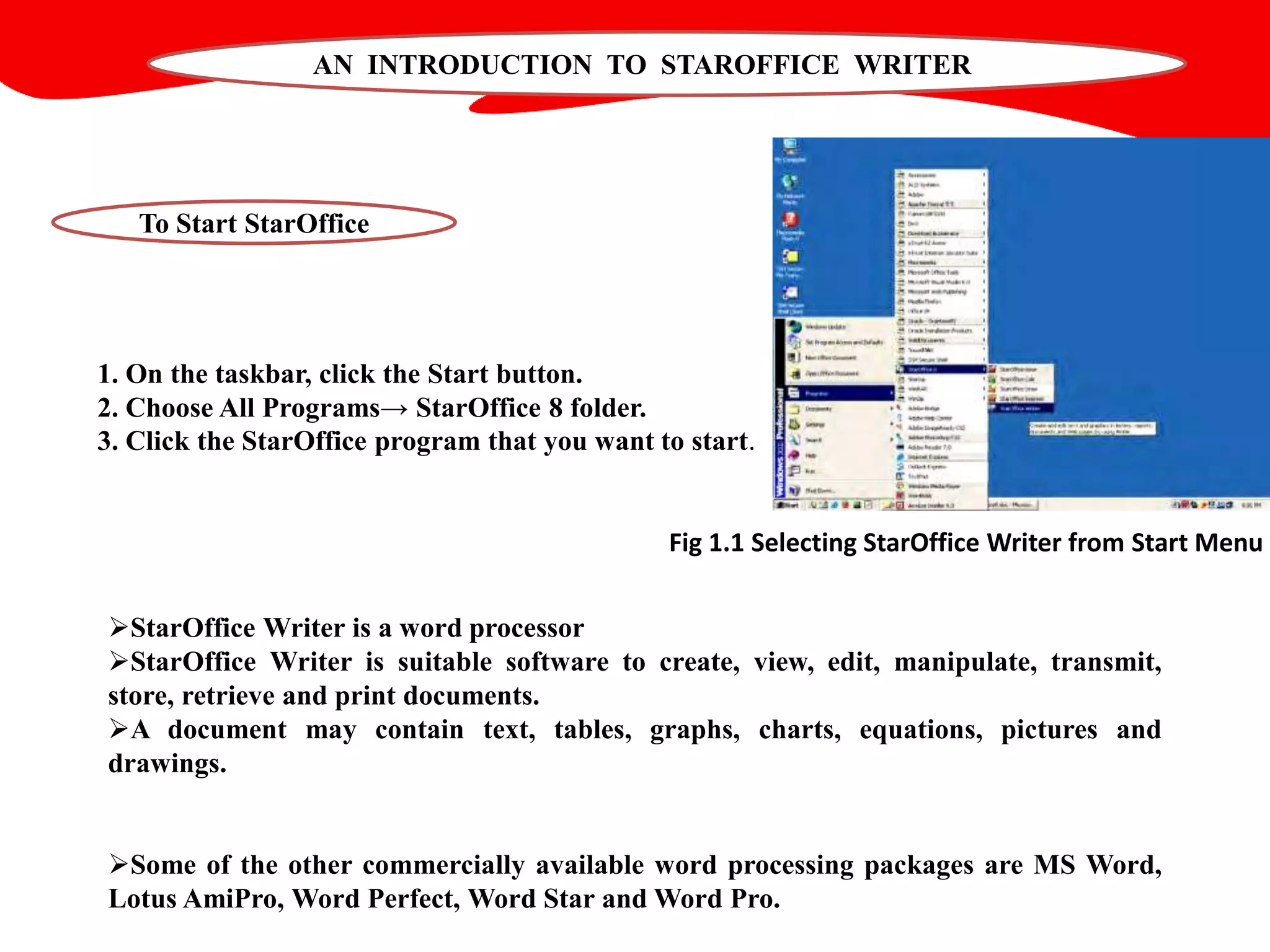
1. On the taskbar, click the Start button.
2. Choose All Programs→ StarOffice 8 folder.
3. Click the StarOffice program that you want to start.
To Start StarOffice
StarOffice Writer is a word processor
StarOffice Writer is suitable software to create, view, edit, manipulate, transmit,
store, retrieve and print documents.
A document may contain text, tables, graphs, charts, equations, pictures and
drawings.
Some of the other commercially available word processing packages are MS Word,
Lotus AmiPro, Word Perfect, Word Star and Word Pro.
Fig 1.1 Selecting StarOffice Writer from Start Menu
Thank you..!!

Introduction to Staroffice Writer - R.D.Sivakumar

  • 1.
    R.D.SIVAKUMAR, M.Sc.,M.Phil.,M.Tech., Assistant Professorof Computer Science & Assistant Professor and Head, Department of M.Com.(CA), Ayya Nadar Janaki Ammal College, Sivakasi – 626 124. Mobile: 099440-42243 e-mail : sivamsccsit@gmail.com website: www.rdsivakumar.blogspot.in AN INTRODUCTION TO STAROFFICE WRITER
  • 2.
    AN INTRODUCTION TOSTAROFFICE WRITER Star Office is an application that is designed to work on different operating systems. Star Office applications that can also open, edit, and save Microsoft Office documents, Whether you are writing a letter, performing complex calculations, creating a presentation, or creating a database Create text document using Star Office Writer Create spreadsheets using StarOffice Calc Create presentations using StarOffice impress Draw using StarOffice Draw Create a database using StarOffice Base Some of the Star Office functions,
  • 3.
    AN INTRODUCTION TOSTAROFFICE WRITER 1. On the taskbar, click the Start button. 2. Choose All Programs→ StarOffice 8 folder. 3. Click the StarOffice program that you want to start. To Start StarOffice StarOffice Writer is a word processor StarOffice Writer is suitable software to create, view, edit, manipulate, transmit, store, retrieve and print documents. A document may contain text, tables, graphs, charts, equations, pictures and drawings. Some of the other commercially available word processing packages are MS Word, Lotus AmiPro, Word Perfect, Word Star and Word Pro. Fig 1.1 Selecting StarOffice Writer from Start Menu
  • 4.