More Related Content

PPT

PPT

PPT

PPT

PPT

PDF

PPT

PPT
The SQL data-definition language (DDL) allows the specification of informatio... Similar to Introduction to SQL.ppt DATA BASE SYSTEMS

PPT
SQL manages and queries database data.ppt 
PPT
ER model and diagram in database system 
PPT
ch3 - Introduction to SQL_236e5f36d33e8314f8cb023702f2b23f.ppt 
PPTX
ch3.pptx SQL in DBMS all Chapter with details 
PPT

PPT

PPT
Lecturrrrrrrrrrrrrrrrrrrrrrrrre-4 SQL.ppt 
PPT
Lecturereeeeeeeeeeeeeeeeeeeeee-4 SQL.ppt 
PPTX
Intonation to SQL using the query language postgresSQL.pptx 
PDF
Introduction to sql.pdf Database Systems 
PPTX

PPT
Structured Query Language in detail chapter 3 
PPT
sql- introduction-notmine- uploading share 
PPT
Intro to Relational Model in database system 
PPT
chapter tow database system concepts seven edition 
PPT
Database Management System ppt basically help to learn how to data store ,ret... 
PPT
2.relational-model gygugugugugugu4rgdfdtdd.ppt 
PPT
Chapter2 - Intro to Relational Model - P1 
PPT
ch2.pptbbnnnhgggbbbbbhhhhhhhhhhhhhhhhhhhh 
PPT
2.relational-model of Database management system.ppt Recently uploaded

PPT
Ceramic Matrix Composites Slide from Composite Materials 
PDF
Shear Strength of Soil/Mohr Coulomb Failure Criteria-1.pdf 
PDF
Basics of Electronics Task by Vivaan Jo Varghese.pdf 
PPTX
Fitting Infiltration Models to Infiltration using Excel (1).pptx 
PPTX
traffic safety section seven (Traffic Control and Management) of Act 
PDF
Chemical Hazards at Workplace – Types, Properties & Exposure Routes, CORE-EHS 
PPTX
Introduction to AI and Applications Module-4.pptx 
PDF
Rajesh Prasad- Brief Profile with educational, professional highlights 
PPTX
GET 211- Computing and Software Engineering (1).pptx 
PPTX
A professional presentation on Cosmos Bank Heist 
PPTX
Theory to Practice of Unsaturated Soil Mechanics-1.pptx 
PDF
(en/zhTW) Heterogeneous System Architecture: Design & Performance 
PDF
Applications of AI in Civil Engineering - Dr. Rohan Dasgupta 
PPTX
Batch-1(End Semester) Student Of Shree Durga Tech. PPT.pptx 
PPTX
Why TPM Succeeds in Some Plants and Struggles in Others | MaintWiz 
PDF
Soil Compressibility (Elastic Settlement).pdf 
PDF
Chad Ayach - An Accomplished Mechanical Engineer 
PPT
Integer , Goal and Non linear Programming Model 
PDF
AWS Re:Invent 2025 Recap by FivexL - Guilherme, Vladimir, Andrey 
PDF
engineering management chapter 5 ppt presentation Introduction to SQL.ppt DATA BASE SYSTEMS
- 1.
- 2.
©Silberschatz, Korth andSudarshan
3.2
Database System Concepts - 6th
Edition
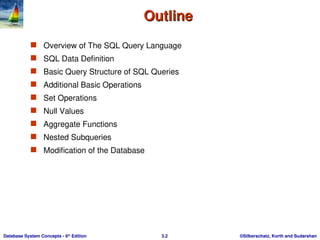
Outline
Outline
Overview of The SQL Query Language
SQL Data Definition
Basic Query Structure of SQL Queries
Additional Basic Operations
Set Operations
Null Values
Aggregate Functions
Nested Subqueries
Modification of the Database
- 3.
©Silberschatz, Korth andSudarshan
3.3
Database System Concepts - 6th
Edition
History
History
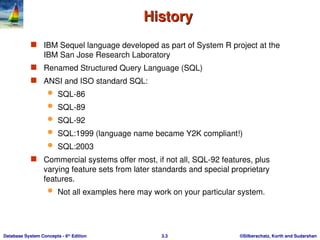
IBM Sequel language developed as part of System R project at the
IBM San Jose Research Laboratory
Renamed Structured Query Language (SQL)
ANSI and ISO standard SQL:
SQL-86
SQL-89
SQL-92
SQL:1999 (language name became Y2K compliant!)
SQL:2003
Commercial systems offer most, if not all, SQL-92 features, plus
varying feature sets from later standards and special proprietary
features.
Not all examples here may work on your particular system.
- 4.
©Silberschatz, Korth andSudarshan
3.4
Database System Concepts - 6th
Edition
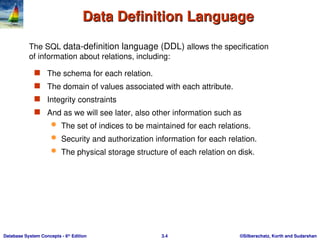
Data Definition Language
Data Definition Language
The schema for each relation.
The domain of values associated with each attribute.
Integrity constraints
And as we will see later, also other information such as
The set of indices to be maintained for each relations.
Security and authorization information for each relation.
The physical storage structure of each relation on disk.
The SQL data-definition language (DDL) allows the specification
of information about relations, including:
- 5.
©Silberschatz, Korth andSudarshan
3.5
Database System Concepts - 6th
Edition
Domain Types in SQL
Domain Types in SQL
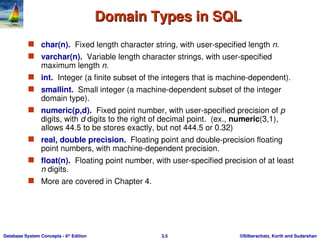
char(n). Fixed length character string, with user-specified length n.
varchar(n). Variable length character strings, with user-specified
maximum length n.
int. Integer (a finite subset of the integers that is machine-dependent).
smallint. Small integer (a machine-dependent subset of the integer
domain type).
numeric(p,d). Fixed point number, with user-specified precision of p
digits, with d digits to the right of decimal point. (ex., numeric(3,1),
allows 44.5 to be stores exactly, but not 444.5 or 0.32)
real, double precision. Floating point and double-precision floating
point numbers, with machine-dependent precision.
float(n). Floating point number, with user-specified precision of at least
n digits.
More are covered in Chapter 4.
- 6.
©Silberschatz, Korth andSudarshan
3.6
Database System Concepts - 6th
Edition
Create Table Construct
Create Table Construct
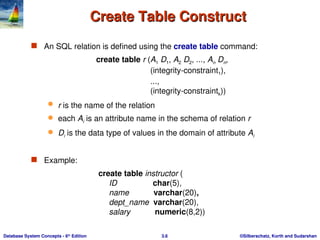
An SQL relation is defined using the create table command:
create table r (A1 D1, A2 D2, ..., An Dn,
(integrity-constraint1),
...,
(integrity-constraintk))
r is the name of the relation
each Ai is an attribute name in the schema of relation r
Di is the data type of values in the domain of attribute Ai
Example:
create table instructor (
ID char(5),
name varchar(20),
dept_name varchar(20),
salary numeric(8,2))
- 7.
©Silberschatz, Korth andSudarshan
3.7
Database System Concepts - 6th
Edition
Create table syntax
Create table syntax
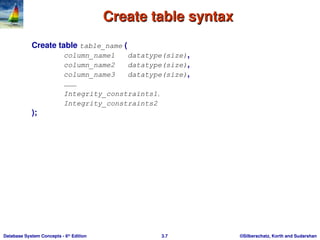
Create table table_name (
column_name1 datatype(size),
column_name2 datatype(size),
column_name3 datatype(size),
………
Integrity_constraints1,
Integrity_constraints2
);
- 8.
©Silberschatz, Korth andSudarshan
3.8
Database System Concepts - 6th
Edition
Create table syntax (con’t.)
Create table syntax (con’t.)
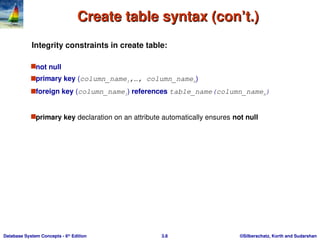
Integrity constraints in create table:
not null
primary key (column_name1,…, column_namen)
foreign key (column_name1) references table_name(column_namen)
primary key declaration on an attribute automatically ensures not null
- 9.
©Silberschatz, Korth andSudarshan
3.9
Database System Concepts - 6th
Edition
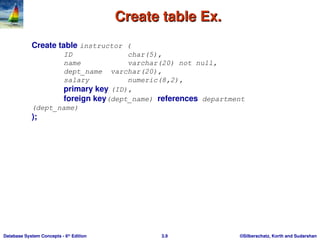
Create table Ex.
Create table Ex.
Create table instructor (
ID char(5),
name varchar(20) not null,
dept_name varchar(20),
salary numeric(8,2),
primary key (ID),
foreign key(dept_name) references department
(dept_name)
);
- 10.
©Silberschatz, Korth andSudarshan
3.10
Database System Concepts - 6th
Edition
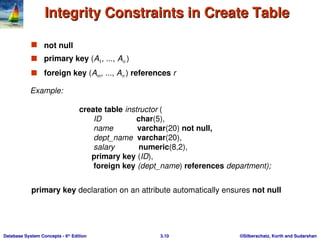
Integrity Constraints in Create Table
Integrity Constraints in Create Table
not null
primary key (A1, ..., An )
foreign key (Am, ..., An ) references r
Example:
create table instructor (
ID char(5),
name varchar(20) not null,
dept_name varchar(20),
salary numeric(8,2),
primary key (ID),
foreign key (dept_name) references department);
primary key declaration on an attribute automatically ensures not null
- 11.
©Silberschatz, Korth andSudarshan
3.11
Database System Concepts - 6th
Edition
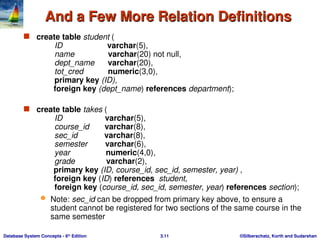
And a Few More Relation Definitions
And a Few More Relation Definitions
create table student (
ID varchar(5),
name varchar(20) not null,
dept_name varchar(20),
tot_cred numeric(3,0),
primary key (ID),
foreign key (dept_name) references department);
create table takes (
ID varchar(5),
course_id varchar(8),
sec_id varchar(8),
semester varchar(6),
year numeric(4,0),
grade varchar(2),
primary key (ID, course_id, sec_id, semester, year) ,
foreign key (ID) references student,
foreign key (course_id, sec_id, semester, year) references section);
Note: sec_id can be dropped from primary key above, to ensure a
student cannot be registered for two sections of the same course in the
same semester
- 12.
©Silberschatz, Korth andSudarshan
3.12
Database System Concepts - 6th
Edition
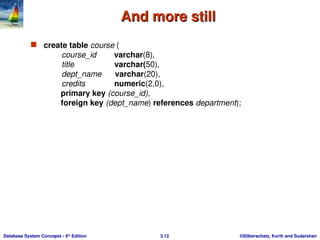
And more still
And more still
create table course (
course_id varchar(8),
title varchar(50),
dept_name varchar(20),
credits numeric(2,0),
primary key (course_id),
foreign key (dept_name) references department);
- 13.
©Silberschatz, Korth andSudarshan
3.13
Database System Concepts - 6th
Edition
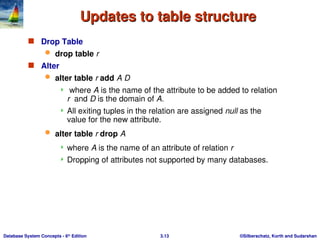
Updates to table structure
Updates to table structure
Drop Table
drop table r
Alter
alter table r add A D
where A is the name of the attribute to be added to relation
r and D is the domain of A.
All exiting tuples in the relation are assigned null as the
value for the new attribute.
alter table r drop A
where A is the name of an attribute of relation r
Dropping of attributes not supported by many databases.
- 14.
©Silberschatz, Korth andSudarshan
3.14
Database System Concepts - 6th
Edition
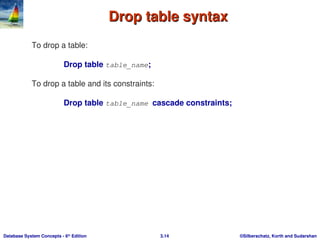
Drop table syntax
Drop table syntax
To drop a table:
Drop table table_name;
To drop a table and its constraints:
Drop table table_name cascade constraints;
- 15.
©Silberschatz, Korth andSudarshan
3.15
Database System Concepts - 6th
Edition
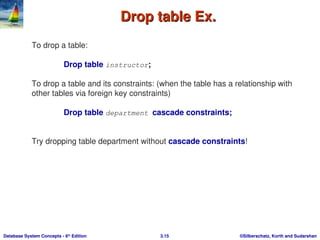
Drop table Ex.
Drop table Ex.
To drop a table:
Drop table instructor;
To drop a table and its constraints: (when the table has a relationship with
other tables via foreign key constraints)
Drop table department cascade constraints;
Try dropping table department without cascade constraints!
- 16.
©Silberschatz, Korth andSudarshan
3.16
Database System Concepts - 6th
Edition
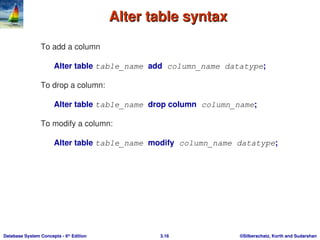
Alter table syntax
Alter table syntax
To add a column
Alter table table_name add column_name datatype;
To drop a column:
Alter table table_name drop column column_name;
To modify a column:
Alter table table_name modify column_name datatype;
- 17.
©Silberschatz, Korth andSudarshan
3.17
Database System Concepts - 6th
Edition
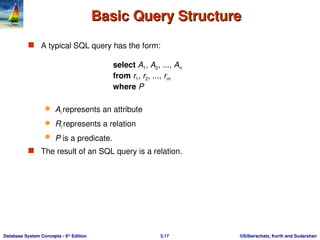
Basic Query Structure
Basic Query Structure
A typical SQL query has the form:
select A1, A2, ..., An
from r1, r2, ..., rm
where P
Ai represents an attribute
Ri represents a relation
P is a predicate.
The result of an SQL query is a relation.
- 18.
©Silberschatz, Korth andSudarshan
3.18
Database System Concepts - 6th
Edition
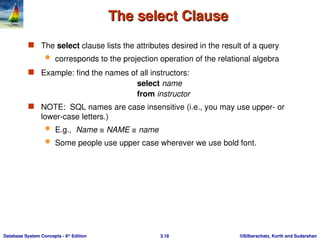
The select Clause
The select Clause
The select clause lists the attributes desired in the result of a query
corresponds to the projection operation of the relational algebra
Example: find the names of all instructors:
select name
from instructor
NOTE: SQL names are case insensitive (i.e., you may use upper- or
lower-case letters.)
E.g., Name ≡ NAME ≡ name
Some people use upper case wherever we use bold font.
- 19.
- 20.
©Silberschatz, Korth andSudarshan
3.20
Database System Concepts - 6th
Edition
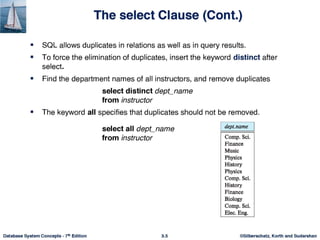
The select Clause (Cont.)
The select Clause (Cont.)
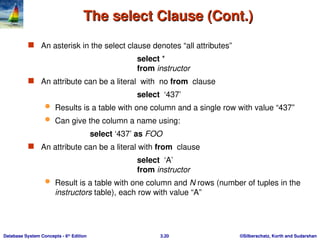
An asterisk in the select clause denotes “all attributes”
select *
from instructor
An attribute can be a literal with no from clause
select ‘437’
Results is a table with one column and a single row with value “437”
Can give the column a name using:
select ‘437’ as FOO
An attribute can be a literal with from clause
select ‘A’
from instructor
Result is a table with one column and N rows (number of tuples in the
instructors table), each row with value “A”
- 21.
©Silberschatz, Korth andSudarshan
3.21
Database System Concepts - 6th
Edition
The select Clause (Cont.)
The select Clause (Cont.)
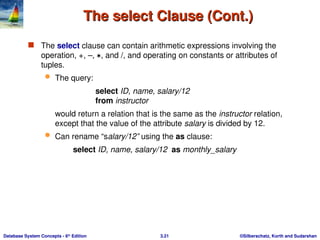
The select clause can contain arithmetic expressions involving the
operation, +, –, , and /, and operating on constants or attributes of
tuples.
The query:
select ID, name, salary/12
from instructor
would return a relation that is the same as the instructor relation,
except that the value of the attribute salary is divided by 12.
Can rename “salary/12” using the as clause:
select ID, name, salary/12 as monthly_salary
- 22.
©Silberschatz, Korth andSudarshan
3.22
Database System Concepts - 6th
Edition
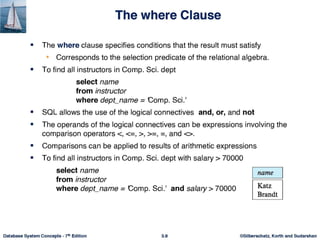
The where Clause
The where Clause
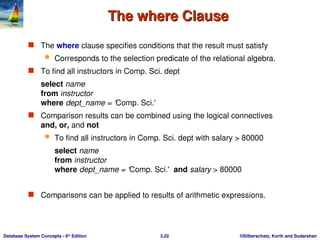
The where clause specifies conditions that the result must satisfy
Corresponds to the selection predicate of the relational algebra.
To find all instructors in Comp. Sci. dept
select name
from instructor
where dept_name = ‘Comp. Sci.'
Comparison results can be combined using the logical connectives
and, or, and not
To find all instructors in Comp. Sci. dept with salary > 80000
select name
from instructor
where dept_name = ‘Comp. Sci.' and salary > 80000
Comparisons can be applied to results of arithmetic expressions.
- 23.
©Silberschatz, Korth andSudarshan
3.23
Database System Concepts - 6th
Edition
The from Clause
The from Clause
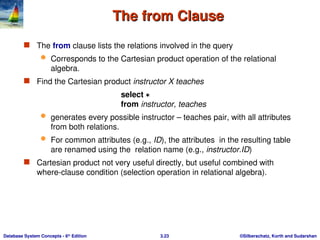
The from clause lists the relations involved in the query
Corresponds to the Cartesian product operation of the relational
algebra.
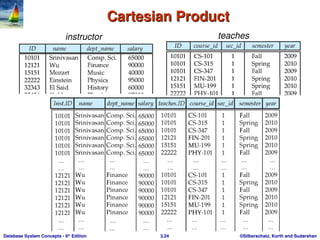
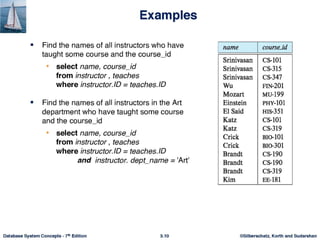
Find the Cartesian product instructor X teaches
select
from instructor, teaches
generates every possible instructor – teaches pair, with all attributes
from both relations.
For common attributes (e.g., ID), the attributes in the resulting table
are renamed using the relation name (e.g., instructor.ID)
Cartesian product not very useful directly, but useful combined with
where-clause condition (selection operation in relational algebra).
- 24.
©Silberschatz, Korth andSudarshan
3.24
Database System Concepts - 6th
Edition
Cartesian Product
Cartesian Product
instructor teaches
- 25.
- 26.
©Silberschatz, Korth andSudarshan
3.26
Database System Concepts - 6th
Edition
The Rename Operation
The Rename Operation
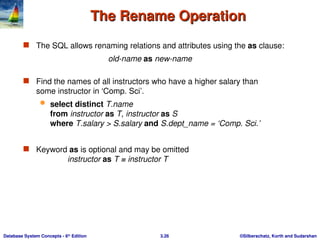
The SQL allows renaming relations and attributes using the as clause:
old-name as new-name
Find the names of all instructors who have a higher salary than
some instructor in ‘Comp. Sci’.
select distinct T.name
from instructor as T, instructor as S
where T.salary > S.salary and S.dept_name = ‘Comp. Sci.’
Keyword as is optional and may be omitted
instructor as T ≡ instructor T
- 27.
©Silberschatz, Korth andSudarshan
3.27
Database System Concepts - 6th
Edition
Cartesian Product Example
Cartesian Product Example
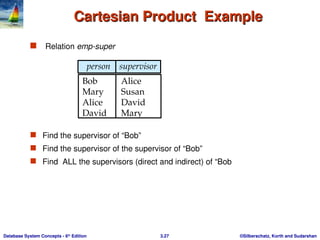
Relation emp-super
Find the supervisor of “Bob”
Find the supervisor of the supervisor of “Bob”
Find ALL the supervisors (direct and indirect) of “Bob
person supervisor
Bob Alice
Mary Susan
Alice David
David Mary
- 28.
©Silberschatz, Korth andSudarshan
3.28
Database System Concepts - 6th
Edition
Ordering the Display of Tuples
Ordering the Display of Tuples
List in alphabetic order the names of all instructors
select distinct name
from instructor
order by name
We may specify desc for descending order or asc for ascending
order, for each attribute; ascending order is the default.
Example: order by name desc
Can sort on multiple attributes
Example: order by dept_name, name
- 29.
©Silberschatz, Korth andSudarshan
3.29
Database System Concepts - 6th
Edition
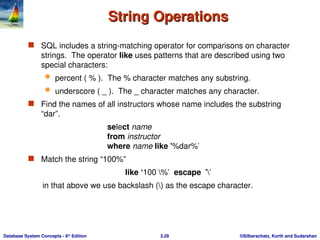
String Operations
String Operations
SQL includes a string-matching operator for comparisons on character
strings. The operator like uses patterns that are described using two
special characters:
percent ( % ). The % character matches any substring.
underscore ( _ ). The _ character matches any character.
Find the names of all instructors whose name includes the substring
“dar”.
select name
from instructor
where name like '%dar%'
Match the string “100%”
like ‘100 %' escape ''
in that above we use backslash () as the escape character.
- 30.
©Silberschatz, Korth andSudarshan
3.30
Database System Concepts - 6th
Edition
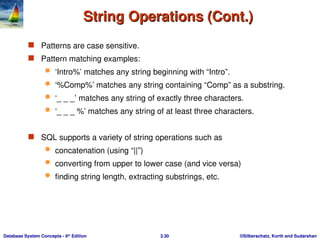
String Operations (Cont.)
String Operations (Cont.)
Patterns are case sensitive.
Pattern matching examples:
‘Intro%’ matches any string beginning with “Intro”.
‘%Comp%’ matches any string containing “Comp” as a substring.
‘_ _ _’ matches any string of exactly three characters.
‘_ _ _ %’ matches any string of at least three characters.
SQL supports a variety of string operations such as
concatenation (using “||”)
converting from upper to lower case (and vice versa)
finding string length, extracting substrings, etc.
- 31.
- 32.
©Silberschatz, Korth andSudarshan
3.32
Database System Concepts - 6th
Edition
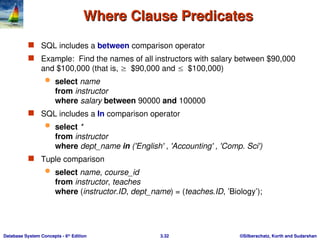
Where Clause Predicates
Where Clause Predicates
SQL includes a between comparison operator
Example: Find the names of all instructors with salary between $90,000
and $100,000 (that is, $90,000 and $100,000)
select name
from instructor
where salary between 90000 and 100000
SQL includes a In comparison operator
select *
from instructor
where dept_name in ('English' , 'Accounting' , 'Comp. Sci')
Tuple comparison
select name, course_id
from instructor, teaches
where (instructor.ID, dept_name) = (teaches.ID, ’Biology’);
- 33.
©Silberschatz, Korth andSudarshan
3.33
Database System Concepts - 6th
Edition
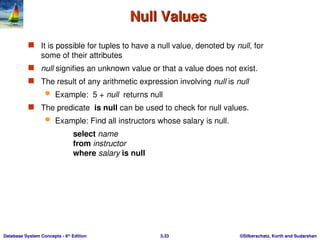
Null Values
Null Values
It is possible for tuples to have a null value, denoted by null, for
some of their attributes
null signifies an unknown value or that a value does not exist.
The result of any arithmetic expression involving null is null
Example: 5 + null returns null
The predicate is null can be used to check for null values.
Example: Find all instructors whose salary is null.
select name
from instructor
where salary is null
- 34.
©Silberschatz, Korth andSudarshan
3.34
Database System Concepts - 6th
Edition
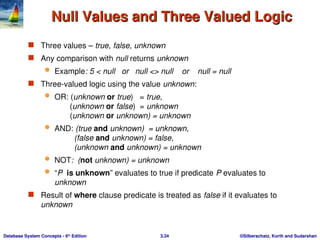
Null Values and Three Valued Logic
Null Values and Three Valued Logic
Three values – true, false, unknown
Any comparison with null returns unknown
Example: 5 < null or null <> null or null = null
Three-valued logic using the value unknown:
OR: (unknown or true) = true,
(unknown or false) = unknown
(unknown or unknown) = unknown
AND: (true and unknown) = unknown,
(false and unknown) = false,
(unknown and unknown) = unknown
NOT: (not unknown) = unknown
“P is unknown” evaluates to true if predicate P evaluates to
unknown
Result of where clause predicate is treated as false if it evaluates to
unknown
- 35.
©Silberschatz, Korth andSudarshan
3.35
Database System Concepts - 6th
Edition
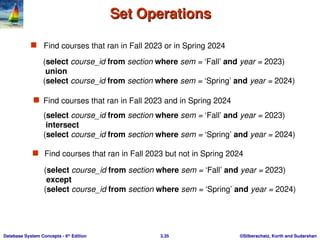
Set Operations
Set Operations
Find courses that ran in Fall 2023 or in Spring 2024
Find courses that ran in Fall 2023 but not in Spring 2024
(select course_id from section where sem = ‘Fall’ and year = 2023)
union
(select course_id from section where sem = ‘Spring’ and year = 2024)
Find courses that ran in Fall 2023 and in Spring 2024
(select course_id from section where sem = ‘Fall’ and year = 2023)
intersect
(select course_id from section where sem = ‘Spring’ and year = 2024)
(select course_id from section where sem = ‘Fall’ and year = 2023)
except
(select course_id from section where sem = ‘Spring’ and year = 2024)
- 36.
©Silberschatz, Korth andSudarshan
3.36
Database System Concepts - 6th
Edition
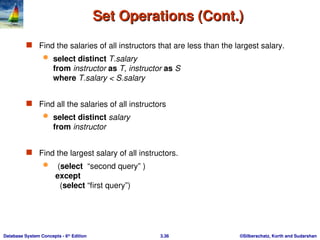
Set Operations (Cont.)
Set Operations (Cont.)
Find the salaries of all instructors that are less than the largest salary.
select distinct T.salary
from instructor as T, instructor as S
where T.salary < S.salary
Find all the salaries of all instructors
select distinct salary
from instructor
Find the largest salary of all instructors.
(select “second query” )
except
(select “first query”)
- 37.
©Silberschatz, Korth andSudarshan
3.37
Database System Concepts - 6th
Edition
Set Operations (Cont.)
Set Operations (Cont.)
Set operations union, intersect, and except
Each of the above operations automatically eliminates duplicates
To retain all duplicates use the corresponding multiset versions union
all, intersect all and except all.
Suppose a tuple occurs m times in r and n times in s, then, it occurs:
m + n times in r union all s
min(m,n) times in r intersect all s
max(0, m – n) times in r except all s
- 38.
©Silberschatz, Korth andSudarshan
3.38
Database System Concepts - 6th
Edition
Aggregate Functions
Aggregate Functions
These functions operate on the multiset of values of a column of
a relation, and return a value
avg: average value
min: minimum value
max: maximum value
sum: sum of values
count: number of values
- 39.
©Silberschatz, Korth andSudarshan
3.39
Database System Concepts - 6th
Edition
Aggregate Functions (Cont.)
Aggregate Functions (Cont.)
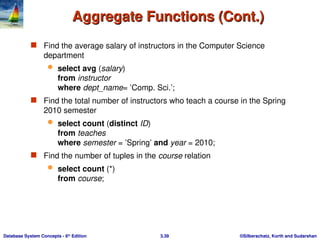
Find the average salary of instructors in the Computer Science
department
select avg (salary)
from instructor
where dept_name= ’Comp. Sci.’;
Find the total number of instructors who teach a course in the Spring
2010 semester
select count (distinct ID)
from teaches
where semester = ’Spring’ and year = 2010;
Find the number of tuples in the course relation
select count (*)
from course;
- 40.
©Silberschatz, Korth andSudarshan
3.40
Database System Concepts - 6th
Edition
Aggregate Functions – Group By
Aggregate Functions – Group By
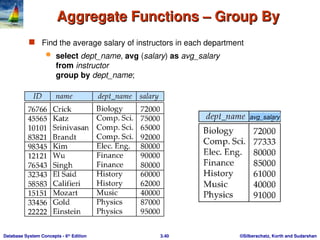
Find the average salary of instructors in each department
select dept_name, avg (salary) as avg_salary
from instructor
group by dept_name;
avg_salary
- 41.
©Silberschatz, Korth andSudarshan
3.41
Database System Concepts - 6th
Edition
Aggregation (Cont.)
Aggregation (Cont.)
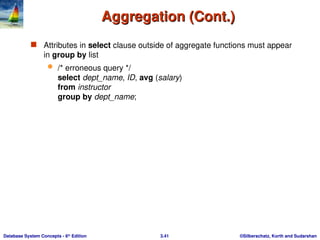
Attributes in select clause outside of aggregate functions must appear
in group by list
/* erroneous query */
select dept_name, ID, avg (salary)
from instructor
group by dept_name;
- 42.
©Silberschatz, Korth andSudarshan
3.42
Database System Concepts - 6th
Edition
Aggregate Functions – Having Clause
Aggregate Functions – Having Clause
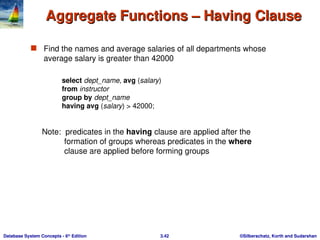
Find the names and average salaries of all departments whose
average salary is greater than 42000
Note: predicates in the having clause are applied after the
formation of groups whereas predicates in the where
clause are applied before forming groups
select dept_name, avg (salary)
from instructor
group by dept_name
having avg (salary) > 42000;
- 43.
©Silberschatz, Korth andSudarshan
3.43
Database System Concepts - 6th
Edition
Null Values and Aggregates
Null Values and Aggregates
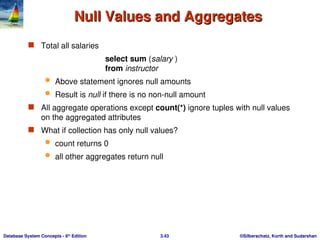
Total all salaries
select sum (salary )
from instructor
Above statement ignores null amounts
Result is null if there is no non-null amount
All aggregate operations except count(*) ignore tuples with null values
on the aggregated attributes
What if collection has only null values?
count returns 0
all other aggregates return null
- 44.
©Silberschatz, Korth andSudarshan
3.44
Database System Concepts - 6th
Edition
Nested Subqueries
Nested Subqueries
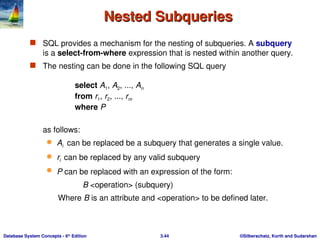
SQL provides a mechanism for the nesting of subqueries. A subquery
is a select-from-where expression that is nested within another query.
The nesting can be done in the following SQL query
select A1, A2, ..., An
from r1, r2, ..., rm
where P
as follows:
Ai can be replaced be a subquery that generates a single value.
ri can be replaced by any valid subquery
P can be replaced with an expression of the form:
B <operation> (subquery)
Where B is an attribute and <operation> to be defined later.
- 45.
©Silberschatz, Korth andSudarshan
3.45
Database System Concepts - 6th
Edition
Subqueries in the Where Clause
Subqueries in the Where Clause
- 46.
©Silberschatz, Korth andSudarshan
3.46
Database System Concepts - 6th
Edition
Subqueries in the Where Clause
Subqueries in the Where Clause
A common use of subqueries is to perform tests:
For set membership
For set comparisons
For set cardinality.
- 47.
©Silberschatz, Korth andSudarshan
3.47
Database System Concepts - 6th
Edition
Set Membership
Set Membership
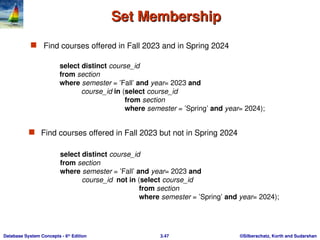
Find courses offered in Fall 2023 and in Spring 2024
Find courses offered in Fall 2023 but not in Spring 2024
select distinct course_id
from section
where semester = ’Fall’ and year= 2023 and
course_id in (select course_id
from section
where semester = ’Spring’ and year= 2024);
select distinct course_id
from section
where semester = ’Fall’ and year= 2023 and
course_id not in (select course_id
from section
where semester = ’Spring’ and year= 2024);
- 48.
- 49.
©Silberschatz, Korth andSudarshan
3.49
Database System Concepts - 6th
Edition
Set Membership (Cont.)
Set Membership (Cont.)
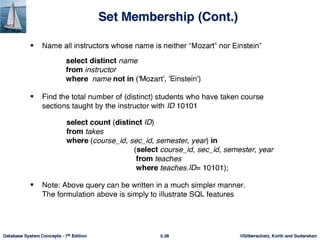
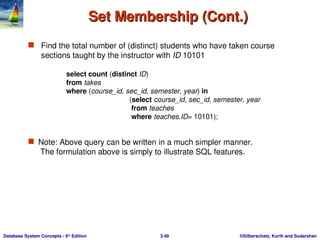
Find the total number of (distinct) students who have taken course
sections taught by the instructor with ID 10101
Note: Above query can be written in a much simpler manner.
The formulation above is simply to illustrate SQL features.
select count (distinct ID)
from takes
where (course_id, sec_id, semester, year) in
(select course_id, sec_id, semester, year
from teaches
where teaches.ID= 10101);
- 50.
©Silberschatz, Korth andSudarshan
3.50
Database System Concepts - 6th
Edition
Set Comparison – “some” Clause
Set Comparison – “some” Clause
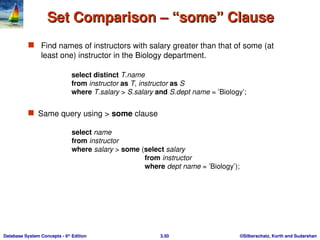
Find names of instructors with salary greater than that of some (at
least one) instructor in the Biology department.
Same query using > some clause
select name
from instructor
where salary > some (select salary
from instructor
where dept name = ’Biology’);
select distinct T.name
from instructor as T, instructor as S
where T.salary > S.salary and S.dept name = ’Biology’;
- 51.
©Silberschatz, Korth andSudarshan
3.51
Database System Concepts - 6th
Edition
Definition of “some” Clause
Definition of “some” Clause
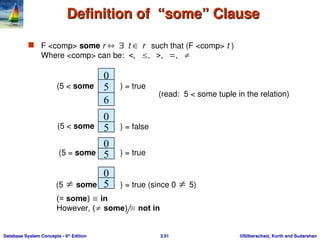
F <comp> some r t r such that (F <comp> t )
Where <comp> can be:
0
5
6
(5 < some ) = true
0
5
0
) = false
5
0
5
(5 some ) = true (since 0 5)
(read: 5 < some tuple in the relation)
(5 < some
) = true
(5 = some
(= some) in
However, ( some) not in
- 52.
©Silberschatz, Korth andSudarshan
3.52
Database System Concepts - 6th
Edition
Set Comparison – “all” Clause
Set Comparison – “all” Clause
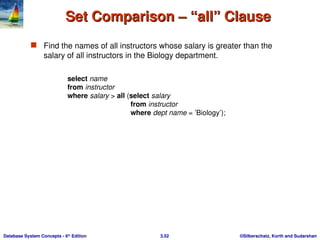
Find the names of all instructors whose salary is greater than the
salary of all instructors in the Biology department.
select name
from instructor
where salary > all (select salary
from instructor
where dept name = ’Biology’);
- 53.
©Silberschatz, Korth andSudarshan
3.53
Database System Concepts - 6th
Edition
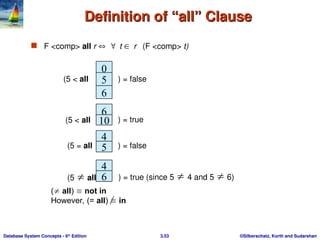
Definition of “all” Clause
Definition of “all” Clause
F <comp> all r t r (F <comp> t)
0
5
6
(5 < all ) = false
6
10
4
) = true
5
4
6
(5 all ) = true (since 5 4 and 5 6)
(5 < all
) = false
(5 = all
( all) not in
However, (= all) in
- 54.
©Silberschatz, Korth andSudarshan
3.54
Database System Concepts - 6th
Edition
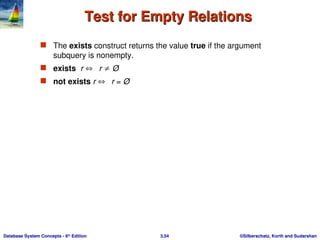
Test for Empty Relations
Test for Empty Relations
The exists construct returns the value true if the argument
subquery is nonempty.
exists r r Ø
not exists r r = Ø
- 55.
©Silberschatz, Korth andSudarshan
3.55
Database System Concepts - 6th
Edition
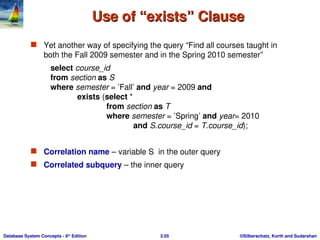
Use of “exists” Clause
Use of “exists” Clause
Yet another way of specifying the query “Find all courses taught in
both the Fall 2009 semester and in the Spring 2010 semester”
select course_id
from section as S
where semester = ’Fall’ and year = 2009 and
exists (select *
from section as T
where semester = ’Spring’ and year= 2010
and S.course_id = T.course_id);
Correlation name – variable S in the outer query
Correlated subquery – the inner query
- 56.
©Silberschatz, Korth andSudarshan
3.56
Database System Concepts - 6th
Edition
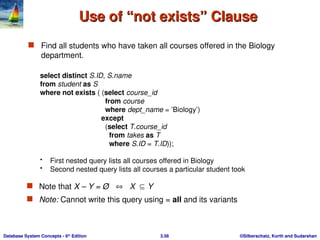
Use of “not exists” Clause
Use of “not exists” Clause
Find all students who have taken all courses offered in the Biology
department.
select distinct S.ID, S.name
from student as S
where not exists ( (select course_id
from course
where dept_name = ’Biology’)
except
(select T.course_id
from takes as T
where S.ID = T.ID));
• First nested query lists all courses offered in Biology
• Second nested query lists all courses a particular student took
Note that X – Y = Ø X Y
Note: Cannot write this query using = all and its variants
- 57.
©Silberschatz, Korth andSudarshan
3.57
Database System Concepts - 6th
Edition
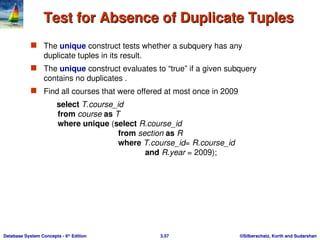
Test for Absence of Duplicate Tuples
Test for Absence of Duplicate Tuples
The unique construct tests whether a subquery has any
duplicate tuples in its result.
The unique construct evaluates to “true” if a given subquery
contains no duplicates .
Find all courses that were offered at most once in 2009
select T.course_id
from course as T
where unique (select R.course_id
from section as R
where T.course_id= R.course_id
and R.year = 2009);
- 58.
- 59.
©Silberschatz, Korth andSudarshan
3.59
Database System Concepts - 6th
Edition
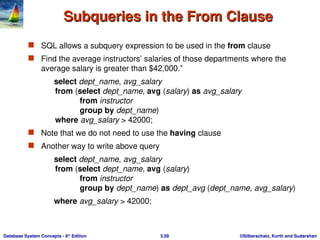
Subqueries in the From Clause
Subqueries in the From Clause
SQL allows a subquery expression to be used in the from clause
Find the average instructors’ salaries of those departments where the
average salary is greater than $42,000.”
select dept_name, avg_salary
from (select dept_name, avg (salary) as avg_salary
from instructor
group by dept_name)
where avg_salary > 42000;
Note that we do not need to use the having clause
Another way to write above query
select dept_name, avg_salary
from (select dept_name, avg (salary)
from instructor
group by dept_name) as dept_avg (dept_name, avg_salary)
where avg_salary > 42000;
- 60.
- 61.
©Silberschatz, Korth andSudarshan
3.61
Database System Concepts - 6th
Edition
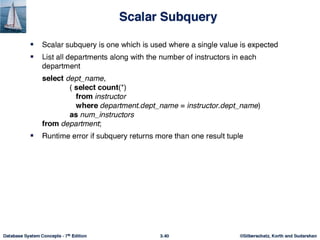
Subqueries in the Select Clause
Subqueries in the Select Clause
- 62.
©Silberschatz, Korth andSudarshan
3.62
Database System Concepts - 6th
Edition
Modification of the Database
Modification of the Database
Deletion of tuples from a given relation.
Insertion of new tuples into a given relation
Updating of values in some tuples in a given relation
- 63.
©Silberschatz, Korth andSudarshan
3.63
Database System Concepts - 6th
Edition
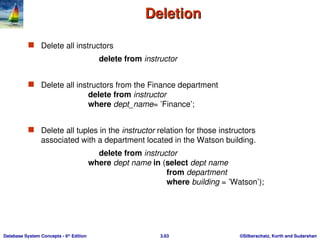
Deletion
Deletion
Delete all instructors
delete from instructor
Delete all instructors from the Finance department
delete from instructor
where dept_name= ’Finance’;
Delete all tuples in the instructor relation for those instructors
associated with a department located in the Watson building.
delete from instructor
where dept name in (select dept name
from department
where building = ’Watson’);
- 64.
©Silberschatz, Korth andSudarshan
3.64
Database System Concepts - 6th
Edition
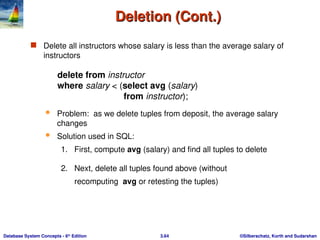
Deletion (Cont.)
Deletion (Cont.)
Delete all instructors whose salary is less than the average salary of
instructors
delete from instructor
where salary < (select avg (salary)
from instructor);
Problem: as we delete tuples from deposit, the average salary
changes
Solution used in SQL:
1. First, compute avg (salary) and find all tuples to delete
2. Next, delete all tuples found above (without
recomputing avg or retesting the tuples)
- 65.
©Silberschatz, Korth andSudarshan
3.65
Database System Concepts - 6th
Edition
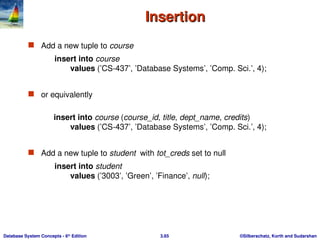
Insertion
Insertion
Add a new tuple to course
insert into course
values (’CS-437’, ’Database Systems’, ’Comp. Sci.’, 4);
or equivalently
insert into course (course_id, title, dept_name, credits)
values (’CS-437’, ’Database Systems’, ’Comp. Sci.’, 4);
Add a new tuple to student with tot_creds set to null
insert into student
values (’3003’, ’Green’, ’Finance’, null);
- 66.
©Silberschatz, Korth andSudarshan
3.66
Database System Concepts - 6th
Edition
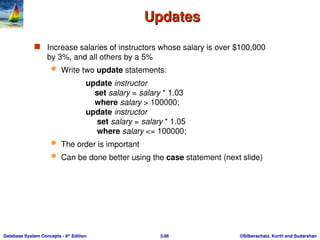
Updates
Updates
Increase salaries of instructors whose salary is over $100,000
by 3%, and all others by a 5%
Write two update statements:
update instructor
set salary = salary * 1.03
where salary > 100000;
update instructor
set salary = salary * 1.05
where salary <= 100000;
The order is important
Can be done better using the case statement (next slide)
- 67.
Database System Concepts,6th
Ed.
©Silberschatz, Korth and Sudarshan
See www.db-book.com for conditions on re-use
End of Chapter 3
End of Chapter 3