Welcome to
 Smart Response System


 Staff Development for Productivity and
Management of Instant Assessment Data


                               by Ed Montoya
                                    Produced Feb. 2011 ©
Smart Response System

Let's begin with a two parts practical activity:


    1. Getting acquainted with the remote control
    2. Let's take a very short quiz to see how the
    system work
Smart Response System

     1. Getting acquainted with the remote control


Parts:
Smart Response System

         1. Getting acquainted with the remote control


Parts:                                 Power button


                                                         Descriptive icons
                                  Question
                                                         indicating battery
                               scroll button
                                                         power & network
                                                         status

                         Yes/No, T/F
                             answer
                            buttons


                                                         Numeric, text, and
                                                         multiple choice
                                                         response buttons
   Control buttons for
fractions, decimals, &
    positive /negative
             numbers
Smart Response System

    1. Getting acquainted with the remote control


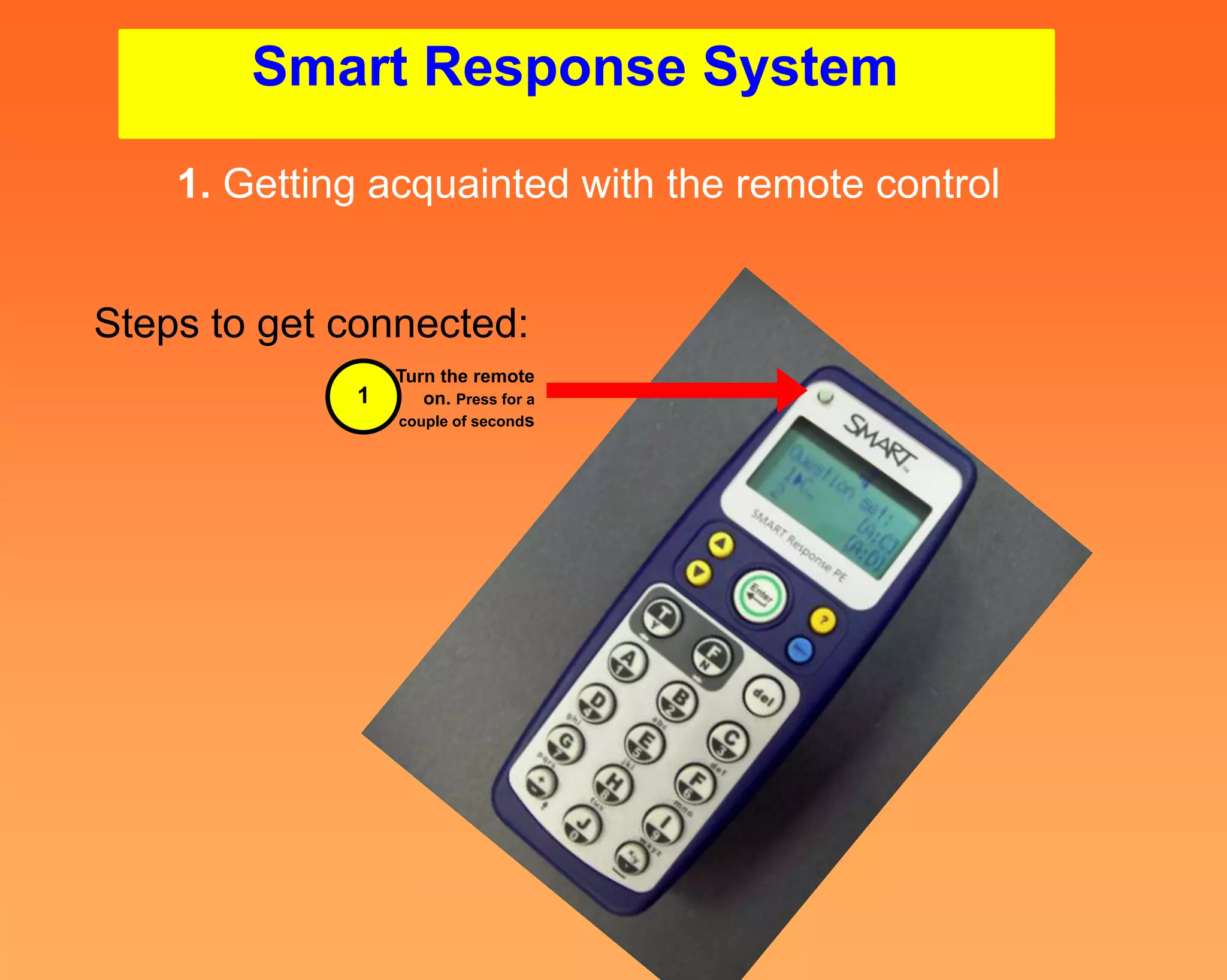
Steps to get connected:
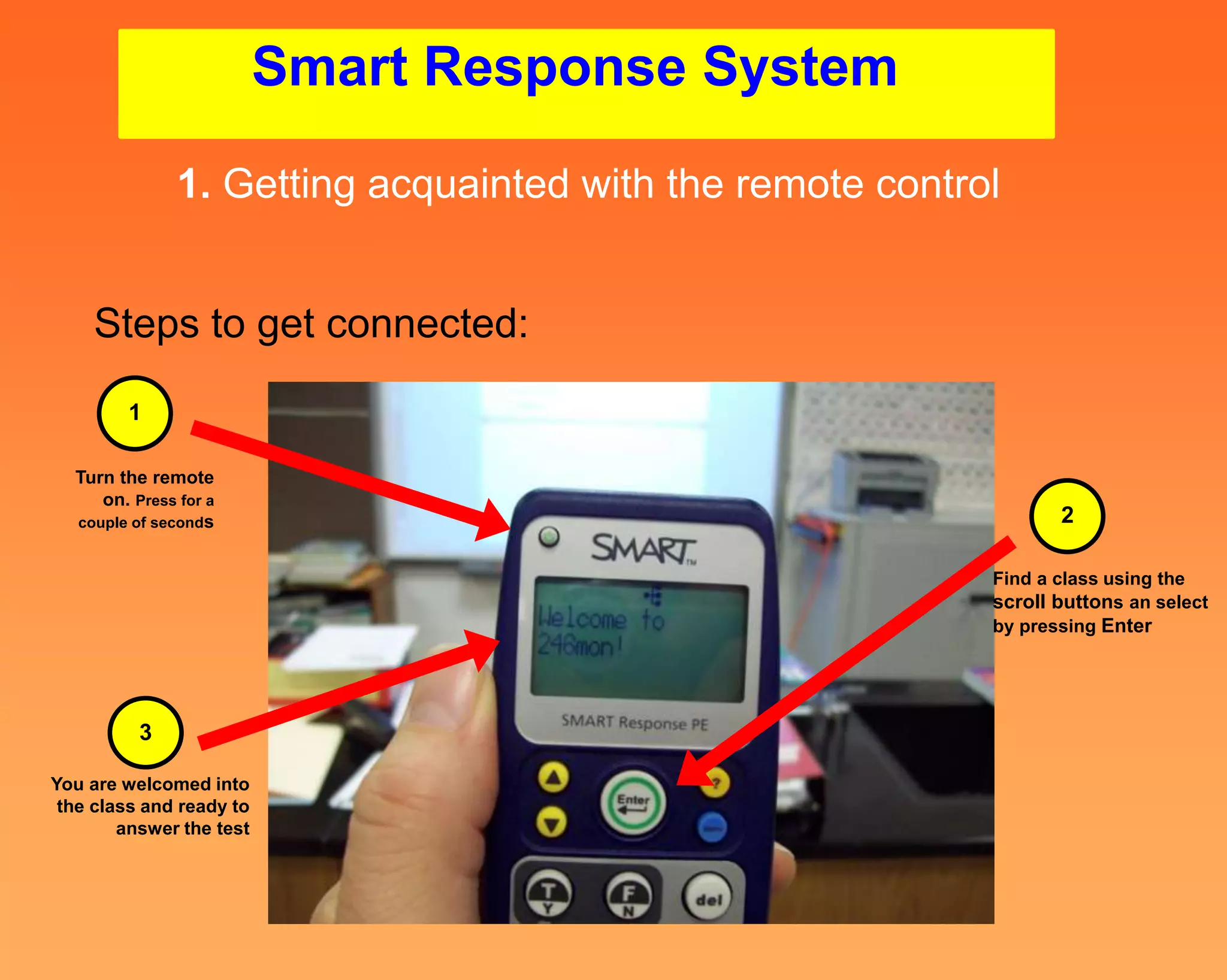
                 Turn the remote
             1      on. Press for a
                 couple of seconds
Smart Response System

             1. Getting acquainted with the remote control


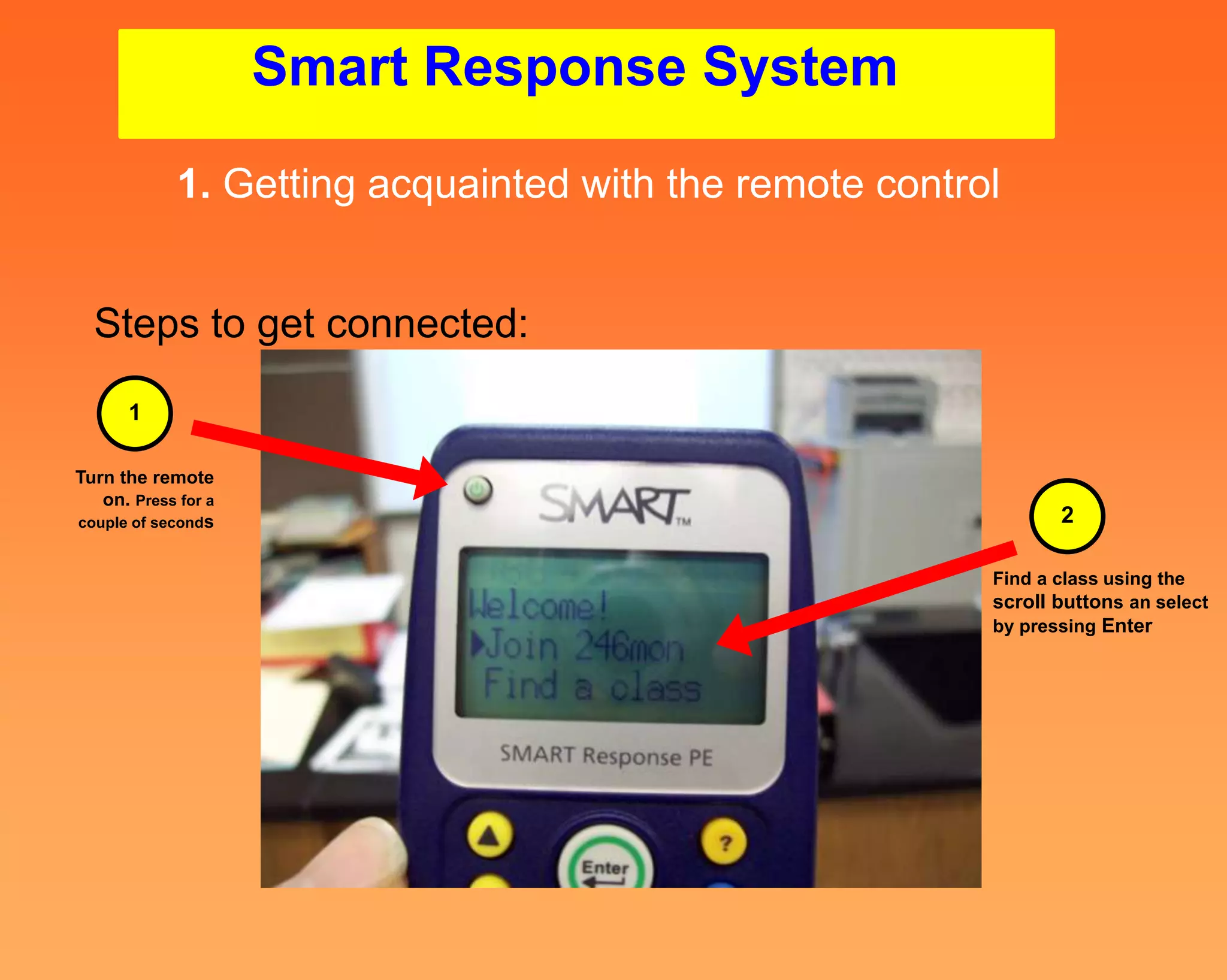
  Steps to get connected:
      1

Turn the remote
   on. Press for a
couple of seconds                                               2

                                                         Find a class using the
                                                         scroll buttons an select
                                                         by pressing Enter
Smart Response System

               1. Getting acquainted with the remote control


    Steps to get connected:
        1

  Turn the remote
     on. Press for a
  couple of seconds                                               2

                                                           Find a class using the
                                                           scroll buttons an select
                                                           by pressing Enter


          3

You are welcomed into
 the class and ready to
        answer the test
Smart Response System

               1. Getting acquainted with the remote control


    Steps to get connected:
                                                                     2
        1
                                                               Find a class using the
  Turn the remote                                              scroll buttons an select
     on. Press for a                                           by pressing Enter
  couple of seconds


                                                                         4


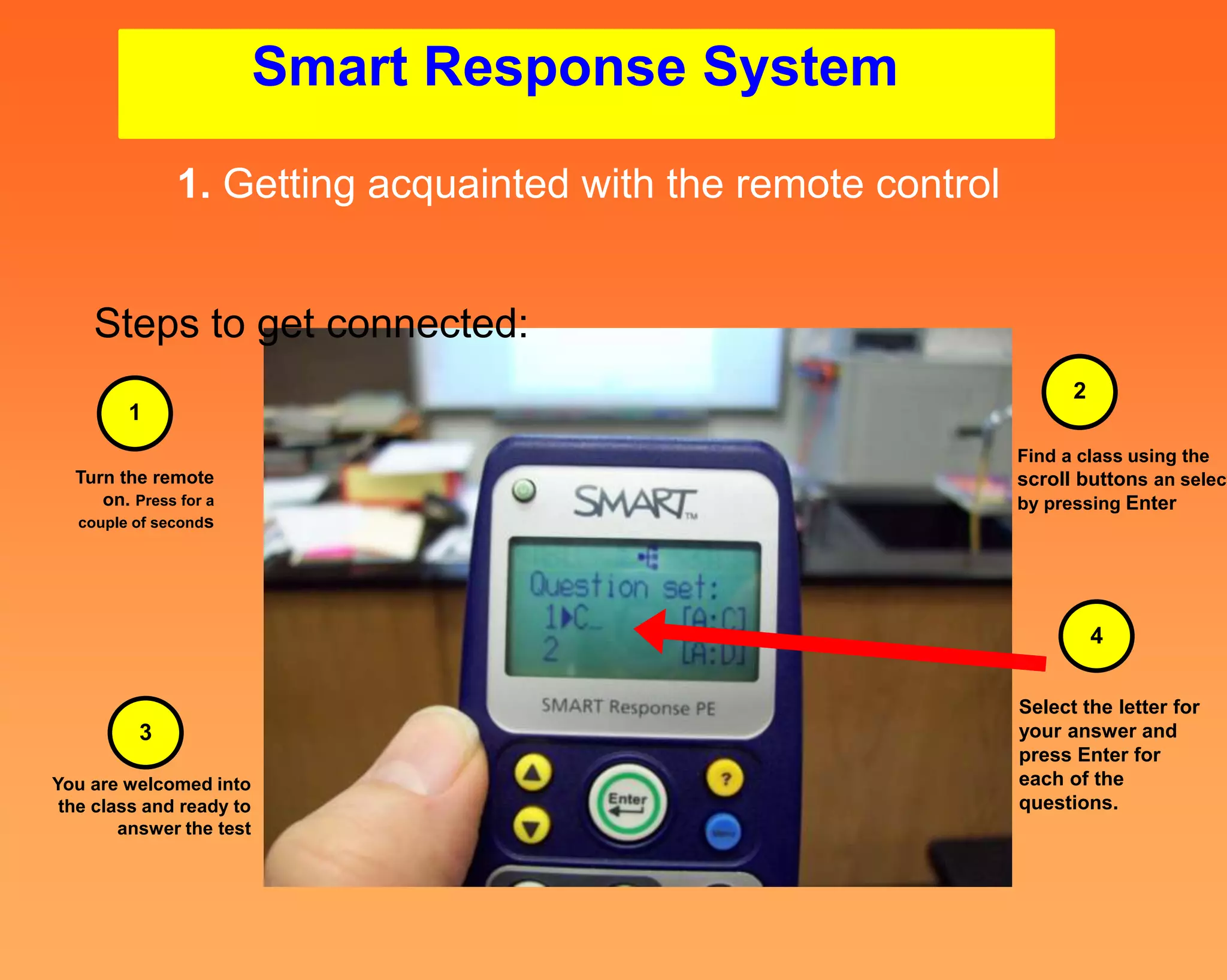
                                                               Select the letter for
          3                                                    your answer and
                                                               press Enter for
You are welcomed into                                          each of the
 the class and ready to                                        questions.
        answer the test
Smart Response System

               1. Getting acquainted with the remote control


    Steps to get connected:
                                                                                                  2
        1
                                                                                            Find a class using the
  Turn the remote                                                                           scroll buttons an select
     on. Press for a                                                                        by pressing Enter
  couple of seconds


                                                                                                      4


                                                                                            Select the letter for
          3                                                                                 your answer and
                                                                                            press Enter for
You are welcomed into                                                                       each of the
 the class and ready to                                                                     questions.
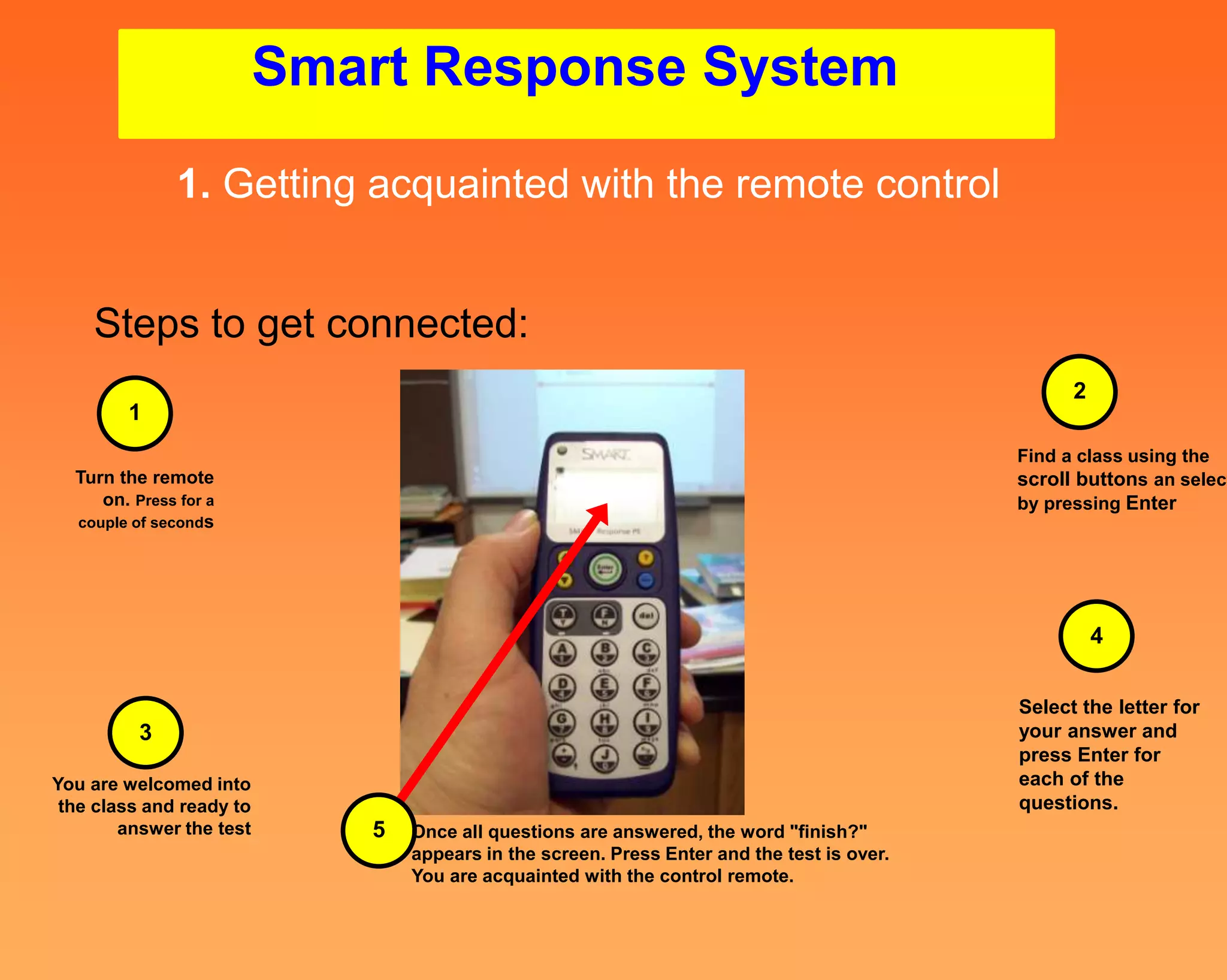
        answer the test      5   Once all questions are answered, the word "finish?"
                                 appears in the screen. Press Enter and the test is over.
                                 You are acquainted with the control remote.
Smart Response System
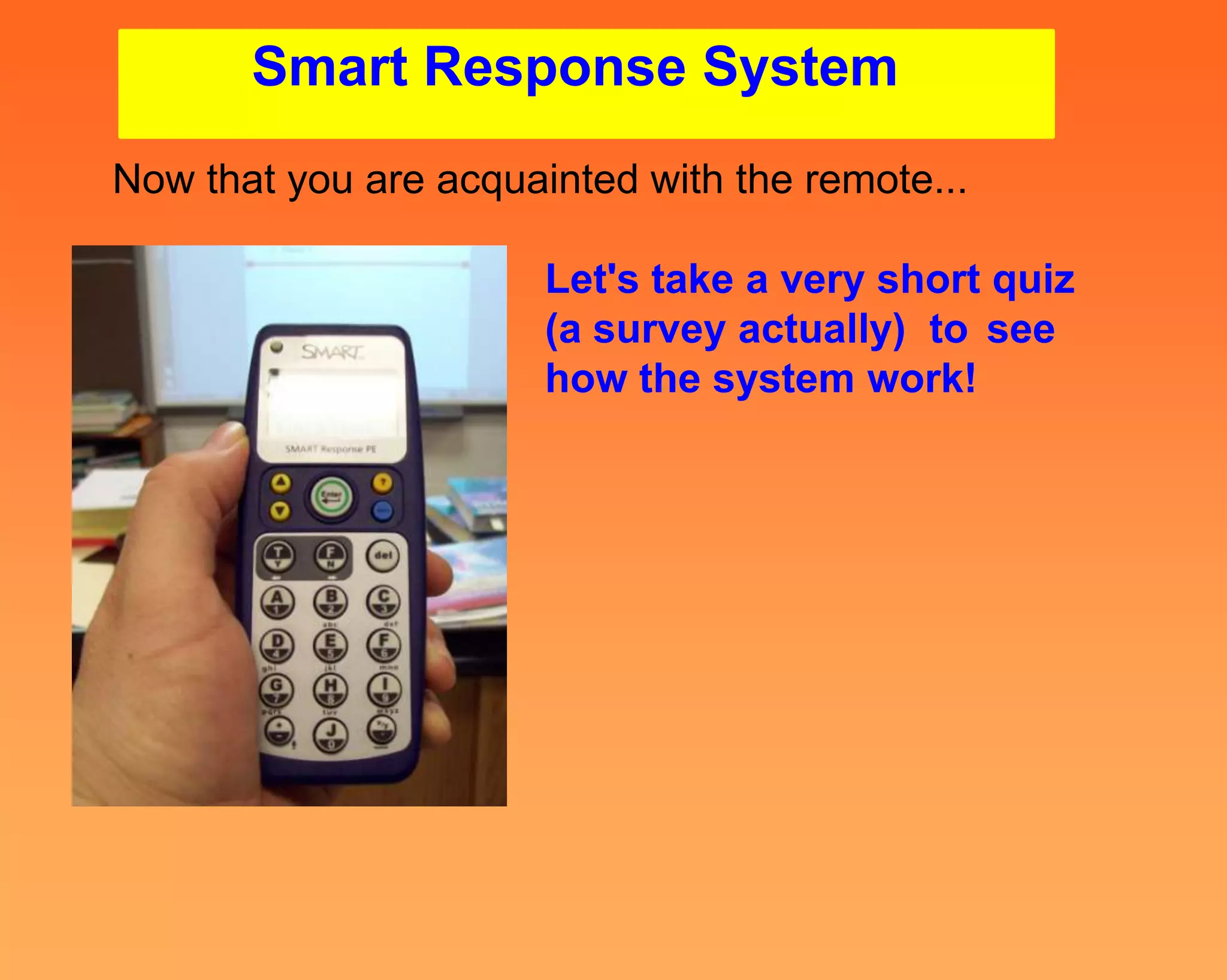
Now that you are acquainted with the remote...

                       Let's take a very short quiz
                       (a survey actually) to see
                       how the system work!

Introduction to smart response clickers system ed montoya

  • 1.
    Welcome to SmartResponse System Staff Development for Productivity and Management of Instant Assessment Data by Ed Montoya Produced Feb. 2011 ©
  • 2.
    Smart Response System Let'sbegin with a two parts practical activity: 1. Getting acquainted with the remote control 2. Let's take a very short quiz to see how the system work
  • 3.
    Smart Response System 1. Getting acquainted with the remote control Parts:
  • 4.
    Smart Response System 1. Getting acquainted with the remote control Parts: Power button Descriptive icons Question indicating battery scroll button power & network status Yes/No, T/F answer buttons Numeric, text, and multiple choice response buttons Control buttons for fractions, decimals, & positive /negative numbers
  • 5.
    Smart Response System 1. Getting acquainted with the remote control Steps to get connected: Turn the remote 1 on. Press for a couple of seconds
  • 6.
    Smart Response System 1. Getting acquainted with the remote control Steps to get connected: 1 Turn the remote on. Press for a couple of seconds 2 Find a class using the scroll buttons an select by pressing Enter
  • 7.
    Smart Response System 1. Getting acquainted with the remote control Steps to get connected: 1 Turn the remote on. Press for a couple of seconds 2 Find a class using the scroll buttons an select by pressing Enter 3 You are welcomed into the class and ready to answer the test
  • 8.
    Smart Response System 1. Getting acquainted with the remote control Steps to get connected: 2 1 Find a class using the Turn the remote scroll buttons an select on. Press for a by pressing Enter couple of seconds 4 Select the letter for 3 your answer and press Enter for You are welcomed into each of the the class and ready to questions. answer the test
  • 9.
    Smart Response System 1. Getting acquainted with the remote control Steps to get connected: 2 1 Find a class using the Turn the remote scroll buttons an select on. Press for a by pressing Enter couple of seconds 4 Select the letter for 3 your answer and press Enter for You are welcomed into each of the the class and ready to questions. answer the test 5 Once all questions are answered, the word "finish?" appears in the screen. Press Enter and the test is over. You are acquainted with the control remote.
  • 10.
    Smart Response System Nowthat you are acquainted with the remote... Let's take a very short quiz (a survey actually) to see how the system work!