ECSF6320305
Python Programming
Ammar Azlan
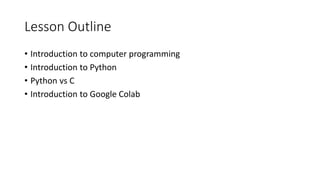
Lesson Outline
• Introduction to computer programming
• Introduction to Python
• Python vs C
• Introduction to Google Colab
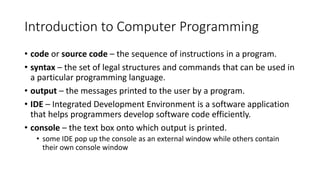
Introduction to Computer Programming
• code or source code – the sequence of instructions in a program.
• syntax – the set of legal structures and commands that can be used in
a particular programming language.
• output – the messages printed to the user by a program.
• IDE – Integrated Development Environment is a software application
that helps programmers develop software code efficiently.
• console – the text box onto which output is printed.
• some IDE pop up the console as an external window while others contain
their own console window
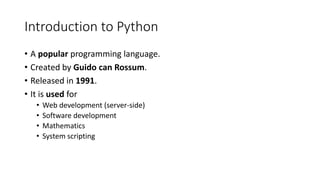
Introduction to Python
• A popular programming language.
• Created by Guido can Rossum.
• Released in 1991.
• It is used for
• Web development (server-side)
• Software development
• Mathematics
• System scripting
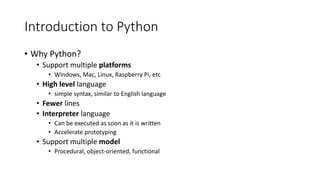
Introduction to Python
• Why Python?
• Support multiple platforms
• Windows, Mac, Linux, Raspberry Pi, etc
• High level language
• simple syntax, similar to English language
• Fewer lines
• Interpreter language
• Can be executed as soon as it is written
• Accelerate prototyping
• Support multiple model
• Procedural, object-oriented, functional
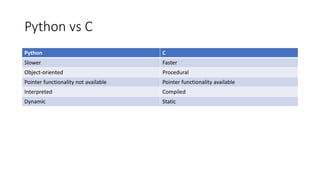
Python vs C
Python C
Slower Faster
Object-oriented Procedural
Pointer functionality not available Pointer functionality available
Interpreted Compiled
Dynamic Static
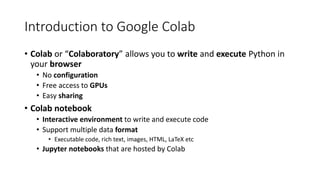
Introduction to Google Colab
• Colab or “Colaboratory” allows you to write and execute Python in
your browser
• No configuration
• Free access to GPUs
• Easy sharing
• Colab notebook
• Interactive environment to write and execute code
• Support multiple data format
• Executable code, rich text, images, HTML, LaTeX etc
• Jupyter notebooks that are hosted by Colab

introduction to Python and Computer Programming.pdf

  • 1.
  • 2.
    Lesson Outline • Introductionto computer programming • Introduction to Python • Python vs C • Introduction to Google Colab
  • 3.
    Introduction to ComputerProgramming • code or source code – the sequence of instructions in a program. • syntax – the set of legal structures and commands that can be used in a particular programming language. • output – the messages printed to the user by a program. • IDE – Integrated Development Environment is a software application that helps programmers develop software code efficiently. • console – the text box onto which output is printed. • some IDE pop up the console as an external window while others contain their own console window
  • 4.
    Introduction to Python •A popular programming language. • Created by Guido can Rossum. • Released in 1991. • It is used for • Web development (server-side) • Software development • Mathematics • System scripting
  • 5.
    Introduction to Python •Why Python? • Support multiple platforms • Windows, Mac, Linux, Raspberry Pi, etc • High level language • simple syntax, similar to English language • Fewer lines • Interpreter language • Can be executed as soon as it is written • Accelerate prototyping • Support multiple model • Procedural, object-oriented, functional
  • 6.
    Python vs C PythonC Slower Faster Object-oriented Procedural Pointer functionality not available Pointer functionality available Interpreted Compiled Dynamic Static
  • 7.
    Introduction to GoogleColab • Colab or “Colaboratory” allows you to write and execute Python in your browser • No configuration • Free access to GPUs • Easy sharing • Colab notebook • Interactive environment to write and execute code • Support multiple data format • Executable code, rich text, images, HTML, LaTeX etc • Jupyter notebooks that are hosted by Colab