JavaScript at Backend
Agenda
Agenda
1. What?
Agenda
1. What?
2.Installing
Agenda
1. What?
2.Installing
3.Hello World.
Agenda
1. What?
2.Installing
3.Hello World.
4.NodeJS Internal Modules
Agenda
1. What?
2.Installing
3.Hello World.
4.NodeJS Internal Modules
○fs(file-system) (sync vs async)
Agenda
1. What?
2.Installing
3.Hello World.
4.NodeJS Internal Modules
○fs(file-system) (sync vs async)
5. NPM
Agenda
1. What?
2.Installing
3.Hello World.
4.NodeJS Internal Modules
○fs(file-system) (sync vs async)
5. NPM
6. Using External Modules
What?
Installing
https://github.com/creationix/nvm
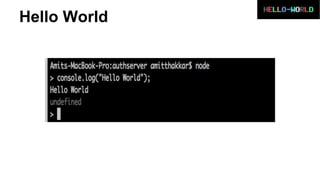
Hello World
You can checkout Demo form:
https://github.com/AmitThakkar/JavaScript-at-Backend-NodeJS
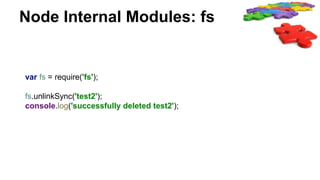
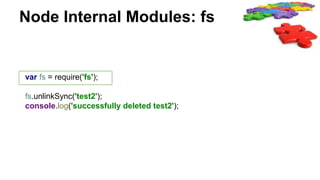
Node Internal Modules: fs
var fs = require('fs');
fs.unlinkSync('test2');
console.log('successfully deleted test2');
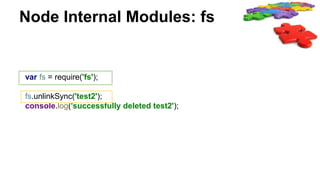
Node Internal Modules: fs
var fs = require('fs');
fs.unlinkSync('test2');
console.log('successfully deleted test2');
Node Internal Modules: fs
var fs = require('fs');
fs.unlinkSync('test2');
console.log('successfully deleted test2');
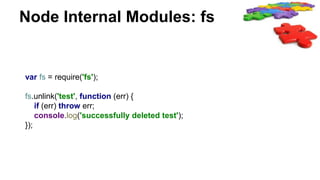
Node Internal Modules: fs
var fs = require('fs');
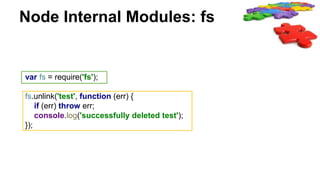
fs.unlink('test', function (err) {
if (err) throw err;
console.log('successfully deleted test');
});
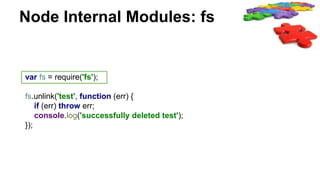
Node Internal Modules: fs
var fs = require('fs');
fs.unlink('test', function (err) {
if (err) throw err;
console.log('successfully deleted test');
});
Node Internal Modules: fs
var fs = require('fs');
fs.unlink('test', function (err) {
if (err) throw err;
console.log('successfully deleted test');
});
You can checkout Demo form: https://github.com/AmitThakkar/JavaScript-at-
Backend-NodeJS
NPM
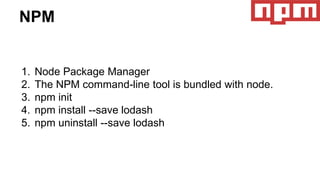
1. Node Package Manager
2. The NPM command-line tool is bundled with node.
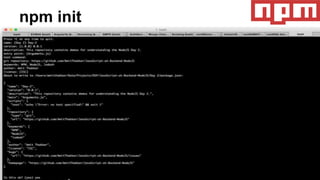
3. npm init
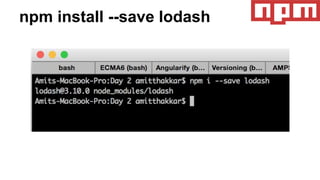
4. npm install --save lodash
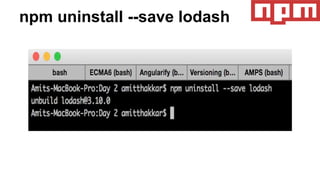
5. npm uninstall --save lodash
npm init
npm install --save lodash
npm uninstall --save lodash
You can checkout Demo form: https://github.com/AmitThakkar/JavaScript-at-
Backend-NodeJS
Using External Modules
var _ = require("lodash");
console.log(_.chunk(['a', 'b', 'c', 'd'], 2)); // [ [ 'a', 'b' ], [ 'c', 'd' ] ]
console.log(_.chunk(['a', 'b', 'c', 'd'], 3)); // [ [ 'a', 'b', 'c' ], [ 'd' ] ]
console.log(_.filter([4, 5, 6], function (n) {
return n % 2 == 0;
})); // [ 4, 6 ]
You can checkout Demo form: https://github.com/AmitThakkar/JavaScript-at-
Backend-NodeJS
Questions??
References:
Create Basic HTTP Server with Node.js

Introduction to node js