
Introduction & industry perspective
Presented by:
Mangesh Wagh
Cofounder, Director
Signy IT Solutions Pvt Ltd, Pune
A brief about Signy IT Solutions
• Web apps & mobile apps development
• Opensource platforms
• Elearning
• Education domain
• Tech: PHP, MySQL
• Platforms: Moodle, Prestashop, SugarCRM, WordPress and
more
2
Objectives
• Introduction to Moodle’s abilities…. not just Moodle
• Industry perspective
• Underlining myths and respective truths about Moodle
• Sharing experience and ideas
3
A quick introduction to Moodle
• Virtual learning environment
• Learning management system
• Online course management system
4
In a ‘definition’ way 
• A learning platform designed to provide educators,
administrators and learners with a single robust, secure and
integrated system to create personalized learning
environments.
5
Dwelling on long-form
• Modular
• Object Oriented
• Dynamic
• Learning Environment
6
Opensource & free
• Opensource
• Free
• Opensource & free
7
One of the best browser based
applications!
8
Technical background
• PHP
• MySQL
• Apache
• Can be deployed on LAMP or WAMP
9
Deployment options
It is built as a browser based application and hence can be
deployed as any of below:
• Internet application
• Intranet application
• Single PC application
10
• Deployment architecture & hosting
• Deriving and implementing the optimum configuration
• Training
• Support
• Customization
• Consulting on how to make the most of Moodle
11
Why industry looks at Moodle as business – part I
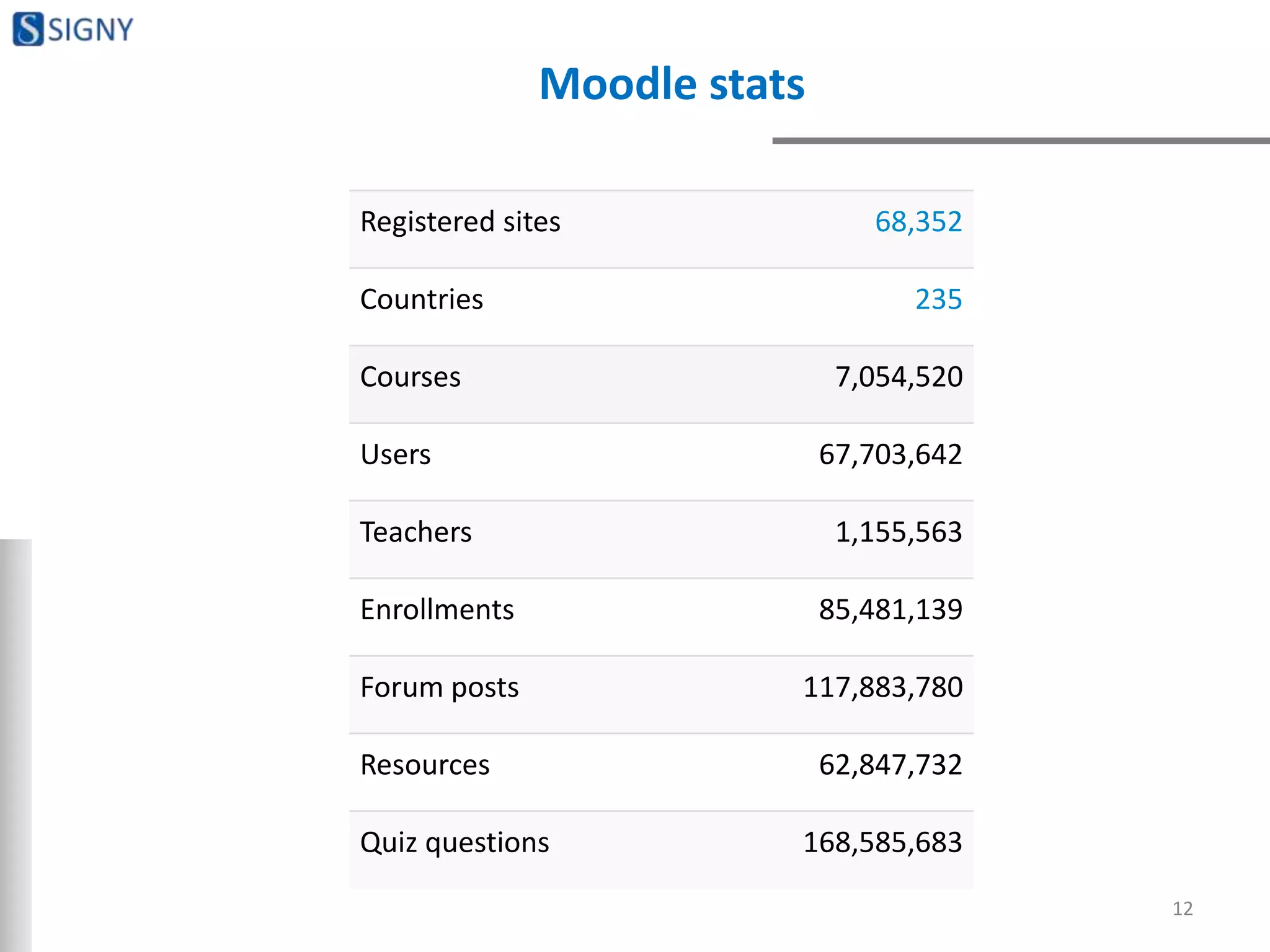
Moodle stats
12
Registered sites 68,352
Countries 235
Courses 7,054,520
Users 67,703,642
Teachers 1,155,563
Enrollments 85,481,139
Forum posts 117,883,780
Resources 62,847,732
Quiz questions 168,585,683
Moodle stats
13
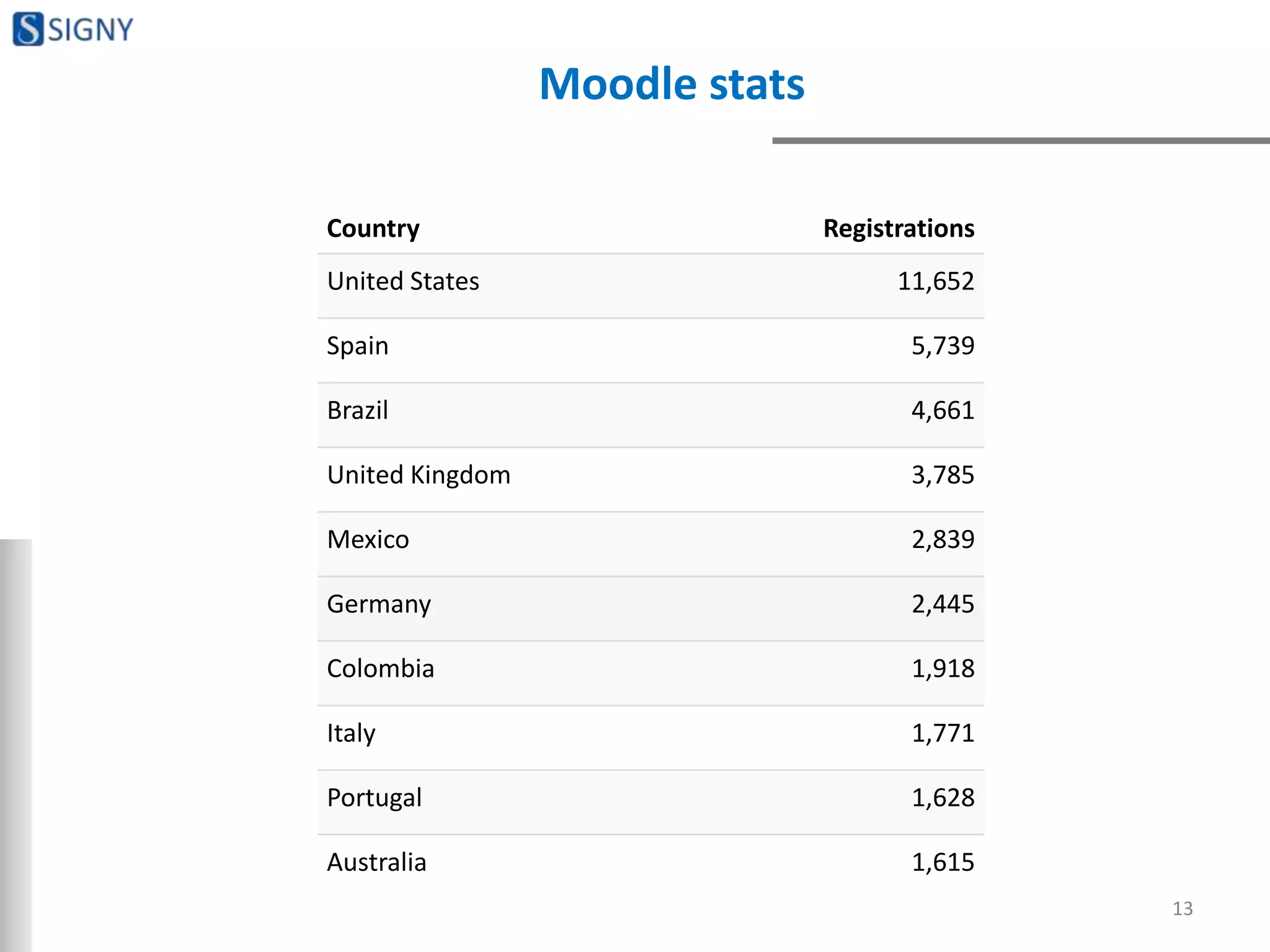
Country Registrations
United States 11,652
Spain 5,739
Brazil 4,661
United Kingdom 3,785
Mexico 2,839
Germany 2,445
Colombia 1,918
Italy 1,771
Portugal 1,628
Australia 1,615
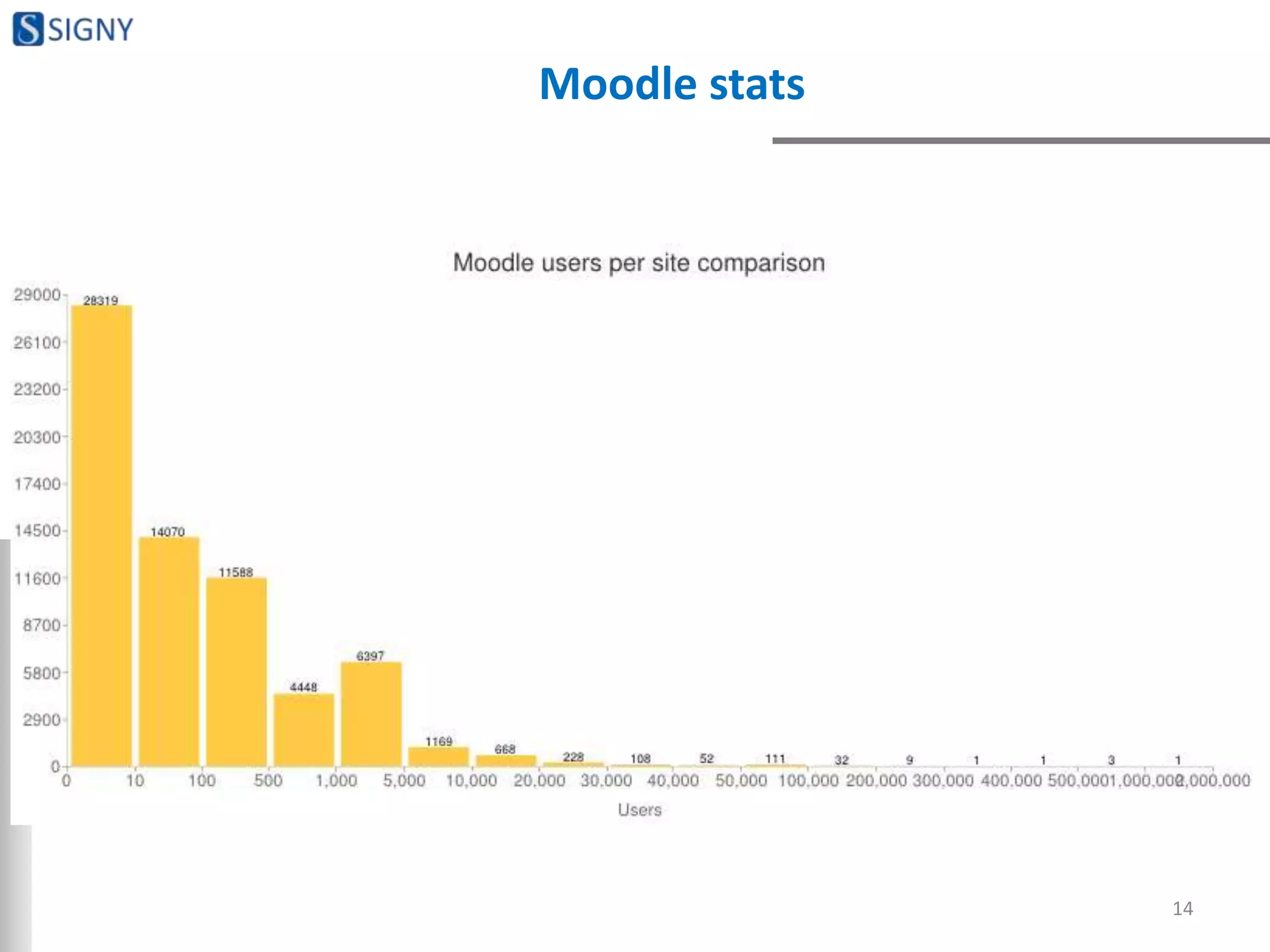
Moodle stats
14
MOODLE FEATURES
15
1st lets open our mind! 
When we used for the 1st time:
• Computer wasn’t easy
• Word, excel, powerpoint weren’t easy
• Email wasn’t easy
• Internet banking wasn’t easy
• Booking tickets and buying online wasn’t easy
Nothing was easy when we did that for the first time!
16
Moodle features - I
• Site management
• User management, user policy management and
authentication
• Role management and permissions
• Course management – course definition, course design,
enrolment and more. This is the key part of your Learning
Management System.
17
Moodle features - II
• Grades management and assessment engine
• Appearance management – UI, themes, design elements,
branding
• Other utilities like blog, calendar and more
• Reporting module
• Security management
• Server management and backup management
18
RESOURCES & ACTIVITIES
19
Resources
• File
• Folder
• Book
• Page
• Label
• URL
• Content package
20
Activities
• Quiz
• Assignments
• Chat
• Choice
• Database
• External tool
• Feedback
• Forum
• Glossary
• Lesson
• SCORM
• Survey
• Wiki
• Workshop
21
GENERAL FEATURES
22
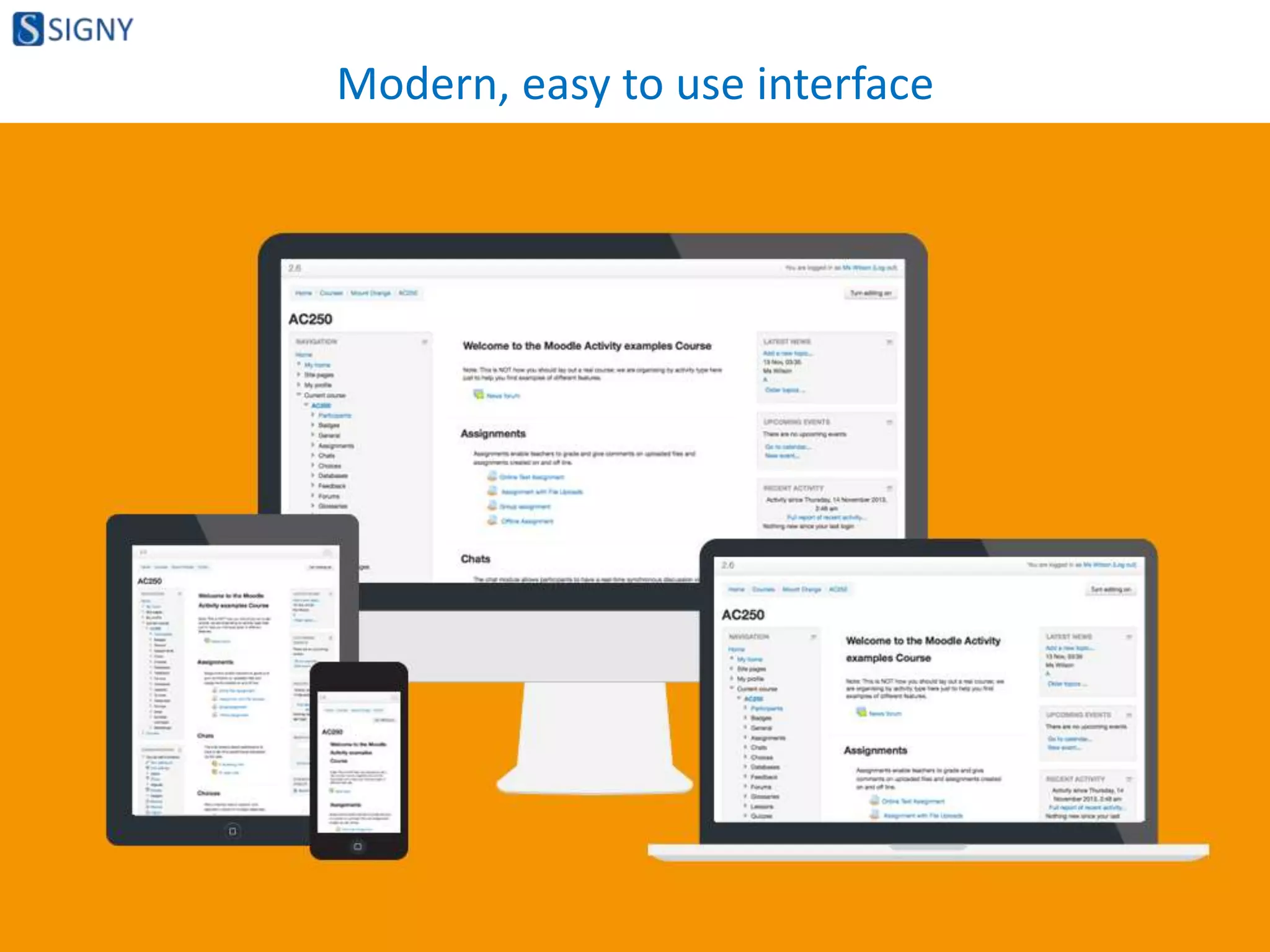
Modern, easy to use interface
23
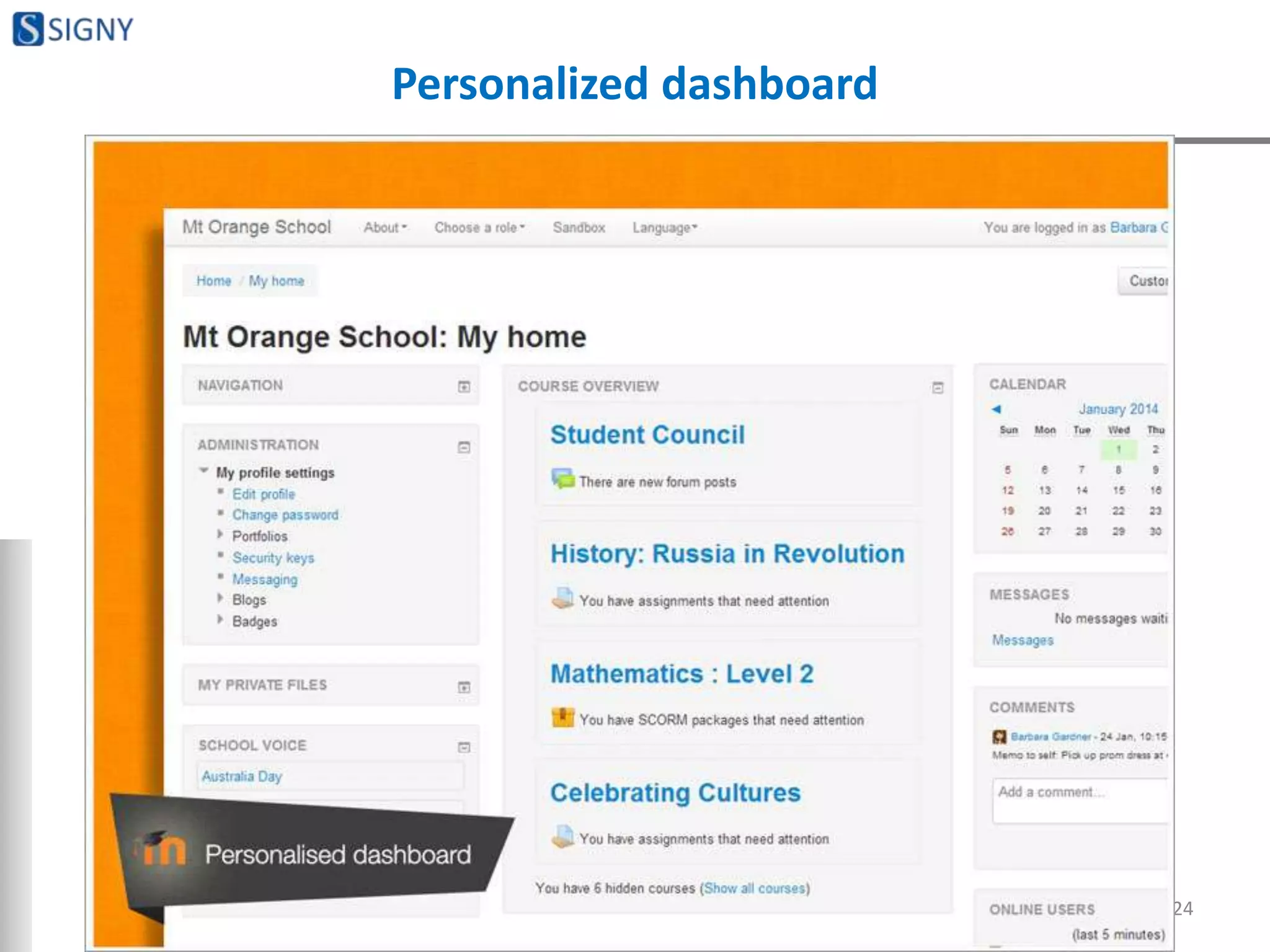
Personalized dashboard
24
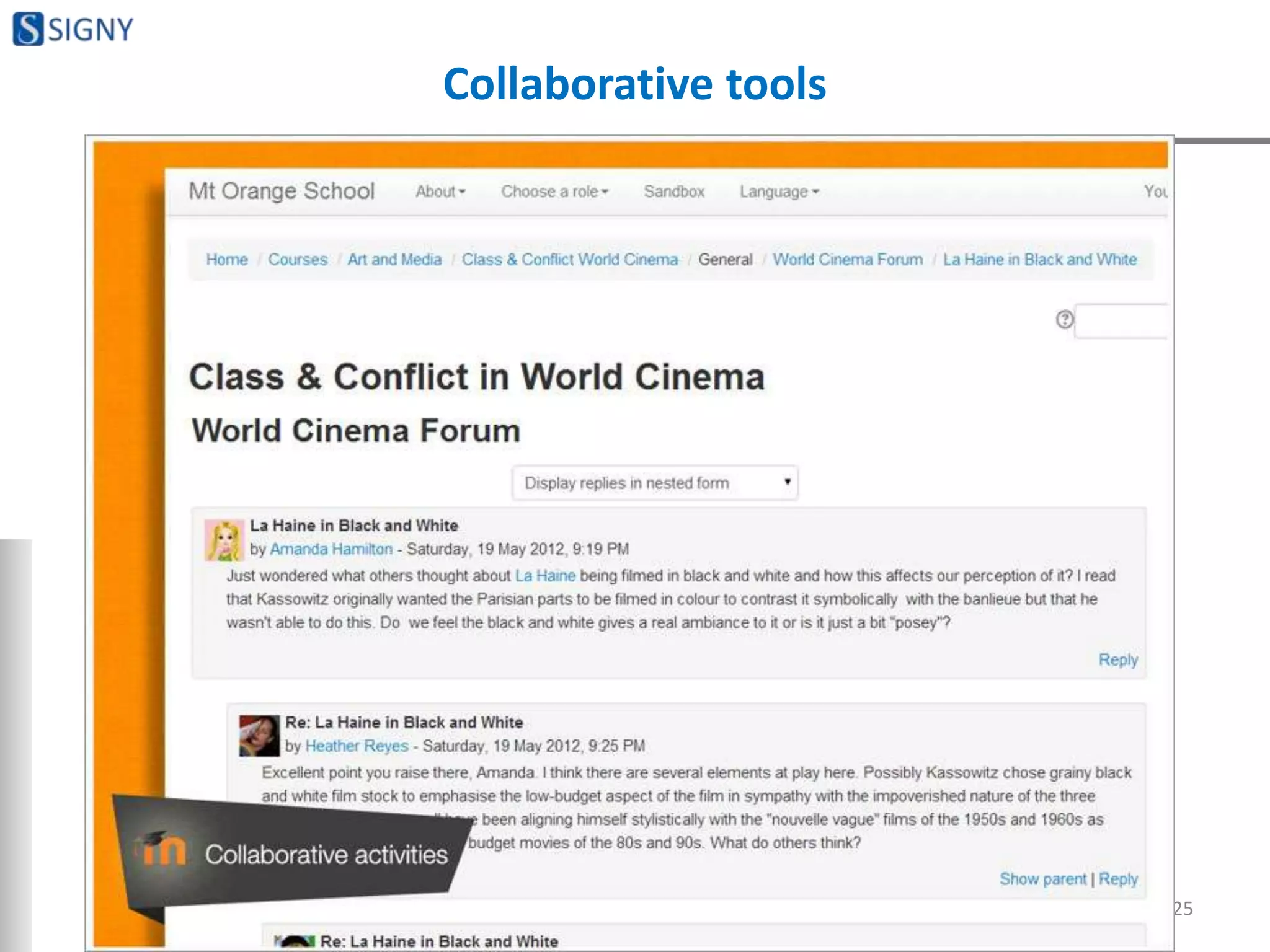
Collaborative tools
25
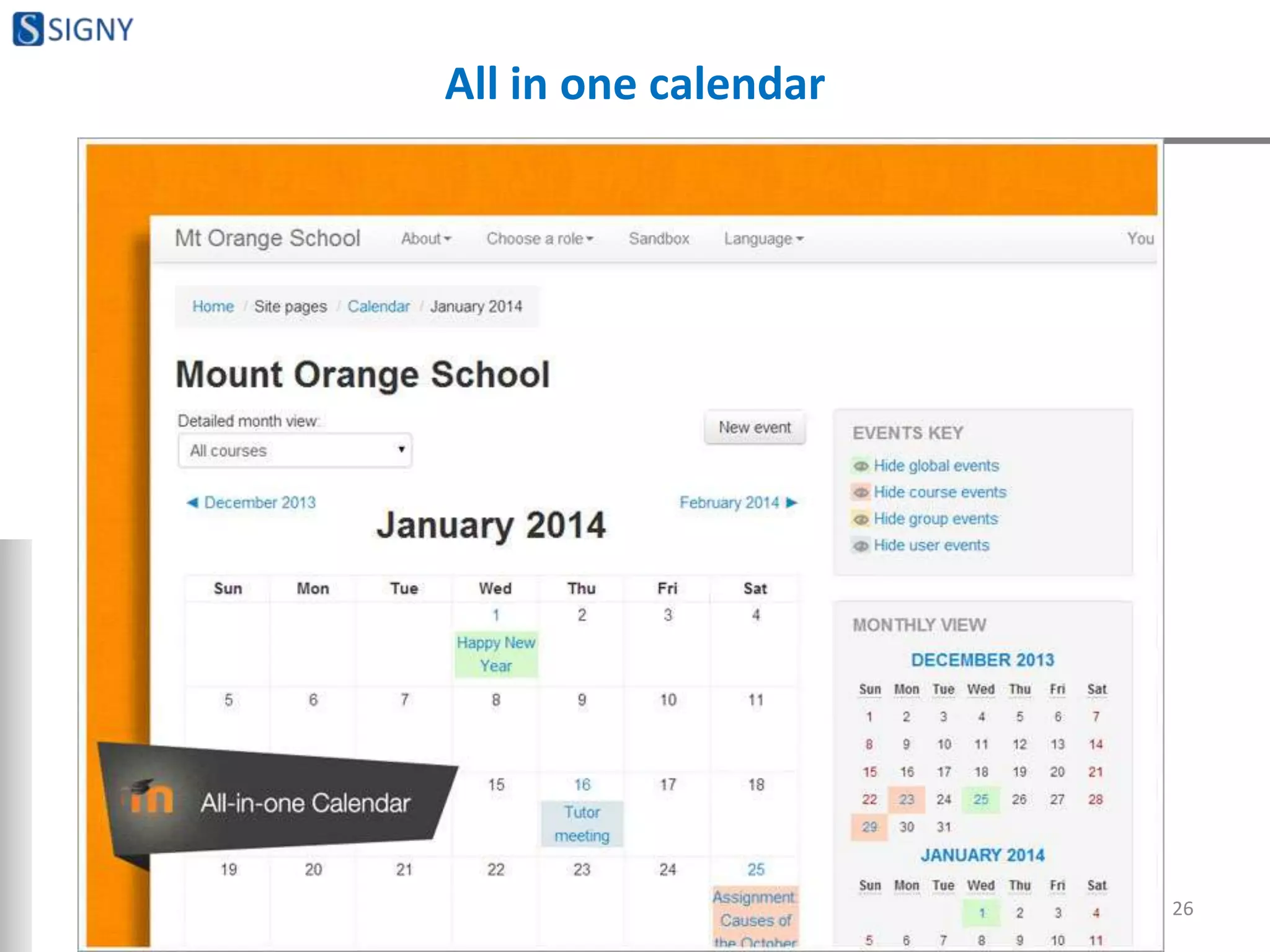
All in one calendar
26
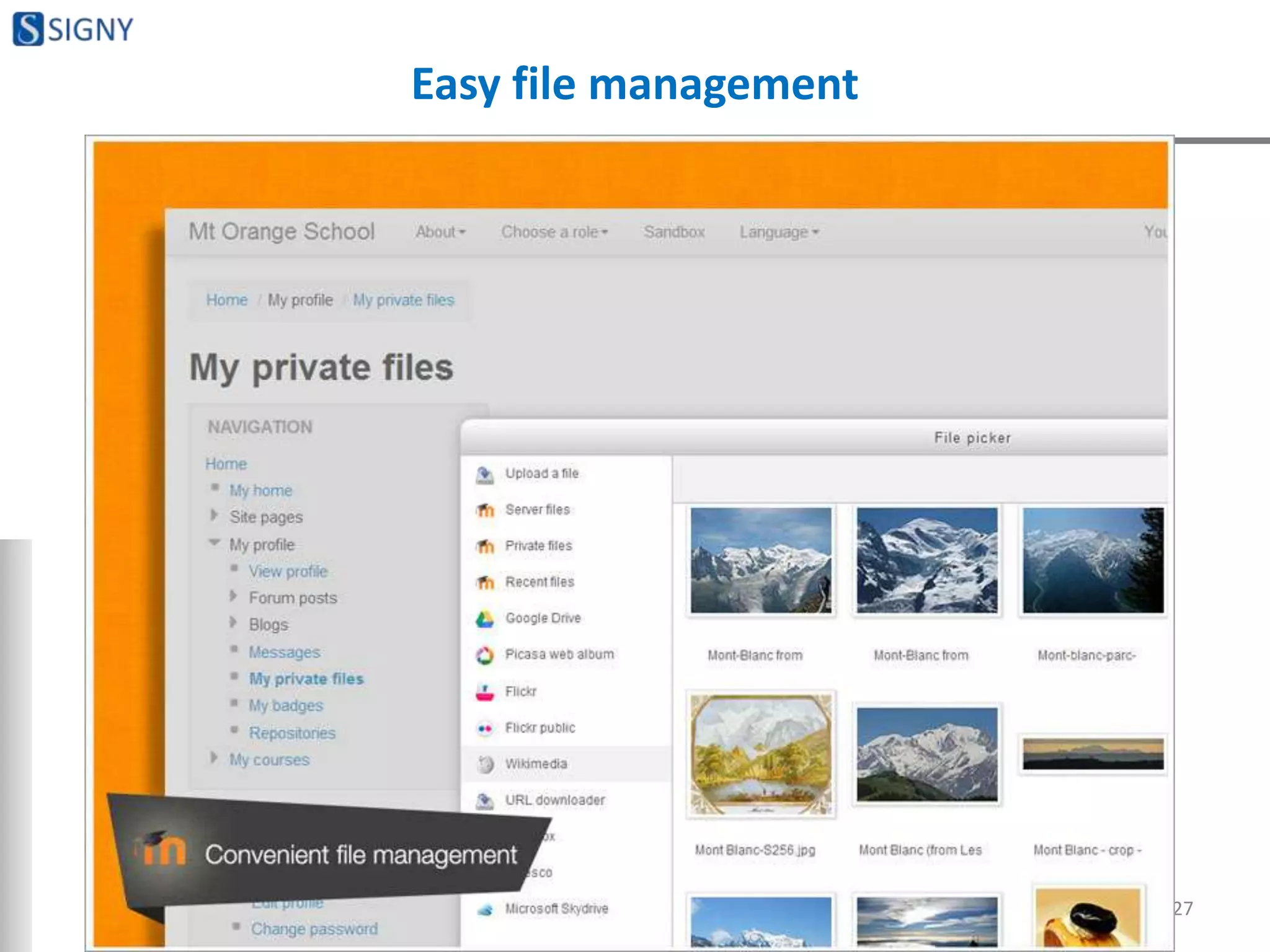
Easy file management
27
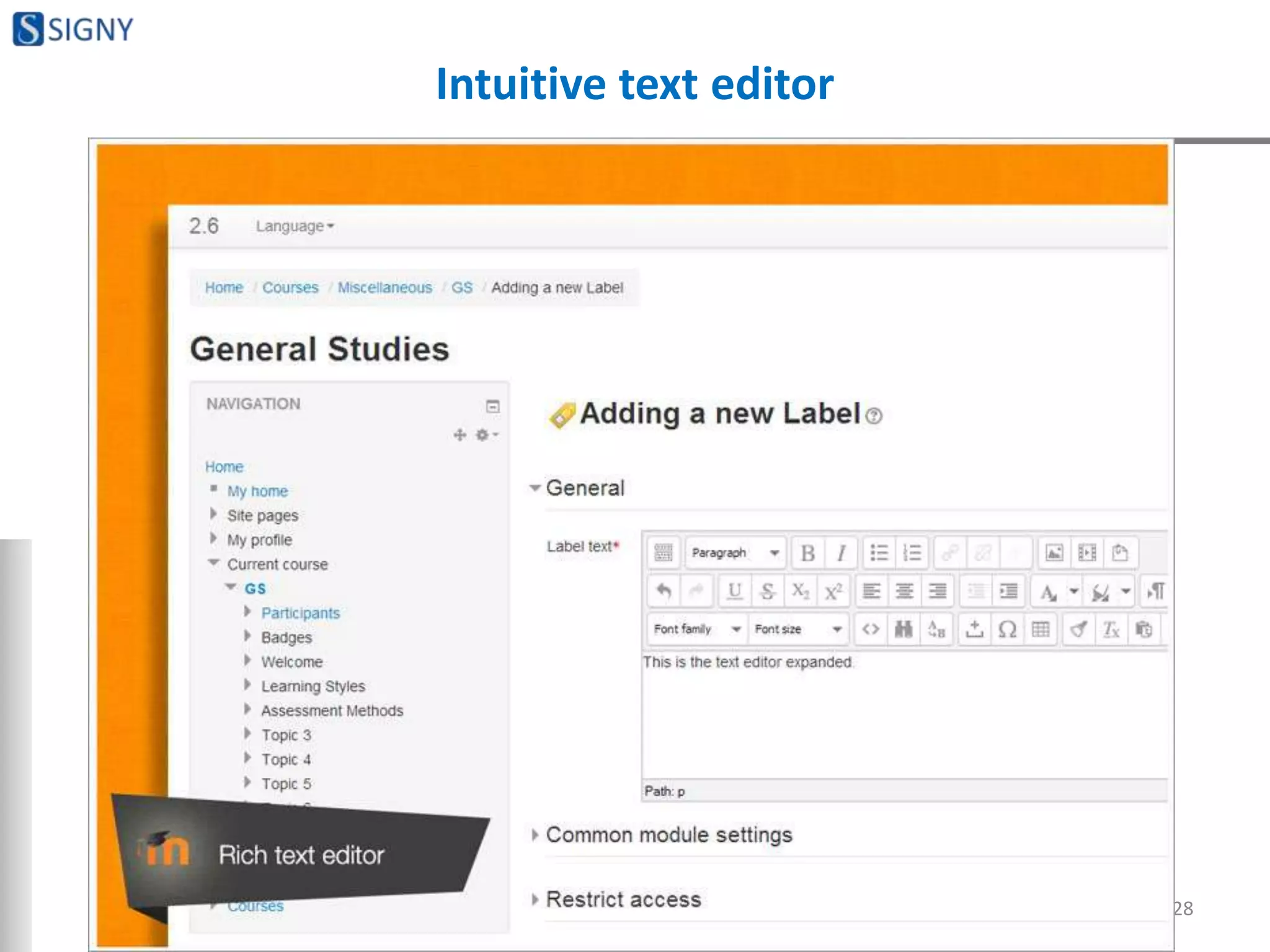
Intuitive text editor
28
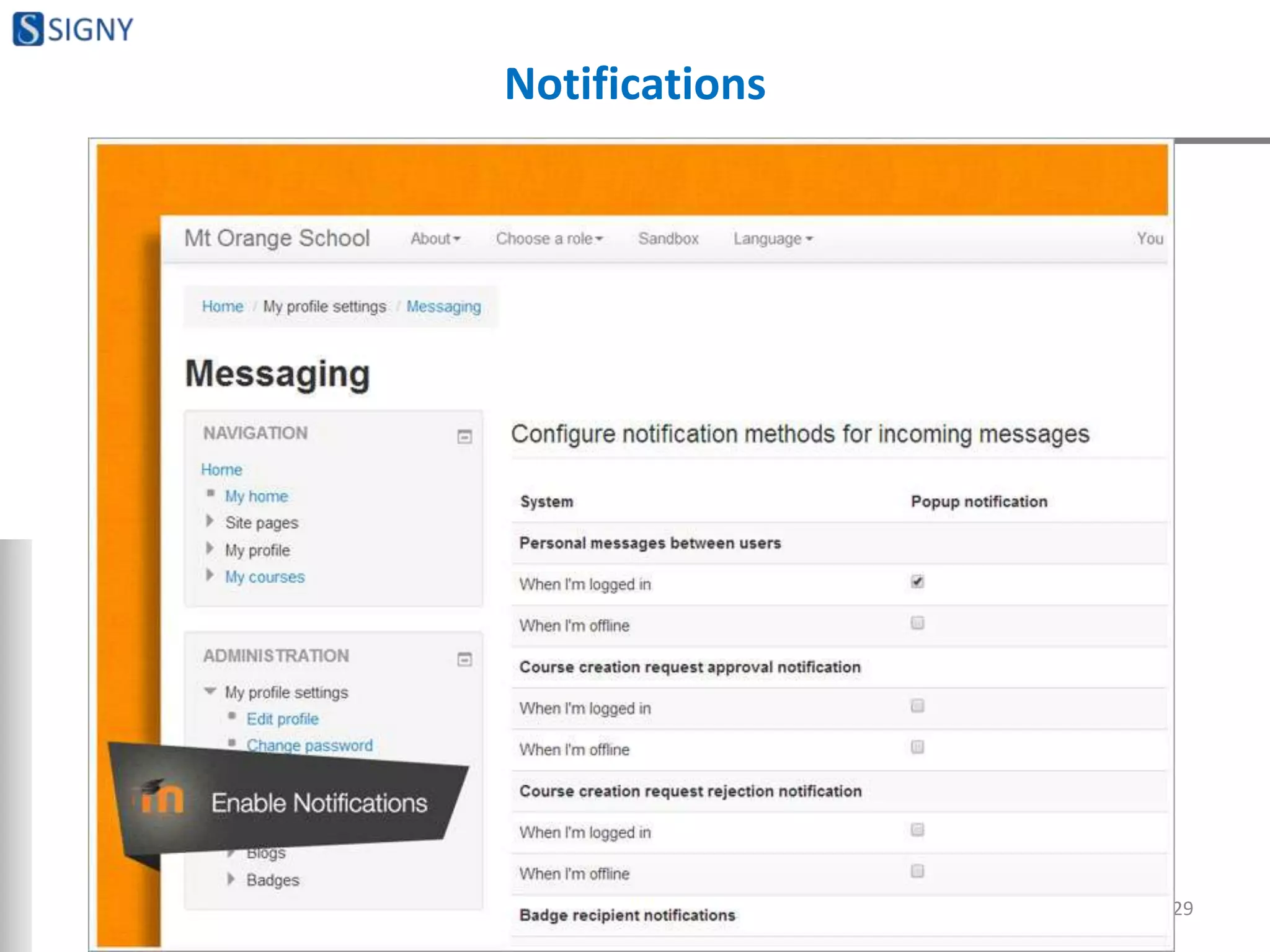
Notifications
29
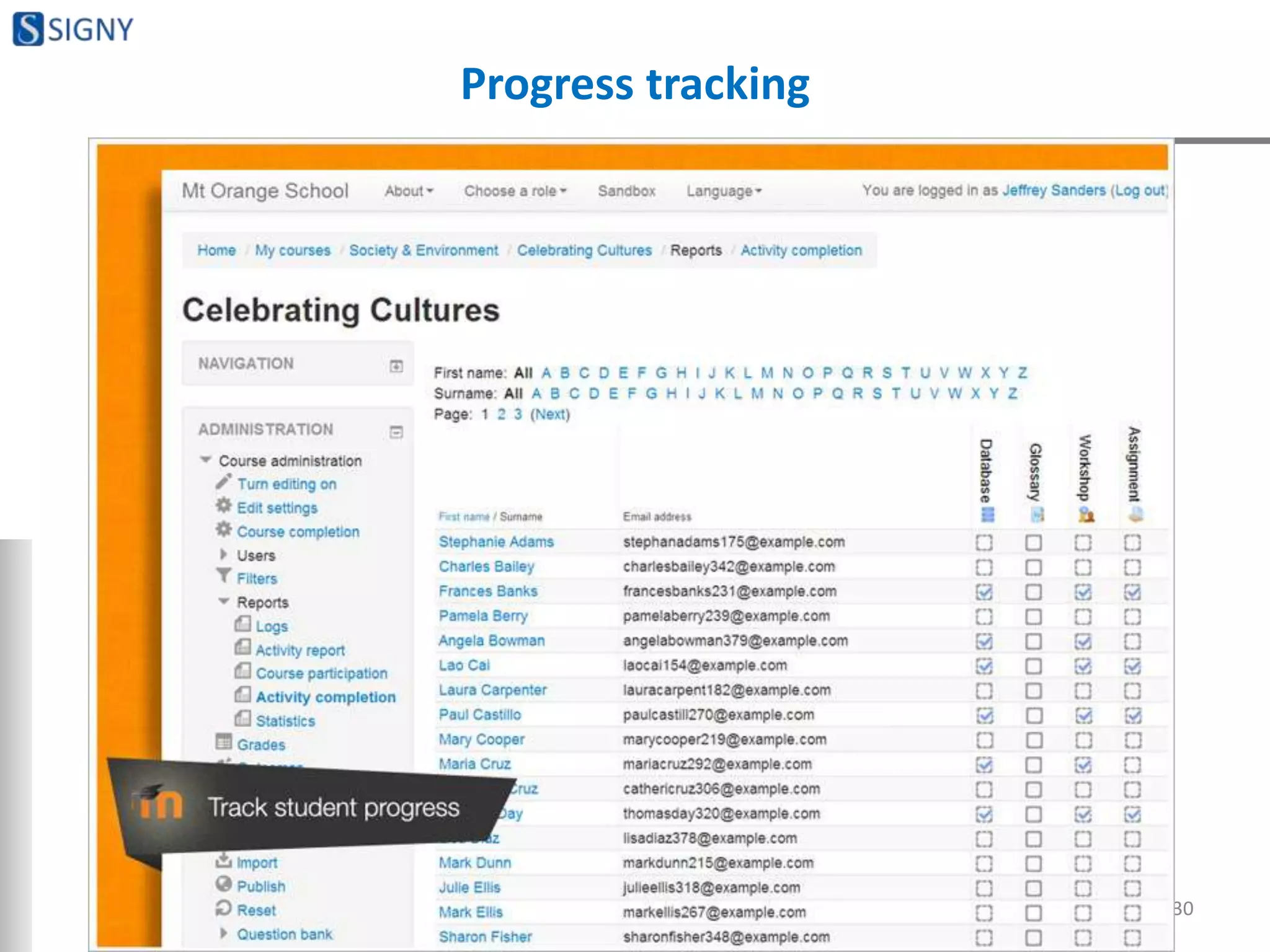
Progress tracking
30
ADMINISTRATIVE FEATURES
31
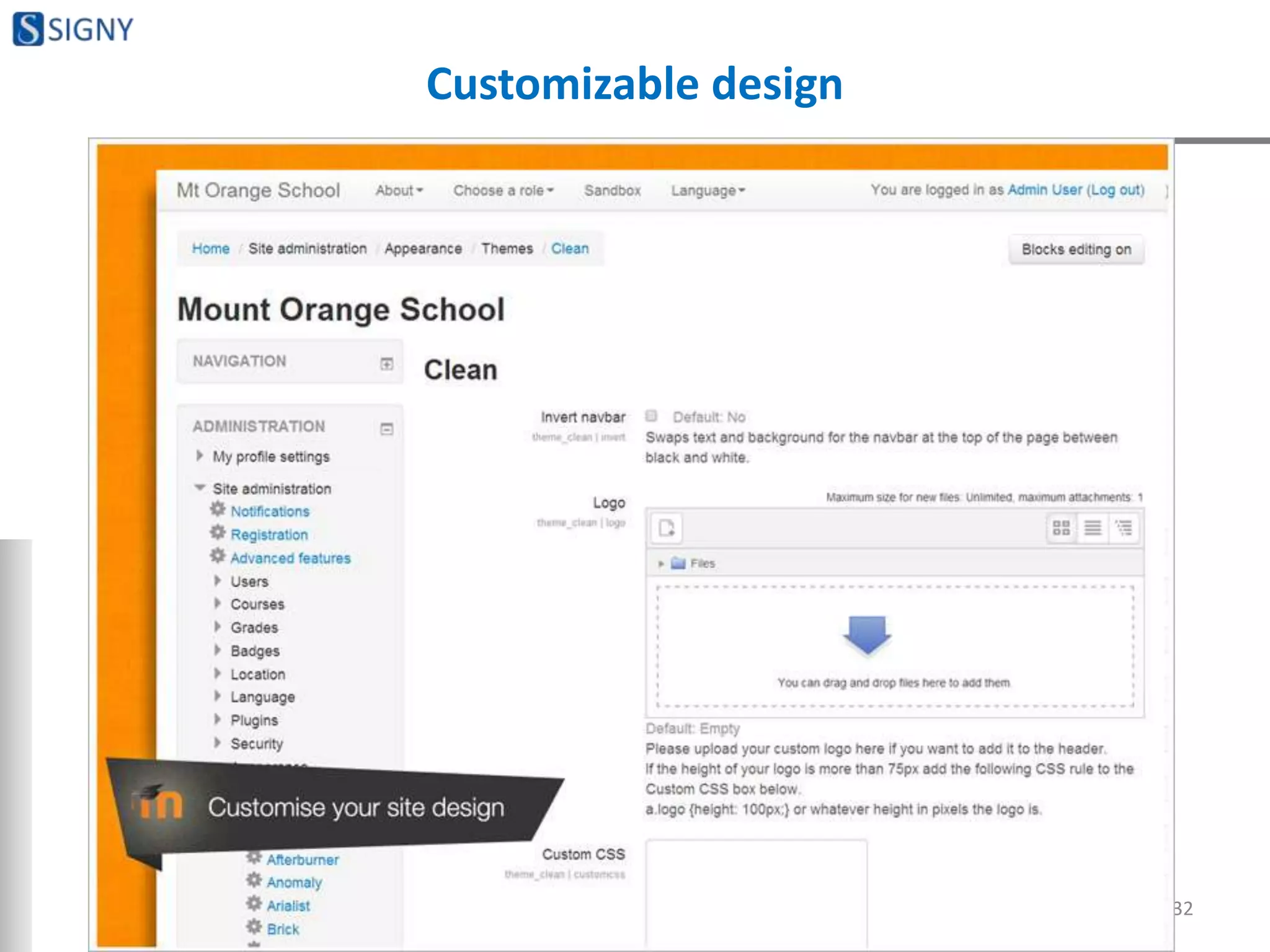
Customizable design
32
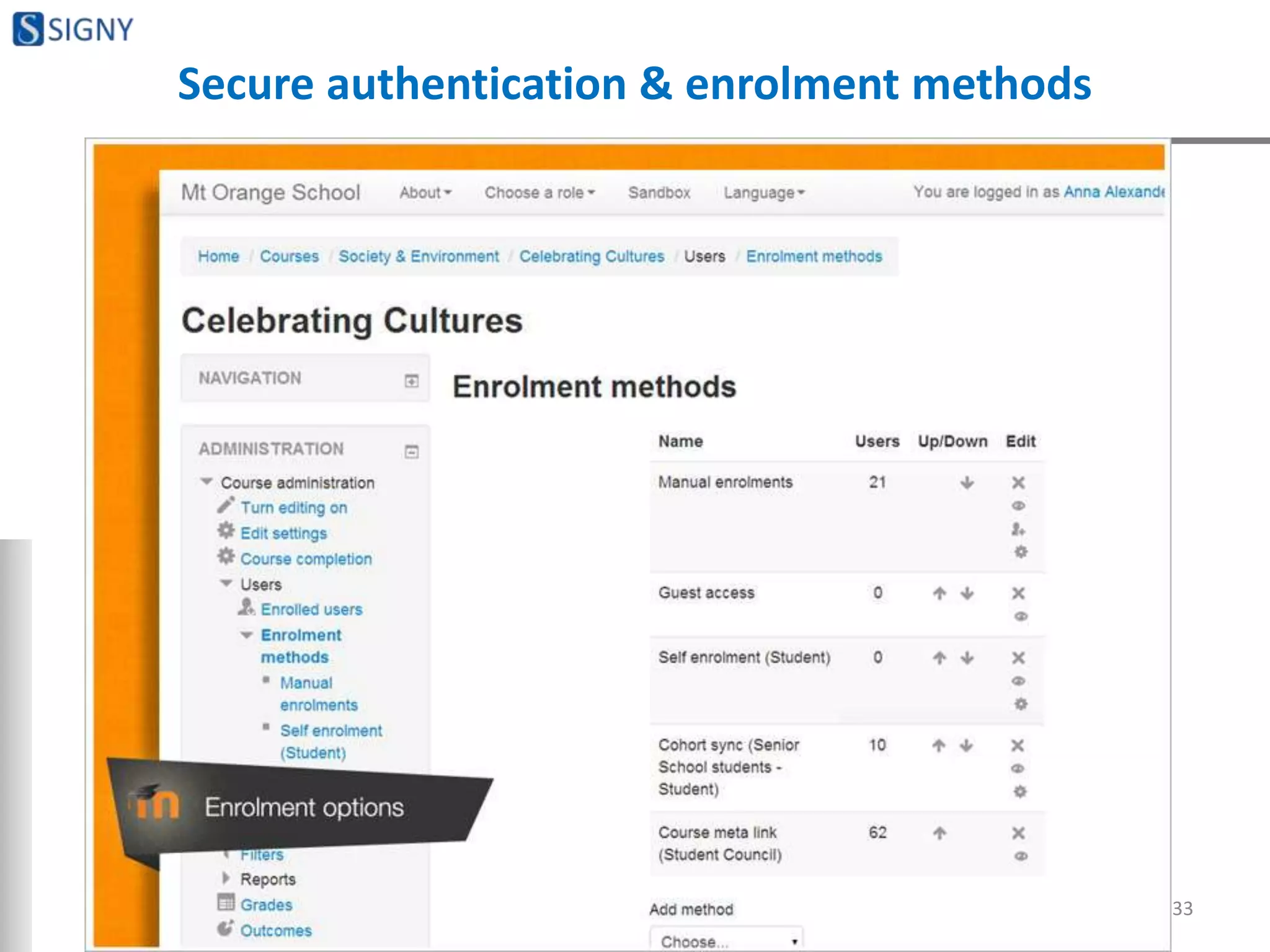
Secure authentication & enrolment methods
33
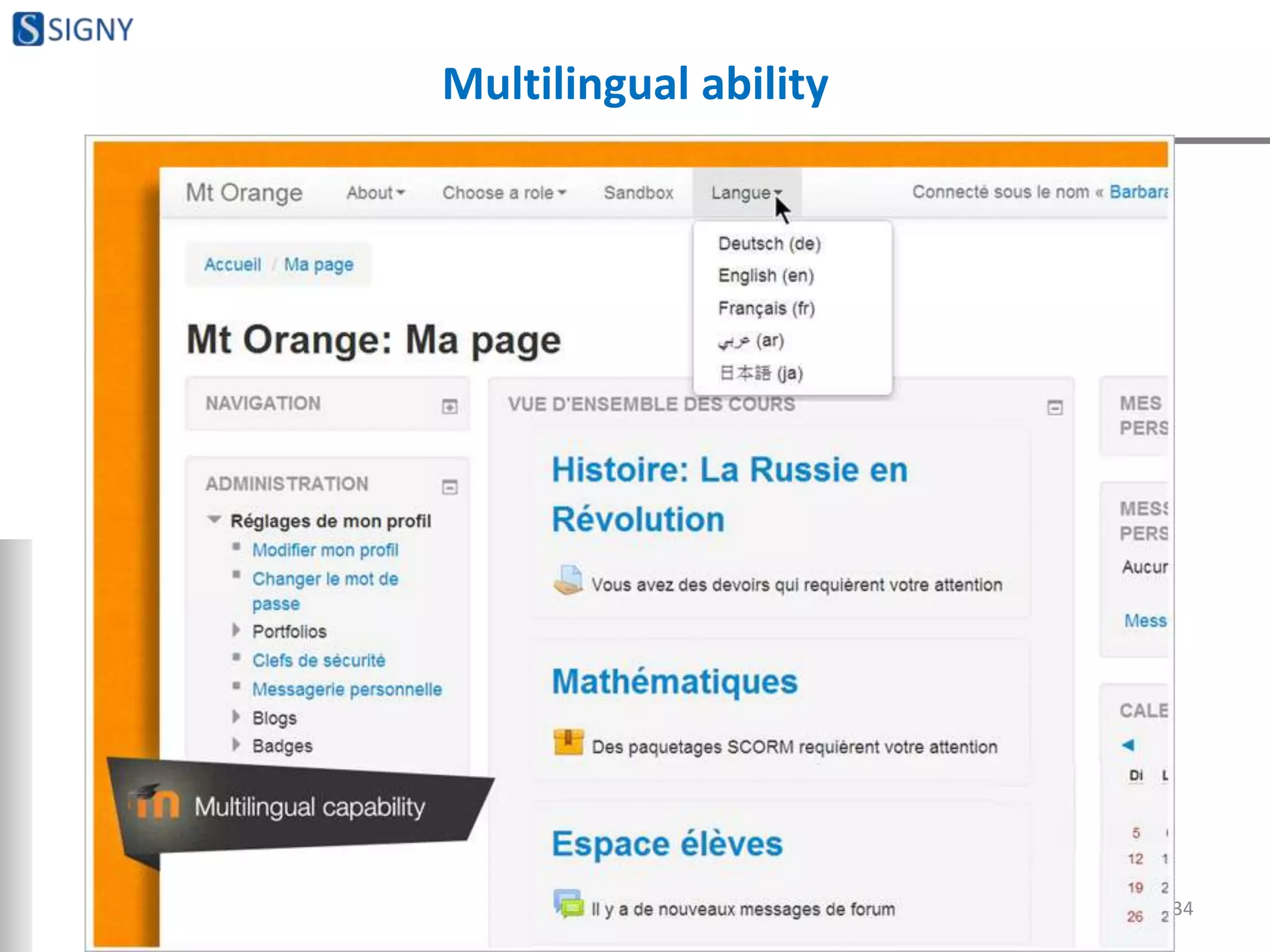
Multilingual ability
34
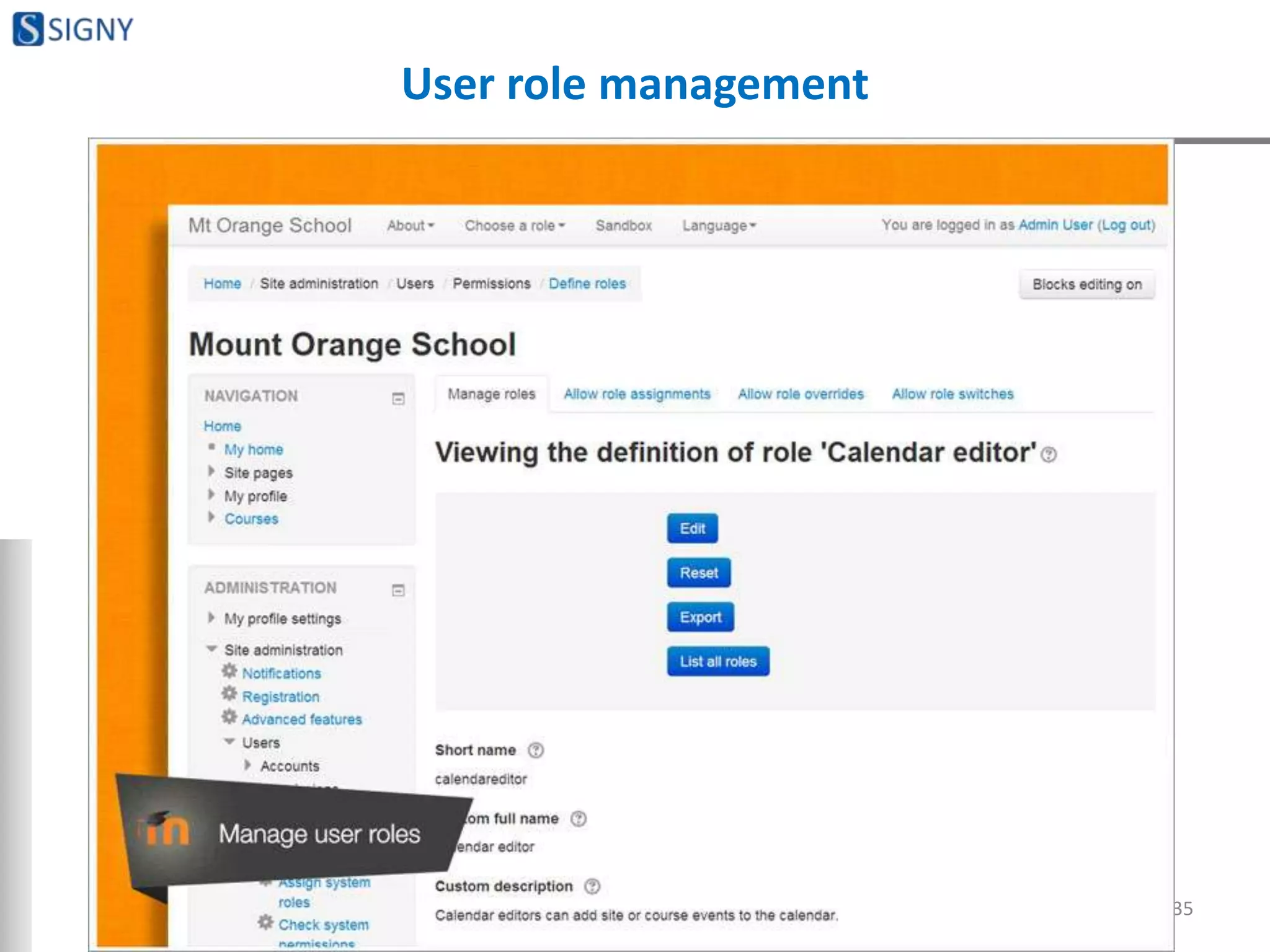
User role management
35
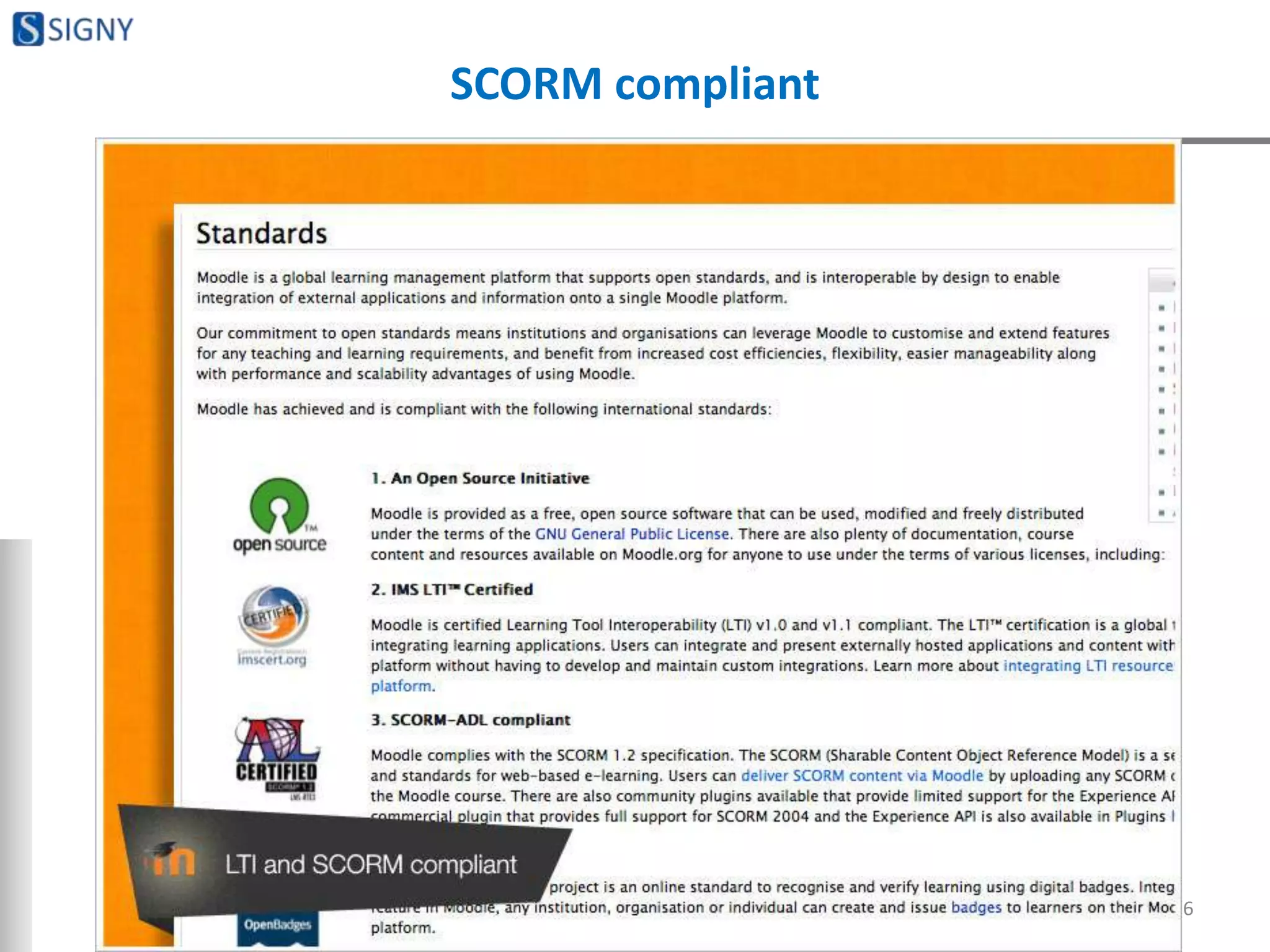
SCORM compliant
36
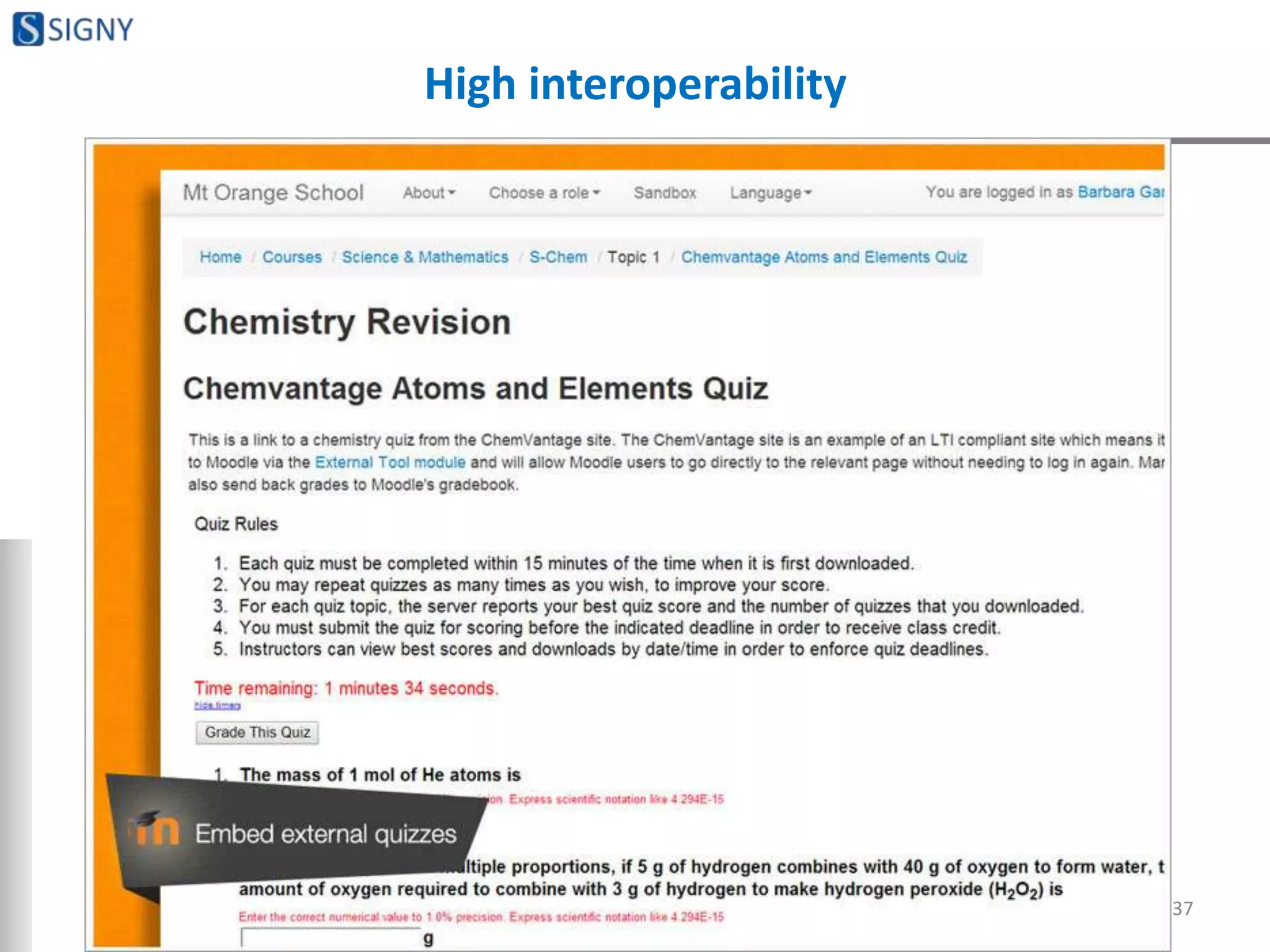
High interoperability
37
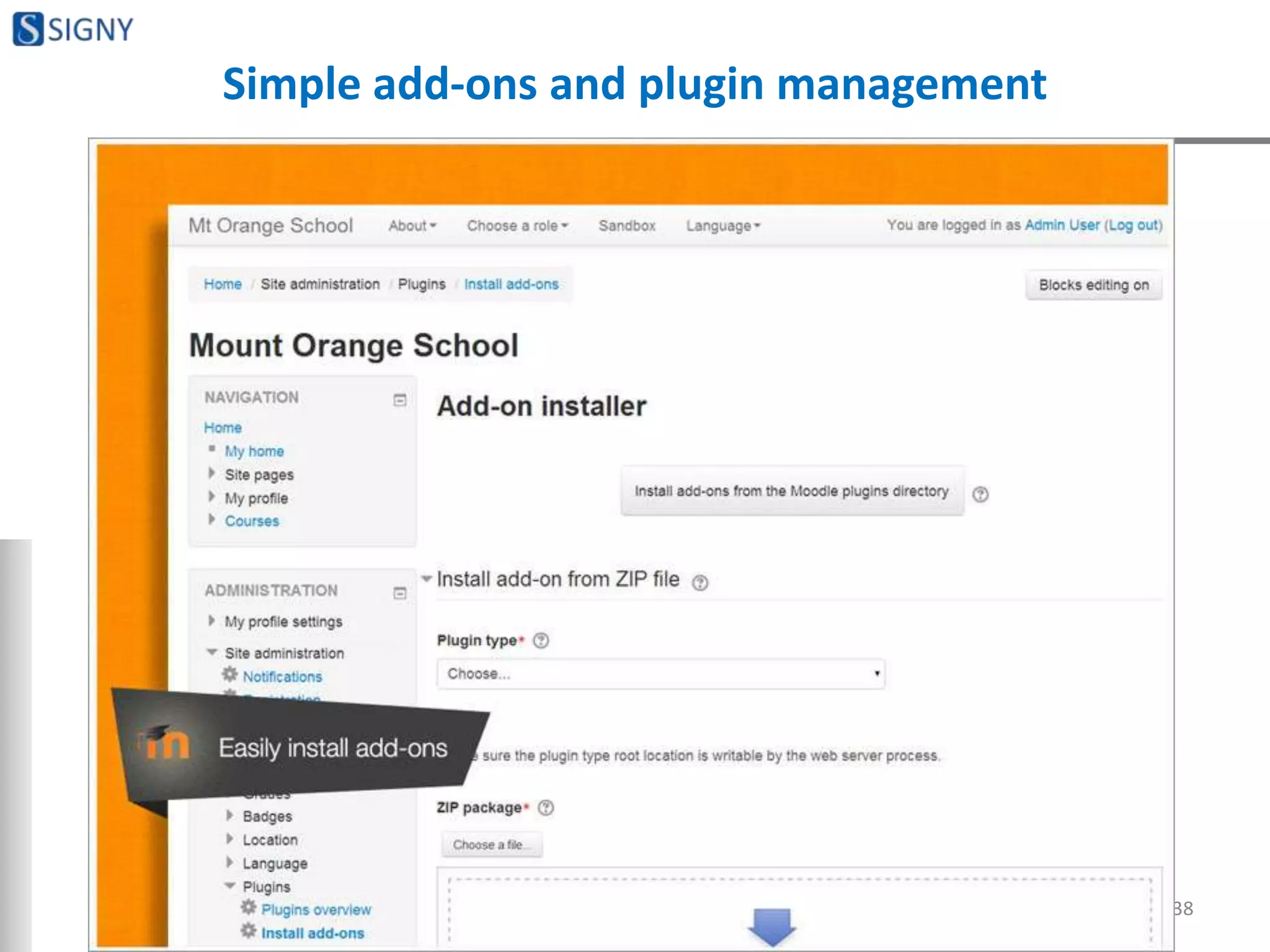
Simple add-ons and plugin management
38
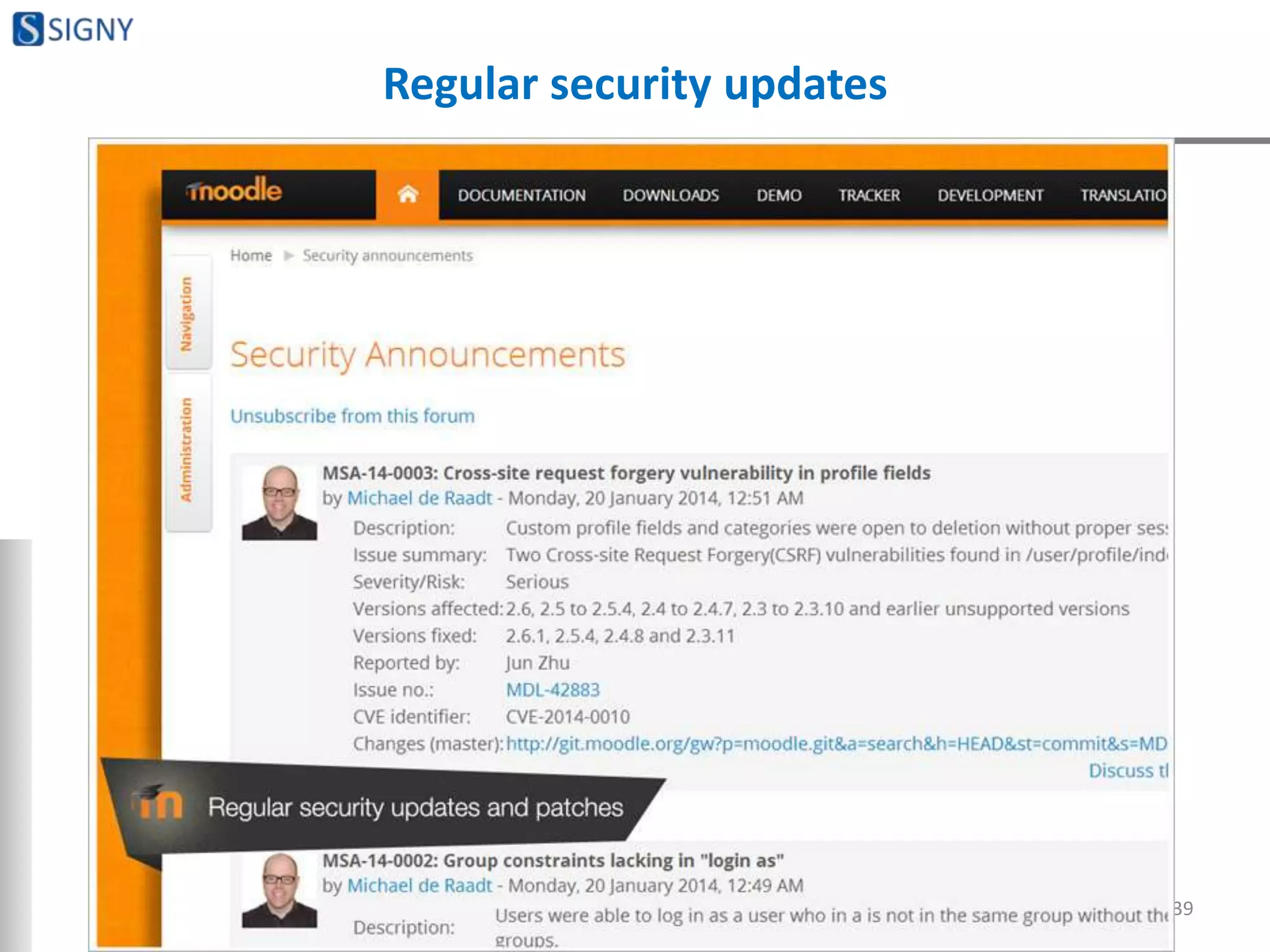
Regular security updates
39
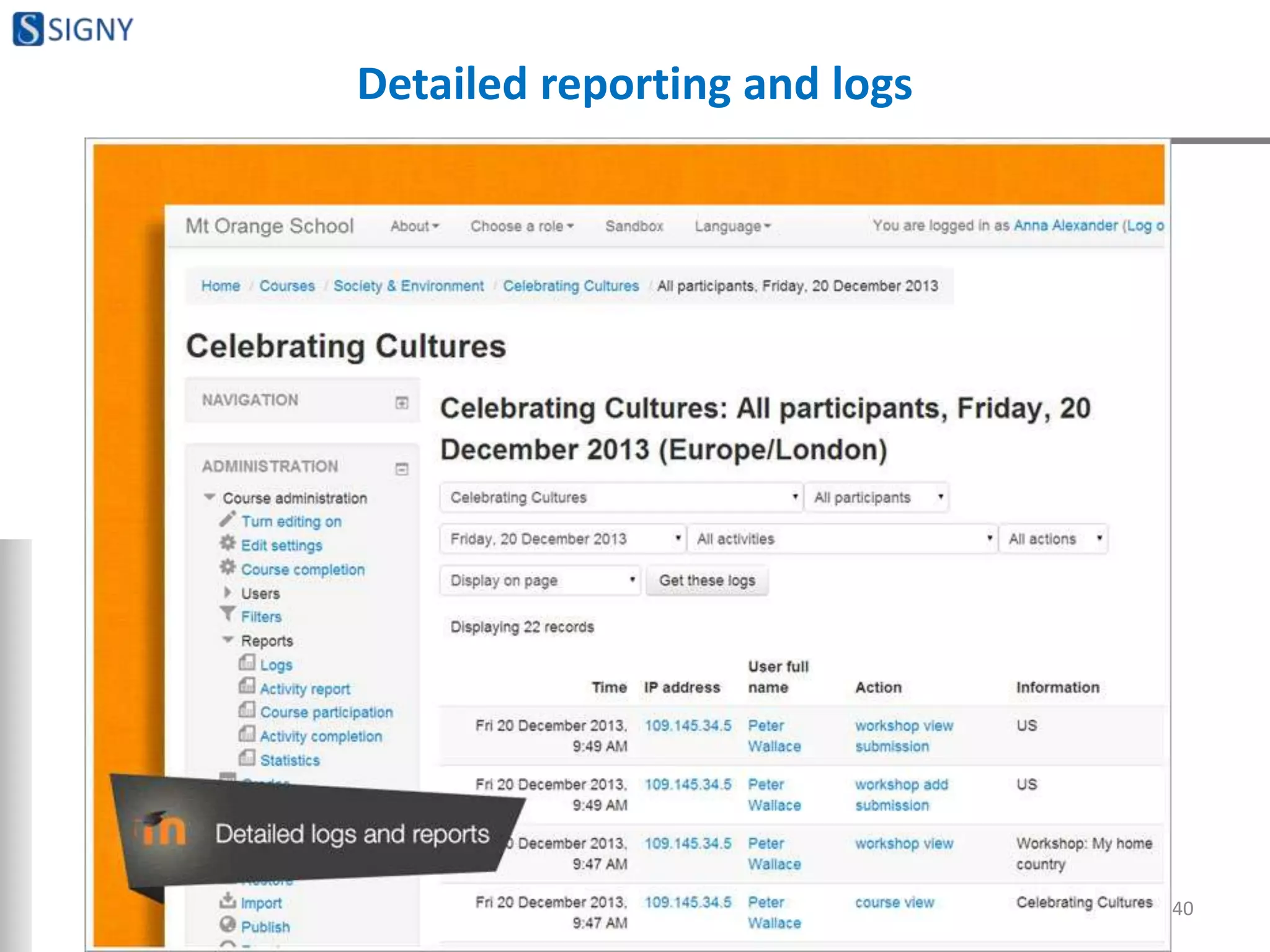
Detailed reporting and logs
40
COURSE DEVELOPMENT AND
MANAGEMENT FEATURES
41
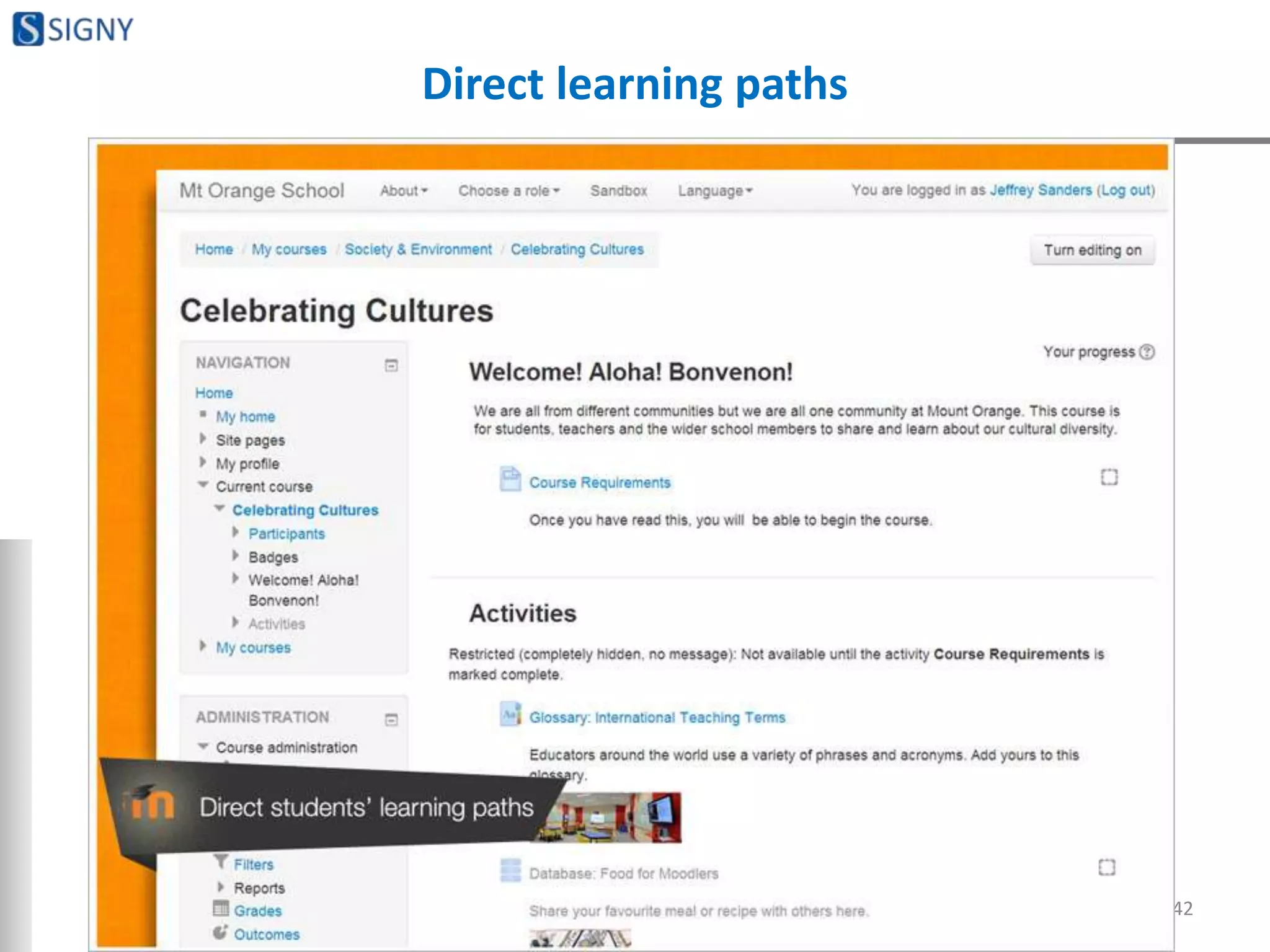
Direct learning paths
42
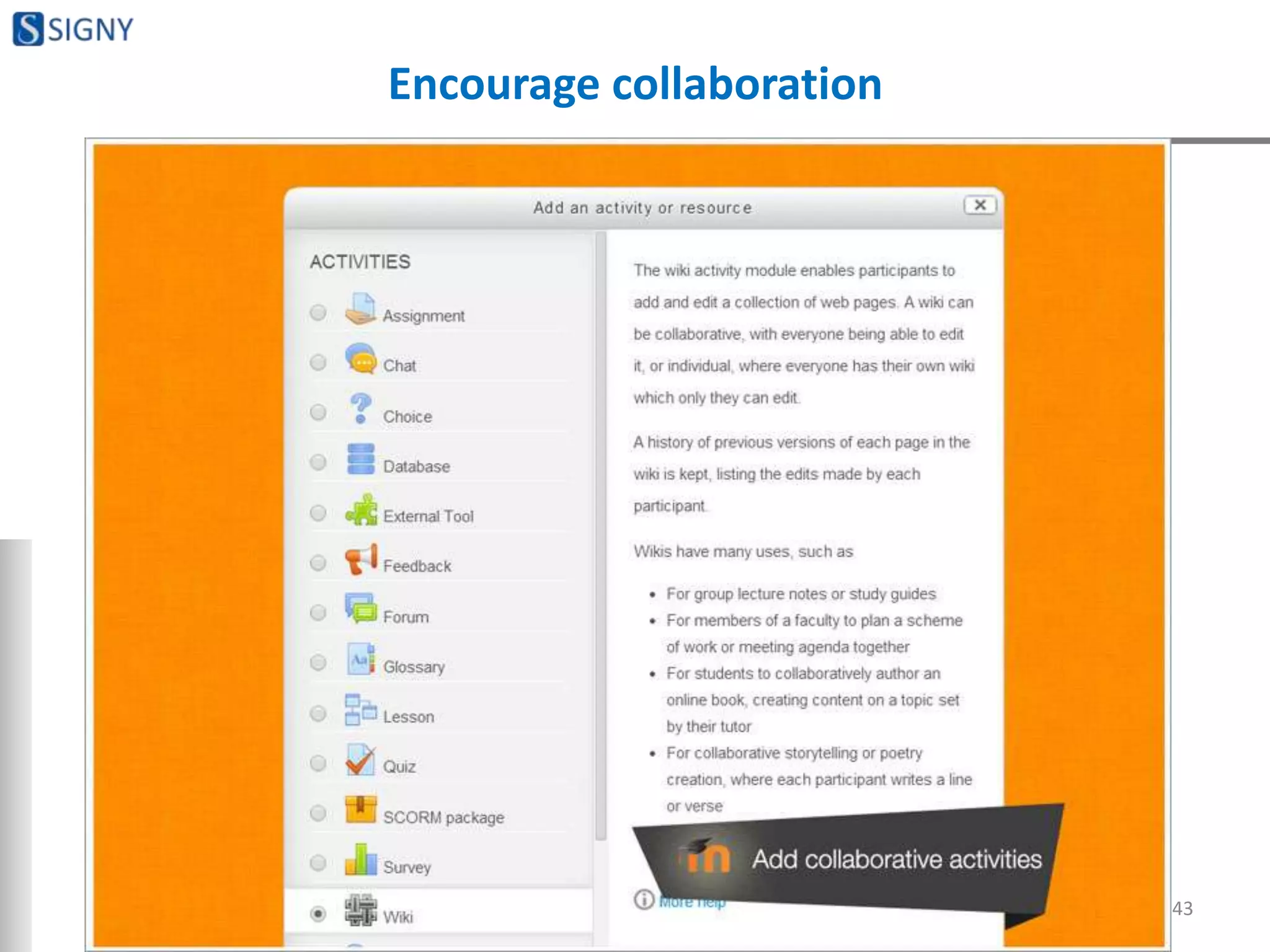
Encourage collaboration
43
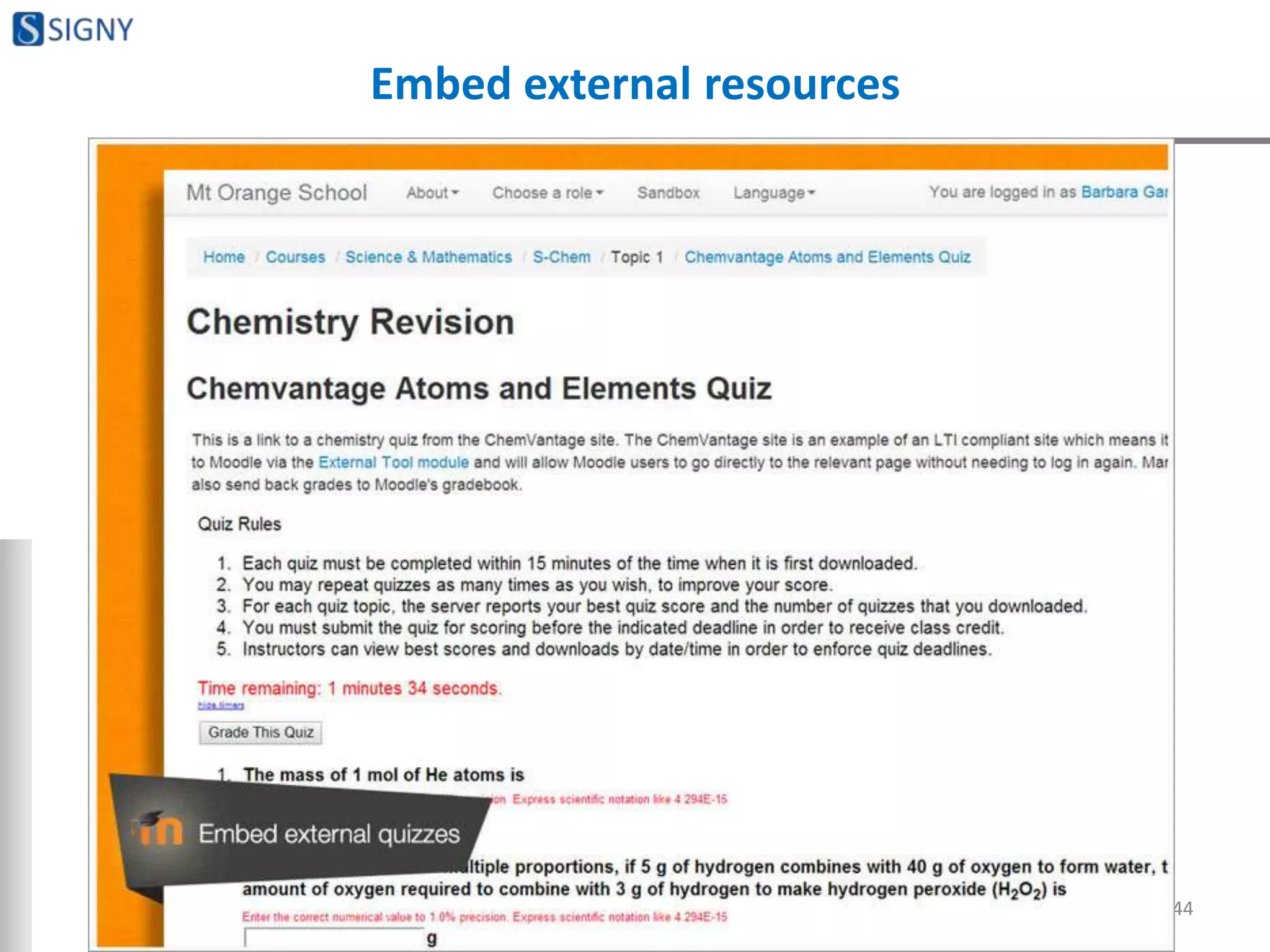
Embed external resources
44
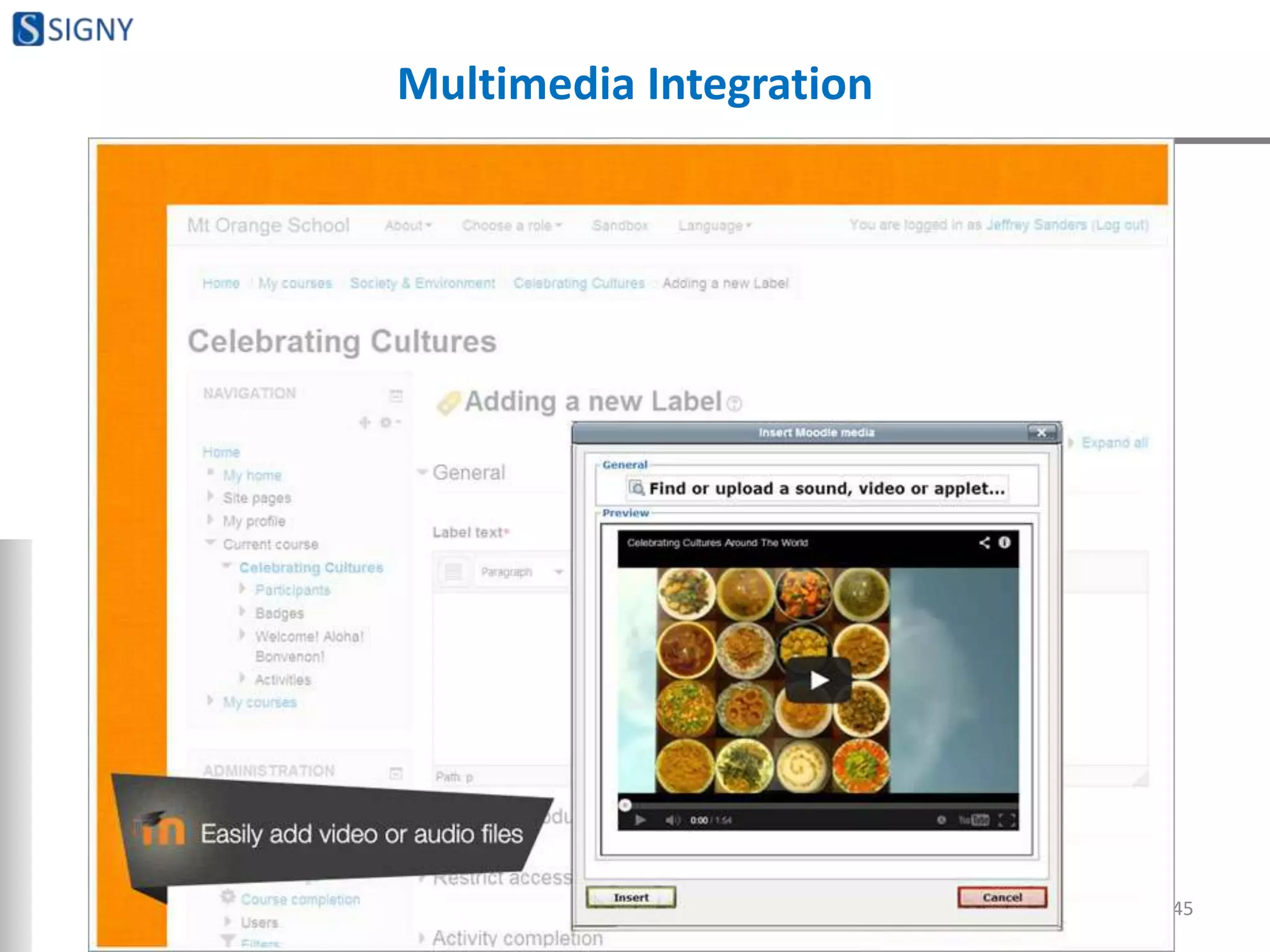
Multimedia Integration
45
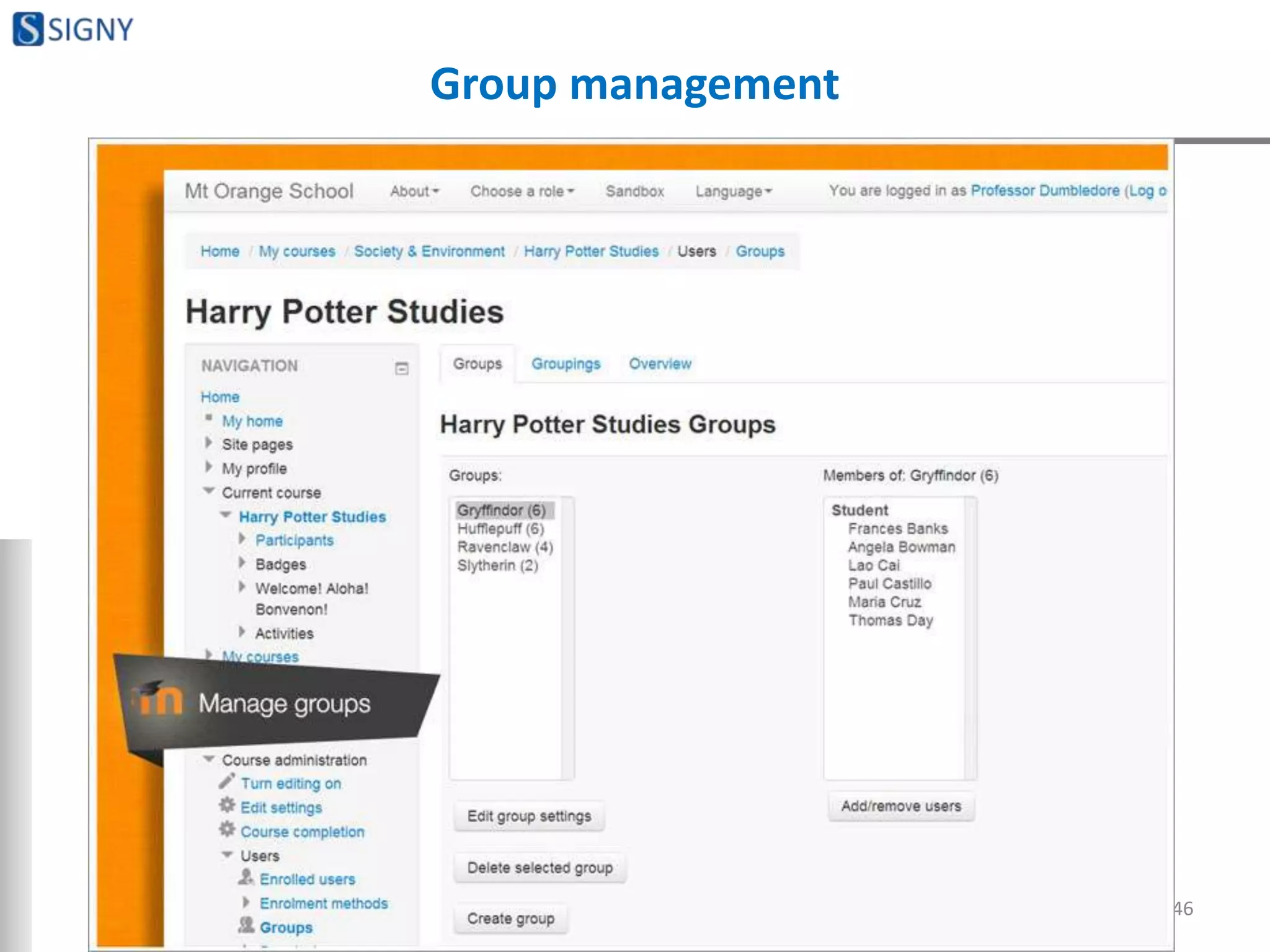
Group management
46
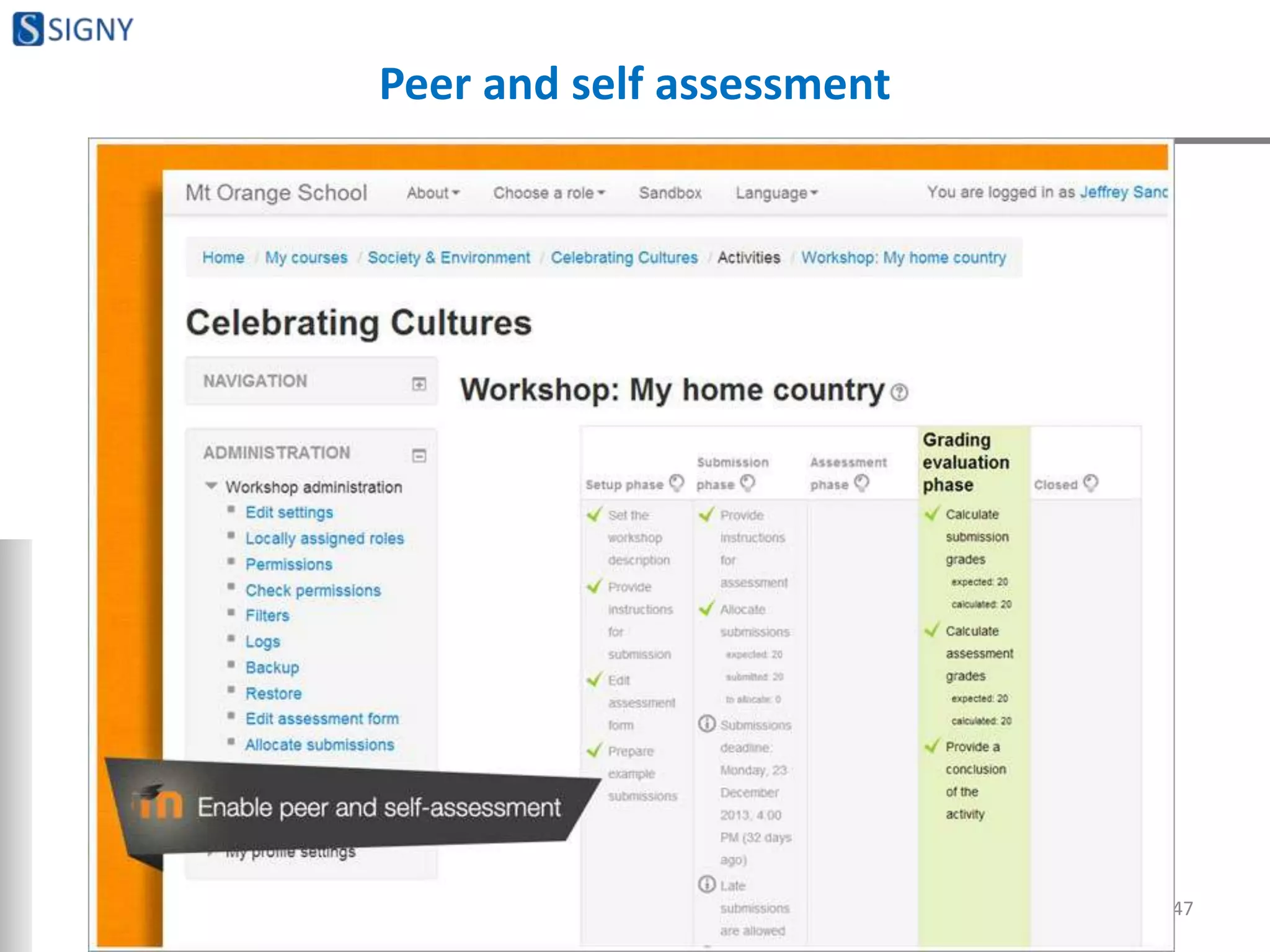
Peer and self assessment
47
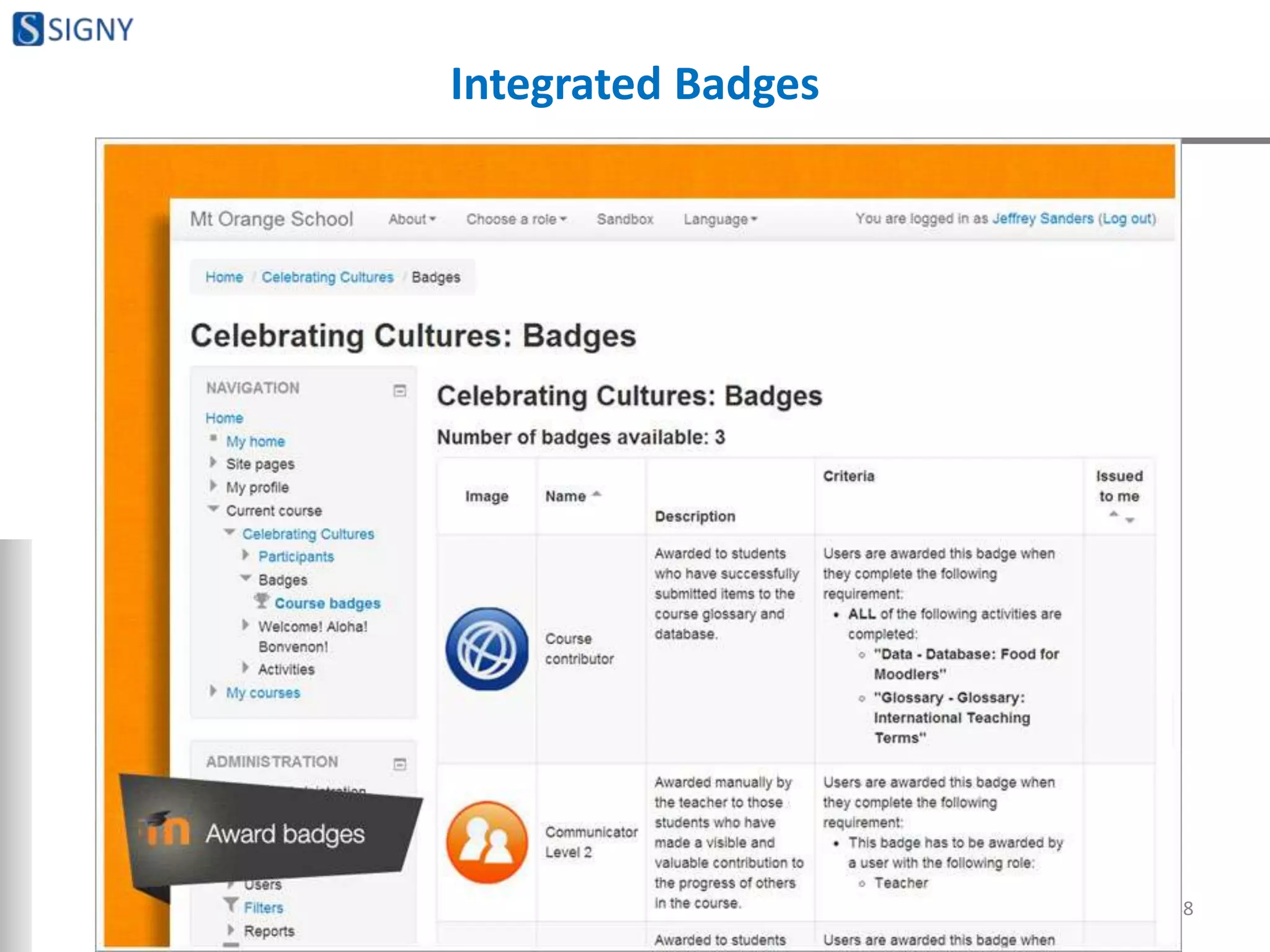
Integrated Badges
48
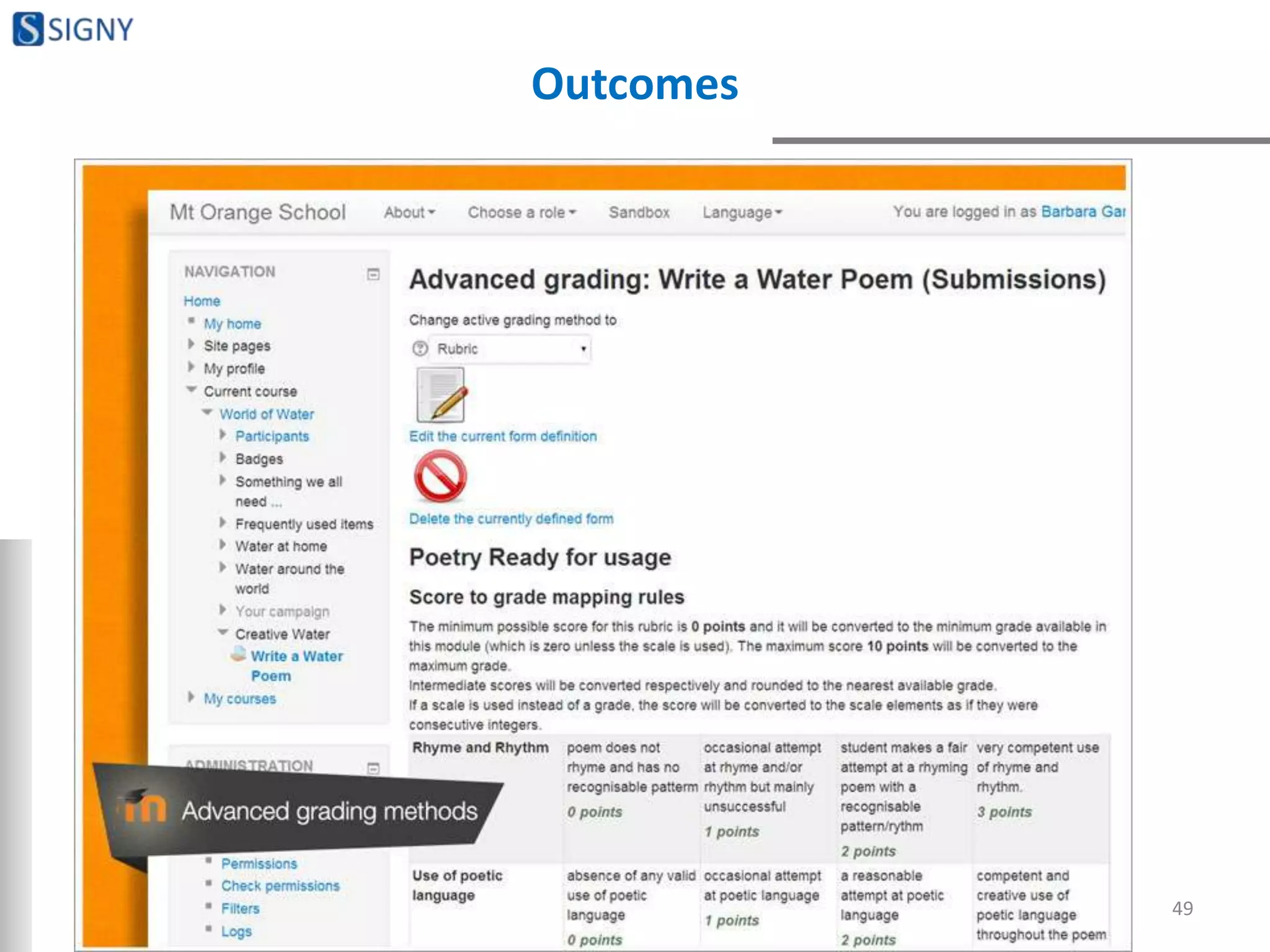
Outcomes
49
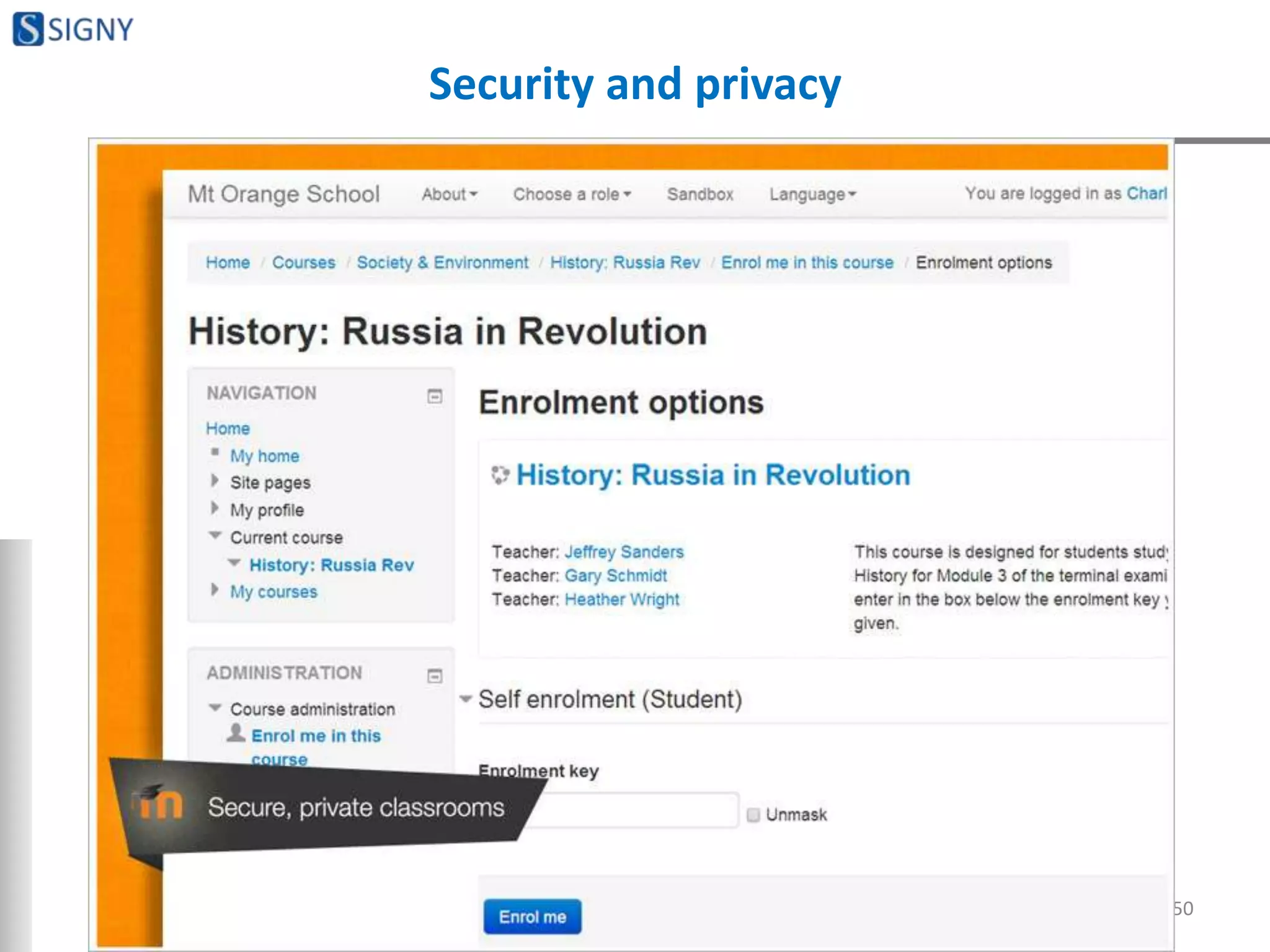
Security and privacy
50
Features to be noted
• Conditional access
• Completion tracking
51
BENEFITS OF MOODLE
52
Benefits of using Moodle - I
Comprehensive & cost-effective
• Moodle engine is built with a comprehensive set of elearning
features. One doesn’t need to reinvent the wheel by incurring
high costs on custom development.
53
Benefits of using Moodle - II
Quick turn-around time
• Your elearning portal can be ready in a few days. Considering
long custom development cycles, this can be looked at as the
biggest benefit.
54
Benefits of using Moodle - III
Truly opensource
• Moodle is a truly opensource platform – source code is
available, no licensing costs, no commercial product versions
(commercial product versions generally translates into sub-
optimal free versions).
• Always up-to-date
55
Benefits of using Moodle - IV
Non-technical persons can administer
• No need of skilled technical resources for managing Moodle
site.
• One time implementation, configuration and training enables
non-technical users manage a Moodle site without hassle.
56
Benefits of using Moodle - V
Comprehensive by default, strengthened by plug-ins
• Default features and functionality of Moodle are capable
enough to stand as a quality elearning portal.
• Apart from those default features there are a number of plug-
ins available which can be integrated with Moodle to make
the portal even more comprehensive – plug-ins can be of
small utility nature or serious functionality.
57
Benefits of using Moodle - VI
Customizable
• Moodle code can be customized to match the business
processes.
• New features can be developed and integrated either as plug-
ins or by customizing the core code.
• Small blocks can be developed to enhance user engagement
and add useful functionality or enhance visual appeal.
• Look and feel can also be customized.
58
GENERAL COMPARISON WITH
OTHER LMS PRODUCTS/TOOLS
59
How Moodle compares with other LMS products - I
• It is an open source learning platform, which is utilized by
millions of people worldwide.
• This open source nature allows anybody to tinker with its
code or add new things.
• Users can share changes with the Moodle community for
others to use for free.
• All this leads to the extension and reformation of the
software.
60
How Moodle compares with other LMS products - II
• It makes use of simple technologies, as a result of which its
developers are easy to find.
• It is built on some of the most reliable technologies, such as
PHP, MySQL, Apache.
– Like Facebook, Google, ebay
61
How Moodle compares with other LMS products - III
• It has a fully cooperative development model which offers
constant scope for improvement by allowing many high
quality contributions to acquire new modules, features and
enhancements.
62
How Moodle compares with other LMS products - IV
• It makes use of the more advanced programming approach,
the object-oriented programming which makes its
functionality all the more efficient and allows users to
proceed at their own pace, as well as customize it according
to their needs.
63
How Moodle compares with other LMS products - V
• It focuses on making the learning and teaching
experience constructivist.
• This process encourages the involvement of learners in the
learning process, rather than letting them receive knowledge
passively.
• The learning environment becomes more democratic with
interactive and student-centered activities.
64
How Moodle compares with other LMS products - VI
• It is convenient for educational institutions and organizations
for learning and course management.
• It can be quickly deployed in your organization, without the
requirement of any extra efforts.
65
How Moodle compares with other LMS products - VII
• It is highly cost-effective, since it has a low risk startup and a
low initial investment.
• It provides you with fast and reliable updates of information.
66
How Moodle compares with other LMS products - IX
• It provides you with regular support, all the time you use it.
Its support feature is active twenty four hours a day, seven
days a week and addresses to its developers, members and
users.
67
Quick recap of key points about Moodle
• Proven and trusted worldwide
• Designed to support both
teaching and learning
• Easy to use
• Free with no licensing fees
• Always up-to-date
• Moodle in your language
• All-in-one learning platform
• Highly flexible and fully
customizable
• Scalable to any size
• Robust, secure and private
• Use anytime, anywhere, on
any device
• Extensive resources available
• Backed by a strong community
68
Why industry looks at Moodle as business – part II
• Customization
– To fit in organizational processes
– Visual preferences
• Integrating with other tools, applications
69
What colleges can do with Moodle
• Distance learning courses
• Complimentary or supplementary learning aid
• Online exam portal
• Run co-curricular courses or even extra-curricular
• Campus placement preparation tool
70
Interesting examples
• Study material as homework before classroom session
• Official place for important circulars, notices
• Internal communication; no emails
• Internship projects submissions and assessments
71
How industry uses Moodle
• Recruitment tests
• Induction programs
• Knowledge forums
• Internal LMS – skill building and assessments
72
Usage patterns
Obvious ones
• Study material & notes
• Preparation tests, mock tests
• Assignments
• Forums
Non obvious ones
• Projects
• Workshops
• Quizzing through games
• Glossary
• Database
• Feedback (survey)
• Poll
• SCORM
73
MYTHS ABOUT MOODLE
74
Myth
• Once Moodle is stable, it will be put under license. If it were
any good, they’d already be charging for it.
• Moodle is free and therefore can't really be as good as
something produced by a large company which earns millions
in license fees every year.
75
Myth
• You need to be an expert and tech savvy to use Moodle
76
Myth
• Moodle needs a full time, php developer on your staff- or at
least a lot of technical support to run it in house.
77
Myth
• Moodle won’t be compatible with our other systems/software
78
Myth
• Moodle just doesn’t have the commercial experience we’re
looking for; not professional
79
Myth
• You can’t just use Moodle out of the box – the basic Moodle
install just isn’t that sophisticated
80
Myth
• There’s no documentation, training or technical support
available – you’re on your own.
81
Myth
• The TCO (Total Cost of Ownership) is actually higher for
Moodle than it would be with a wholly commercial platform.
82
Myth
• Moodle is just no good for an institution as large as mine.
83
Myth
• Moodle is just not designed to cope with my specific group of
learners or customers.
84
Myth
• We have all our stuff on *******, it’s just not worth the
hassle of switching to Moodle.
85
Myth
• With Moodle, you need to be on computers all the time.
86
Myth
• Students will love Moodle because it is online and in 'their
world‘. And also,
• Students will not enjoy the interaction that a class
environment provides.
87
Myth
• Moodle won't scale
88
Myth
• Moodle is difficult / time consuming to install / administer /
use.
89
Myth
• Moodle is a security risk.
90
Myth
• Moodle won't interface with an MIS.
91
Myth
• Proper support is not available with open source software.
92
Myth
• It puts the teaching profession at risk.
93
Myth
• There is no way to measure true learning.
94
Myth
• eLearning is for people who are too lazy to go the traditional
route.
95
Myth
• There’s no way to judge the quality of the eLearning program.
96
Myth
• There's nobody to blame if it all goes wrong. 
97
WHY WOULD MOODLE
IMPLEMENTATION FAIL: EXPERIENCES
98
What is expected from teachers, colleges
• Willingness to administer and explore
• Dropping process adamancy
• Dropping insecurity about content & methodology
• Keep Moodle away from internal politics
• Readiness to give a long stint to Moodle
• Readiness to understand that Moodle is just a tool; people
need to make things happen
99
What is expected from consultants & technology
companies
• Proper guidance and recommendations on hosting
architecture
• Clear work out on enabling & disabling features
• Focus on how creatively colleges can use Moodle
• Most important: help colleges understand full potential of
Moodle and then help them utilize it phase wise
100
How to make Moodle interesting - I
• Using it regularly and to its potential; this itself is really
interesting
• Make use of forums, glossary, database, wiki
– Glossary as final revision tool
– Database as formulae storage
– Wiki as concept explanation place
• Make use of badges
• Games
101
How to make Moodle interesting - II
• See if you can buy multimedia content; if not get it made for
you
– Check whether you can get interns from media or design field
• Make students participate
– Let them run some courses of their interest
• Experimentation and continuous evaluation of what works
what doesn’t
102
Sincere thanks!
Mangesh Wagh
Signy IT Solutions Pvt Ltd, Pune
www.signyit.com
Email: mangesh@signyit.com
Mob: +91 9561096003
103
References 1
• http://docs.moodle.org/24/en/Moodle_myths
• https://moodle.org/mod/forum/discuss.php?d=33044
• https://human.edublogs.org/2008/10/09/top-5-myths-about-teaching-with-moodle/
• http://moodletraining.blogspot.in/2013/01/the-mythologies-of-elearning.html
• http://blogs.birmingham.k12.mi.us/ignitebps/2008/10/25/top-5-myths-about-teaching-with-
moodle/
• http://www.inserver.es/blog/myth-learning-styles/
• http://edtechreview.in/news/742-moodle-the-best-lms
• http://www.slideshare.net/moodlefan/what-makes-a-good-moodle-course-8615958?
v=qf2&b=&from_search=11 ***
104
References 2
• http://www.slideshare.net/nosh0502/why-moodle?v=qf2&b=&from_search=12
• http://www.slideshare.net/monprojects/using-moodle-for-projects
• http://www.slideshare.net/mrollins/engaging-ways-to-use-moodle-1-16053996
• http://www.slideshare.net/quanglewangle/can-moodle-do-it-all-7680049
• http://www.slideshare.net/ikawhero/moodle-overview-3472820
• http://www.slideshare.net/citehku/moodle-past-present-future-3473303
• http://www.slideshare.net/DavidSturrock/great-use-of-moodle-otago-polytechnic-workshop
• http://www.slideshare.net/ralfh/simplify-moodle-en
105

Introduction to Moodle, myths and truths, perspectives for institues

  • 1.
    Introduction & industryperspective Presented by: Mangesh Wagh Cofounder, Director Signy IT Solutions Pvt Ltd, Pune
  • 2.
    A brief aboutSigny IT Solutions • Web apps & mobile apps development • Opensource platforms • Elearning • Education domain • Tech: PHP, MySQL • Platforms: Moodle, Prestashop, SugarCRM, WordPress and more 2
  • 3.
    Objectives • Introduction toMoodle’s abilities…. not just Moodle • Industry perspective • Underlining myths and respective truths about Moodle • Sharing experience and ideas 3
  • 4.
    A quick introductionto Moodle • Virtual learning environment • Learning management system • Online course management system 4
  • 5.
    In a ‘definition’way  • A learning platform designed to provide educators, administrators and learners with a single robust, secure and integrated system to create personalized learning environments. 5
  • 6.
    Dwelling on long-form •Modular • Object Oriented • Dynamic • Learning Environment 6
  • 7.
    Opensource & free •Opensource • Free • Opensource & free 7
  • 8.
    One of thebest browser based applications! 8
  • 9.
    Technical background • PHP •MySQL • Apache • Can be deployed on LAMP or WAMP 9
  • 10.
    Deployment options It isbuilt as a browser based application and hence can be deployed as any of below: • Internet application • Intranet application • Single PC application 10
  • 11.
    • Deployment architecture& hosting • Deriving and implementing the optimum configuration • Training • Support • Customization • Consulting on how to make the most of Moodle 11 Why industry looks at Moodle as business – part I
  • 12.
    Moodle stats 12 Registered sites68,352 Countries 235 Courses 7,054,520 Users 67,703,642 Teachers 1,155,563 Enrollments 85,481,139 Forum posts 117,883,780 Resources 62,847,732 Quiz questions 168,585,683
  • 13.
    Moodle stats 13 Country Registrations UnitedStates 11,652 Spain 5,739 Brazil 4,661 United Kingdom 3,785 Mexico 2,839 Germany 2,445 Colombia 1,918 Italy 1,771 Portugal 1,628 Australia 1,615
  • 14.
  • 15.
  • 16.
    1st lets openour mind!  When we used for the 1st time: • Computer wasn’t easy • Word, excel, powerpoint weren’t easy • Email wasn’t easy • Internet banking wasn’t easy • Booking tickets and buying online wasn’t easy Nothing was easy when we did that for the first time! 16
  • 17.
    Moodle features -I • Site management • User management, user policy management and authentication • Role management and permissions • Course management – course definition, course design, enrolment and more. This is the key part of your Learning Management System. 17
  • 18.
    Moodle features -II • Grades management and assessment engine • Appearance management – UI, themes, design elements, branding • Other utilities like blog, calendar and more • Reporting module • Security management • Server management and backup management 18
  • 19.
  • 20.
    Resources • File • Folder •Book • Page • Label • URL • Content package 20
  • 21.
    Activities • Quiz • Assignments •Chat • Choice • Database • External tool • Feedback • Forum • Glossary • Lesson • SCORM • Survey • Wiki • Workshop 21
  • 22.
  • 23.
    Modern, easy touse interface 23
  • 24.
  • 25.
  • 26.
    All in onecalendar 26
  • 27.
  • 28.
  • 29.
  • 30.
  • 31.
  • 32.
  • 33.
    Secure authentication &enrolment methods 33
  • 34.
  • 35.
  • 36.
  • 37.
  • 38.
    Simple add-ons andplugin management 38
  • 39.
  • 40.
  • 41.
  • 42.
  • 43.
  • 44.
  • 45.
  • 46.
  • 47.
    Peer and selfassessment 47
  • 48.
  • 49.
  • 50.
  • 51.
    Features to benoted • Conditional access • Completion tracking 51
  • 52.
  • 53.
    Benefits of usingMoodle - I Comprehensive & cost-effective • Moodle engine is built with a comprehensive set of elearning features. One doesn’t need to reinvent the wheel by incurring high costs on custom development. 53
  • 54.
    Benefits of usingMoodle - II Quick turn-around time • Your elearning portal can be ready in a few days. Considering long custom development cycles, this can be looked at as the biggest benefit. 54
  • 55.
    Benefits of usingMoodle - III Truly opensource • Moodle is a truly opensource platform – source code is available, no licensing costs, no commercial product versions (commercial product versions generally translates into sub- optimal free versions). • Always up-to-date 55
  • 56.
    Benefits of usingMoodle - IV Non-technical persons can administer • No need of skilled technical resources for managing Moodle site. • One time implementation, configuration and training enables non-technical users manage a Moodle site without hassle. 56
  • 57.
    Benefits of usingMoodle - V Comprehensive by default, strengthened by plug-ins • Default features and functionality of Moodle are capable enough to stand as a quality elearning portal. • Apart from those default features there are a number of plug- ins available which can be integrated with Moodle to make the portal even more comprehensive – plug-ins can be of small utility nature or serious functionality. 57
  • 58.
    Benefits of usingMoodle - VI Customizable • Moodle code can be customized to match the business processes. • New features can be developed and integrated either as plug- ins or by customizing the core code. • Small blocks can be developed to enhance user engagement and add useful functionality or enhance visual appeal. • Look and feel can also be customized. 58
  • 59.
    GENERAL COMPARISON WITH OTHERLMS PRODUCTS/TOOLS 59
  • 60.
    How Moodle compareswith other LMS products - I • It is an open source learning platform, which is utilized by millions of people worldwide. • This open source nature allows anybody to tinker with its code or add new things. • Users can share changes with the Moodle community for others to use for free. • All this leads to the extension and reformation of the software. 60
  • 61.
    How Moodle compareswith other LMS products - II • It makes use of simple technologies, as a result of which its developers are easy to find. • It is built on some of the most reliable technologies, such as PHP, MySQL, Apache. – Like Facebook, Google, ebay 61
  • 62.
    How Moodle compareswith other LMS products - III • It has a fully cooperative development model which offers constant scope for improvement by allowing many high quality contributions to acquire new modules, features and enhancements. 62
  • 63.
    How Moodle compareswith other LMS products - IV • It makes use of the more advanced programming approach, the object-oriented programming which makes its functionality all the more efficient and allows users to proceed at their own pace, as well as customize it according to their needs. 63
  • 64.
    How Moodle compareswith other LMS products - V • It focuses on making the learning and teaching experience constructivist. • This process encourages the involvement of learners in the learning process, rather than letting them receive knowledge passively. • The learning environment becomes more democratic with interactive and student-centered activities. 64
  • 65.
    How Moodle compareswith other LMS products - VI • It is convenient for educational institutions and organizations for learning and course management. • It can be quickly deployed in your organization, without the requirement of any extra efforts. 65
  • 66.
    How Moodle compareswith other LMS products - VII • It is highly cost-effective, since it has a low risk startup and a low initial investment. • It provides you with fast and reliable updates of information. 66
  • 67.
    How Moodle compareswith other LMS products - IX • It provides you with regular support, all the time you use it. Its support feature is active twenty four hours a day, seven days a week and addresses to its developers, members and users. 67
  • 68.
    Quick recap ofkey points about Moodle • Proven and trusted worldwide • Designed to support both teaching and learning • Easy to use • Free with no licensing fees • Always up-to-date • Moodle in your language • All-in-one learning platform • Highly flexible and fully customizable • Scalable to any size • Robust, secure and private • Use anytime, anywhere, on any device • Extensive resources available • Backed by a strong community 68
  • 69.
    Why industry looksat Moodle as business – part II • Customization – To fit in organizational processes – Visual preferences • Integrating with other tools, applications 69
  • 70.
    What colleges cando with Moodle • Distance learning courses • Complimentary or supplementary learning aid • Online exam portal • Run co-curricular courses or even extra-curricular • Campus placement preparation tool 70
  • 71.
    Interesting examples • Studymaterial as homework before classroom session • Official place for important circulars, notices • Internal communication; no emails • Internship projects submissions and assessments 71
  • 72.
    How industry usesMoodle • Recruitment tests • Induction programs • Knowledge forums • Internal LMS – skill building and assessments 72
  • 73.
    Usage patterns Obvious ones •Study material & notes • Preparation tests, mock tests • Assignments • Forums Non obvious ones • Projects • Workshops • Quizzing through games • Glossary • Database • Feedback (survey) • Poll • SCORM 73
  • 74.
  • 75.
    Myth • Once Moodleis stable, it will be put under license. If it were any good, they’d already be charging for it. • Moodle is free and therefore can't really be as good as something produced by a large company which earns millions in license fees every year. 75
  • 76.
    Myth • You needto be an expert and tech savvy to use Moodle 76
  • 77.
    Myth • Moodle needsa full time, php developer on your staff- or at least a lot of technical support to run it in house. 77
  • 78.
    Myth • Moodle won’tbe compatible with our other systems/software 78
  • 79.
    Myth • Moodle justdoesn’t have the commercial experience we’re looking for; not professional 79
  • 80.
    Myth • You can’tjust use Moodle out of the box – the basic Moodle install just isn’t that sophisticated 80
  • 81.
    Myth • There’s nodocumentation, training or technical support available – you’re on your own. 81
  • 82.
    Myth • The TCO(Total Cost of Ownership) is actually higher for Moodle than it would be with a wholly commercial platform. 82
  • 83.
    Myth • Moodle isjust no good for an institution as large as mine. 83
  • 84.
    Myth • Moodle isjust not designed to cope with my specific group of learners or customers. 84
  • 85.
    Myth • We haveall our stuff on *******, it’s just not worth the hassle of switching to Moodle. 85
  • 86.
    Myth • With Moodle,you need to be on computers all the time. 86
  • 87.
    Myth • Students willlove Moodle because it is online and in 'their world‘. And also, • Students will not enjoy the interaction that a class environment provides. 87
  • 88.
  • 89.
    Myth • Moodle isdifficult / time consuming to install / administer / use. 89
  • 90.
    Myth • Moodle isa security risk. 90
  • 91.
    Myth • Moodle won'tinterface with an MIS. 91
  • 92.
    Myth • Proper supportis not available with open source software. 92
  • 93.
    Myth • It putsthe teaching profession at risk. 93
  • 94.
    Myth • There isno way to measure true learning. 94
  • 95.
    Myth • eLearning isfor people who are too lazy to go the traditional route. 95
  • 96.
    Myth • There’s noway to judge the quality of the eLearning program. 96
  • 97.
    Myth • There's nobodyto blame if it all goes wrong.  97
  • 98.
    WHY WOULD MOODLE IMPLEMENTATIONFAIL: EXPERIENCES 98
  • 99.
    What is expectedfrom teachers, colleges • Willingness to administer and explore • Dropping process adamancy • Dropping insecurity about content & methodology • Keep Moodle away from internal politics • Readiness to give a long stint to Moodle • Readiness to understand that Moodle is just a tool; people need to make things happen 99
  • 100.
    What is expectedfrom consultants & technology companies • Proper guidance and recommendations on hosting architecture • Clear work out on enabling & disabling features • Focus on how creatively colleges can use Moodle • Most important: help colleges understand full potential of Moodle and then help them utilize it phase wise 100
  • 101.
    How to makeMoodle interesting - I • Using it regularly and to its potential; this itself is really interesting • Make use of forums, glossary, database, wiki – Glossary as final revision tool – Database as formulae storage – Wiki as concept explanation place • Make use of badges • Games 101
  • 102.
    How to makeMoodle interesting - II • See if you can buy multimedia content; if not get it made for you – Check whether you can get interns from media or design field • Make students participate – Let them run some courses of their interest • Experimentation and continuous evaluation of what works what doesn’t 102
  • 103.
    Sincere thanks! Mangesh Wagh SignyIT Solutions Pvt Ltd, Pune www.signyit.com Email: mangesh@signyit.com Mob: +91 9561096003 103
  • 104.
    References 1 • http://docs.moodle.org/24/en/Moodle_myths •https://moodle.org/mod/forum/discuss.php?d=33044 • https://human.edublogs.org/2008/10/09/top-5-myths-about-teaching-with-moodle/ • http://moodletraining.blogspot.in/2013/01/the-mythologies-of-elearning.html • http://blogs.birmingham.k12.mi.us/ignitebps/2008/10/25/top-5-myths-about-teaching-with- moodle/ • http://www.inserver.es/blog/myth-learning-styles/ • http://edtechreview.in/news/742-moodle-the-best-lms • http://www.slideshare.net/moodlefan/what-makes-a-good-moodle-course-8615958? v=qf2&b=&from_search=11 *** 104
  • 105.
    References 2 • http://www.slideshare.net/nosh0502/why-moodle?v=qf2&b=&from_search=12 •http://www.slideshare.net/monprojects/using-moodle-for-projects • http://www.slideshare.net/mrollins/engaging-ways-to-use-moodle-1-16053996 • http://www.slideshare.net/quanglewangle/can-moodle-do-it-all-7680049 • http://www.slideshare.net/ikawhero/moodle-overview-3472820 • http://www.slideshare.net/citehku/moodle-past-present-future-3473303 • http://www.slideshare.net/DavidSturrock/great-use-of-moodle-otago-polytechnic-workshop • http://www.slideshare.net/ralfh/simplify-moodle-en 105