1
by April Sides
2
April Sides
Assessment Web Developer
North Carolina Institute of Climate Studies (NCICS)
North Carolina State University
National Centers for Environmental Information (NCEI)
Drupal ID: weekbeforenext
Asheville Drupal User Group Member
3
• Tools - what you need to develop a module
• API/Hooks - how to get Drupal to run your code
• Anatomy - what files you need and what code
should be included in those files
• Resources - where to find the right hooks
• Example - how to modify an existing form, etc.
4
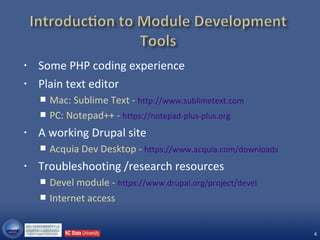
• Some PHP coding experience
• Plain text editor
 Mac: Sublime Text - http://www.sublimetext.com
 PC: Notepad++ - https://notepad-plus-plus.org
• A working Drupal site
 Acquia Dev Desktop - https://www.acquia.com/downloads
• Troubleshooting /research resources
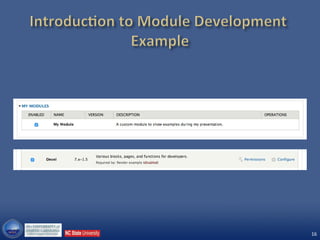
 Devel module - https://www.drupal.org/project/devel
 Internet access
5
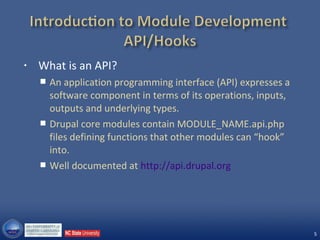
• What is an API?
 An application programming interface (API) expresses a
software component in terms of its operations, inputs,
outputs and underlying types.
 Drupal core modules contain MODULE_NAME.api.php
files defining functions that other modules can “hook”
into.
 Well documented at http://api.drupal.org
6
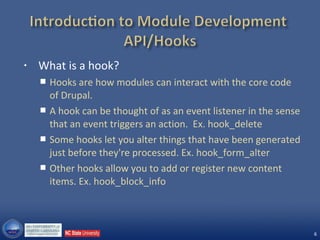
• What is a hook?
 Hooks are how modules can interact with the core code
of Drupal.
 A hook can be thought of as an event listener in the sense
that an event triggers an action. Ex. hook_delete
 Some hooks let you alter things that have been generated
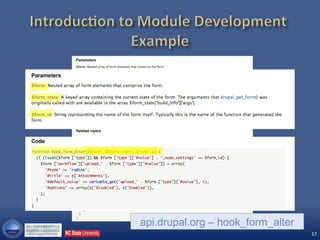
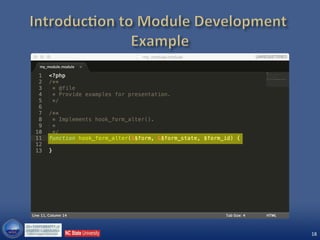
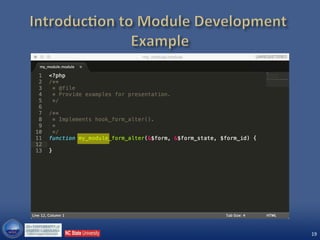
just before they're processed. Ex. hook_form_alter
 Other hooks allow you to add or register new content
items. Ex. hook_block_info
7
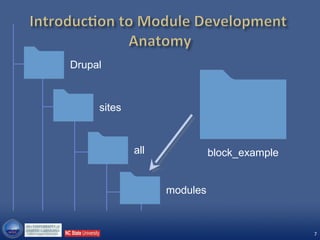
Drupal
sites
all
modules
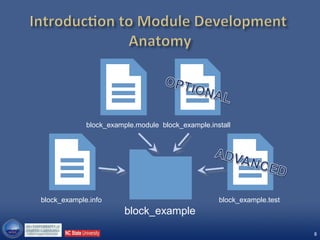
block_example
8
block_example.module
block_example
block_example.info block_example.test
block_example.install
9
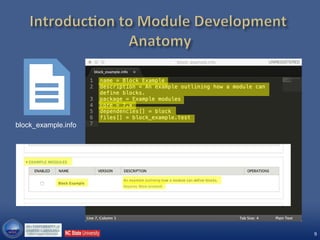
block_example.info
10
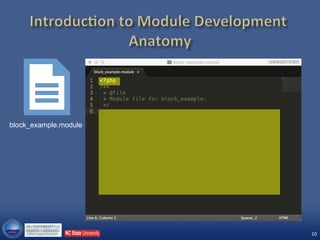
block_example.module
11
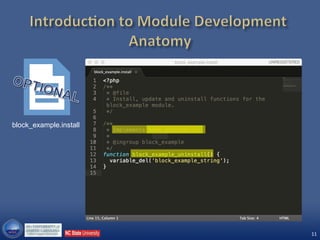
block_example.install
12
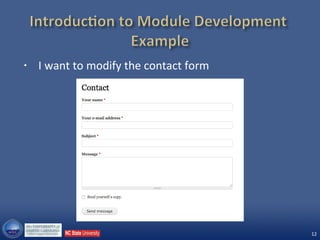
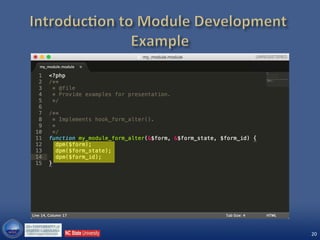
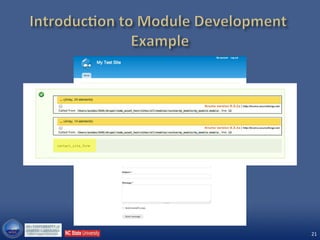
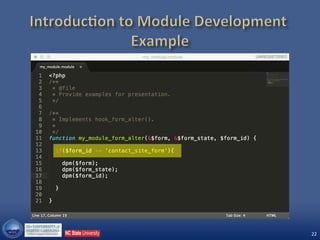
• I want to modify the contact form
13
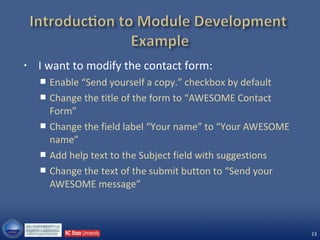
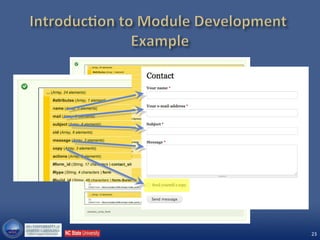
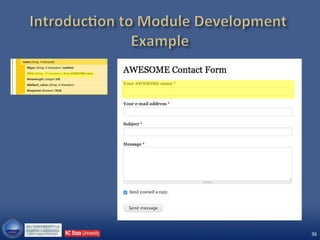
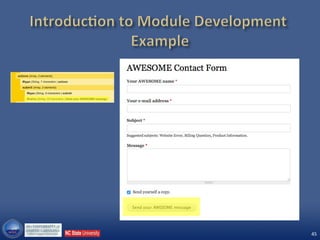
• I want to modify the contact form:
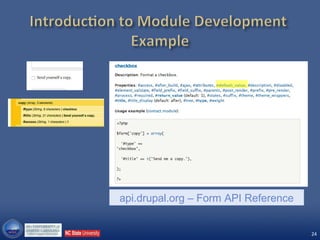
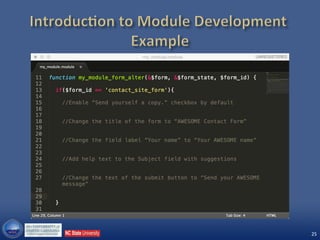
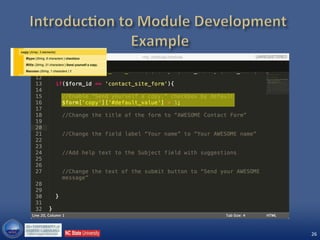
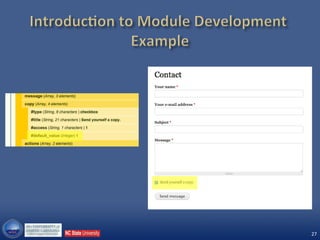
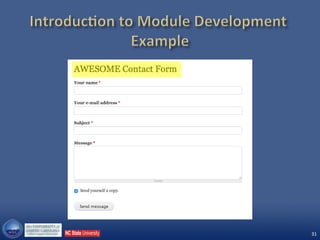
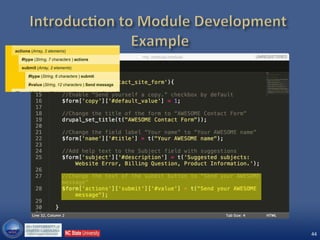
 Enable “Send yourself a copy.” checkbox by default
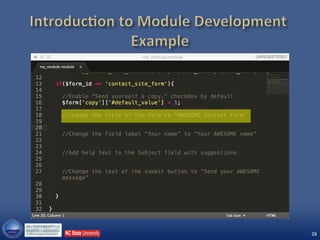
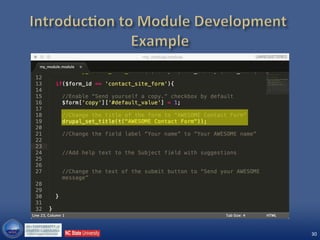
 Change the title of the form to “AWESOME Contact
Form”
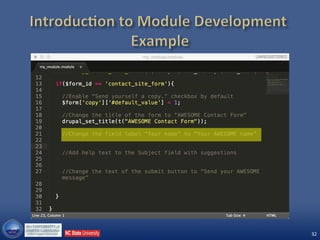
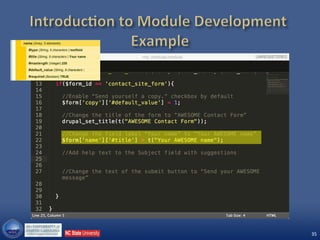
 Change the field label “Your name” to “Your AWESOME
name”
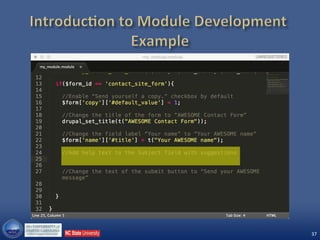
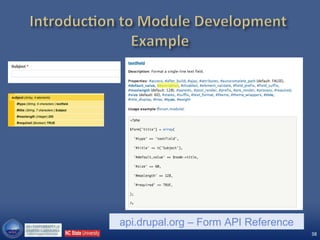
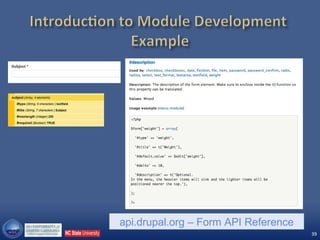
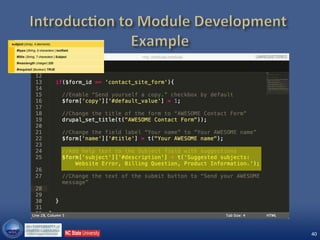
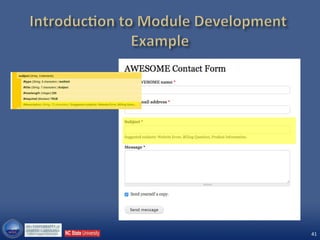
 Add help text to the Subject field with suggestions
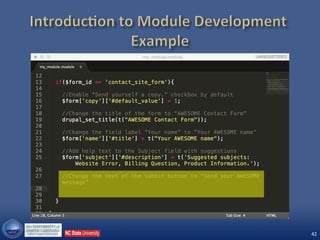
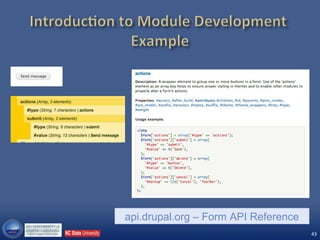
 Change the text of the submit button to “Send your
AWESOME message”
14
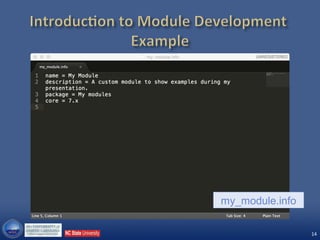
my_module.info
15
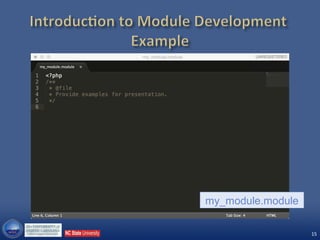
my_module.module
16
17
api.drupal.org – hook_form_alter
18
19
20
21
22
23
24
api.drupal.org – Form API Reference
25
26
27
28
29
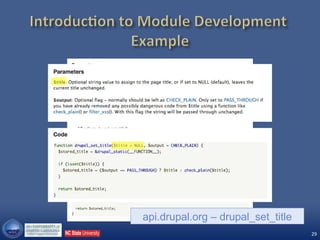
api.drupal.org – drupal_set_title
30
31
32
33
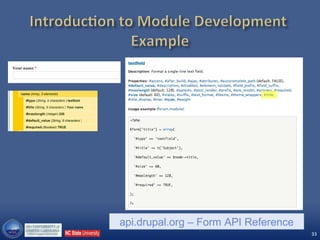
api.drupal.org – Form API Reference
34
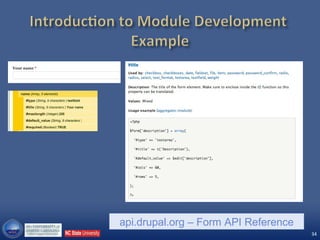
api.drupal.org – Form API Reference
35
36
37
38
api.drupal.org – Form API Reference
39
api.drupal.org – Form API Reference
40
41
42
43
api.drupal.org – Form API Reference
44
45
46
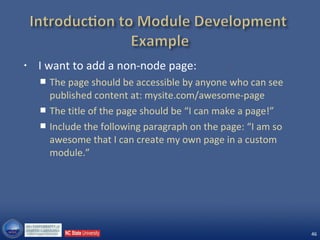
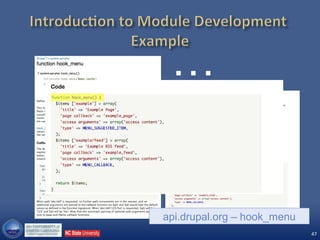
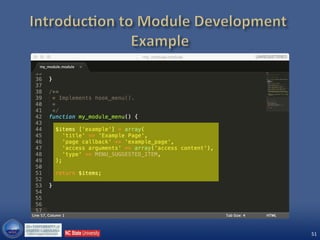
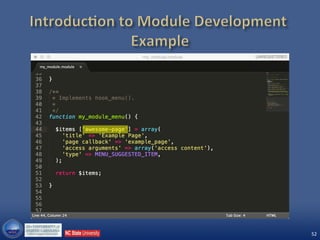
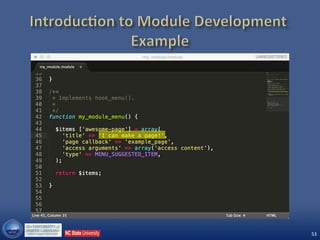
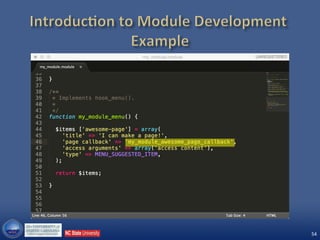
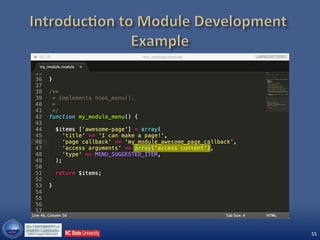
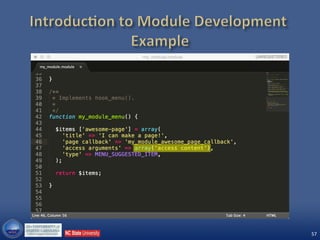
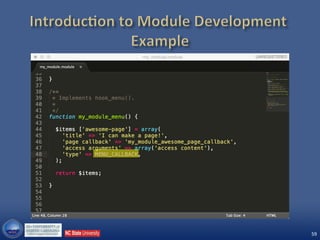
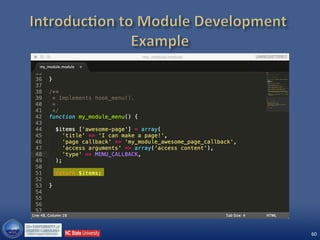
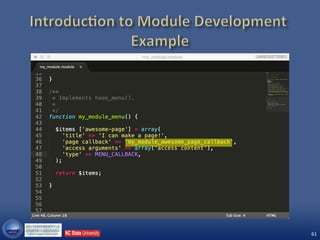
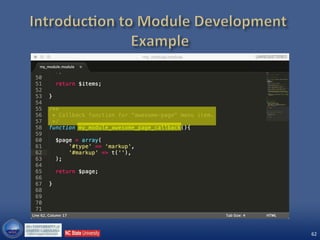
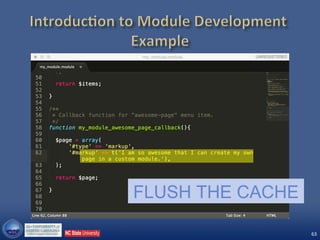
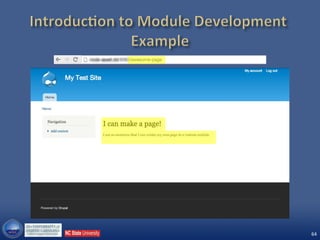
• I want to add a non-node page:
 The page should be accessible by anyone who can see
published content at: mysite.com/awesome-page
 The title of the page should be “I can make a page!”
 Include the following paragraph on the page: “I am so
awesome that I can create my own page in a custom
module.”
47
…
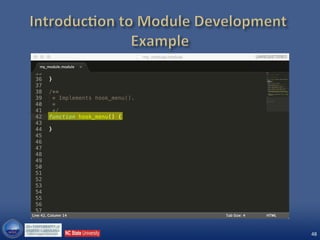
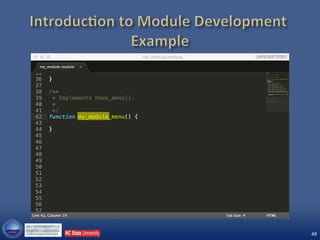
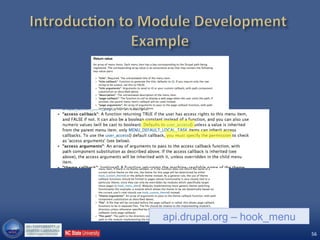
api.drupal.org – hook_menu
48
49
50
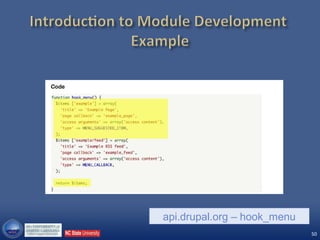
api.drupal.org – hook_menu
51
52
53
54
55
56
api.drupal.org – hook_menu
57
58
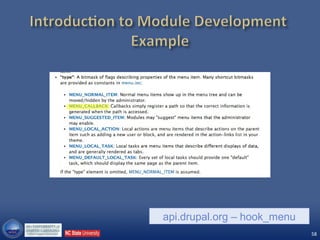
api.drupal.org – hook_menu
59
60
61
62
63
FLUSH THE CACHE
64
65
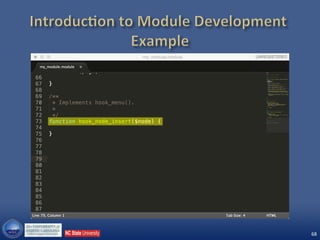
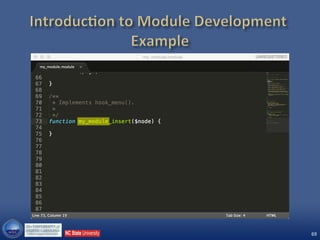
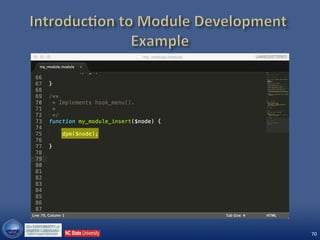
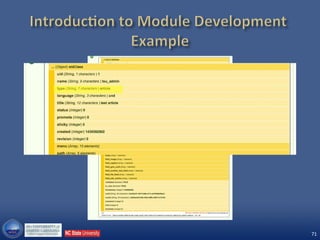
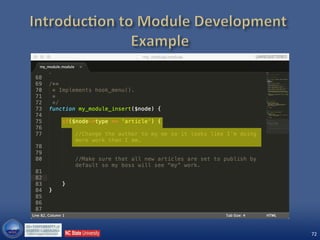
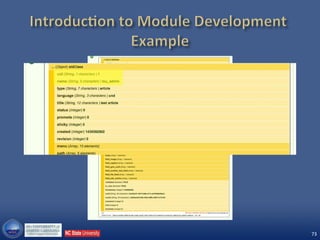
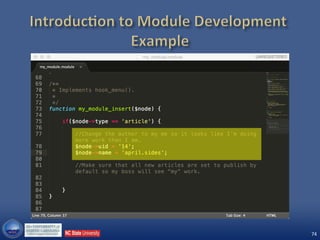
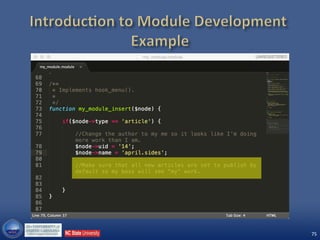
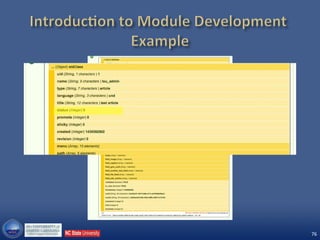
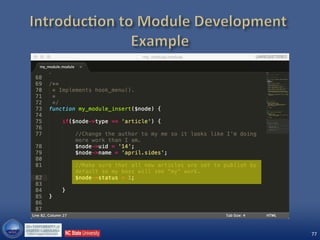
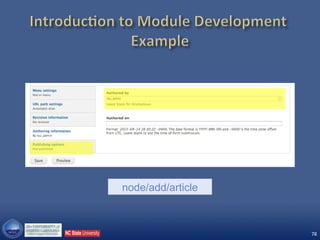
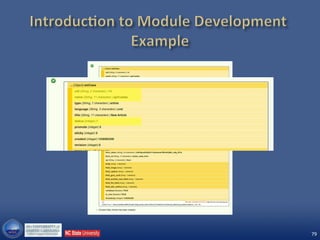
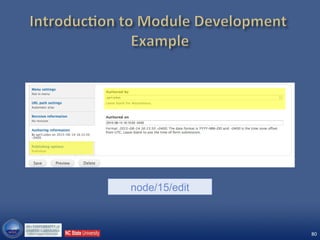
• I want the following to happen when an author
creates a new article:
 Change the author to me, so it looks like I’m doing more
work than I am.
 Make sure that all new articles are set to publish by
default, so my boss will see “my” work.
66
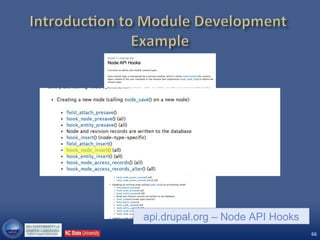
api.drupal.org – Node API Hooks
67
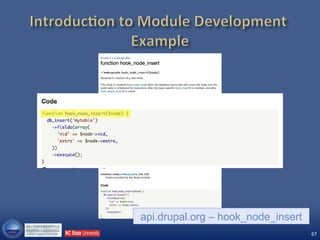
api.drupal.org – hook_node_insert
68
69
70
71
72
73
74
75
76
77
78
node/add/article
79
80
node/15/edit
81
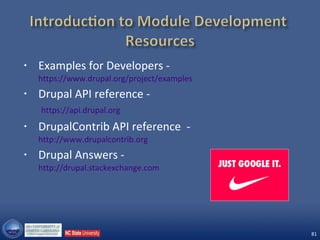
• Examples for Developers -
https://www.drupal.org/project/examples
• Drupal API reference -
https://api.drupal.org
• DrupalContrib API reference -
http://www.drupalcontrib.org
• Drupal Answers -
http://drupal.stackexchange.com

Introduction to Module Development (Drupal 7)