Tuesday,September10,2013TOPSTechnologies-JavaTutorial
1
TOPSTechnologies–JavaIntroductoryTutorial
2
INTRODUCTION TO JAVA
TOPS Technologies – Java Introductory Tutorial
Module :1( theory)
http://www.tops-int.com/
TOPS Technologies – Java Introductory tutorial M1 3
WELCOME
• History
• First Java Application
• Data types
• Variables
• Strings
• Assignments
• Math, Boolean expressions
• Relational operations
• If statements
• System.exit
TOPS Technologies – Java Introductory tutorial M1 4
VERY BRIEF HISTORY
• Started in 1991 by SUN Microsystems
• Targeted at consumer electronics. Wanted reliable
programming language.
• Integrated into browsers
• Evolved into write once run anywhere, integrates
into Netscape
• General purpose libraries released
TOPS Technologies – Java Introductory tutorial M1 5
COURSE INFORMATION
 Textbook: Java in a Nutshell
Reading class 1
chapters 1,2
6
BASIC DEFINITIONS
• Java is an object oriented language.
• Object
• Method
• Class
• Applications
• Applets
• Native classes
• Threads
• Exceptions
TOPS Technologies – Java Introductory tutorial M1
TOPS Technologies – Java Introductory tutorial M1 7
FIRST APPLICATION
/**
*Hello World, first application, only output.
*/
import java.io.*;
public class hello{
public static void main (String [] args) {
System.out.println(“Hello Worldn”);
} //end main
}//end class
8
HOW TO GET IT RUNNING
• Text in hello.java file
• Why?
• To compile:
• javac hello.java
• To run:
• java hello
TOPS Technologies – Java Introductory tutorial M1
9
NOTICE:
• Java is CASE SENSITIVE!!
• Whitespace is ignored by compiler
• Whitespace makes things easier to read…hence it
affects your grade 
• File name has to be the same as class name in
file.
• Need to import necessary class definitions
TOPS Technologies – Java Introductory tutorial M1
10
VARIABLES
• Variables:
• Name
• Type
• Value
• Naming:
• May contain numbers,underscore,dollar sign, or
letters
• Can not start with number
• Can be any length
• Reserved keywords
• Case sensitive
TOPS Technologies – Java Introductory tutorial M1
11
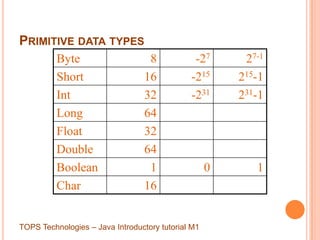
PRIMITIVE DATA TYPES
Byte 8 -27 27-1
Short 16 -215 215-1
Int 32 -231 231-1
Long 64
Float 32
Double 64
Boolean 1 0 1
Char 16
TOPS Technologies – Java Introductory tutorial M1
12
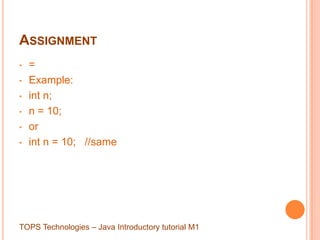
ASSIGNMENT
• =
• Example:
• int n;
• n = 10;
• or
• int n = 10; //same
TOPS Technologies – Java Introductory tutorial M1
13
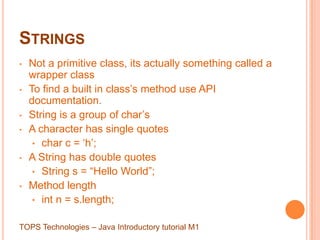
STRINGS
• Not a primitive class, its actually something called a
wrapper class
• To find a built in class‟s method use API
documentation.
• String is a group of char‟s
• A character has single quotes
• char c = „h‟;
• A String has double quotes
• String s = “Hello World”;
• Method length
• int n = s.length;
TOPS Technologies – Java Introductory tutorial M1
14
USING STRINGS
public class hello{
public static void main (String [] args) {
String s = “Hello Worldn”;
System.out.println(s); //output simple
string
} //end main
}//end class hello
TOPS Technologies – Java Introductory tutorial M1
15
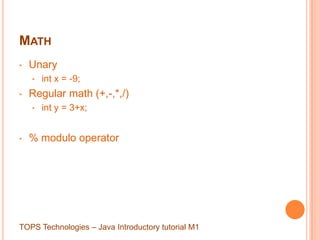
MATH
• Unary
• int x = -9;
• Regular math (+,-,*,/)
• int y = 3+x;
• % modulo operator
TOPS Technologies – Java Introductory tutorial M1
16
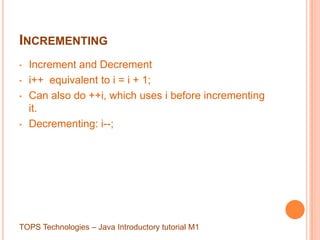
INCREMENTING
• Increment and Decrement
• i++ equivalent to i = i + 1;
• Can also do ++i, which uses i before incrementing
it.
• Decrementing: i--;
TOPS Technologies – Java Introductory tutorial M1
17
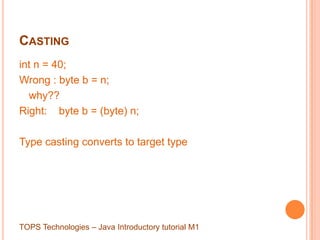
CASTING
int n = 40;
Wrong : byte b = n;
why??
Right: byte b = (byte) n;
Type casting converts to target type
TOPS Technologies – Java Introductory tutorial M1
18
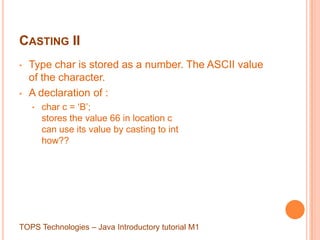
CASTING II
• Type char is stored as a number. The ASCII value
of the character.
• A declaration of :
• char c = „B‟;
stores the value 66 in location c
can use its value by casting to int
how??
TOPS Technologies – Java Introductory tutorial M1
19
ASSIGNMENT
• +=
• -=
• *=
• /=
• %=
TOPS Technologies – Java Introductory tutorial M1
20
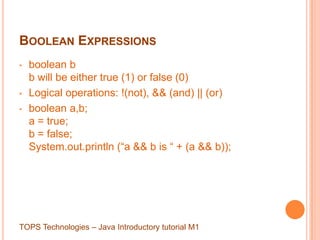
BOOLEAN EXPRESSIONS
• boolean b
b will be either true (1) or false (0)
• Logical operations: !(not), && (and) || (or)
• boolean a,b;
a = true;
b = false;
System.out.println (“a && b is “ + (a && b));
TOPS Technologies – Java Introductory tutorial M1
21
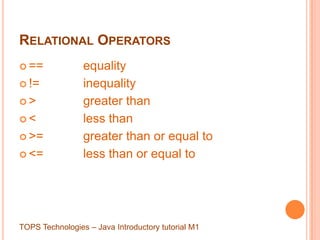
RELATIONAL OPERATORS
 == equality
 != inequality
 > greater than
 < less than
 >= greater than or equal to
 <= less than or equal to
TOPS Technologies – Java Introductory tutorial M1
22
THE IF - BRANCHING STATEMENT
• if ( x < y) {
• x = y;
• }
• if ( x < y ) {
x = y;
}
else {
x = 88;
}
TOPS Technologies – Java Introductory tutorial M1
23
IF/ELSE
• if (logic condition) {
something
}
else if (logic condition) {
something
}
else {
something else
}
TOPS Technologies – Java Introductory tutorial M1
24
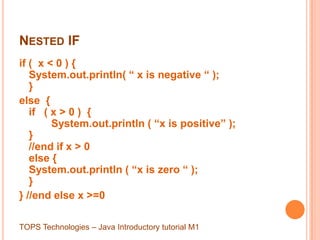
NESTED IF
if ( x < 0 ) {
System.out.println( “ x is negative “ );
}
else {
if ( x > 0 ) {
System.out.println ( “x is positive” );
}
//end if x > 0
else {
System.out.println ( “x is zero “ );
}
} //end else x >=0
TOPS Technologies – Java Introductory tutorial M1
25
SWITCH/CASE
Switch(variable)
{
case(1): something;
break;
case(23): something;
break;
default: something;
}
TOPS Technologies – Java Introductory tutorial M1
26
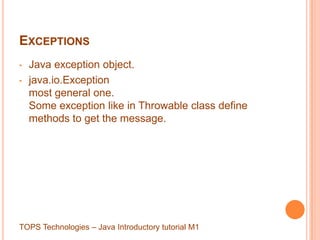
EXCEPTIONS
• Java exception object.
• java.io.Exception
most general one.
Some exception like in Throwable class define
methods to get the message.
TOPS Technologies – Java Introductory tutorial M1
27
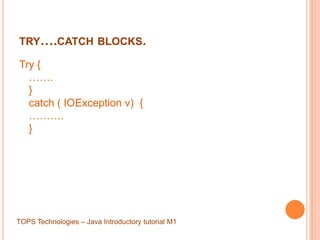
TRY….CATCH BLOCKS.
Try {
…….
}
catch ( IOException v) {
……….
}
TOPS Technologies – Java Introductory tutorial M1
28
SYSTEM.OUT.PRINTLN
• println is a method in the Printstream class.
• Defined:
• public void println(String x)
can be any type of string or combination string using
addition to join parts.
Example:
println(“hello “ + “world “ + x);
TOPS Technologies – Java Introductory tutorial M1
29
SYSTEM.EXIT()
• One method in java.lang.System
• Defined:
public static void exit ( int status)
• Terminates currently running Java VM
• Status is status code, non zero will usually
mean something abnormal.
• Used at end to indicate success, or in
middle to signal problems.
TOPS Technologies – Java Introductory tutorial M1

Introduction to Java programming

  • 1.
  • 2.
    TOPSTechnologies–JavaIntroductoryTutorial 2 INTRODUCTION TO JAVA TOPSTechnologies – Java Introductory Tutorial Module :1( theory) http://www.tops-int.com/
  • 3.
    TOPS Technologies –Java Introductory tutorial M1 3 WELCOME • History • First Java Application • Data types • Variables • Strings • Assignments • Math, Boolean expressions • Relational operations • If statements • System.exit
  • 4.
    TOPS Technologies –Java Introductory tutorial M1 4 VERY BRIEF HISTORY • Started in 1991 by SUN Microsystems • Targeted at consumer electronics. Wanted reliable programming language. • Integrated into browsers • Evolved into write once run anywhere, integrates into Netscape • General purpose libraries released
  • 5.
    TOPS Technologies –Java Introductory tutorial M1 5 COURSE INFORMATION  Textbook: Java in a Nutshell Reading class 1 chapters 1,2
  • 6.
    6 BASIC DEFINITIONS • Javais an object oriented language. • Object • Method • Class • Applications • Applets • Native classes • Threads • Exceptions TOPS Technologies – Java Introductory tutorial M1
  • 7.
    TOPS Technologies –Java Introductory tutorial M1 7 FIRST APPLICATION /** *Hello World, first application, only output. */ import java.io.*; public class hello{ public static void main (String [] args) { System.out.println(“Hello Worldn”); } //end main }//end class
  • 8.
    8 HOW TO GETIT RUNNING • Text in hello.java file • Why? • To compile: • javac hello.java • To run: • java hello TOPS Technologies – Java Introductory tutorial M1
  • 9.
    9 NOTICE: • Java isCASE SENSITIVE!! • Whitespace is ignored by compiler • Whitespace makes things easier to read…hence it affects your grade  • File name has to be the same as class name in file. • Need to import necessary class definitions TOPS Technologies – Java Introductory tutorial M1
  • 10.
    10 VARIABLES • Variables: • Name •Type • Value • Naming: • May contain numbers,underscore,dollar sign, or letters • Can not start with number • Can be any length • Reserved keywords • Case sensitive TOPS Technologies – Java Introductory tutorial M1
  • 11.
    11 PRIMITIVE DATA TYPES Byte8 -27 27-1 Short 16 -215 215-1 Int 32 -231 231-1 Long 64 Float 32 Double 64 Boolean 1 0 1 Char 16 TOPS Technologies – Java Introductory tutorial M1
  • 12.
    12 ASSIGNMENT • = • Example: •int n; • n = 10; • or • int n = 10; //same TOPS Technologies – Java Introductory tutorial M1
  • 13.
    13 STRINGS • Not aprimitive class, its actually something called a wrapper class • To find a built in class‟s method use API documentation. • String is a group of char‟s • A character has single quotes • char c = „h‟; • A String has double quotes • String s = “Hello World”; • Method length • int n = s.length; TOPS Technologies – Java Introductory tutorial M1
  • 14.
    14 USING STRINGS public classhello{ public static void main (String [] args) { String s = “Hello Worldn”; System.out.println(s); //output simple string } //end main }//end class hello TOPS Technologies – Java Introductory tutorial M1
  • 15.
    15 MATH • Unary • intx = -9; • Regular math (+,-,*,/) • int y = 3+x; • % modulo operator TOPS Technologies – Java Introductory tutorial M1
  • 16.
    16 INCREMENTING • Increment andDecrement • i++ equivalent to i = i + 1; • Can also do ++i, which uses i before incrementing it. • Decrementing: i--; TOPS Technologies – Java Introductory tutorial M1
  • 17.
    17 CASTING int n =40; Wrong : byte b = n; why?? Right: byte b = (byte) n; Type casting converts to target type TOPS Technologies – Java Introductory tutorial M1
  • 18.
    18 CASTING II • Typechar is stored as a number. The ASCII value of the character. • A declaration of : • char c = „B‟; stores the value 66 in location c can use its value by casting to int how?? TOPS Technologies – Java Introductory tutorial M1
  • 19.
    19 ASSIGNMENT • += • -= •*= • /= • %= TOPS Technologies – Java Introductory tutorial M1
  • 20.
    20 BOOLEAN EXPRESSIONS • booleanb b will be either true (1) or false (0) • Logical operations: !(not), && (and) || (or) • boolean a,b; a = true; b = false; System.out.println (“a && b is “ + (a && b)); TOPS Technologies – Java Introductory tutorial M1
  • 21.
    21 RELATIONAL OPERATORS  ==equality  != inequality  > greater than  < less than  >= greater than or equal to  <= less than or equal to TOPS Technologies – Java Introductory tutorial M1
  • 22.
    22 THE IF -BRANCHING STATEMENT • if ( x < y) { • x = y; • } • if ( x < y ) { x = y; } else { x = 88; } TOPS Technologies – Java Introductory tutorial M1
  • 23.
    23 IF/ELSE • if (logiccondition) { something } else if (logic condition) { something } else { something else } TOPS Technologies – Java Introductory tutorial M1
  • 24.
    24 NESTED IF if (x < 0 ) { System.out.println( “ x is negative “ ); } else { if ( x > 0 ) { System.out.println ( “x is positive” ); } //end if x > 0 else { System.out.println ( “x is zero “ ); } } //end else x >=0 TOPS Technologies – Java Introductory tutorial M1
  • 25.
    25 SWITCH/CASE Switch(variable) { case(1): something; break; case(23): something; break; default:something; } TOPS Technologies – Java Introductory tutorial M1
  • 26.
    26 EXCEPTIONS • Java exceptionobject. • java.io.Exception most general one. Some exception like in Throwable class define methods to get the message. TOPS Technologies – Java Introductory tutorial M1
  • 27.
    27 TRY….CATCH BLOCKS. Try { ……. } catch( IOException v) { ………. } TOPS Technologies – Java Introductory tutorial M1
  • 28.
    28 SYSTEM.OUT.PRINTLN • println isa method in the Printstream class. • Defined: • public void println(String x) can be any type of string or combination string using addition to join parts. Example: println(“hello “ + “world “ + x); TOPS Technologies – Java Introductory tutorial M1
  • 29.
    29 SYSTEM.EXIT() • One methodin java.lang.System • Defined: public static void exit ( int status) • Terminates currently running Java VM • Status is status code, non zero will usually mean something abnormal. • Used at end to indicate success, or in middle to signal problems. TOPS Technologies – Java Introductory tutorial M1