Introduction to
Instagram
Making images work for your social
media presence.
What is instagram?
• Instagram is a way of sharing pictures, photos,
and video.
• Available for Android, iOS and Window’s
phones.
• There are also third party applications that
enable you to use Instagram on Blackberry
and Nokia devices.
What is Instagram continued…
• Instagram has a style similar to twitter, or
facebook.
• Your network’s updates are presented in a list but
rather than text updates you use visual media
with a caption to communicate with others.
• In addition, you can very easily share updates
(Yours or others) to other social network
platforms.
• Instagram is smartphone and tablet based with a
website you can browse but you cannot post
updates or sign up via a computer.
Why would you want to use it?
• Instagram is a fun, quirky and innovative way
to share your world with your community.
• It’s much more than just photos of cats and
your breakfast.
So, how do you sign up?
• First you need to go to the application store
for your type of phone.
• Then download the instagram app and install
it.
• Enter the application and follow the
instructions to make a new account.
• Remember to make your username something
you can easily remember, but make sure you
make your password secure.
So now you have
Instagram
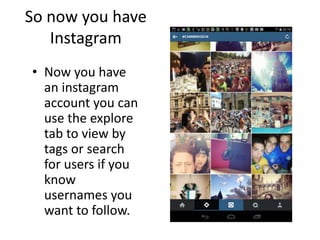
• Now you have
an instagram
account you can
use the explore
tab to view by
tags or search
for users if you
know
usernames you
want to follow.
Finding friends
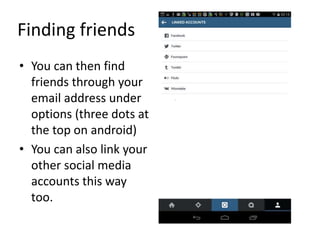
• You can then find
friends through your
email address under
options (three dots at
the top on android)
• You can also link your
other social media
accounts this way
too.
So now what?
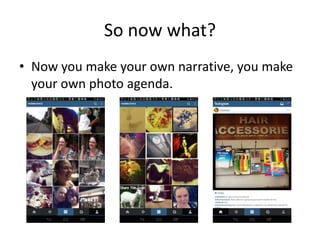
• Now you make your own narrative, you make
your own photo agenda.

Introduction to instagram

  • 1.
    Introduction to Instagram Making imageswork for your social media presence.
  • 2.
    What is instagram? •Instagram is a way of sharing pictures, photos, and video. • Available for Android, iOS and Window’s phones. • There are also third party applications that enable you to use Instagram on Blackberry and Nokia devices.
  • 3.
    What is Instagramcontinued… • Instagram has a style similar to twitter, or facebook. • Your network’s updates are presented in a list but rather than text updates you use visual media with a caption to communicate with others. • In addition, you can very easily share updates (Yours or others) to other social network platforms. • Instagram is smartphone and tablet based with a website you can browse but you cannot post updates or sign up via a computer.
  • 4.
    Why would youwant to use it? • Instagram is a fun, quirky and innovative way to share your world with your community. • It’s much more than just photos of cats and your breakfast.
  • 5.
    So, how doyou sign up? • First you need to go to the application store for your type of phone. • Then download the instagram app and install it. • Enter the application and follow the instructions to make a new account. • Remember to make your username something you can easily remember, but make sure you make your password secure.
  • 6.
    So now youhave Instagram • Now you have an instagram account you can use the explore tab to view by tags or search for users if you know usernames you want to follow.
  • 7.
    Finding friends • Youcan then find friends through your email address under options (three dots at the top on android) • You can also link your other social media accounts this way too.
  • 8.
    So now what? •Now you make your own narrative, you make your own photo agenda.