Everybody ViewToo!
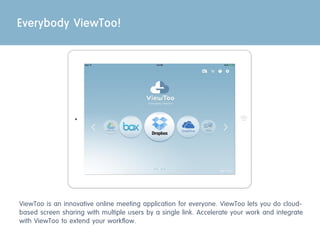
ViewToo is an innovative online meeting application for everyone. ViewToo lets you do cloud-
based screen sharing with multiple users by a single link. Accelerate your work and integrate
with ViewToo to extend your workflow.
Make Your Meeting Simple
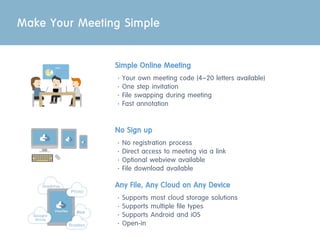
Simple Online Meeting
ㆍYour own meeting code (4~20 letters available)
ㆍOne step invitation
ㆍFile swapping during meeting
ㆍFast annotation
No Sign up
ㆍNo registration process
ㆍDirect access to meeting via a link
ㆍOptional webview available
ㆍFile download available
Any File, Any Cloud on Any Device
ㆍSupports most cloud storage solutions
ㆍSupports multiple file types
ㆍSupports Android and iOS
ㆍOpen-in
Use Cases
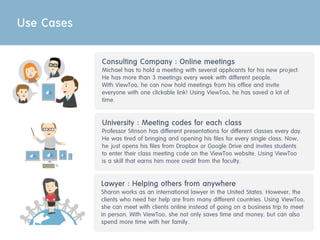
Consulting Company : Online meetings
Michael has to hold a meeting with several applicants for his new project.
He has more than 3 meetings every week with different people.
With ViewToo, he can now hold meetings from his office and invite
everyone with one clickable link! Using ViewToo, he has saved a lot of
time.
University : Meeting codes for each class
Professor Stinson has different presentations for different classes every day.
He was tired of bringing and opening his files for every single class. Now,
he just opens his files from Dropbox or Google Drive and invites students
to enter their class meeting code on the ViewToo website. Using ViewToo
is a skill that earns him more credit from the faculty.
Lawyer : Helping others from anywhere
Sharon works as an international lawyer in the United States. However, the
clients who need her help are from many different countries. Using ViewToo,
she can meet with clients online instead of going on a business trip to meet
in person. With ViewToo, she not only saves time and money, but can also
spend more time with her family.
Quick Guide
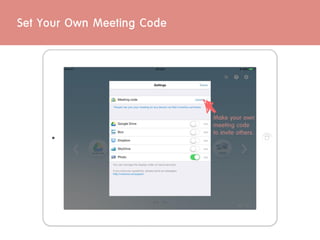
Set Your Own Meeting Code
Make your own
meeting code
to invite others.
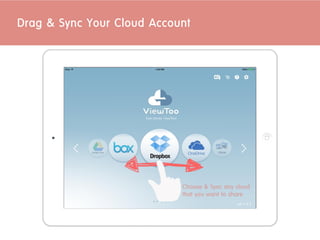
Drag & Sync Your Cloud Account
Choose & Sync any cloud
that you want to share
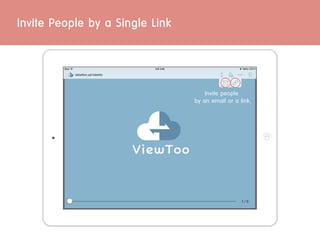
Invite People by a Single Link
Invite people
by an email or a link.
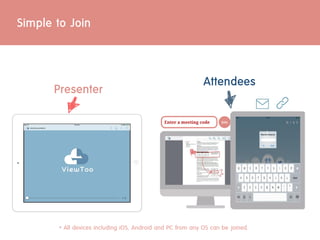
Simple to Join
Presenter
Attendees
* All devices including iOS, Android and PC from any OS can be joined.
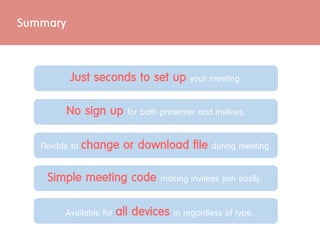
Just seconds to set up your meeting.
No sign up for both presenter and invitees.
Available for all devices in regardless of type.
Summary
Flexible to change or download file during meeting.
Simple meeting code making invitees join easily.
Everybody ViewToo!

Introducing view too v.2.1

  • 2.
    Everybody ViewToo! ViewToo isan innovative online meeting application for everyone. ViewToo lets you do cloud- based screen sharing with multiple users by a single link. Accelerate your work and integrate with ViewToo to extend your workflow.
  • 3.
    Make Your MeetingSimple Simple Online Meeting ㆍYour own meeting code (4~20 letters available) ㆍOne step invitation ㆍFile swapping during meeting ㆍFast annotation No Sign up ㆍNo registration process ㆍDirect access to meeting via a link ㆍOptional webview available ㆍFile download available Any File, Any Cloud on Any Device ㆍSupports most cloud storage solutions ㆍSupports multiple file types ㆍSupports Android and iOS ㆍOpen-in
  • 4.
    Use Cases Consulting Company: Online meetings Michael has to hold a meeting with several applicants for his new project. He has more than 3 meetings every week with different people. With ViewToo, he can now hold meetings from his office and invite everyone with one clickable link! Using ViewToo, he has saved a lot of time. University : Meeting codes for each class Professor Stinson has different presentations for different classes every day. He was tired of bringing and opening his files for every single class. Now, he just opens his files from Dropbox or Google Drive and invites students to enter their class meeting code on the ViewToo website. Using ViewToo is a skill that earns him more credit from the faculty. Lawyer : Helping others from anywhere Sharon works as an international lawyer in the United States. However, the clients who need her help are from many different countries. Using ViewToo, she can meet with clients online instead of going on a business trip to meet in person. With ViewToo, she not only saves time and money, but can also spend more time with her family.
  • 5.
  • 6.
    Set Your OwnMeeting Code Make your own meeting code to invite others.
  • 7.
    Drag & SyncYour Cloud Account Choose & Sync any cloud that you want to share
  • 8.
    Invite People bya Single Link Invite people by an email or a link.
  • 9.
    Simple to Join Presenter Attendees *All devices including iOS, Android and PC from any OS can be joined.
  • 10.
    Just seconds toset up your meeting. No sign up for both presenter and invitees. Available for all devices in regardless of type. Summary Flexible to change or download file during meeting. Simple meeting code making invitees join easily.
  • 11.