Introducing the Python
Interpreter
The Python interpreter is the core component that executes Python
code, whether in interactive mode or through script files. It provides a
powerful and flexible platform for developers to write, test, and run
their programs.
SS
by Shashikant Sathe
Starting the Python
Interpreter
1 Interactive Mode
The Python interpreter can
be started in interactive
mode, allowing you to
execute commands and see
immediate results.
2 Script Execution
Python programs can also
be saved as script files and
executed directly by the
interpreter.
3 Command Line
The interpreter can be launched from the command line,
providing a quick and convenient way to start coding.
Executing Python Programs
Interactive Execution
In interactive mode, each statement
is executed immediately, and the
results are displayed on the console.
Script Execution
When running a Python script, the
interpreter executes the entire
program from start to finish,
producing the final output.
Debugging
The interpreter provides tools and
features to help developers debug
their code, such as breakpoints and
step-by-step execution.
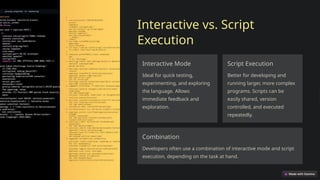
Interactive vs. Script
Execution
Interactive Mode
Ideal for quick testing,
experimenting, and exploring
the language. Allows
immediate feedback and
exploration.
Script Execution
Better for developing and
running larger, more complex
programs. Scripts can be
easily shared, version
controlled, and executed
repeatedly.
Combination
Developers often use a combination of interactive mode and script
execution, depending on the task at hand.
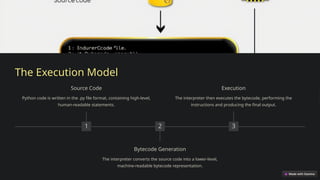
The Execution Model
1
Source Code
Python code is written in the .py file format, containing high-level,
human-readable statements.
2
Bytecode Generation
The interpreter converts the source code into a lower-level,
machine-readable bytecode representation.
3
Execution
The interpreter then executes the bytecode, performing the
instructions and producing the final output.
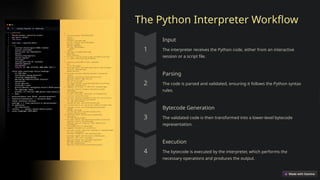
The Python Interpreter Workflow
Input
The interpreter receives the Python code, either from an interactive
session or a script file.
Parsing
The code is parsed and validated, ensuring it follows the Python syntax
rules.
Bytecode Generation
The validated code is then transformed into a lower-level bytecode
representation.
Execution
The bytecode is executed by the interpreter, which performs the
necessary operations and produces the output.
Interpretation vs. Compilation
Interpreted Languages
Python is an interpreted language,
where the interpreter executes the
code line by line, without a separate
compilation step.
Compiled Languages
Compiled languages, such as C or
Java, go through a separate
compilation step to generate
machine-executable code.
Differences
Interpreted languages are generally
more flexible and easier to use, while
compiled languages can offer better
performance.
Execution Model Variations
CPython The standard Python implementation, which uses an
interpreter to execute the bytecode.
Jython A Python implementation that runs on the Java Virtual
Machine (JVM).
PyPy A Python implementation that uses just-in-time (JIT)
compilation for improved performance.
Just-In-Time (JIT) Compilation
1 Source Code
The Python source code is first converted to bytecode, just like
in the standard interpreter.
2 JIT Compilation
The JIT compiler analyzes the bytecode and generates
optimized machine code on-the-fly.
3 Execution
The optimized machine code is then executed, providing a
significant performance boost over the standard interpreter.
Conclusion: Python's
Execution Options
1 Flexibility
Python offers a variety of
execution models, allowing
developers to choose the
one that best fits their
needs.
2 Performance
Innovations like JIT
compilation can
significantly improve the
performance of Python
programs.
3 Ecosystem
The Python community has developed a rich ecosystem of tools
and implementations to enhance the language's capabilities.

Introducing-the-Python-Interpreter. What is Python Interpreter

  • 1.
    Introducing the Python Interpreter ThePython interpreter is the core component that executes Python code, whether in interactive mode or through script files. It provides a powerful and flexible platform for developers to write, test, and run their programs. SS by Shashikant Sathe
  • 2.
    Starting the Python Interpreter 1Interactive Mode The Python interpreter can be started in interactive mode, allowing you to execute commands and see immediate results. 2 Script Execution Python programs can also be saved as script files and executed directly by the interpreter. 3 Command Line The interpreter can be launched from the command line, providing a quick and convenient way to start coding.
  • 3.
    Executing Python Programs InteractiveExecution In interactive mode, each statement is executed immediately, and the results are displayed on the console. Script Execution When running a Python script, the interpreter executes the entire program from start to finish, producing the final output. Debugging The interpreter provides tools and features to help developers debug their code, such as breakpoints and step-by-step execution.
  • 4.
    Interactive vs. Script Execution InteractiveMode Ideal for quick testing, experimenting, and exploring the language. Allows immediate feedback and exploration. Script Execution Better for developing and running larger, more complex programs. Scripts can be easily shared, version controlled, and executed repeatedly. Combination Developers often use a combination of interactive mode and script execution, depending on the task at hand.
  • 5.
    The Execution Model 1 SourceCode Python code is written in the .py file format, containing high-level, human-readable statements. 2 Bytecode Generation The interpreter converts the source code into a lower-level, machine-readable bytecode representation. 3 Execution The interpreter then executes the bytecode, performing the instructions and producing the final output.
  • 6.
    The Python InterpreterWorkflow Input The interpreter receives the Python code, either from an interactive session or a script file. Parsing The code is parsed and validated, ensuring it follows the Python syntax rules. Bytecode Generation The validated code is then transformed into a lower-level bytecode representation. Execution The bytecode is executed by the interpreter, which performs the necessary operations and produces the output.
  • 7.
    Interpretation vs. Compilation InterpretedLanguages Python is an interpreted language, where the interpreter executes the code line by line, without a separate compilation step. Compiled Languages Compiled languages, such as C or Java, go through a separate compilation step to generate machine-executable code. Differences Interpreted languages are generally more flexible and easier to use, while compiled languages can offer better performance.
  • 8.
    Execution Model Variations CPythonThe standard Python implementation, which uses an interpreter to execute the bytecode. Jython A Python implementation that runs on the Java Virtual Machine (JVM). PyPy A Python implementation that uses just-in-time (JIT) compilation for improved performance.
  • 9.
    Just-In-Time (JIT) Compilation 1Source Code The Python source code is first converted to bytecode, just like in the standard interpreter. 2 JIT Compilation The JIT compiler analyzes the bytecode and generates optimized machine code on-the-fly. 3 Execution The optimized machine code is then executed, providing a significant performance boost over the standard interpreter.
  • 10.
    Conclusion: Python's Execution Options 1Flexibility Python offers a variety of execution models, allowing developers to choose the one that best fits their needs. 2 Performance Innovations like JIT compilation can significantly improve the performance of Python programs. 3 Ecosystem The Python community has developed a rich ecosystem of tools and implementations to enhance the language's capabilities.