6.092: Intro to Java

3: Loops, Arrays
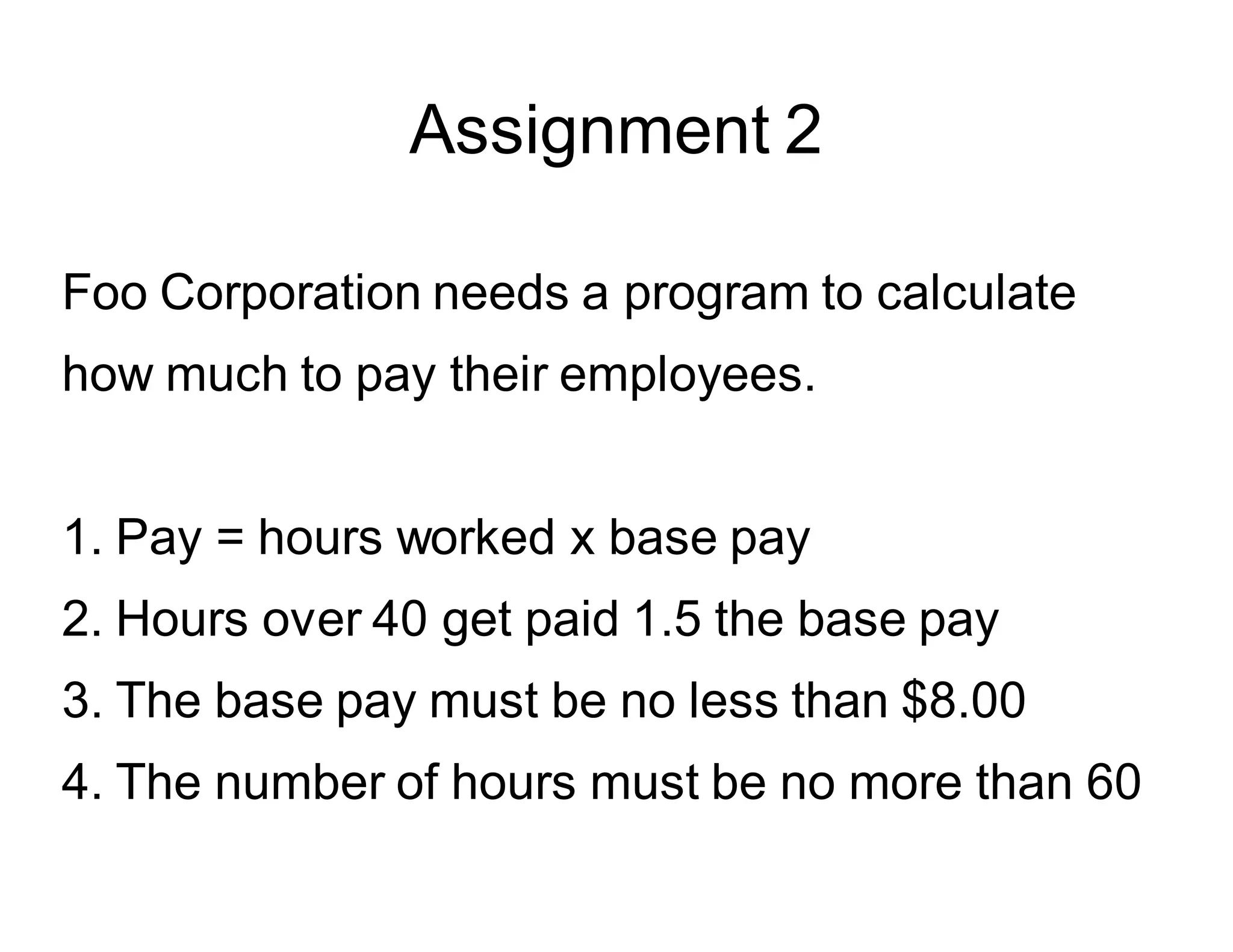
Assignment 2

Foo Corporation needs a program to calculate
how much to pay their employees.
1. Pay = hours worked x base pay
2. Hours over 40 get paid 1.5 the base pay
3. The base pay must be no less than $8.00
4. The number of hours must be no more than 60
Frequent Issues (I)

The signature of the main method cannot be
modified.
public static void main(String[] arguments) {
...
}
Frequent Issues (II)

Return values: if you declare that the method is not void,
then it has to return something!
public static int pay(double basePay, int hours) {
if (basePay < 8.0) return -1;
else if (hours > 60) return -1;
else {
int salary = 0;

...

return salary

}
}
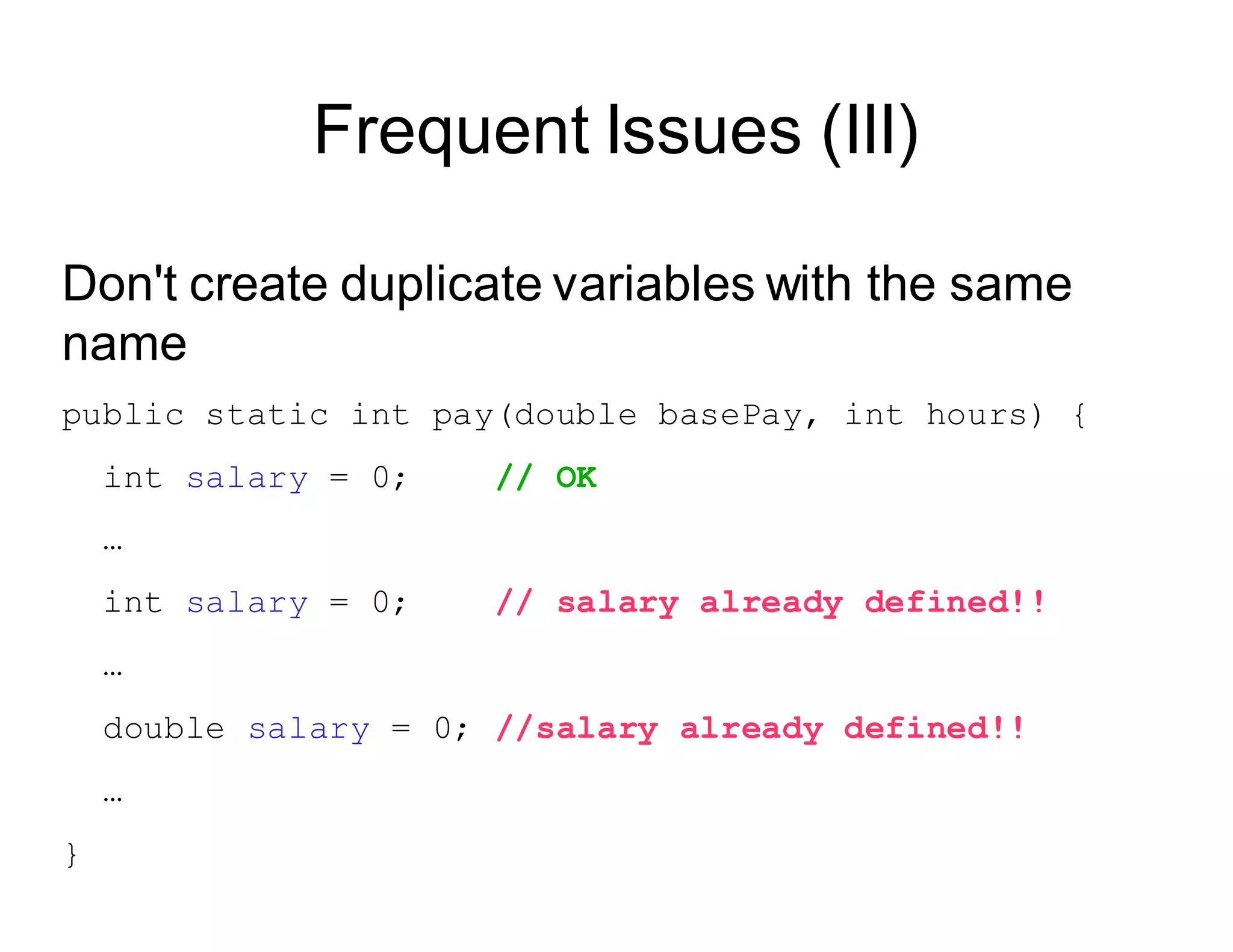
Frequent Issues (III)

Don't create duplicate variables with the same
name
public static int pay(double basePay, int hours) {

int salary = 0; // OK
…
int salary = 0; // salary already defined!!
…
double salary = 0; //salary already defined!!
…
}
class WeeklyPay {
public static void pay(double basePay, int hours) {
if (basePay < 8.0) {
System.out.println("You must be paid at least $8.00/hour");
} else if (hours > 60) {
System.out.println("You can't work more than 60 hours a week");
} else {

int overtimeHours = 0;

if (hours > 40) {

overtimeHours = hours - 40;
hours = 40;
}
double pay = basePay * hours;
pay += overtimeHours * basePay * 1.5;
System.out.println("Pay this employee $" + pay);
}
}
public static void main(String[] arguments) {
pay(7.5, 35);
pay(8.2, 47);
pay(10.0, 73);
}
}
What we have learned so far

● Variables & types
● Operators
● Type conversions & casting

● Methods & parameters
● If statement
Today’s Topics
● Good programming style

● Loops
● Arrays
Good Programming Style
Good programming style

The goal of good style is to make your

code more readable.

By you and by others.
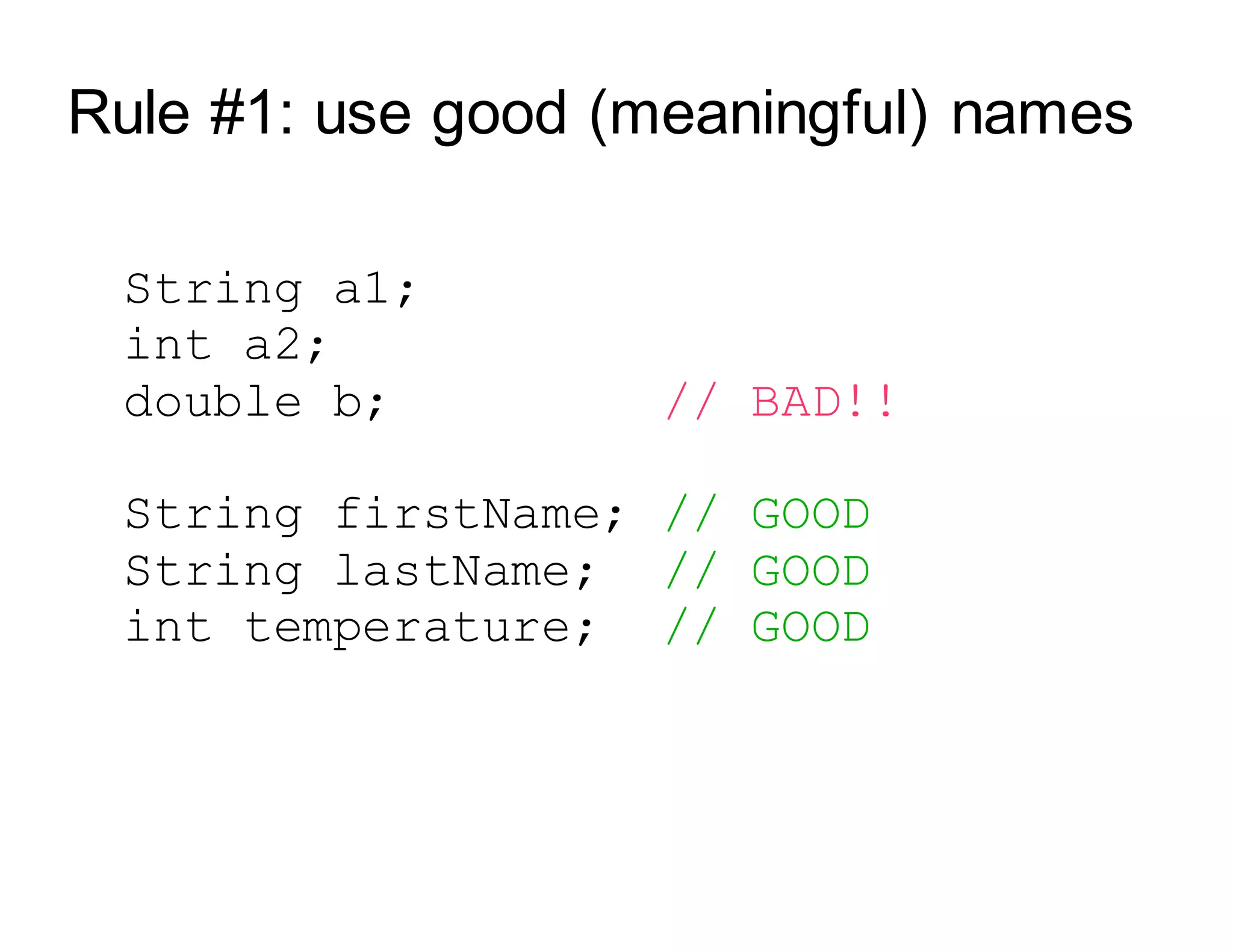
Rule #1: use good (meaningful) names

String a1;

int a2;

double b; // BAD!!

String firstName; // GOOD

String lastName; // GOOD

int temperature; // GOOD
Rule #2: Use indentation
public static void main (String[] arguments) {
int x = 5;
x = x * x;
if (x > 20) {
System.out.println(x + “ is greater than 20.”);
}
double y = 3.4;
}
Have a demo with no indentation
Ctrl-shift-F to auto-format the file
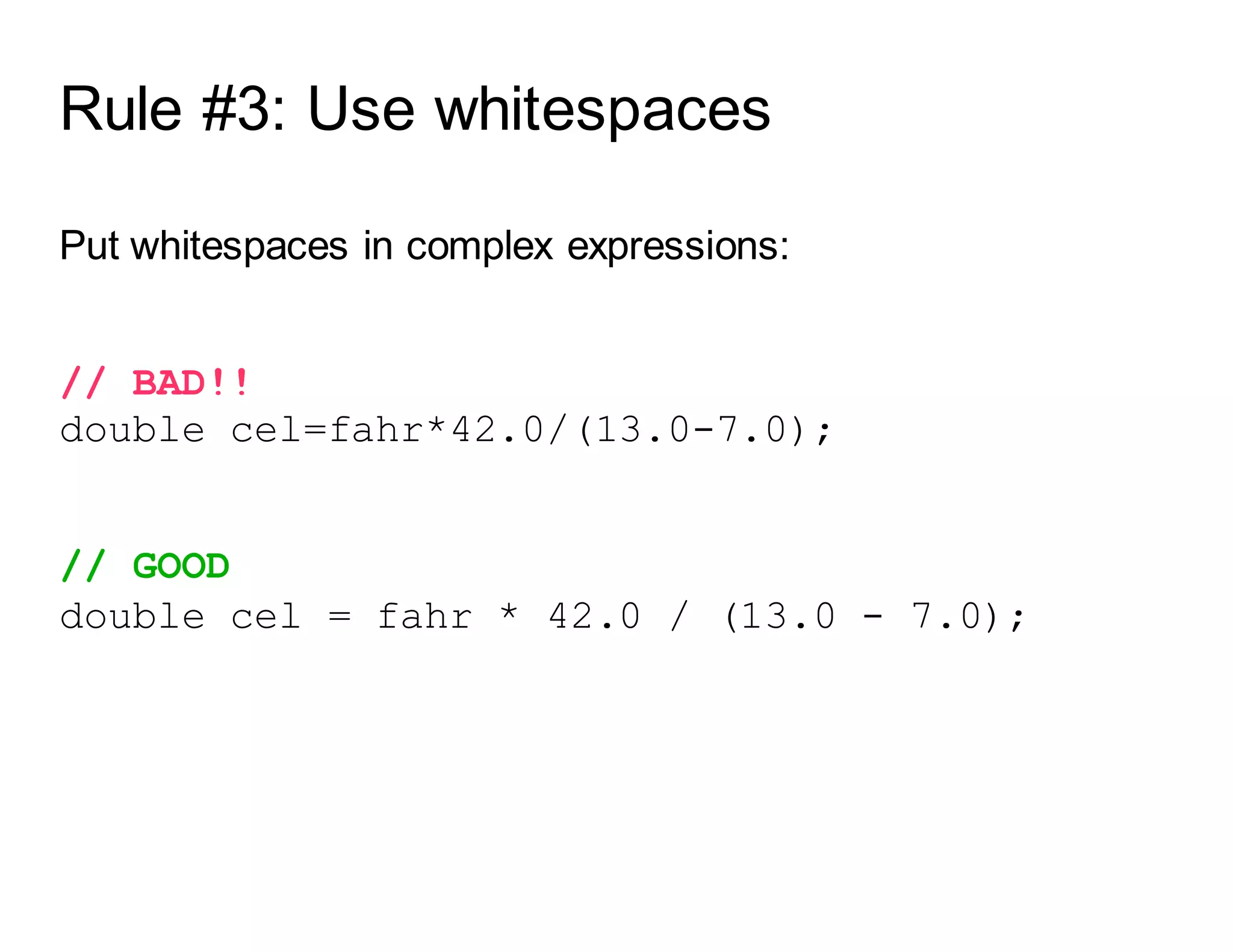
Rule #3: Use whitespaces
Put whitespaces in complex expressions:
// BAD!!
double cel=fahr*42.0/(13.0-7.0);
// GOOD
double cel = fahr * 42.0 / (13.0 - 7.0);
Rule #3: Use whitespaces
Put blank lines to improve readability:
public static void main (String[] arguments) {

int x = 5;

x = x * x;

if (x > 20) {
System.out.println(x + “ is > 20.”);
}
double y = 3.4;
}
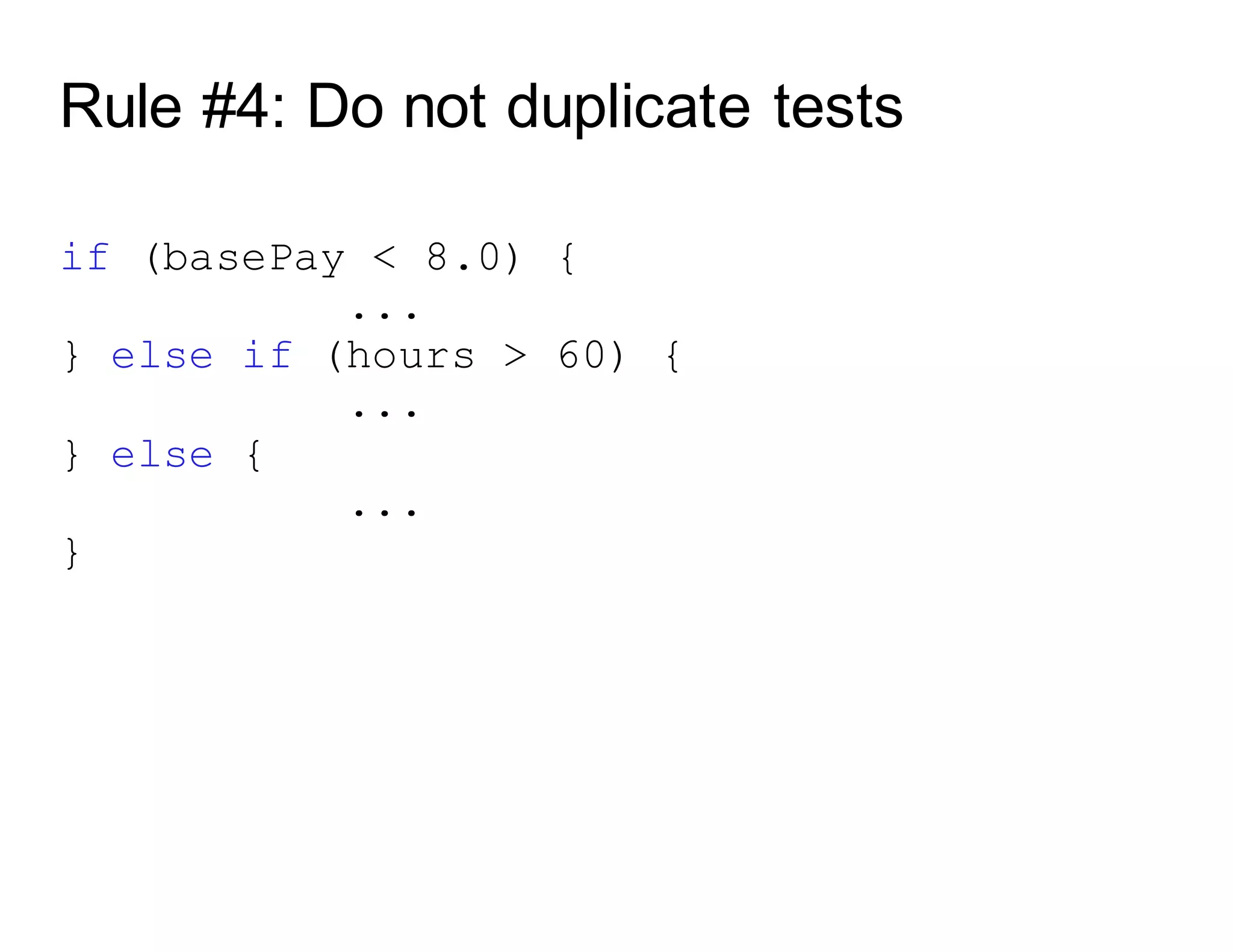
Rule #4: Do not duplicate tests
if (basePay < 8.0) {
...
} else if (hours > 60) {
...
} else if (basePay >= 8.0 && hours <= 60) {
...
}
Rule #4: Do not duplicate tests
if (basePay < 8.0) {
...
} else if (hours > 60) {
...
} else if (basePay >= 8.0 && hours <= 60){
...
}
BAD
Rule #4: Do not duplicate tests

if (basePay < 8.0) {
...
} else if (hours > 60) {

...

} else {
...
}
Good programming style (summary)

Use good names for variables and methods
Use indentation
Add whitespaces
Don't duplicate tests
oops
Loops
Loops
static void main (String[] arguments) {
System.out.println(“Rule #1”);
System.out.println(“Rule #2”);
System.out.println(“Rule #3”);
}
What if you want to do it for 200 Rules?
Loops
Loop operators allow to loop through a block
of code.
There are several loop operators in Java.
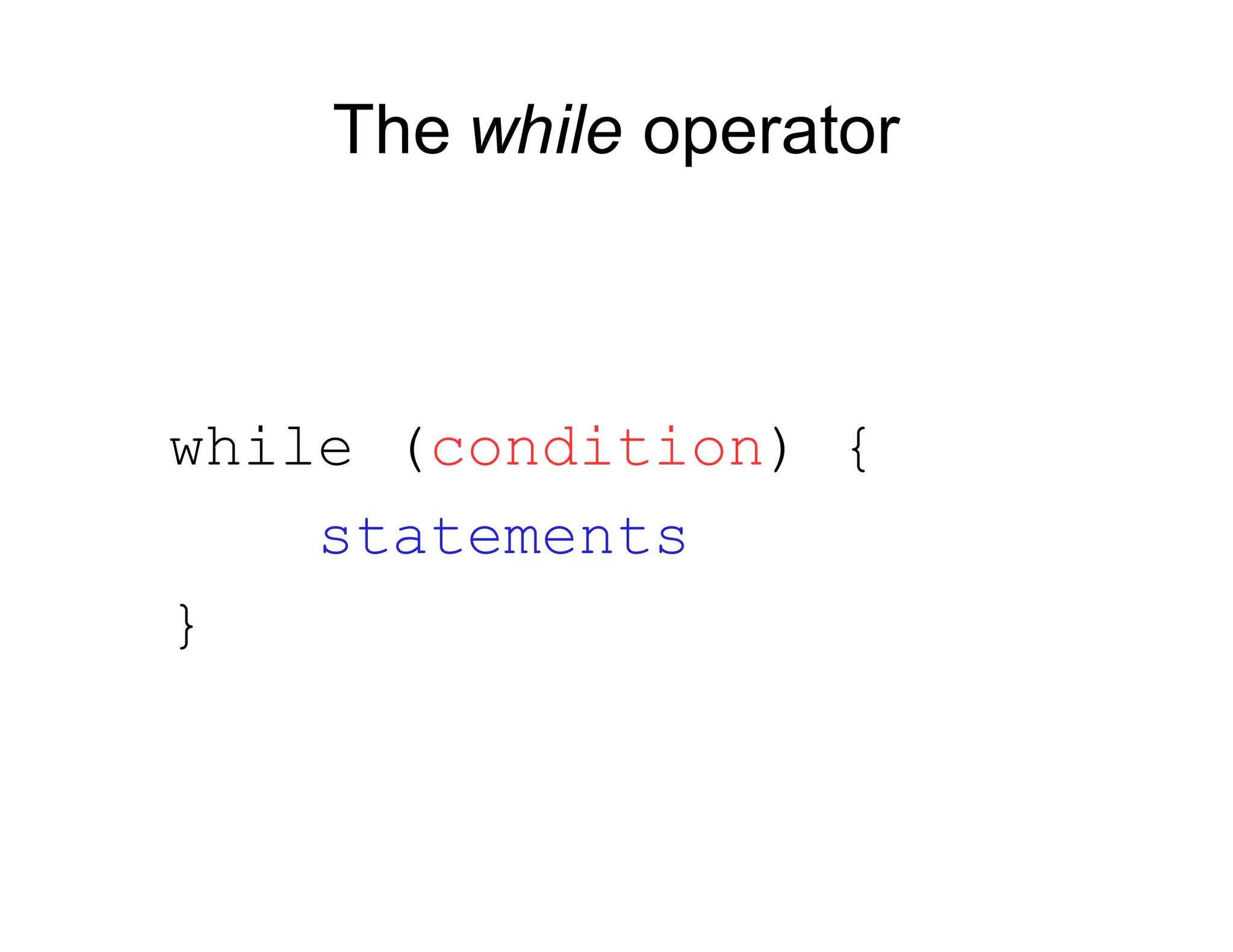
The while operator
while (condition) {

statements
}
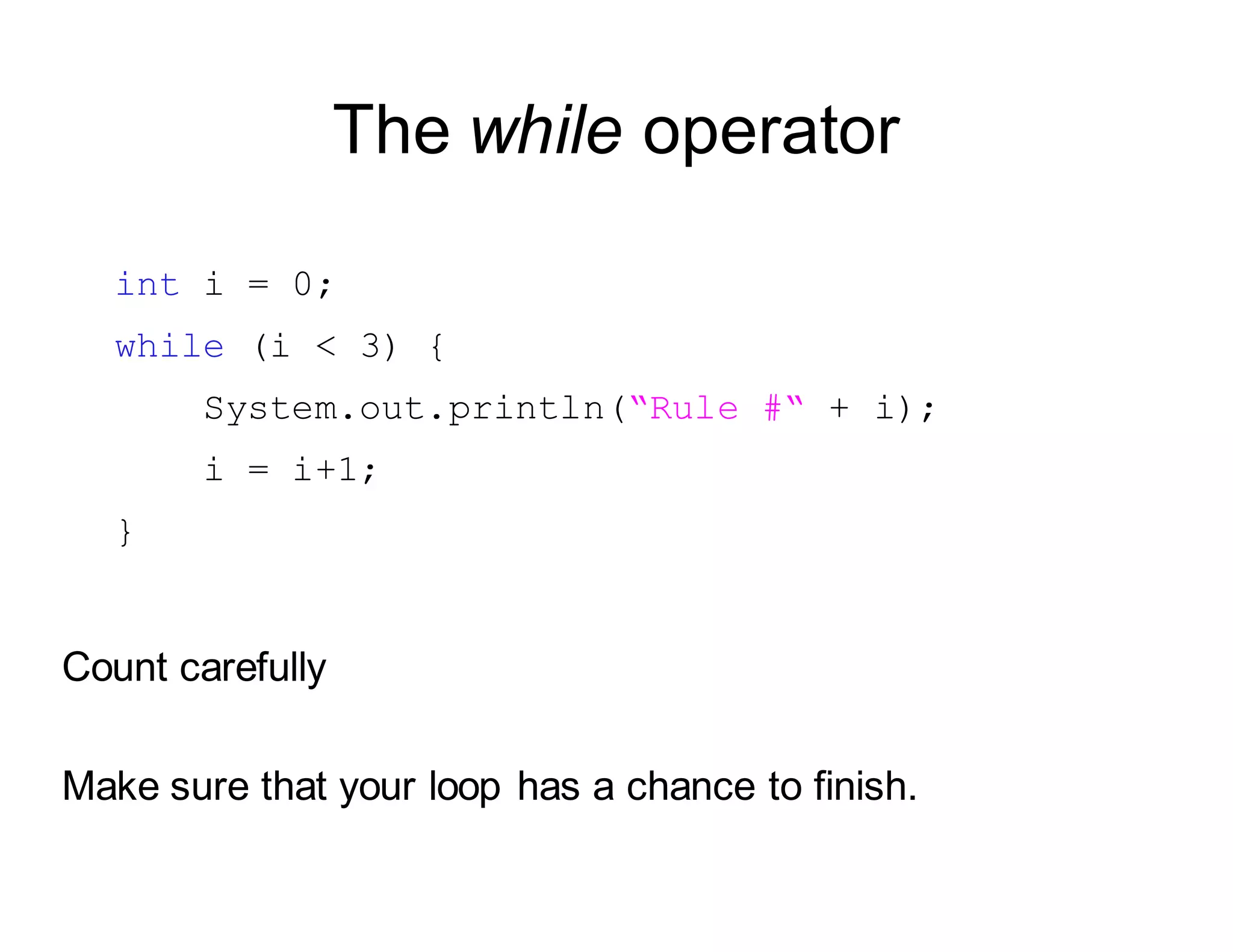
The while operator
int i = 0;
while (i < 3) {
System.out.println(“Rule #“ + i);
i = i+1;
}
Count carefully
Make sure that your loop has a chance to finish.
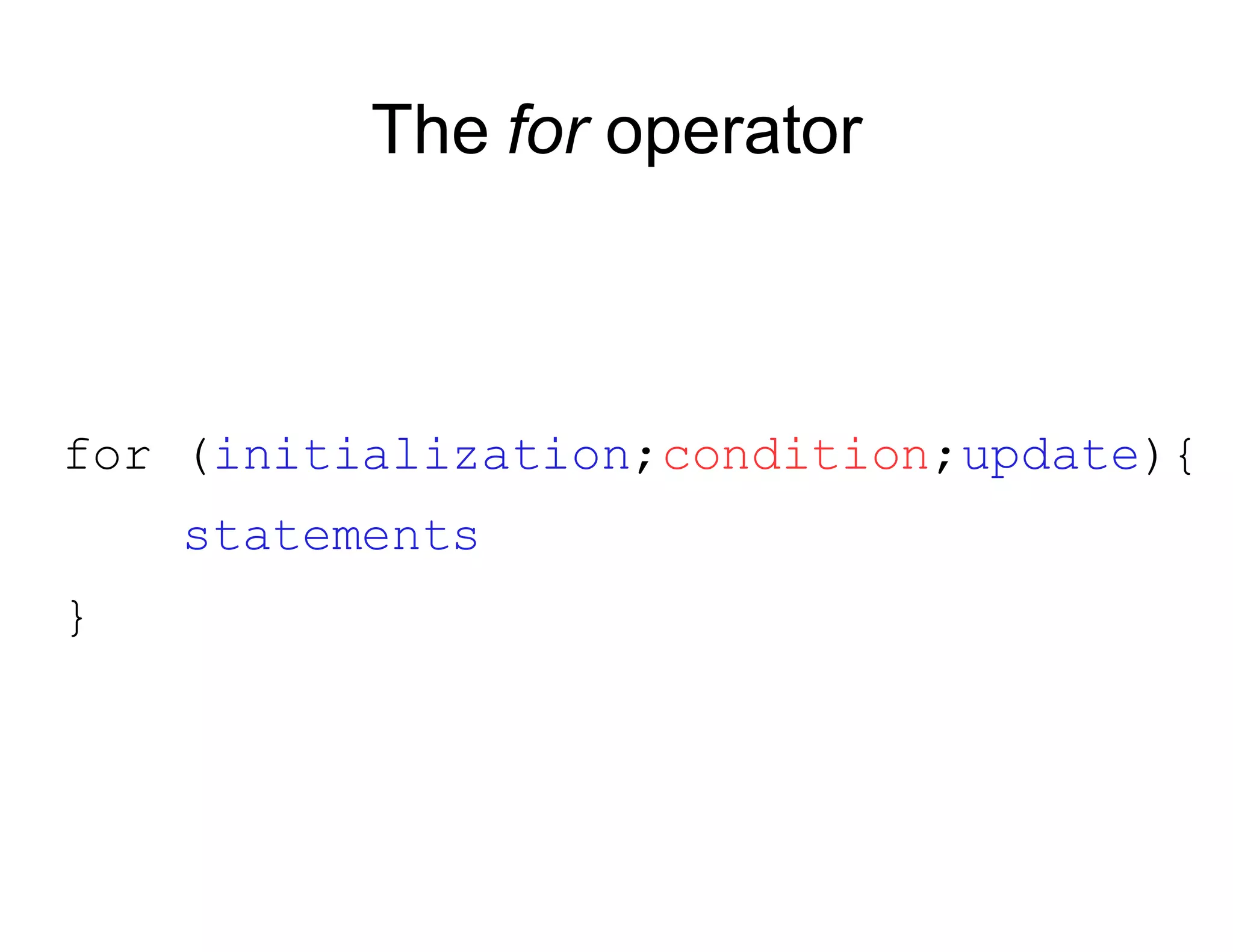
The for operator

for (initialization;condition;update){
statements
}
The for operator
for (int i = 0; i < 3; i=i+1) {
System.out.println(“Rule #“ + i);
}
Note: i = i+1 may be replaced by i++
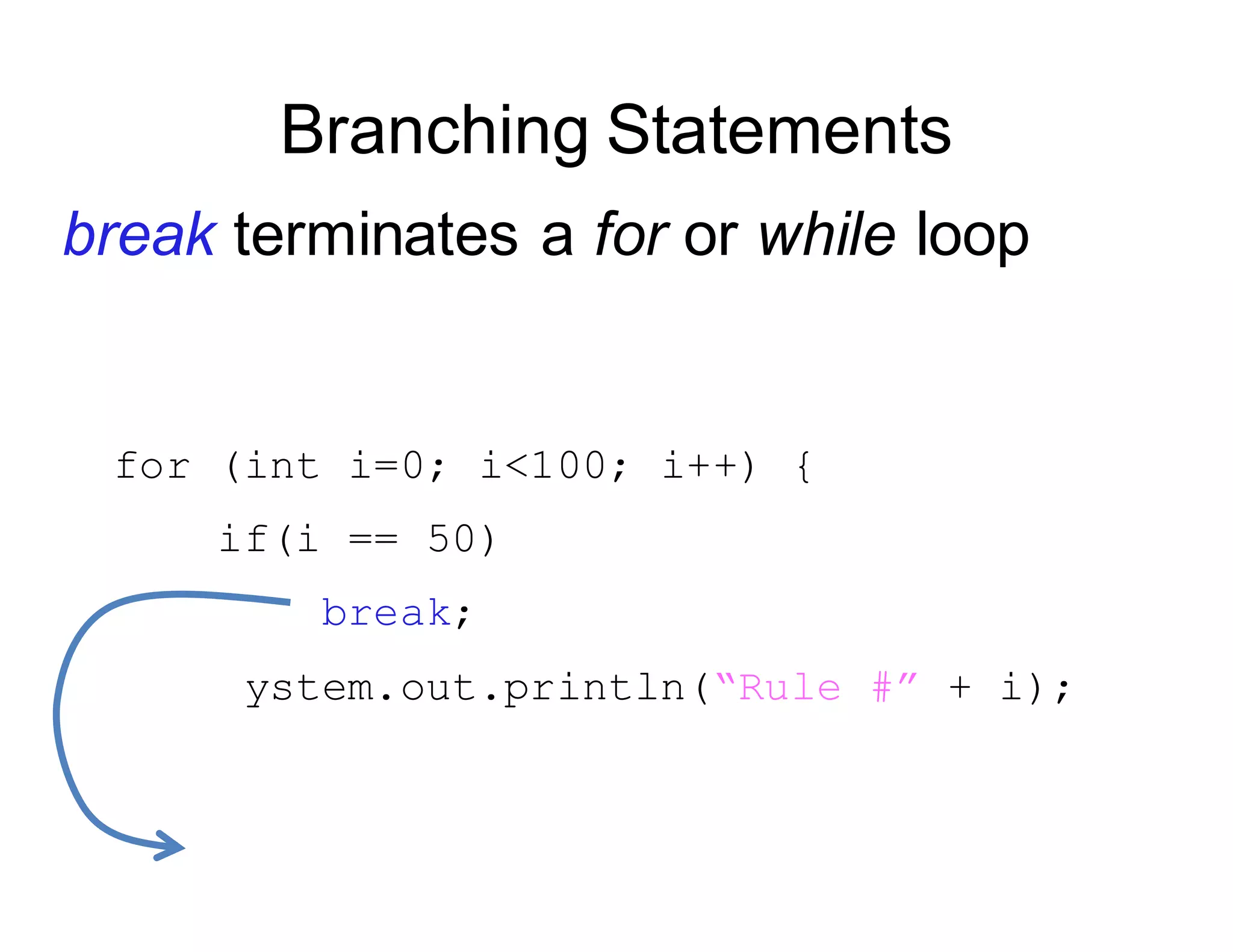
S
}
Branching Statements
break terminates a for or while loop
break;
ystem.out.println(“Rule #” + i);
for (int i=0; i<100; i++) {
if(i == 50)
r
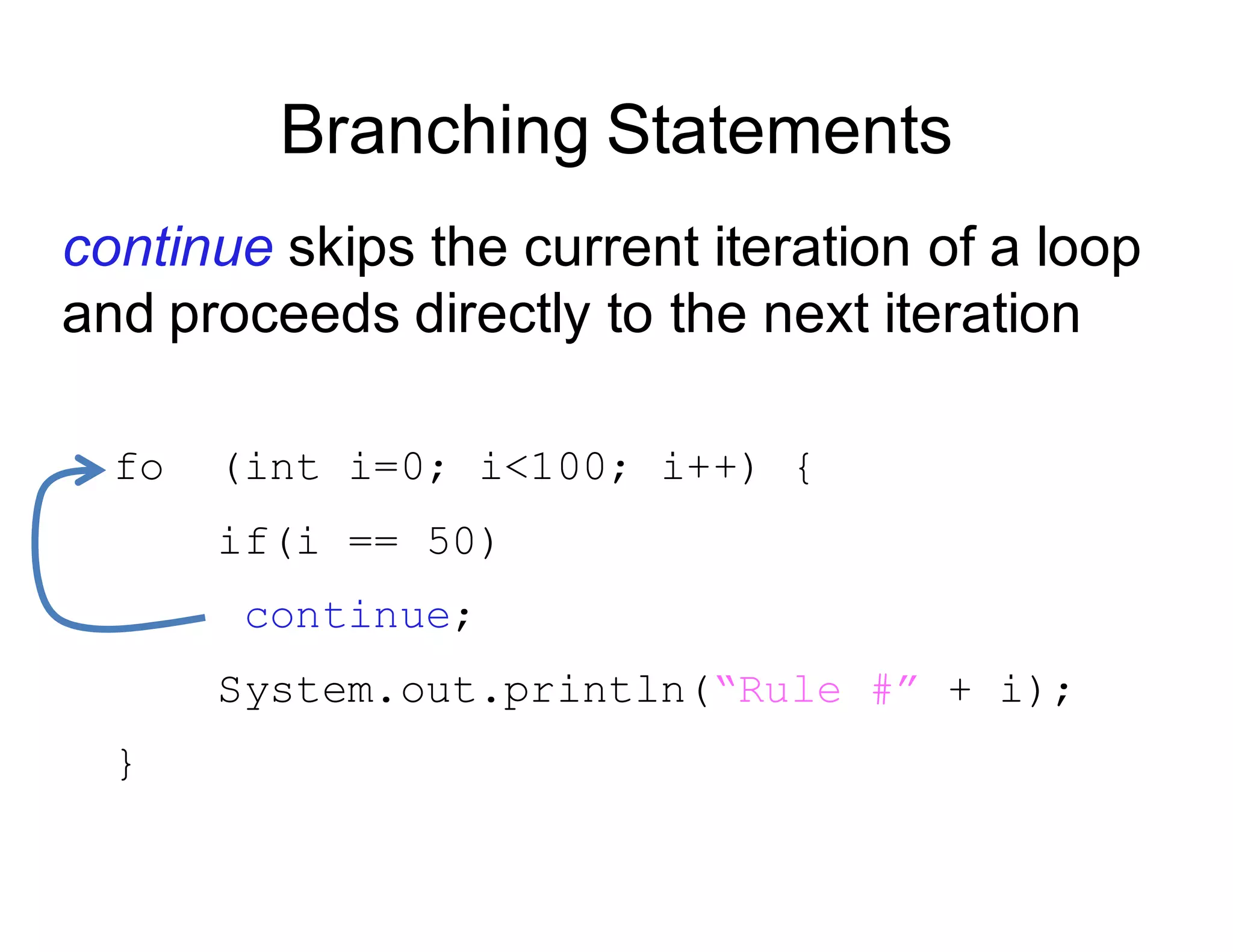
Branching Statements

continue skips the current iteration of a loop
and proceeds directly to the next iteration
fo (int i=0; i<100; i++) {
if(i == 50)
continue;
System.out.println(“Rule #” + i);
}
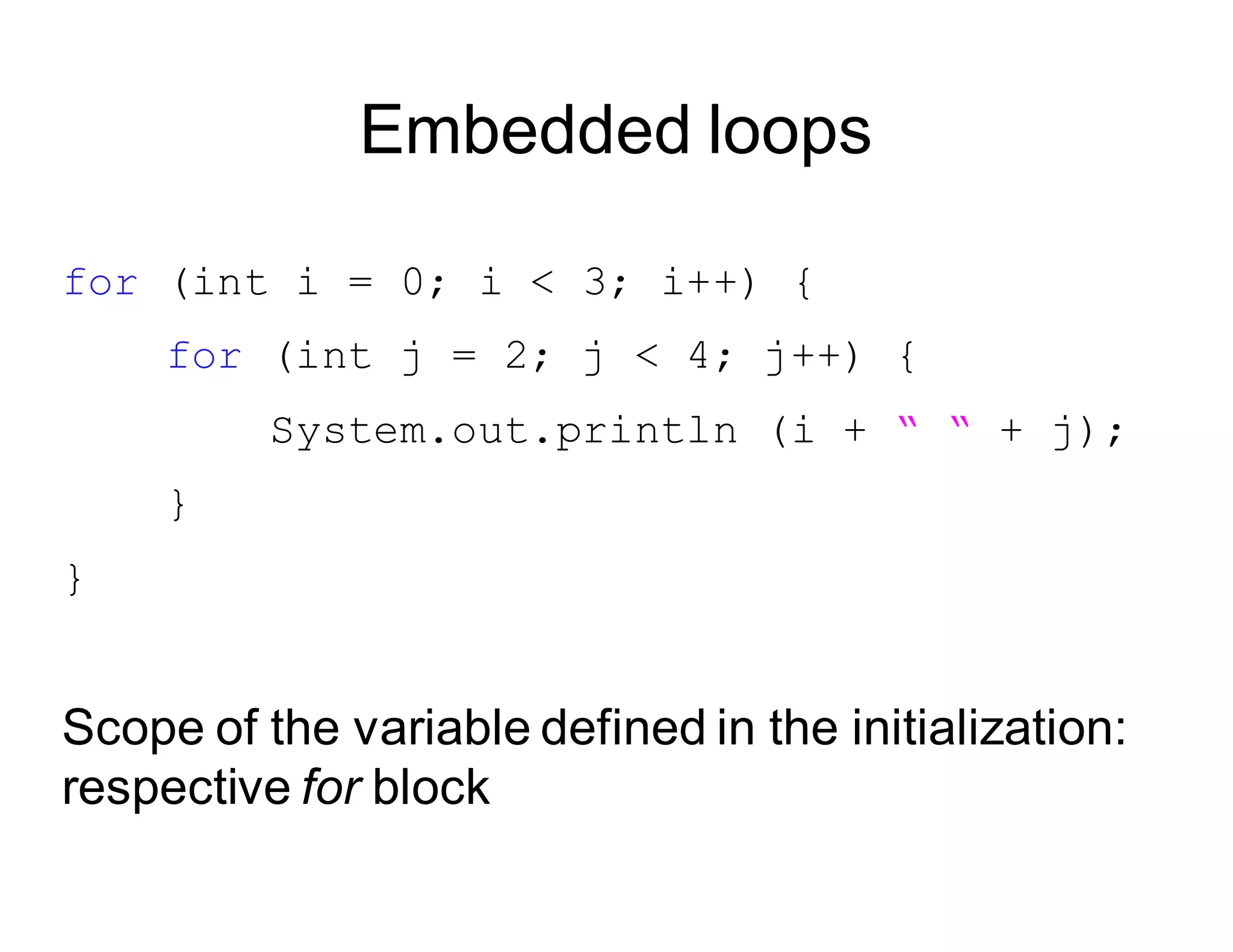
Embedded loops
for (int i = 0; i < 3; i++) {
for (int j = 2; j < 4; j++) {
System.out.println (i + “ “ + j);
}
}
Scope of the variable defined in the initialization:
respective for block
Arrays
Arrays

An array is an indexed list of values.
You can make an array of any type
int, double, String, etc..
All elements of an array must have the same type.
Arrays

..

0 1 2 3 .. n-1
Arrays

Example: double [ ]

5.0 2.44 9.01 1.0 -9.9
..
0 1 2 3 .. n-1
Arrays
The index starts at zero and ends at length-1.
Example:
int[] values = new int[5];
values[0] = 12; // CORRECT
values[4] = 12; // CORRECT
values[5] = 12; // WRONG!! compiles but
// throws an Exception
// at run-time
Have a demo with runtime exception
Arrays
An array is defined using TYPE[].
Arrays are just another type.
int[] values; // array of int
int[][] values; // int[] is a type
Arrays

To create an array of a given size, use the operator new :
int[] values = new int[5];
or you may use a variable to specify the size:
int size = 12;
int[] values = new int[size];
Array Initialization

Curly braces can be used to initialize an array.
It can ONLY be used when you declare the
variable.
int[] values = { 12, 24, -23, 47 };
Quiz time!

Is there an error in this code?
int[] values = {1, 2.5, 3, 3.5, 4};
Accessing Arrays

To access the elements of an array, use the [] operator:
values[index]
Example:
int[] values = { 12, 24, -23, 47 };
values[3] = 18; // {12,24,-23,18}
int x = values[1] + 3; // {12,24,-23,18}
The length variable

Each array has a length variable built-in that
containsthe length of the array.
int[] values = new int[12];

int size = values.length; // 12

int[] values2 = {1,2,3,4,5}

int size2 = values2.length; // 5
String arrays

A side note

public static void main (String[] arguments){
System.out.println(arguments.length);
System.out.println(arguments[0]);
System.out.println(arguments[1]);
}
Combining Loops and Arrays
Looping through an array
Example 1:
int[] values = new int[5];
for (int i=0; i<values.length; i++) {
values[i] = i;
int y = values[i] * values[i];
System.out.println(y);
}
Looping through an array
Example 2:
int[] values = new int[5];

int i = 0;

while (i < values.length) {

values[i] = i;
int y = values[i] * values[i];
System.out.println(y);
i++;

}
Summary for today

1. Programming Style

2. Loops
3. Arrays
Assignment 3
A group of friends participate in the Boston 

Marathon.

Find the best performer.

Find the second-best performer.
MIT OpenCourseWare
http://ocw.mit.edu
6.092 Introduction to Programming in Java
January (IAP) 2010
For information about citing these materials or our Terms of Use, visit: http://ocw.mit.edu/terms.

LECTURE 3 LOOPS, ARRAYS.pdf

  • 1.
    6.092: Intro toJava 3: Loops, Arrays
  • 2.
    Assignment 2 Foo Corporationneeds a program to calculate how much to pay their employees. 1. Pay = hours worked x base pay 2. Hours over 40 get paid 1.5 the base pay 3. The base pay must be no less than $8.00 4. The number of hours must be no more than 60
  • 3.
    Frequent Issues (I) Thesignature of the main method cannot be modified. public static void main(String[] arguments) { ... }
  • 4.
    Frequent Issues (II) Returnvalues: if you declare that the method is not void, then it has to return something! public static int pay(double basePay, int hours) { if (basePay < 8.0) return -1; else if (hours > 60) return -1; else { int salary = 0; ... return salary } }
  • 5.
    Frequent Issues (III) Don'tcreate duplicate variables with the same name public static int pay(double basePay, int hours) { int salary = 0; // OK … int salary = 0; // salary already defined!! … double salary = 0; //salary already defined!! … }
  • 6.
    class WeeklyPay { publicstatic void pay(double basePay, int hours) { if (basePay < 8.0) { System.out.println("You must be paid at least $8.00/hour"); } else if (hours > 60) { System.out.println("You can't work more than 60 hours a week"); } else { int overtimeHours = 0; if (hours > 40) { overtimeHours = hours - 40; hours = 40; } double pay = basePay * hours; pay += overtimeHours * basePay * 1.5; System.out.println("Pay this employee $" + pay); } } public static void main(String[] arguments) { pay(7.5, 35); pay(8.2, 47); pay(10.0, 73); } }
  • 7.
    What we havelearned so far ● Variables & types ● Operators ● Type conversions & casting ● Methods & parameters ● If statement
  • 8.
    Today’s Topics ● Goodprogramming style ● Loops ● Arrays
  • 9.
  • 10.
    Good programming style Thegoal of good style is to make your code more readable. By you and by others.
  • 11.
    Rule #1: usegood (meaningful) names String a1; int a2; double b; // BAD!! String firstName; // GOOD String lastName; // GOOD int temperature; // GOOD
  • 12.
    Rule #2: Useindentation public static void main (String[] arguments) { int x = 5; x = x * x; if (x > 20) { System.out.println(x + “ is greater than 20.”); } double y = 3.4; } Have a demo with no indentation Ctrl-shift-F to auto-format the file
  • 13.
    Rule #3: Usewhitespaces Put whitespaces in complex expressions: // BAD!! double cel=fahr*42.0/(13.0-7.0); // GOOD double cel = fahr * 42.0 / (13.0 - 7.0);
  • 14.
    Rule #3: Usewhitespaces Put blank lines to improve readability: public static void main (String[] arguments) { int x = 5; x = x * x; if (x > 20) { System.out.println(x + “ is > 20.”); } double y = 3.4; }
  • 15.
    Rule #4: Donot duplicate tests if (basePay < 8.0) { ... } else if (hours > 60) { ... } else if (basePay >= 8.0 && hours <= 60) { ... }
  • 16.
    Rule #4: Donot duplicate tests if (basePay < 8.0) { ... } else if (hours > 60) { ... } else if (basePay >= 8.0 && hours <= 60){ ... } BAD
  • 17.
    Rule #4: Donot duplicate tests if (basePay < 8.0) { ... } else if (hours > 60) { ... } else { ... }
  • 18.
    Good programming style(summary) Use good names for variables and methods Use indentation Add whitespaces Don't duplicate tests
  • 19.
  • 20.
    Loops static void main(String[] arguments) { System.out.println(“Rule #1”); System.out.println(“Rule #2”); System.out.println(“Rule #3”); } What if you want to do it for 200 Rules?
  • 21.
    Loops Loop operators allowto loop through a block of code. There are several loop operators in Java.
  • 22.
    The while operator while(condition) { statements }
  • 23.
    The while operator inti = 0; while (i < 3) { System.out.println(“Rule #“ + i); i = i+1; } Count carefully Make sure that your loop has a chance to finish.
  • 24.
    The for operator for(initialization;condition;update){ statements }
  • 25.
    The for operator for(int i = 0; i < 3; i=i+1) { System.out.println(“Rule #“ + i); } Note: i = i+1 may be replaced by i++
  • 26.
    S } Branching Statements break terminatesa for or while loop break; ystem.out.println(“Rule #” + i); for (int i=0; i<100; i++) { if(i == 50)
  • 27.
    r Branching Statements continue skipsthe current iteration of a loop and proceeds directly to the next iteration fo (int i=0; i<100; i++) { if(i == 50) continue; System.out.println(“Rule #” + i); }
  • 28.
    Embedded loops for (inti = 0; i < 3; i++) { for (int j = 2; j < 4; j++) { System.out.println (i + “ “ + j); } } Scope of the variable defined in the initialization: respective for block
  • 29.
  • 30.
    Arrays An array isan indexed list of values. You can make an array of any type int, double, String, etc.. All elements of an array must have the same type.
  • 31.
  • 32.
    Arrays Example: double [] 5.0 2.44 9.01 1.0 -9.9 .. 0 1 2 3 .. n-1
  • 33.
    Arrays The index startsat zero and ends at length-1. Example: int[] values = new int[5]; values[0] = 12; // CORRECT values[4] = 12; // CORRECT values[5] = 12; // WRONG!! compiles but // throws an Exception // at run-time Have a demo with runtime exception
  • 34.
    Arrays An array isdefined using TYPE[]. Arrays are just another type. int[] values; // array of int int[][] values; // int[] is a type
  • 35.
    Arrays To create anarray of a given size, use the operator new : int[] values = new int[5]; or you may use a variable to specify the size: int size = 12; int[] values = new int[size];
  • 36.
    Array Initialization Curly bracescan be used to initialize an array. It can ONLY be used when you declare the variable. int[] values = { 12, 24, -23, 47 };
  • 37.
    Quiz time! Is therean error in this code? int[] values = {1, 2.5, 3, 3.5, 4};
  • 38.
    Accessing Arrays To accessthe elements of an array, use the [] operator: values[index] Example: int[] values = { 12, 24, -23, 47 }; values[3] = 18; // {12,24,-23,18} int x = values[1] + 3; // {12,24,-23,18}
  • 39.
    The length variable Eacharray has a length variable built-in that containsthe length of the array. int[] values = new int[12]; int size = values.length; // 12 int[] values2 = {1,2,3,4,5} int size2 = values2.length; // 5
  • 40.
    String arrays A sidenote public static void main (String[] arguments){ System.out.println(arguments.length); System.out.println(arguments[0]); System.out.println(arguments[1]); }
  • 41.
  • 42.
    Looping through anarray Example 1: int[] values = new int[5]; for (int i=0; i<values.length; i++) { values[i] = i; int y = values[i] * values[i]; System.out.println(y); }
  • 43.
    Looping through anarray Example 2: int[] values = new int[5]; int i = 0; while (i < values.length) { values[i] = i; int y = values[i] * values[i]; System.out.println(y); i++; }
  • 44.
    Summary for today 1.Programming Style 2. Loops 3. Arrays
  • 45.
    Assignment 3 A groupof friends participate in the Boston Marathon. Find the best performer. Find the second-best performer.
  • 46.
    MIT OpenCourseWare http://ocw.mit.edu 6.092 Introductionto Programming in Java January (IAP) 2010 For information about citing these materials or our Terms of Use, visit: http://ocw.mit.edu/terms.