








Intro to Drush

• Who is it for?
• What is it?
• Why should you use it?
• When should you use it?
• How do you use it?
What is Drush?
What is Drush?
A command line interface for managing
       your Drupal website.
What is Drush?
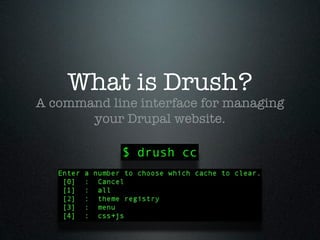
A command line interface for managing
       your Drupal website.

            $ drush cc
Do I really need it?

• No. But you REALLY want it!
Do I really need it?

• No. But you REALLY want it!
• Useful during development process
Do I really need it?

• No. But you REALLY want it!
• Useful during development process
• For those maintaining multiple sites
Do I really need it?

• No. But you REALLY want it!
• Useful during development process
• For those maintaining multiple sites
• +1 Drupal Street Cred...
Do I really need it?

• No. But you REALLY want it!
• Useful during development process
• For those maintaining multiple sites
• +1 Drupal Street Cred...
• (you look like a real smartypants)
What Can Drush Do For
        Me?
What Can Drush Do For
        Me?
• Work with Drupal Core
What Can Drush Do For
        Me?
• Work with Drupal Core
• Work with Fields (D7)
What Can Drush Do For
        Me?
• Work with Drupal Core
• Work with Fields (D7)
• Work with Contrib Modules
What Can Drush Do For
        Me?
• Work with Drupal Core
• Work with Fields (D7)
• Work with Contrib Modules
• Work with Database
What Can Drush Do For
        Me?
• Work with Drupal Core
• Work with Fields (D7)
• Work with Contrib Modules
• Work with Database
• Work with Users
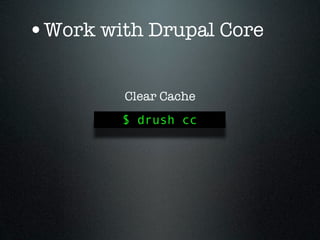
•Work with Drupal Core

         Clear Cache
        $ drush cc
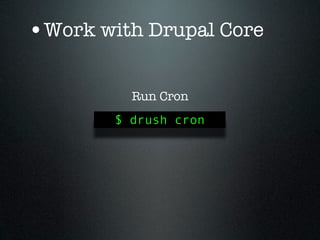
•Work with Drupal Core

          Run Cron
        $ drush cron
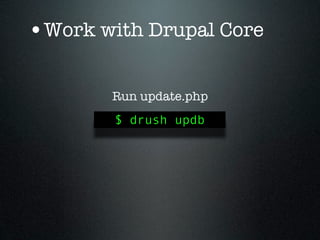
•Work with Drupal Core

       Run update.php
        $ drush updb
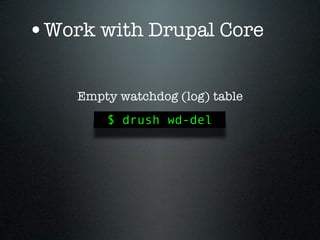
•Work with Drupal Core

    Empty watchdog (log) table
        $ drush wd-del
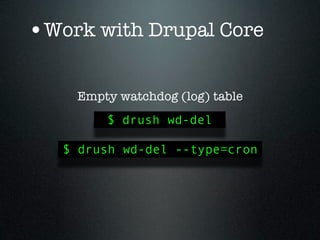
•Work with Drupal Core

    Empty watchdog (log) table
        $ drush wd-del

   $ drush wd-del --type=cron
•Work with Drupal Core

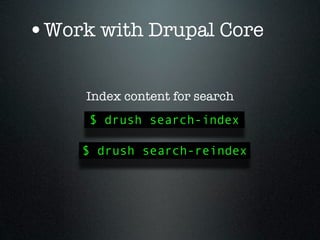
     Index content for search
     $ drush search-index

     $ drush search-reindex
•Work with Drupal Core

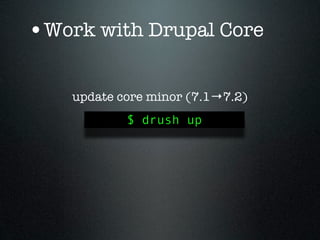
    update core minor (7.1→7.2)
            $ drush up
•Work with Drupal Core

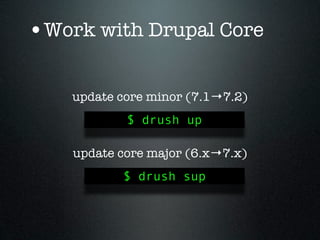
    update core minor (7.1→7.2)
            $ drush up

    update core major (6.x→7.x)
           $ drush sup
•Work with Drupal Core

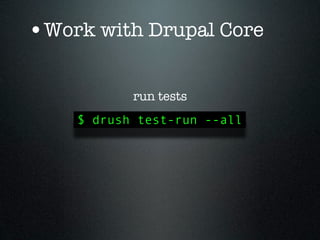
           run tests
    $ drush test-run --all
•Work with Drupal Core

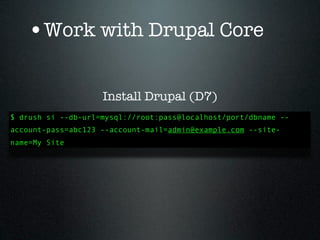
      Install Drupal (D7)
•Work with Drupal Core

                    Install Drupal (D7)
$ drush si --db-url=mysql://root:pass@localhost/port/dbname --
account-pass=abc123 --account-mail=admin@example.com --site-
name=My Site
•Work with Drupal Core

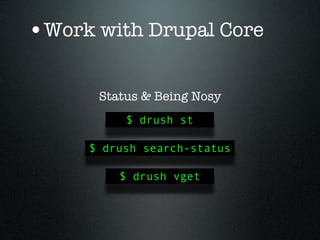
      Status & Being Nosy
          $ drush st

     $ drush search-status

         $ drush vget
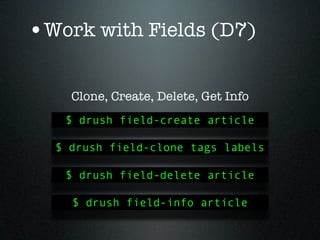
•Work with Fields (D7)

    Clone, Create, Delete, Get Info
   $ drush field-create article

  $ drush field-clone tags labels

   $ drush field-delete article

    $ drush field-info article
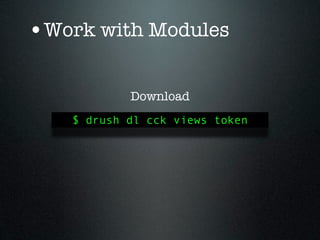
•Work with Modules

           Download
   $ drush dl cck views token
•Work with Modules

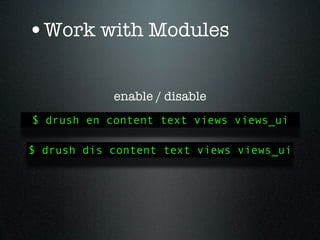
            enable / disable
$ drush en content text views views_ui

$ drush dis content text views views_ui
•Work with Modules

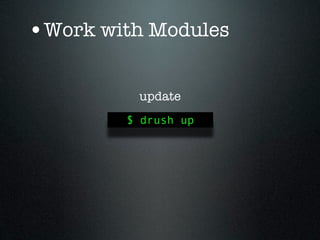
         update
        $ drush up
•Work with Modules

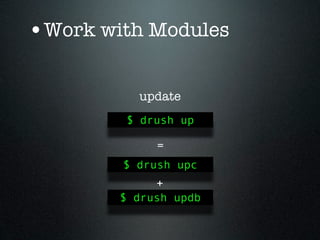
          update
         $ drush up

             =
        $ drush upc
             +
        $ drush updb
•Work with Modules

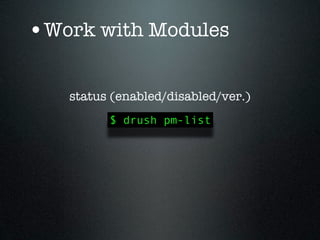
   status (enabled/disabled/ver.)
         $ drush pm-list
•Work with your Database

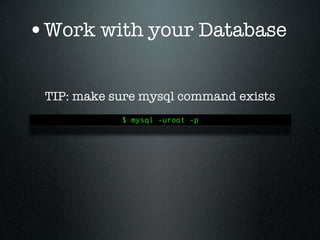
 TIP: make sure mysql command exists
            $ mysql -uroot -p
•Work with your Database

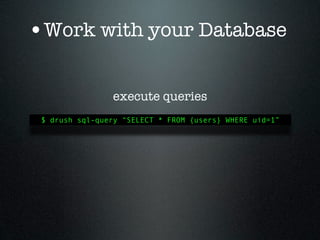
                execute queries
 $ drush sql-query “SELECT * FROM {users} WHERE uid=1”
•Work with your Database

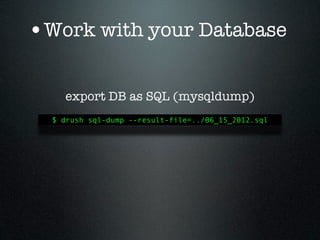
    export DB as SQL (mysqldump)
  $ drush sql-dump --result-file=../06_15_2012.sql
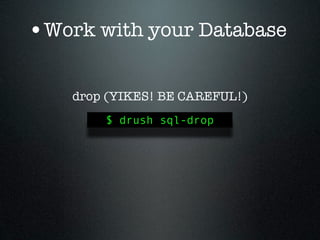
•Work with your Database

    drop (YIKES! BE CAREFUL!)
        $ drush sql-drop
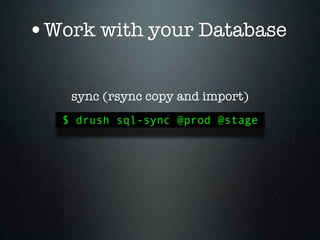
•Work with your Database

    sync (rsync copy and import)
   $ drush sql-sync @prod @stage
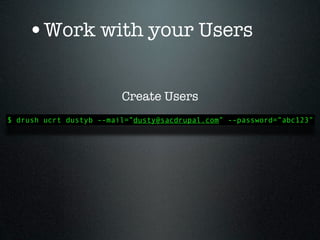
•Work with your Users

                         Create Users
$ drush ucrt dustyb --mail=”dusty@sacdrupal.com” --password=”abc123”
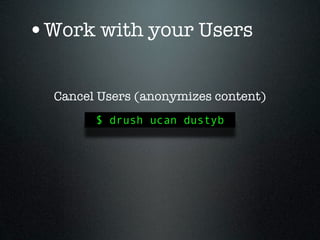
•Work with your Users

  Cancel Users (anonymizes content)
        $ drush ucan dustyb
•Work with your Users

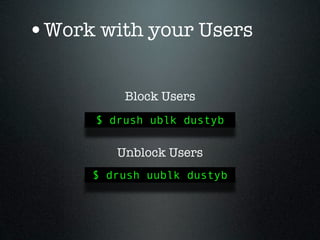
          Block Users
      $ drush ublk dustyb

         Unblock Users
      $ drush uublk dustyb
•Work with your Users

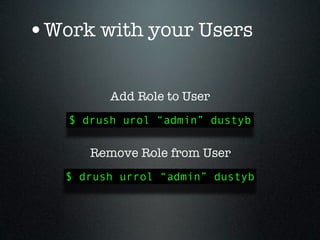
         Add Role to User
   $ drush urol “admin” dustyb

      Remove Role from User
   $ drush urrol “admin” dustyb
•Work with your Users

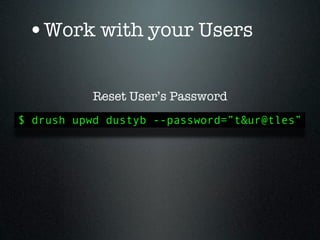
           Reset User’s Password
$ drush upwd dustyb --password=”t&ur@tles”
•Work with your Users

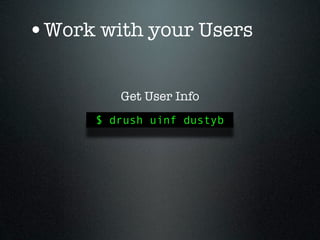
         Get User Info
      $ drush uinf dustyb
What Drush Doesn’t
       Do
What Drush Doesn’t
       Do
  Anything with your content!
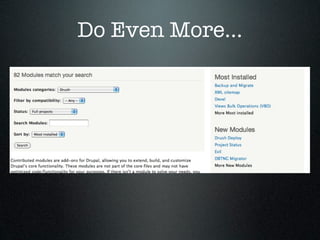
Do Even More...
Do Even More...
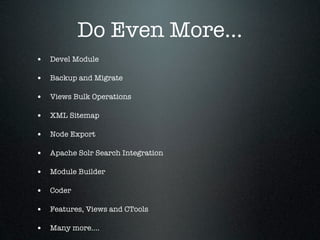
• Devel Module

• Backup and Migrate

• Views Bulk Operations

• XML Sitemap

• Node Export

• Apache Solr Search Integration

• Module Builder

• Coder

• Features, Views and CTools

• Many more....
Do Even More...
Drush Aliases
 aliases.drushrc.php
Drush Aliases
             aliases.drushrc.php
$aliases['example_stage'] = array(
   'uri' => 'staging.example.com',
   'root' => '/var/www/stage_example',
   'db-url' => 'mysqli://root:pass@localhost/example_stage',
);
$aliases['example_prod'] = array(
   'uri' => 'www.example.com',
   'root' => '/var/www/example',
   'db-url' => 'mysqli://root:pass@localhost/example_prod',
   'remote-host' => '192.232.232.33’,
   'remote-user' => 'carsonbl’,
);
Drush Aliases
             aliases.drushrc.php
$aliases['example_stage'] = array(
   'uri' => 'staging.example.com',
   'root' => '/var/www/stage_example',
   'db-url' => 'mysqli://root:pass@localhost/example_stage',
);
$aliases['example_prod'] = array(
   'uri' => 'www.example.com',
   'root' => '/var/www/example',
   'db-url' => 'mysqli://root:pass@localhost/example_prod',
   'remote-host' => '192.232.232.33’,
   'remote-user' => 'carsonbl’,
);


             $ drush @example_stage en token
Drush Aliases
             aliases.drushrc.php
$aliases['example_stage'] = array(
   'uri' => 'staging.example.com',
   'root' => '/var/www/stage_example',
   'db-url' => 'mysqli://root:pass@localhost/example_stage',
);
$aliases['example_prod'] = array(
   'uri' => 'www.example.com',
   'root' => '/var/www/example',
   'db-url' => 'mysqli://root:pass@localhost/example_prod',
   'remote-host' => '192.232.232.33’,
   'remote-user' => 'carsonbl’,
);


             $ drush @example_stage en token


    $ drush sql-sync @example_prod @example_stage
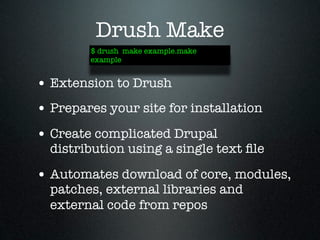
Drush Make
Drush Make
$ drush make example.make
example
Drush Make
        $ drush make example.make
        example


• Extension to Drush
Drush Make
        $ drush make example.make
        example


• Extension to Drush
• Prepares your site for installation
Drush Make
        $ drush make example.make
        example


• Extension to Drush
• Prepares your site for installation
• Create complicated Drupal
  distribution using a single text file
Drush Make
        $ drush make example.make
        example


• Extension to Drush
• Prepares your site for installation
• Create complicated Drupal
  distribution using a single text file

• Automates download of core, modules,
  patches, external libraries and
  external code from repos
Installation Profiles
      $ drush si example
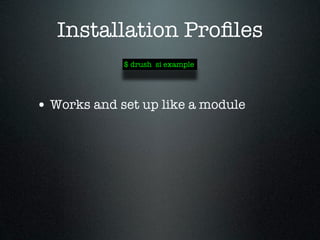
Installation Profiles
             $ drush si example


• Works and set up like a module
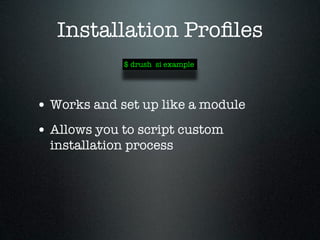
Installation Profiles
             $ drush si example


• Works and set up like a module
• Allows you to script custom
  installation process
Drush Installation


• Download http://drupal.org/project/
  drush
• Follow Installation Instructions in
  README.txt
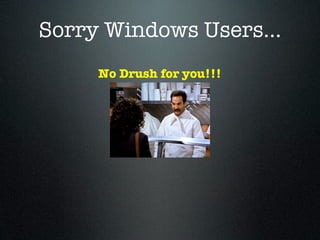
Sorry Windows Users...
     No Drush for you!!!
Other Install Options

• Drupal Quickstart Project
 • drupal.org/project/quickstart
 • Pre-packaged PHP/LAMP
    development environment (Ubuntu)
 • Drush is pre-installed and ready to
    go!
Other Install Options

• Cygwin (http://www.cygwin.com/)
 • Makes Windows kind of act like
   Linux

 • will have to set up a complete
   development environment
Other Install Options
• WebEnabled (webenabled.com)
 • web-based development
   environment
 • Drush pre-installed
 • Also have simplistic web app in
   control panel to do drush visually

 • Free development environments!
Other Install Options
• Acquia Dev Cloud (acquia.com)
 • web-based development
   environment
 • Drush pre-installed
 • full dev-stage-prod hosting
   environment

 • $149 /mo.
Other Install Options
• Pantheon (getpantheon.com)
 • web-based development
   environment

 • Drush pre-installed
 • full dev-stage-prod hosting
   environment
 • aliases for each environment
   configured
Other Install Options


• Your Hosting
 • Must have shell access!
 • You will have to install
Other Install Options

• Get a Mac! ;-)
• Dual-boot Linux
• Install Linux
Resources
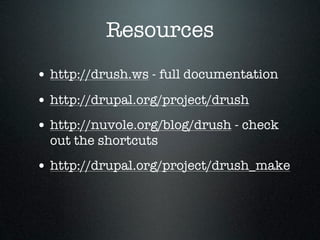
• http://drush.ws - full documentation
• http://drupal.org/project/drush
• http://nuvole.org/blog/drush - check
  out the shortcuts
• http://drupal.org/project/drush_make
Thank You


carsonblack.com

Intro to Drush

  • 2.
    Intro to Drush •Who is it for? • What is it? • Why should you use it? • When should you use it? • How do you use it?
  • 3.
  • 4.
    What is Drush? Acommand line interface for managing your Drupal website.
  • 5.
    What is Drush? Acommand line interface for managing your Drupal website. $ drush cc
  • 6.
    Do I reallyneed it?
  • 7.
    Do I reallyneed it? • No. But you REALLY want it!
  • 8.
    Do I reallyneed it? • No. But you REALLY want it! • Useful during development process
  • 9.
    Do I reallyneed it? • No. But you REALLY want it! • Useful during development process • For those maintaining multiple sites
  • 10.
    Do I reallyneed it? • No. But you REALLY want it! • Useful during development process • For those maintaining multiple sites • +1 Drupal Street Cred...
  • 11.
    Do I reallyneed it? • No. But you REALLY want it! • Useful during development process • For those maintaining multiple sites • +1 Drupal Street Cred... • (you look like a real smartypants)
  • 12.
    What Can DrushDo For Me?
  • 13.
    What Can DrushDo For Me? • Work with Drupal Core
  • 14.
    What Can DrushDo For Me? • Work with Drupal Core • Work with Fields (D7)
  • 15.
    What Can DrushDo For Me? • Work with Drupal Core • Work with Fields (D7) • Work with Contrib Modules
  • 16.
    What Can DrushDo For Me? • Work with Drupal Core • Work with Fields (D7) • Work with Contrib Modules • Work with Database
  • 17.
    What Can DrushDo For Me? • Work with Drupal Core • Work with Fields (D7) • Work with Contrib Modules • Work with Database • Work with Users
  • 18.
    •Work with DrupalCore Clear Cache $ drush cc
  • 19.
    •Work with DrupalCore Run Cron $ drush cron
  • 20.
    •Work with DrupalCore Run update.php $ drush updb
  • 21.
    •Work with DrupalCore Empty watchdog (log) table $ drush wd-del
  • 22.
    •Work with DrupalCore Empty watchdog (log) table $ drush wd-del $ drush wd-del --type=cron
  • 23.
    •Work with DrupalCore Index content for search $ drush search-index $ drush search-reindex
  • 24.
    •Work with DrupalCore update core minor (7.1→7.2) $ drush up
  • 25.
    •Work with DrupalCore update core minor (7.1→7.2) $ drush up update core major (6.x→7.x) $ drush sup
  • 26.
    •Work with DrupalCore run tests $ drush test-run --all
  • 27.
    •Work with DrupalCore Install Drupal (D7)
  • 28.
    •Work with DrupalCore Install Drupal (D7) $ drush si --db-url=mysql://root:pass@localhost/port/dbname -- account-pass=abc123 --account-mail=admin@example.com --site- name=My Site
  • 29.
    •Work with DrupalCore Status & Being Nosy $ drush st $ drush search-status $ drush vget
  • 30.
    •Work with Fields(D7) Clone, Create, Delete, Get Info $ drush field-create article $ drush field-clone tags labels $ drush field-delete article $ drush field-info article
  • 31.
    •Work with Modules Download $ drush dl cck views token
  • 32.
    •Work with Modules enable / disable $ drush en content text views views_ui $ drush dis content text views views_ui
  • 33.
    •Work with Modules update $ drush up
  • 34.
    •Work with Modules update $ drush up = $ drush upc + $ drush updb
  • 35.
    •Work with Modules status (enabled/disabled/ver.) $ drush pm-list
  • 36.
    •Work with yourDatabase TIP: make sure mysql command exists $ mysql -uroot -p
  • 37.
    •Work with yourDatabase execute queries $ drush sql-query “SELECT * FROM {users} WHERE uid=1”
  • 38.
    •Work with yourDatabase export DB as SQL (mysqldump) $ drush sql-dump --result-file=../06_15_2012.sql
  • 39.
    •Work with yourDatabase drop (YIKES! BE CAREFUL!) $ drush sql-drop
  • 40.
    •Work with yourDatabase sync (rsync copy and import) $ drush sql-sync @prod @stage
  • 41.
    •Work with yourUsers Create Users $ drush ucrt dustyb --mail=”dusty@sacdrupal.com” --password=”abc123”
  • 42.
    •Work with yourUsers Cancel Users (anonymizes content) $ drush ucan dustyb
  • 43.
    •Work with yourUsers Block Users $ drush ublk dustyb Unblock Users $ drush uublk dustyb
  • 44.
    •Work with yourUsers Add Role to User $ drush urol “admin” dustyb Remove Role from User $ drush urrol “admin” dustyb
  • 45.
    •Work with yourUsers Reset User’s Password $ drush upwd dustyb --password=”t&ur@tles”
  • 46.
    •Work with yourUsers Get User Info $ drush uinf dustyb
  • 47.
  • 48.
    What Drush Doesn’t Do Anything with your content!
  • 49.
  • 50.
    Do Even More... •Devel Module • Backup and Migrate • Views Bulk Operations • XML Sitemap • Node Export • Apache Solr Search Integration • Module Builder • Coder • Features, Views and CTools • Many more....
  • 51.
  • 52.
  • 53.
    Drush Aliases aliases.drushrc.php $aliases['example_stage'] = array( 'uri' => 'staging.example.com', 'root' => '/var/www/stage_example', 'db-url' => 'mysqli://root:pass@localhost/example_stage', ); $aliases['example_prod'] = array( 'uri' => 'www.example.com', 'root' => '/var/www/example', 'db-url' => 'mysqli://root:pass@localhost/example_prod', 'remote-host' => '192.232.232.33’, 'remote-user' => 'carsonbl’, );
  • 54.
    Drush Aliases aliases.drushrc.php $aliases['example_stage'] = array( 'uri' => 'staging.example.com', 'root' => '/var/www/stage_example', 'db-url' => 'mysqli://root:pass@localhost/example_stage', ); $aliases['example_prod'] = array( 'uri' => 'www.example.com', 'root' => '/var/www/example', 'db-url' => 'mysqli://root:pass@localhost/example_prod', 'remote-host' => '192.232.232.33’, 'remote-user' => 'carsonbl’, ); $ drush @example_stage en token
  • 55.
    Drush Aliases aliases.drushrc.php $aliases['example_stage'] = array( 'uri' => 'staging.example.com', 'root' => '/var/www/stage_example', 'db-url' => 'mysqli://root:pass@localhost/example_stage', ); $aliases['example_prod'] = array( 'uri' => 'www.example.com', 'root' => '/var/www/example', 'db-url' => 'mysqli://root:pass@localhost/example_prod', 'remote-host' => '192.232.232.33’, 'remote-user' => 'carsonbl’, ); $ drush @example_stage en token $ drush sql-sync @example_prod @example_stage
  • 56.
  • 57.
    Drush Make $ drushmake example.make example
  • 58.
    Drush Make $ drush make example.make example • Extension to Drush
  • 59.
    Drush Make $ drush make example.make example • Extension to Drush • Prepares your site for installation
  • 60.
    Drush Make $ drush make example.make example • Extension to Drush • Prepares your site for installation • Create complicated Drupal distribution using a single text file
  • 61.
    Drush Make $ drush make example.make example • Extension to Drush • Prepares your site for installation • Create complicated Drupal distribution using a single text file • Automates download of core, modules, patches, external libraries and external code from repos
  • 62.
  • 63.
    Installation Profiles $ drush si example
  • 64.
    Installation Profiles $ drush si example • Works and set up like a module
  • 65.
    Installation Profiles $ drush si example • Works and set up like a module • Allows you to script custom installation process
  • 66.
    Drush Installation • Downloadhttp://drupal.org/project/ drush • Follow Installation Instructions in README.txt
  • 67.
  • 68.
    Sorry Windows Users... No Drush for you!!!
  • 69.
    Other Install Options •Drupal Quickstart Project • drupal.org/project/quickstart • Pre-packaged PHP/LAMP development environment (Ubuntu) • Drush is pre-installed and ready to go!
  • 70.
    Other Install Options •Cygwin (http://www.cygwin.com/) • Makes Windows kind of act like Linux • will have to set up a complete development environment
  • 71.
    Other Install Options •WebEnabled (webenabled.com) • web-based development environment • Drush pre-installed • Also have simplistic web app in control panel to do drush visually • Free development environments!
  • 72.
    Other Install Options •Acquia Dev Cloud (acquia.com) • web-based development environment • Drush pre-installed • full dev-stage-prod hosting environment • $149 /mo.
  • 73.
    Other Install Options •Pantheon (getpantheon.com) • web-based development environment • Drush pre-installed • full dev-stage-prod hosting environment • aliases for each environment configured
  • 74.
    Other Install Options •Your Hosting • Must have shell access! • You will have to install
  • 75.
    Other Install Options •Get a Mac! ;-) • Dual-boot Linux • Install Linux
  • 76.
    Resources • http://drush.ws -full documentation • http://drupal.org/project/drush • http://nuvole.org/blog/drush - check out the shortcuts • http://drupal.org/project/drush_make
  • 77.

Editor's Notes

  • #2 \n
  • #3 \n
  • #4 \n
  • #5 \n
  • #6 \n
  • #7 \n
  • #8 \n
  • #9 \n
  • #10 \n
  • #11 USERS is last\nOn to more detail...\n
  • #12 USERS is last\nOn to more detail...\n
  • #13 USERS is last\nOn to more detail...\n
  • #14 USERS is last\nOn to more detail...\n
  • #15 USERS is last\nOn to more detail...\n
  • #16 \n
  • #17 \n
  • #18 \n
  • #19 2 commands shown here! + extra flag \n
  • #20 \n
  • #21 BUILD: Minor and Major update shown\n
  • #22 \n
  • #23 BUILD: types it out\n
  • #24 st = Drupal version, Site URI, Database driver, Database hostname, Database username, Database name, Default theme, Administration theme, PHP configuration, Drush version, Drush configuration, Drush alias files, Drupal root, Site path, File directory path\n\nvget = dump all vars decently formatted arrays, or for specific var\n\nWORKING WITH FIELDS NEXT\n
  • #25 field-create: arg is the content type then there is a dialog of choices for the field\nfield-info: kind of broken\n\nWORKING WITH MODULES NEXT\n
  • #26 \n
  • #27 \n
  • #28 BUILD: update-code + update.php\n
  • #29 can also use sm but it will give deprecated warning\ntip: grep for particular module\n\nWORKING WITH DATABASE NEXT\n
  • #30 \n
  • #31 \n
  • #32 \n
  • #33 drop all tables\n
  • #34 NEXT: WORKING WITH USERS\n
  • #35 \n
  • #36 anonymizes content this person authored\n
  • #37 TIP: can use uid, name, email\n
  • #38 \n
  • #39 \n
  • #40 Returns: uid, name, mail, roles, status\n\nNEXT: WHAT IT DOESN’T DO\n
  • #41 BUILD: anything with content - Create, edit, delete nodes\n\nNEXT: DO MORE - MODULES\n
  • #42 BUILD: list of modules\n
  • #43 NEXT: DRUSH ALIASES\n
  • #44 BUILD: 1) alias config 2) enable token 3) sql-sync\n\nNEXT: DRUSH MAKE\n
  • #45 BUILD: 1) alias config 2) enable token 3) sql-sync\n\nNEXT: DRUSH MAKE\n
  • #46 BUILD: 1) alias config 2) enable token 3) sql-sync\n\nNEXT: DRUSH MAKE\n
  • #47 BUILD: 1) example\n2) Extension\n3) prepares site\n4) single text file\n5) automates\nNEXT: INSTALL PROFILES\n
  • #48 BUILD: 1) example\n2) Extension\n3) prepares site\n4) single text file\n5) automates\nNEXT: INSTALL PROFILES\n
  • #49 BUILD: 1) example\n2) Extension\n3) prepares site\n4) single text file\n5) automates\nNEXT: INSTALL PROFILES\n
  • #50 BUILD: 1) example\n2) Extension\n3) prepares site\n4) single text file\n5) automates\nNEXT: INSTALL PROFILES\n
  • #51 BUILD: 1) example\n2) Extension\n3) prepares site\n4) single text file\n5) automates\nNEXT: INSTALL PROFILES\n
  • #52 BUILD: 1) example\n2) works like module\n3) script custom install\n\nNEXT: INSTALLATION\n
  • #53 BUILD: 1) example\n2) works like module\n3) script custom install\n\nNEXT: INSTALLATION\n
  • #54 BUILD: 1) example\n2) works like module\n3) script custom install\n\nNEXT: INSTALLATION\n
  • #55 NEXT: SORRY WINDOWS USERS...\n
  • #56 BUILD: NO DRUSH FOR YOU\n\nNEXT: OTHER INSTALL OPTIONS\n
  • #57 Download using bittorrent\n\nVirtual Machine - needs RAM\n\n
  • #58 A bit of a hassle to get going. Ask GaryB\n
  • #59 \n
  • #60 \n
  • #61 \n
  • #62 \n
  • #63 NEXT: Resources\n
  • #64 NEXT: FIN\n
  • #65 \n