Introducing Drush: Command line productivity for Drupal
What is Drush? Drush is a command line shell and Unix scripting interface for Drupal. Introducing Drush: Command line productivity for Drupal
What is Drush? Drush is a command line shell and Unix scripting interface for Drupal. In other words... It's a time-saving tool for issuing commands to Drupal via the command line instead of through the browser and for automating  common server administration and maintenance tasks. Introducing Drush: Command line productivity for Drupal
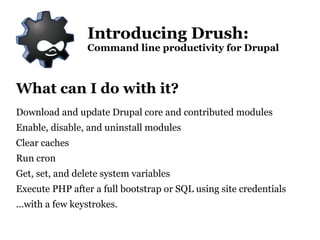
What can I do with it? Download and update Drupal core and contributed modules
Enable, disable, and uninstall modules
Clear caches
Run cron
Get, set, and delete system variables
Execute PHP after a full bootstrap or SQL using site credentials ...with a few keystrokes. Introducing Drush: Command line productivity for Drupal
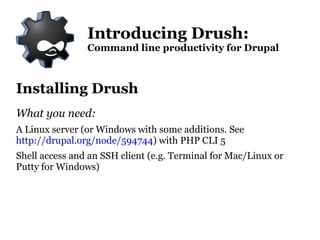
Installing Drush What you need: A Linux server (or Windows with some additions. See  http://drupal.org/node/594744 ) with PHP CLI 5
Shell access and an SSH client (e.g. Terminal for Mac/Linux or Putty for Windows) Introducing Drush: Command line productivity for Drupal
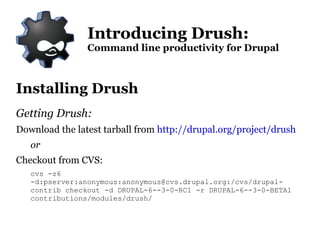
Installing Drush Getting Drush: Download the latest tarball from  http://drupal.org/project/drush or Checkout from CVS:  cvs -z6 -d:pserver:anonymous:anonymous@cvs.drupal.org:/cvs/drupal-contrib checkout -d DRUPAL-6--3-0-RC1 -r DRUPAL-6--3-0-BETA1 contributions/modules/drush/ Introducing Drush: Command line productivity for Drupal
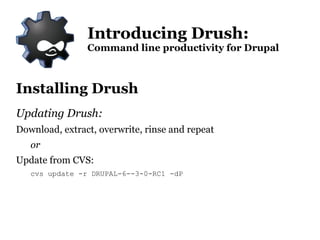
Installing Drush Updating Drush: Download, extract, overwrite, rinse and repeat or Update from CVS:  cvs update -r DRUPAL-6--3-0-RC1 -dP Introducing Drush: Command line productivity for Drupal

Travis Carden/Drupal Nebraks: Drush Presentation

  • 1.
    Introducing Drush: Commandline productivity for Drupal
  • 2.
    What is Drush?Drush is a command line shell and Unix scripting interface for Drupal. Introducing Drush: Command line productivity for Drupal
  • 3.
    What is Drush?Drush is a command line shell and Unix scripting interface for Drupal. In other words... It's a time-saving tool for issuing commands to Drupal via the command line instead of through the browser and for automating common server administration and maintenance tasks. Introducing Drush: Command line productivity for Drupal
  • 4.
    What can Ido with it? Download and update Drupal core and contributed modules
  • 5.
    Enable, disable, anduninstall modules
  • 6.
  • 7.
  • 8.
    Get, set, anddelete system variables
  • 9.
    Execute PHP aftera full bootstrap or SQL using site credentials ...with a few keystrokes. Introducing Drush: Command line productivity for Drupal
  • 10.
    Installing Drush Whatyou need: A Linux server (or Windows with some additions. See http://drupal.org/node/594744 ) with PHP CLI 5
  • 11.
    Shell access andan SSH client (e.g. Terminal for Mac/Linux or Putty for Windows) Introducing Drush: Command line productivity for Drupal
  • 12.
    Installing Drush GettingDrush: Download the latest tarball from http://drupal.org/project/drush or Checkout from CVS: cvs -z6 -d:pserver:anonymous:anonymous@cvs.drupal.org:/cvs/drupal-contrib checkout -d DRUPAL-6--3-0-RC1 -r DRUPAL-6--3-0-BETA1 contributions/modules/drush/ Introducing Drush: Command line productivity for Drupal
  • 13.
    Installing Drush UpdatingDrush: Download, extract, overwrite, rinse and repeat or Update from CVS: cvs update -r DRUPAL-6--3-0-RC1 -dP Introducing Drush: Command line productivity for Drupal