INTERNAL
CONTROL IN THE
COMPUTER
INFORMATION
SYSTEM
Auditor’s
Responsibilities
1. result in transaction trails that exist for a
short period of time or only on computer
readable form
2. include program errors that cause
uniform mishandling of transactions –
clerical errors become less frequent
Auditor’s
Responsibilities
3. include computer controls that need to be
relied upon instead of segregation of
functions.
4. involve increased difficulty in detecting
unauthorized access
5. allow increased management
supervisory potential resulting from more
timely reports
Auditor’s
Responsibilities
6. include less documentation of initiation
and execution of transactions
7. include computer controls that affect the
effectiveness of related manual control
procedures that use computer output
General controls
a. the organization of the EDP
department;
b. procedures for documenting,
testing, and approving the
original system and any
subsequent changes;
c. controls built into hardware
(equipment controls); and
d. security for files and
equipment
Application controls
- relate to specific accounting
tasks performed by EDP,
such as the preparation of
payrolls.
Internal Control over EDP Activities
GENERAL CONTROLS
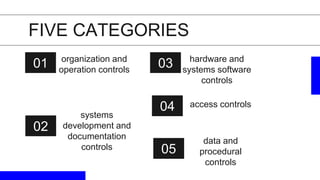
01 organization and
operation controls
02
hardware and
systems software
controls
03
systems
development and
documentation
controls
04
data and
procedural
controls
FIVE CATEGORIES
05
access controls
01
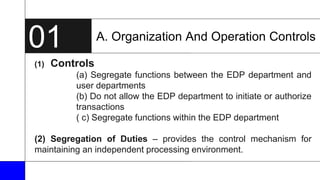
(1) Controls
(a) Segregate functions between the EDP department and
user departments
(b) Do not allow the EDP department to initiate or authorize
transactions
( c) Segregate functions within the EDP department
(2) Segregation of Duties – provides the control mechanism for
maintaining an independent processing environment.
A. Organization And Operation Controls
01
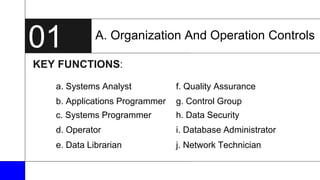
KEY FUNCTIONS:
A. Organization And Operation Controls
a. Systems Analyst f. Quality Assurance
b. Applications Programmer g. Control Group
c. Systems Programmer h. Data Security
d. Operator i. Database Administrator
e. Data Librarian j. Network Technician
01
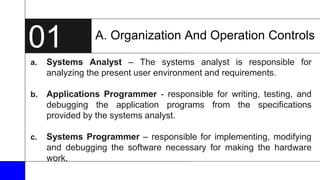
a. Systems Analyst – The systems analyst is responsible for
analyzing the present user environment and requirements.
b. Applications Programmer - responsible for writing, testing, and
debugging the application programs from the specifications
provided by the systems analyst.
c. Systems Programmer – responsible for implementing, modifying
and debugging the software necessary for making the hardware
work.
A. Organization And Operation Controls
01
d. Operator – responsible for the daily computer operations.
e. Data Librarian –responsible for the custody of the removable
media.
f. Quality Assurance - established primarily to ensure that new
system under development and old systems being changed are
adequately controlled .
A. Organization And Operation Controls
01
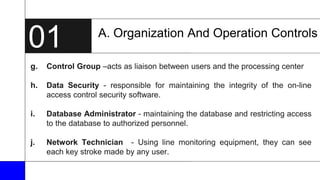
g. Control Group –acts as liaison between users and the processing center
h. Data Security - responsible for maintaining the integrity of the on-line
access control security software.
i. Database Administrator - maintaining the database and restricting access
to the database to authorized personnel.
j. Network Technician - Using line monitoring equipment, they can see
each key stroke made by any user.
A. Organization And Operation Controls
B. Systems development and documentation
controls
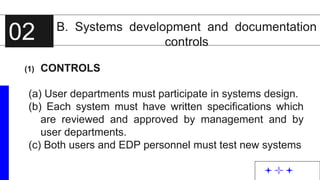
(1) CONTROLS
(a) User departments must participate in systems design.
(b) Each system must have written specifications which
are reviewed and approved by management and by
user departments.
(c) Both users and EDP personnel must test new systems
02
B. Systems development and documentation
controls
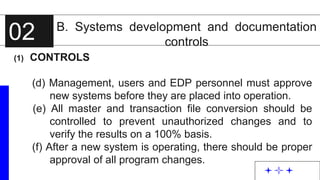
(1) CONTROLS
(d) Management, users and EDP personnel must approve
new systems before they are placed into operation.
(e) All master and transaction file conversion should be
controlled to prevent unauthorized changes and to
verify the results on a 100% basis.
(f) After a new system is operating, there should be proper
approval of all program changes.
02
B. Systems development and documentation
controls
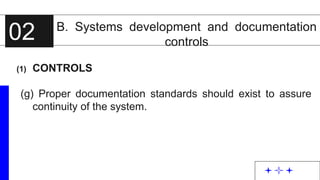
(1) CONTROLS
(g) Proper documentation standards should exist to assure
continuity of the system.
02
B. Systems development and documentation
controls
(2) TWO COMMON CONTROL OVER SYSTEM CHANGE
 Design Methodology
 Change Control Process
02
C. Hardware and systems software
controls
1. Controls
a. The auditor should be aware of control features inherent
in the computer hardware, operating system, and other
supporting software and ensure that they are utilized to
the maximum possible extent.
b. Systems software should be subjected to the same
control procedures as those applied to installation of and
changes to application programs.
03
C. Hardware and systems software
controls
2. Reliability of EDP
a. Parity Check
b. Echo Check
c. Diagnostic Routines
d. Boundary Protection
e. Periodic Maintenance
03
D. Access Controls
(1) Controls
- access to program documentation…
- access to data files and programs…
- access to computer hardware…
D. Access Controls
(2) Access to the EDP environment is affected both
PHYSICALLY and ELECTRONICALLY.
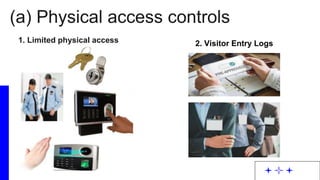
(a) Physical access controls
1. Limited physical access
2. Visitor Entry Logs
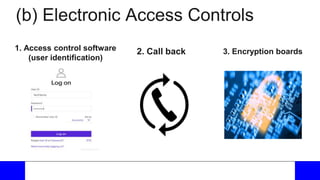
(b) Electronic access controls
1. Access control software (user identification)
2. Call back
3. Encryption boards
ACCESS CONTROL
(a) Physical access controls
1. Limited physical access 2. Visitor Entry Logs
ACCESS CONTROL
1. Access control software
(user identification)
(b) Electronic Access Controls
2. Call back 3. Encryption boards
E. Data and Procedural Controls
(1) Controls
(a) A control group should:
1. Receive all data to be processed.
2. Ensure that all data are recorded.
3. Follow up in errors during processing, and determine
that transactions are corrected and resubmitted by the
proper user personnel.
4. Verify the proper distribution of output.
E. Data and Procedural Controls
(1) Controls
b.) A written manual of systems and procedures should be
prepared for all computer operations and should provide
for management’s general and specific authorization to
process transactions.
c.) Internal auditors (or another independent group in the
organization) should review and evaluate proposed
systems at critical stages of development and review and
test computer processing activities.
E. Data and Procedural Controls
(2) The EDP environment should be clearly defined in detail and
appropriately documented.
To prevent unnecessary stoppages or errors in
processing, the following specific control should be
implemented:
a. Operations run manual d. Processing control
b. Backup and recovery e. File protection ring
c. Contingency processing f. Internal and external labels
E. Data and Procedural Controls
a.) Operations run manual – the operations manual specifies, in
detail, the “how to’s” for each
application
b.) Backup and recovery – backed up in systematic manner
- Grandfather-Father-Son method
E. Data and Procedural Controls
c.) Contingency processing – detailed contingency processing
plans should be developed to prepare
for natural disasters, man-made
disasters, or general hardware failures
that disable the data center.
d.) Processing control – should be monitored by the control
group
E. Data and Procedural Controls
- To ensure that processing is completed in a timely manner (controlled
through a production schedule of the EDP department)
- All hardware errors have been corrected (controlled through an
operators log)
- Output has been properly distributed (controlled through distribution
logs)
E. Data and Procedural Controls
e.) File protection ring – a processing control to ensure that an
operator does not use a magnetic tape as a
tape to write on when it actually has critical
information on it.
f.) Internal and external labels – the use of labels allows the
computer operator to determine whether the
correct file has been selected for processing.
Application Controls
Input Converts human readable information into computer readable information.
Processing Ensures the integrity of information in the computer.
Output Presentation of the results of processing to the user and retention of data.
Application controls are controls that relate to a specific application instead of multiple
applications.
Each accounting application that is processed in an EDP system is controlled during
three steps:
A. Input controls
(a) Preprinted form
• information is pre-assigned a place and a format on the input form
used.
• used when a large quantity of repetitive data is inputted.
(b) Check digit
• an extra digit is added to an identification number to detect certain
types of data transmission or transposition errors.
• used to verify that the number was entered into is correct.
(c) Control, batch
or proof total
• total of one numerical field for all the records of a batch that normally
would be added.
(d) Hash totals
• a total of one field for all the records of a batch where the total is a
meaningless total for financial purposes.
(2) To ensure the integrity of the human readable data into a computer readable format.
A. Input controls
(e) Record count
• a control total used for accountability to ensure all the records
received are processed.
(f) Reasonableness
and limit tests
• determine if amounts are too high, too low, or unreasonable
• reasonableness check is similar to a validity check.
(g) Menu driven
input
• input is being entered into a CRT, the operator should be greeted by a
menu and prompted as to the proper response to make.
(h) Field Checks
• make certain only numbers, alphabetical characters, special
characters and proper positive and negative signs are accepted into a
specific data field where they are required.
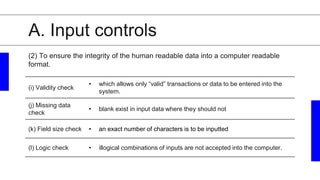
(2) To ensure the integrity of the human readable data into a computer readable format.
A. Input controls
(i) Validity check
• which allows only “valid” transactions or data to be entered into the
system.
(j) Missing data
check
• blank exist in input data where they should not
(k) Field size check • an exact number of characters is to be inputted
(l) Logic check • illogical combinations of inputs are not accepted into the computer.
(2) To ensure the integrity of the human readable data into a computer readable
format.
B. Processing controls
(a)
Control totals should be produced and reconciled with input control totals – proof of
batch totals
(b)
Controls should prevent processing the wrong file and detect errors in file
manipulation – label checks
(c)
Limit and reasonableness checks should be incorporated into programs to prevent
illogical results such as reducing inventory to a negative value.
(d)
Run-to-run totals should be verified at appropriate points in the processing cycle. This
ensures that records are not added or lost during the processing runs.
(1) Controls
B. Processing Controls
(a) Checkpoint
/restart capacity
• If a particular program requires a significant amount of time to
process, it is desirable to have software within the application that
allows the operator the ability to restart the application at the last
checkpoint passed as opposed to restarting the entire application.
(b) Error resolution
procedure
• Individual transactions may be rejected during the processing as a
result of the error detection controls in place.
(2) Processing controls are essential to ensure the integrity of the data through all the
processing steps.
C. Output controls
(a) Output control totals should be reconciled with input and processing control totals.
(b) Output should be scanned and tested by comparison to original source documents.
(c) Systems output should be distributed only to authorized users.
(1) Controls – visual review of the output should be done by the user or an
independent control group.
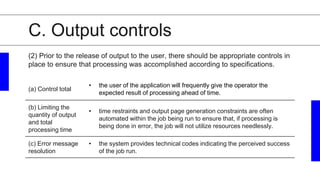
C. Output controls
(a) Control total
• the user of the application will frequently give the operator the
expected result of processing ahead of time.
(b) Limiting the
quantity of output
and total
processing time
• time restraints and output page generation constraints are often
automated within the job being run to ensure that, if processing is
being done in error, the job will not utilize resources needlessly.
(c) Error message
resolution
• the system provides technical codes indicating the perceived success
of the job run.
(2) Prior to the release of output to the user, there should be appropriate controls in
place to ensure that processing was accomplished according to specifications.

Internal-control-in-the-computer-information-system-chap-27-aud-5-FINAL.pptx

  • 1.
  • 2.
    Auditor’s Responsibilities 1. result intransaction trails that exist for a short period of time or only on computer readable form 2. include program errors that cause uniform mishandling of transactions – clerical errors become less frequent
  • 3.
    Auditor’s Responsibilities 3. include computercontrols that need to be relied upon instead of segregation of functions. 4. involve increased difficulty in detecting unauthorized access 5. allow increased management supervisory potential resulting from more timely reports
  • 4.
    Auditor’s Responsibilities 6. include lessdocumentation of initiation and execution of transactions 7. include computer controls that affect the effectiveness of related manual control procedures that use computer output
  • 5.
    General controls a. theorganization of the EDP department; b. procedures for documenting, testing, and approving the original system and any subsequent changes; c. controls built into hardware (equipment controls); and d. security for files and equipment Application controls - relate to specific accounting tasks performed by EDP, such as the preparation of payrolls. Internal Control over EDP Activities
  • 6.
  • 7.
    01 organization and operationcontrols 02 hardware and systems software controls 03 systems development and documentation controls 04 data and procedural controls FIVE CATEGORIES 05 access controls
  • 8.
    01 (1) Controls (a) Segregatefunctions between the EDP department and user departments (b) Do not allow the EDP department to initiate or authorize transactions ( c) Segregate functions within the EDP department (2) Segregation of Duties – provides the control mechanism for maintaining an independent processing environment. A. Organization And Operation Controls
  • 9.
    01 KEY FUNCTIONS: A. OrganizationAnd Operation Controls a. Systems Analyst f. Quality Assurance b. Applications Programmer g. Control Group c. Systems Programmer h. Data Security d. Operator i. Database Administrator e. Data Librarian j. Network Technician
  • 10.
    01 a. Systems Analyst– The systems analyst is responsible for analyzing the present user environment and requirements. b. Applications Programmer - responsible for writing, testing, and debugging the application programs from the specifications provided by the systems analyst. c. Systems Programmer – responsible for implementing, modifying and debugging the software necessary for making the hardware work. A. Organization And Operation Controls
  • 11.
    01 d. Operator –responsible for the daily computer operations. e. Data Librarian –responsible for the custody of the removable media. f. Quality Assurance - established primarily to ensure that new system under development and old systems being changed are adequately controlled . A. Organization And Operation Controls
  • 12.
    01 g. Control Group–acts as liaison between users and the processing center h. Data Security - responsible for maintaining the integrity of the on-line access control security software. i. Database Administrator - maintaining the database and restricting access to the database to authorized personnel. j. Network Technician - Using line monitoring equipment, they can see each key stroke made by any user. A. Organization And Operation Controls
  • 13.
    B. Systems developmentand documentation controls (1) CONTROLS (a) User departments must participate in systems design. (b) Each system must have written specifications which are reviewed and approved by management and by user departments. (c) Both users and EDP personnel must test new systems 02
  • 14.
    B. Systems developmentand documentation controls (1) CONTROLS (d) Management, users and EDP personnel must approve new systems before they are placed into operation. (e) All master and transaction file conversion should be controlled to prevent unauthorized changes and to verify the results on a 100% basis. (f) After a new system is operating, there should be proper approval of all program changes. 02
  • 15.
    B. Systems developmentand documentation controls (1) CONTROLS (g) Proper documentation standards should exist to assure continuity of the system. 02
  • 16.
    B. Systems developmentand documentation controls (2) TWO COMMON CONTROL OVER SYSTEM CHANGE  Design Methodology  Change Control Process 02
  • 17.
    C. Hardware andsystems software controls 1. Controls a. The auditor should be aware of control features inherent in the computer hardware, operating system, and other supporting software and ensure that they are utilized to the maximum possible extent. b. Systems software should be subjected to the same control procedures as those applied to installation of and changes to application programs. 03
  • 18.
    C. Hardware andsystems software controls 2. Reliability of EDP a. Parity Check b. Echo Check c. Diagnostic Routines d. Boundary Protection e. Periodic Maintenance 03
  • 19.
    D. Access Controls (1)Controls - access to program documentation… - access to data files and programs… - access to computer hardware…
  • 20.
    D. Access Controls (2)Access to the EDP environment is affected both PHYSICALLY and ELECTRONICALLY. (a) Physical access controls 1. Limited physical access 2. Visitor Entry Logs (b) Electronic access controls 1. Access control software (user identification) 2. Call back 3. Encryption boards
  • 21.
    ACCESS CONTROL (a) Physicalaccess controls 1. Limited physical access 2. Visitor Entry Logs
  • 22.
    ACCESS CONTROL 1. Accesscontrol software (user identification) (b) Electronic Access Controls 2. Call back 3. Encryption boards
  • 23.
    E. Data andProcedural Controls (1) Controls (a) A control group should: 1. Receive all data to be processed. 2. Ensure that all data are recorded. 3. Follow up in errors during processing, and determine that transactions are corrected and resubmitted by the proper user personnel. 4. Verify the proper distribution of output.
  • 24.
    E. Data andProcedural Controls (1) Controls b.) A written manual of systems and procedures should be prepared for all computer operations and should provide for management’s general and specific authorization to process transactions. c.) Internal auditors (or another independent group in the organization) should review and evaluate proposed systems at critical stages of development and review and test computer processing activities.
  • 25.
    E. Data andProcedural Controls (2) The EDP environment should be clearly defined in detail and appropriately documented. To prevent unnecessary stoppages or errors in processing, the following specific control should be implemented: a. Operations run manual d. Processing control b. Backup and recovery e. File protection ring c. Contingency processing f. Internal and external labels
  • 26.
    E. Data andProcedural Controls a.) Operations run manual – the operations manual specifies, in detail, the “how to’s” for each application b.) Backup and recovery – backed up in systematic manner - Grandfather-Father-Son method
  • 27.
    E. Data andProcedural Controls c.) Contingency processing – detailed contingency processing plans should be developed to prepare for natural disasters, man-made disasters, or general hardware failures that disable the data center. d.) Processing control – should be monitored by the control group
  • 28.
    E. Data andProcedural Controls - To ensure that processing is completed in a timely manner (controlled through a production schedule of the EDP department) - All hardware errors have been corrected (controlled through an operators log) - Output has been properly distributed (controlled through distribution logs)
  • 29.
    E. Data andProcedural Controls e.) File protection ring – a processing control to ensure that an operator does not use a magnetic tape as a tape to write on when it actually has critical information on it. f.) Internal and external labels – the use of labels allows the computer operator to determine whether the correct file has been selected for processing.
  • 30.
    Application Controls Input Convertshuman readable information into computer readable information. Processing Ensures the integrity of information in the computer. Output Presentation of the results of processing to the user and retention of data. Application controls are controls that relate to a specific application instead of multiple applications. Each accounting application that is processed in an EDP system is controlled during three steps:
  • 31.
    A. Input controls (a)Preprinted form • information is pre-assigned a place and a format on the input form used. • used when a large quantity of repetitive data is inputted. (b) Check digit • an extra digit is added to an identification number to detect certain types of data transmission or transposition errors. • used to verify that the number was entered into is correct. (c) Control, batch or proof total • total of one numerical field for all the records of a batch that normally would be added. (d) Hash totals • a total of one field for all the records of a batch where the total is a meaningless total for financial purposes. (2) To ensure the integrity of the human readable data into a computer readable format.
  • 32.
    A. Input controls (e)Record count • a control total used for accountability to ensure all the records received are processed. (f) Reasonableness and limit tests • determine if amounts are too high, too low, or unreasonable • reasonableness check is similar to a validity check. (g) Menu driven input • input is being entered into a CRT, the operator should be greeted by a menu and prompted as to the proper response to make. (h) Field Checks • make certain only numbers, alphabetical characters, special characters and proper positive and negative signs are accepted into a specific data field where they are required. (2) To ensure the integrity of the human readable data into a computer readable format.
  • 33.
    A. Input controls (i)Validity check • which allows only “valid” transactions or data to be entered into the system. (j) Missing data check • blank exist in input data where they should not (k) Field size check • an exact number of characters is to be inputted (l) Logic check • illogical combinations of inputs are not accepted into the computer. (2) To ensure the integrity of the human readable data into a computer readable format.
  • 34.
    B. Processing controls (a) Controltotals should be produced and reconciled with input control totals – proof of batch totals (b) Controls should prevent processing the wrong file and detect errors in file manipulation – label checks (c) Limit and reasonableness checks should be incorporated into programs to prevent illogical results such as reducing inventory to a negative value. (d) Run-to-run totals should be verified at appropriate points in the processing cycle. This ensures that records are not added or lost during the processing runs. (1) Controls
  • 35.
    B. Processing Controls (a)Checkpoint /restart capacity • If a particular program requires a significant amount of time to process, it is desirable to have software within the application that allows the operator the ability to restart the application at the last checkpoint passed as opposed to restarting the entire application. (b) Error resolution procedure • Individual transactions may be rejected during the processing as a result of the error detection controls in place. (2) Processing controls are essential to ensure the integrity of the data through all the processing steps.
  • 36.
    C. Output controls (a)Output control totals should be reconciled with input and processing control totals. (b) Output should be scanned and tested by comparison to original source documents. (c) Systems output should be distributed only to authorized users. (1) Controls – visual review of the output should be done by the user or an independent control group.
  • 37.
    C. Output controls (a)Control total • the user of the application will frequently give the operator the expected result of processing ahead of time. (b) Limiting the quantity of output and total processing time • time restraints and output page generation constraints are often automated within the job being run to ensure that, if processing is being done in error, the job will not utilize resources needlessly. (c) Error message resolution • the system provides technical codes indicating the perceived success of the job run. (2) Prior to the release of output to the user, there should be appropriate controls in place to ensure that processing was accomplished according to specifications.