
DotNetters Tech Summit - 2015
RUET
Life of a Product
Life Cycle
• Requirement
• Estimation
• Design
– Architecture
– UX Mockup
• Development
• QA
– Code Review
– Testing
• Deployment
• Support, Maintenance & Enhancement
User Story
• I want to build a system for students where they can upload
notes, and can share notes with other students. Students can
access the system from anywhere.
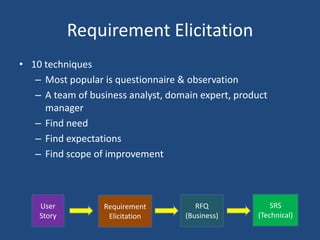
Requirement Elicitation
• 10 techniques
– Most popular is questionnaire & observation
– A team of business analyst, domain expert, product
manager
– Find need
– Find expectations
– Find scope of improvement
User
Story
Requirement
Elicitation
RFQ
(Business)
SRS
(Technical)
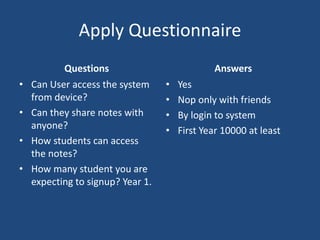
Apply Questionnaire
Questions
• Can User access the system
from device?
• Can they share notes with
anyone?
• How students can access
the notes?
• How many student you are
expecting to signup? Year 1.
Answers
• Yes
• Nop only with friends
• By login to system
• First Year 10000 at least
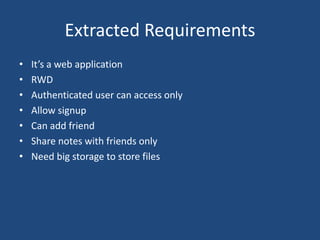
Extracted Requirements
• It’s a web application
• RWD
• Authenticated user can access only
• Allow signup
• Can add friend
• Share notes with friends only
• Need big storage to store files
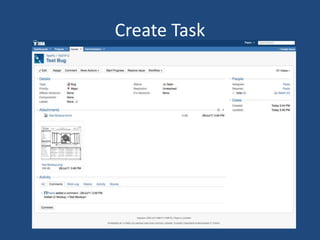
Create Task
Estimation
• Based on your experience.
• Based on a team member’s experience.
• Based on industry.
• Based upon an analogous experience.
• The task is unfamiliar to the assigned
staff member.
• The requirements for the task are
insufficiently detailed.
• The technology being used to complete
the task is new, and or new to your
team.
• Required training.
• Vacations, holidays or other planned
leave.
•Double-Triangular Distribution
•E = (a + 4m + b) / 6 (a=Best;
m=Most likely; b=Worst)
•Standard Deviation
•SD = (b − a)/6 ; iff, b>a
•Triangular Distribution
•E = (a + m + b) / 3
System Architecture
• Identify Key Scenarios
– Most important feature of the success of the application.
– A significant unknown area or an area of significant risk.
– An intersection of quality attributes with functionality.
– A tradeoff between quality attributes.
• Application Overview
– Identify deployment constraints
– Determining application type
– Identify important architecture design styles
– Determine relevant technologies
• Key Issues
System Architecture (Cont.)
• Identify Key Scenarios
– Authorized user and access control over notes.
– Notes sharing.
• Application Overview
– It will be an web application.
– Deployment infrastructure is fixed and it will be provided by the
university, Our deployment teams will have a secured access to that
infrastructure when deployment.
– We will be using client/server model, and layered architecture style.
– Technologies that will be used are Asp.net MVC, MS SQL Server, Entity
Framework etc
• Key Issues
– File storage and file storage limit
UX Mockups
• Use requirements to design a mock
• Use bootstrap to design a responsive layout
• Find out who is the user to identify experience level
• Find the age group to work on color patterns
Development
• Project Manager(PM) bootstraps it
• Decides development environment requirements
• PM creates tasks
• Tasks are distributed among developers
Development (Cont.)
• Developer starts coding
• Reports to PM
• PM reviews the implementation
• Assign/re-assign tasks
• Tools used
– Jira, Asana, Trello, Git
• IDE
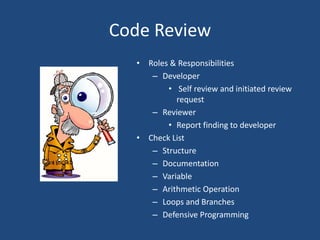
Code Review
• Roles & Responsibilities
– Developer
• Self review and initiated review
request
– Reviewer
• Report finding to developer
• Check List
– Structure
– Documentation
– Variable
– Arithmetic Operation
– Loops and Branches
– Defensive Programming
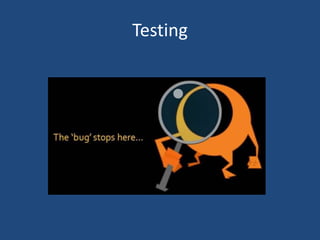
Testing
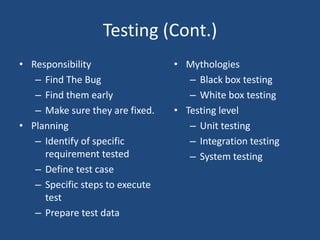
Testing (Cont.)
• Responsibility
– Find The Bug
– Find them early
– Make sure they are fixed.
• Planning
– Identify of specific
requirement tested
– Define test case
– Specific steps to execute
test
– Prepare test data
• Mythologies
– Black box testing
– White box testing
• Testing level
– Unit testing
– Integration testing
– System testing
Deployment
Its time to deliver our product!
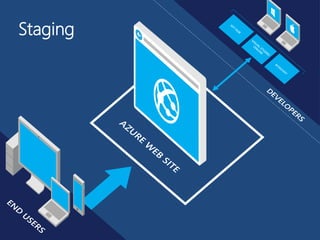
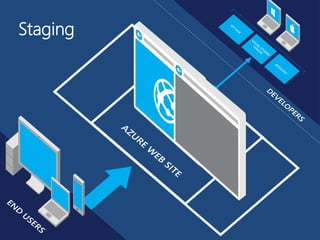
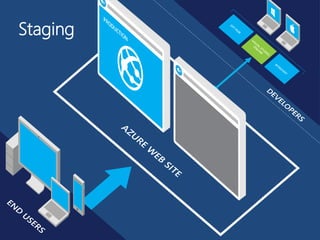
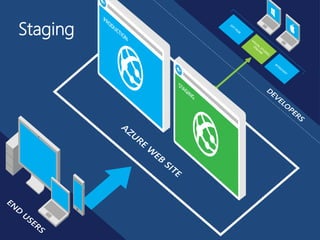
Staging
Staging
Staging
Staging
That’s all from deployment
Support, Maintenance
& Enhancement
Support & Maintenance
1st Client Mail:
Some of the students
cannot share note to each
other.
2nd Client Mail:
John connected with
Jane but cannot see her
notes.
Support & Maintenance (Cont.)
• One study indicated that over 80% of maintenance effort is
used for non-corrective actions.
• Some actually occurred because of some unknown bug in the
system.
Support & Maintenance (Cont.)
3rd Client Mail:
Notes take more time to
LOAD
4th Client Mail:
Students wants to upload
big notes (more than 5MB
but less than 8MB)
Enhancement
5th Client Mail:
Is there any way we can let
students create/modify note
in the system?
6th Client Mail:
Is there anyway we can
identify what our students
want/missing in the system?
Thanks!! See You Next
Time
Q & A?
/groups/netter/
/DotNetter

Interactive SDLC

  • 1.
    DotNetters Tech Summit- 2015 RUET Life of a Product
  • 2.
    Life Cycle • Requirement •Estimation • Design – Architecture – UX Mockup • Development • QA – Code Review – Testing • Deployment • Support, Maintenance & Enhancement
  • 3.
    User Story • Iwant to build a system for students where they can upload notes, and can share notes with other students. Students can access the system from anywhere.
  • 4.
    Requirement Elicitation • 10techniques – Most popular is questionnaire & observation – A team of business analyst, domain expert, product manager – Find need – Find expectations – Find scope of improvement User Story Requirement Elicitation RFQ (Business) SRS (Technical)
  • 5.
    Apply Questionnaire Questions • CanUser access the system from device? • Can they share notes with anyone? • How students can access the notes? • How many student you are expecting to signup? Year 1. Answers • Yes • Nop only with friends • By login to system • First Year 10000 at least
  • 6.
    Extracted Requirements • It’sa web application • RWD • Authenticated user can access only • Allow signup • Can add friend • Share notes with friends only • Need big storage to store files
  • 7.
  • 8.
    Estimation • Based onyour experience. • Based on a team member’s experience. • Based on industry. • Based upon an analogous experience. • The task is unfamiliar to the assigned staff member. • The requirements for the task are insufficiently detailed. • The technology being used to complete the task is new, and or new to your team. • Required training. • Vacations, holidays or other planned leave. •Double-Triangular Distribution •E = (a + 4m + b) / 6 (a=Best; m=Most likely; b=Worst) •Standard Deviation •SD = (b − a)/6 ; iff, b>a •Triangular Distribution •E = (a + m + b) / 3
  • 9.
    System Architecture • IdentifyKey Scenarios – Most important feature of the success of the application. – A significant unknown area or an area of significant risk. – An intersection of quality attributes with functionality. – A tradeoff between quality attributes. • Application Overview – Identify deployment constraints – Determining application type – Identify important architecture design styles – Determine relevant technologies • Key Issues
  • 10.
    System Architecture (Cont.) •Identify Key Scenarios – Authorized user and access control over notes. – Notes sharing. • Application Overview – It will be an web application. – Deployment infrastructure is fixed and it will be provided by the university, Our deployment teams will have a secured access to that infrastructure when deployment. – We will be using client/server model, and layered architecture style. – Technologies that will be used are Asp.net MVC, MS SQL Server, Entity Framework etc • Key Issues – File storage and file storage limit
  • 11.
    UX Mockups • Userequirements to design a mock • Use bootstrap to design a responsive layout • Find out who is the user to identify experience level • Find the age group to work on color patterns
  • 12.
    Development • Project Manager(PM)bootstraps it • Decides development environment requirements • PM creates tasks • Tasks are distributed among developers
  • 13.
    Development (Cont.) • Developerstarts coding • Reports to PM • PM reviews the implementation • Assign/re-assign tasks • Tools used – Jira, Asana, Trello, Git • IDE
  • 14.
    Code Review • Roles& Responsibilities – Developer • Self review and initiated review request – Reviewer • Report finding to developer • Check List – Structure – Documentation – Variable – Arithmetic Operation – Loops and Branches – Defensive Programming
  • 15.
  • 16.
    Testing (Cont.) • Responsibility –Find The Bug – Find them early – Make sure they are fixed. • Planning – Identify of specific requirement tested – Define test case – Specific steps to execute test – Prepare test data • Mythologies – Black box testing – White box testing • Testing level – Unit testing – Integration testing – System testing
  • 17.
  • 18.
    Its time todeliver our product!
  • 19.
  • 20.
  • 21.
  • 22.
  • 23.
  • 24.
  • 25.
    Support & Maintenance 1stClient Mail: Some of the students cannot share note to each other. 2nd Client Mail: John connected with Jane but cannot see her notes.
  • 26.
    Support & Maintenance(Cont.) • One study indicated that over 80% of maintenance effort is used for non-corrective actions. • Some actually occurred because of some unknown bug in the system.
  • 27.
    Support & Maintenance(Cont.) 3rd Client Mail: Notes take more time to LOAD 4th Client Mail: Students wants to upload big notes (more than 5MB but less than 8MB)
  • 28.
    Enhancement 5th Client Mail: Isthere any way we can let students create/modify note in the system? 6th Client Mail: Is there anyway we can identify what our students want/missing in the system?
  • 29.
    Thanks!! See YouNext Time Q & A? /groups/netter/ /DotNetter