Integrating IBM Maximo into your enterprise resource
planning system: Part 2
In this blog series, I've been addressing the most common questions I get when integrating IBM
Maximo Asset Management into an enterprise resource planning (ERP) system. As I mentioned in
my first blog post, I split this process into three steps:
The what: What are the data sets that need to be shared?
The when: When is this needed?
The how: How are we going to perform the integration?
In Part 1, I discussed the what component, and in this blog post I am going to cover the when.
After you understand what data you need to share between the Maximo and ERP systems, you need
to find out when the data is needed.
To get the answer, you need to look into your business processes and the data that is required to
support them. For example:
A company's data would be required to create a purchase requisition.
Currency data would be required for the above company and the resulting purchase requisition.Â
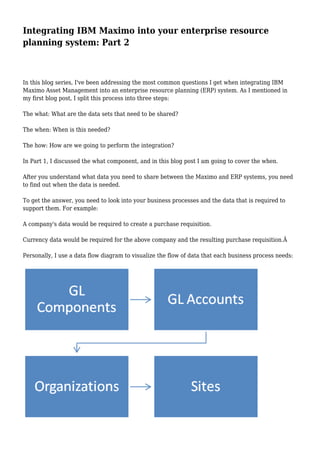
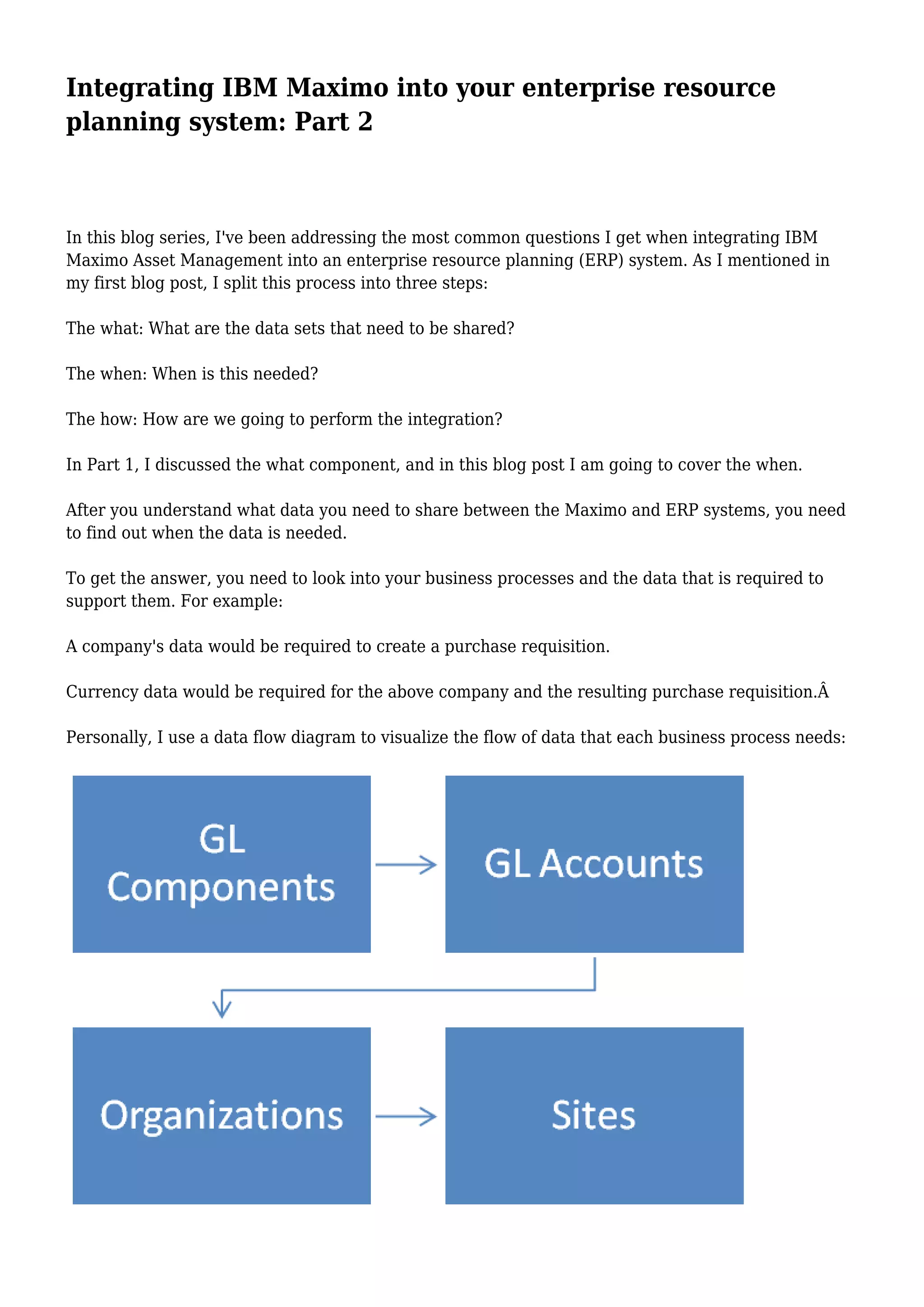
Personally, I use a data flow diagram to visualize the flow of data that each business process needs:
After you look at your business processes and think about the data that is required to support each
one, you can create your data flow process.
In this case, I was working with the business process for the initial setup of a new organization.
In the case of the purchase request process, there would also be a data dependency on the purchase
requisitions from the general ledger (GL) accounts. Because of this, your data flow would build as
you work through each process.
The whole idea here is to understand the data dependencies and then use this in the next step,
which is to look at the timing and frequency.
For the master data sets that we identified in Part 1, this is reasonably straightforward. However, if
not given the time it deserves, your implementation will run into multiple issues when the required
data is not available to complete the tasks within your processes.
The frequency of data integration really depends on each individual process within your
organization, but it will usually fall into one of two categories: real time or batch integration.
Real-time integration is based on an agreed event occurring against a single record, which would
trigger the integration action for this record. For batch integration, a number of records matching
specific criteria are selected at an agreed point in time and then sent as a group of records for
integration.
An example of real-time master data integration would be a company record that is required by a
user to create a purchase requisition. In this case, as soon as the company record is created and
approved for use in the ERP system, it would be sent to Maximo and be available to the user. This
could also be batch integration with a relatively short, maybe hourly, timeframe.
A more typical example of batch integration would be the exchange rates data set, because it would
probably only need to be scheduled on a monthly basis.
Real-time integration in the true sense is almost always required when we start to look at
transactional data flows. Transactional data is generally transferred on a more frequent basis, and
there is a natural flow in the creation of these data sets.
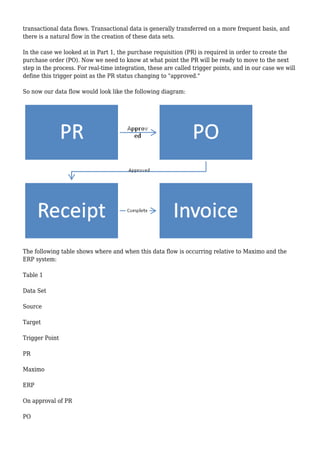
In the case we looked at in Part 1, the purchase requisition (PR) is required in order to create the
purchase order (PO). Now we need to know at what point the PR will be ready to move to the next
step in the process. For real-time integration, these are called trigger points, and in our case we will
define this trigger point as the PR status changing to "approved."
So now our data flow would look like the following diagram:
The following table shows where and when this data flow is occurring relative to Maximo and the
ERP system:
Table 1
Data Set
Source
Target
Trigger Point
PR
Maximo
ERP
On approval of PR
PO
ERP
Maximo
On approval of PO
Material Receipts
Maximo
ERP
When status of receipt is COMP
Service Receipts
ERP
Maximo
When status of receipt is COMP
Invoice
ERP
Maximo
On approval of Invoice
When it comes to invoices, I usually have a discussion with my clients to cover the reasons why they
might require invoices back in Maximo. In my opinion, this really comes down to one thing: Does the
company allow approval of invoices that have high-value variances between the PO value and the
invoice value?
If your answer to this question was yes, then you will need to consider invoice integration because
this could significantly affect the following:
The value of any stock balances you have and therefore any recent and future costs of issues of these
materials
The total costs of materials against work orders and therefore the rolled up costs against assets and
locations
If your answer was no, then the impact on the costs in Maximo would be minimal, and it may not be
worth the effort to integrate the invoice data set.
I hope this has been informative and useful, and I look forward to you sharing your own experiences.
How do they differ from the examples I have covered here?
Please follow me on Twitter @stevealee0, and keep a look out for my next blog post in this series
where I will look at the how of integrating Maximo into your ERP.
Tags: enterprise resource planning, erp, IBM Maximo Asset Management
About Steve Lee
Currently a Maximo Solution Architect working within GBS at IBM. I have been implementing
Maximo for the past 16 or so years in a number of different industries including Oil & Gas, Facilities
Management and Transportation. Specialising in Business Process analysis and creating solutions to
support a clients business. Steve's Video Intro
View all post by Steve Lee

Integrating IBM Maximo into your enterprise resource planning system: Part 2

  • 1.
    Integrating IBM Maximointo your enterprise resource planning system: Part 2 In this blog series, I've been addressing the most common questions I get when integrating IBM Maximo Asset Management into an enterprise resource planning (ERP) system. As I mentioned in my first blog post, I split this process into three steps: The what: What are the data sets that need to be shared? The when: When is this needed? The how: How are we going to perform the integration? In Part 1, I discussed the what component, and in this blog post I am going to cover the when. After you understand what data you need to share between the Maximo and ERP systems, you need to find out when the data is needed. To get the answer, you need to look into your business processes and the data that is required to support them. For example: A company's data would be required to create a purchase requisition. Currency data would be required for the above company and the resulting purchase requisition. Personally, I use a data flow diagram to visualize the flow of data that each business process needs:
  • 2.
    After you lookat your business processes and think about the data that is required to support each one, you can create your data flow process. In this case, I was working with the business process for the initial setup of a new organization. In the case of the purchase request process, there would also be a data dependency on the purchase requisitions from the general ledger (GL) accounts. Because of this, your data flow would build as you work through each process. The whole idea here is to understand the data dependencies and then use this in the next step, which is to look at the timing and frequency. For the master data sets that we identified in Part 1, this is reasonably straightforward. However, if not given the time it deserves, your implementation will run into multiple issues when the required data is not available to complete the tasks within your processes. The frequency of data integration really depends on each individual process within your organization, but it will usually fall into one of two categories: real time or batch integration. Real-time integration is based on an agreed event occurring against a single record, which would trigger the integration action for this record. For batch integration, a number of records matching specific criteria are selected at an agreed point in time and then sent as a group of records for integration. An example of real-time master data integration would be a company record that is required by a user to create a purchase requisition. In this case, as soon as the company record is created and approved for use in the ERP system, it would be sent to Maximo and be available to the user. This could also be batch integration with a relatively short, maybe hourly, timeframe. A more typical example of batch integration would be the exchange rates data set, because it would probably only need to be scheduled on a monthly basis. Real-time integration in the true sense is almost always required when we start to look at
  • 3.
    transactional data flows.Transactional data is generally transferred on a more frequent basis, and there is a natural flow in the creation of these data sets. In the case we looked at in Part 1, the purchase requisition (PR) is required in order to create the purchase order (PO). Now we need to know at what point the PR will be ready to move to the next step in the process. For real-time integration, these are called trigger points, and in our case we will define this trigger point as the PR status changing to "approved." So now our data flow would look like the following diagram: The following table shows where and when this data flow is occurring relative to Maximo and the ERP system: Table 1 Data Set Source Target Trigger Point PR Maximo ERP On approval of PR PO
  • 4.
    ERP Maximo On approval ofPO Material Receipts Maximo ERP When status of receipt is COMP Service Receipts ERP Maximo When status of receipt is COMP Invoice ERP Maximo On approval of Invoice When it comes to invoices, I usually have a discussion with my clients to cover the reasons why they might require invoices back in Maximo. In my opinion, this really comes down to one thing: Does the company allow approval of invoices that have high-value variances between the PO value and the invoice value? If your answer to this question was yes, then you will need to consider invoice integration because this could significantly affect the following: The value of any stock balances you have and therefore any recent and future costs of issues of these materials The total costs of materials against work orders and therefore the rolled up costs against assets and locations If your answer was no, then the impact on the costs in Maximo would be minimal, and it may not be worth the effort to integrate the invoice data set. I hope this has been informative and useful, and I look forward to you sharing your own experiences. How do they differ from the examples I have covered here? Please follow me on Twitter @stevealee0, and keep a look out for my next blog post in this series
  • 5.
    where I willlook at the how of integrating Maximo into your ERP. Tags: enterprise resource planning, erp, IBM Maximo Asset Management About Steve Lee Currently a Maximo Solution Architect working within GBS at IBM. I have been implementing Maximo for the past 16 or so years in a number of different industries including Oil & Gas, Facilities Management and Transportation. Specialising in Business Process analysis and creating solutions to support a clients business. Steve's Video Intro View all post by Steve Lee