© 2007 Infoblox Inc. All Rights Reserved.
Cash Management
Enterprise Applications - IT
© 2007 Infoblox Inc. All Rights Reserved.1
Overview
§ Cash Management is designed to manage and control cash cycle
§ This allows you to enter bank statements and reconcile the
statement transactions against payments in AP, receipts in AR
§ You use CM to reverse, clear, reconcile receipts, and create misc
transactions for bank transactions not entered in AP or AR
§ Miscellaneous transactions are misc receipts and misc payments
§ Allow Reconciliation Accounting option must be enabled if you
want to use a cash clearing account and create accounting entries
for bank charges, errors, gain/losses
© 2007 Infoblox Inc. All Rights Reserved.2
CM System Parameter Setup
§ Specify the Set of Books name for CM transactions
§ In the Begin Date field, specify the date of the first bank statement
entered
§ Check Show Cleared Transactions checkbox to display cleared
transactions available for reconciliation
§ Check Add Lines to Automatic Statements checkbox to add lines
to automatically loaded bank statements
§ General region, specify a tax code that applies to misc payments
and to misc receipts
Note: General parameters options are also used in the manual
reconciliation windows and can be overridden
© 2007 Infoblox Inc. All Rights Reserved.3
Bank Transaction Codes
Using Auto-Reconciliation to load electronic bank statements CM
requires transaction codes to be defined that are used by the bank
This allows CM to identify the different transaction types on the
statement, such as receipts, and payments. i.e.:
§ Misc Receipt
§ Misc Payment
§ NSF
§ Payment
§ Receipt
§ Rejected
§ Stopped
© 2007 Infoblox Inc. All Rights Reserved.4
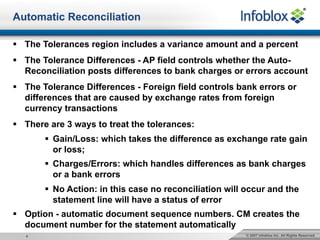
Automatic Reconciliation
§ The Tolerances region includes a variance amount and a percent
§ The Tolerance Differences - AP field controls whether the Auto-
Reconciliation posts differences to bank charges or errors account
§ The Tolerance Differences - Foreign field controls bank errors or
differences that are caused by exchange rates from foreign
currency transactions
§ There are 3 ways to treat the tolerances:
§ Gain/Loss: which takes the difference as exchange rate gain
or loss;
§ Charges/Errors: which handles differences as bank charges
or a bank errors
§ No Action: in this case no reconciliation will occur and the
statement line will have a status of error
§ Option - automatic document sequence numbers. CM creates the
document number for the statement automatically
© 2007 Infoblox Inc. All Rights Reserved.5
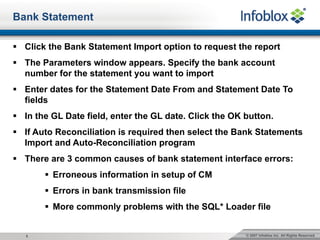
Bank Statement
§ Click the Bank Statement Import option to request the report
§ The Parameters window appears. Specify the bank account
number for the statement you want to import
§ Enter dates for the Statement Date From and Statement Date To
fields
§ In the GL Date field, enter the GL date. Click the OK button.
§ If Auto Reconciliation is required then select the Bank Statements
Import and Auto-Reconciliation program
§ There are 3 common causes of bank statement interface errors:
§ Erroneous information in setup of CM
§ Errors in bank transmission file
§ More commonly problems with the SQL* Loader file
© 2007 Infoblox Inc. All Rights Reserved.6
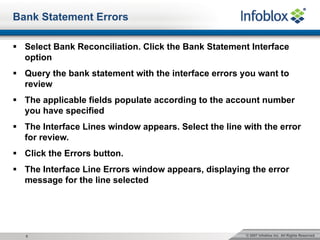
Bank Statement Errors
§ Select Bank Reconciliation. Click the Bank Statement Interface
option
§ Query the bank statement with the interface errors you want to
review
§ The applicable fields populate according to the account number
you have specified
§ The Interface Lines window appears. Select the line with the error
for review.
§ Click the Errors button.
§ The Interface Line Errors window appears, displaying the error
message for the line selected
© 2007 Infoblox Inc. All Rights Reserved.7
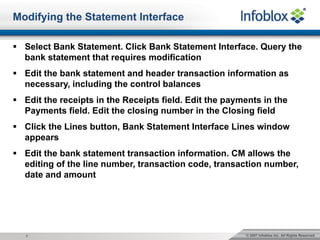
Modifying the Statement Interface
§ Select Bank Statement. Click Bank Statement Interface. Query the
bank statement that requires modification
§ Edit the bank statement and header transaction information as
necessary, including the control balances
§ Edit the receipts in the Receipts field. Edit the payments in the
Payments field. Edit the closing number in the Closing field
§ Click the Lines button, Bank Statement Interface Lines window
appears
§ Edit the bank statement transaction information. CM allows the
editing of the line number, transaction code, transaction number,
date and amount
© 2007 Infoblox Inc. All Rights Reserved.8
Auto-Reconciliation
§ The Auto-Reconciliation program does four validations: bank
statement header, control total, statement line, multi-currency
§ The program requires the imported bank statement header
information has the bank account defined
§ If a currency code is in the header, it must be the same as the
currency code defined for the bank account in AP or AR
§ There is an Auto-Reconciliation execution report, and can be
reviewed for all import validation errors
§ The Auto Reconciliation program fully matches AP AR GL and
MISC transactions against bank statement lines
© 2007 Infoblox Inc. All Rights Reserved.9
§ Misc adj. or reversal corrections, the statement line matches the
transaction number, and the amount is within tolerance
§ NSF or rejected transactions, the receipt must be reversed in AR
§ AR/AP Misc Transaction currency is the same as statement line
currency
§ AP payment transactions and stopped transactions, the matching
sequence is the same; matches against the invoice number and
supplier bank account, and the amount is within the tolerance
§ AP for stopped transactions, the payment must first be stopped or
voided
§ Bank statements can also be updated even if they are reconciled
by using the review button
Auto-Reconciliation
© 2007 Infoblox Inc. All Rights Reserved.10
Tolerance Validation
§ Validation is done in two stages, firstly it converts the tolerance
into the bank account currency using the banks exchange rate
§ Second stage uses the tolerance amount to compare the bank
statement line amount with the transaction (functional currency)
§ The tolerances defined are: amount = GBP £70 and percent =10%
§ Run the Auto Reconciliation program, and it encounters a
statement line with an amount of GBP £1,000
§ The program firstly calculates the tolerance percentage amount
(10% of GBP £1,000 = GBP £100)
§ The program selects the smallest of the amounts and the defined
tolerance amount which is GBP £70
§ The program then matches the statement line against a payment or
receipt transaction in the range GBP £930 to GBP £1,070
§ Regardless of bank account and transaction currency, the
tolerance amount in the system parameters is always in the
functional currency
© 2007 Infoblox Inc. All Rights Reserved.11
Control Total Validation
Some banks supply statements that have control totals in the
statement or account header for error checking
§ CONTROL_END_BALANCE the statement closing balance
§ CONTROL_TOTAL_DR the payment control total in the statement
header must match the payment amount on the statement lines
§ CONTROL_TOTAL_CR the receipt control total in the statement
header must match the receipt amount on the statement lines
§ CONTROL_DR_LINE_COUNT the number of payment lines in the
statement must match the line control total in the statement header
§ CONTROL_CR_LINE_COUNT the number of receipt lines in the
statement must match the receipt line total in the statement header
§ CONTROL_LINE_COUNT the number of lines in the statement
must match the line total in the statement header
© 2007 Infoblox Inc. All Rights Reserved.12
Statement Line Validation
Auto-Reconciliation needs the imported bank statement line to pass
these checks.
§ The currency code on the statement line must be defined in the
system
§ The bank transactions code must be defined
§ The exchange rate type must be valid type defined
§ Incorrect CM setup information can include wrong transaction
codes, currency, or bank account information.
§ The solution is update CM setup information and then run the
Auto-Reconciliation Import program again
§ For bank transmission errors, the solution is to obtain a correct
transmission file from the bank or update the statement using the
Bank Statement Interface window
© 2007 Infoblox Inc. All Rights Reserved.13
Reconciliation Accounting
One set of entries for the unreconciled transaction
§ DR liability
§ CR cash clearing
One set of entries for the reconciled transactions
§ DR cash clearing
§ CR cash
If Allow Reconciliation is not enabled, only one entry is created:
§ DR Accounts Payable
§ CR cash

Infoblox Finance Cash Management

  • 1.
    © 2007 InfobloxInc. All Rights Reserved. Cash Management Enterprise Applications - IT
  • 2.
    © 2007 InfobloxInc. All Rights Reserved.1 Overview § Cash Management is designed to manage and control cash cycle § This allows you to enter bank statements and reconcile the statement transactions against payments in AP, receipts in AR § You use CM to reverse, clear, reconcile receipts, and create misc transactions for bank transactions not entered in AP or AR § Miscellaneous transactions are misc receipts and misc payments § Allow Reconciliation Accounting option must be enabled if you want to use a cash clearing account and create accounting entries for bank charges, errors, gain/losses
  • 3.
    © 2007 InfobloxInc. All Rights Reserved.2 CM System Parameter Setup § Specify the Set of Books name for CM transactions § In the Begin Date field, specify the date of the first bank statement entered § Check Show Cleared Transactions checkbox to display cleared transactions available for reconciliation § Check Add Lines to Automatic Statements checkbox to add lines to automatically loaded bank statements § General region, specify a tax code that applies to misc payments and to misc receipts Note: General parameters options are also used in the manual reconciliation windows and can be overridden
  • 4.
    © 2007 InfobloxInc. All Rights Reserved.3 Bank Transaction Codes Using Auto-Reconciliation to load electronic bank statements CM requires transaction codes to be defined that are used by the bank This allows CM to identify the different transaction types on the statement, such as receipts, and payments. i.e.: § Misc Receipt § Misc Payment § NSF § Payment § Receipt § Rejected § Stopped
  • 5.
    © 2007 InfobloxInc. All Rights Reserved.4 Automatic Reconciliation § The Tolerances region includes a variance amount and a percent § The Tolerance Differences - AP field controls whether the Auto- Reconciliation posts differences to bank charges or errors account § The Tolerance Differences - Foreign field controls bank errors or differences that are caused by exchange rates from foreign currency transactions § There are 3 ways to treat the tolerances: § Gain/Loss: which takes the difference as exchange rate gain or loss; § Charges/Errors: which handles differences as bank charges or a bank errors § No Action: in this case no reconciliation will occur and the statement line will have a status of error § Option - automatic document sequence numbers. CM creates the document number for the statement automatically
  • 6.
    © 2007 InfobloxInc. All Rights Reserved.5 Bank Statement § Click the Bank Statement Import option to request the report § The Parameters window appears. Specify the bank account number for the statement you want to import § Enter dates for the Statement Date From and Statement Date To fields § In the GL Date field, enter the GL date. Click the OK button. § If Auto Reconciliation is required then select the Bank Statements Import and Auto-Reconciliation program § There are 3 common causes of bank statement interface errors: § Erroneous information in setup of CM § Errors in bank transmission file § More commonly problems with the SQL* Loader file
  • 7.
    © 2007 InfobloxInc. All Rights Reserved.6 Bank Statement Errors § Select Bank Reconciliation. Click the Bank Statement Interface option § Query the bank statement with the interface errors you want to review § The applicable fields populate according to the account number you have specified § The Interface Lines window appears. Select the line with the error for review. § Click the Errors button. § The Interface Line Errors window appears, displaying the error message for the line selected
  • 8.
    © 2007 InfobloxInc. All Rights Reserved.7 Modifying the Statement Interface § Select Bank Statement. Click Bank Statement Interface. Query the bank statement that requires modification § Edit the bank statement and header transaction information as necessary, including the control balances § Edit the receipts in the Receipts field. Edit the payments in the Payments field. Edit the closing number in the Closing field § Click the Lines button, Bank Statement Interface Lines window appears § Edit the bank statement transaction information. CM allows the editing of the line number, transaction code, transaction number, date and amount
  • 9.
    © 2007 InfobloxInc. All Rights Reserved.8 Auto-Reconciliation § The Auto-Reconciliation program does four validations: bank statement header, control total, statement line, multi-currency § The program requires the imported bank statement header information has the bank account defined § If a currency code is in the header, it must be the same as the currency code defined for the bank account in AP or AR § There is an Auto-Reconciliation execution report, and can be reviewed for all import validation errors § The Auto Reconciliation program fully matches AP AR GL and MISC transactions against bank statement lines
  • 10.
    © 2007 InfobloxInc. All Rights Reserved.9 § Misc adj. or reversal corrections, the statement line matches the transaction number, and the amount is within tolerance § NSF or rejected transactions, the receipt must be reversed in AR § AR/AP Misc Transaction currency is the same as statement line currency § AP payment transactions and stopped transactions, the matching sequence is the same; matches against the invoice number and supplier bank account, and the amount is within the tolerance § AP for stopped transactions, the payment must first be stopped or voided § Bank statements can also be updated even if they are reconciled by using the review button Auto-Reconciliation
  • 11.
    © 2007 InfobloxInc. All Rights Reserved.10 Tolerance Validation § Validation is done in two stages, firstly it converts the tolerance into the bank account currency using the banks exchange rate § Second stage uses the tolerance amount to compare the bank statement line amount with the transaction (functional currency) § The tolerances defined are: amount = GBP £70 and percent =10% § Run the Auto Reconciliation program, and it encounters a statement line with an amount of GBP £1,000 § The program firstly calculates the tolerance percentage amount (10% of GBP £1,000 = GBP £100) § The program selects the smallest of the amounts and the defined tolerance amount which is GBP £70 § The program then matches the statement line against a payment or receipt transaction in the range GBP £930 to GBP £1,070 § Regardless of bank account and transaction currency, the tolerance amount in the system parameters is always in the functional currency
  • 12.
    © 2007 InfobloxInc. All Rights Reserved.11 Control Total Validation Some banks supply statements that have control totals in the statement or account header for error checking § CONTROL_END_BALANCE the statement closing balance § CONTROL_TOTAL_DR the payment control total in the statement header must match the payment amount on the statement lines § CONTROL_TOTAL_CR the receipt control total in the statement header must match the receipt amount on the statement lines § CONTROL_DR_LINE_COUNT the number of payment lines in the statement must match the line control total in the statement header § CONTROL_CR_LINE_COUNT the number of receipt lines in the statement must match the receipt line total in the statement header § CONTROL_LINE_COUNT the number of lines in the statement must match the line total in the statement header
  • 13.
    © 2007 InfobloxInc. All Rights Reserved.12 Statement Line Validation Auto-Reconciliation needs the imported bank statement line to pass these checks. § The currency code on the statement line must be defined in the system § The bank transactions code must be defined § The exchange rate type must be valid type defined § Incorrect CM setup information can include wrong transaction codes, currency, or bank account information. § The solution is update CM setup information and then run the Auto-Reconciliation Import program again § For bank transmission errors, the solution is to obtain a correct transmission file from the bank or update the statement using the Bank Statement Interface window
  • 14.
    © 2007 InfobloxInc. All Rights Reserved.13 Reconciliation Accounting One set of entries for the unreconciled transaction § DR liability § CR cash clearing One set of entries for the reconciled transactions § DR cash clearing § CR cash If Allow Reconciliation is not enabled, only one entry is created: § DR Accounts Payable § CR cash