Recording Numerical Data by Rachel KoesterStandard 4.2.4Use numerical data to describe and compare objects and events. (Core Standard)
The object of this Indicator Project is to enhance your abilities to gather numerical data; as well as develop your understanding of comparing objects and events in numerical data. You will perform the “Sink It” activity which involves taking objects and recording whether the objects sink or float according to weight and material.Objectives
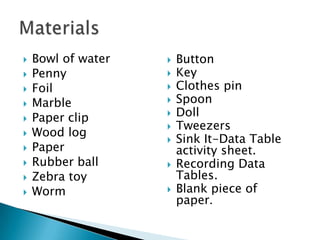
Bowl of waterPennyFoilMarblePaper clipWood logPaperRubber ballZebra toyWormMaterialsButton
Key
Clothes pin
Spoon
Doll
Tweezers
Sink It-Data Table activity sheet.
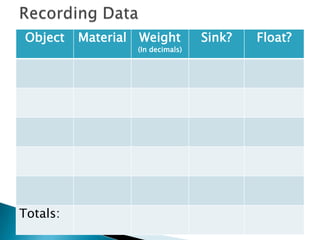
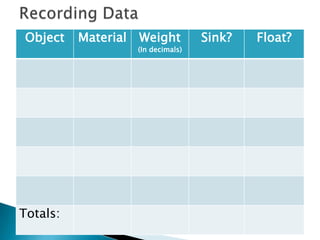
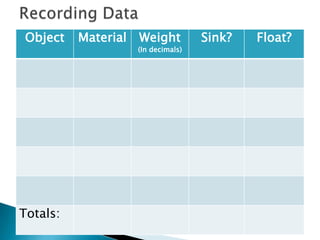
Recording Data Tables.
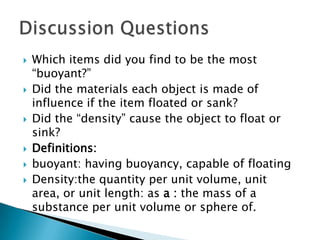
Blank piece of paper.Have you ever dropped a small item in a bowl of water and it sunk?Maybe you have dropped a larger item in a bowl of water and it floated?Have you ever wondered why certain items floated in water and why other items sink?Do you think how much an object weighs has anything to do with it sinking or floating?Sink It!
Put the objects found in the plastic container into categories you feel best affects the objects sinking or floating (color, size, shape, material, etc.) Write down the name of each object on the “Sink It” Activity sheet. Weigh each object in grams and predict whether you think the objects will sink or float. Write down predictions on the activity sheet as  and record the weight in the “Notes” column on activity sheet.http://www.sciencenetlinks.com/pdfs/sinkit_actsheet.pdfPre-Activity
After you write down your predictions, take each item, place it in the bowl of water and record the results.Things to think about as you test:How much water is in the bowl for each item you test?How are you going to put the item in the bowl of water?  Dropping it? If yes, then from how high?What is your definition of floating? Anything not on the bottom of the bowl?  Or does it have to come to the water’s surface? Recording Data
After testing, reorganize your categories if needed according to results (such as weight, metal, plastic, glass, etc.)Record your final results in the “Recording Data” tables.Reorganize

Indicator Project

  • 1.
    Recording Numerical Databy Rachel KoesterStandard 4.2.4Use numerical data to describe and compare objects and events. (Core Standard)
  • 2.
    The object ofthis Indicator Project is to enhance your abilities to gather numerical data; as well as develop your understanding of comparing objects and events in numerical data. You will perform the “Sink It” activity which involves taking objects and recording whether the objects sink or float according to weight and material.Objectives
  • 3.
    Bowl of waterPennyFoilMarblePaperclipWood logPaperRubber ballZebra toyWormMaterialsButton
  • 4.
  • 5.
  • 6.
  • 7.
  • 8.
  • 9.
    Sink It-Data Tableactivity sheet.
  • 10.
  • 11.
    Blank piece ofpaper.Have you ever dropped a small item in a bowl of water and it sunk?Maybe you have dropped a larger item in a bowl of water and it floated?Have you ever wondered why certain items floated in water and why other items sink?Do you think how much an object weighs has anything to do with it sinking or floating?Sink It!
  • 12.
    Put the objectsfound in the plastic container into categories you feel best affects the objects sinking or floating (color, size, shape, material, etc.) Write down the name of each object on the “Sink It” Activity sheet. Weigh each object in grams and predict whether you think the objects will sink or float. Write down predictions on the activity sheet as and record the weight in the “Notes” column on activity sheet.http://www.sciencenetlinks.com/pdfs/sinkit_actsheet.pdfPre-Activity
  • 13.
    After you writedown your predictions, take each item, place it in the bowl of water and record the results.Things to think about as you test:How much water is in the bowl for each item you test?How are you going to put the item in the bowl of water? Dropping it? If yes, then from how high?What is your definition of floating? Anything not on the bottom of the bowl? Or does it have to come to the water’s surface? Recording Data
  • 14.
    After testing, reorganizeyour categories if needed according to results (such as weight, metal, plastic, glass, etc.)Record your final results in the “Recording Data” tables.Reorganize