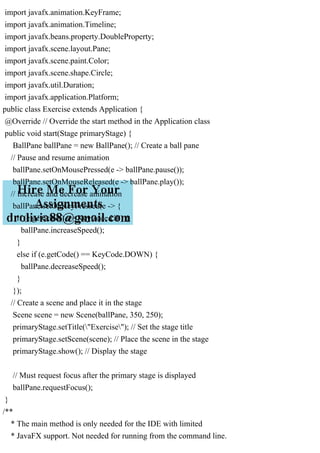
import javafx.application.Application;
import javafx.stage.Stage;
import javafx.scene.Scene;
import javafx.scene.input.KeyCode;
import javafx.animation.KeyFrame;
import javafx.animation.Timeline;
import javafx.beans.property.DoubleProperty;
import javafx.scene.layout.Pane;
import javafx.scene.paint.Color;
import javafx.scene.shape.Circle;
import javafx.util.Duration;
import javafx.application.Platform;
public class Exercise extends Application {
@Override // Override the start method in the Application class
public void start(Stage primaryStage) {
BallPane ballPane = new BallPane(); // Create a ball pane
// Pause and resume animation
ballPane.setOnMousePressed(e -> ballPane.pause());
ballPane.setOnMouseReleased(e -> ballPane.play());
// Increase and decrease animation
ballPane.setOnKeyPressed(e -> {
if (e.getCode() == KeyCode.UP) {
ballPane.increaseSpeed();
}
else if (e.getCode() == KeyCode.DOWN) {
ballPane.decreaseSpeed();
}
});
// Create a scene and place it in the stage
Scene scene = new Scene(ballPane, 350, 250);
primaryStage.setTitle("Exercise"); // Set the stage title
primaryStage.setScene(scene); // Place the scene in the stage
primaryStage.show(); // Display the stage
// Must request focus after the primary stage is displayed
ballPane.requestFocus();
}
/**
* The main method is only needed for the IDE with limited
* JavaFX support. Not needed for running from the command line.
*/
public static void main(String[] args) {
launch(args);
}
public class BallPane extends Pane {
public final double radius = 20;
private double x = radius, y = radius;
private double dx = 1, dy = 1;
private Circle circle = new Circle(x, y, radius);
private Timeline animation;
private int sleepTime = 50;
private Thread thread = new Thread(() -> {
try {
while (true) {
Platform.runLater(() -> moveBall());
Thread.sleep(sleepTime);
}
}
catch (InterruptedException ex) {
}
});
public void pause() {
thread.suspend();
}
public void play() {
thread.resume();
}
public BallPane() {
circle.setFill(Color.GREEN); // Set ball color
getChildren().add(circle); // Place a ball into this pane
thread.start();
}
public void increaseSpeed() {
if (sleepTime > 1)
sleepTime--;
}
public void decreaseSpeed() {
sleepTime++;
}
protected void moveBall() {
// Check boundaries
if (x < radius || x > getWidth() - radius) {
dx *= -1; // Change ball move direction
}
if (y < radius || y > getHeight() - radius) {
dy *= -1; // Change ball move direction
}
// Adjust ball position
x += dx;
y += dy;
circle.setCenterX(x);
circle.setCenterY(y);
}
}
}
Solution
import javafx.application.Application;
import javafx.stage.Stage;
import javafx.scene.Scene;
import javafx.scene.input.KeyCode;
import javafx.animation.KeyFrame;
import javafx.animation.Timeline;
import javafx.beans.property.DoubleProperty;
import javafx.scene.layout.Pane;
import javafx.scene.paint.Color;
import javafx.scene.shape.Circle;
import javafx.util.Duration;
import javafx.application.Platform;
public class Exercise extends Application {
@Override // Override the start method in the Application class
public void start(Stage primaryStage) {
BallPane ballPane = new BallPane(); // Create a ball pane
// Pause and resume animation
ballPane.setOnMousePressed(e -> ballPane.pause());
ballPane.setOnMouseReleased(e -> ballPane.play());
// Increase and decrease animation
ballPane.setOnKeyPressed(e -> {
if (e.getCode() == KeyCode.UP) {
ballPane.increaseSpeed();
}
else if (e.getCode() == KeyCode.DOWN) {
ballPane.decreaseSpeed();
}
});
// Create a scene and place it in the stage
Scene scene = new Scene(ballPane, 350, 250);
primaryStage.setTitle("Exercise"); // Set the stage title
primaryStage.setScene(scene); // Place the scene in the stage
primaryStage.show(); // Display the stage
// Must request focus after the primary stage is displayed
ballPane.requestFocus();
}
/**
* The main method is only needed for the IDE with limited
* JavaFX support. Not needed for running from the command line.
*/
public static void main(String[] args) {
launch(args);
}
public class BallPane extends Pane {
public final double radius = 20;
private double x = radius, y = radius;
private double dx = 1, dy = 1;
private Circle circle = new Circle(x, y, radius);
private Timeline animation;
private int sleepTime = 50;
private Thread thread = new Thread(() -> {
try {
while (true) {
Platform.runLater(() -> moveBall());
Thread.sleep(sleepTime);
}
}
catch (InterruptedException ex) {
}
});
public void pause() {
thread.suspend();
}
public void play() {
thread.resume();
}
public BallPane() {
circle.setFill(Color.GREEN); // Set ball color
getChildren().add(circle); // Place a ball into this pane
thread.start();
}
public void increaseSpeed() {
if (sleepTime > 1)
sleepTime--;
}
public void decreaseSpeed() {
sleepTime++;
}
protected void moveBall() {
// Check boundaries
if (x < radius || x > getWidth() - radius) {
dx *= -1; // Change ball move direction
}
if (y < radius || y > getHeight() - radius) {
dy *= -1; // Change ball move direction
}
// Adjust ball position
x += dx;
y += dy;
circle.setCenterX(x);
circle.setCenterY(y);
}
}
}

import javafx.application.Application; import javafx.stage.Stage;.pdf

  • 1.
    import javafx.application.Application; import javafx.stage.Stage; importjavafx.scene.Scene; import javafx.scene.input.KeyCode; import javafx.animation.KeyFrame; import javafx.animation.Timeline; import javafx.beans.property.DoubleProperty; import javafx.scene.layout.Pane; import javafx.scene.paint.Color; import javafx.scene.shape.Circle; import javafx.util.Duration; import javafx.application.Platform; public class Exercise extends Application { @Override // Override the start method in the Application class public void start(Stage primaryStage) { BallPane ballPane = new BallPane(); // Create a ball pane // Pause and resume animation ballPane.setOnMousePressed(e -> ballPane.pause()); ballPane.setOnMouseReleased(e -> ballPane.play()); // Increase and decrease animation ballPane.setOnKeyPressed(e -> { if (e.getCode() == KeyCode.UP) { ballPane.increaseSpeed(); } else if (e.getCode() == KeyCode.DOWN) { ballPane.decreaseSpeed(); } }); // Create a scene and place it in the stage Scene scene = new Scene(ballPane, 350, 250); primaryStage.setTitle("Exercise"); // Set the stage title primaryStage.setScene(scene); // Place the scene in the stage primaryStage.show(); // Display the stage // Must request focus after the primary stage is displayed
  • 2.
    ballPane.requestFocus(); } /** * The mainmethod is only needed for the IDE with limited * JavaFX support. Not needed for running from the command line. */ public static void main(String[] args) { launch(args); } public class BallPane extends Pane { public final double radius = 20; private double x = radius, y = radius; private double dx = 1, dy = 1; private Circle circle = new Circle(x, y, radius); private Timeline animation; private int sleepTime = 50; private Thread thread = new Thread(() -> { try { while (true) { Platform.runLater(() -> moveBall()); Thread.sleep(sleepTime); } } catch (InterruptedException ex) { } }); public void pause() { thread.suspend(); } public void play() { thread.resume(); }
  • 3.
    public BallPane() { circle.setFill(Color.GREEN);// Set ball color getChildren().add(circle); // Place a ball into this pane thread.start(); } public void increaseSpeed() { if (sleepTime > 1) sleepTime--; } public void decreaseSpeed() { sleepTime++; } protected void moveBall() { // Check boundaries if (x < radius || x > getWidth() - radius) { dx *= -1; // Change ball move direction } if (y < radius || y > getHeight() - radius) { dy *= -1; // Change ball move direction } // Adjust ball position x += dx; y += dy; circle.setCenterX(x); circle.setCenterY(y); } } } Solution import javafx.application.Application; import javafx.stage.Stage; import javafx.scene.Scene; import javafx.scene.input.KeyCode;
  • 4.
    import javafx.animation.KeyFrame; import javafx.animation.Timeline; importjavafx.beans.property.DoubleProperty; import javafx.scene.layout.Pane; import javafx.scene.paint.Color; import javafx.scene.shape.Circle; import javafx.util.Duration; import javafx.application.Platform; public class Exercise extends Application { @Override // Override the start method in the Application class public void start(Stage primaryStage) { BallPane ballPane = new BallPane(); // Create a ball pane // Pause and resume animation ballPane.setOnMousePressed(e -> ballPane.pause()); ballPane.setOnMouseReleased(e -> ballPane.play()); // Increase and decrease animation ballPane.setOnKeyPressed(e -> { if (e.getCode() == KeyCode.UP) { ballPane.increaseSpeed(); } else if (e.getCode() == KeyCode.DOWN) { ballPane.decreaseSpeed(); } }); // Create a scene and place it in the stage Scene scene = new Scene(ballPane, 350, 250); primaryStage.setTitle("Exercise"); // Set the stage title primaryStage.setScene(scene); // Place the scene in the stage primaryStage.show(); // Display the stage // Must request focus after the primary stage is displayed ballPane.requestFocus(); } /** * The main method is only needed for the IDE with limited * JavaFX support. Not needed for running from the command line.
  • 5.
    */ public static voidmain(String[] args) { launch(args); } public class BallPane extends Pane { public final double radius = 20; private double x = radius, y = radius; private double dx = 1, dy = 1; private Circle circle = new Circle(x, y, radius); private Timeline animation; private int sleepTime = 50; private Thread thread = new Thread(() -> { try { while (true) { Platform.runLater(() -> moveBall()); Thread.sleep(sleepTime); } } catch (InterruptedException ex) { } }); public void pause() { thread.suspend(); } public void play() { thread.resume(); } public BallPane() { circle.setFill(Color.GREEN); // Set ball color getChildren().add(circle); // Place a ball into this pane thread.start();
  • 6.
    } public void increaseSpeed(){ if (sleepTime > 1) sleepTime--; } public void decreaseSpeed() { sleepTime++; } protected void moveBall() { // Check boundaries if (x < radius || x > getWidth() - radius) { dx *= -1; // Change ball move direction } if (y < radius || y > getHeight() - radius) { dy *= -1; // Change ball move direction } // Adjust ball position x += dx; y += dy; circle.setCenterX(x); circle.setCenterY(y); } } }