Christian Bolton | Technical Director, Coeo
Graeme Malcolm | Microsoft
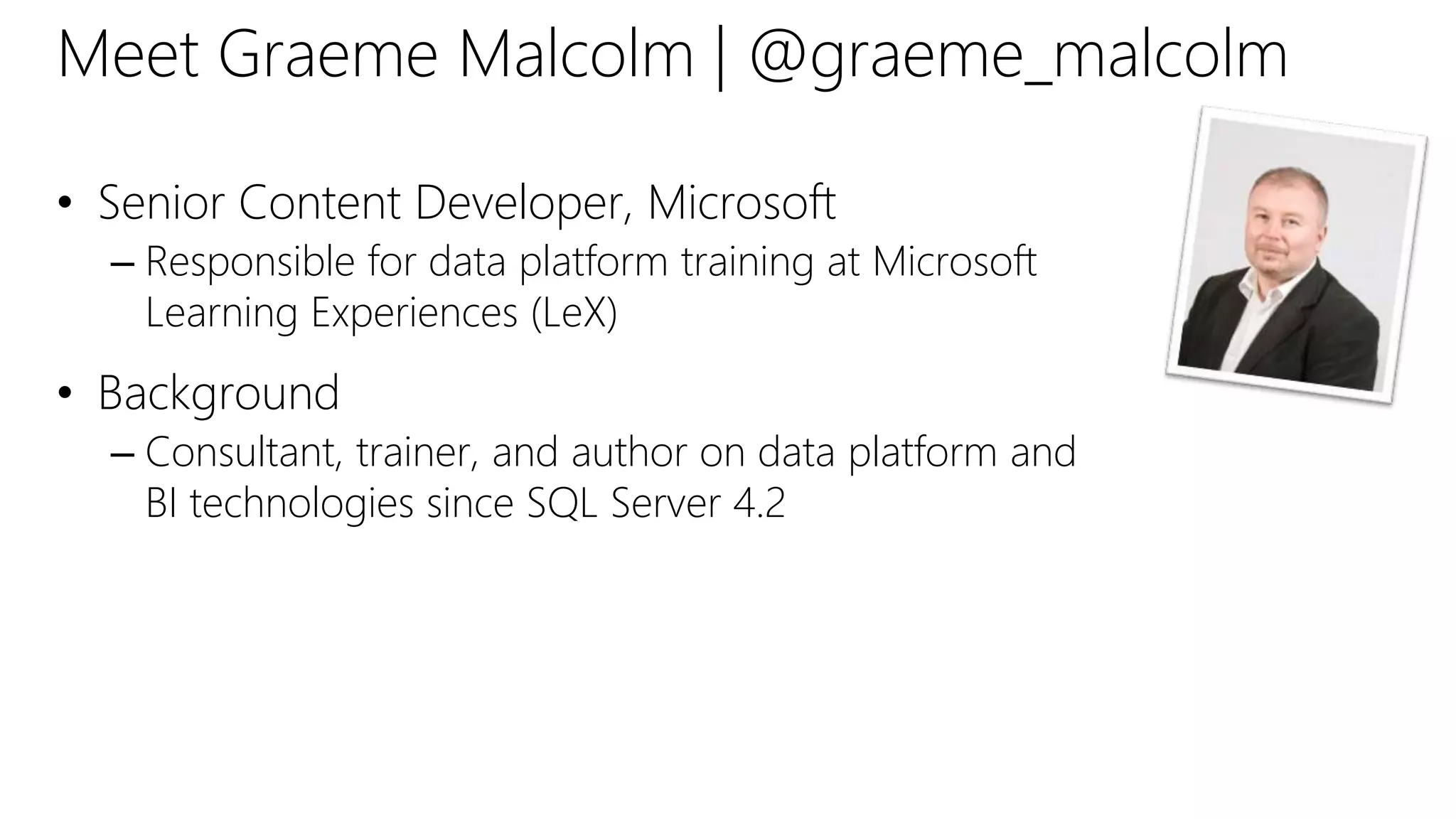
Meet Graeme Malcolm | @graeme_malcolm
• Senior Content Developer, Microsoft
– Responsible for data platform training at Microsoft
Learning Experiences (LeX)
• Background
– Consultant, trainer, and author on data platform and
BI technologies since SQL Server 4.2
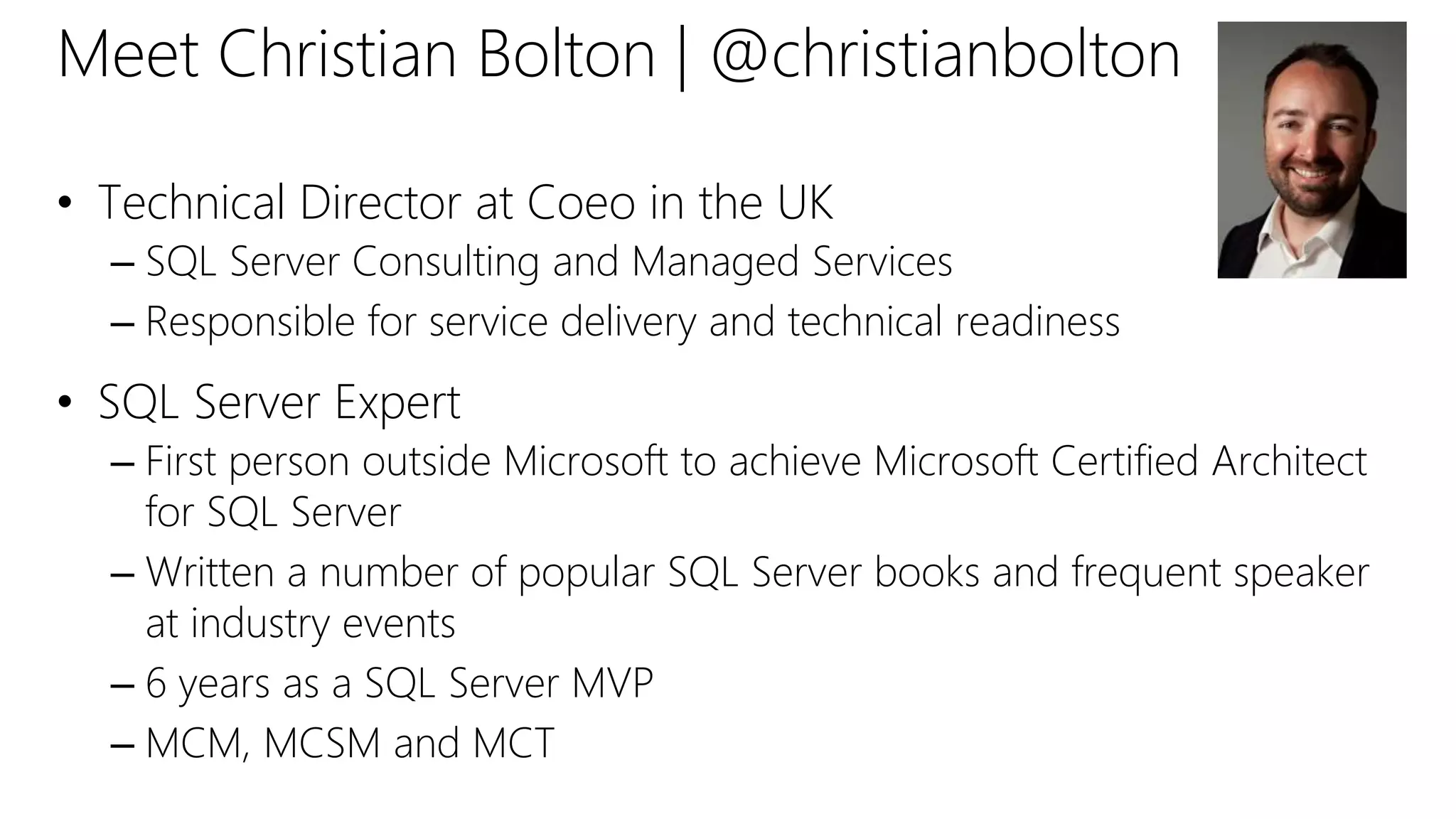
Meet Christian Bolton | @christianbolton
• Technical Director at Coeo in the UK
– SQL Server Consulting and Managed Services
– Responsible for service delivery and technical readiness
• SQL Server Expert
– First person outside Microsoft to achieve Microsoft Certified Architect
for SQL Server
– Written a number of popular SQL Server books and frequent speaker
at industry events
– 6 years as a SQL Server MVP
– MCM, MCSM and MCT
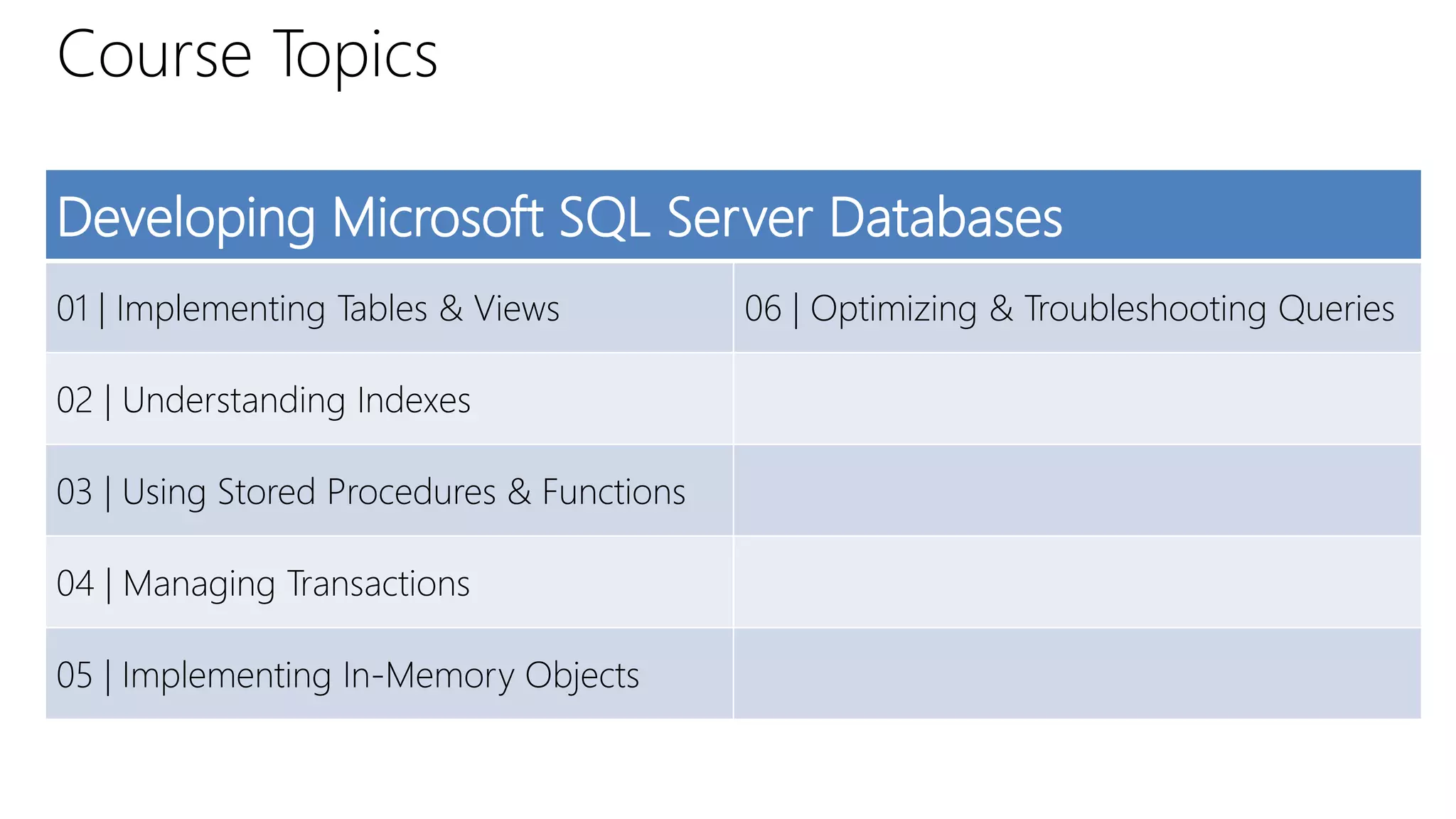
Course Topics
Developing Microsoft SQL Server Databases
01 | Implementing Tables & Views 06 | Optimizing & Troubleshooting Queries
02 | Understanding Indexes
03 | Using Stored Procedures & Functions
04 | Managing Transactions
05 | Implementing In-Memory Objects
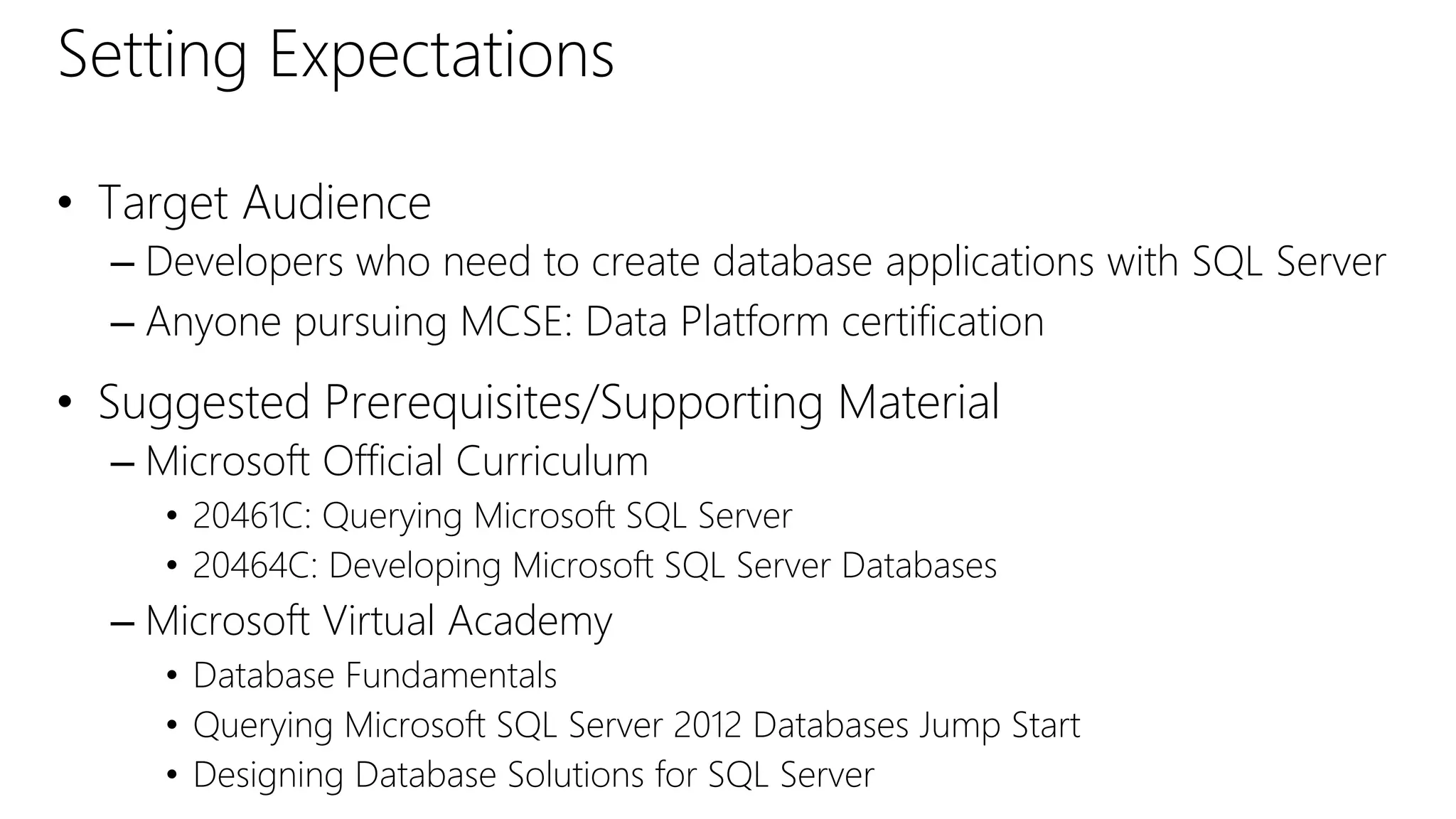
Setting Expectations
• Target Audience
– Developers who need to create database applications with SQL Server
– Anyone pursuing MCSE: Data Platform certification
• Suggested Prerequisites/Supporting Material
– Microsoft Official Curriculum
• 20461C: Querying Microsoft SQL Server
• 20464C: Developing Microsoft SQL Server Databases
– Microsoft Virtual Academy
• Database Fundamentals
• Querying Microsoft SQL Server 2012 Databases Jump Start
• Designing Database Solutions for SQL Server
SQL Server Books Online
• Product documentation and guidance
• Published on both TechNet and MSDN
• Downloadable local version also available
• Microsoft Virtual Academy
– Free online learning tailored for IT Pros and Developers
– Over 1M registered users
– Up-to-date, relevant training on variety of Microsoft products
Join the MVA Community!
01 | Implementing Tables & Views
Christian Bolton | Technical Director, Coeo
Graeme Malcolm | Microsoft
• Tables, Schemas & Views
• Temporary Tables & Table Variables
• Common Table Expressions
• Table Partitioning
Module Overview
Designing Tables
• Avoid table names and column names that contain
spaces, keywords and symbols
• Plan data types for each column
• Plan whether to allow NULLs
• Plan primary key and foreign key constraints
• Plan indexes to optimize performance
DEMO
Implementing a Table Design
Working with Schemas
• Naming boundary
– Logically group database objects
– Use the schema name when referencing database objects to aid name
resolution
• Security boundary
– Simplify security configuration
– Database objects inherit permissions set at the schema level
[Server.][Database.]Schema.Object
GRANT EXECUTE ON SCHEMA::Sales
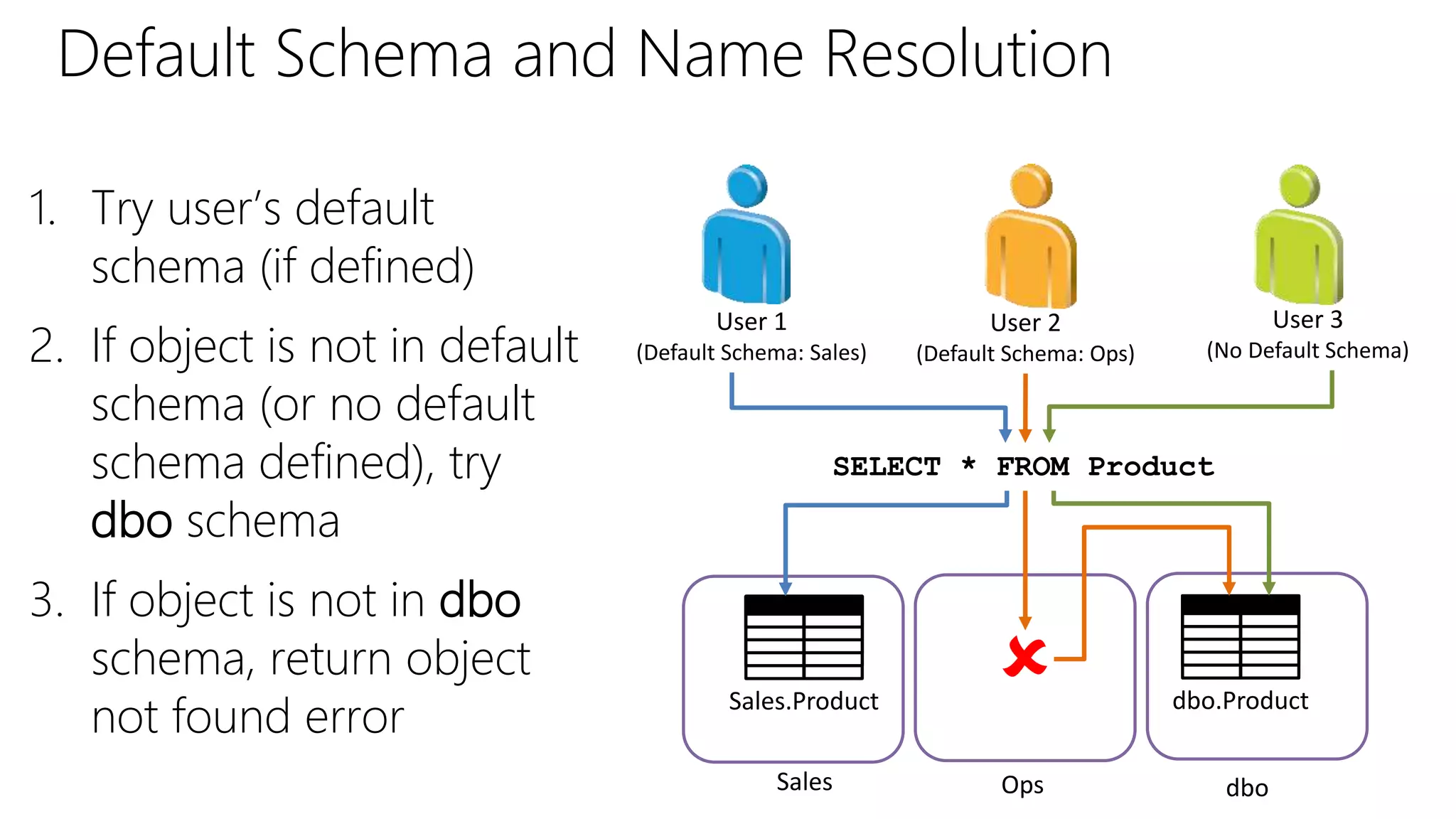
Default Schema and Name Resolution
1. Try user’s default
schema (if defined)
2. If object is not in default
schema (or no default
schema defined), try
dbo schema
3. If object is not in dbo
schema, return object
not found error
SELECT * FROM Product
User 1
(Default Schema: Sales)
User 3
(No Default Schema)
Sales.Product dbo.Product
User 2
(Default Schema: Ops)
Sales Ops dbo

DEMO
Working with Schemas
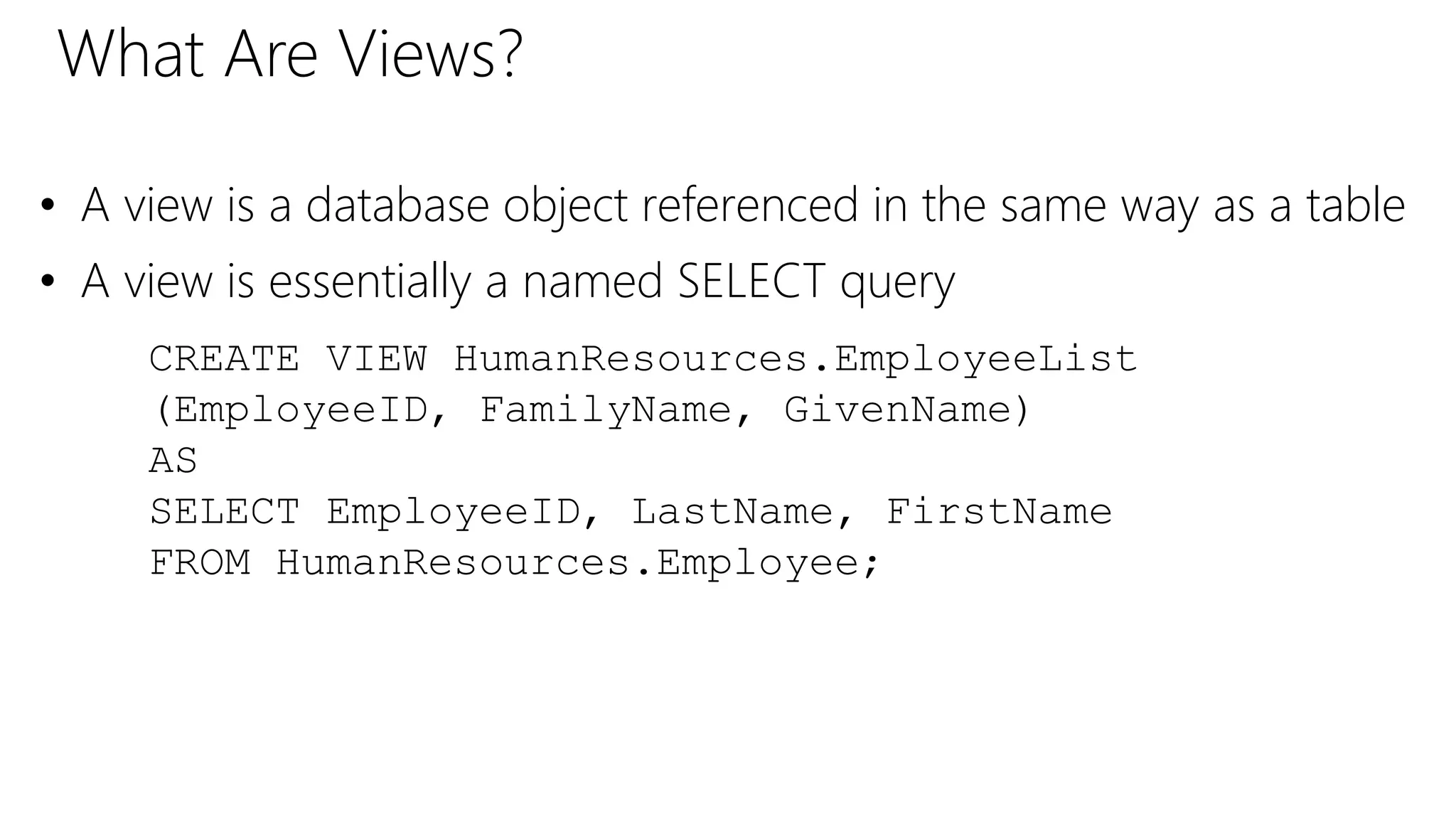
What Are Views?
• A view is a database object referenced in the same way as a table
• A view is essentially a named SELECT query
CREATE VIEW HumanResources.EmployeeList
(EmployeeID, FamilyName, GivenName)
AS
SELECT EmployeeID, LastName, FirstName
FROM HumanResources.Employee;
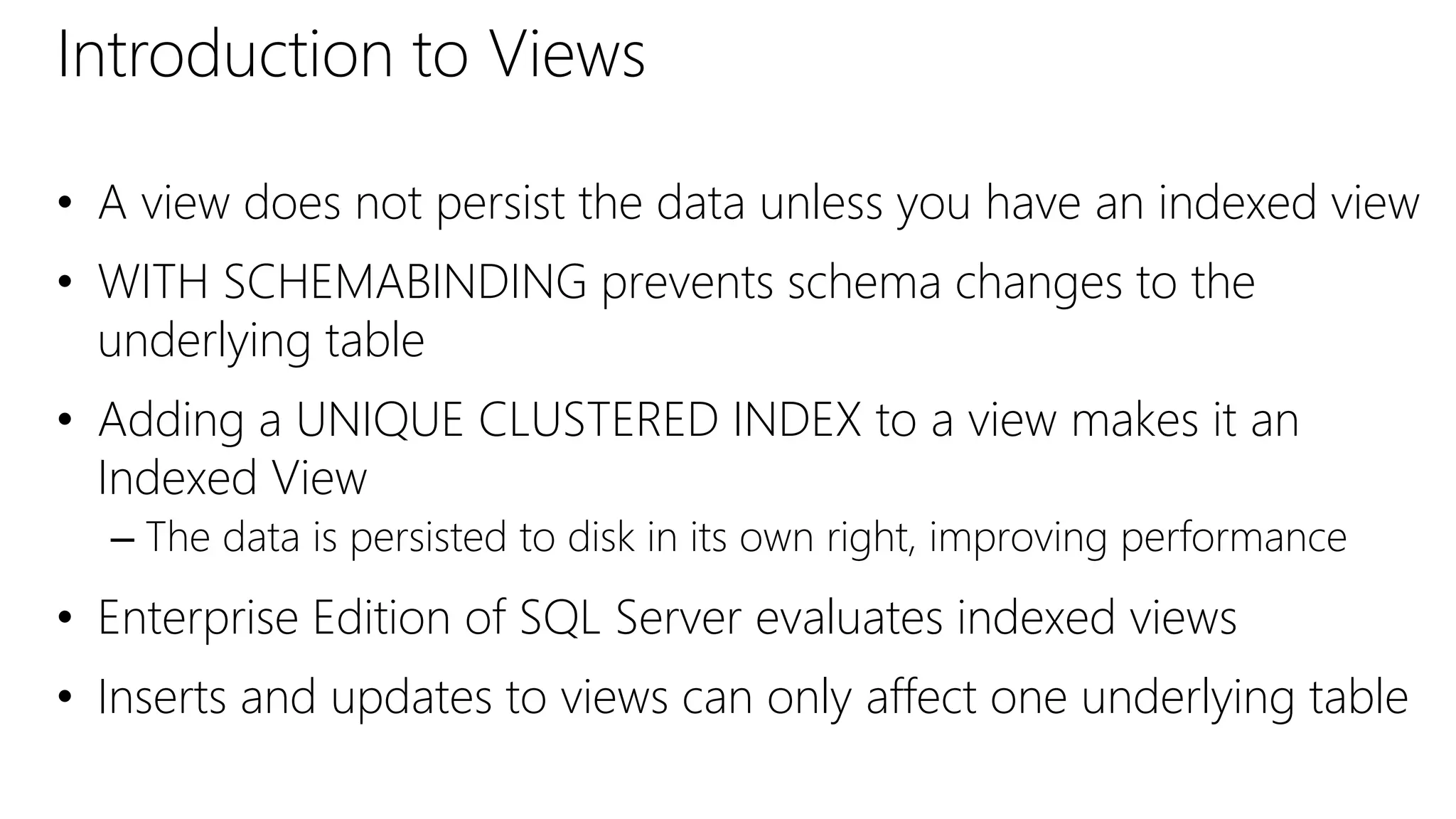
Introduction to Views
• A view does not persist the data unless you have an indexed view
• WITH SCHEMABINDING prevents schema changes to the
underlying table
• Adding a UNIQUE CLUSTERED INDEX to a view makes it an
Indexed View
– The data is persisted to disk in its own right, improving performance
• Enterprise Edition of SQL Server evaluates indexed views
• Inserts and updates to views can only affect one underlying table
DEMO
Introduction to Views
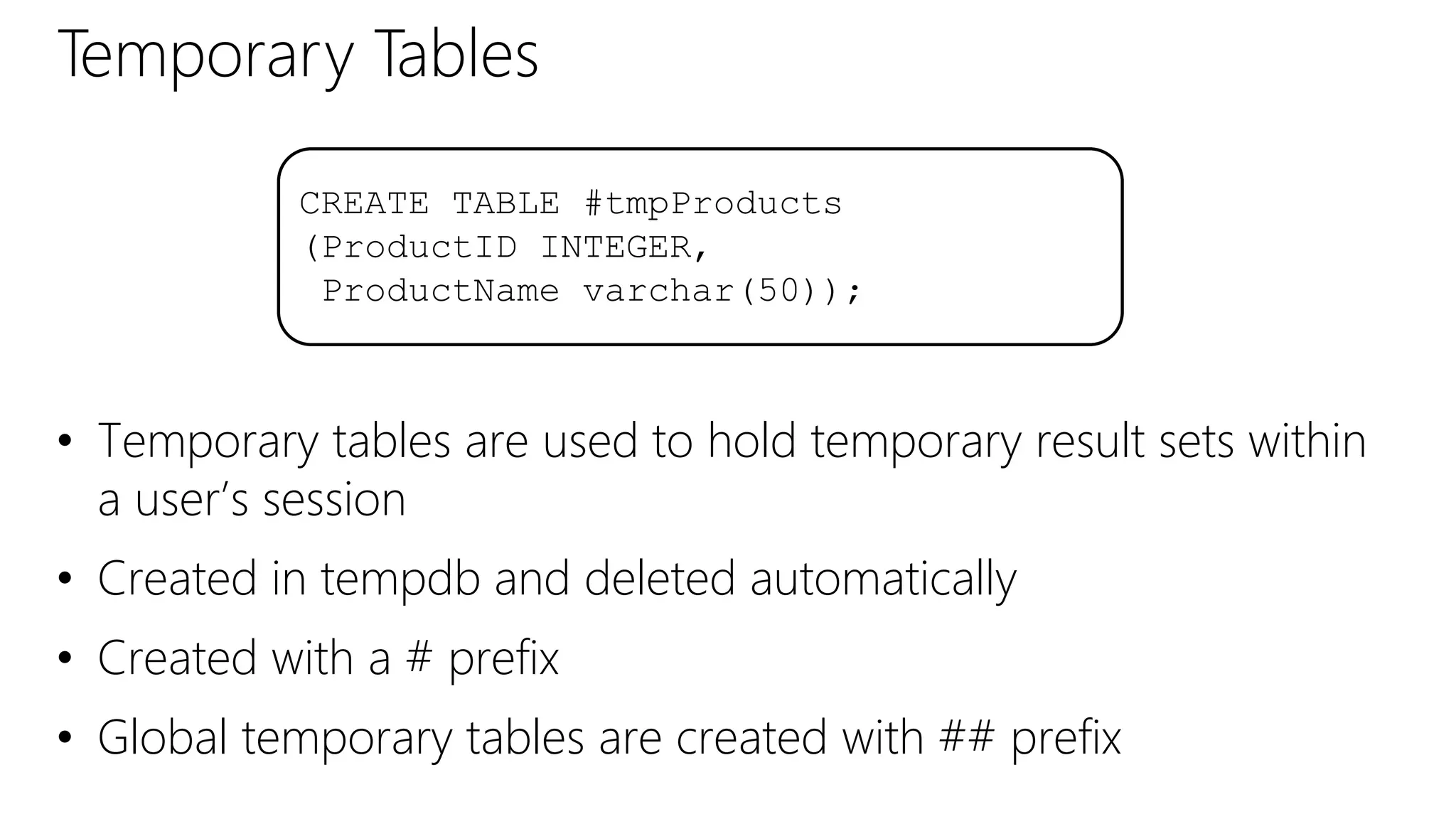
Temporary Tables
• Temporary tables are used to hold temporary result sets within
a user’s session
• Created in tempdb and deleted automatically
• Created with a # prefix
• Global temporary tables are created with ## prefix
CREATE TABLE #tmpProducts
(ProductID INTEGER,
ProductName varchar(50));
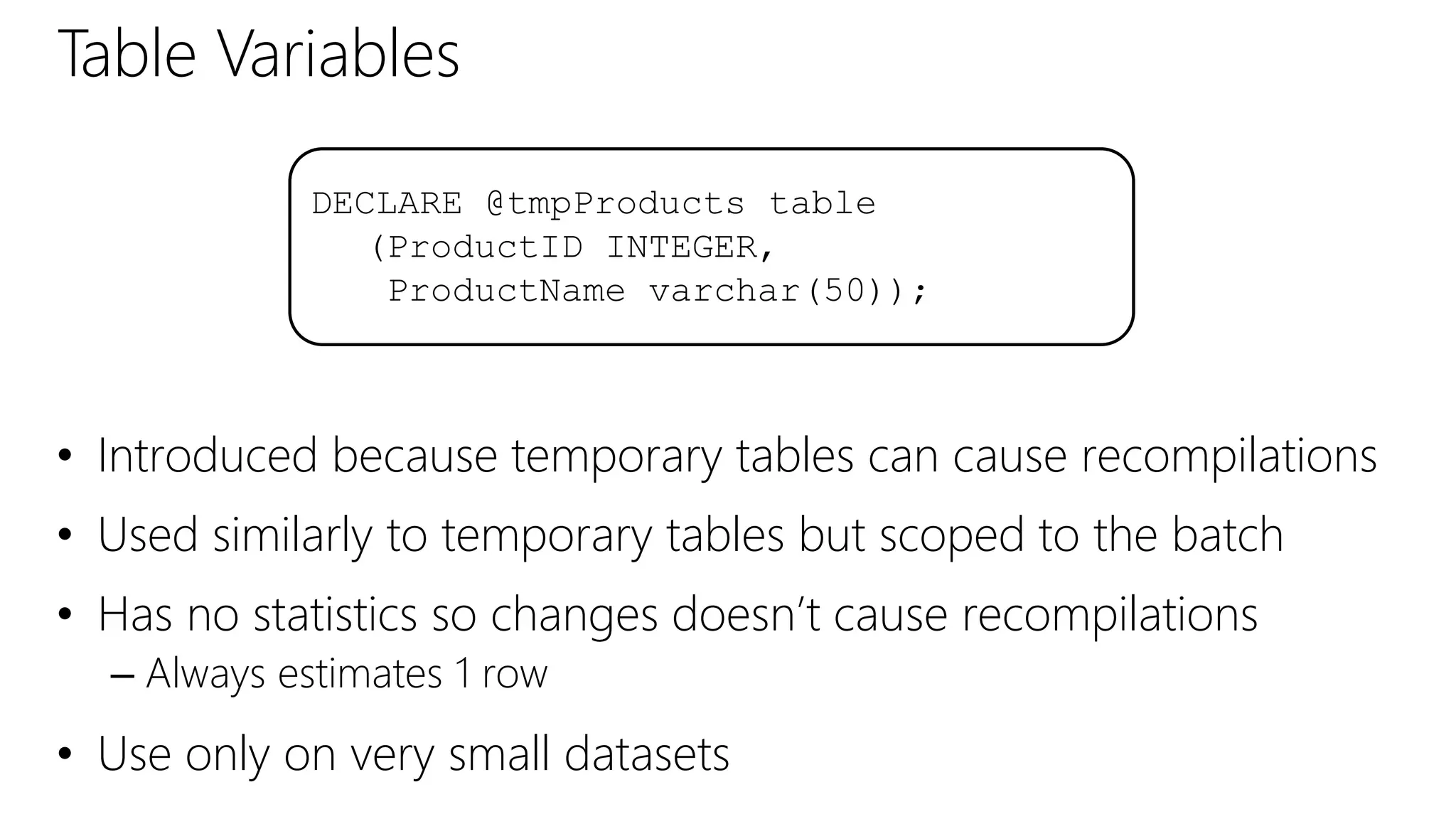
Table Variables
• Introduced because temporary tables can cause recompilations
• Used similarly to temporary tables but scoped to the batch
• Has no statistics so changes doesn’t cause recompilations
– Always estimates 1 row
• Use only on very small datasets
DECLARE @tmpProducts table
(ProductID INTEGER,
ProductName varchar(50));
DEMO
Table Variables and Temporary Tables
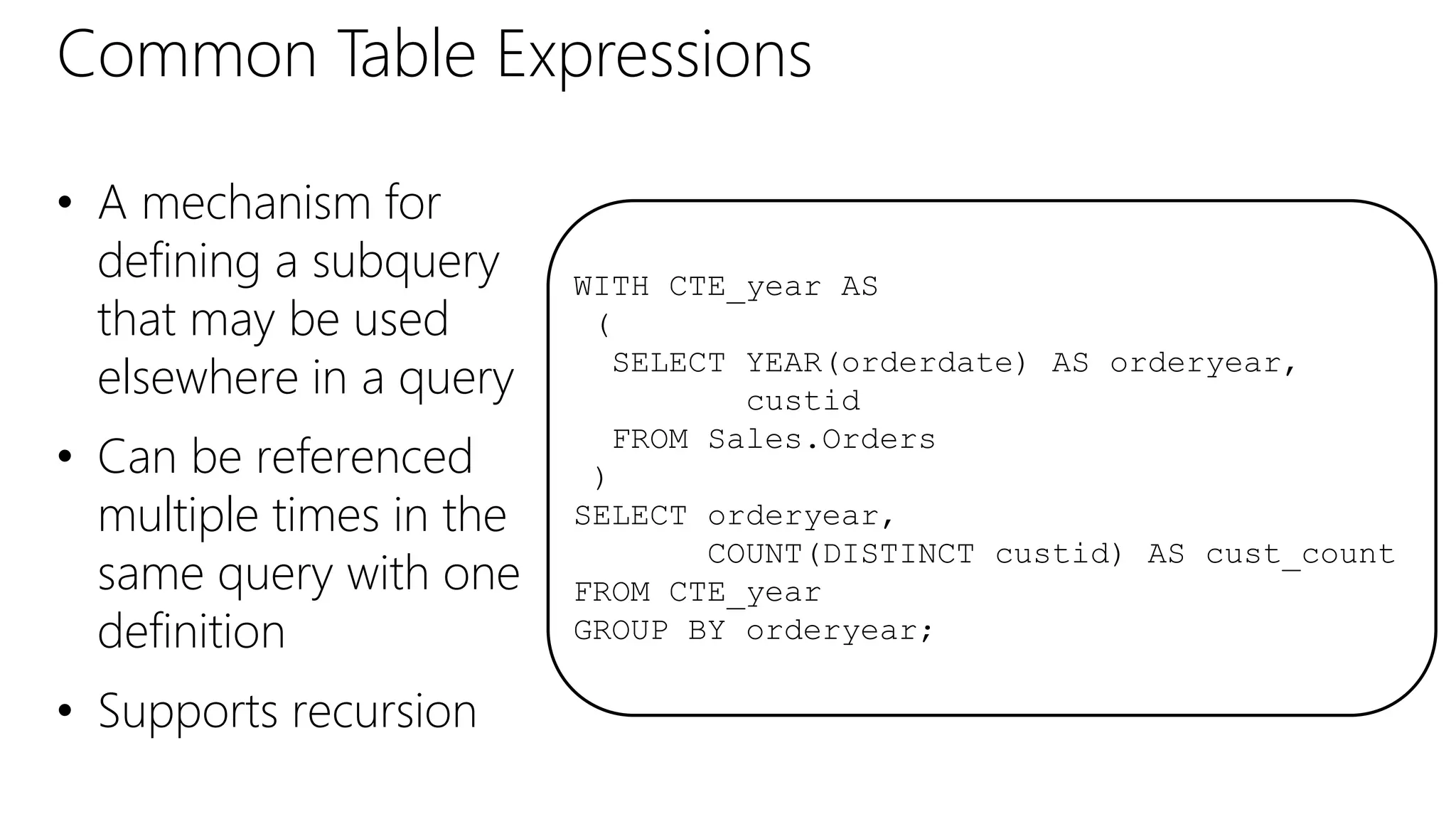
Common Table Expressions
• A mechanism for
defining a subquery
that may be used
elsewhere in a query
• Can be referenced
multiple times in the
same query with one
definition
• Supports recursion
WITH CTE_year AS
(
SELECT YEAR(orderdate) AS orderyear,
custid
FROM Sales.Orders
)
SELECT orderyear,
COUNT(DISTINCT custid) AS cust_count
FROM CTE_year
GROUP BY orderyear;
DEMO
Common Table Expressions
Partitioned Tables
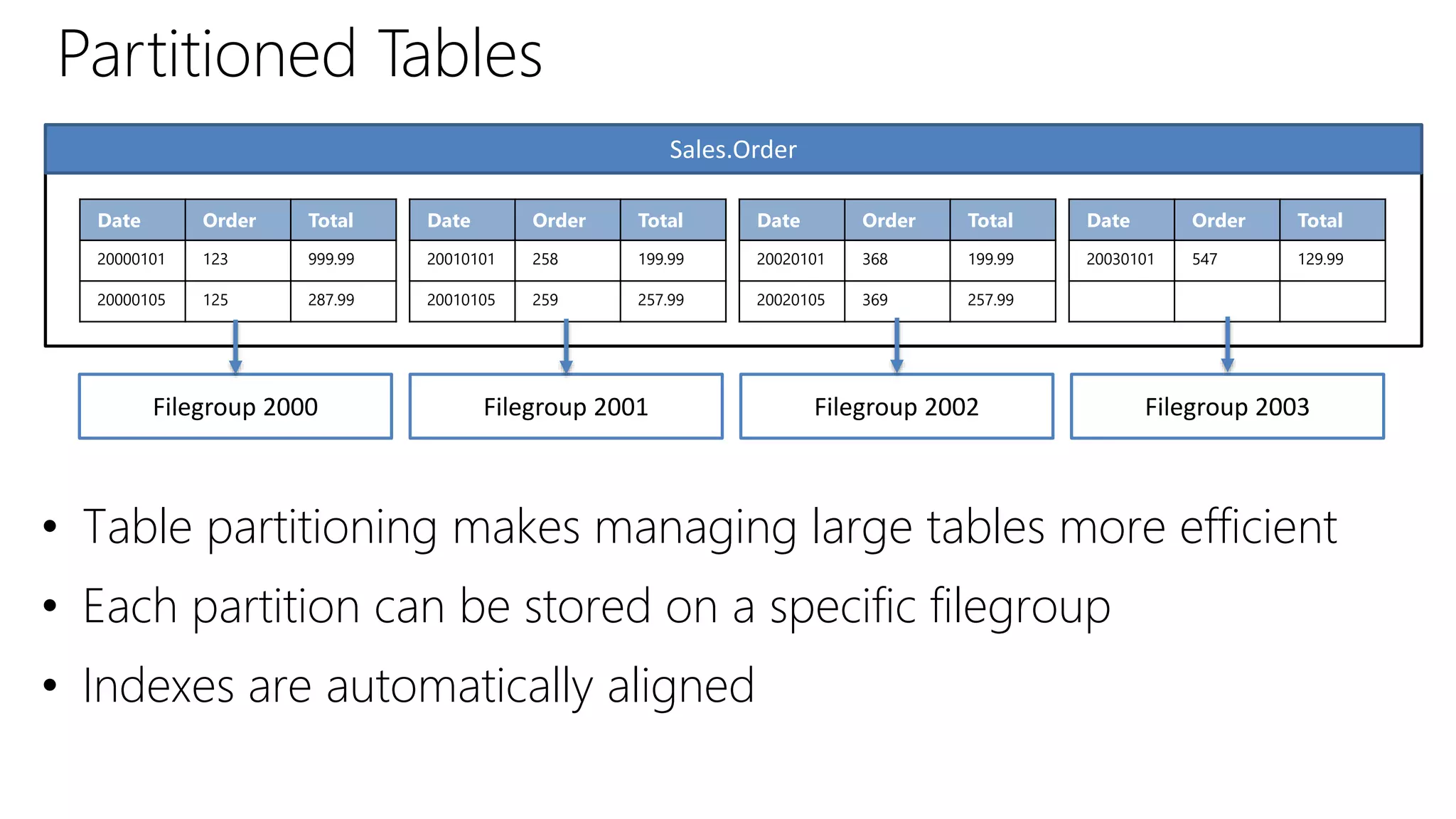
• Table partitioning makes managing large tables more efficient
• Each partition can be stored on a specific filegroup
• Indexes are automatically aligned
Date Order Total
20000101 123 999.99
20000105 125 287.99
Date Order Total
20010101 258 199.99
20010105 259 257.99
Date Order Total
20020101 368 199.99
20020105 369 257.99
Date Order Total
20030101 547 129.99
Sales.Order
Filegroup 2000 Filegroup 2001 Filegroup 2002 Filegroup 2003
Creating a Partitioned Table
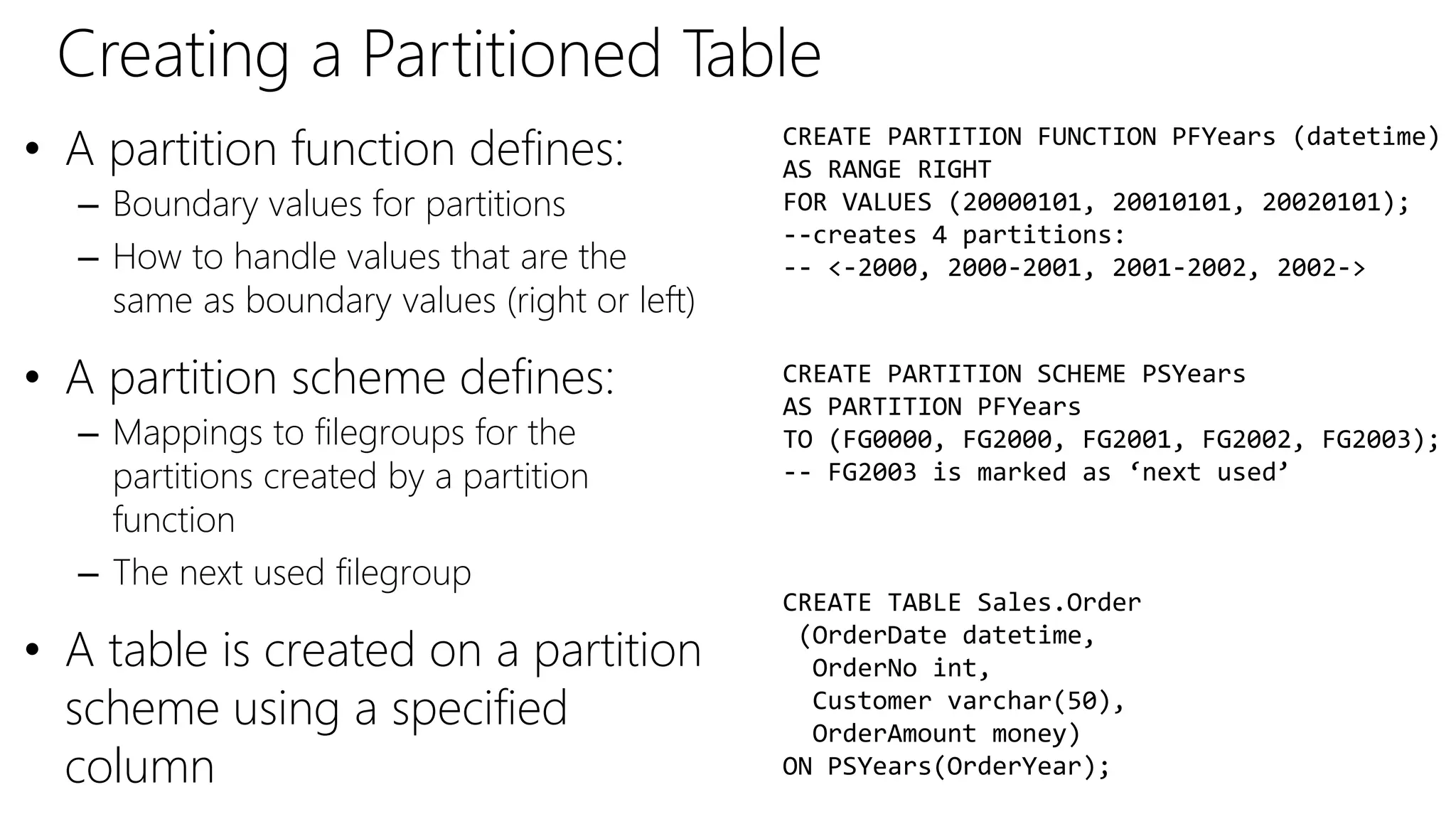
• A partition function defines:
– Boundary values for partitions
– How to handle values that are the
same as boundary values (right or left)
• A partition scheme defines:
– Mappings to filegroups for the
partitions created by a partition
function
– The next used filegroup
• A table is created on a partition
scheme using a specified
column
CREATE PARTITION FUNCTION PFYears (datetime)
AS RANGE RIGHT
FOR VALUES (20000101, 20010101, 20020101);
--creates 4 partitions:
-- <-2000, 2000-2001, 2001-2002, 2002->
CREATE PARTITION SCHEME PSYears
AS PARTITION PFYears
TO (FG0000, FG2000, FG2001, FG2002, FG2003);
-- FG2003 is marked as ‘next used’
CREATE TABLE Sales.Order
(OrderDate datetime,
OrderNo int,
Customer varchar(50),
OrderAmount money)
ON PSYears(OrderYear);
Managing Partitioned Tables
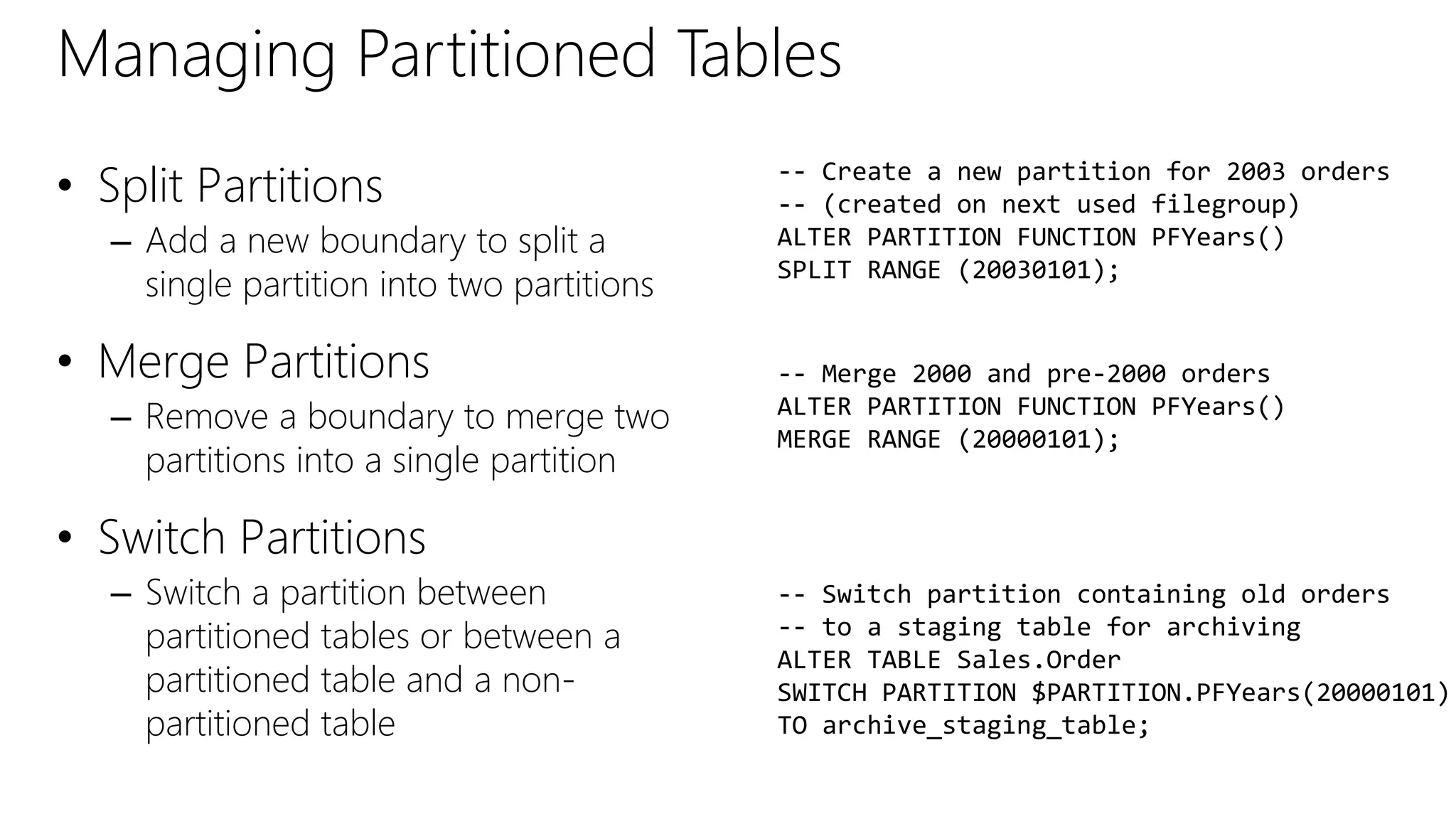
• Split Partitions
– Add a new boundary to split a
single partition into two partitions
• Merge Partitions
– Remove a boundary to merge two
partitions into a single partition
• Switch Partitions
– Switch a partition between
partitioned tables or between a
partitioned table and a non-
partitioned table
-- Create a new partition for 2003 orders
-- (created on next used filegroup)
ALTER PARTITION FUNCTION PFYears()
SPLIT RANGE (20030101);
-- Merge 2000 and pre-2000 orders
ALTER PARTITION FUNCTION PFYears()
MERGE RANGE (20000101);
-- Switch partition containing old orders
-- to a staging table for archiving
ALTER TABLE Sales.Order
SWITCH PARTITION $PARTITION.PFYears(20000101)
TO archive_staging_table;
DEMO
Table Partitioning
Implementing Tables and Views
• Tables
• Schemas
• Views
• Temporary Tables
• Table Variables
• Common Table Expressions
• Partitioned Tables
Summary
©2014 Microsoft Corporation. All rights reserved. Microsoft, Windows, Office, Azure, System Center, Dynamics and other product names are or may be registered trademarks and/or trademarks in the
U.S. and/or other countries. The information herein is for informational purposes only and represents the current view of Microsoft Corporation as of the date of this presentation. Because Microsoft
must respond to changing market conditions, it should not be interpreted to be a commitment on the part of Microsoft, and Microsoft cannot guarantee the accuracy of any information provided after
the date of this presentation. MICROSOFT MAKES NO WARRANTIES, EXPRESS, IMPLIED OR STATUTORY, AS TO THE INFORMATION IN THIS PRESENTATION.

Implementing Tables and Views.pptx

  • 1.
    Christian Bolton |Technical Director, Coeo Graeme Malcolm | Microsoft
  • 2.
    Meet Graeme Malcolm| @graeme_malcolm • Senior Content Developer, Microsoft – Responsible for data platform training at Microsoft Learning Experiences (LeX) • Background – Consultant, trainer, and author on data platform and BI technologies since SQL Server 4.2
  • 3.
    Meet Christian Bolton| @christianbolton • Technical Director at Coeo in the UK – SQL Server Consulting and Managed Services – Responsible for service delivery and technical readiness • SQL Server Expert – First person outside Microsoft to achieve Microsoft Certified Architect for SQL Server – Written a number of popular SQL Server books and frequent speaker at industry events – 6 years as a SQL Server MVP – MCM, MCSM and MCT
  • 4.
    Course Topics Developing MicrosoftSQL Server Databases 01 | Implementing Tables & Views 06 | Optimizing & Troubleshooting Queries 02 | Understanding Indexes 03 | Using Stored Procedures & Functions 04 | Managing Transactions 05 | Implementing In-Memory Objects
  • 5.
    Setting Expectations • TargetAudience – Developers who need to create database applications with SQL Server – Anyone pursuing MCSE: Data Platform certification • Suggested Prerequisites/Supporting Material – Microsoft Official Curriculum • 20461C: Querying Microsoft SQL Server • 20464C: Developing Microsoft SQL Server Databases – Microsoft Virtual Academy • Database Fundamentals • Querying Microsoft SQL Server 2012 Databases Jump Start • Designing Database Solutions for SQL Server
  • 6.
    SQL Server BooksOnline • Product documentation and guidance • Published on both TechNet and MSDN • Downloadable local version also available
  • 7.
    • Microsoft VirtualAcademy – Free online learning tailored for IT Pros and Developers – Over 1M registered users – Up-to-date, relevant training on variety of Microsoft products Join the MVA Community!
  • 8.
    01 | ImplementingTables & Views Christian Bolton | Technical Director, Coeo Graeme Malcolm | Microsoft
  • 9.
    • Tables, Schemas& Views • Temporary Tables & Table Variables • Common Table Expressions • Table Partitioning Module Overview
  • 10.
    Designing Tables • Avoidtable names and column names that contain spaces, keywords and symbols • Plan data types for each column • Plan whether to allow NULLs • Plan primary key and foreign key constraints • Plan indexes to optimize performance
  • 11.
  • 12.
    Working with Schemas •Naming boundary – Logically group database objects – Use the schema name when referencing database objects to aid name resolution • Security boundary – Simplify security configuration – Database objects inherit permissions set at the schema level [Server.][Database.]Schema.Object GRANT EXECUTE ON SCHEMA::Sales
  • 13.
    Default Schema andName Resolution 1. Try user’s default schema (if defined) 2. If object is not in default schema (or no default schema defined), try dbo schema 3. If object is not in dbo schema, return object not found error SELECT * FROM Product User 1 (Default Schema: Sales) User 3 (No Default Schema) Sales.Product dbo.Product User 2 (Default Schema: Ops) Sales Ops dbo 
  • 14.
  • 15.
    What Are Views? •A view is a database object referenced in the same way as a table • A view is essentially a named SELECT query CREATE VIEW HumanResources.EmployeeList (EmployeeID, FamilyName, GivenName) AS SELECT EmployeeID, LastName, FirstName FROM HumanResources.Employee;
  • 16.
    Introduction to Views •A view does not persist the data unless you have an indexed view • WITH SCHEMABINDING prevents schema changes to the underlying table • Adding a UNIQUE CLUSTERED INDEX to a view makes it an Indexed View – The data is persisted to disk in its own right, improving performance • Enterprise Edition of SQL Server evaluates indexed views • Inserts and updates to views can only affect one underlying table
  • 17.
  • 18.
    Temporary Tables • Temporarytables are used to hold temporary result sets within a user’s session • Created in tempdb and deleted automatically • Created with a # prefix • Global temporary tables are created with ## prefix CREATE TABLE #tmpProducts (ProductID INTEGER, ProductName varchar(50));
  • 19.
    Table Variables • Introducedbecause temporary tables can cause recompilations • Used similarly to temporary tables but scoped to the batch • Has no statistics so changes doesn’t cause recompilations – Always estimates 1 row • Use only on very small datasets DECLARE @tmpProducts table (ProductID INTEGER, ProductName varchar(50));
  • 20.
    DEMO Table Variables andTemporary Tables
  • 21.
    Common Table Expressions •A mechanism for defining a subquery that may be used elsewhere in a query • Can be referenced multiple times in the same query with one definition • Supports recursion WITH CTE_year AS ( SELECT YEAR(orderdate) AS orderyear, custid FROM Sales.Orders ) SELECT orderyear, COUNT(DISTINCT custid) AS cust_count FROM CTE_year GROUP BY orderyear;
  • 22.
  • 23.
    Partitioned Tables • Tablepartitioning makes managing large tables more efficient • Each partition can be stored on a specific filegroup • Indexes are automatically aligned Date Order Total 20000101 123 999.99 20000105 125 287.99 Date Order Total 20010101 258 199.99 20010105 259 257.99 Date Order Total 20020101 368 199.99 20020105 369 257.99 Date Order Total 20030101 547 129.99 Sales.Order Filegroup 2000 Filegroup 2001 Filegroup 2002 Filegroup 2003
  • 24.
    Creating a PartitionedTable • A partition function defines: – Boundary values for partitions – How to handle values that are the same as boundary values (right or left) • A partition scheme defines: – Mappings to filegroups for the partitions created by a partition function – The next used filegroup • A table is created on a partition scheme using a specified column CREATE PARTITION FUNCTION PFYears (datetime) AS RANGE RIGHT FOR VALUES (20000101, 20010101, 20020101); --creates 4 partitions: -- <-2000, 2000-2001, 2001-2002, 2002-> CREATE PARTITION SCHEME PSYears AS PARTITION PFYears TO (FG0000, FG2000, FG2001, FG2002, FG2003); -- FG2003 is marked as ‘next used’ CREATE TABLE Sales.Order (OrderDate datetime, OrderNo int, Customer varchar(50), OrderAmount money) ON PSYears(OrderYear);
  • 25.
    Managing Partitioned Tables •Split Partitions – Add a new boundary to split a single partition into two partitions • Merge Partitions – Remove a boundary to merge two partitions into a single partition • Switch Partitions – Switch a partition between partitioned tables or between a partitioned table and a non- partitioned table -- Create a new partition for 2003 orders -- (created on next used filegroup) ALTER PARTITION FUNCTION PFYears() SPLIT RANGE (20030101); -- Merge 2000 and pre-2000 orders ALTER PARTITION FUNCTION PFYears() MERGE RANGE (20000101); -- Switch partition containing old orders -- to a staging table for archiving ALTER TABLE Sales.Order SWITCH PARTITION $PARTITION.PFYears(20000101) TO archive_staging_table;
  • 26.
  • 27.
    Implementing Tables andViews • Tables • Schemas • Views • Temporary Tables • Table Variables • Common Table Expressions • Partitioned Tables Summary
  • 28.
    ©2014 Microsoft Corporation.All rights reserved. Microsoft, Windows, Office, Azure, System Center, Dynamics and other product names are or may be registered trademarks and/or trademarks in the U.S. and/or other countries. The information herein is for informational purposes only and represents the current view of Microsoft Corporation as of the date of this presentation. Because Microsoft must respond to changing market conditions, it should not be interpreted to be a commitment on the part of Microsoft, and Microsoft cannot guarantee the accuracy of any information provided after the date of this presentation. MICROSOFT MAKES NO WARRANTIES, EXPRESS, IMPLIED OR STATUTORY, AS TO THE INFORMATION IN THIS PRESENTATION.

Editor's Notes