Introducing AutoComplete for
Velocity and FreeMarker languages in
Liferay Portal 6.2
Liferay UI Engineer
Iliyan Peychev
Thursday, October 10, 13
A few words about me
Started as C developer ~12 years ago.
Lately turned to Java developer.
Currently working as Front-End engineer at Liferay.
Twitter: ipeychev
GitHub: ipeychev
Thursday, October 10, 13
• What we had in Liferay 6.1
• Making the AutoComplete
• Making the Palette
• Applying both to Web Content, DDM and ADT
• Extending the AutoComplete
• Future
Agenda
Thursday, October 10, 13
• Relatively complicated user interface
What we had in Liferay 6.1
Thursday, October 10, 13
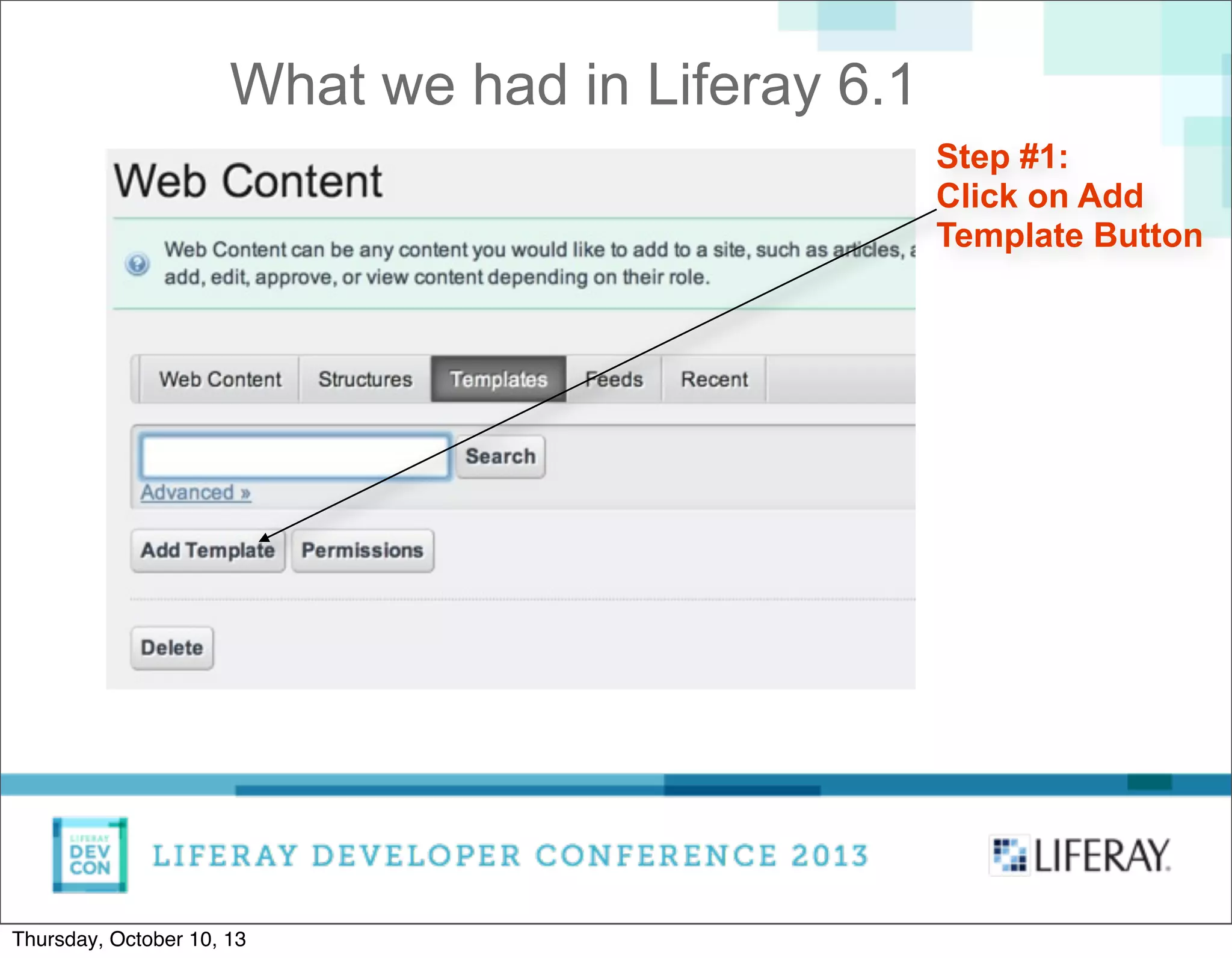
Step #1:
Click on Add
Template Button
What we had in Liferay 6.1
Thursday, October 10, 13
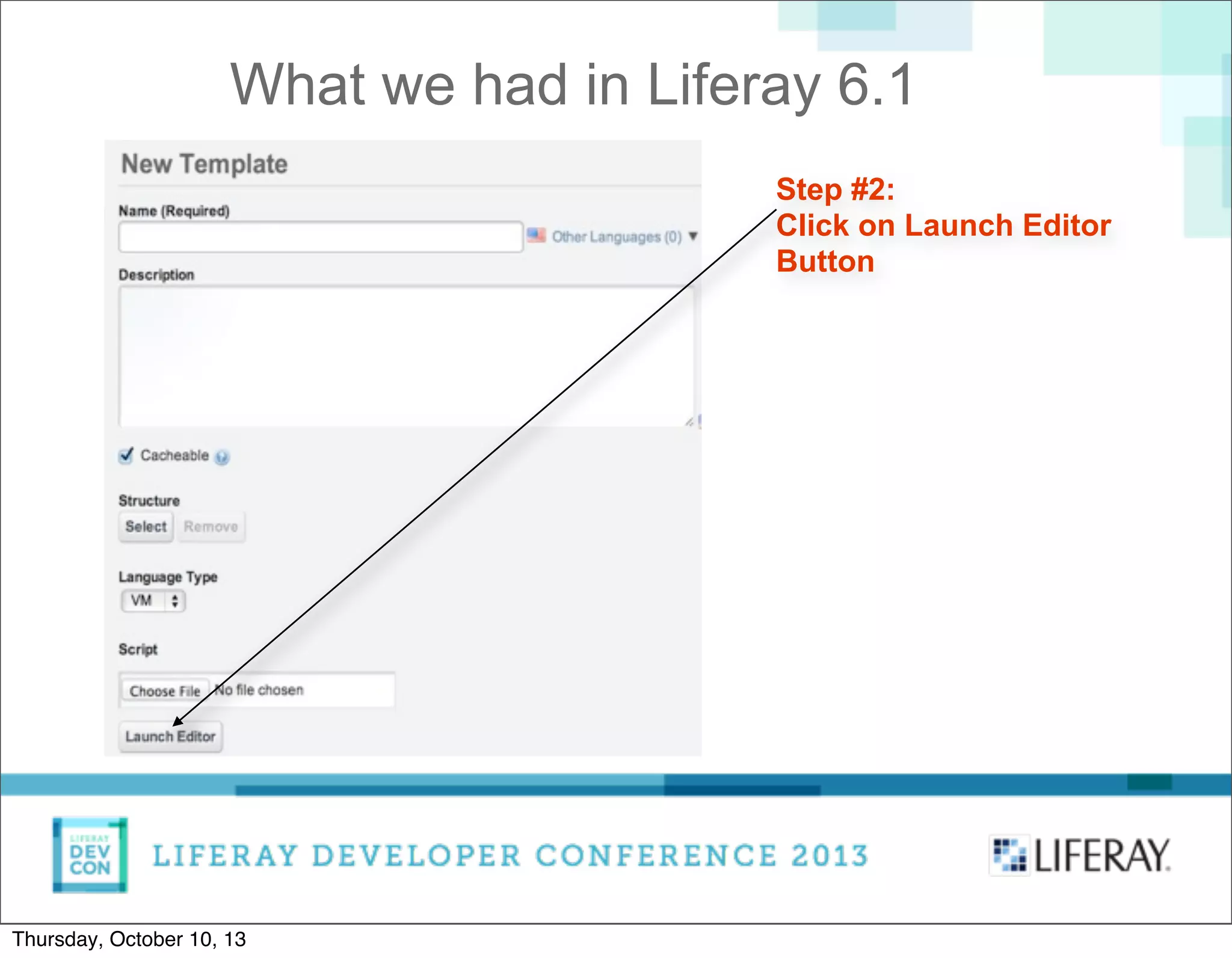
Step #2:
Click on Launch Editor
Button
What we had in Liferay 6.1
Thursday, October 10, 13
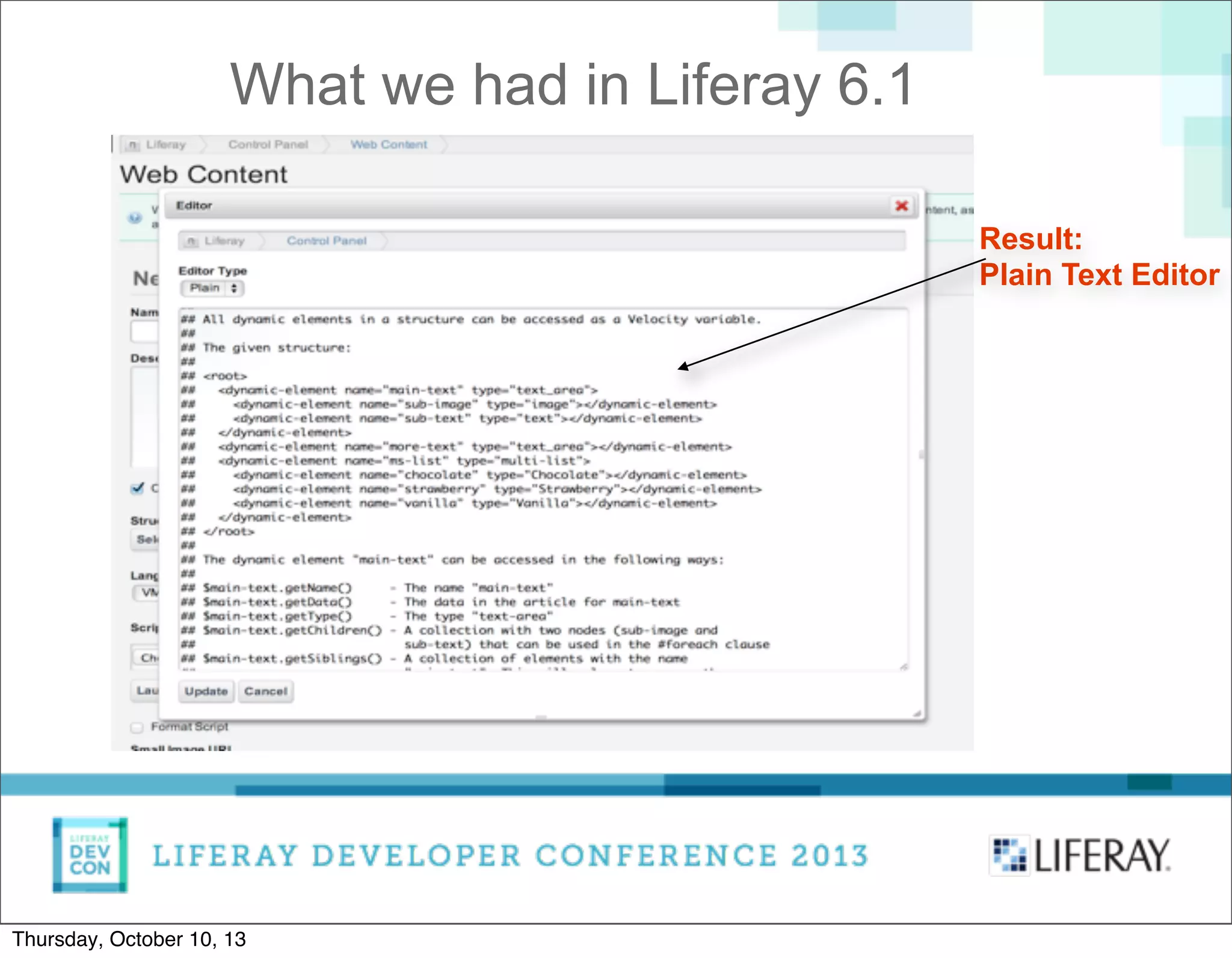
Result:
Plain Text Editor
What we had in Liferay 6.1
Thursday, October 10, 13
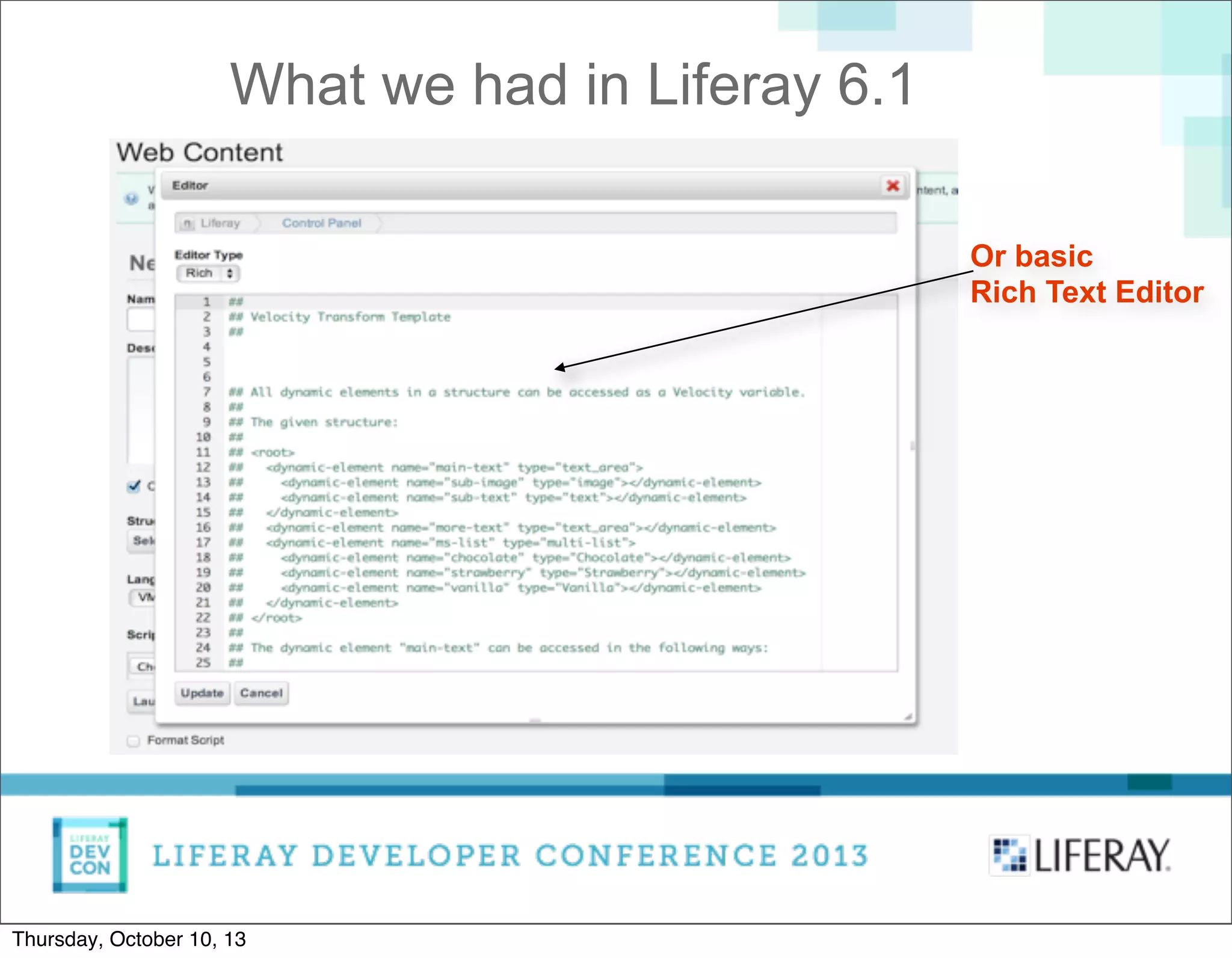
Or basic
Rich Text Editor
What we had in Liferay 6.1
Thursday, October 10, 13
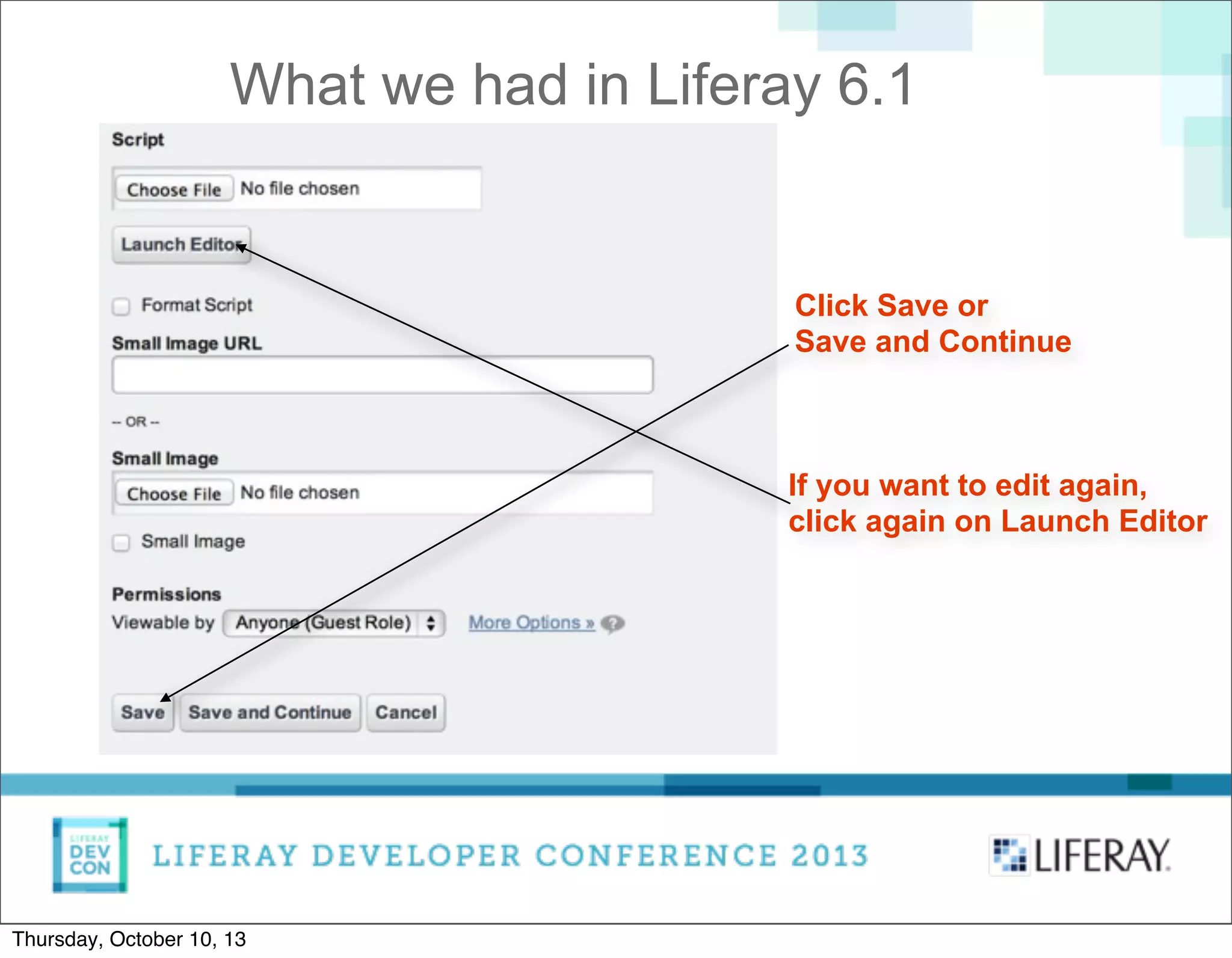
Click Save or
Save and Continue
If you want to edit again,
click again on Launch Editor
What we had in Liferay 6.1
Thursday, October 10, 13
• Relatively complicated user interface (true, right?)
What we had in Liferay 6.1
Thursday, October 10, 13
• Relatively complicated user interface (true, right?)
• ACE Editor without any kind of AutoComplete
What we had in Liferay 6.1
Thursday, October 10, 13
• Relatively complicated user interface (true, right?)
• ACE Editor without any kind of AutoComplete
• No Palette
What we had in Liferay 6.1
Thursday, October 10, 13
• Relatively complicated user interface (true, right?)
• ACE Editor without any kind of AutoComplete
• No Palette
• No context help, no link to external resources
What we had in Liferay 6.1
Thursday, October 10, 13
• Relatively complicated user interface (true, right?)
• ACE Editor without any kind of AutoComplete
• No Palette
• No context help, no link to external resources
As result, developers very often used external
editors to create their Templates.
What we had in Liferay 6.1
Thursday, October 10, 13
Making the AutoComplete
Thursday, October 10, 13
ACE Editor does not provide AutoComplete.
We had to build it from scratch.
Fortunately, it turned its API is powerful enough to
achieve this goal without many efforts.
Making the AutoComplete
Thursday, October 10, 13
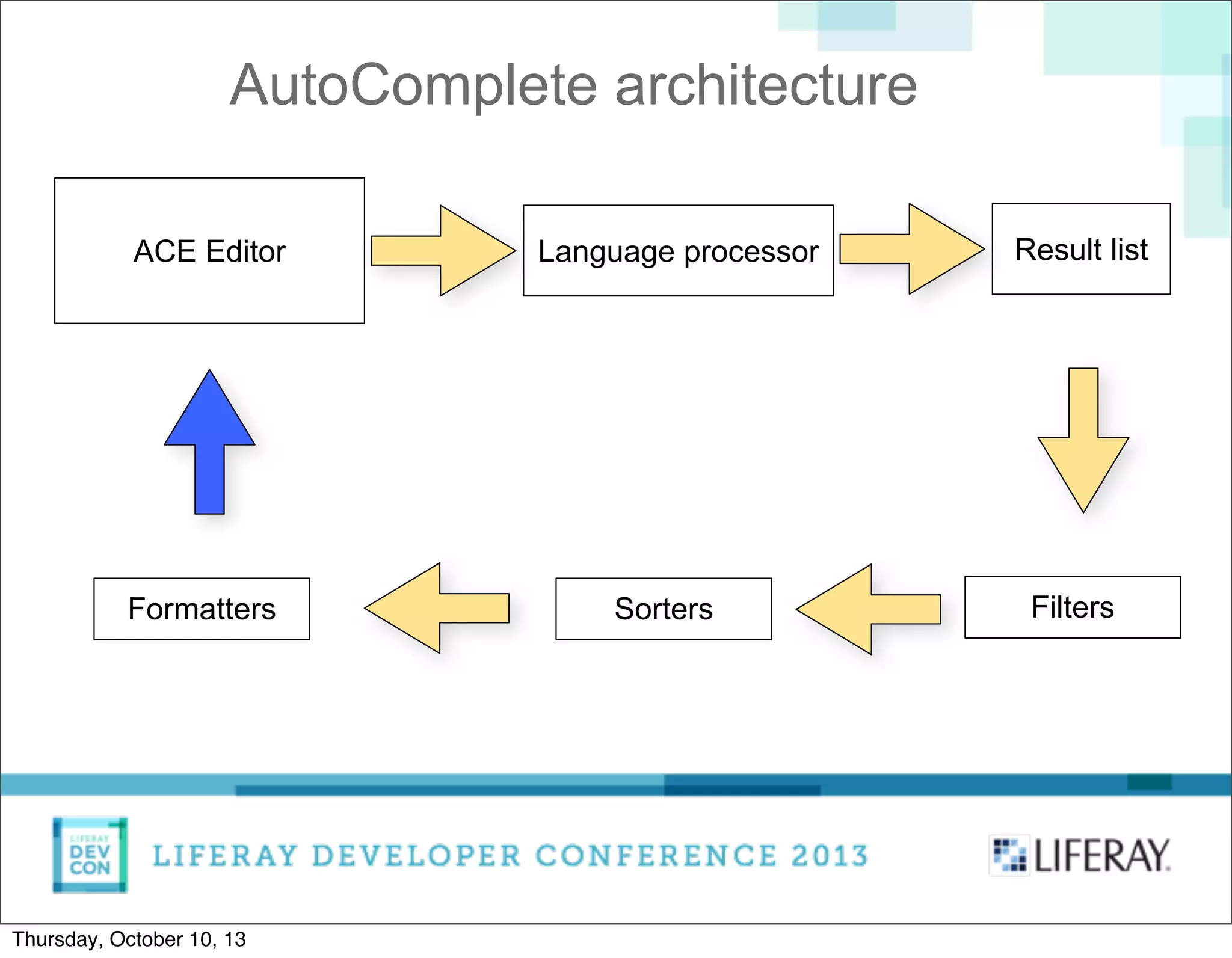
AutoComplete architecture
ACE Editor Language processor Result list
FiltersSortersFormatters
Thursday, October 10, 13
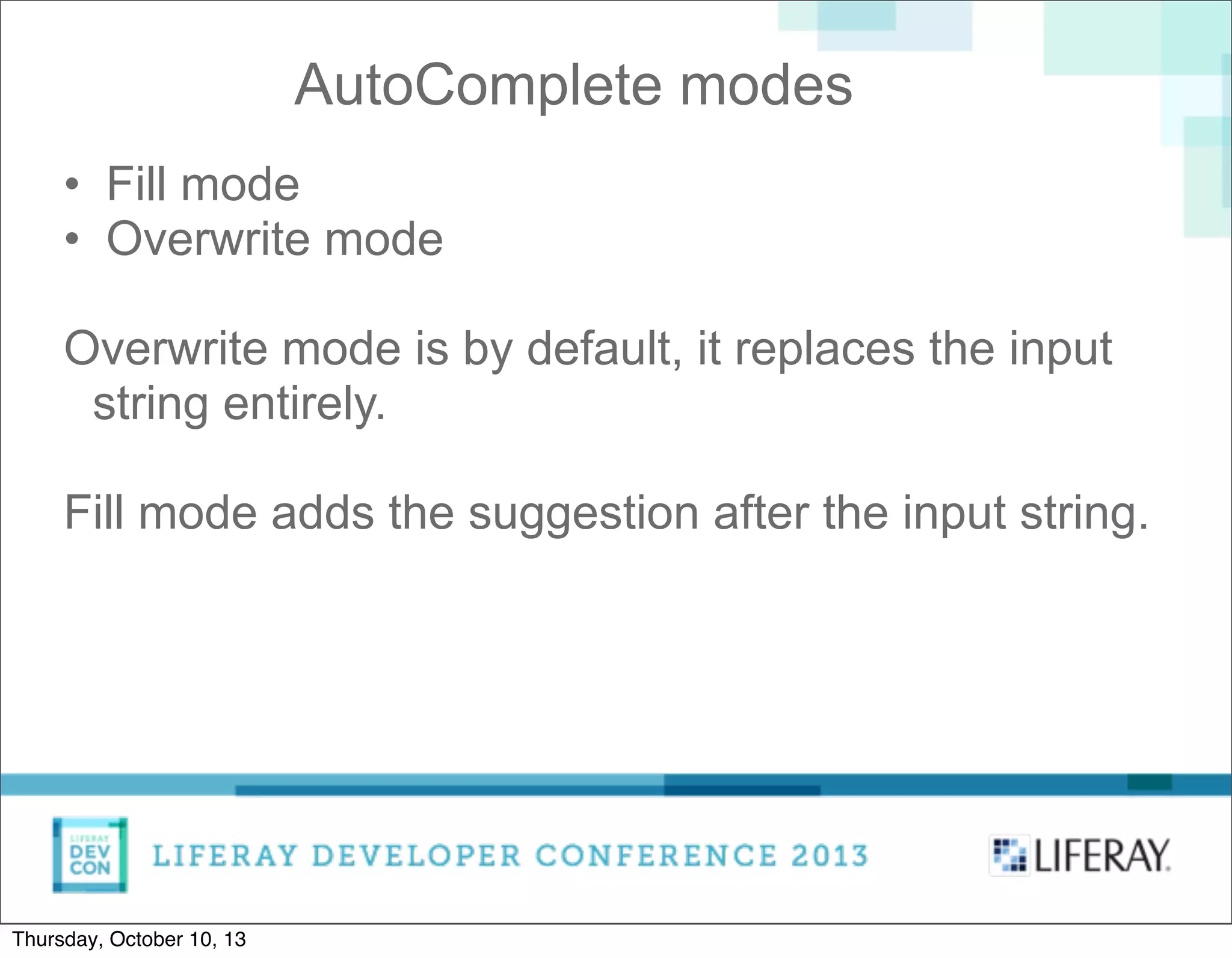
• Fill mode
• Overwrite mode
Overwrite mode is by default, it replaces the input
string entirely.
Fill mode adds the suggestion after the input string.
AutoComplete modes
Thursday, October 10, 13
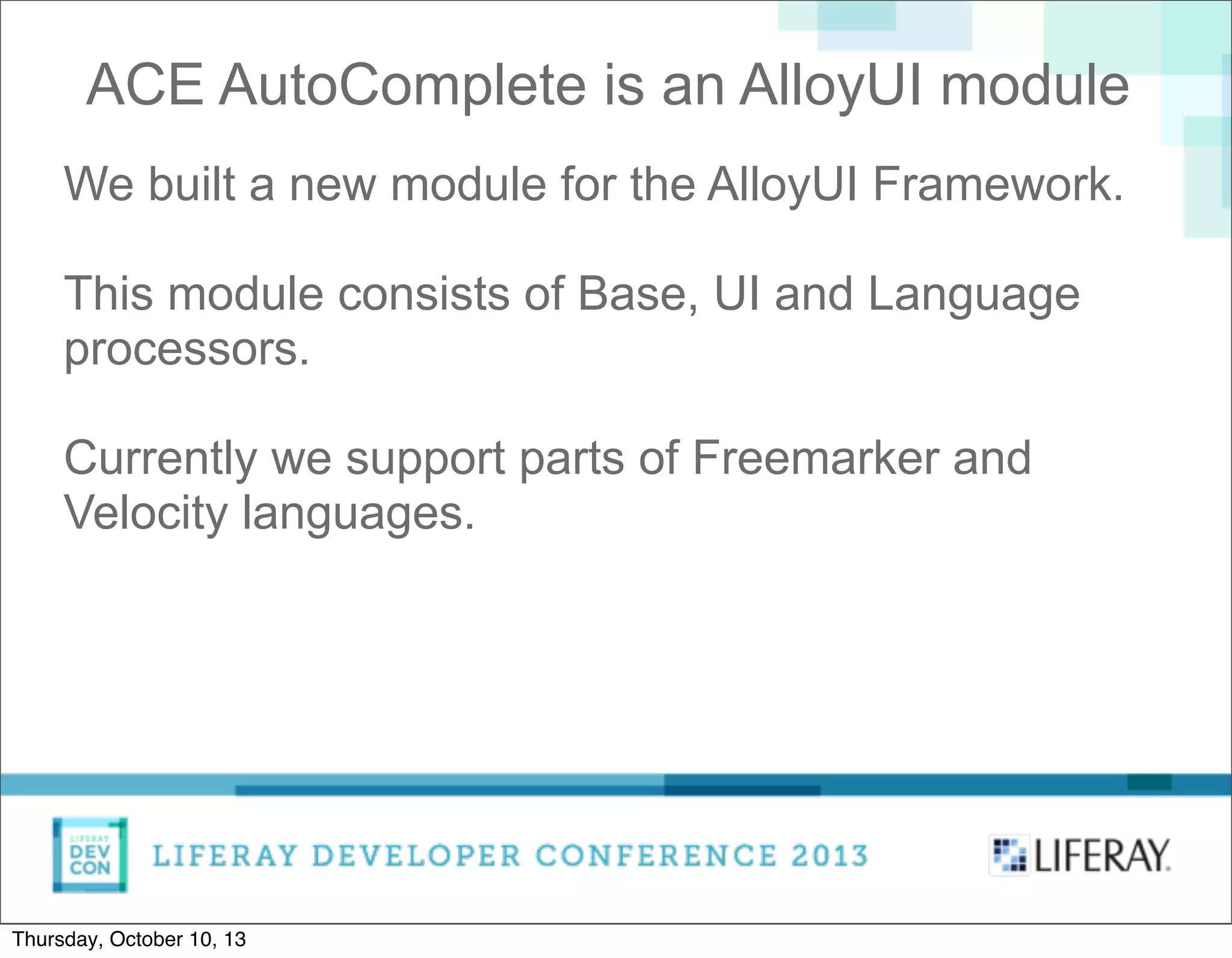
We built a new module for the AlloyUI Framework.
This module consists of Base, UI and Language
processors.
Currently we support parts of Freemarker and
Velocity languages.
ACE AutoComplete is an AlloyUI module
Thursday, October 10, 13
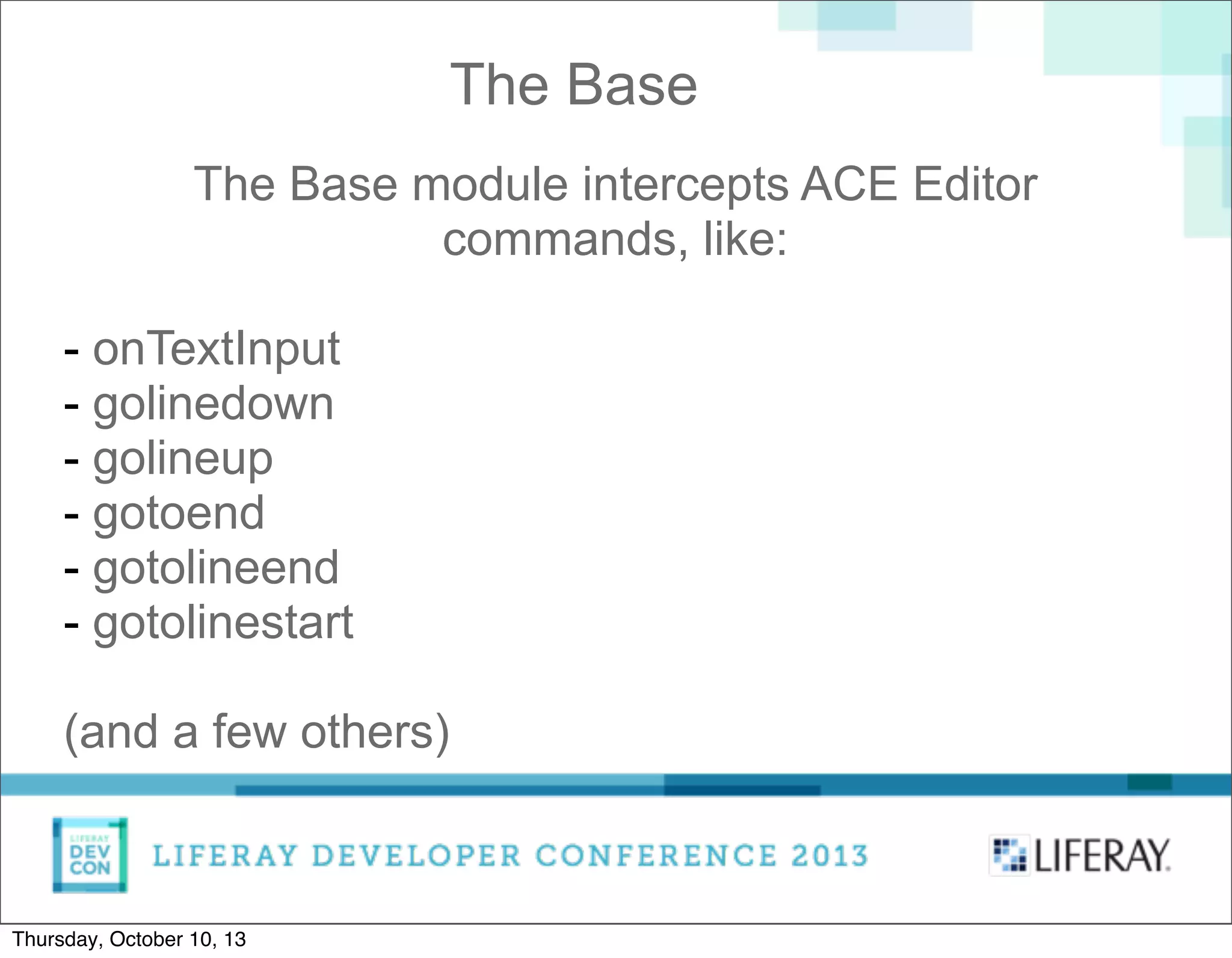
The Base module intercepts ACE Editor
commands, like:
- onTextInput
- golinedown
- golineup
- gotoend
- gotolineend
- gotolinestart
(and a few others)
The Base
Thursday, October 10, 13
The UI is a standard AlloyUI Overlay.
It is used to draw the suggestions in a list.
Supports keyboard navigation.
The developer can specify custom sorters or filters.
The UI
Thursday, October 10, 13
Since Freemarker and Velocity are similar and we
support part of them, they have a common ancestor.
For both languages we support Directives and
Variables.
The Language Processors
Thursday, October 10, 13
An instance of the Template editor can be modified
on the fly.
This means we can always plug and unplug the
AutoComplete functionality.
We can even replace one language with another.
Plugin Infrastructure
Thursday, October 10, 13
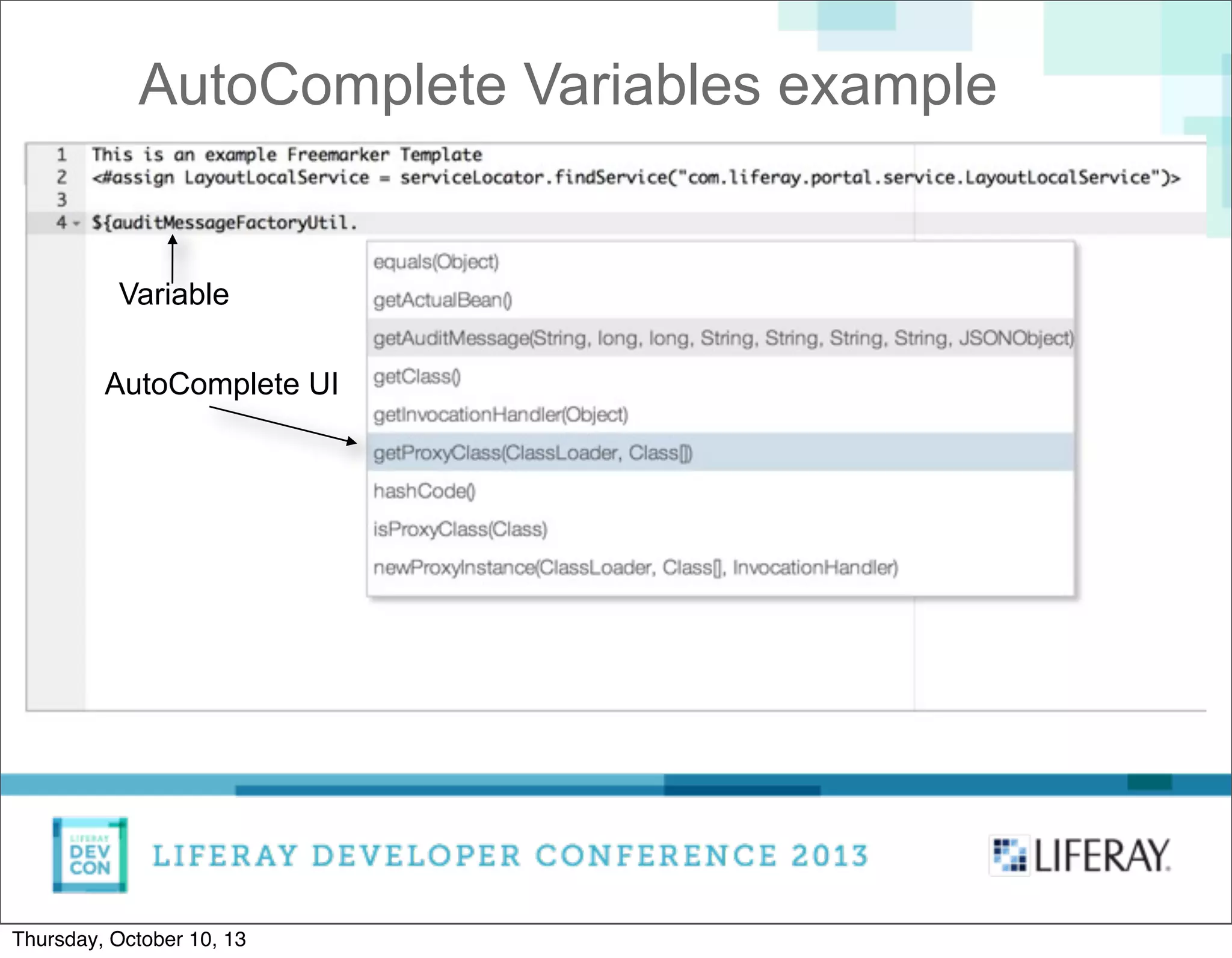
AutoComplete Variables example
Variable
AutoComplete UI
Thursday, October 10, 13
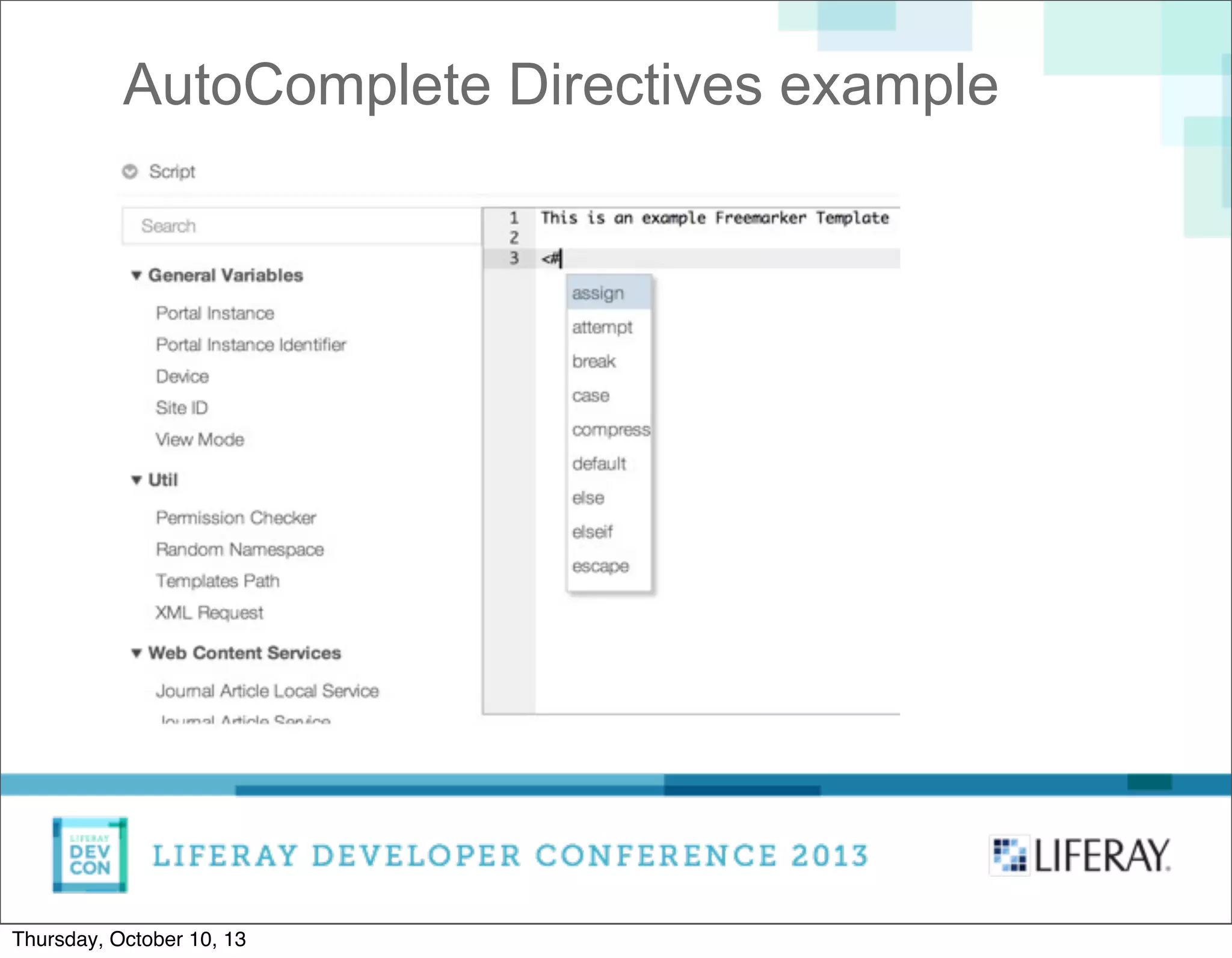
AutoComplete Directives example
Thursday, October 10, 13
Learning from the mistakes
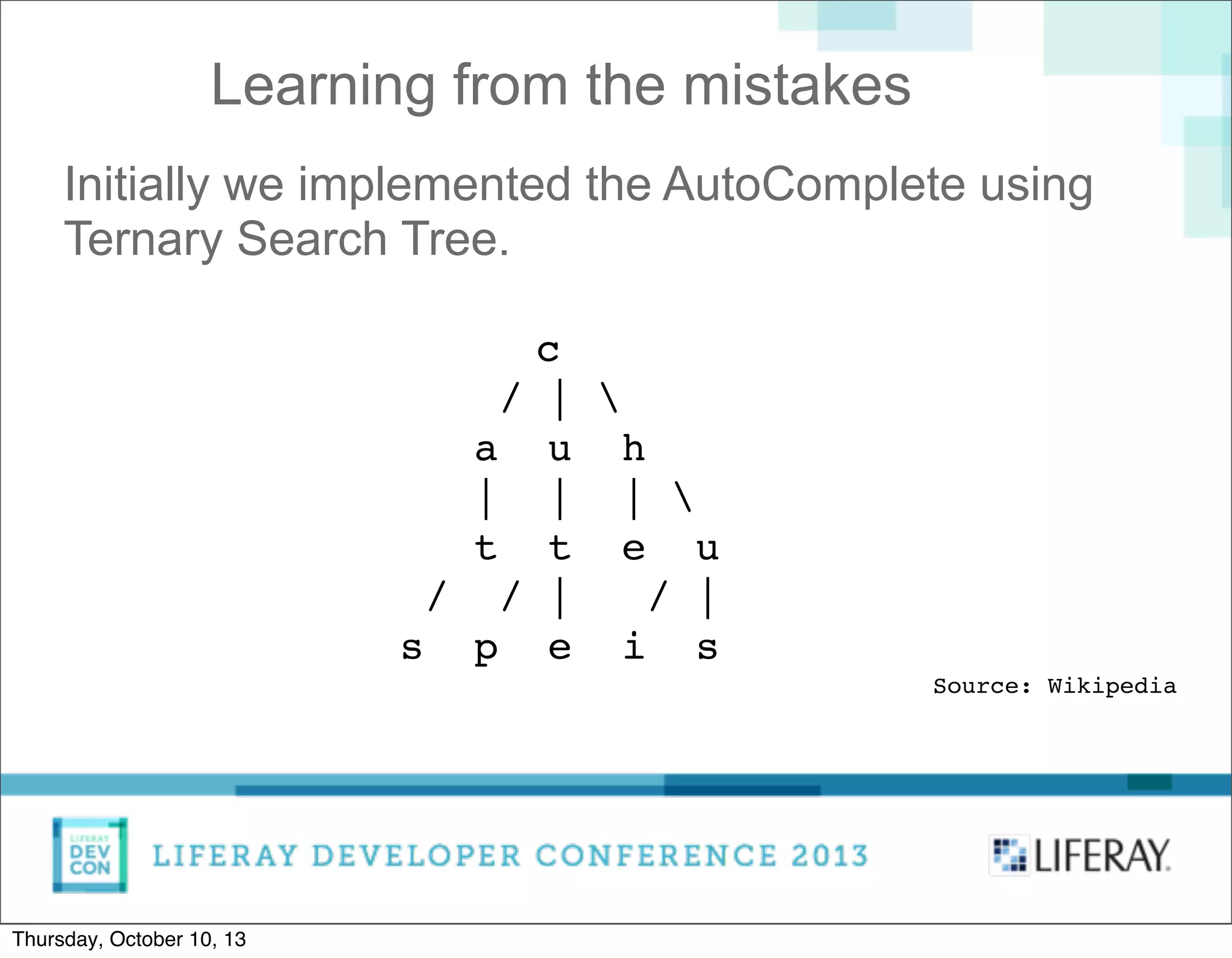
Initially we implemented the AutoComplete using
Ternary Search Tree.
c
/ | 
a u h
| | | 
t t e u
/ / | / |
s p e i s
Source: Wikipedia
Thursday, October 10, 13
Learning from the mistakes
Searching was fast.
Constructing the Tree turned to be slow, so we
discarded it from the Editor.
However, it is now AlloyUI module and all
developers can use it.
Hint - use it when you construct the tree rarely (or
once), but search often.
Thursday, October 10, 13
Making the Palette
Thursday, October 10, 13
Making the Palette
Represents the most often used:
• General variables
• Utilities
• Web Content Services
• Portal Services
• Data List Variables
• Data List Record Fields
Thursday, October 10, 13
Making the Palette
Represents the most often used:
• General variables
• Utilities
• Web Content Services
• Portal Services
• Data List Variables
• Data List Record Fields
Dynamically adds the fields in Structures and Data
Definitions
Thursday, October 10, 13
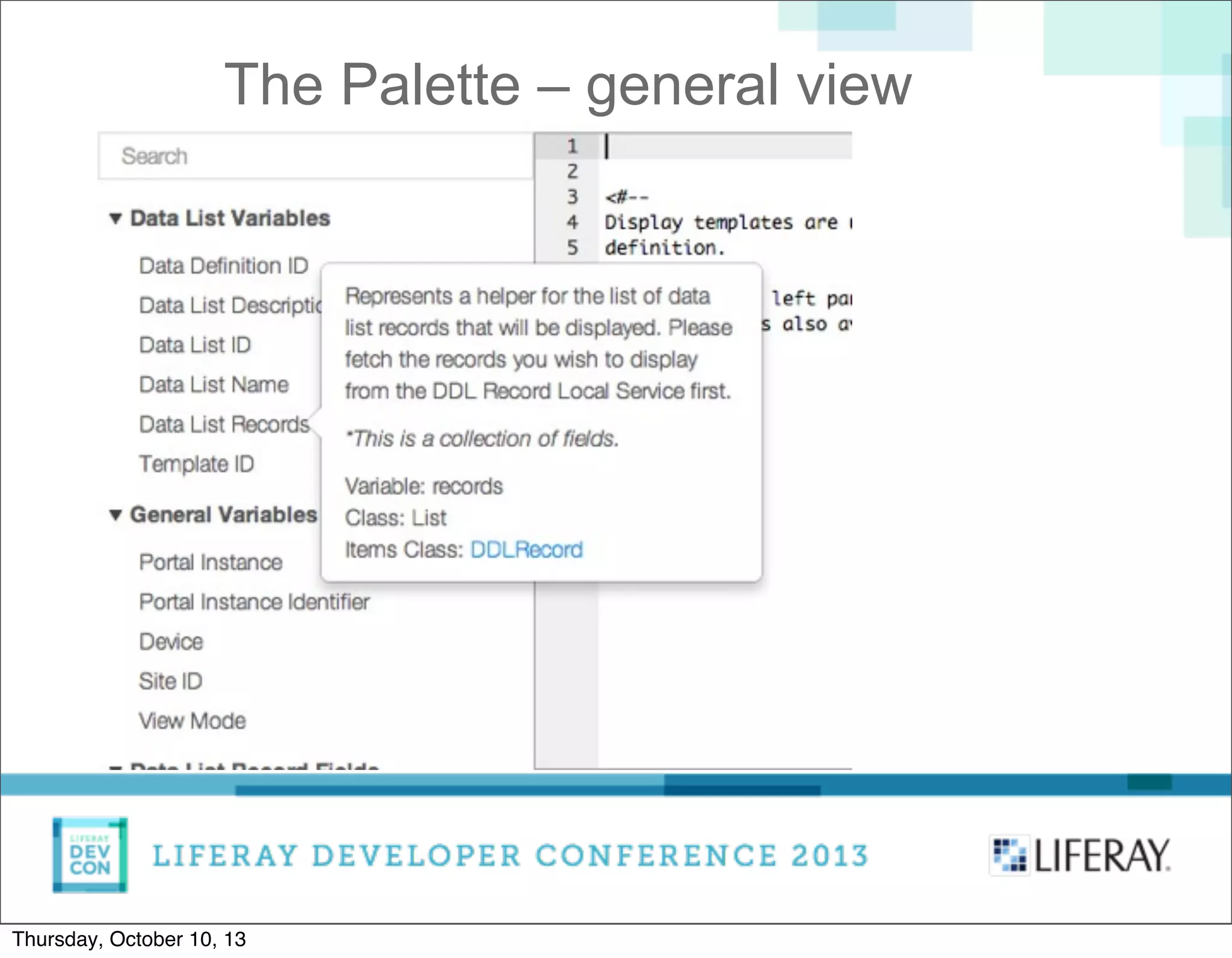
The Palette – general view
Thursday, October 10, 13
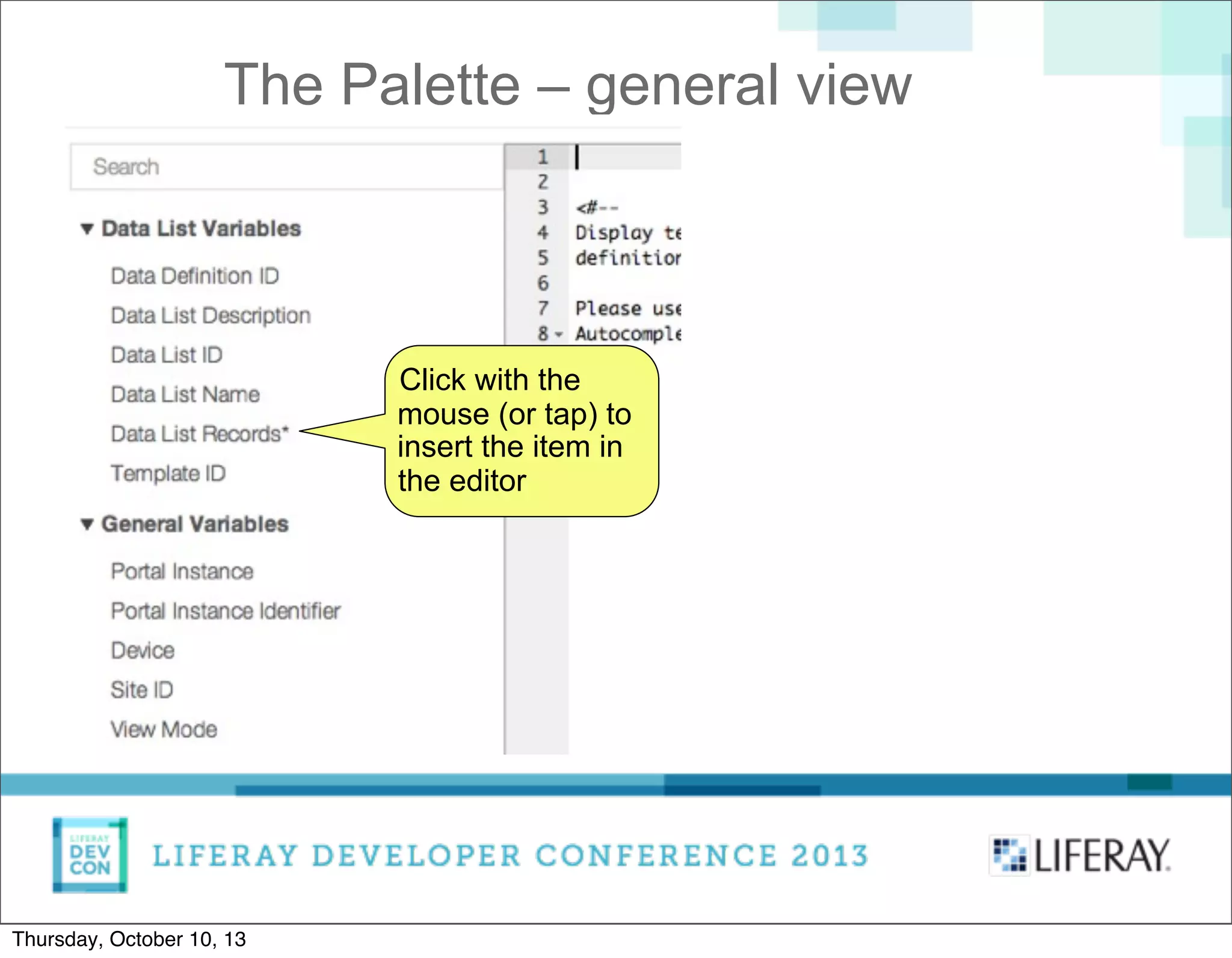
The Palette – general view
Click with the
mouse (or tap) to
insert the item in
the editor
Thursday, October 10, 13
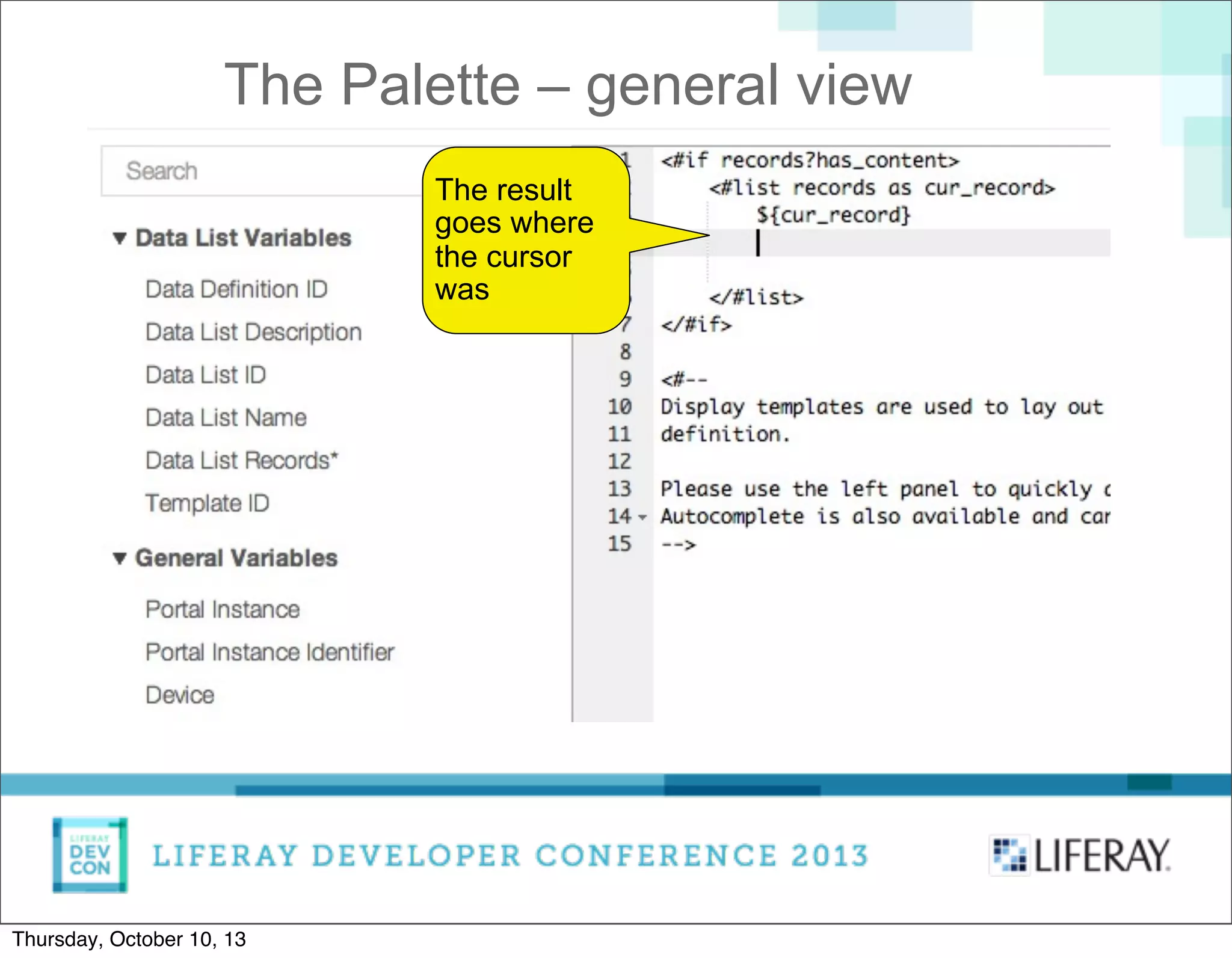
The Palette – general view
The result
goes where
the cursor
was
Thursday, October 10, 13
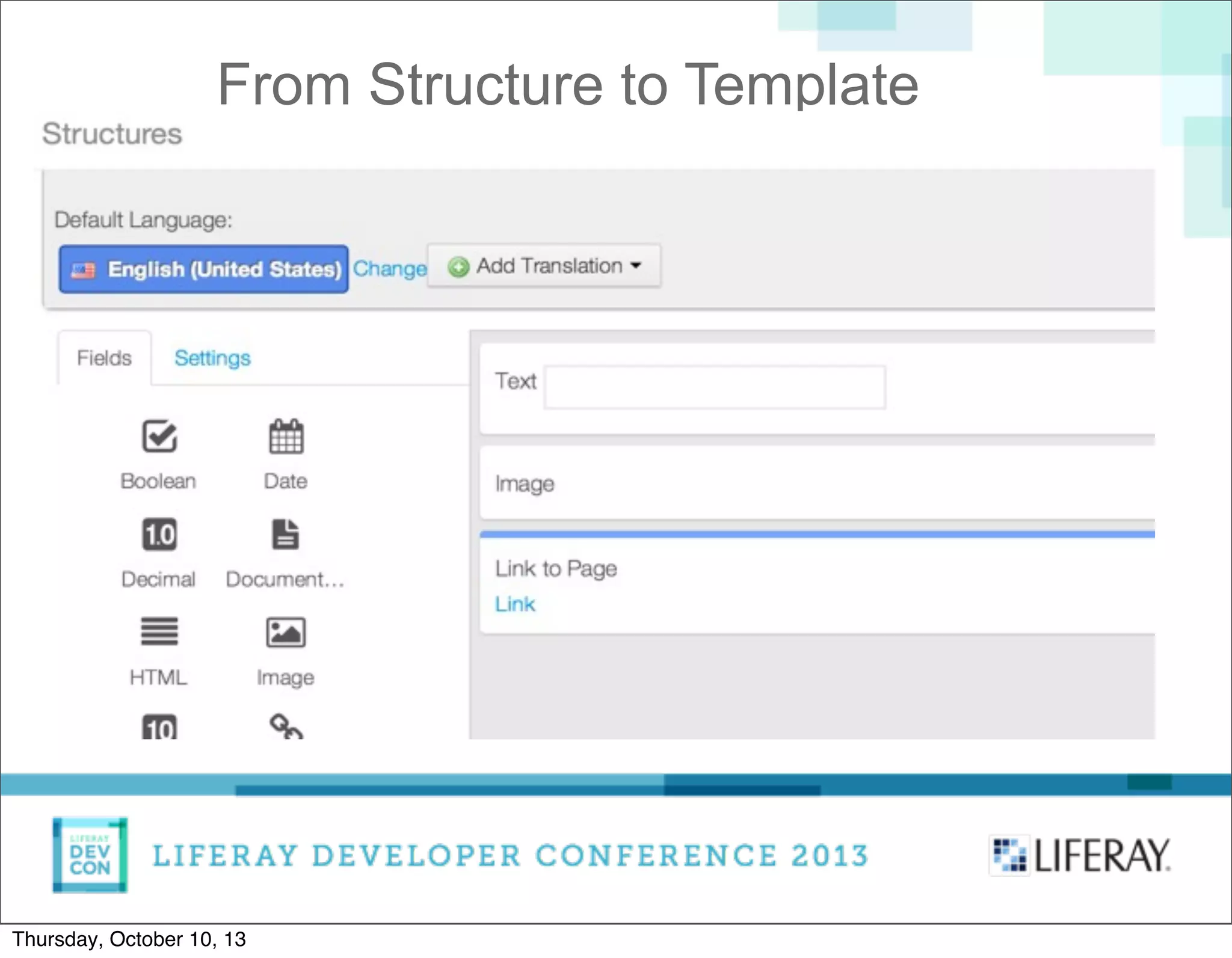
From Structure to Template
Let's suppose we have an example structure with
three fields:
• Name
• Image
• URL
Thursday, October 10, 13
From Structure to Template
Thursday, October 10, 13
From Structure to Template
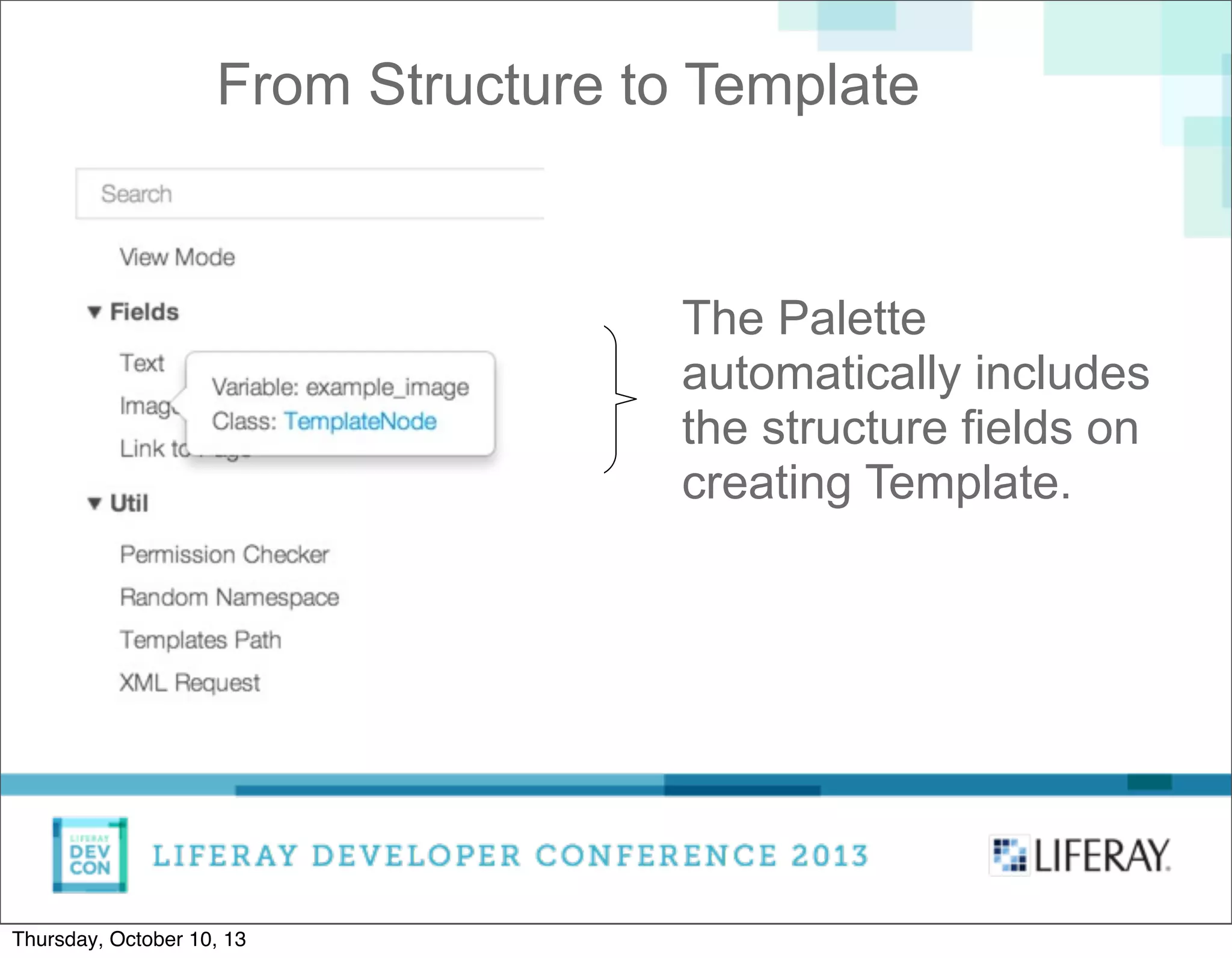
The Palette
automatically includes
the structure fields on
creating Template.
Thursday, October 10, 13
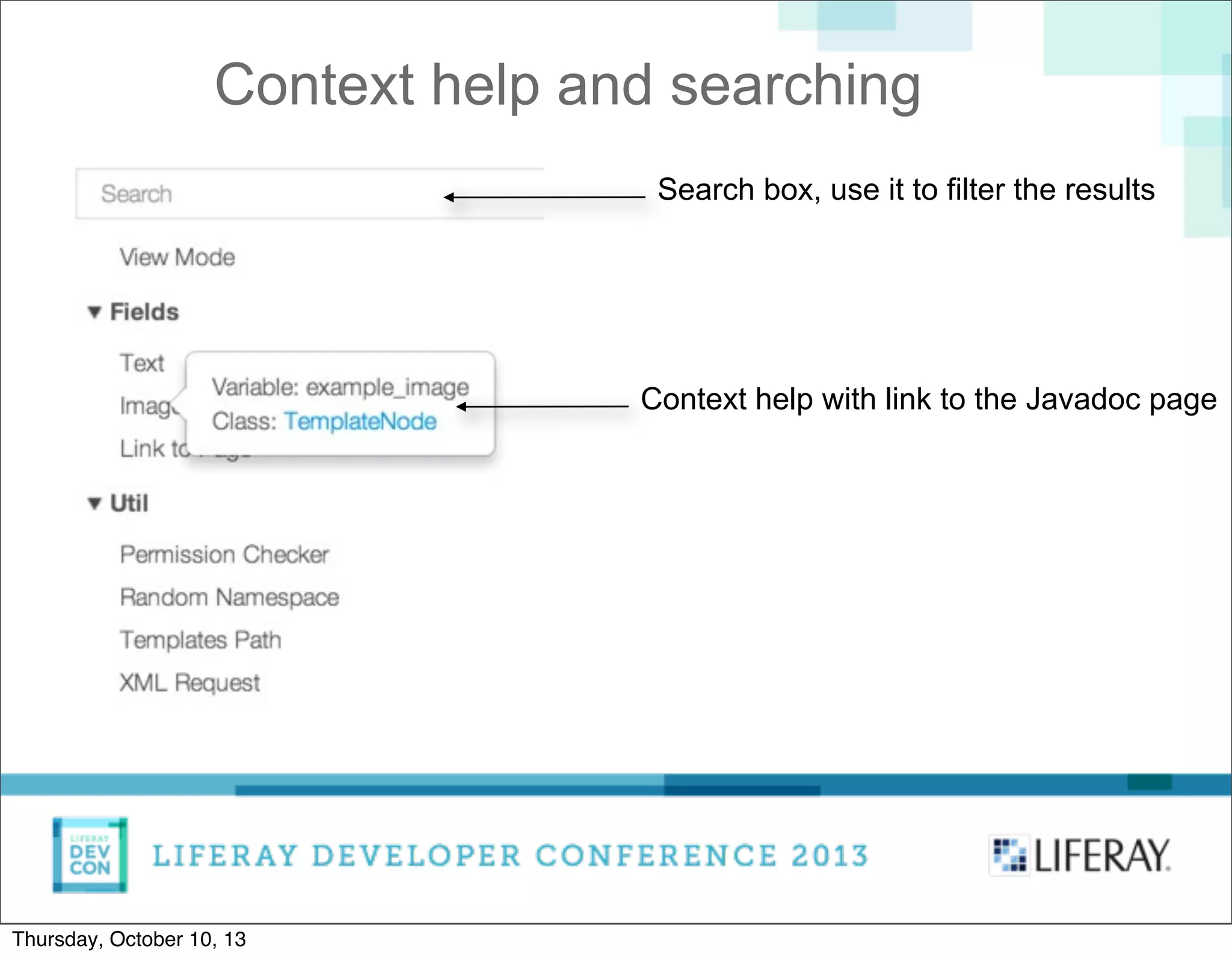
Context help and searching
Context help with link to the Javadoc page
Search box, use it to filter the results
Thursday, October 10, 13
Applying the Palette and AutoComplete
• Applying to Web Content
• Applying to Data Definitions
• Applying to ADT (Application Display Template)
Thursday, October 10, 13
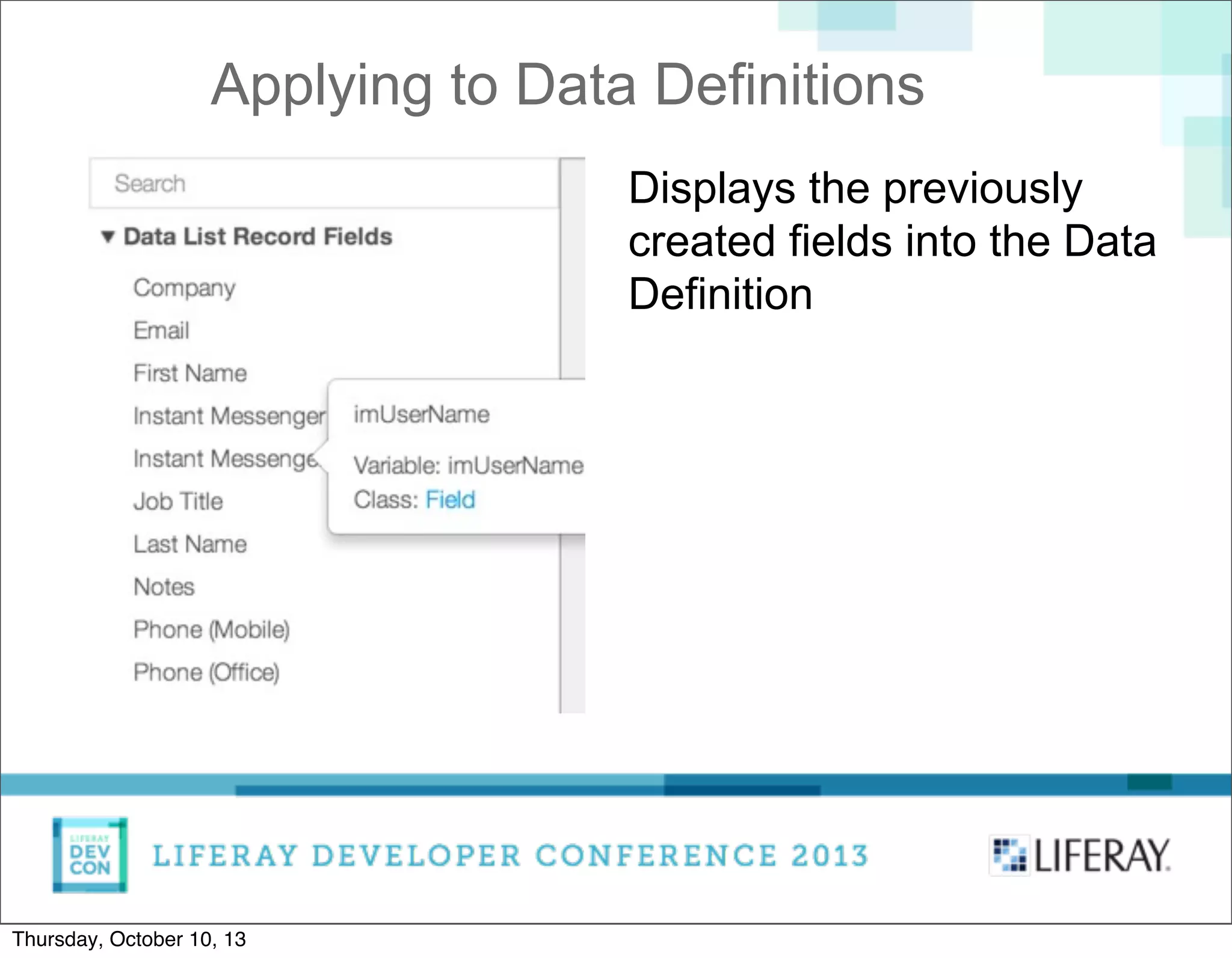
Applying to Data Definitions
Displays the previously
created fields into the Data
Definition
Thursday, October 10, 13
Extending AutoComplete
The AutoComplete is built with the idea of being
easily extendable.
One day I read this Tweet:
“Primeros pasos en el desarrollo de un editor sql
online utilizando @AlloyUI , #keepworking ”
Victor Miranda, Support Engineer, Liferay Spain
He created AutoComplete for SQL.
Thursday, October 10, 13
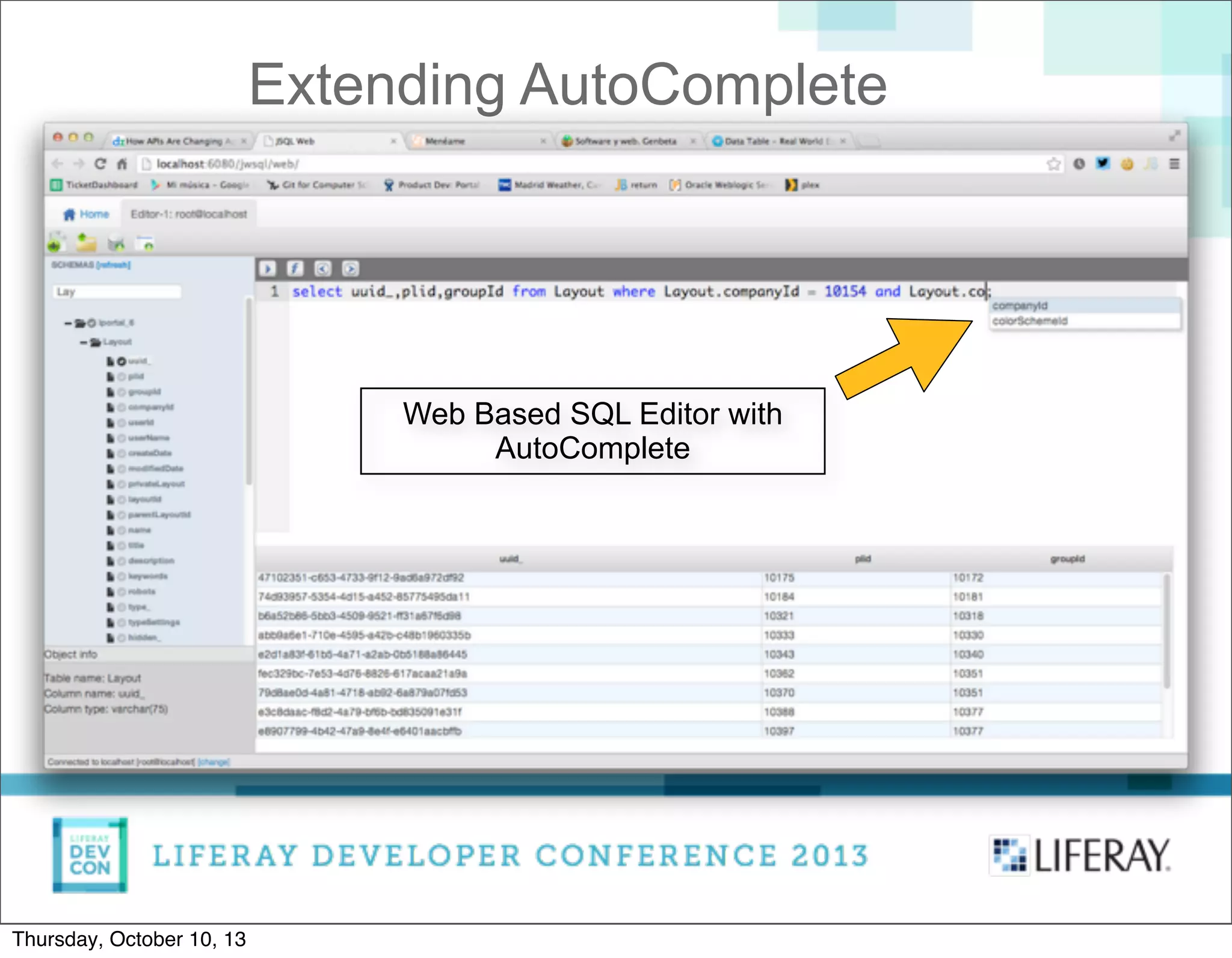
Extending AutoComplete
Web Based SQL Editor with
AutoComplete
Thursday, October 10, 13
The future
• Adding more language processors.
• Adding visual formatters.
• Applying the AutoComplete to other Editors.
• Show nested fields in Palette
Thursday, October 10, 13
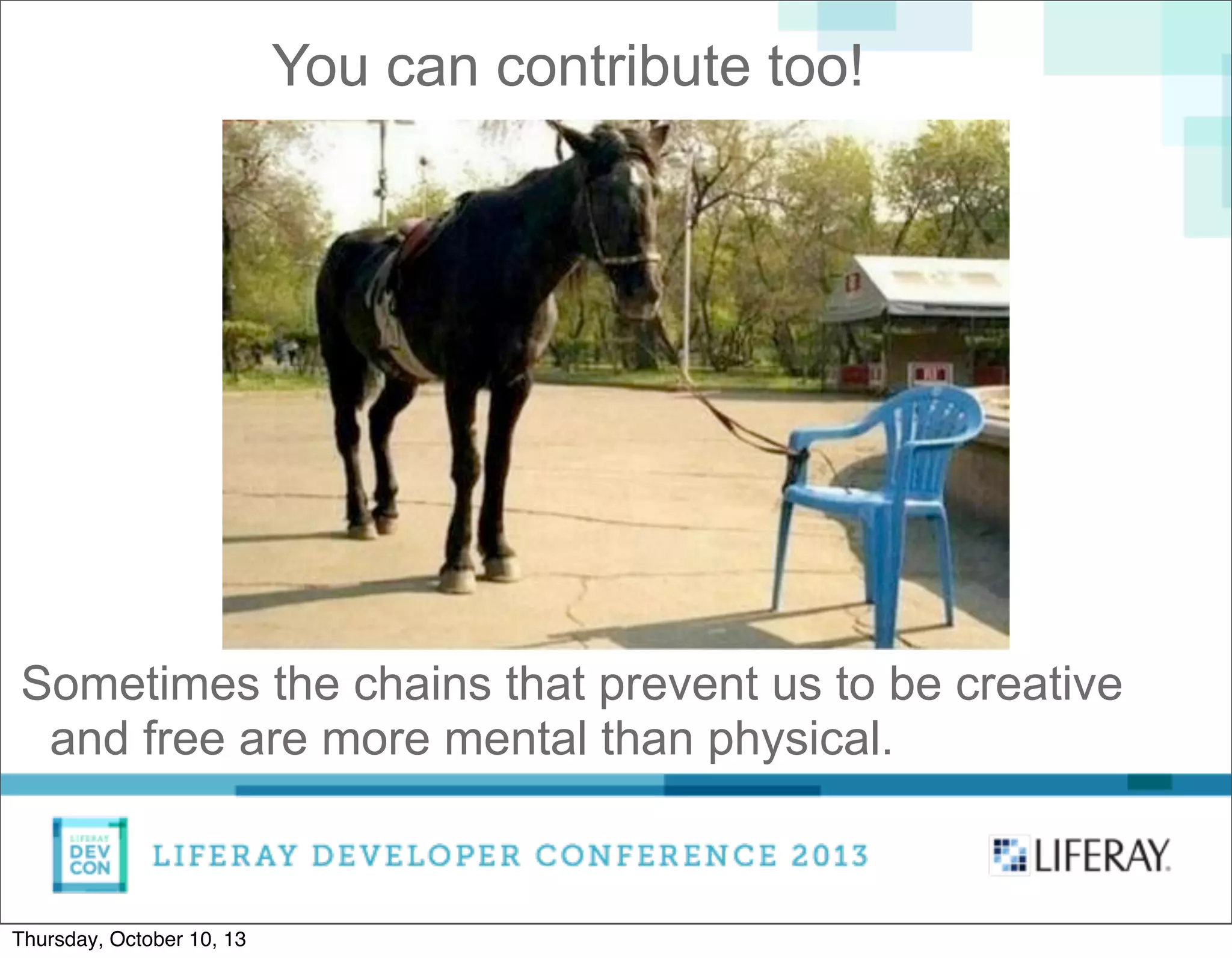
You can contribute too!
Sometimes the chains that prevent us to be creative
and free are more mental than physical.
Thursday, October 10, 13
Thanks!
Questions?
Twitter: ipeychev
GitHub: ipeychev
Thursday, October 10, 13

Implementing AutoComplete for Freemarker and Velocity languages in ACE Editor

  • 1.
    Introducing AutoComplete for Velocityand FreeMarker languages in Liferay Portal 6.2 Liferay UI Engineer Iliyan Peychev Thursday, October 10, 13
  • 2.
    A few wordsabout me Started as C developer ~12 years ago. Lately turned to Java developer. Currently working as Front-End engineer at Liferay. Twitter: ipeychev GitHub: ipeychev Thursday, October 10, 13
  • 3.
    • What wehad in Liferay 6.1 • Making the AutoComplete • Making the Palette • Applying both to Web Content, DDM and ADT • Extending the AutoComplete • Future Agenda Thursday, October 10, 13
  • 4.
    • Relatively complicateduser interface What we had in Liferay 6.1 Thursday, October 10, 13
  • 5.
    Step #1: Click onAdd Template Button What we had in Liferay 6.1 Thursday, October 10, 13
  • 6.
    Step #2: Click onLaunch Editor Button What we had in Liferay 6.1 Thursday, October 10, 13
  • 7.
    Result: Plain Text Editor Whatwe had in Liferay 6.1 Thursday, October 10, 13
  • 8.
    Or basic Rich TextEditor What we had in Liferay 6.1 Thursday, October 10, 13
  • 9.
    Click Save or Saveand Continue If you want to edit again, click again on Launch Editor What we had in Liferay 6.1 Thursday, October 10, 13
  • 10.
    • Relatively complicateduser interface (true, right?) What we had in Liferay 6.1 Thursday, October 10, 13
  • 11.
    • Relatively complicateduser interface (true, right?) • ACE Editor without any kind of AutoComplete What we had in Liferay 6.1 Thursday, October 10, 13
  • 12.
    • Relatively complicateduser interface (true, right?) • ACE Editor without any kind of AutoComplete • No Palette What we had in Liferay 6.1 Thursday, October 10, 13
  • 13.
    • Relatively complicateduser interface (true, right?) • ACE Editor without any kind of AutoComplete • No Palette • No context help, no link to external resources What we had in Liferay 6.1 Thursday, October 10, 13
  • 14.
    • Relatively complicateduser interface (true, right?) • ACE Editor without any kind of AutoComplete • No Palette • No context help, no link to external resources As result, developers very often used external editors to create their Templates. What we had in Liferay 6.1 Thursday, October 10, 13
  • 15.
  • 16.
    ACE Editor doesnot provide AutoComplete. We had to build it from scratch. Fortunately, it turned its API is powerful enough to achieve this goal without many efforts. Making the AutoComplete Thursday, October 10, 13
  • 17.
    AutoComplete architecture ACE EditorLanguage processor Result list FiltersSortersFormatters Thursday, October 10, 13
  • 18.
    • Fill mode •Overwrite mode Overwrite mode is by default, it replaces the input string entirely. Fill mode adds the suggestion after the input string. AutoComplete modes Thursday, October 10, 13
  • 19.
    We built anew module for the AlloyUI Framework. This module consists of Base, UI and Language processors. Currently we support parts of Freemarker and Velocity languages. ACE AutoComplete is an AlloyUI module Thursday, October 10, 13
  • 20.
    The Base moduleintercepts ACE Editor commands, like: - onTextInput - golinedown - golineup - gotoend - gotolineend - gotolinestart (and a few others) The Base Thursday, October 10, 13
  • 21.
    The UI isa standard AlloyUI Overlay. It is used to draw the suggestions in a list. Supports keyboard navigation. The developer can specify custom sorters or filters. The UI Thursday, October 10, 13
  • 22.
    Since Freemarker andVelocity are similar and we support part of them, they have a common ancestor. For both languages we support Directives and Variables. The Language Processors Thursday, October 10, 13
  • 23.
    An instance ofthe Template editor can be modified on the fly. This means we can always plug and unplug the AutoComplete functionality. We can even replace one language with another. Plugin Infrastructure Thursday, October 10, 13
  • 24.
  • 25.
  • 26.
    Learning from themistakes Initially we implemented the AutoComplete using Ternary Search Tree. c / | a u h | | | t t e u / / | / | s p e i s Source: Wikipedia Thursday, October 10, 13
  • 27.
    Learning from themistakes Searching was fast. Constructing the Tree turned to be slow, so we discarded it from the Editor. However, it is now AlloyUI module and all developers can use it. Hint - use it when you construct the tree rarely (or once), but search often. Thursday, October 10, 13
  • 28.
  • 29.
    Making the Palette Representsthe most often used: • General variables • Utilities • Web Content Services • Portal Services • Data List Variables • Data List Record Fields Thursday, October 10, 13
  • 30.
    Making the Palette Representsthe most often used: • General variables • Utilities • Web Content Services • Portal Services • Data List Variables • Data List Record Fields Dynamically adds the fields in Structures and Data Definitions Thursday, October 10, 13
  • 31.
    The Palette –general view Thursday, October 10, 13
  • 32.
    The Palette –general view Click with the mouse (or tap) to insert the item in the editor Thursday, October 10, 13
  • 33.
    The Palette –general view The result goes where the cursor was Thursday, October 10, 13
  • 34.
    From Structure toTemplate Let's suppose we have an example structure with three fields: • Name • Image • URL Thursday, October 10, 13
  • 35.
    From Structure toTemplate Thursday, October 10, 13
  • 36.
    From Structure toTemplate The Palette automatically includes the structure fields on creating Template. Thursday, October 10, 13
  • 37.
    Context help andsearching Context help with link to the Javadoc page Search box, use it to filter the results Thursday, October 10, 13
  • 38.
    Applying the Paletteand AutoComplete • Applying to Web Content • Applying to Data Definitions • Applying to ADT (Application Display Template) Thursday, October 10, 13
  • 39.
    Applying to DataDefinitions Displays the previously created fields into the Data Definition Thursday, October 10, 13
  • 40.
    Extending AutoComplete The AutoCompleteis built with the idea of being easily extendable. One day I read this Tweet: “Primeros pasos en el desarrollo de un editor sql online utilizando @AlloyUI , #keepworking ” Victor Miranda, Support Engineer, Liferay Spain He created AutoComplete for SQL. Thursday, October 10, 13
  • 41.
    Extending AutoComplete Web BasedSQL Editor with AutoComplete Thursday, October 10, 13
  • 42.
    The future • Addingmore language processors. • Adding visual formatters. • Applying the AutoComplete to other Editors. • Show nested fields in Palette Thursday, October 10, 13
  • 43.
    You can contributetoo! Sometimes the chains that prevent us to be creative and free are more mental than physical. Thursday, October 10, 13
  • 44.