ICT4D
   Christophe Guéret (@cgueret)
ICT infrastructure in low resources setting
     http://bit.ly/ICT4D-Infrastructure
What to expect from this lecture
● Overview of low-resource infrastructures

● Introduction of some technological solutions

● Highlight of "do"s and "don't"s
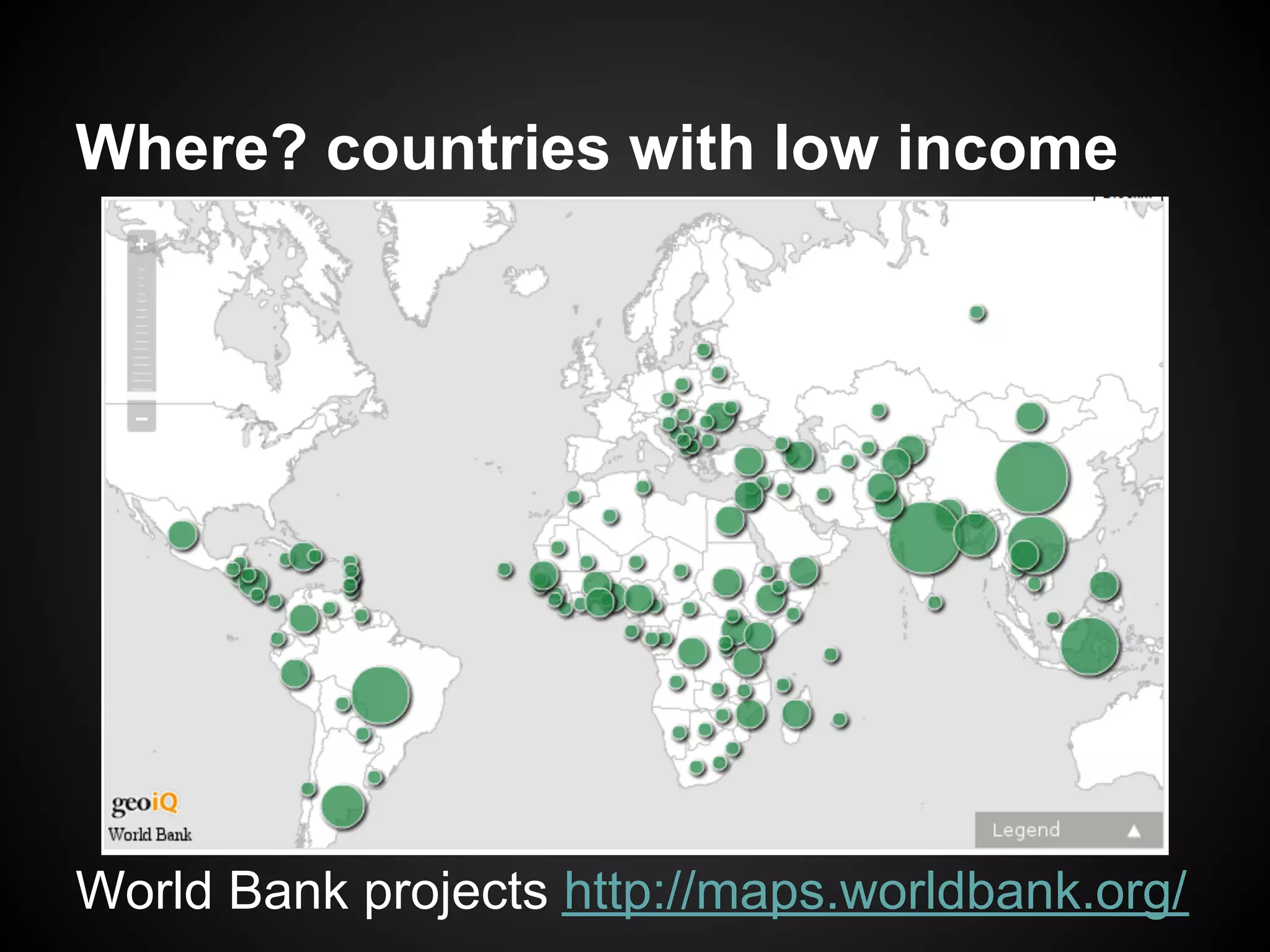
Where? countries with low income


World Bank projects http://maps.worldbank.org/
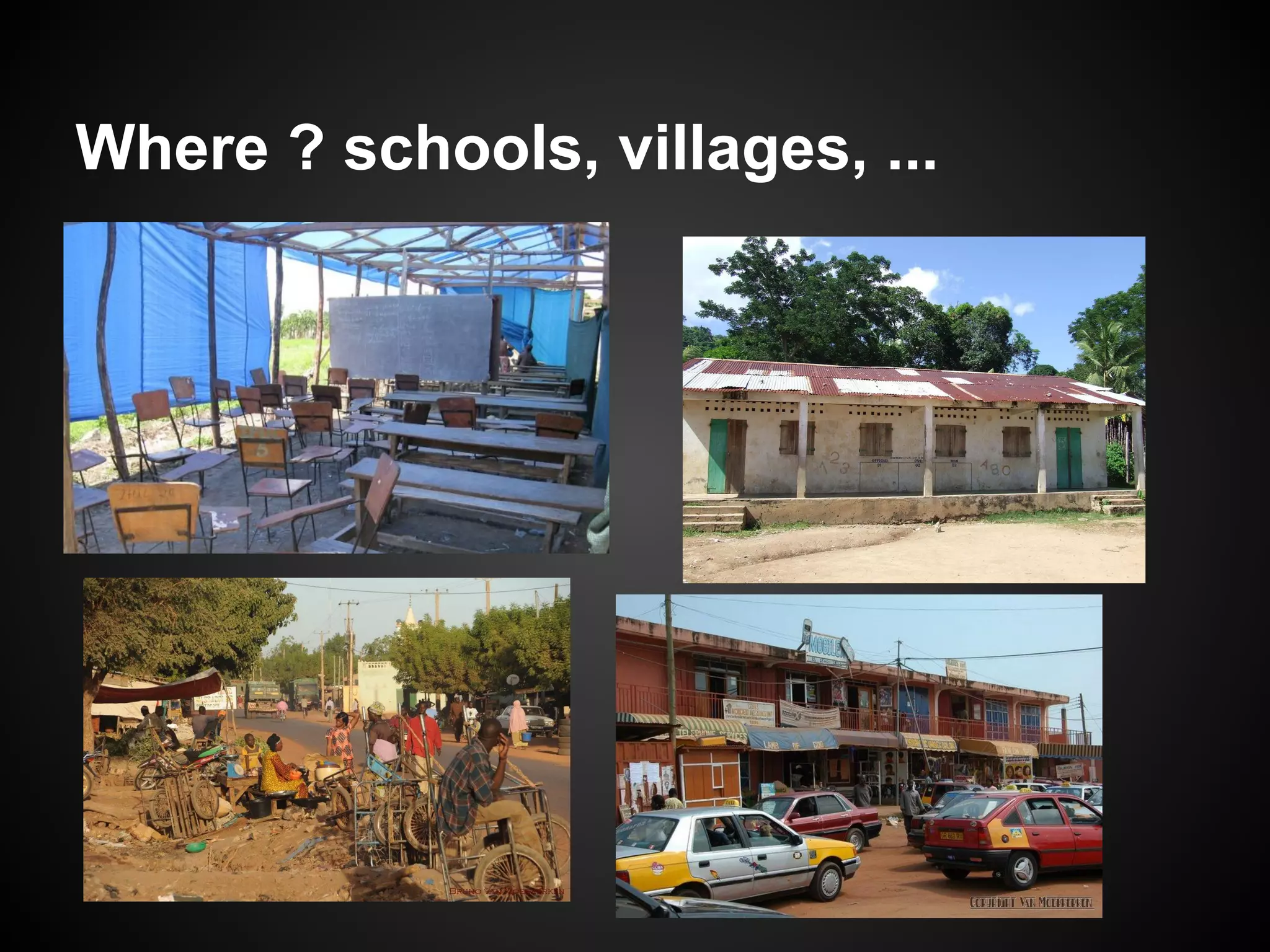
Where ? schools, villages, ...
ICT here and there
● Same data needs and expectations but...
   ○ Here: push technology, usage will follow
   ○ There: spot usage and find matching technology


● Direct implications to keep in mind:
  1. The best infrastructure is not necessarily
     the one with the highest specifications !
  2. Cloning what we enjoy here will most
     probably not work there !
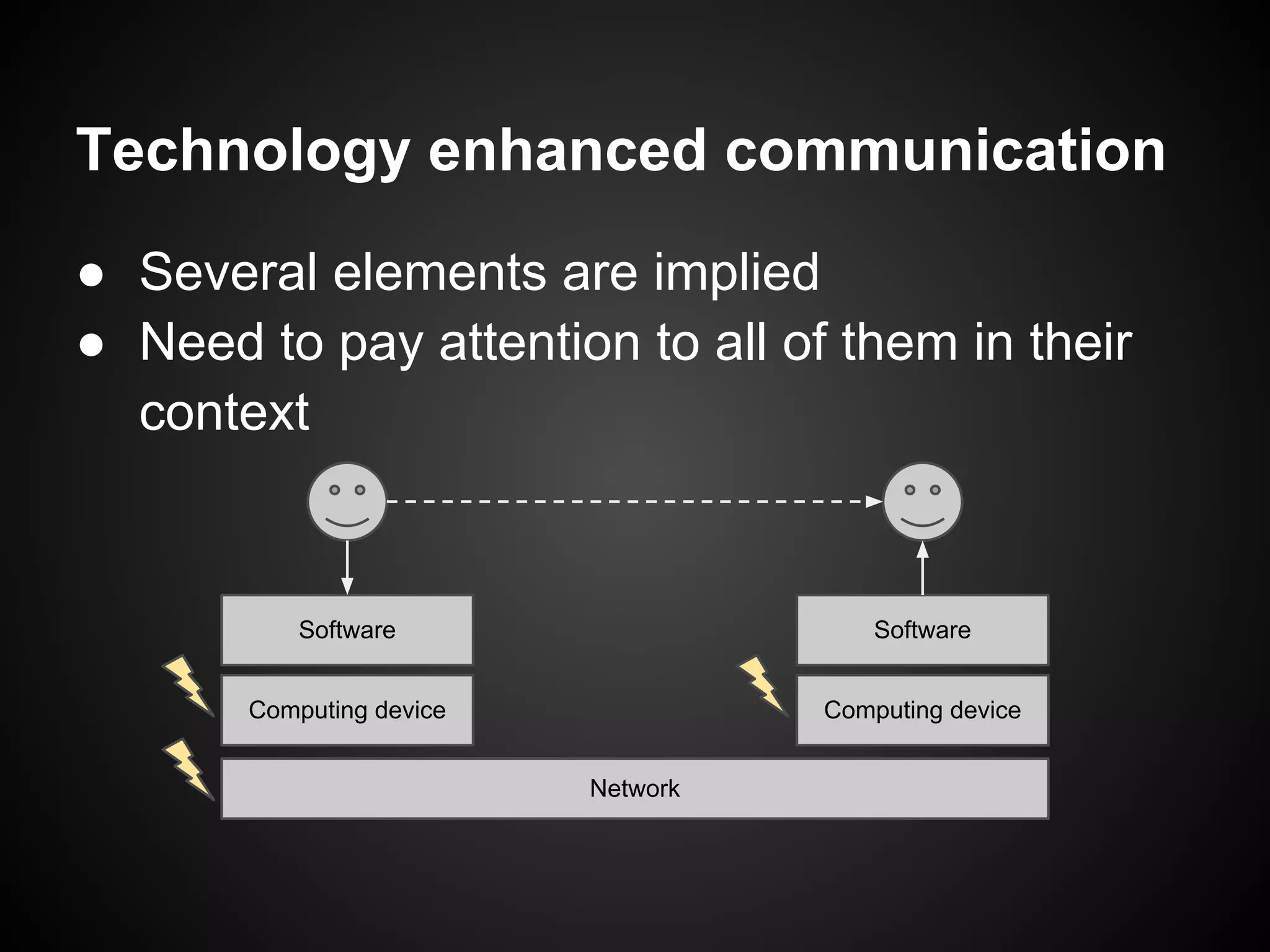
Technology enhanced communication
● Several elements are implied
● Need to pay attention to all of them in their
  context


           Software                     Software


       Computing device             Computing device


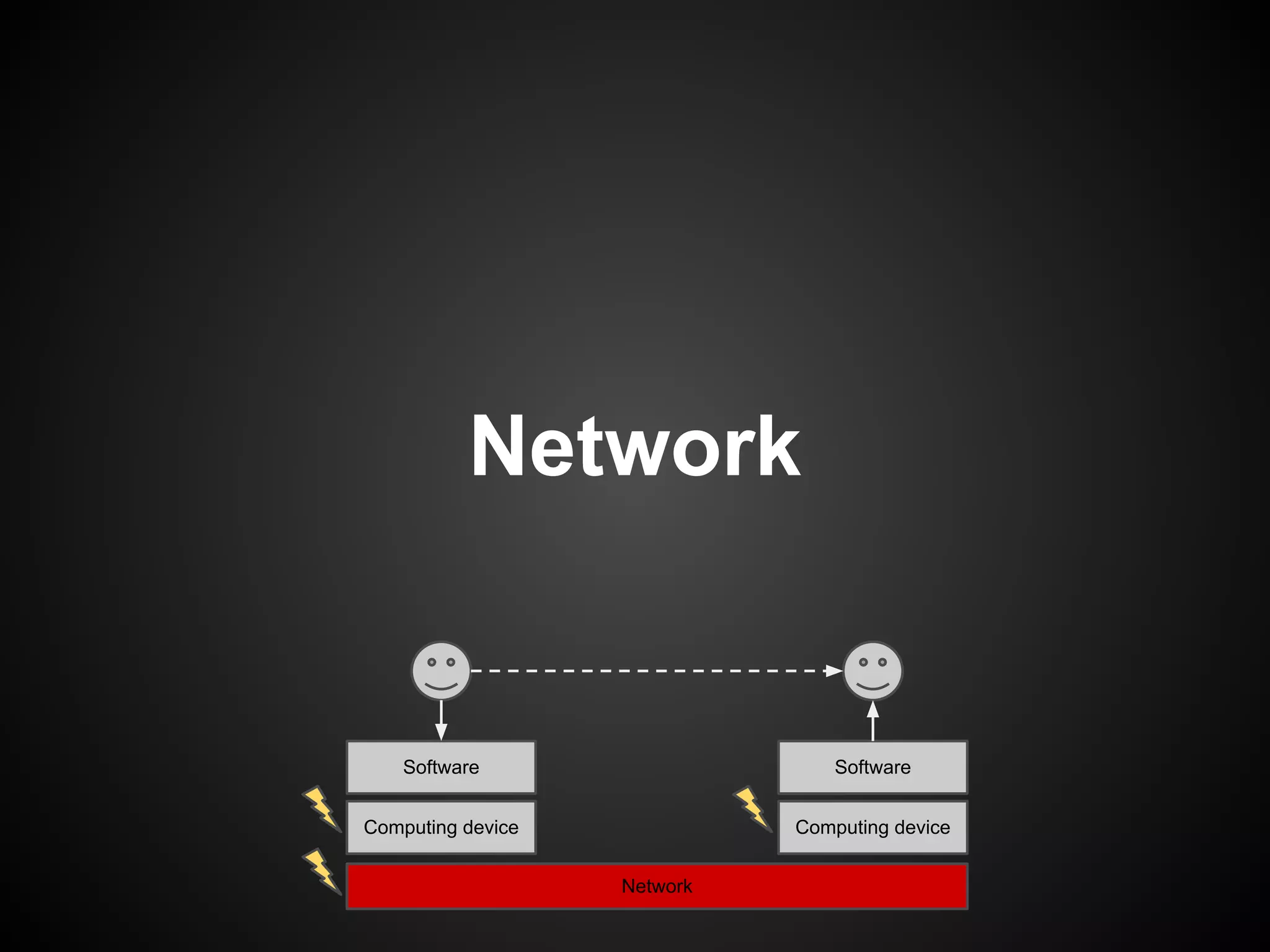
                          Network
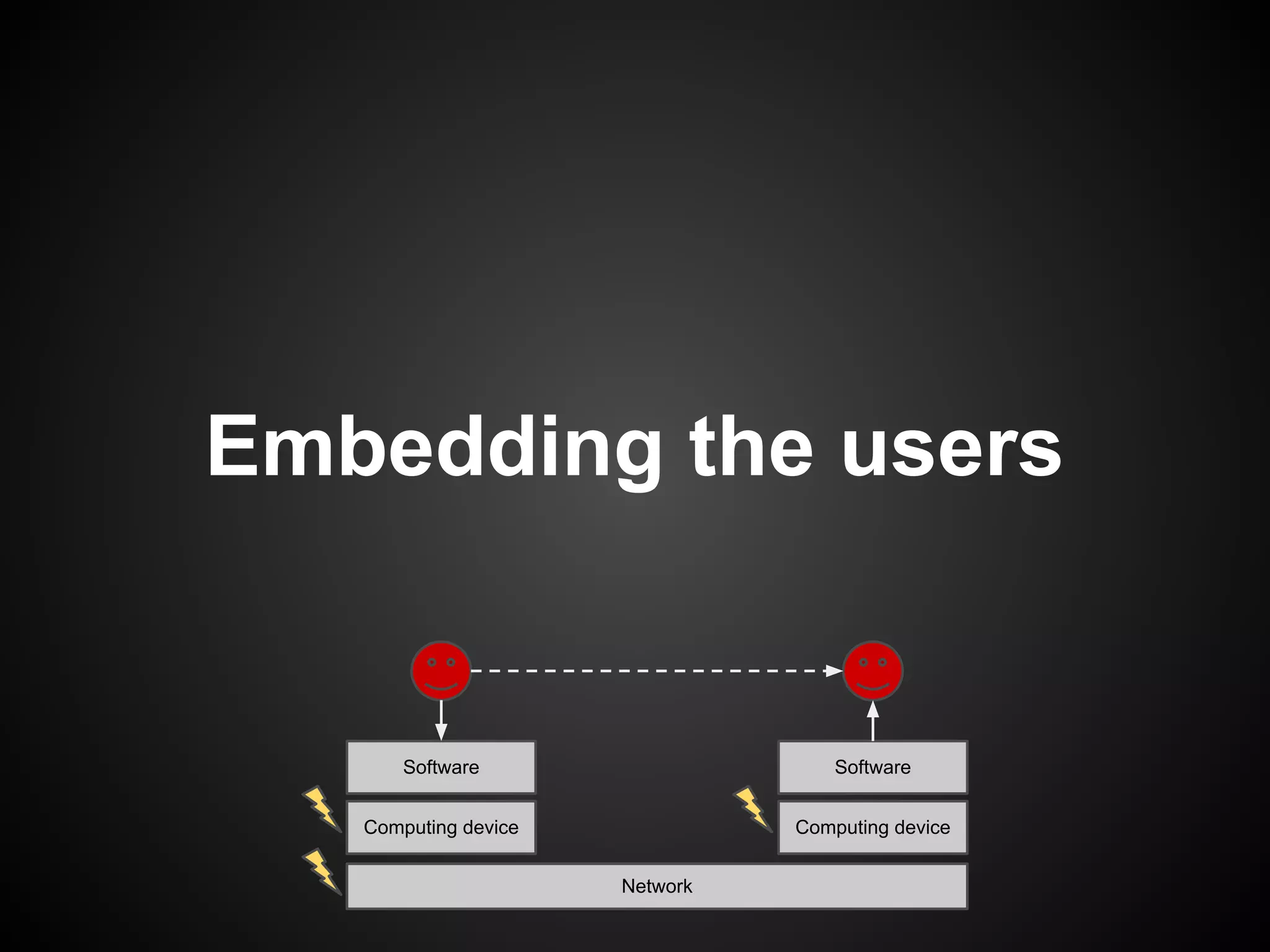
Embedding the users


       Software                     Software


   Computing device             Computing device


                      Network
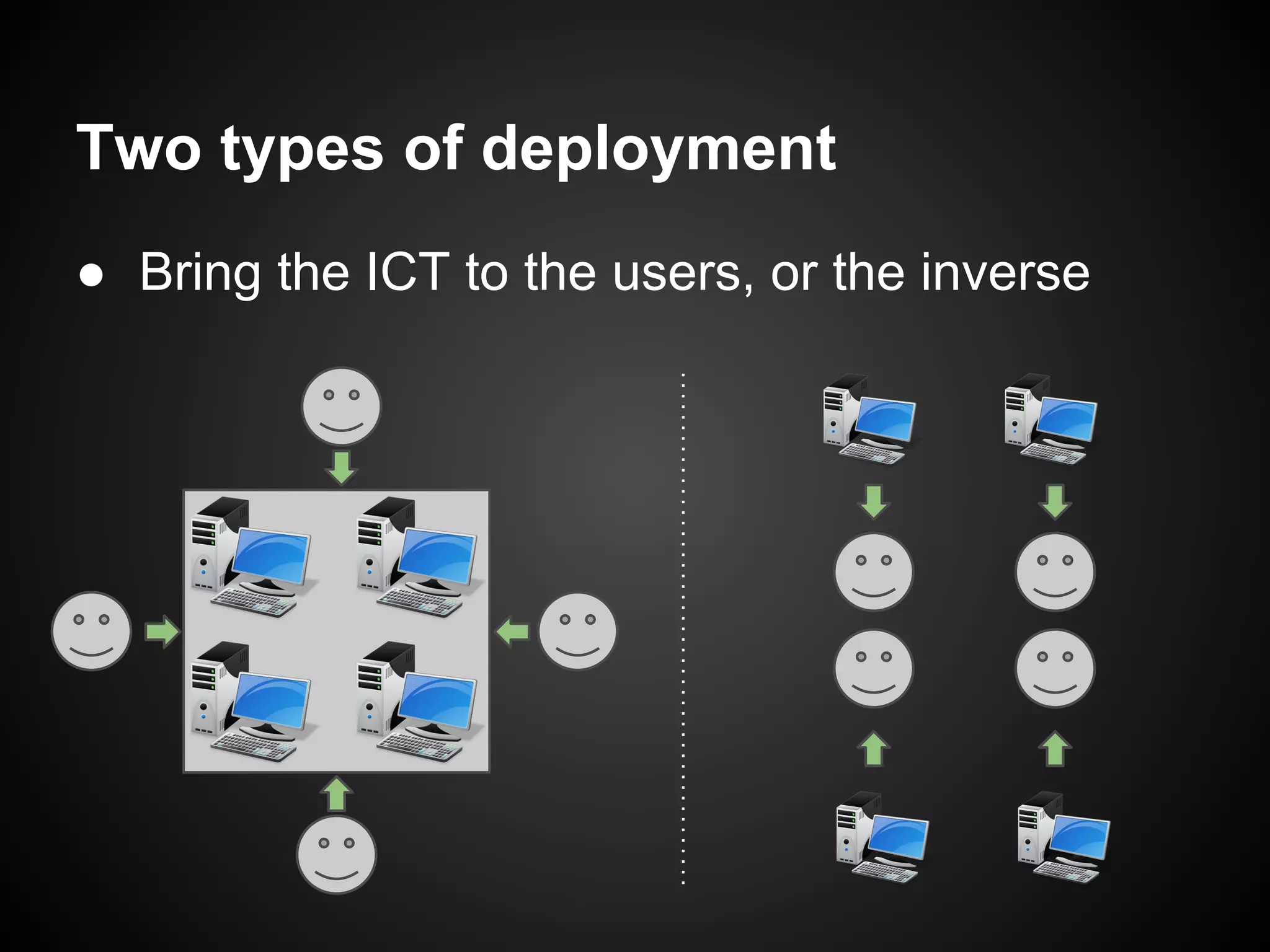
Two types of deployment
● Bring the ICT to the users, or the inverse
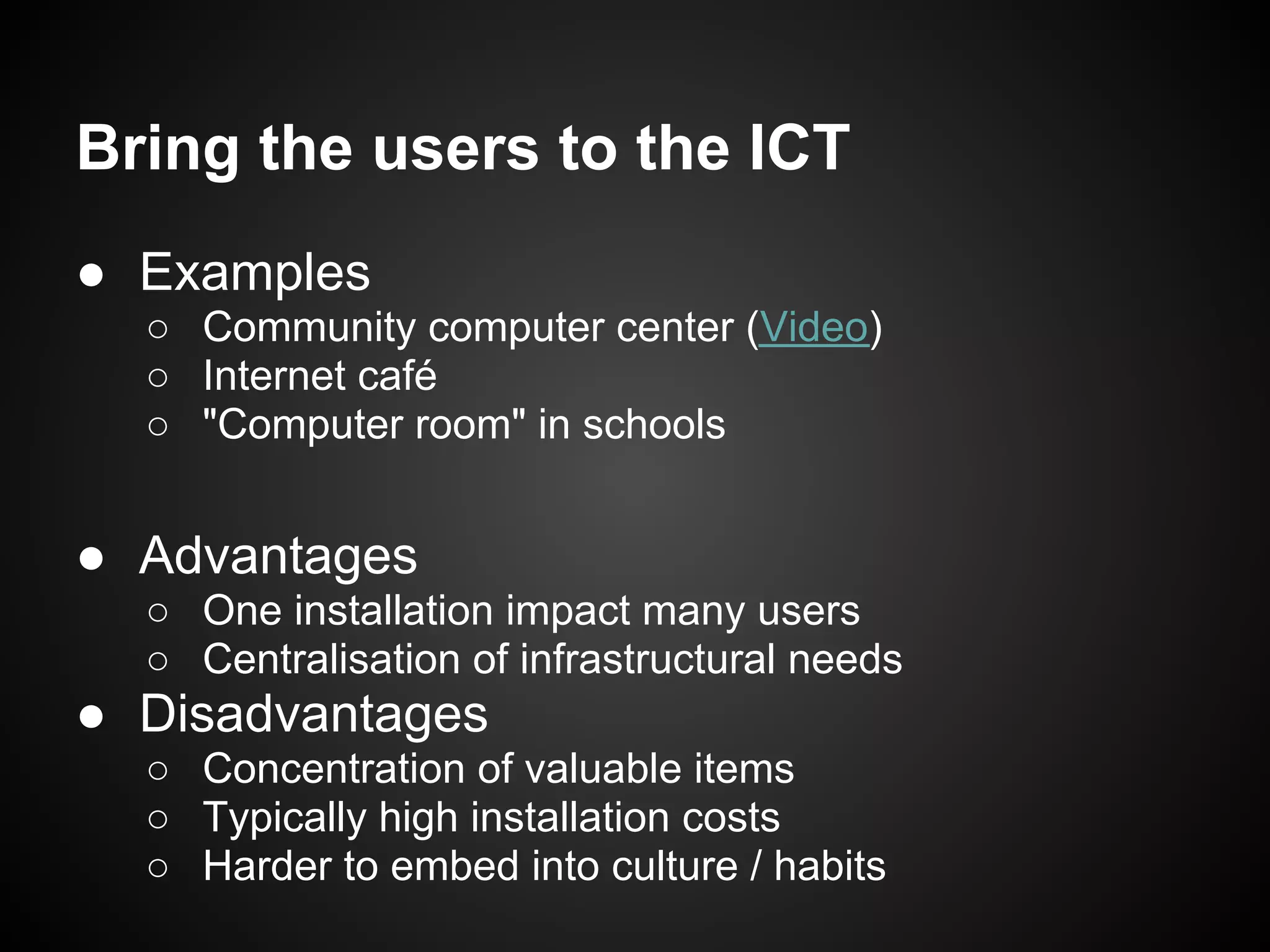
Bring the users to the ICT
● Examples
  ○ Community computer center (Video)
  ○ Internet café
  ○ "Computer room" in schools


● Advantages
  ○ One installation impact many users
  ○ Centralisation of infrastructural needs
● Disadvantages
  ○ Concentration of valuable items
  ○ Typically high installation costs
  ○ Harder to embed into culture / habits
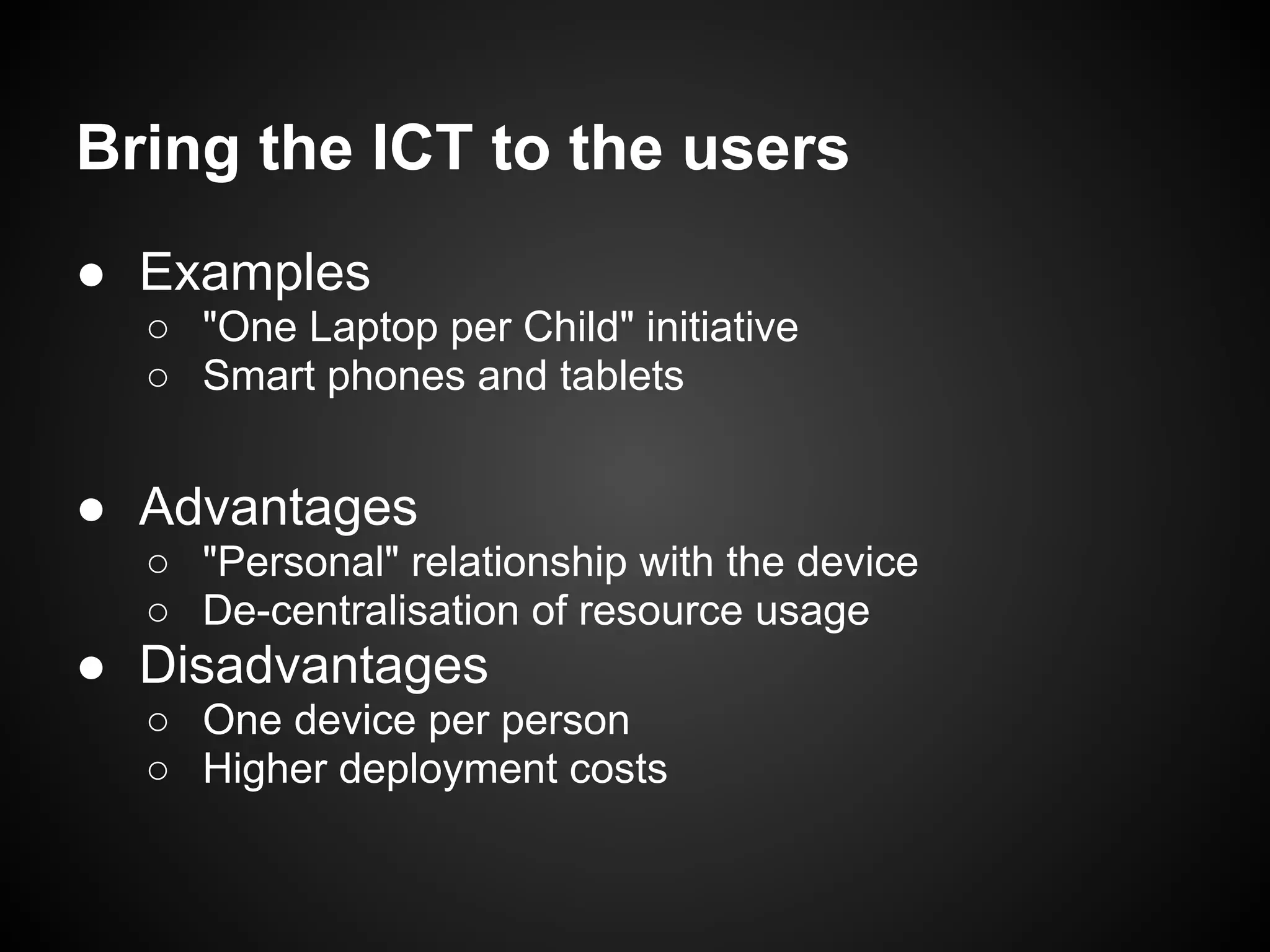
Bring the ICT to the users
● Examples
  ○ "One Laptop per Child" initiative
  ○ Smart phones and tablets


● Advantages
  ○ "Personal" relationship with the device
  ○ De-centralisation of resource usage
● Disadvantages
  ○ One device per person
  ○ Higher deployment costs
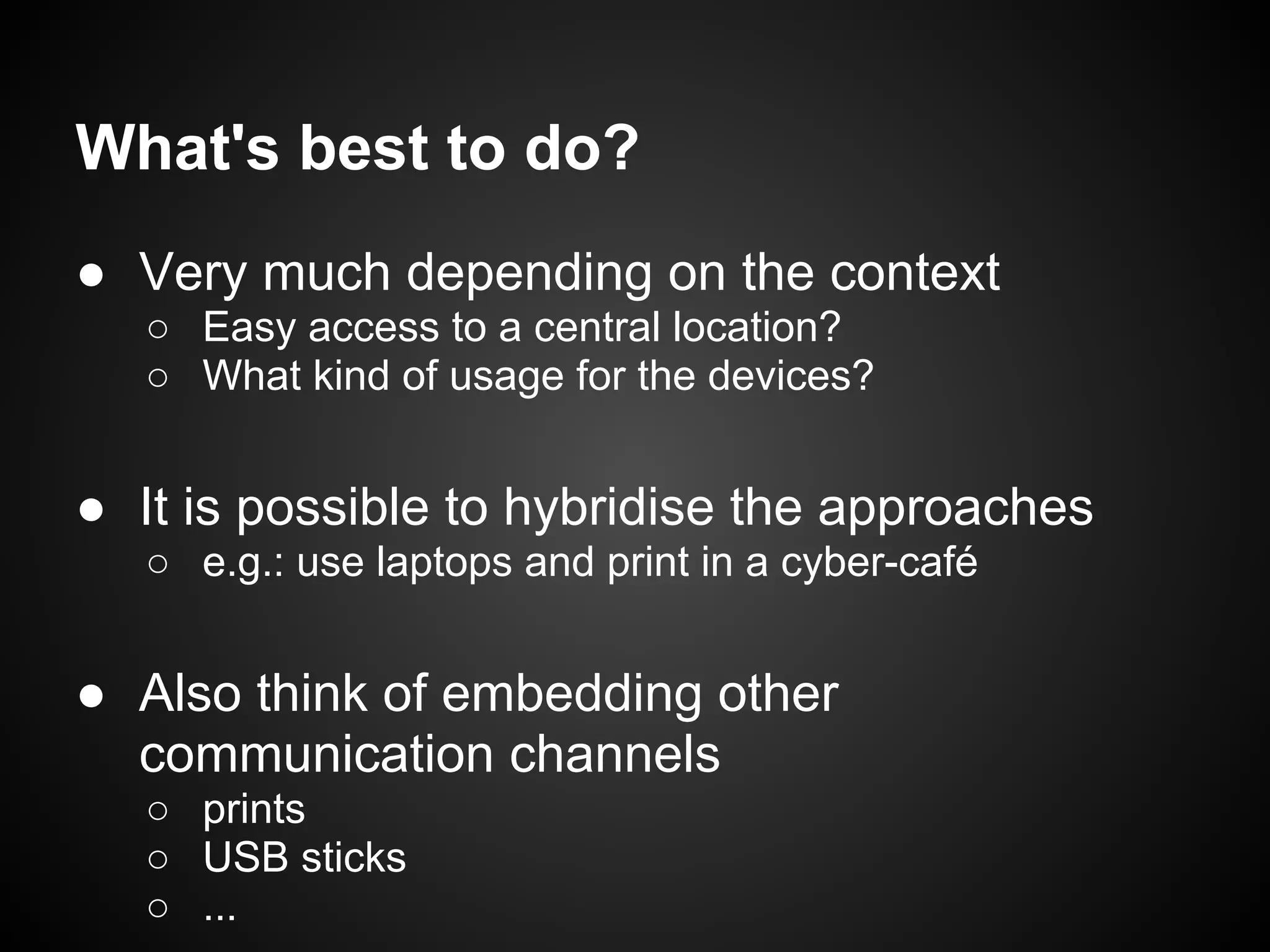
What's best to do?
● Very much depending on the context
   ○ Easy access to a central location?
   ○ What kind of usage for the devices?


● It is possible to hybridise the approaches
   ○ e.g.: use laptops and print in a cyber-café


● Also think of embedding other
  communication channels
   ○ prints
   ○ USB sticks
   ○ ...
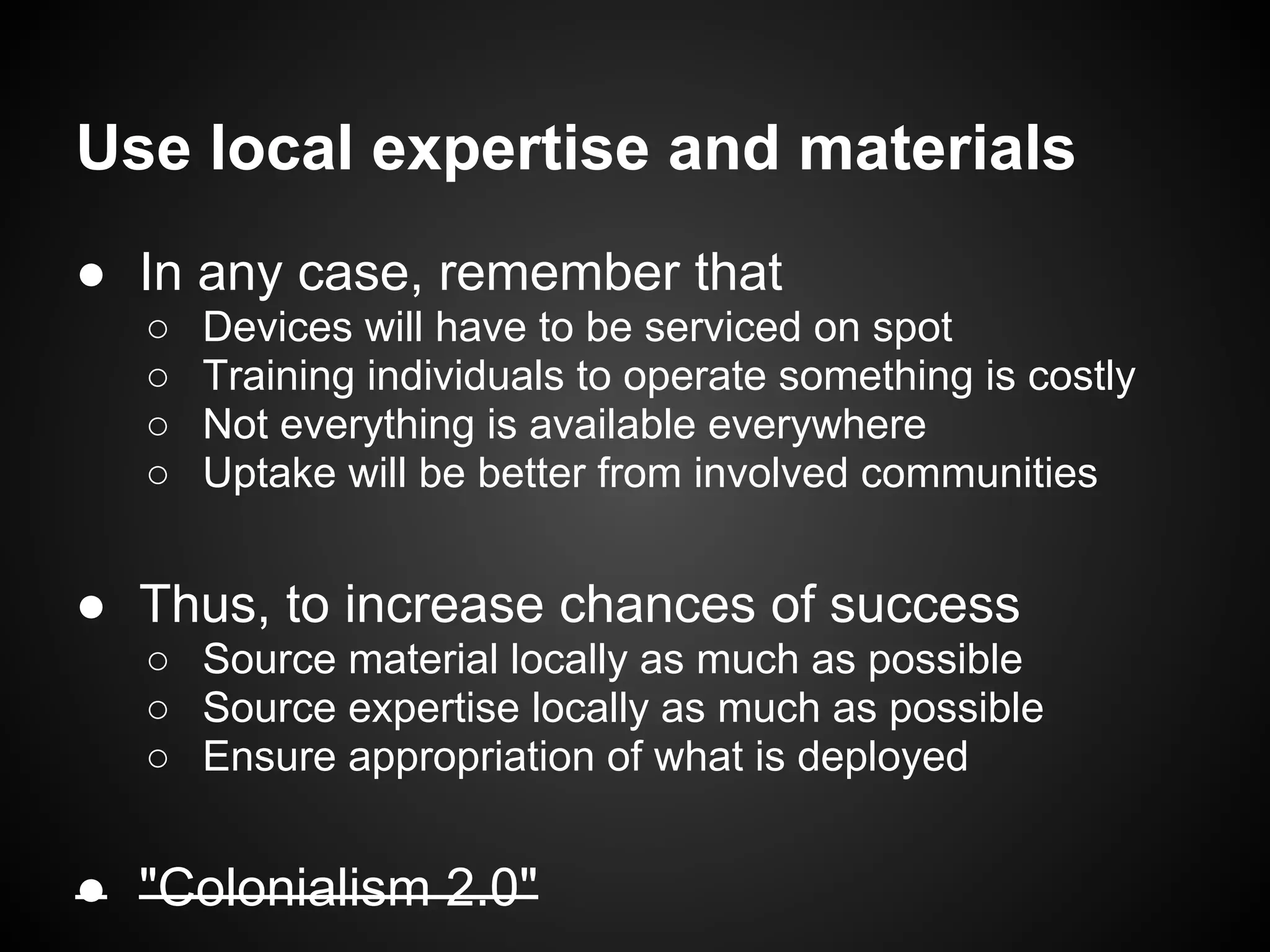
Use local expertise and materials
● In any case, remember that
  ○   Devices will have to be serviced on spot
  ○   Training individuals to operate something is costly
  ○   Not everything is available everywhere
  ○   Uptake will be better from involved communities


● Thus, to increase chances of success
  ○ Source material locally as much as possible
  ○ Source expertise locally as much as possible
  ○ Ensure appropriation of what is deployed


● "Colonialism 2.0"
Example: baby incubator [1,2]
                ● Ship baby incubator to
                  developing countries

                ● Big failure
                   ○   $40000 per unit
                   ○   Hard to find spare parts
                   ○   Closed design
                   ○   Need skilled staff
Example: baby incubator [1,2]
                ● Build baby incubator
                  in, and for, developing
                  countries

                ● NeoNurture
                   ○   $1000 per unit
                   ○   Car parts
                   ○   Open design
                   ○   Need staff able to repair
                       and use a car
Example: baby incubator [1,2]
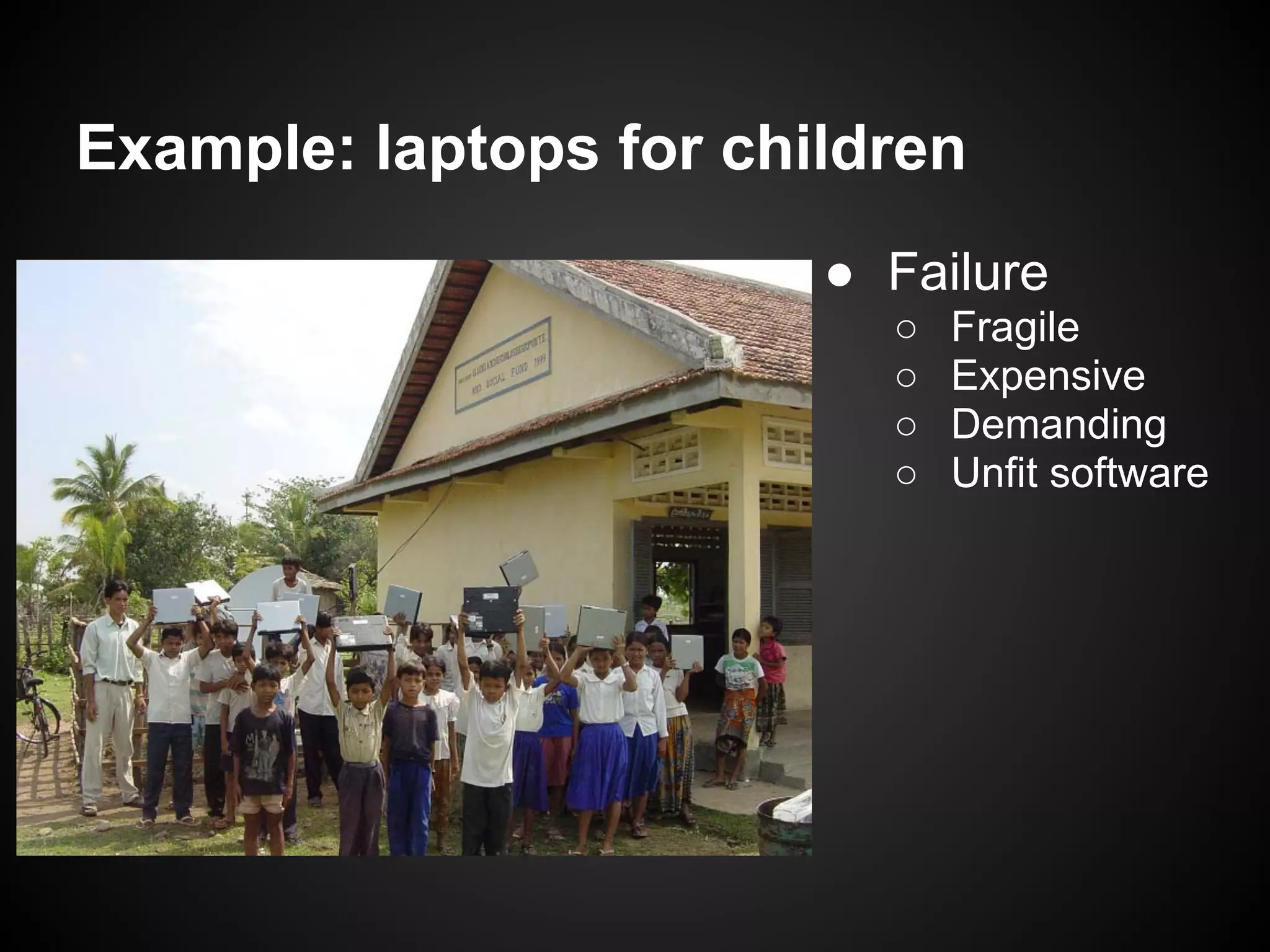
Example: laptops for children
                        ● Failure
                          ○   Fragile
                          ○   Expensive
                          ○   Demanding
                          ○   Unfit software
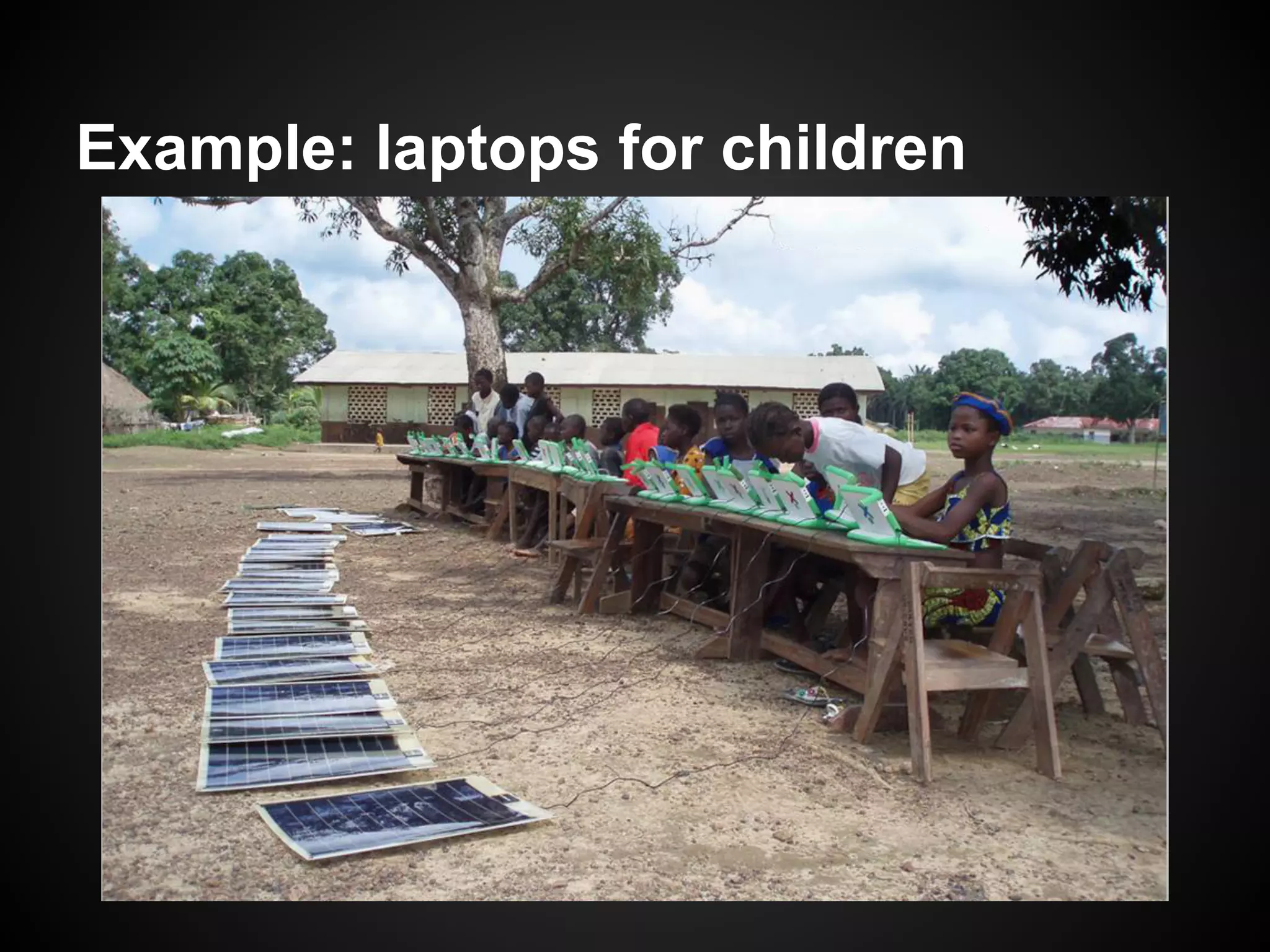
Example: laptops for children
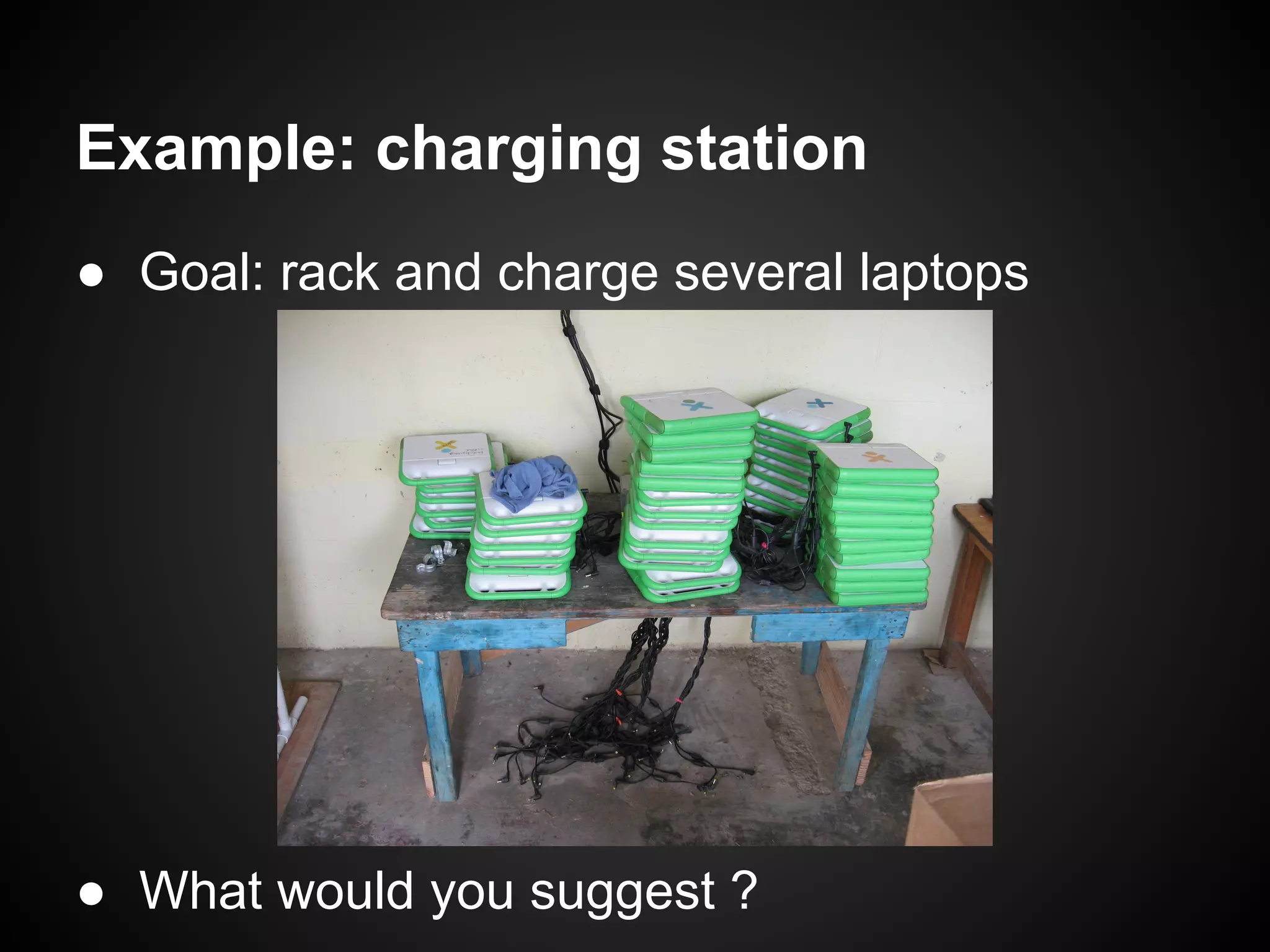
Example: charging station
● Goal: rack and charge several laptops


● What would you suggest ?
Example: charging station

                        Solution [3]: PVC
                        ● Inexpensive
                          and
                          accessible
                        ● Can be
                          assembled by
                          anyone
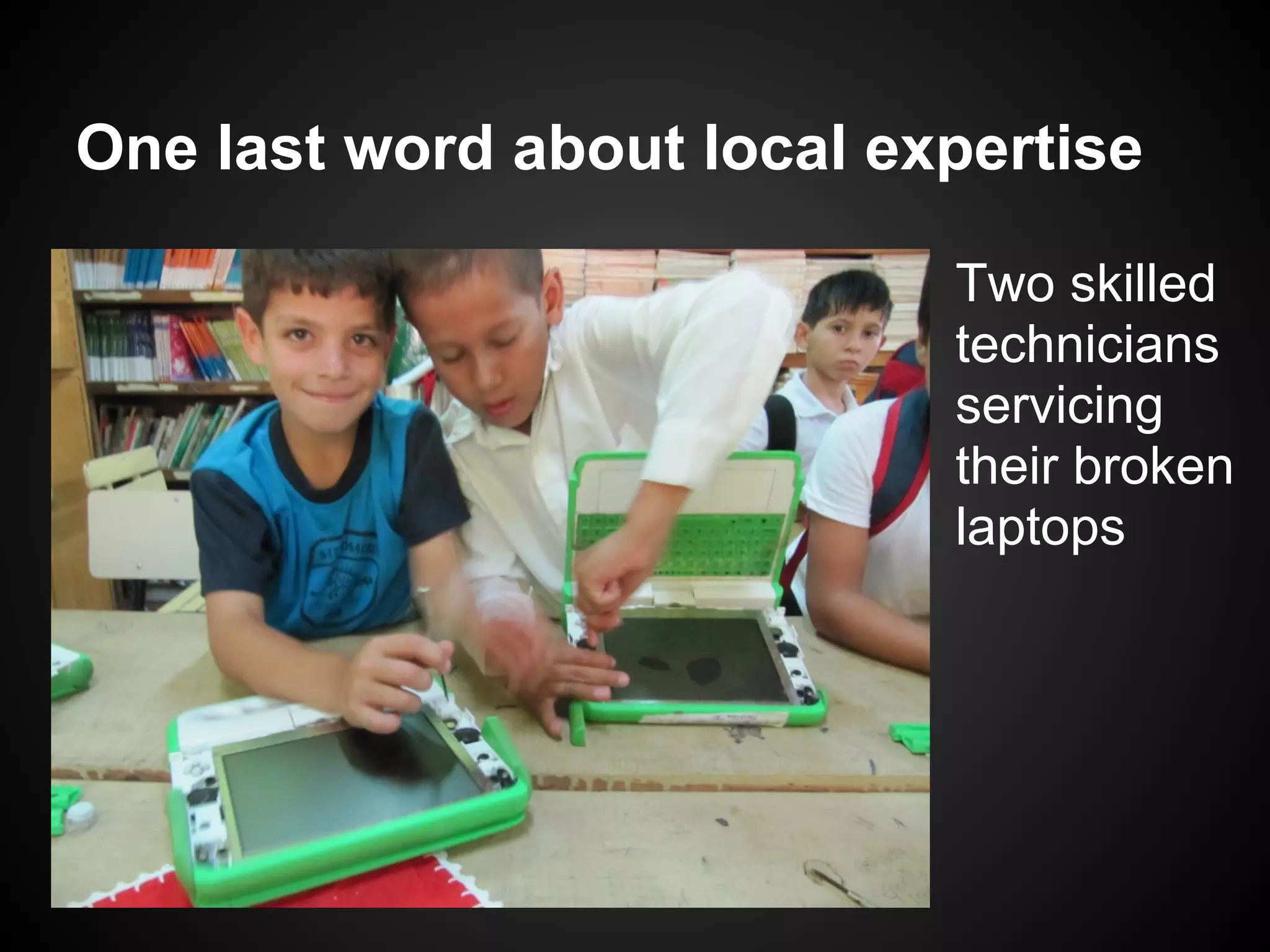
One last word about local expertise

                            Two skilled
                            technicians
                            servicing
                            their broken
                            laptops
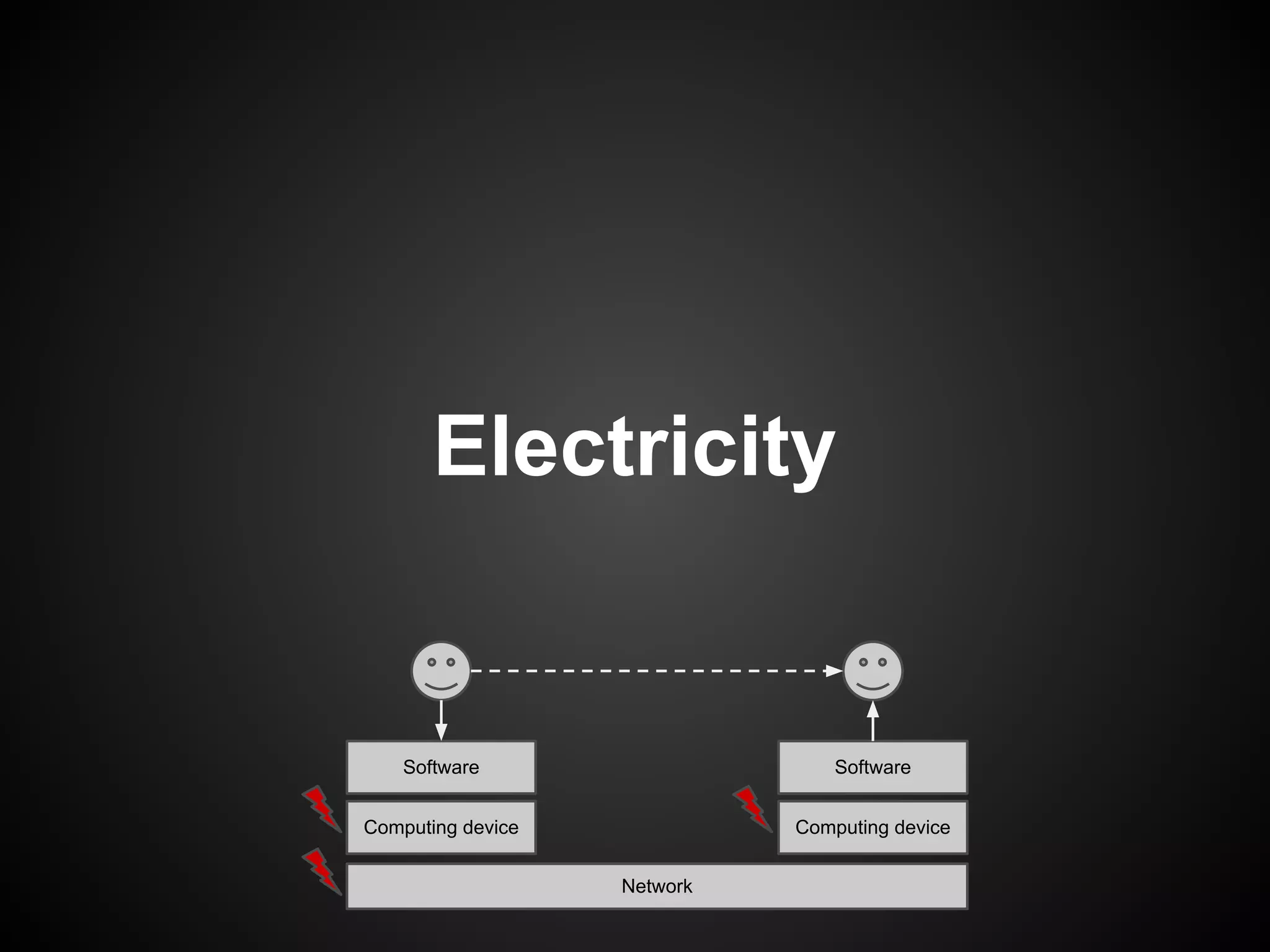
Electricity


    Software                     Software


Computing device             Computing device


                   Network
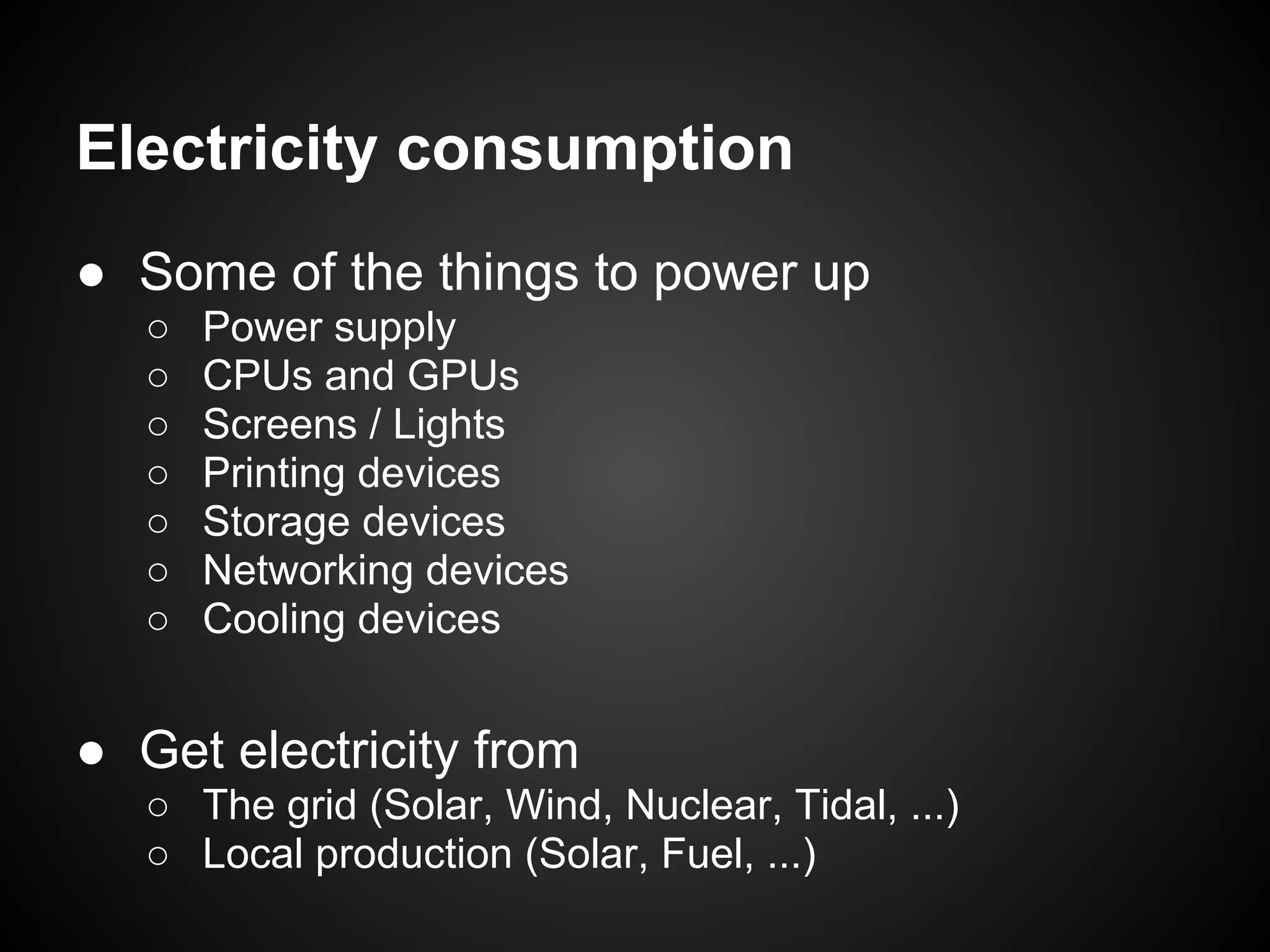
Electricity consumption
● Some of the things to power up
   ○   Power supply
   ○   CPUs and GPUs
   ○   Screens / Lights
   ○   Printing devices
   ○   Storage devices
   ○   Networking devices
   ○   Cooling devices


● Get electricity from
   ○ The grid (Solar, Wind, Nuclear, Tidal, ...)
   ○ Local production (Solar, Fuel, ...)
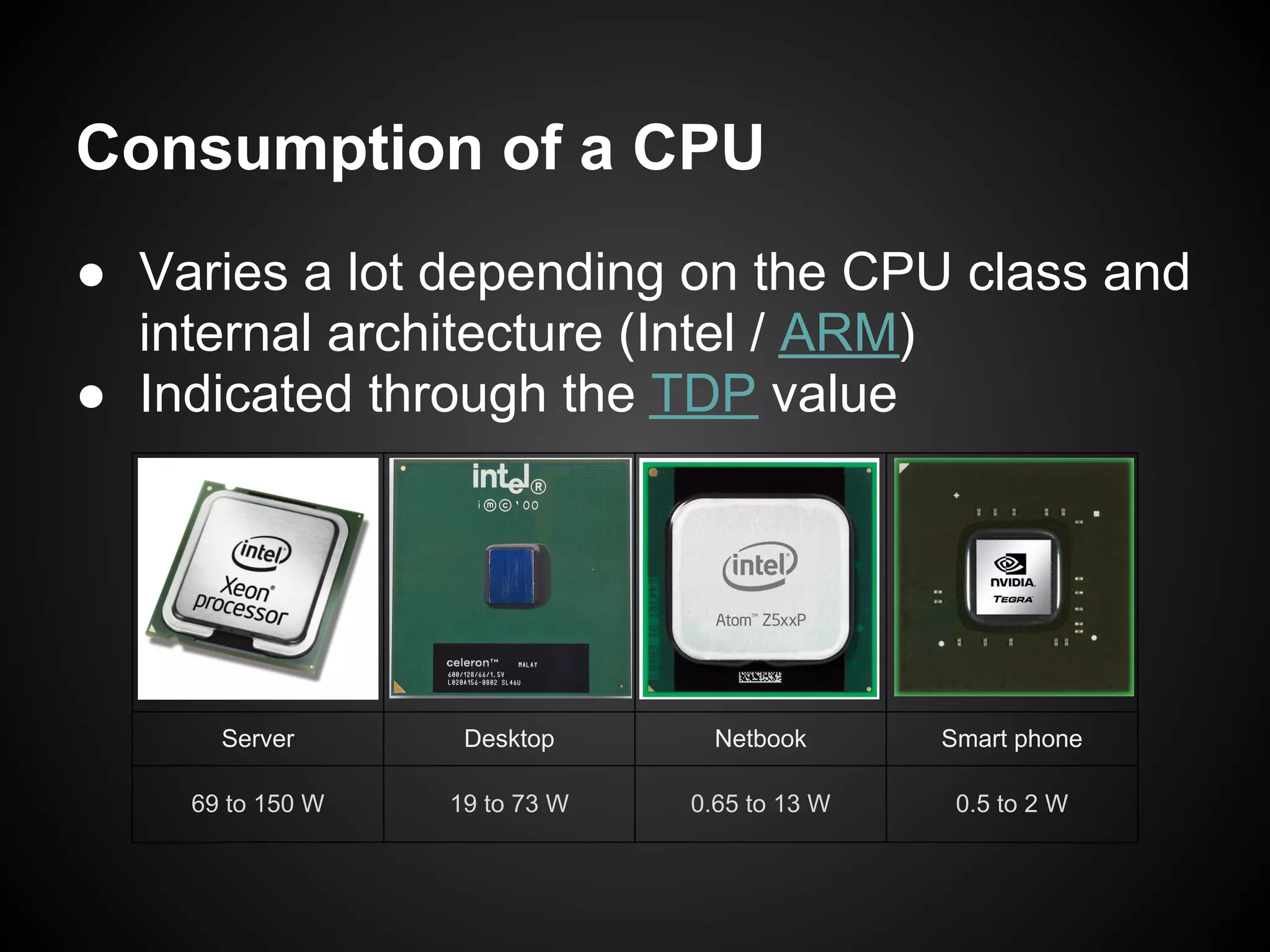
Consumption of a CPU
● Varies a lot depending on the CPU class and
  internal architecture (Intel / ARM)
● Indicated through the TDP value


      Server       Desktop       Netbook      Smart phone

    69 to 150 W   19 to 73 W   0.65 to 13 W    0.5 to 2 W
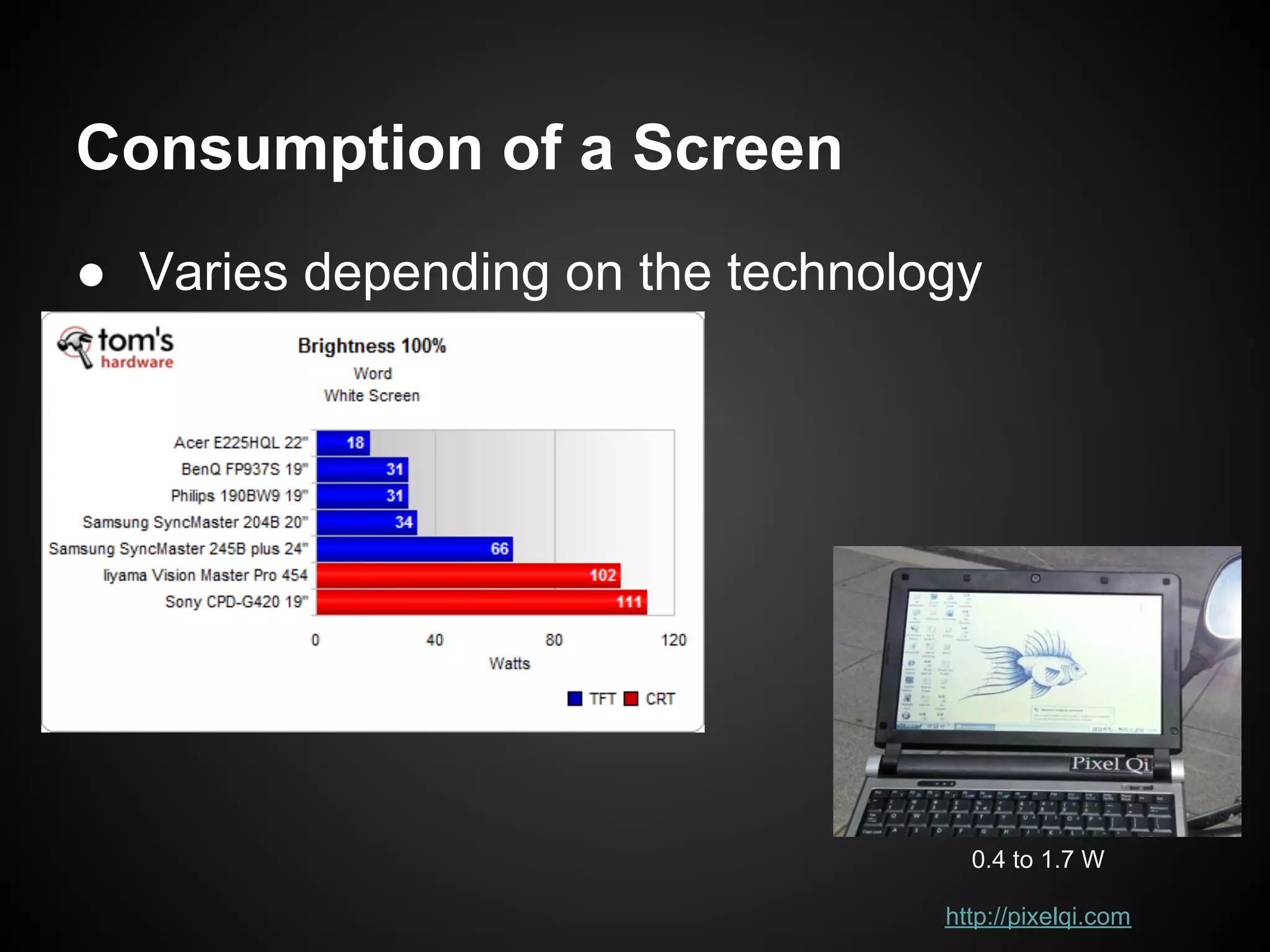
Consumption of a Screen
● Varies depending on the technology


                                    0.4 to 1.7 W

                                  http://pixelqi.com
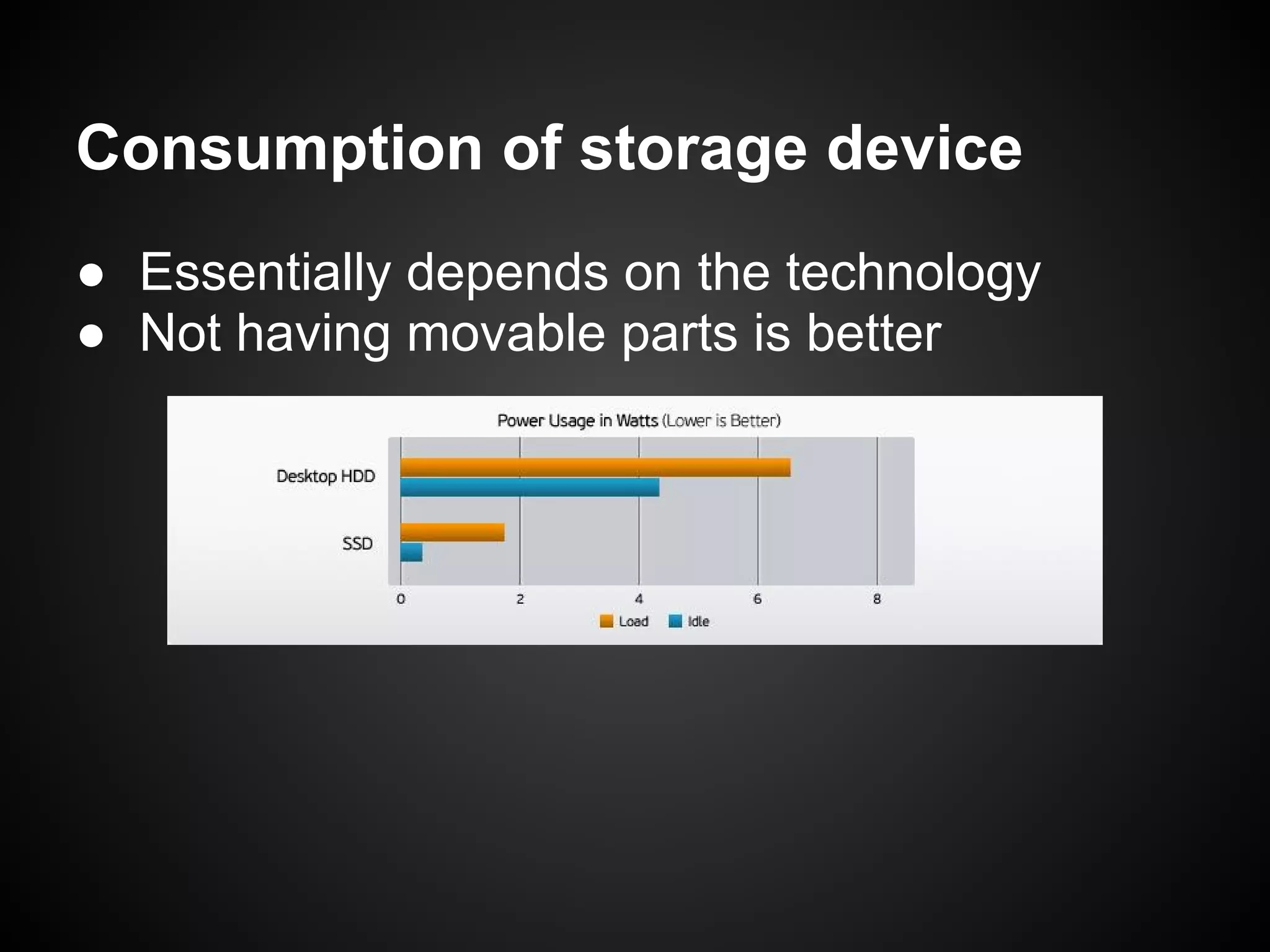
Consumption of storage device
● Essentially depends on the technology
● Not having movable parts is better
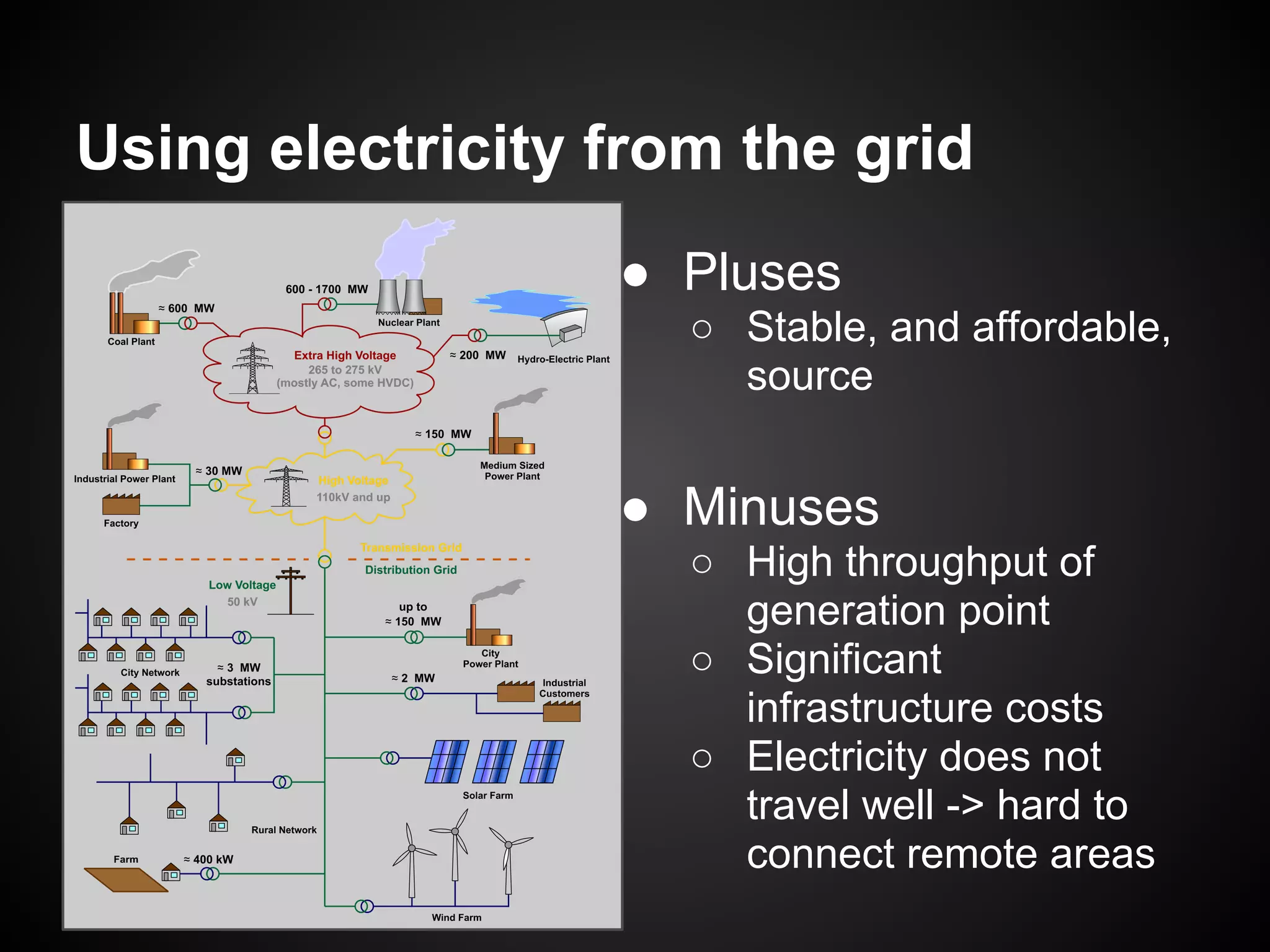
Using electricity from the grid
                  ● Pluses
                     ○ Stable, and affordable,
                       source


                  ● Minuses
                     ○ High throughput of
                       generation point
                     ○ Significant
                       infrastructure costs
                     ○ Electricity does not
                       travel well -> hard to
                       connect remote areas
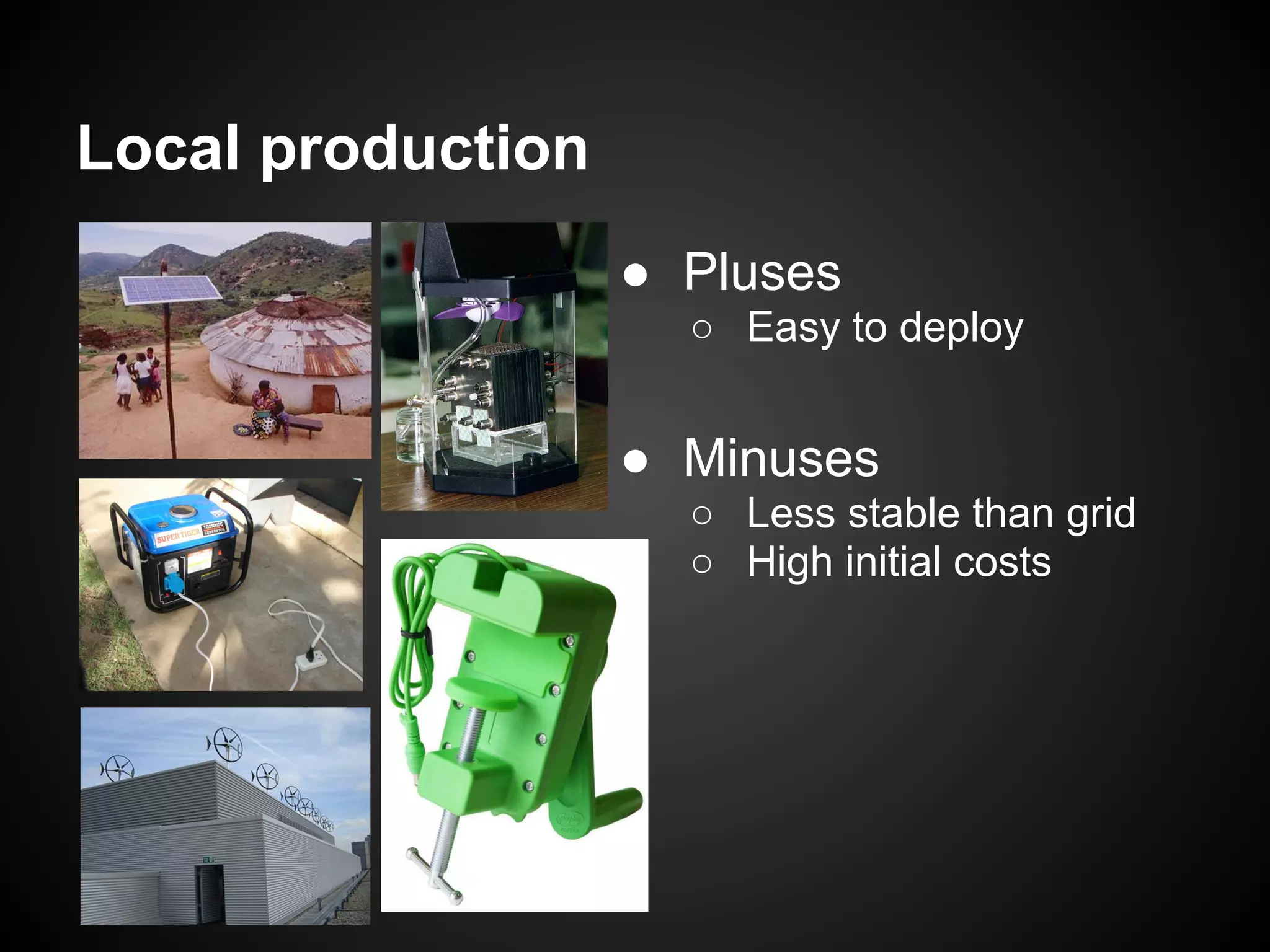
Local production
                   ● Pluses
                     ○ Easy to deploy


                   ● Minuses
                     ○ Less stable than grid
                     ○ High initial costs
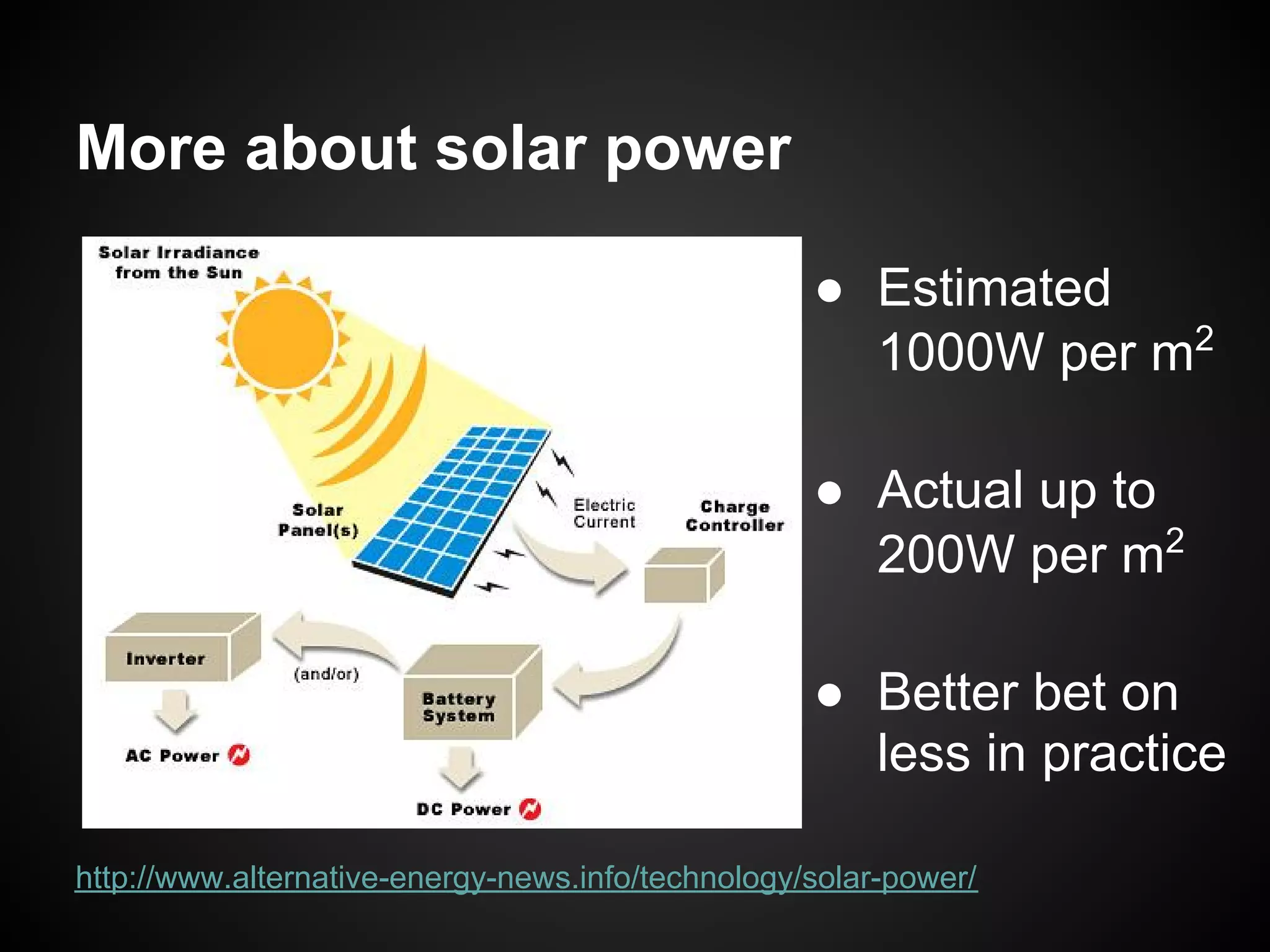
More about solar power

                                                   ● Estimated
                                                     1000W per m2

                                                   ● Actual up to
                                                     200W per m2

                                                   ● Better bet on
                                                     less in practice

http://www.alternative-energy-news.info/technology/solar-power/
Network


    Software                     Software


Computing device             Computing device


                   Network
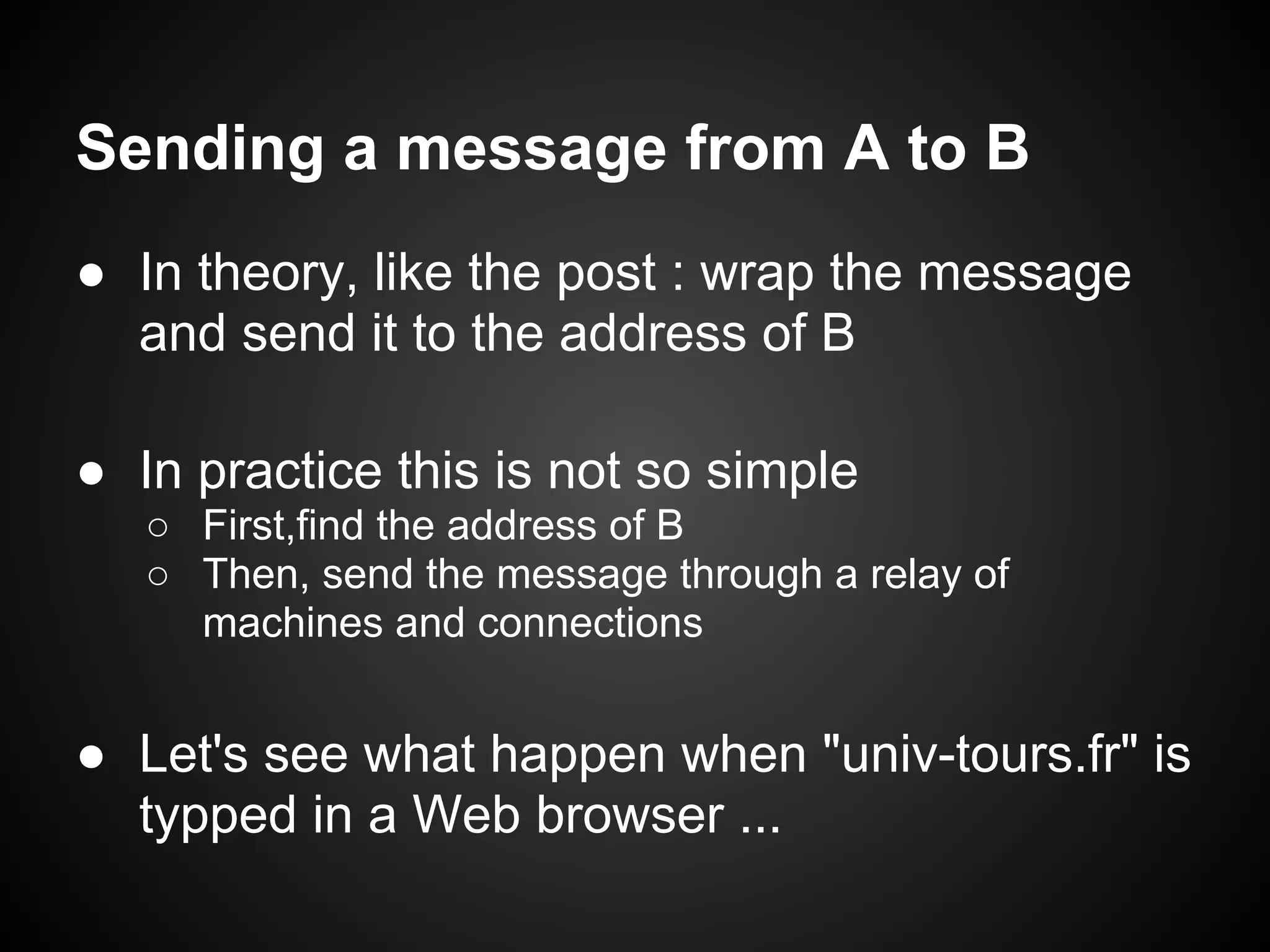
Sending a message from A to B
● In theory, like the post : wrap the message
  and send it to the address of B

● In practice this is not so simple
   ○ First,find the address of B
   ○ Then, send the message through a relay of
     machines and connections


● Let's see what happen when "univ-tours.fr" is
  typped in a Web browser ...
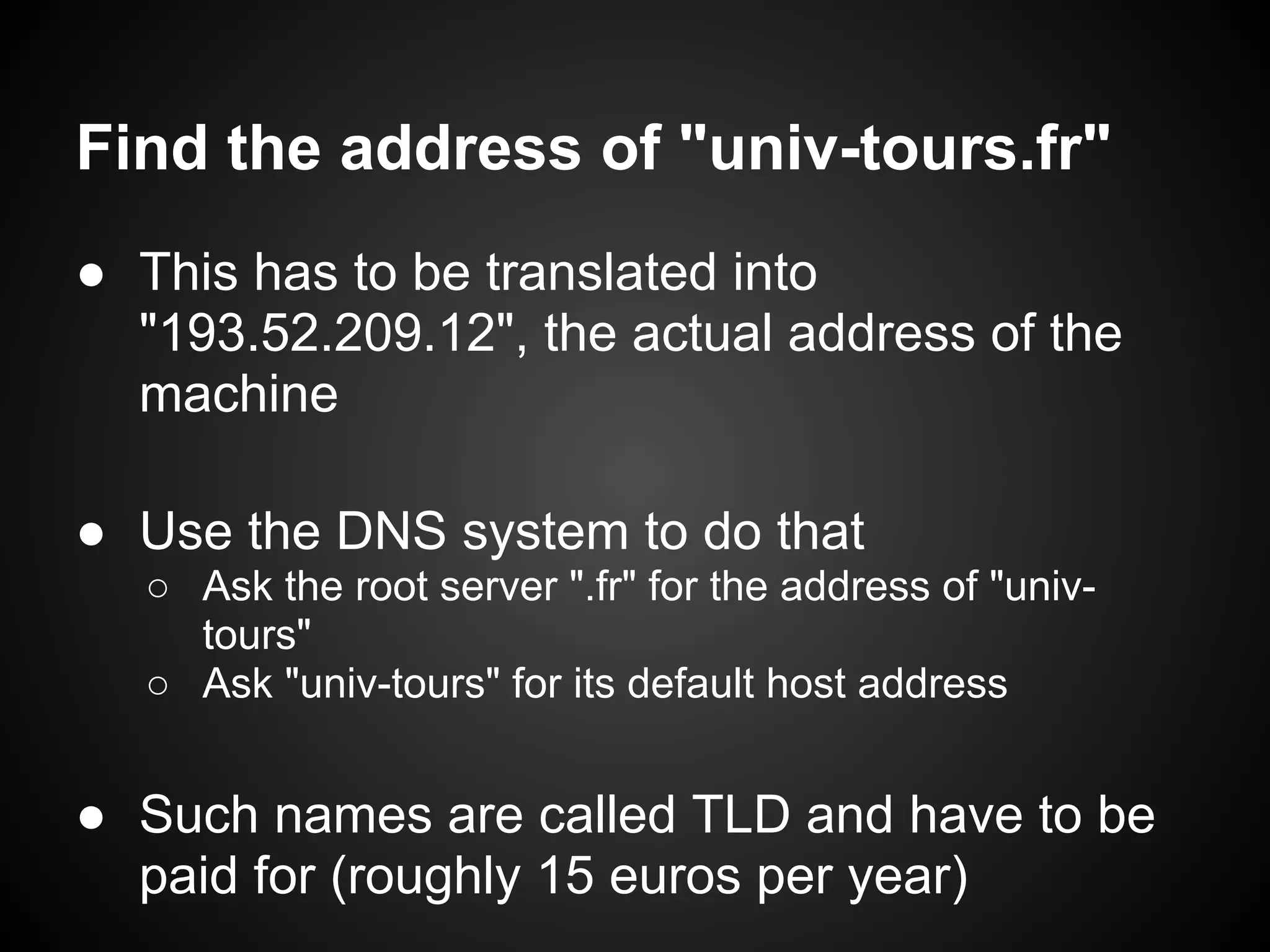
Find the address of "univ-tours.fr"
● This has to be translated into
  "193.52.209.12", the actual address of the
  machine

● Use the DNS system to do that
  ○ Ask the root server ".fr" for the address of "univ-
    tours"
  ○ Ask "univ-tours" for its default host address


● Such names are called TLD and have to be
  paid for (roughly 15 euros per year)
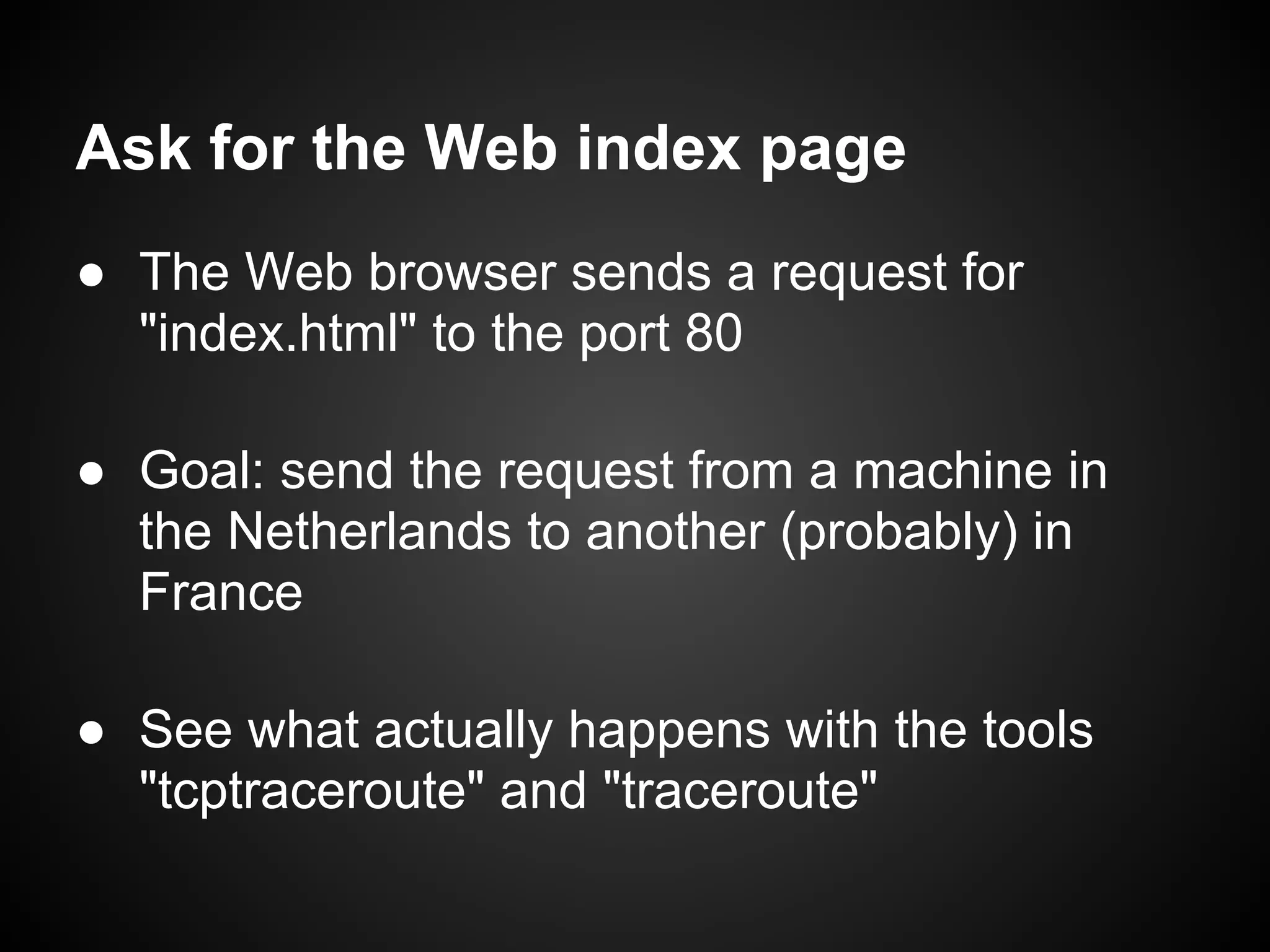
Ask for the Web index page
● The Web browser sends a request for
  "index.html" to the port 80

● Goal: send the request from a machine in
  the Netherlands to another (probably) in
  France

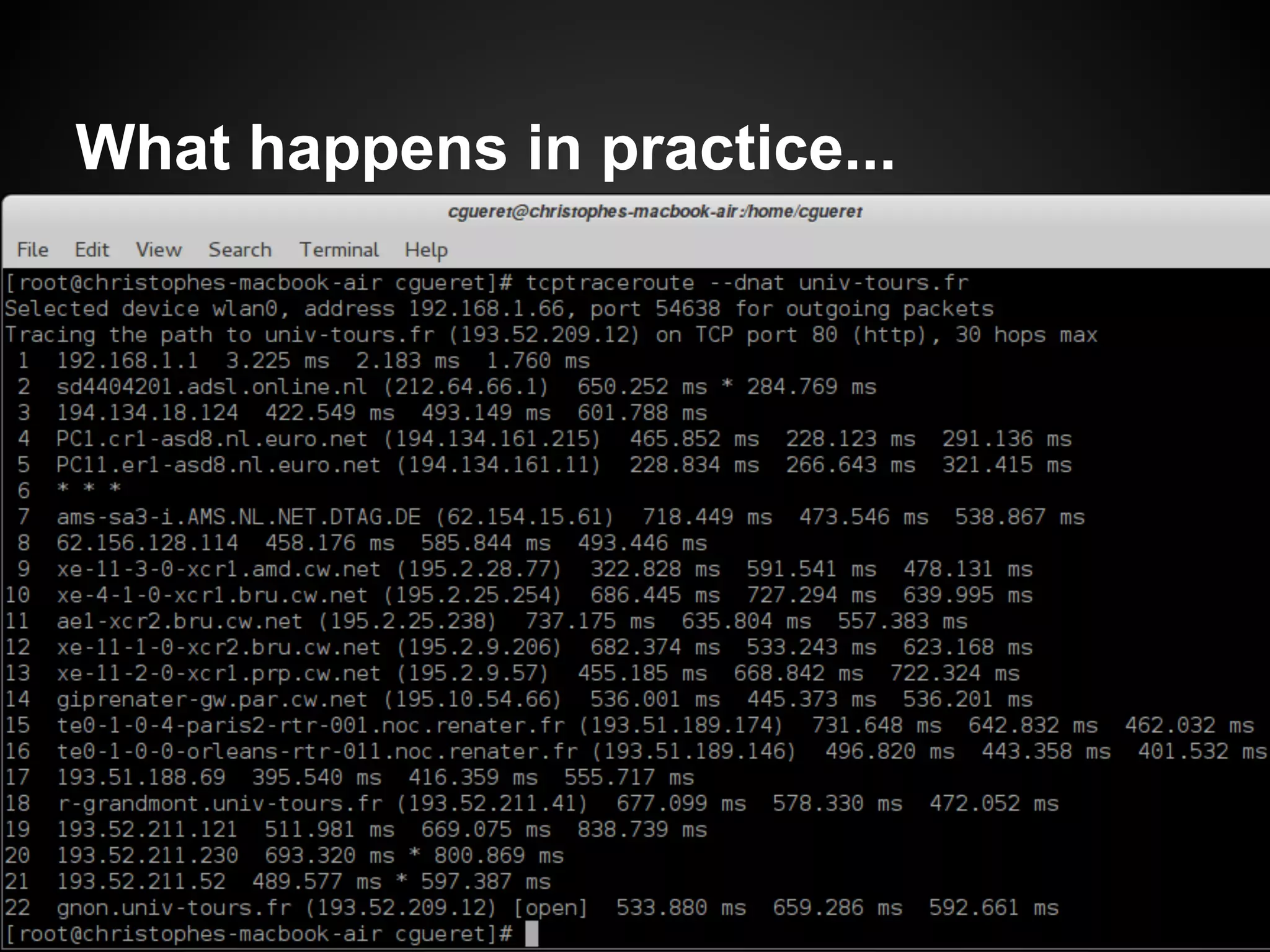
● See what actually happens with the tools
  "tcptraceroute" and "traceroute"
What happens in practice...
● The Web browser sends a request for
  "index.html" to the port 80
●
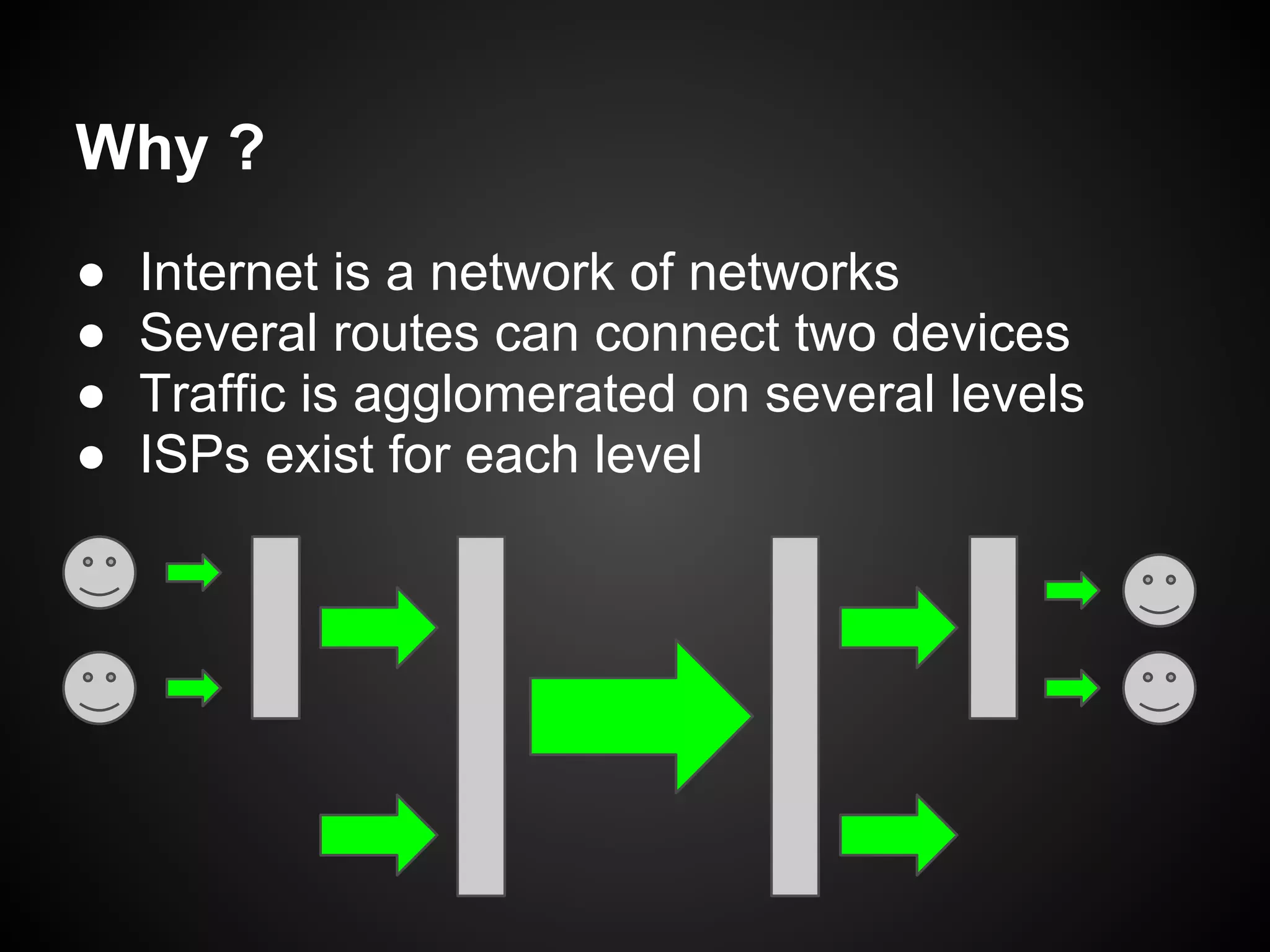
Why ?
●   Internet is a network of networks
●   Several routes can connect two devices
●   Traffic is agglomerated on several levels
●   ISPs exist for each level
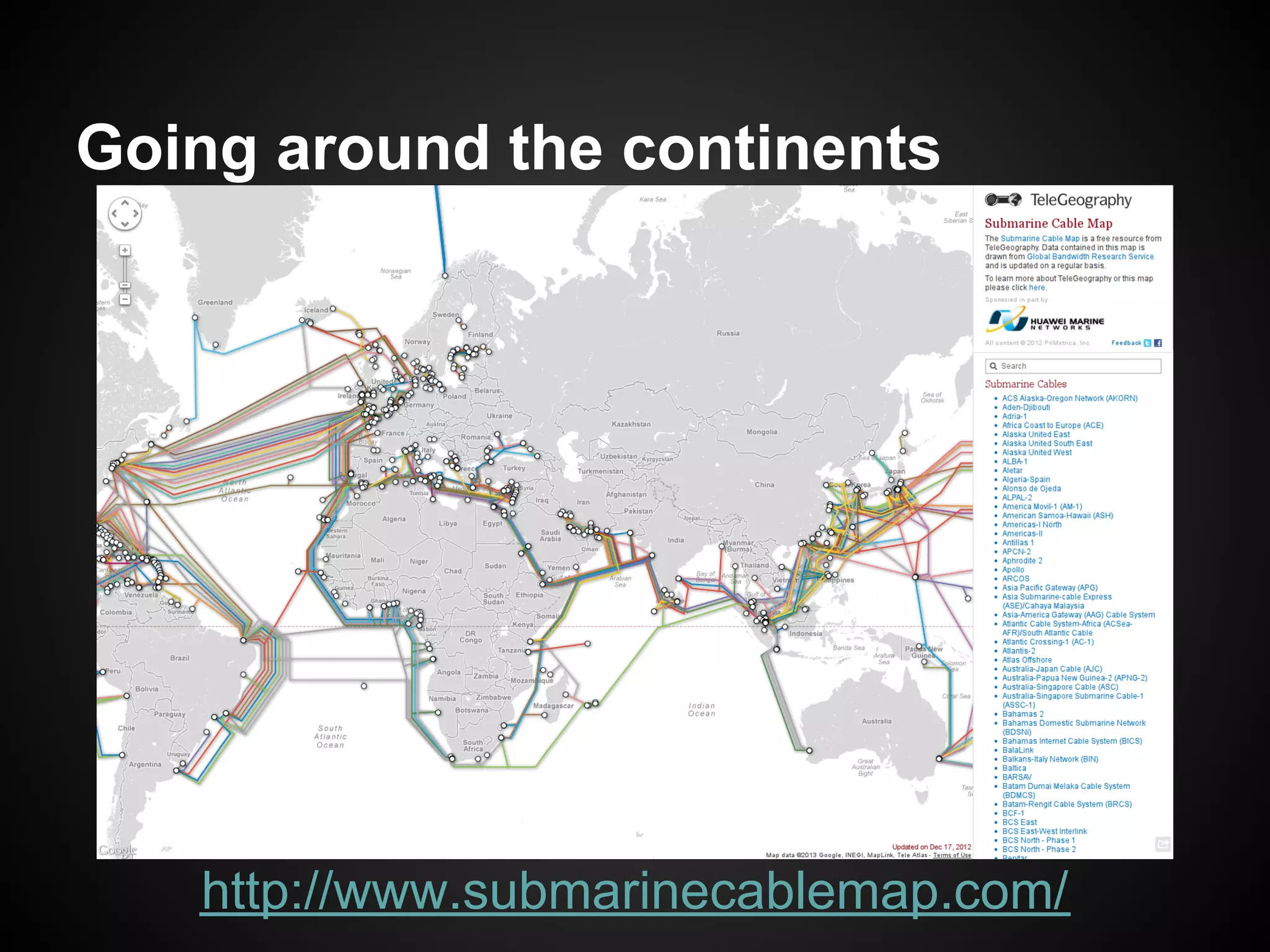
Going around the continents


   http://www.submarinecablemap.com/
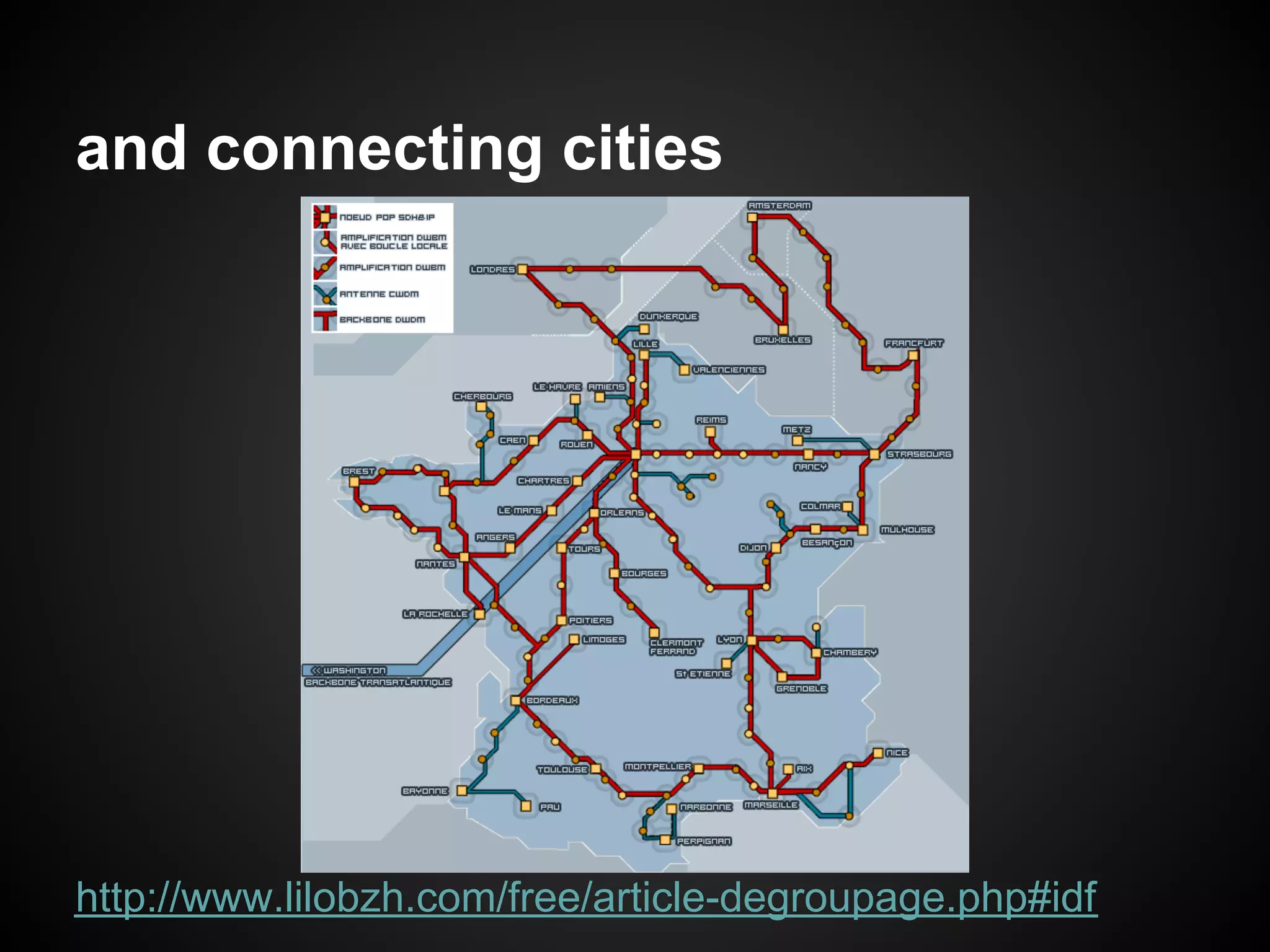
and connecting cities


http://www.lilobzh.com/free/article-degroupage.php#idf
Why does it matter in ICT4D ?
● Let two farmers in Mali send a mail to each
  other implies a couple of regional servers

● If they want to use GMail, a backbone
  connection to the US' west coast will also be
  involved !

● Consequences
  ○ Web-based social networking can hardly be local
  ○ The costs for the end user is likely to be high
  ○ ( Cloud computing is incompatible with ICT4D )
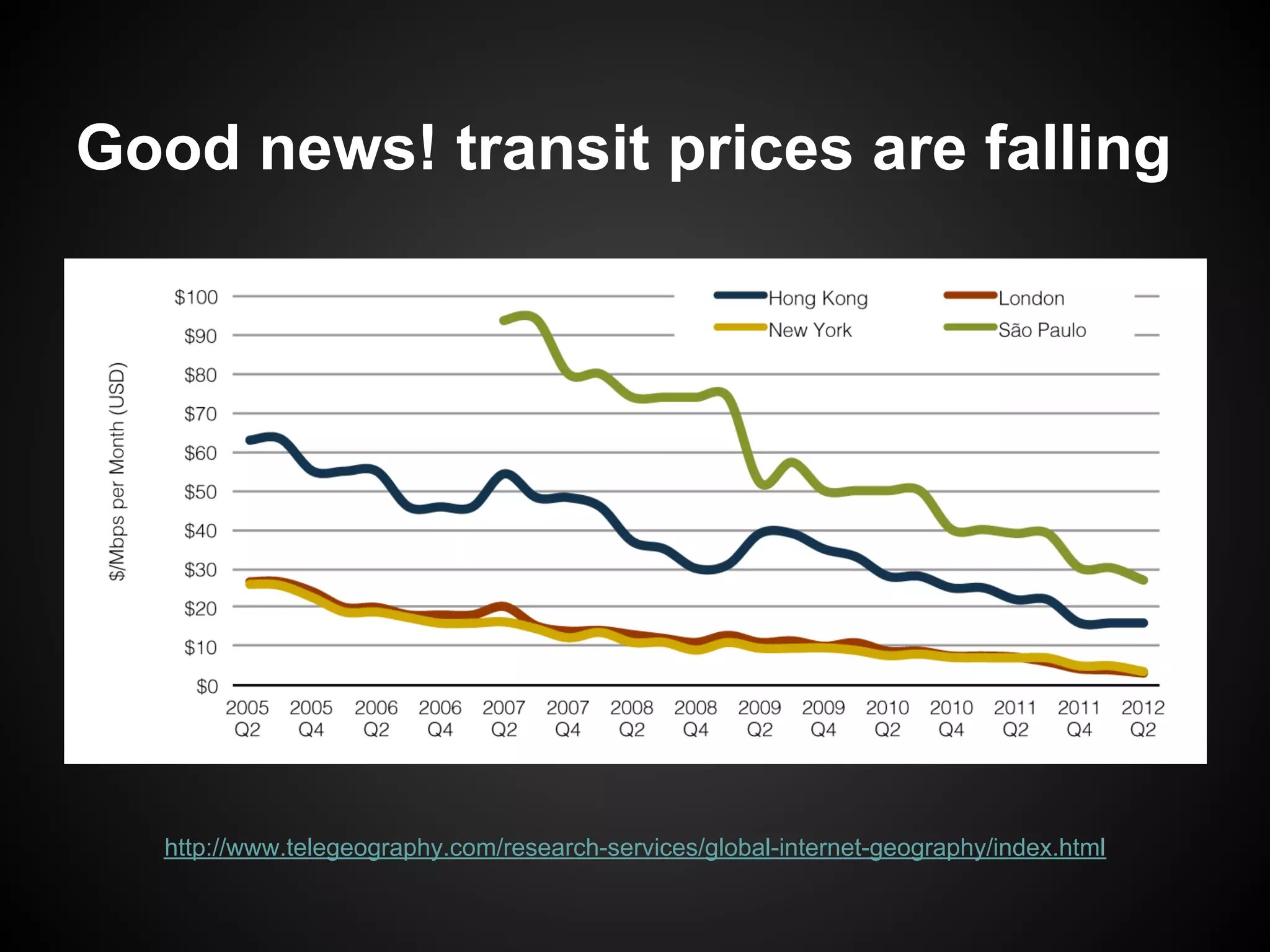
Good news! transit prices are falling


   http://www.telegeography.com/research-services/global-internet-geography/index.html
Ok, so what can be done ?
● Research on Downscaling the Semantic
  Web will bring data sharing to everyone,
  regardless of Internet connectivity
   ○ https://worldwidesemanticweb.wordpress.com/


● Creating mesh networks is a first step into
  connecting devices
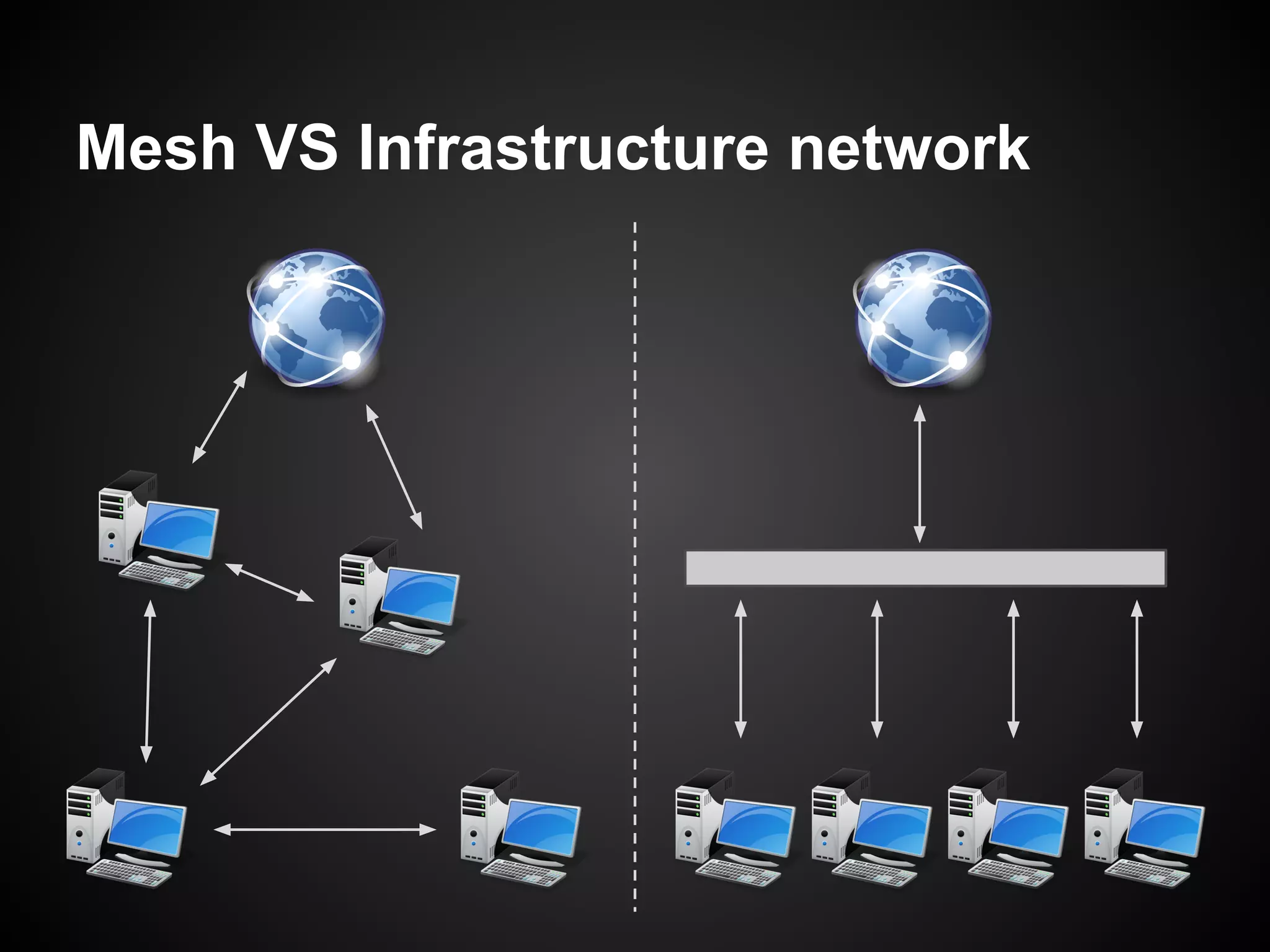
Mesh VS Infrastructure network
How to choose
● Reasons to prefer a mesh network
   ○ More robust
   ○ Faster to deploy
   ○ Example: Sensors network


● Reasons to prefer an infrastructure network
   ○ Better for the quality of service
   ○ Shared installation costs
   ○ Example: Universities' WiFi


● It is also possible to combine the two
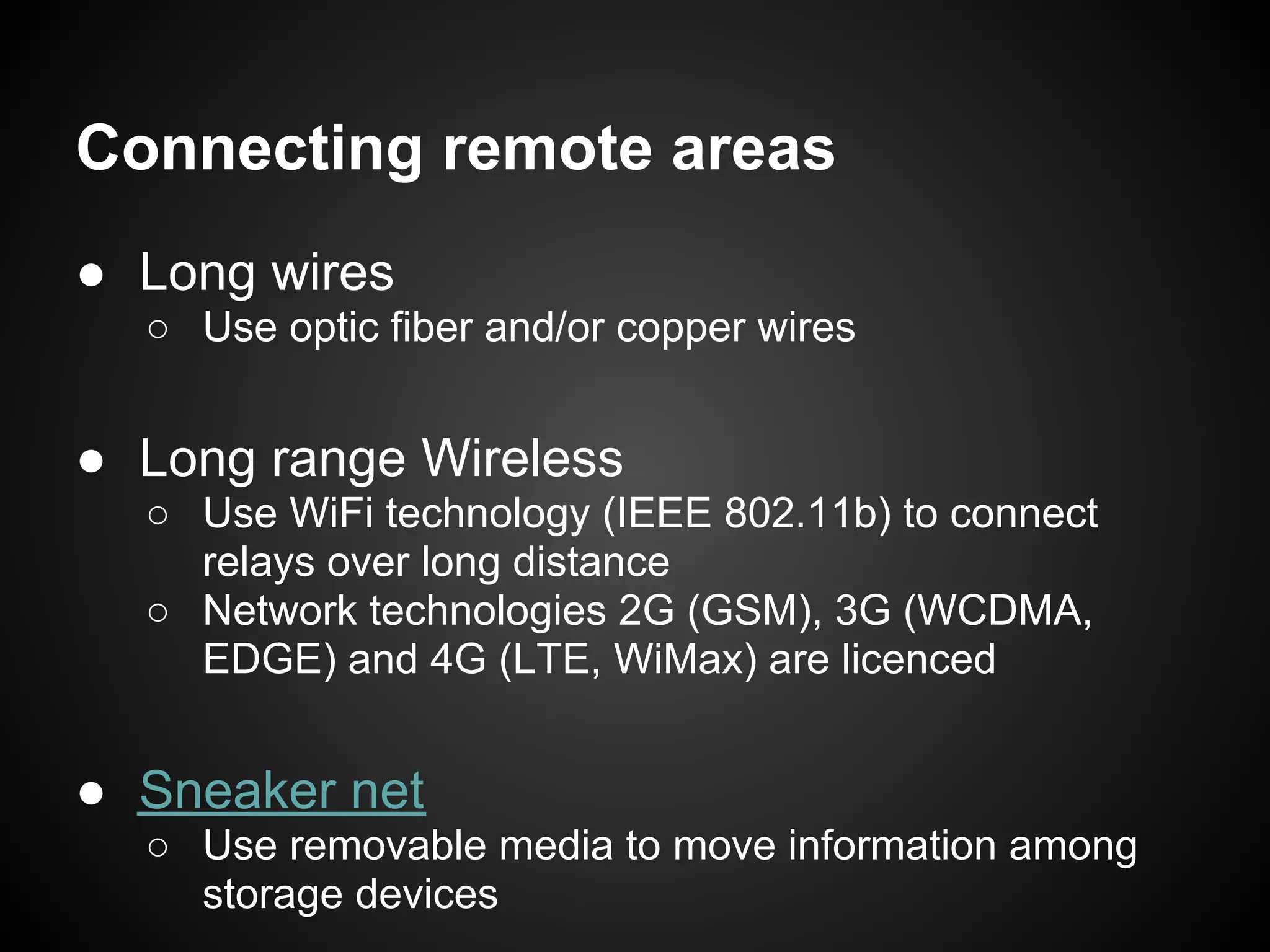
Connecting remote areas
● Long wires
  ○ Use optic fiber and/or copper wires


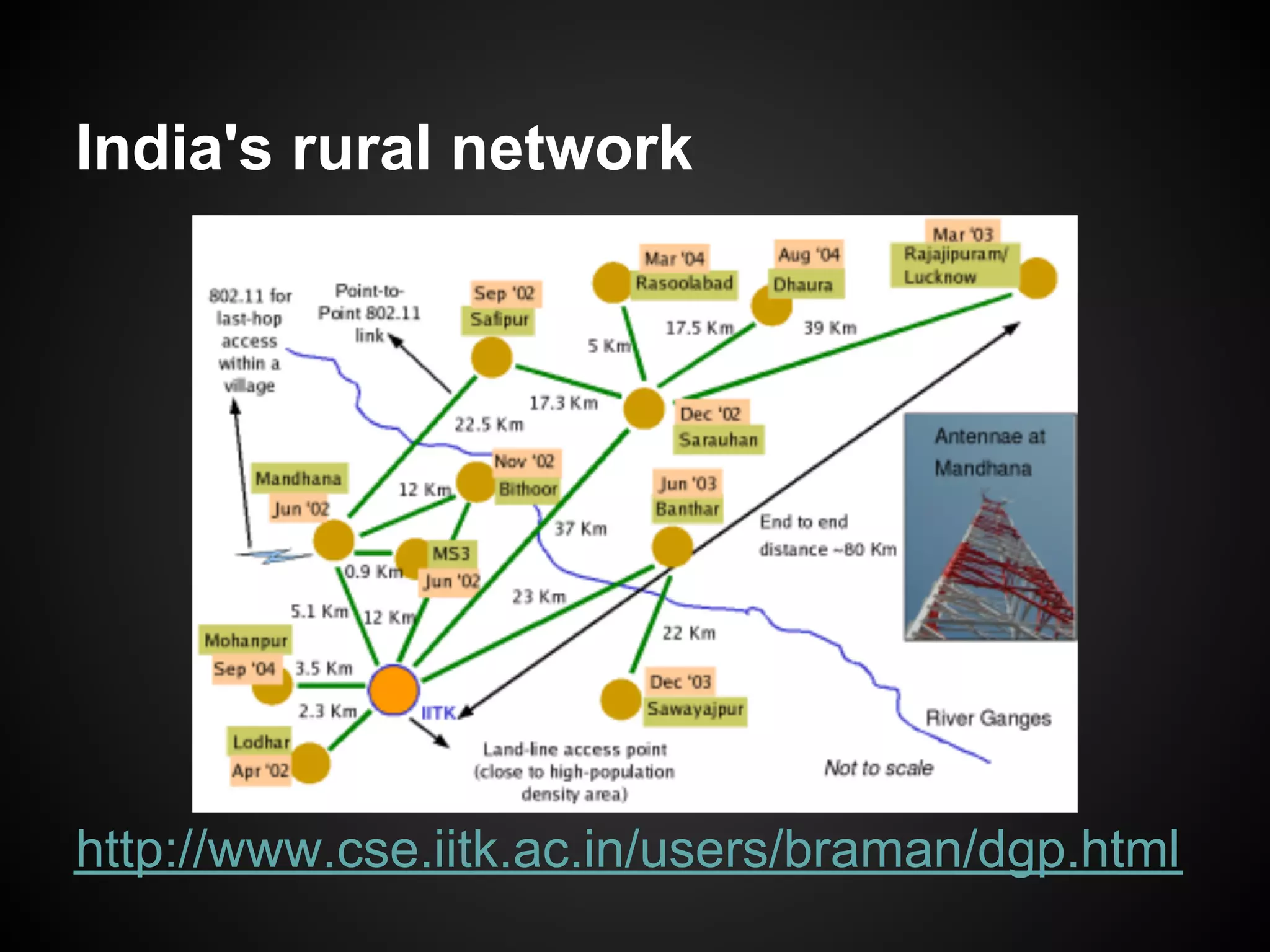
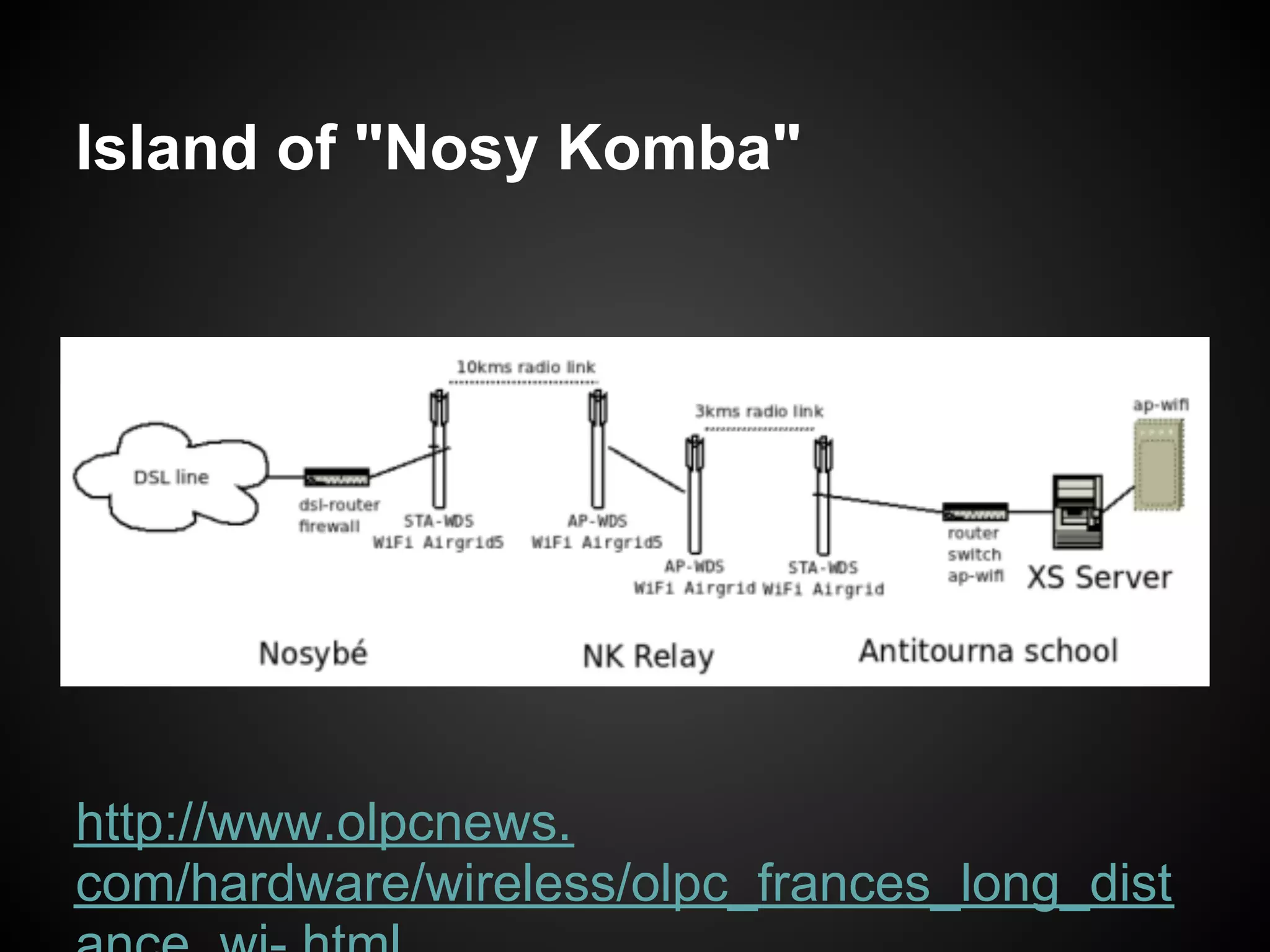
● Long range Wireless
  ○ Use WiFi technology (IEEE 802.11b) to connect
    relays over long distance
  ○ Network technologies 2G (GSM), 3G (WCDMA,
    EDGE) and 4G (LTE, WiMax) are licenced


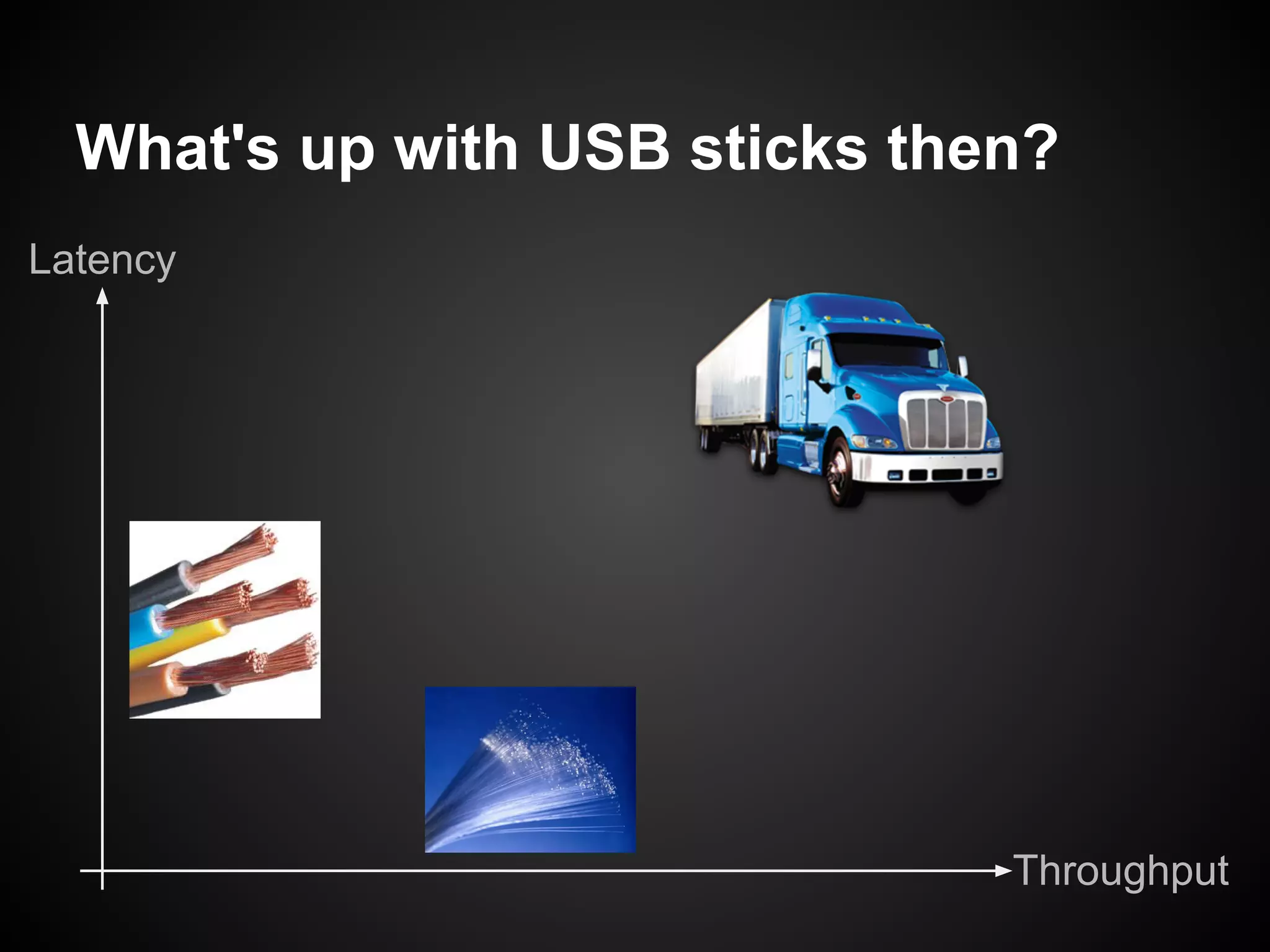
● Sneaker net
  ○ Use removable media to move information among
    storage devices
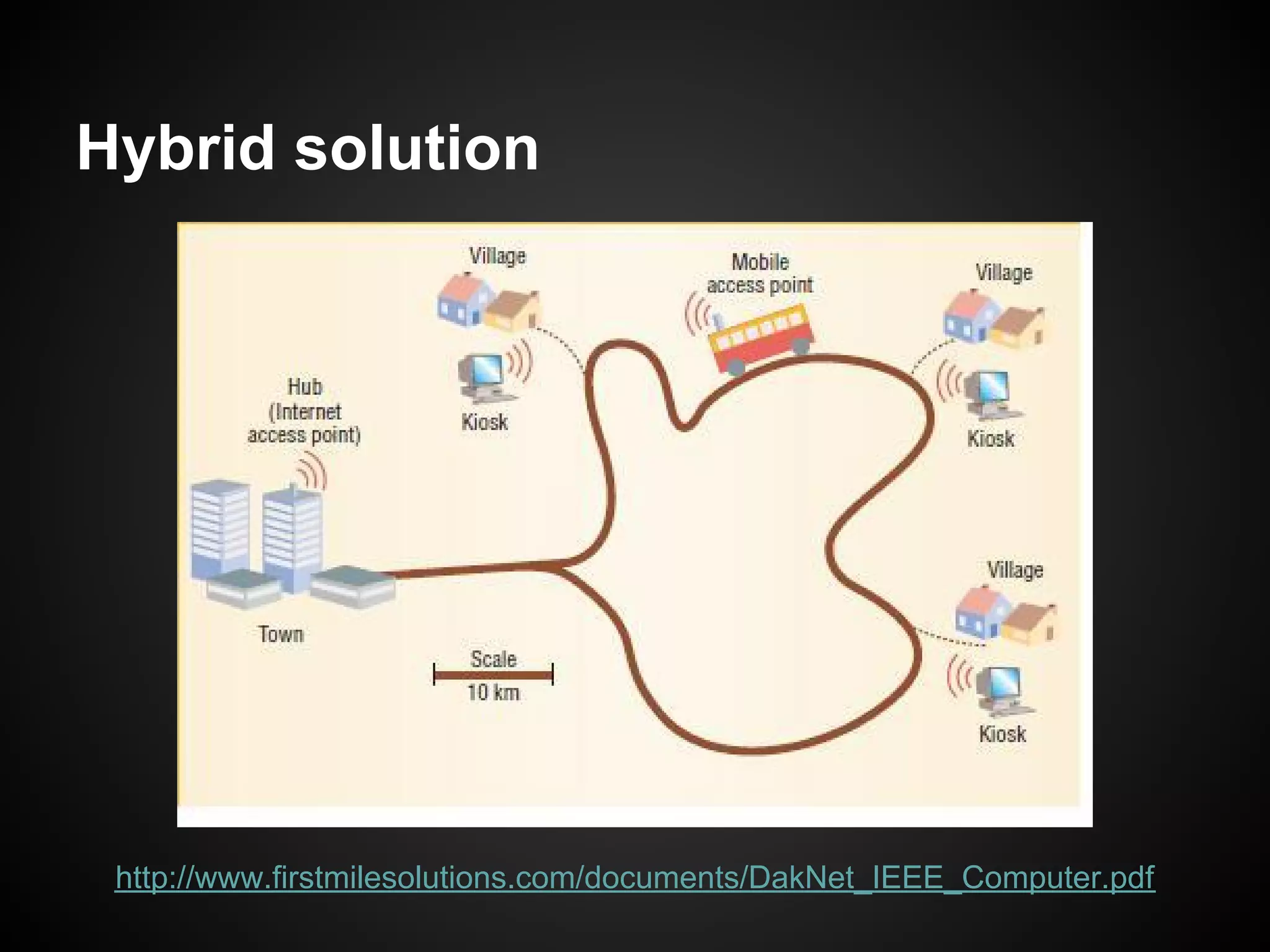
India's rural network


http://www.cse.iitk.ac.in/users/braman/dgp.html
Island of "Nosy Komba"


http://www.olpcnews.
com/hardware/wireless/olpc_frances_long_dist
What's up with USB sticks then?
Latency


                               Throughput
Hybrid solution


 http://www.firstmilesolutions.com/documents/DakNet_IEEE_Computer.pdf
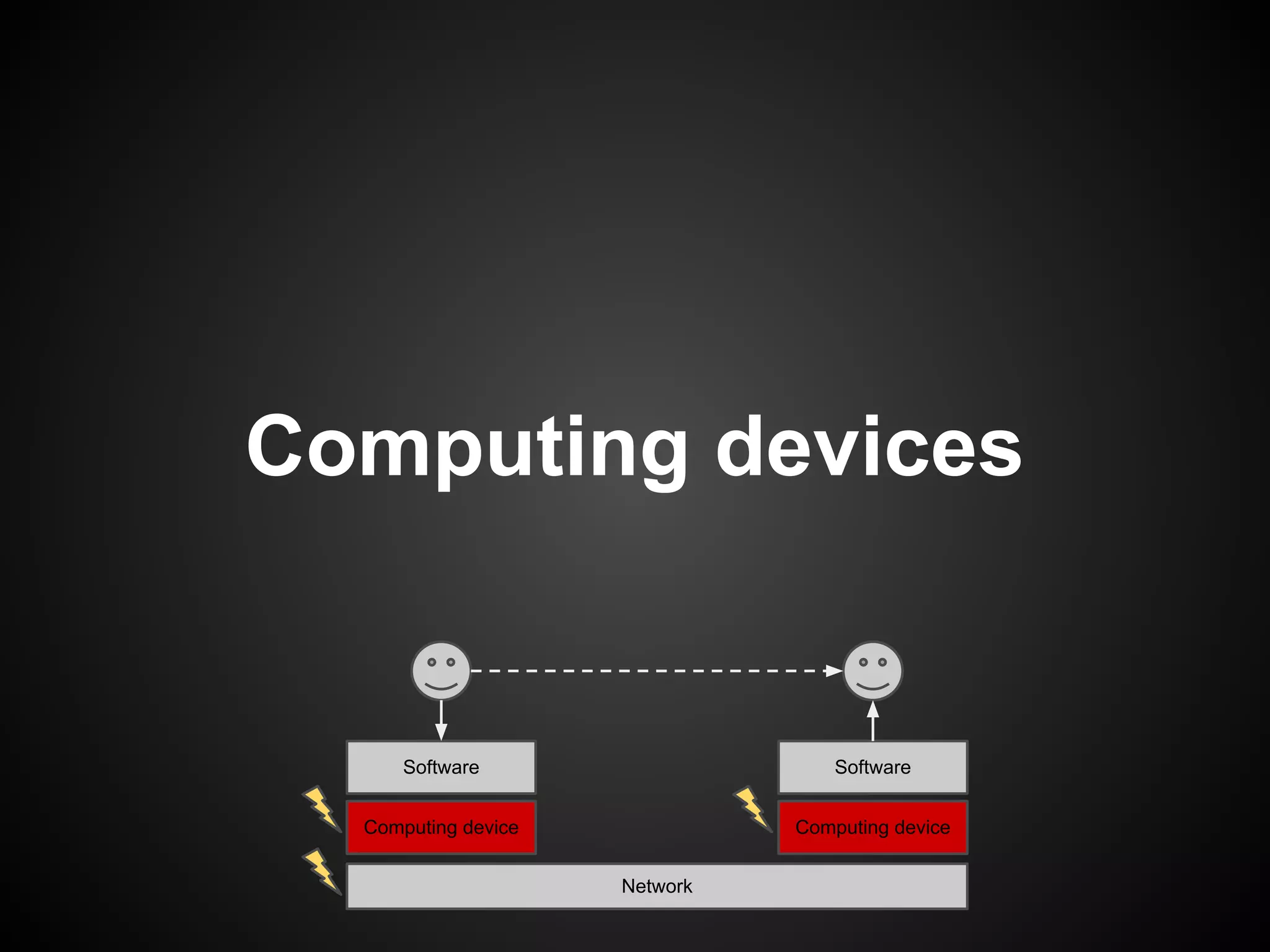
Computing devices


      Software                     Software


  Computing device             Computing device


                     Network
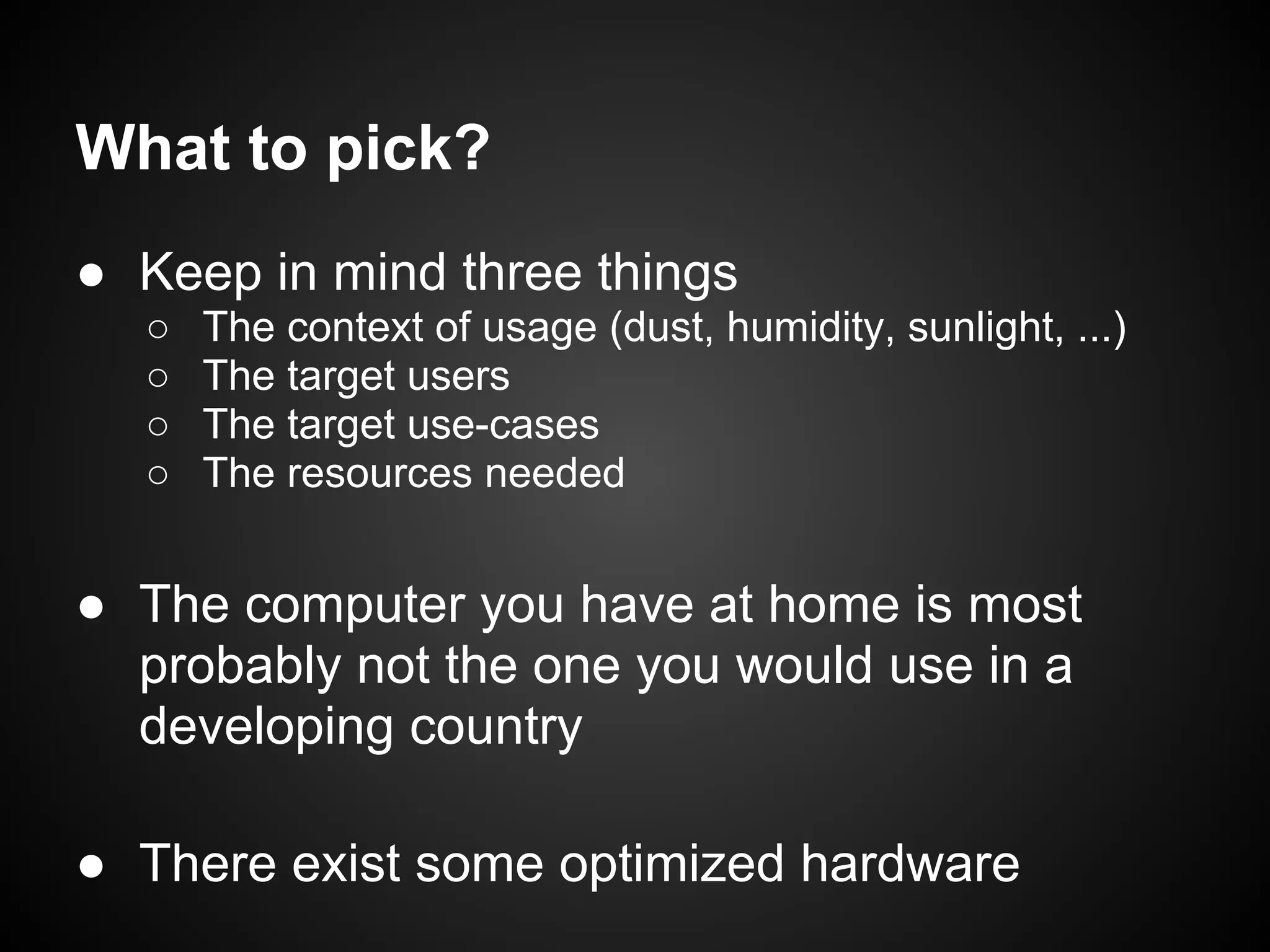
What to pick?
● Keep in mind three things
  ○   The context of usage (dust, humidity, sunlight, ...)
  ○   The target users
  ○   The target use-cases
  ○   The resources needed


● The computer you have at home is most
  probably not the one you would use in a
  developing country

● There exist some optimized hardware
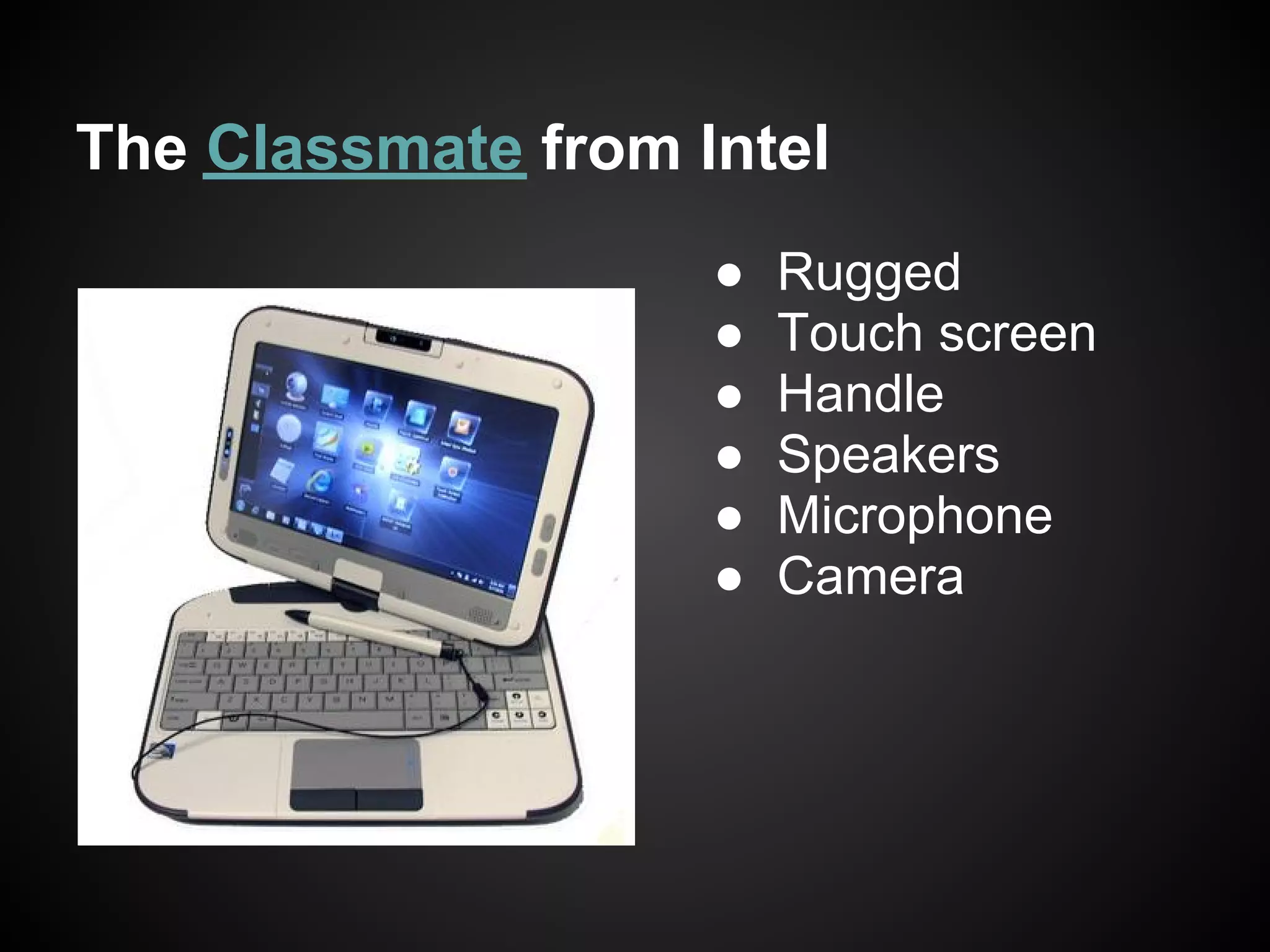
The Classmate from Intel
                    ●   Rugged
                    ●   Touch screen
                    ●   Handle
                    ●   Speakers
                    ●   Microphone
                    ●   Camera
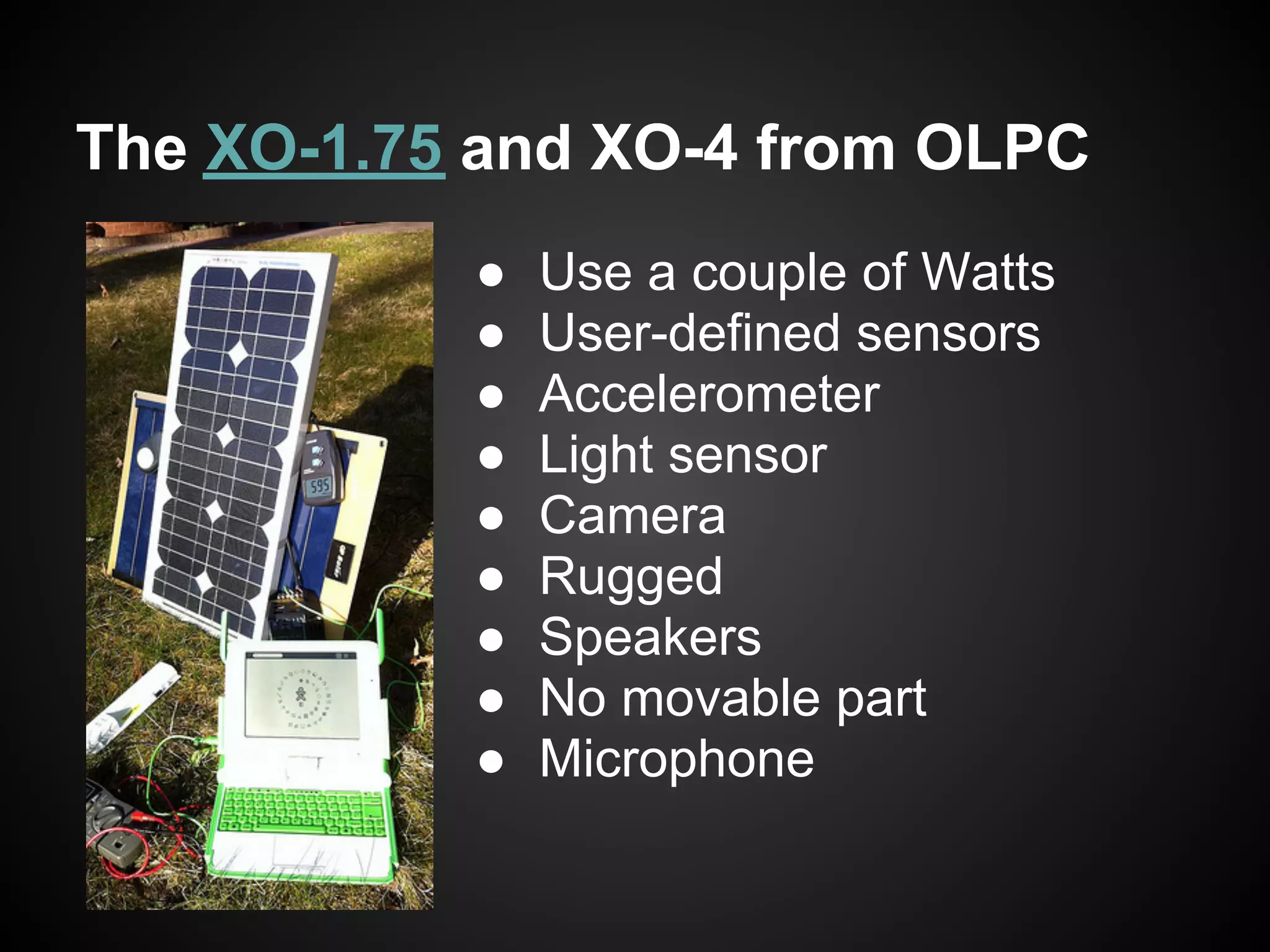
The XO-1.75 and XO-4 from OLPC
           ●   Use a couple of Watts
           ●   User-defined sensors
           ●   Accelerometer
           ●   Light sensor
           ●   Camera
           ●   Rugged
           ●   Speakers
           ●   No movable part
           ●   Microphone
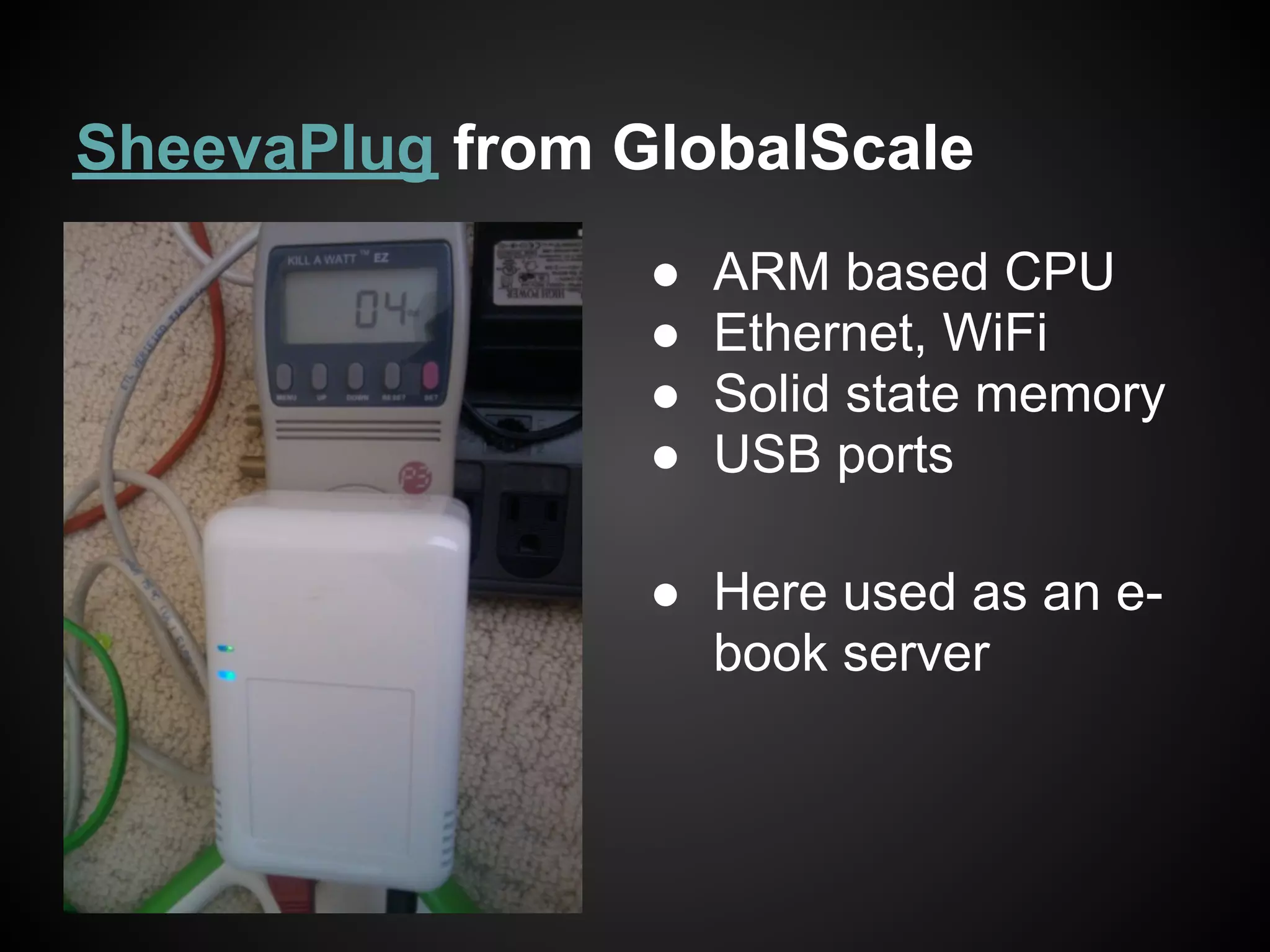
SheevaPlug from GlobalScale
                 ●   ARM based CPU
                 ●   Ethernet, WiFi
                 ●   Solid state memory
                 ●   USB ports

                 ● Here used as an e-
                   book server
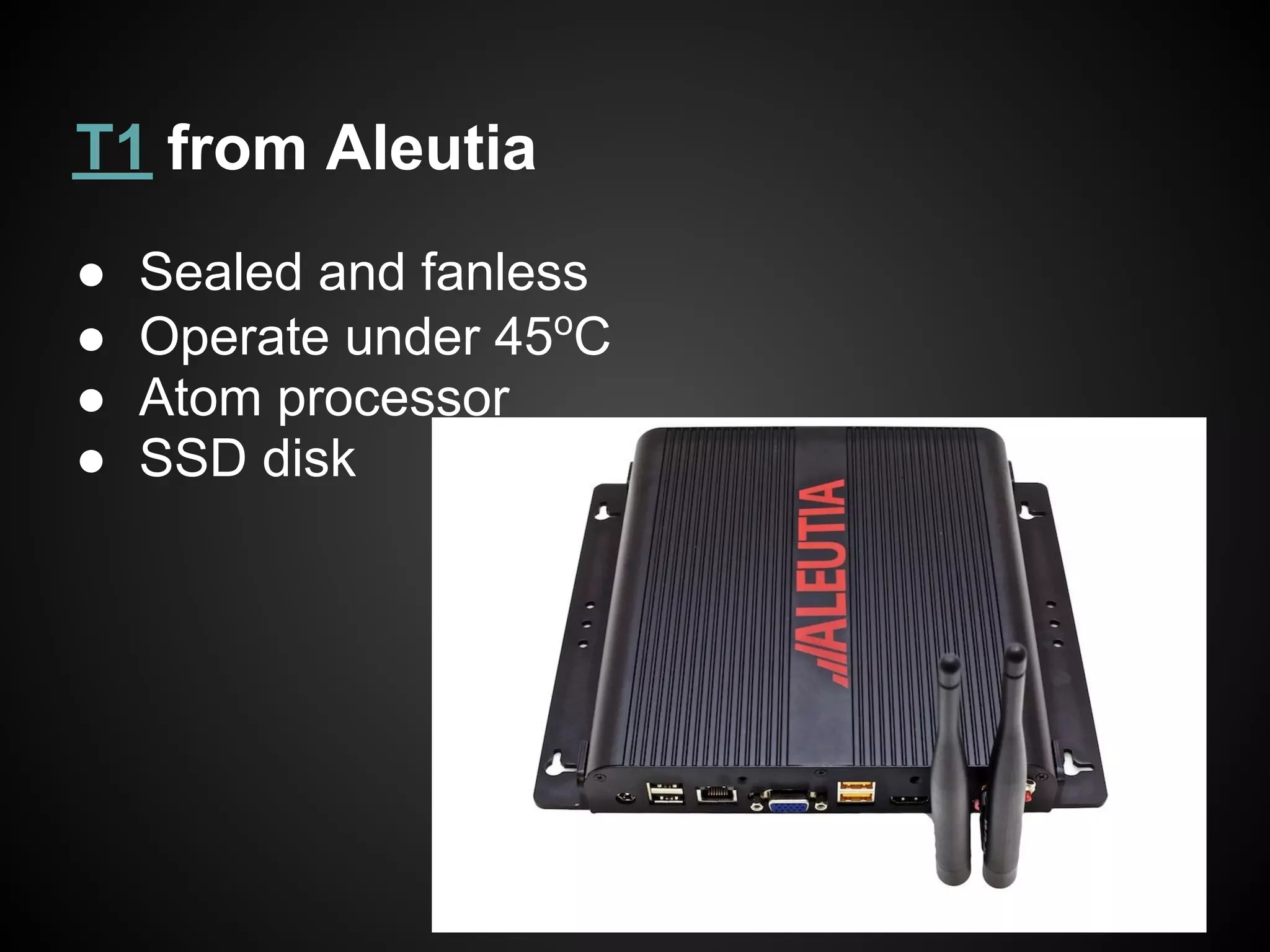
T1 from Aleutia
●   Sealed and fanless
●   Operate under 45oC
●   Atom processor
●   SSD disk
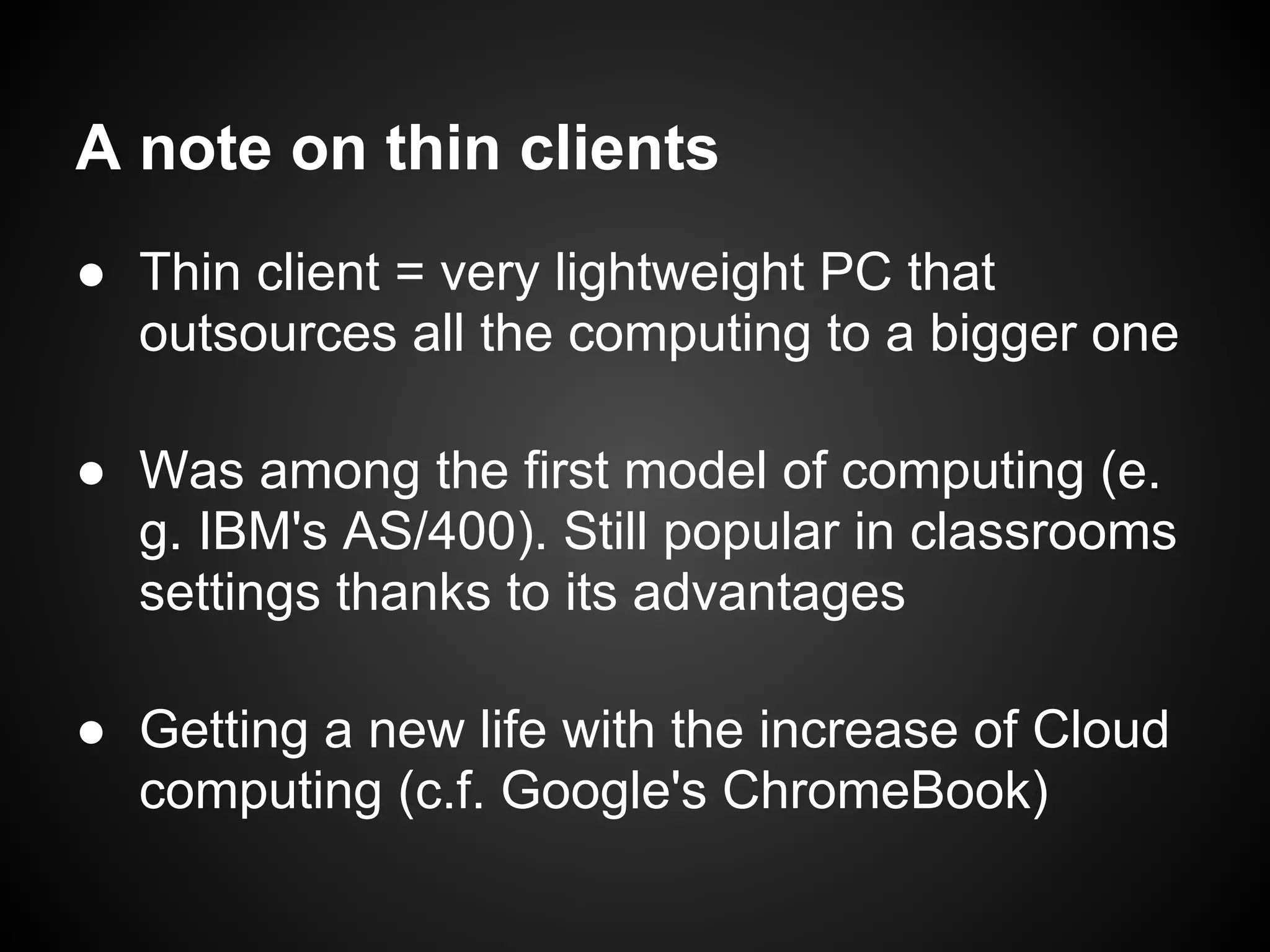
A note on thin clients
● Thin client = very lightweight PC that
  outsources all the computing to a bigger one

● Was among the first model of computing (e.
  g. IBM's AS/400). Still popular in classrooms
  settings thanks to its advantages

● Getting a new life with the increase of Cloud
  computing (c.f. Google's ChromeBook)
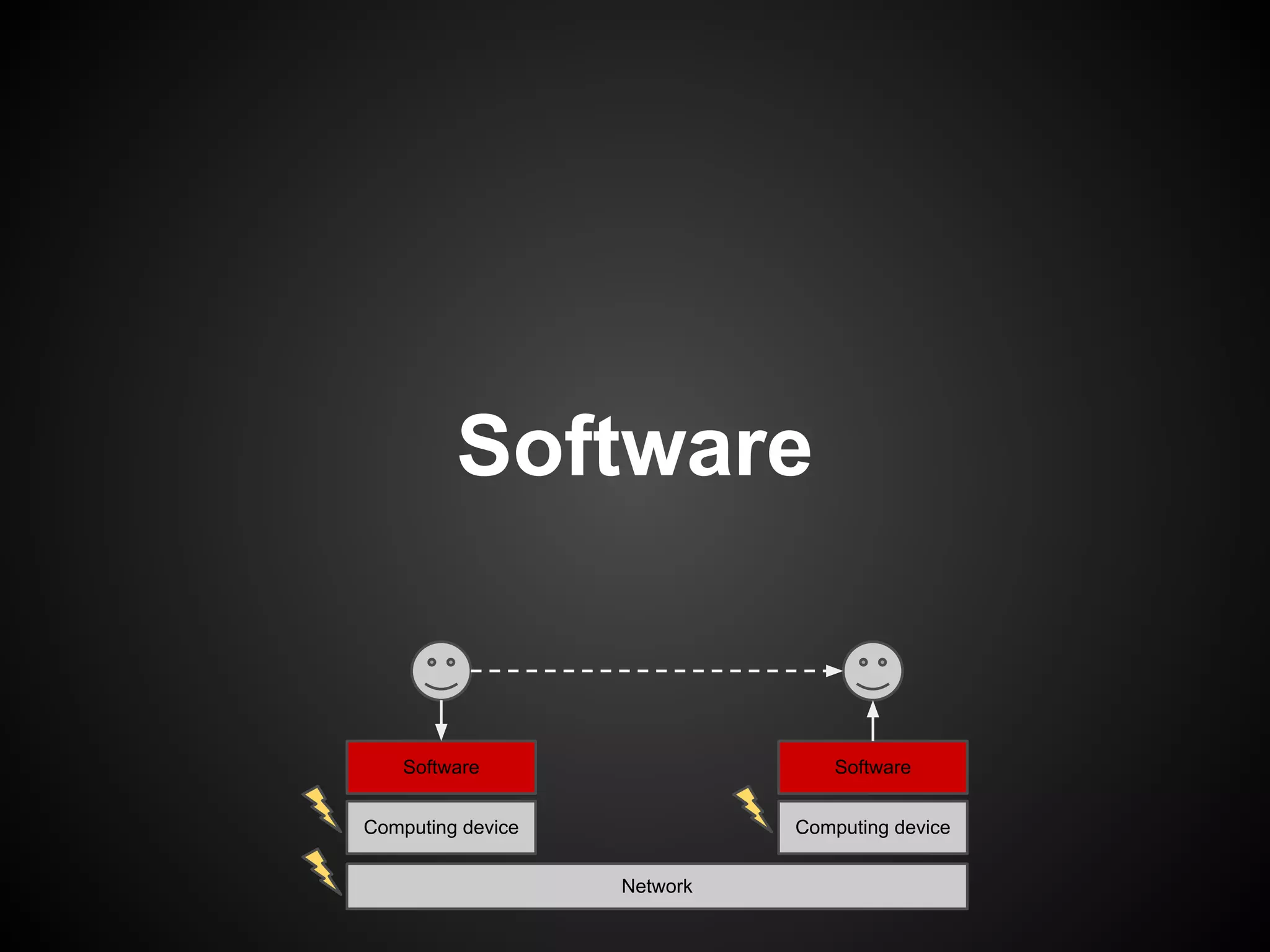
Software


    Software                     Software


Computing device             Computing device


                   Network
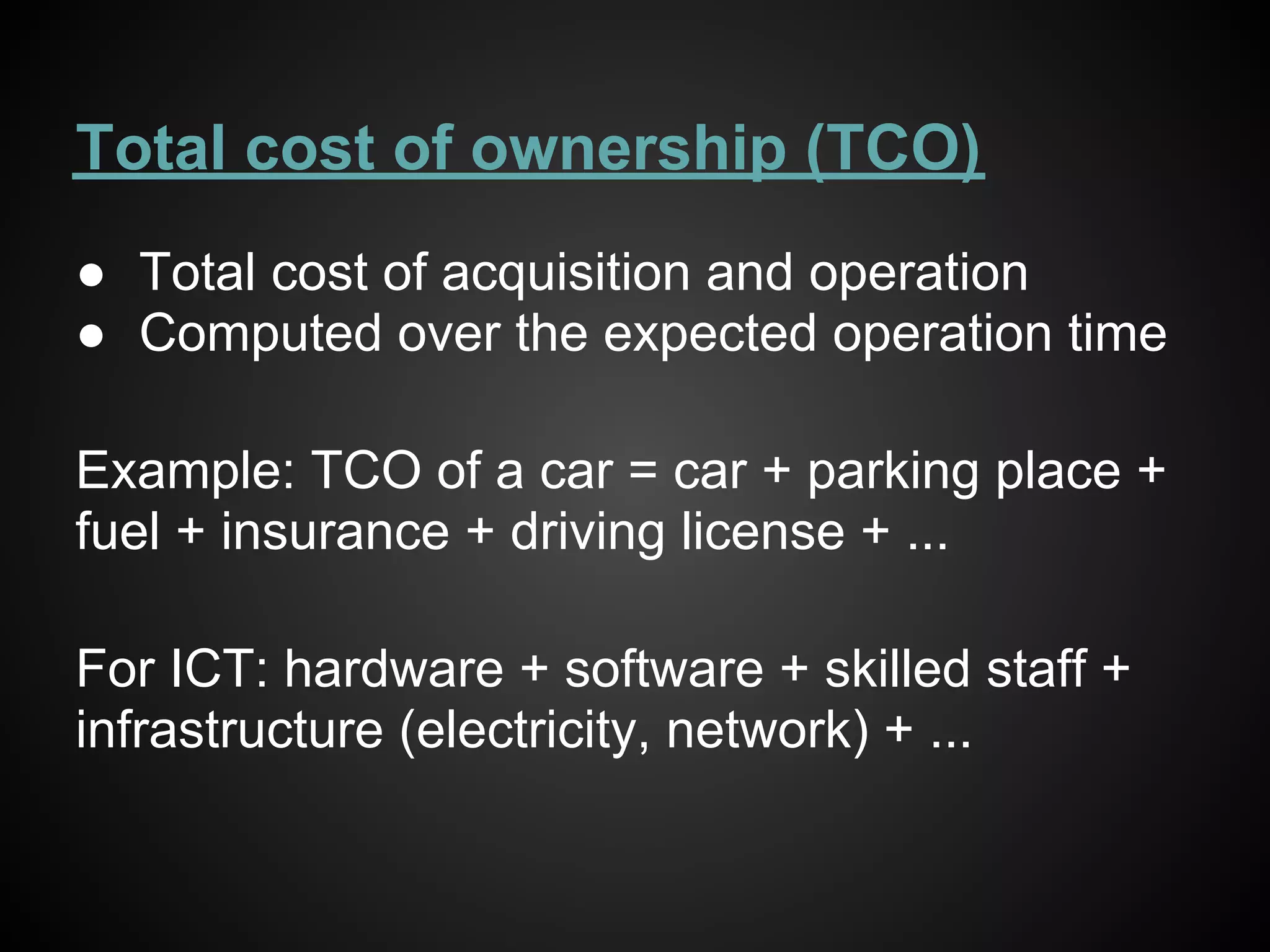
Total cost of ownership (TCO)
● Total cost of acquisition and operation
● Computed over the expected operation time

Example: TCO of a car = car + parking place +
fuel + insurance + driving license + ...

For ICT: hardware + software + skilled staff +
infrastructure (electricity, network) + ...
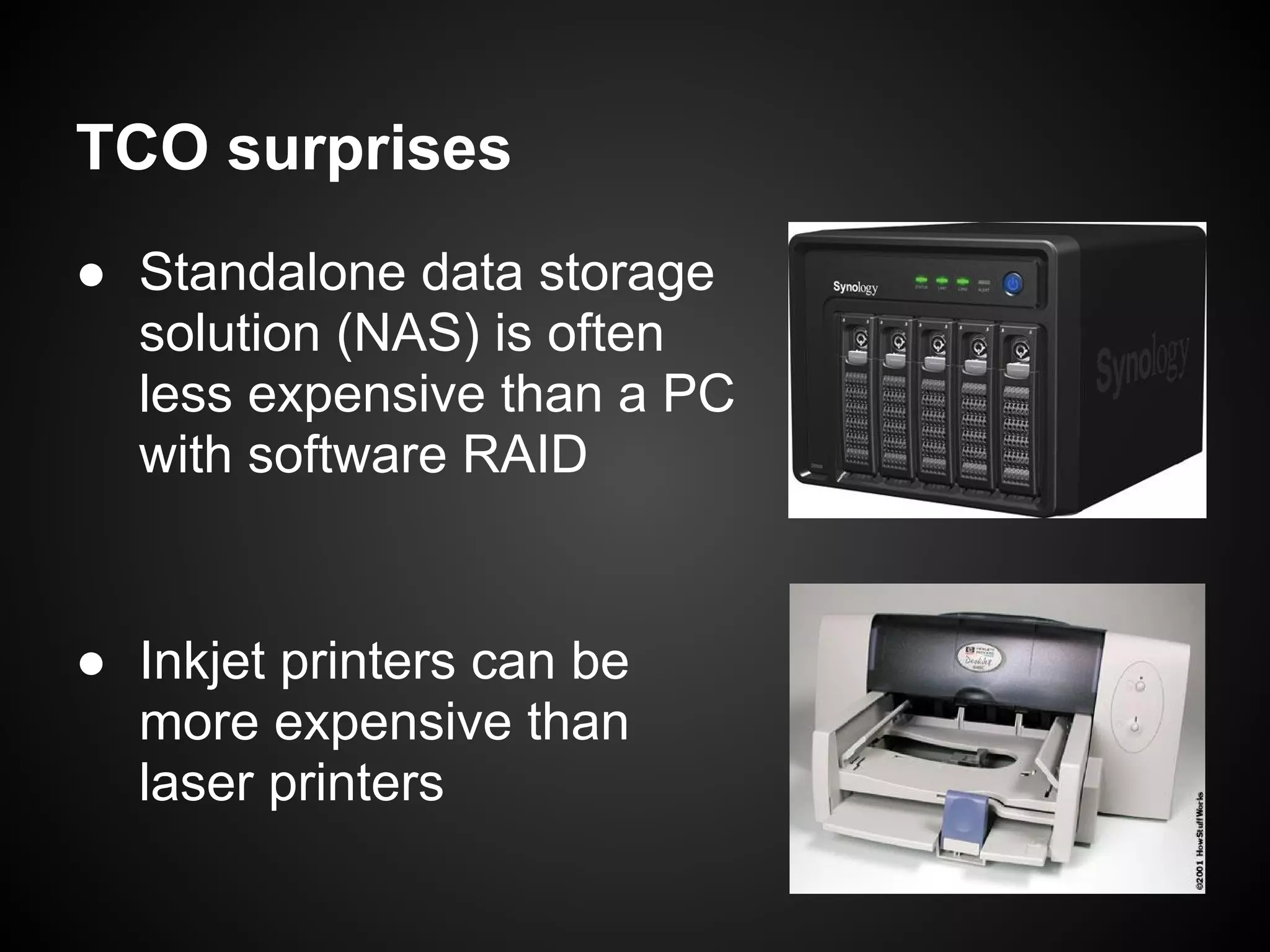
TCO surprises
● Standalone data storage
  solution (NAS) is often
  less expensive than a PC
  with software RAID


● Inkjet printers can be
  more expensive than
  laser printers
Things to keep in mind
● Think of the TCO when picking up software
   ○ Maintenance/Development is costly
   ○ Things that don't work now will be left aside
     ■ Remember the target users are not geeks!


● See how fit the software exactly is
   ○ Are vocal interfaces needed?


● Consider to which extent users can
  appropriate and customise the software
Suggestions
● Prefer affordable and supported software
  ○ Individuals have few money but don't mind spending
    it on things that matters


● Prefer open source software
  ○ Highest level of appropriation level


● Prefer software using open standards
  ○ If the software changes, the data can still be used
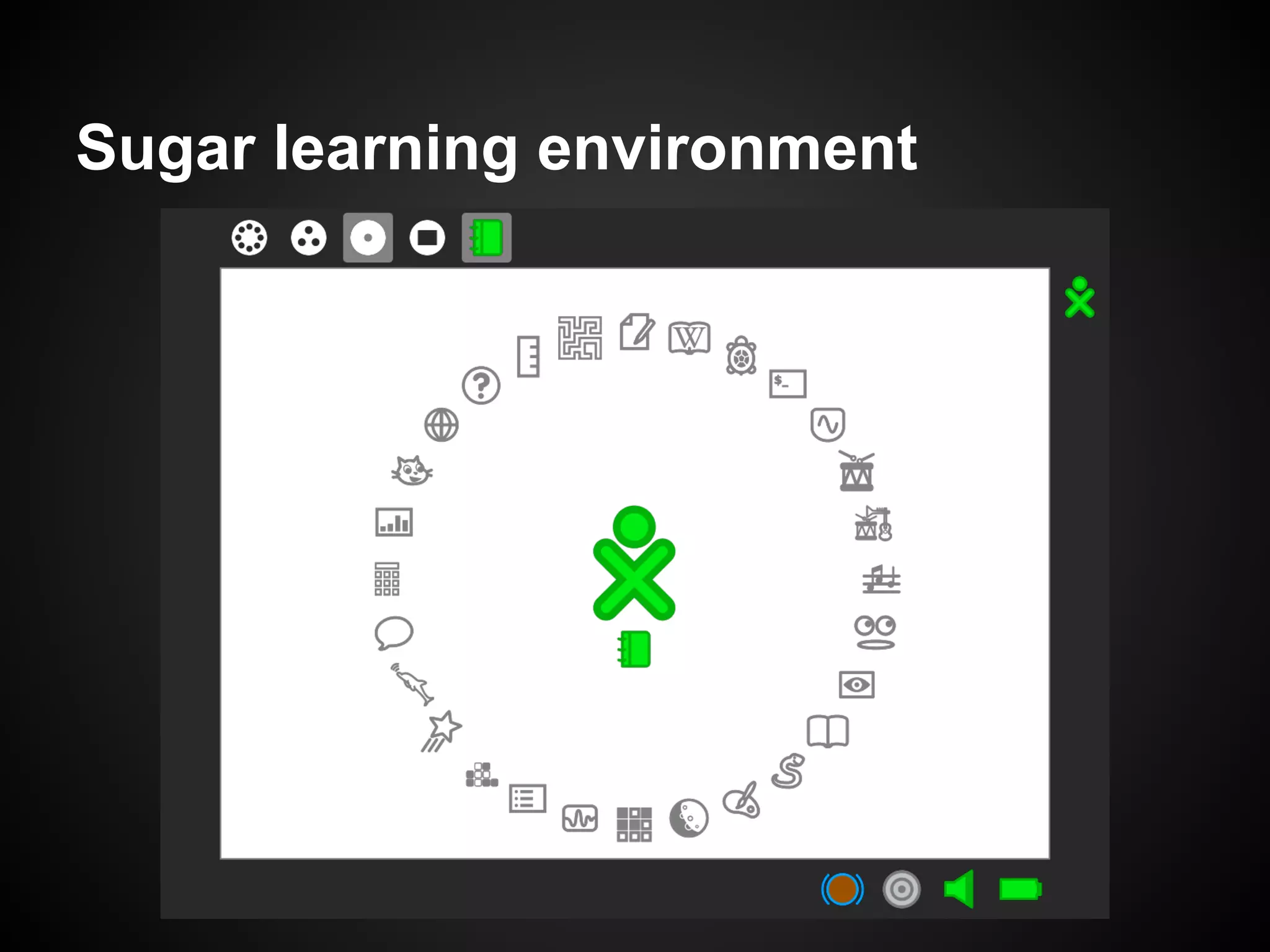
Sugar learning environment
To summarise ...
When you consider ICT in low
resources setting
● See what is already working and think how
  ICT can be improve part of communication

● Think of all the side things
   ○ cost, environmental conditions, ...


● Design carefully your use-cases

● Employ appropriate hardware and software

ICT4D course 2013 - Low resources infrastructure

  • 1.
    ICT4D Christophe Guéret (@cgueret) ICT infrastructure in low resources setting http://bit.ly/ICT4D-Infrastructure
  • 2.
    What to expectfrom this lecture ● Overview of low-resource infrastructures ● Introduction of some technological solutions ● Highlight of "do"s and "don't"s
  • 3.
    Where? countries withlow income World Bank projects http://maps.worldbank.org/
  • 4.
    Where ? schools,villages, ...
  • 5.
    ICT here andthere ● Same data needs and expectations but... ○ Here: push technology, usage will follow ○ There: spot usage and find matching technology ● Direct implications to keep in mind: 1. The best infrastructure is not necessarily the one with the highest specifications ! 2. Cloning what we enjoy here will most probably not work there !
  • 6.
    Technology enhanced communication ●Several elements are implied ● Need to pay attention to all of them in their context Software Software Computing device Computing device Network
  • 7.
    Embedding the users Software Software Computing device Computing device Network
  • 8.
    Two types ofdeployment ● Bring the ICT to the users, or the inverse
  • 9.
    Bring the usersto the ICT ● Examples ○ Community computer center (Video) ○ Internet café ○ "Computer room" in schools ● Advantages ○ One installation impact many users ○ Centralisation of infrastructural needs ● Disadvantages ○ Concentration of valuable items ○ Typically high installation costs ○ Harder to embed into culture / habits
  • 10.
    Bring the ICTto the users ● Examples ○ "One Laptop per Child" initiative ○ Smart phones and tablets ● Advantages ○ "Personal" relationship with the device ○ De-centralisation of resource usage ● Disadvantages ○ One device per person ○ Higher deployment costs
  • 11.
    What's best todo? ● Very much depending on the context ○ Easy access to a central location? ○ What kind of usage for the devices? ● It is possible to hybridise the approaches ○ e.g.: use laptops and print in a cyber-café ● Also think of embedding other communication channels ○ prints ○ USB sticks ○ ...
  • 12.
    Use local expertiseand materials ● In any case, remember that ○ Devices will have to be serviced on spot ○ Training individuals to operate something is costly ○ Not everything is available everywhere ○ Uptake will be better from involved communities ● Thus, to increase chances of success ○ Source material locally as much as possible ○ Source expertise locally as much as possible ○ Ensure appropriation of what is deployed ● "Colonialism 2.0"
  • 13.
    Example: baby incubator[1,2] ● Ship baby incubator to developing countries ● Big failure ○ $40000 per unit ○ Hard to find spare parts ○ Closed design ○ Need skilled staff
  • 14.
    Example: baby incubator[1,2] ● Build baby incubator in, and for, developing countries ● NeoNurture ○ $1000 per unit ○ Car parts ○ Open design ○ Need staff able to repair and use a car
  • 15.
  • 16.
    Example: laptops forchildren ● Failure ○ Fragile ○ Expensive ○ Demanding ○ Unfit software
  • 17.
  • 18.
    Example: charging station ●Goal: rack and charge several laptops ● What would you suggest ?
  • 19.
    Example: charging station Solution [3]: PVC ● Inexpensive and accessible ● Can be assembled by anyone
  • 20.
    One last wordabout local expertise Two skilled technicians servicing their broken laptops
  • 21.
    Electricity Software Software Computing device Computing device Network
  • 22.
    Electricity consumption ● Someof the things to power up ○ Power supply ○ CPUs and GPUs ○ Screens / Lights ○ Printing devices ○ Storage devices ○ Networking devices ○ Cooling devices ● Get electricity from ○ The grid (Solar, Wind, Nuclear, Tidal, ...) ○ Local production (Solar, Fuel, ...)
  • 23.
    Consumption of aCPU ● Varies a lot depending on the CPU class and internal architecture (Intel / ARM) ● Indicated through the TDP value Server Desktop Netbook Smart phone 69 to 150 W 19 to 73 W 0.65 to 13 W 0.5 to 2 W
  • 24.
    Consumption of aScreen ● Varies depending on the technology 0.4 to 1.7 W http://pixelqi.com
  • 25.
    Consumption of storagedevice ● Essentially depends on the technology ● Not having movable parts is better
  • 26.
    Using electricity fromthe grid ● Pluses ○ Stable, and affordable, source ● Minuses ○ High throughput of generation point ○ Significant infrastructure costs ○ Electricity does not travel well -> hard to connect remote areas
  • 27.
    Local production ● Pluses ○ Easy to deploy ● Minuses ○ Less stable than grid ○ High initial costs
  • 28.
    More about solarpower ● Estimated 1000W per m2 ● Actual up to 200W per m2 ● Better bet on less in practice http://www.alternative-energy-news.info/technology/solar-power/
  • 29.
    Network Software Software Computing device Computing device Network
  • 30.
    Sending a messagefrom A to B ● In theory, like the post : wrap the message and send it to the address of B ● In practice this is not so simple ○ First,find the address of B ○ Then, send the message through a relay of machines and connections ● Let's see what happen when "univ-tours.fr" is typped in a Web browser ...
  • 31.
    Find the addressof "univ-tours.fr" ● This has to be translated into "193.52.209.12", the actual address of the machine ● Use the DNS system to do that ○ Ask the root server ".fr" for the address of "univ- tours" ○ Ask "univ-tours" for its default host address ● Such names are called TLD and have to be paid for (roughly 15 euros per year)
  • 32.
    Ask for theWeb index page ● The Web browser sends a request for "index.html" to the port 80 ● Goal: send the request from a machine in the Netherlands to another (probably) in France ● See what actually happens with the tools "tcptraceroute" and "traceroute"
  • 33.
    What happens inpractice... ● The Web browser sends a request for "index.html" to the port 80 ●
  • 34.
    Why ? ● Internet is a network of networks ● Several routes can connect two devices ● Traffic is agglomerated on several levels ● ISPs exist for each level
  • 35.
    Going around thecontinents http://www.submarinecablemap.com/
  • 36.
  • 37.
    Why does itmatter in ICT4D ? ● Let two farmers in Mali send a mail to each other implies a couple of regional servers ● If they want to use GMail, a backbone connection to the US' west coast will also be involved ! ● Consequences ○ Web-based social networking can hardly be local ○ The costs for the end user is likely to be high ○ ( Cloud computing is incompatible with ICT4D )
  • 38.
    Good news! transitprices are falling http://www.telegeography.com/research-services/global-internet-geography/index.html
  • 39.
    Ok, so whatcan be done ? ● Research on Downscaling the Semantic Web will bring data sharing to everyone, regardless of Internet connectivity ○ https://worldwidesemanticweb.wordpress.com/ ● Creating mesh networks is a first step into connecting devices
  • 40.
  • 41.
    How to choose ●Reasons to prefer a mesh network ○ More robust ○ Faster to deploy ○ Example: Sensors network ● Reasons to prefer an infrastructure network ○ Better for the quality of service ○ Shared installation costs ○ Example: Universities' WiFi ● It is also possible to combine the two
  • 42.
    Connecting remote areas ●Long wires ○ Use optic fiber and/or copper wires ● Long range Wireless ○ Use WiFi technology (IEEE 802.11b) to connect relays over long distance ○ Network technologies 2G (GSM), 3G (WCDMA, EDGE) and 4G (LTE, WiMax) are licenced ● Sneaker net ○ Use removable media to move information among storage devices
  • 43.
  • 44.
    Island of "NosyKomba" http://www.olpcnews. com/hardware/wireless/olpc_frances_long_dist
  • 45.
    What's up withUSB sticks then? Latency Throughput
  • 46.
  • 47.
    Computing devices Software Software Computing device Computing device Network
  • 48.
    What to pick? ●Keep in mind three things ○ The context of usage (dust, humidity, sunlight, ...) ○ The target users ○ The target use-cases ○ The resources needed ● The computer you have at home is most probably not the one you would use in a developing country ● There exist some optimized hardware
  • 49.
    The Classmate fromIntel ● Rugged ● Touch screen ● Handle ● Speakers ● Microphone ● Camera
  • 50.
    The XO-1.75 andXO-4 from OLPC ● Use a couple of Watts ● User-defined sensors ● Accelerometer ● Light sensor ● Camera ● Rugged ● Speakers ● No movable part ● Microphone
  • 51.
    SheevaPlug from GlobalScale ● ARM based CPU ● Ethernet, WiFi ● Solid state memory ● USB ports ● Here used as an e- book server
  • 52.
    T1 from Aleutia ● Sealed and fanless ● Operate under 45oC ● Atom processor ● SSD disk
  • 53.
    A note onthin clients ● Thin client = very lightweight PC that outsources all the computing to a bigger one ● Was among the first model of computing (e. g. IBM's AS/400). Still popular in classrooms settings thanks to its advantages ● Getting a new life with the increase of Cloud computing (c.f. Google's ChromeBook)
  • 54.
    Software Software Software Computing device Computing device Network
  • 55.
    Total cost ofownership (TCO) ● Total cost of acquisition and operation ● Computed over the expected operation time Example: TCO of a car = car + parking place + fuel + insurance + driving license + ... For ICT: hardware + software + skilled staff + infrastructure (electricity, network) + ...
  • 56.
    TCO surprises ● Standalonedata storage solution (NAS) is often less expensive than a PC with software RAID ● Inkjet printers can be more expensive than laser printers
  • 57.
    Things to keepin mind ● Think of the TCO when picking up software ○ Maintenance/Development is costly ○ Things that don't work now will be left aside ■ Remember the target users are not geeks! ● See how fit the software exactly is ○ Are vocal interfaces needed? ● Consider to which extent users can appropriate and customise the software
  • 58.
    Suggestions ● Prefer affordableand supported software ○ Individuals have few money but don't mind spending it on things that matters ● Prefer open source software ○ Highest level of appropriation level ● Prefer software using open standards ○ If the software changes, the data can still be used
  • 59.
  • 60.
  • 61.
    When you considerICT in low resources setting ● See what is already working and think how ICT can be improve part of communication ● Think of all the side things ○ cost, environmental conditions, ... ● Design carefully your use-cases ● Employ appropriate hardware and software