ICOM4015/CIIC4010
Exam Review #1
Reference: Big Java Early Objects, 5th Edition by Cay Horstmann
Chapter 1: Introduction
 1.1 Computer Programs
 A computer program is a sequence of instructions and decisions.
 Programming is the act of designing and implementing computer programs.
 1.2 The Anatomy of a Computer
 The central processing unit (CPU) performs program control and data processing.
 Storage devices include memory and secondary storage.
 1.3 The Java Programming Language
 Java is a high-level programming language.
 The name of the class must be the same from the source file.
 Java is case-sensitive.
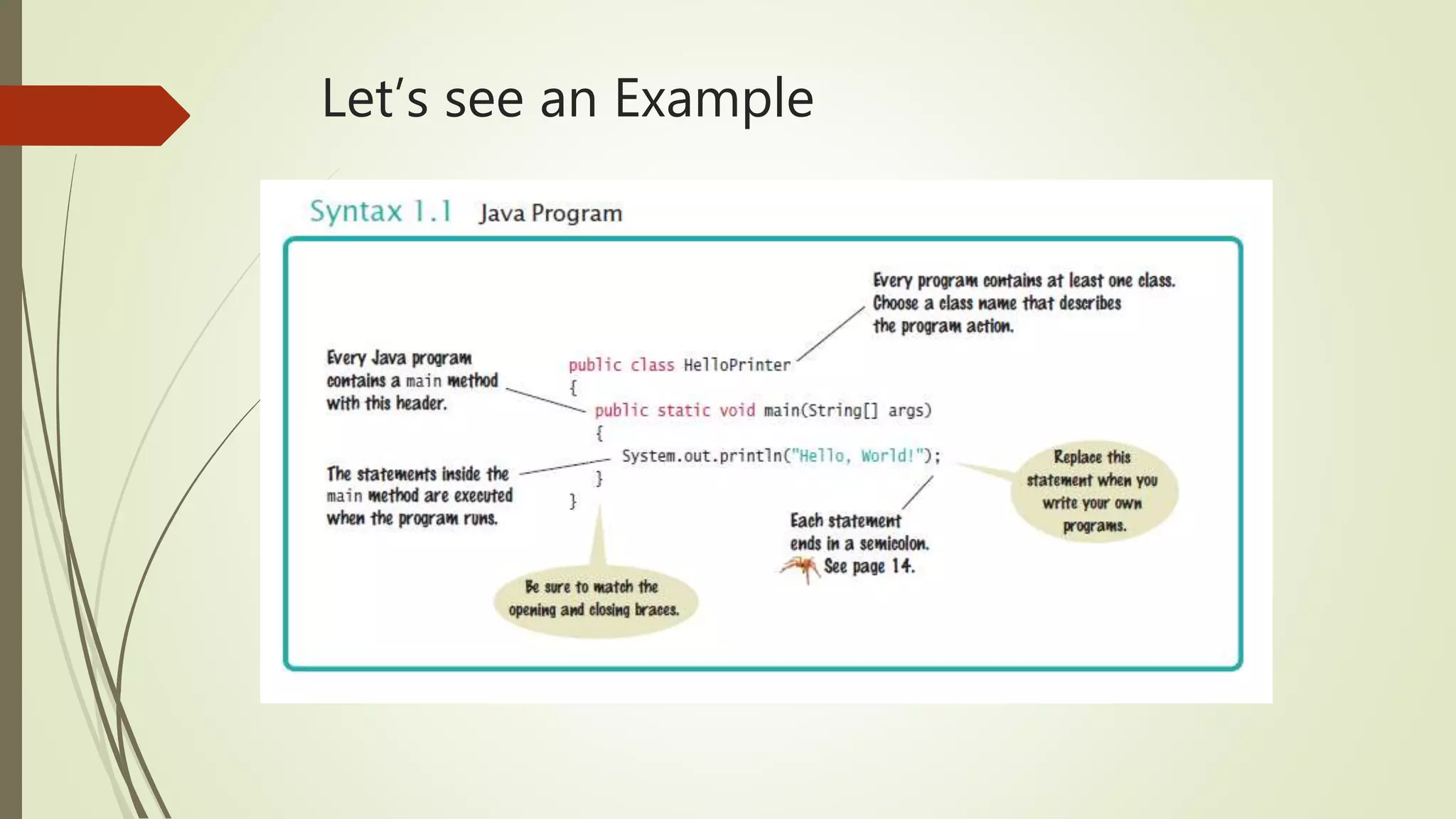
Let’s see an Example
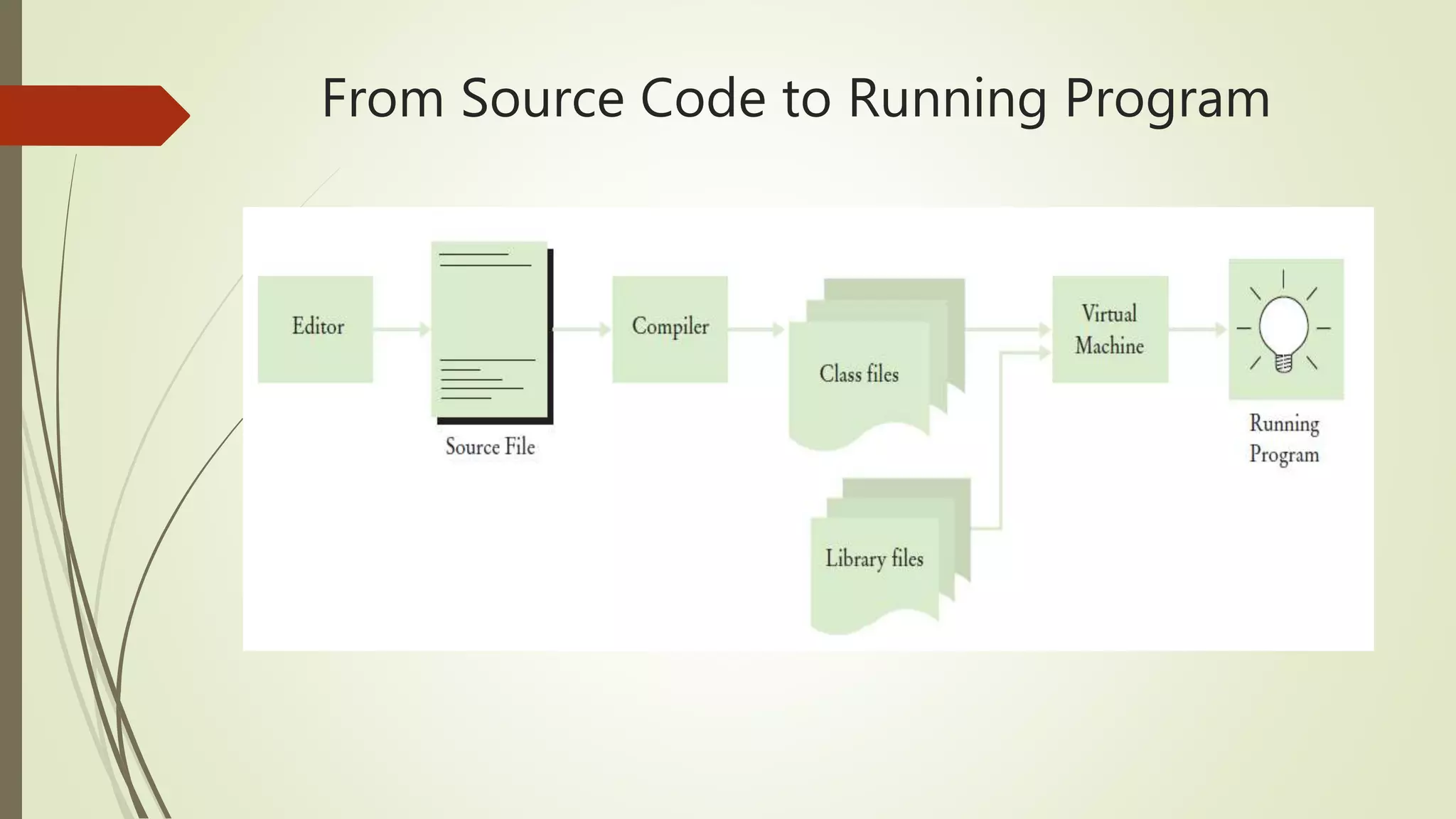
From Source Code to Running Program
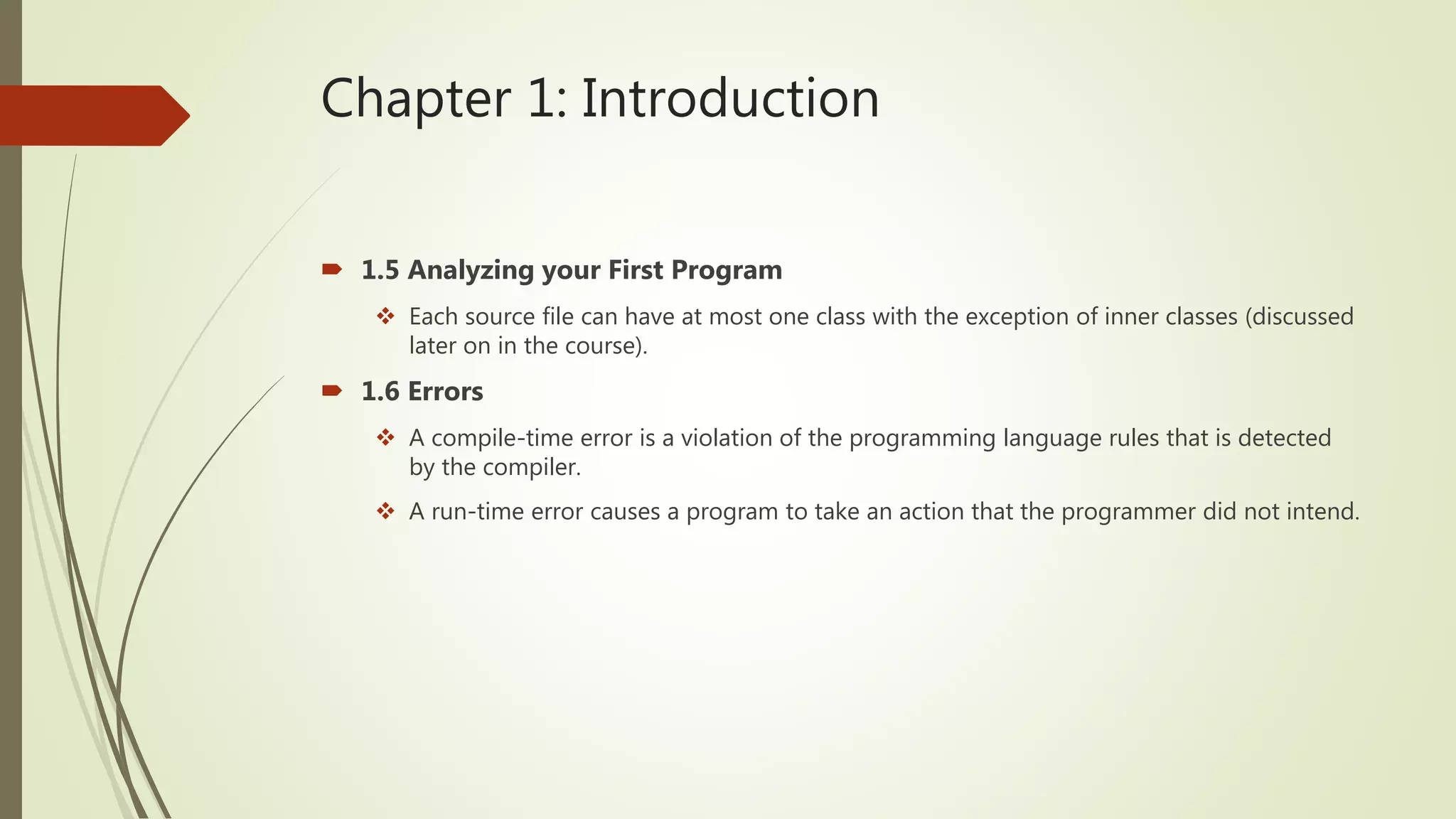
Chapter 1: Introduction
 1.5 Analyzing your First Program
 Each source file can have at most one class with the exception of inner classes (discussed
later on in the course).
 1.6 Errors
 A compile-time error is a violation of the programming language rules that is detected
by the compiler.
 A run-time error causes a program to take an action that the programmer did not intend.
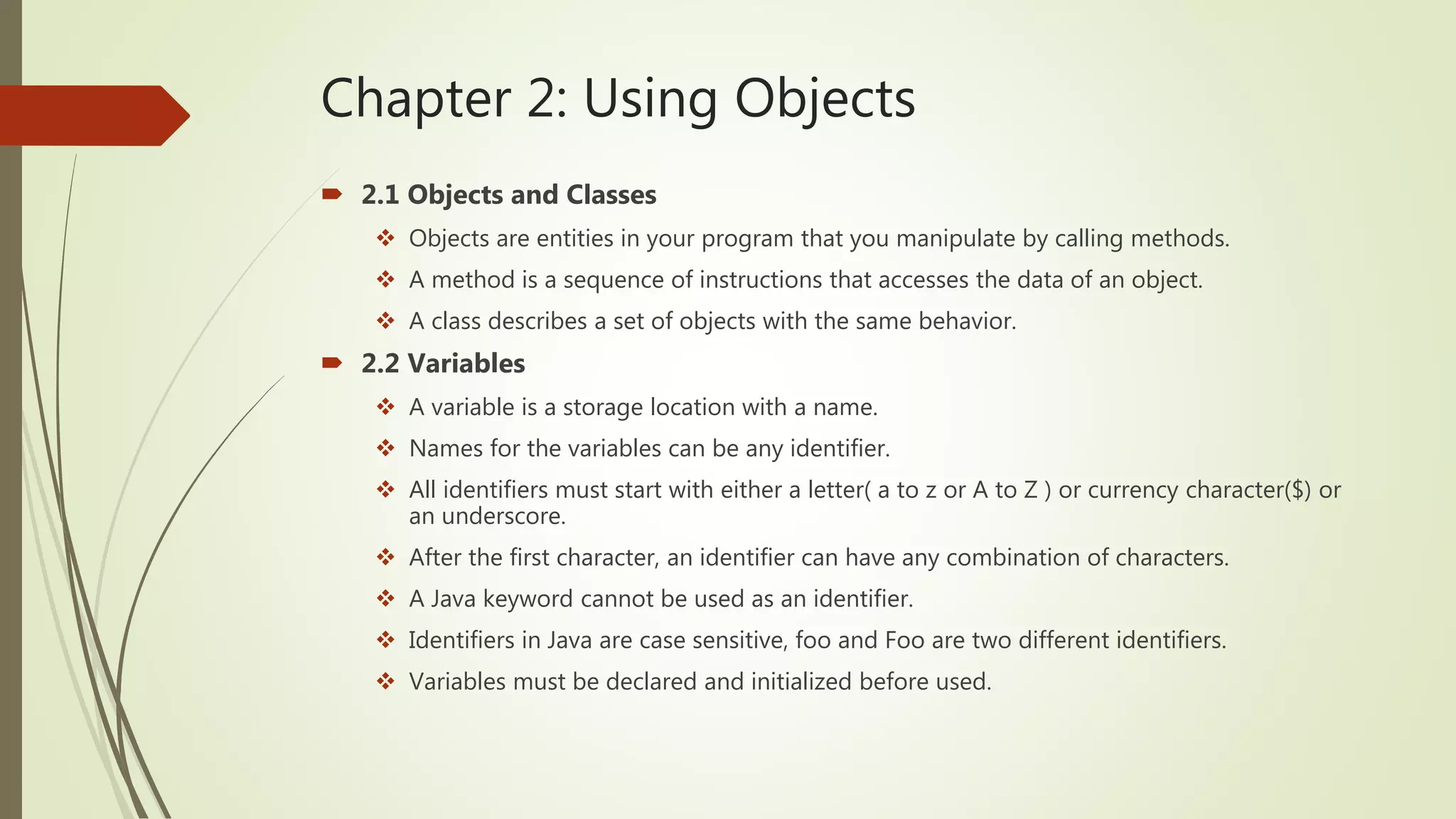
Chapter 2: Using Objects
 2.1 Objects and Classes
 Objects are entities in your program that you manipulate by calling methods.
 A method is a sequence of instructions that accesses the data of an object.
 A class describes a set of objects with the same behavior.
 2.2 Variables
 A variable is a storage location with a name.
 Names for the variables can be any identifier.
 All identifiers must start with either a letter( a to z or A to Z ) or currency character($) or
an underscore.
 After the first character, an identifier can have any combination of characters.
 A Java keyword cannot be used as an identifier.
 Identifiers in Java are case sensitive, foo and Foo are two different identifiers.
 Variables must be declared and initialized before used.
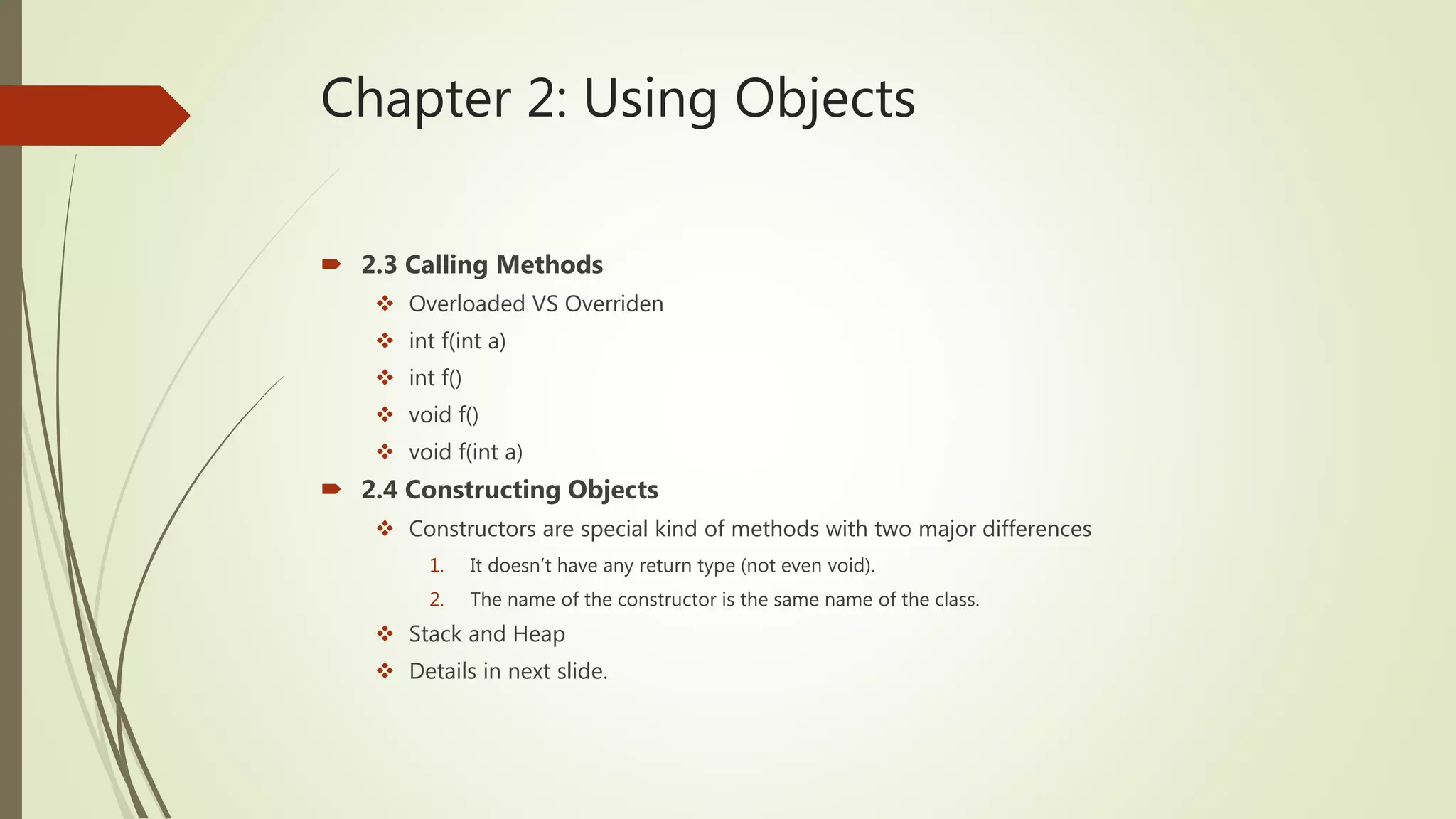
Chapter 2: Using Objects
 2.3 Calling Methods
 Overloaded VS Overriden
 int f(int a)
 int f()
 void f()
 void f(int a)
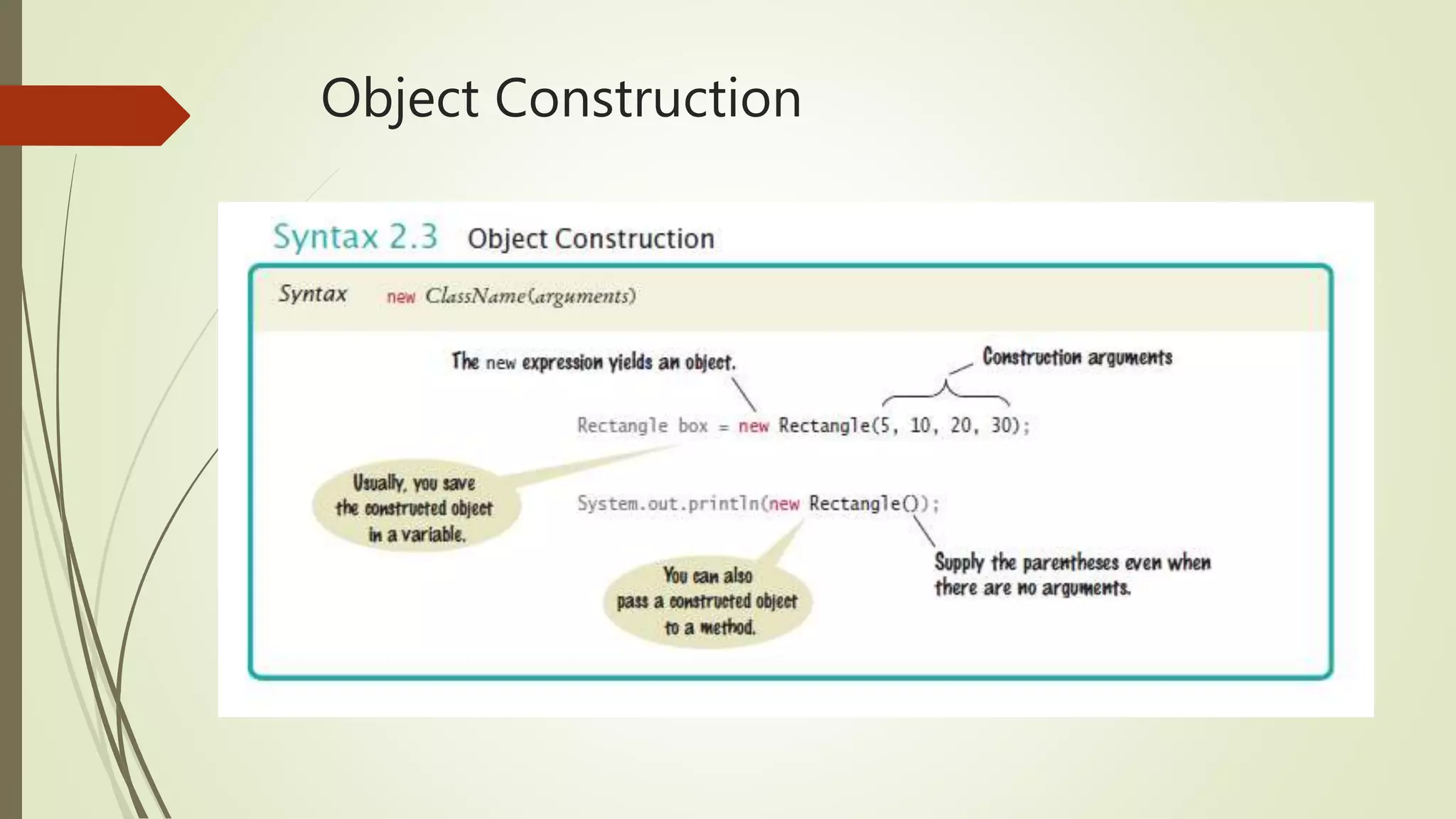
 2.4 Constructing Objects
 Constructors are special kind of methods with two major differences
1. It doesn’t have any return type (not even void).
2. The name of the constructor is the same name of the class.
 Stack and Heap
 Details in next slide.
Object Construction
Chapter 2: Using Objects
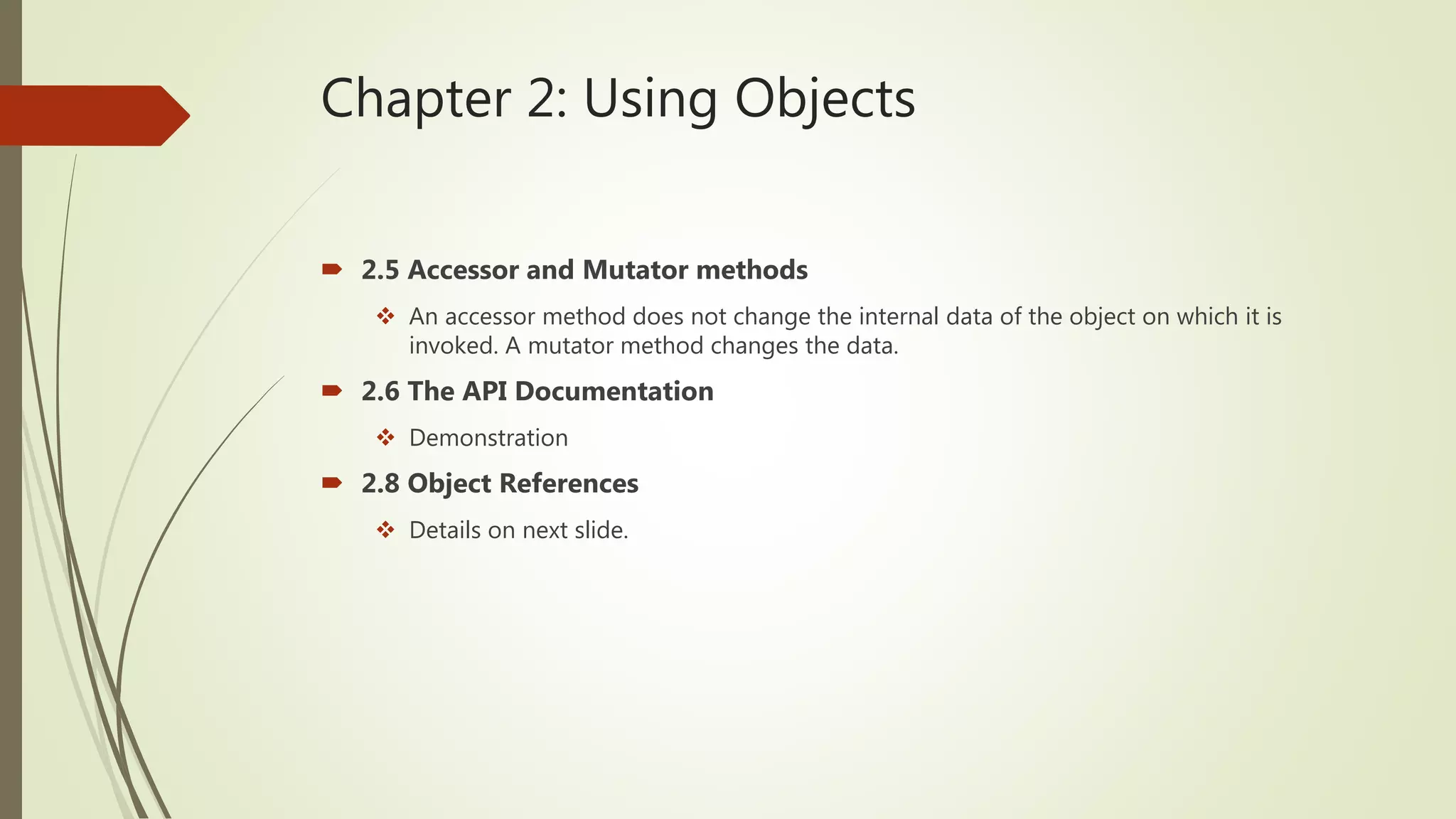
 2.5 Accessor and Mutator methods
 An accessor method does not change the internal data of the object on which it is
invoked. A mutator method changes the data.
 2.6 The API Documentation
 Demonstration
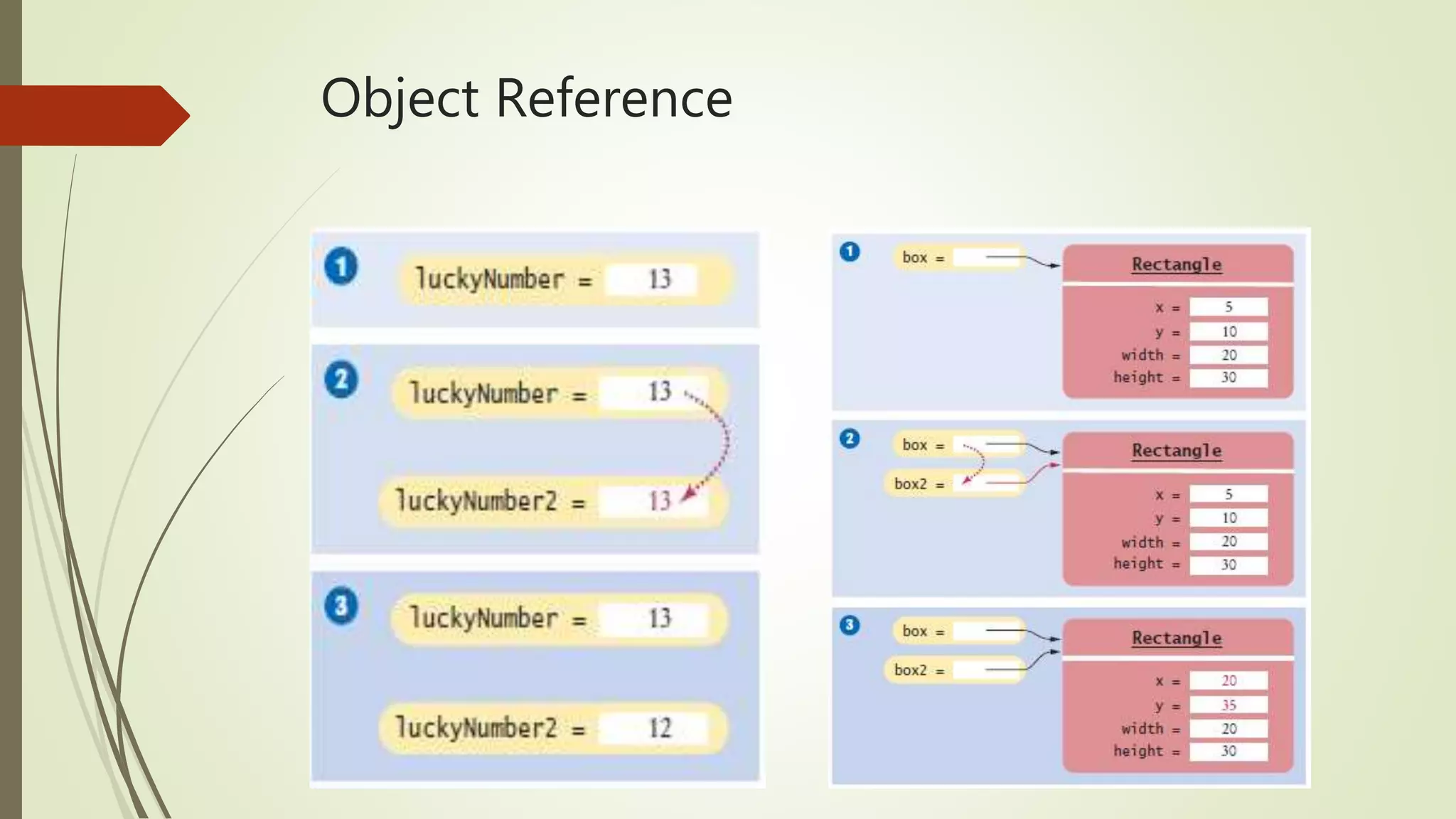
 2.8 Object References
 Details on next slide.
Object Reference
Chapter 3: Implementing Classes
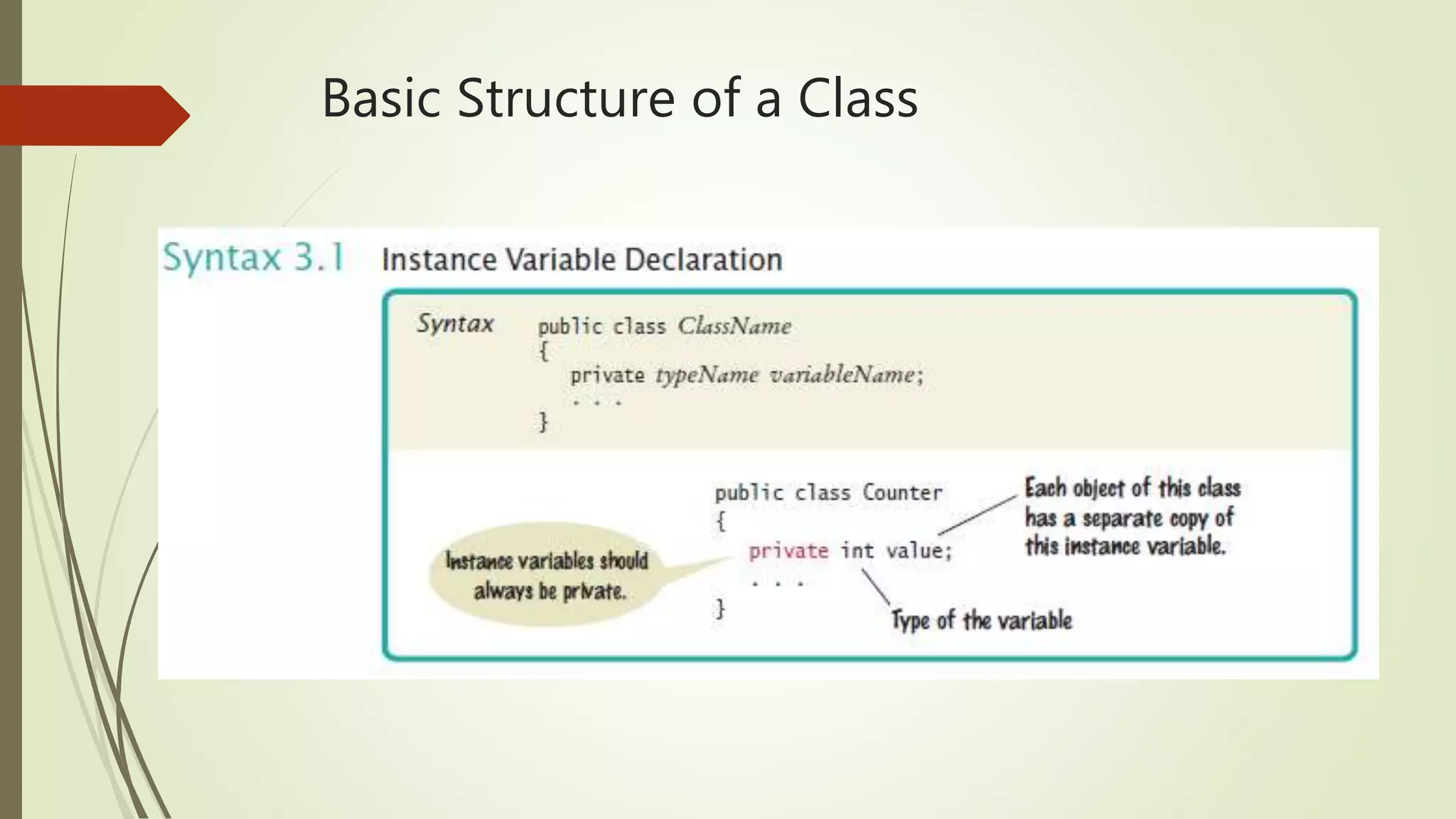
 3.1 Instance variables and encapsulation
 Each object has its own properties.
 Encapsulation is the process of hiding implementation details and providing methods for
data access.
 Private, public and protected.
 Basic structure of a class in next slide.
Basic Structure of a Class
Chapter 3: Implementing Classes
 3.6 Local Variables
 Local variables are declared in the body of a method.
 Scope of local variables and parameters.
 Local variables must be initialized.
 Instance variables are initialized to a default if not initialized explicitly.
 Arguments VS Parameters.
The this reference
Chapter 4: Fundamental Data Types
Constant Declaration
Chapter 4: Fundamental Data Types
 4.2 Arithmetic
 If both expressions in a division are integers the result will be an integer.
 Math class
 Casting
 Static
 4.3 Input and Output
 Scanner class
 Printf
 4.5 Strings
 Strings are sequences of characters.
 String class in the API.
 Concatenation
 Escape sequences (n, t, , ’, ”)
Chapter 5: Decisions
 5.1 If Statement
 If, else if , else VS if, if, if
 Conditional operator
condition ? value1 : value2
 Switch
 5.2 Comparing values
 When comparing objects use the equals method.
 For floating-point values use Math.abs(x - y) < 1E-14
 Don’t confuse = with ==
 Short circuit && and ||

ICOM4015 CIIC4010 Exam Review #1

  • 1.
    ICOM4015/CIIC4010 Exam Review #1 Reference:Big Java Early Objects, 5th Edition by Cay Horstmann
  • 2.
    Chapter 1: Introduction 1.1 Computer Programs  A computer program is a sequence of instructions and decisions.  Programming is the act of designing and implementing computer programs.  1.2 The Anatomy of a Computer  The central processing unit (CPU) performs program control and data processing.  Storage devices include memory and secondary storage.  1.3 The Java Programming Language  Java is a high-level programming language.  The name of the class must be the same from the source file.  Java is case-sensitive.
  • 3.
  • 4.
    From Source Codeto Running Program
  • 5.
    Chapter 1: Introduction 1.5 Analyzing your First Program  Each source file can have at most one class with the exception of inner classes (discussed later on in the course).  1.6 Errors  A compile-time error is a violation of the programming language rules that is detected by the compiler.  A run-time error causes a program to take an action that the programmer did not intend.
  • 6.
    Chapter 2: UsingObjects  2.1 Objects and Classes  Objects are entities in your program that you manipulate by calling methods.  A method is a sequence of instructions that accesses the data of an object.  A class describes a set of objects with the same behavior.  2.2 Variables  A variable is a storage location with a name.  Names for the variables can be any identifier.  All identifiers must start with either a letter( a to z or A to Z ) or currency character($) or an underscore.  After the first character, an identifier can have any combination of characters.  A Java keyword cannot be used as an identifier.  Identifiers in Java are case sensitive, foo and Foo are two different identifiers.  Variables must be declared and initialized before used.
  • 8.
    Chapter 2: UsingObjects  2.3 Calling Methods  Overloaded VS Overriden  int f(int a)  int f()  void f()  void f(int a)  2.4 Constructing Objects  Constructors are special kind of methods with two major differences 1. It doesn’t have any return type (not even void). 2. The name of the constructor is the same name of the class.  Stack and Heap  Details in next slide.
  • 9.
  • 10.
    Chapter 2: UsingObjects  2.5 Accessor and Mutator methods  An accessor method does not change the internal data of the object on which it is invoked. A mutator method changes the data.  2.6 The API Documentation  Demonstration  2.8 Object References  Details on next slide.
  • 11.
  • 12.
    Chapter 3: ImplementingClasses  3.1 Instance variables and encapsulation  Each object has its own properties.  Encapsulation is the process of hiding implementation details and providing methods for data access.  Private, public and protected.  Basic structure of a class in next slide.
  • 13.
  • 14.
    Chapter 3: ImplementingClasses  3.6 Local Variables  Local variables are declared in the body of a method.  Scope of local variables and parameters.  Local variables must be initialized.  Instance variables are initialized to a default if not initialized explicitly.  Arguments VS Parameters.
  • 15.
  • 16.
  • 17.
  • 18.
    Chapter 4: FundamentalData Types  4.2 Arithmetic  If both expressions in a division are integers the result will be an integer.  Math class  Casting  Static  4.3 Input and Output  Scanner class  Printf  4.5 Strings  Strings are sequences of characters.  String class in the API.  Concatenation  Escape sequences (n, t, , ’, ”)
  • 19.
  • 20.
    Chapter 5: Decisions 5.1 If Statement  If, else if , else VS if, if, if  Conditional operator condition ? value1 : value2  Switch  5.2 Comparing values  When comparing objects use the equals method.  For floating-point values use Math.abs(x - y) < 1E-14  Don’t confuse = with ==  Short circuit && and ||